



Computer System is Chapter 1 of the Class 11 Computer Science NCERT textbook, and it is where the whole subject starts: what a CPU actually does, how memory is layered, and how software sits on top of hardware. The NCERT book Class 11 Computer Science Chapter 1 Computer System file on this page is the official chapter for 2026-27, running to 26 pages with every figure, table, summary point and exercise question in place.
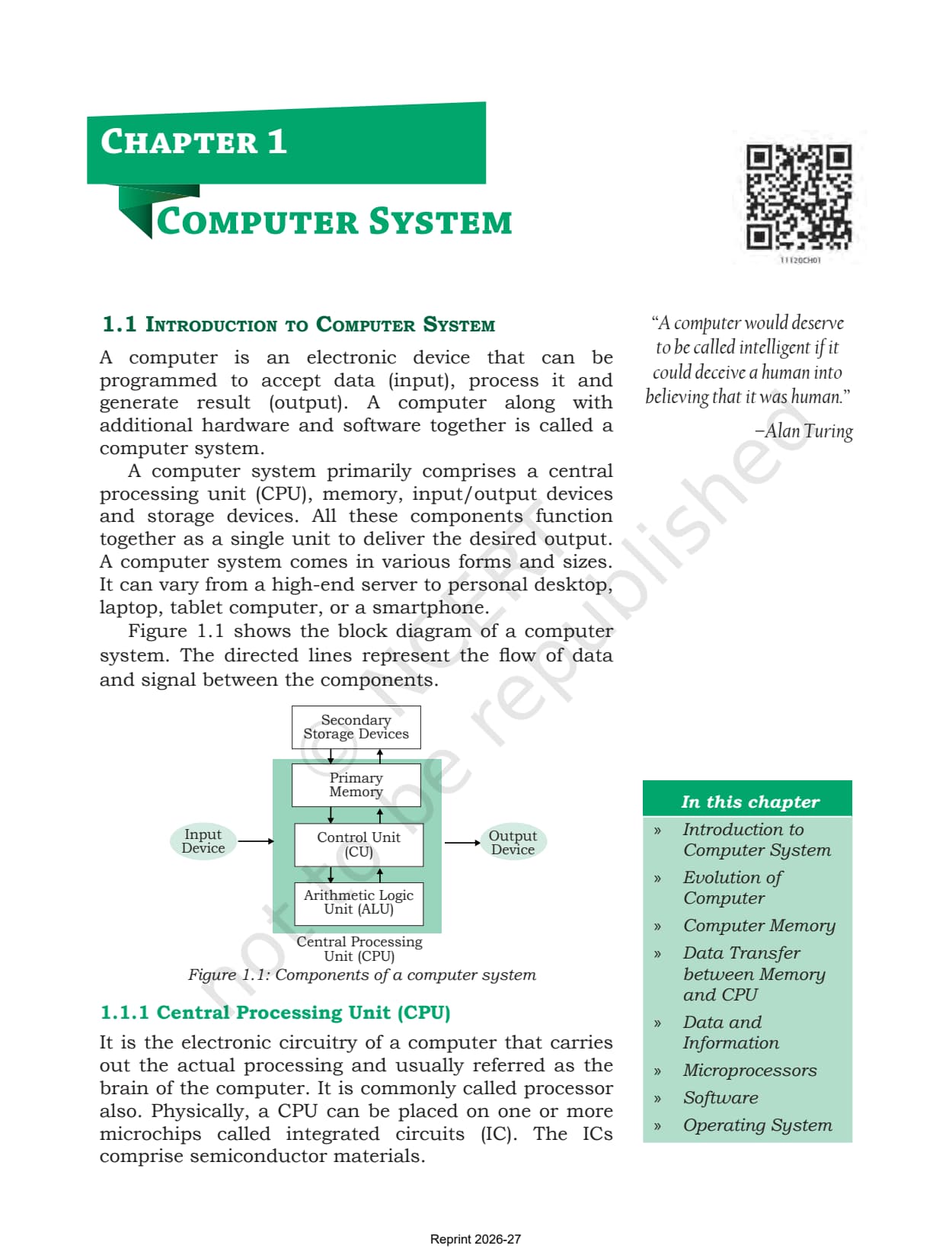
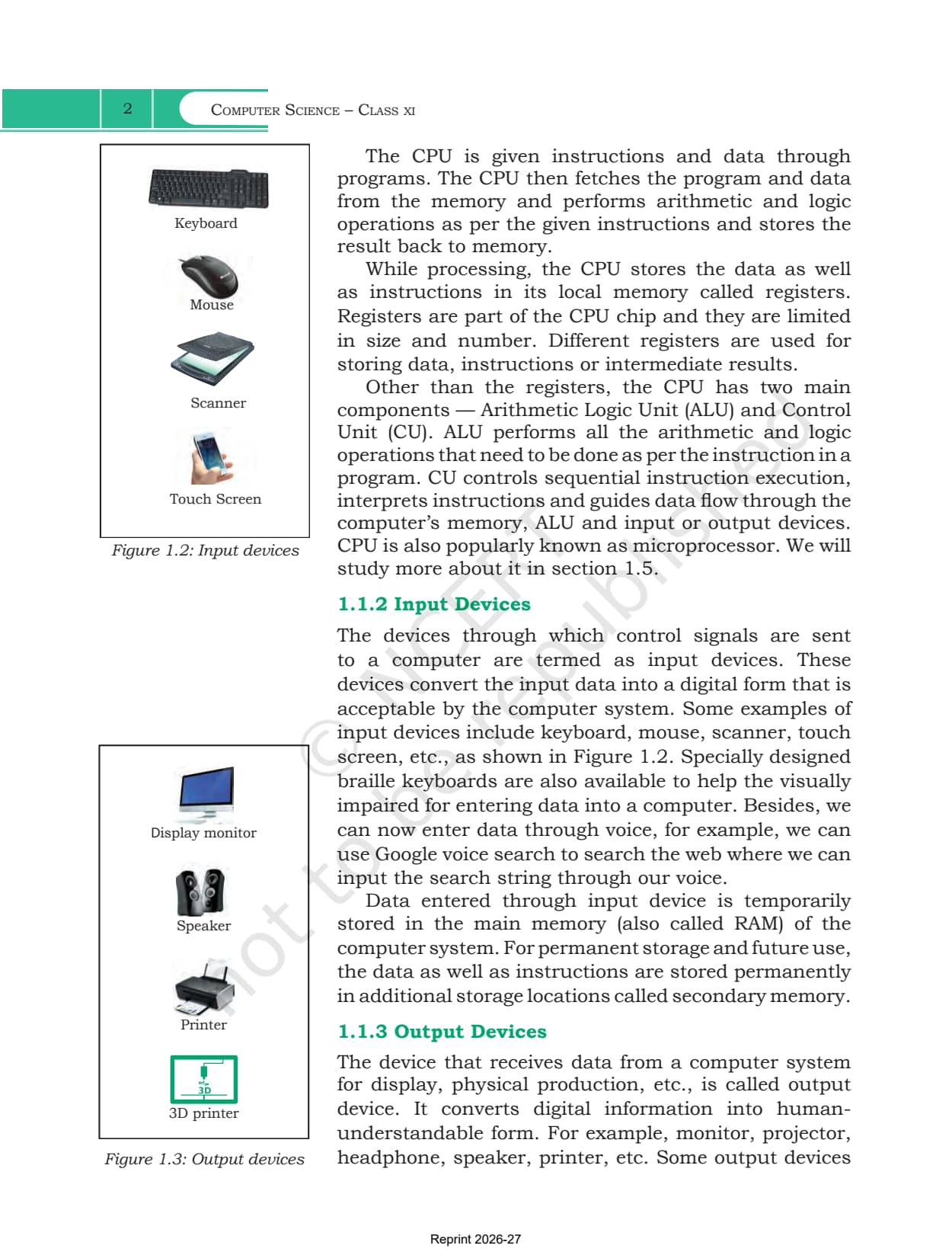
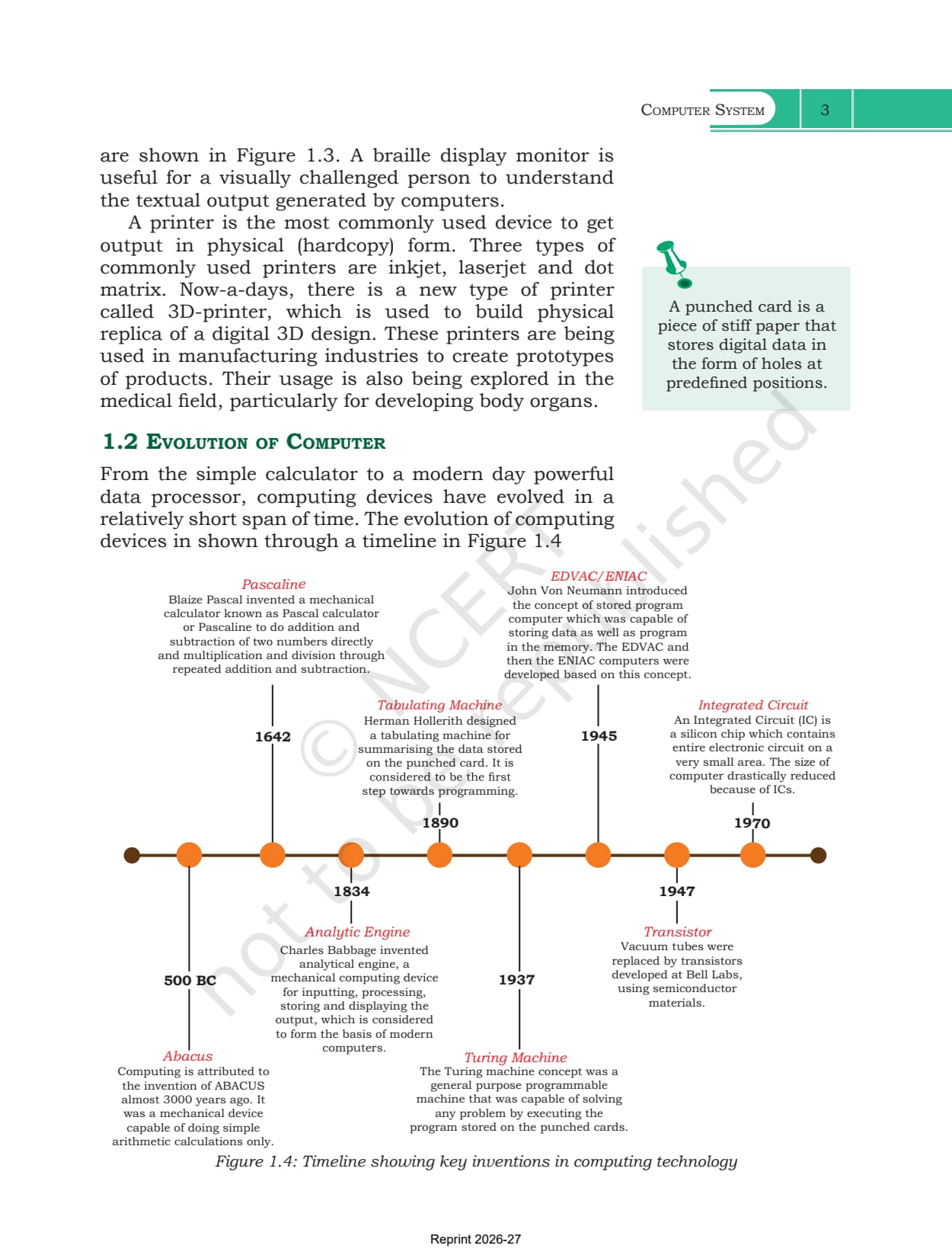
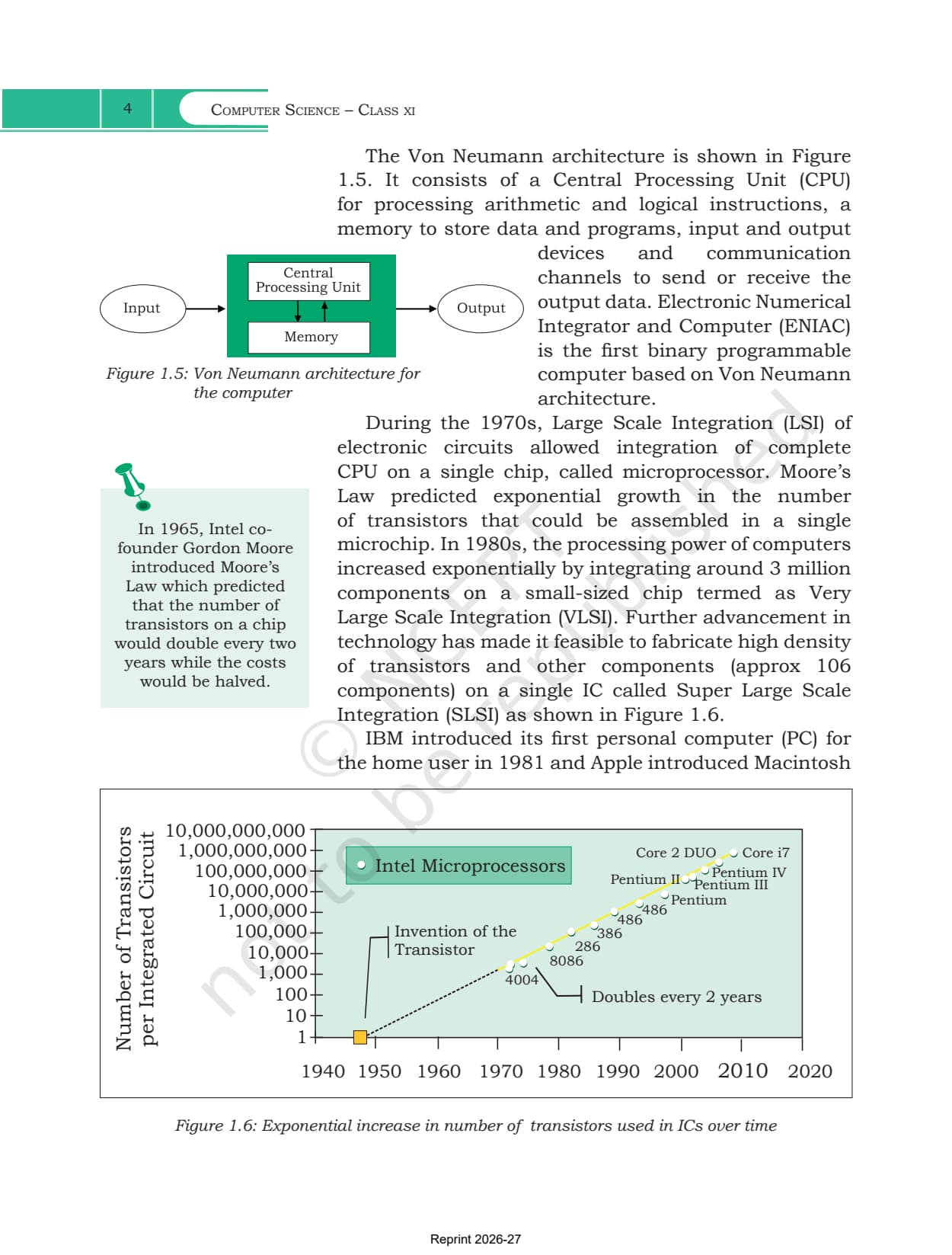
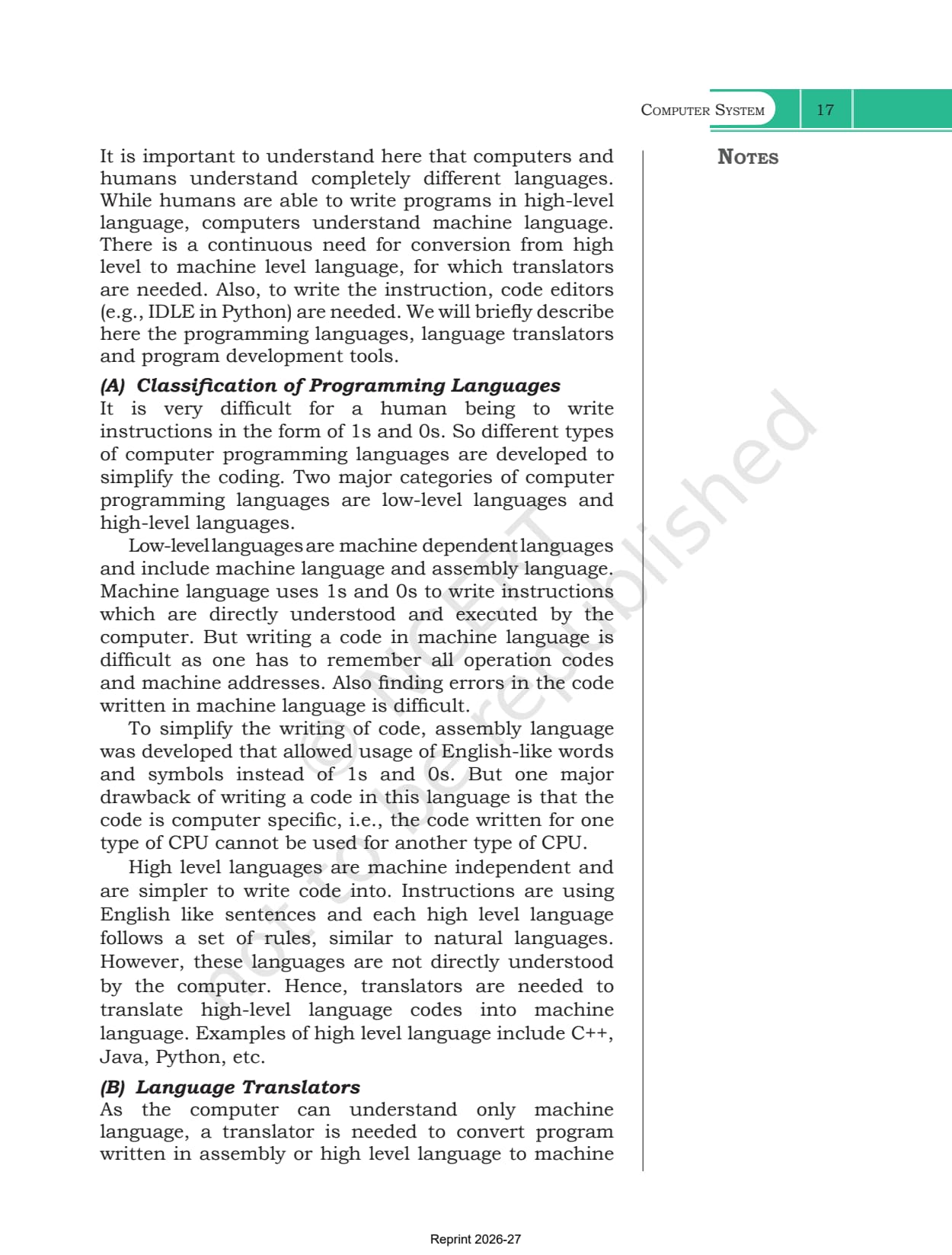
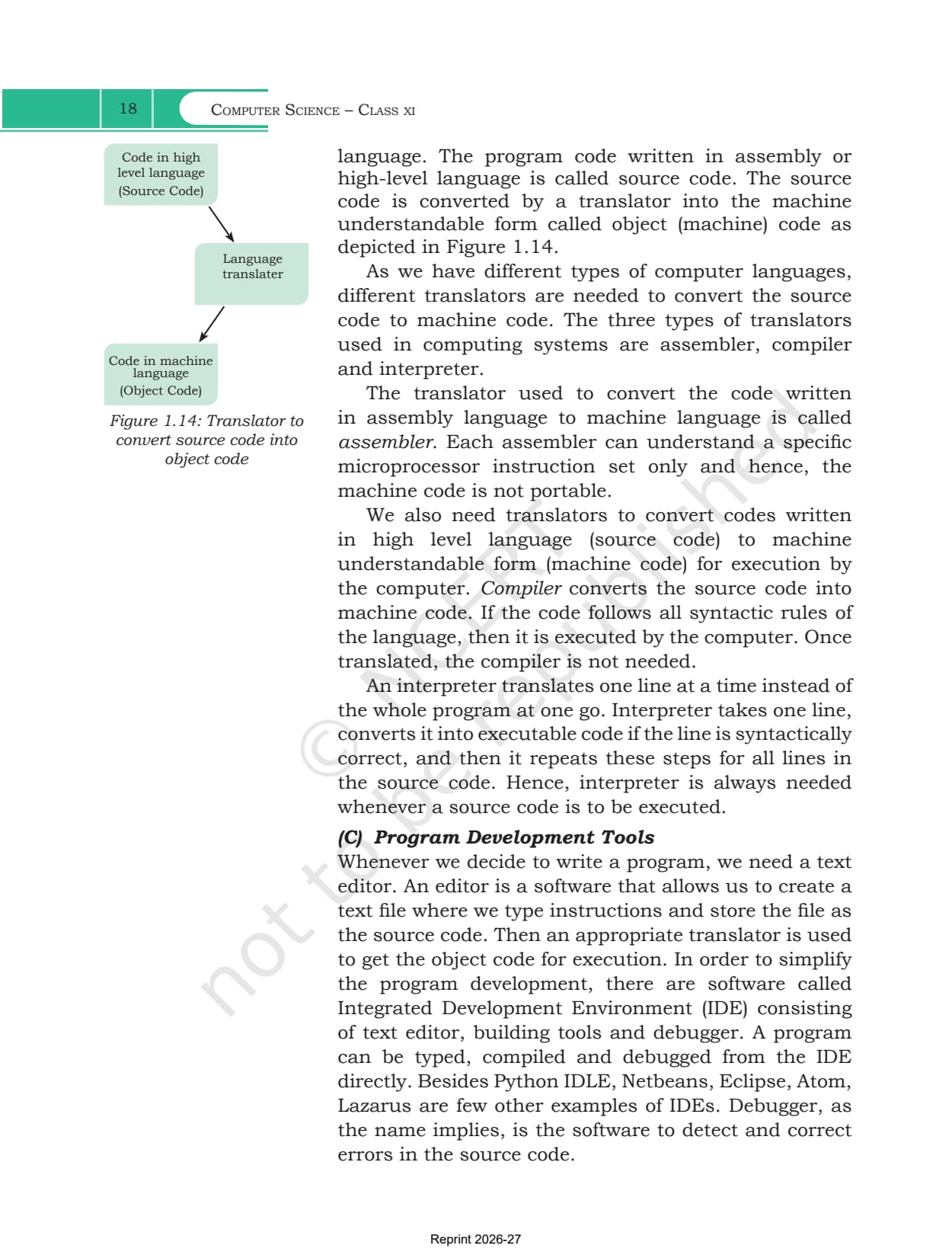
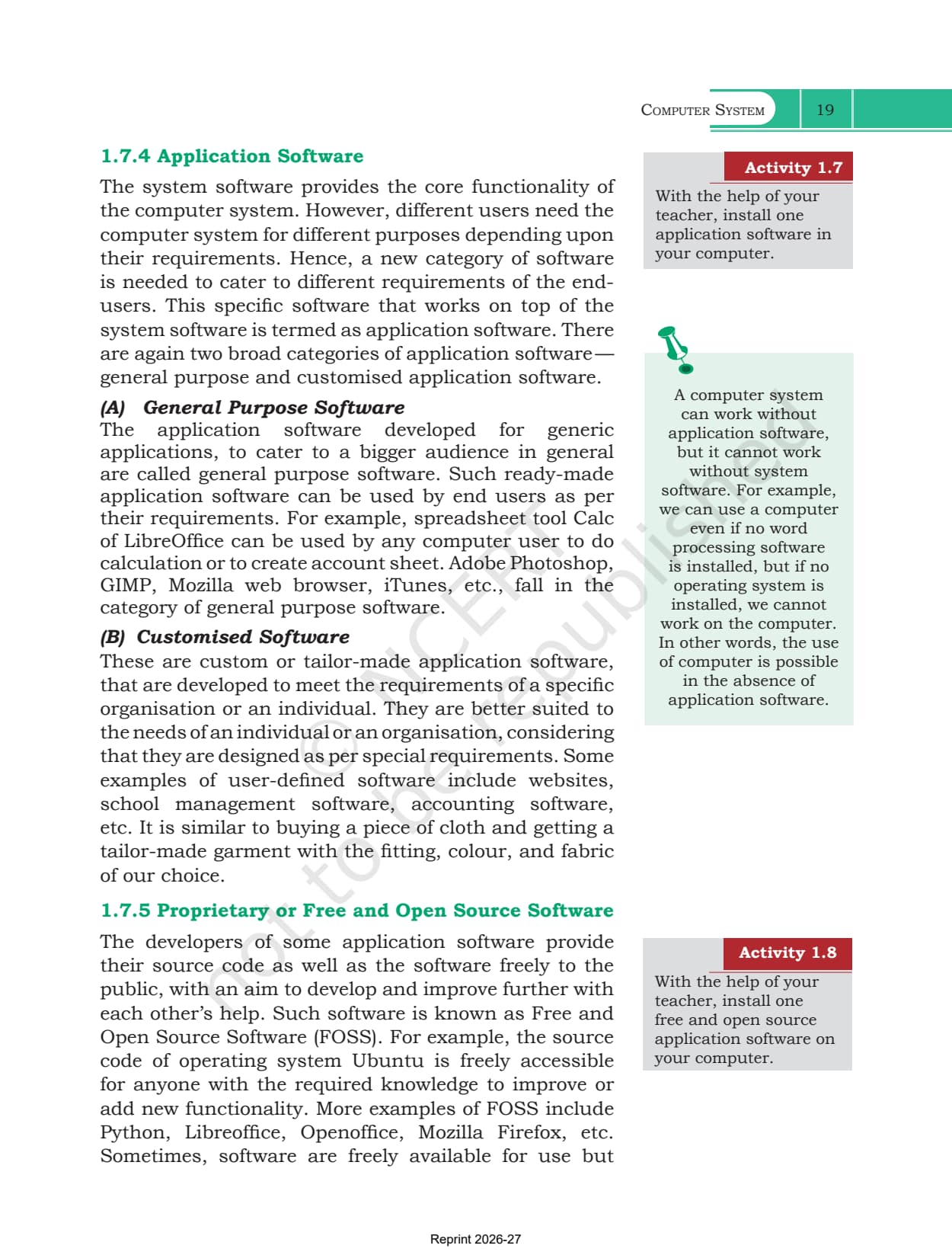
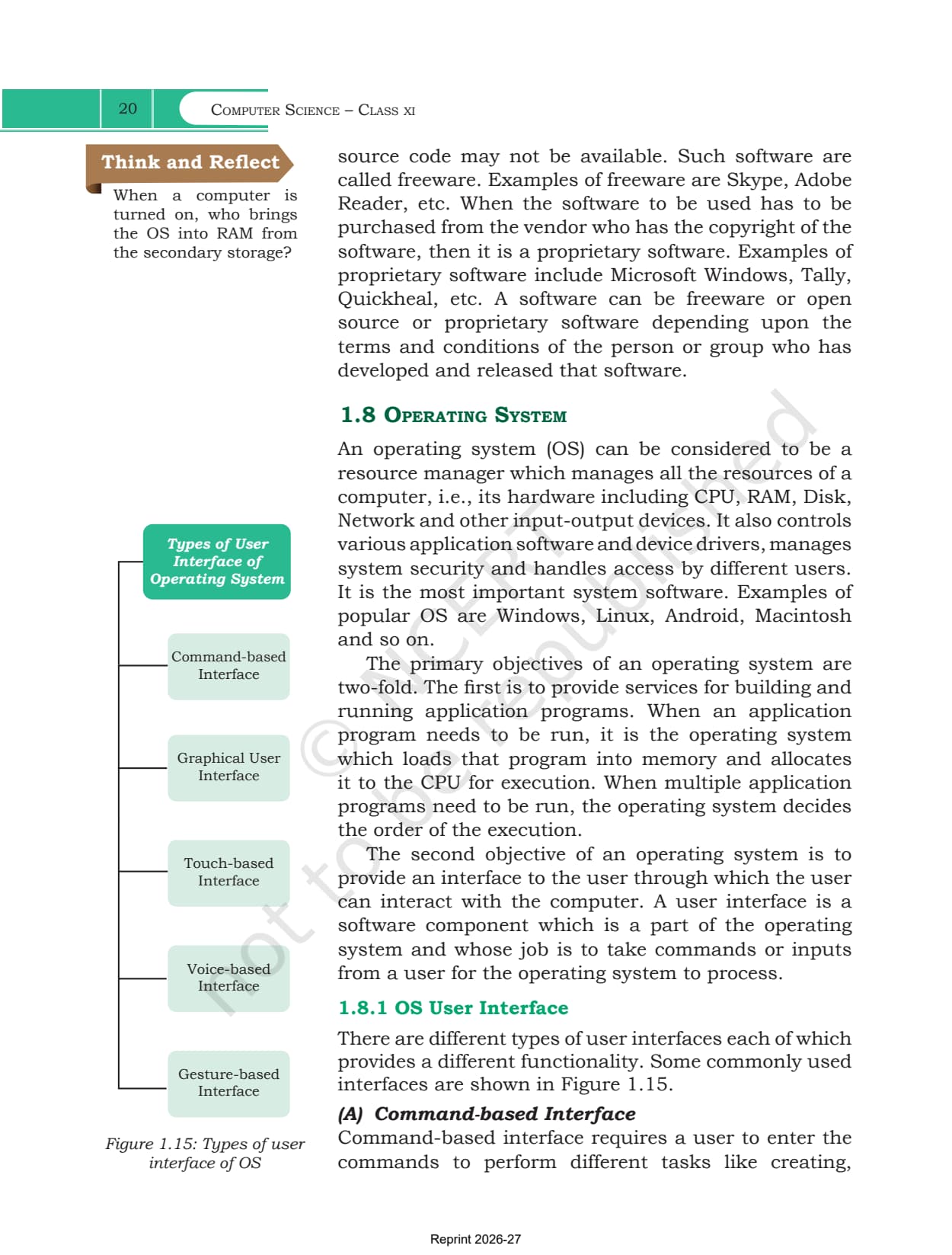
- Chapter: Chapter 1, Computer System, covering sections 1.1 to 1.8
- Book: Computer Science, the Class 11 NCERT textbook for 2026-27, with 11 chapters
- File: 26 pages, the complete official chapter including Summary and Exercise
You can page through the block diagram of a computer system, the microprocessor generation table and the full exercise set in the reader above before downloading the file.
This is the official NCERT chapter file for the 2026-27 session, hosted by Collegedunia with no pages removed.
How the Computer System Chapter Is Laid Out
Chapter 1 moves in a straight line from the physical machine to the software that drives it. The table below lists the eight numbered sections in the order they appear in the file.
| Section | What it covers |
|---|---|
| 1.1 Introduction to Computer System | the block diagram, the CPU with its ALU, control unit and registers, plus input and output devices |
| 1.2 Evolution of Computer | the invention timeline, and the von Neumann architecture behind ENIAC |
| 1.3 Computer Memory | units of memory, RAM and ROM, cache and secondary storage |
| 1.4 Data Transfer between Memory and CPU | the data, address and control buses that form the system bus |
| 1.5 Microprocessors | five microprocessor generations, word size, clock speed, cores and microcontrollers |
| 1.6 Data and Information | structured, unstructured and semi-structured data, plus capture, storage and recovery |
| 1.7 Software | system software, programming tools and application software |
| 1.8 Operating System | the five interface types and the four functions of an operating system |
What the Computer System Chapter PDF Contains
The PDF holds the chapter exactly as NCERT printed it, from the Alan Turing quotation on the opening page to the last Explore Yourself prompt. Nothing has been trimmed out.
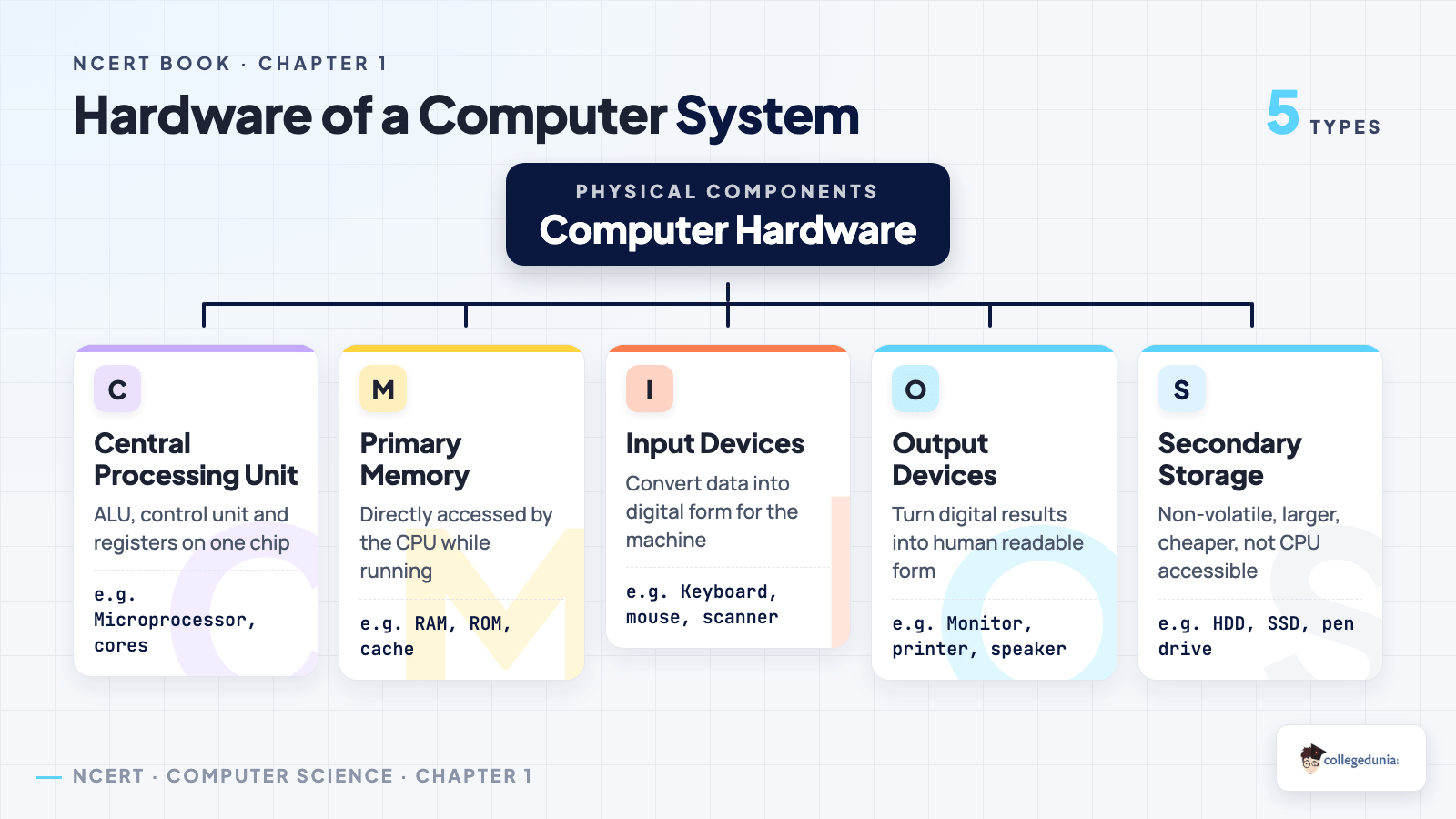
- Figure 1.1, the block diagram showing how the input device, CPU, primary memory, output device and secondary storage connect
- Figure 1.4, the invention timeline from the abacus through Pascaline, the analytical engine and the tabulating machine to the integrated circuit
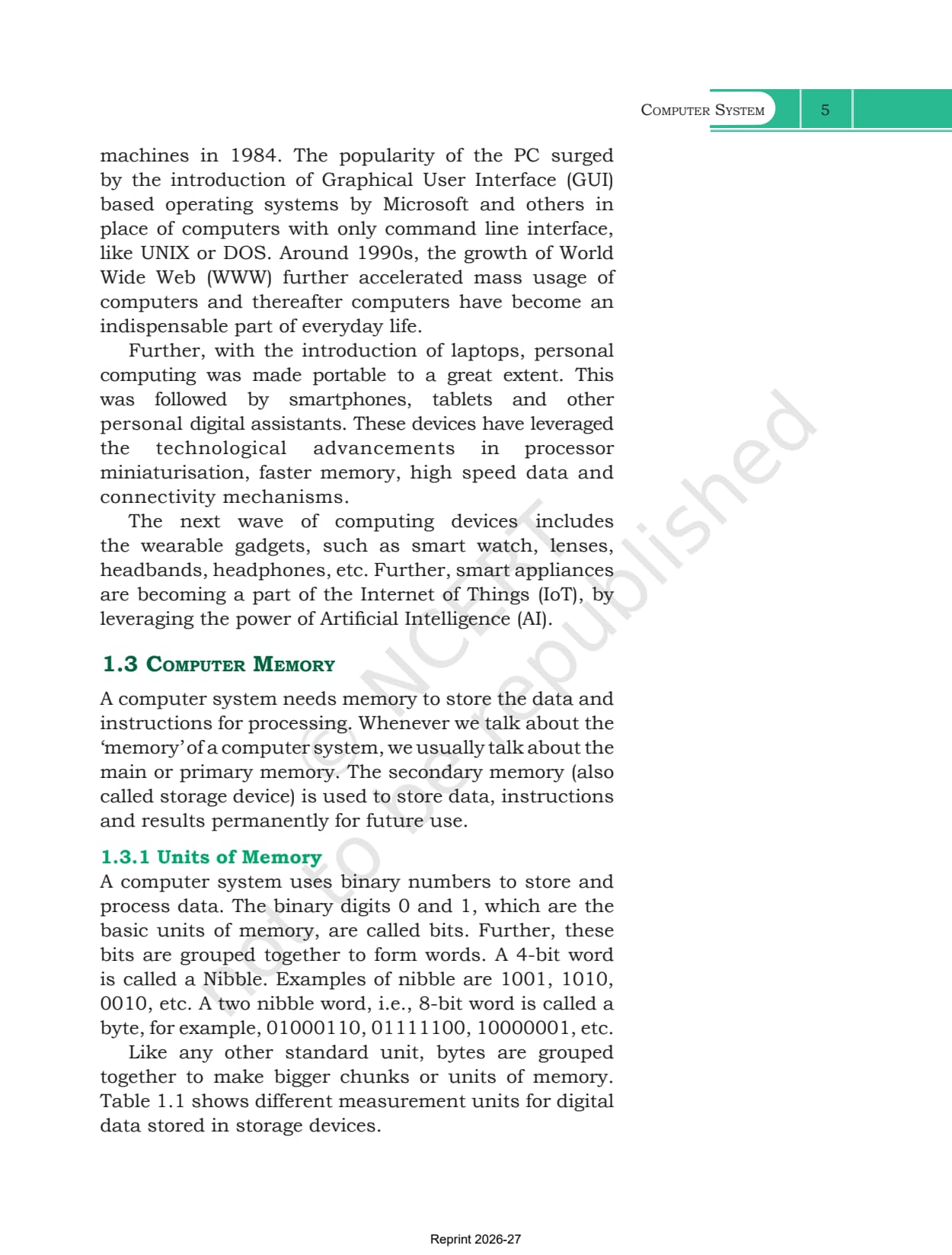
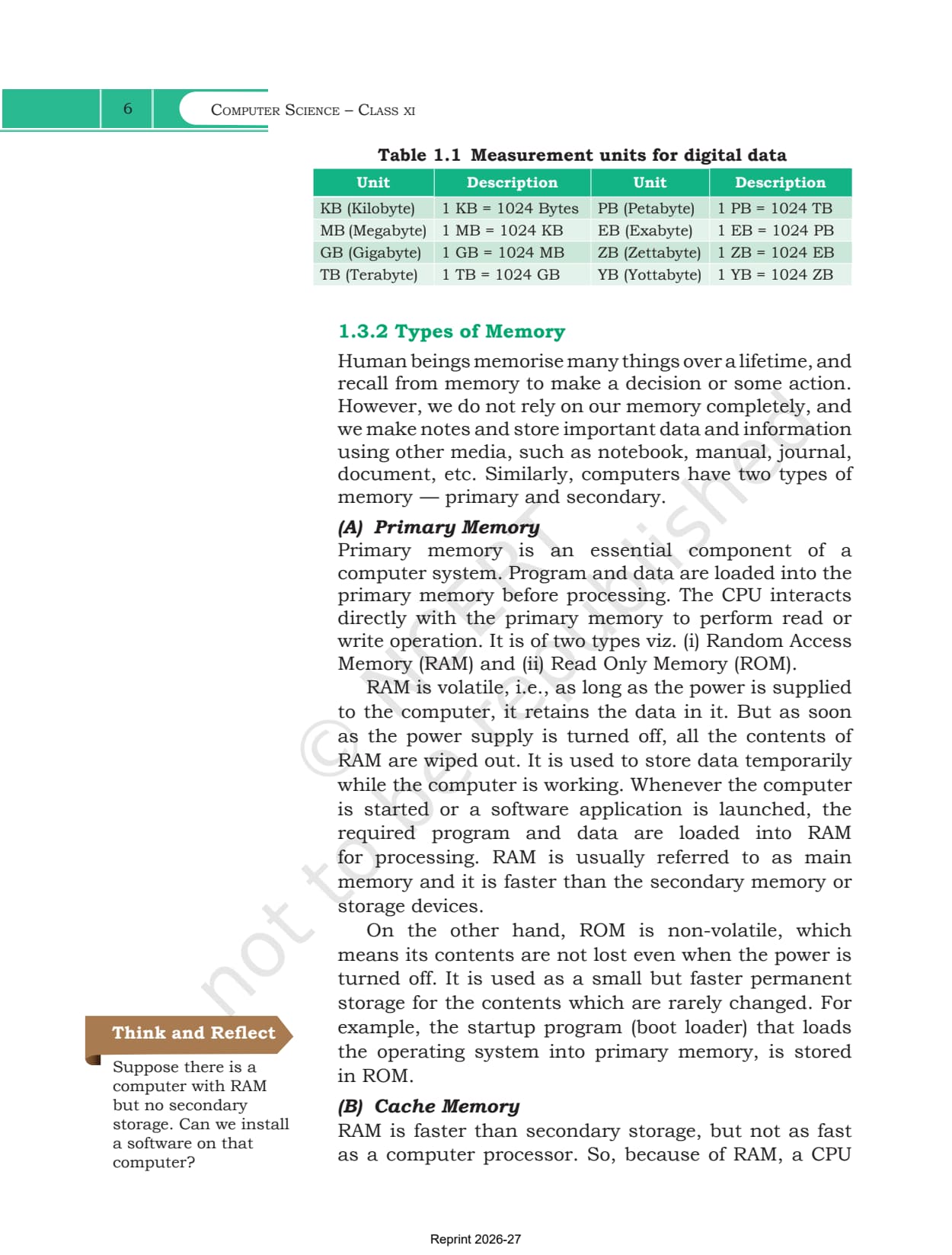
- Table 1.1, the measurement units from kilobyte to yottabyte, each one 1024 times the last
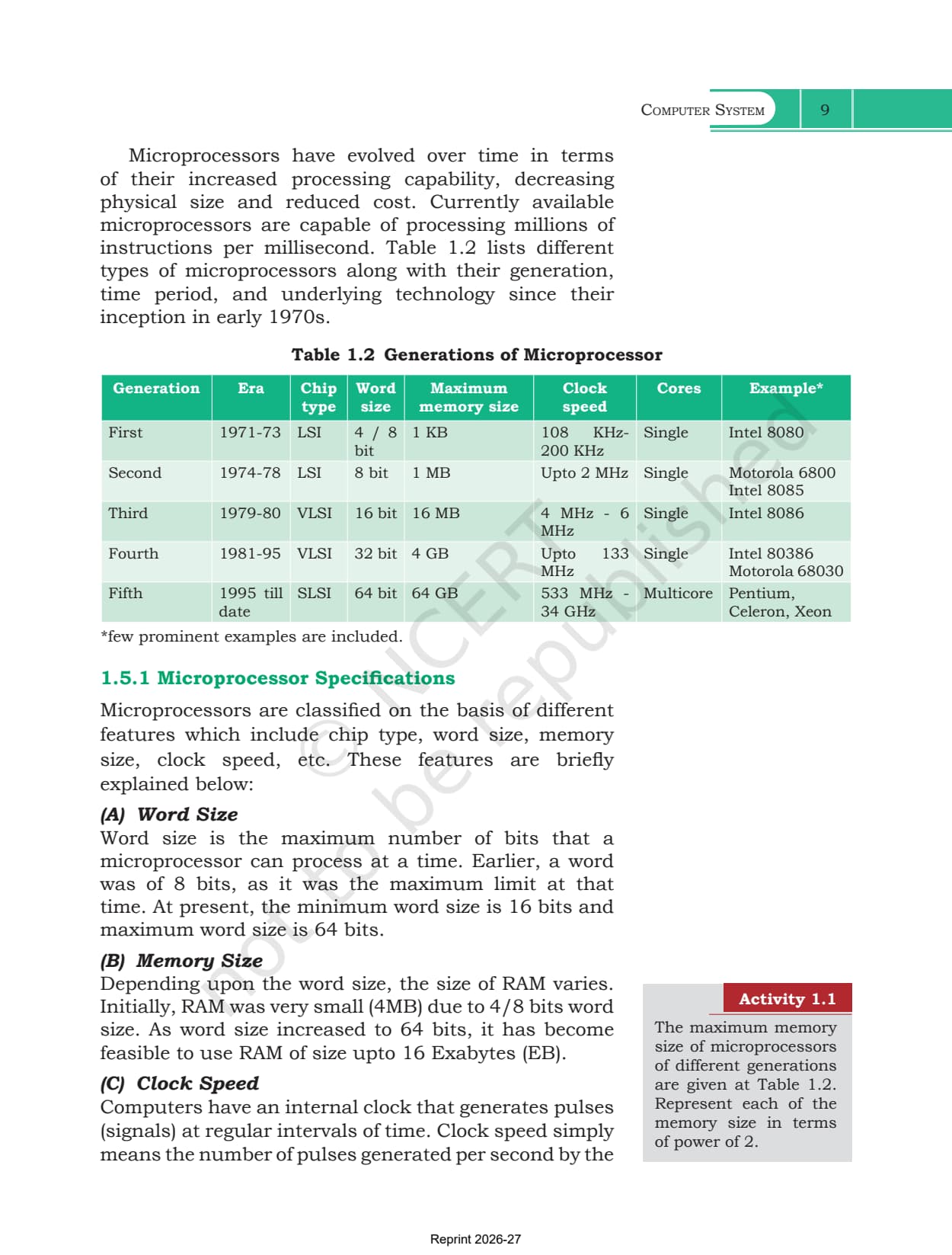
- Table 1.2, the five generations of microprocessor with era, chip type, word size, clock speed and cores
- Six Activity tasks and three Think and Reflect prompts set in the side margin
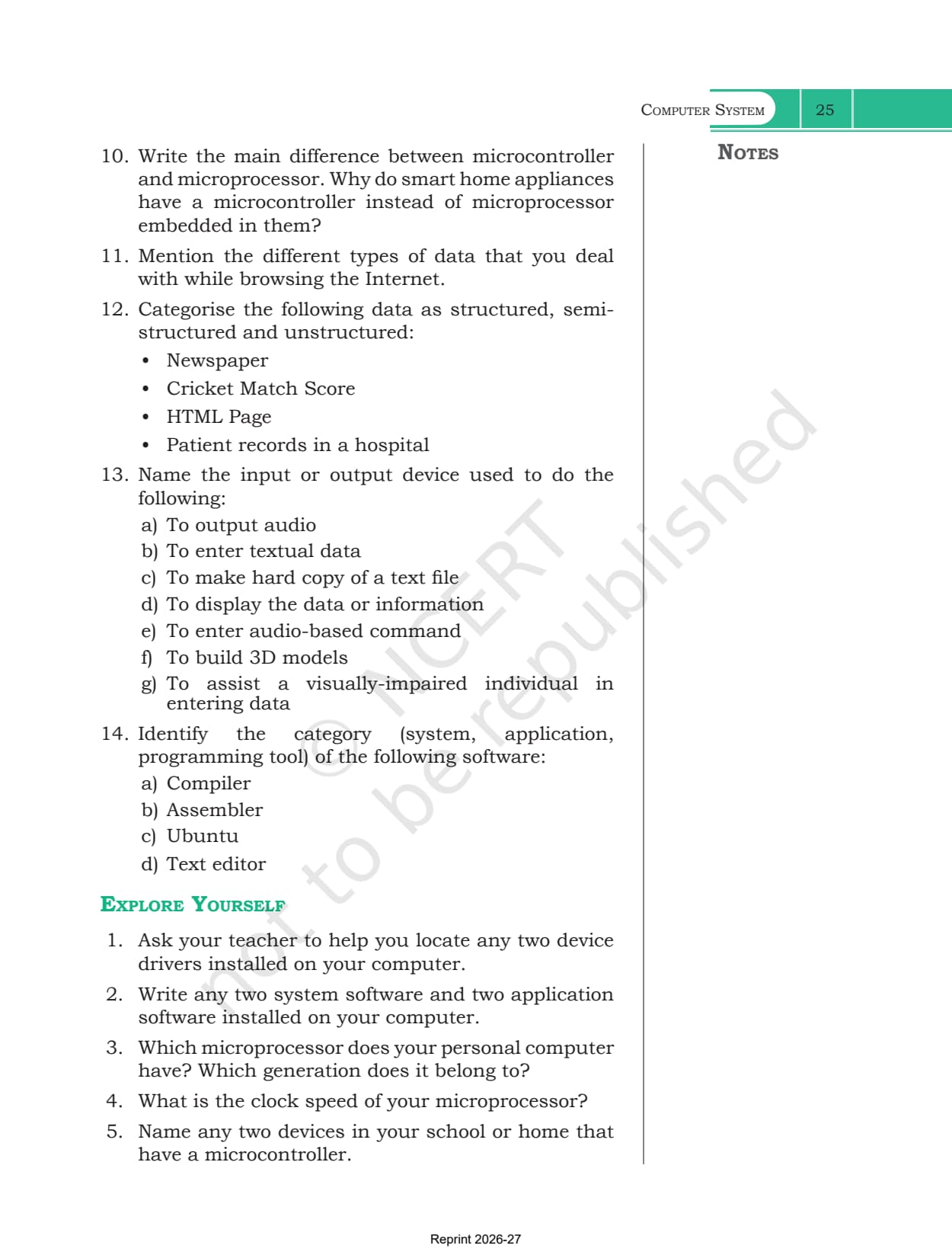
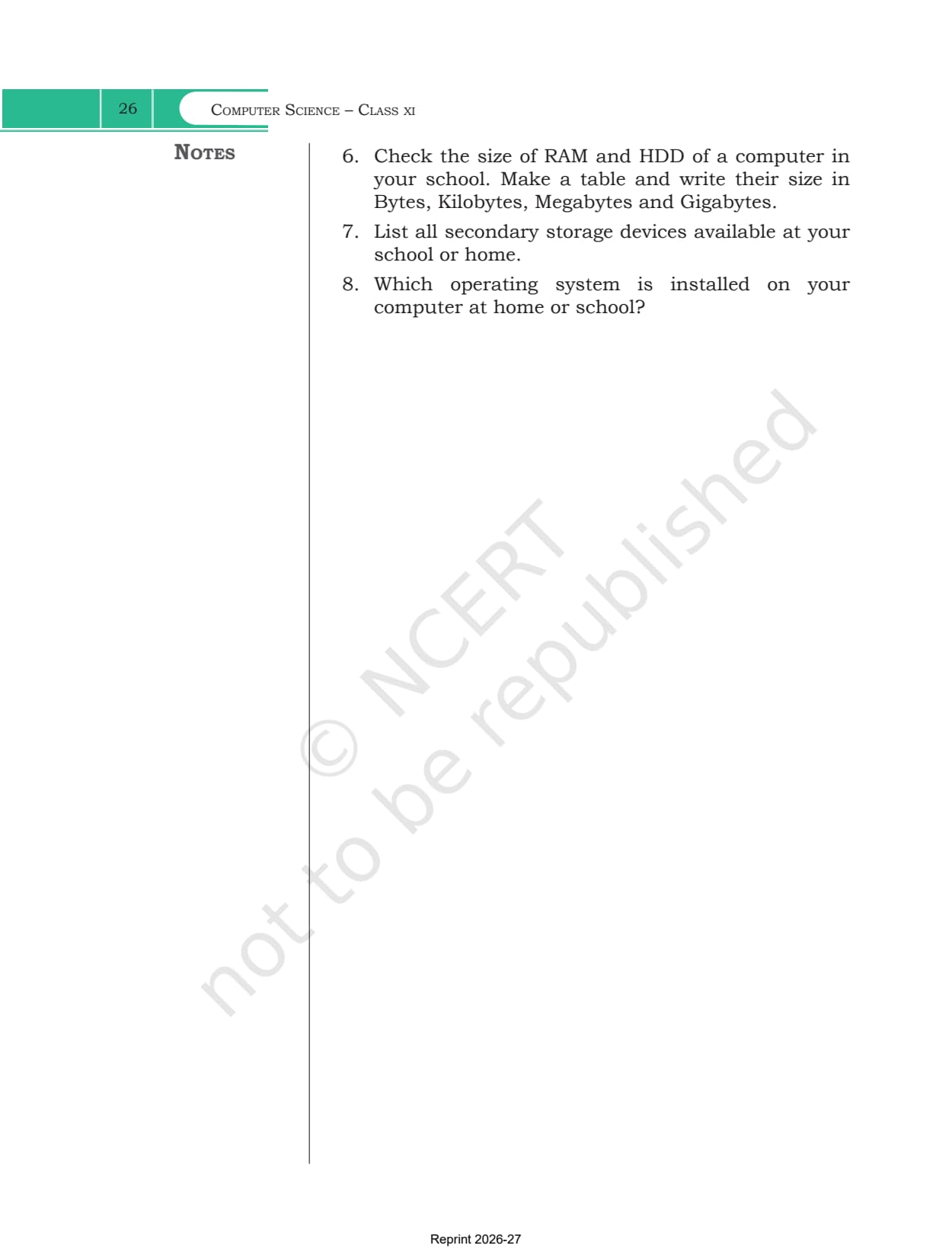
- The nine-point Summary, the 14-question Exercise, and eight Explore Yourself investigations
Computer System Class 11 Chapter Revision
Source: Magnet Brains on YouTube
How Data Moves Between the CPU and Memory
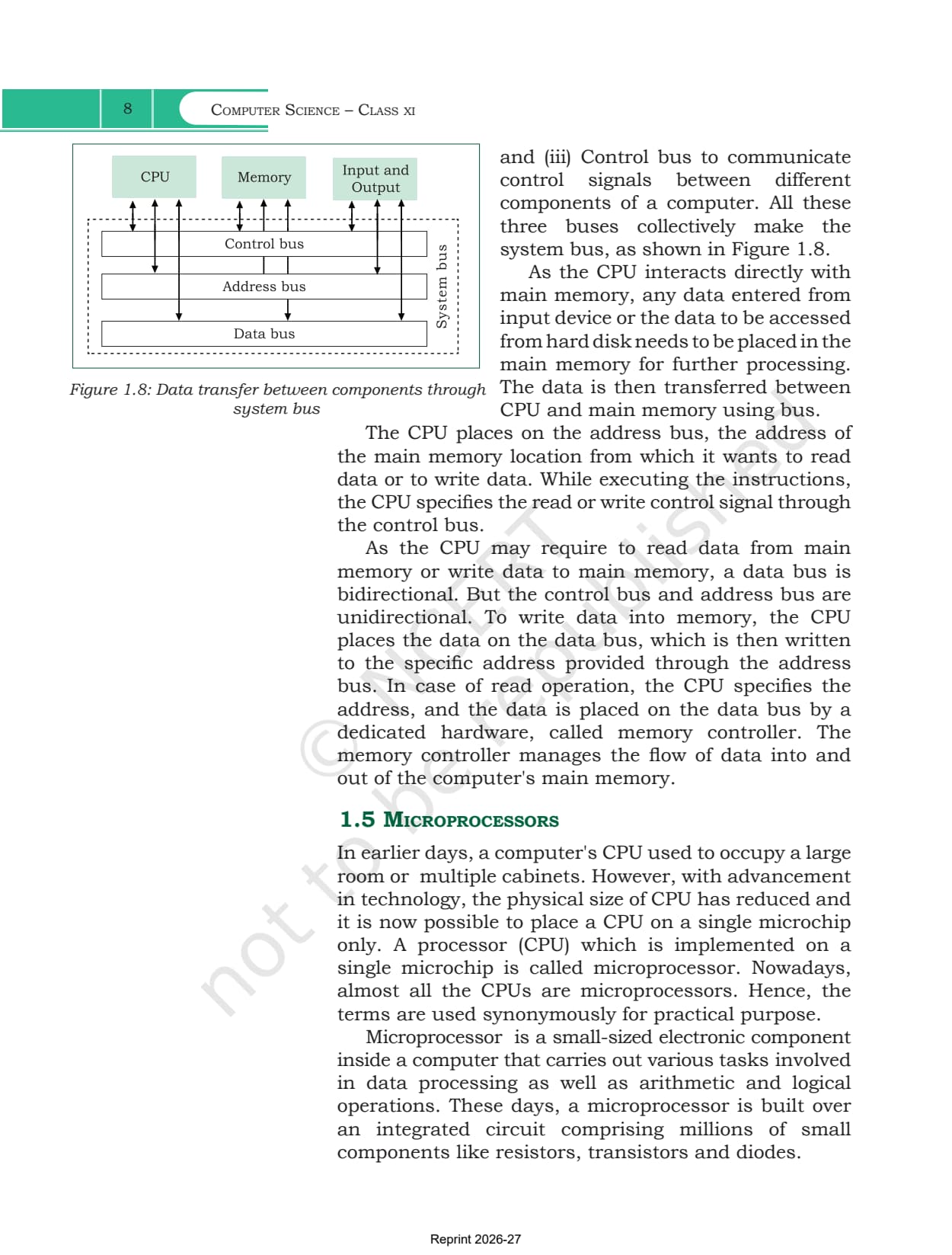
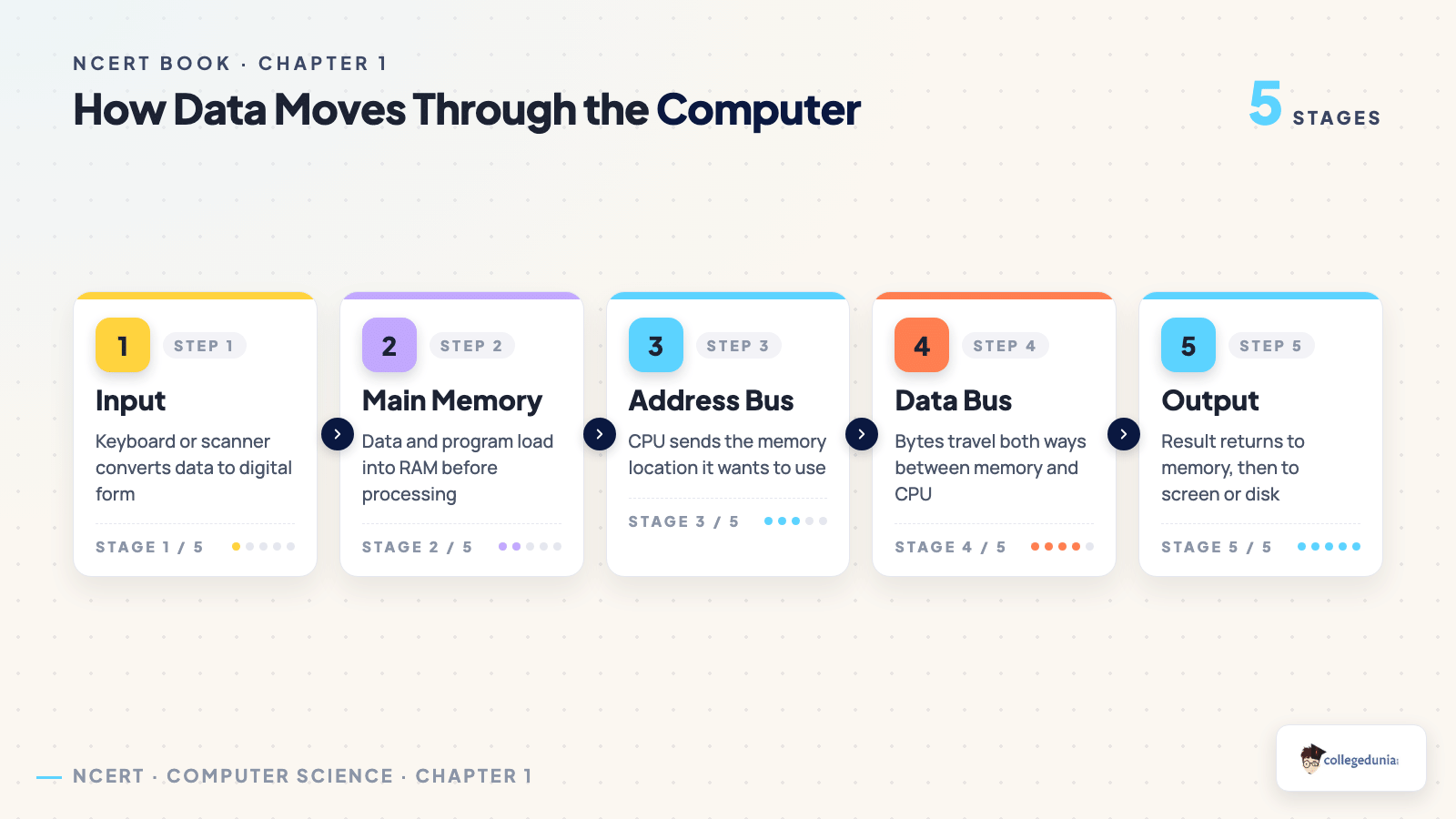
Section 1.4 is short but carries two exercise questions. The idea is that components never talk directly; they talk over physical wires called a bus, and there are three of them.
- The data bus carries the actual data, and it is bidirectional because the CPU both reads and writes
- The address bus carries the memory address the CPU wants, and it is unidirectional
- The control bus carries the read or write signal, and it is unidirectional too
- All three together make the system bus shown in Figure 1.8
- On a read, hardware called the memory controller places the data on the data bus
The chapter is equally firm that the CPU cannot reach secondary storage on its own. Anything on a hard disk must be copied into main memory first, which is why Figure 1.1 runs input device, then primary memory, then CPU, then back out.
How Chapter 1 Splits System Software from Application Software
Section 1.7 is the longest stretch of the chapter and is almost entirely classification, so a table is the fastest way to hold it. Figure 1.13 draws the same split as a tree.
| Category | What sits inside it |
|---|---|
| System software | the operating system, system utilities such as antivirus and disk tools, and device drivers |
| Programming tools | low level and high level languages, the assembler, compiler and interpreter, plus editors, debuggers and IDEs such as Python IDLE |
| Application software | general purpose tools such as a spreadsheet or browser, and customised software built for one organisation |
| Licensing types | free and open source software, freeware with closed source code, and proprietary software that must be purchased |
Section 1.8 then treats the operating system on its own as a resource manager, with process, memory, file and device management as its four functions, and command based, graphical, touch, voice and gesture as its five interface types.
What the Computer System Exercises Ask
The 14 exercise questions are spread across the whole chapter rather than clustered at the end, so skipping a section usually costs a question. Several ask for a comparison rather than a definition.
| Questions | What they ask you to do |
|---|---|
| 1 to 3 | name the software that makes a computer functional, explain how a high level program is understood, and say why machine code runs faster than source code |
| 4 to 5 | justify the need for RAM against ROM, and the need for secondary memory |
| 6 to 8 | describe how components communicate, draw the block diagram, and explain why the data bus is bidirectional |
| 9 to 10 | separate proprietary software from freeware, and say why a smart appliance uses a microcontroller |
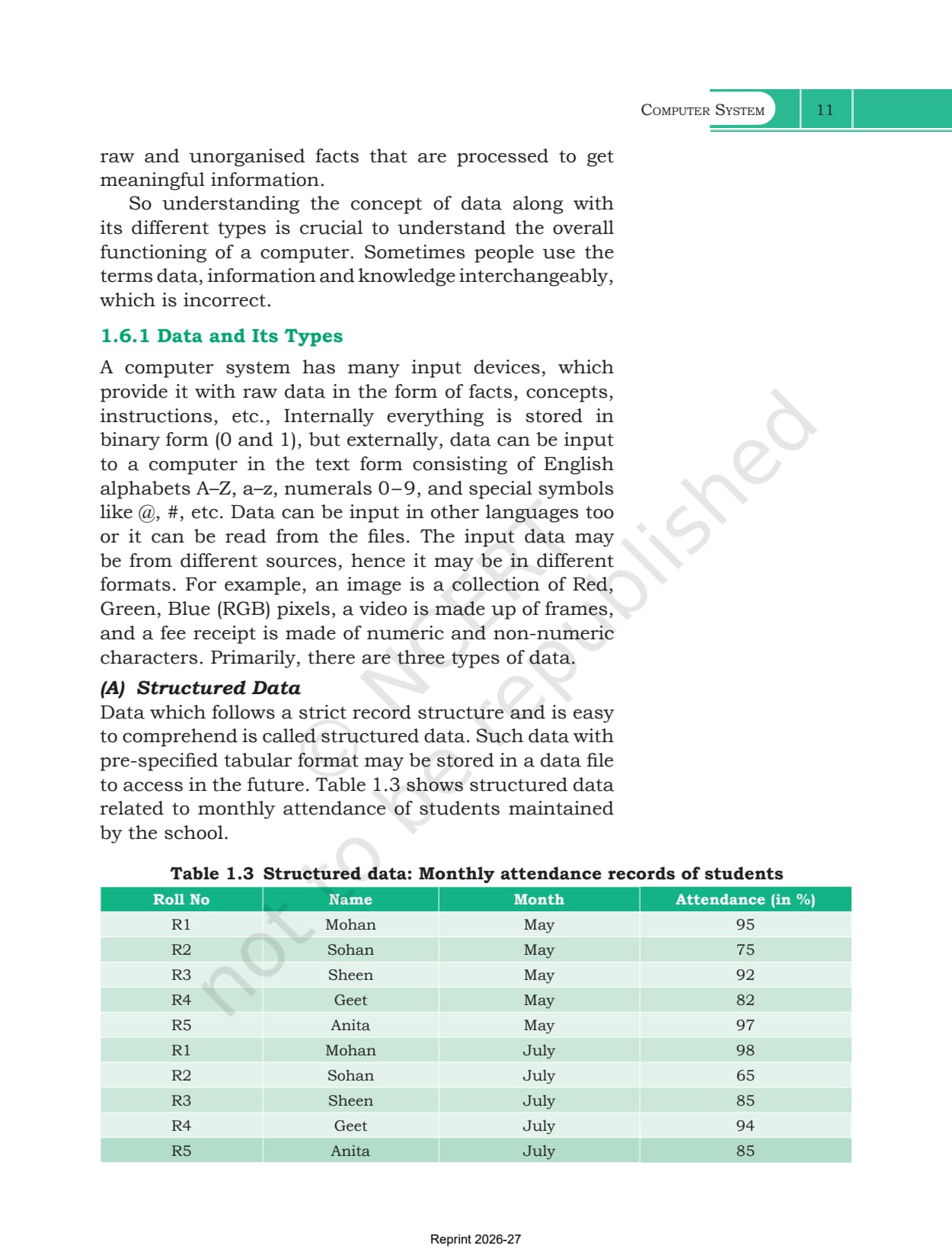
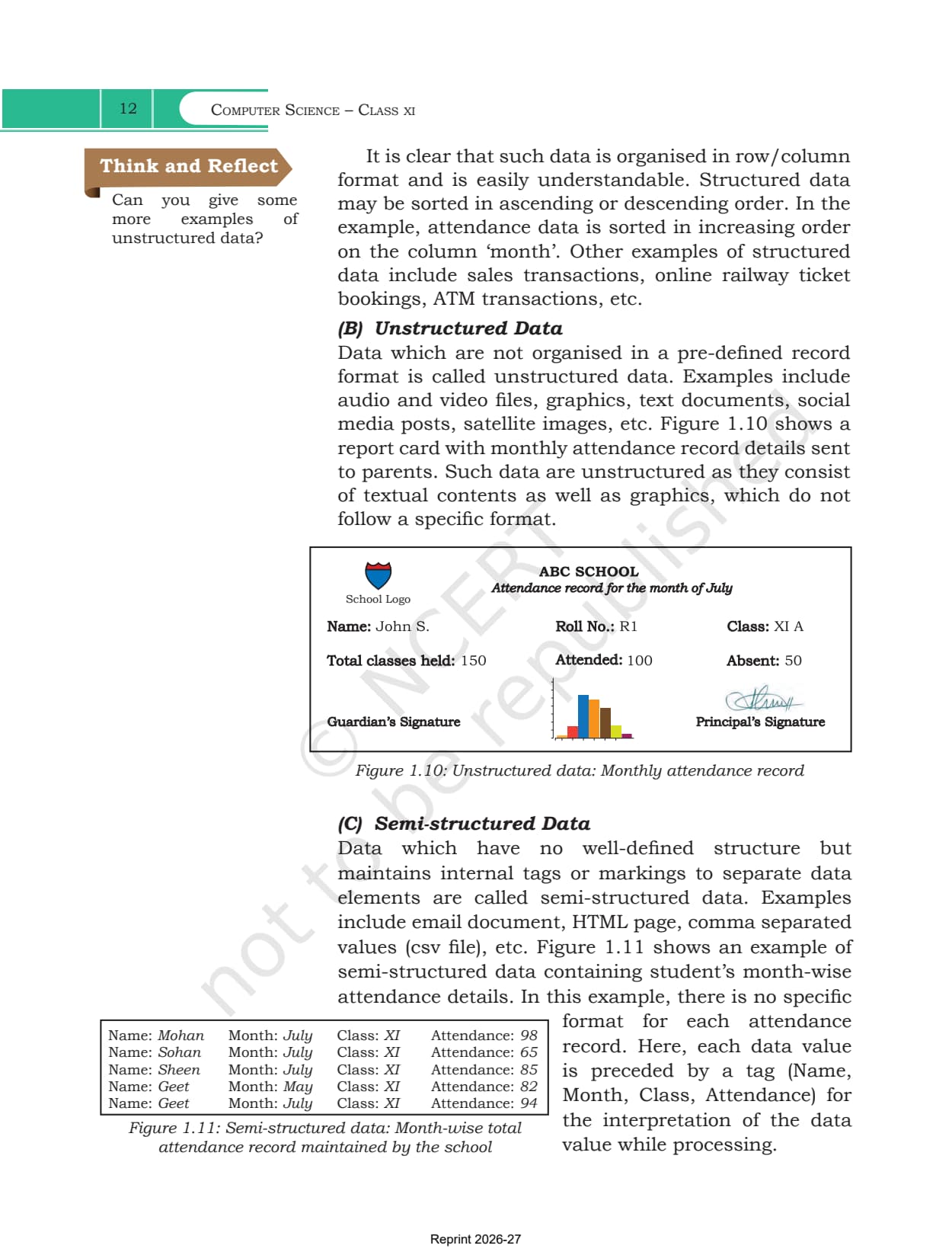
| 11 to 14 | sort a newspaper, cricket score, HTML page and patient record into the three data types, match devices to tasks, and label a compiler, assembler, Ubuntu and a text editor |
A Reading Plan for the Computer System Chapter
Twenty-six pages of theory can feel flat read straight through. Work in passes instead, and use the figures as the skeleton rather than the prose.
- Start with Figure 1.1 and redraw it from memory. Six boxes and the arrows between them cover most of section 1.1
- Learn the memory ladder in order of speed: registers, cache, RAM, then secondary storage, getting slower and cheaper as you go down
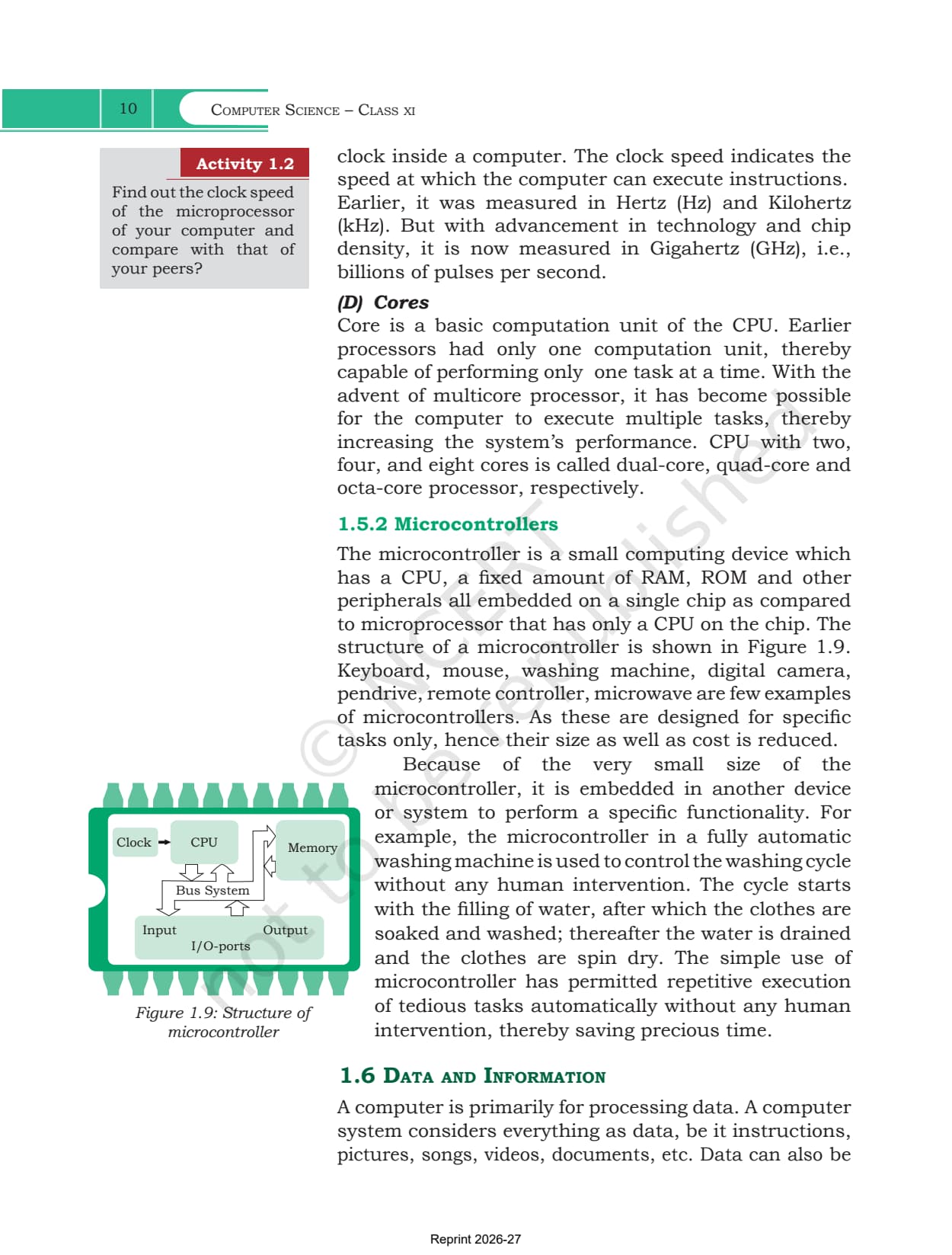
- Fix the two pairs examiners like: RAM against ROM on volatility, and microprocessor against microcontroller on what is embedded in the chip
- Finish with the three data types, then attempt exercise question 12, which is exactly that classification
What Collegedunia Adds to the Computer System Chapter PDF
Collegedunia gives you the official file plus a way into it. The chapter PDF itself is untouched NCERT material.
- Official file: the exact NCERT chapter PDF, with no pages removed
- Read in the browser: page through all 26 pages before you download
- Chapter list: jump to any other chapter of the book from one table
- Study material: notes, solutions and handwritten notes for the same chapter
Also Check: the other Class 11 Computer Science resources for Computer System and for the chapter after it.
| Resource | Link |
|---|---|
| Handwritten notes | Computer System Class 11 Handwritten Notes |
| Chapter notes | Computer System Class 11 Notes (coming soon) |
| Chapter solutions | Computer System Class 11 NCERT Solutions (coming soon) |
| Next chapter book PDF | Encoding Schemes and Number System Class 11 NCERT Book PDF (coming soon) |
Class 11 Computer Science NCERT Book PDF: All Chapters
Every chapter of the Class 11 Computer Science book sits on its own page. The book has 11 chapters, opening with three theory chapters before Python begins in Chapter 5.
| Chapter | Download |
|---|---|
| Chapter 1 | Computer System NCERT Book PDF |
| Chapter 2 | Encoding Schemes and Number System NCERT Book PDF (coming soon) |
| Chapter 3 | Emerging Trends NCERT Book PDF (coming soon) |
| Chapter 4 | Introduction to Problem Solving NCERT Book PDF (coming soon) |
| Chapter 5 | Getting Started with Python NCERT Book PDF (coming soon) |
| Chapter 6 | Flow of Control NCERT Book PDF (coming soon) |
| Chapter 7 | Functions NCERT Book PDF (coming soon) |
| Chapter 8 | Strings NCERT Book PDF (coming soon) |
| Chapter 9 | Lists NCERT Book PDF (coming soon) |
| Chapter 10 | Tuples and Dictionaries NCERT Book PDF (coming soon) |
| Chapter 11 | Societal Impact NCERT Book PDF (coming soon) |
Computer System Class 11 Computer Science NCERT Book PDF FAQs
Common Student Questions on the Computer System Chapter File
Ques. Where can I download the Class 11 Computer Science Computer System NCERT Book PDF?
Ans. The official 26-page chapter file is on this page and is free to download, with no pages removed.
Ques. How many pages is Chapter 1 of the Class 11 Computer Science book?
Ans. 26 pages in the 2026-27 edition, covering sections 1.1 to 1.8 plus the Summary, Exercise and Explore Yourself pages.
Ques. What is the difference between RAM and ROM in this chapter?
Ans. RAM is volatile, so its contents are wiped when the power goes off, and it holds programs while they run. ROM is non-volatile and keeps rarely changed contents such as the boot loader.
Ques. Why is the data bus bidirectional but the address bus is not?
Ans. The CPU both reads from and writes to main memory, so data travels both ways. Addresses and control signals only travel from the CPU outwards, so those two buses stay one way.
Ques. How does a microcontroller differ from a microprocessor?
Ans. A microprocessor is only the CPU on a chip. A microcontroller packs a CPU with a fixed amount of RAM, ROM and other peripherals onto one chip, which is why washing machines and digital cameras use one.
Ques. Does Chapter 1 include any Python programming?
Ans. No. Computer System is pure theory on hardware, memory, data and software. Python starts in Chapter 5, Getting Started with Python.
Ques. Is this the official NCERT file for 2026-27?
Ans. Yes. It is the NCERT chapter PDF hosted exactly as published, marked Reprint 2026-27 on every page.



Comments