



The NCERT Class 12 Informatics Practices Chapter 2 Data Handling using Pandas Series Book PDF is the official 2026-27 source chapter for learning Python libraries and the Pandas Series data structure. Read the NCERT PDF first, then practise each Series command in Python.
- PDF size: 36 official NCERT pages for offline reading and classroom revision.
- Core focus: NumPy basics, Pandas Series creation, indexing, attributes, operations and data access.
- Best use: keep the PDF open while typing every Series example and checking the output.
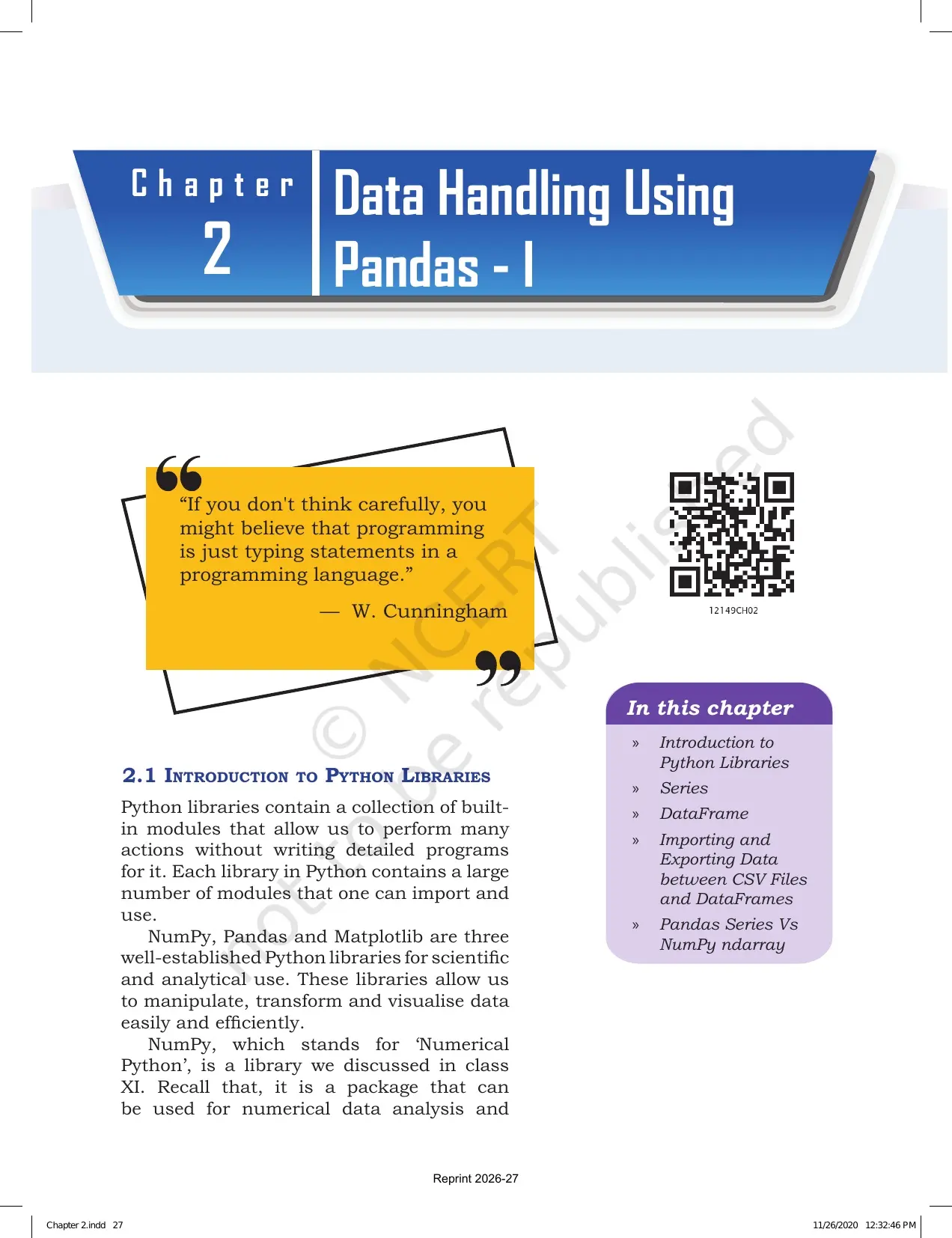
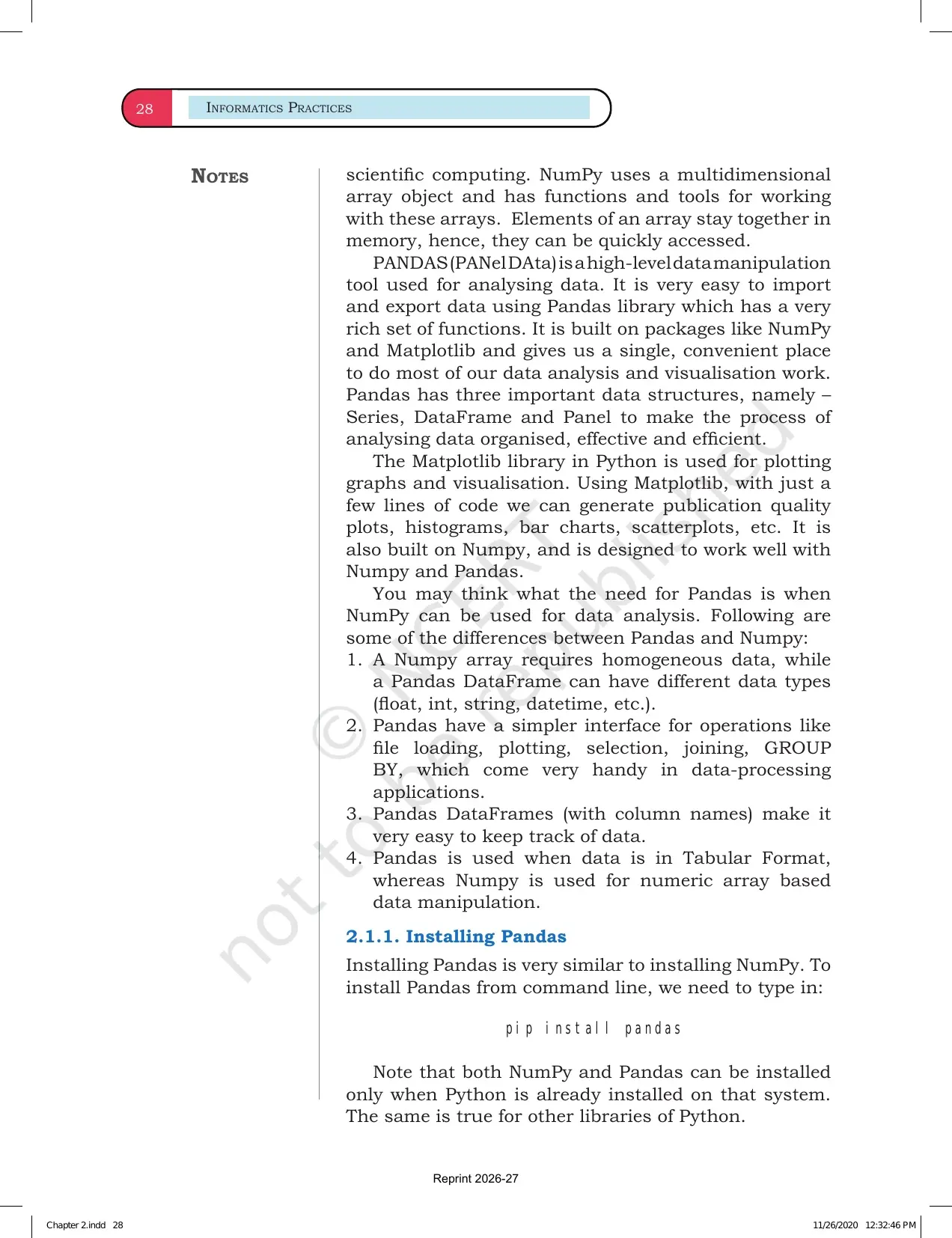
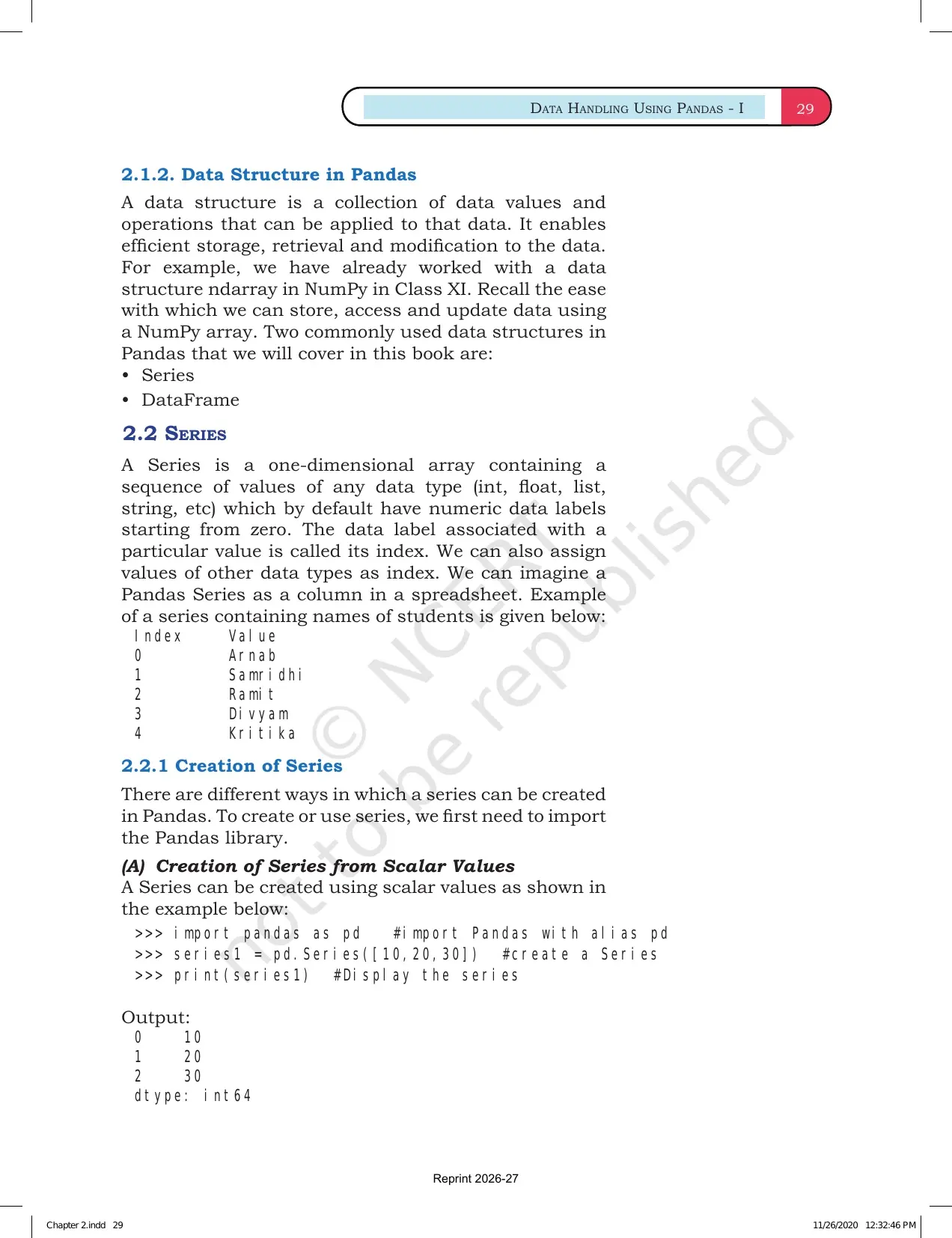
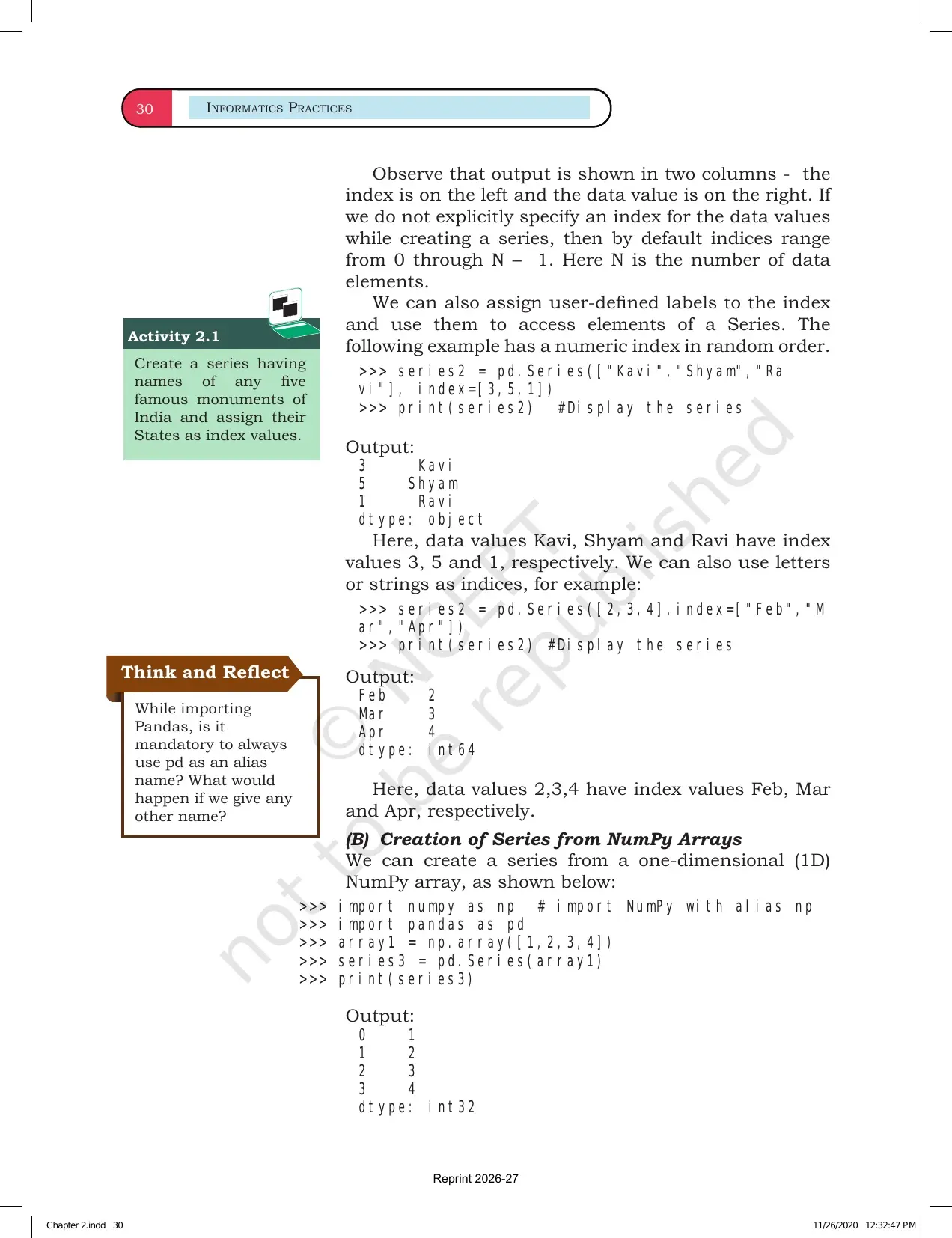
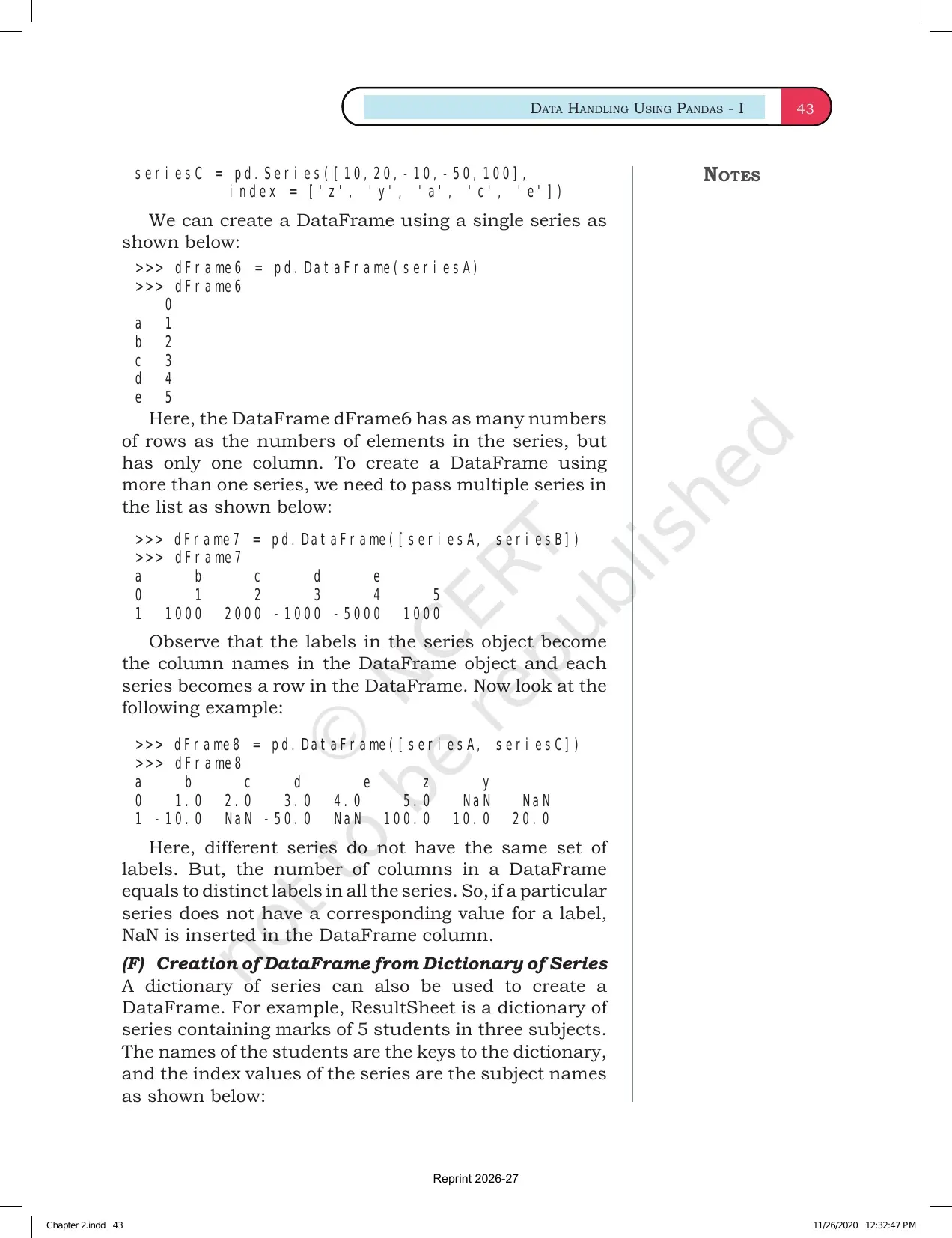
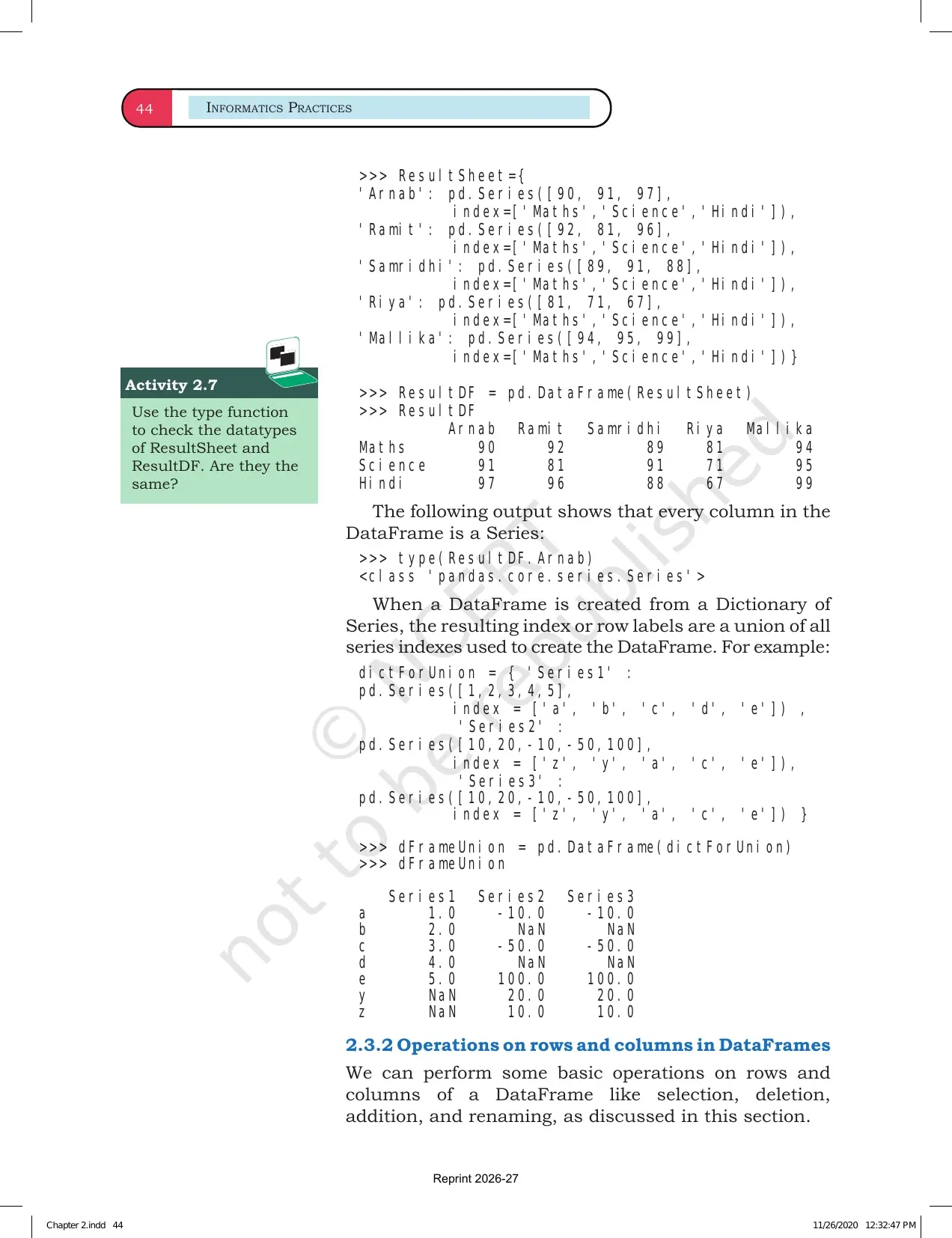
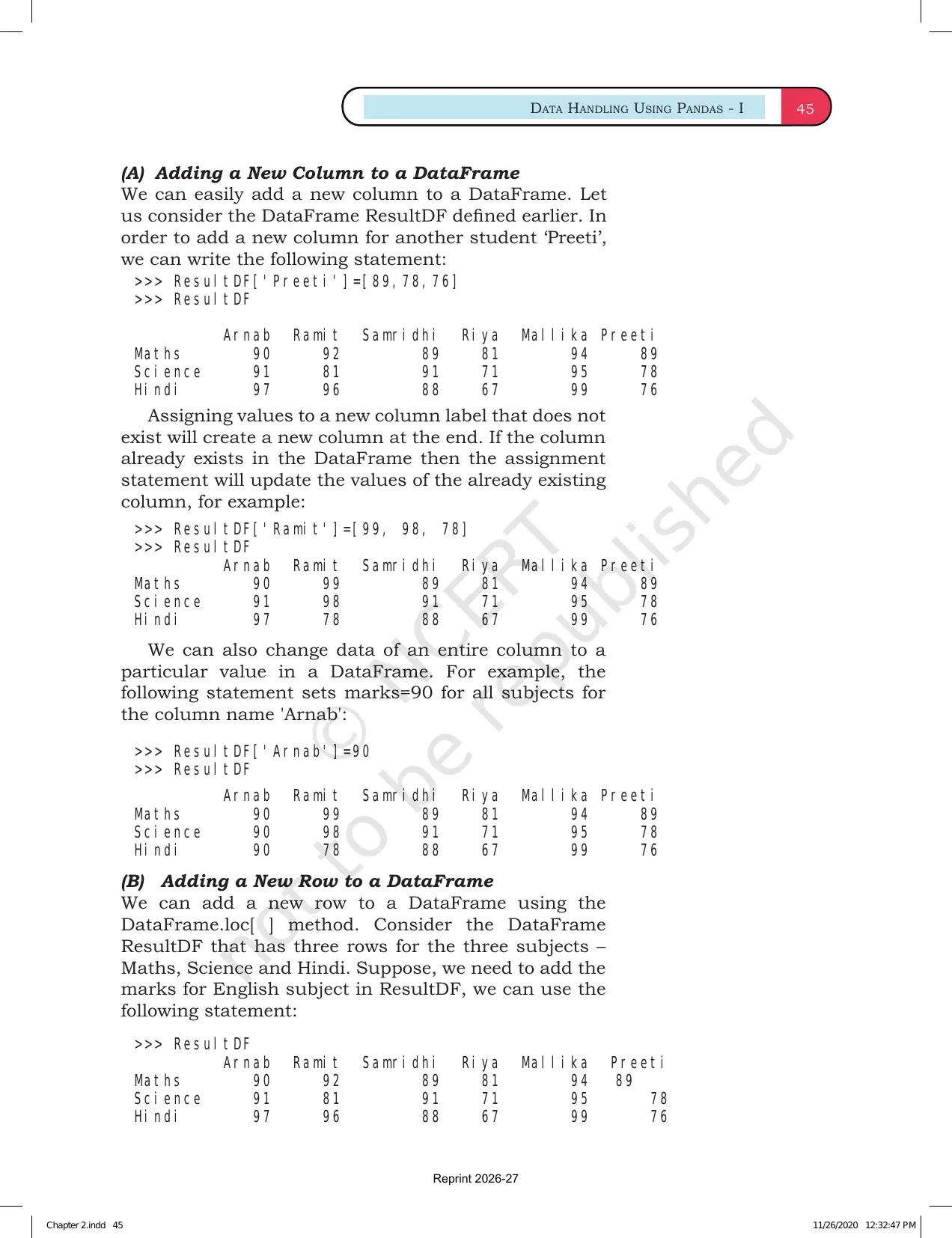
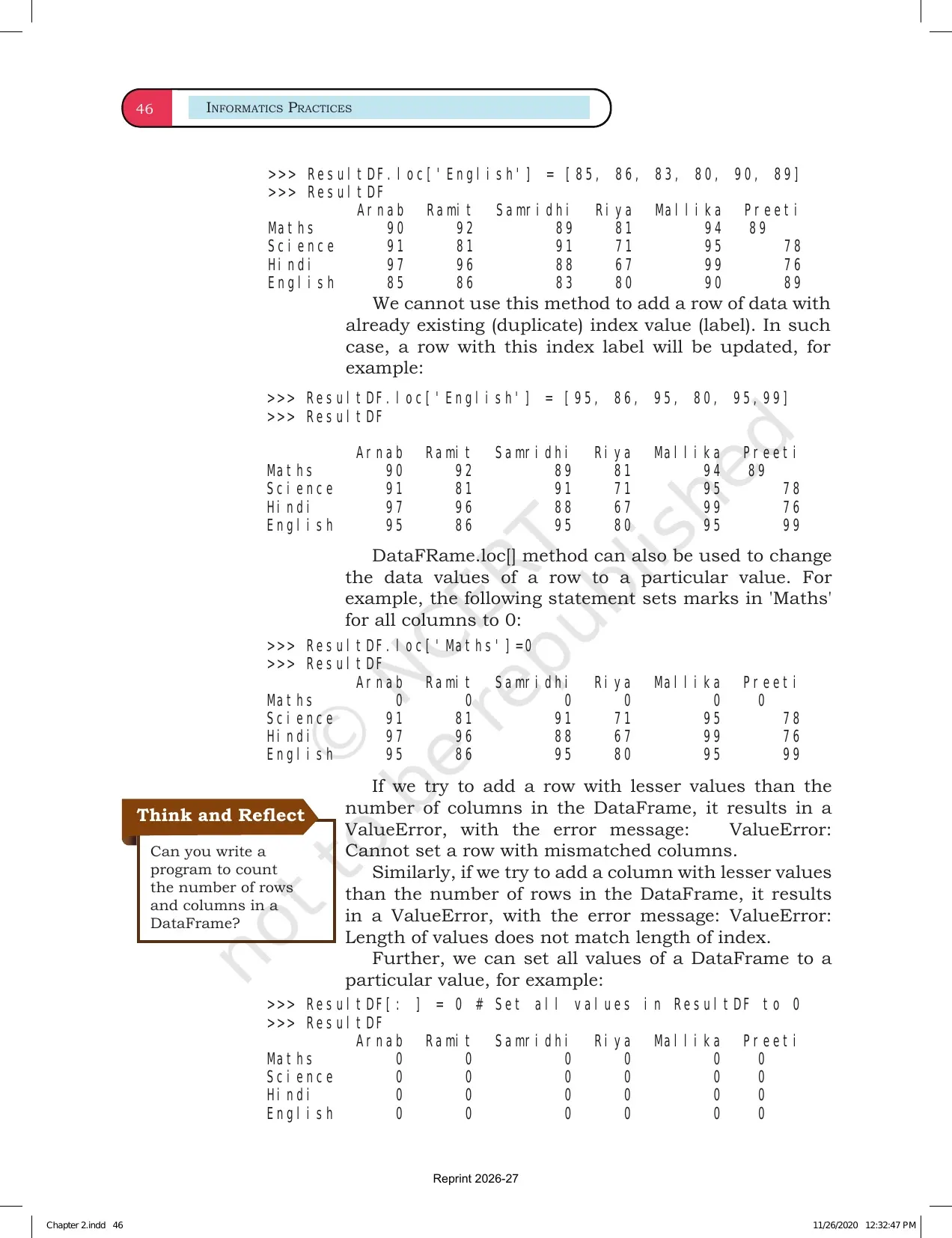
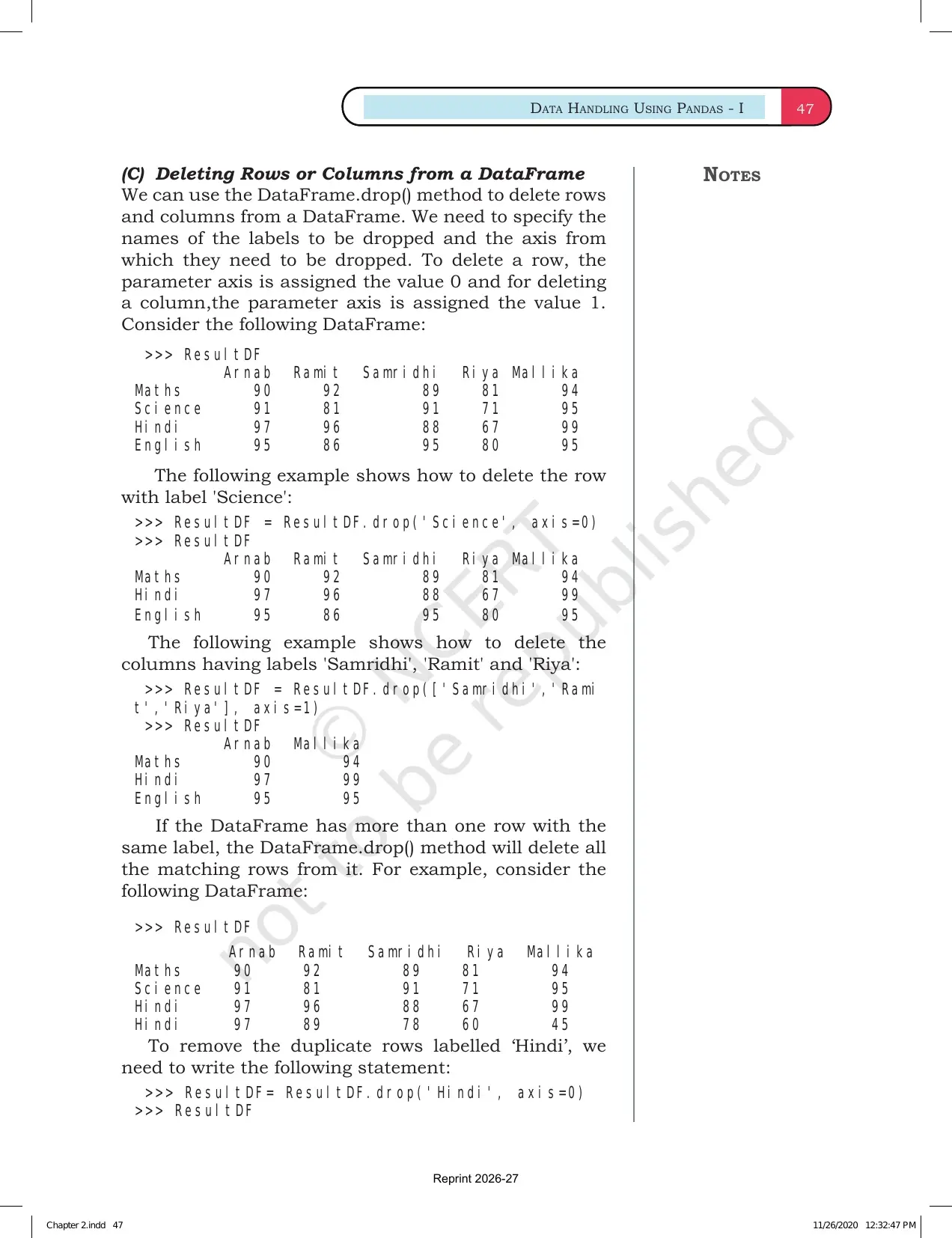
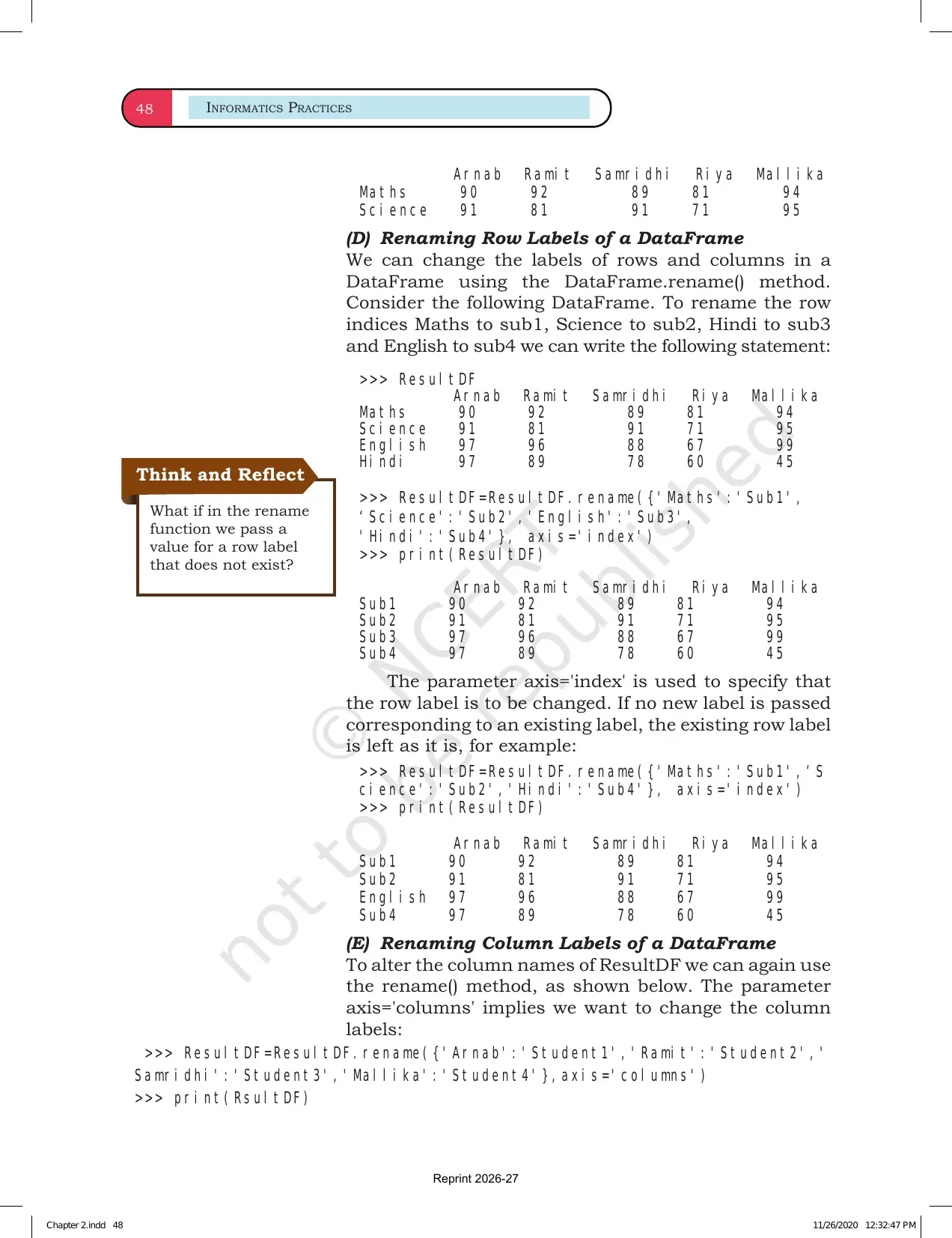
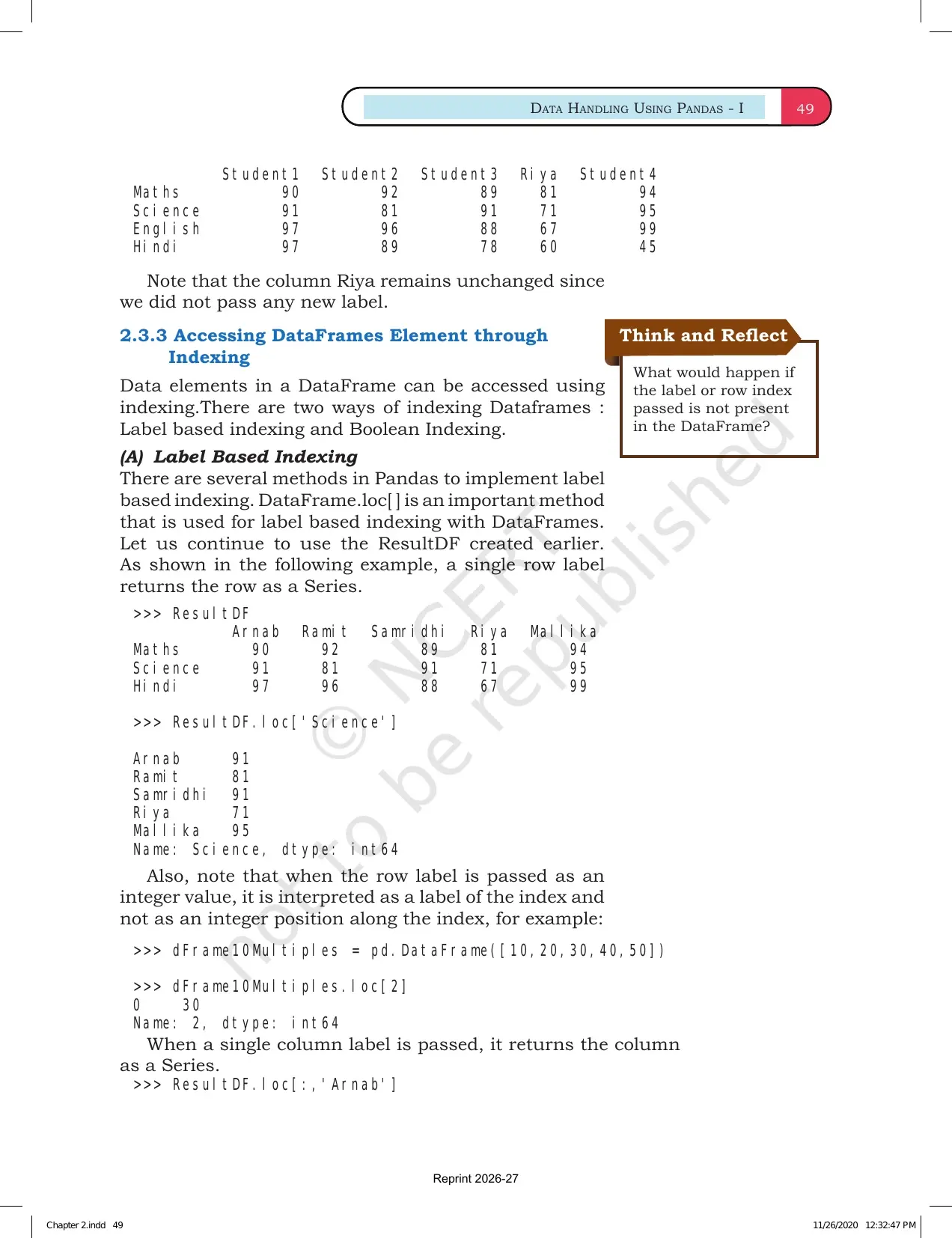
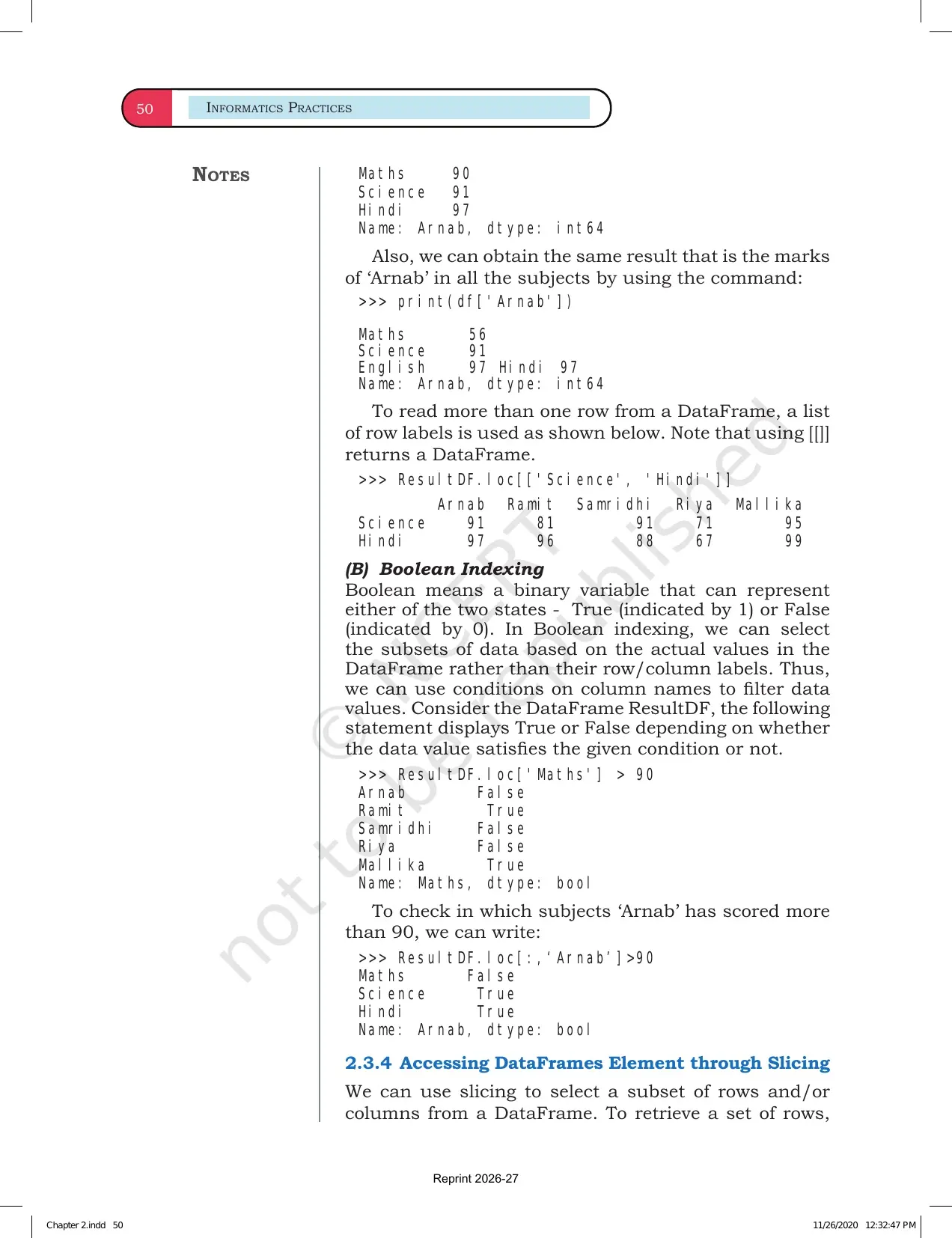
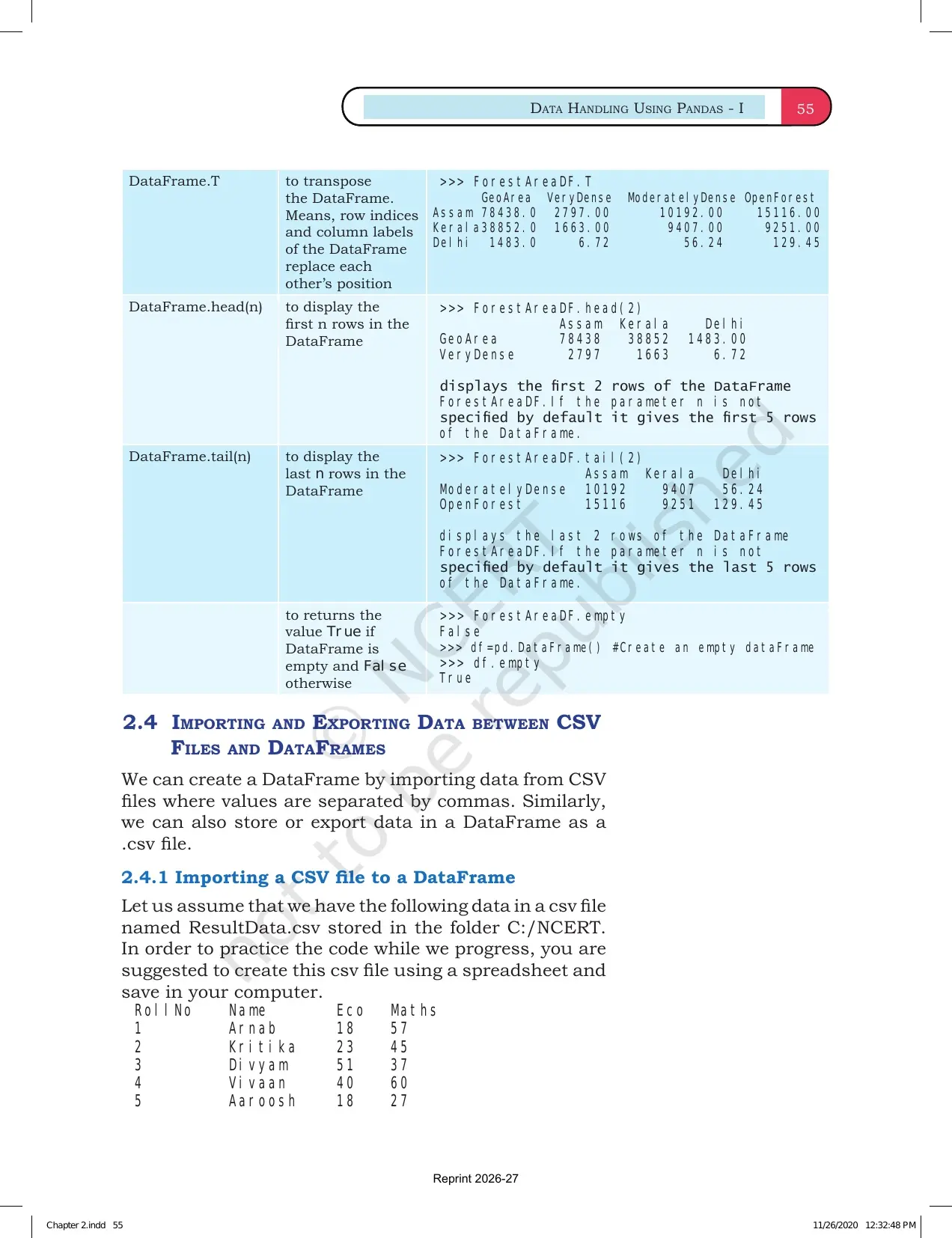
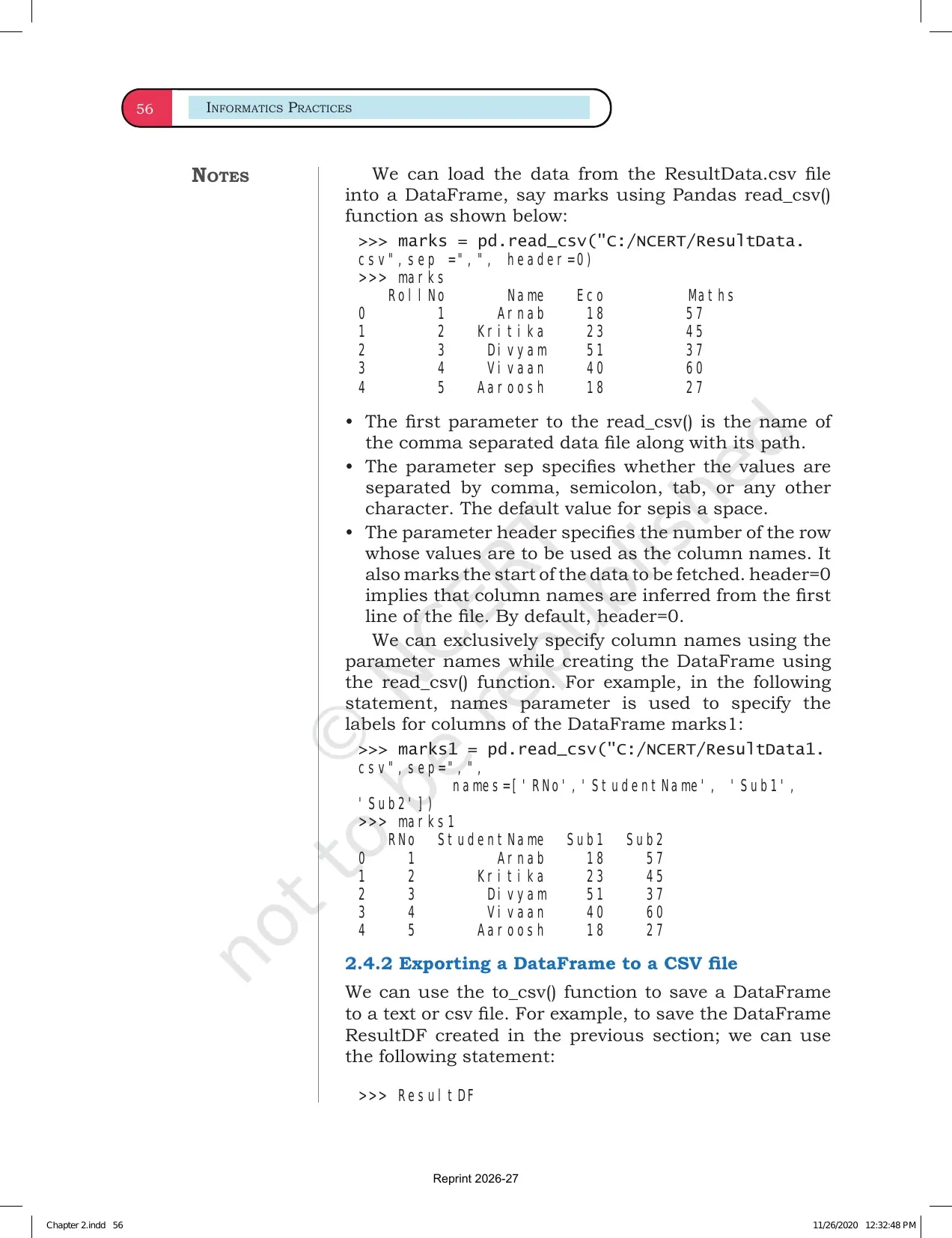
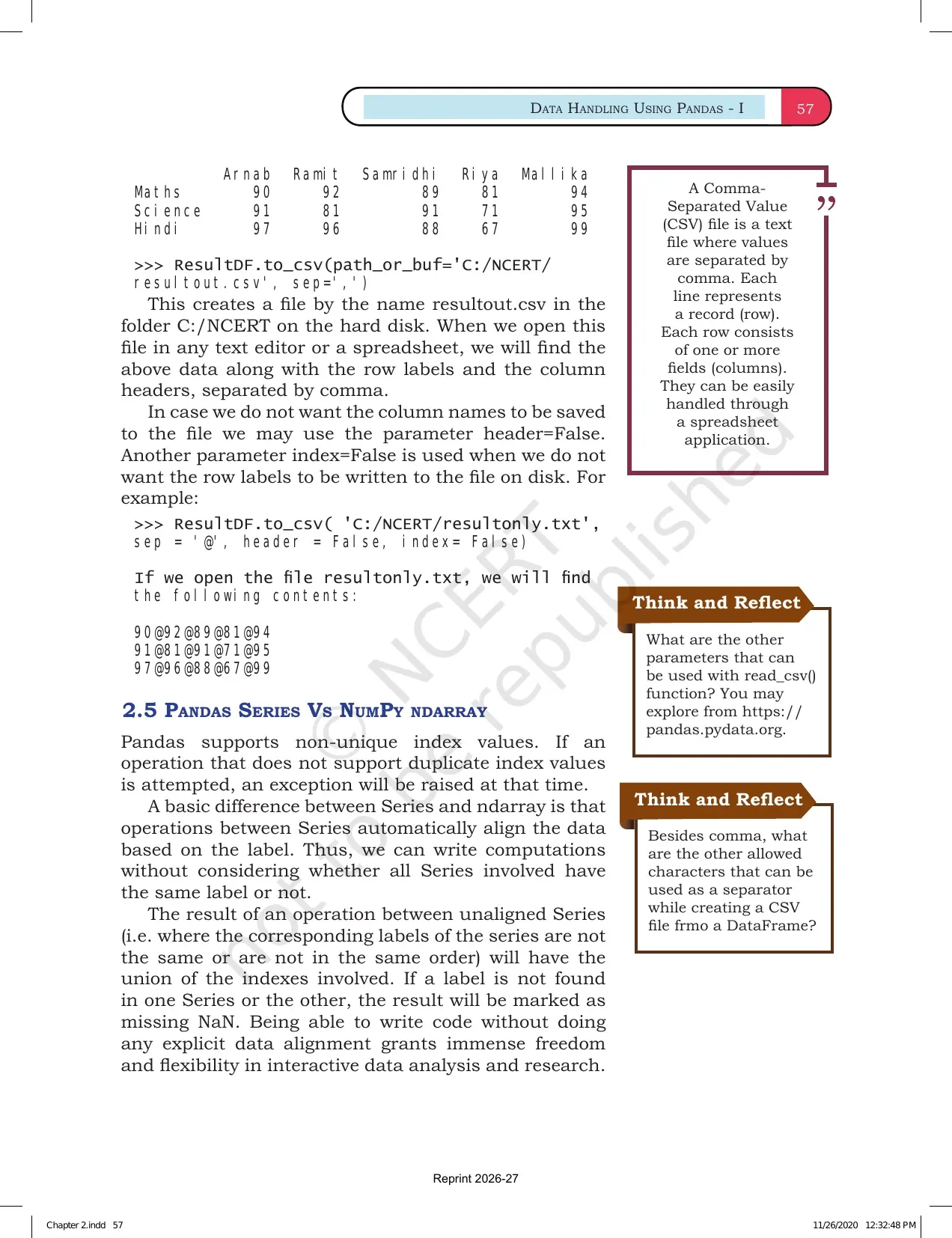
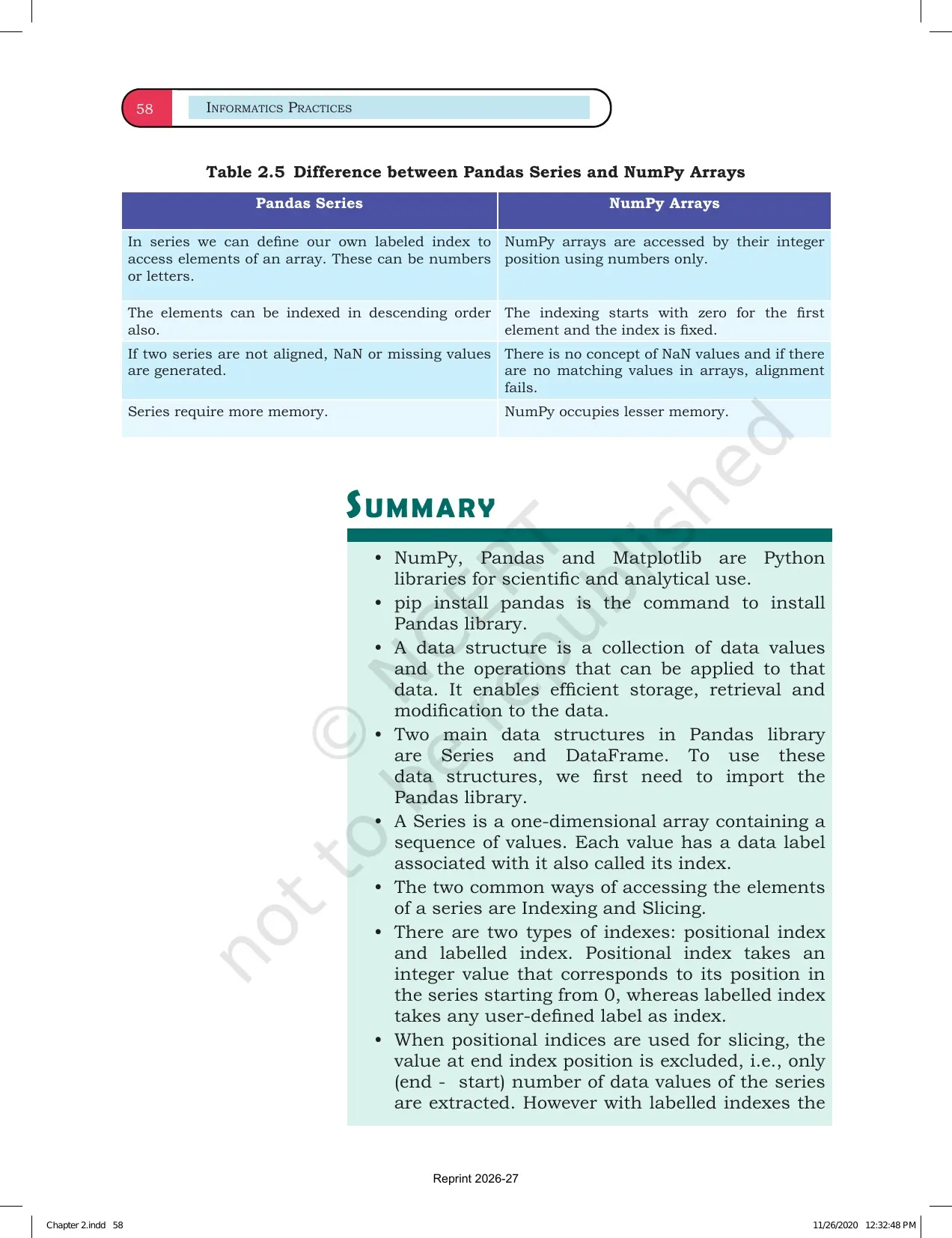
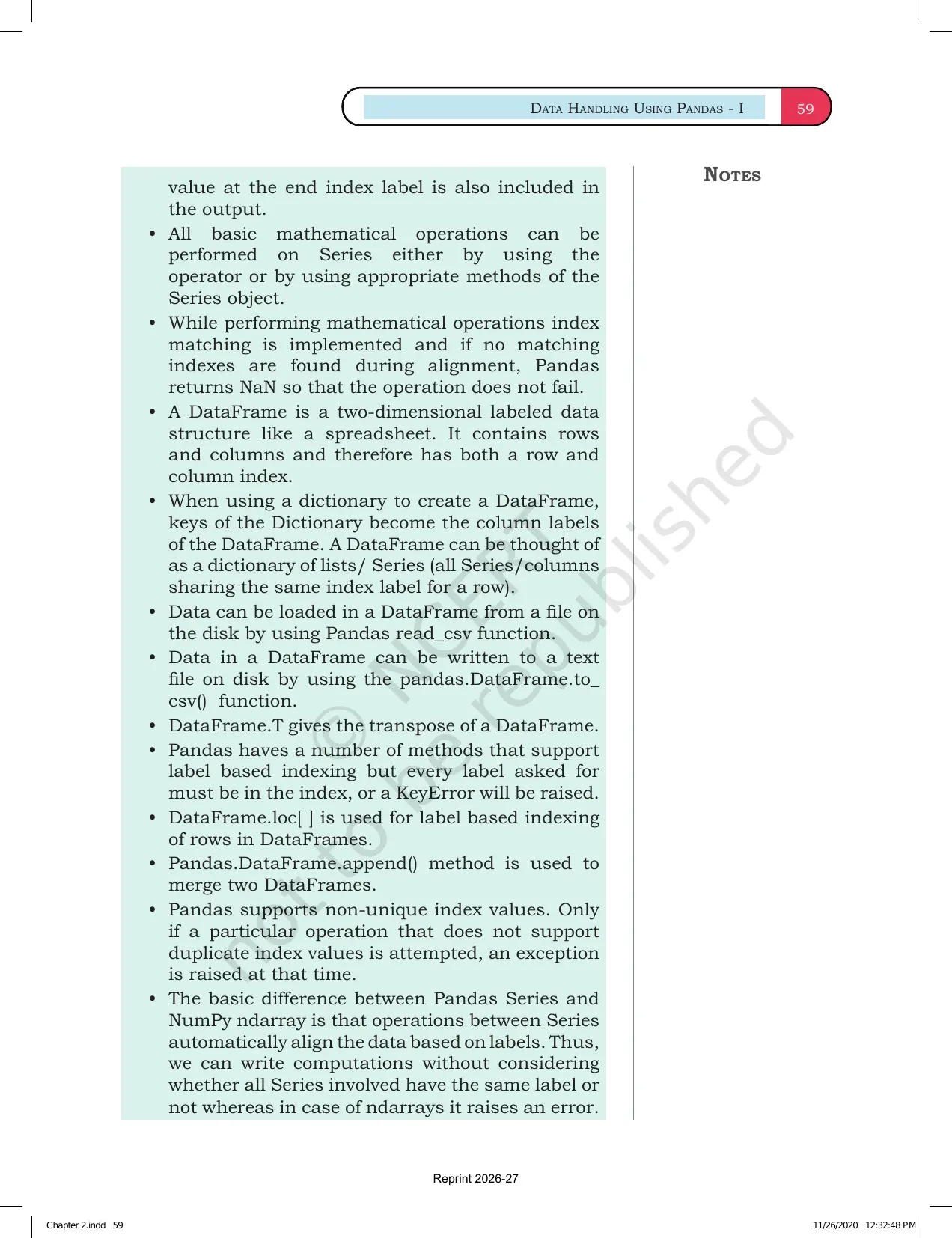
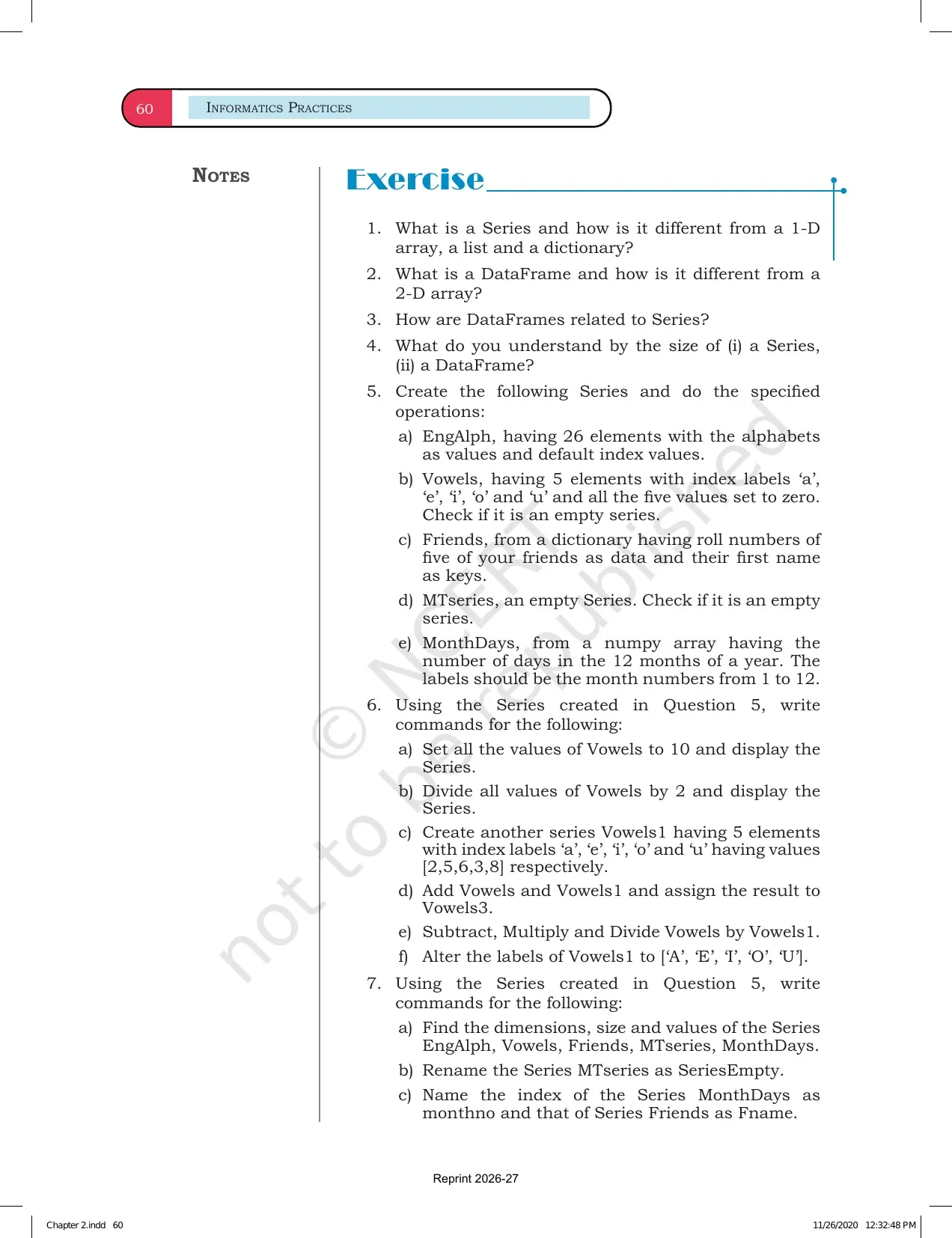
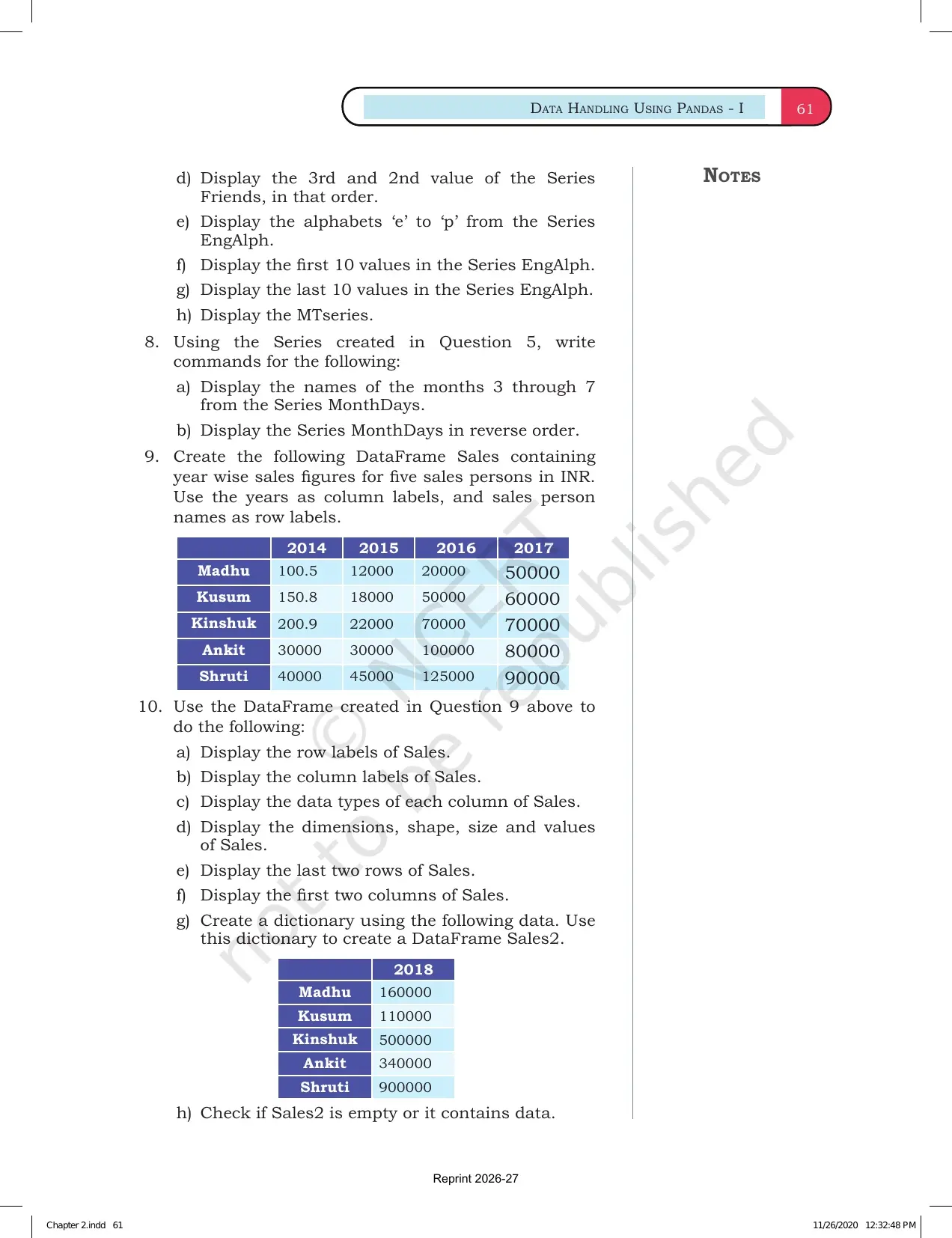
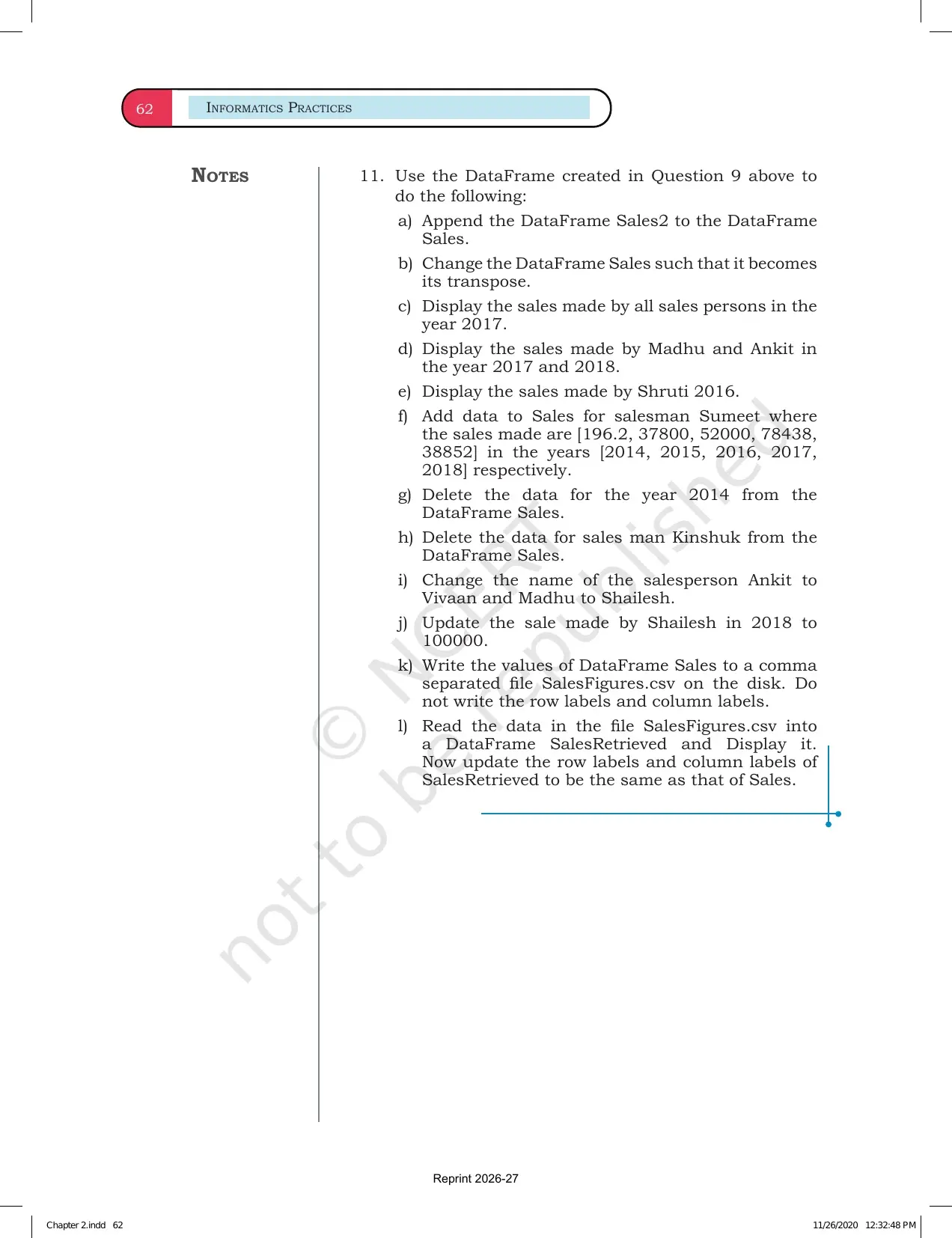
This Collegedunia page follows the 2026-27 NCERT Informatics Practices textbook and keeps the official chapter PDF, Pandas Series cues and related study links in one place.
Student Feedback: In a Collegedunia poll of 11,280 Class 12 Informatics Practices students from the 2026-27 board cycle, most students said Pandas Series became easier after they wrote the index and output beside each command.
- 74% wanted the difference between Series position and label selection shown with examples.
- 69% needed a quick map of Series attributes before solving questions.
- 61% revised faster when Series and DataFrame were compared side by side.
|
Table of Contents |
Data Handling using Pandas Series Chapter 2 Highlights
Chapter 2 introduces Pandas through the Series object. A Series is a one-dimensional labelled array that can hold many data types. The chapter first reminds students why Python libraries are useful, then moves into Series creation, indexing and operations.
| Chapter area | What NCERT asks students to learn | Revision cue |
|---|---|---|
| Python libraries | Use Pandas, NumPy and Matplotlib for data handling and analysis | Import the library before using it |
| Series creation | Create Series from lists, arrays, dictionaries and scalar values | Data plus index makes the Series readable |
| Attributes | Read index, values, size, dtype, shape and other properties | Attributes describe the Series |
| Selection and operations | Access elements and apply vectorized operations | Selection can be by label or position |
A Series is one-dimensional, but it still carries labels through its index. That index is the reason Pandas data feels different from a plain Python list.
Creating a Pandas Series in Chapter 2
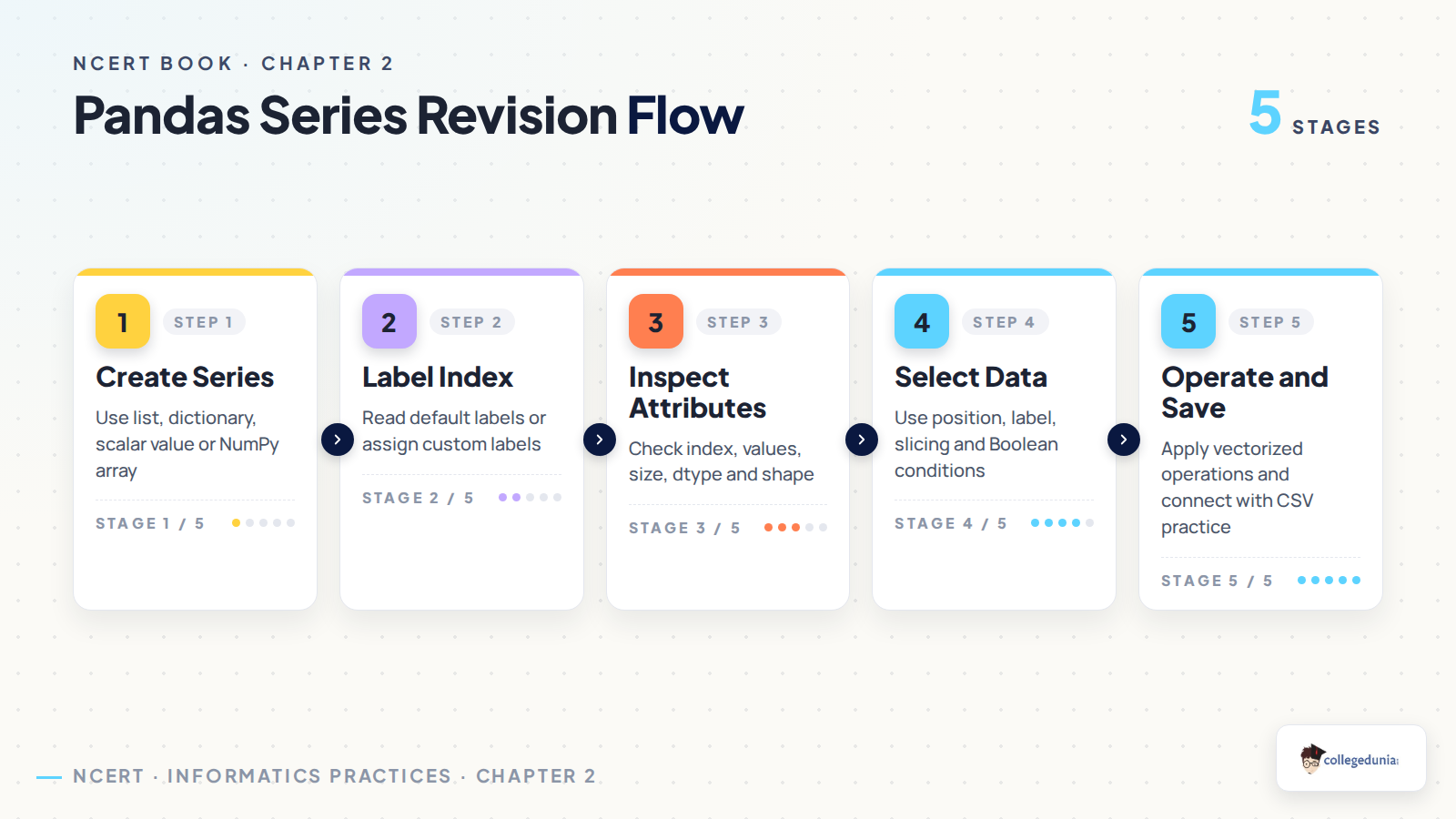
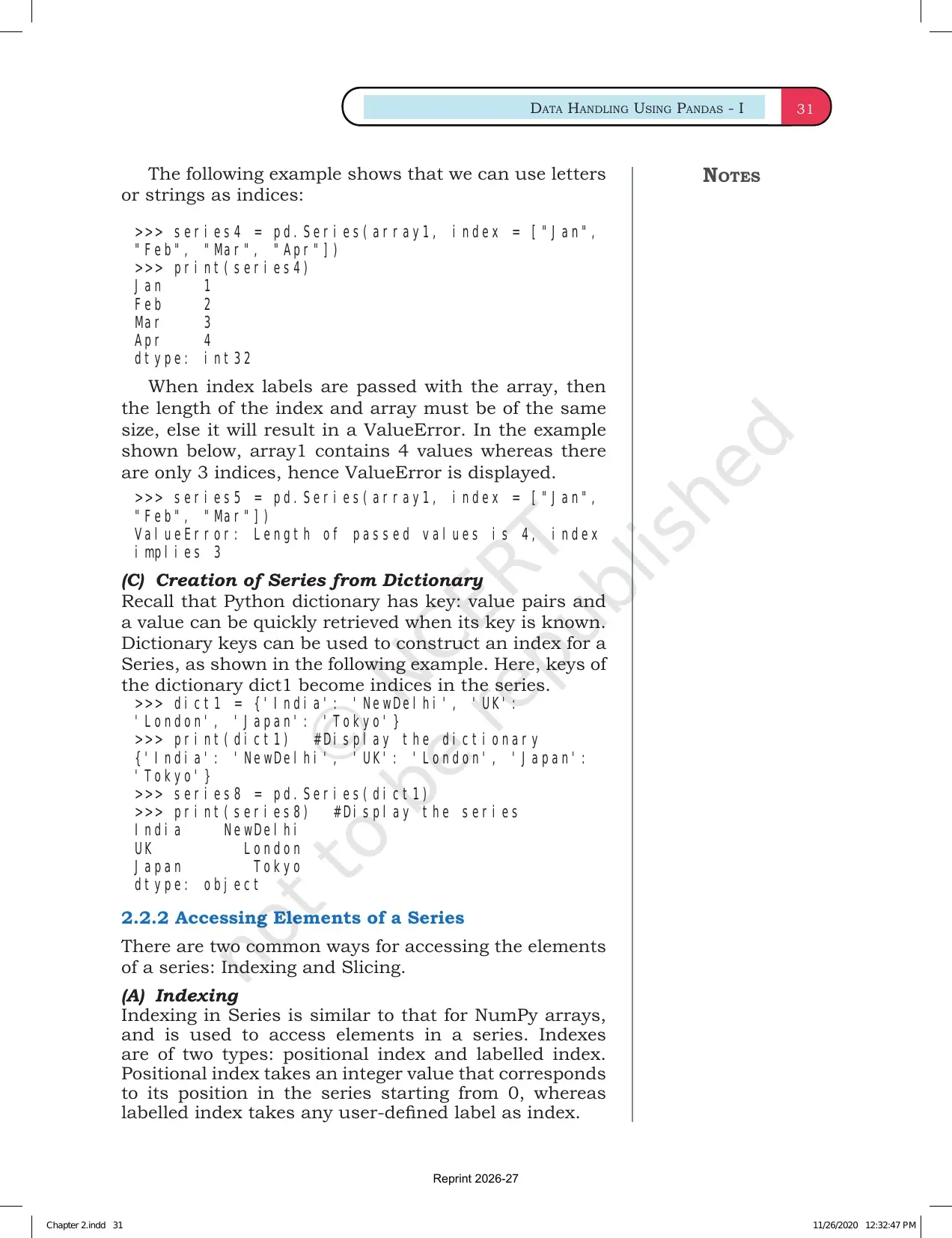
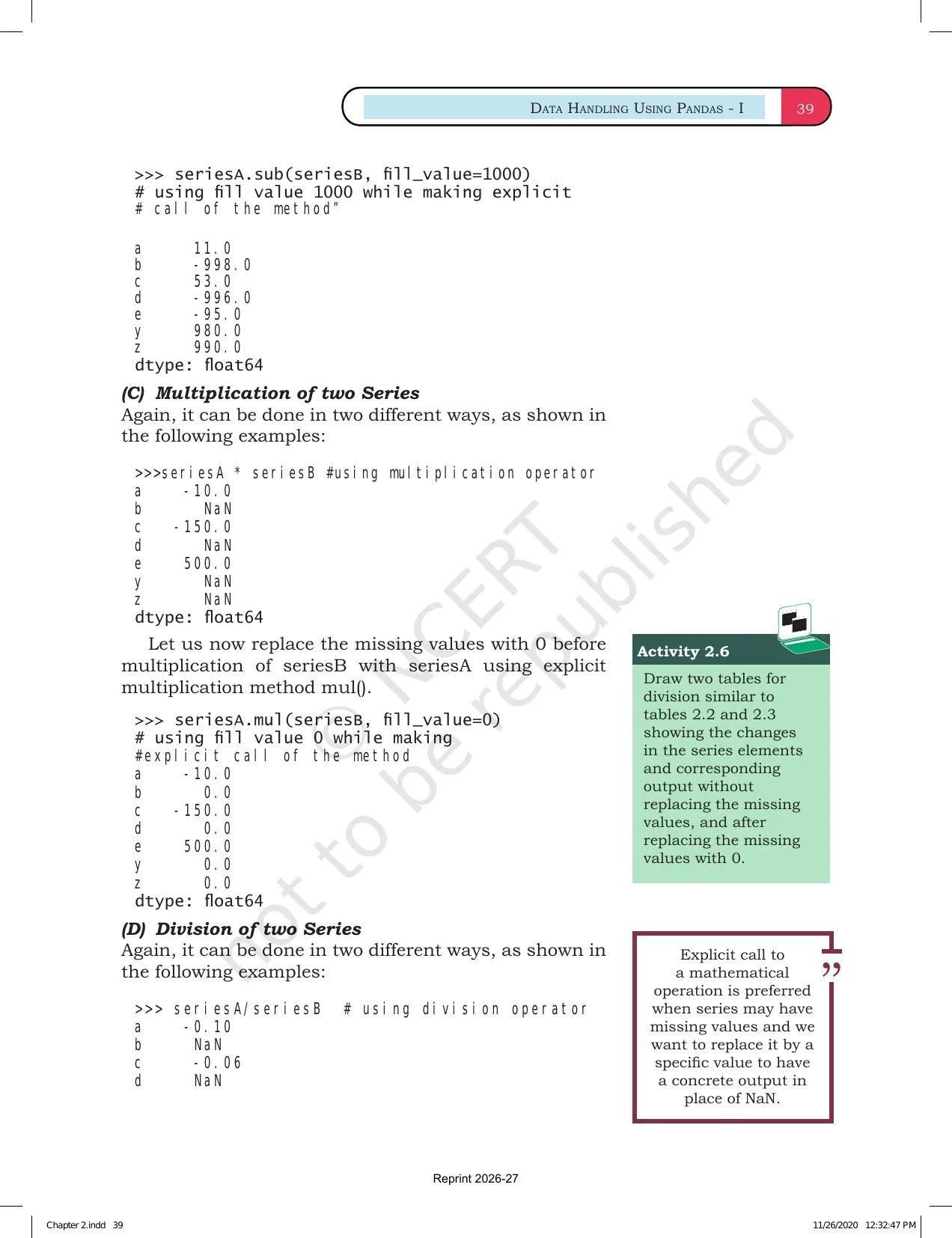
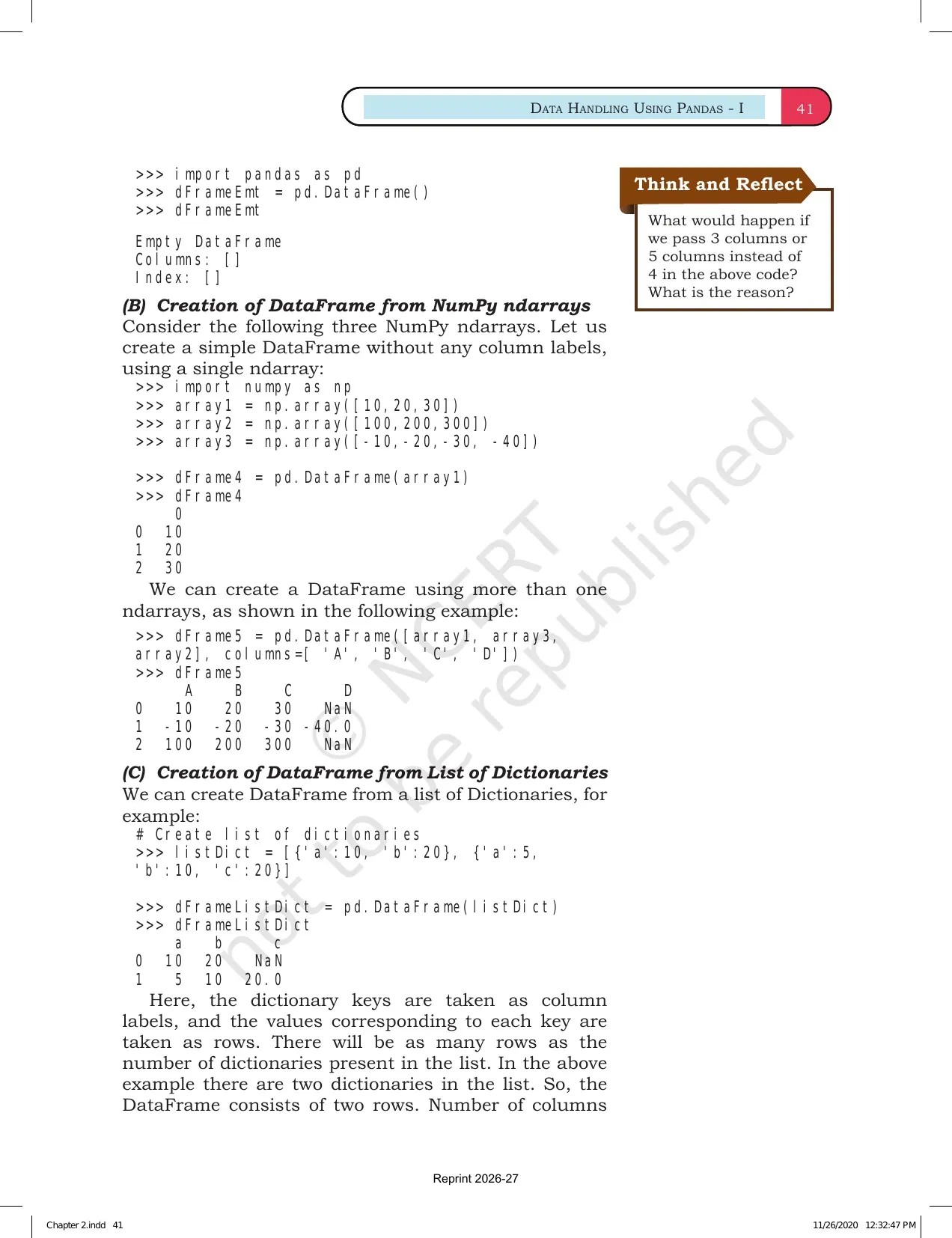
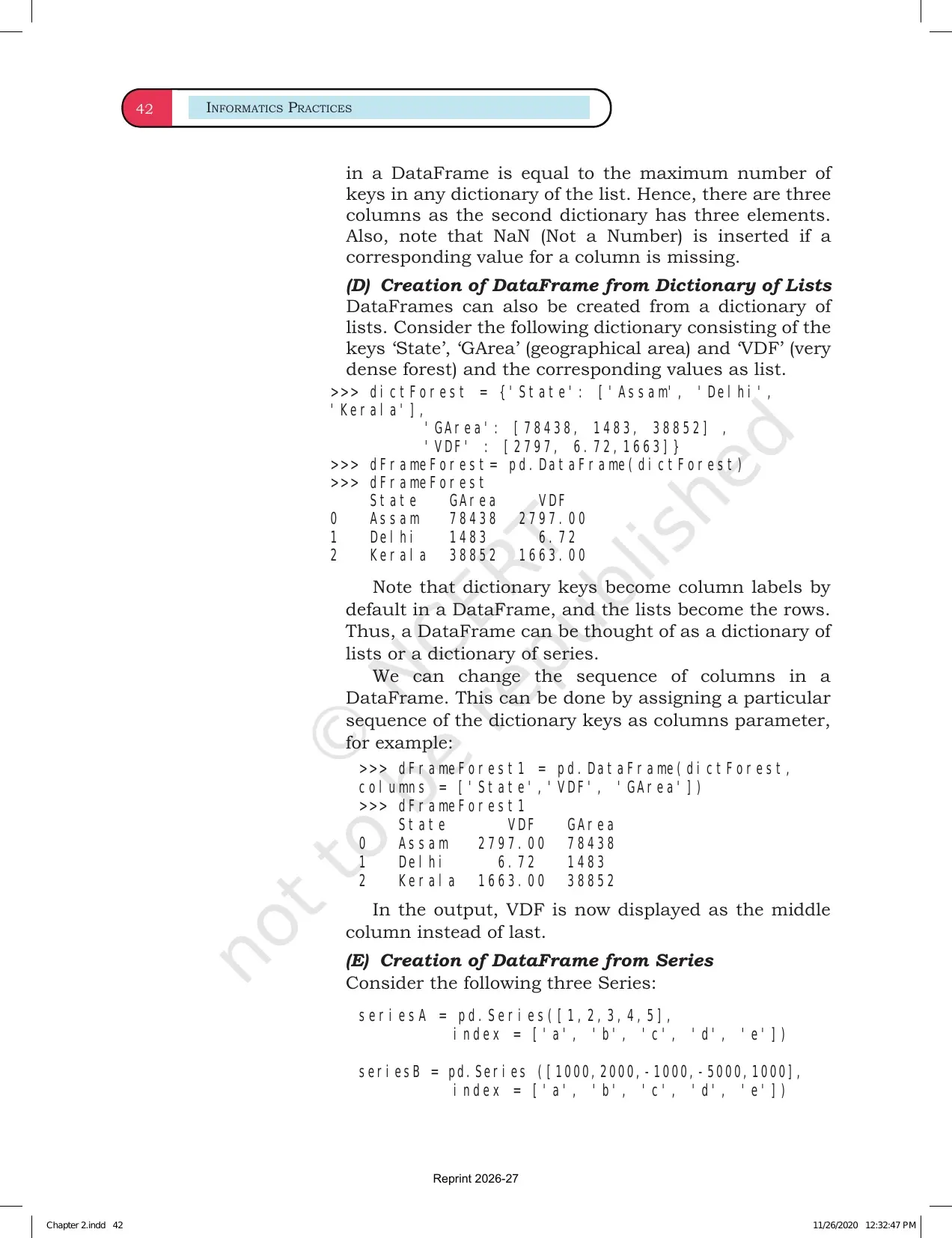
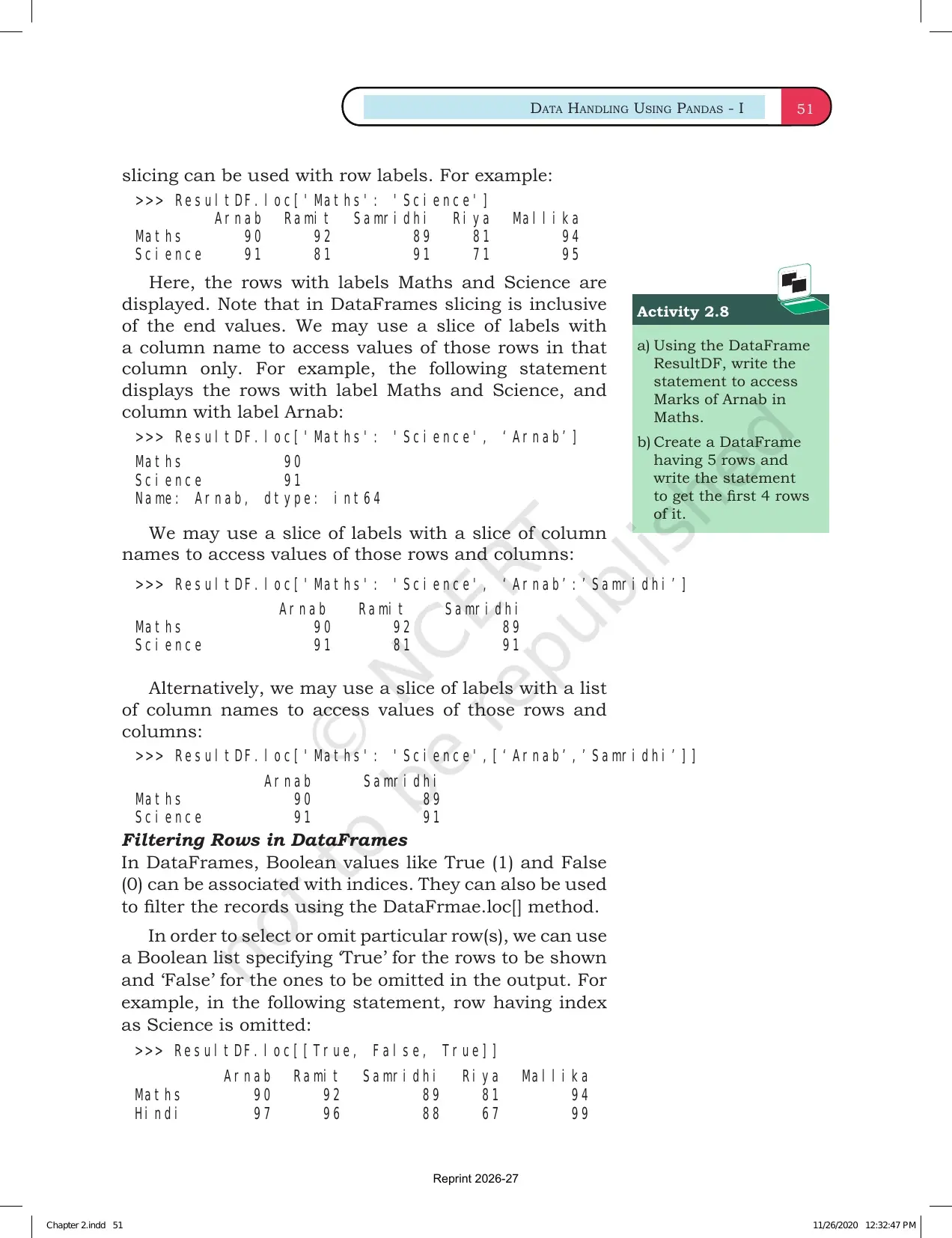
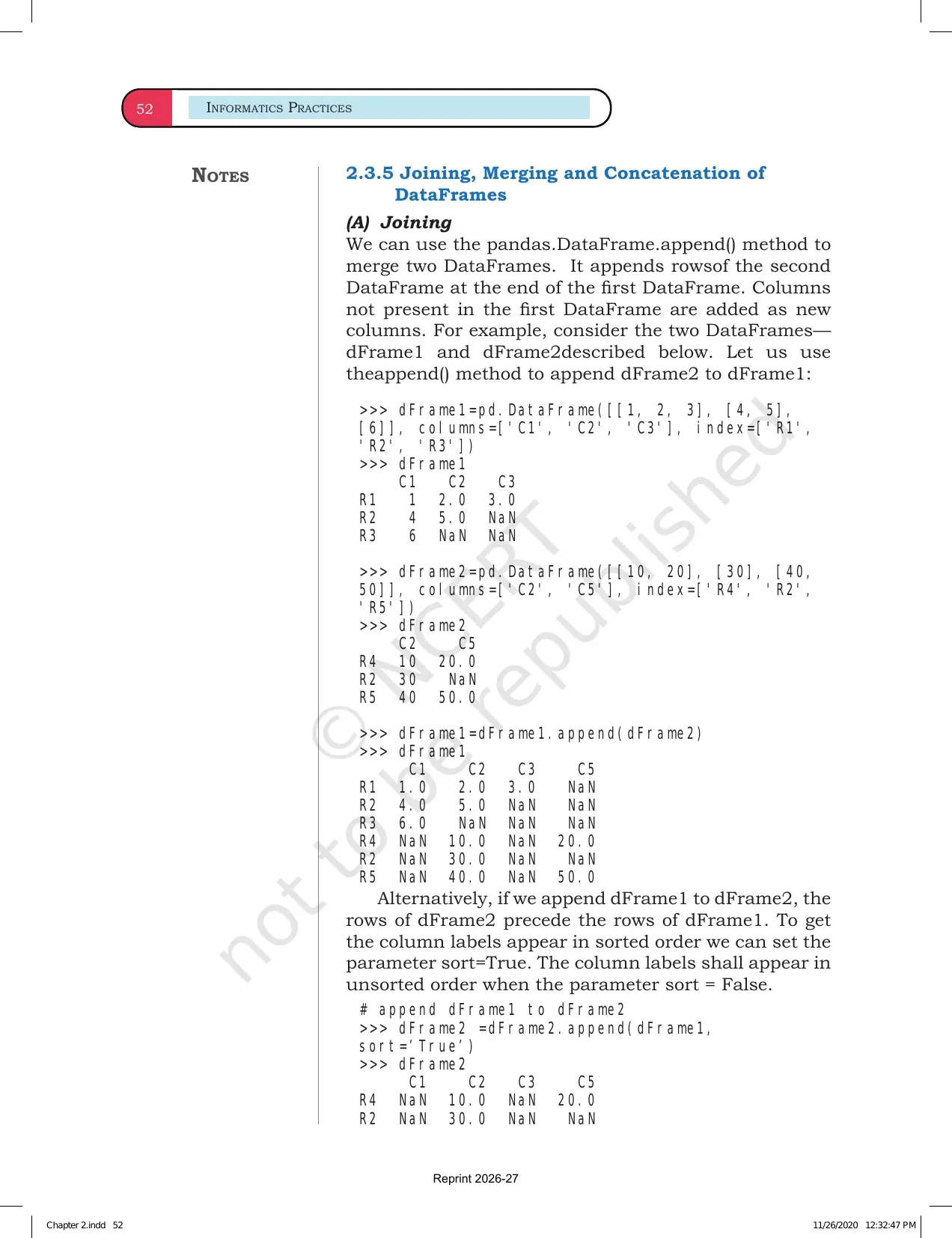
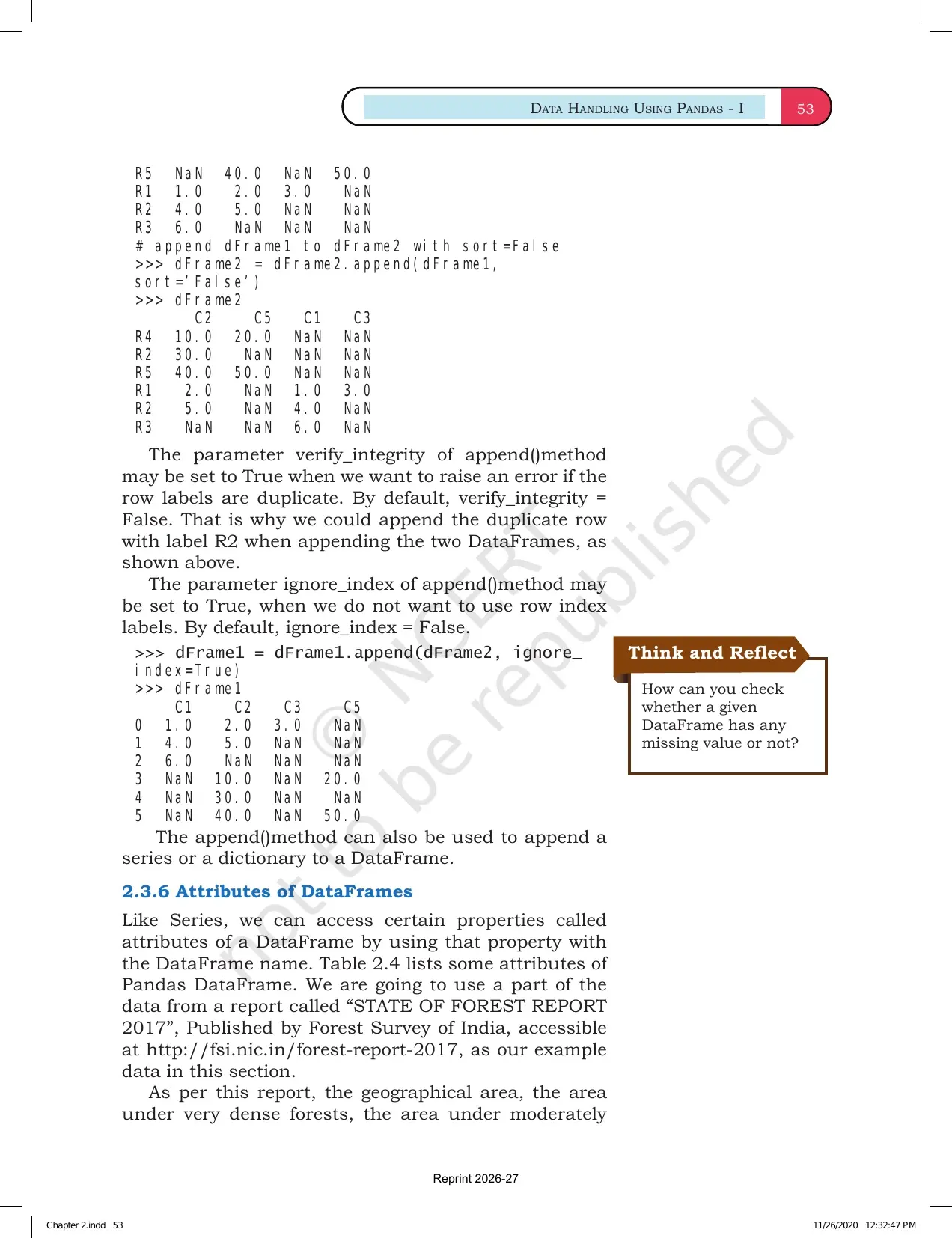
The NCERT examples show that a Series can be created from a list, NumPy array, dictionary or scalar value. The important habit is to observe both the values and the index printed in the output.
- List to Series: the values appear with a default integer index if no index is supplied.
- Custom index: labels make the output easier to read, such as student names or subject names.
- Dictionary to Series: dictionary keys become labels and values become data.
- Scalar to Series: one value is repeated across the given index labels.
Data Handling using Pandas Series Video
The video below supports the NCERT Chapter 2 reading flow. Watch it after reading the official PDF once, then return to the PDF examples and type the Series commands yourself.
Data Handling using Pandas Series Video
Source: Magnet Brains on YouTube
Series Index Values and Attributes
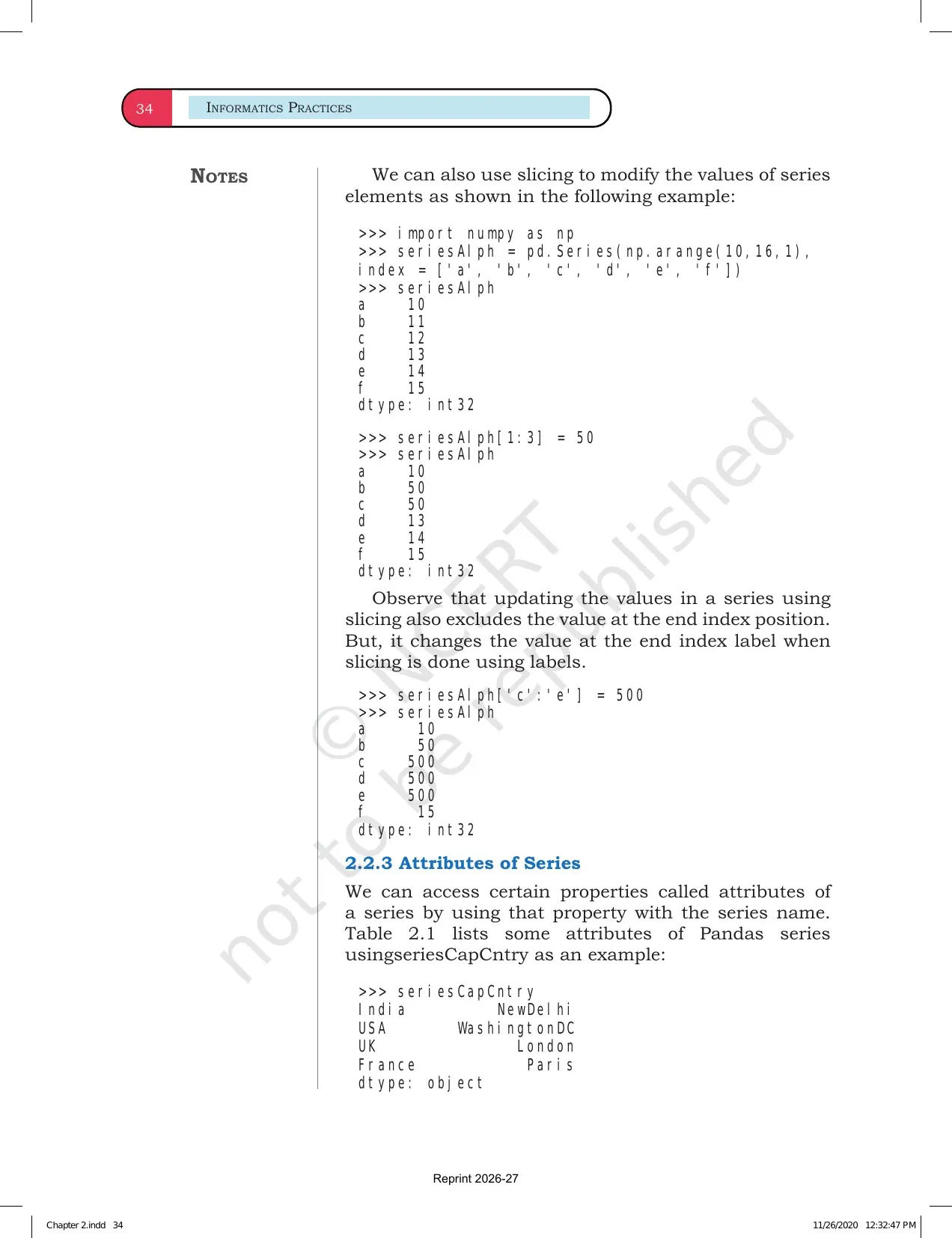
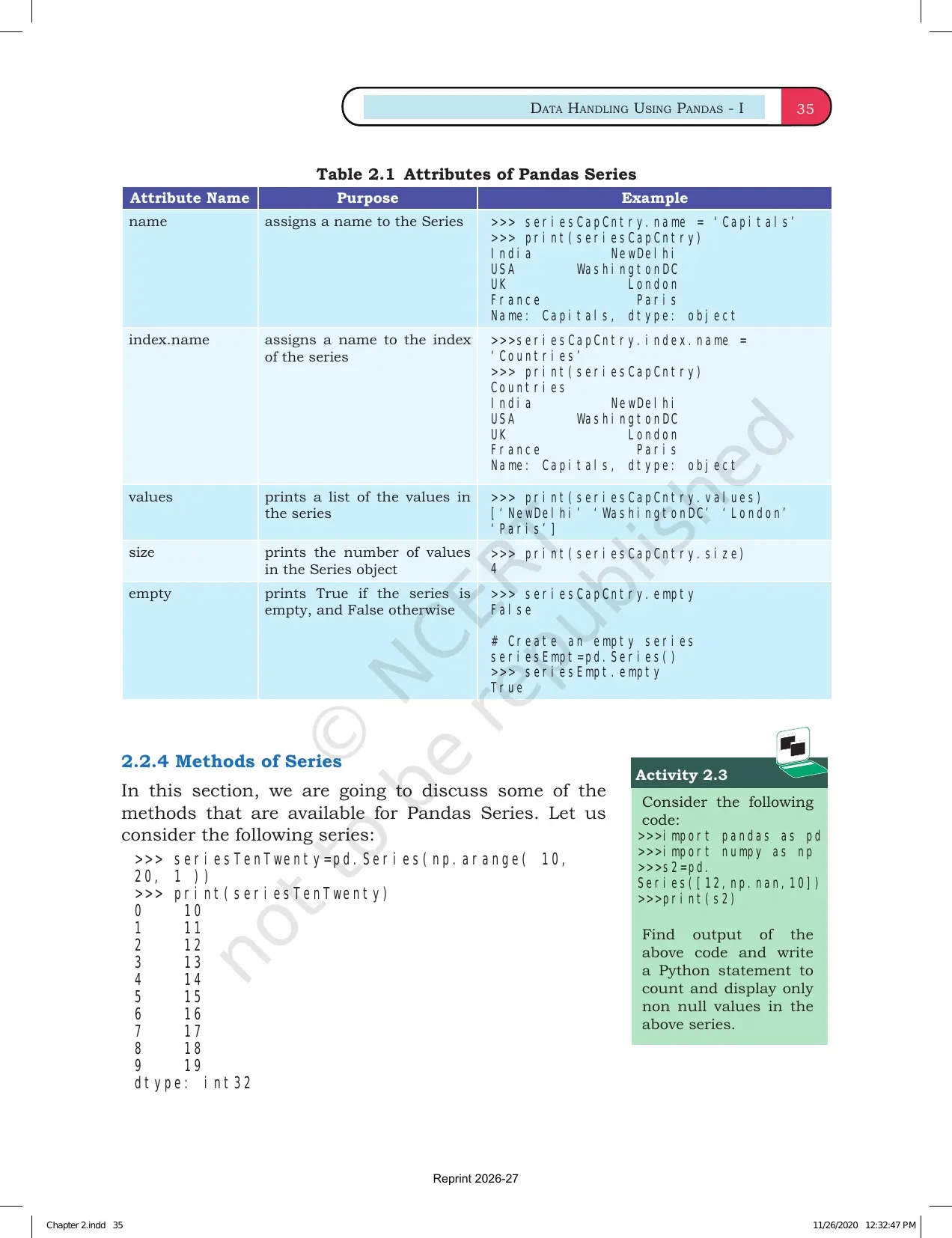
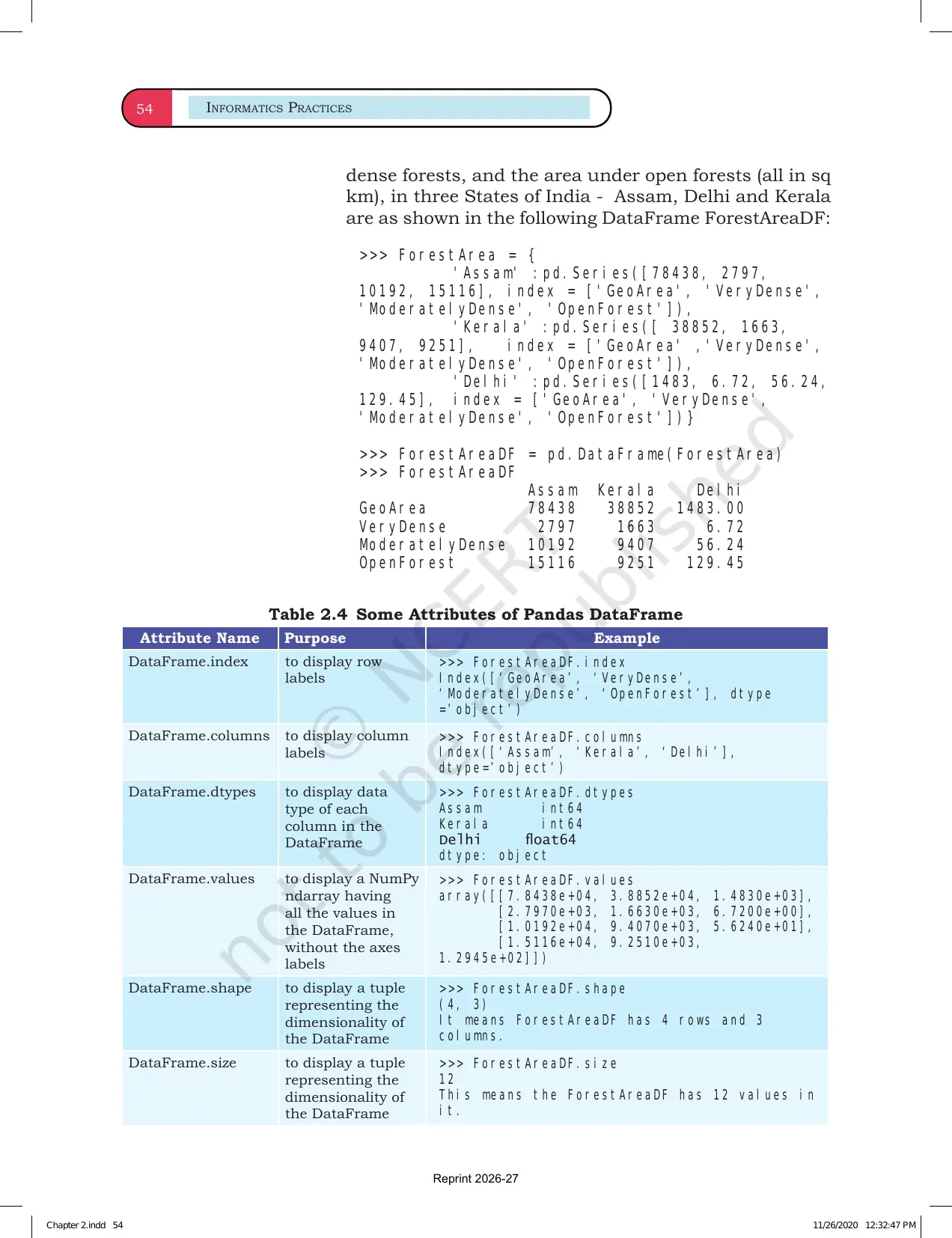
Series attributes help students inspect data without changing it. The chapter uses these attributes to make students comfortable with the object before applying operations.
| Attribute | Use | Exam-ready meaning |
|---|---|---|
| index | Shows the labels attached to values | Names or positions used to identify data |
| values | Shows the stored data values | The actual data inside the Series |
| size | Counts elements in the Series | Total number of entries |
| dtype | Shows the data type | Integer, float, object and similar types |
| shape | Shows the dimensional shape | For Series, usually one length value |
Revision tip: when an output question gives a Series, first identify the index labels, then read the values and dtype.
Series Selection Slicing and Operations
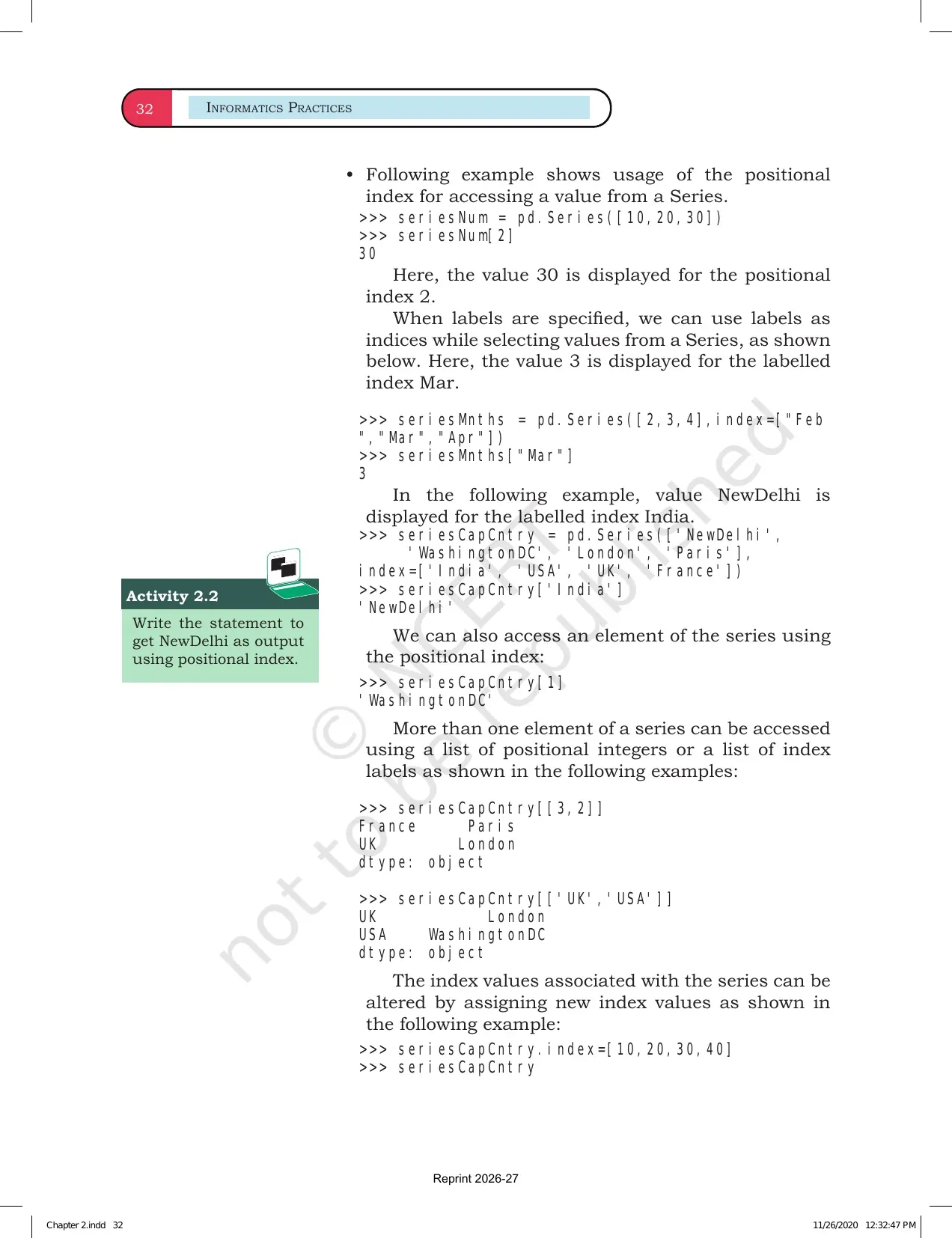
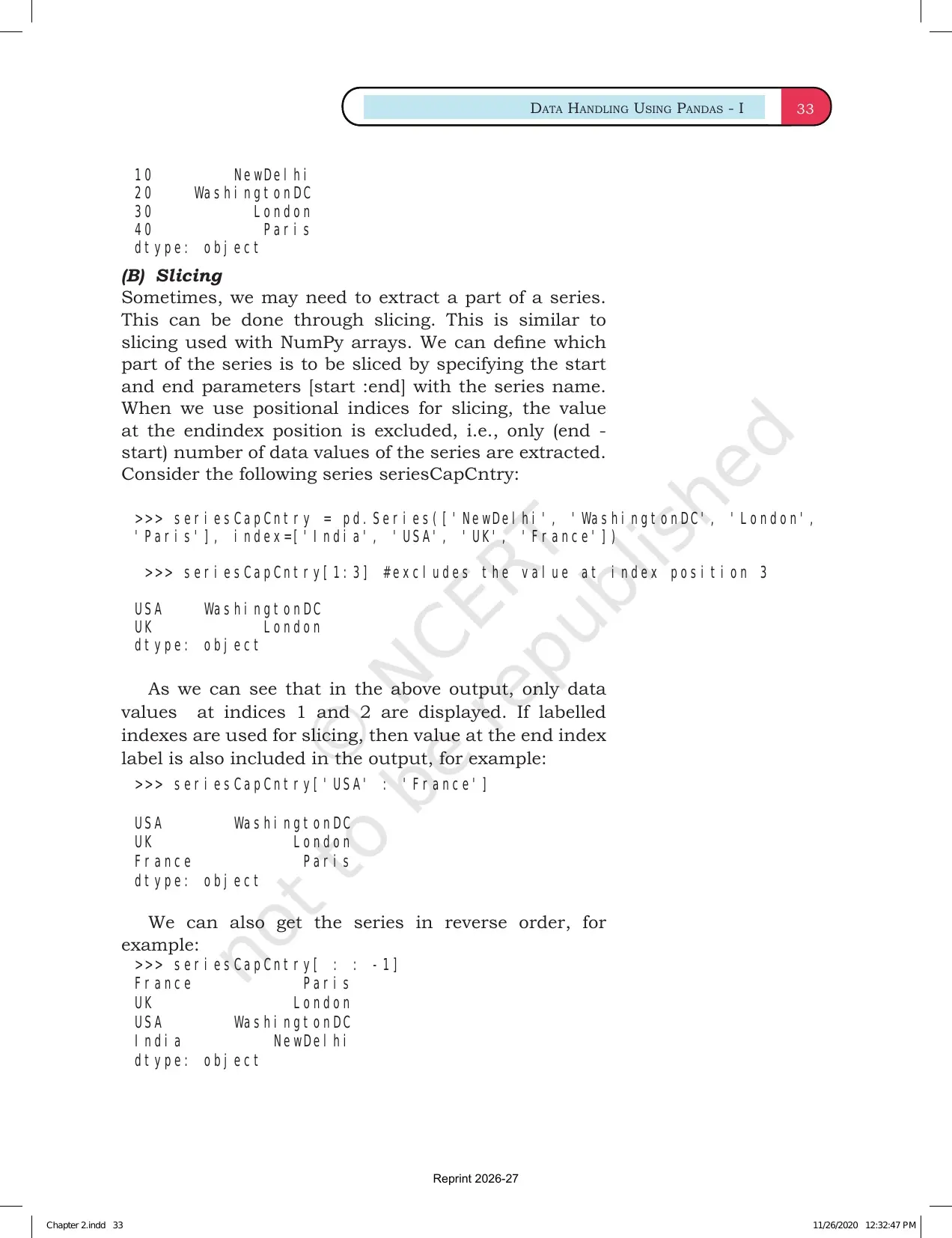
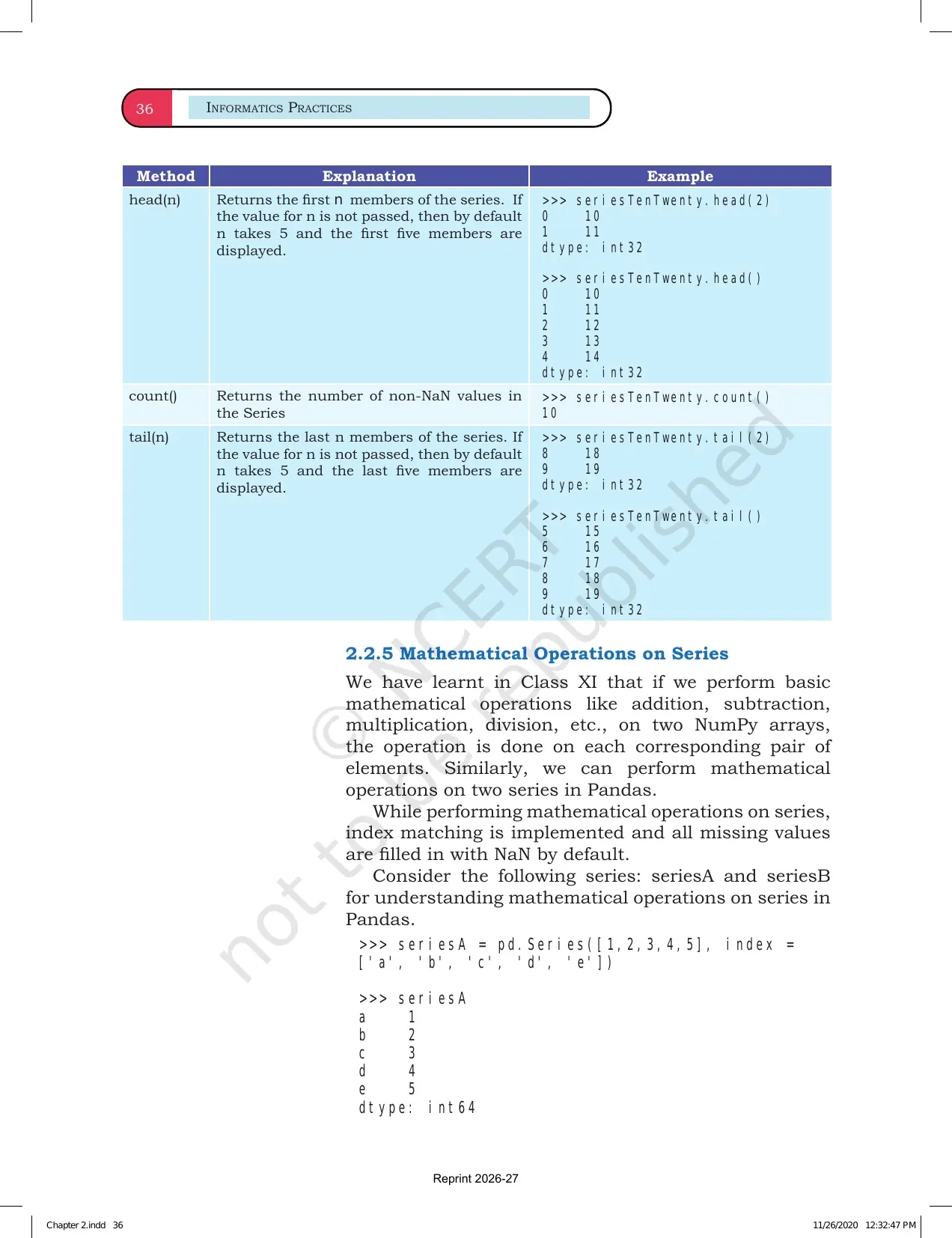
Pandas Series supports selection by position and by label. It also supports slicing, filtering and operations on all values. This is why the chapter is useful before students study DataFrames.
- Position access: use position when the question asks for the first, second or last element.
- Label access: use labels when the question gives named indexes.
- Slicing: select a range of elements and observe whether the end point is included.
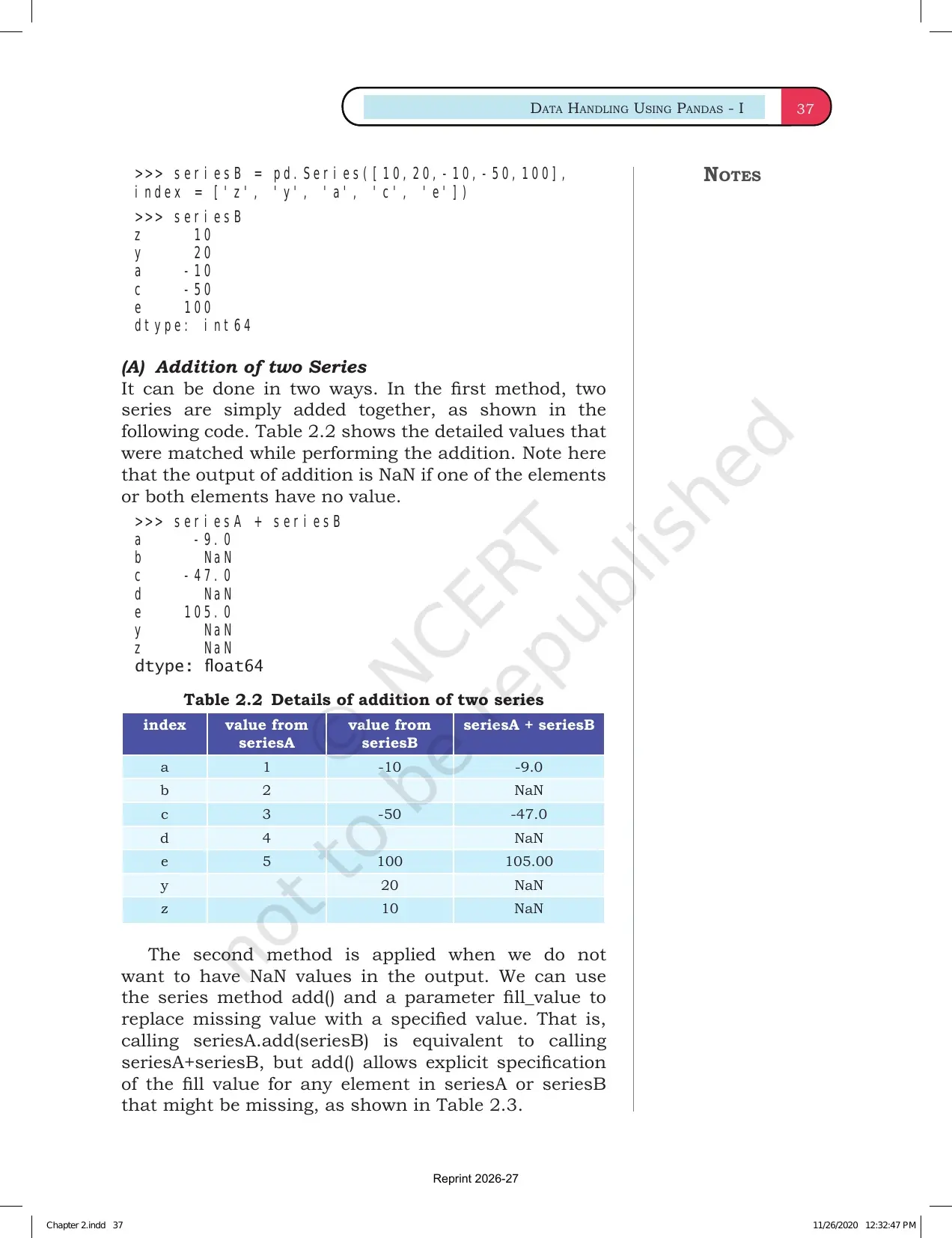
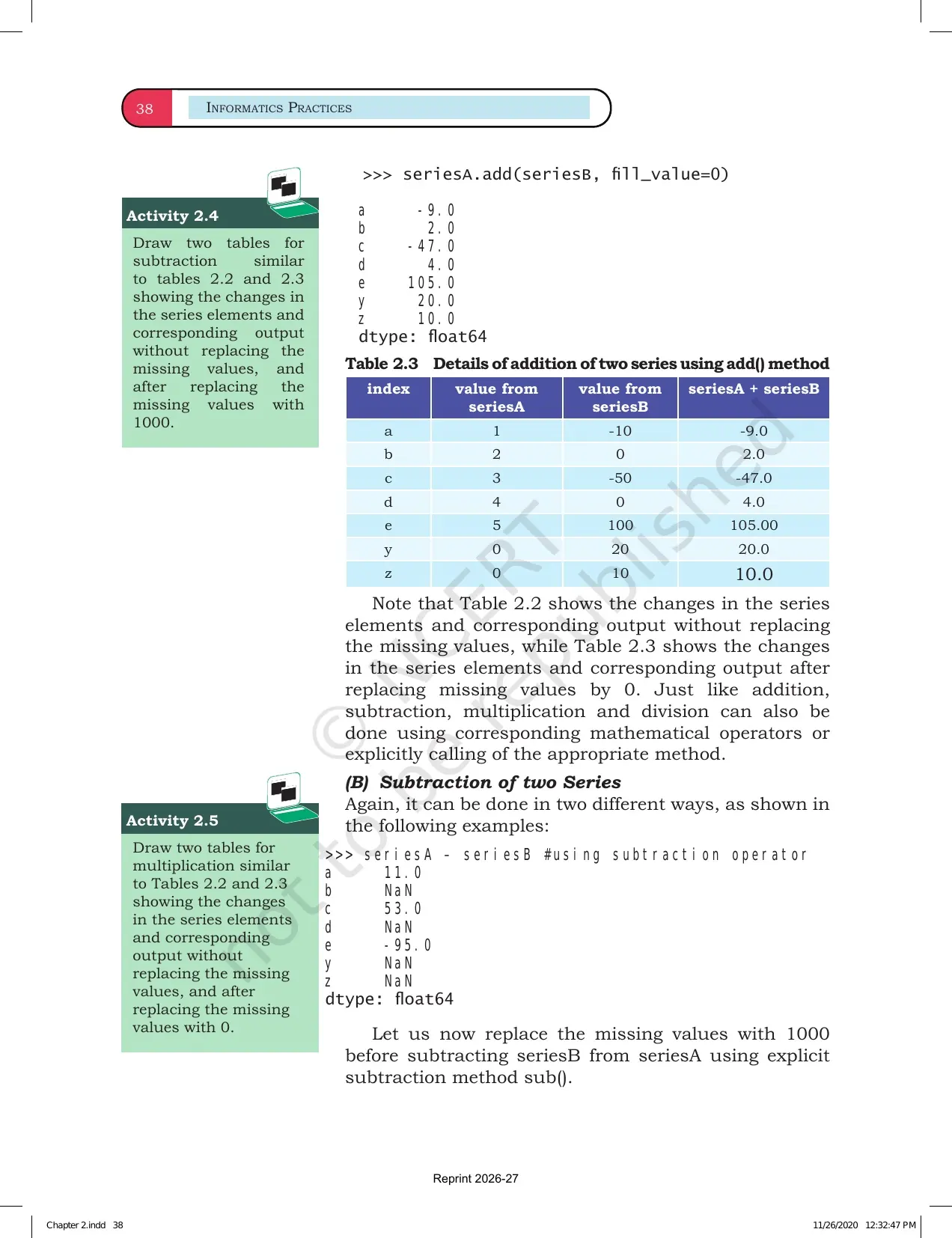
- Vectorized operation: apply arithmetic to all numeric values at once.
Pandas Series vs DataFrame
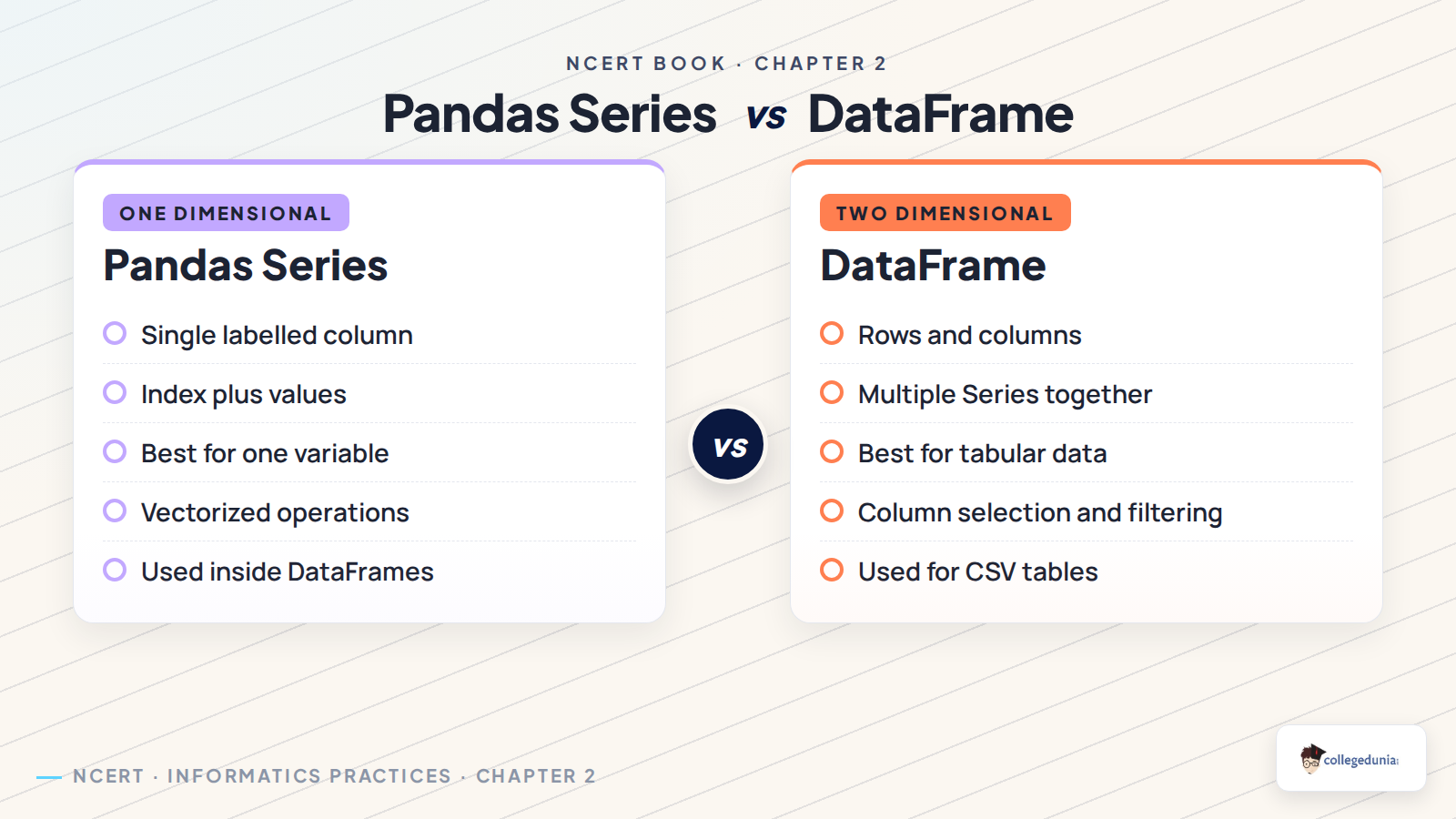
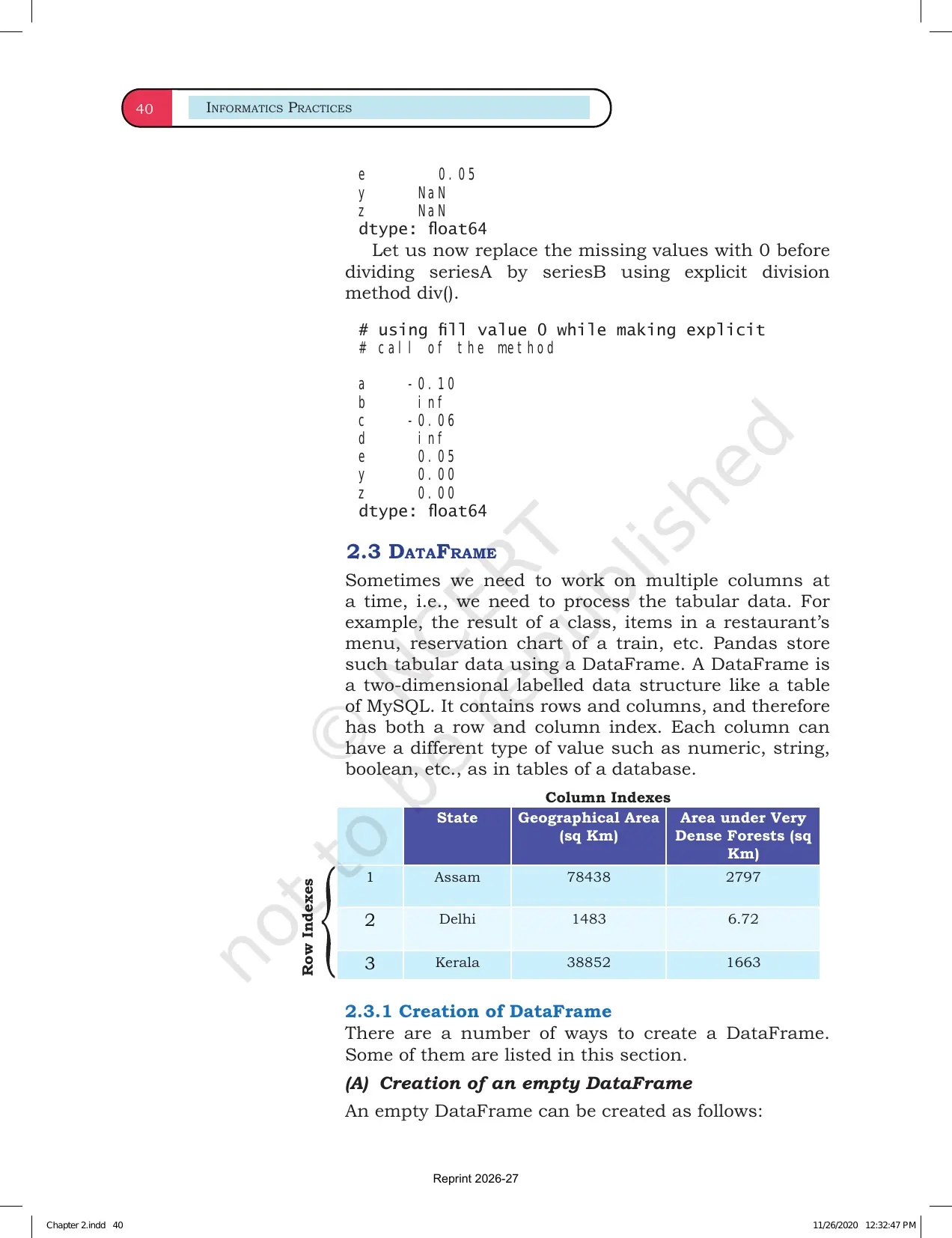
Chapter 2 focuses on Series, but the comparison with DataFrame helps students prepare for the next chapter. Think of a Series as one labelled column and a DataFrame as a full table made from related Series objects.
| Point | Series | DataFrame |
|---|---|---|
| Dimension | One-dimensional | Two-dimensional |
| Labels | Index labels | Row index and column labels |
| Best use | One variable or one column | Full table with multiple columns |
| NCERT link | Chapter 2 core object | Next step for tabular data handling |
How to Use the NCERT Book PDF
Use the PDF as a lab companion rather than only a reading file. The best revision method is to type each command, predict the output and then compare it with the NCERT explanation.
- Write the syntax for creating a Series from list, dictionary and scalar value.
- Mark the index in every output before reading the values.
- Practise at least one operation on a numeric Series.
- Revise the difference between label selection and position selection.
- Use the NCERT exercise questions after the examples feel familiar.
Related Class 12 Informatics Practices Resources
| Resource | Use It For | Link |
|---|---|---|
| NCERT Solutions | Check solved Pandas Series exercise answers. | Chapter 2 NCERT Solutions |
| Revision Notes | Revise commands, syntax and output patterns quickly. | Chapter 2 Notes |
| Handwritten Notes | Use a compact notebook-style recap before tests. | Chapter 2 Handwritten Notes |
All Informatics Practices NCERT Book PDFs
| Chapter | NCERT Book PDF |
|---|---|
| Chapter 1 Querying and SQL Functions | Chapter 1 NCERT Book PDF |
| Chapter 2 Data Handling using Pandas Series | Chapter 2 NCERT Book PDF |
| Chapter 3 Data Handling using Pandas DataFrame | Chapter 3 NCERT Book PDF |
| Chapter 4 Plotting Data using Matplotlib | Chapter 4 NCERT Book PDF |
| Chapter 5 Introduction to Computer Networks | Chapter 5 NCERT Book PDF |
| Chapter 6 Societal Impacts | Chapter 6 NCERT Book PDF |
Class 12 Informatics Practices Chapter 2 NCERT Book FAQs
Ques. What is the main topic of Class 12 Informatics Practices Chapter 2?
Ans. Chapter 2 explains Data Handling using Pandas Series. It covers Python libraries, Series creation, indexing, attributes, selection and basic operations.
Ques. Why should students read the NCERT PDF before notes?
Ans. The NCERT PDF gives the official examples and outputs. Reading it first helps students match every Pandas command with the textbook explanation.
Ques. What is a Pandas Series?
Ans. A Pandas Series is a one-dimensional labelled array. It stores values with an index, so each value can be identified by position or label.
Ques. How is Series different from DataFrame?
Ans. A Series is one-dimensional, while a DataFrame is two-dimensional. A DataFrame can be understood as a table made from multiple related Series objects.



Comments