




The NCERT Solutions for Class 12 Informatics Practices Chapter 1 Querying and SQL Functions cover every question in the back exercise, according to the latest 2026-27 CBSE syllabus. Each answer is written on the same CARSHOWROOM database that NCERT uses through the whole chapter, so the table names, column names and query outputs match the book exactly.
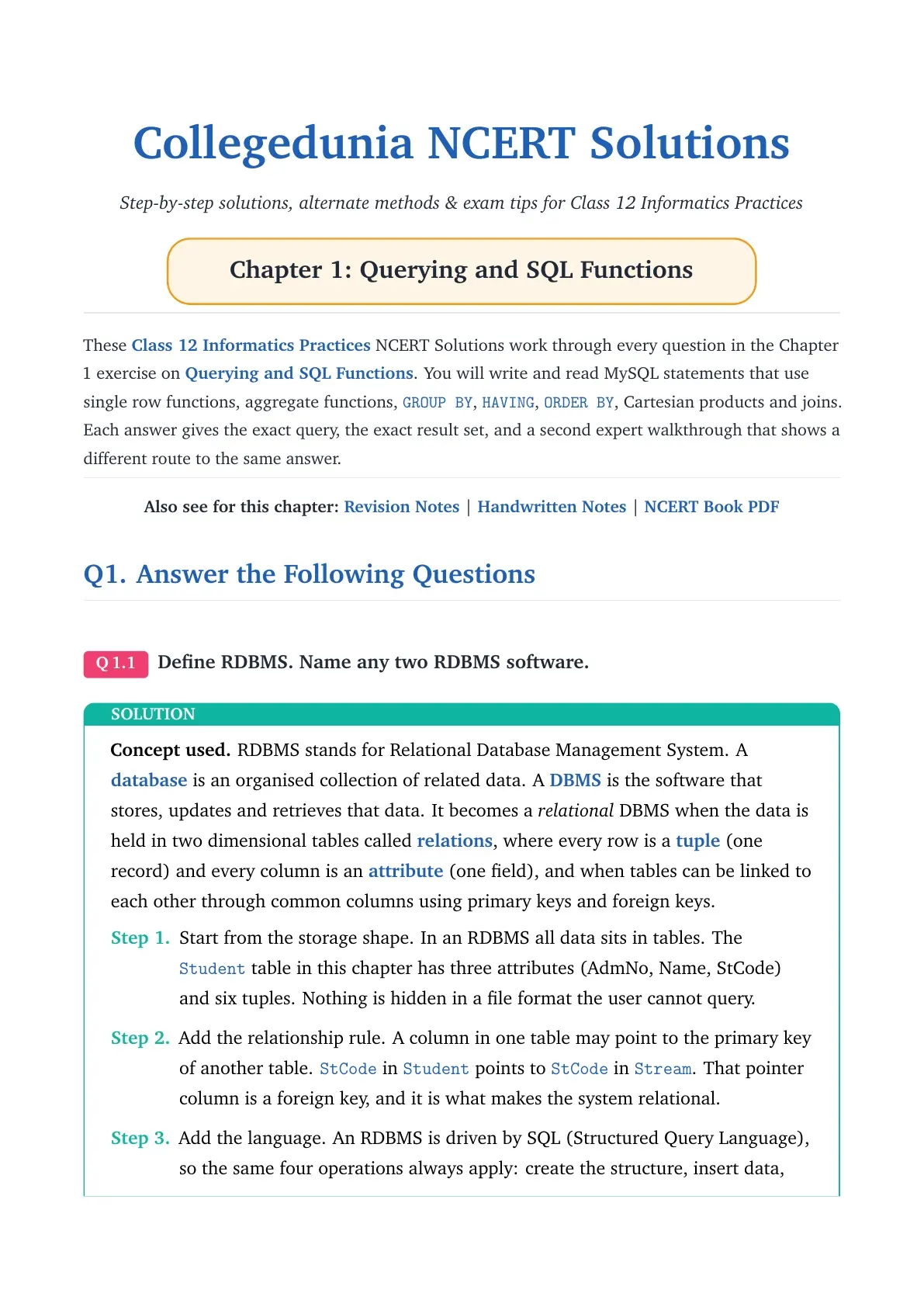
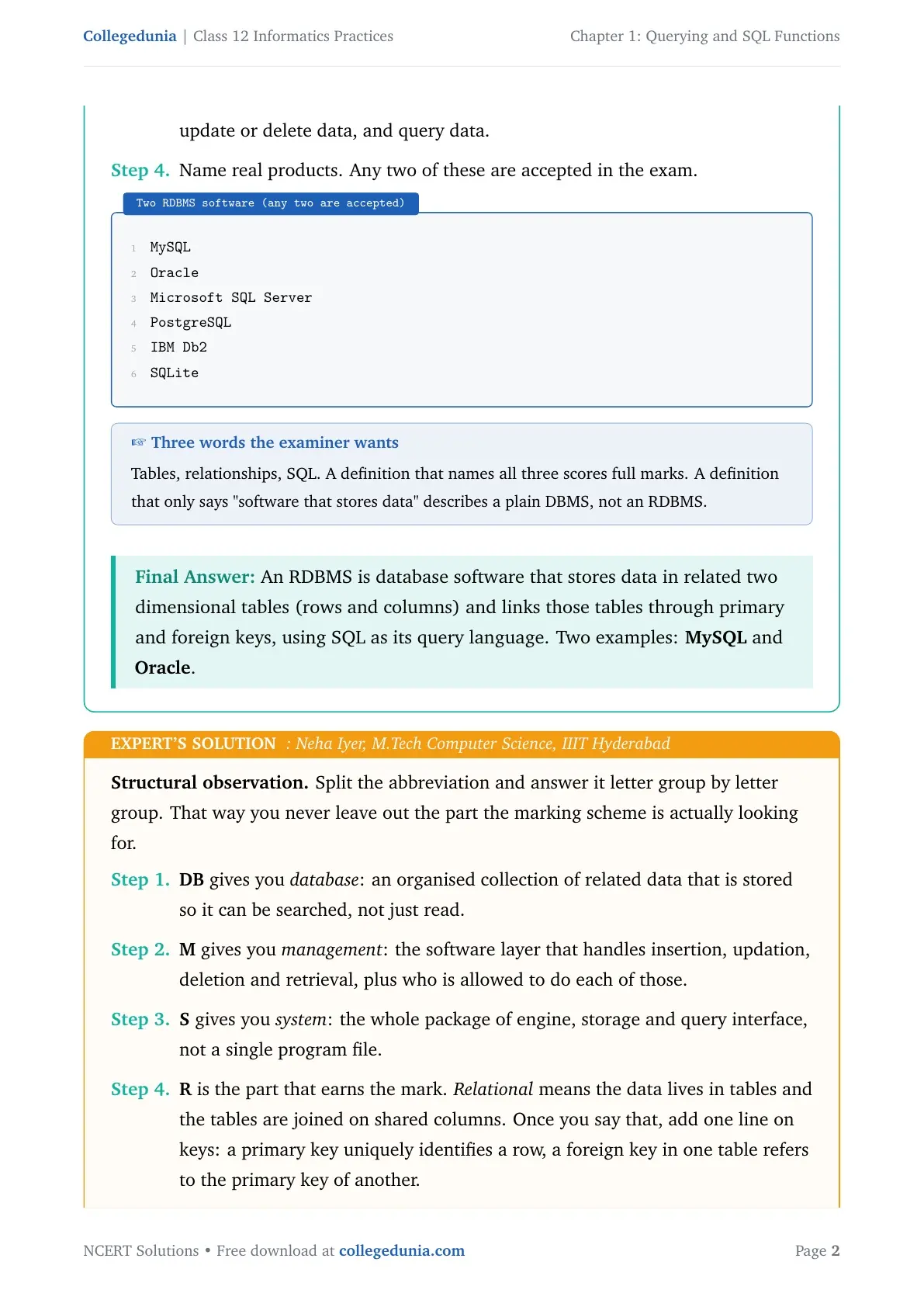
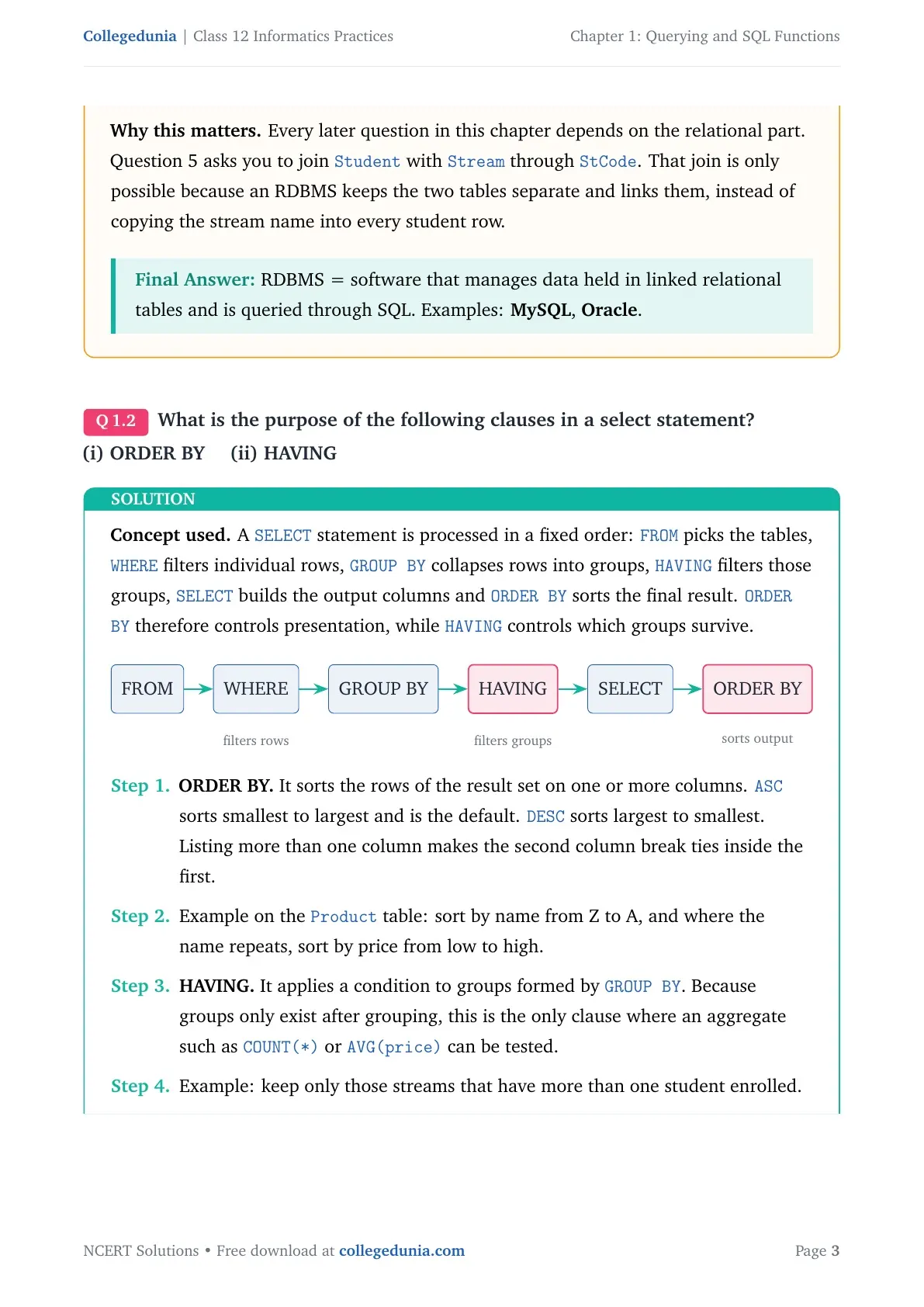
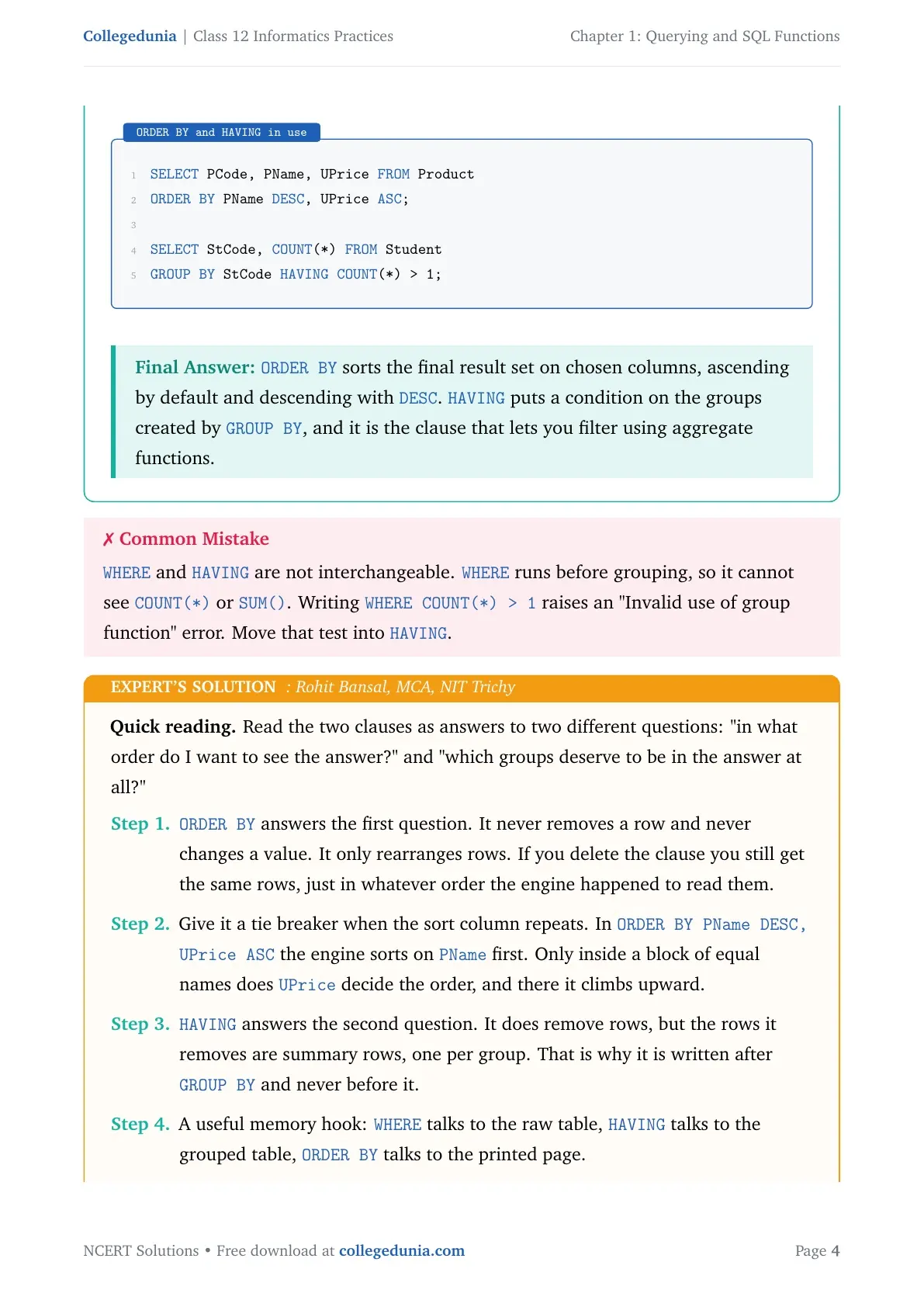
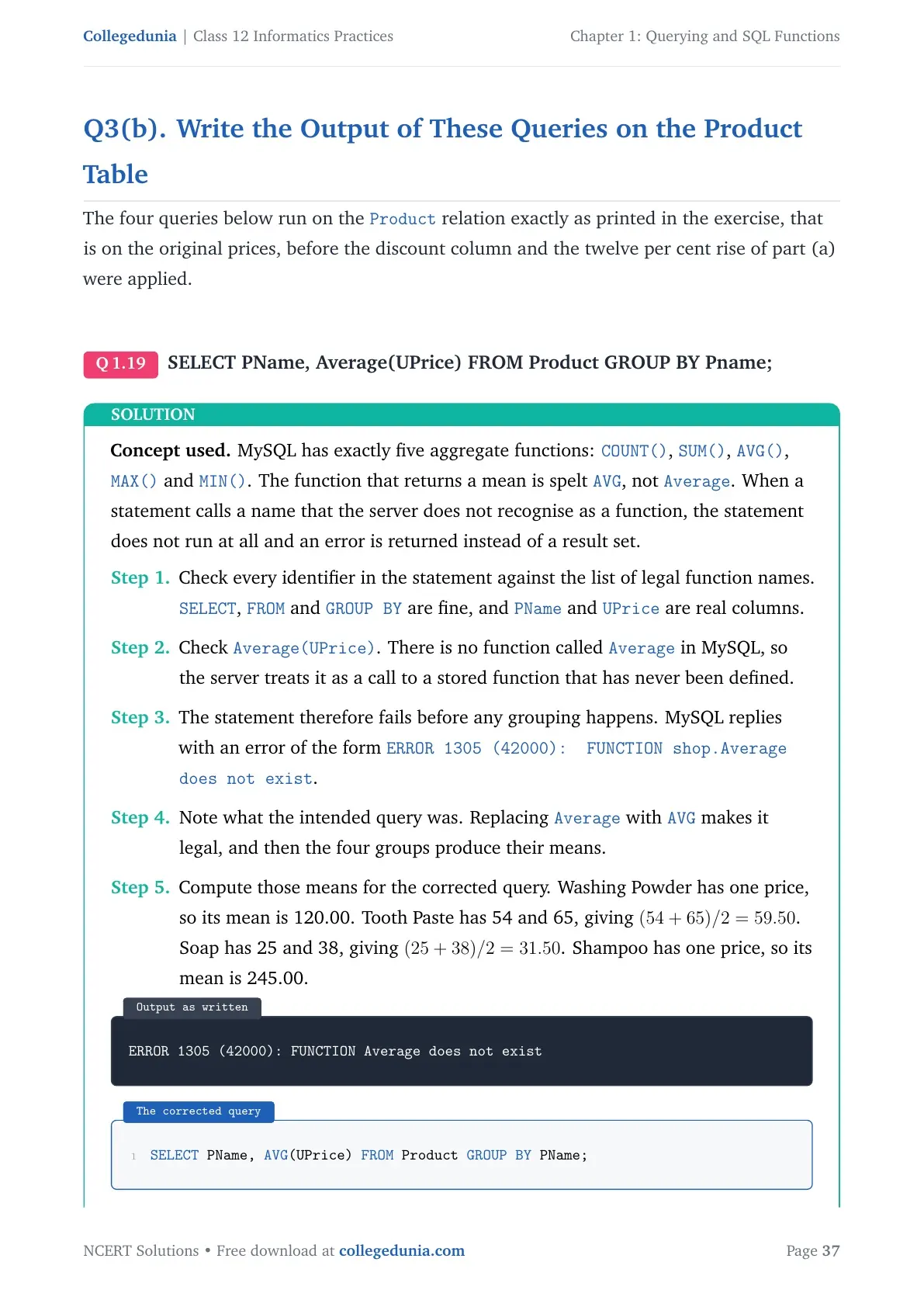
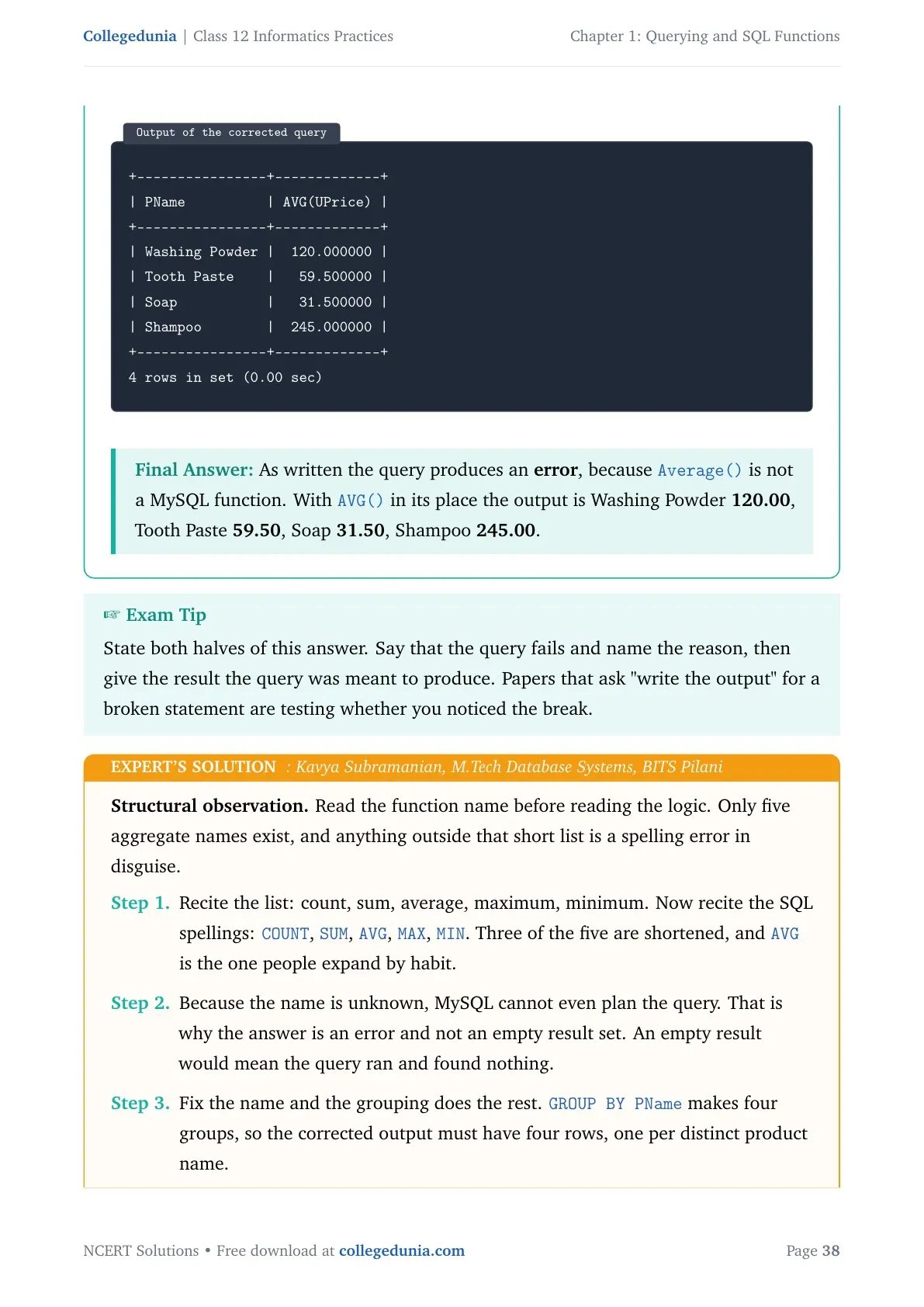
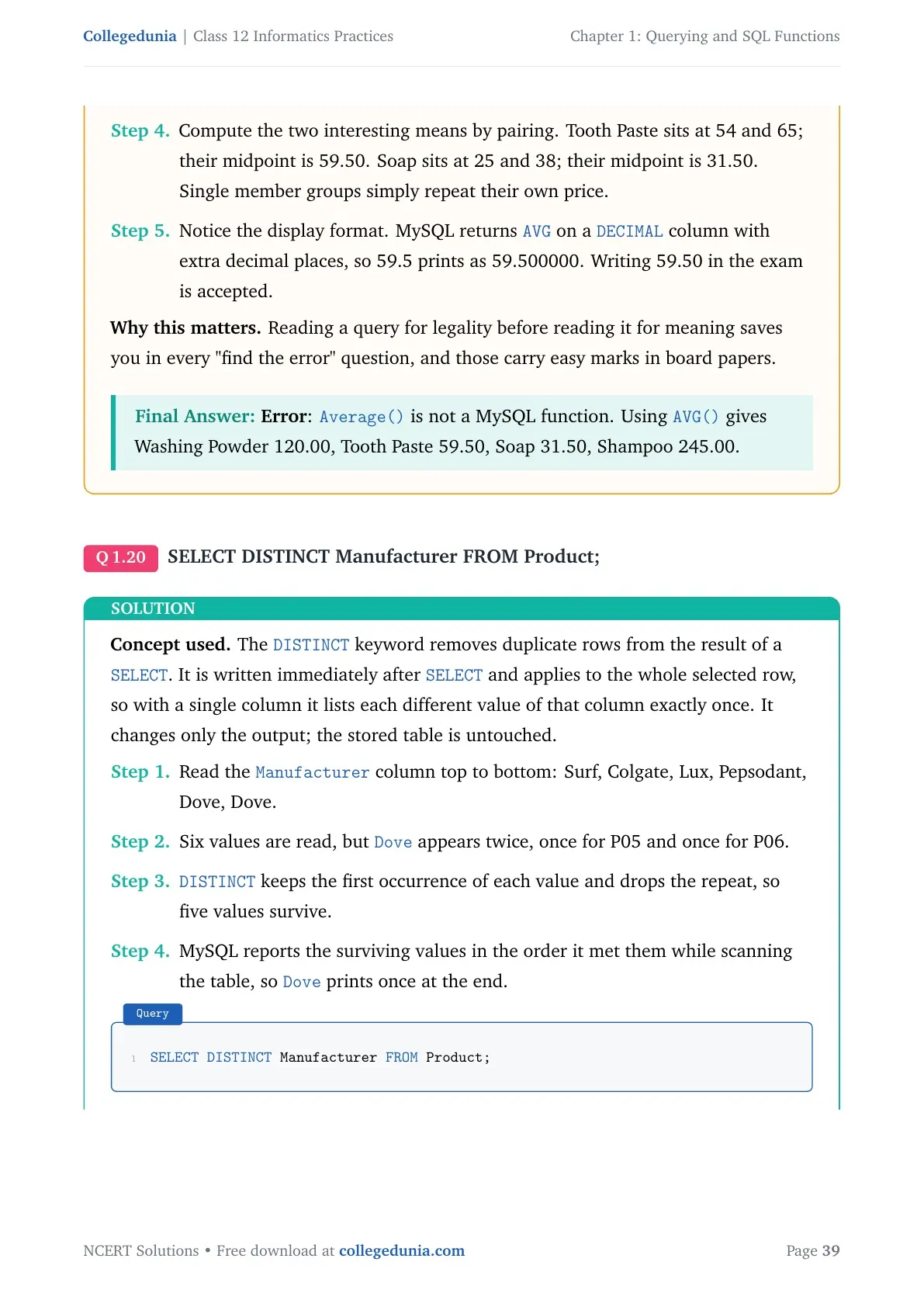
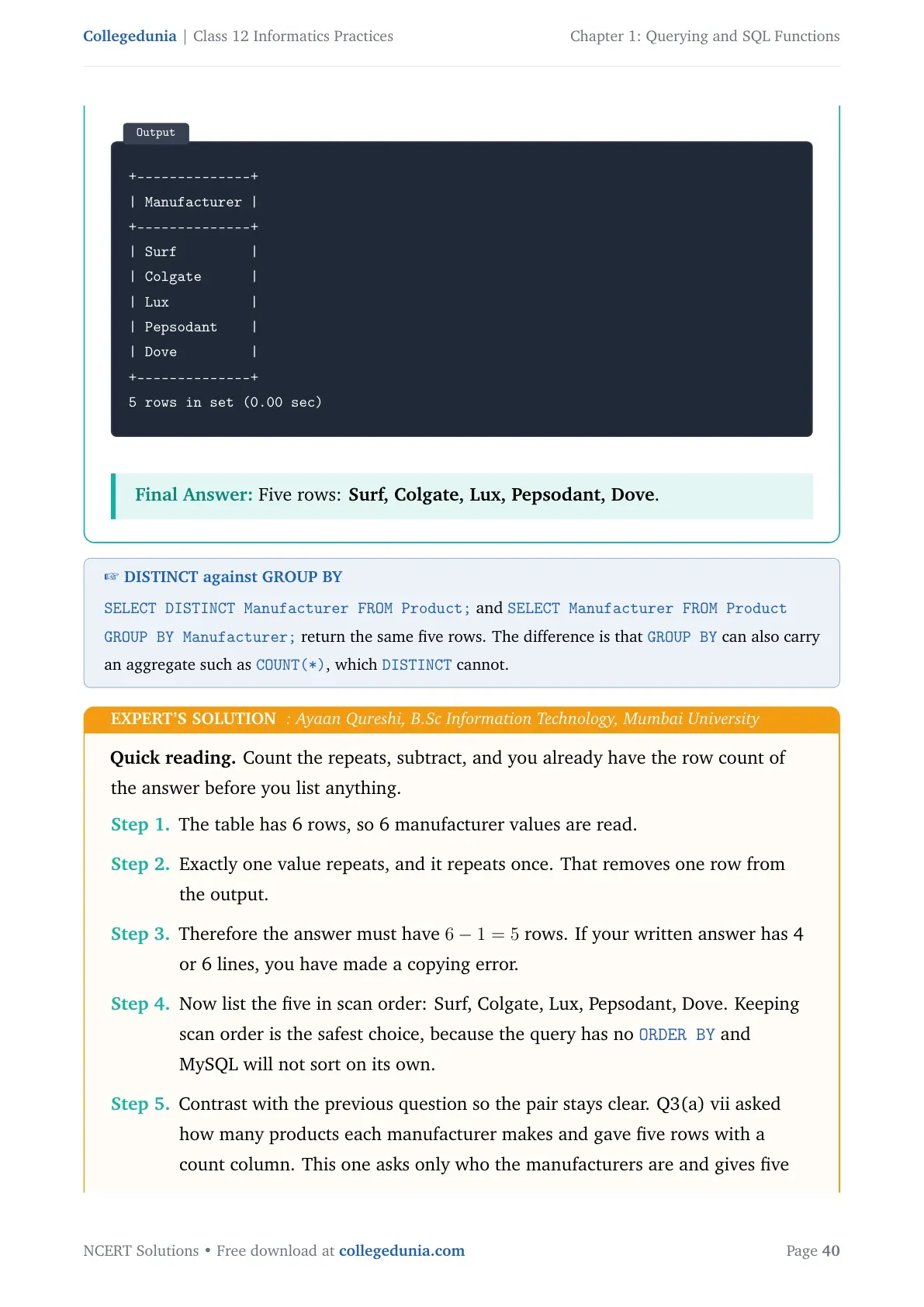
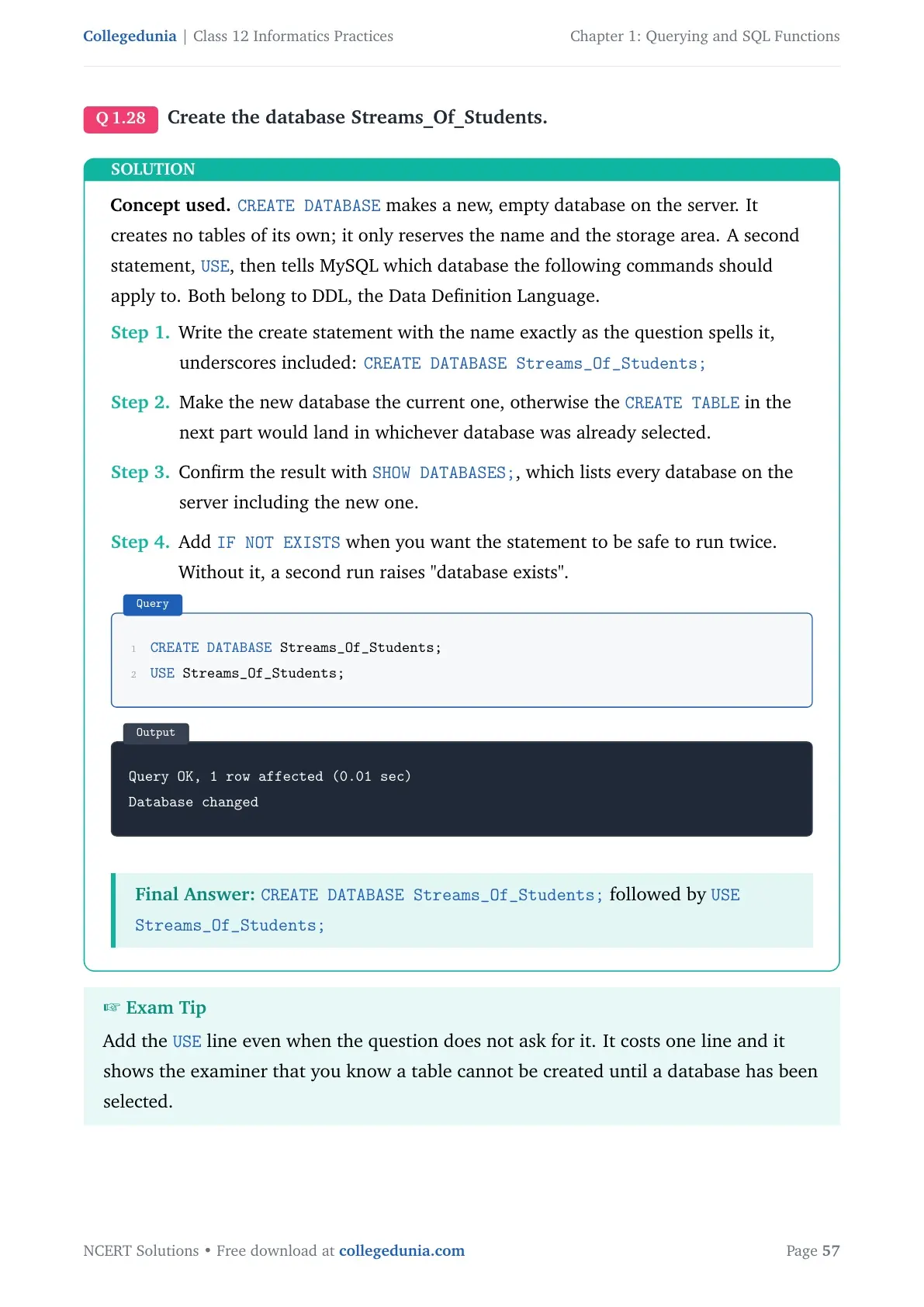
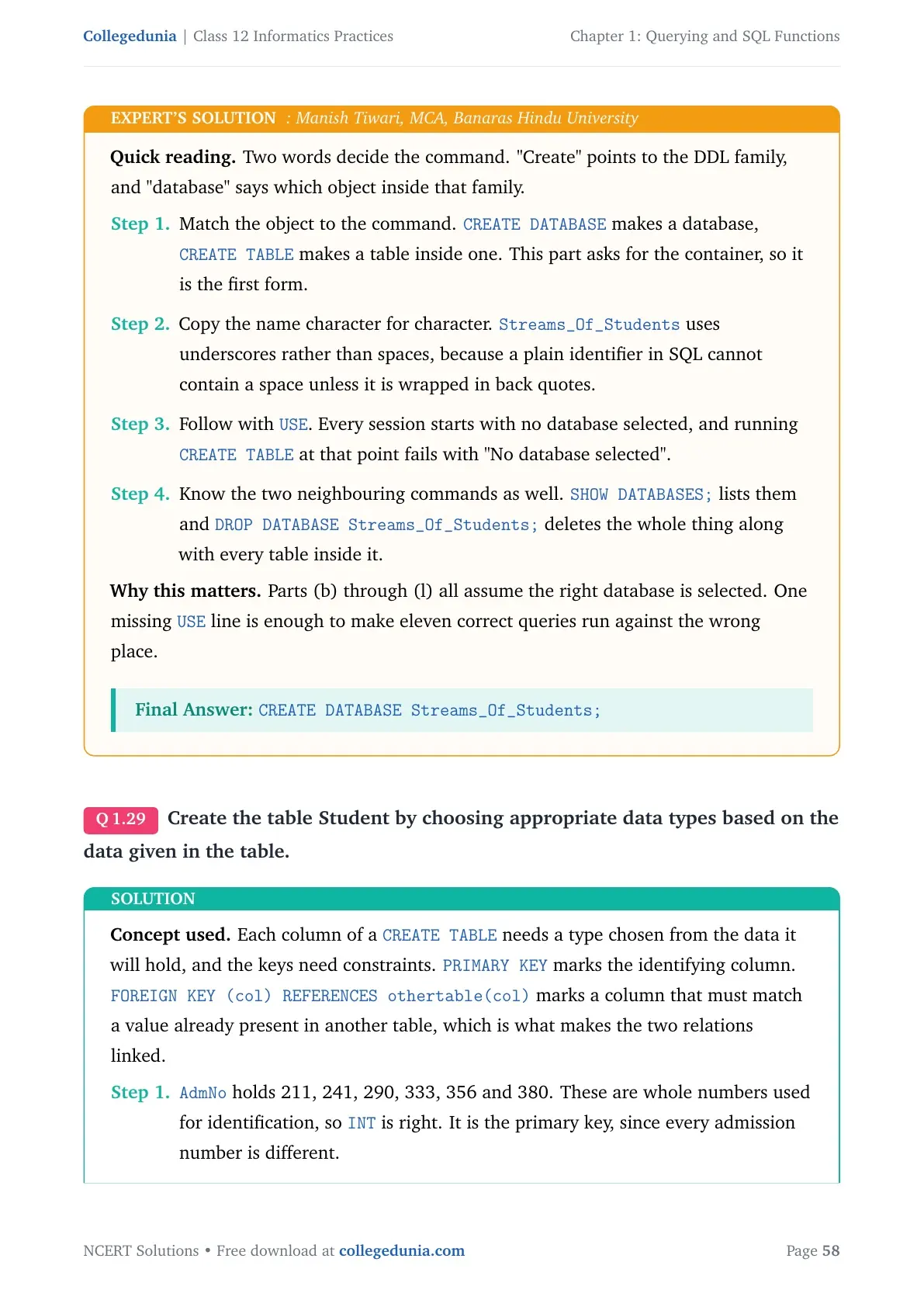
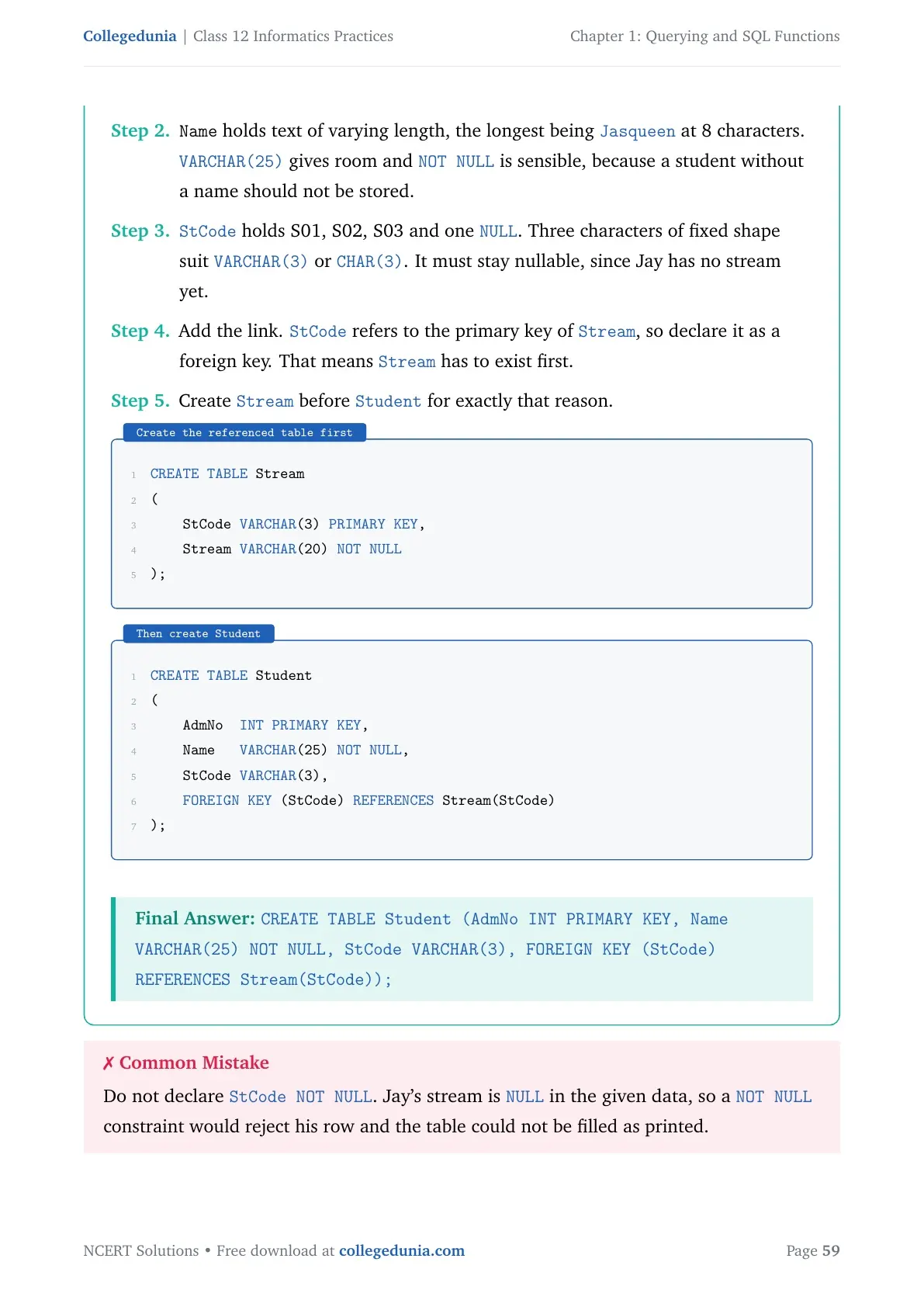
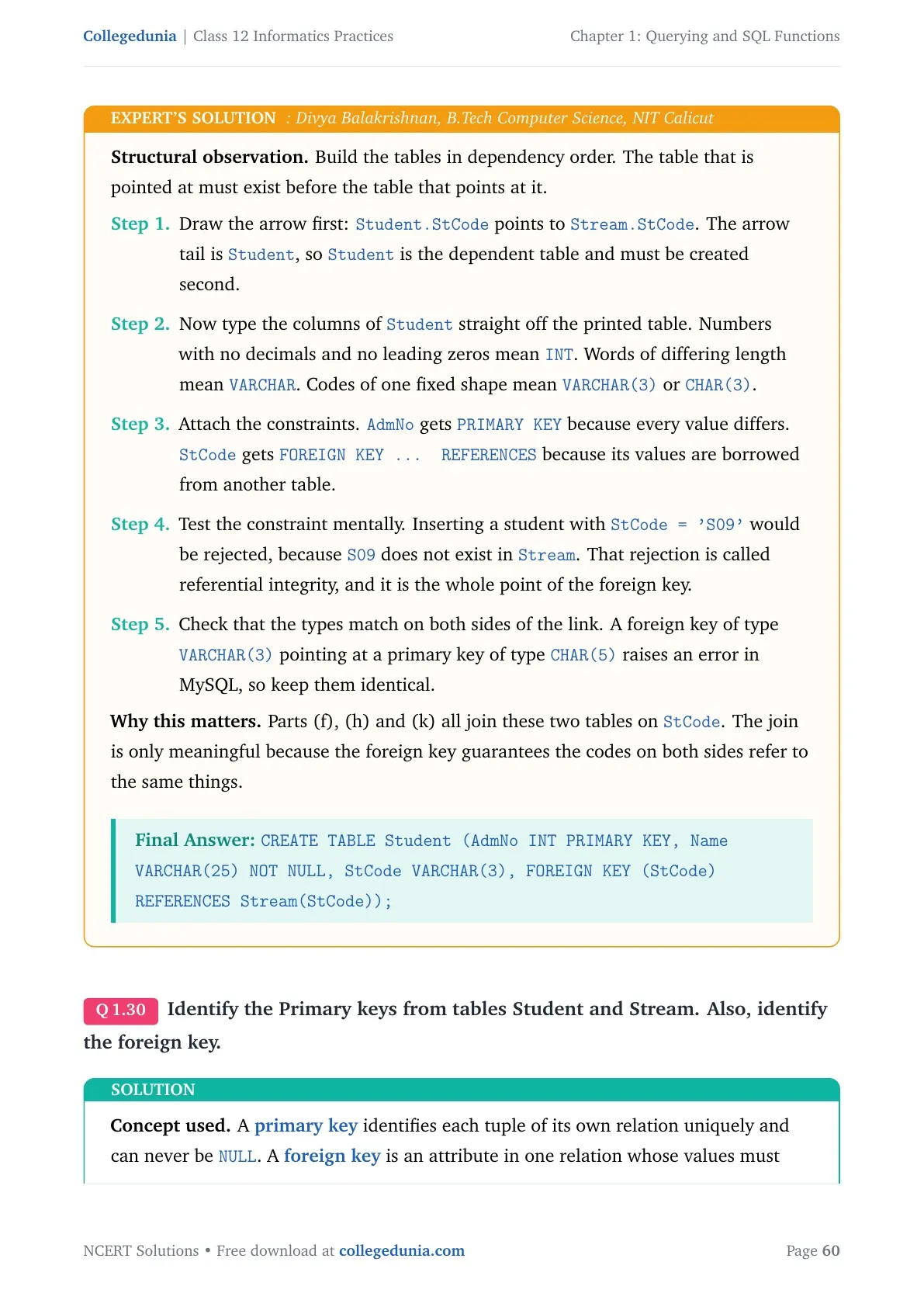
- The exercise has 5 main questions; questions 3, 4 and 5 are long query sets worth 4 to 5 marks each.
- Unit 2 Database Query using SQL carries 25 of the 70 theory marks, and this chapter supplies most of it.
- Every query here runs on MySQL, so you can type it into your practical file and check the output yourself.
Every solution on this page is written by Collegedunia subject experts on the 2026-27 NCERT print, tested on MySQL, and checked against the CBSE Class 12 Informatics Practices marking scheme.
Querying and SQL Functions Exercise Questions and What Each One Tests
The back exercise moves from one-line theory to full query writing. Question 1 and Question 2 are recall and dry-run questions. Questions 3, 4 and 5 give you a table and ask you to write queries on it. Use the map below to plan which part to revise first.
| Exercise Question | What it asks | Skill tested |
|---|---|---|
| Question 1 (a to e) | Define RDBMS, purpose of ORDER BY and HAVING, single row versus aggregate functions, Cartesian product, naming the right function | Definitions and one-line theory |
| Question 2 (a to f) | Write the output of POW, ROUND, LENGTH, YEAR, MONTH, DAY, MONTHNAME, LEFT, RIGHT, MID and SUBSTR | Dry run of single row functions |
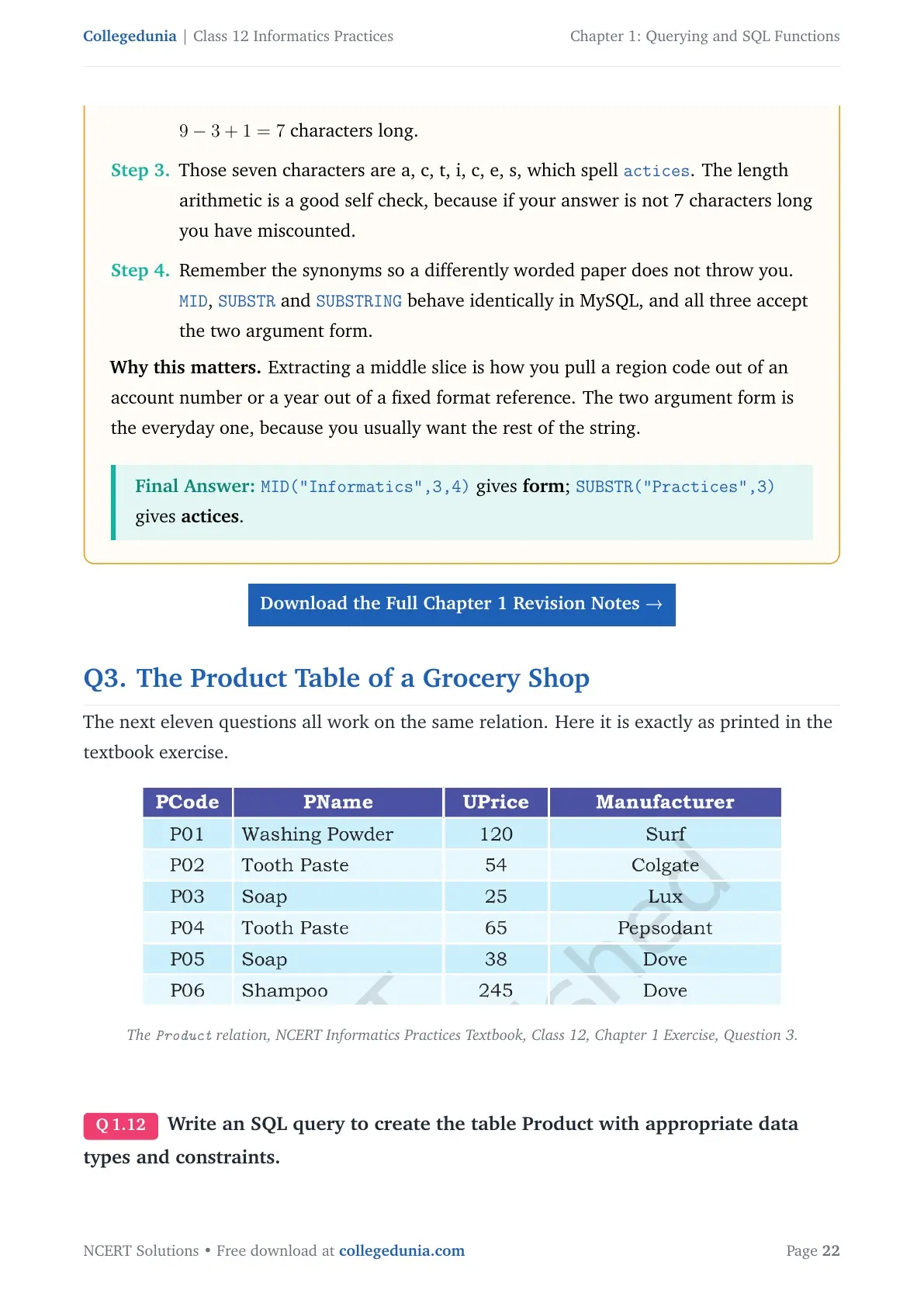
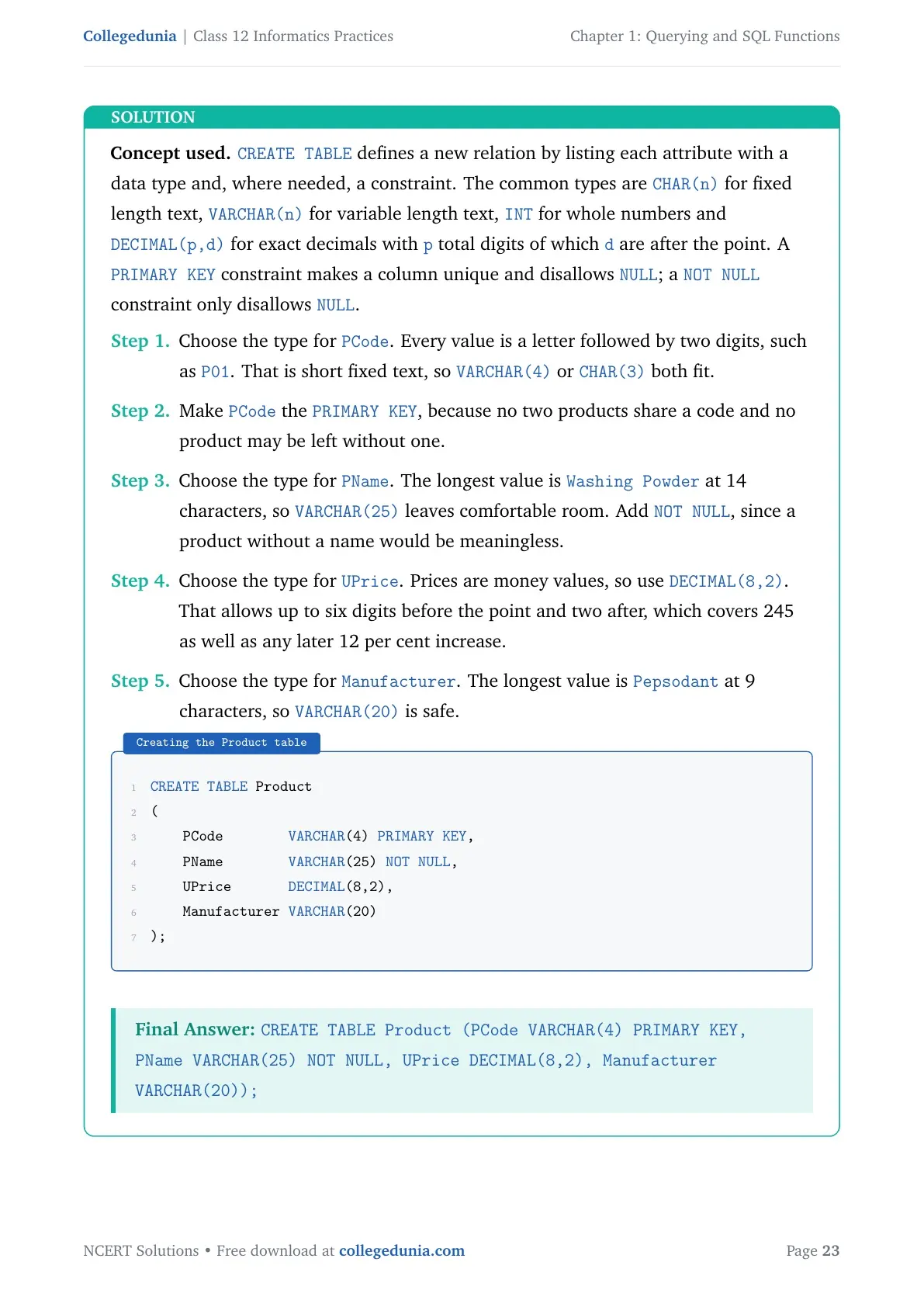
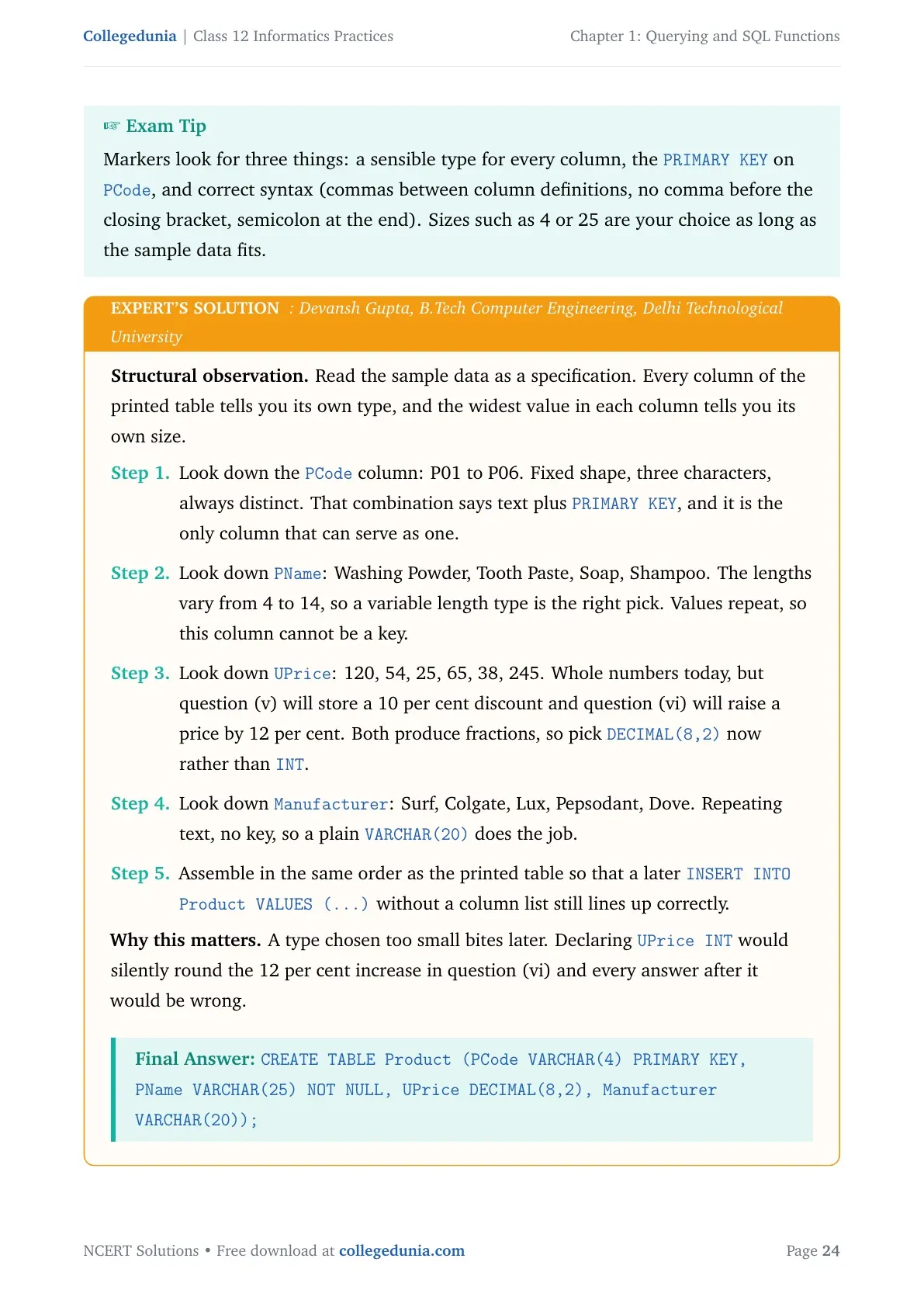
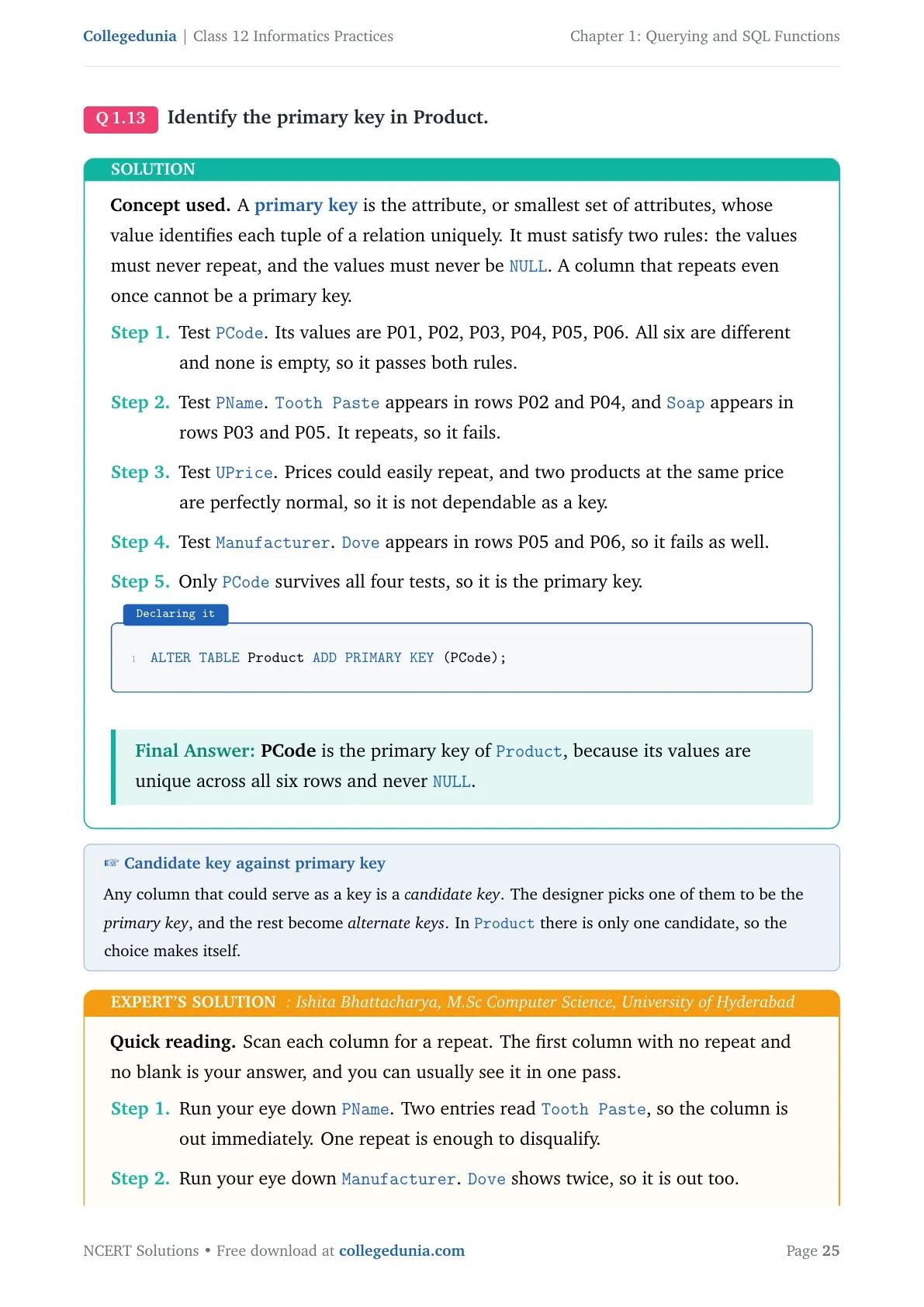
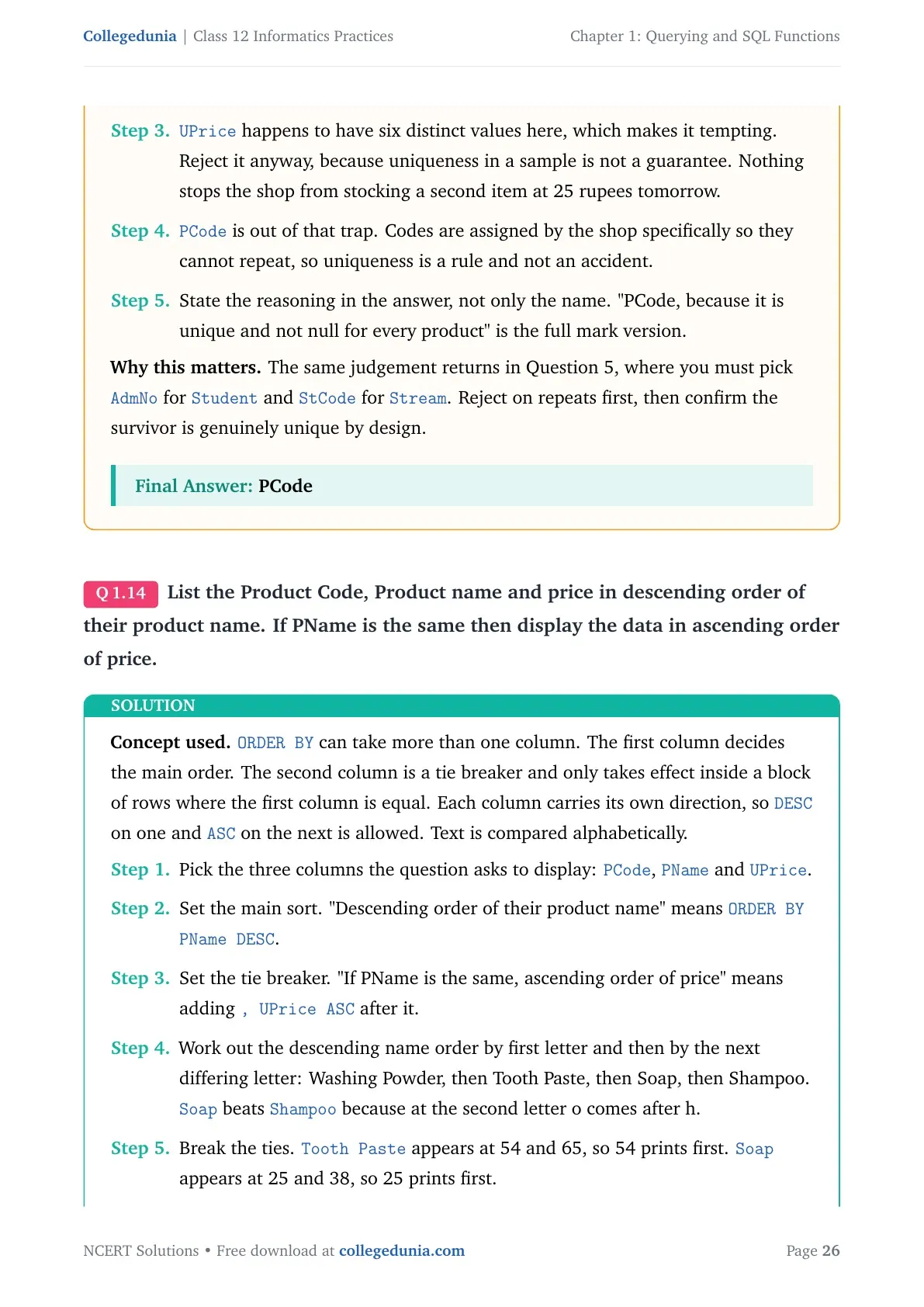
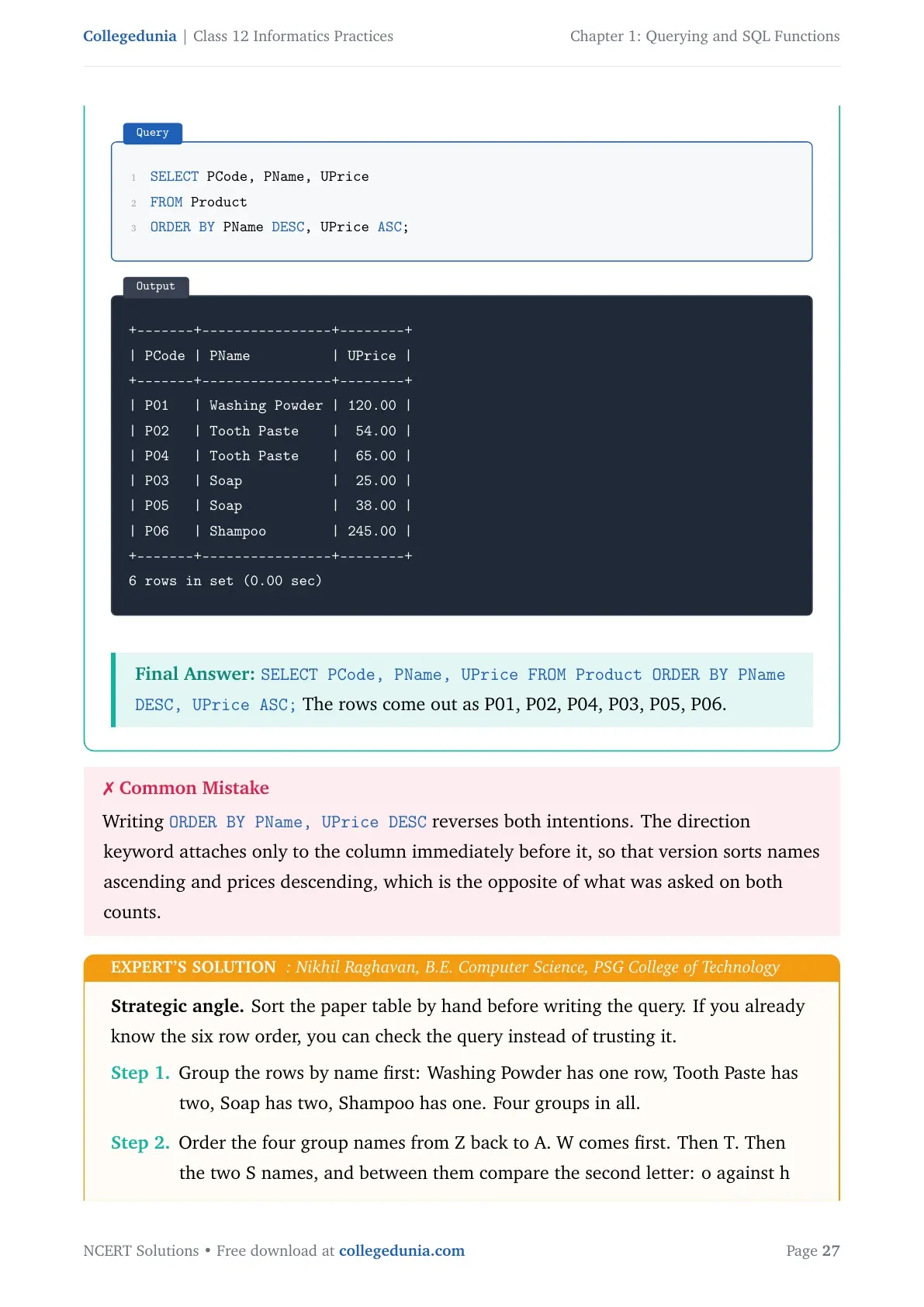
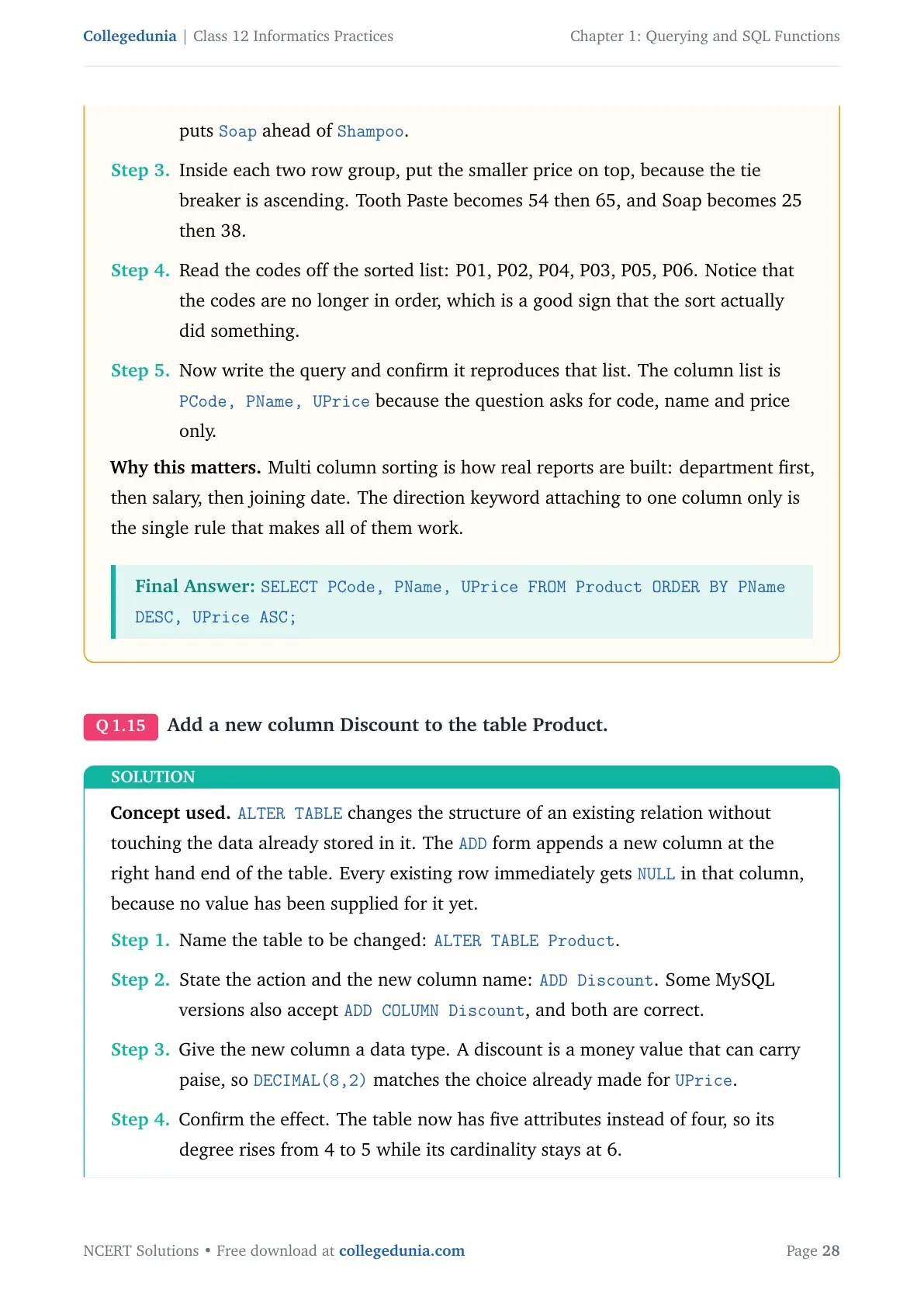
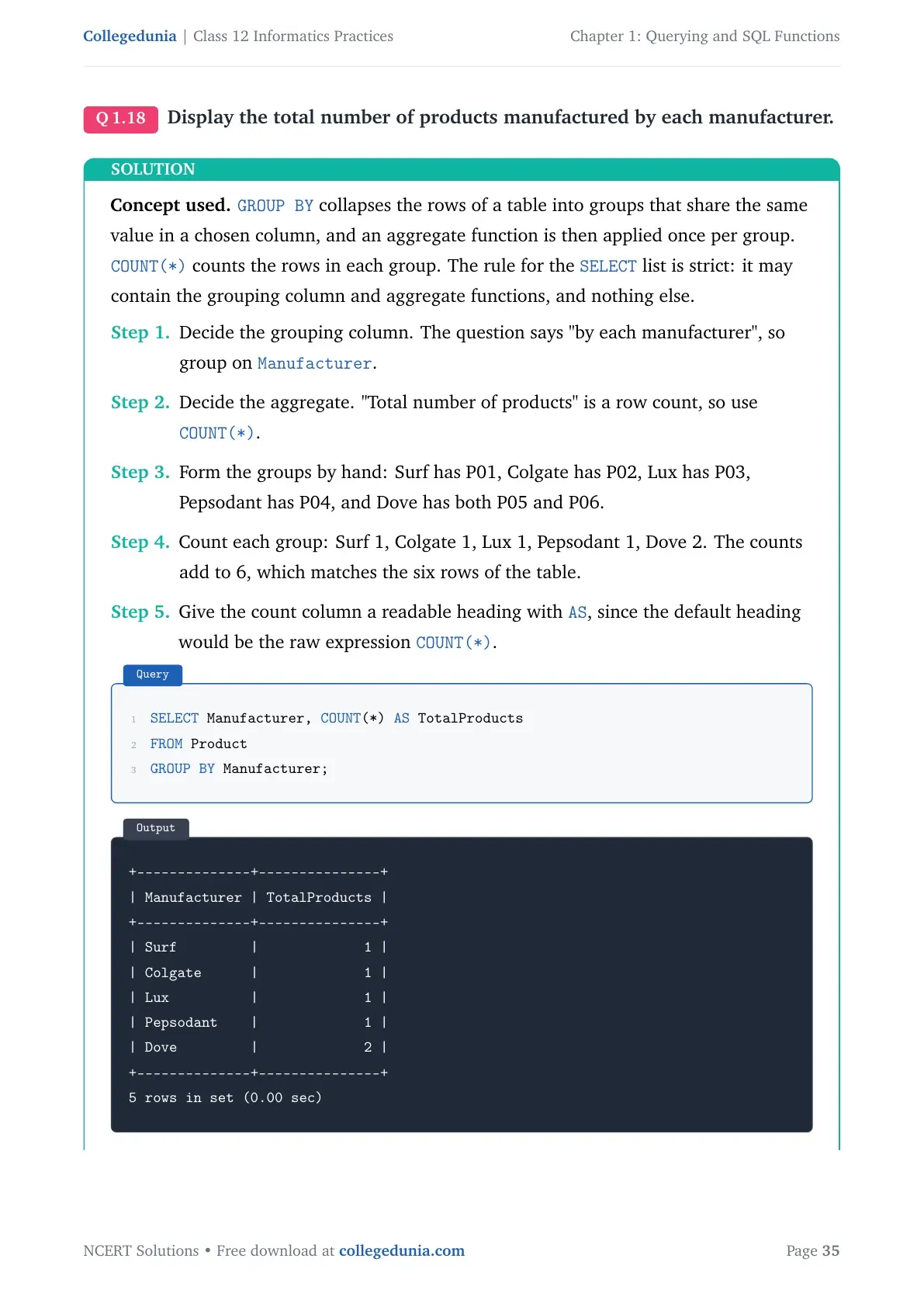
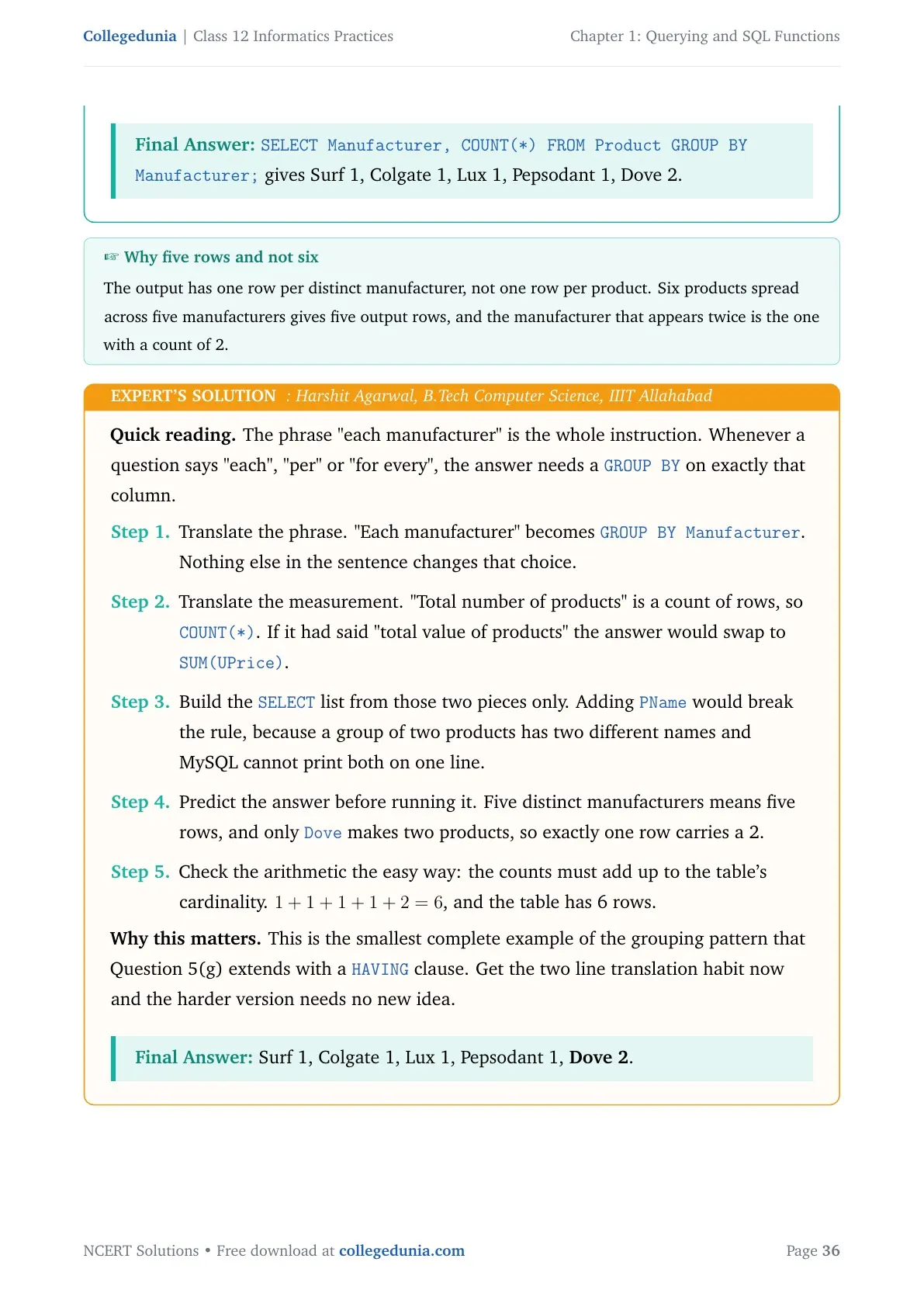
| Question 3 (Product table) | Create the table, pick the primary key, sort on two columns, add and fill a Discount column, group by manufacturer | DDL, DML, ORDER BY and GROUP BY |
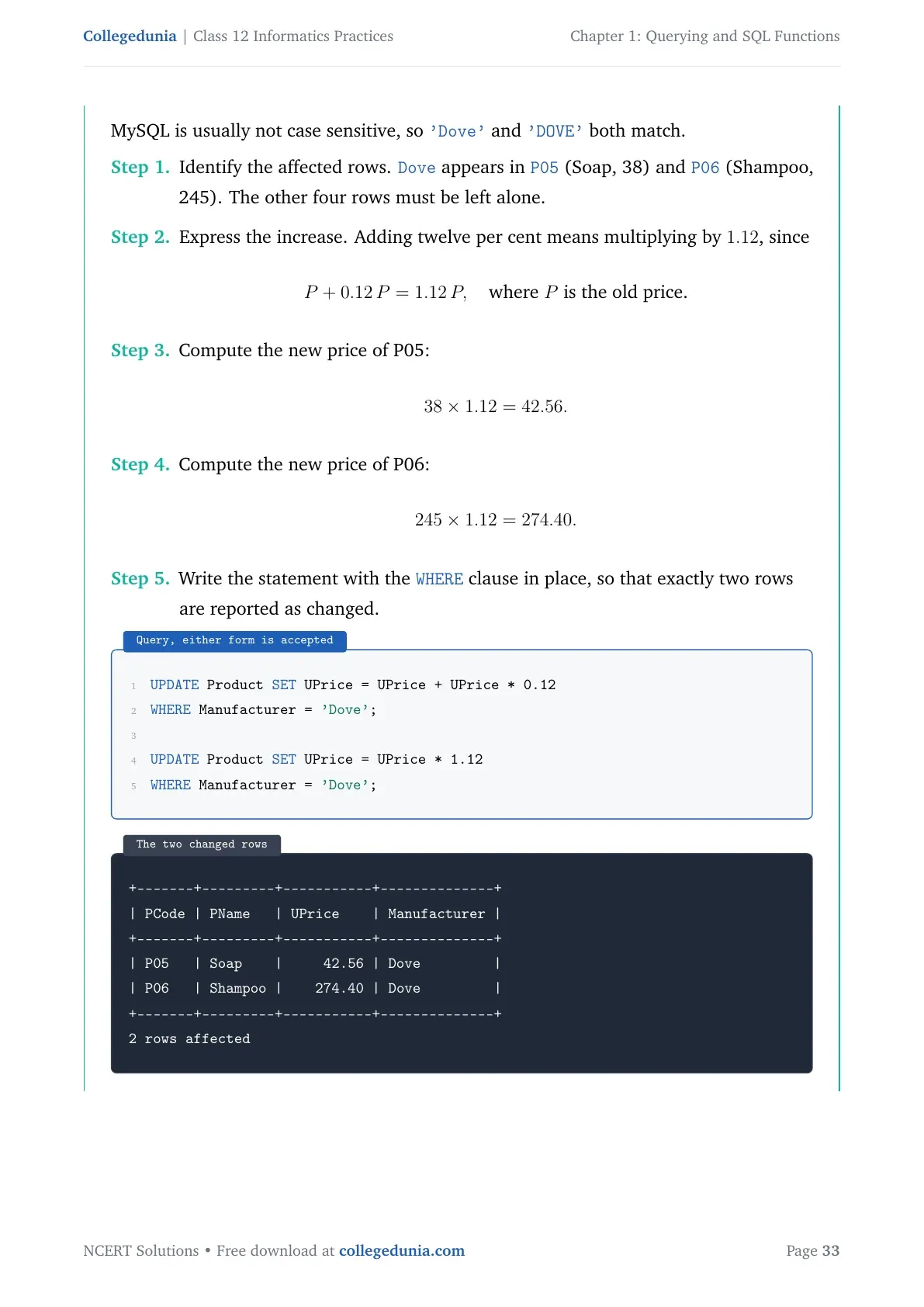
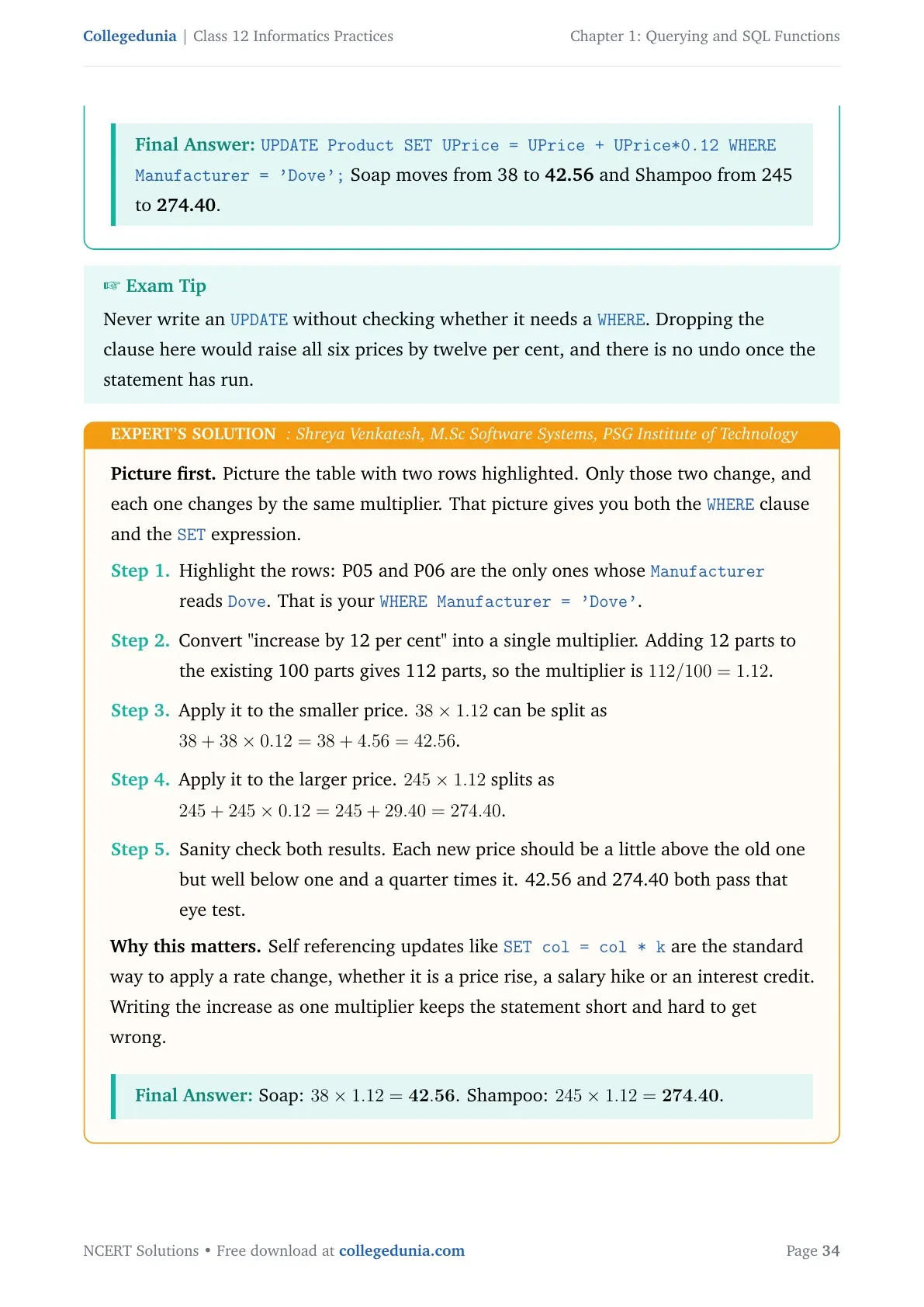
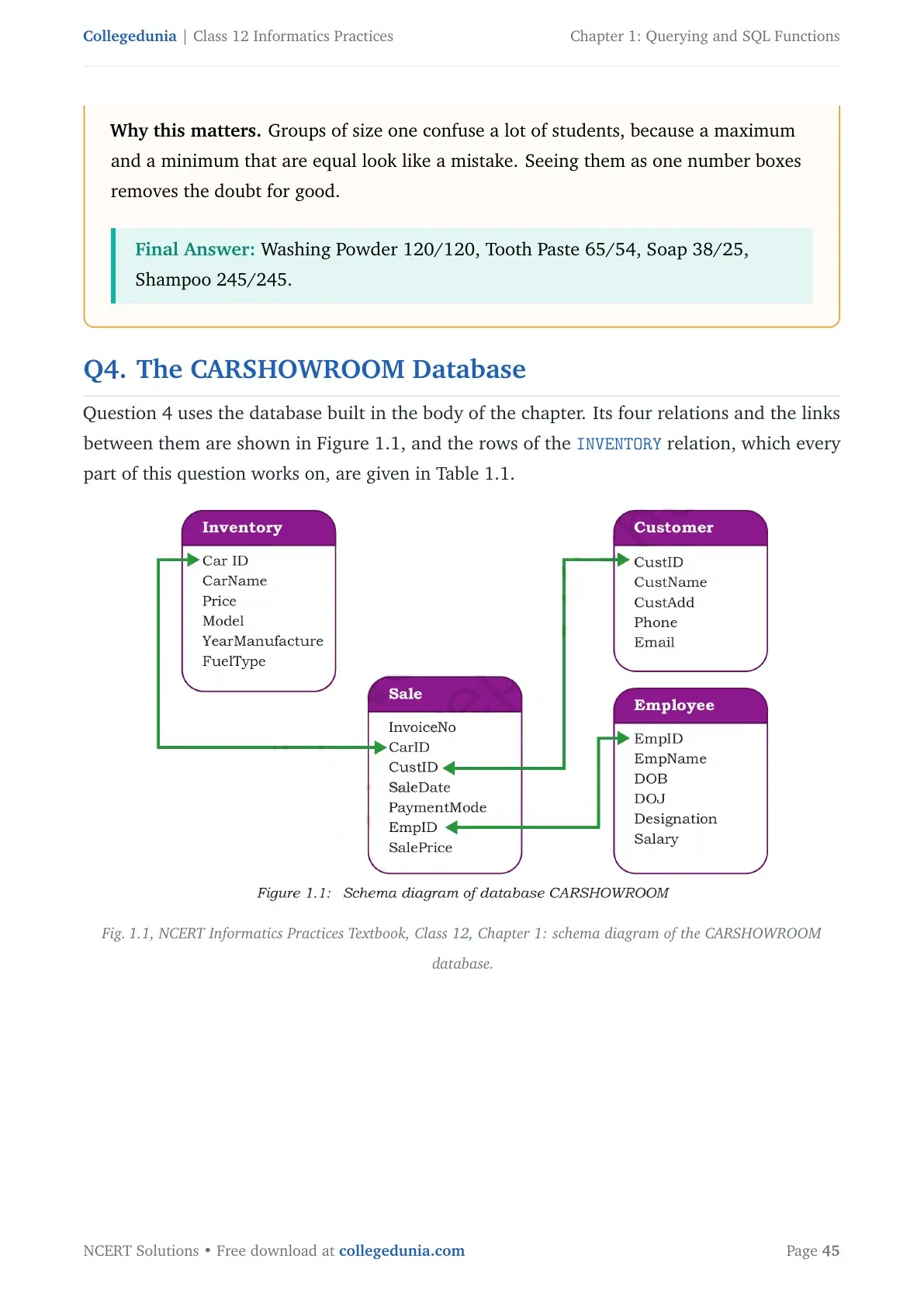
| Question 4 (CARSHOWROOM) | Add a Discount column, set model-wise discount, find the costliest Petrol car, average and total discount on Car4 | UPDATE with condition plus aggregate functions |
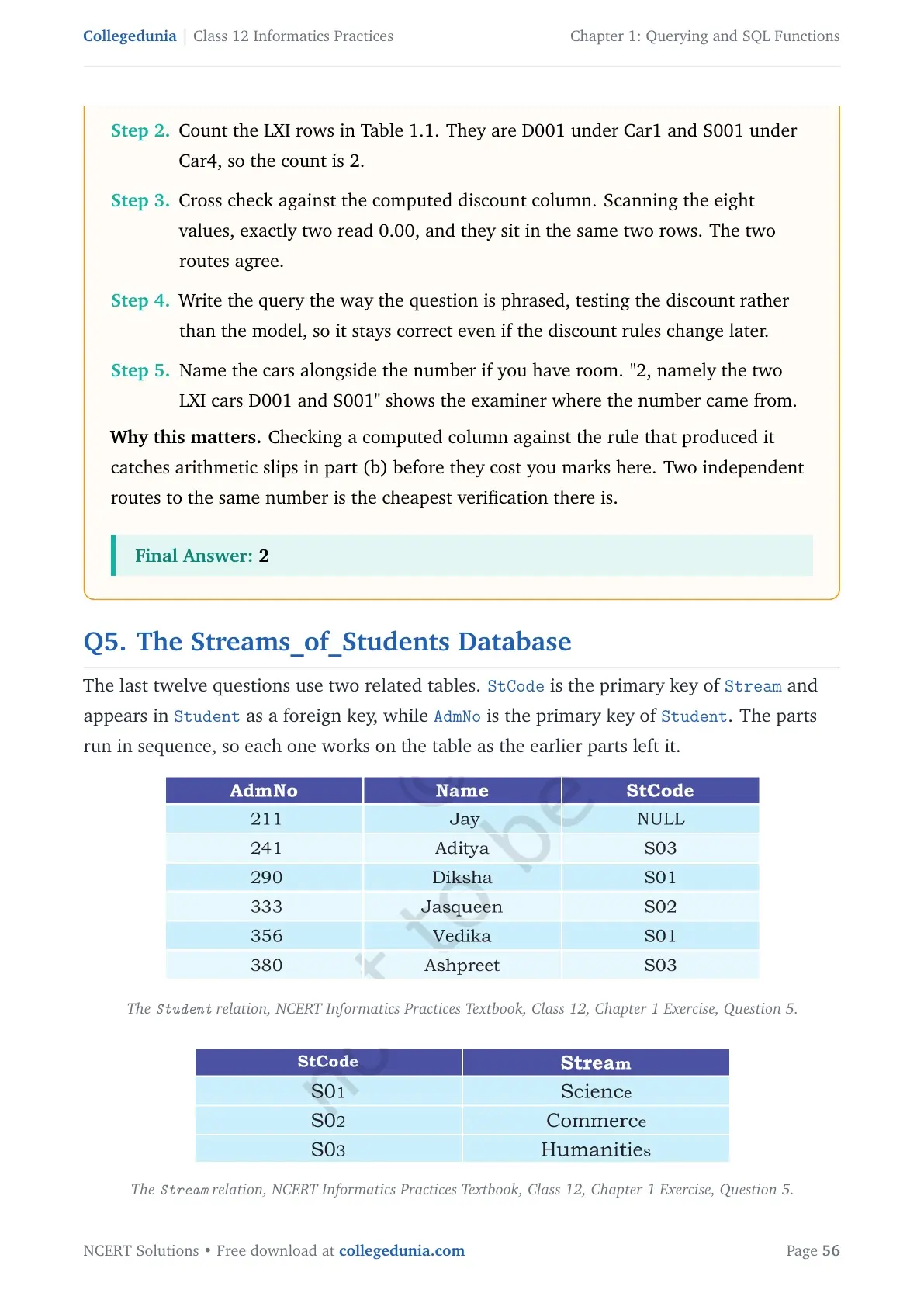
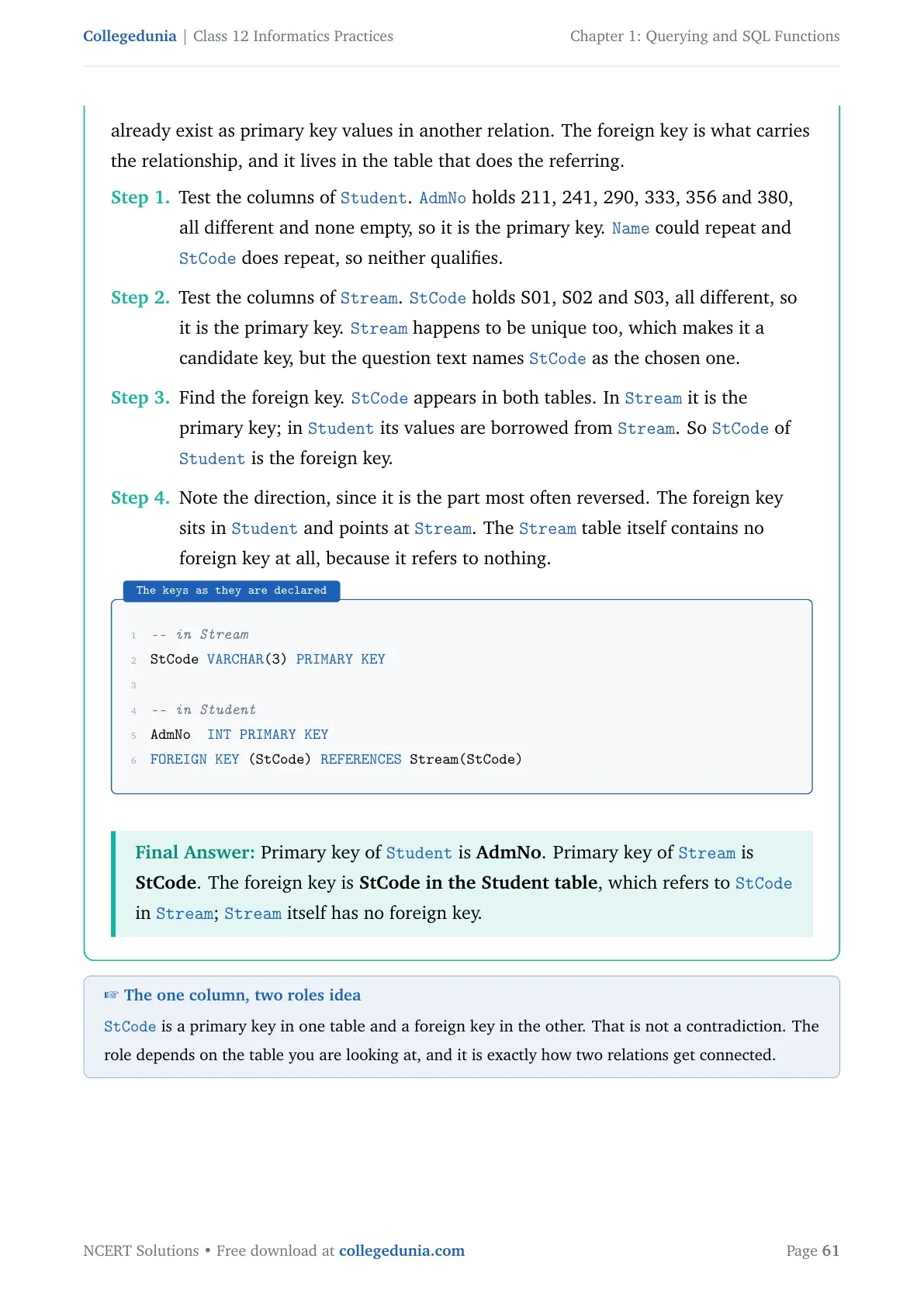
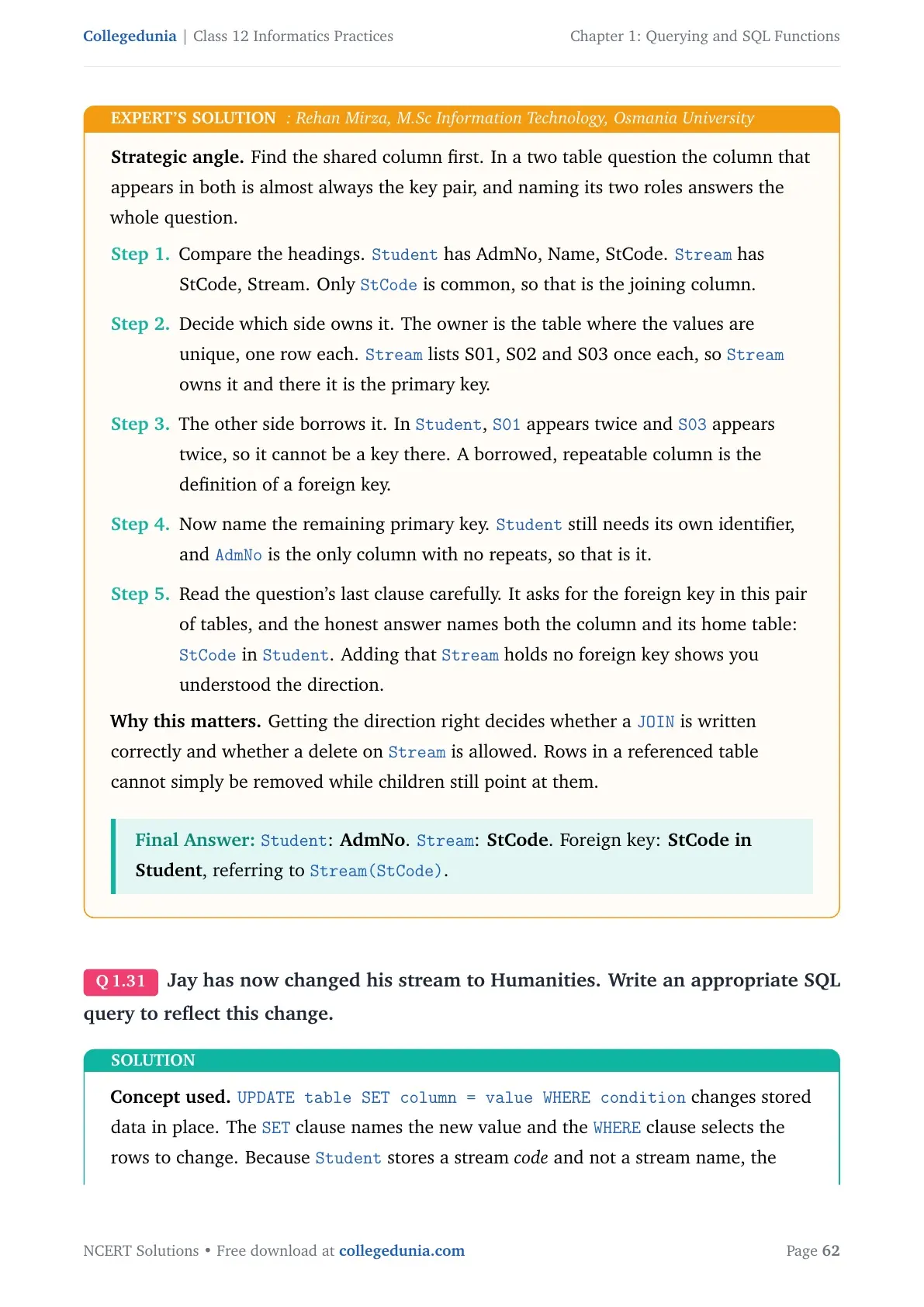
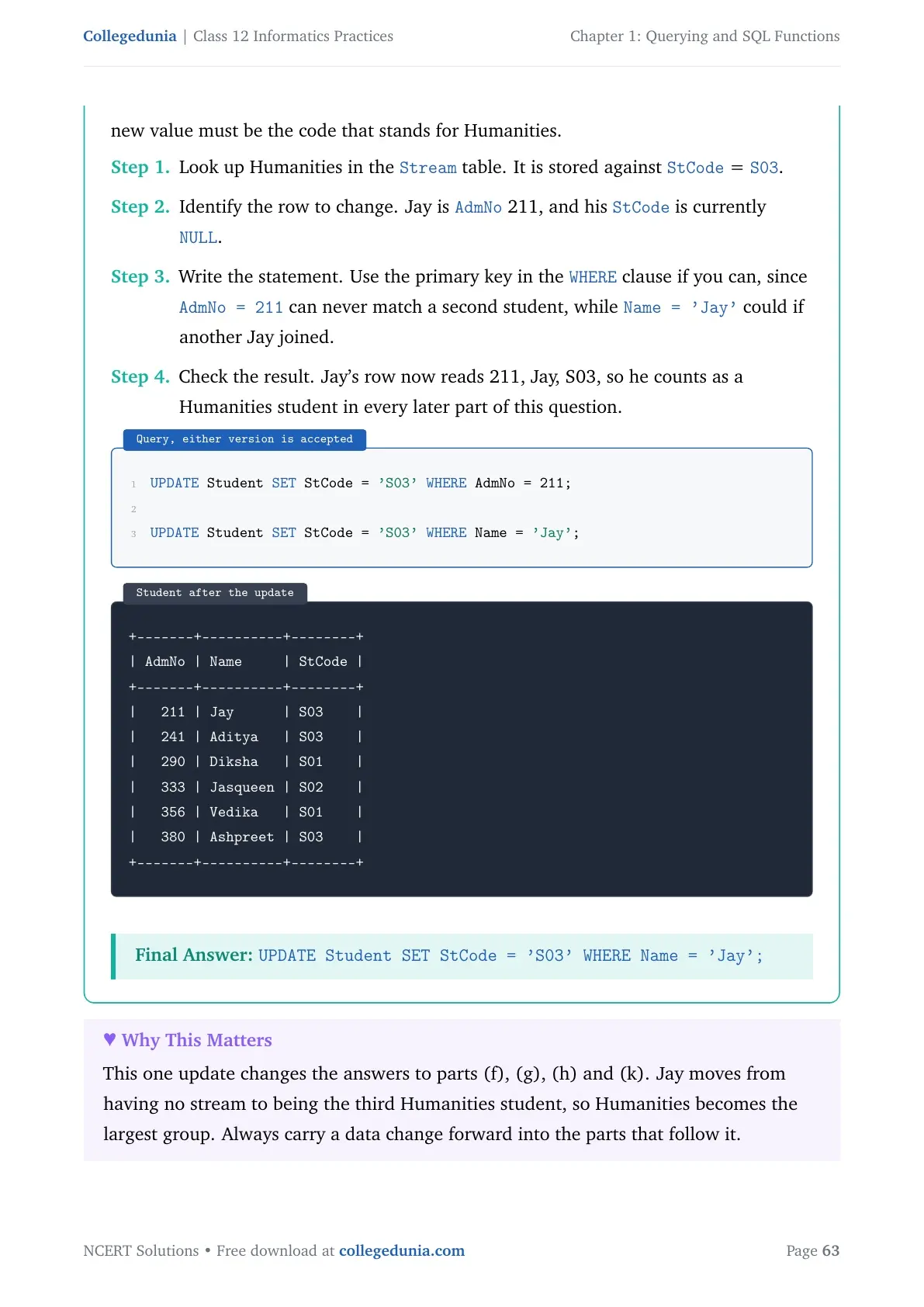
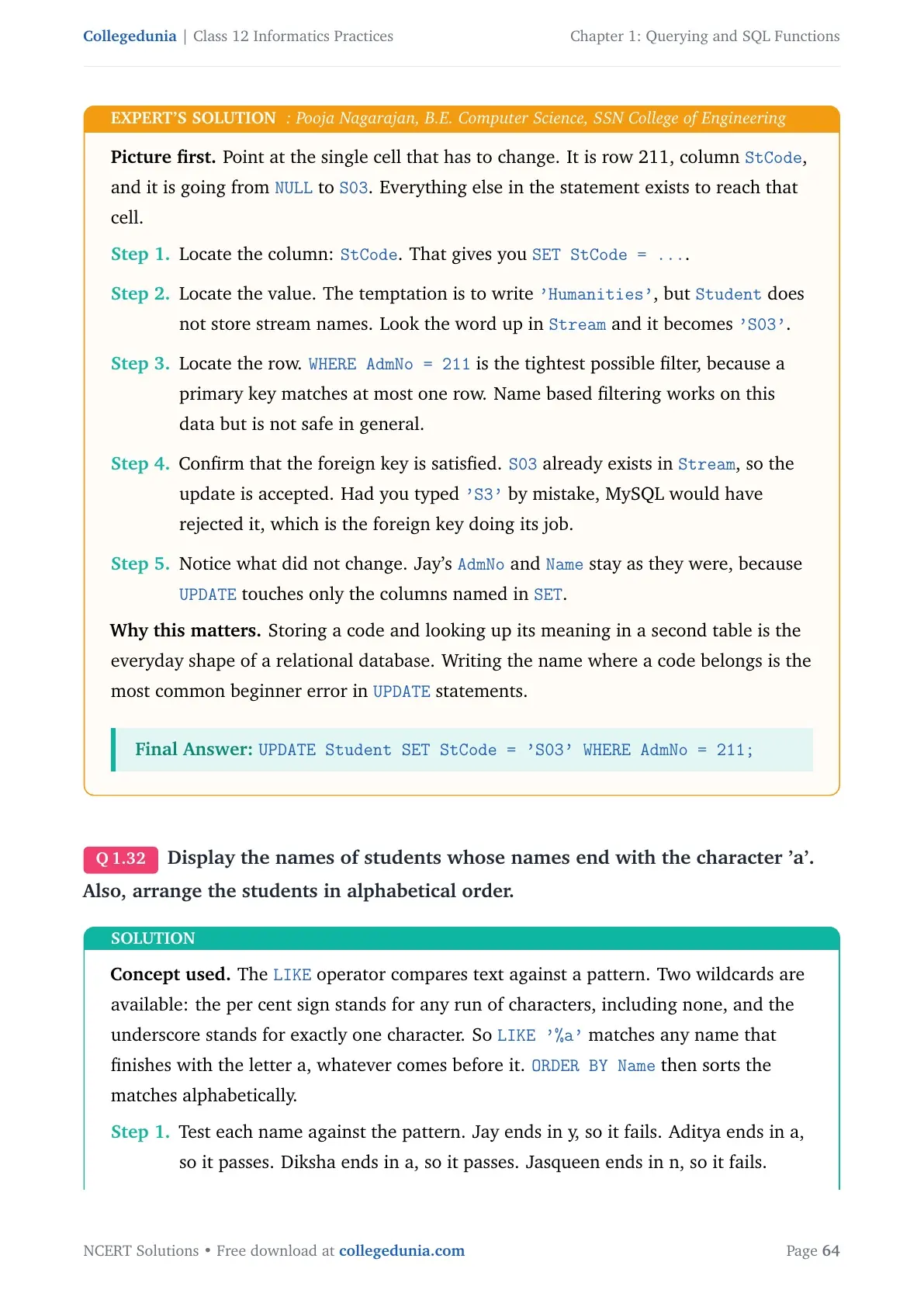
| Question 5 (Streams_of_Students) | Create the database and table, identify keys, LIKE pattern, two-level ORDER BY, GROUP BY with HAVING, Cartesian product degree and cardinality | Full chapter, including two-table queries |
Tip: Question 5 alone touches six different topics from the chapter. If you are short on time before the exam, solve Question 5 first, then work backwards.
Querying and SQL Functions Exercise Solved on Video
Source: Magnet Brains on YouTube
Single Row Functions in SQL: Numeric, String and Date Functions with Output
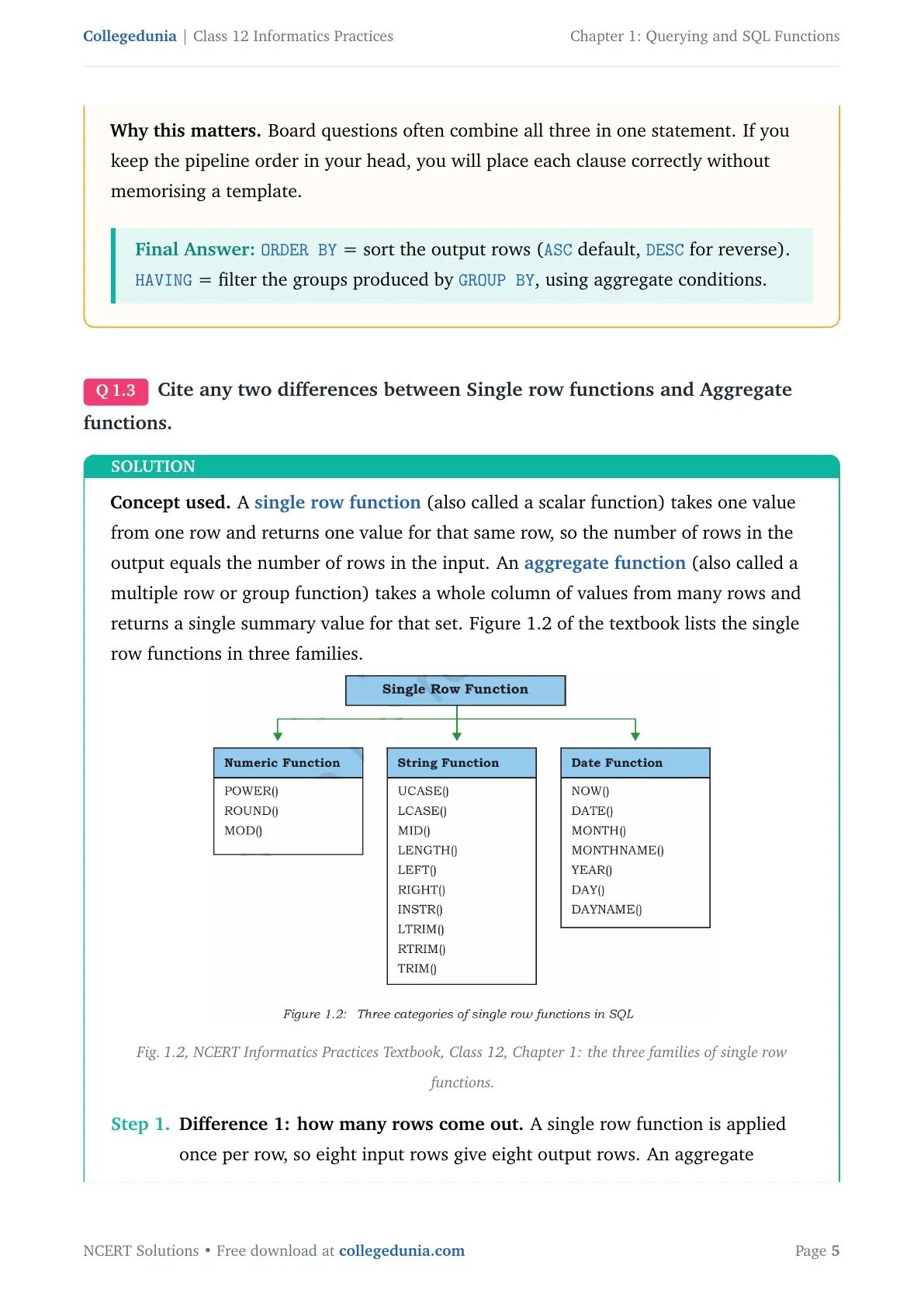
A single row function works on one value and gives back one value. It runs once for every row of the table. NCERT splits these into three families: numeric (math), string, and date and time. Single row functions can be used in the SELECT, WHERE and ORDER BY clauses. That is the exact line the marker looks for in Question 1(c).
Numeric Functions: POWER, ROUND and MOD
| Function | What it does | Example and output |
|---|---|---|
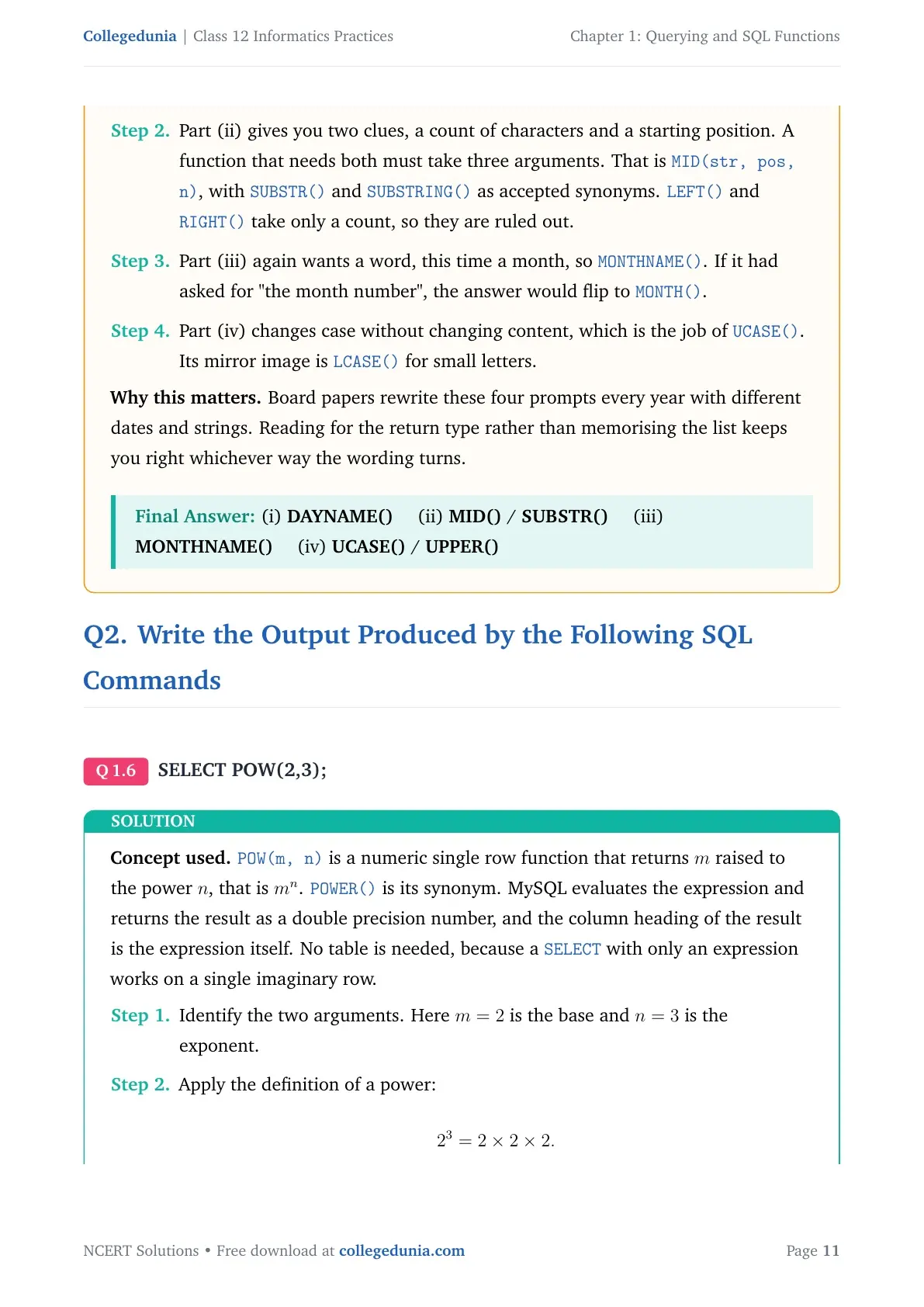
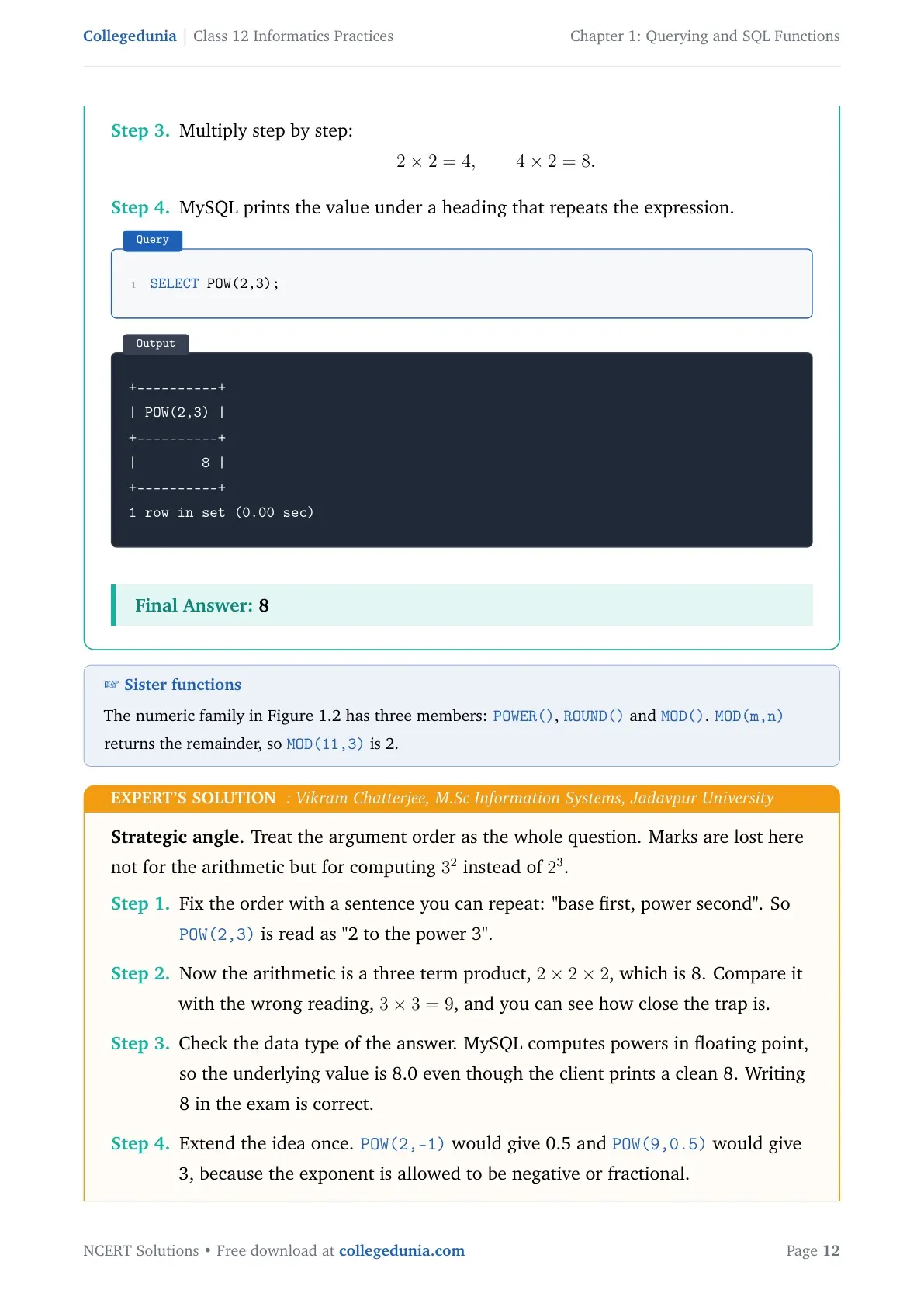
| POWER(X,Y) or POW(X,Y) | Gives X raised to the power Y | SELECT POW(2,3); gives 8 |
| ROUND(N,D) | Rounds N to D decimal places; if D is 0 it rounds to the nearest whole number | SELECT ROUND(2912.564, 1); gives 2912.6 |
| MOD(A,B) | Gives the remainder after dividing A by B | SELECT MOD(21, 2); gives 1 |
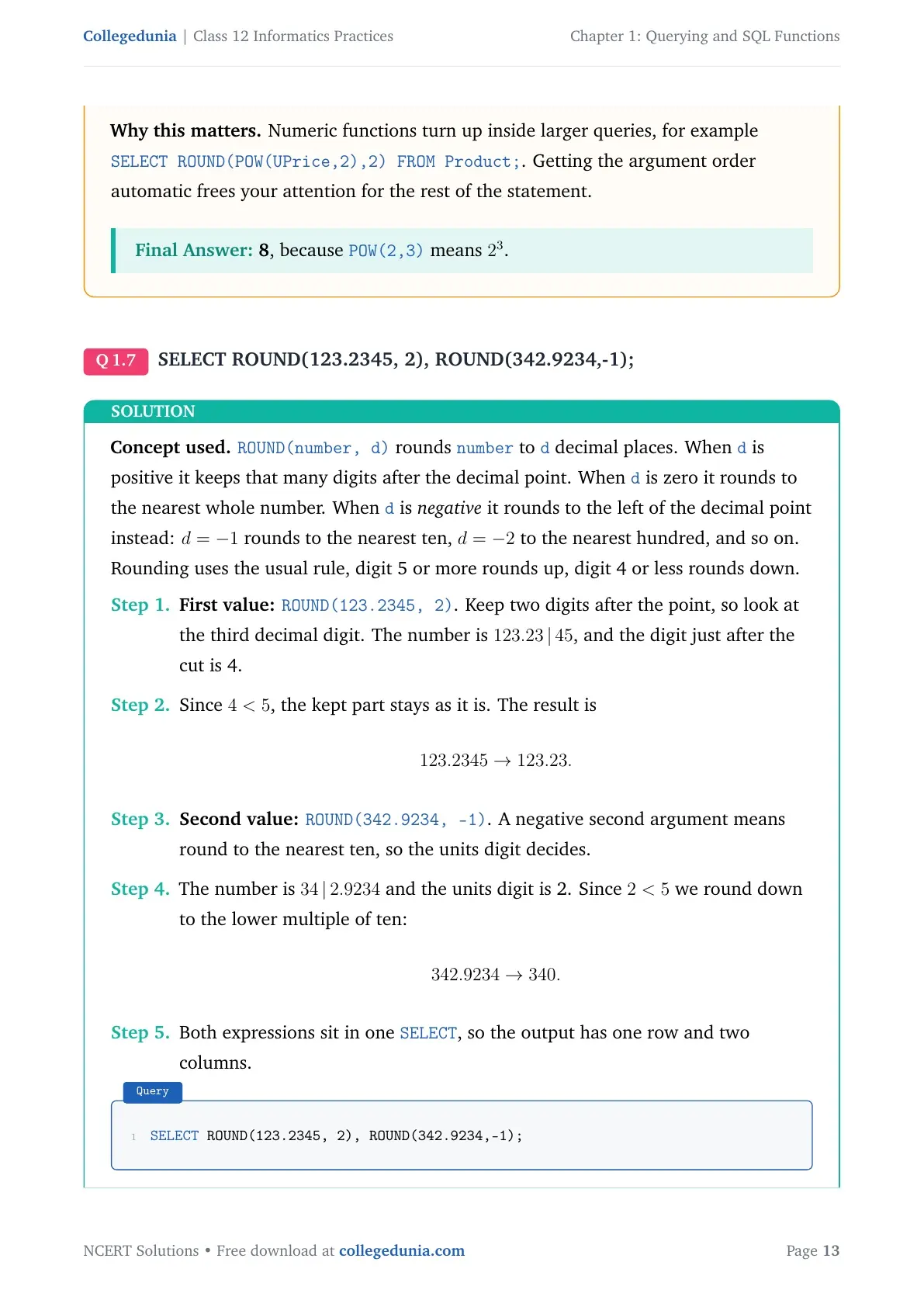
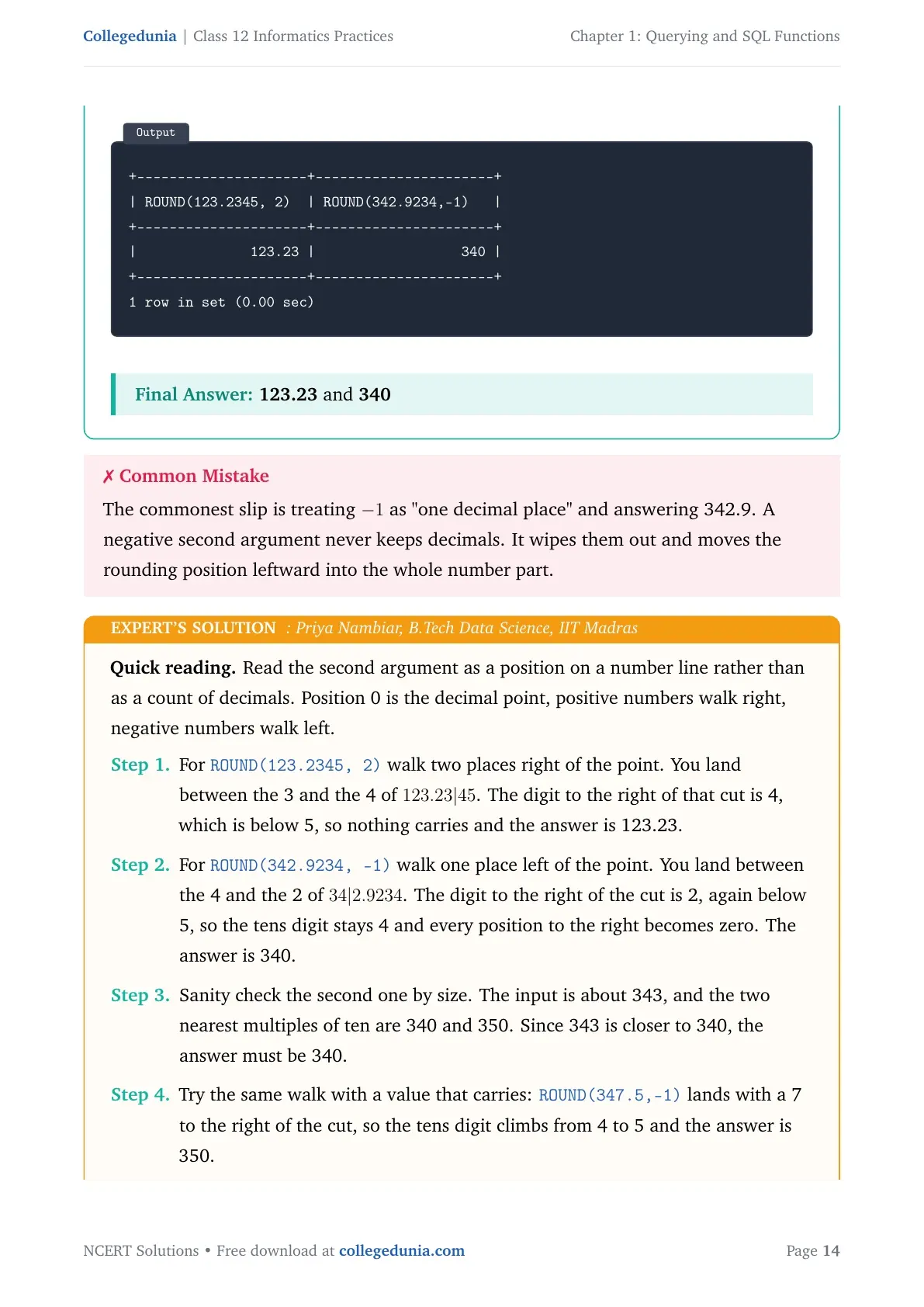
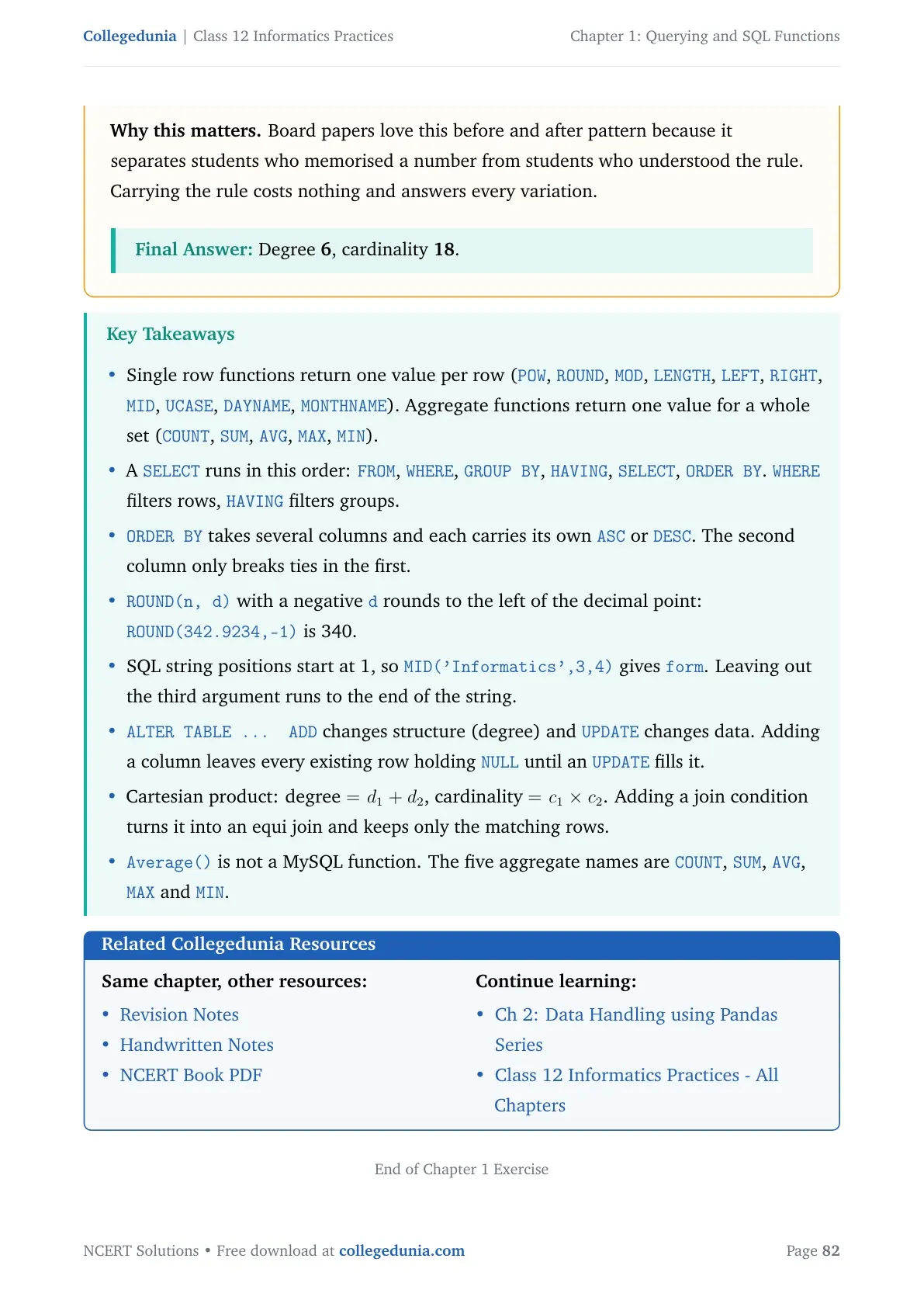
Question 2(b) asks for ROUND(342.9234,-1). A negative second value rounds to the left of the decimal point, so the answer is 340. Students lose this mark more often than any other in Question 2.
String Functions: UCASE, MID, INSTR, LENGTH and the TRIM Family
String functions work on text stored in a table. They change case, cut out a part of the text, count characters, or clear extra spaces.
| Function | What it does | Example and output |
|---|---|---|
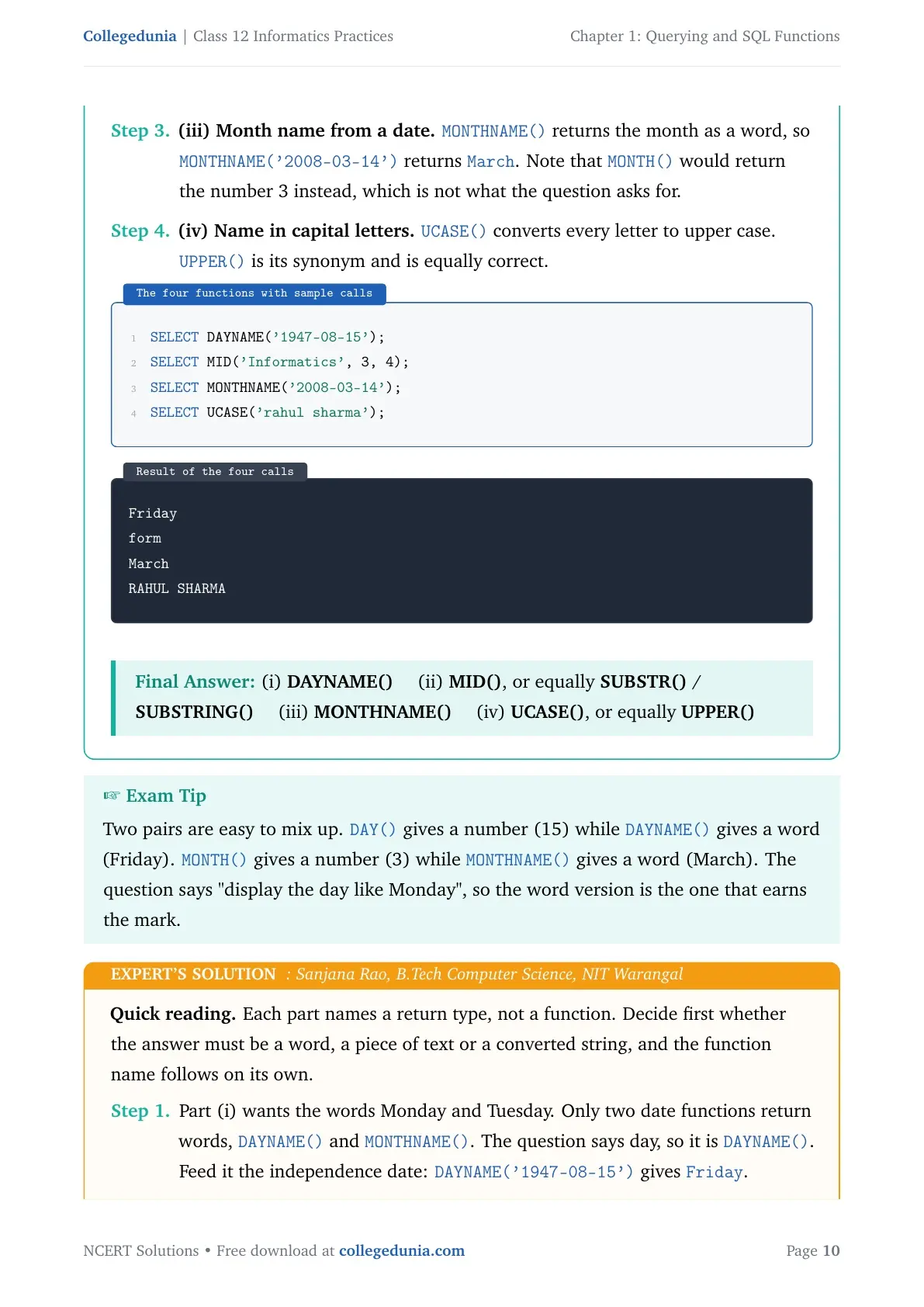
| UCASE(str) or UPPER(str) | Turns the text into capital letters | UCASE("Informatics Practices") gives INFORMATICS PRACTICES |
| LCASE(str) or LOWER(str) | Turns the text into small letters | LOWER("Informatics") gives informatics |
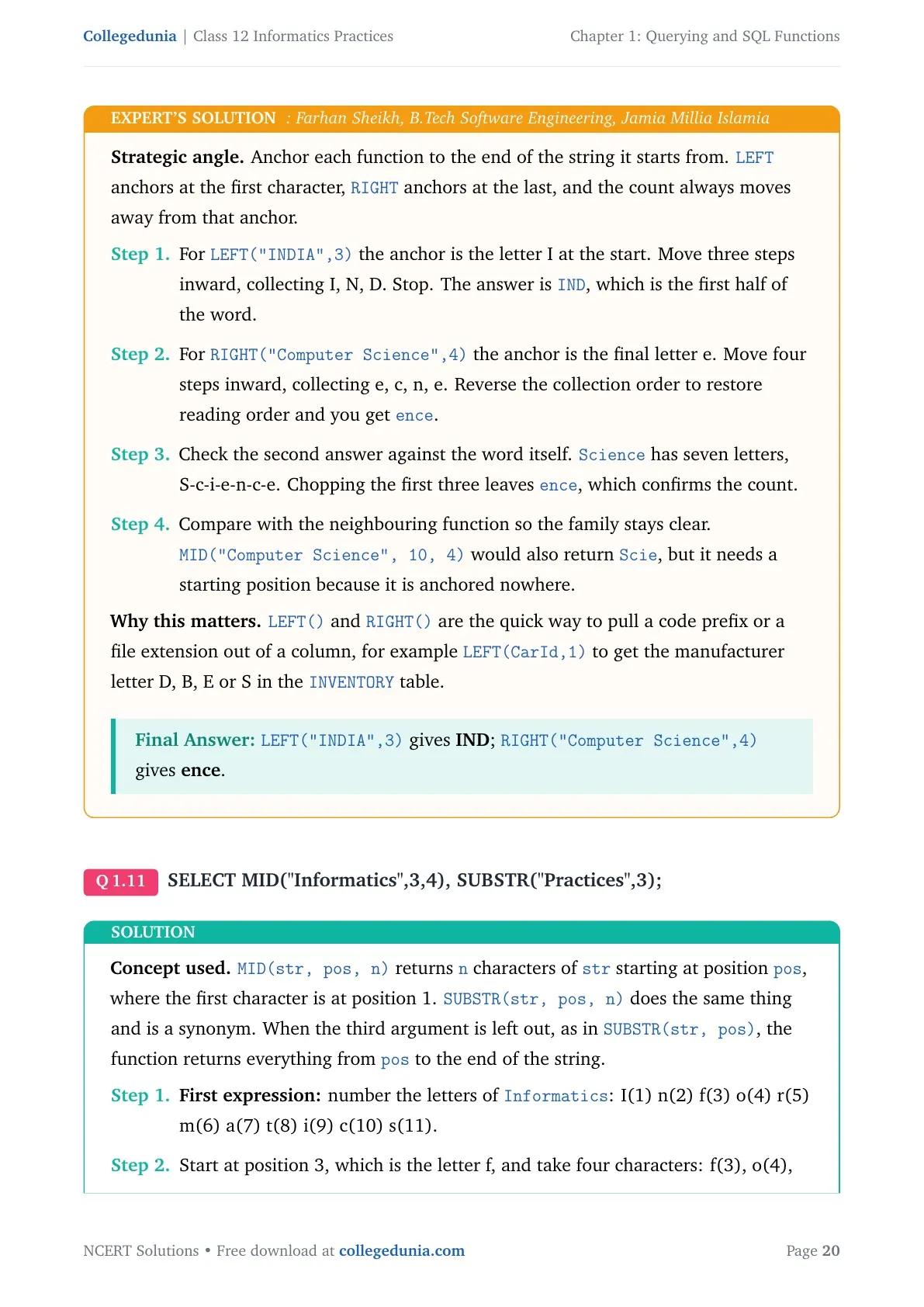
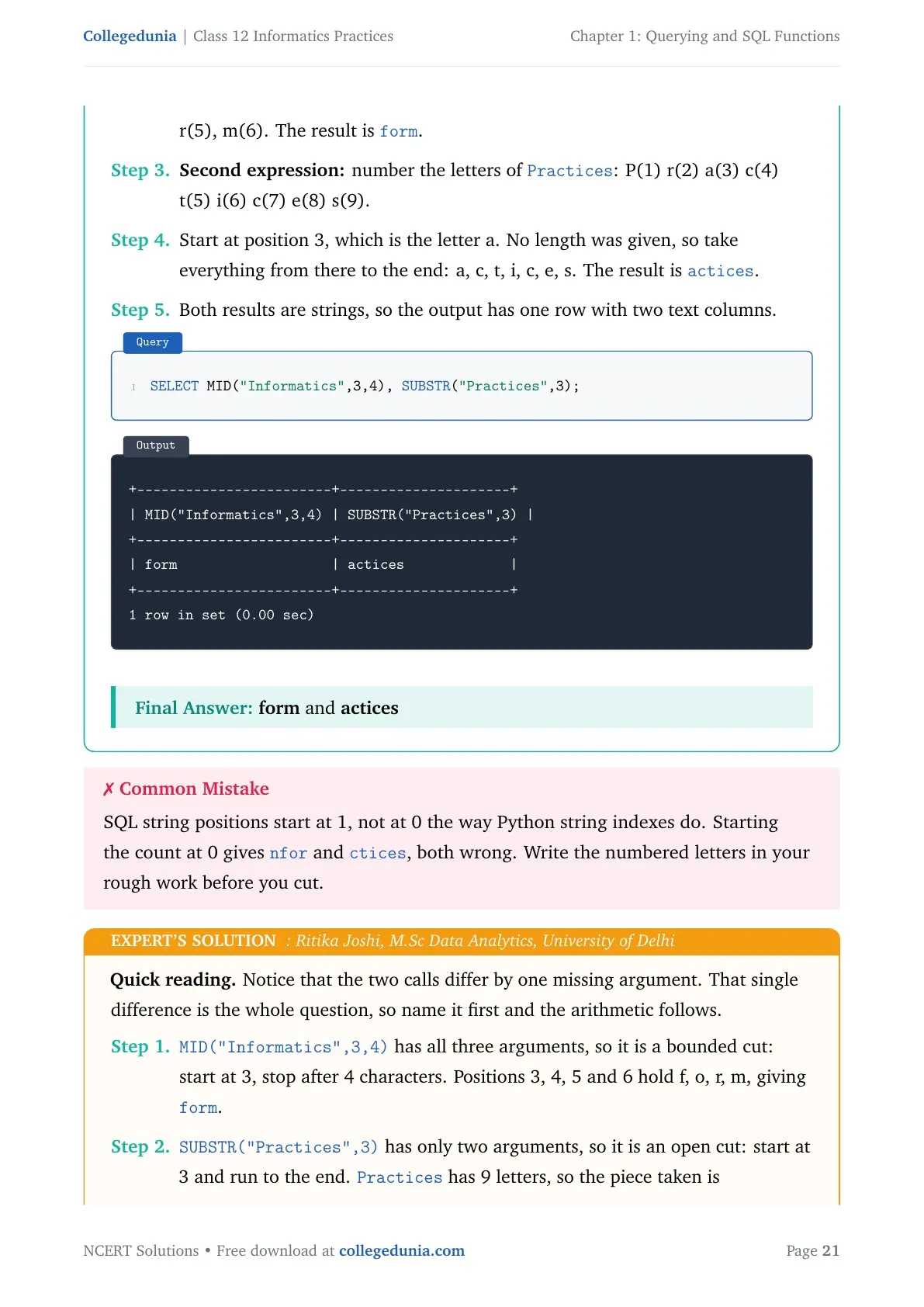
| MID(str,pos,n), SUBSTRING, SUBSTR | Cuts n characters starting at position pos; leave out n to read till the end | MID("Informatics",3,4) gives form |
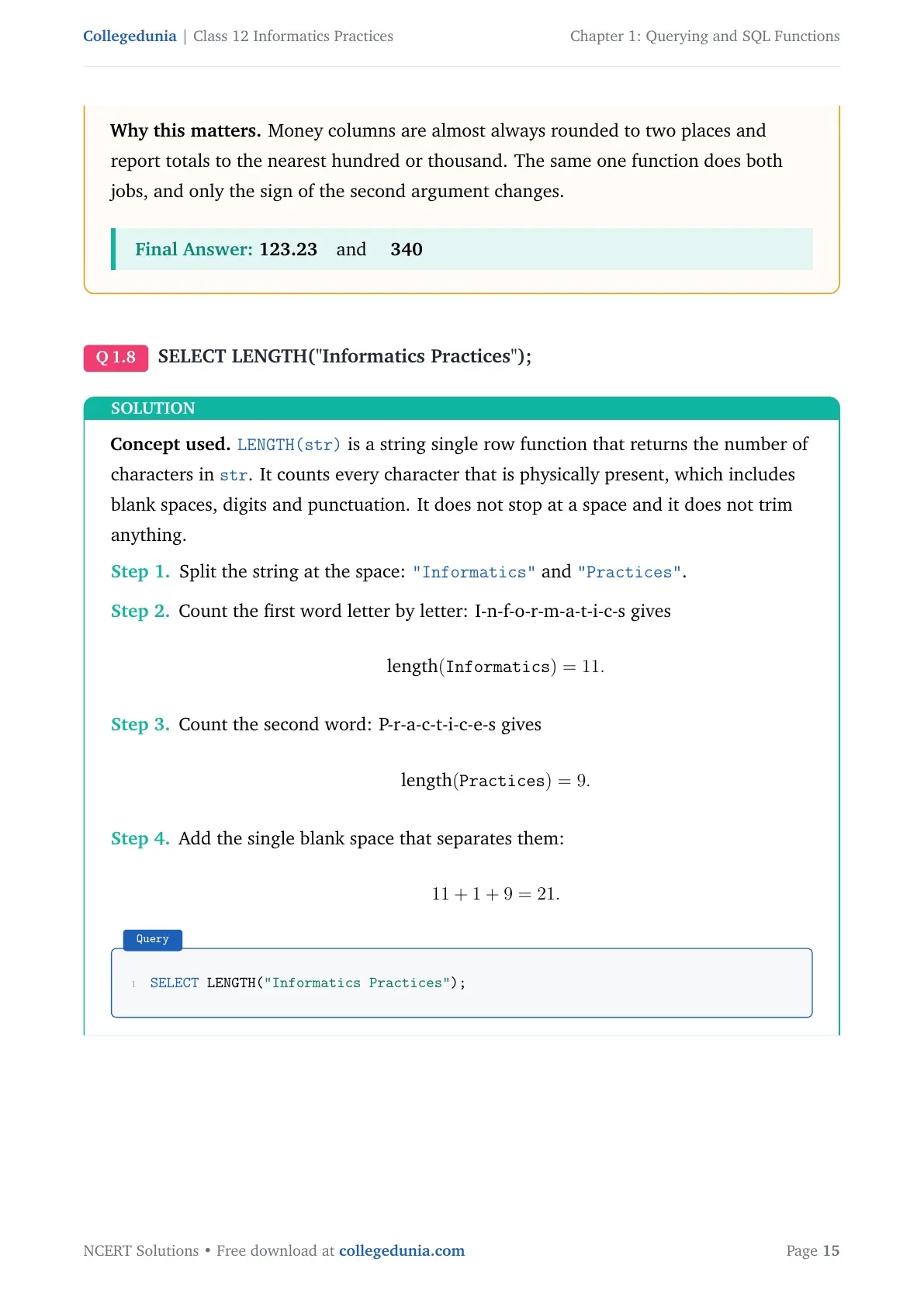
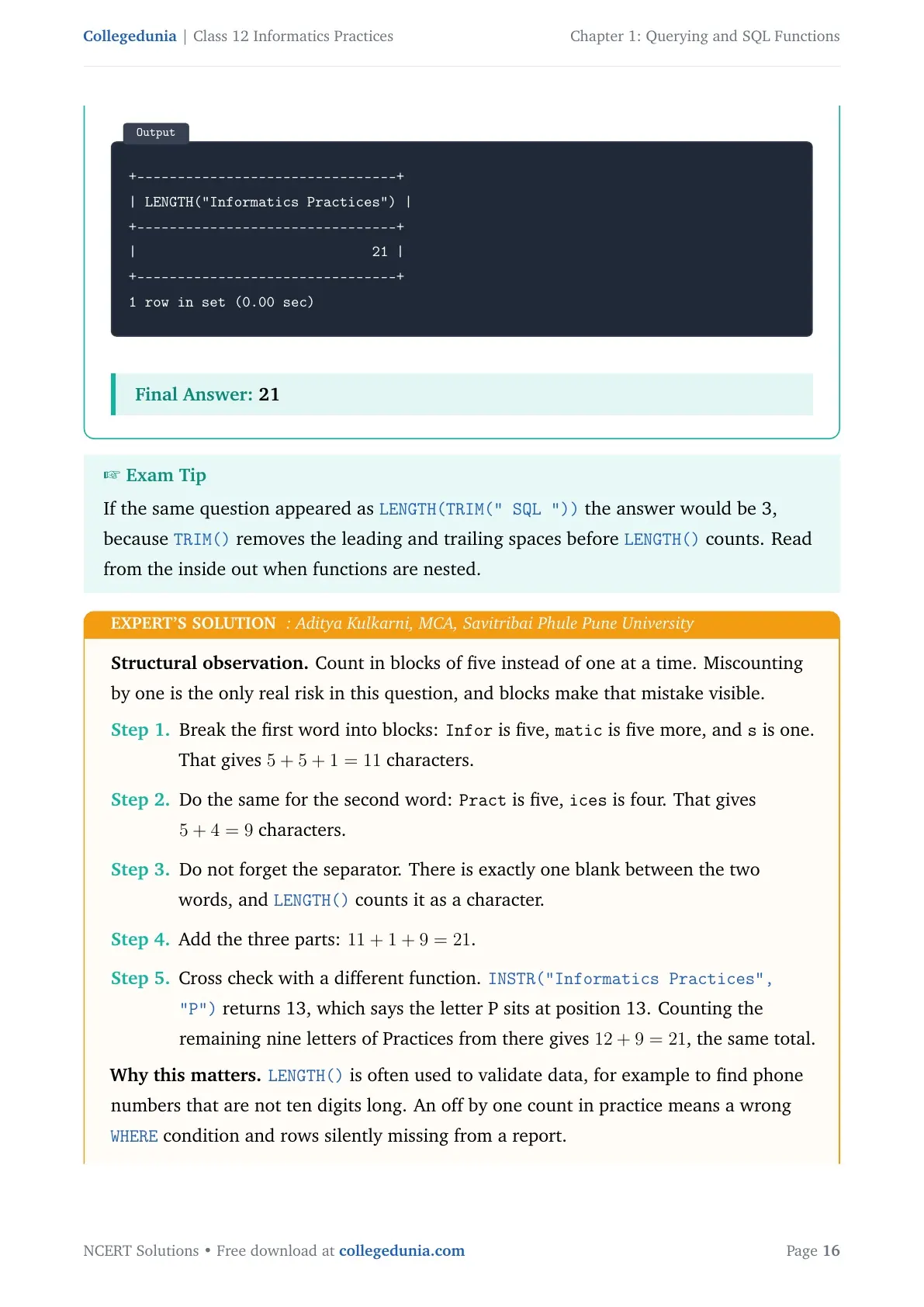
| LENGTH(str) | Counts the characters, spaces included | LENGTH("Informatics") gives 11 |
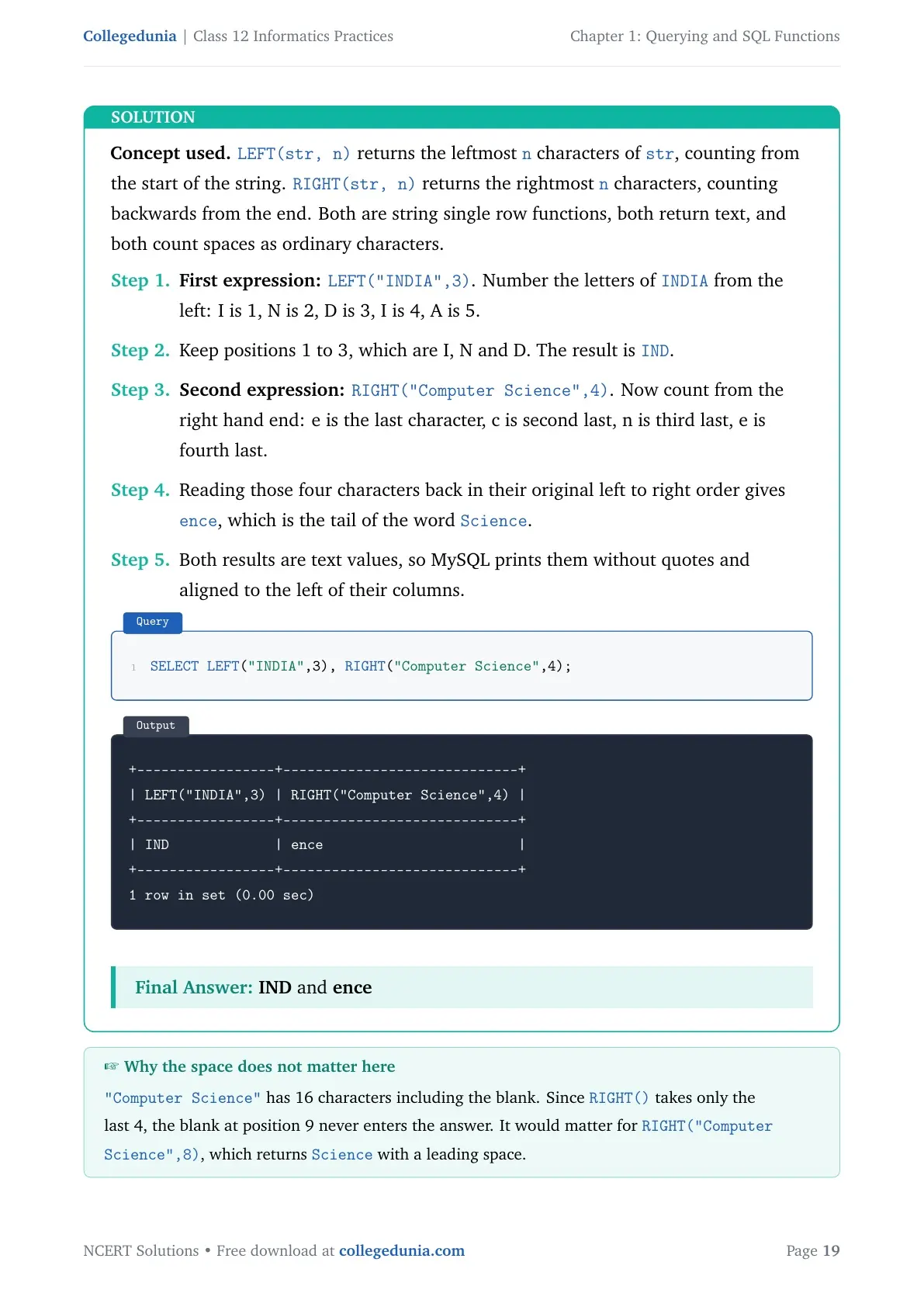
| LEFT(str,N) and RIGHT(str,N) | Picks N characters from the left end or the right end | LEFT("Computer",4) gives Comp |
| INSTR(str,sub) | Gives the position where sub first appears; gives 0 when it is absent | INSTR("Informatics","ma") gives 6 |
| LTRIM, RTRIM, TRIM | Removes spaces from the left, from the right, or from both ends | LENGTH(TRIM(" MADAM ")) gives 5 |
The one string query worth practising is the email split from Example 1.3. To print an email ID without the @ sign, NCERT uses SELECT LENGTH(Email), LEFT(Email, INSTR(Email,"@")-1) FROM CUSTOMER;. The minus 1 is there because INSTR returns the position of @ itself, and you want the character just before it.
Date and Time Functions: NOW, MONTHNAME, YEAR and DAYNAME
Date functions pull one piece out of a date value, or give the current system date. NCERT lists seven of them, and CBSE has asked for the output of at least one in almost every paper.
- NOW() gives the current system date and time together, such as 2019-07-11 19:41:17.
- DATE() keeps only the date part of a date and time value.
- MONTH(date) gives the month as a number; MONTHNAME(date) gives it as a word such as November.
- YEAR(date) and DAY(date) pull out the year and the day number.
- DAYNAME(date) gives the weekday name, such as Thursday.
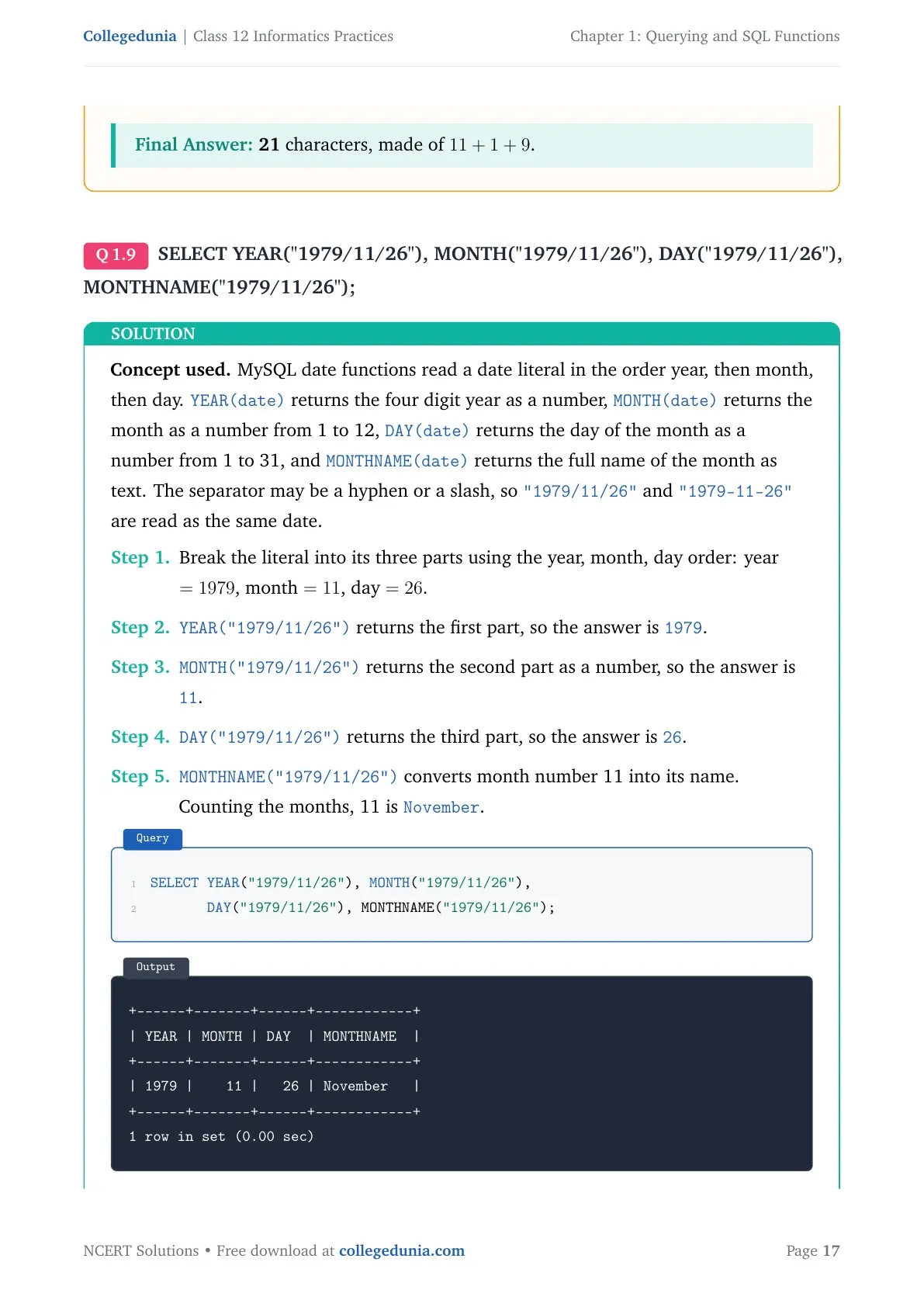
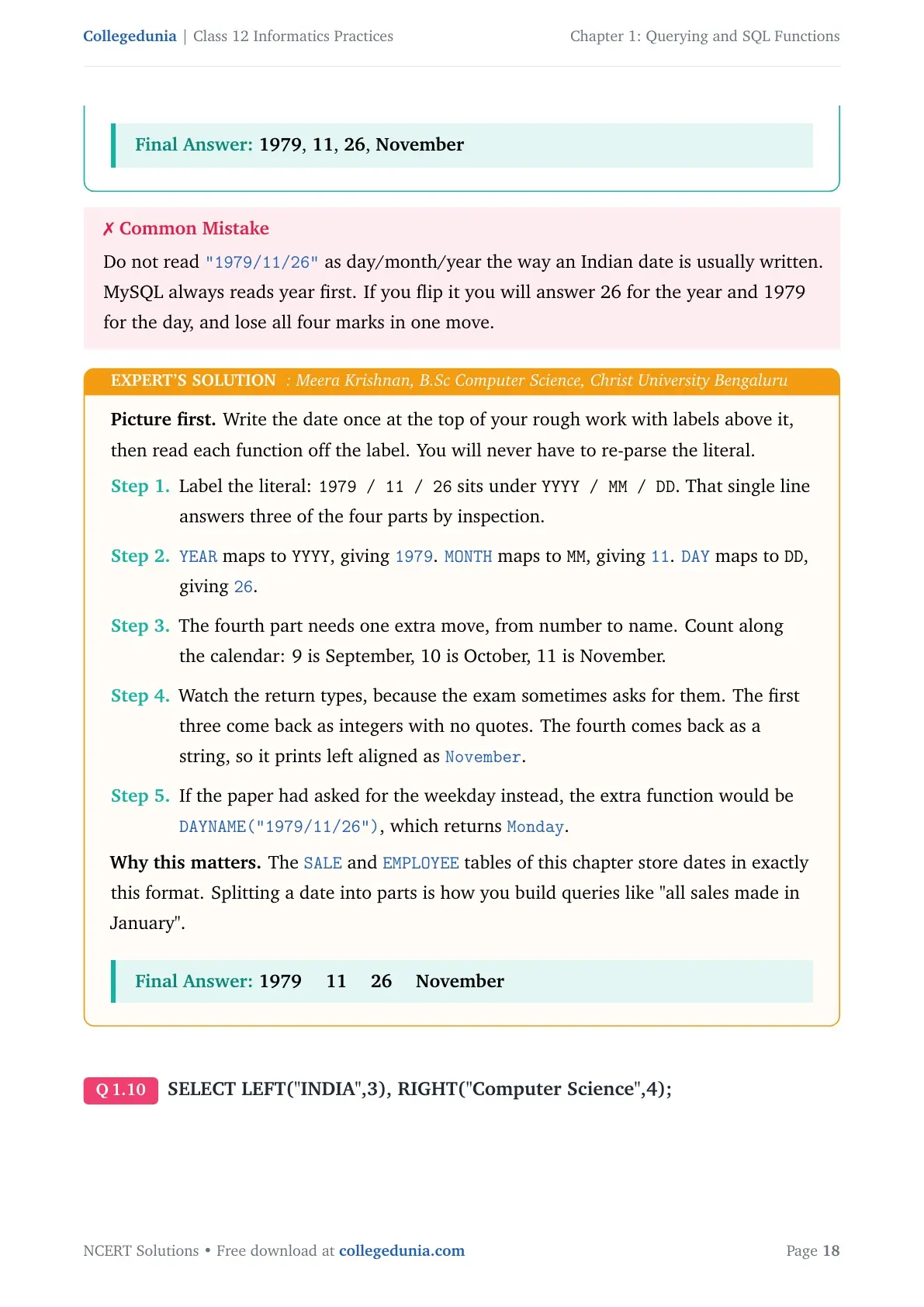
Question 2(d) uses the date "1979/11/26". The answers are 1979, 11, 26 and November, in that order. Question 1(e) then asks you to name the function for a job instead of running it, so DAYNAME, MID, MONTHNAME and UCASE are the four answers.
Aggregate Functions in SQL and How They Differ from Single Row Functions
An aggregate function, also called a multiple row function, works on a whole set of rows and returns one value for the group. The column you pass to it must hold numeric data, except in COUNT. This is the split that Question 1(c) asks you to write in two points.
| Point of difference | Single row function | Multiple row function |
|---|---|---|
| Rows handled | One row at a time | A group of rows together |
| Result | One result per row | One result for the whole group |
| Where it can be used | SELECT, WHERE and ORDER BY clauses | SELECT clause only |
| Examples | Math, string and date functions | MAX(), MIN(), AVG(), SUM(), COUNT() and COUNT(*) |
The five aggregate functions behave exactly as their names suggest. COUNT(column) skips NULL values, but COUNT(*) counts every record including the NULL rows. In the MANAGER table of the chapter, COUNT(MEMNAME) gives 3 while COUNT(*) gives 4. That one-mark difference shows up in the board paper again and again.
- MAX(column) and MIN(column) give the largest and smallest value in the column.
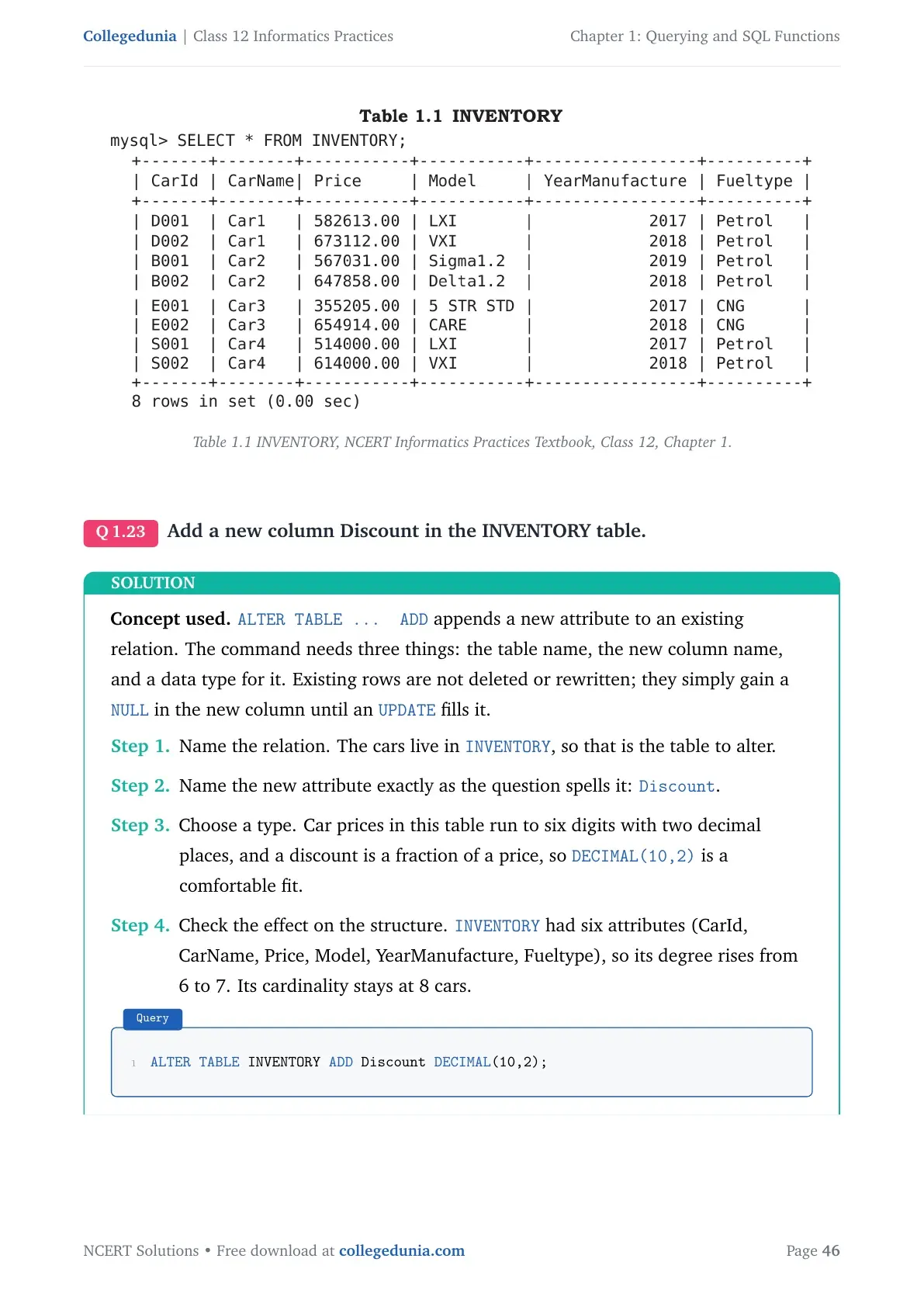
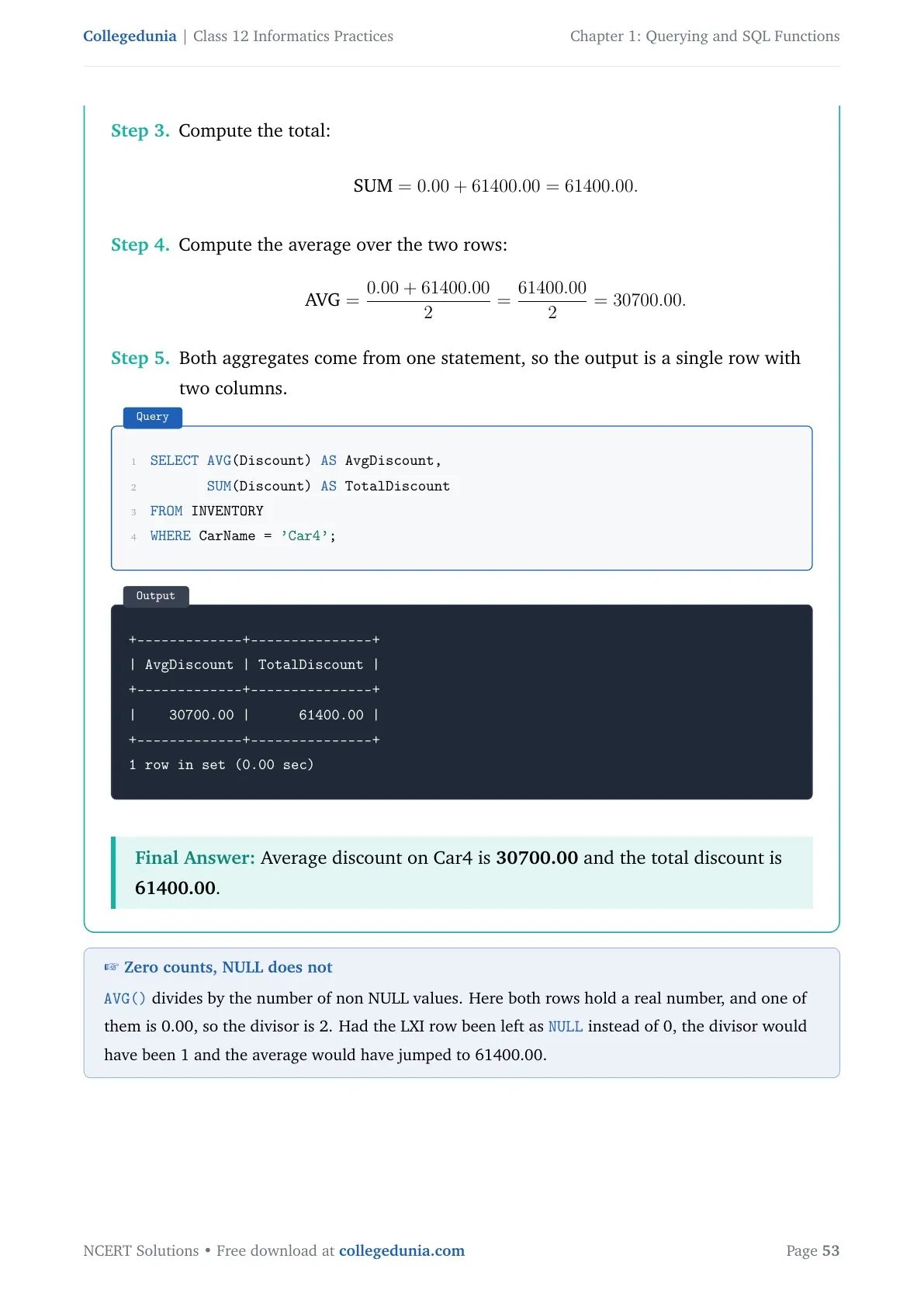
- AVG(column) gives the mean; on the INVENTORY table,
AVG(Price)returns 576091.625000. - SUM(column) adds the values;
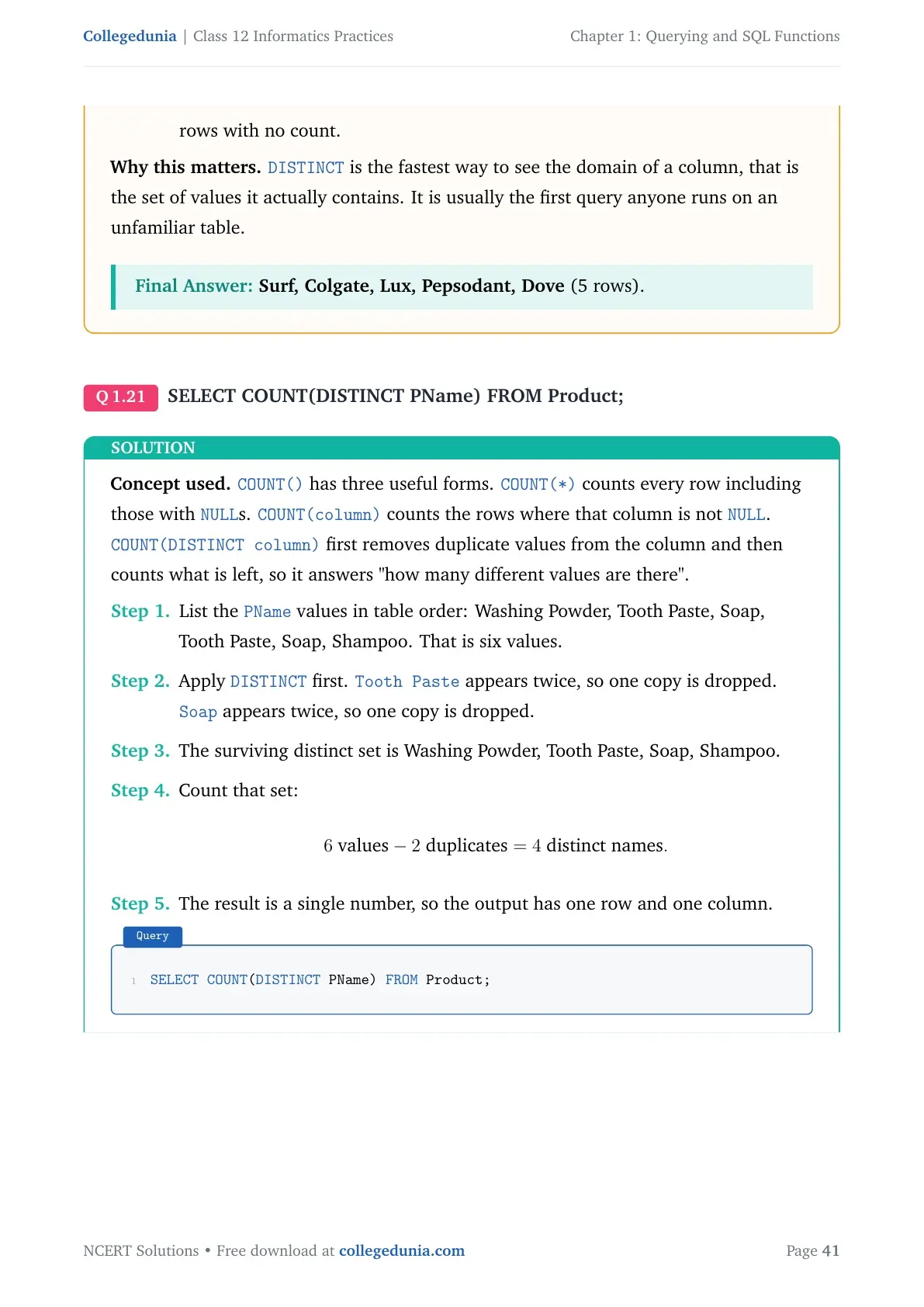
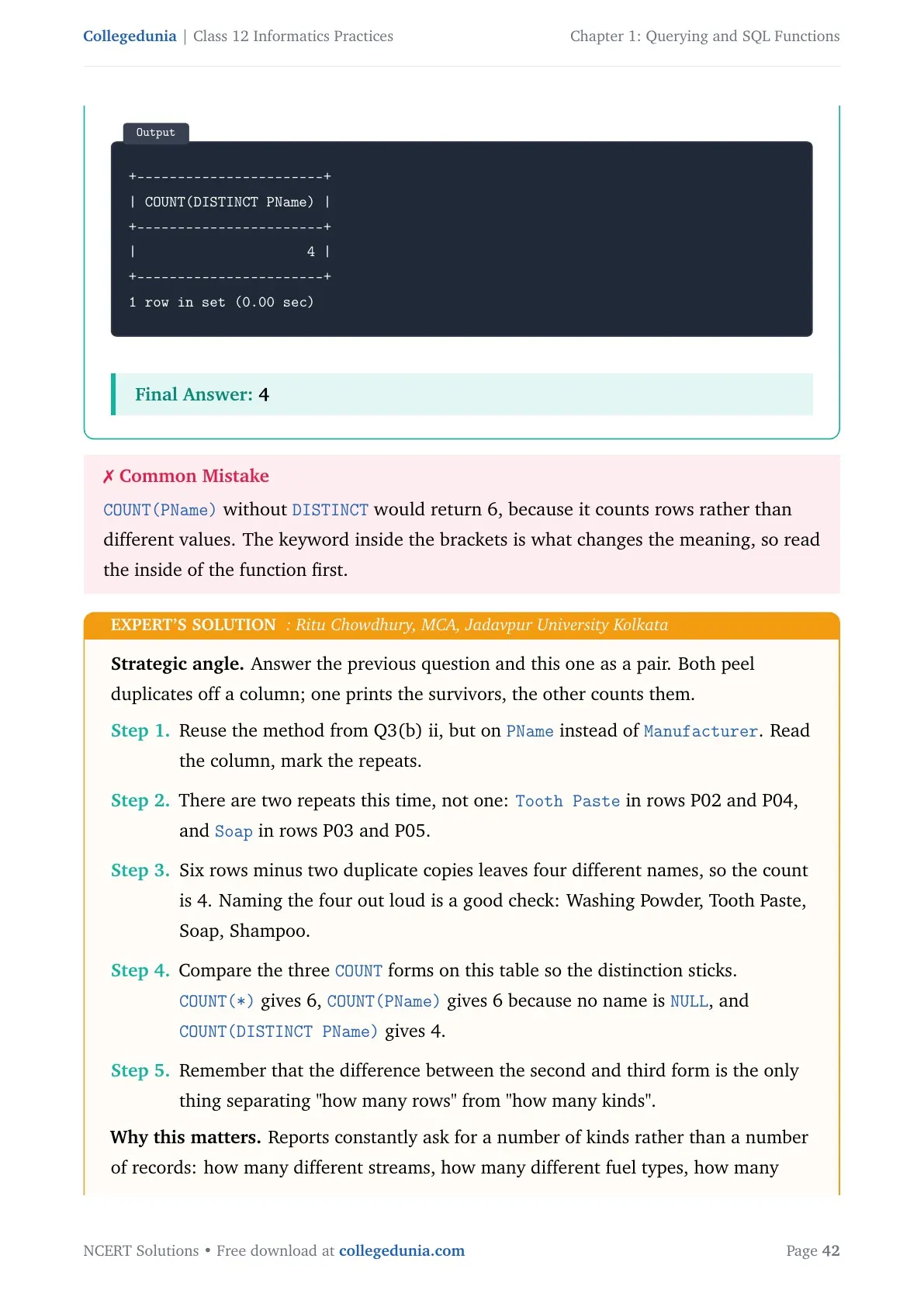
SUM(Price)on INVENTORY returns 4608733.00. - Use COUNT(DISTINCT column) when the question says "different types" or "how many kinds".
GROUP BY, HAVING and ORDER BY Explained with the SALE Table
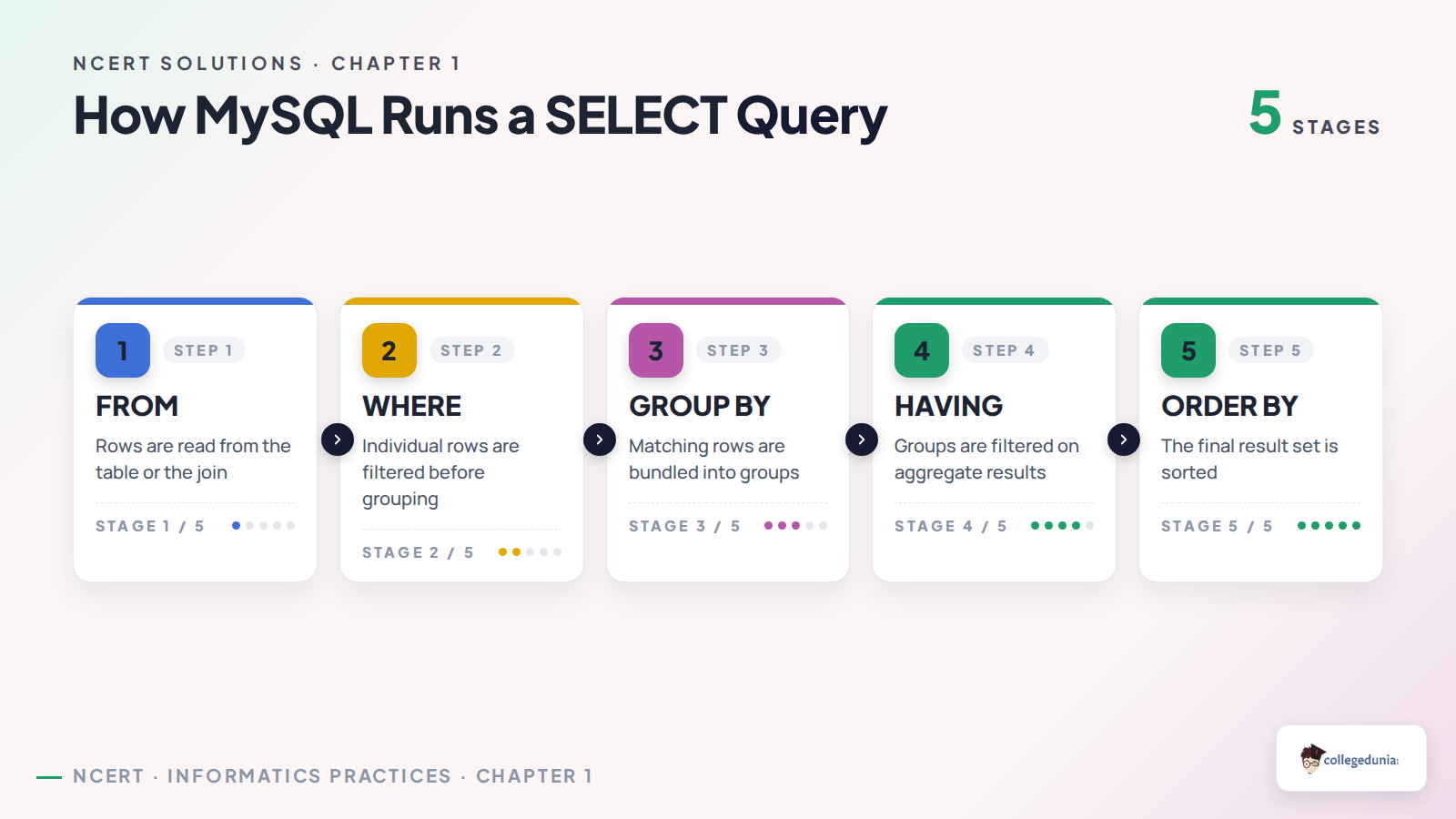
GROUP BY collects rows that share the same value in a column, so an aggregate function can then run once per group. HAVING puts a condition on those groups. ORDER BY sorts the final output. Question 1(b) asks for the purpose of ORDER BY and HAVING in one line each, so learn these two lines word for word.
- ORDER BY arranges the rows of the result in ascending order by default, or in descending order when you add DESC.
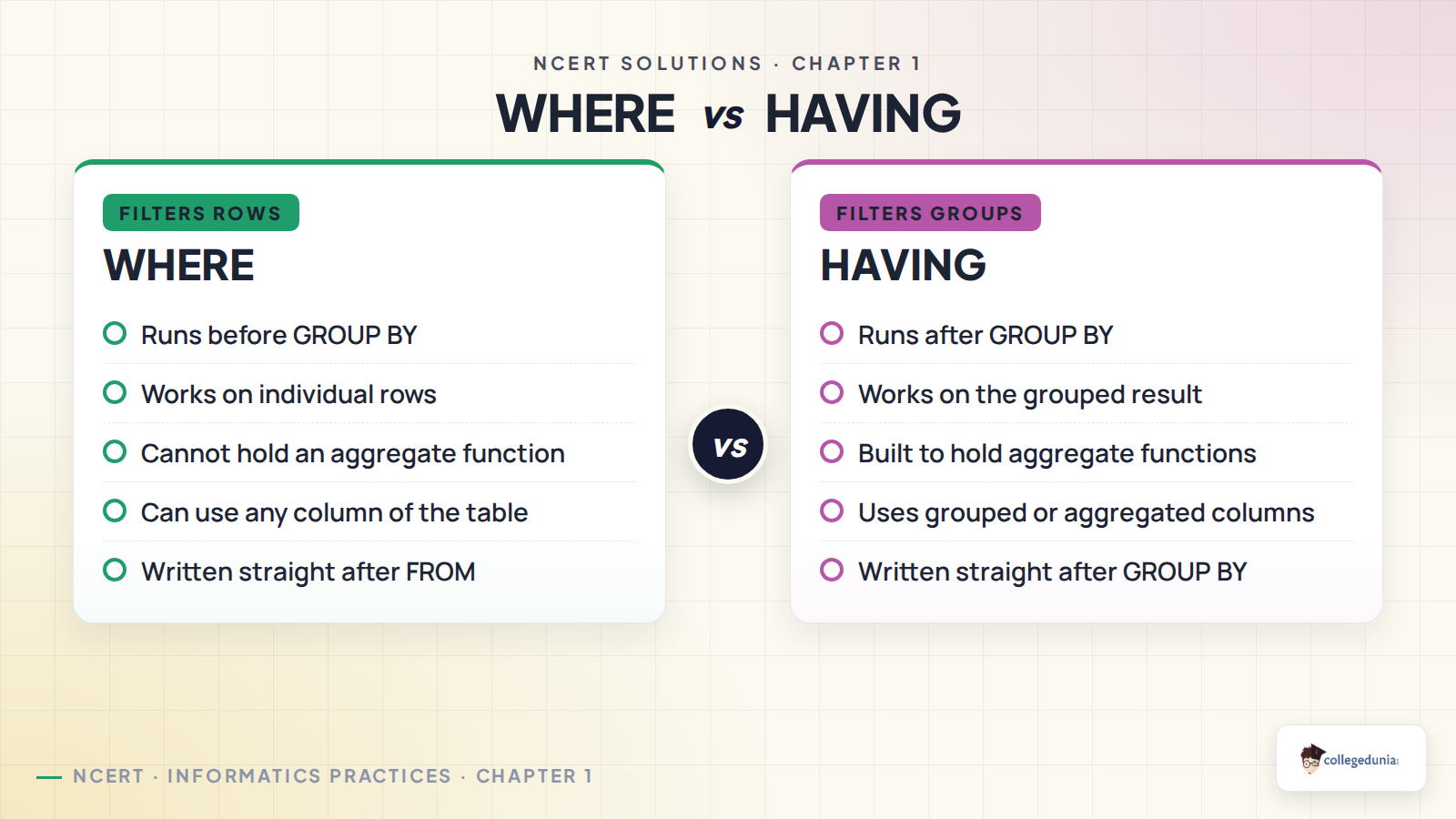
- HAVING puts a condition on the groups made by GROUP BY. WHERE cannot do this, because WHERE filters rows before grouping.
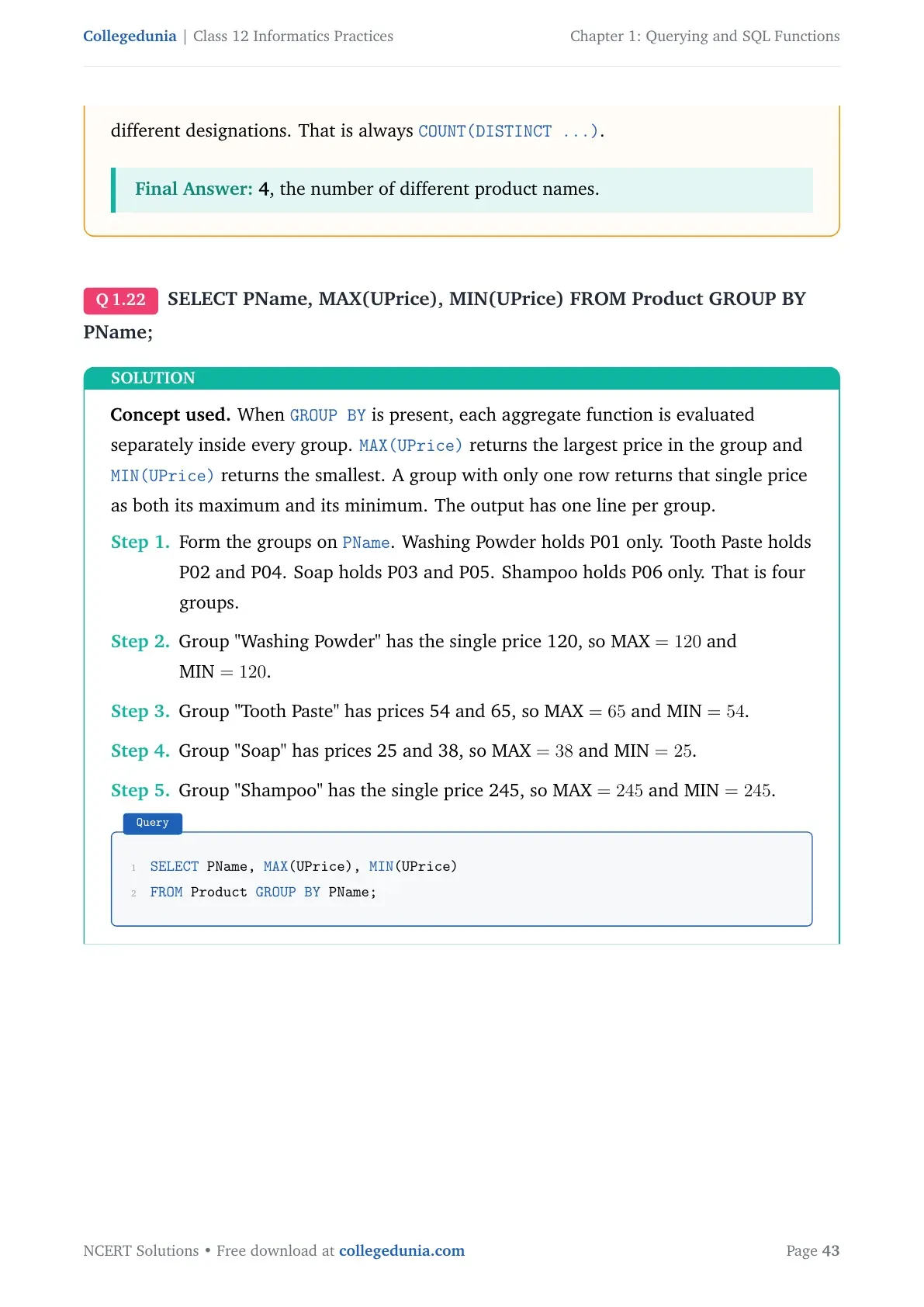
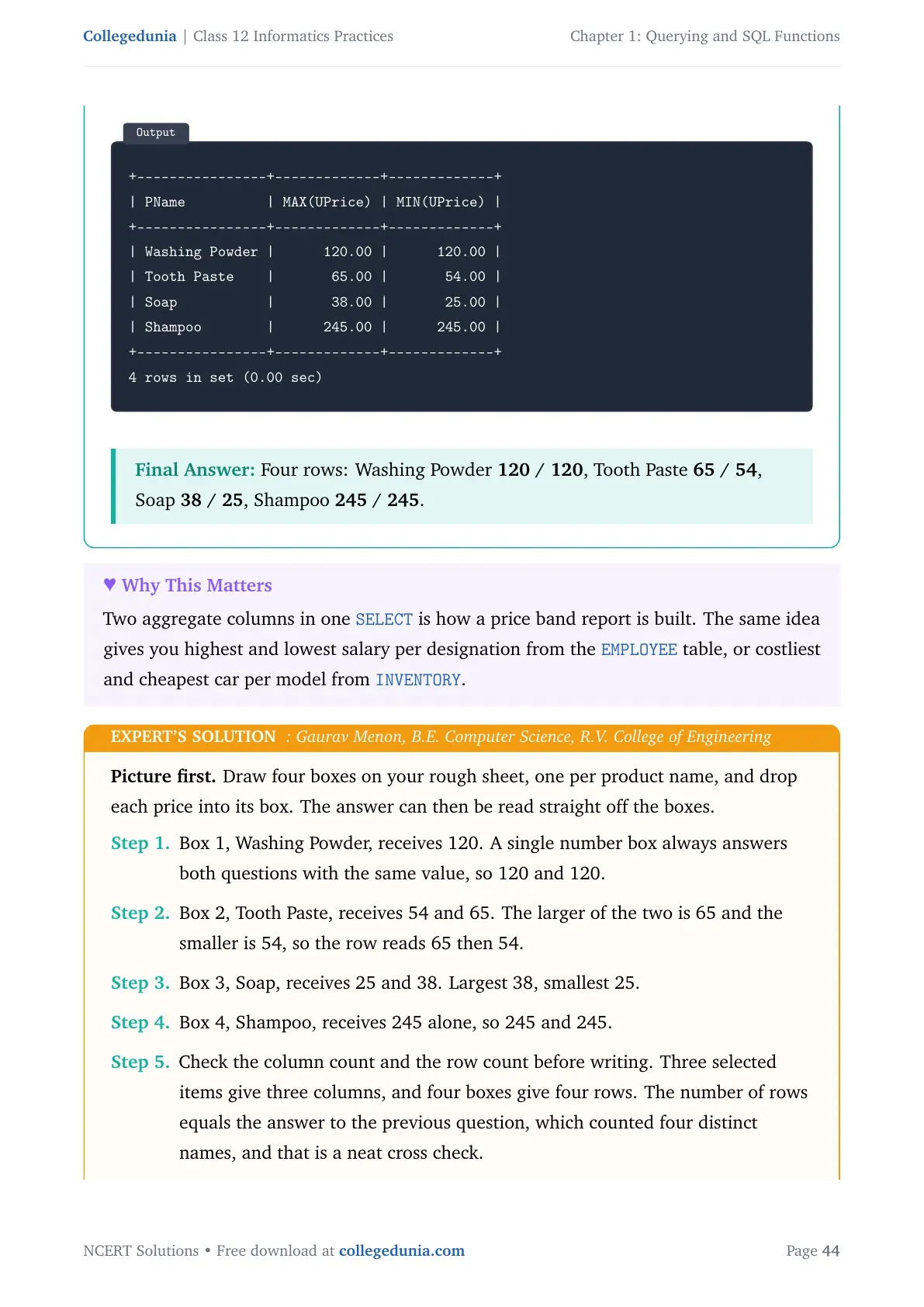
Take Example 1.6 from the chapter. To count cars bought by each customer, you write SELECT CustID, COUNT(*) "Number of Cars" FROM SALE GROUP BY CustID;. Adding HAVING COUNT(*)>1 keeps only C0001 and C0002, the two customers who bought more than one car.
| Clause | Works on | Runs when |
|---|---|---|
| WHERE | Individual rows | Before the rows are grouped |
| GROUP BY | Rows with equal values in a column | After WHERE has filtered rows |
| HAVING | Groups made by GROUP BY | After grouping is done |
| ORDER BY | The final result set | Last, just before display |
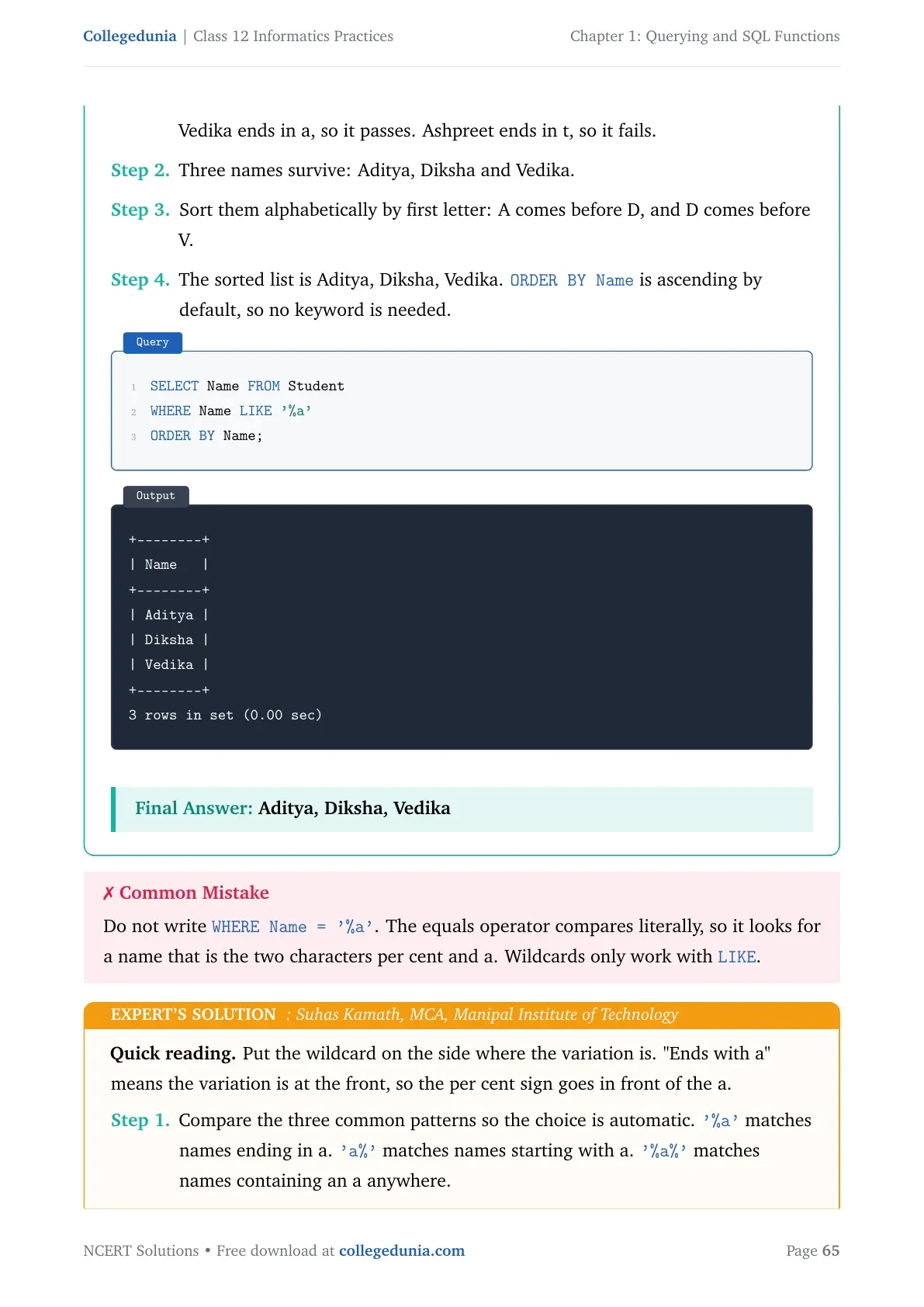
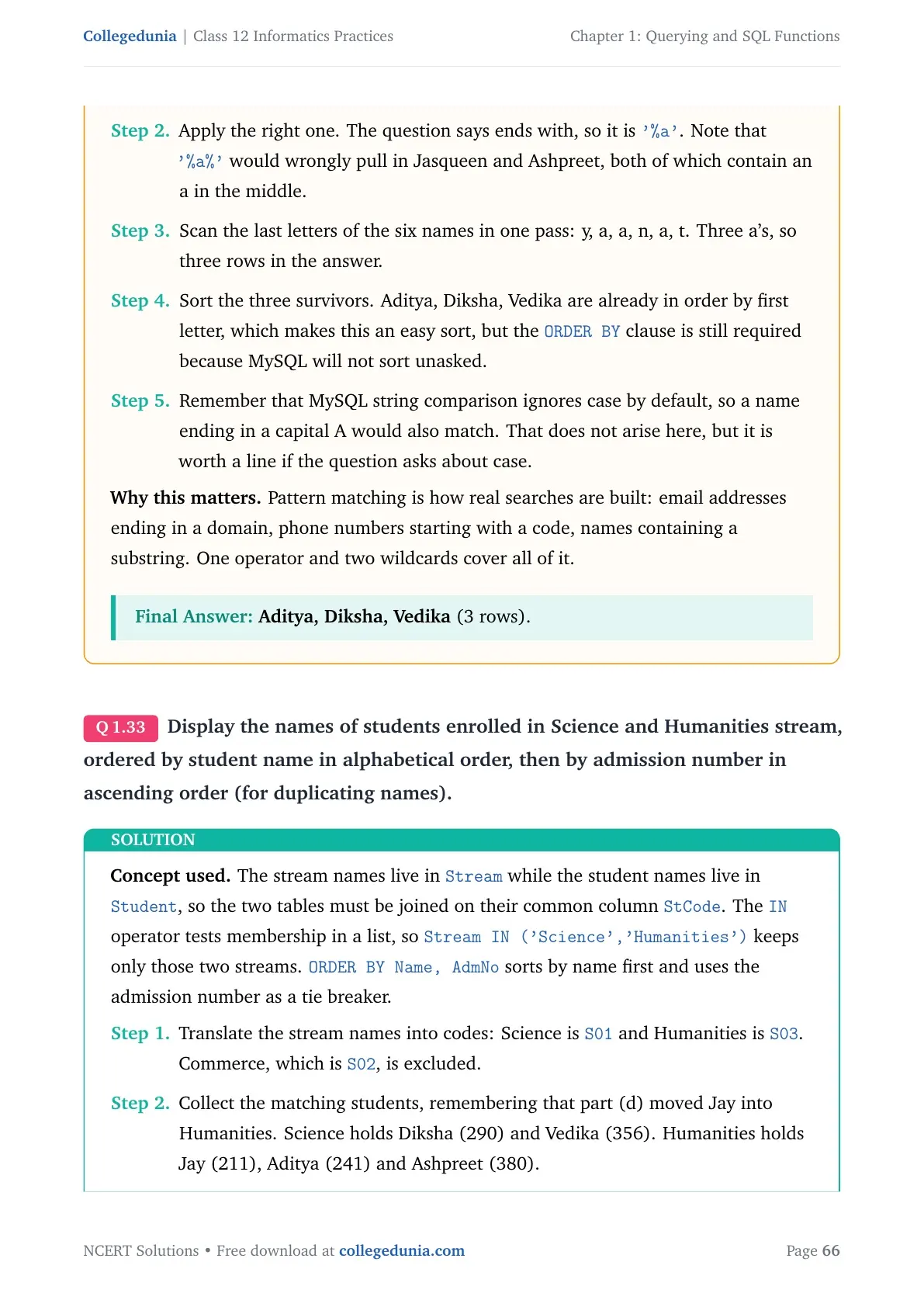
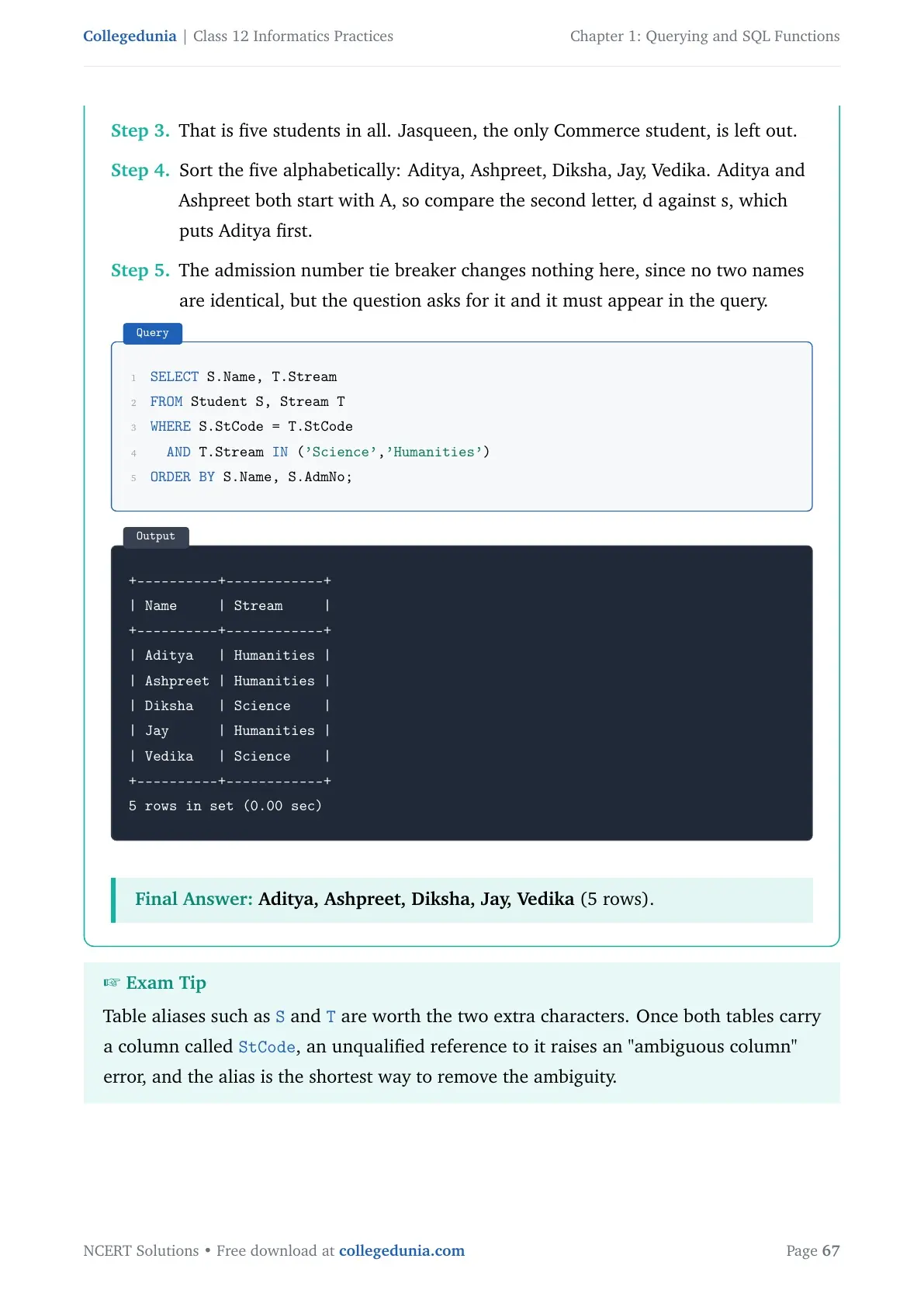
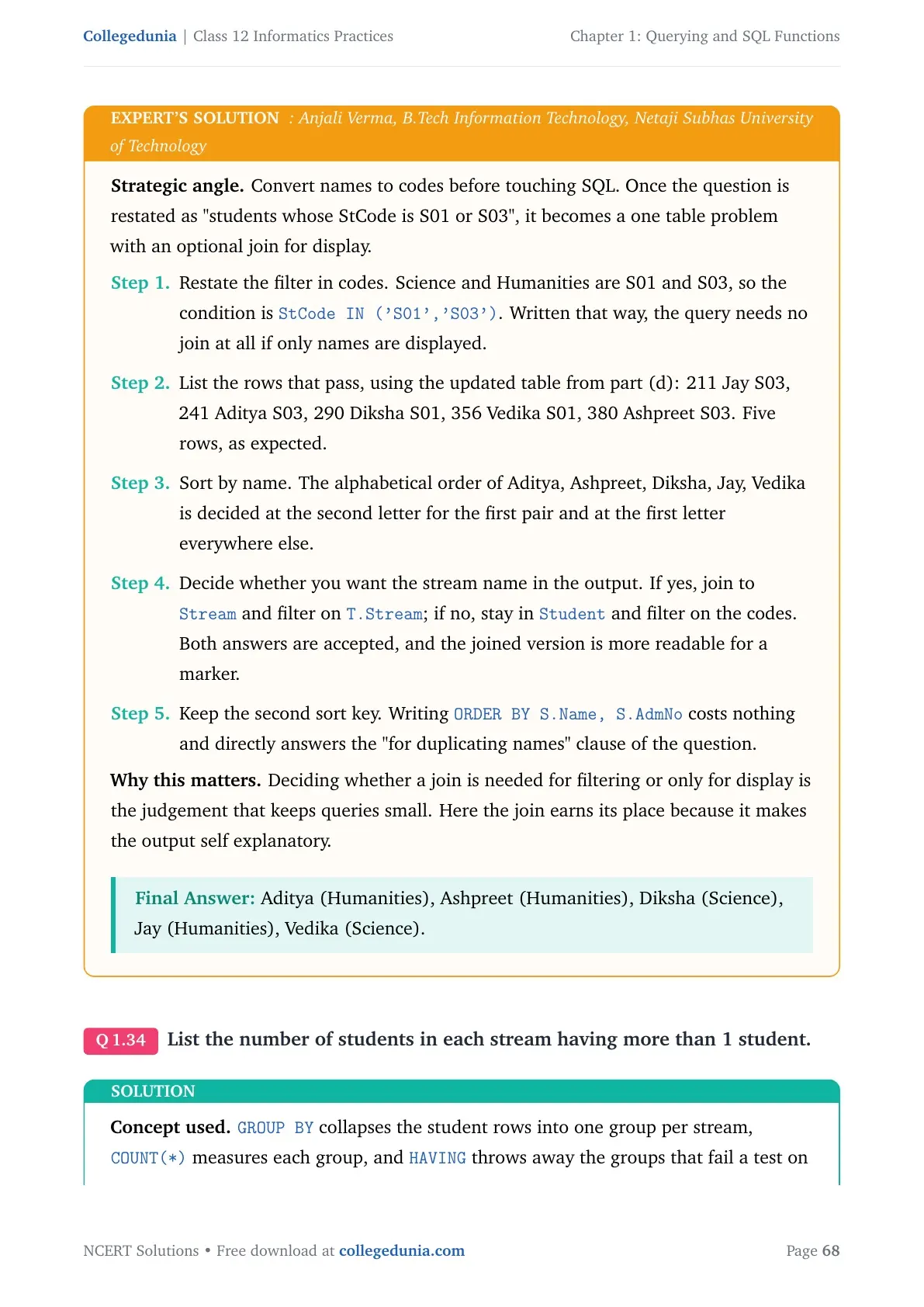
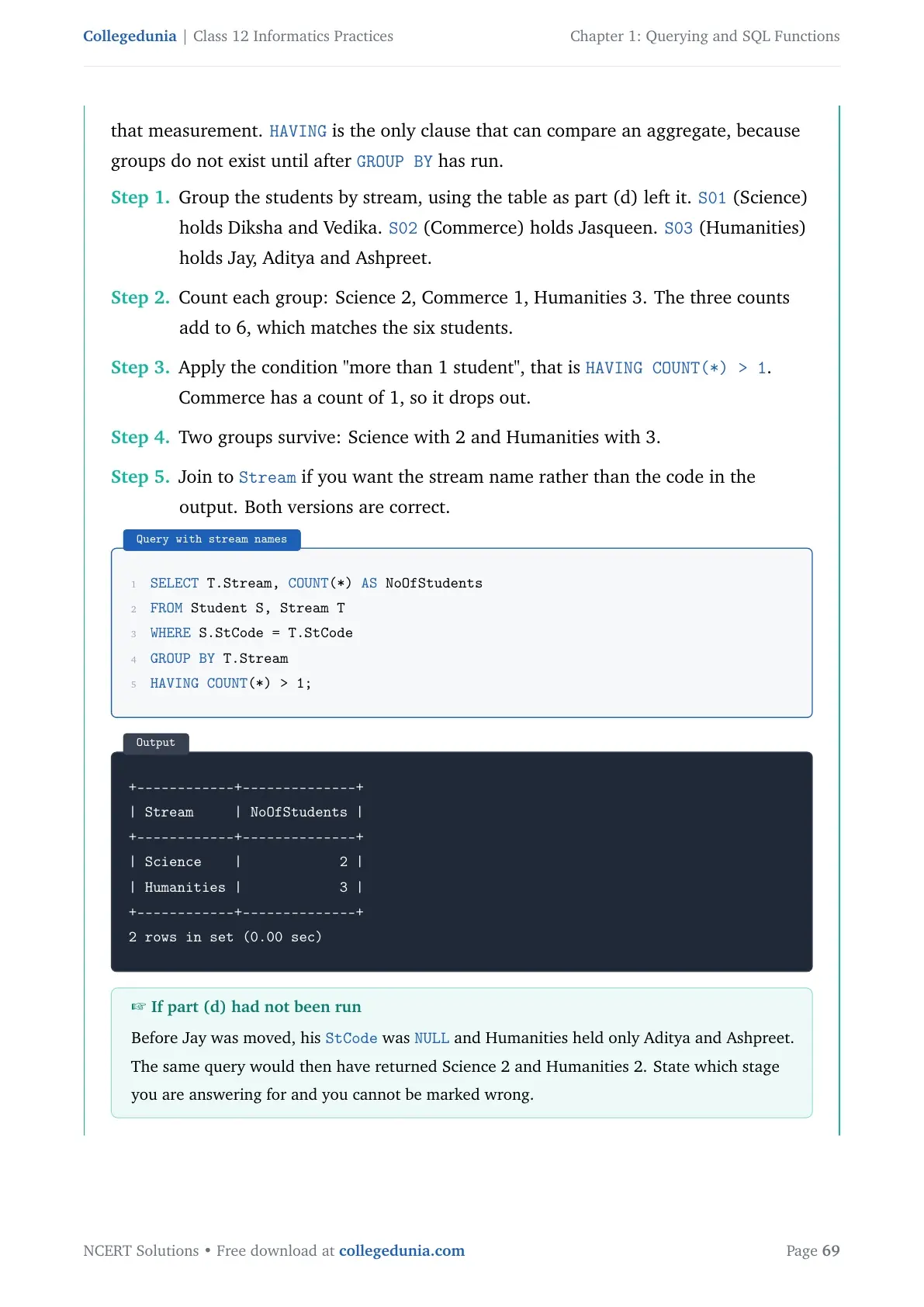
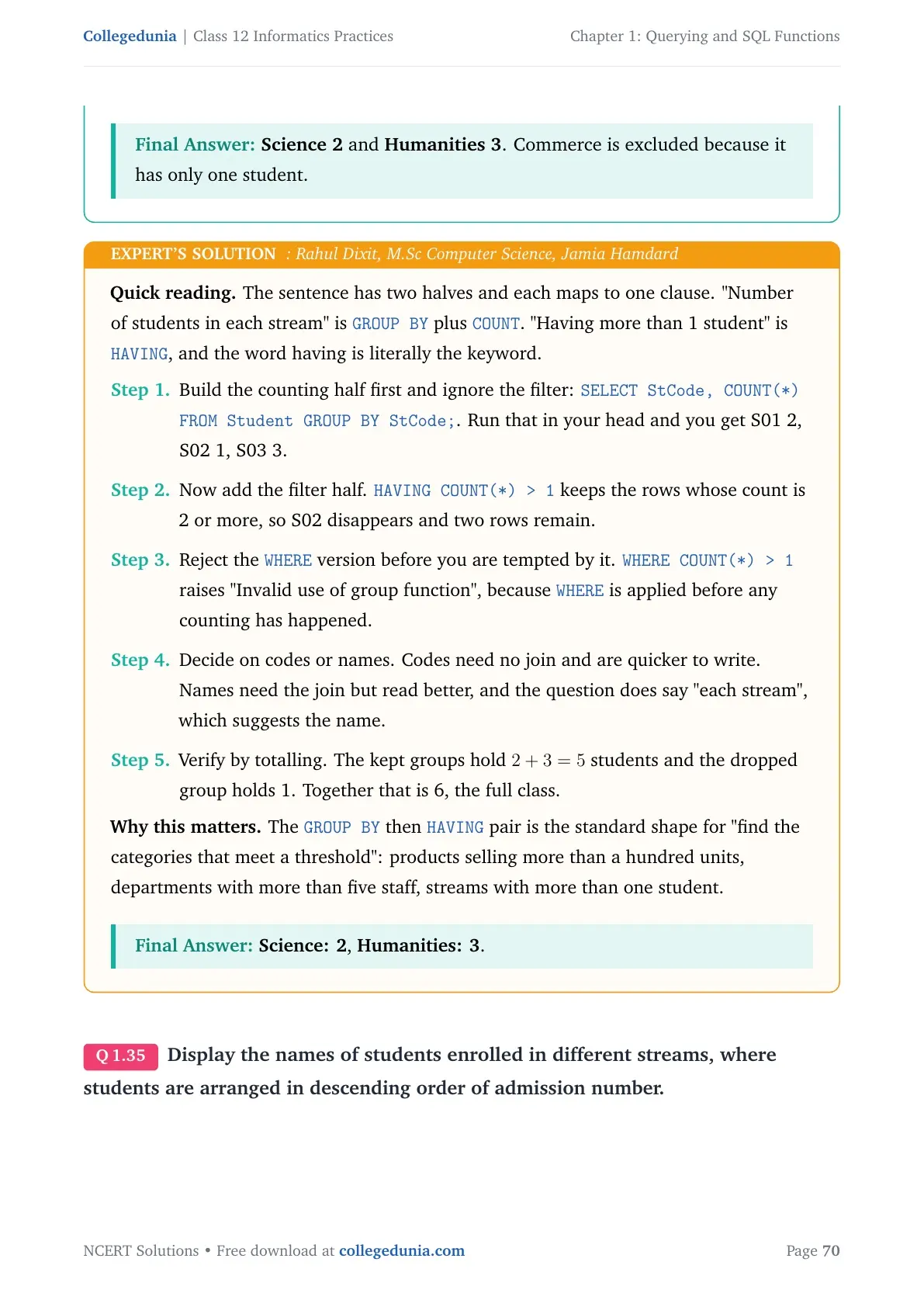
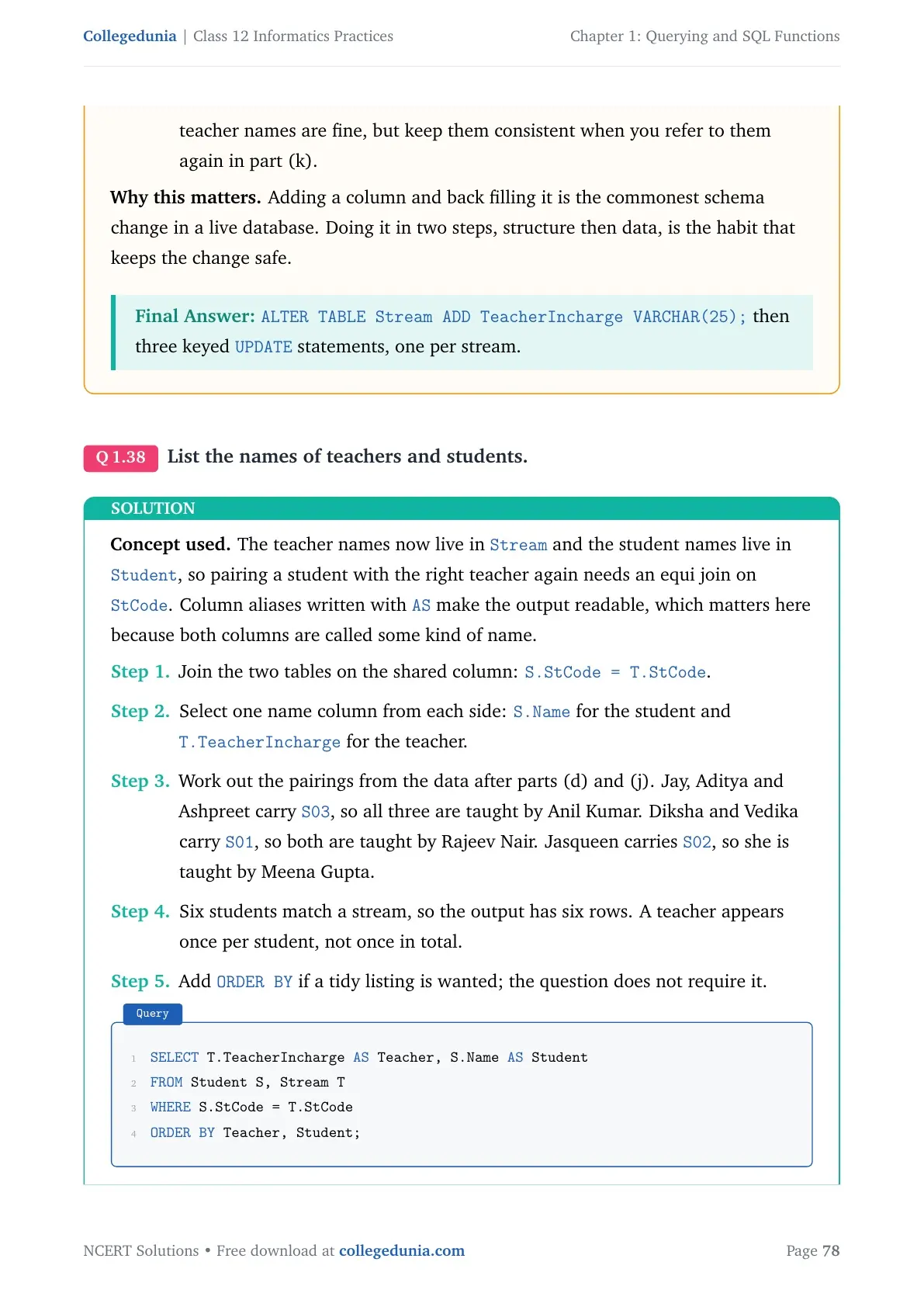
Question 5(f) needs a two-level sort: student name first, then admission number for equal names. You write both columns in one ORDER BY, separated by a comma. Question 5(g) needs GROUP BY with HAVING to list streams that have more than one student.
Operations on Relations: Union, Intersect, Minus and Cartesian Product
These four operations merge the rows of two tables. The first three only work when both tables have the same number of attributes and matching data types in the paired columns. NCERT explains them with the DANCE and MUSIC tables, so use those same tables in your answer.
| Operation | Symbol | What you get |
|---|---|---|
| UNION | U | Rows present in either table; a repeated row is shown only once |
| INTERSECT | Intersection sign | Only the rows present in both tables |
| MINUS | Hyphen | Rows in the first table that are not in the second |
| Cartesian product | X | Every row of the first table paired with every row of the second |
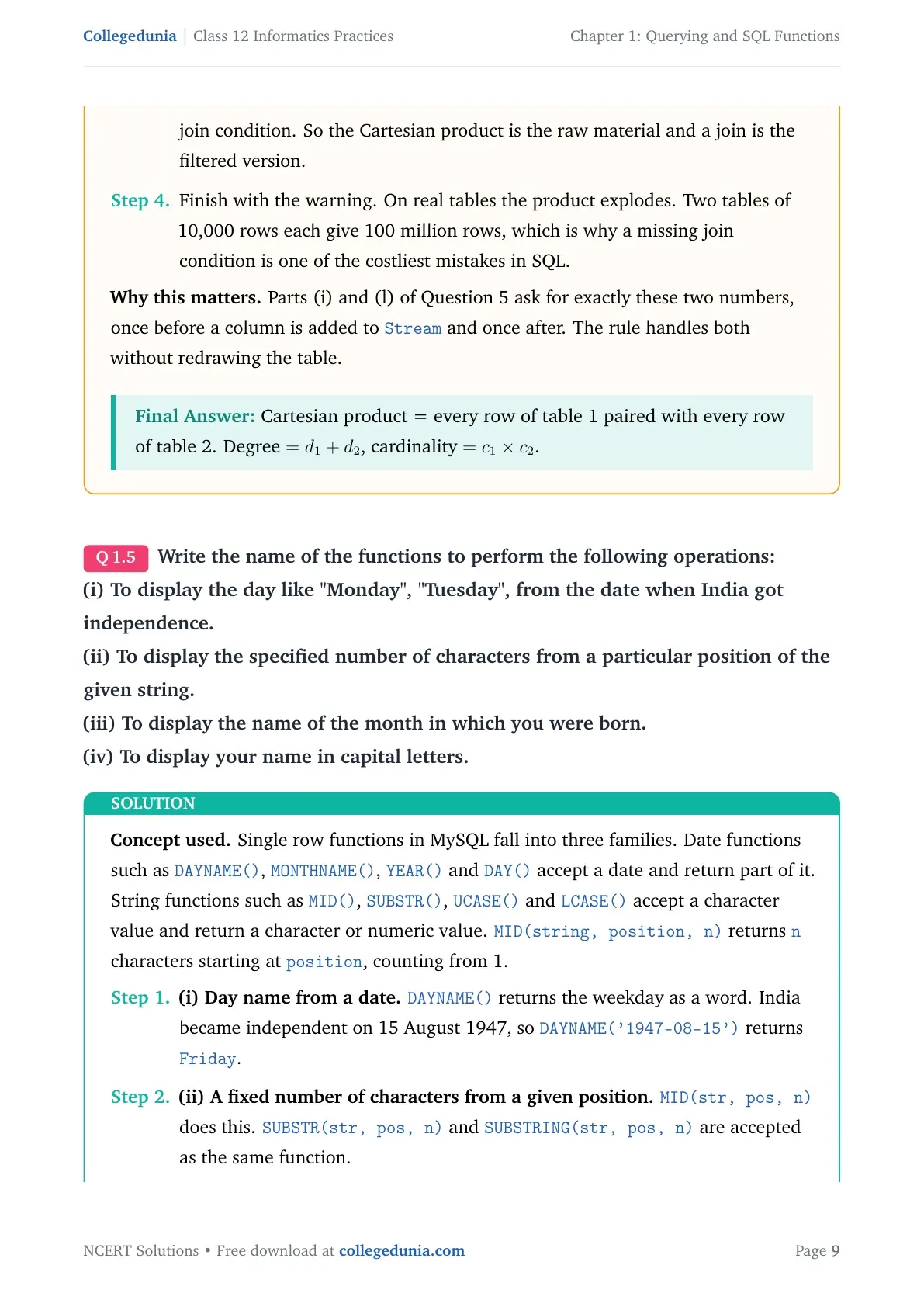
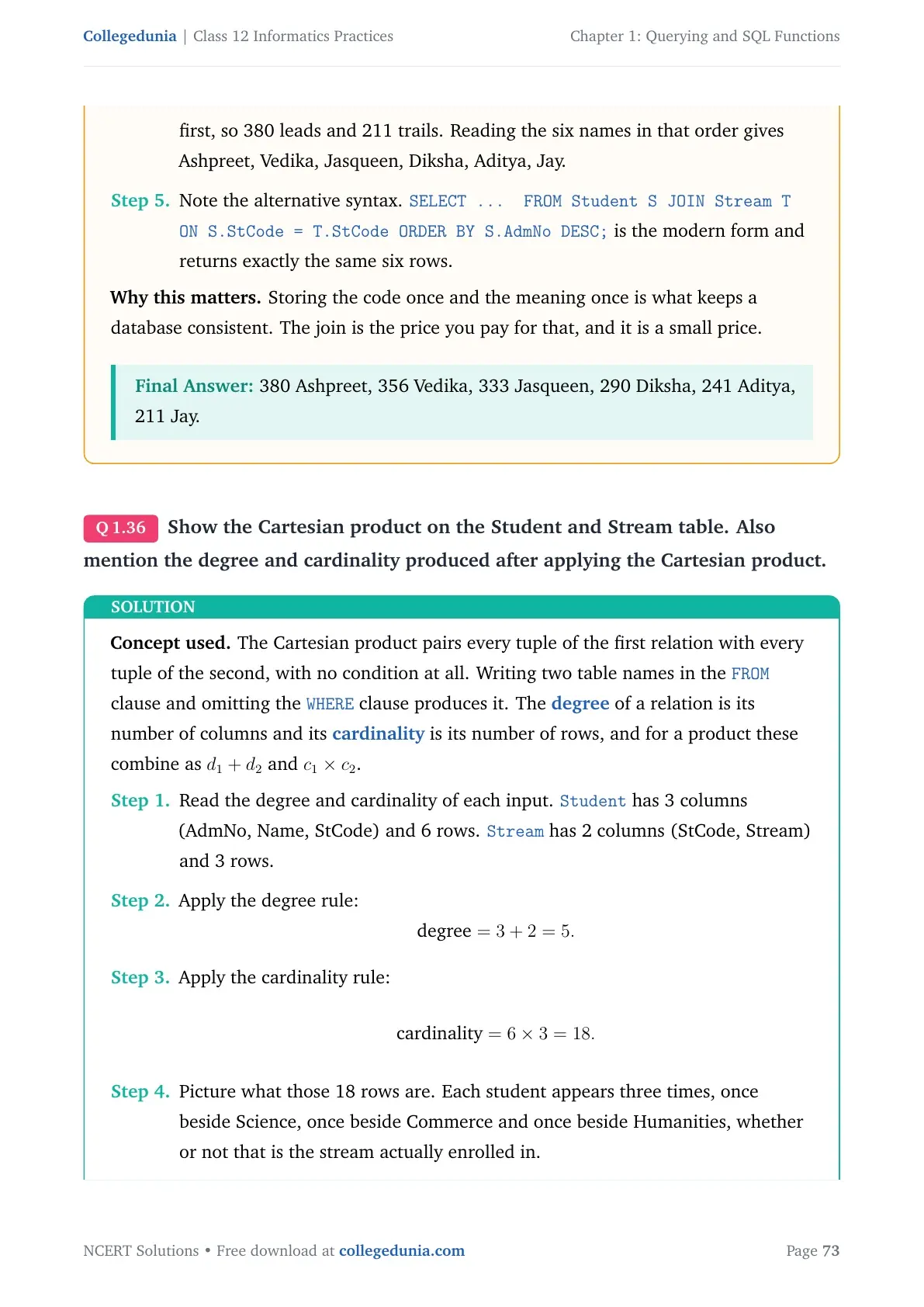
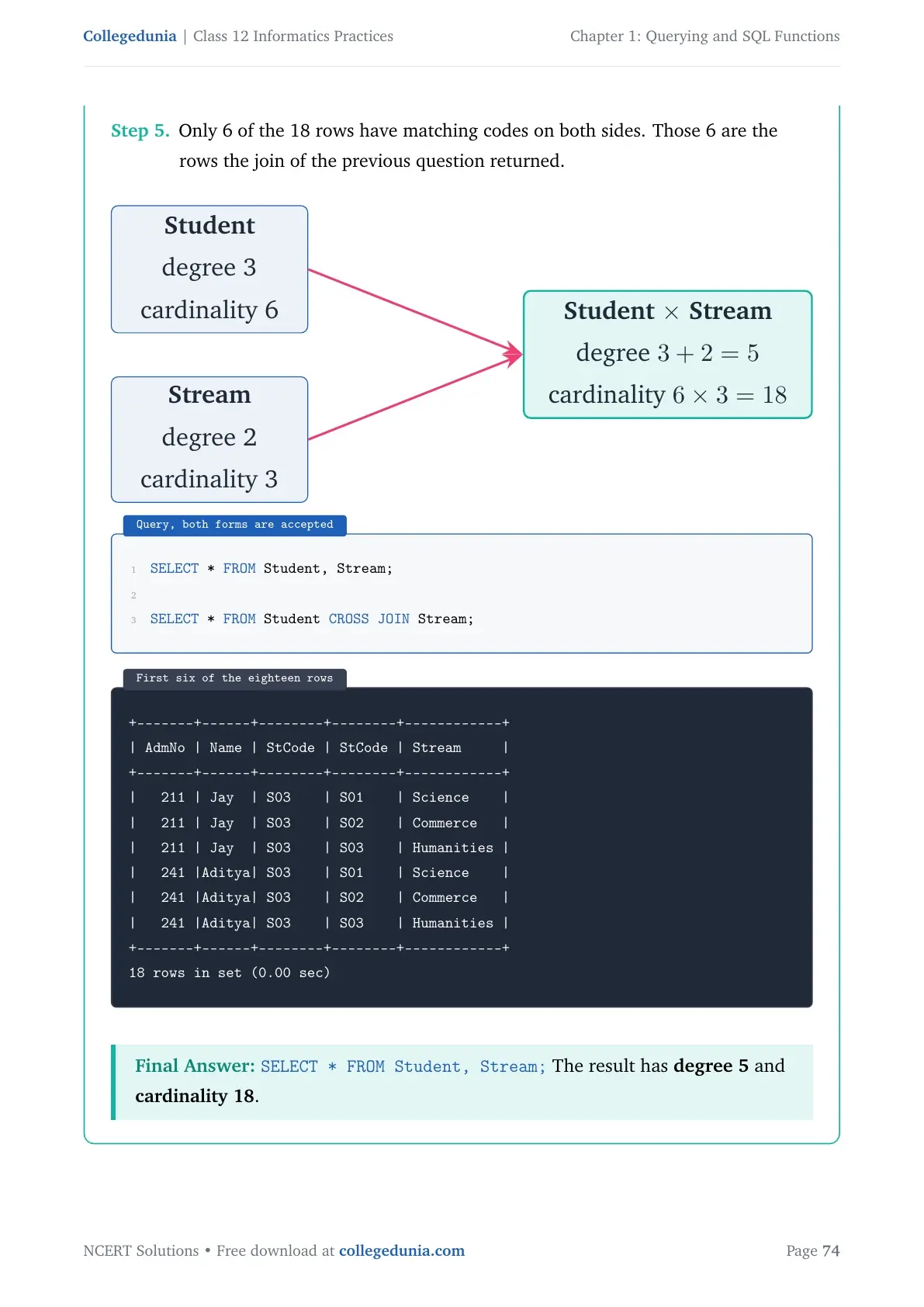
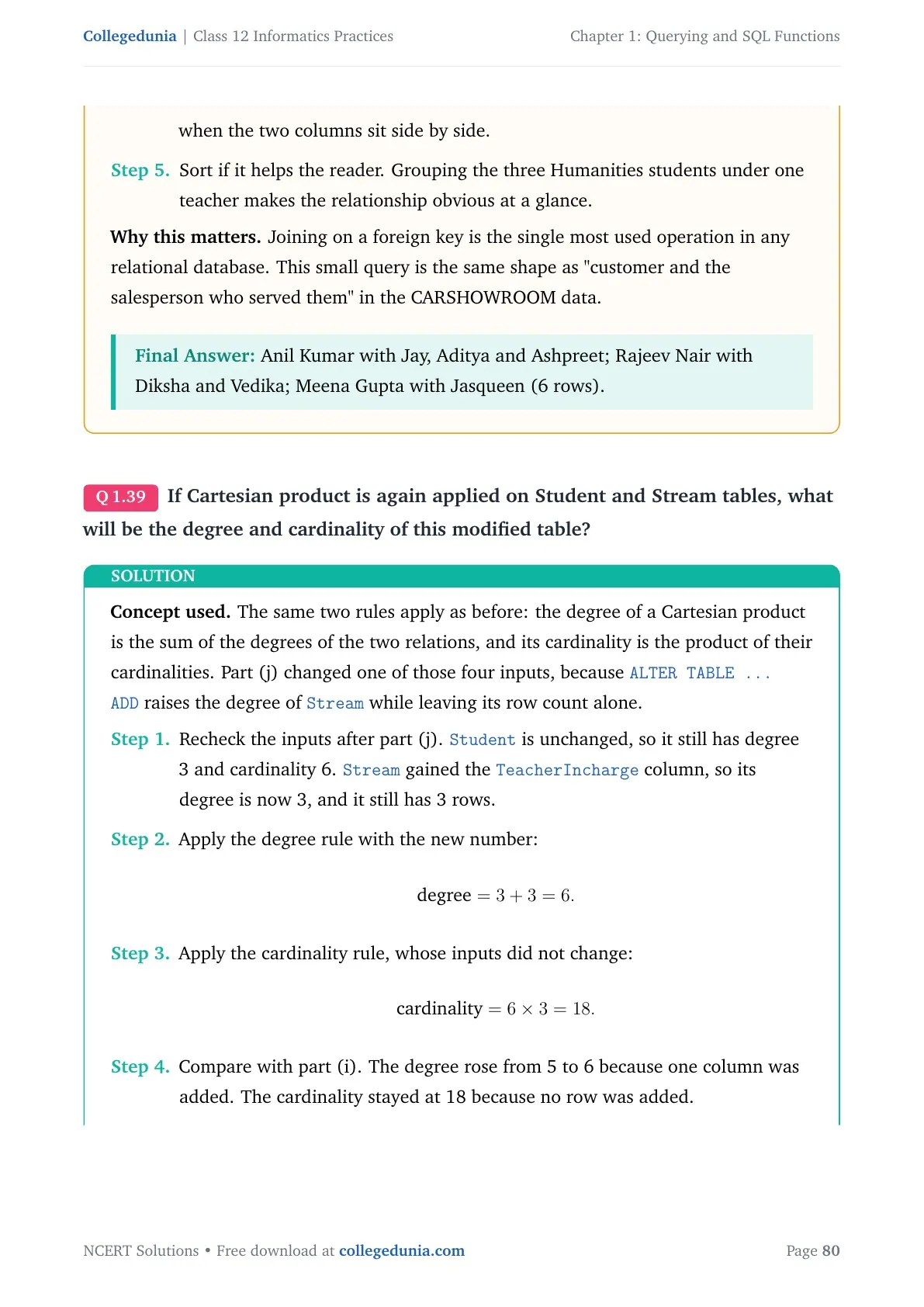
Cartesian product is the one CBSE asks about most, because it has two numbers attached to it. Degree of the result is the sum of the two degrees; cardinality of the result is the product of the two cardinalities. DANCE has degree 3 and cardinality 4, MUSIC has degree 3 and cardinality 5, so DANCE X MUSIC has degree 6 and cardinality 20.
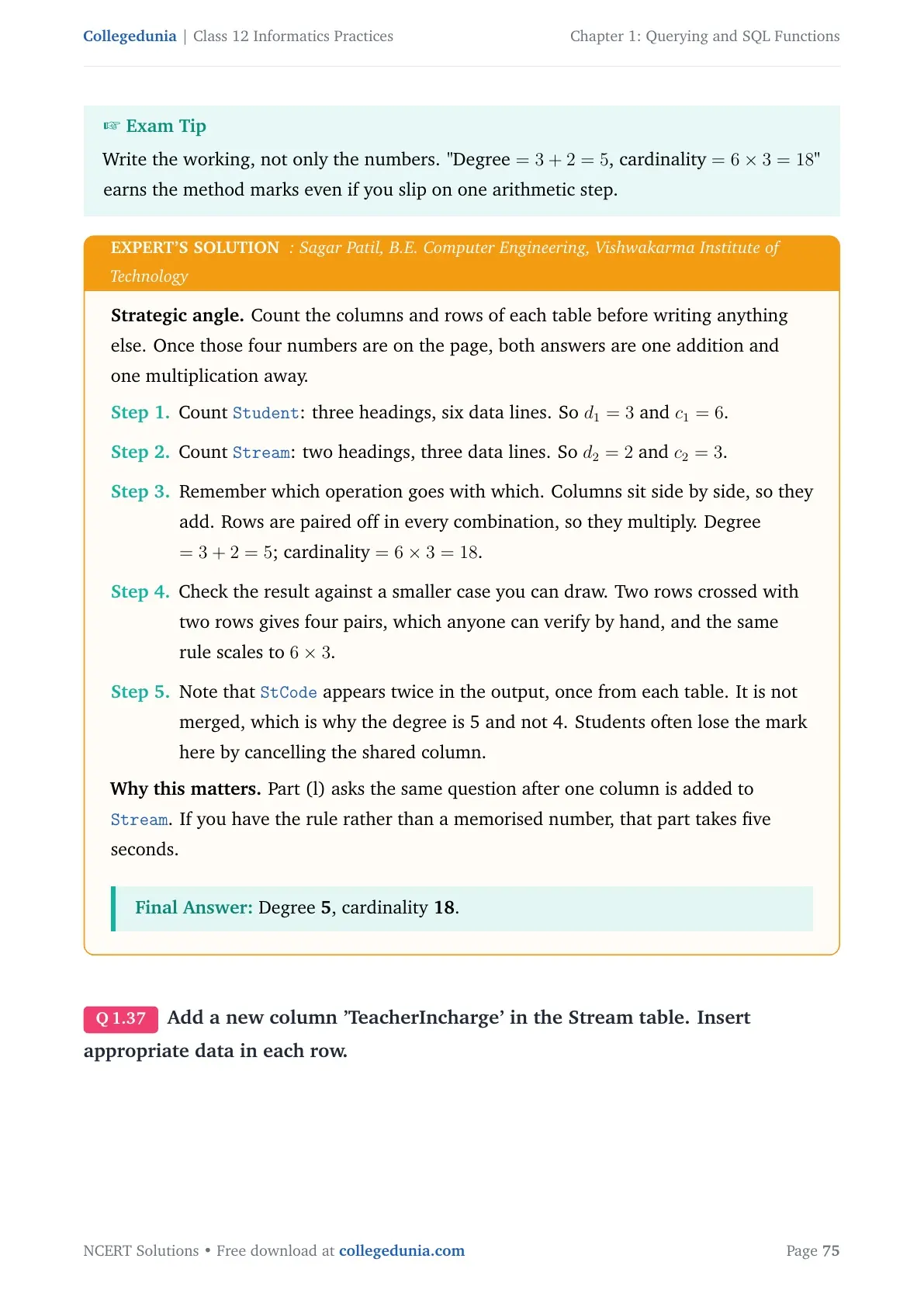
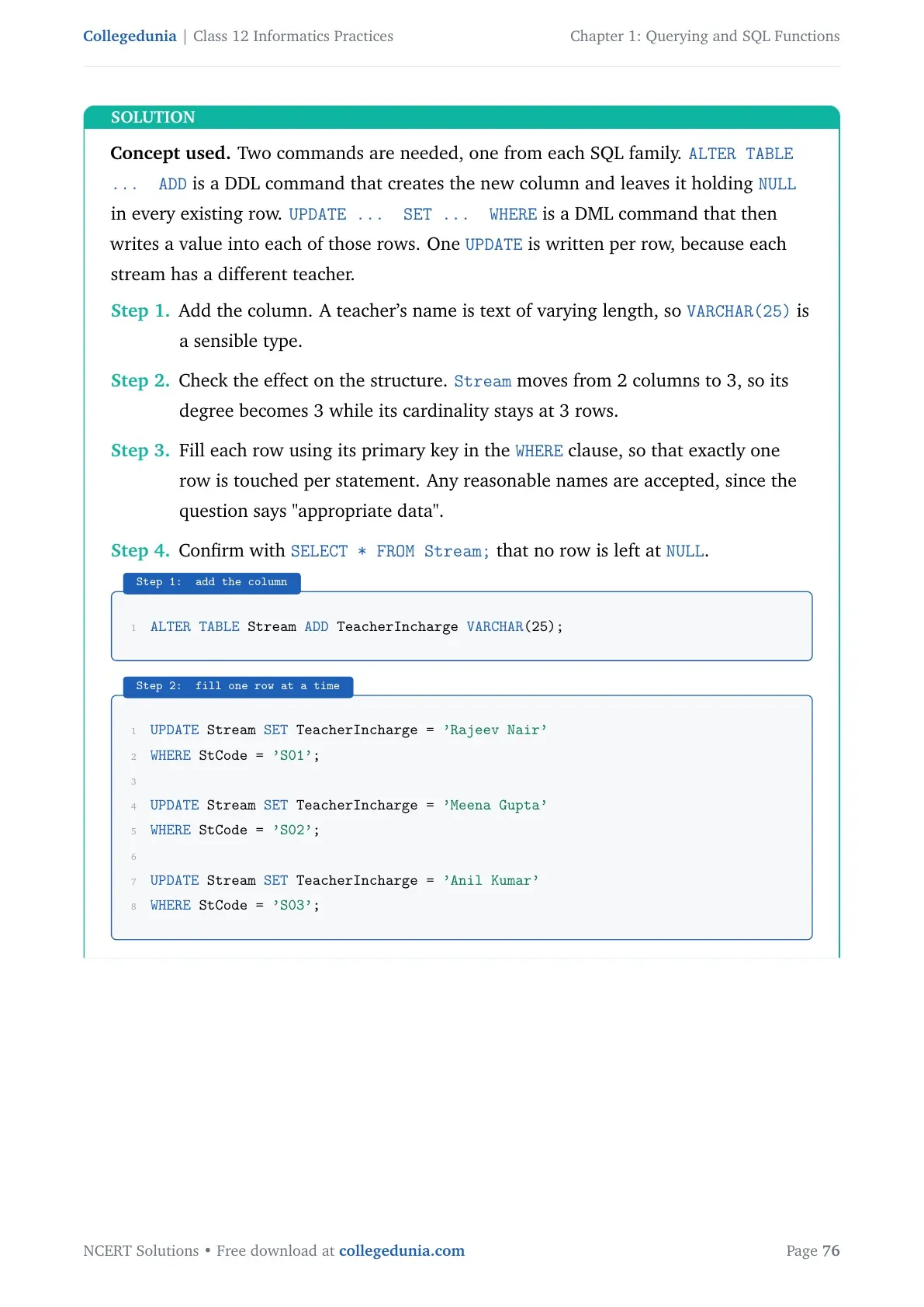
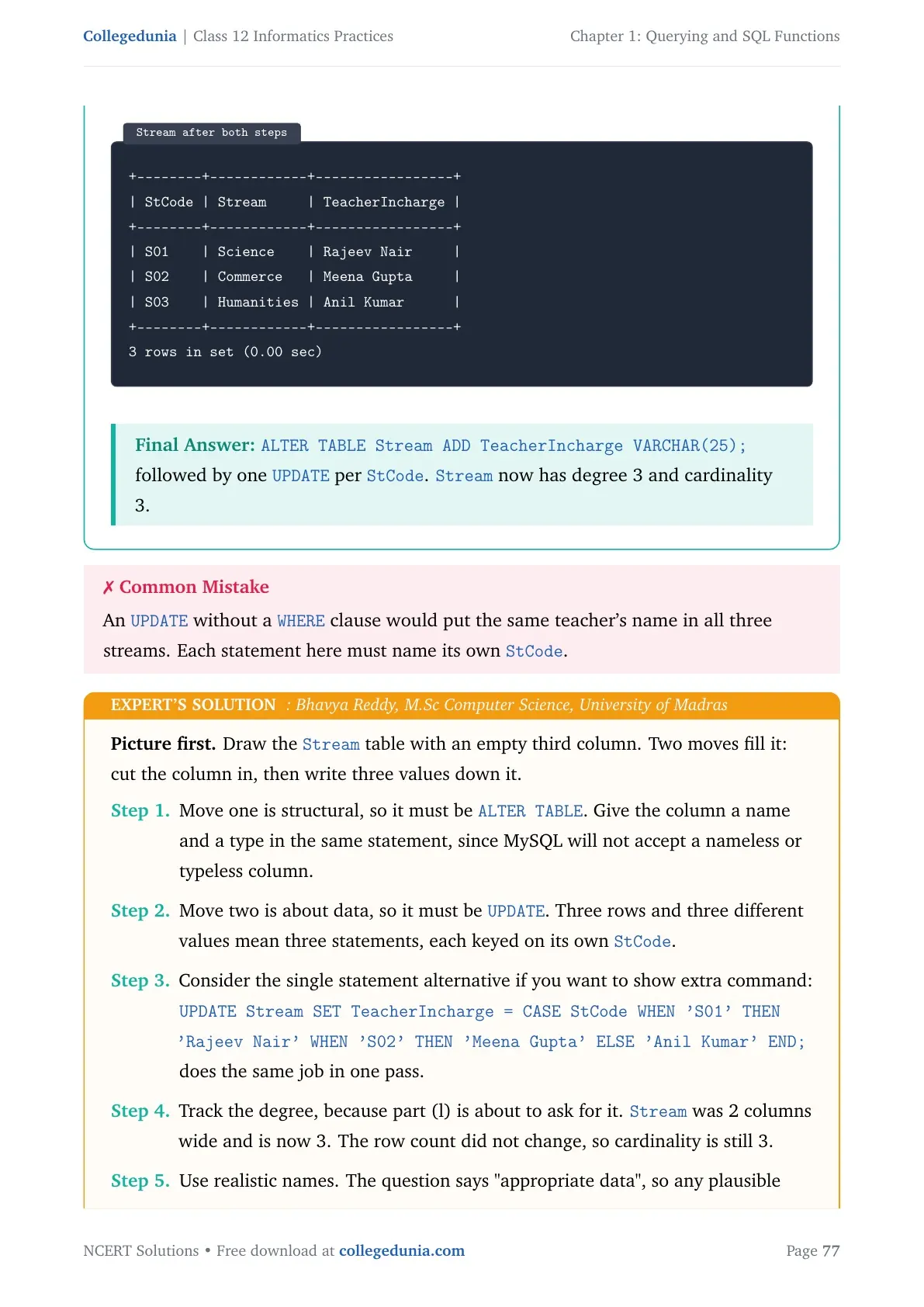
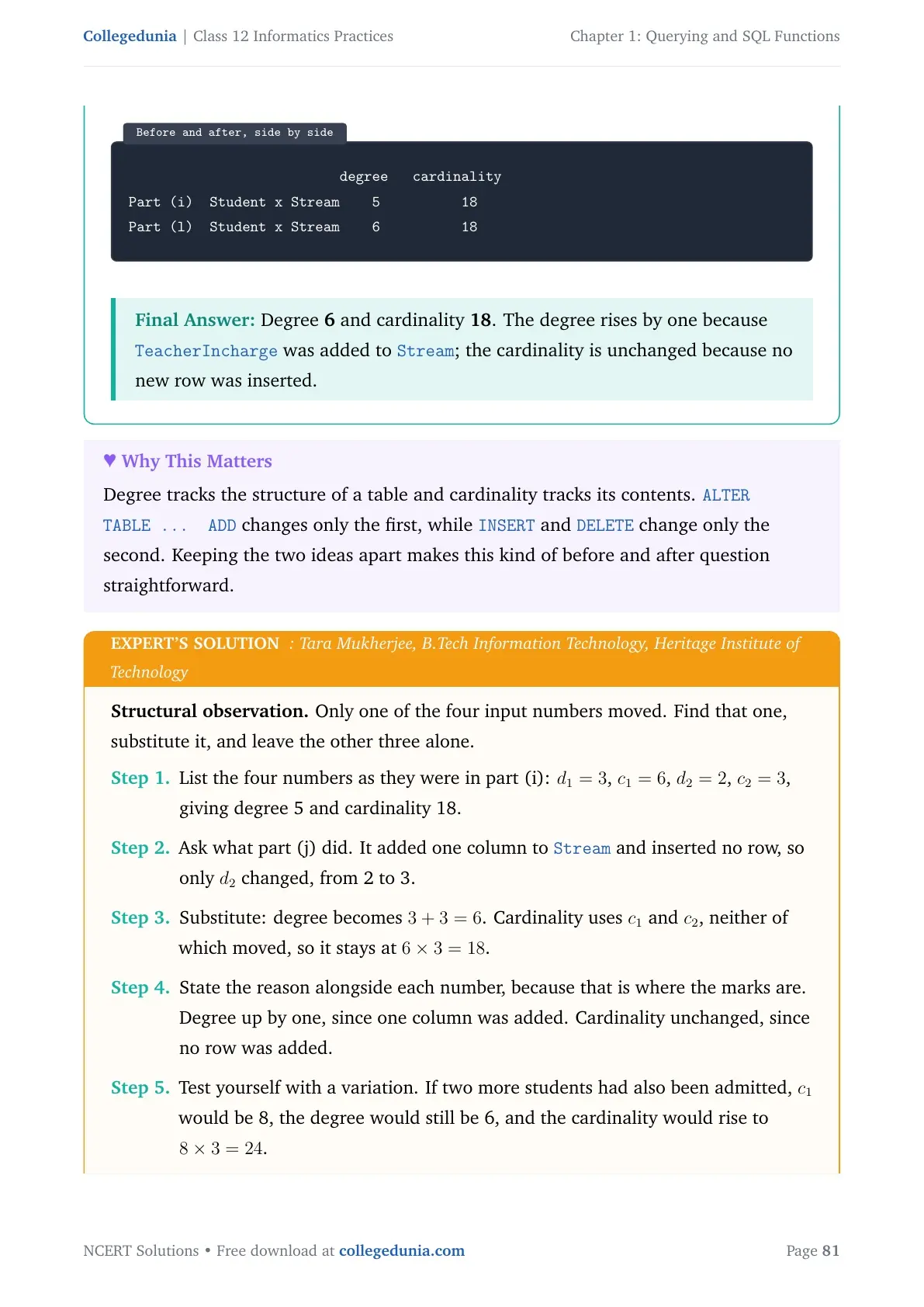
Question 5(i) and 5(l) both use this rule. After you add the TeacherIncharge column in 5(j), the Stream table degree goes from 2 to 3, so the new Cartesian product has degree 6 instead of 5, while cardinality stays 18.
Joins in SQL: JOIN with ON, Table Aliases and NATURAL JOIN
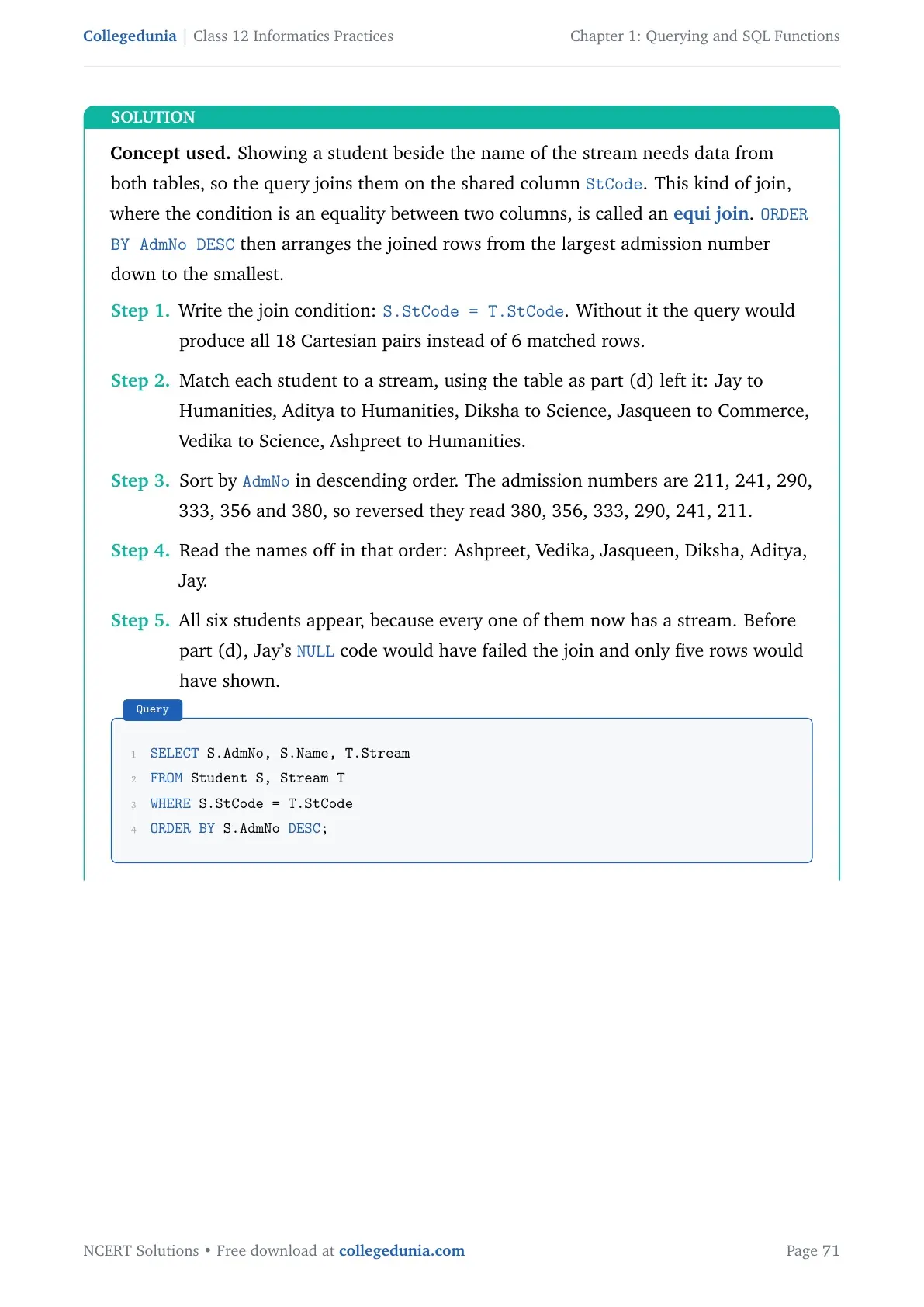
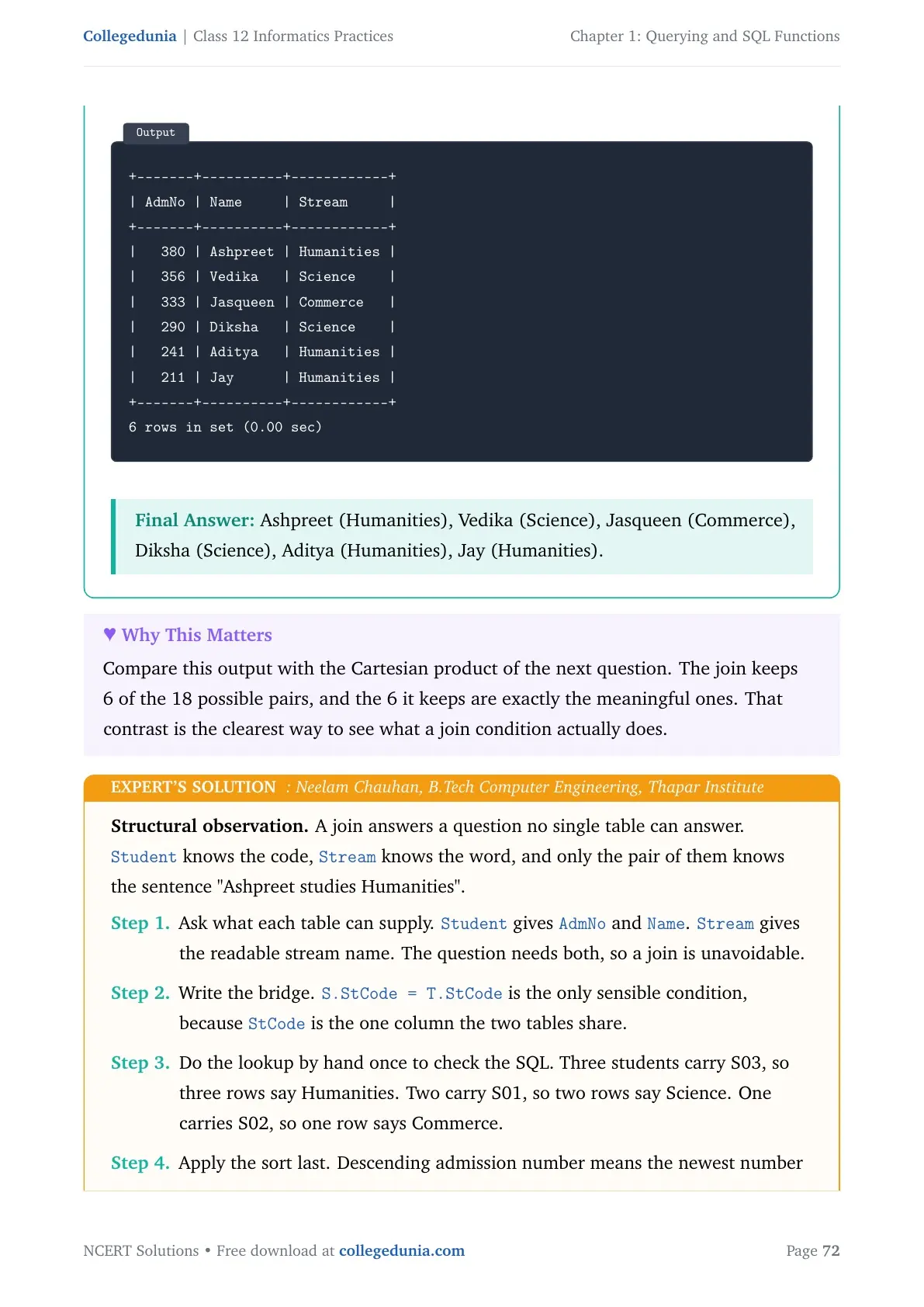
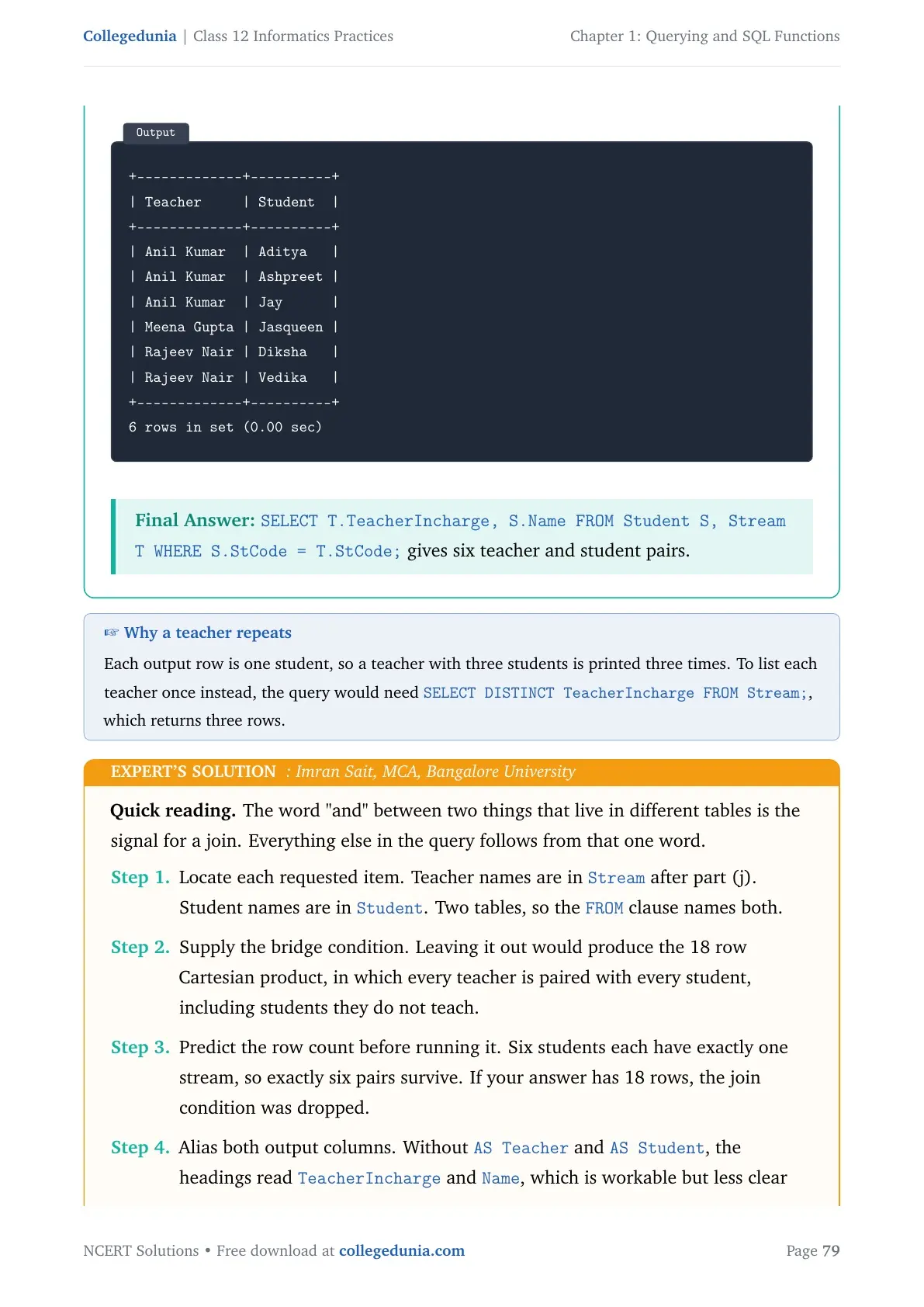
A JOIN combines rows from two tables using a condition on a common column. That column is usually a primary key in one table and a foreign key in the other. Unlike a Cartesian product, a join keeps only the matching pairs. NCERT shows three ways to write the same join on the UNIFORM and COST tables.
- Condition in the WHERE clause:
SELECT * FROM UNIFORM U, COST C WHERE U.UCode = C.UCode; - Explicit JOIN with ON:
SELECT * FROM UNIFORM U JOIN COST C ON U.Ucode=C.Ucode; - NATURAL JOIN:
SELECT * FROM UNIFORM NATURAL JOIN COST;
The first two give the same output with UCode printed twice. NATURAL JOIN drops that repeated column, so it prints five columns instead of six. Use NATURAL JOIN only when the two tables share exactly one common column.
Two more rules carry marks. A table alias such as U or C is valid only inside that one query, and once you give an alias you cannot use the full table name again in the same query. And in general, joining N tables on an equality condition needs N minus 1 joins, so three tables need two joins.
Querying and SQL Functions Weightage Compared Across Class 12 Informatics Practices Chapters
Informatics Practices has a 70-mark theory paper split across four units. Querying and SQL Functions is the only chapter inside Unit 2, so it owns the full Database Query using SQL block on its own. The table below shows where the chapter sits against the rest of the book.
| Chapter | Unit | Approximate theory marks |
|---|---|---|
| Chapter 1 | Querying and SQL Functions | 25 marks |
| Chapter 2 | Data Handling using Pandas Series | 13 to 15 marks |
| Chapter 3 | Data Handling using Pandas DataFrame | 13 to 15 marks |
| Chapter 4 | Plotting Data using Matplotlib | 4 to 6 marks |
| Chapter 5 | Introduction to Computer Networks | 7 marks |
| Chapter 6 | Societal Impacts | 8 marks |
At 25 of 70 theory marks, this is the single heaviest chapter in the Class 12 Informatics Practices book. It also feeds the practical file and the viva, so the return on time spent here is the best in the syllabus.
Common Mistakes Students Make in the Querying and SQL Functions Chapter
Check your answer sheet for these six errors before you hand it in.
- Writing WHERE where the question needs HAVING. A condition on COUNT, SUM or AVG always goes in HAVING.
- Forgetting that
ROUND(342.9234,-1)rounds to the left of the decimal point. The answer is 340, not 342.9. - Using COUNT(*) when the question says to ignore blank entries. COUNT(column) is the one that skips NULL.
- Mixing up degree and cardinality. Degree is the number of columns; cardinality is the number of rows.
- Dropping the minus 1 in
LEFT(Email, INSTR(Email,"@")-1), which prints the @ sign along with the name. - Writing SUBSTR with the wrong start position. SQL counts from 1, not from 0.
Also Check: Write the query, then read it once from the FROM clause backwards. Checking the table name first catches most careless errors in under ten seconds.
Student Feedback on the Querying and SQL Functions Chapter
What 11,540 students told us about their SQL preparation.
- 68% of students rated GROUP BY with HAVING as the hardest part of the chapter.
- 4 out of 5 students said they scored full marks on the dry-run question once they practised all eleven string functions.
- The most-skipped topic was the Cartesian product degree and cardinality calculation, left blank by about 21% of students.
- Students who wrote out all CARSHOWROOM queries by hand reported finishing the chapter in about 6 hours.
Source: Collegedunia Class 12 Informatics Practices student poll conducted before the 2026-27 board exams. Sample of 11,540 students from CBSE schools across 14 states.
Solved Example from the CARSHOWROOM Database with Step-by-Step Working
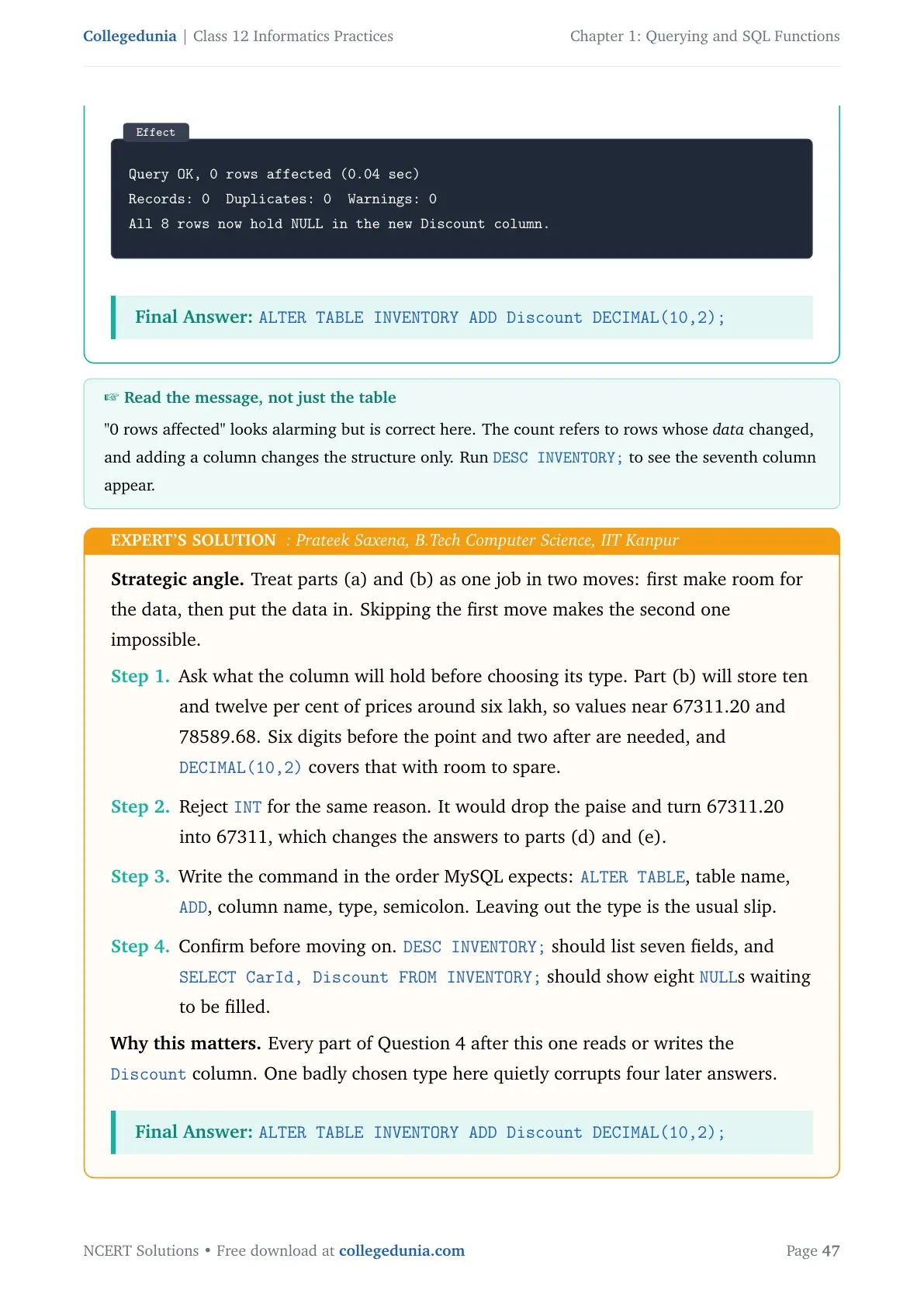
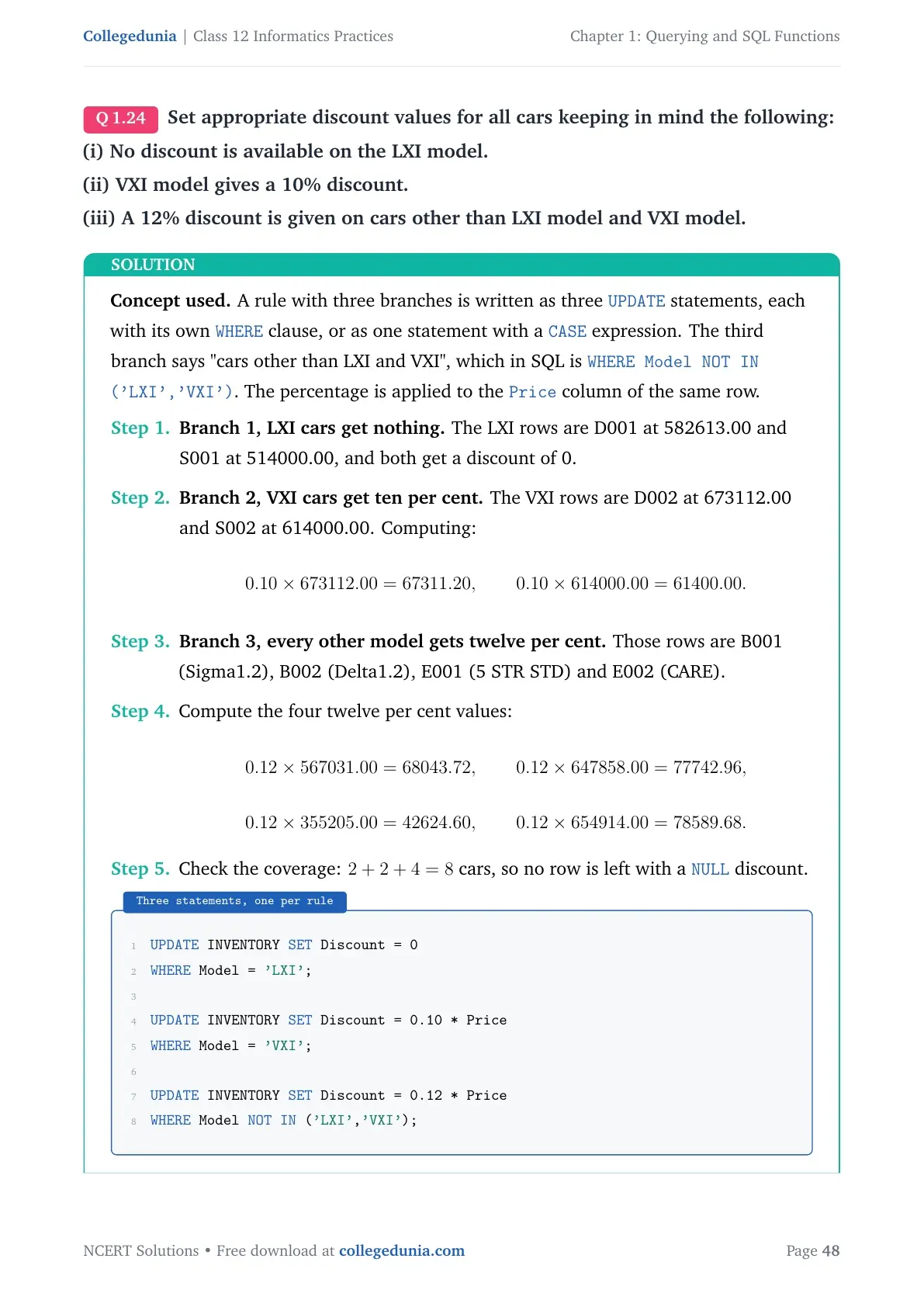
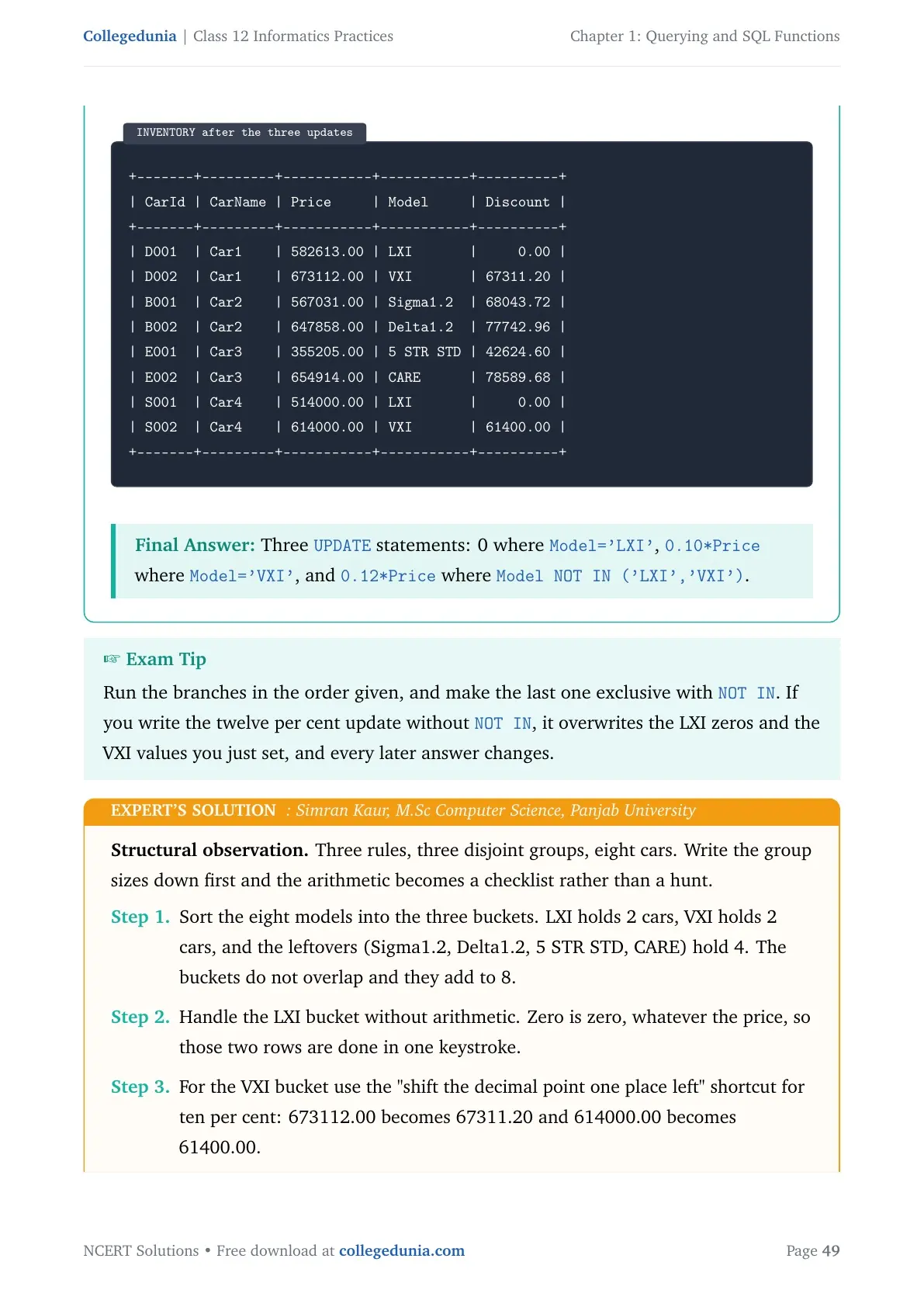
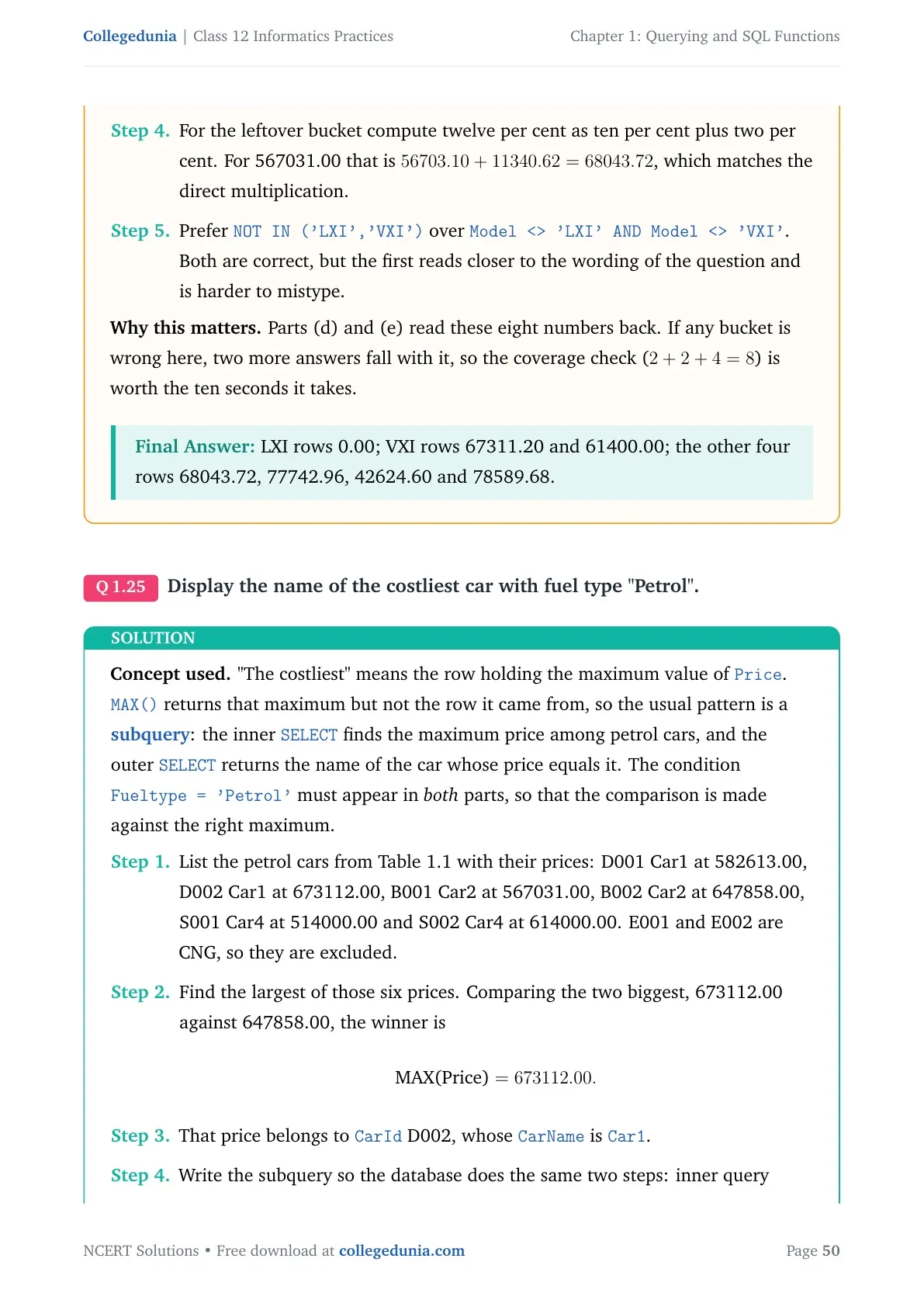
Question 4 of the exercise asks you to add a Discount column to INVENTORY and fill it by model. Here is the full working, the way you should write it in the answer sheet.
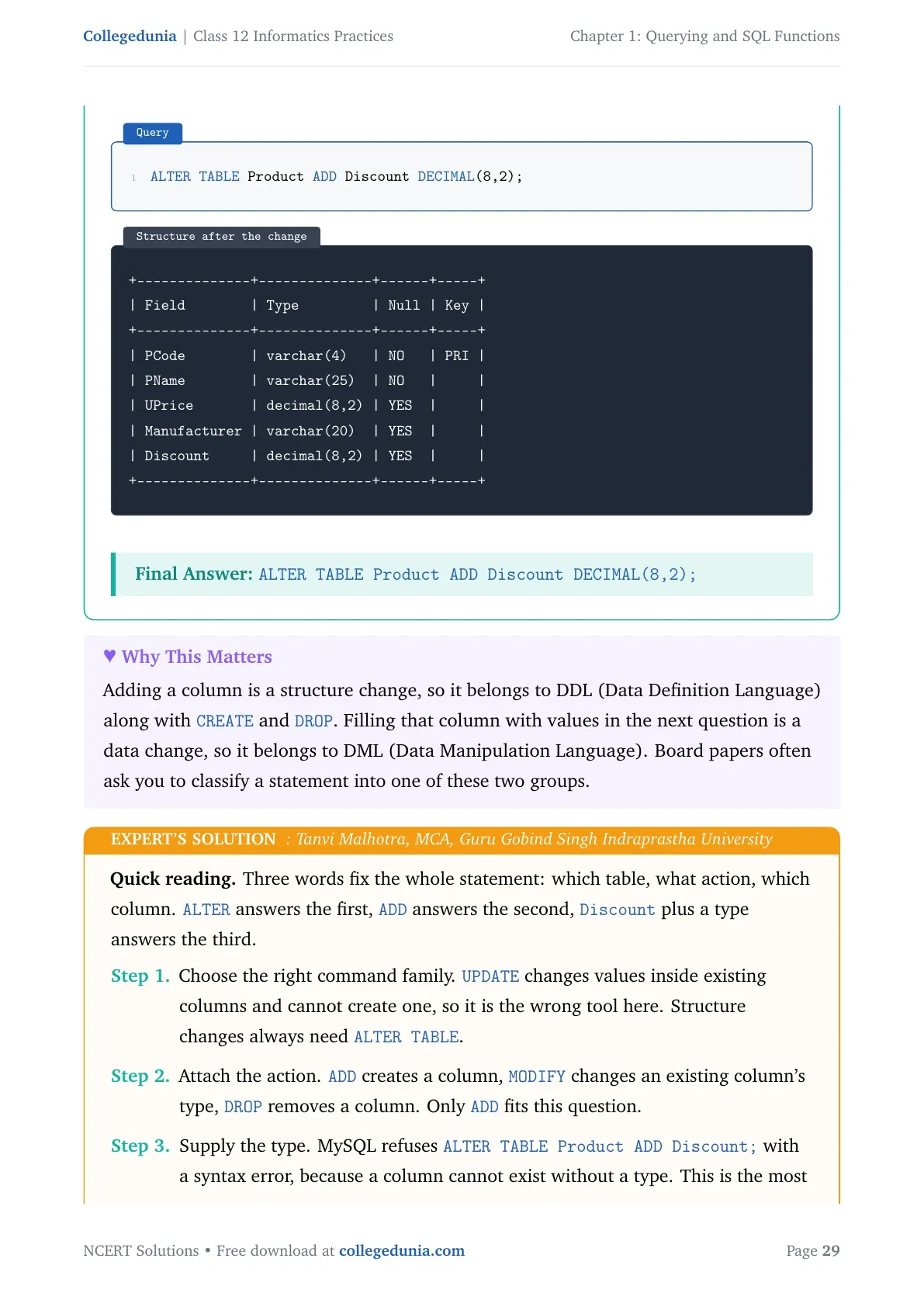
- Add the column.
ALTER TABLE INVENTORY ADD Discount Numeric(10,2); - LXI gets nothing.
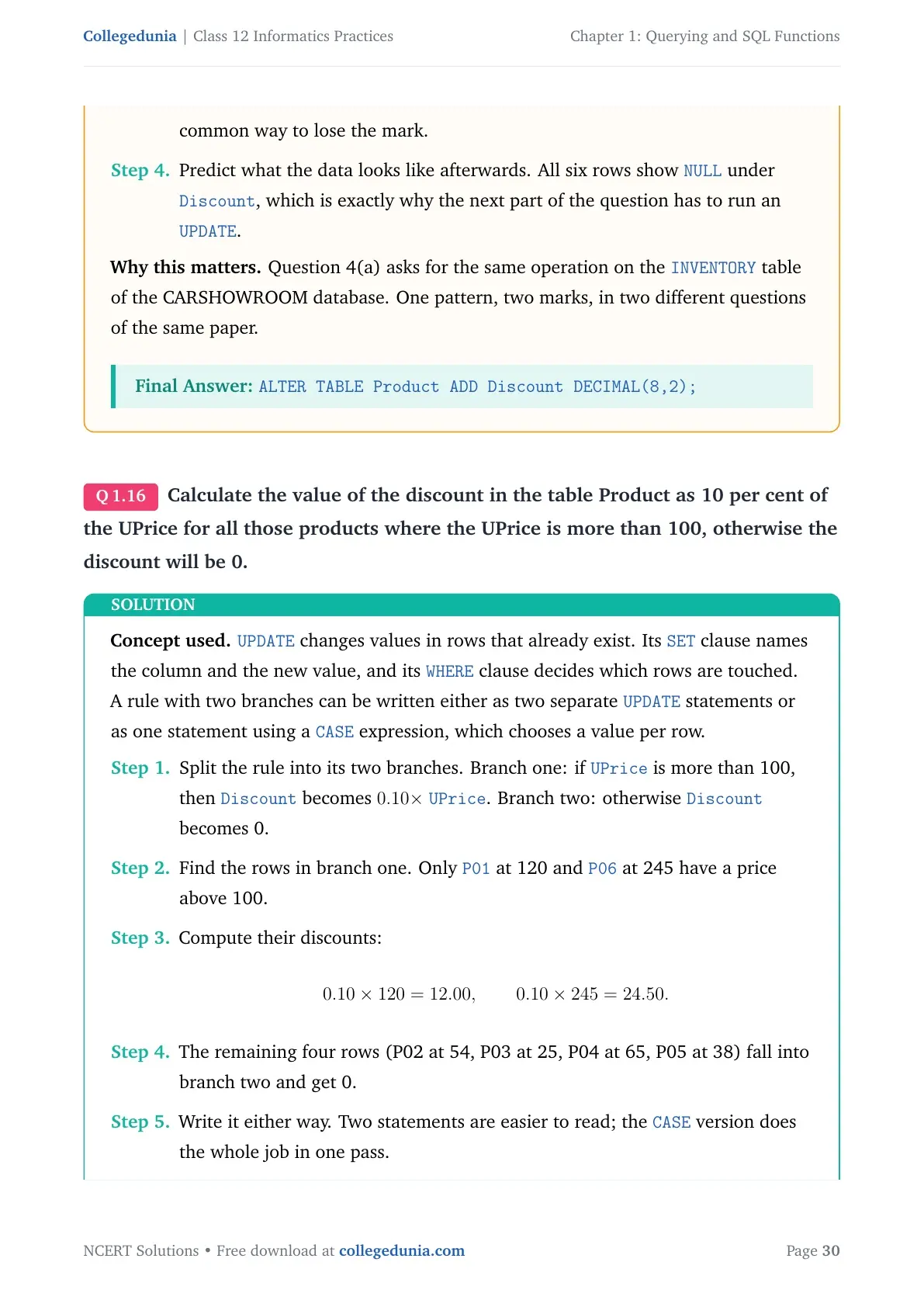
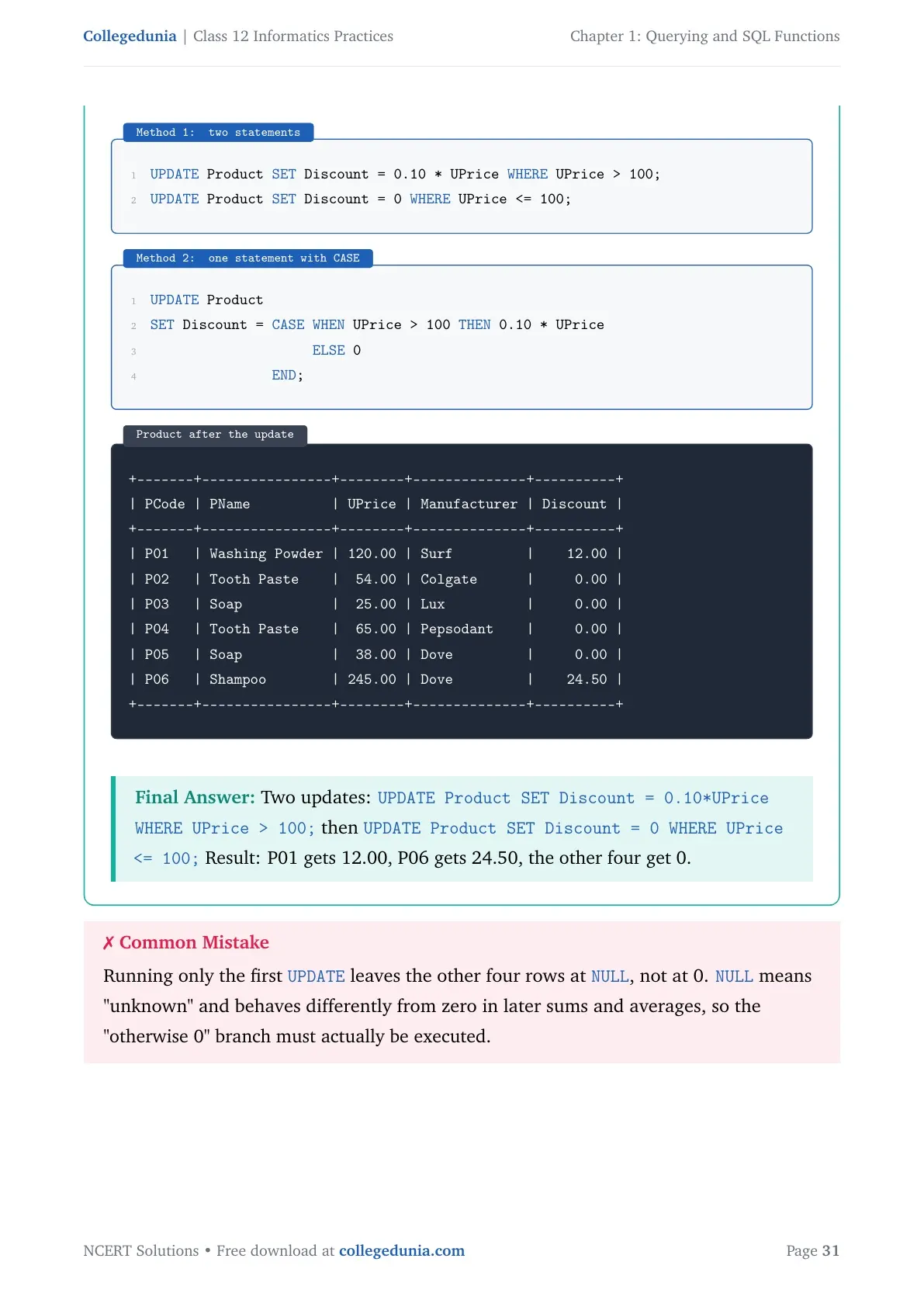
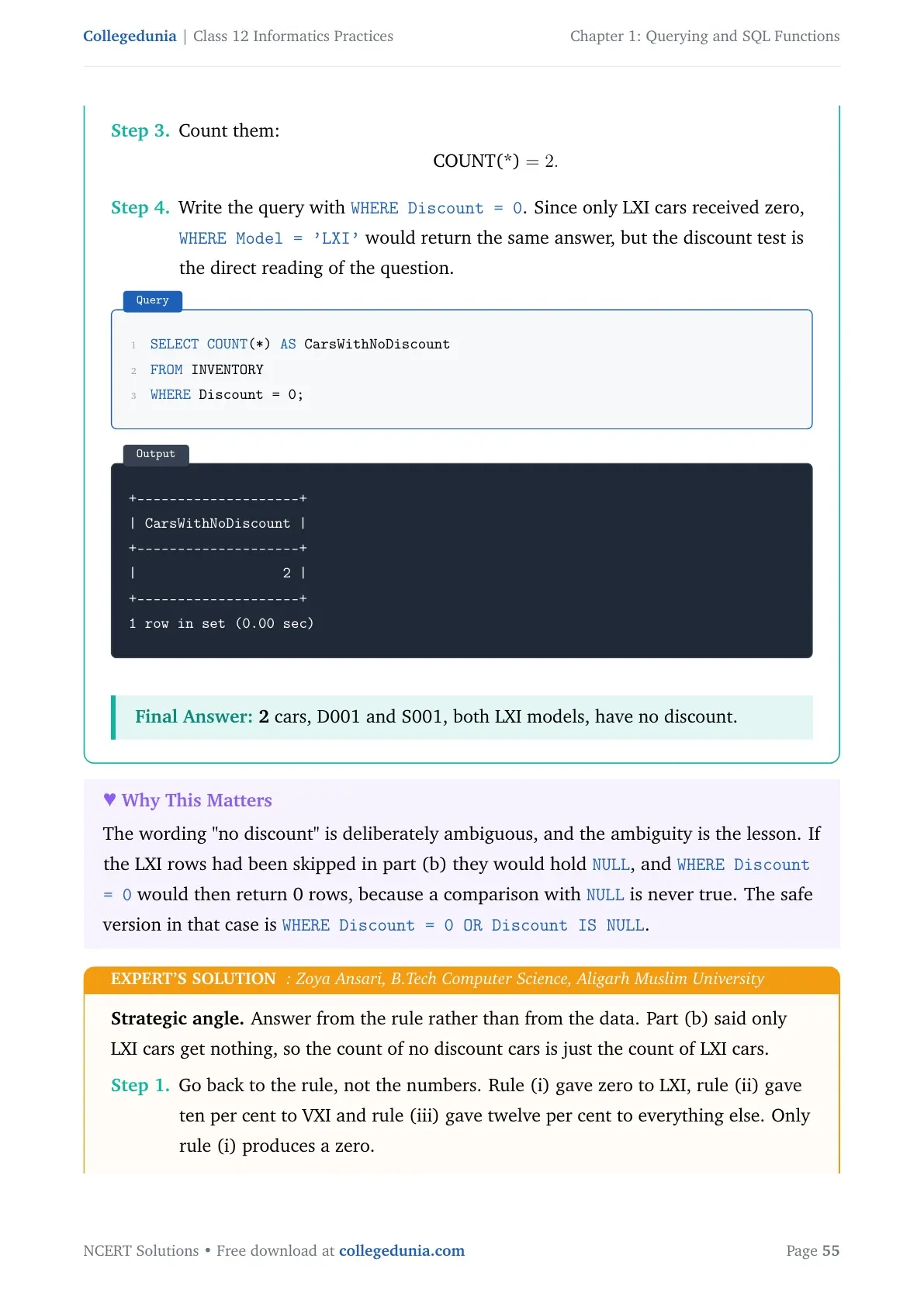
UPDATE INVENTORY SET Discount=0 WHERE Model="LXI"; - VXI gets 10 per cent.
UPDATE INVENTORY SET Discount=0.10*Price WHERE Model="VXI"; - Everything else gets 12 per cent.
UPDATE INVENTORY SET Discount=0.12*Price WHERE Model NOT IN ("LXI","VXI"); - Costliest Petrol car.
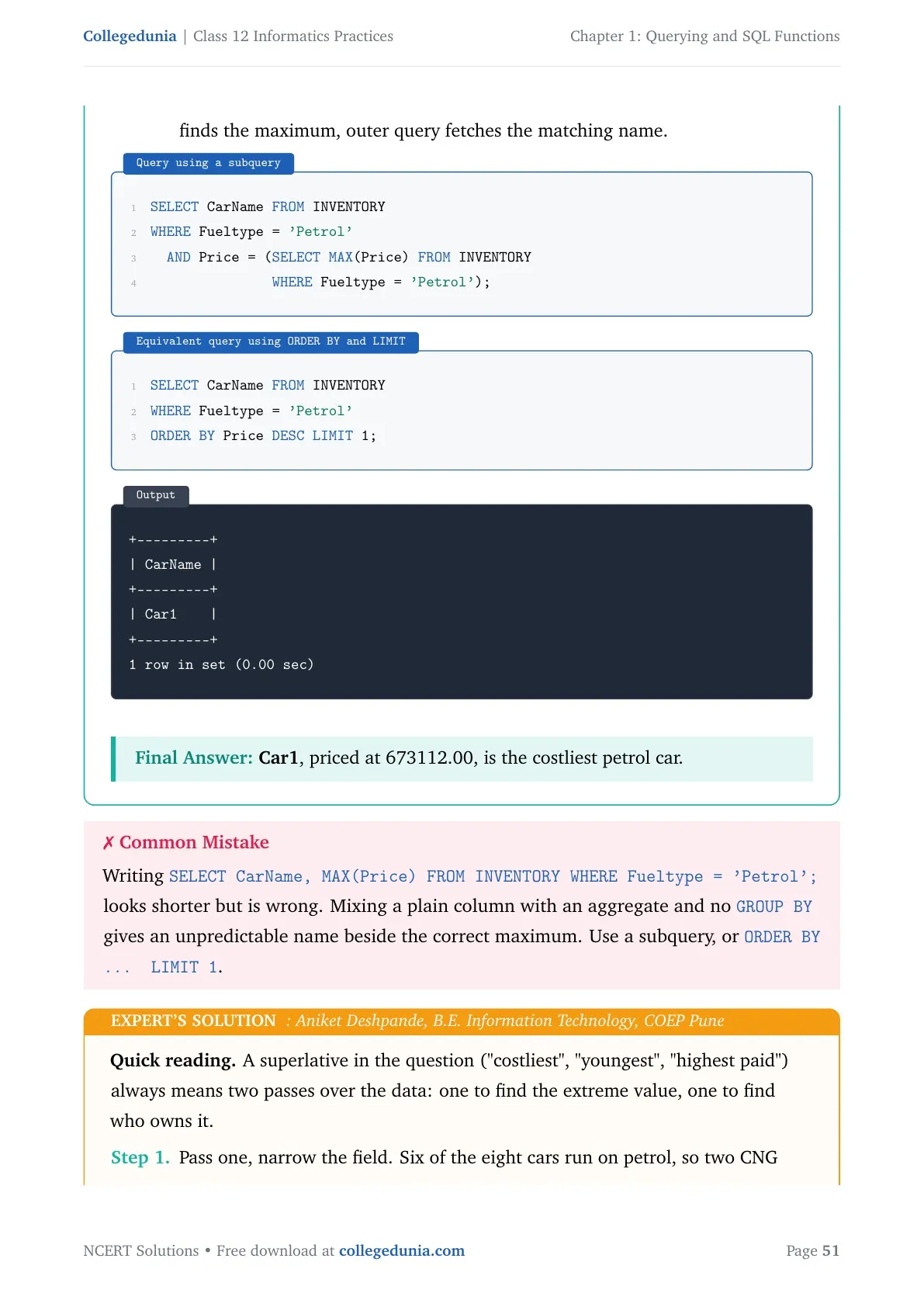
SELECT CarName, MAX(Price) FROM INVENTORY WHERE FuelType="Petrol"; - Average and total discount on Car4.
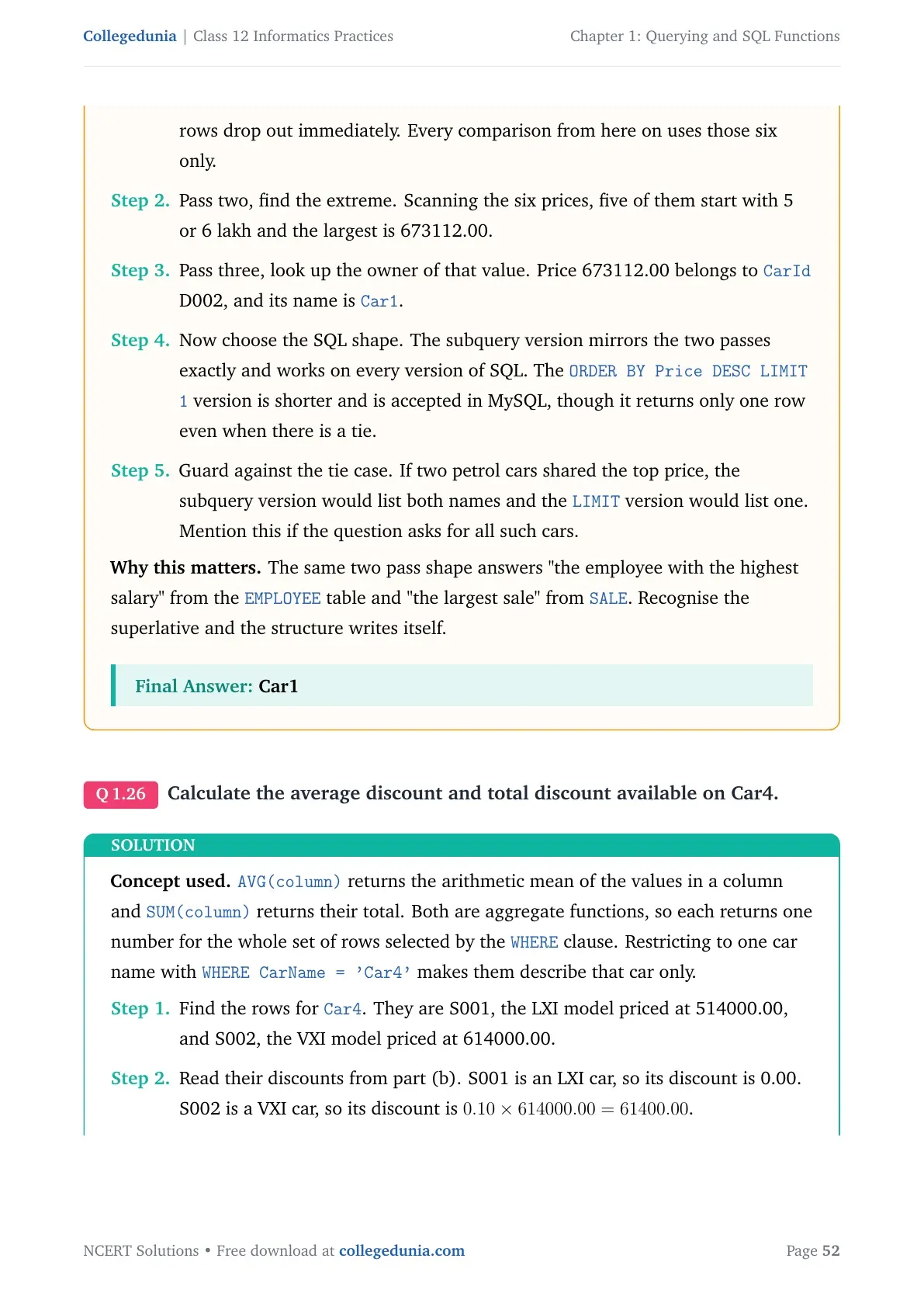
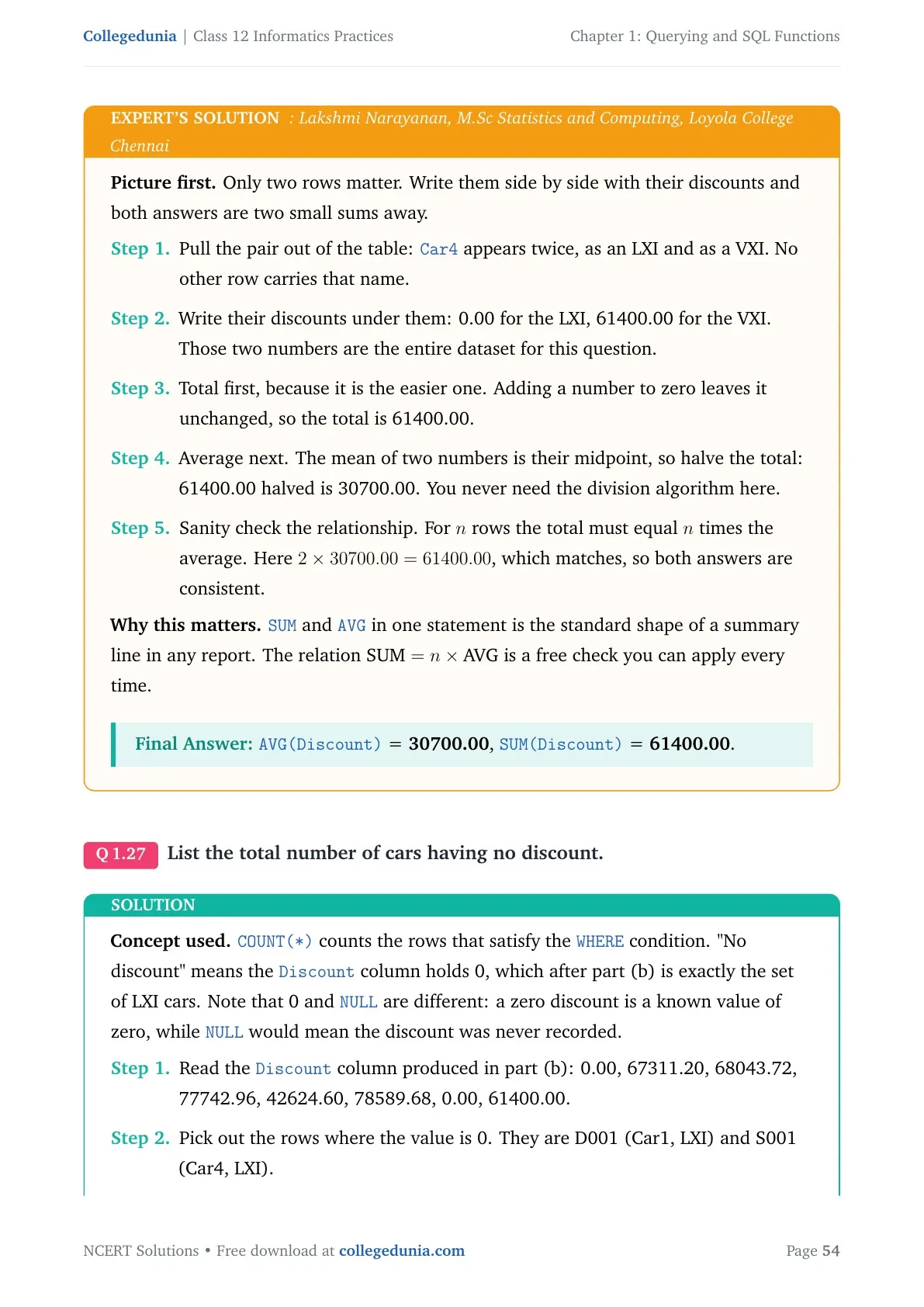
SELECT AVG(Discount), SUM(Discount) FROM INVENTORY WHERE CarName="Car4"; - Cars with no discount.
SELECT COUNT(*) FROM INVENTORY WHERE Discount=0;
Each step here carries its own mark, so write every query on a fresh line even when two of them look almost the same. The examiner marks step by step, not answer by answer.
How to Use the Querying and SQL Functions Solutions Page Most Effectively
Reading solved queries is not the same as writing them. Split your revision into three short blocks so you type more than you read.
- Block 1, 45 minutes: learn the three function tables by heart. Cover the output column and test yourself.
- Block 2, 60 minutes: run all the CARSHOWROOM queries on MySQL and match the output with the book.
- Block 3, 45 minutes: solve exercise Questions 3, 4 and 5 on paper without looking, then check them here.
Repeat Block 3 one week later. Students who redo the query sets a second time score noticeably better on the two long SQL questions in the board paper.
All Querying and SQL Functions Exercise Questions with Step-by-Step Solutions
Every question from the NCERT back exercise is answered in full on the question bank page, with the query, its output table and a short explanation of why each clause is used.
Question bank: All Querying and SQL Functions Class 12 Questions with Solutions
Covers all 5 exercise questions, the four Activity sets from the chapter, and the Think and Reflect question on using arithmetic operators with date functions.
Related Class 12 Informatics Practices Resources for Querying and SQL Functions
Pair the solutions with the notes and the handwritten notes. The notes explain the theory, the handwritten notes are for the last hour before the paper, and the book PDF gives you the original tables to practise on.
| Resource | Best used for |
|---|---|
| Querying and SQL Functions Class 12 Notes | Topic-wise theory with every function table explained |
| Querying and SQL Functions Class 12 Handwritten Notes | One-shot revision in a topper's own handwriting |
| Querying and SQL Functions Class 12 Book PDF | The original NCERT chapter with the CARSHOWROOM tables |
NCERT Solutions for Class 12 Informatics Practices: All Chapters
Solutions for every chapter of the Class 12 Informatics Practices book are listed below. The highlighted row is the chapter you are on.
| Chapter | Resource |
|---|---|
| Chapter 1 | Querying and SQL Functions NCERT Solutions |
| Chapter 2 | Data Handling using Pandas Series NCERT Solutions |
| Chapter 3 | Data Handling using Pandas DataFrame NCERT Solutions |
| Chapter 4 | Plotting Data using Matplotlib NCERT Solutions |
| Chapter 5 | Introduction to Computer Networks NCERT Solutions |
| Chapter 6 | Societal Impacts NCERT Solutions |
Querying and SQL Functions Class 12 Informatics Practices NCERT Solutions FAQs
Questions Students Ask About Querying and SQL Functions
Ques. What is a single row function in SQL?
Ans. A single row function, also called a scalar function, works on one value and returns one value. It runs once for each row of the table. SQL groups them into numeric functions such as POWER, ROUND and MOD, string functions such as UCASE, MID and INSTR, and date functions such as NOW, YEAR and DAYNAME.
Ques. What is the difference between a single row function and an aggregate function?
Ans. A single row function works on one row at a time and gives one result per row, and it can be used in the SELECT, WHERE and ORDER BY clauses. An aggregate function works on a group of rows and gives one result for the whole group, and it can be used in the SELECT clause only. MAX, MIN, AVG, SUM, COUNT and COUNT(*) are aggregate functions.
Ques. What does the GROUP BY clause do in SQL?
Ans. GROUP BY collects together the rows that have the same value in a chosen column. An aggregate function such as COUNT, SUM or AVG then runs once for each group instead of once for the whole table. For example, GROUP BY CustID on the SALE table gives the number of cars bought by each customer.
Ques. What is the purpose of the HAVING clause?
Ans. HAVING puts a condition on the groups formed by GROUP BY. WHERE cannot do this because WHERE filters rows before grouping happens. So a condition such as COUNT(*) greater than 1 must be written with HAVING, not with WHERE.
Ques. What do you understand by Cartesian product?
Ans. Cartesian product pairs every row of the first table with every row of the second table, whether or not they share any value. Its degree is the sum of the degrees of the two tables, and its cardinality is the product of their cardinalities. DANCE with degree 3 and cardinality 4 crossed with MUSIC of degree 3 and cardinality 5 gives degree 6 and cardinality 20.
Ques. What is NATURAL JOIN and how is it different from JOIN?
Ans. NATURAL JOIN combines two tables on their common column and then removes the repeated column from the output. A plain JOIN with an ON condition gives the same rows but prints the common column twice. NATURAL JOIN can be used only when the two tables share exactly one common attribute.
Ques. How many joins are needed to combine several tables?
Ans. Combining N tables on an equality condition needs N minus 1 joins. Two tables need one join, three tables need two joins, and so on. You may use JOIN with ON or NATURAL JOIN in the FROM clause for each of them.
Ques. Define RDBMS and name any two RDBMS software.
Ans. An RDBMS, or Relational Database Management System, is software that stores data in the form of related tables and lets you create, update and query that data using SQL. MySQL and Oracle are two common examples; PostgreSQL and Microsoft SQL Server are also widely used.
Ques. What does the INSTR function return in MySQL?
Ans. INSTR returns the position at which a substring first appears inside a given string, counting from 1. If the substring is not present at all, INSTR returns 0. For example, INSTR("Informatics","ma") returns 6.
Ques. Are these Class 12 Informatics Practices solutions according to the 2026-27 syllabus?
Ans. Yes. Every query and answer on this page follows the 2026-27 CBSE syllabus and the current NCERT print of Querying and SQL Functions, including the CARSHOWROOM database, the DANCE and MUSIC tables, and the UNIFORM and COST join example.



Comments