




NCERT Solutions for Class 11 Informatics Practices Chapter 4 Working with Lists and Dictionaries explain how Python collections change during a program. Collegedunia's PDF covers 22 textbook tasks, including output questions and case studies, for 2026-27 study. Use the explanations to compare your code, trace each statement and check how you handle empty collections or missing keys.
- Eight exercise questions on lists, dictionaries, methods and output tracing.
- Ten programming problems, one student management task and three case studies.
- Worked answers cover slicing, sorting, frequency counts, record searches and menu-driven programs.
Collegedunia's question order follows NCERT's 2026-27 reprint, including the programming tasks and case studies.
Coding community and practice
Stack Overflow's 2025 Developer Survey covers the broader coding community. In the survey, 70% of people learning to code used YouTube for community.
After comparing an answer, record the first statement where your result differed. Repeat that operation with a shorter list before trying again.
|
Table of Contents |
Working with Lists and Dictionaries: Exercise Coverage
The PDF separates short exercise answers from longer programs. Start with the eight exercise questions before building the record-based applications. Their methods explain the changes that later programs make to stored data.
| Section | Tasks | What to practise |
|---|---|---|
| Exercise | 8 | Compare methods, trace slices and explain collection behaviour. |
| Programming problems | 10 | Count values, find a median, remove duplicates and manage records. |
| Student Management Information System | 1 | Store student information and calculate results. |
| Case studies | 3 | Plan bank, quiz and heritage-site applications. |
Open the Working with Lists and Dictionaries questions and solutions
Lists and Dictionaries Explained for Class 11
Source: Magnet Brains on YouTube
Lists and Dictionaries: Choose an Index or a Key
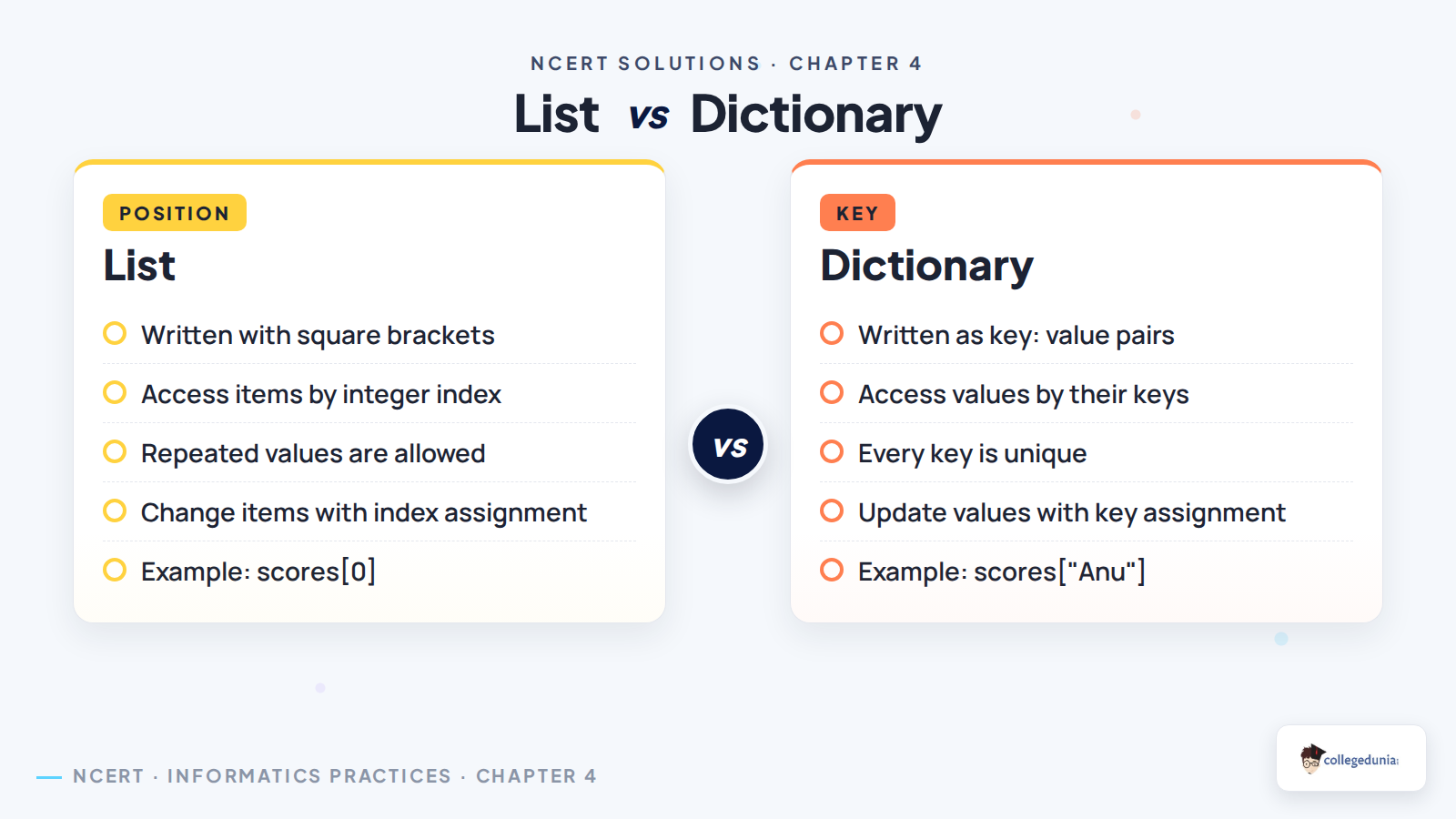
A list stores items in a sequence. A dictionary connects each key to a value. Decide how you will look up an item before choosing the collection. Roll numbers can identify student records, while a list can hold marks for several subjects.
| Need | Example | Meaning |
|---|---|---|
| First list item | marks[0] | Position counting starts at zero. |
| Last list item | marks[-1] | A negative index counts from the end. |
| Record for a named key | marks["Anu"] | Look up the value belonging to Anu. |
| Check whether a key exists | "Anu" in marks | Dictionary membership tests keys. |
A dictionary key is not a positional index. Modern Python dictionaries preserve insertion order, but access still uses keys. The textbook's older description of dictionaries as unordered should not be used to predict modern Python iteration order.
List Operations: Trace Changes and Return Values

Write the collection after every statement in an output question. Distinguish the changed list from the value returned by a method. An operation can change a list without returning the updated list.
numbers = [4, 1, 3]
result = numbers.sort()
print(numbers)
print(result)- The original list contains 4, 1 and 3.
sort()changes it to[1, 3, 4].- The method returns
None, which is stored inresult. - The two printed outputs are
[1, 3, 4]andNone.
sorted(numbers) returns a new list. Use it when the original order must stay available. For more detail on these method rules, see the Python documentation on data structures.
Lists and Dictionaries: Mistakes to Check in Answers
append([2, 3])adds one nested list;extend([2, 3])adds two items.remove(value)deletes the first matching value;pop(index)removes and returns an item.items[1:4]includes indices 1, 2 and 3. The stop position is excluded.second = firstgives another name to the same list, so changes can appear through both names.- Check that a key exists before reading a dictionary entry when missing keys are possible.
Working with Lists and Dictionaries: Practice Routine
Use three short practice sessions, then allow extra time for the case-study programs. These are suggested study blocks, not guaranteed completion times.
| Session | Task | Check |
|---|---|---|
| 20 minutes | Trace slices, sorting and list methods. | Write the list after each change. |
| 25 minutes | Write frequency and median programs. | Try repeated values and even-length lists. |
| 25 minutes | Write dictionary search and update code. | Test an existing key and a missing key. |
Test the boundary cases before accepting a program. Include an empty collection where the task permits one. For the case studies, list each menu option and the data it changes before writing code.
Working with Lists and Dictionaries: Related Resources
Read the textbook examples if a method is unfamiliar. Use the notes to revise definitions before returning to your own code.
| Resource | Use |
|---|---|
| Working with Lists and Dictionaries Class 11 Notes | Revise methods and definitions before attempting a program. |
| Working with Lists and Dictionaries NCERT Book PDF | Read the original examples and question wording. |
Class 11 Informatics Practices NCERT Solutions: All Chapters
The other Informatics Practices solutions pages are still pending. Available chapter resources and extra Python practice are linked separately.
| Chapter | Solutions |
|---|---|
| 1 | Computer System: solutions page not yet available. |
| 2 | Emerging Trends: solutions page not yet available. |
| 3 | Brief Overview of Python: solutions page not yet available. |
| 4 | Working with Lists and Dictionaries NCERT Solutions |
| 5 | Understanding Data: solutions page not yet available. |
Related Python Practice from Class 11 Computer Science
These Computer Science solutions give extra Python practice. Their question sets differ from the Informatics Practices textbook.
| Computer Science chapter | Practice focus |
|---|---|
| Tuples and Dictionaries NCERT Solutions | Compare immutable sequences with key-value collections. |
| Functions NCERT Solutions | Divide menu-driven case studies into smaller reusable functions. |
| Strings NCERT Solutions | Practise indexing and slicing on text. |
All NCERT Solutions for Class 11 Informatics Practices Chapter 4 Working with Lists and Dictionaries with Step-by-Step Solutions
Open Check Solution for the detailed answer or Alternative Solution for a second explanation.
Exercise
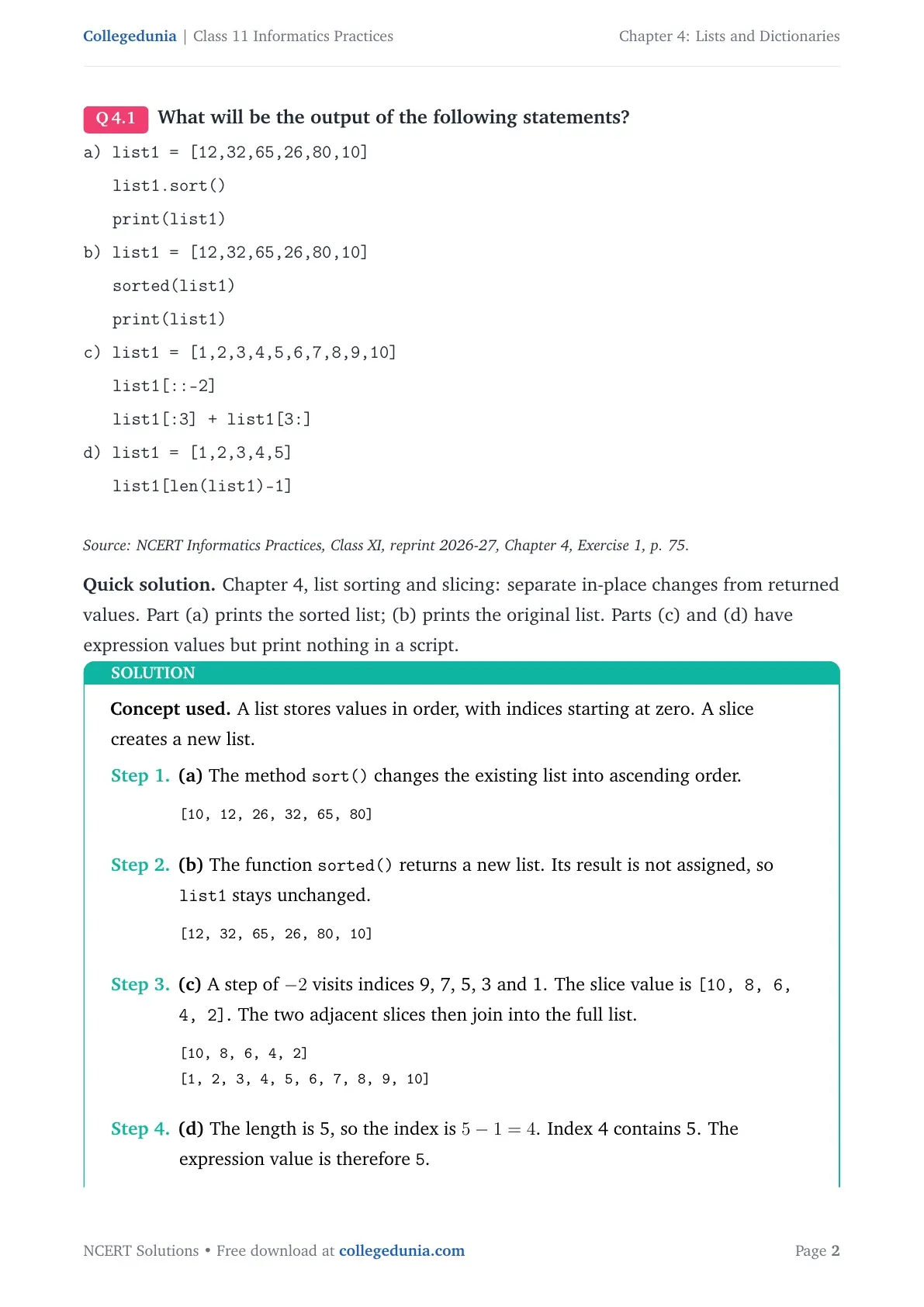
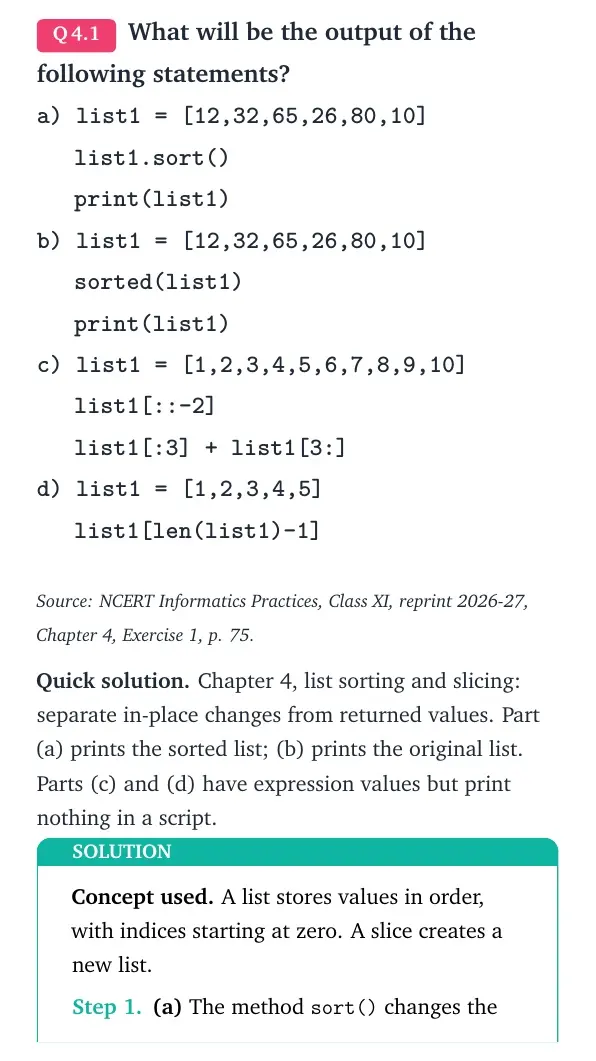
What will be the output of the following statements?
a) list1 = [12,32,65,26,80,10]
list1.sort()
print(list1)
b) list1 = [12,32,65,26,80,10]
sorted(list1)
print(list1)
c) list1 = [1,2,3,4,5,6,7,8,9,10]
list1[::-2]
list1[:3] + list1[3:]
d) list1 = [1,2,3,4,5]
list1[len(list1)-1]
Source: NCERT Informatics Practices, Class XI, reprint 2026-27, Chapter 4, Exercise 1, p. 75.
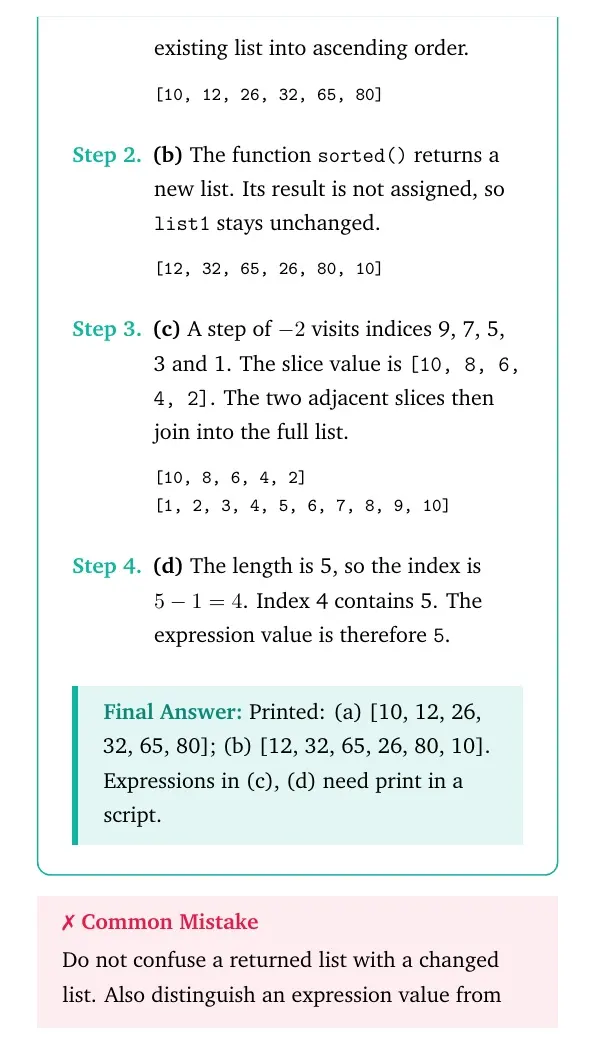
Quick solution. Chapter 4, list sorting and slicing: separate in-place changes from returned values. Part (a) prints the sorted list; (b) prints the original list. Parts (c) and (d) have expression values but print nothing in a script.
Concept used. A list stores values in order, with indices starting at zero. A slice creates a new list.
- (a) The method
sort()changes the existing list into ascending order.[10, 12, 26, 32, 65, 80] - (b) The function
sorted()returns a new list. Its result is not assigned, solist1stays unchanged.[12, 32, 65, 26, 80, 10] - (c) A step of -2 visits indices 9, 7, 5, 3 and 1. The slice value is
[10, 8, 6, 4, 2]. The two adjacent slices then join into the full list.[10, 8, 6, 4, 2] [1, 2, 3, 4, 5, 6, 7, 8, 9, 10] - (d) The length is 5, so the index is 5-1=4. Index 4 contains 5. The expression value is therefore
5.
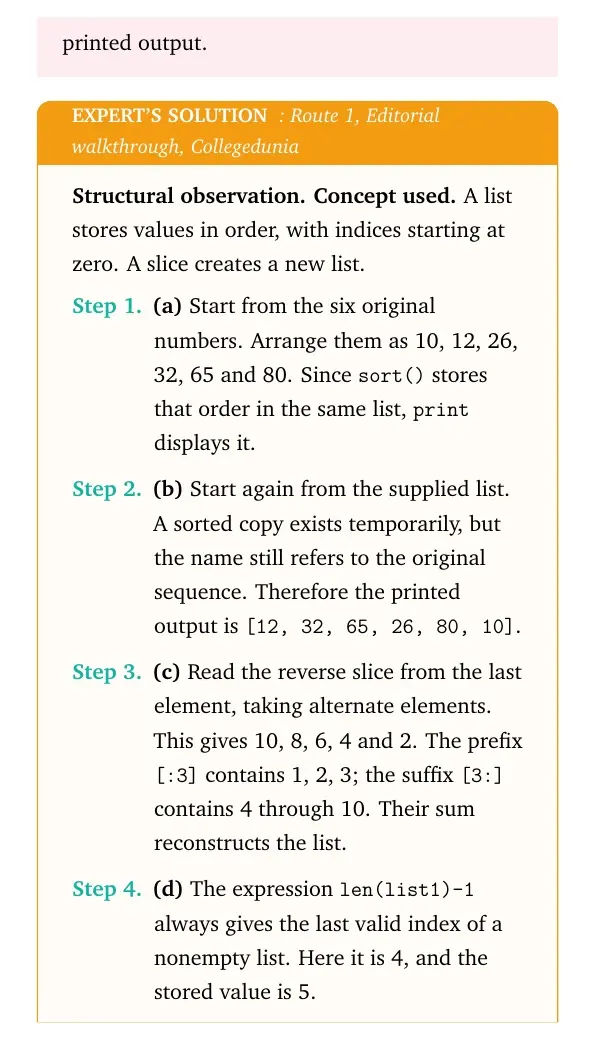
Final answer: Printed: (a) [10, 12, 26, 32, 65, 80]; (b) [12, 32, 65, 26, 80, 10]. Expressions in (c), (d) need print in a script.
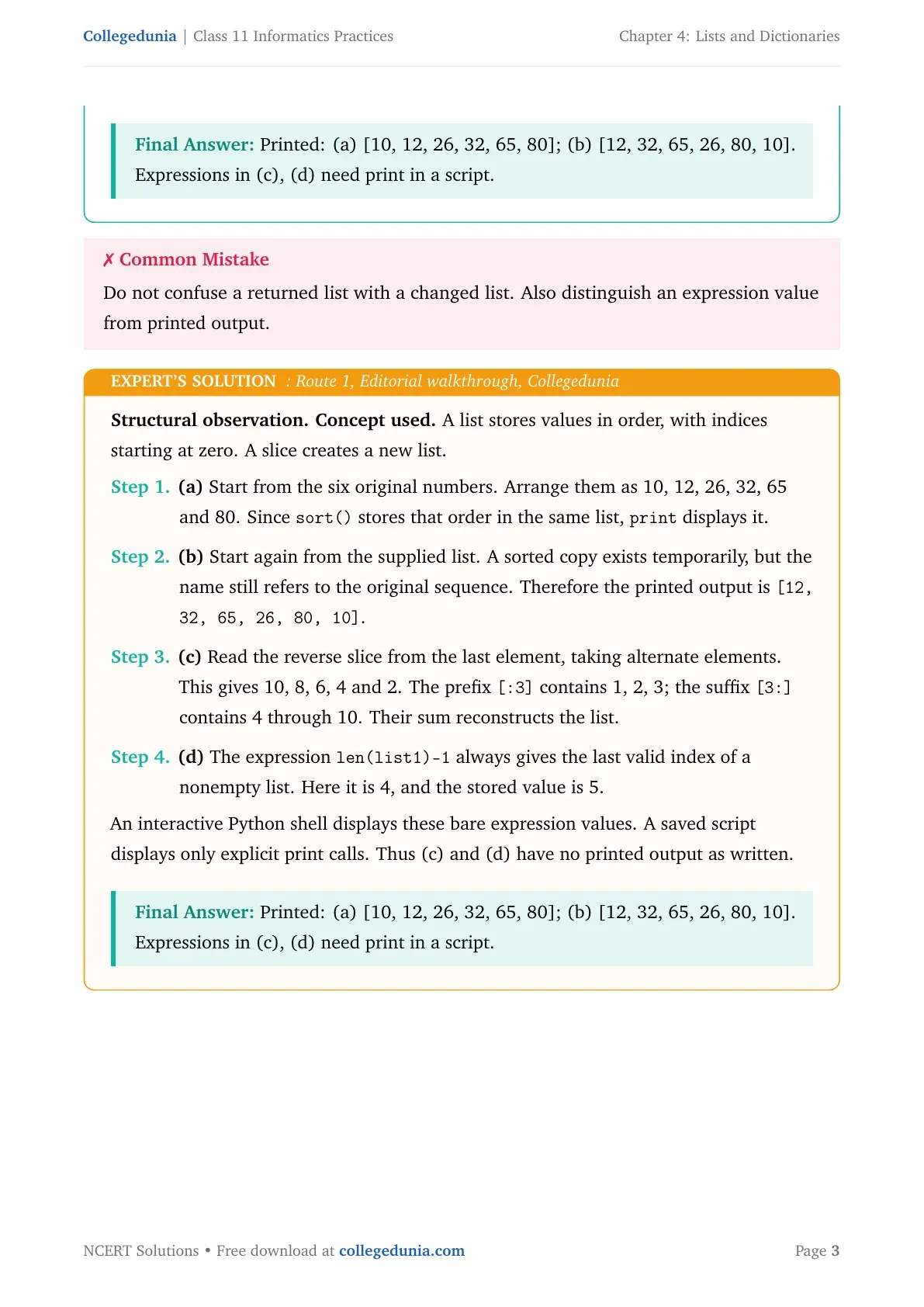
Structural observation. Concept used. A list stores values in order, with indices starting at zero. A slice creates a new list.
- (a) Start from the six original numbers. Arrange them as 10, 12, 26, 32, 65 and 80. Since
sort()stores that order in the same list,printdisplays it. - (b) Start again from the supplied list. A sorted copy exists temporarily, but the name still refers to the original sequence. Therefore the printed output is
[12, 32, 65, 26, 80, 10]. - (c) Read the reverse slice from the last element, taking alternate elements. This gives 10, 8, 6, 4 and 2. The prefix
[:3]contains 1, 2, 3; the suffix[3:]contains 4 through 10. Their sum reconstructs the list. - (d) The expression
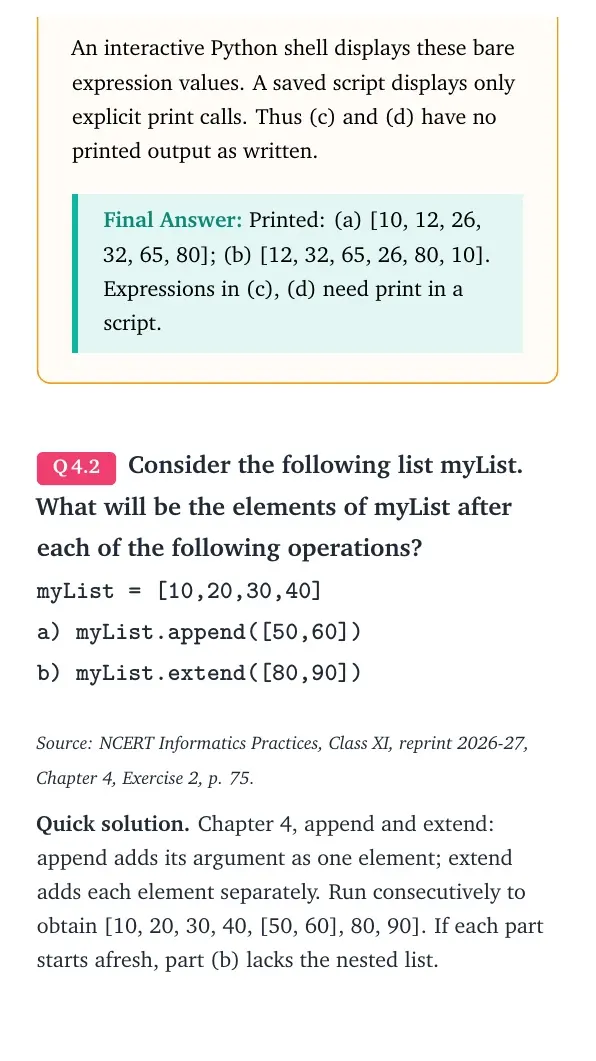
len(list1)-1always gives the last valid index of a nonempty list. Here it is 4, and the stored value is 5.
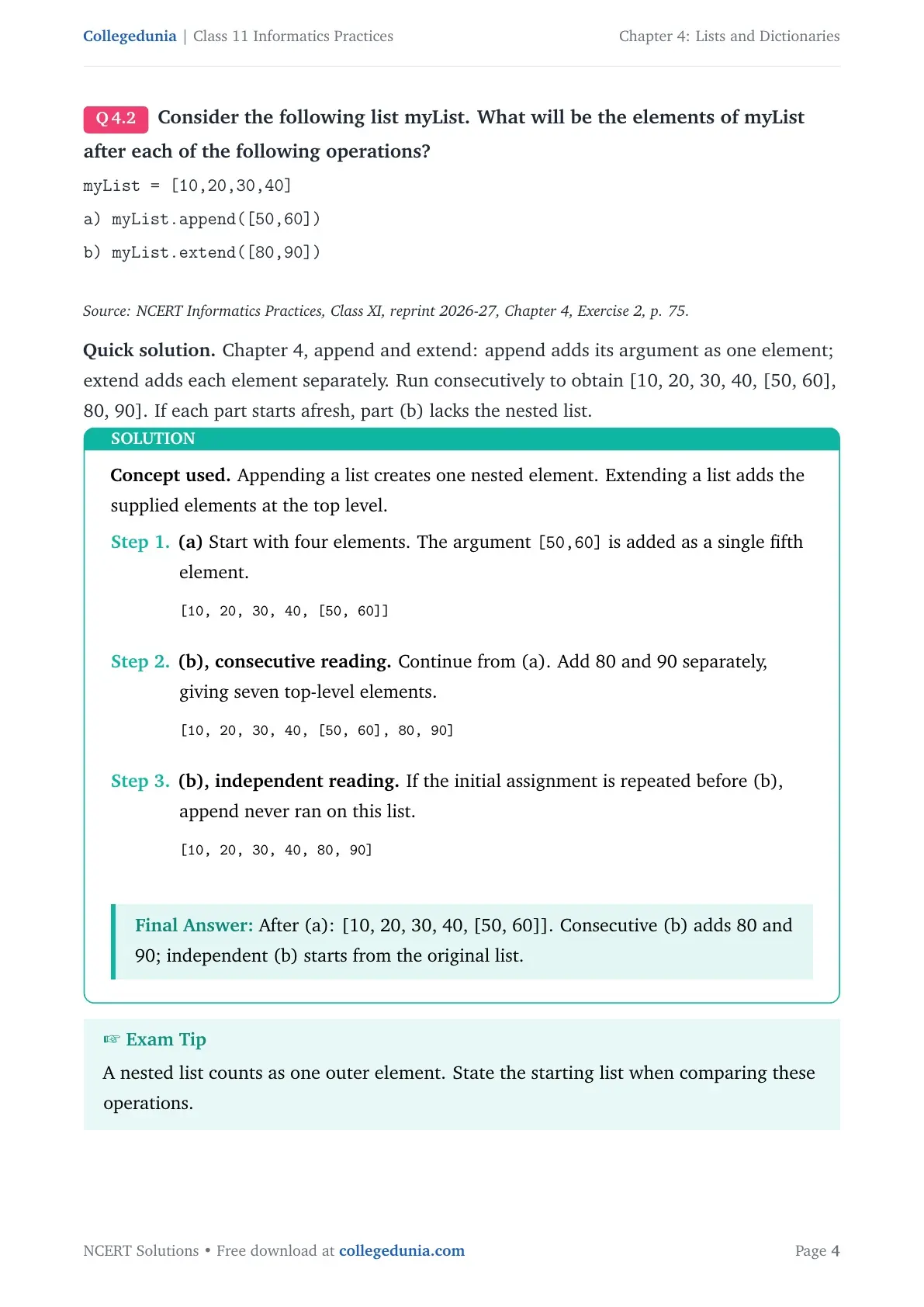
Consider the following list myList. What will be the elements of myList after each of the following operations?
myList = [10,20,30,40]
a) myList.append([50,60])
b) myList.extend([80,90])
Source: NCERT Informatics Practices, Class XI, reprint 2026-27, Chapter 4, Exercise 2, p. 75.
Quick solution. Chapter 4, append and extend: append adds its argument as one element; extend adds each element separately. Run consecutively to obtain [10, 20, 30, 40, [50, 60], 80, 90]. If each part starts afresh, part (b) lacks the nested list.
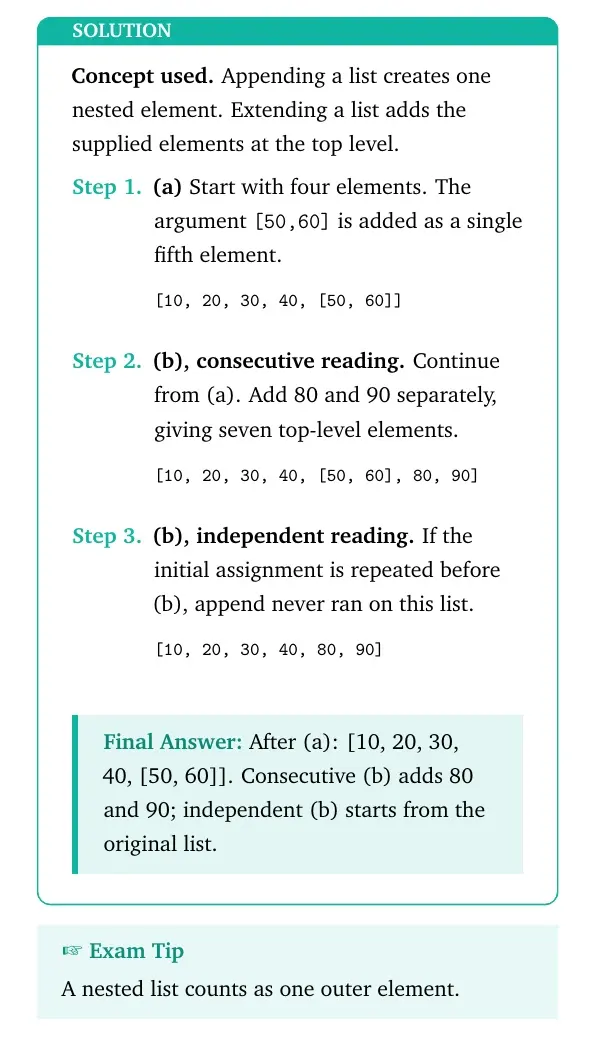
Concept used. Appending a list creates one nested element. Extending a list adds the supplied elements at the top level.
- (a) Start with four elements. The argument
[50,60]is added as a single fifth element.[10, 20, 30, 40, [50, 60]] - (b), consecutive reading. Continue from (a). Add 80 and 90 separately, giving seven top-level elements.
[10, 20, 30, 40, [50, 60], 80, 90] - (b), independent reading. If the initial assignment is repeated before (b), append never ran on this list.
[10, 20, 30, 40, 80, 90]
Final answer: After (a): [10, 20, 30, 40, [50, 60]]. Consecutive (b) adds 80 and 90; independent (b) starts from the original list.
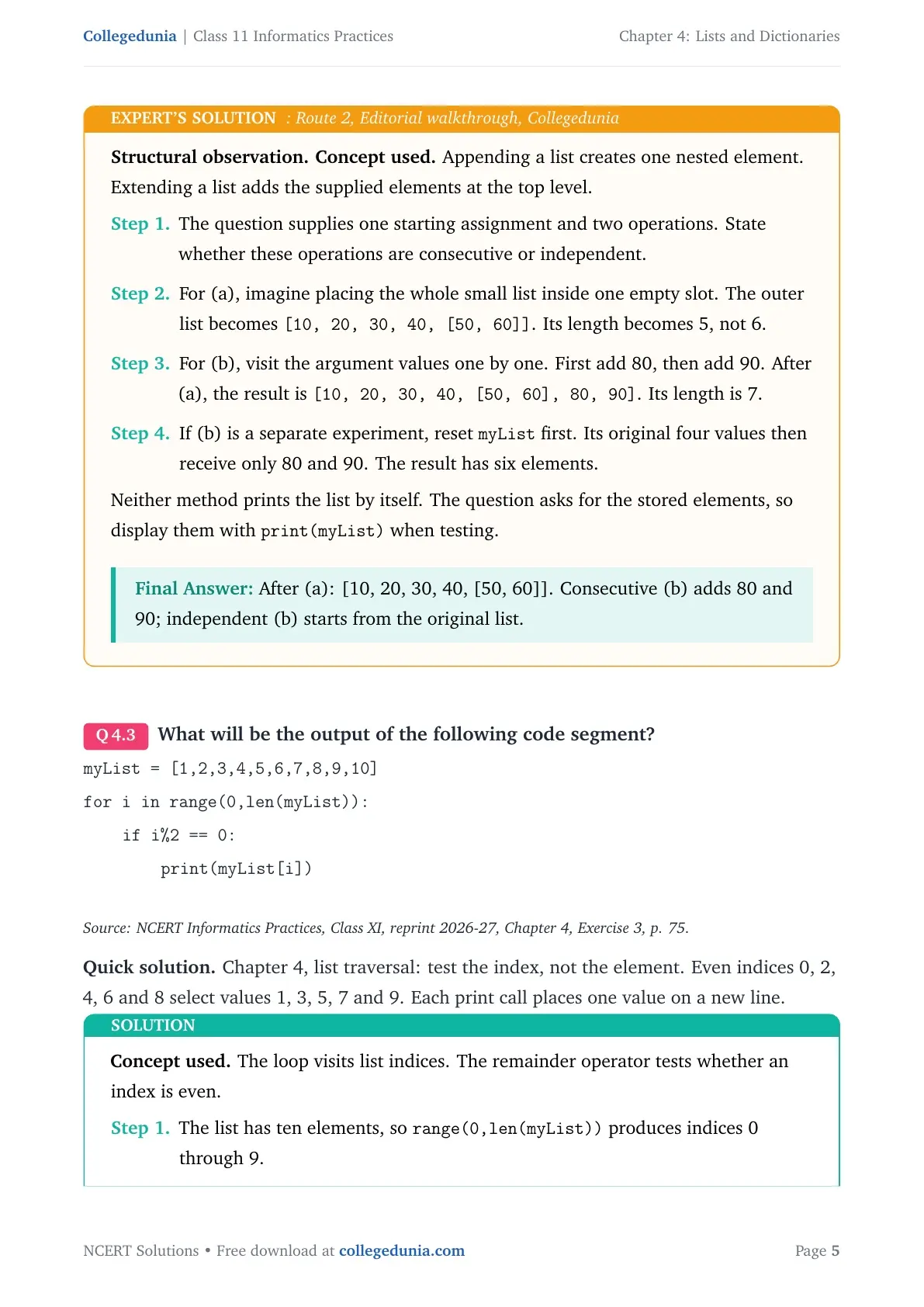
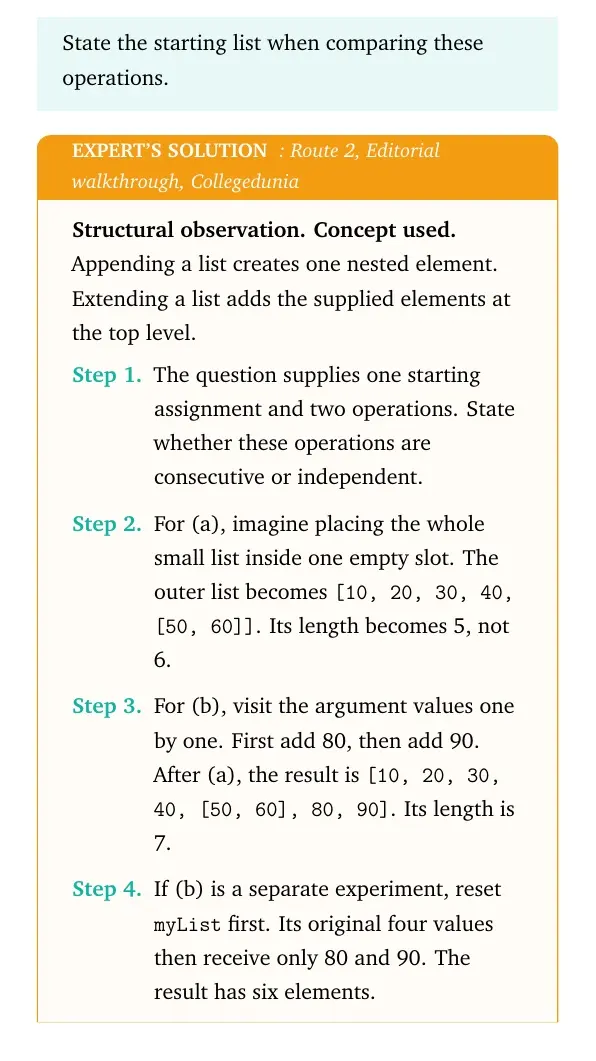
Structural observation. Concept used. Appending a list creates one nested element. Extending a list adds the supplied elements at the top level.
- The question supplies one starting assignment and two operations. State whether these operations are consecutive or independent.
- For (a), imagine placing the whole small list inside one empty slot. The outer list becomes
[10, 20, 30, 40, [50, 60]]. Its length becomes 5, not 6. - For (b), visit the argument values one by one. First add 80, then add 90. After (a), the result is
[10, 20, 30, 40, [50, 60], 80, 90]. Its length is 7. - If (b) is a separate experiment, reset
myListfirst. Its original four values then receive only 80 and 90. The result has six elements.
print(myList) when testing.
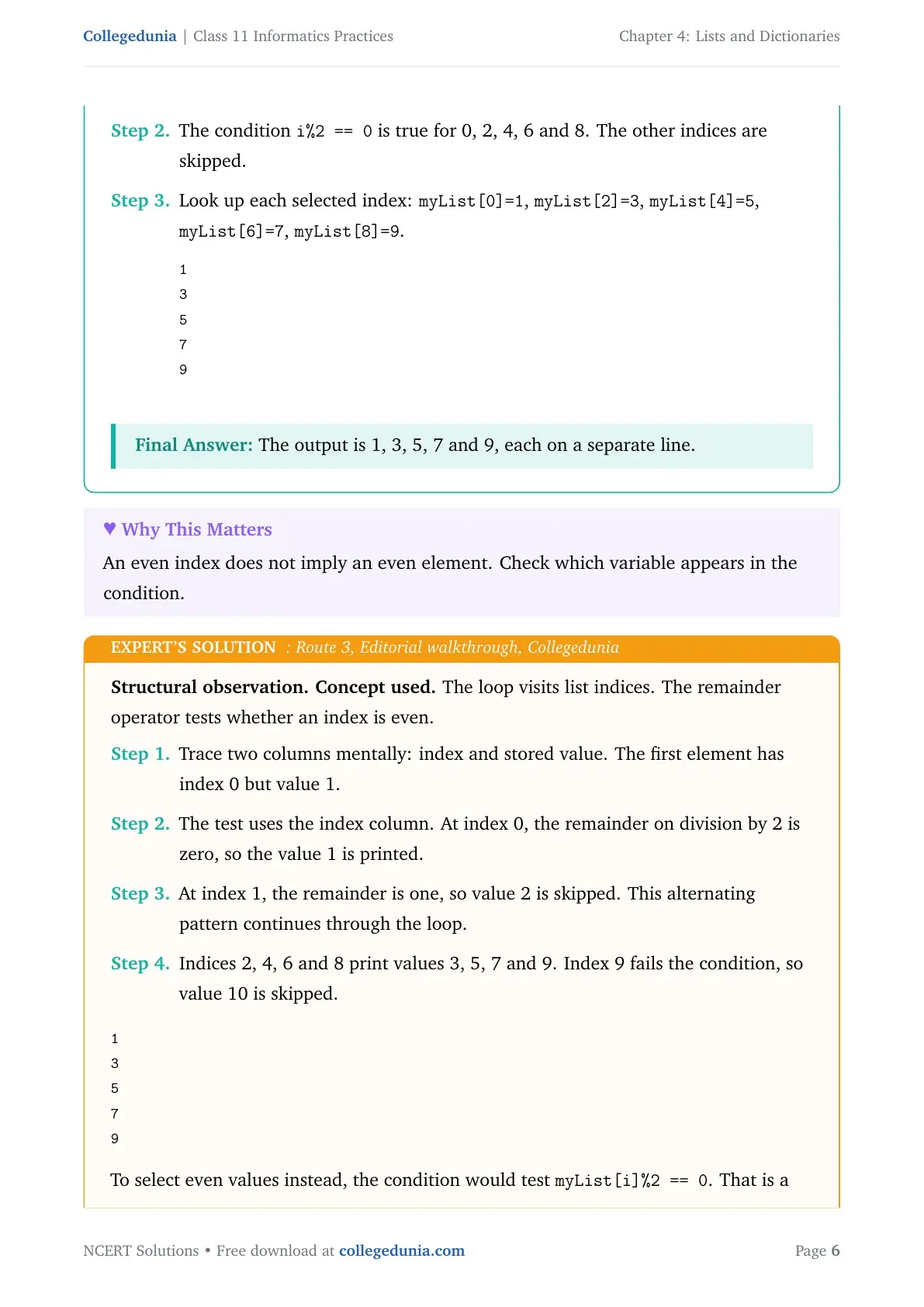
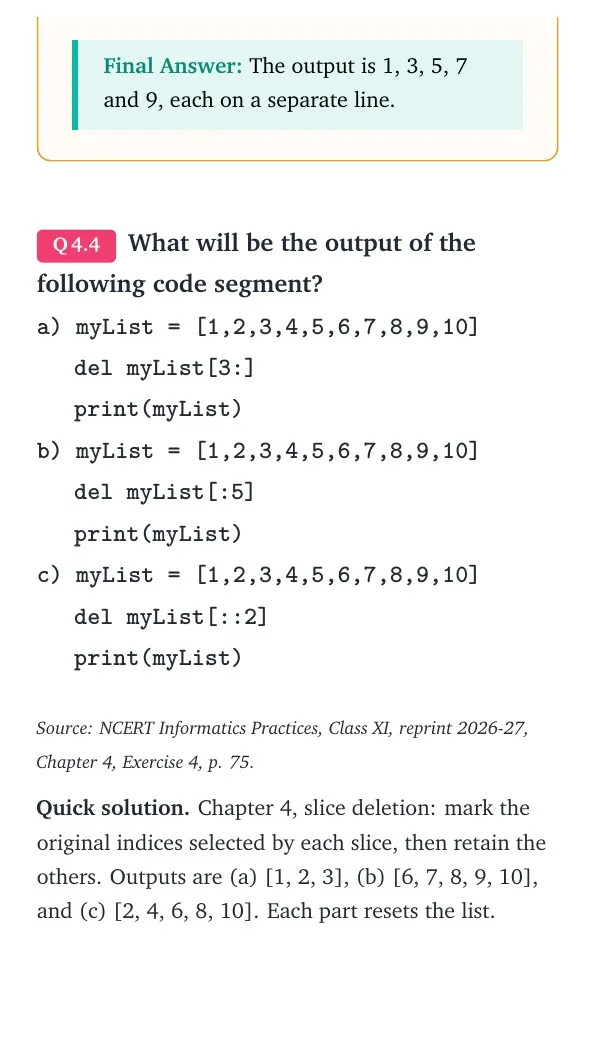
Final answer: After (a): [10, 20, 30, 40, [50, 60]]. Consecutive (b) adds 80 and 90; independent (b) starts from the original list.What will be the output of the following code segment?
myList = [1,2,3,4,5,6,7,8,9,10]
for i in range(0,len(myList)):
if i%2 == 0:
print(myList[i])
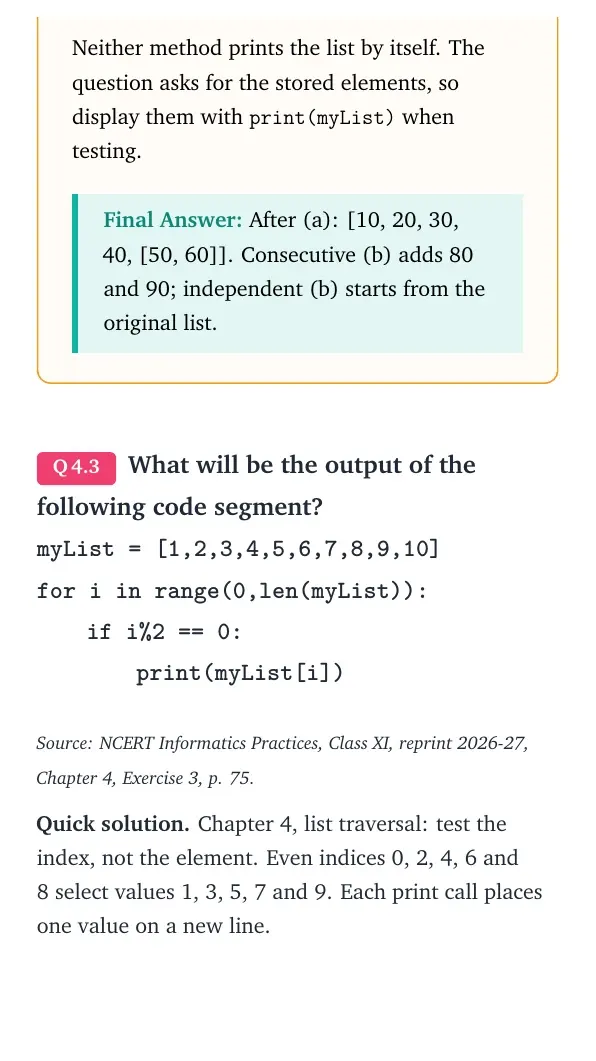
Source: NCERT Informatics Practices, Class XI, reprint 2026-27, Chapter 4, Exercise 3, p. 75.
Quick solution. Chapter 4, list traversal: test the index, not the element. Even indices 0, 2, 4, 6 and 8 select values 1, 3, 5, 7 and 9. Each print call places one value on a new line.
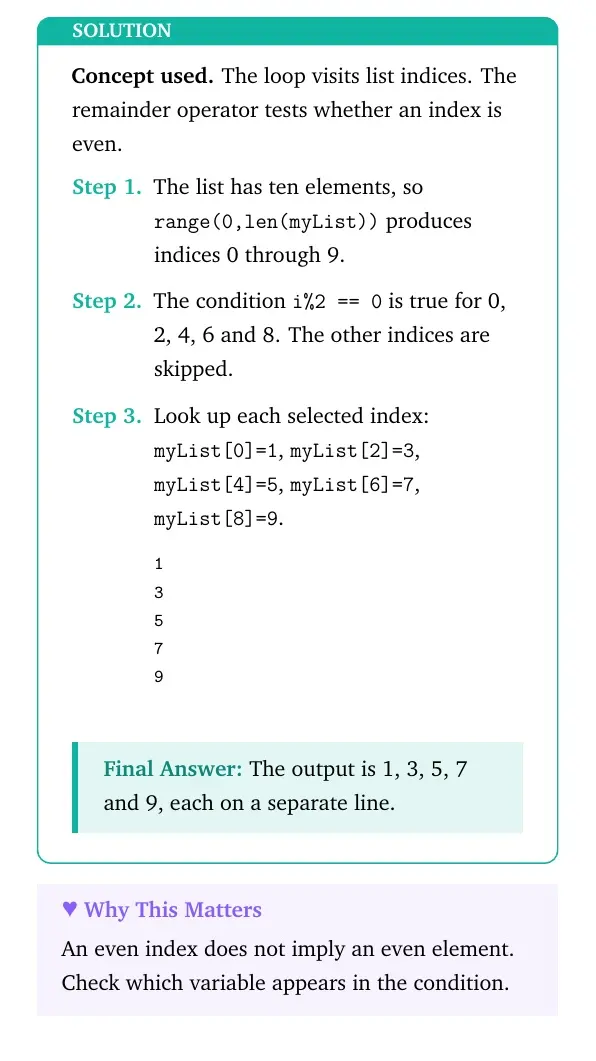
Concept used. The loop visits list indices. The remainder operator tests whether an index is even.
- The list has ten elements, so
range(0,len(myList))produces indices 0 through 9. - The condition
i%2 == 0is true for 0, 2, 4, 6 and 8. The other indices are skipped. - Look up each selected index:
myList[0]=1,myList[2]=3,myList[4]=5,myList[6]=7,myList[8]=9.1 3 5 7 9
Final answer: The output is 1, 3, 5, 7 and 9, each on a separate line.
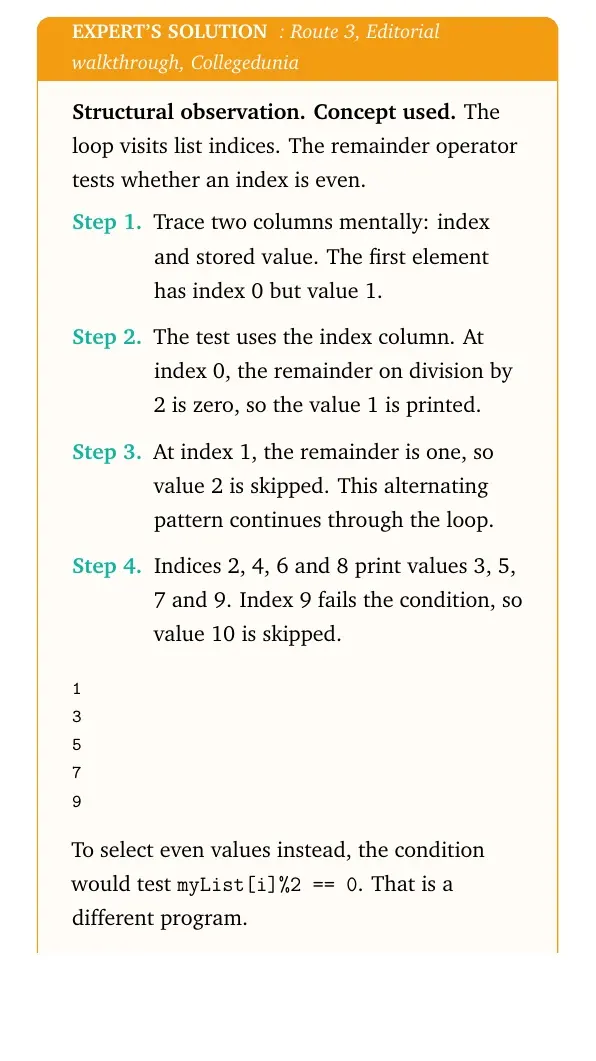
Structural observation. Concept used. The loop visits list indices. The remainder operator tests whether an index is even.
- Trace two columns mentally: index and stored value. The first element has index 0 but value 1.
- The test uses the index column. At index 0, the remainder on division by 2 is zero, so the value 1 is printed.
- At index 1, the remainder is one, so value 2 is skipped. This alternating pattern continues through the loop.
- Indices 2, 4, 6 and 8 print values 3, 5, 7 and 9. Index 9 fails the condition, so value 10 is skipped.
1
3
5
7
9To select even values instead, the condition would test myList[i]%2 == 0. That is a different program.
Final answer: The output is 1, 3, 5, 7 and 9, each on a separate line.
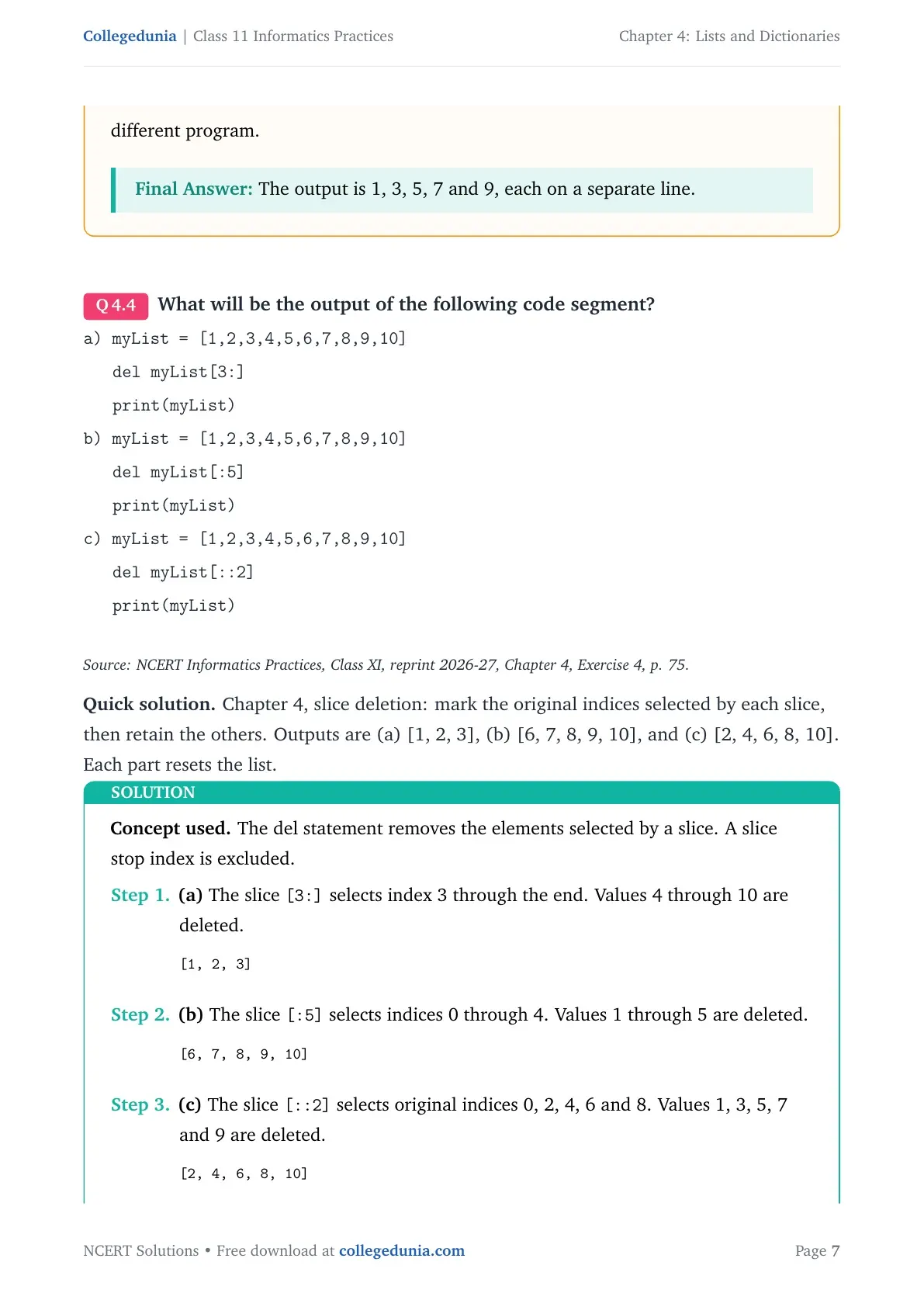
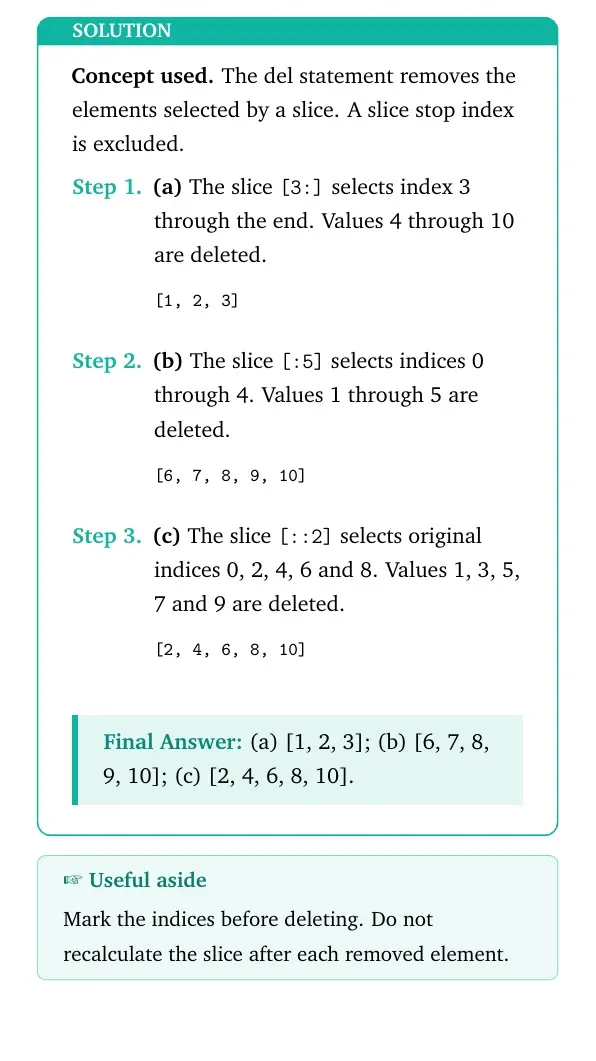
What will be the output of the following code segment?
a) myList = [1,2,3,4,5,6,7,8,9,10]
del myList[3:]
print(myList)
b) myList = [1,2,3,4,5,6,7,8,9,10]
del myList[:5]
print(myList)
c) myList = [1,2,3,4,5,6,7,8,9,10]
del myList[::2]
print(myList)
Source: NCERT Informatics Practices, Class XI, reprint 2026-27, Chapter 4, Exercise 4, p. 75.
Quick solution. Chapter 4, slice deletion: mark the original indices selected by each slice, then retain the others. Outputs are (a) [1, 2, 3], (b) [6, 7, 8, 9, 10], and (c) [2, 4, 6, 8, 10]. Each part resets the list.
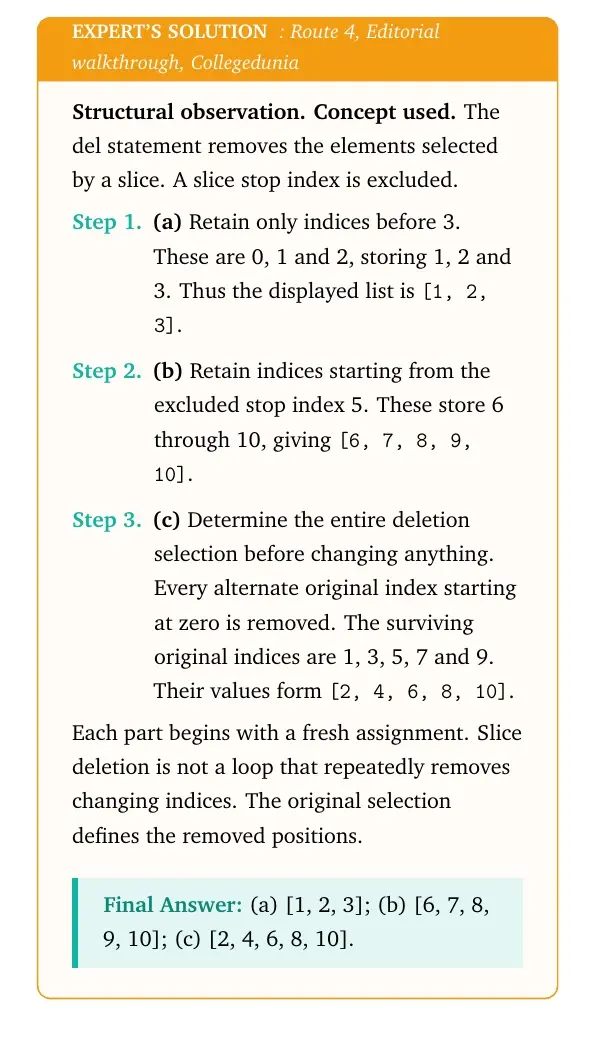
Concept used. The del statement removes the elements selected by a slice. A slice stop index is excluded.
- (a) The slice
[3:]selects index 3 through the end. Values 4 through 10 are deleted.[1, 2, 3] - (b) The slice
[:5]selects indices 0 through 4. Values 1 through 5 are deleted.[6, 7, 8, 9, 10] - (c) The slice
[::2]selects original indices 0, 2, 4, 6 and 8. Values 1, 3, 5, 7 and 9 are deleted.[2, 4, 6, 8, 10]
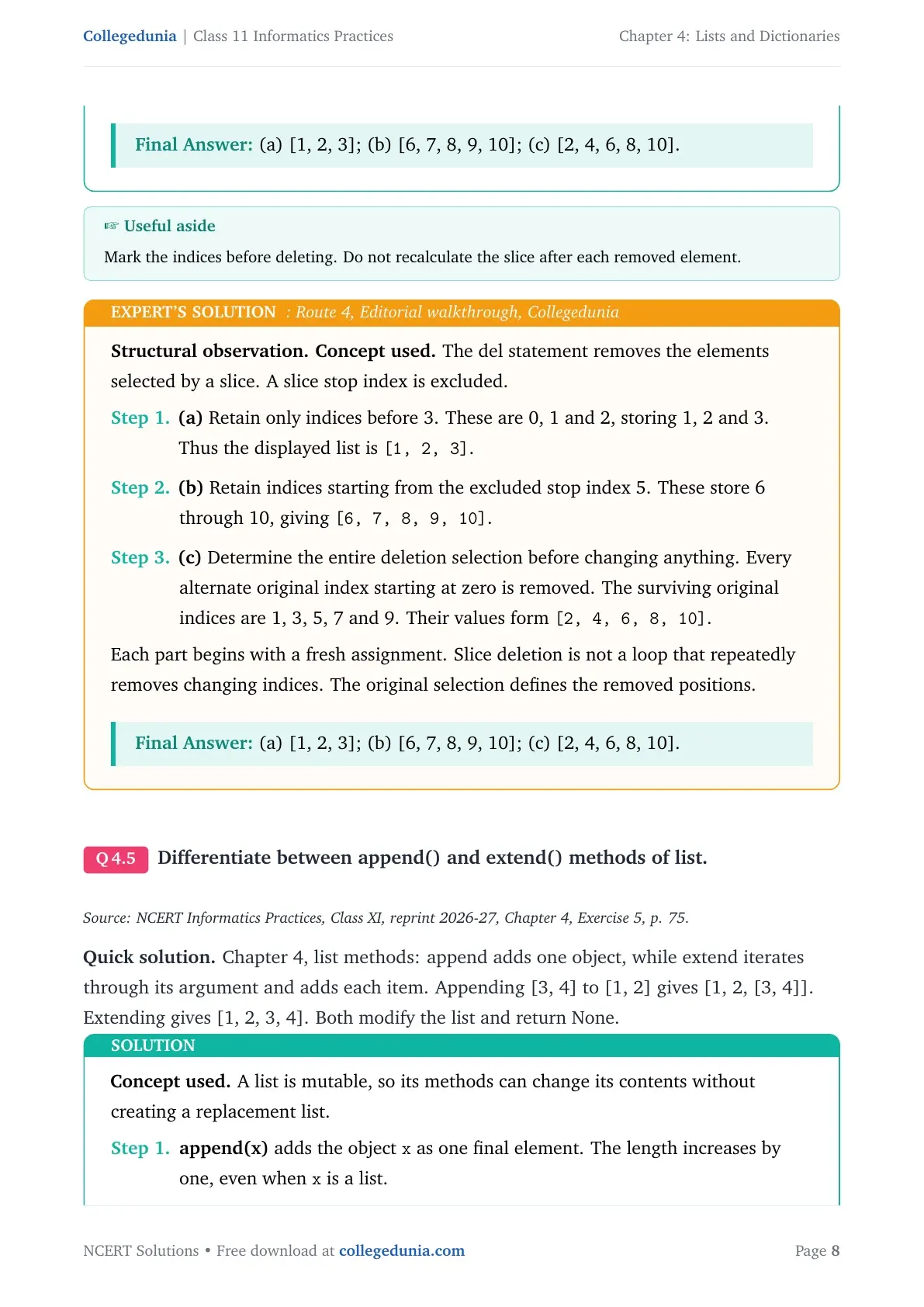
Final answer: (a) [1, 2, 3]; (b) [6, 7, 8, 9, 10]; (c) [2, 4, 6, 8, 10].
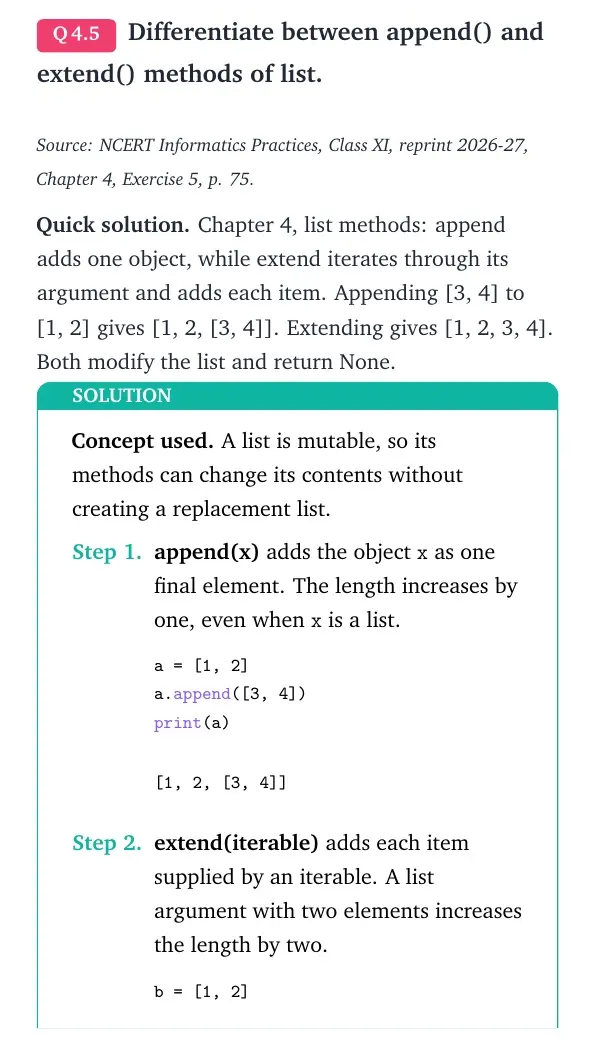
Structural observation. Concept used. The del statement removes the elements selected by a slice. A slice stop index is excluded.
- (a) Retain only indices before 3. These are 0, 1 and 2, storing 1, 2 and 3. Thus the displayed list is
[1, 2, 3]. - (b) Retain indices starting from the excluded stop index 5. These store 6 through 10, giving
[6, 7, 8, 9, 10]. - (c) Determine the entire deletion selection before changing anything. Every alternate original index starting at zero is removed. The surviving original indices are 1, 3, 5, 7 and 9. Their values form
[2, 4, 6, 8, 10].
Differentiate between append() and extend() methods of list.
Source: NCERT Informatics Practices, Class XI, reprint 2026-27, Chapter 4, Exercise 5, p. 75.
Quick solution. Chapter 4, list methods: append adds one object, while extend iterates through its argument and adds each item. Appending [3, 4] to [1, 2] gives [1, 2, [3, 4]]. Extending gives [1, 2, 3, 4]. Both modify the list and return None.
Concept used. A list is mutable, so its methods can change its contents without creating a replacement list.
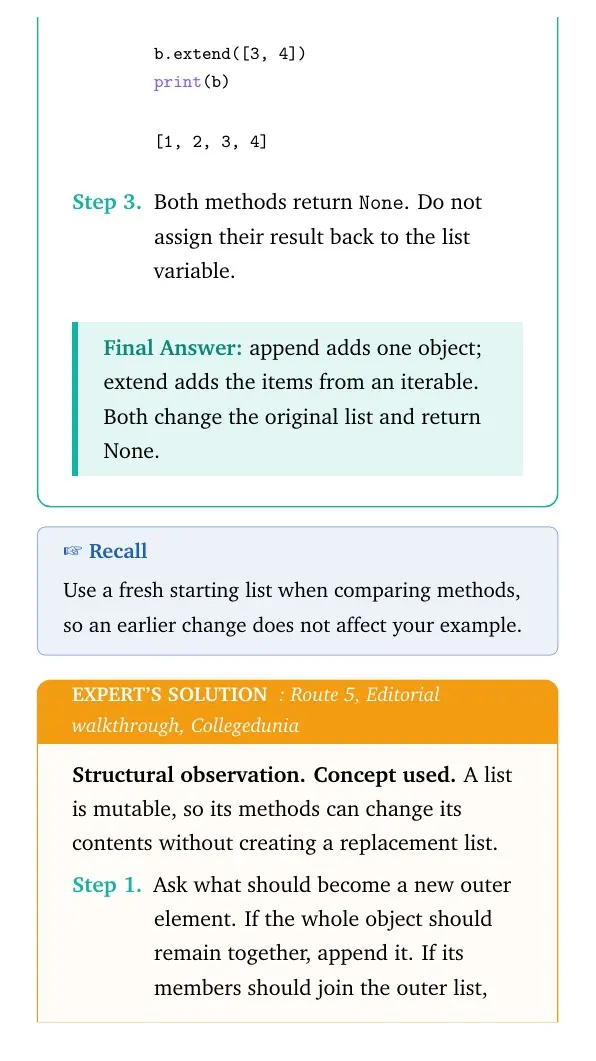
- append(x) adds the object
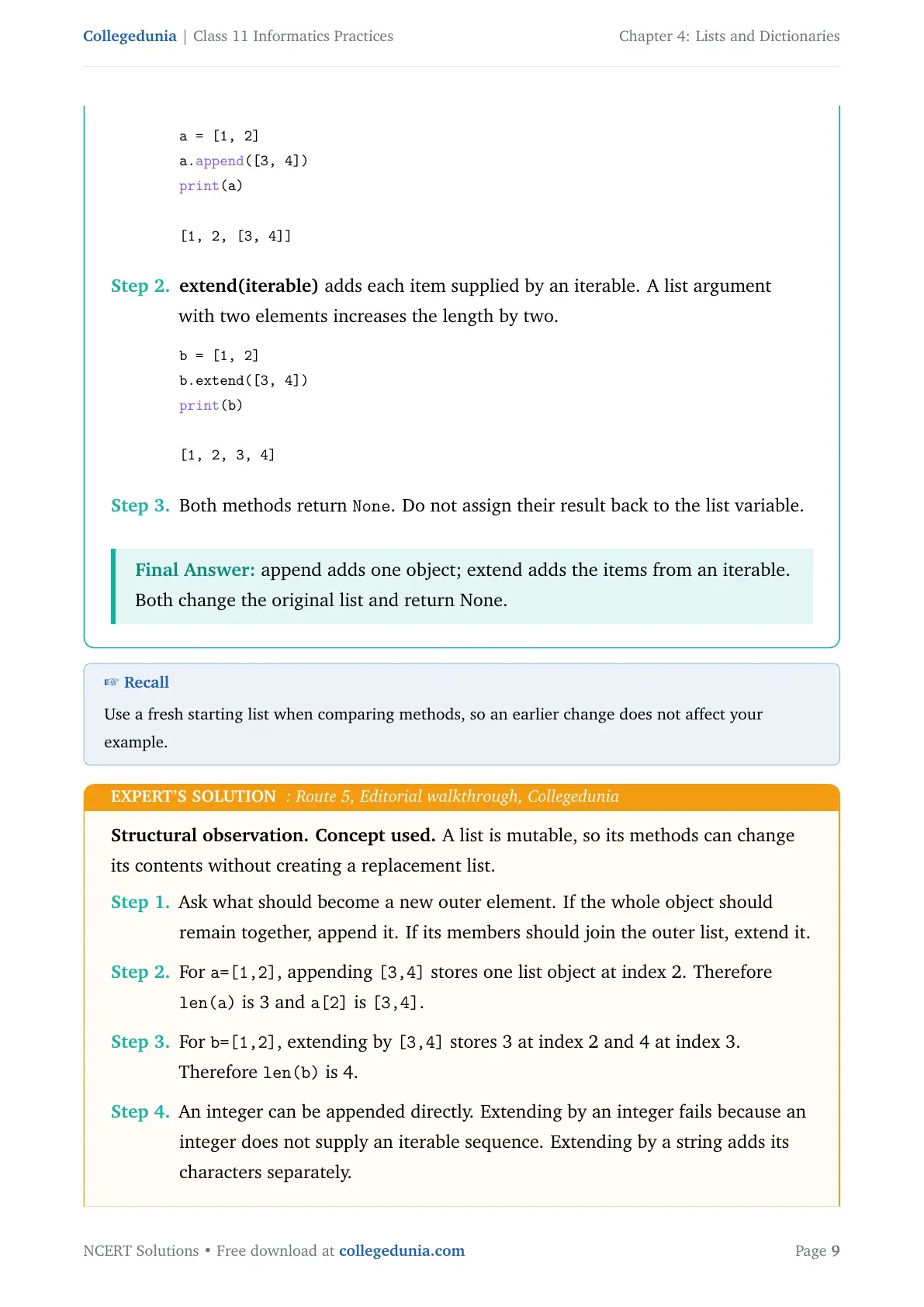
xas one final element. The length increases by one, even whenxis a list.a = [1, 2] a.append([3, 4]) print(a)[1, 2, [3, 4]] - extend(iterable) adds each item supplied by an iterable. A list argument with two elements increases the length by two.
b = [1, 2]
b.extend([3, 4])
print(b)
[1, 2, 3, 4] - Both methods return
None. Do not assign their result back to the list variable.
Final answer: append adds one object; extend adds the items from an iterable. Both change the original list and return None.
Structural observation. Concept used. A list is mutable, so its methods can change its contents without creating a replacement list.
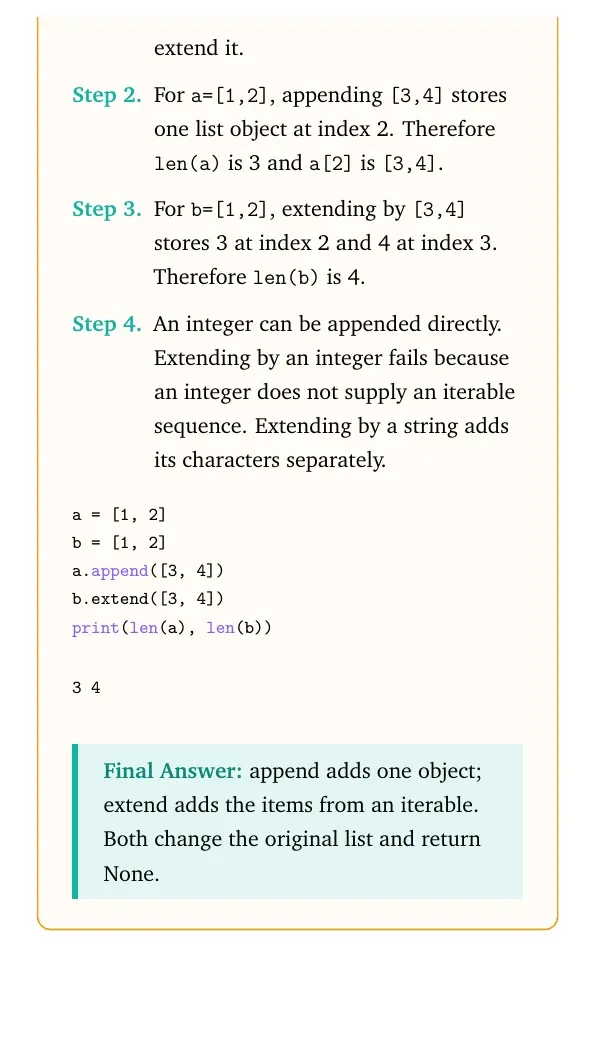
- Ask what should become a new outer element. If the whole object should remain together, append it. If its members should join the outer list, extend it.
- For
a=[1,2], appending[3,4]stores one list object at index 2. Thereforelen(a)is 3 anda[2]is[3,4]. - For
b=[1,2], extending by[3,4]stores 3 at index 2 and 4 at index 3. Thereforelen(b)is 4. - An integer can be appended directly. Extending by an integer fails because an integer does not supply an iterable sequence. Extending by a string adds its characters separately.
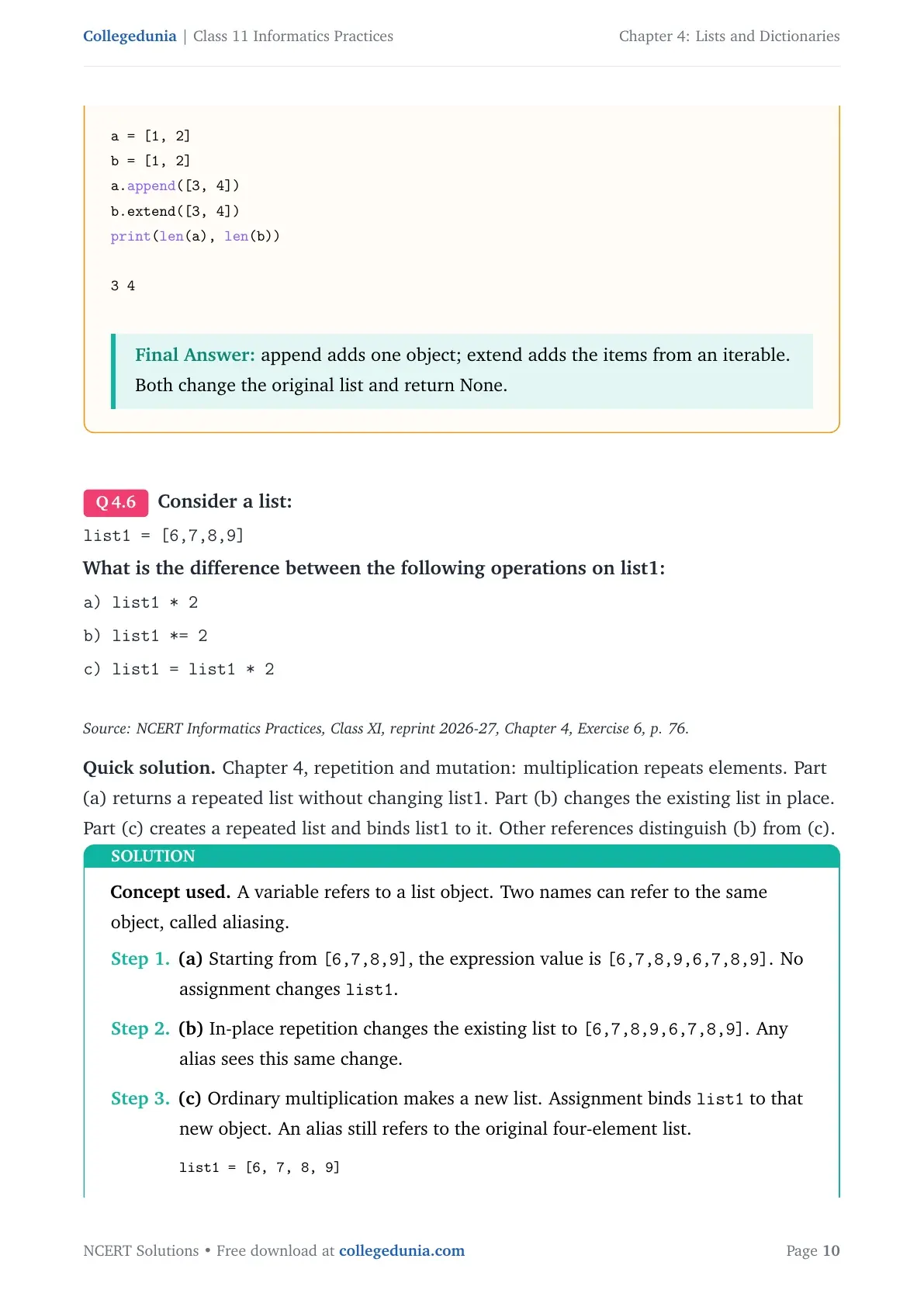
a = [1, 2]
b = [1, 2]
a.append([3, 4])
b.extend([3, 4])
print(len(a), len(b))
3 4Final answer: append adds one object; extend adds the items from an iterable. Both change the original list and return None.
Consider a list:
list1 = [6,7,8,9]
What is the difference between the following operations on list1:
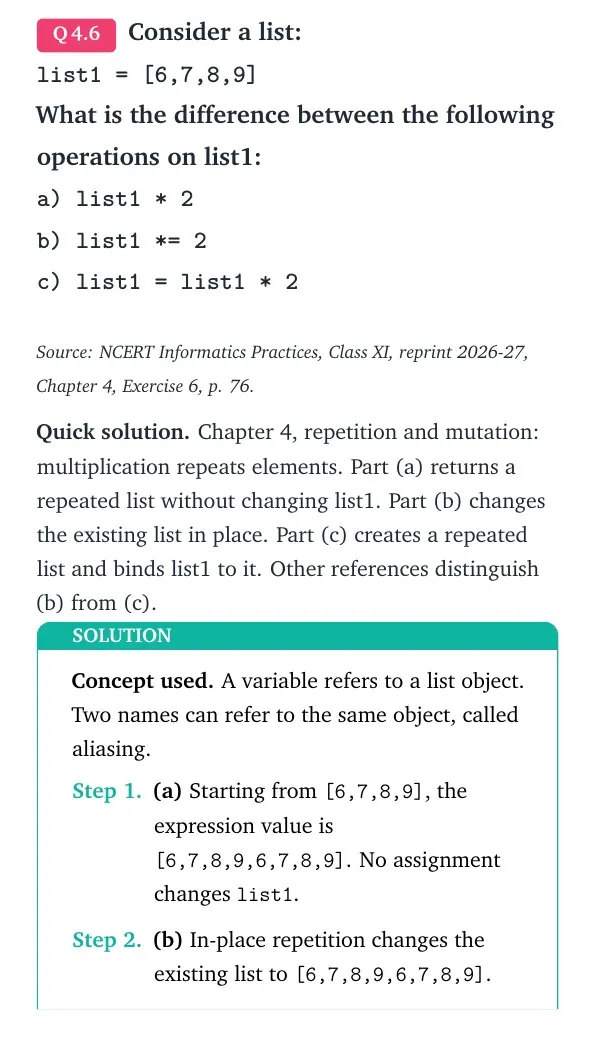
a) list1 * 2
b) list1 *= 2
c) list1 = list1 * 2
Source: NCERT Informatics Practices, Class XI, reprint 2026-27, Chapter 4, Exercise 6, p. 76.
Quick solution. Chapter 4, repetition and mutation: multiplication repeats elements. Part (a) returns a repeated list without changing list1. Part (b) changes the existing list in place. Part (c) creates a repeated list and binds list1 to it. Other references distinguish (b) from (c).
Concept used. A variable refers to a list object. Two names can refer to the same object, called aliasing.
- (a) Starting from
[6,7,8,9], the expression value is[6,7,8,9,6,7,8,9]. No assignment changeslist1. - (b) In-place repetition changes the existing list to
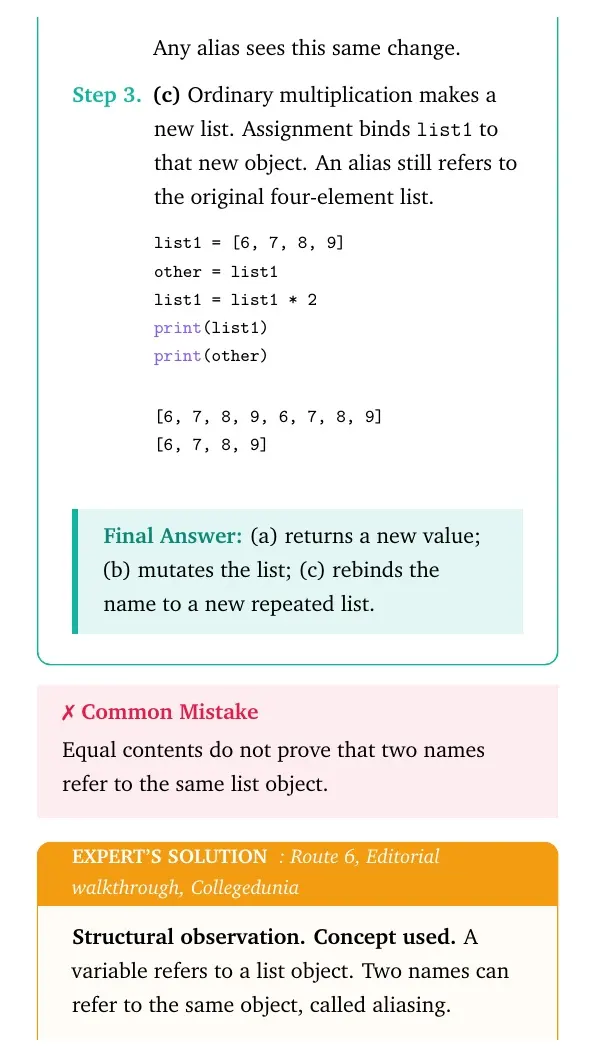
[6,7,8,9,6,7,8,9]. Any alias sees this same change. - (c) Ordinary multiplication makes a new list. Assignment binds
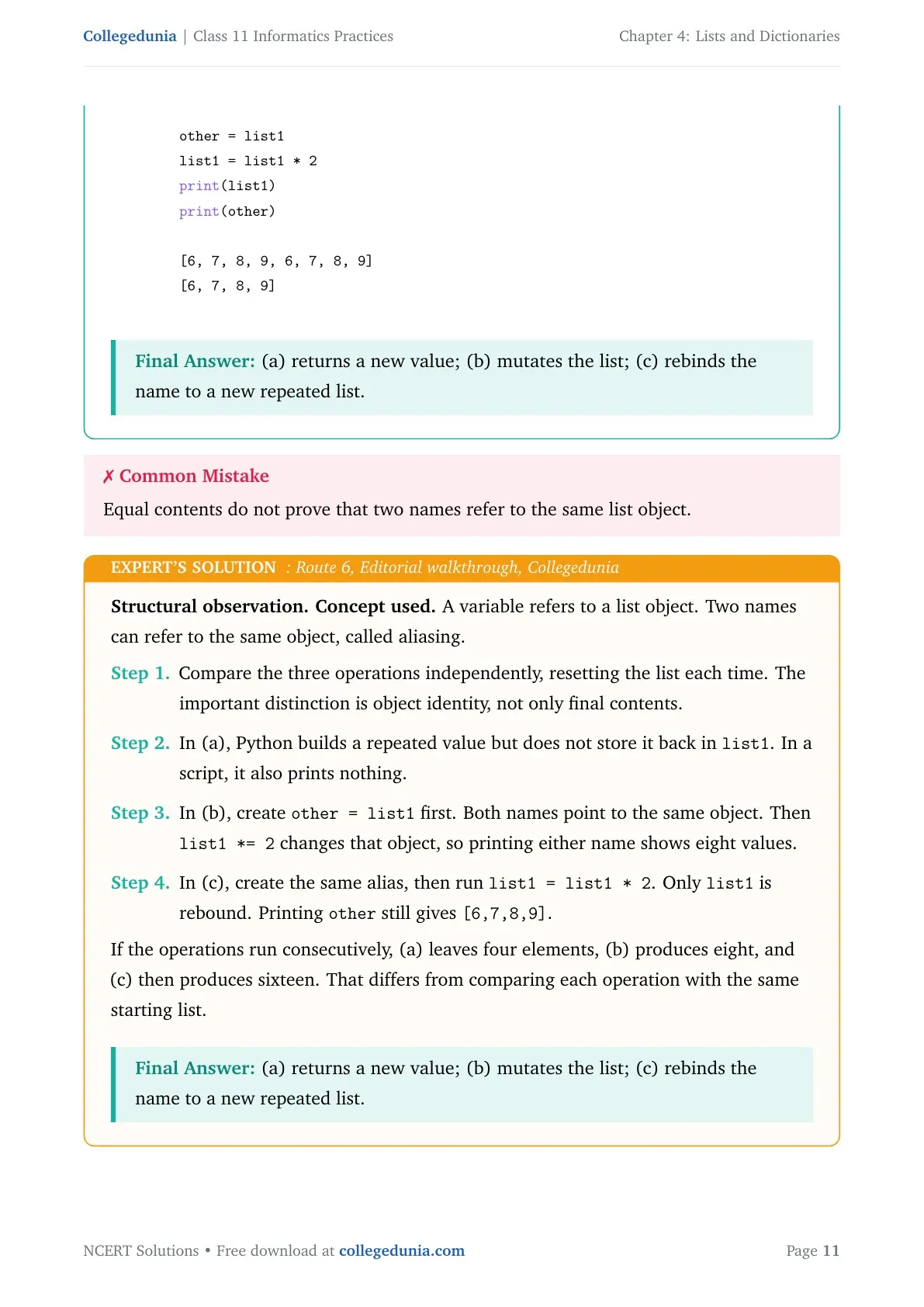
list1to that new object. An alias still refers to the original four-element list.list1 = [6, 7, 8, 9] other = list1 list1 = list1 * 2 print(list1) print(other)[6, 7, 8, 9, 6, 7, 8, 9] [6, 7, 8, 9]
Final answer: (a) returns a new value; (b) mutates the list; (c) rebinds the name to a new repeated list.
Structural observation. Concept used. A variable refers to a list object. Two names can refer to the same object, called aliasing.
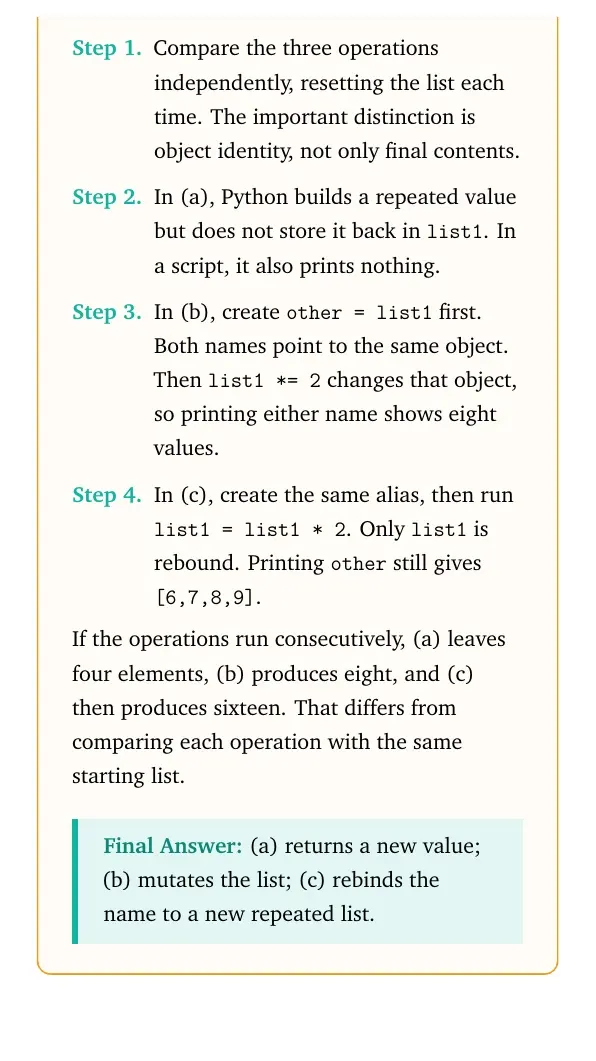
- Compare the three operations independently, resetting the list each time. The important distinction is object identity, not only final contents.
- In (a), Python builds a repeated value but does not store it back in
list1. In a script, it also prints nothing. - In (b), create
other = list1first. Both names point to the same object. Thenlist1 *= 2changes that object, so printing either name shows eight values. - In (c), create the same alias, then run
list1 = list1 * 2. Onlylist1is rebound. Printingotherstill gives[6,7,8,9].
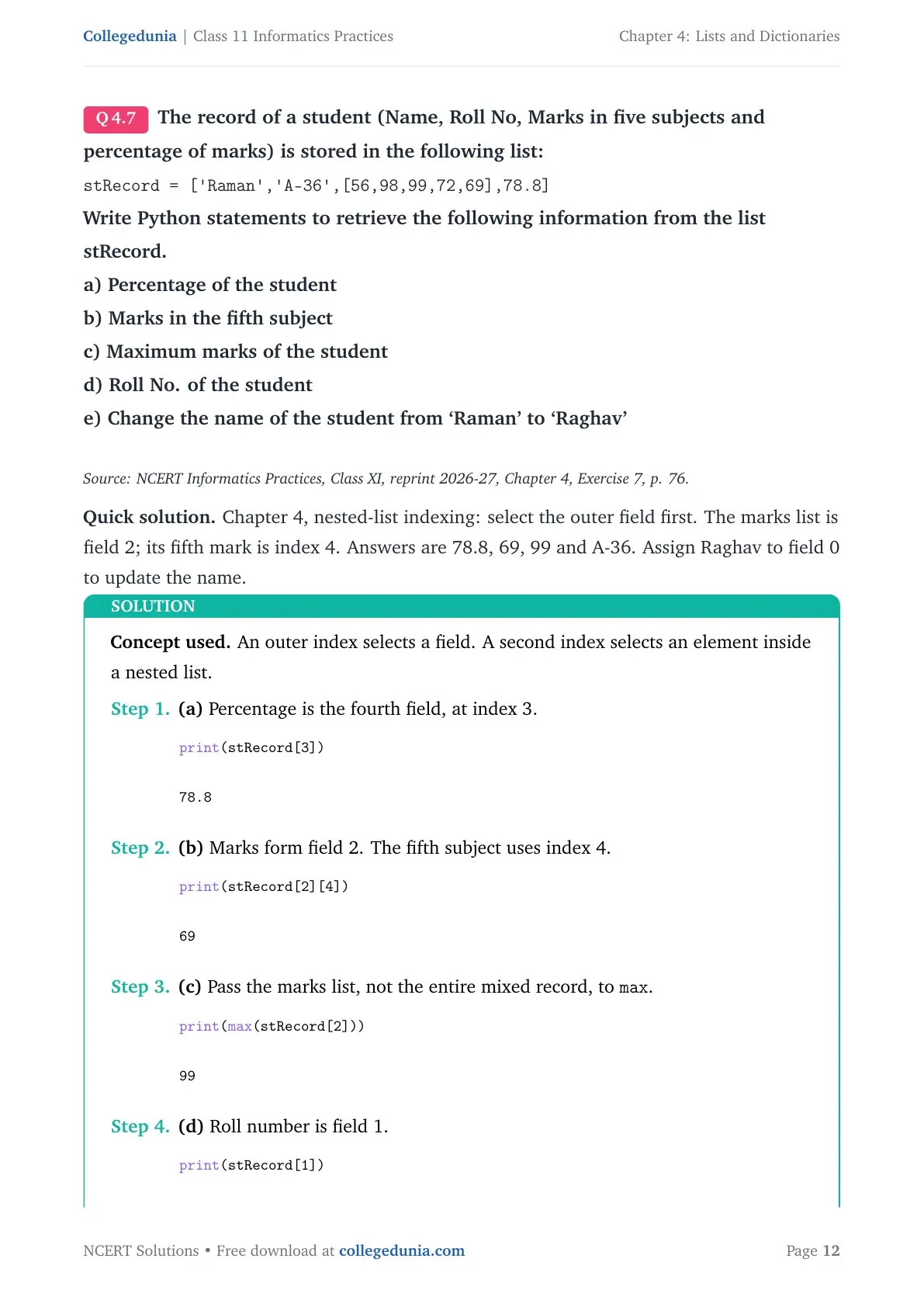
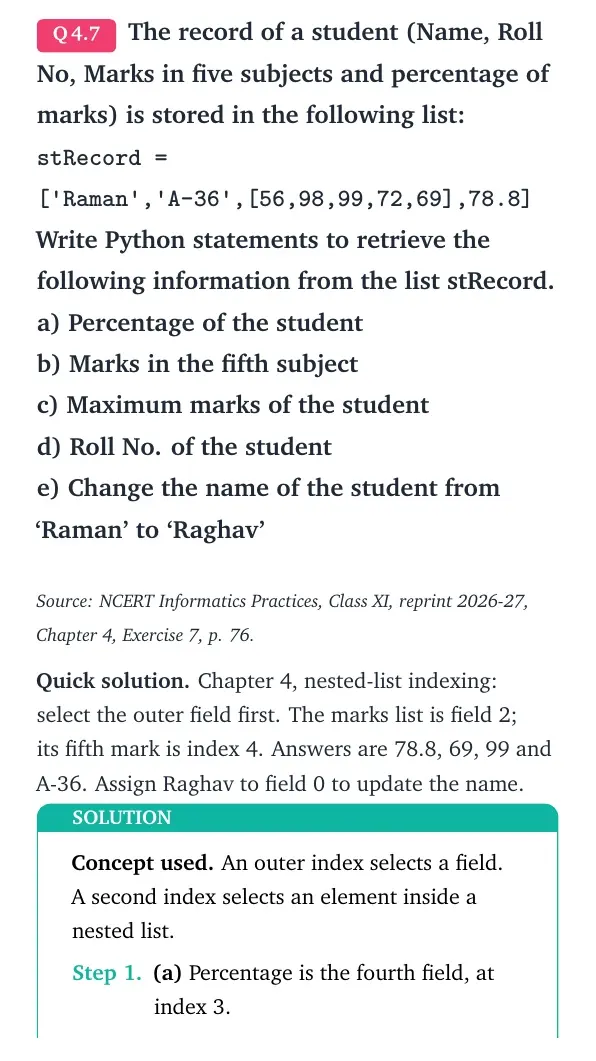
The record of a student (Name, Roll No, Marks in five subjects and percentage of marks) is stored in the following list:
stRecord = ['Raman','A-36',[56,98,99,72,69],78.8]
Write Python statements to retrieve the following information from the list stRecord.
a) Percentage of the student
b) Marks in the fifth subject
c) Maximum marks of the student
d) Roll No. of the student
e) Change the name of the student from ‘Raman’ to ‘Raghav’
Source: NCERT Informatics Practices, Class XI, reprint 2026-27, Chapter 4, Exercise 7, p. 76.
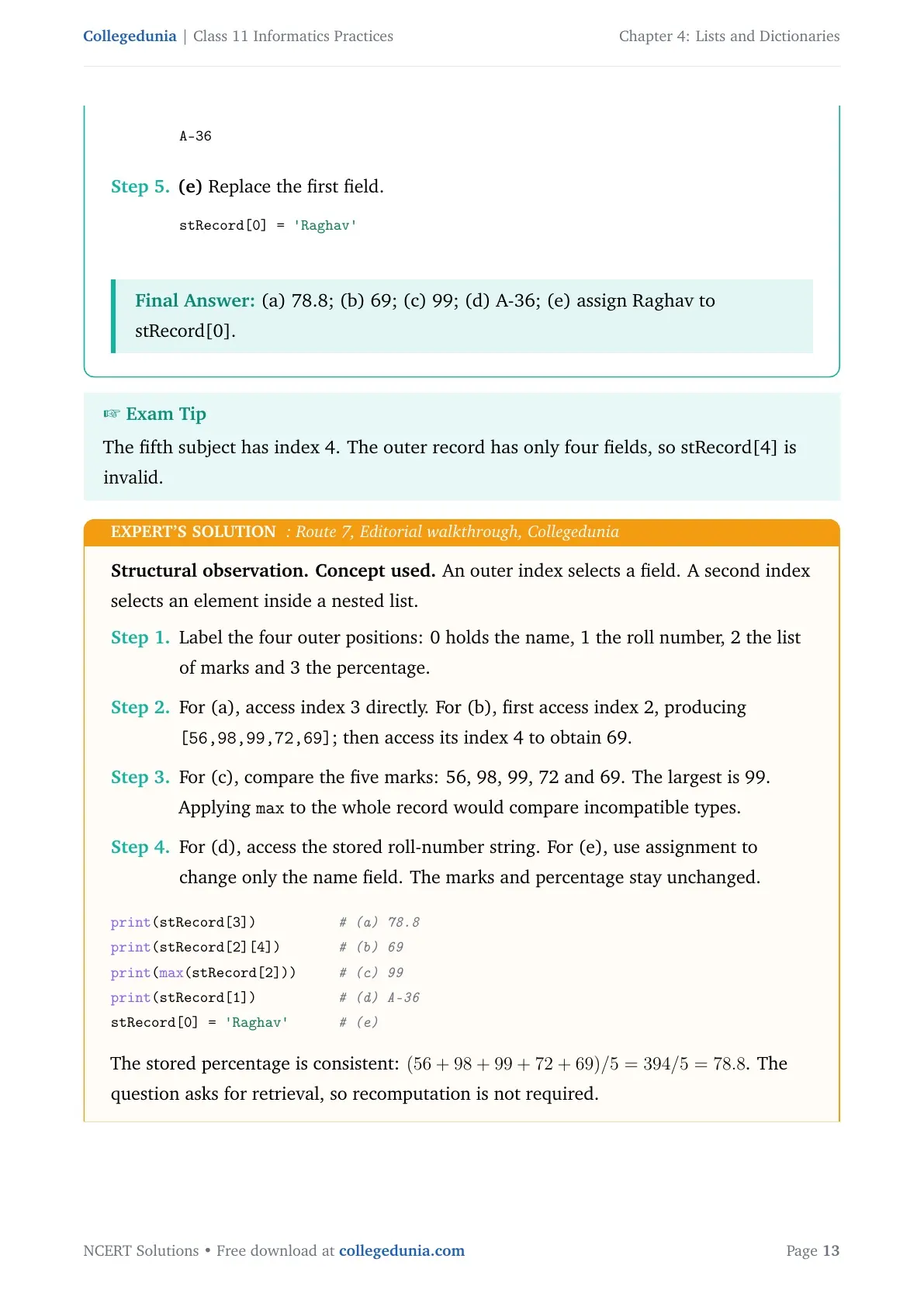
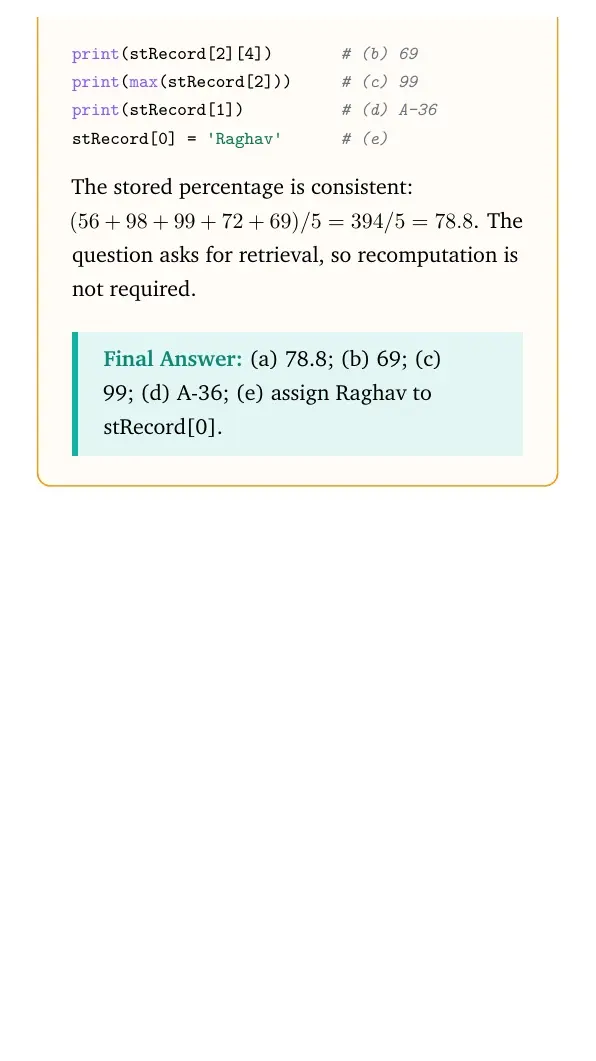
Quick solution. Chapter 4, nested-list indexing: select the outer field first. The marks list is field 2; its fifth mark is index 4. Answers are 78.8, 69, 99 and A-36. Assign Raghav to field 0 to update the name.
Concept used. An outer index selects a field. A second index selects an element inside a nested list.
- (a) Percentage is the fourth field, at index 3.
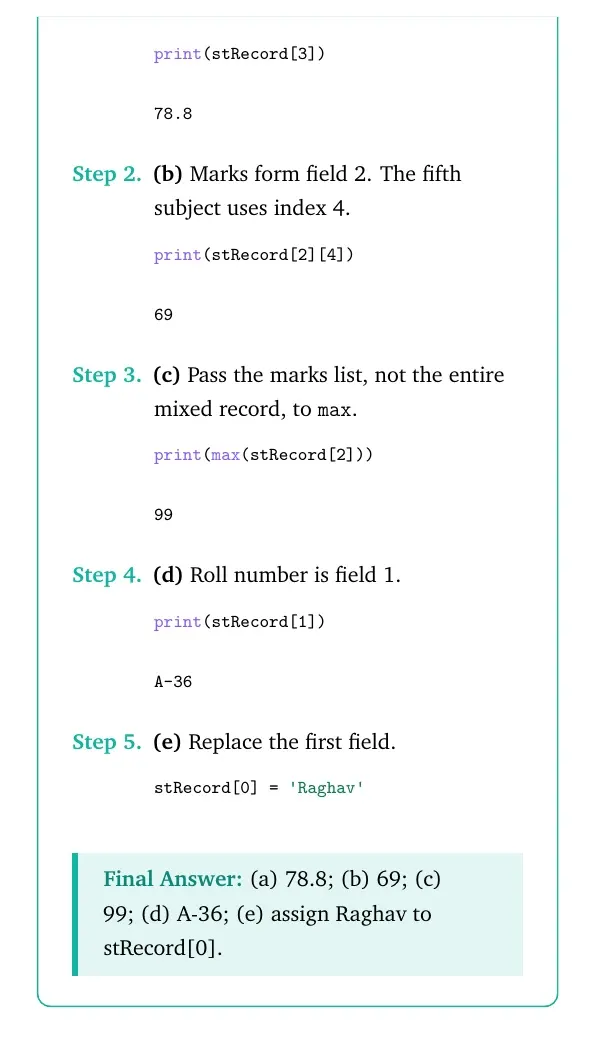
print(stRecord[3])78.8 - (b) Marks form field 2. The fifth subject uses index 4.
print(stRecord[2][4])69 - (c) Pass the marks list, not the entire mixed record, to
max.print(max(stRecord[2]))99 - (d) Roll number is field 1.
print(stRecord[1])A-36 - (e) Replace the first field.
stRecord[0] = 'Raghav'
Final answer: (a) 78.8; (b) 69; (c) 99; (d) A-36; (e) assign Raghav to stRecord[0].
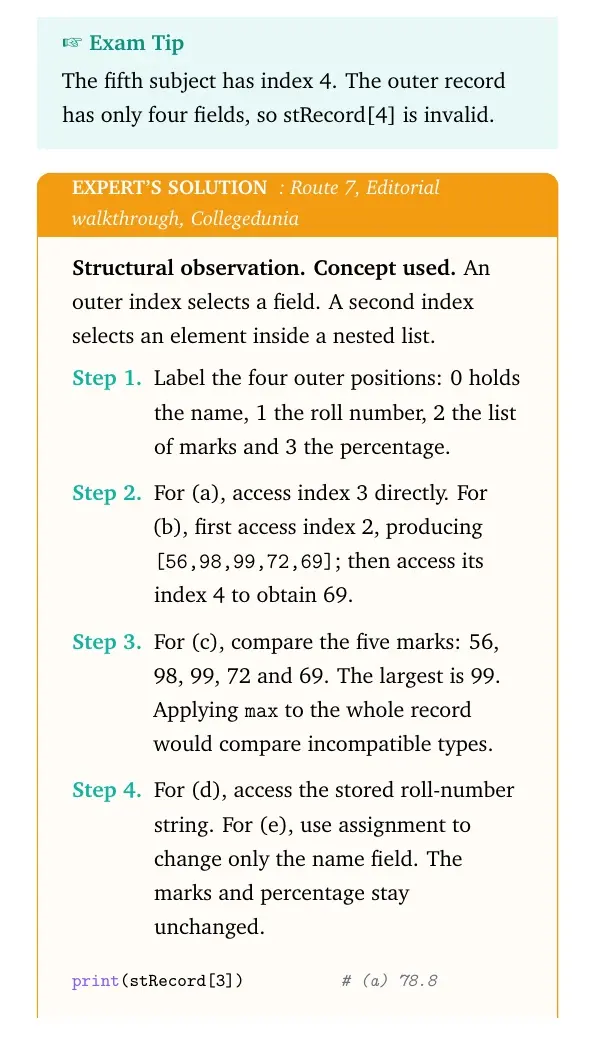
Structural observation. Concept used. An outer index selects a field. A second index selects an element inside a nested list.
- Label the four outer positions: 0 holds the name, 1 the roll number, 2 the list of marks and 3 the percentage.
- For (a), access index 3 directly. For (b), first access index 2, producing
[56,98,99,72,69]; then access its index 4 to obtain 69. - For (c), compare the five marks: 56, 98, 99, 72 and 69. The largest is 99. Applying
maxto the whole record would compare incompatible types. - For (d), access the stored roll-number string. For (e), use assignment to change only the name field. The marks and percentage stay unchanged.
print(stRecord[3])          # (a) 78.8
print(stRecord[2][4])       # (b) 69
print(max(stRecord[2]))     # (c) 99
print(stRecord[1])          # (d) A-36
stRecord[0] = 'Raghav'      # (e)
The stored percentage is consistent: (56+98+99+72+69)/5=394/5=78.8. The question asks for retrieval, so recomputation is not required. Final answer: (a) 78.8; (b) 69; (c) 99; (d) A-36; (e) assign Raghav to stRecord[0].
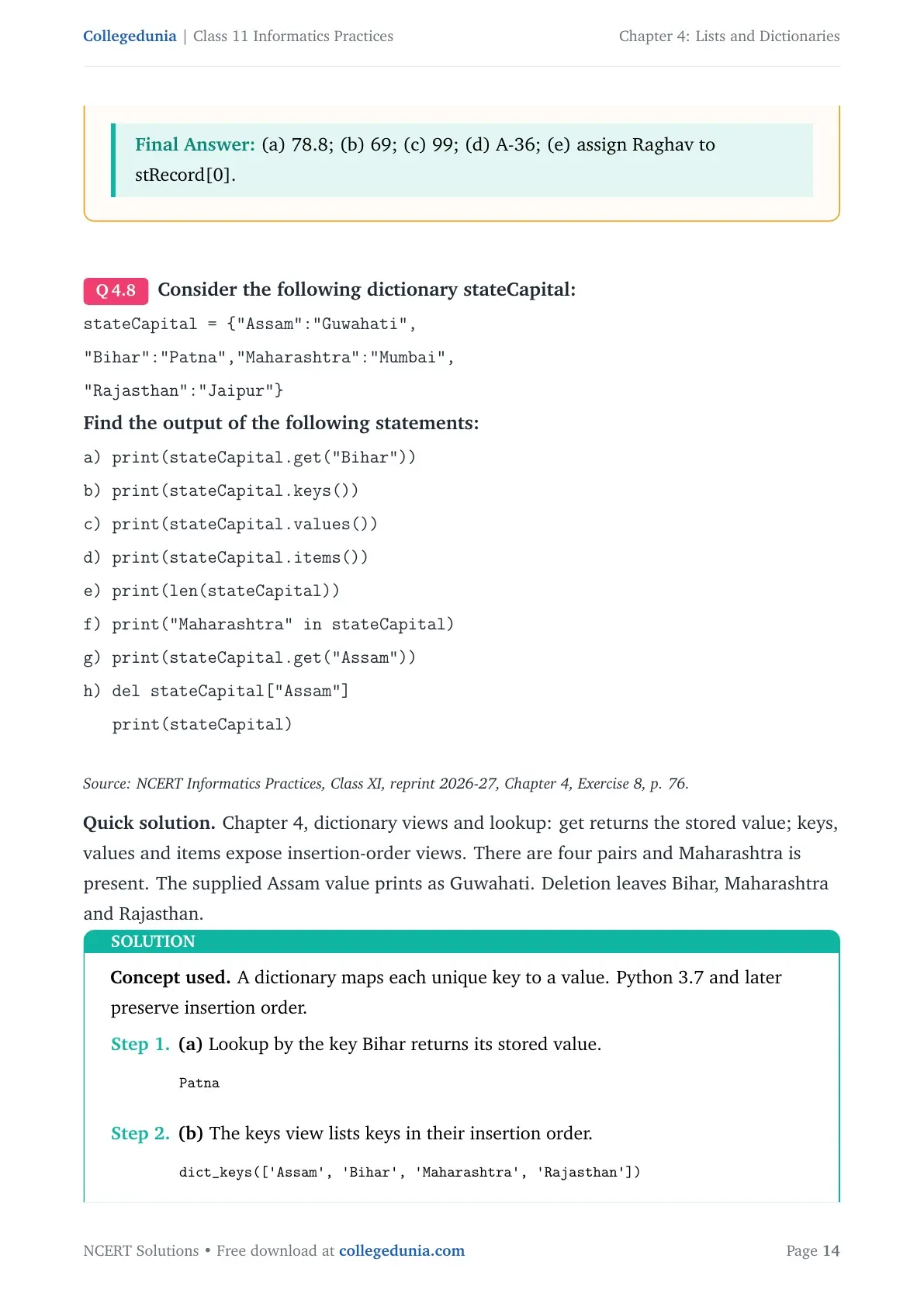
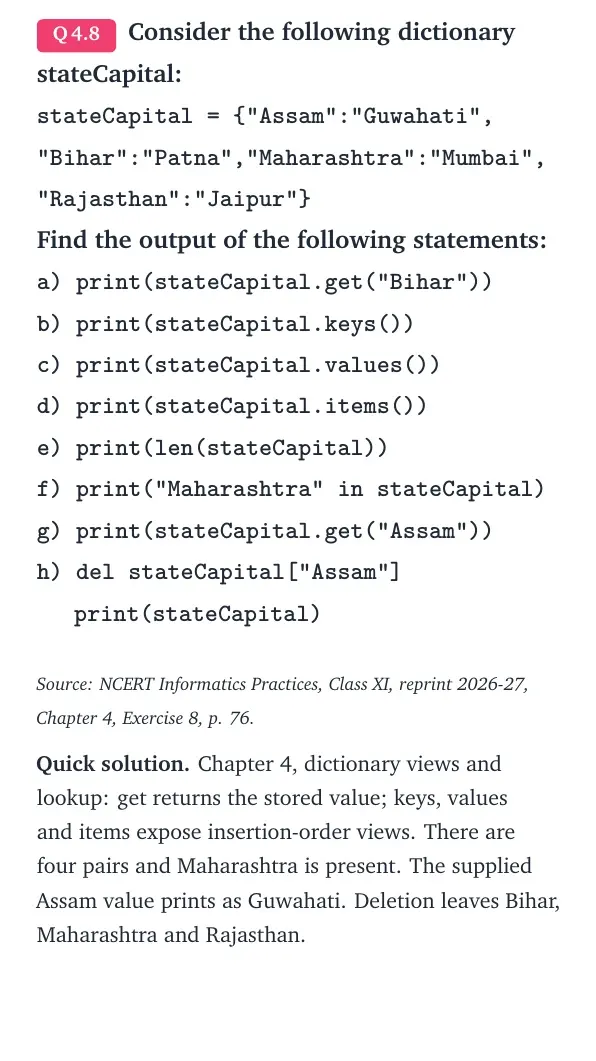
Consider the following dictionary stateCapital:
stateCapital = {"Assam":"Guwahati",}\\
\texttt{"Bihar":"Patna","Maharashtra":"Mumbai",}\\
\texttt{"Rajasthan":"Jaipur"}
Find the output of the following statements:
a) print(stateCapital.get("Bihar"))
b) print(stateCapital.keys())
c) print(stateCapital.values())
d) print(stateCapital.items())
e) print(len(stateCapital))
f) print("Maharashtra" in stateCapital)
g) print(stateCapital.get("Assam"))
h) del stateCapital["Assam"]
print(stateCapital)
Source: NCERT Informatics Practices, Class XI, reprint 2026-27, Chapter 4, Exercise 8, p. 76.
Quick solution. Chapter 4, dictionary views and lookup: get returns the stored value; keys, values and items expose insertion-order views. There are four pairs and Maharashtra is present. The supplied Assam value prints as Guwahati. Deletion leaves Bihar, Maharashtra and Rajasthan.
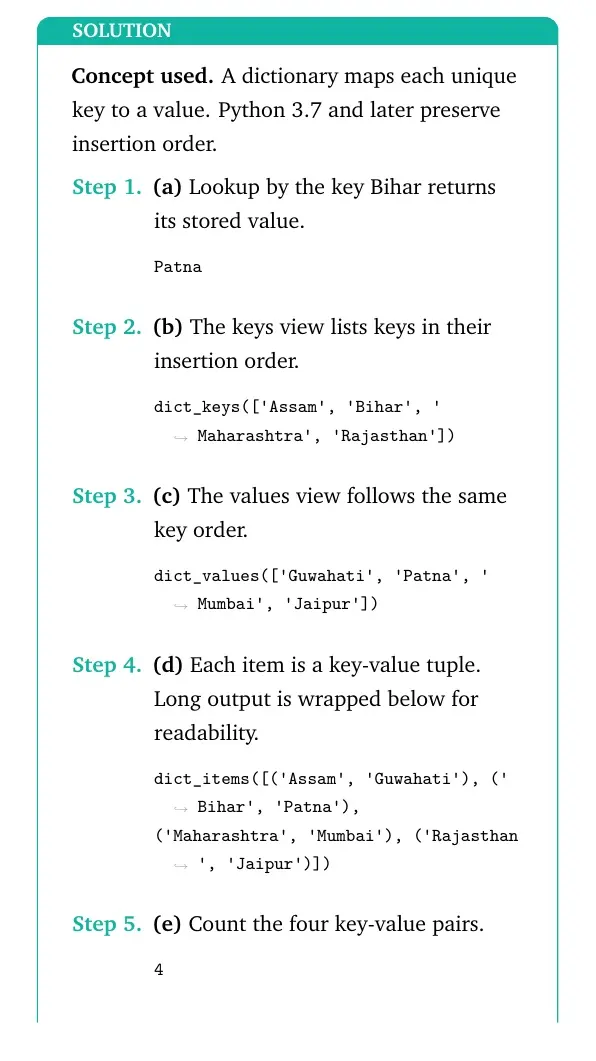
Concept used. A dictionary maps each unique key to a value. Python 3.7 and later preserve insertion order.
- (a) Lookup by the key Bihar returns its stored value.
Patna - (b) The keys view lists keys in their insertion order.
dict_keys(['Assam', 'Bihar', 'Maharashtra', 'Rajasthan']) - (c) The values view follows the same key order.
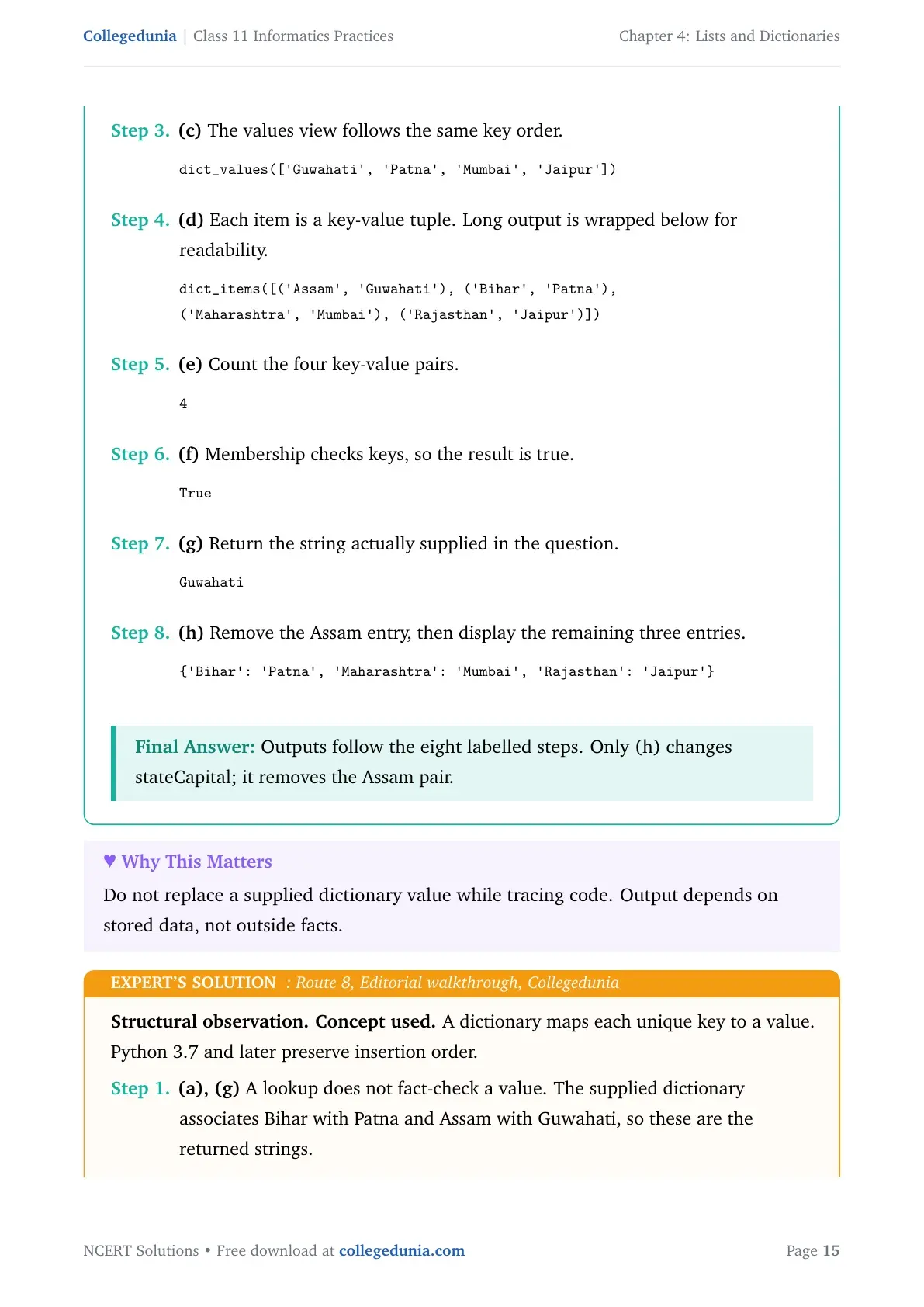
dict_values(['Guwahati', 'Patna', 'Mumbai', 'Jaipur']) - (d) Each item is a key-value tuple.
Long output is wrapped below for readability.
dict_items([('Assam', 'Guwahati'), ('Bihar', 'Patna'), ('Maharashtra', 'Mumbai'), ('Rajasthan', 'Jaipur')]) - (e) Count the four key-value pairs.
4 - (f) Membership checks keys, so the result is true.
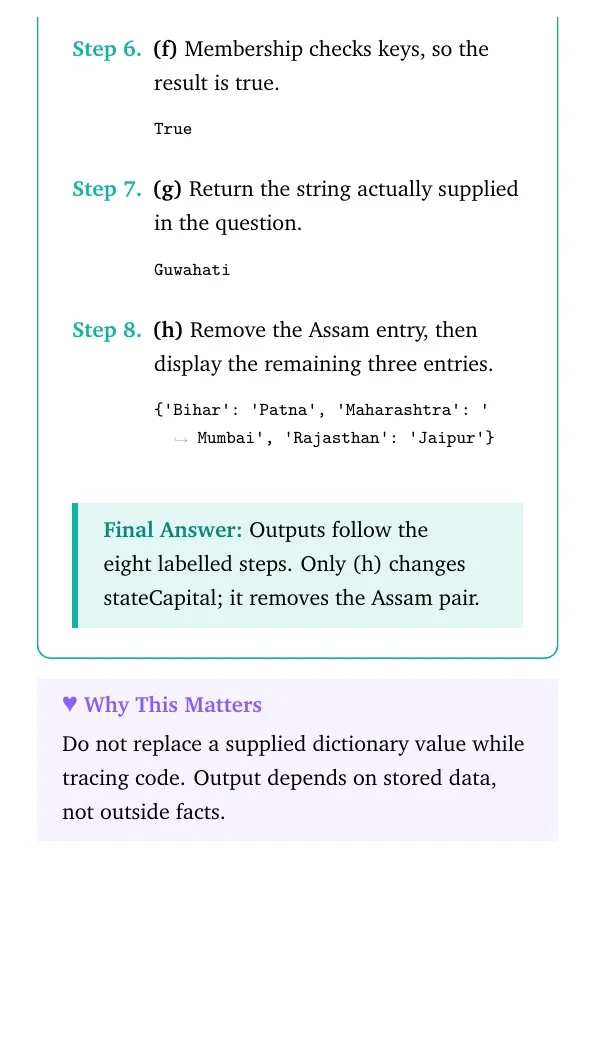
True - (g) Return the string actually supplied in the question.
Guwahati - (h) Remove the Assam entry, then display the remaining three entries.
{'Bihar': 'Patna', 'Maharashtra': 'Mumbai', 'Rajasthan': 'Jaipur'}
Final answer: Outputs follow the eight labelled steps. Only (h) changes stateCapital; it removes the Assam pair.
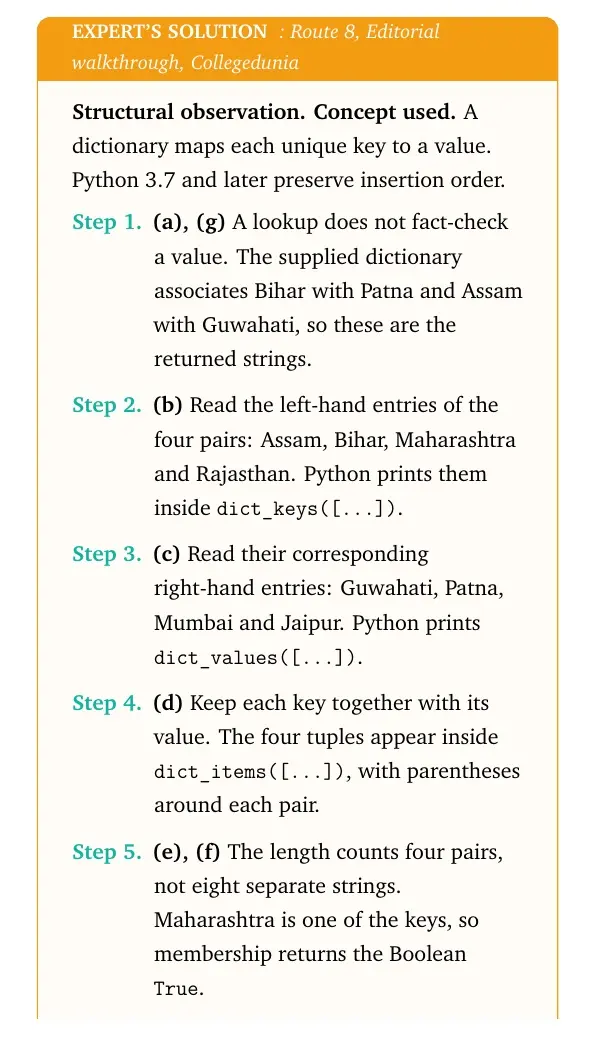
Structural observation. Concept used. A dictionary maps each unique key to a value. Python 3.7 and later preserve insertion order.
- (a), (g) A lookup does not fact-check a value. The supplied dictionary associates Bihar with Patna and Assam with Guwahati, so these are the returned strings.
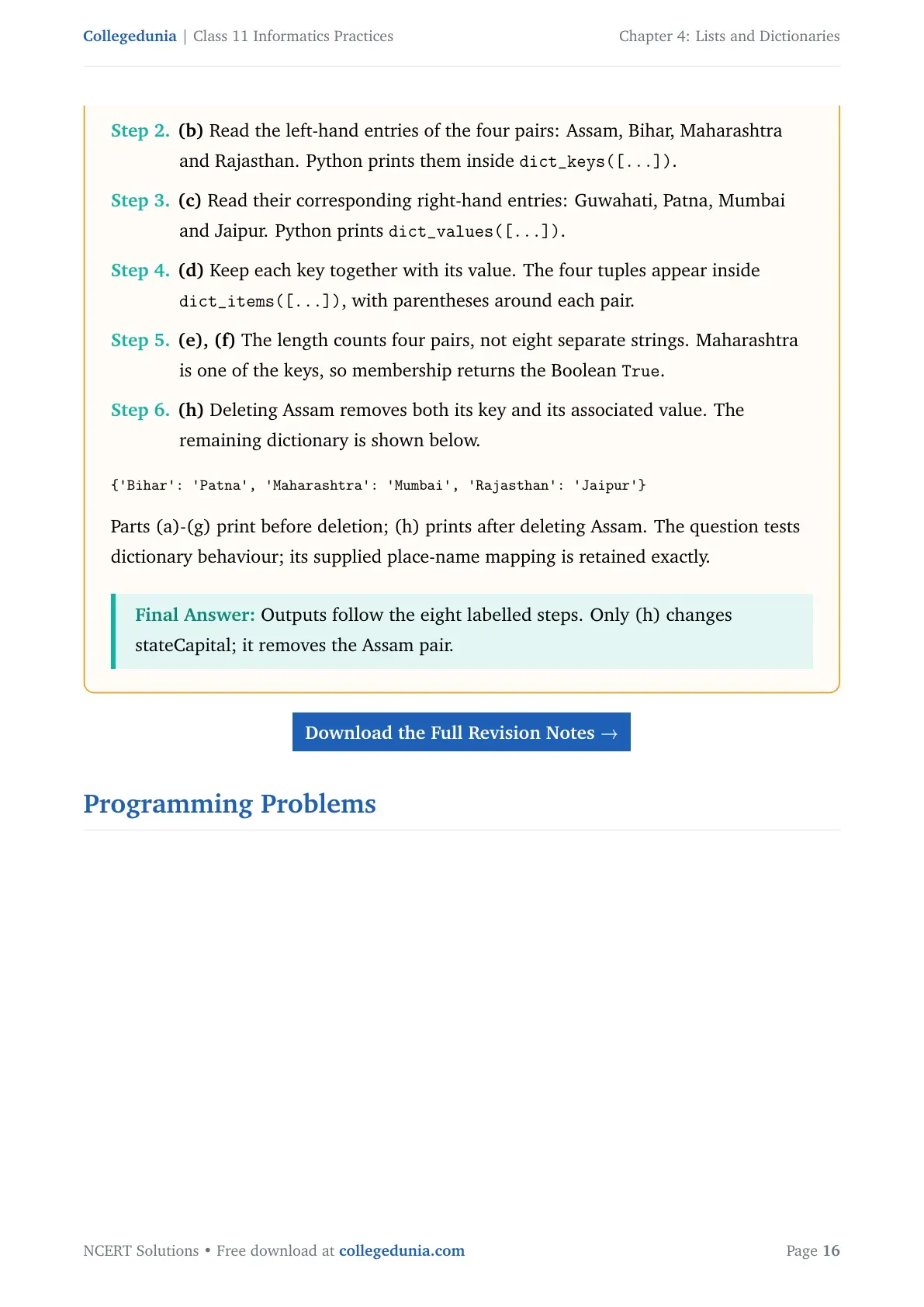
- (b) Read the left-hand entries of the four pairs: Assam, Bihar, Maharashtra and Rajasthan. Python prints them inside
dict_keys([...]). - (c) Read their corresponding right-hand entries: Guwahati, Patna, Mumbai and Jaipur. Python prints
dict_values([...]). - (d) Keep each key together with its value. The four tuples appear inside
dict_items([...]), with parentheses around each pair. - (e), (f) The length counts four pairs, not eight separate strings. Maharashtra is one of the keys, so membership returns the Boolean
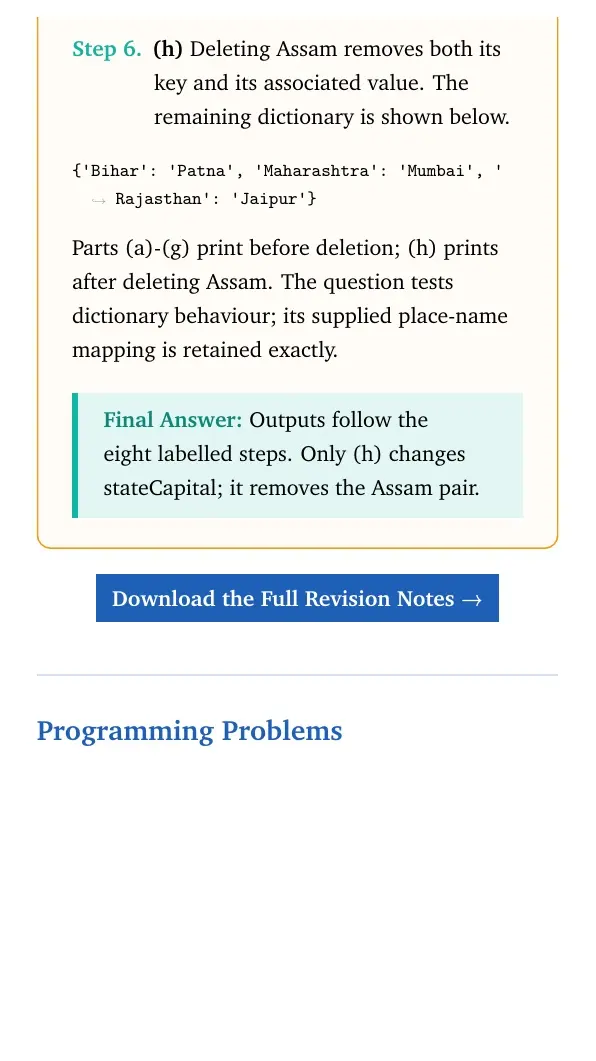
True. - (h) Deleting Assam removes both its key and its associated value. The remaining dictionary is shown below.
{'Bihar': 'Patna', 'Maharashtra': 'Mumbai', 'Rajasthan': 'Jaipur'}Parts (a)-(g) print before deletion; (h) prints after deleting Assam. The question tests dictionary behaviour; its supplied place-name mapping is retained exactly. Final answer: Outputs follow the eight labelled steps. Only (h) changes stateCapital; it removes the Assam pair.
Programming Problems
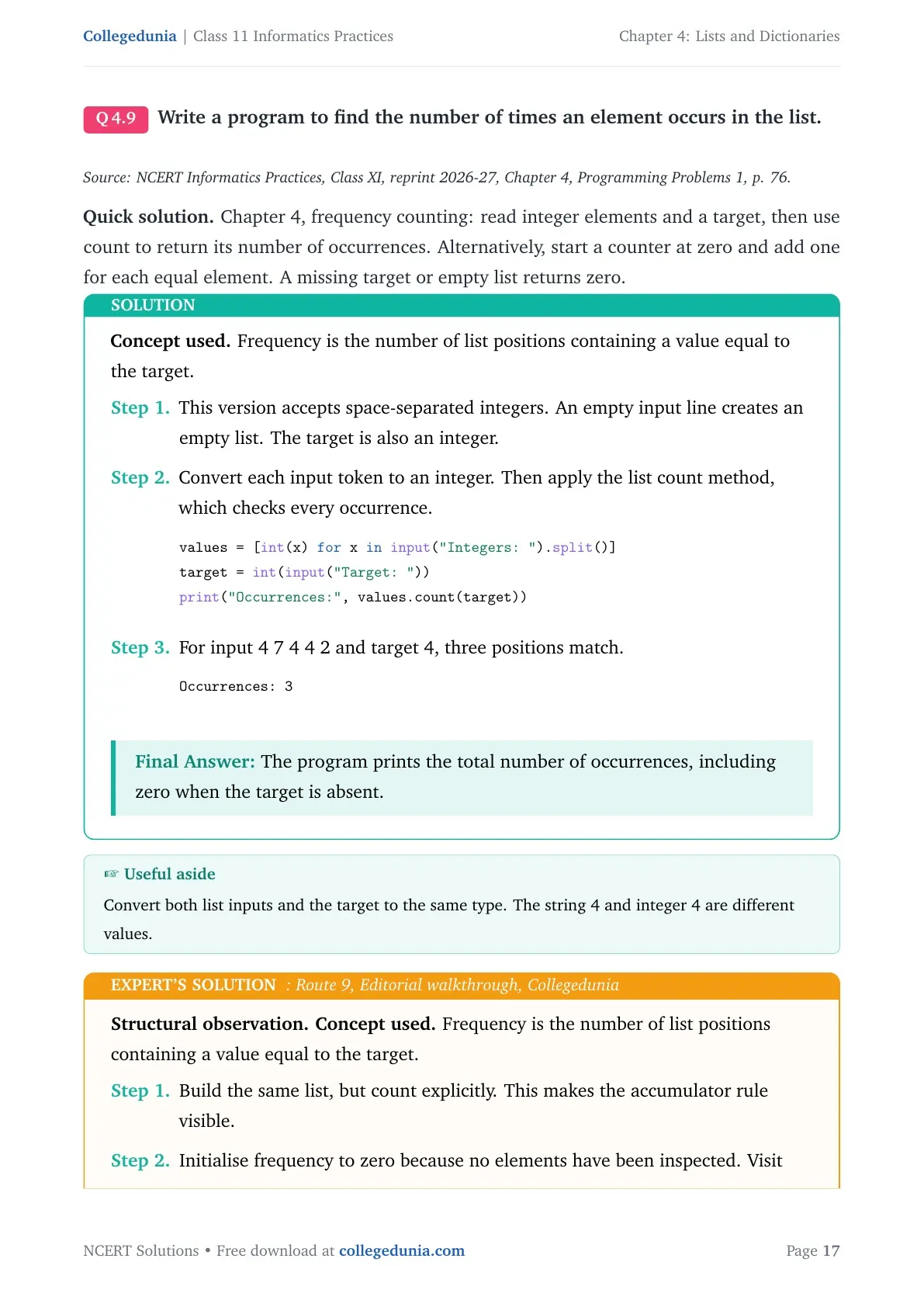
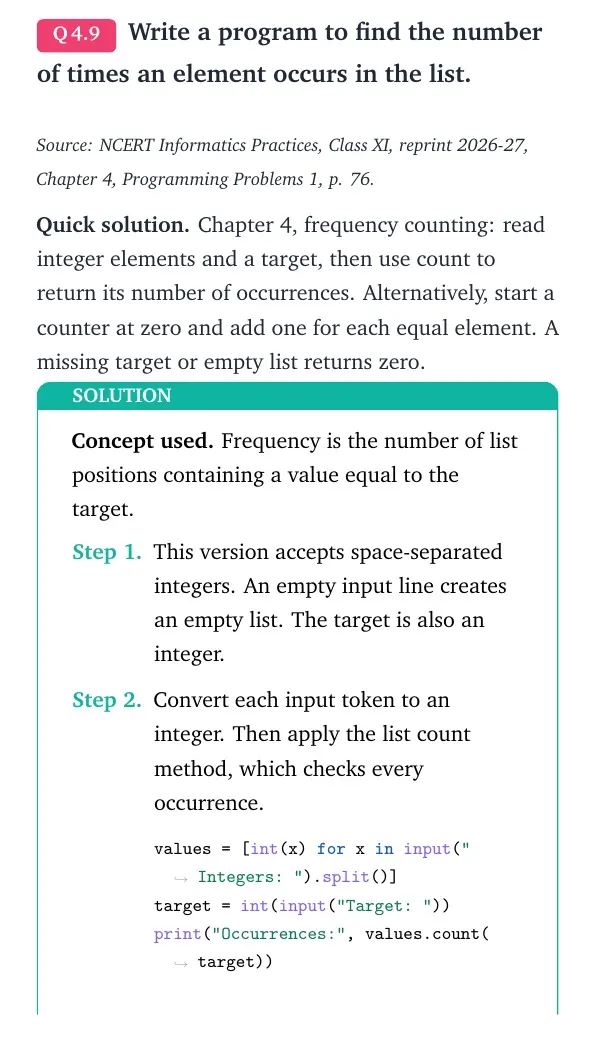
Write a program to find the number of times an element occurs in the list.
Source: NCERT Informatics Practices, Class XI, reprint 2026-27, Chapter 4, Programming Problems 1, p. 76.
Quick solution. Chapter 4, frequency counting: read integer elements and a target, then use count to return its number of occurrences. Alternatively, start a counter at zero and add one for each equal element. A missing target or empty list returns zero.
Concept used. Frequency is the number of list positions containing a value equal to the target.
- This version accepts space-separated integers. An empty input line creates an empty list. The target is also an integer.
- Convert each input token to an integer. Then apply the list count method, which checks every occurrence.
values = [int(x) for x in input("Integers: ").split()] target = int(input("Target: ")) print("Occurrences:", values.count(target)) - For input 4 7 4 4 2 and target 4, three positions match.
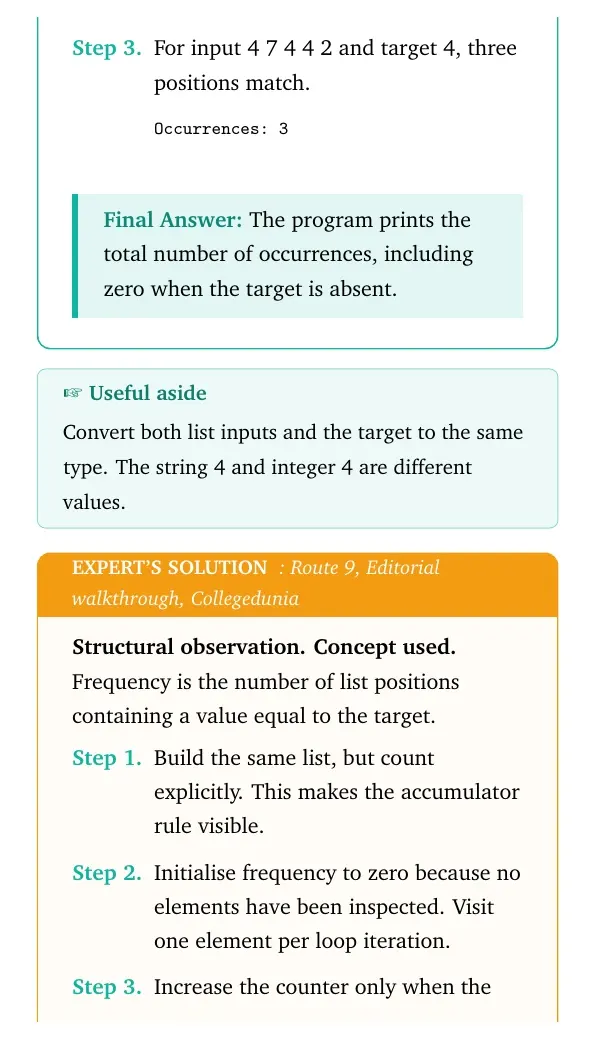
Occurrences: 3
Final answer: The program prints the total number of occurrences, including zero when the target is absent.
Structural observation. Concept used. Frequency is the number of list positions containing a value equal to the target.
- Build the same list, but count explicitly. This makes the accumulator rule visible.
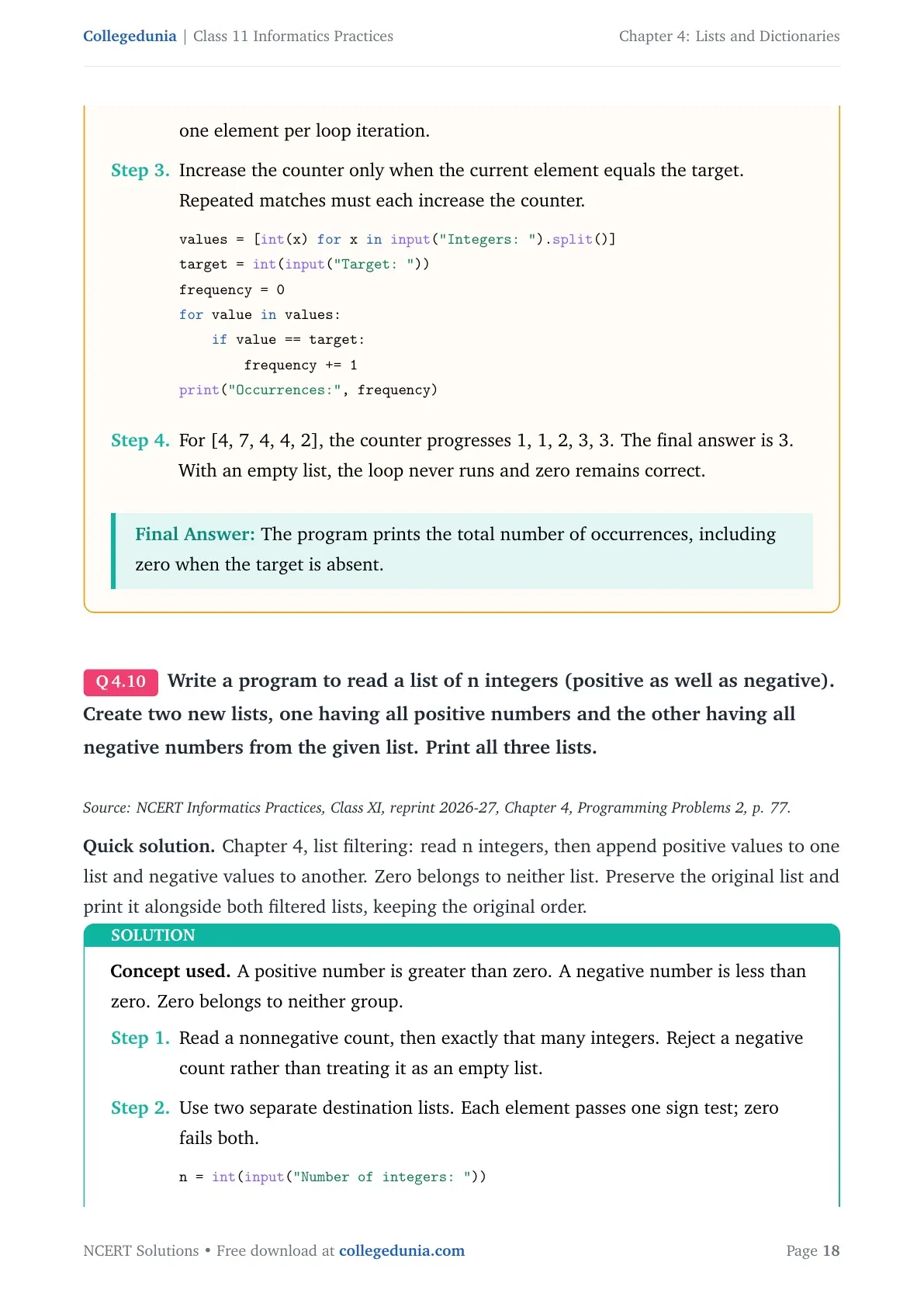
- Initialise frequency to zero because no elements have been inspected. Visit one element per loop iteration.
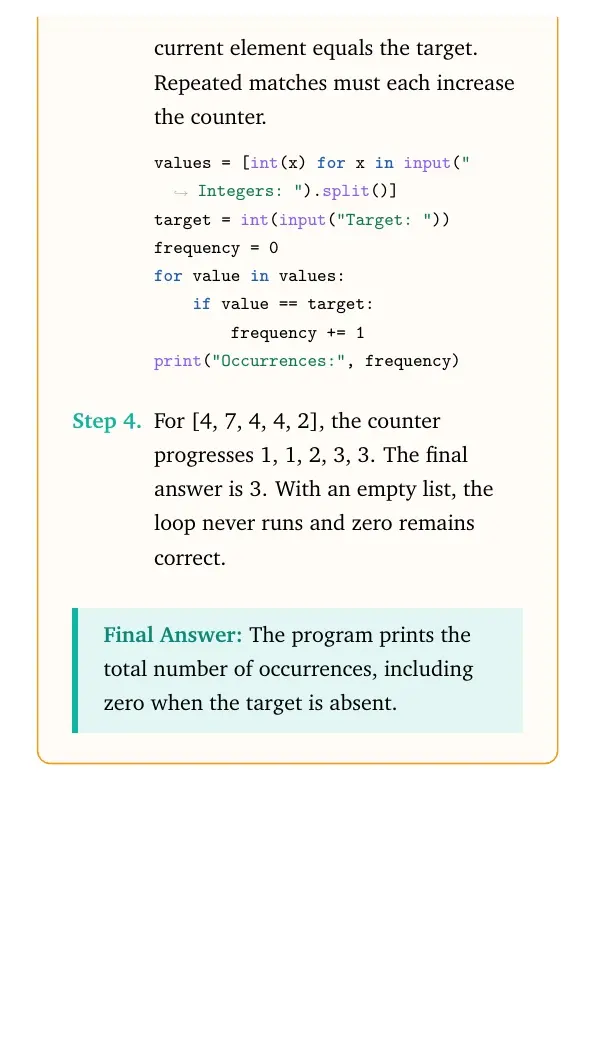
- Increase the counter only when the current element equals the target. Repeated matches must each increase the counter.
values = [int(x) for x in input("Integers: ").split()] target = int(input("Target: ")) frequency = 0 for value in values: if value == target: frequency += 1 print("Occurrences:", frequency) - For [4, 7, 4, 4, 2], the counter progresses 1, 1, 2, 3, 3. The final answer is 3. With an empty list, the loop never runs and zero remains correct.
Final answer: The program prints the total number of occurrences, including zero when the target is absent.
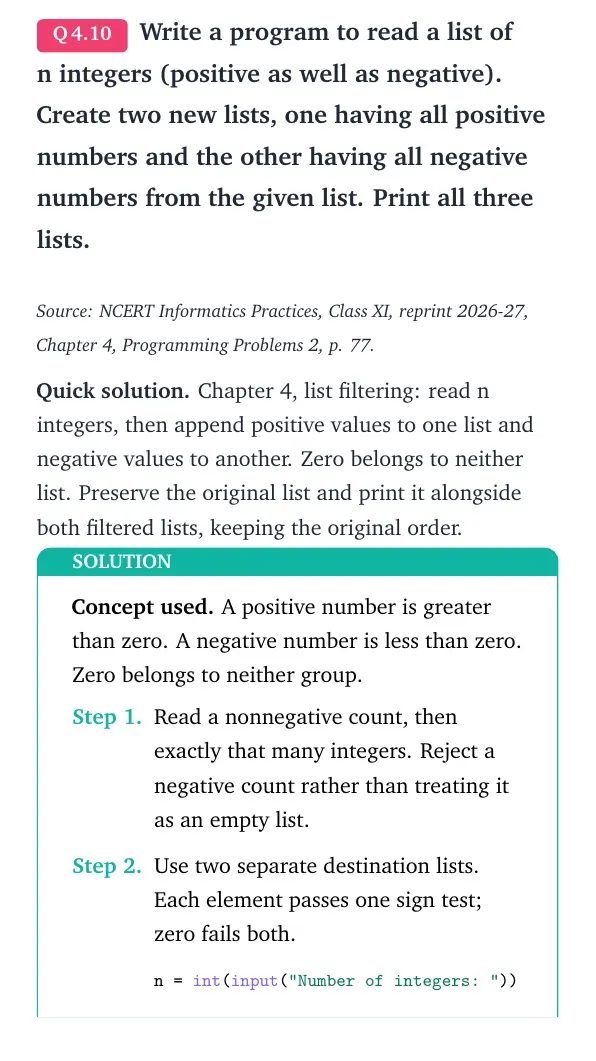
Write a program to read a list of n integers (positive as well as negative). Create two new lists, one having all positive numbers and the other having all negative numbers from the given list. Print all three lists.
Source: NCERT Informatics Practices, Class XI, reprint 2026-27, Chapter 4, Programming Problems 2, p. 77.
Quick solution. Chapter 4, list filtering: read n integers, then append positive values to one list and negative values to another. Zero belongs to neither list. Preserve the original list and print it alongside both filtered lists, keeping the original order.
Concept used. A positive number is greater than zero. A negative number is less than zero. Zero belongs to neither group.
- Read a nonnegative count, then exactly that many integers. Reject a negative count rather than treating it as an empty list.
- Use two separate destination lists. Each element passes one sign test; zero fails both.
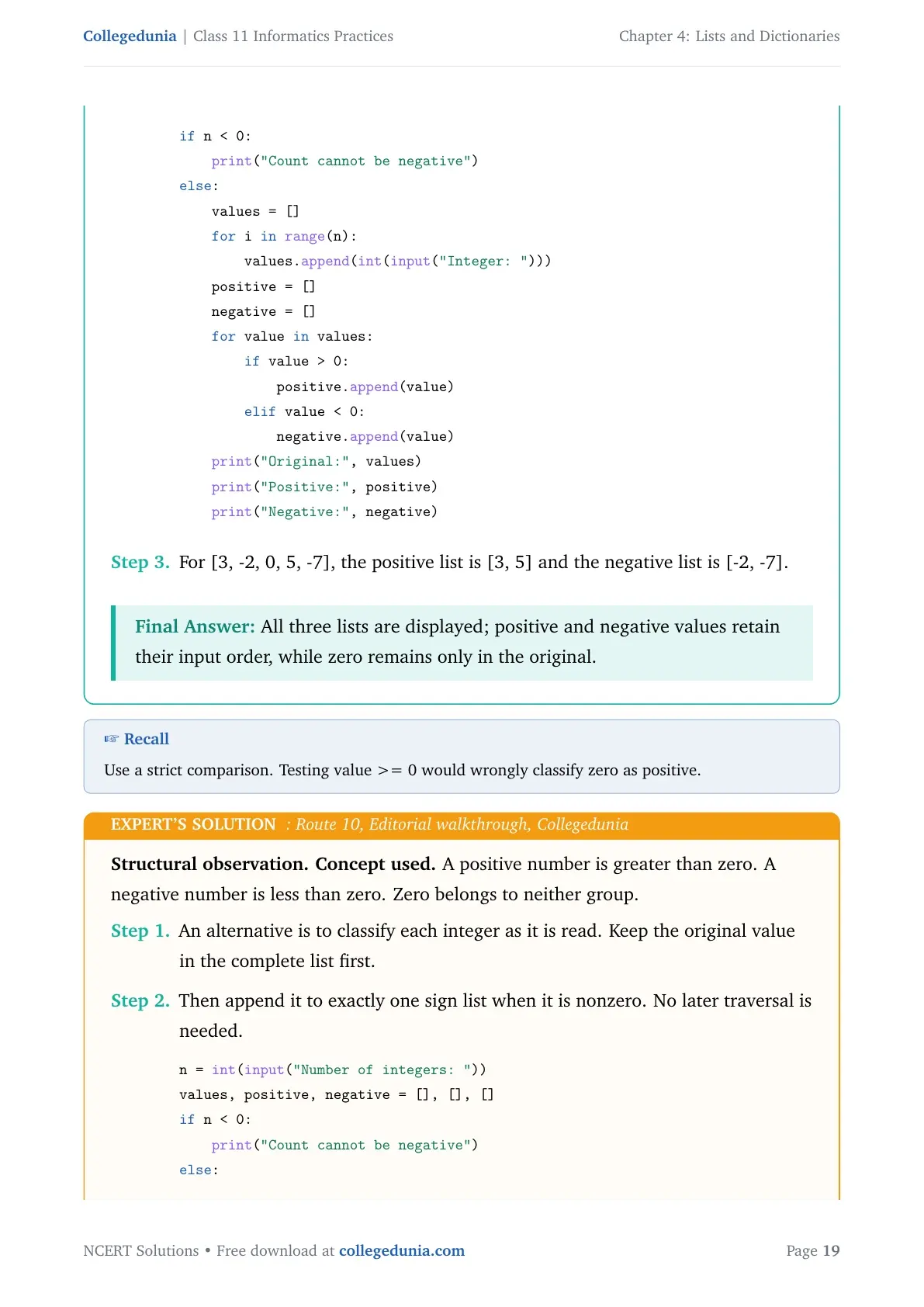
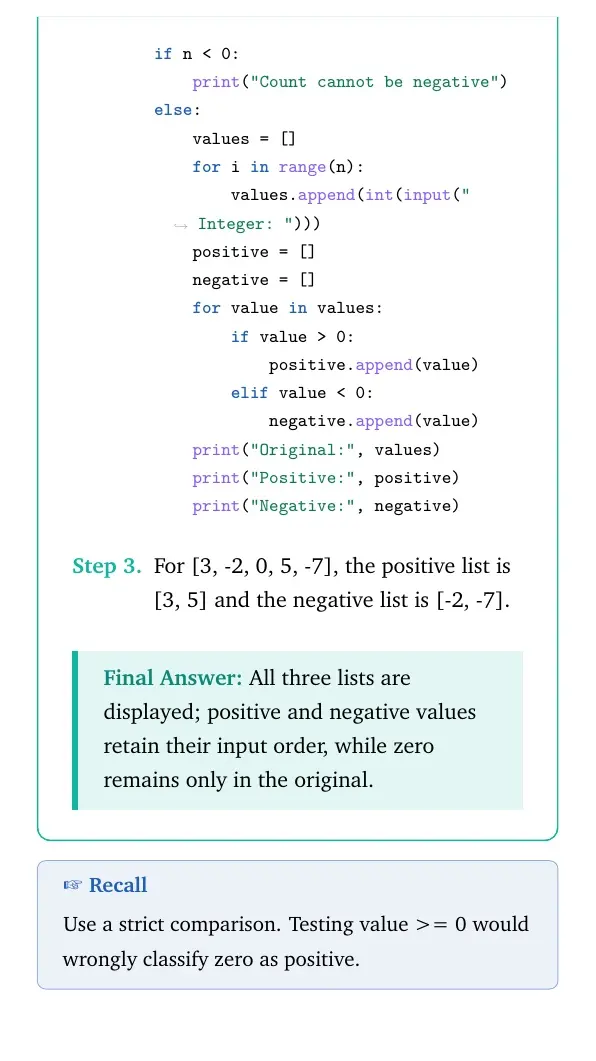
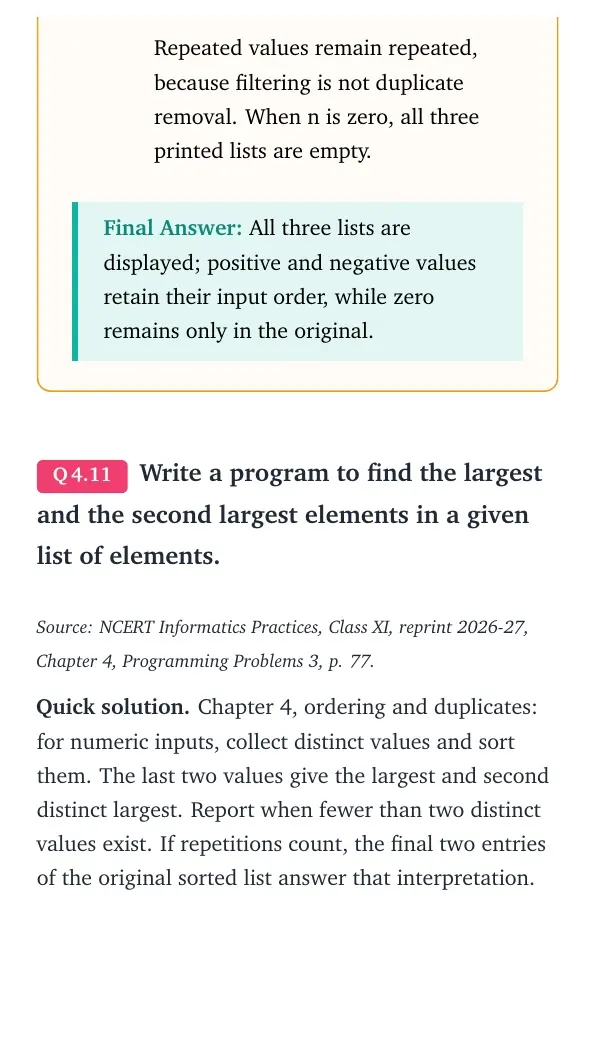
n = int(input("Number of integers: ")) if n < 0: print("Count cannot be negative") else: values = [] for i in range(n): values.append(int(input("Integer: "))) positive = [] negative = [] for value in values: if value > 0: positive.append(value) elif value < 0: negative.append(value) print("Original:", values) print("Positive:", positive) print("Negative:", negative) - For [3, -2, 0, 5, -7], the positive list is [3, 5] and the negative list is [-2, -7].
Final answer: All three lists are displayed; positive and negative values retain their input order, while zero remains only in the original.
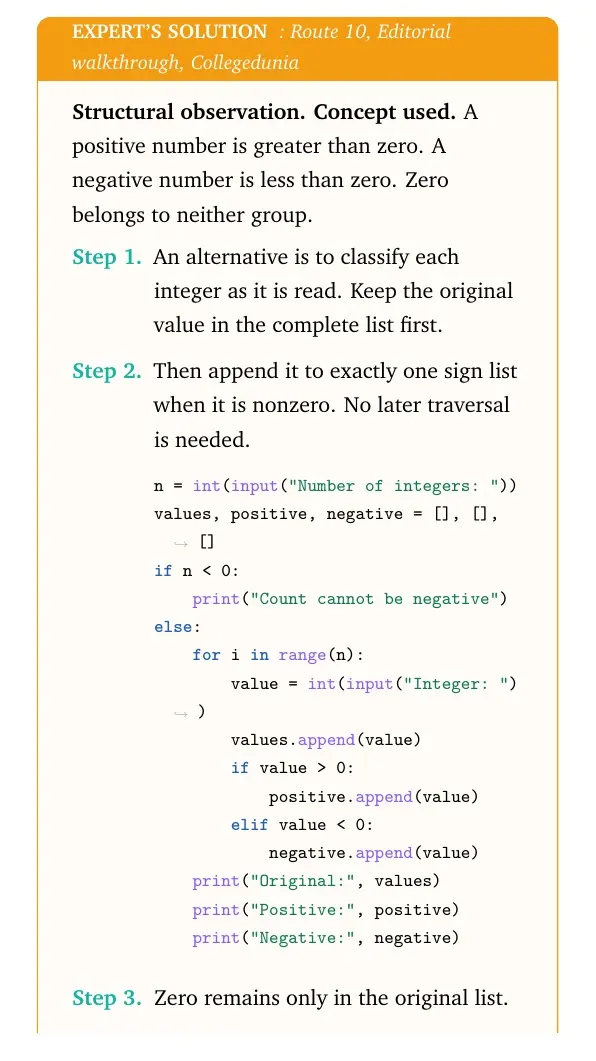
Structural observation. Concept used. A positive number is greater than zero. A negative number is less than zero. Zero belongs to neither group.
- An alternative is to classify each integer as it is read. Keep the original value in the complete list first.
- Then append it to exactly one sign list when it is nonzero. No later traversal is needed.
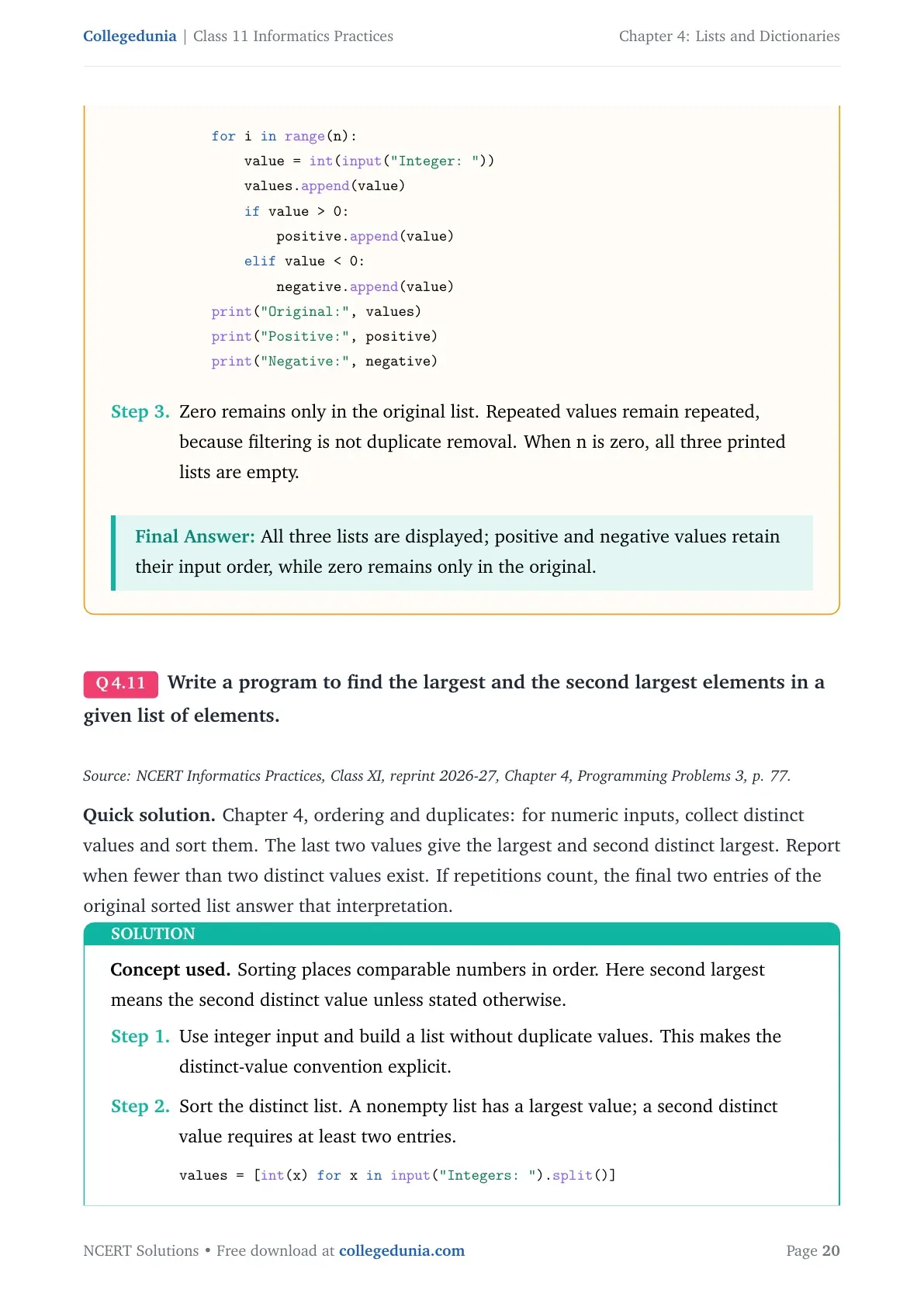
n = int(input("Number of integers: ")) values, positive, negative = [], [], [] if n < 0: print("Count cannot be negative") else: for i in range(n): value = int(input("Integer: ")) values.append(value) if value > 0: positive.append(value) elif value < 0: negative.append(value) print("Original:", values) print("Positive:", positive) print("Negative:", negative) - Zero remains only in the original list. Repeated values remain repeated, because filtering is not duplicate removal. When n is zero, all three printed lists are empty.
Final answer: All three lists are displayed; positive and negative values retain their input order, while zero remains only in the original.
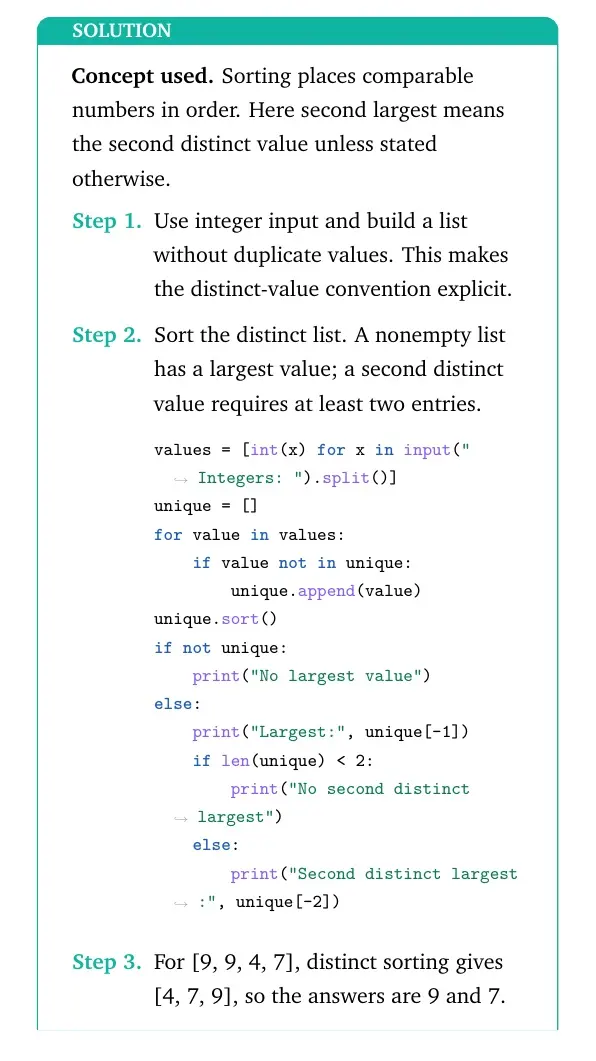
Write a program to find the largest and the second largest elements in a given list of elements.
Source: NCERT Informatics Practices, Class XI, reprint 2026-27, Chapter 4, Programming Problems 3, p. 77.
Quick solution. Chapter 4, ordering and duplicates: for numeric inputs, collect distinct values and sort them. The last two values give the largest and second distinct largest. Report when fewer than two distinct values exist. If repetitions count, the final two entries of the original sorted list answer that interpretation.
Concept used. Sorting places comparable numbers in order. Here second largest means the second distinct value unless stated otherwise.
- Use integer input and build a list without duplicate values. This makes the distinct-value convention explicit.
- Sort the distinct list. A nonempty list has a largest value; a second distinct value requires at least two entries.
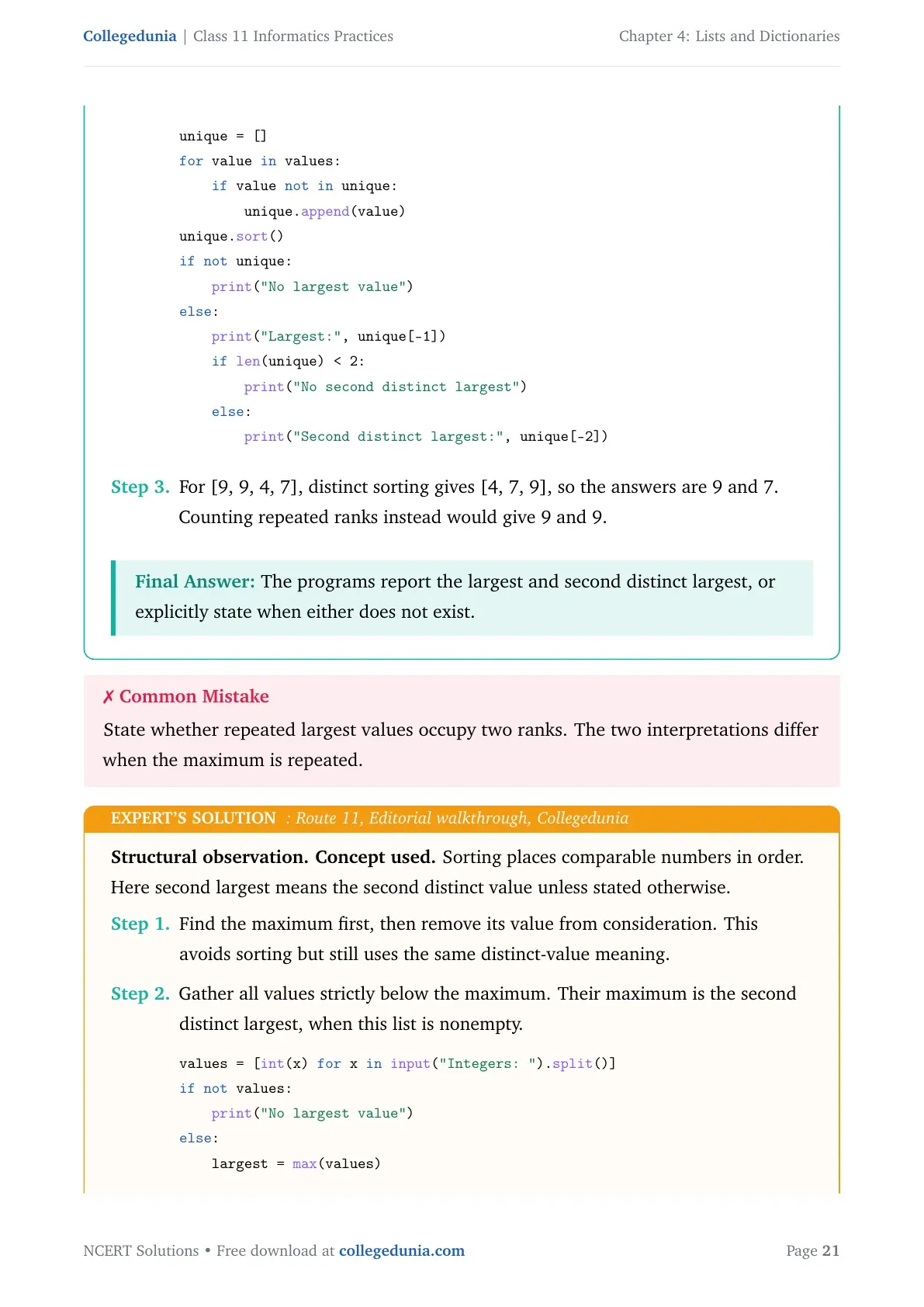
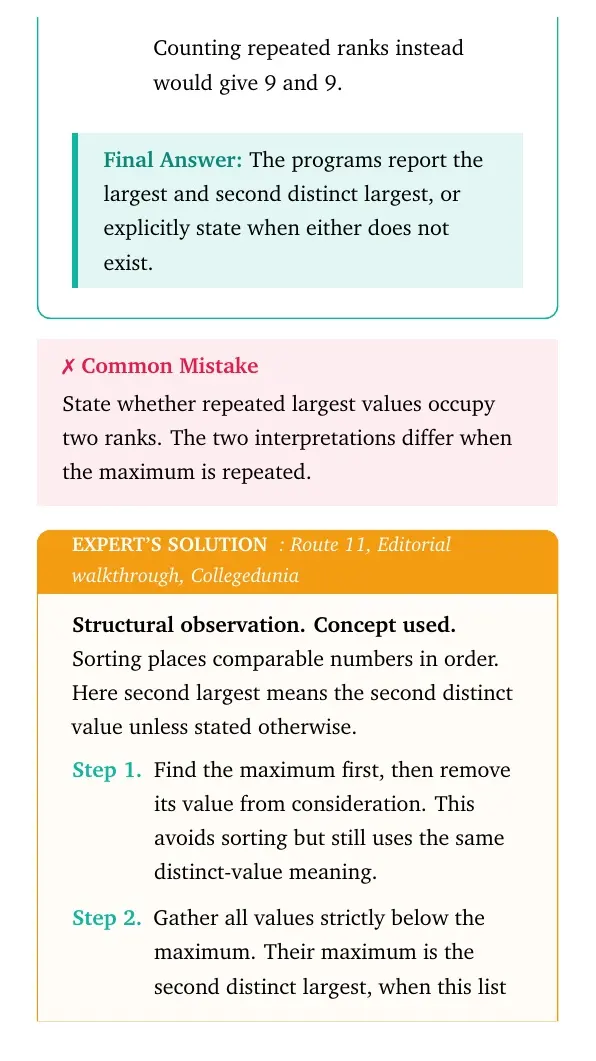
values = [int(x) for x in input("Integers: ").split()] unique = [] for value in values: if value not in unique: unique.append(value) unique.sort() if not unique: print("No largest value") else: print("Largest:", unique[-1]) if len(unique) < 2: print("No second distinct largest") else: print("Second distinct largest:", unique[-2]) - For [9, 9, 4, 7], distinct sorting gives [4, 7, 9], so the answers are 9 and 7. Counting repeated ranks instead would give 9 and 9.
Final answer: The programs report the largest and second distinct largest, or explicitly state when either does not exist.
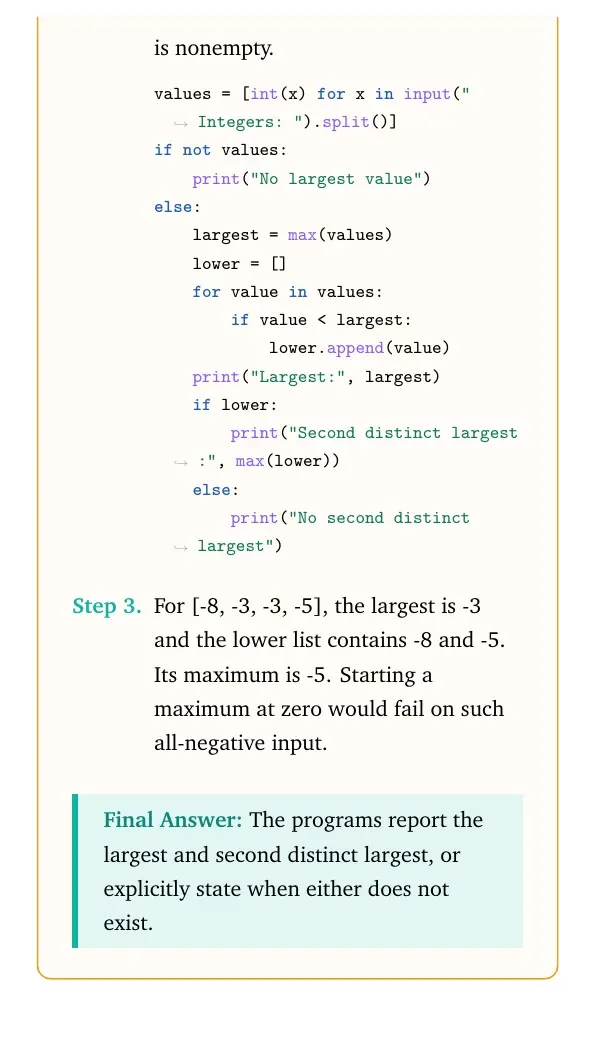
Structural observation. Concept used. Sorting places comparable numbers in order. Here second largest means the second distinct value unless stated otherwise.
- Find the maximum first, then remove its value from consideration. This avoids sorting but still uses the same distinct-value meaning.
- Gather all values strictly below the maximum. Their maximum is the second distinct largest, when this list is nonempty.
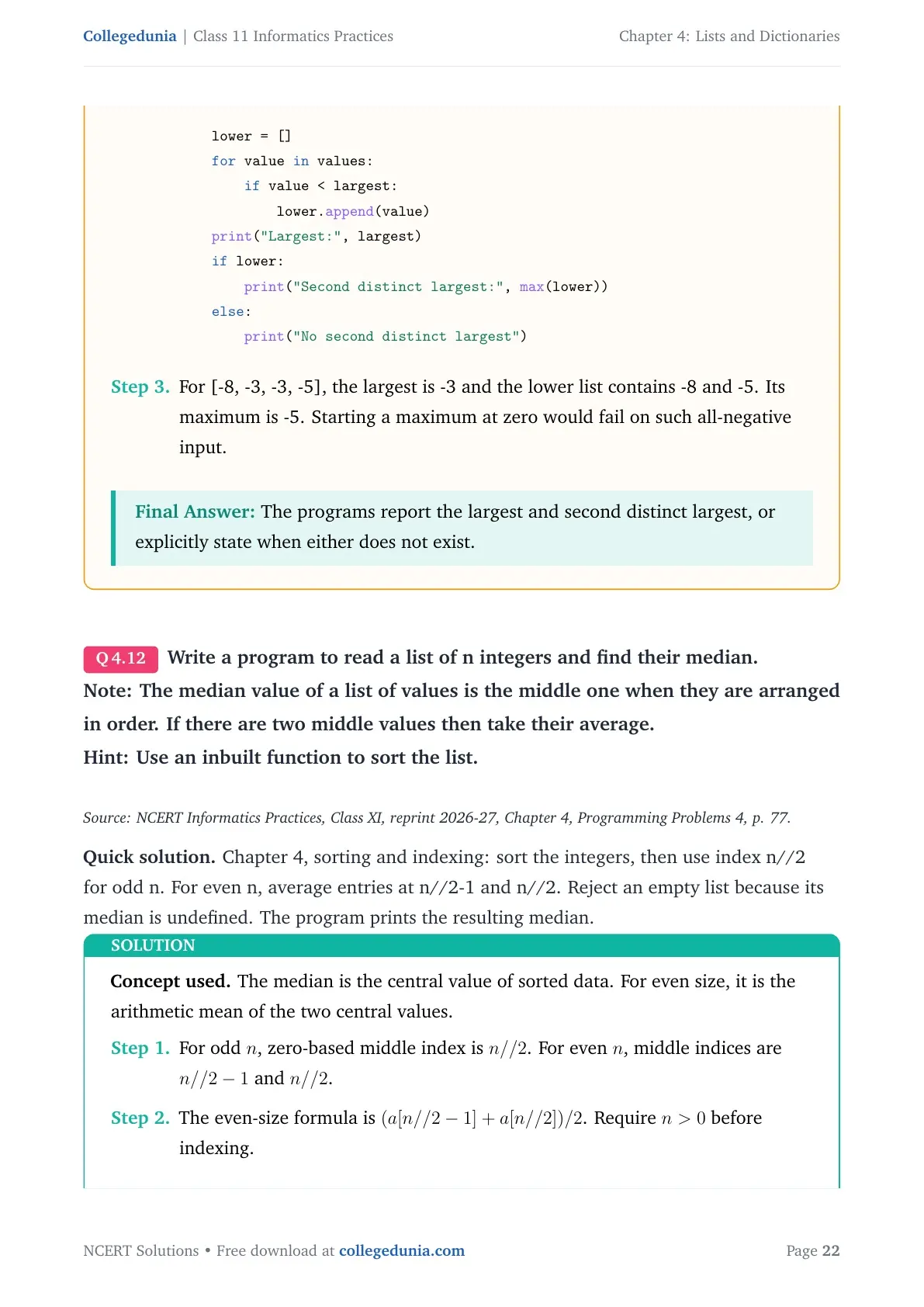
values = [int(x) for x in input("Integers: ").split()] if not values: print("No largest value") else: largest = max(values) lower = [] for value in values: if value < largest: lower.append(value) print("Largest:", largest) if lower: print("Second distinct largest:", max(lower)) else: print("No second distinct largest") - For [-8, -3, -3, -5], the largest is -3 and the lower list contains -8 and -5. Its maximum is -5. Starting a maximum at zero would fail on such all-negative input.
Final answer: The programs report the largest and second distinct largest, or explicitly state when either does not exist.
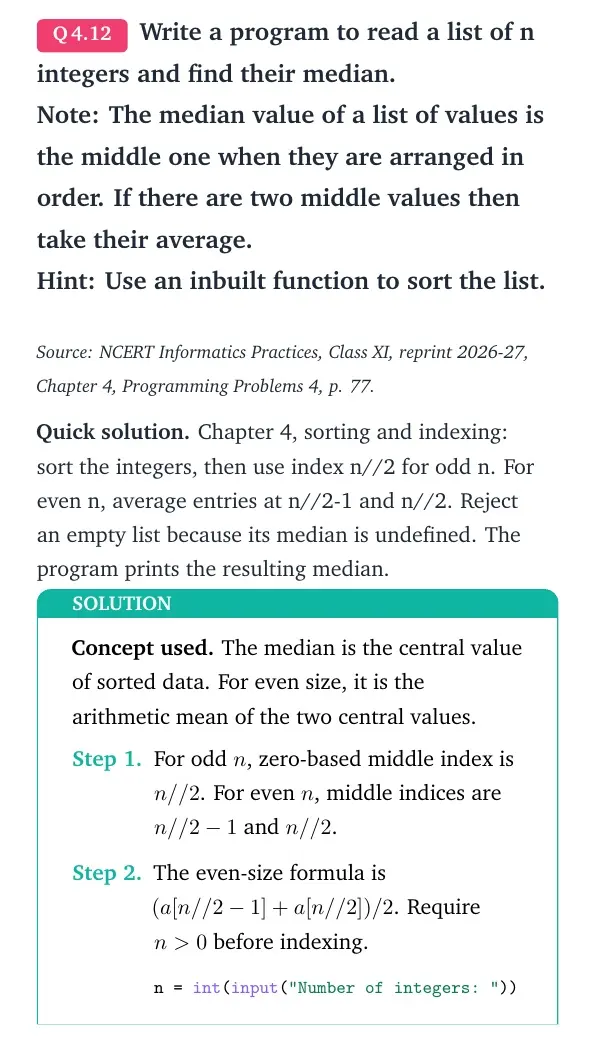
Write a program to read a list of n integers and find their median.
Note: The median value of a list of values is the middle one when they are arranged in order. If there are two middle values then take their average.
Hint: Use an inbuilt function to sort the list.
Source: NCERT Informatics Practices, Class XI, reprint 2026-27, Chapter 4, Programming Problems 4, p. 77.
Quick solution. Chapter 4, sorting and indexing: sort the integers, then use index n//2 for odd n. For even n, average entries at n//2-1 and n//2. Reject an empty list because its median is undefined. The program prints the resulting median.
Concept used. The median is the central value of sorted data. For even size, it is the arithmetic mean of the two central values.
- For odd n, zero-based middle index is n//2. For even n, middle indices are n//2-1 and n//2.
- The even-size formula is (a[n//2-1]+a[n//2])/2. Require n>0 before indexing.
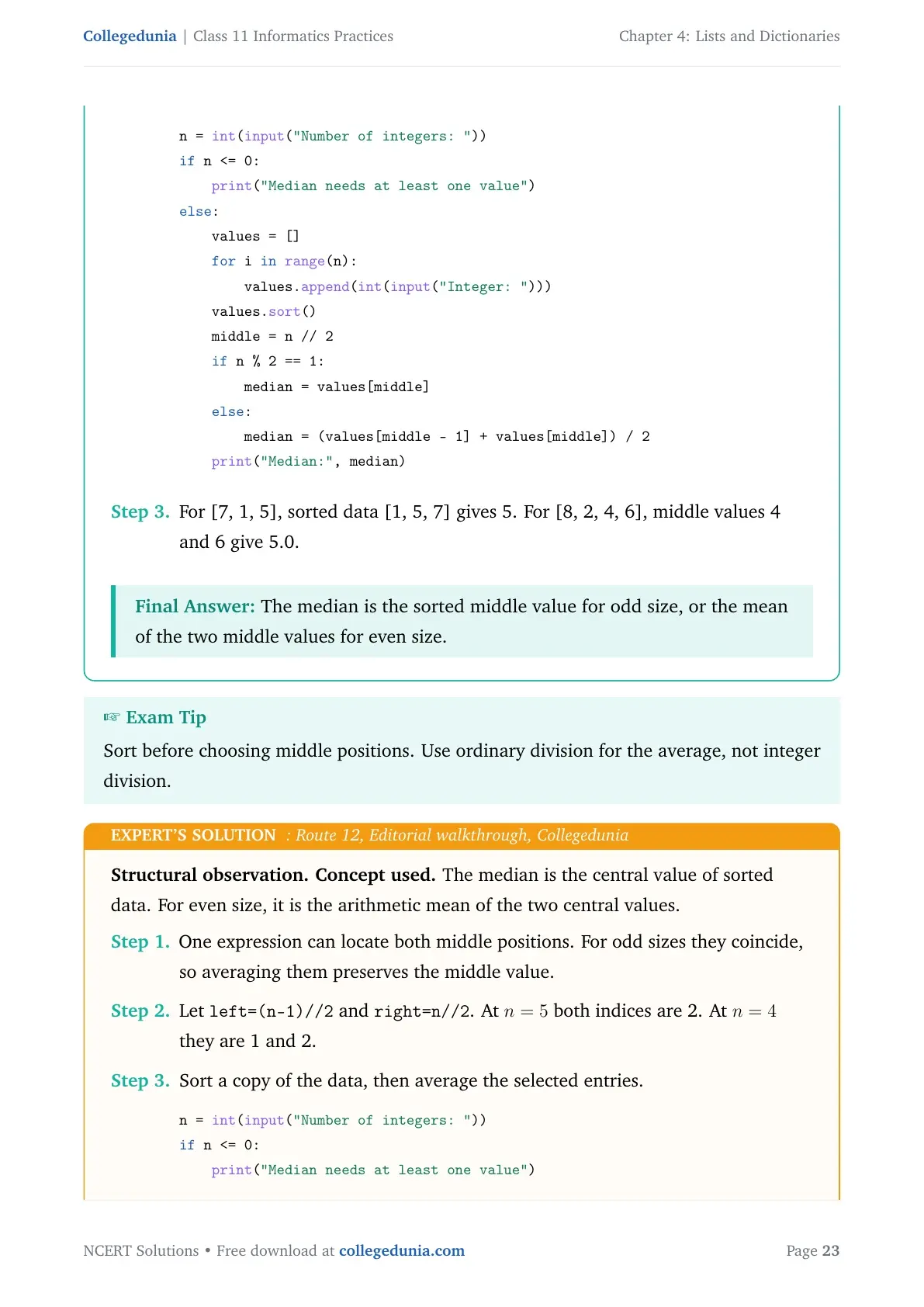
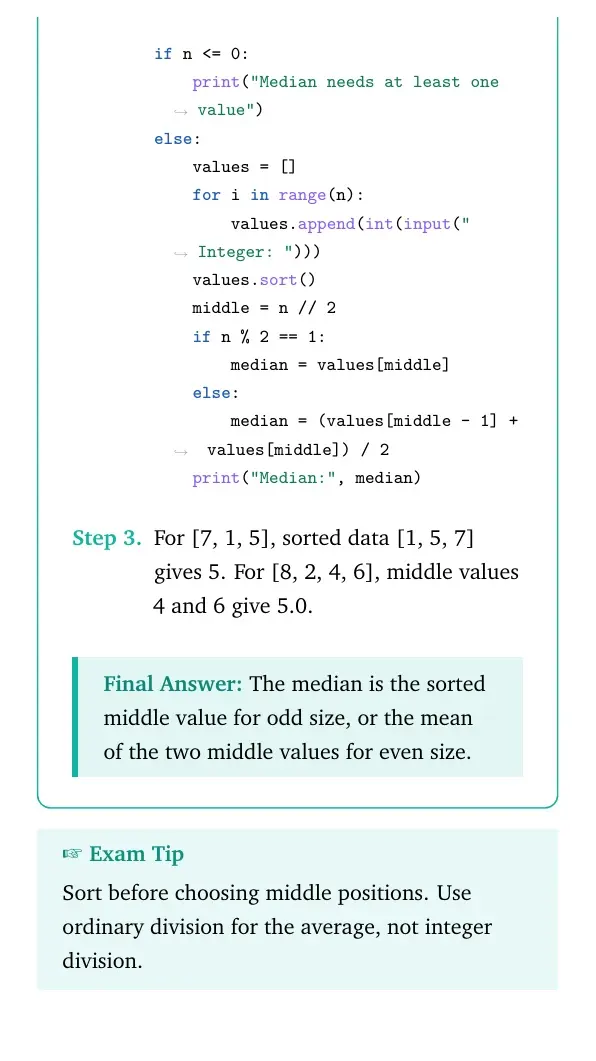
n = int(input("Number of integers: ")) if n <= 0: print("Median needs at least one value") else: values = [] for i in range(n): values.append(int(input("Integer: "))) values.sort() middle = n // 2 if n % 2 == 1: median = values[middle] else: median = (values[middle - 1] + values[middle]) / 2 print("Median:", median) - For [7, 1, 5], sorted data [1, 5, 7] gives 5. For [8, 2, 4, 6], middle values 4 and 6 give 5.0.
Final answer: The median is the sorted middle value for odd size, or the mean of the two middle values for even size.
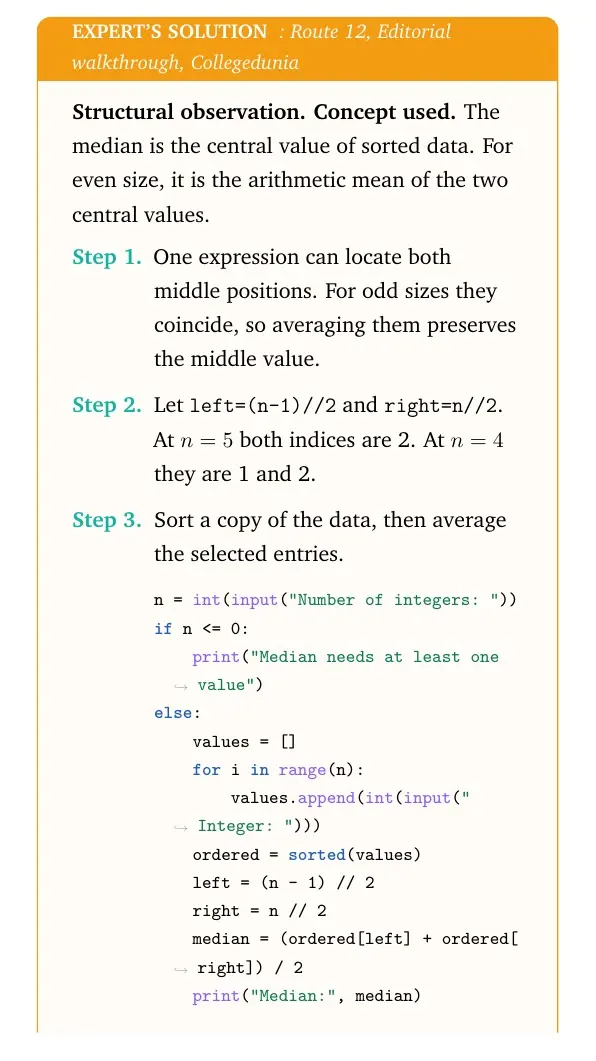
Structural observation. Concept used. The median is the central value of sorted data. For even size, it is the arithmetic mean of the two central values.
- One expression can locate both middle positions. For odd sizes they coincide, so averaging them preserves the middle value.
- Let
left=(n-1)//2andright=n//2. At n=5 both indices are 2. At n=4 they are 1 and 2. - Sort a copy of the data, then average the selected entries.
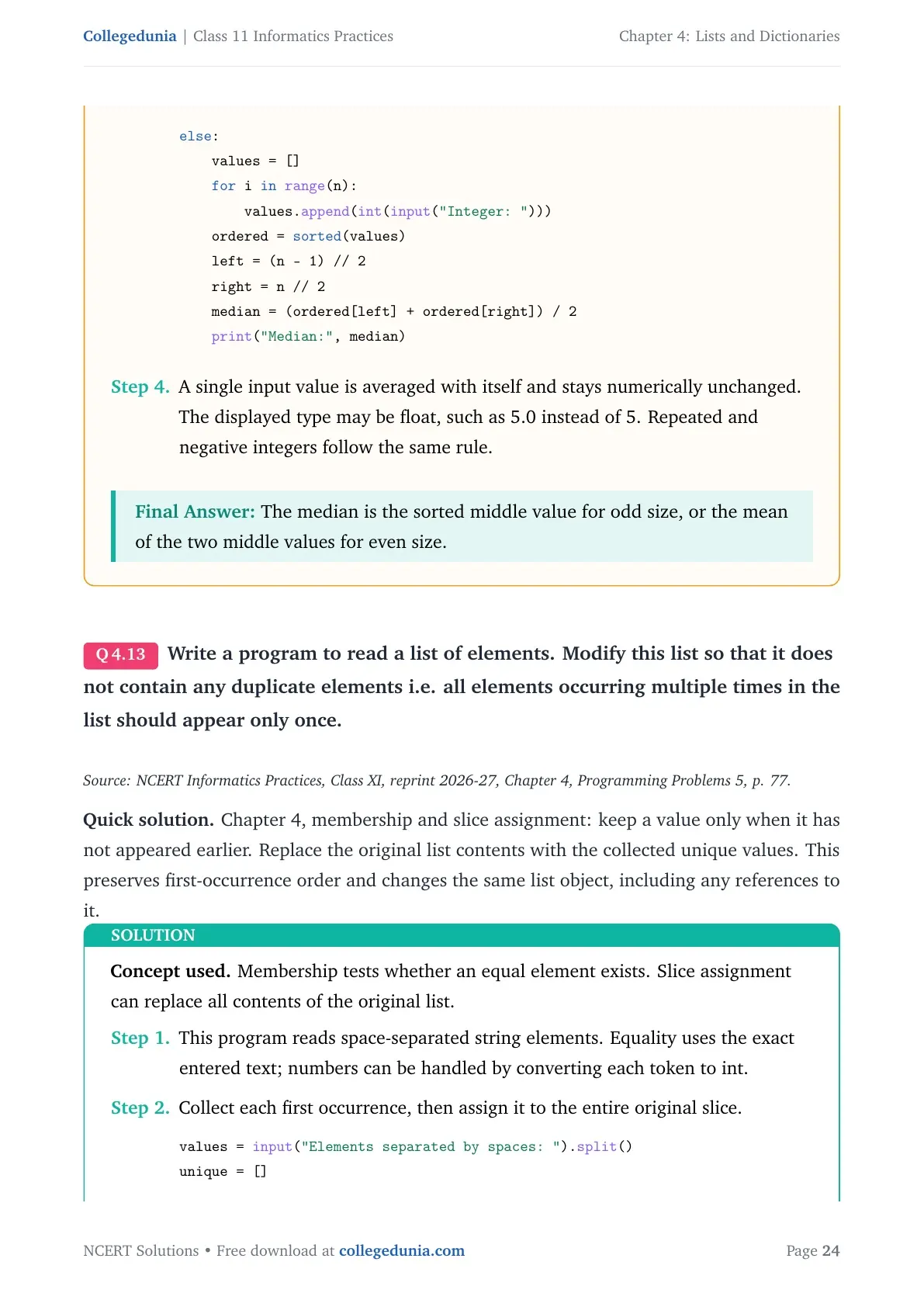
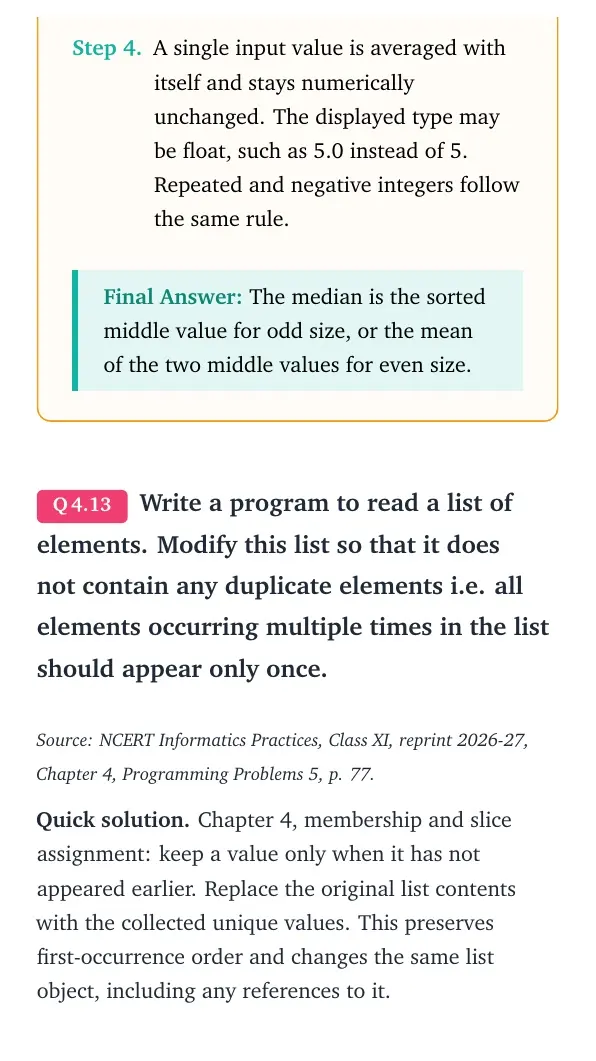
n = int(input("Number of integers: ")) if n <= 0: print("Median needs at least one value") else: values = [] for i in range(n): values.append(int(input("Integer: "))) ordered = sorted(values) left = (n - 1) // 2 right = n // 2 median = (ordered[left] + ordered[right]) / 2 print("Median:", median) - A single input value is averaged with itself and stays numerically unchanged. The displayed type may be float, such as 5.0 instead of 5. Repeated and negative integers follow the same rule.
Final answer: The median is the sorted middle value for odd size, or the mean of the two middle values for even size.
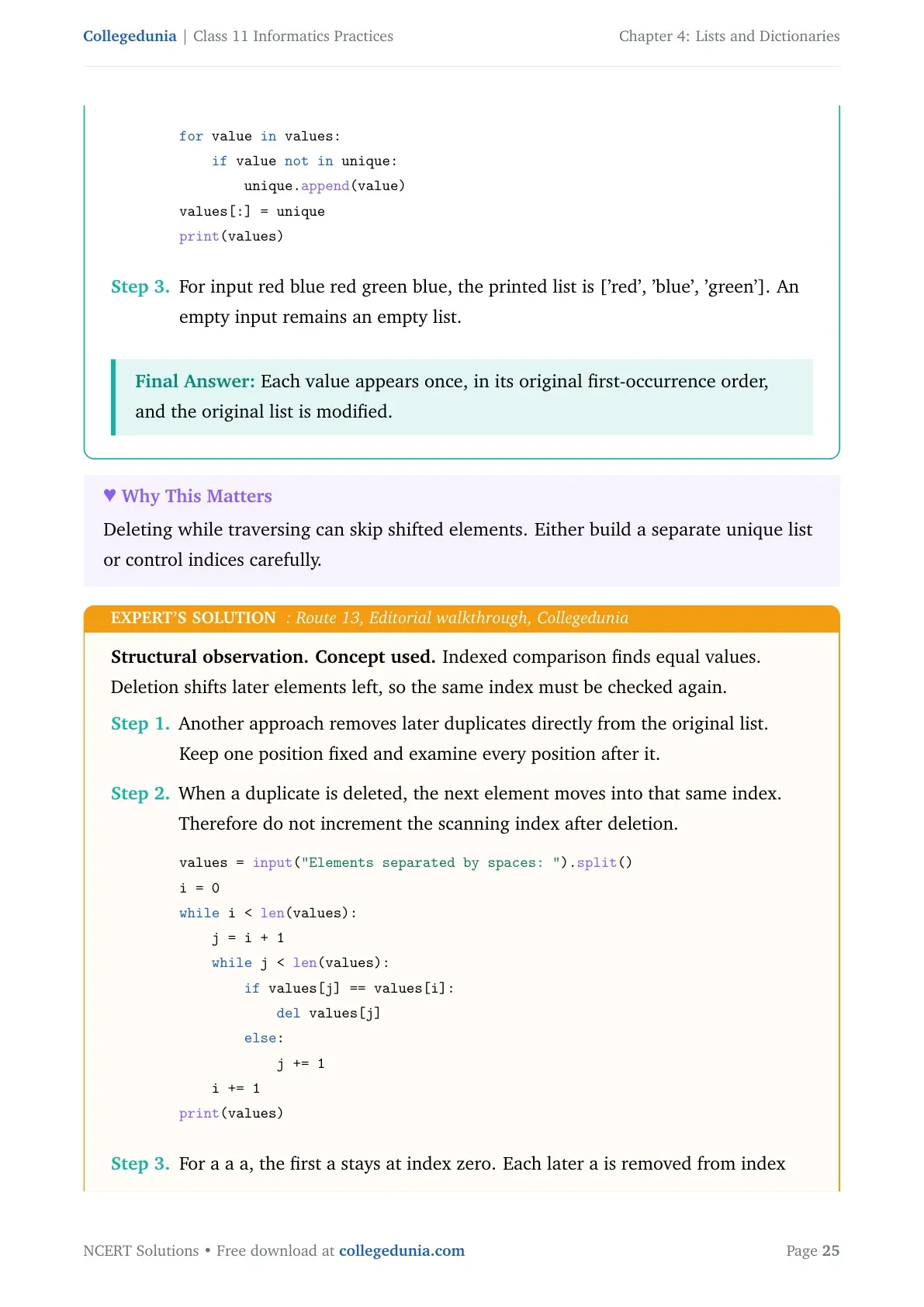
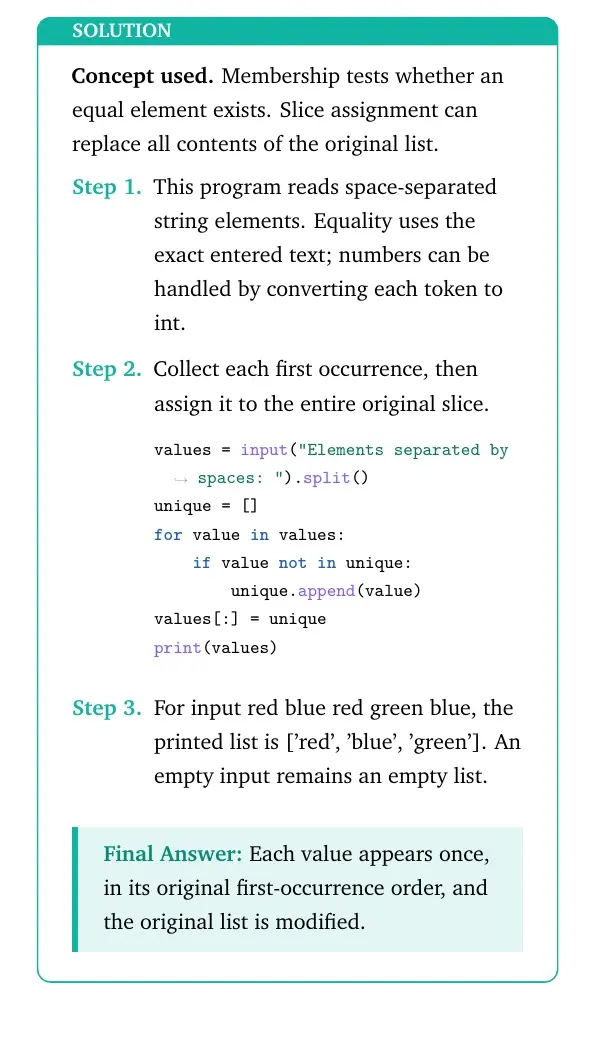
Write a program to read a list of elements. Modify this list so that it does not contain any duplicate elements i.e. all elements occurring multiple times in the list should appear only once.
Source: NCERT Informatics Practices, Class XI, reprint 2026-27, Chapter 4, Programming Problems 5, p. 77.
Quick solution. Chapter 4, membership and slice assignment: keep a value only when it has not appeared earlier. Replace the original list contents with the collected unique values. This preserves first-occurrence order and changes the same list object, including any references to it.
Concept used. Membership tests whether an equal element exists. Slice assignment can replace all contents of the original list.
- This program reads space-separated string elements. Equality uses the exact entered text; numbers can be handled by converting each token to int.
- Collect each first occurrence, then assign it to the entire original slice.
values = input("Elements separated by spaces: ").split() unique = [] for value in values: if value not in unique: unique.append(value) values[:] = unique print(values) - For input red blue red green blue, the printed list is ['red', 'blue', 'green']. An empty input remains an empty list.
Final answer: Each value appears once, in its original first-occurrence order, and the original list is modified.
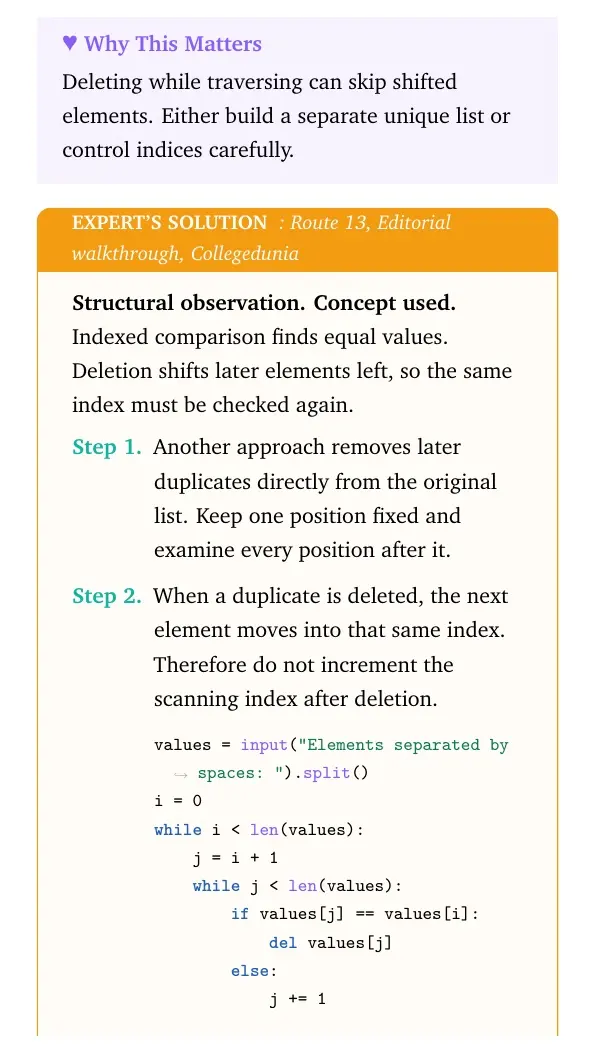
Structural observation. Concept used. Indexed comparison finds equal values. Deletion shifts later elements left, so the same index must be checked again.
- Another approach removes later duplicates directly from the original list. Keep one position fixed and examine every position after it.
- When a duplicate is deleted, the next element moves into that same index. Therefore do not increment the scanning index after deletion.
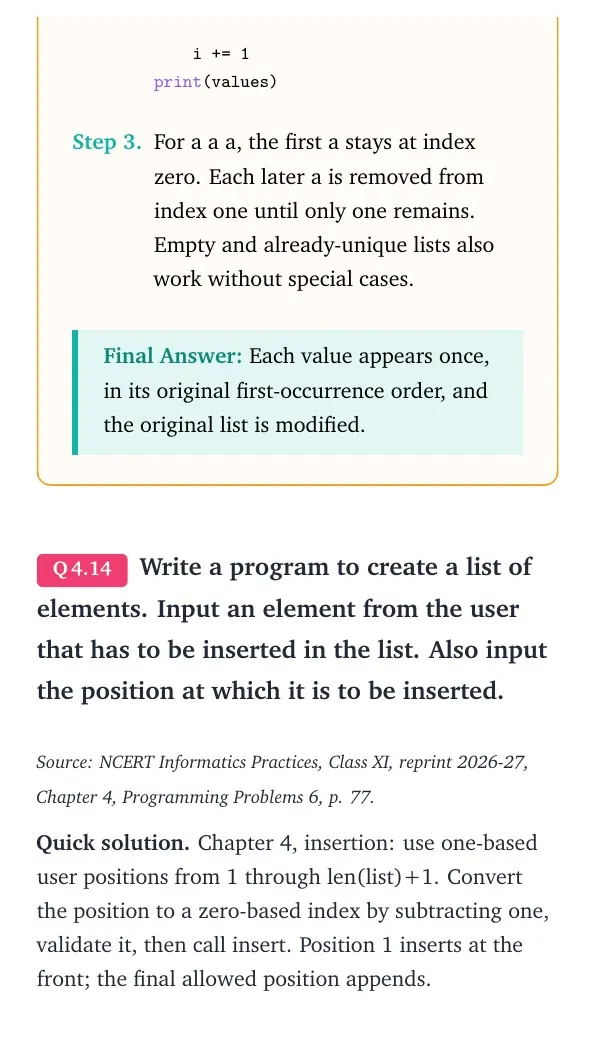
values = input("Elements separated by spaces: ").split() i = 0 while i < len(values): j = i + 1 while j < len(values): if values[j] == values[i]: del values[j] else: j += 1 i += 1 print(values) - For a a a, the first a stays at index zero. Each later a is removed from index one until only one remains. Empty and already-unique lists also work without special cases.
Final answer: Each value appears once, in its original first-occurrence order, and the original list is modified.
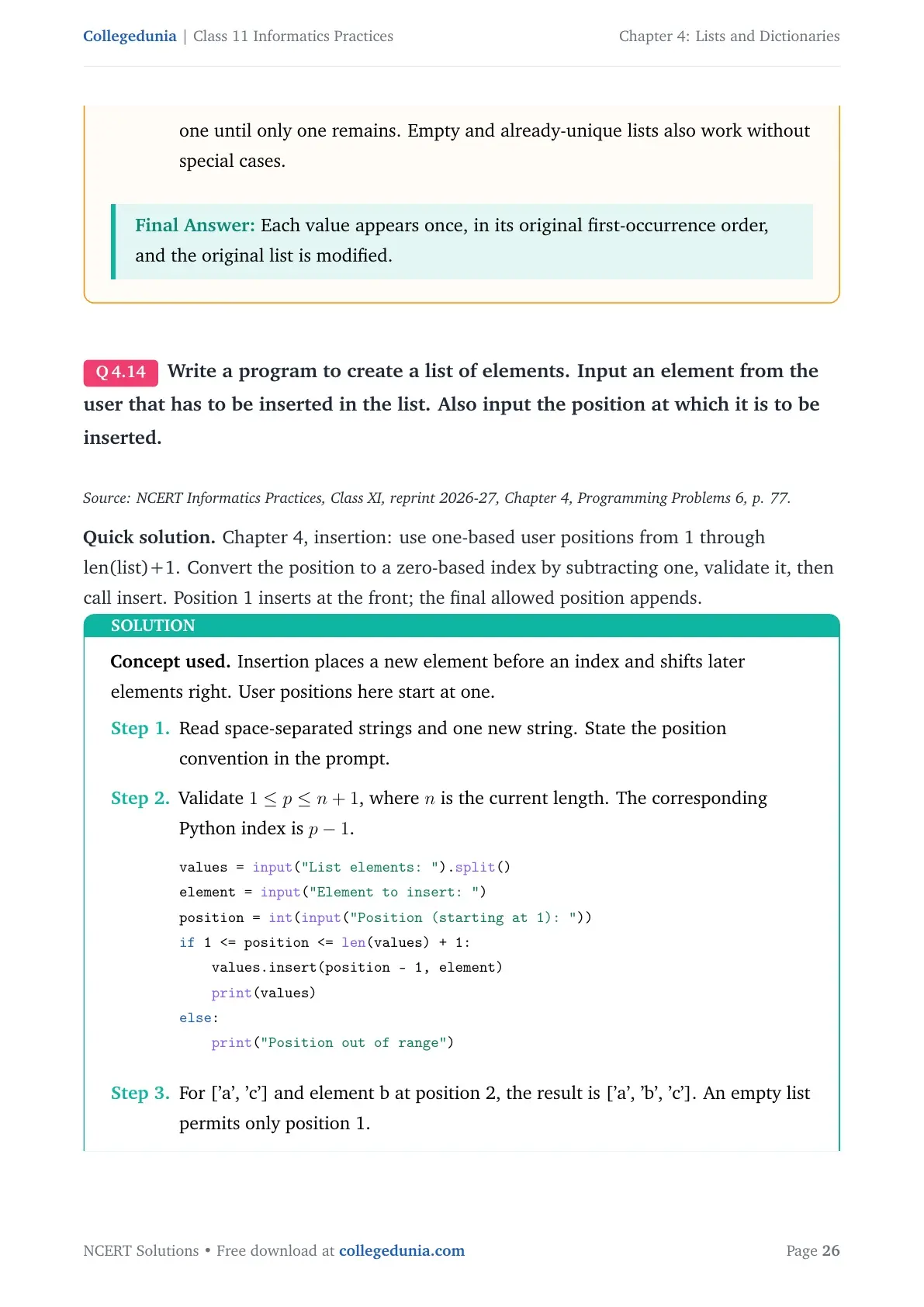
Write a program to create a list of elements. Input an element from the user that has to be inserted in the list. Also input the position at which it is to be inserted.
Source: NCERT Informatics Practices, Class XI, reprint 2026-27, Chapter 4, Programming Problems 6, p. 77.
Quick solution. Chapter 4, insertion: use one-based user positions from 1 through len(list)+1. Convert the position to a zero-based index by subtracting one, validate it, then call insert. Position 1 inserts at the front; the final allowed position appends.
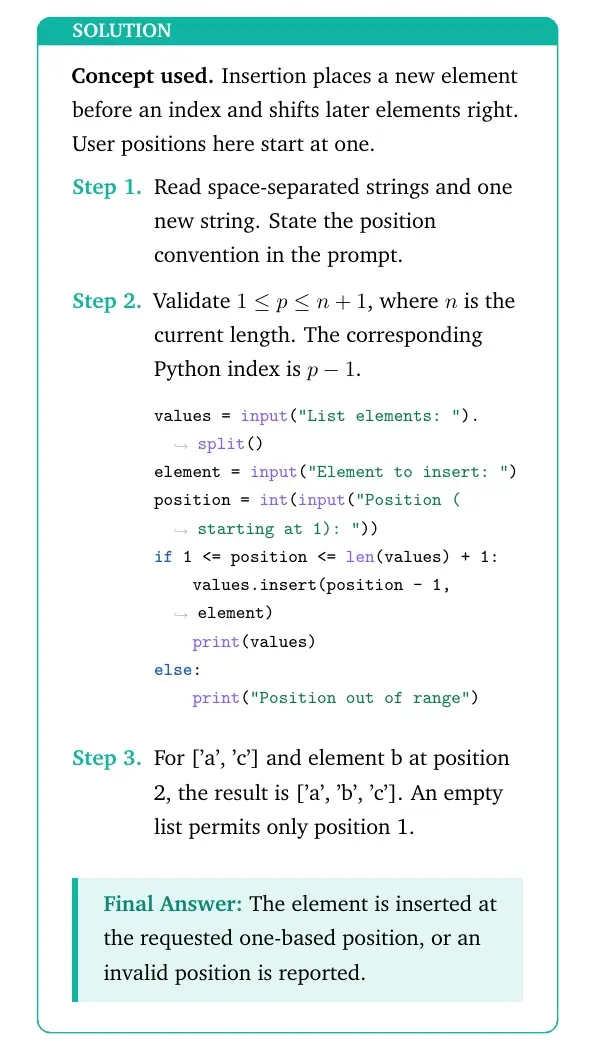
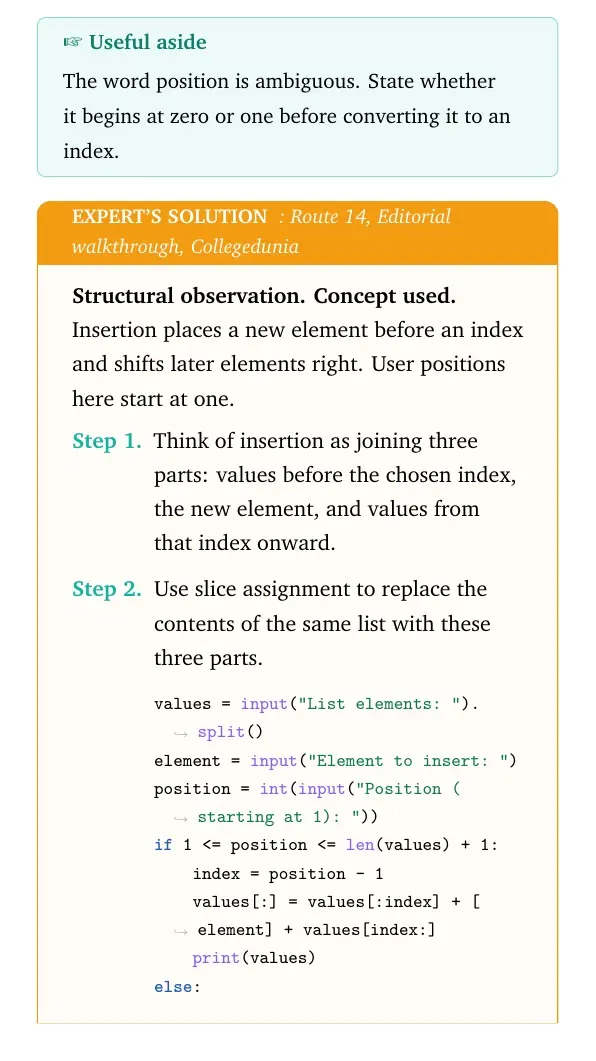
Concept used. Insertion places a new element before an index and shifts later elements right. User positions here start at one.
- Read space-separated strings and one new string. State the position convention in the prompt.
- Validate 1≤ p≤ n+1, where n is the current length. The corresponding Python index is p-1.
values = input("List elements: ").split() element = input("Element to insert: ") position = int(input("Position (starting at 1): ")) if 1 <= position <= len(values) + 1: values.insert(position - 1, element) print(values) else: print("Position out of range") - For ['a', 'c'] and element b at position 2, the result is ['a', 'b', 'c']. An empty list permits only position 1.
Final answer: The element is inserted at the requested one-based position, or an invalid position is reported.
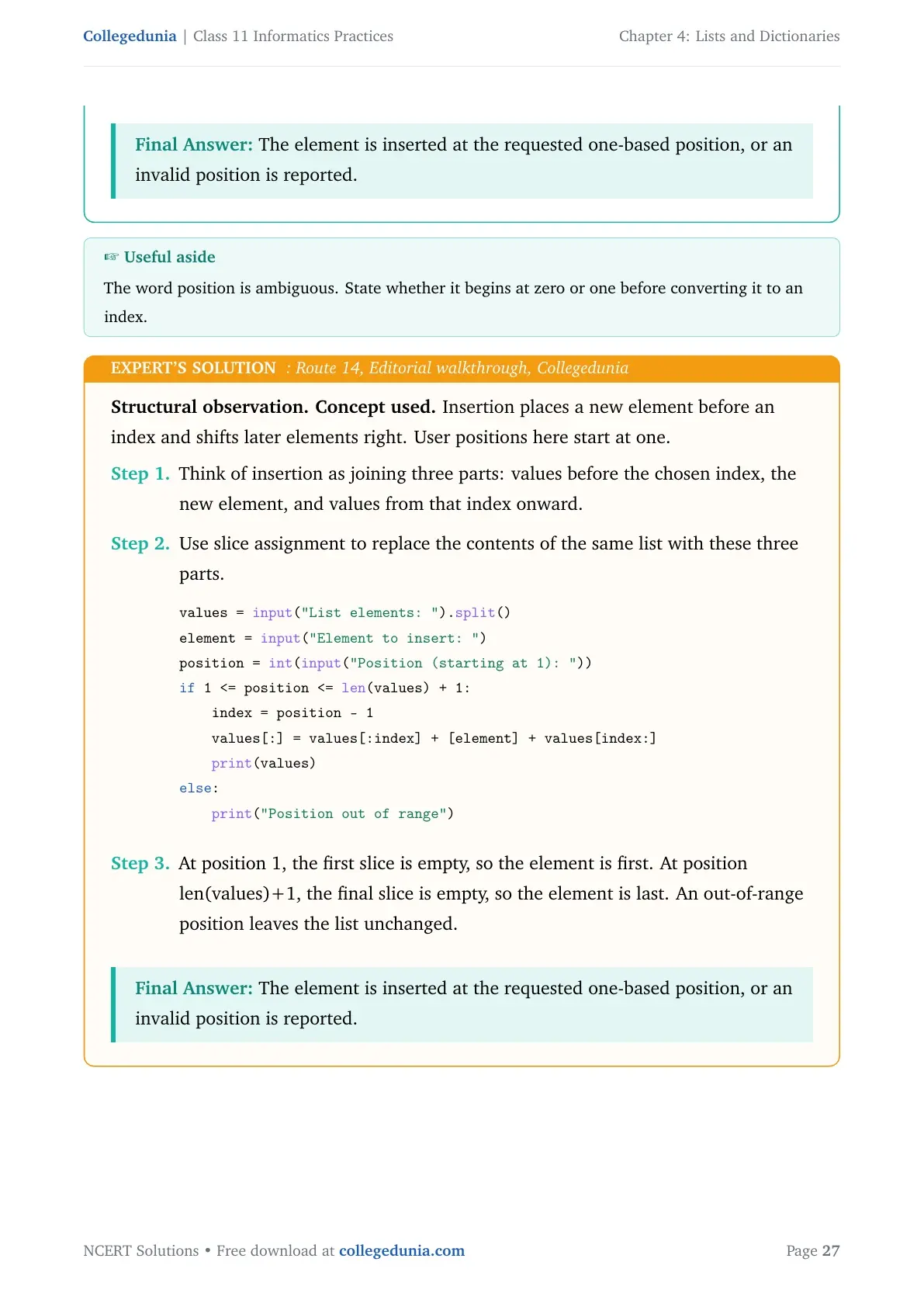
Structural observation. Concept used. Insertion places a new element before an index and shifts later elements right. User positions here start at one.
- Think of insertion as joining three parts: values before the chosen index, the new element, and values from that index onward.
- Use slice assignment to replace the contents of the same list with these three parts.
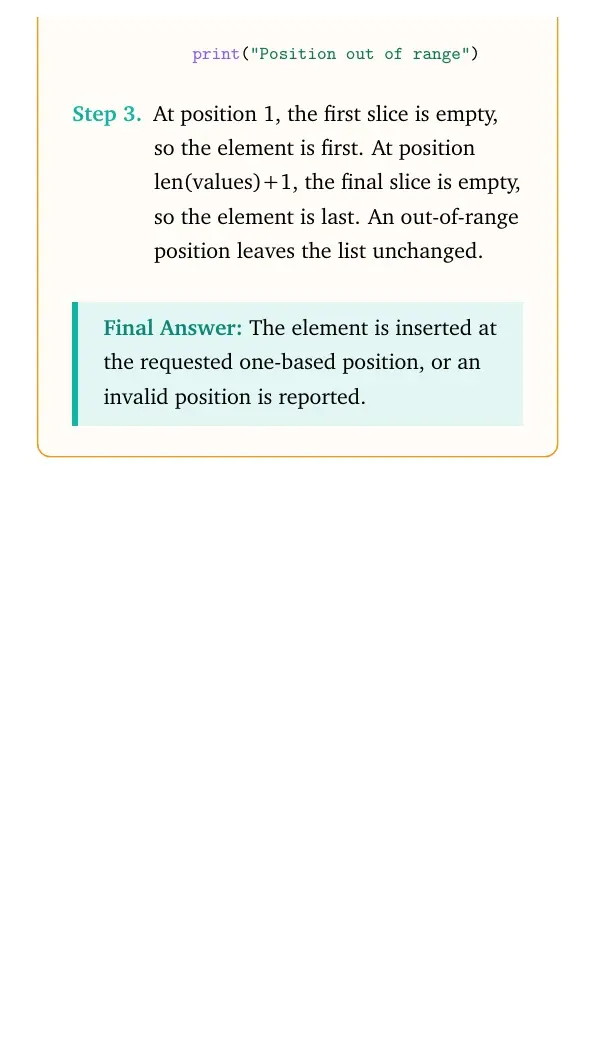
values = input("List elements: ").split() element = input("Element to insert: ") position = int(input("Position (starting at 1): ")) if 1 <= position <= len(values) + 1: index = position - 1 values[:] = values[:index] + [element] + values[index:] print(values) else: print("Position out of range") - At position 1, the first slice is empty, so the element is first. At position len(values)+1, the final slice is empty, so the element is last. An out-of-range position leaves the list unchanged.
Final answer: The element is inserted at the requested one-based position, or an invalid position is reported.
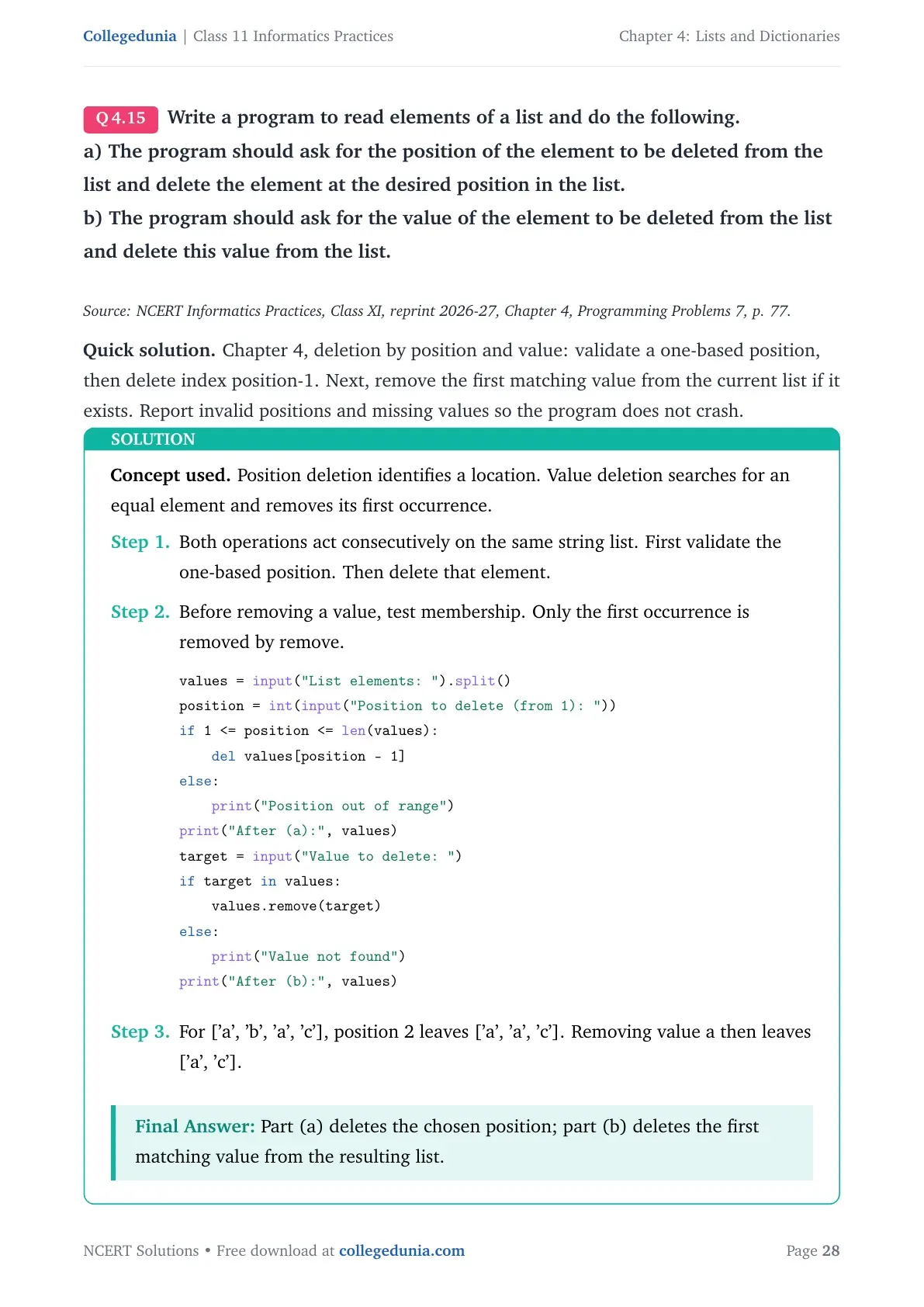
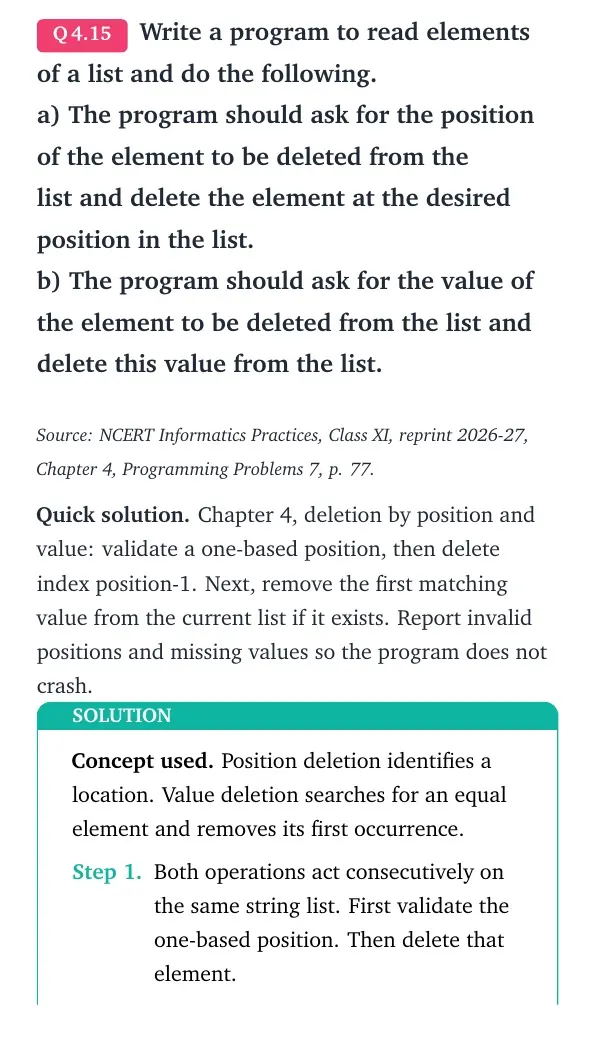
Write a program to read elements of a list and do the following.
a) The program should ask for the position of the element to be deleted from the list and delete the element at the desired position in the list.
b) The program should ask for the value of the element to be deleted from the list and delete this value from the list.
Source: NCERT Informatics Practices, Class XI, reprint 2026-27, Chapter 4, Programming Problems 7, p. 77.
Quick solution. Chapter 4, deletion by position and value: validate a one-based position, then delete index position-1. Next, remove the first matching value from the current list if it exists. Report invalid positions and missing values so the program does not crash.
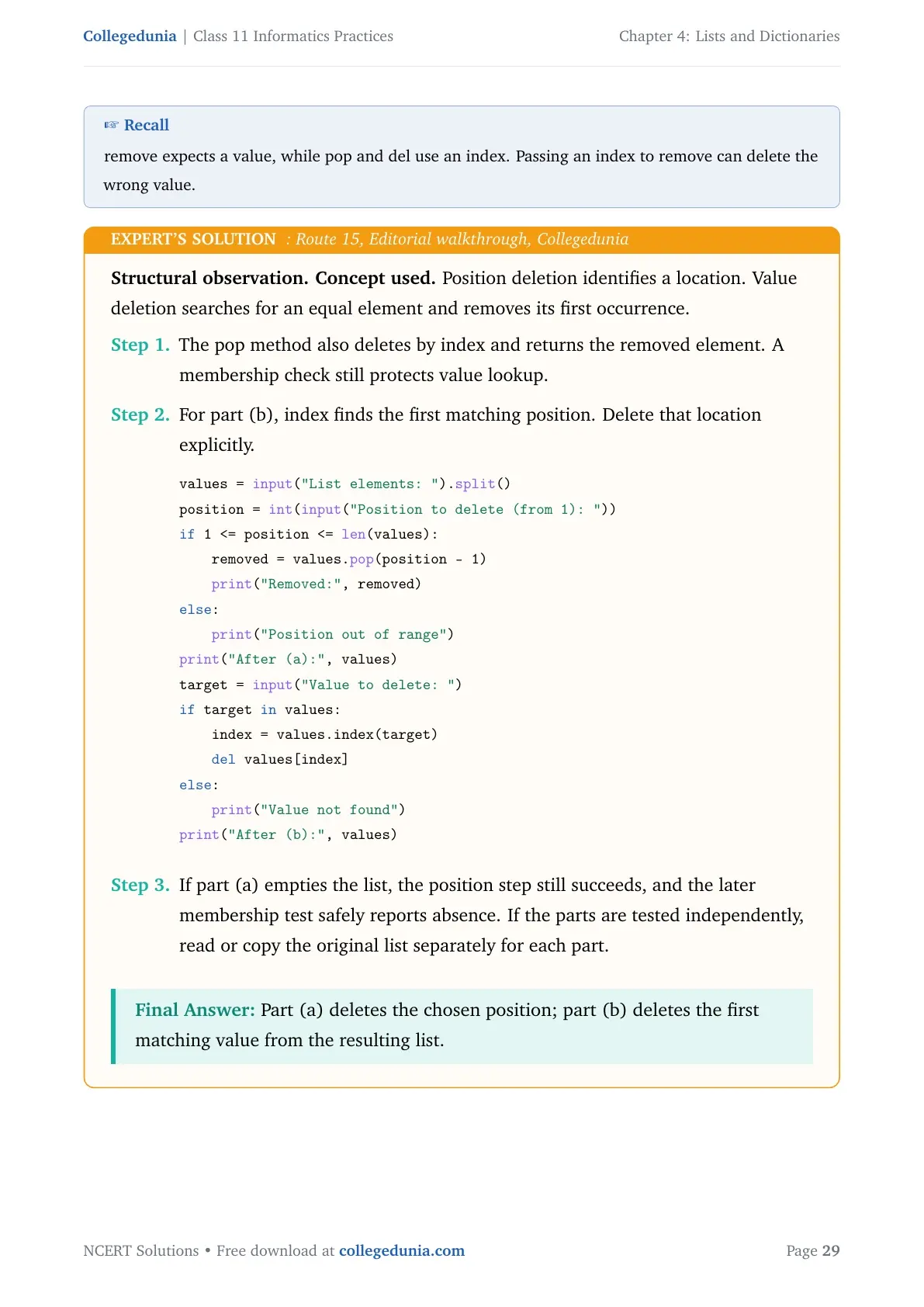
Concept used. Position deletion identifies a location. Value deletion searches for an equal element and removes its first occurrence.
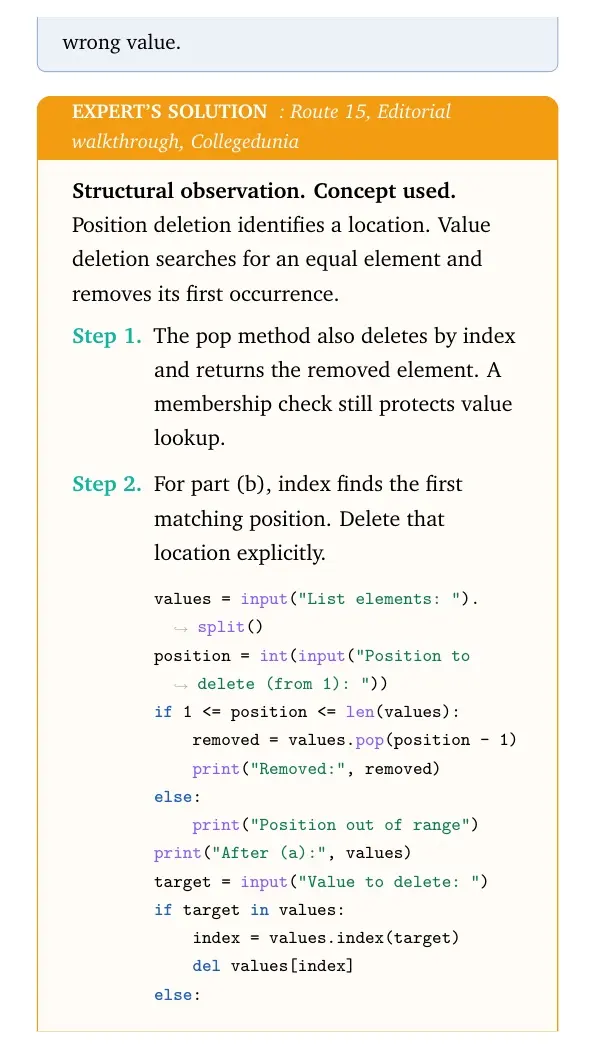
- Both operations act consecutively on the same string list. First validate the one-based position. Then delete that element.
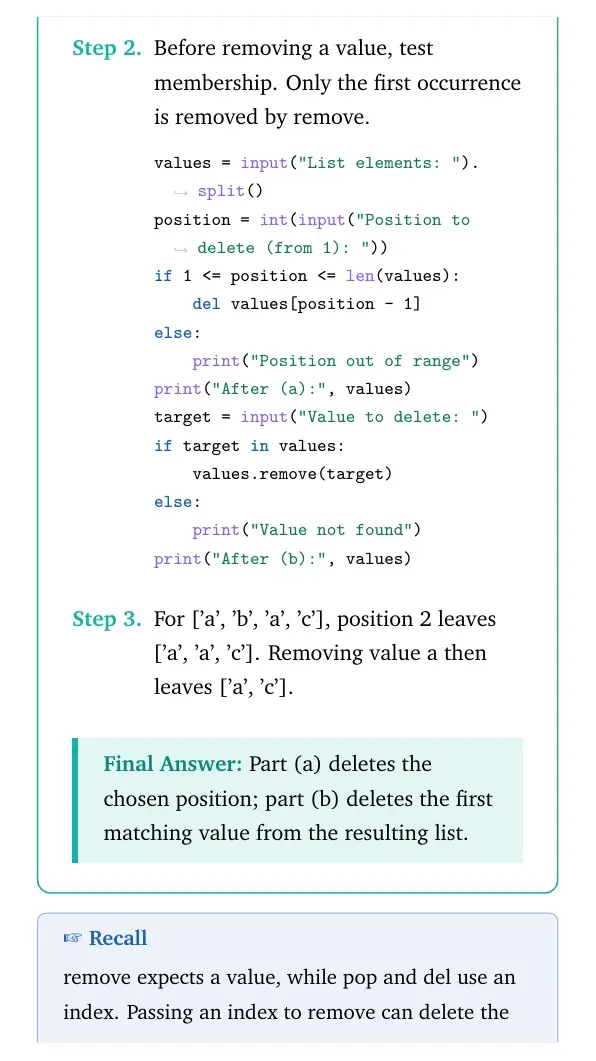
- Before removing a value, test membership. Only the first occurrence is removed by remove.
values = input("List elements: ").split() position = int(input("Position to delete (from 1): ")) if 1 <= position <= len(values): del values[position - 1] else: print("Position out of range") print("After (a):", values) target = input("Value to delete: ") if target in values: values.remove(target) else: print("Value not found") print("After (b):", values) - For ['a', 'b', 'a', 'c'], position 2 leaves ['a', 'a', 'c']. Removing value a then leaves ['a', 'c'].
Final answer: Part (a) deletes the chosen position; part (b) deletes the first matching value from the resulting list.
Structural observation. Concept used. Position deletion identifies a location. Value deletion searches for an equal element and removes its first occurrence.
- The pop method also deletes by index and returns the removed element. A membership check still protects value lookup.
- For part (b), index finds the first matching position. Delete that location explicitly.
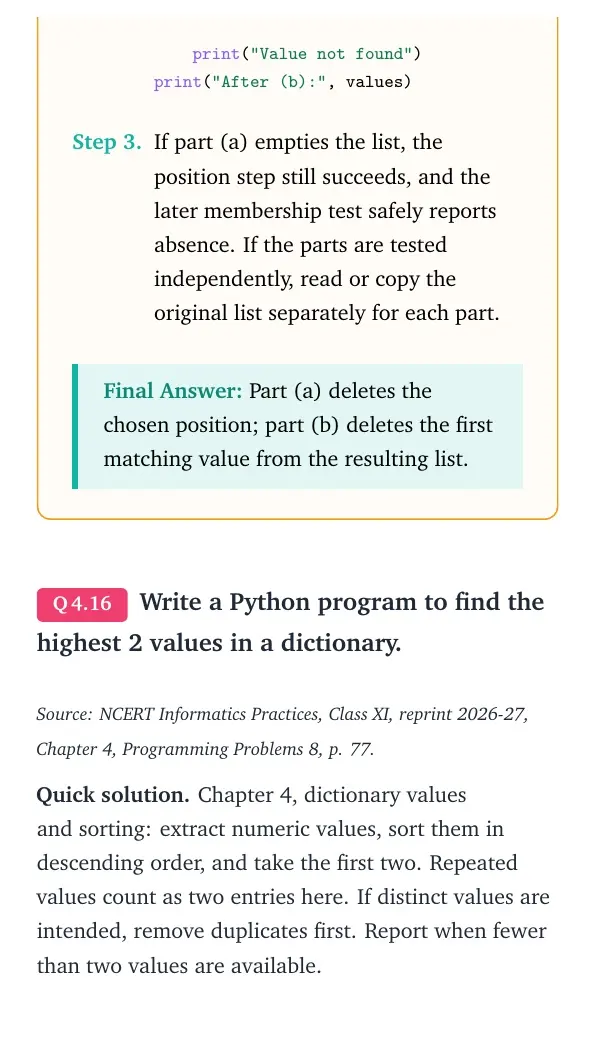
values = input("List elements: ").split() position = int(input("Position to delete (from 1): ")) if 1 <= position <= len(values): removed = values.pop(position - 1) print("Removed:", removed) else: print("Position out of range") print("After (a):", values) target = input("Value to delete: ") if target in values: index = values.index(target) del values[index] else: print("Value not found") print("After (b):", values) - If part (a) empties the list, the position step still succeeds, and the later membership test safely reports absence. If the parts are tested independently, read or copy the original list separately for each part.
Final answer: Part (a) deletes the chosen position; part (b) deletes the first matching value from the resulting list.
Write a Python program to find the highest 2 values in a dictionary.
Source: NCERT Informatics Practices, Class XI, reprint 2026-27, Chapter 4, Programming Problems 8, p. 77.
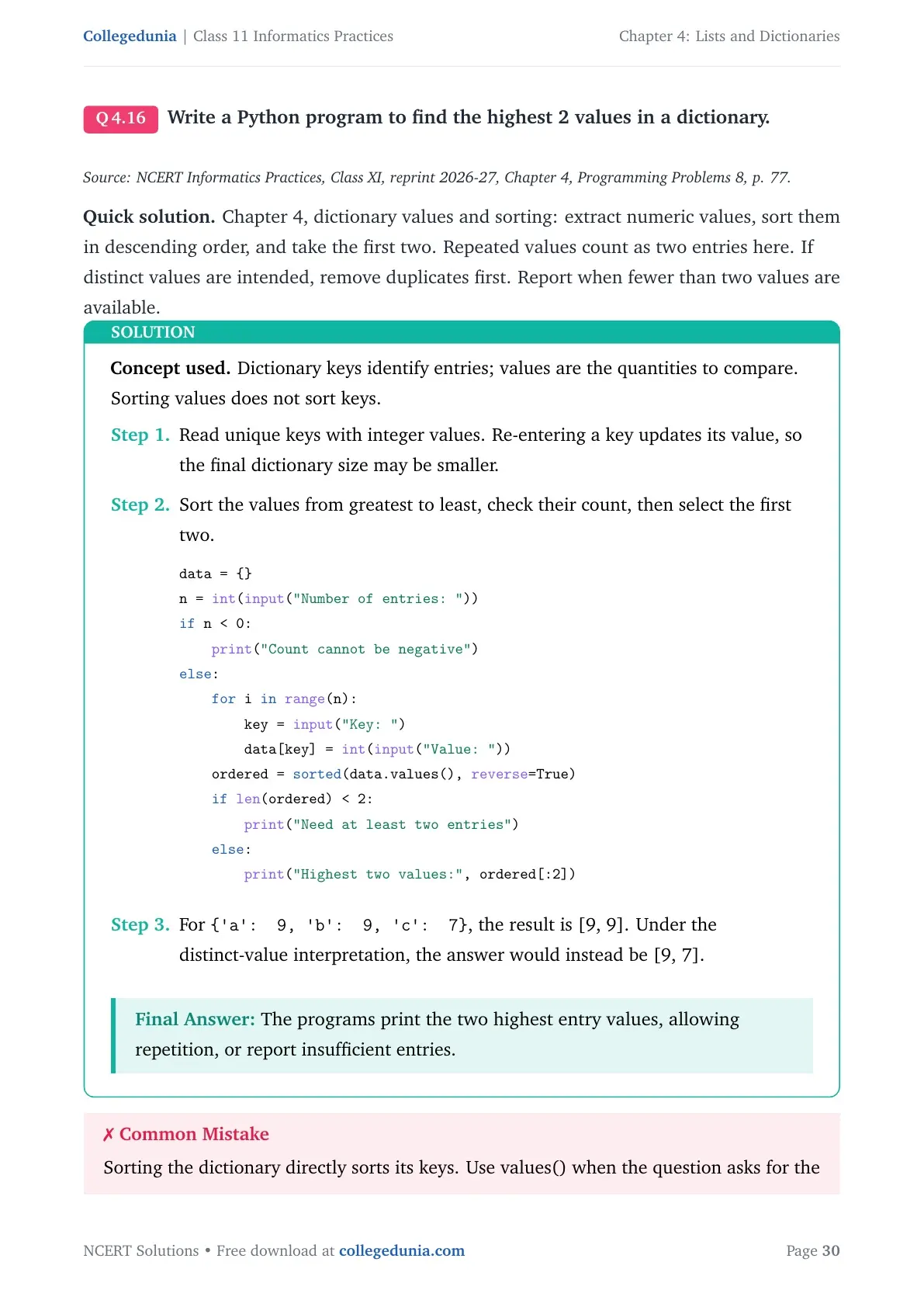
Quick solution. Chapter 4, dictionary values and sorting: extract numeric values, sort them in descending order, and take the first two. Repeated values count as two entries here. If distinct values are intended, remove duplicates first. Report when fewer than two values are available.
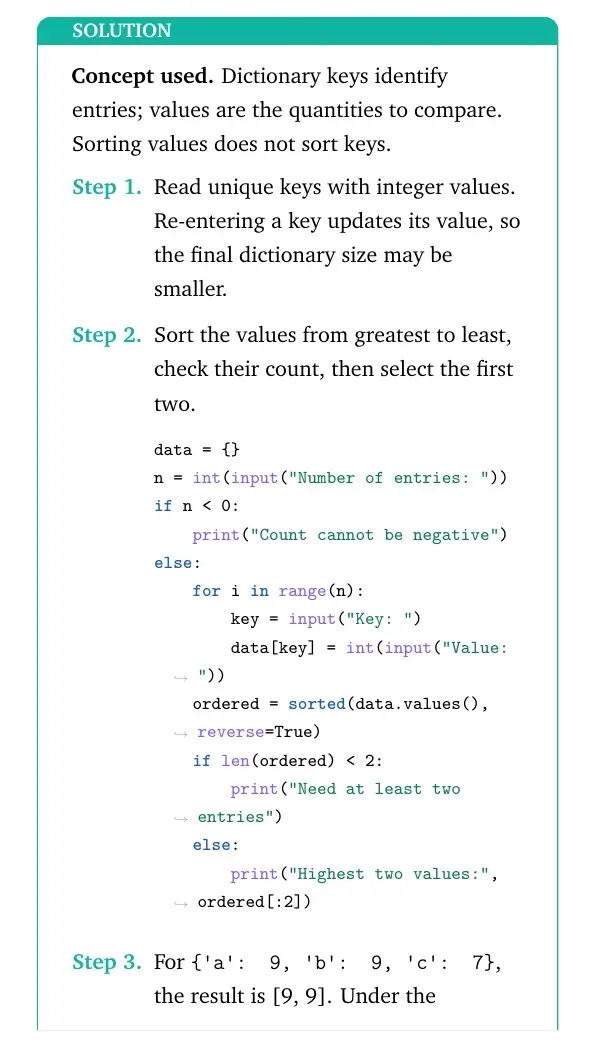
Concept used. Dictionary keys identify entries; values are the quantities to compare. Sorting values does not sort keys.
- Read unique keys with integer values. Re-entering a key updates its value, so the final dictionary size may be smaller.
- Sort the values from greatest to least, check their count, then select the first two.
data = {} n = int(input("Number of entries: ")) if n < 0: print("Count cannot be negative") else: for i in range(n): key = input("Key: ") data[key] = int(input("Value: ")) ordered = sorted(data.values(), reverse=True) if len(ordered) < 2: print("Need at least two entries") else: print("Highest two values:", ordered[:2]) - For
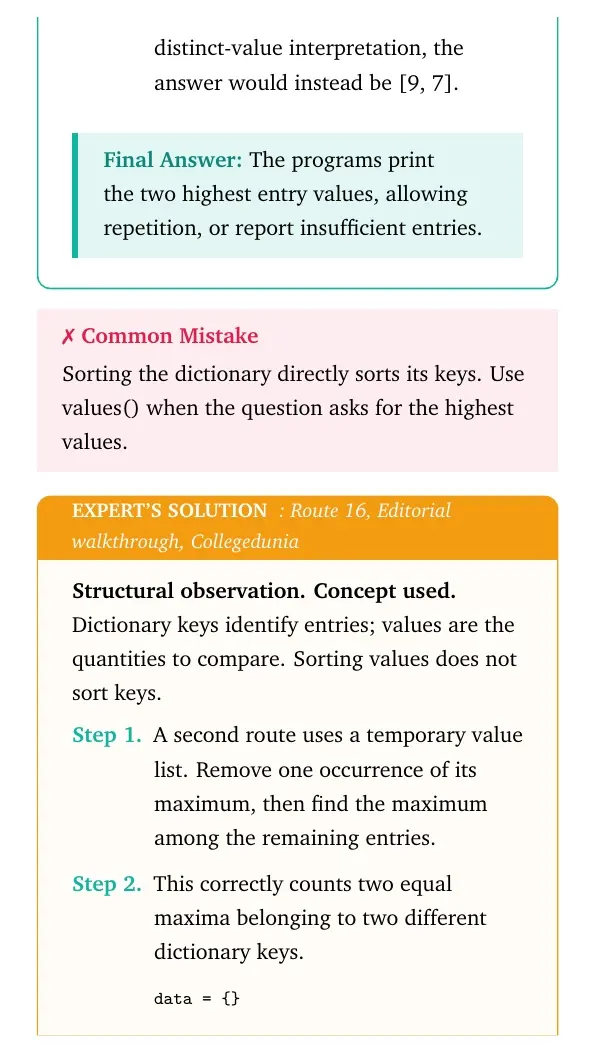
{'a': 9, 'b': 9, 'c': 7}, the result is [9, 9]. Under the distinct-value interpretation, the answer would instead be [9, 7].
Final answer: The programs print the two highest entry values, allowing repetition, or report insufficient entries.
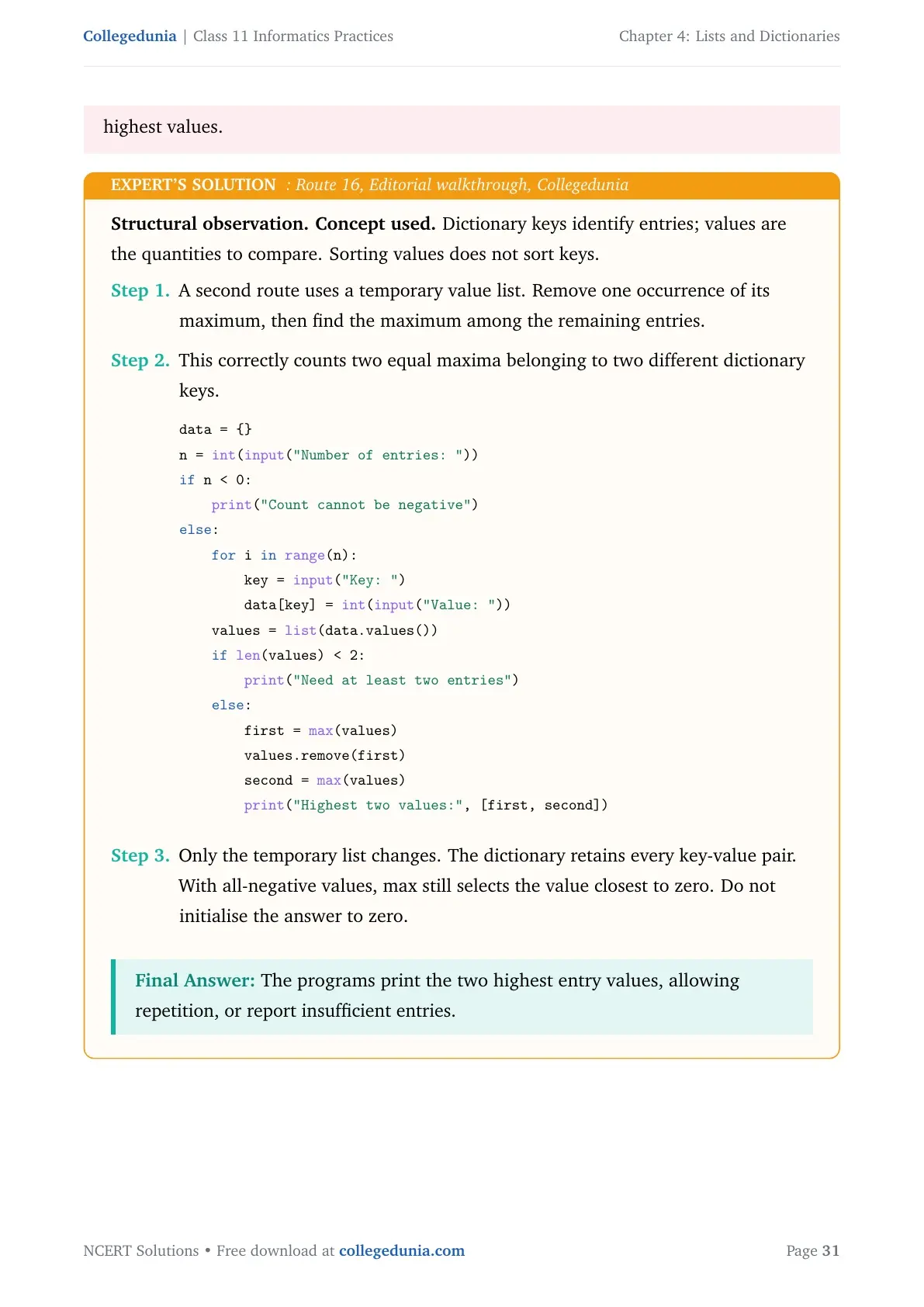
Structural observation. Concept used. Dictionary keys identify entries; values are the quantities to compare. Sorting values does not sort keys.
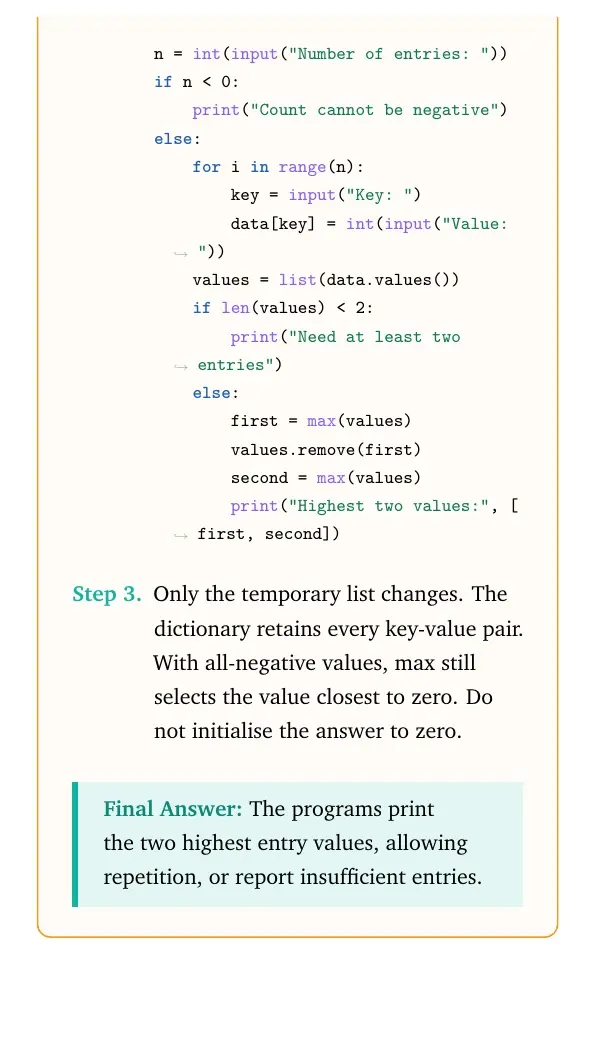
- A second route uses a temporary value list. Remove one occurrence of its maximum, then find the maximum among the remaining entries.
- This correctly counts two equal maxima belonging to two different dictionary keys.
data = {} n = int(input("Number of entries: ")) if n < 0: print("Count cannot be negative") else: for i in range(n): key = input("Key: ") data[key] = int(input("Value: ")) values = list(data.values()) if len(values) < 2: print("Need at least two entries") else: first = max(values) values.remove(first) second = max(values) print("Highest two values:", [first, second]) - Only the temporary list changes. The dictionary retains every key-value pair. With all-negative values, max still selects the value closest to zero. Do not initialise the answer to zero.
Final answer: The programs print the two highest entry values, allowing repetition, or report insufficient entries.
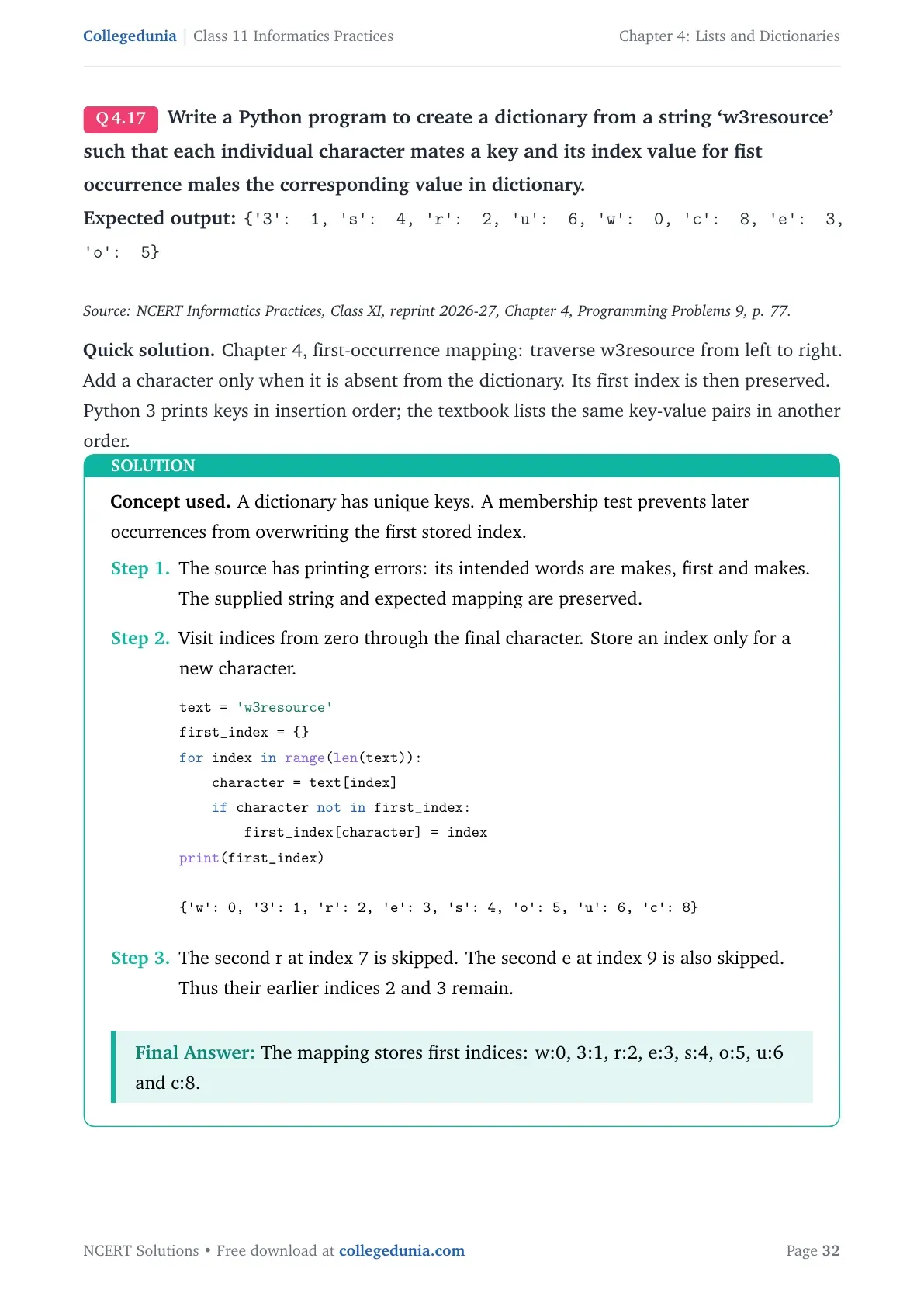
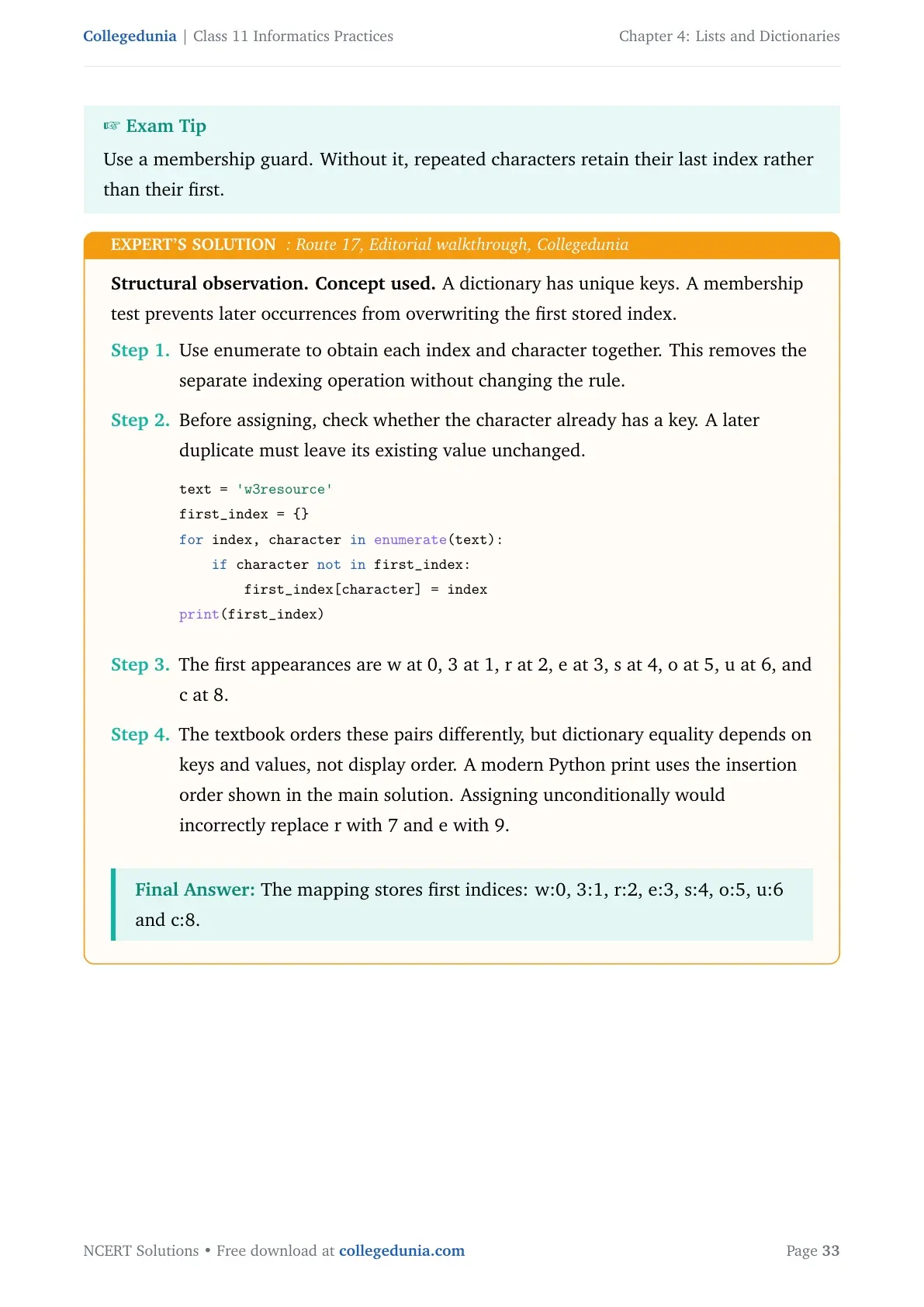
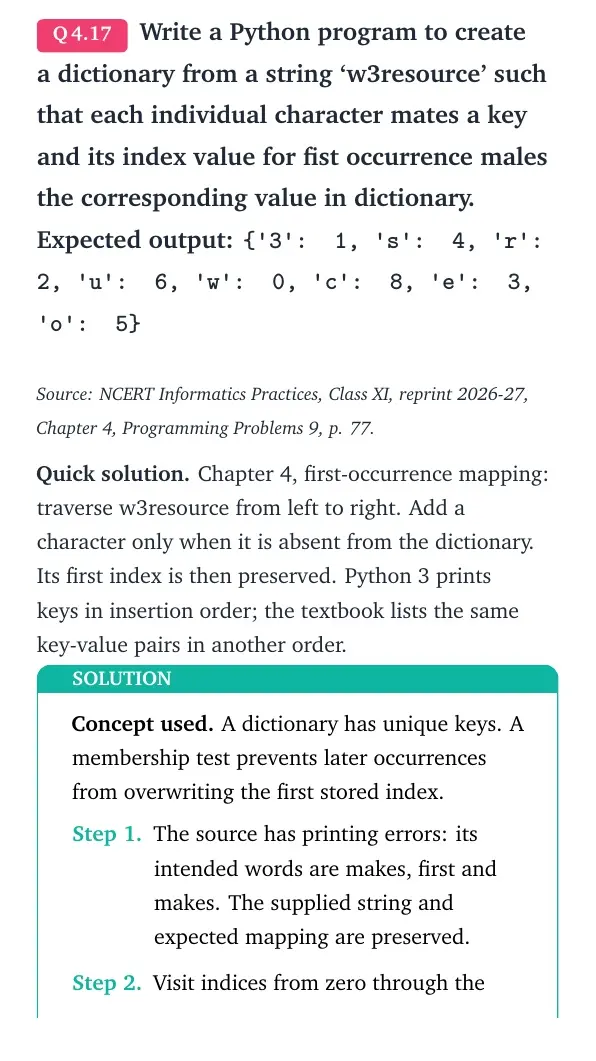
Write a Python program to create a dictionary from a string ‘w3resource’ such that each individual character mates a key and its index value for fist occurrence males the corresponding value in dictionary.
Expected output: {'3': 1, 's': 4, 'r': 2, 'u': 6, 'w': 0, 'c': 8, 'e': 3, 'o': 5}
Source: NCERT Informatics Practices, Class XI, reprint 2026-27, Chapter 4, Programming Problems 9, p. 77.
Quick solution. Chapter 4, first-occurrence mapping: traverse w3resource from left to right. Add a character only when it is absent from the dictionary. Its first index is then preserved. Python 3 prints keys in insertion order; the textbook lists the same key-value pairs in another order.
Concept used. A dictionary has unique keys. A membership test prevents later occurrences from overwriting the first stored index.
- The source has printing errors: its intended words are makes, first and makes. The supplied string and expected mapping are preserved.
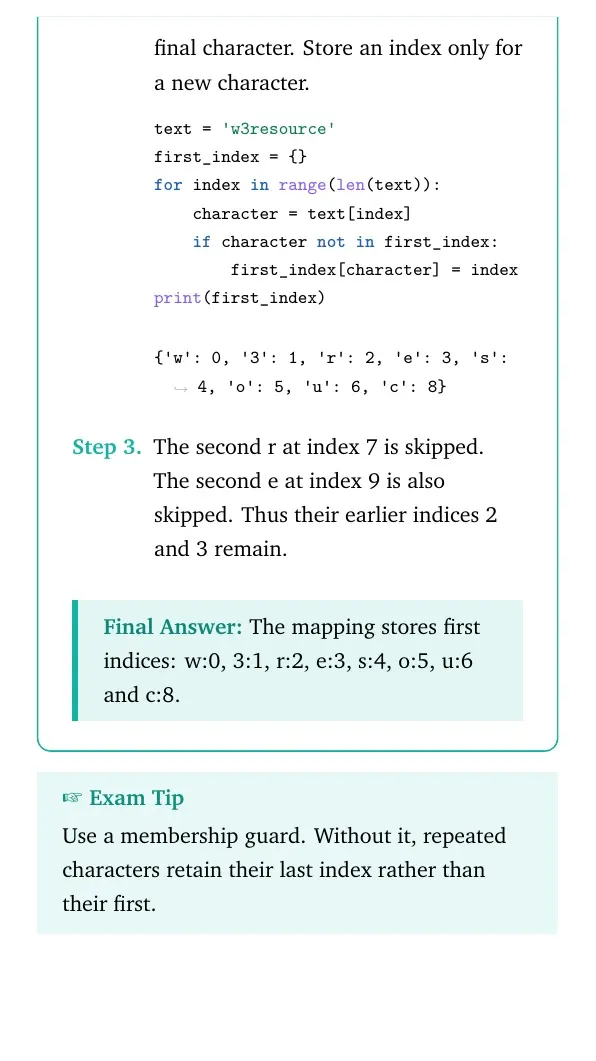
- Visit indices from zero through the final character. Store an index only for a new character.
text = 'w3resource'
first_index = {}
for index in range(len(text)):
    character = text[index]
    if character not in first_index:
        first_index[character] = index
print(first_index)
{'w': 0, '3': 1, 'r': 2, 'e': 3, 's': 4, 'o': 5, 'u': 6, 'c': 8} - The second r at index 7 is skipped. The second e at index 9 is also skipped. Thus their earlier indices 2 and 3 remain.
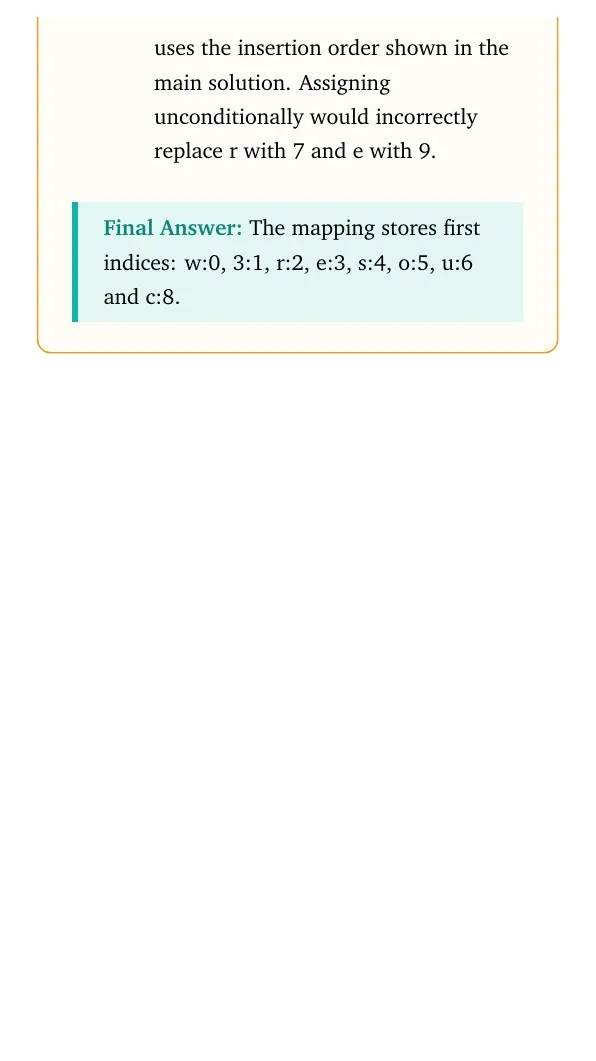
Final answer: The mapping stores first indices: w:0, 3:1, r:2, e:3, s:4, o:5, u:6 and c:8.
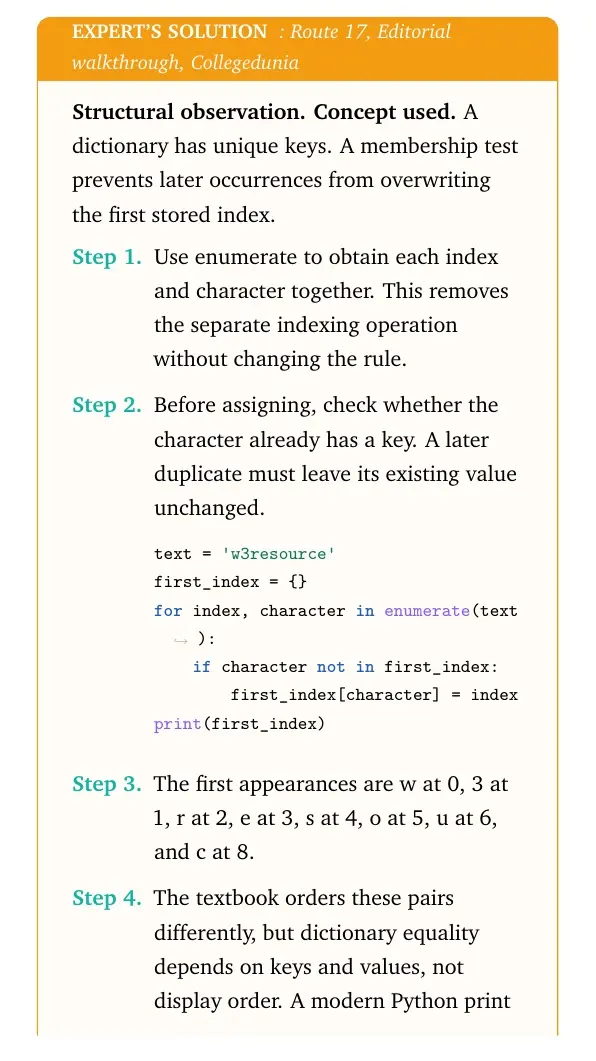
Structural observation. Concept used. A dictionary has unique keys. A membership test prevents later occurrences from overwriting the first stored index.
- Use enumerate to obtain each index and character together. This removes the separate indexing operation without changing the rule.
- Before assigning, check whether the character already has a key. A later duplicate must leave its existing value unchanged.
text = 'w3resource' first_index = {} for index, character in enumerate(text): if character not in first_index: first_index[character] = index print(first_index) - The first appearances are w at 0, 3 at 1, r at 2, e at 3, s at 4, o at 5, u at 6, and c at 8.
- The textbook orders these pairs differently, but dictionary equality depends on keys and values, not display order. A modern Python print uses the insertion order shown in the main solution. Assigning unconditionally would incorrectly replace r with 7 and e with 9.
Final answer: The mapping stores first indices: w:0, 3:1, r:2, e:3, s:4, o:5, u:6 and c:8.
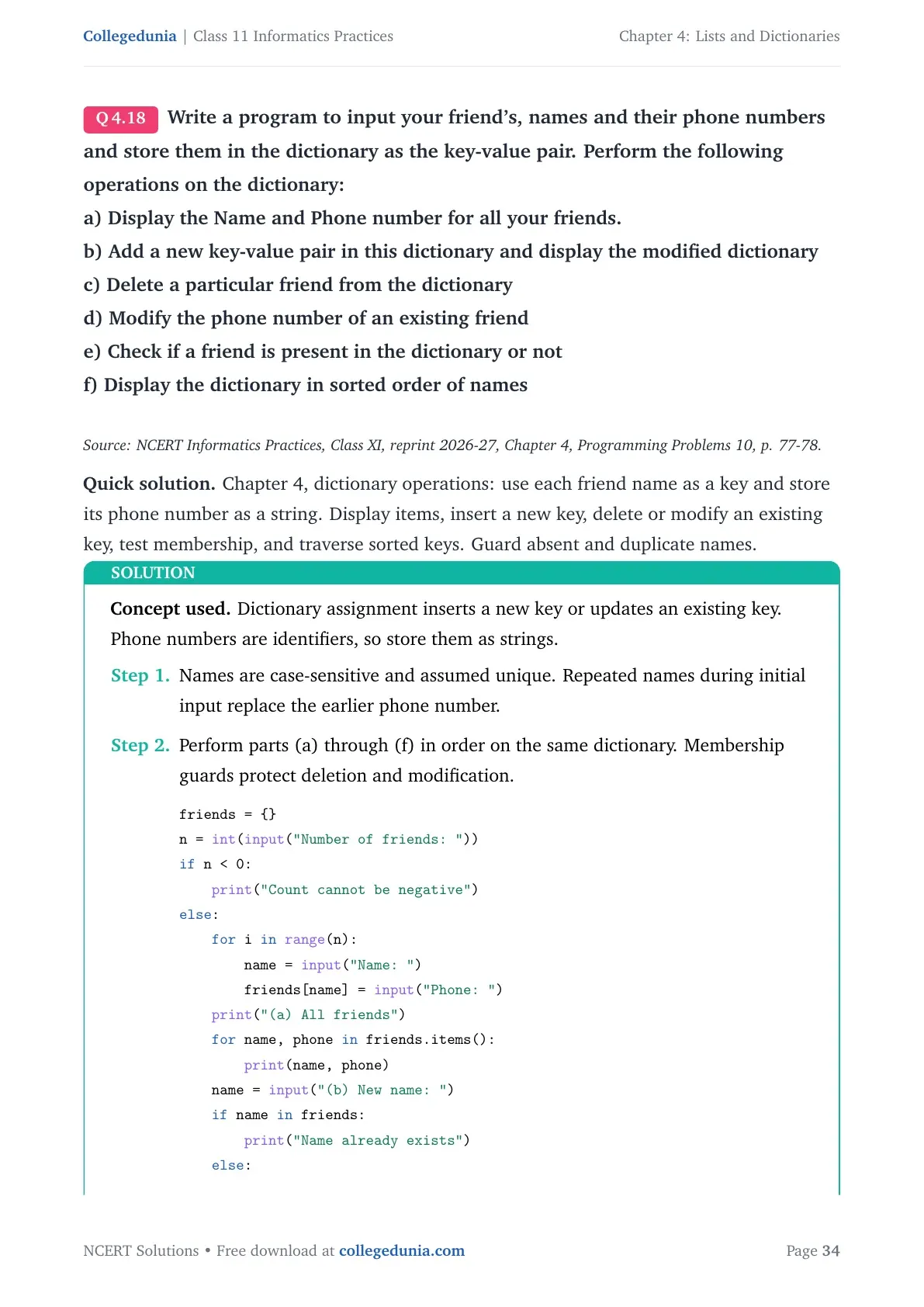
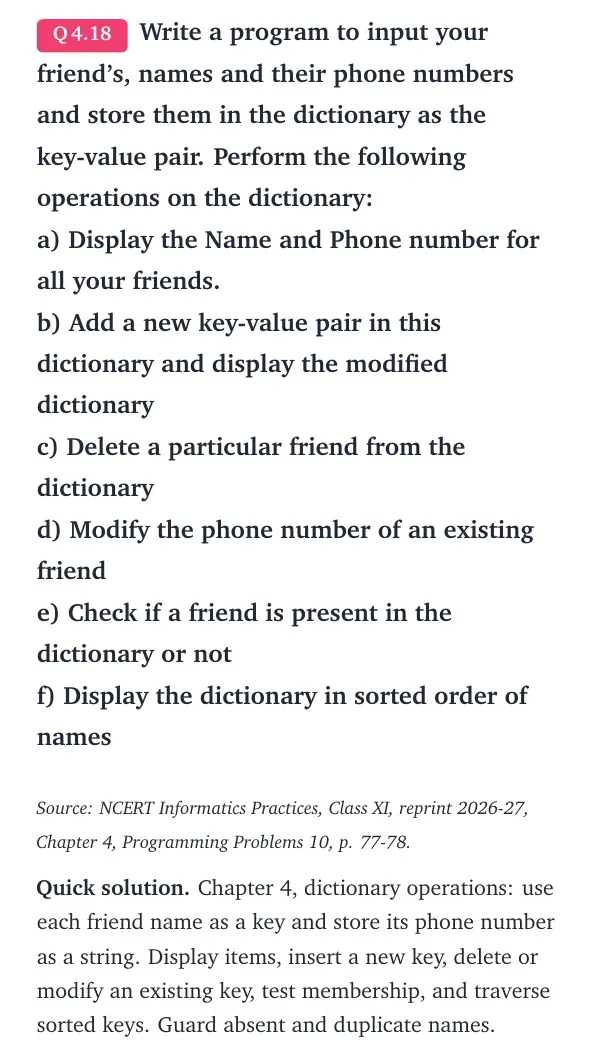
Write a program to input your friend's, names and their phone numbers and store them in the dictionary as the key-value pair. Perform the following operations on the dictionary:
a) Display the Name and Phone number for all your friends.
b) Add a new key-value pair in this dictionary and display the modified dictionary
c) Delete a particular friend from the dictionary
d) Modify the phone number of an existing friend
e) Check if a friend is present in the dictionary or not
f) Display the dictionary in sorted order of names
Source: NCERT Informatics Practices, Class XI, reprint 2026-27, Chapter 4, Programming Problems 10, p. 77-78.
Quick solution. Chapter 4, dictionary operations: use each friend name as a key and store its phone number as a string. Display items, insert a new key, delete or modify an existing key, test membership, and traverse sorted keys. Guard absent and duplicate names.
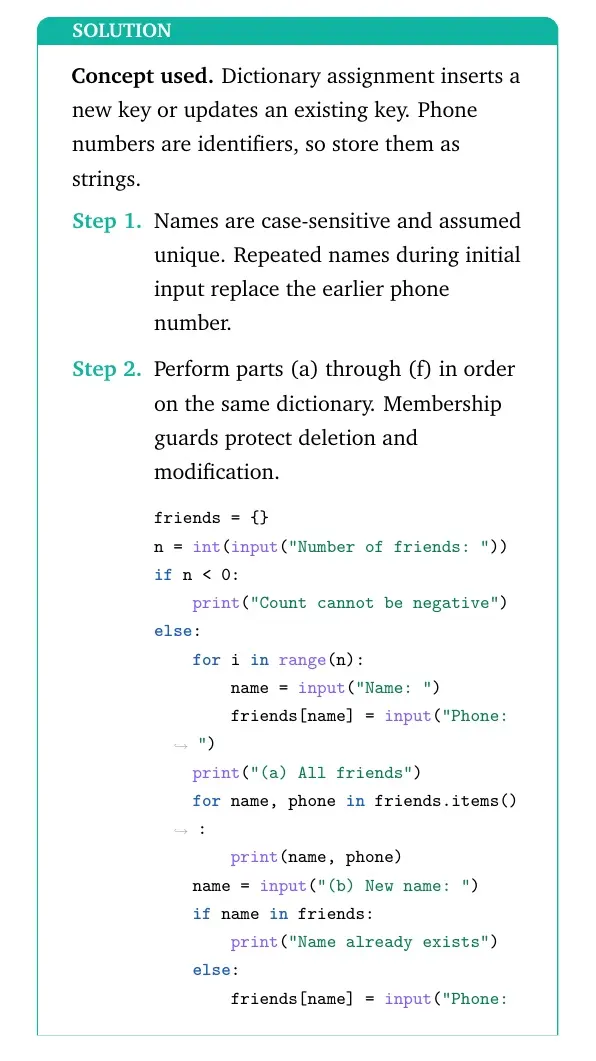
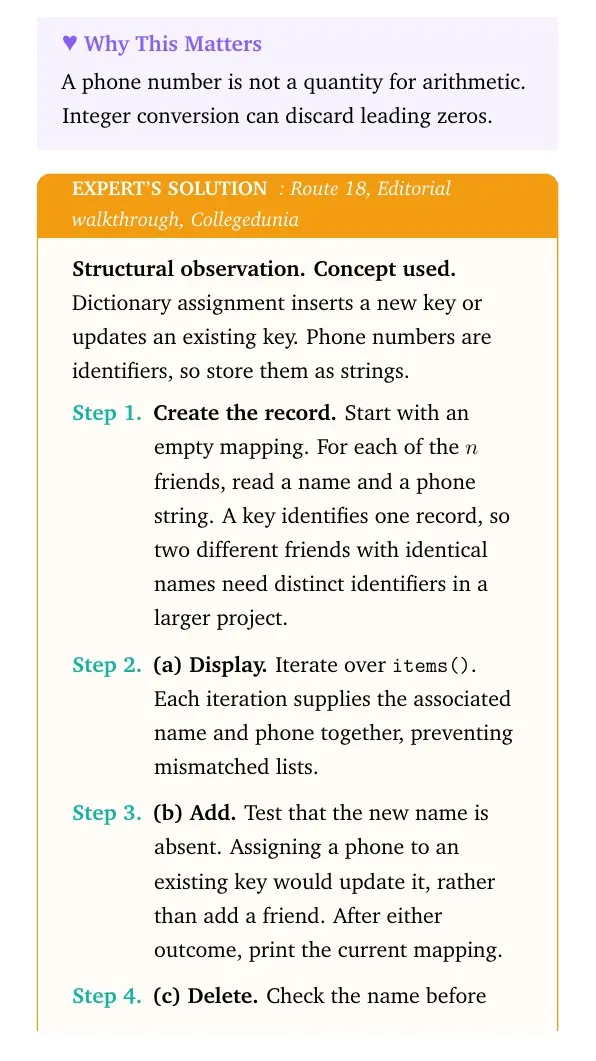
Concept used. Dictionary assignment inserts a new key or updates an existing key. Phone numbers are identifiers, so store them as strings.
- Names are case-sensitive and assumed unique. Repeated names during initial input replace the earlier phone number.
- Perform parts (a) through (f) in order on the same dictionary. Membership guards protect deletion and modification.
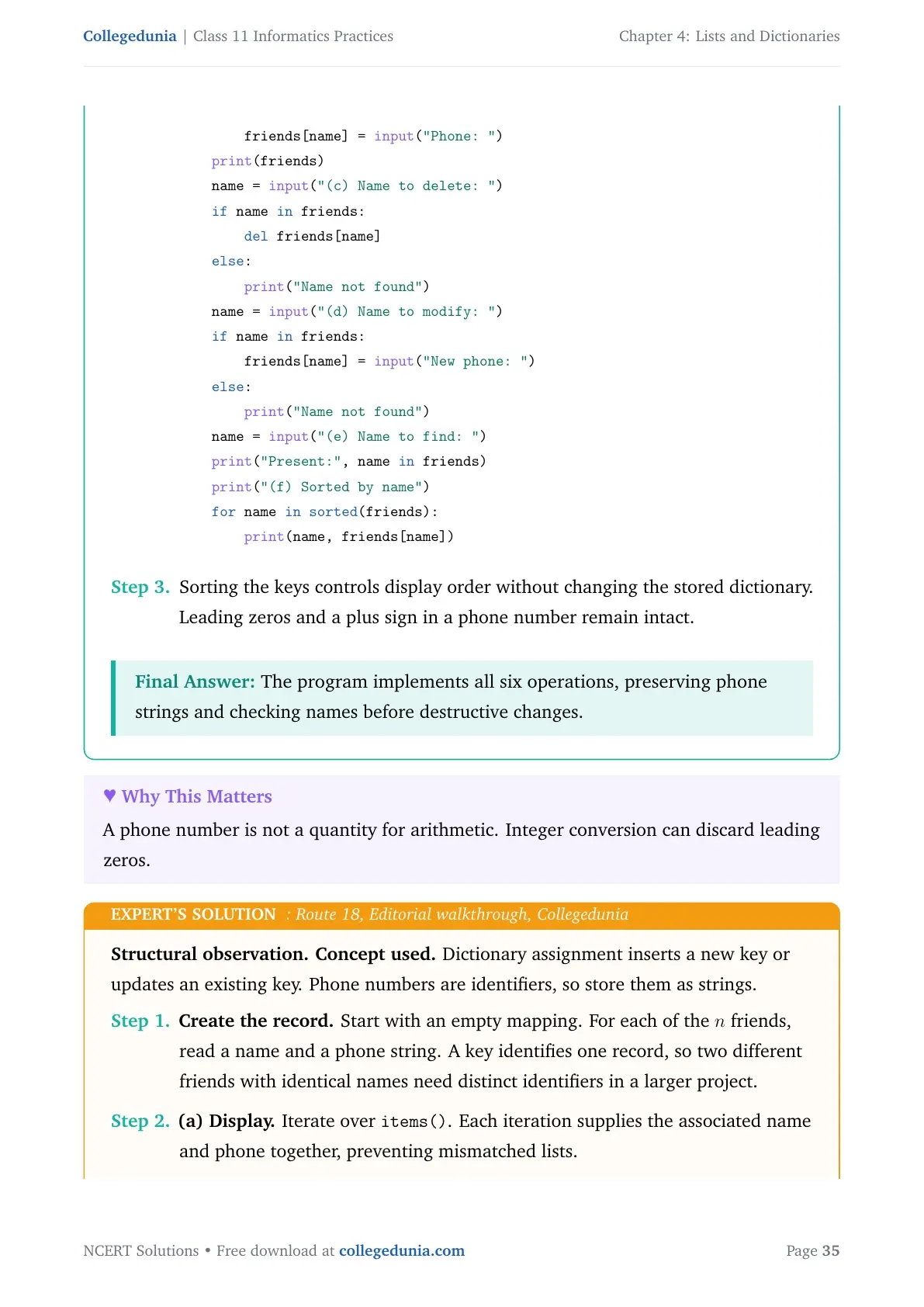
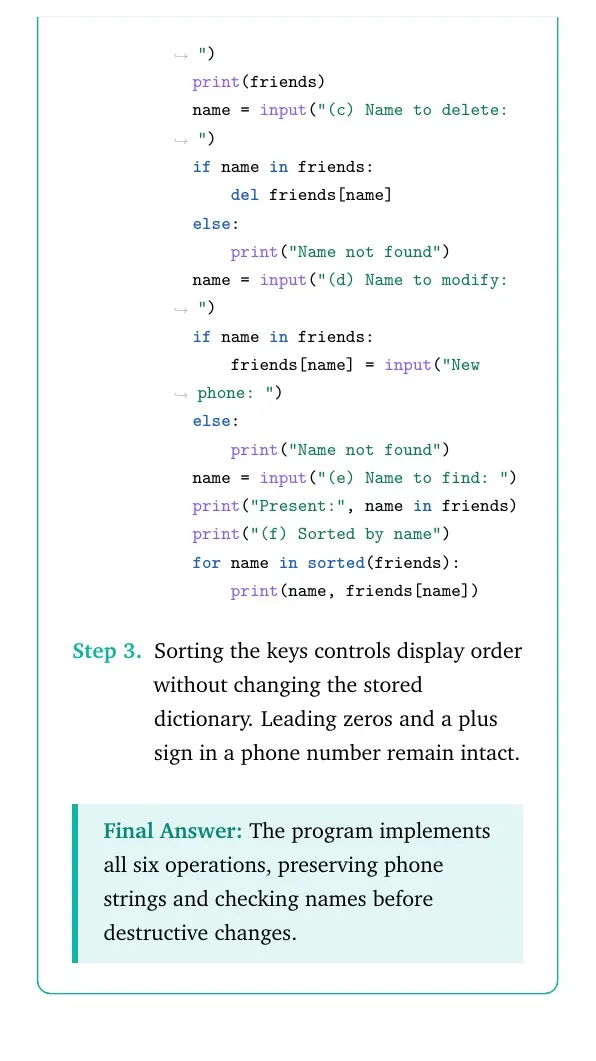
friends = {} n = int(input("Number of friends: ")) if n < 0: print("Count cannot be negative") else: for i in range(n): name = input("Name: ") friends[name] = input("Phone: ") print("(a) All friends") for name, phone in friends.items(): print(name, phone) name = input("(b) New name: ") if name in friends: print("Name already exists") else: friends[name] = input("Phone: ") print(friends) name = input("(c) Name to delete: ") if name in friends: del friends[name] else: print("Name not found") name = input("(d) Name to modify: ") if name in friends: friends[name] = input("New phone: ") else: print("Name not found") name = input("(e) Name to find: ") print("Present:", name in friends) print("(f) Sorted by name") for name in sorted(friends): print(name, friends[name]) - Sorting the keys controls display order without changing the stored dictionary. Leading zeros and a plus sign in a phone number remain intact.
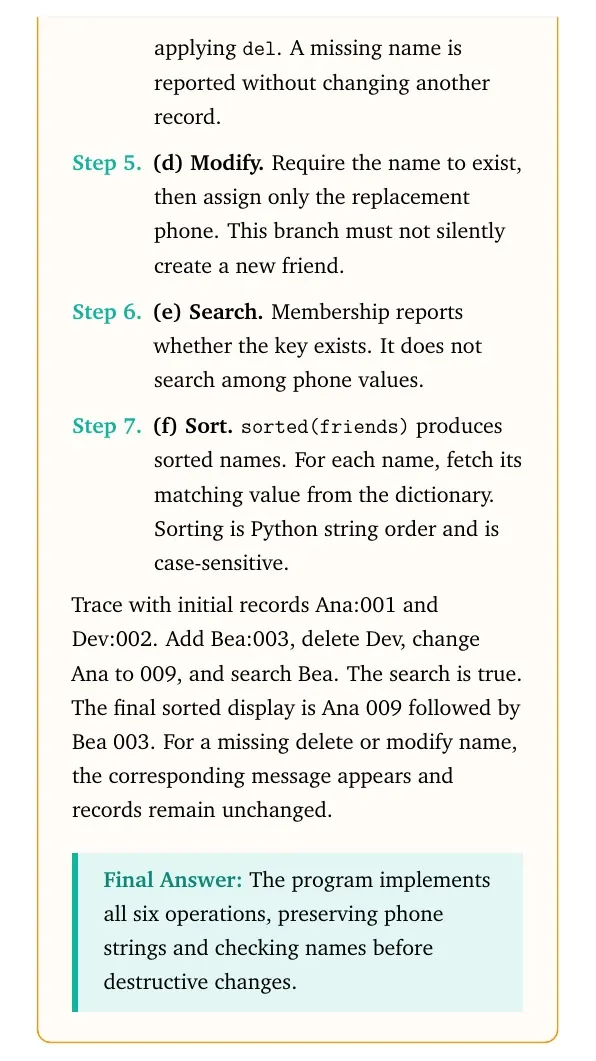
Final answer: The program implements all six operations, preserving phone strings and checking names before destructive changes.
Structural observation. Concept used. Dictionary assignment inserts a new key or updates an existing key. Phone numbers are identifiers, so store them as strings.
- Create the record. Start with an empty mapping. For each of the n friends, read a name and a phone string. A key identifies one record, so two different friends with identical names need distinct identifiers in a larger project.
- (a) Display. Iterate over
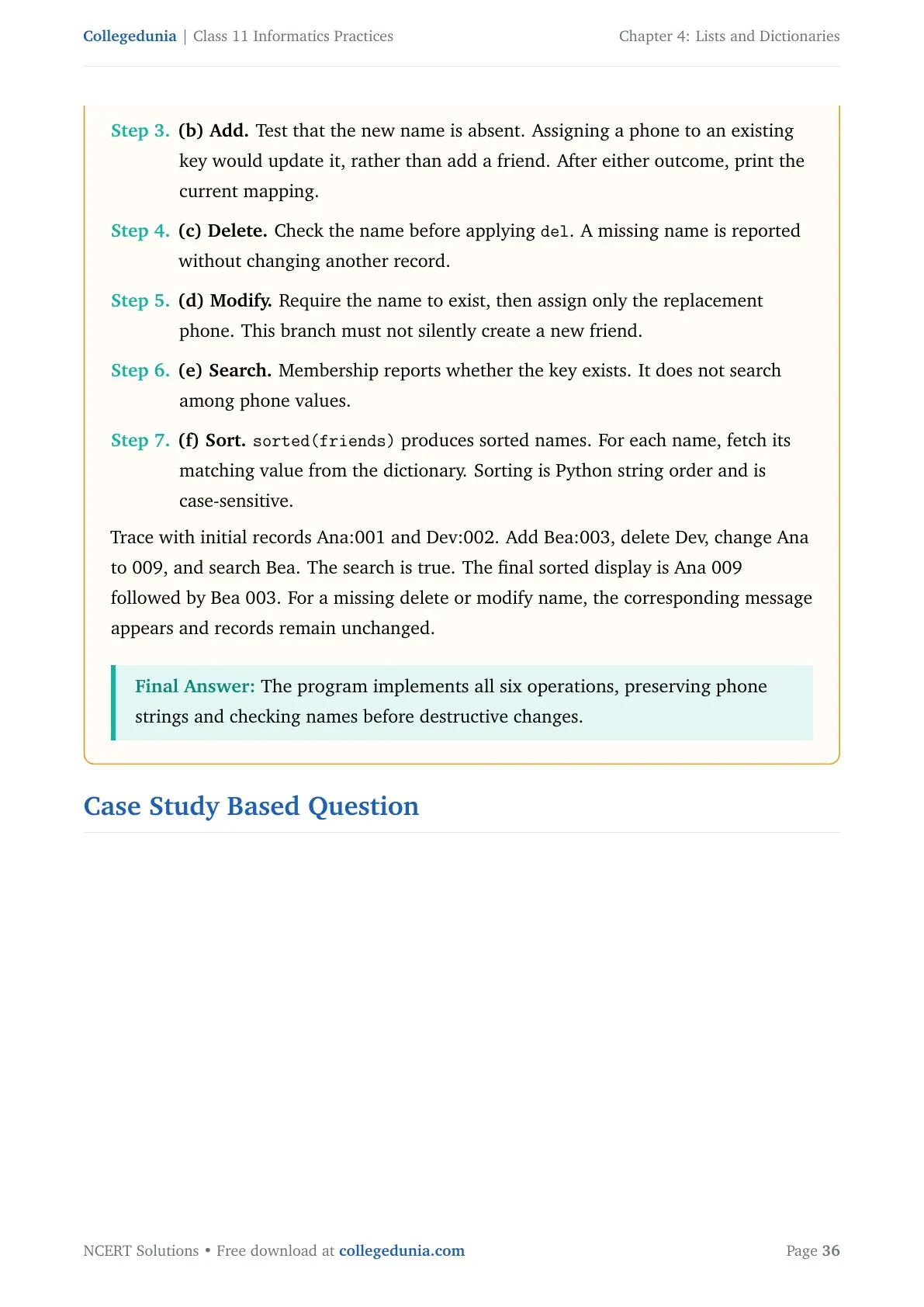
items(). Each iteration supplies the associated name and phone together, preventing mismatched lists. - (b) Add. Test that the new name is absent. Assigning a phone to an existing key would update it, rather than add a friend. After either outcome, print the current mapping.
- (c) Delete. Check the name before applying
del. A missing name is reported without changing another record. - (d) Modify. Require the name to exist, then assign only the replacement phone. This branch must not silently create a new friend.
- (e) Search. Membership reports whether the key exists. It does not search among phone values.
- (f) Sort.
sorted(friends)produces sorted names. For each name, fetch its matching value from the dictionary. Sorting is Python string order and is case-sensitive.
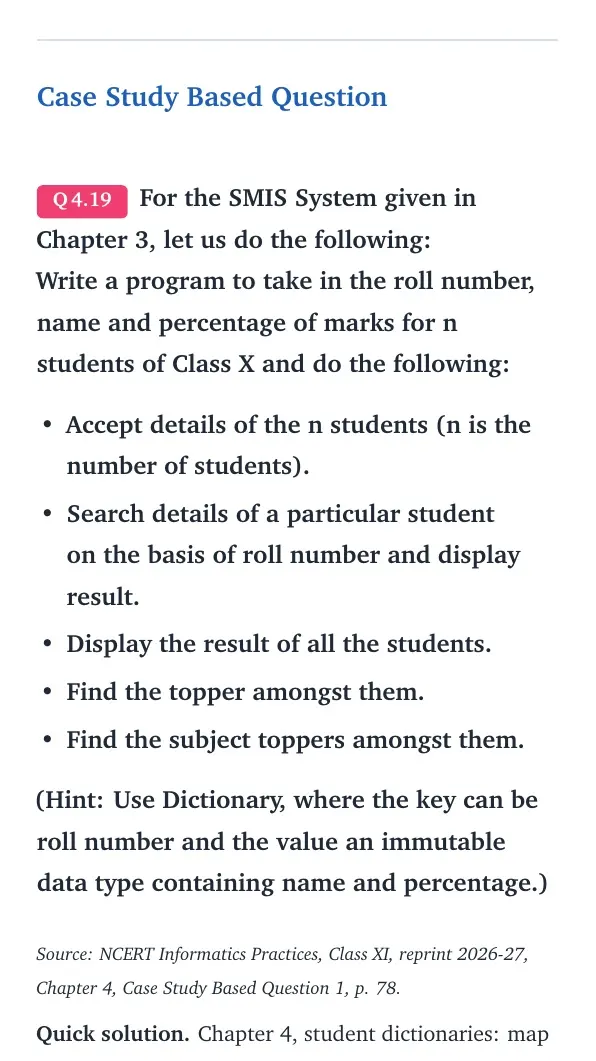
Case Study Based Question
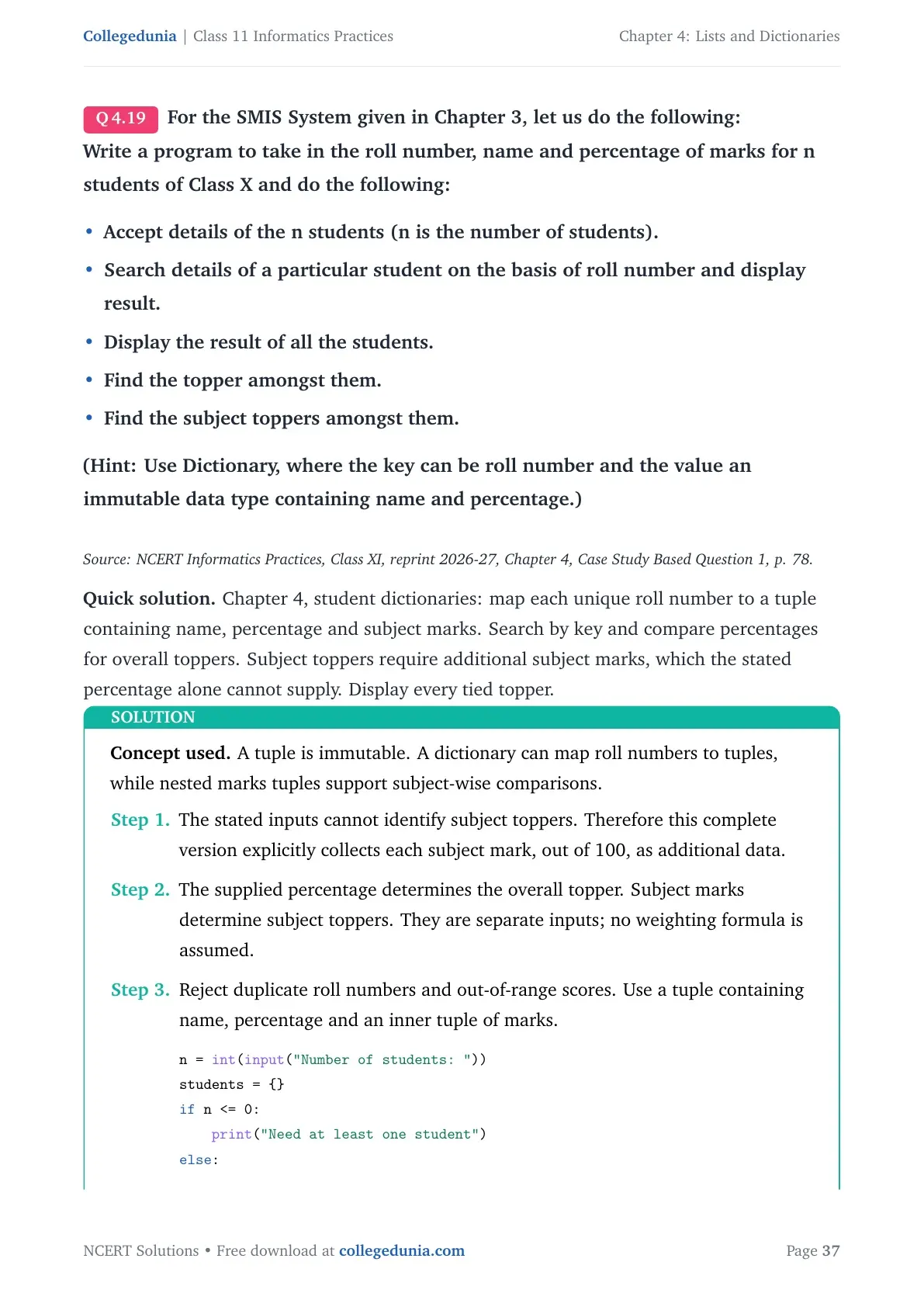
For the SMIS System given in Chapter 3, let us do the following:
Write a program to take in the roll number, name and percentage of marks for n students of Class X and do the following:
- Accept details of the n students (n is the number of students).
- Search details of a particular student on the basis of roll number and display result.
- Display the result of all the students.
- Find the topper amongst them.
- Find the subject toppers amongst them.
Source: NCERT Informatics Practices, Class XI, reprint 2026-27, Chapter 4, Case Study Based Question 1, p. 78.
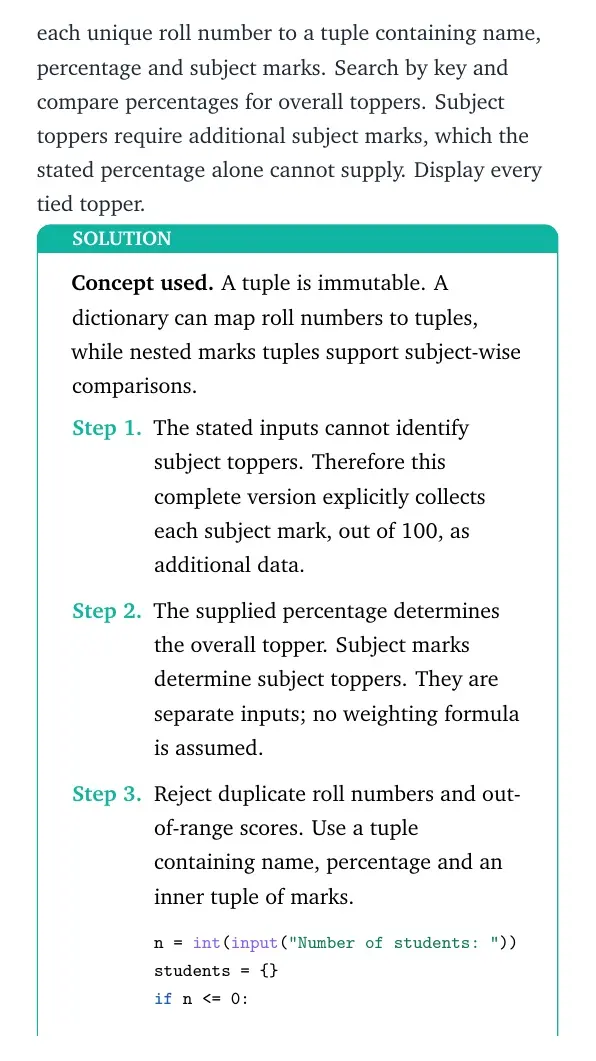
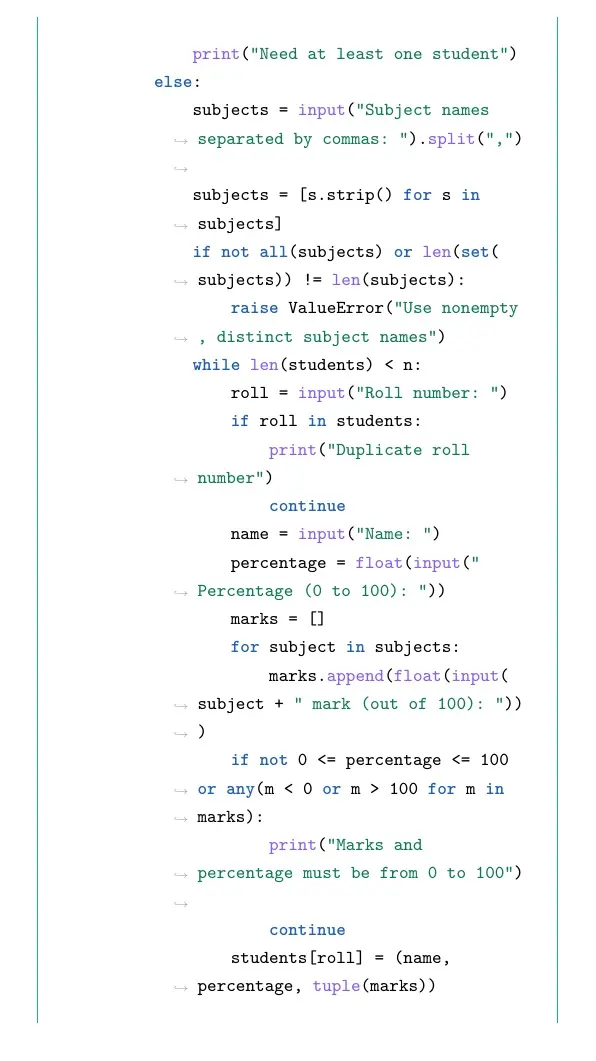
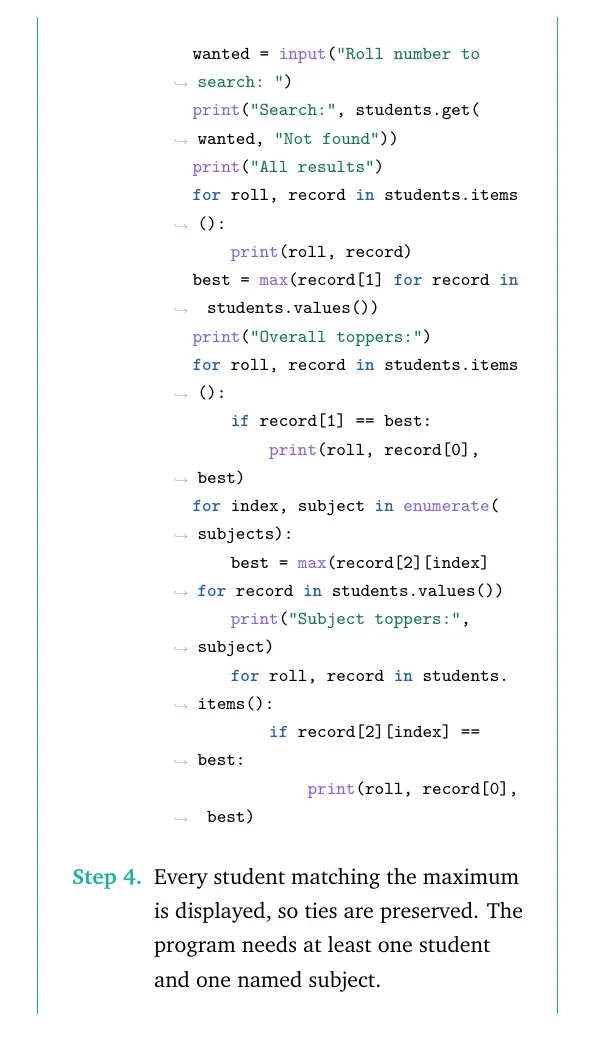
Quick solution. Chapter 4, student dictionaries: map each unique roll number to a tuple containing name, percentage and subject marks. Search by key and compare percentages for overall toppers. Subject toppers require additional subject marks, which the stated percentage alone cannot supply. Display every tied topper.
Concept used. A tuple is immutable. A dictionary can map roll numbers to tuples, while nested marks tuples support subject-wise comparisons.
- The stated inputs cannot identify subject toppers. Therefore this complete version explicitly collects each subject mark, out of 100, as additional data.
- The supplied percentage determines the overall topper. Subject marks determine subject toppers. They are separate inputs; no weighting formula is assumed.
- Reject duplicate roll numbers and out-of-range scores. Use a tuple containing name, percentage and an inner tuple of marks.
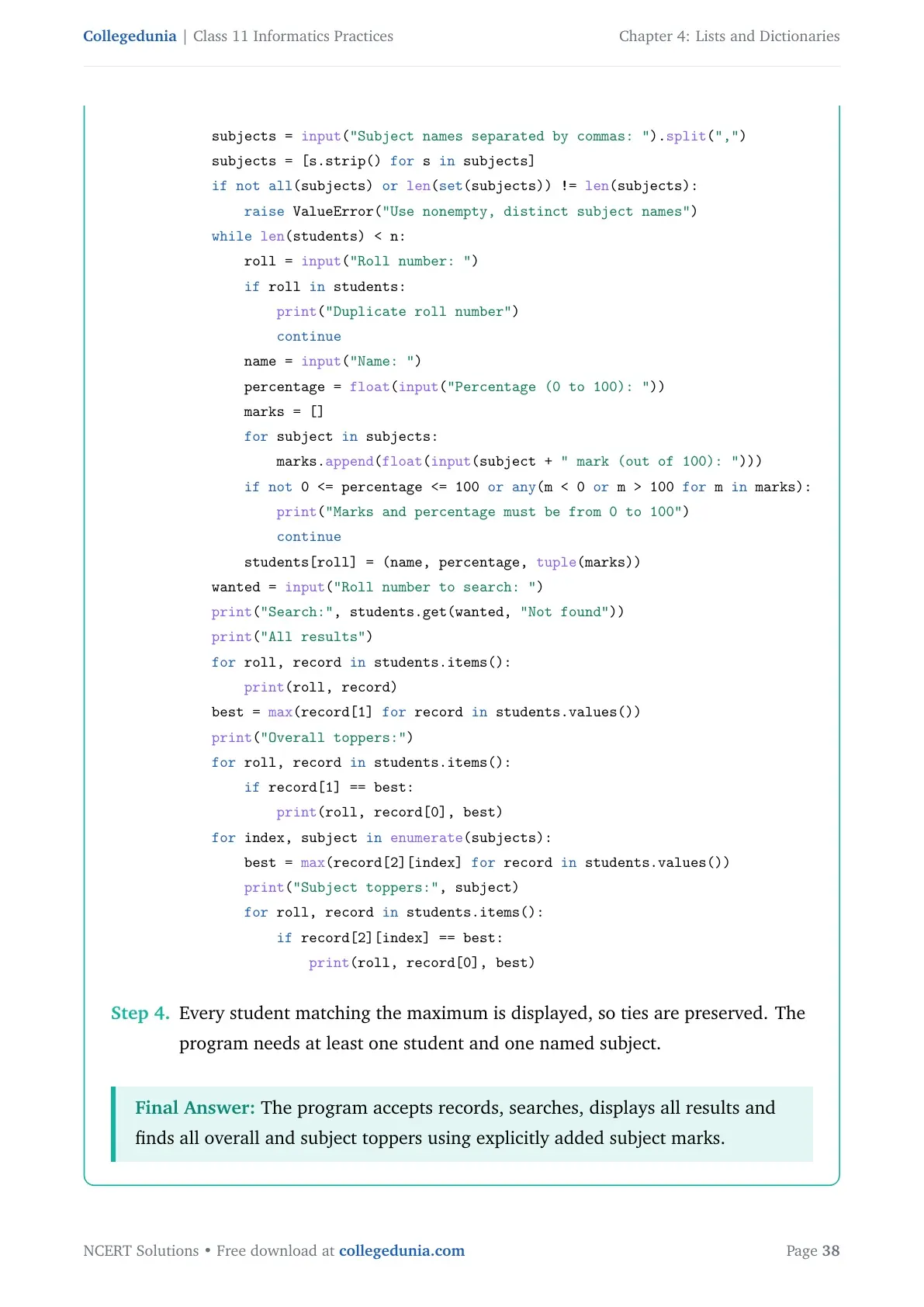
n = int(input("Number of students: ")) students = {} if n <= 0: print("Need at least one student") else: subjects = input("Subject names separated by commas: ").split(",") subjects = [s.strip() for s in subjects] if not all(subjects) or len(set(subjects)) != len(subjects): raise ValueError("Use nonempty, distinct subject names") while len(students) < n: roll = input("Roll number: ") if roll in students: print("Duplicate roll number") continue name = input("Name: ") percentage = float(input("Percentage (0 to 100): ")) marks = [] for subject in subjects: marks.append(float(input(subject + " mark (out of 100): "))) if not 0 <= percentage <= 100 or any(m < 0 or m > 100 for m in marks): print("Marks and percentage must be from 0 to 100") continue students[roll] = (name, percentage, tuple(marks)) wanted = input("Roll number to search: ") print("Search:", students.get(wanted, "Not found")) print("All results") for roll, record in students.items(): print(roll, record) best = max(record[1] for record in students.values()) print("Overall toppers:") for roll, record in students.items(): if record[1] == best: print(roll, record[0], best) for index, subject in enumerate(subjects): best = max(record[2][index] for record in students.values()) print("Subject toppers:", subject) for roll, record in students.items(): if record[2][index] == best: print(roll, record[0], best) - Every student matching the maximum is displayed, so ties are preserved. The program needs at least one student and one named subject.
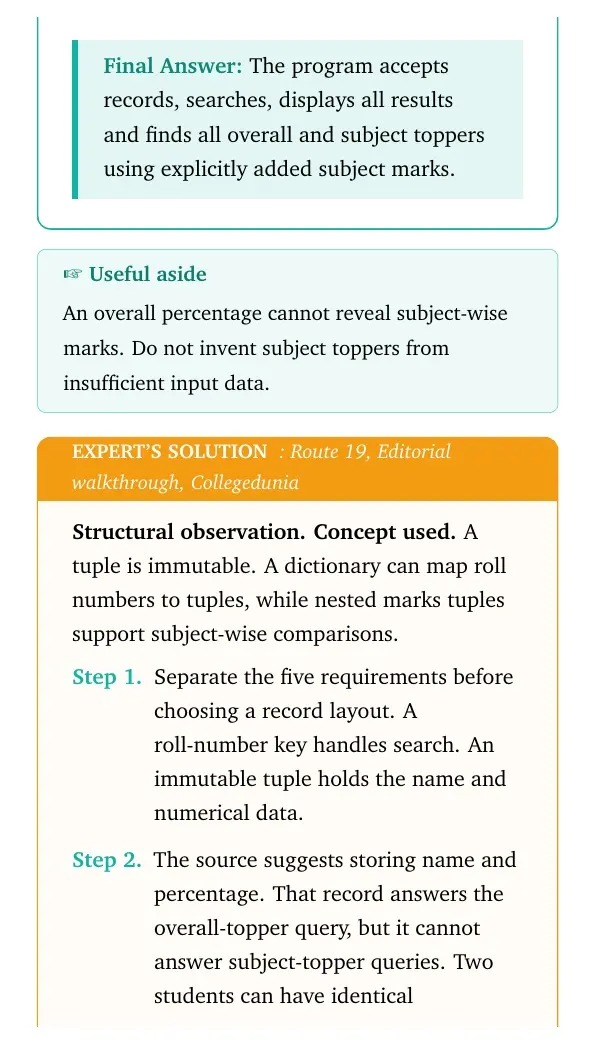
Final answer: The program accepts records, searches, displays all results and finds all overall and subject toppers using explicitly added subject marks.
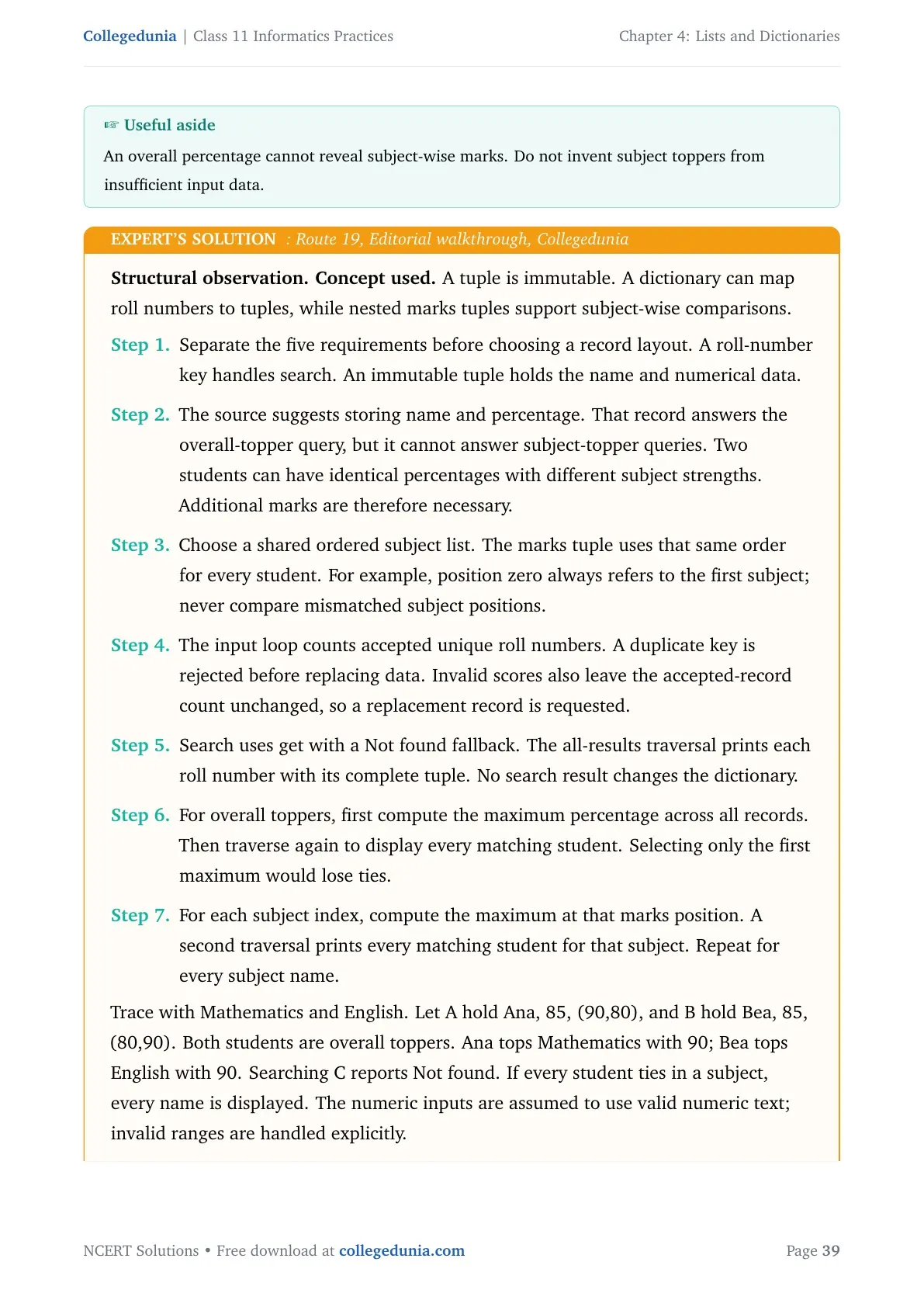
Structural observation. Concept used. A tuple is immutable. A dictionary can map roll numbers to tuples, while nested marks tuples support subject-wise comparisons.
- Separate the five requirements before choosing a record layout. A roll-number key handles search. An immutable tuple holds the name and numerical data.
- The source suggests storing name and percentage. That record answers the overall-topper query, but it cannot answer subject-topper queries. Two students can have identical percentages with different subject strengths. Additional marks are therefore necessary.
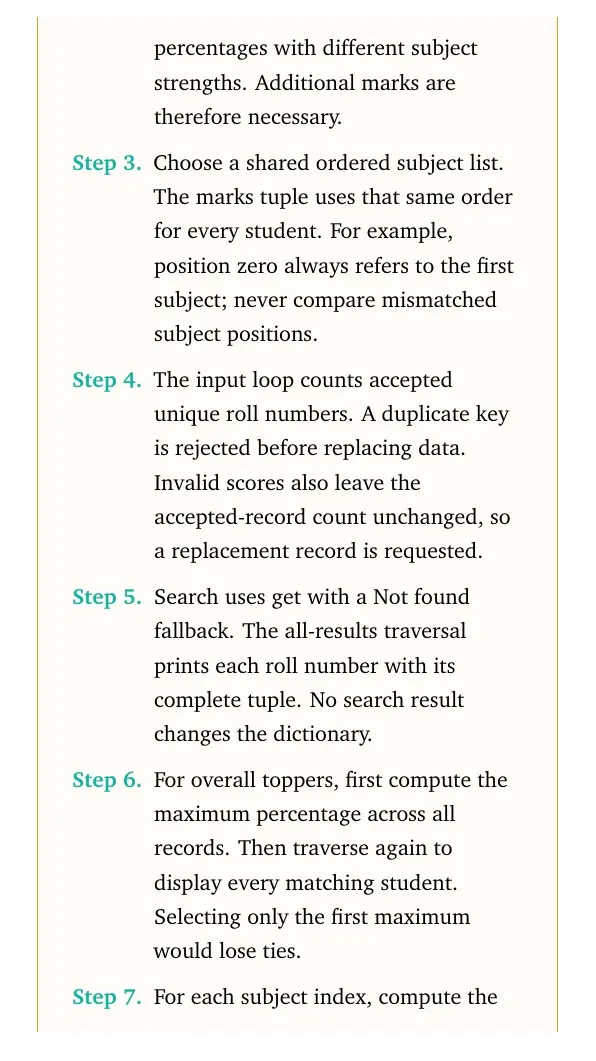
- Choose a shared ordered subject list. The marks tuple uses that same order for every student. For example, position zero always refers to the first subject; never compare mismatched subject positions.
- The input loop counts accepted unique roll numbers. A duplicate key is rejected before replacing data. Invalid scores also leave the accepted-record count unchanged, so a replacement record is requested.
- Search uses get with a Not found fallback. The all-results traversal prints each roll number with its complete tuple. No search result changes the dictionary.
- For overall toppers, first compute the maximum percentage across all records. Then traverse again to display every matching student. Selecting only the first maximum would lose ties.
- For each subject index, compute the maximum at that marks position. A second traversal prints every matching student for that subject. Repeat for every subject name.
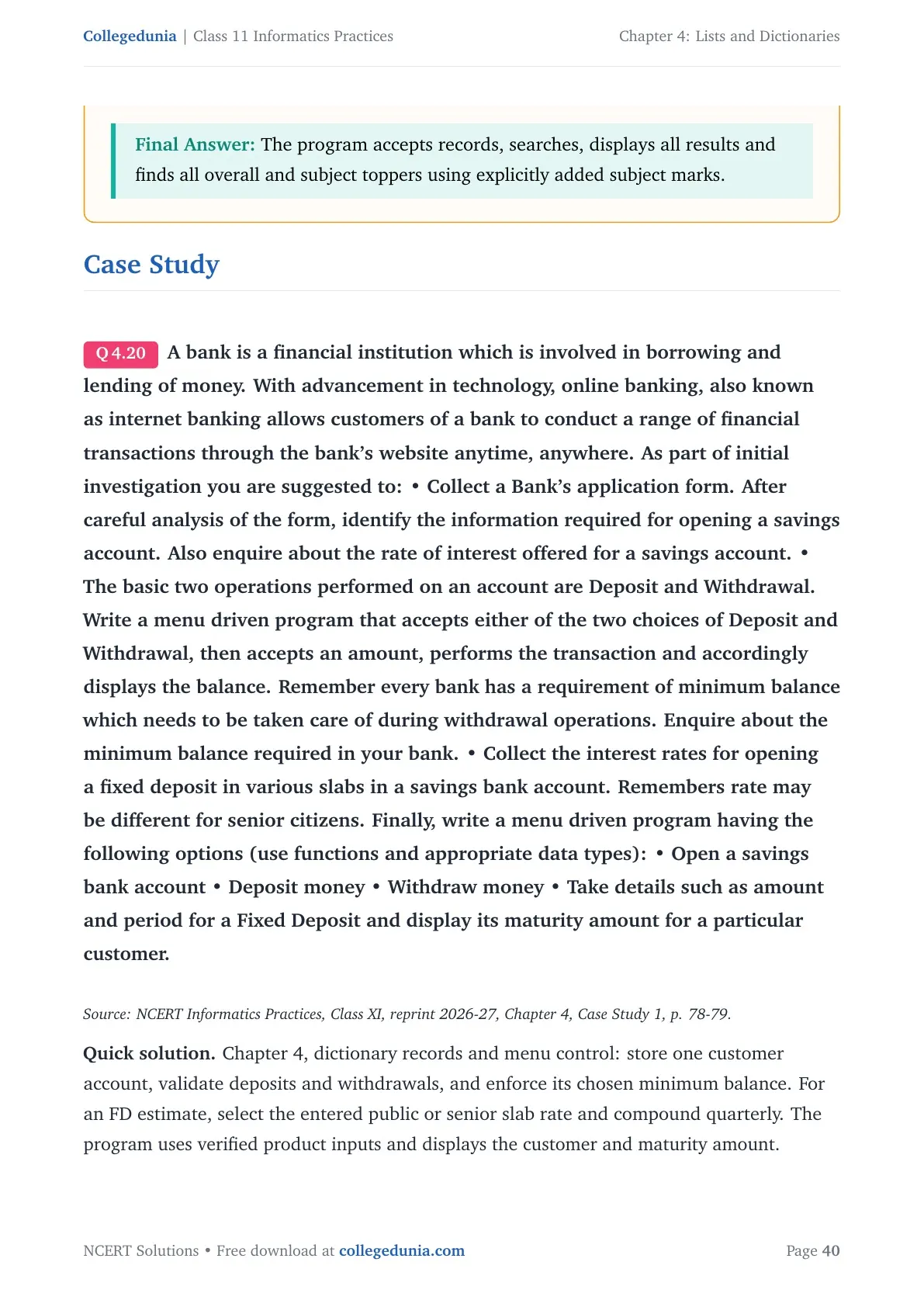
Case Study
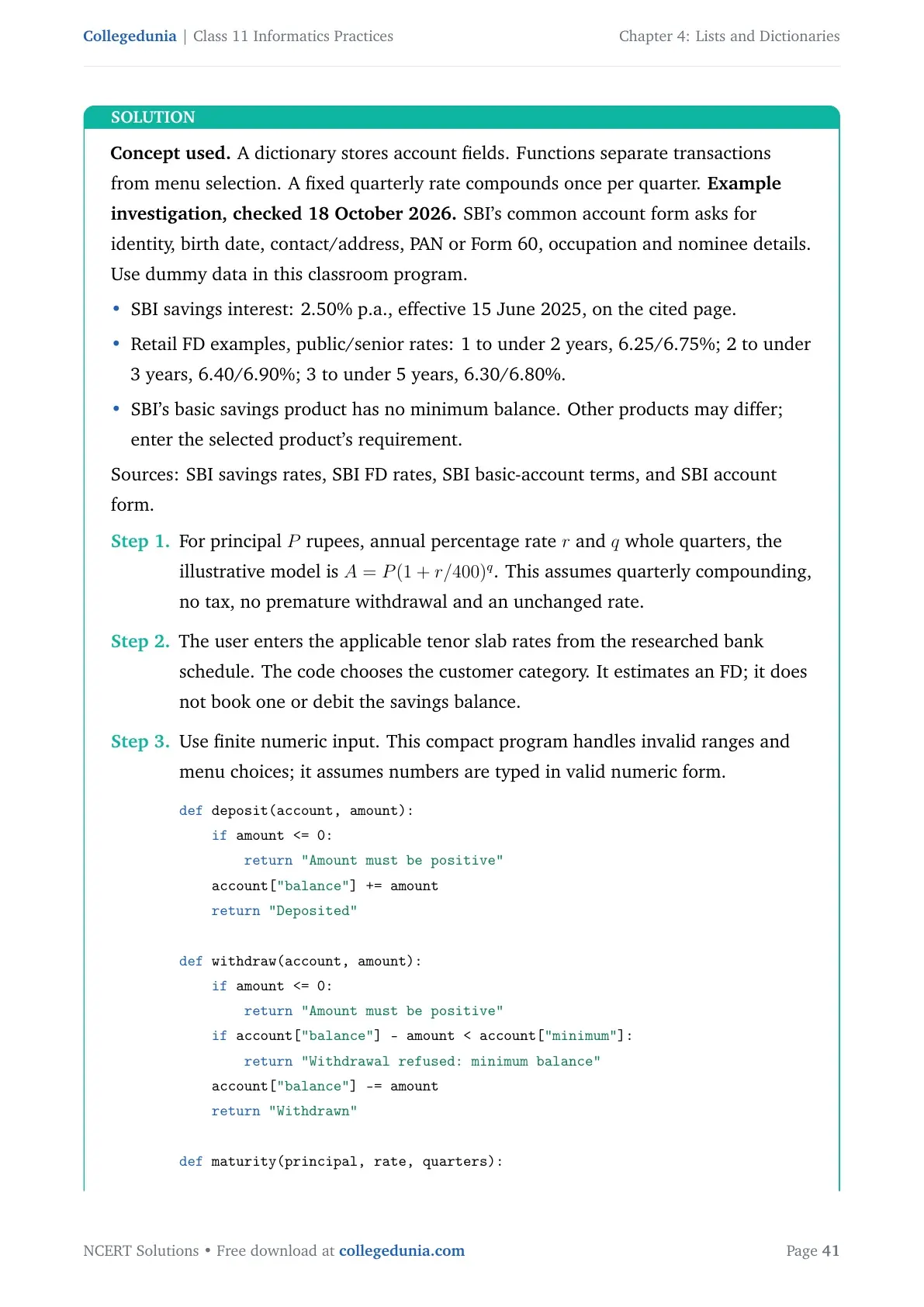
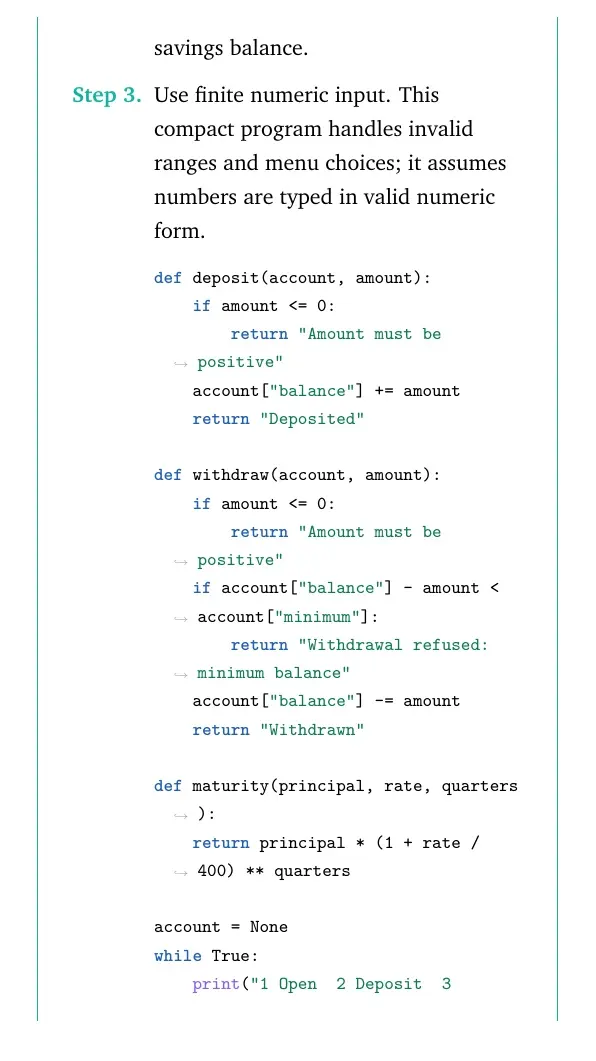
A bank is a financial institution which is involved in borrowing and lending of money. With advancement in technology, online banking, also known as internet banking allows customers of a bank to conduct a range of financial transactions through the bank’s website anytime, anywhere. As part of initial investigation you are suggested to: • Collect a Bank’s application form. After careful analysis of the form, identify the information required for opening a savings account. Also enquire about the rate of interest offered for a savings account. • The basic two operations performed on an account are Deposit and Withdrawal. Write a menu driven program that accepts either of the two choices of Deposit and Withdrawal, then accepts an amount, performs the transaction and accordingly displays the balance. Remember every bank has a requirement of minimum balance which needs to be taken care of during withdrawal operations. Enquire about the minimum balance required in your bank. • Collect the interest rates for opening a fixed deposit in various slabs in a savings bank account. Remembers rate may be different for senior citizens. Finally, write a menu driven program having the following options (use functions and appropriate data types): • Open a savings bank account • Deposit money • Withdraw money • Take details such as amount and period for a Fixed Deposit and display its maturity amount for a particular customer.
Source: NCERT Informatics Practices, Class XI, reprint 2026-27, Chapter 4, Case Study 1, p. 78-79.
Quick solution. Chapter 4, dictionary records and menu control: store one customer account, validate deposits and withdrawals, and enforce its chosen minimum balance. For an FD estimate, select the entered public or senior slab rate and compound quarterly. The program uses verified product inputs and displays the customer and maturity amount.
Concept used. A dictionary stores account fields. Functions separate transactions from menu selection. A fixed quarterly rate compounds once per quarter. Example investigation, checked 18 October 2026. SBI's common account form asks for identity, birth date, contact/address, PAN or Form 60, occupation and nominee details. Use dummy data in this classroom program.
- SBI savings interest: 2.50% p.a., effective 15 June 2025, on the cited page.
- Retail FD examples, public/senior rates: 1 to under 2 years, 6.25/6.75%; 2 to under 3 years, 6.40/6.90%; 3 to under 5 years, 6.30/6.80%.
- SBI's basic savings product has no minimum balance. Other products may differ; enter the selected product's requirement.
- For principal P rupees, annual percentage rate r and q whole quarters, the illustrative model is A=P(1+r/400)q. This assumes quarterly compounding, no tax, no premature withdrawal and an unchanged rate.
- The user enters the applicable tenor slab rates from the researched bank schedule. The code chooses the customer category. It estimates an FD; it does not book one or debit the savings balance.
- Use finite numeric input. This compact program handles invalid ranges and menu choices; it assumes numbers are typed in valid numeric form.
def deposit(account, amount):
    if amount <= 0:
        return "Amount must be positive"
    account["balance"] += amount
    return "Deposited"

def withdraw(account, amount):
    if amount <= 0:
        return "Amount must be positive"
    if account["balance"] - amount < account["minimum"]:
        return "Withdrawal refused: minimum balance"
    account["balance"] -= amount
    return "Withdrawn"

def maturity(principal, rate, quarters):
    return principal * (1 + rate / 400) ** quarters

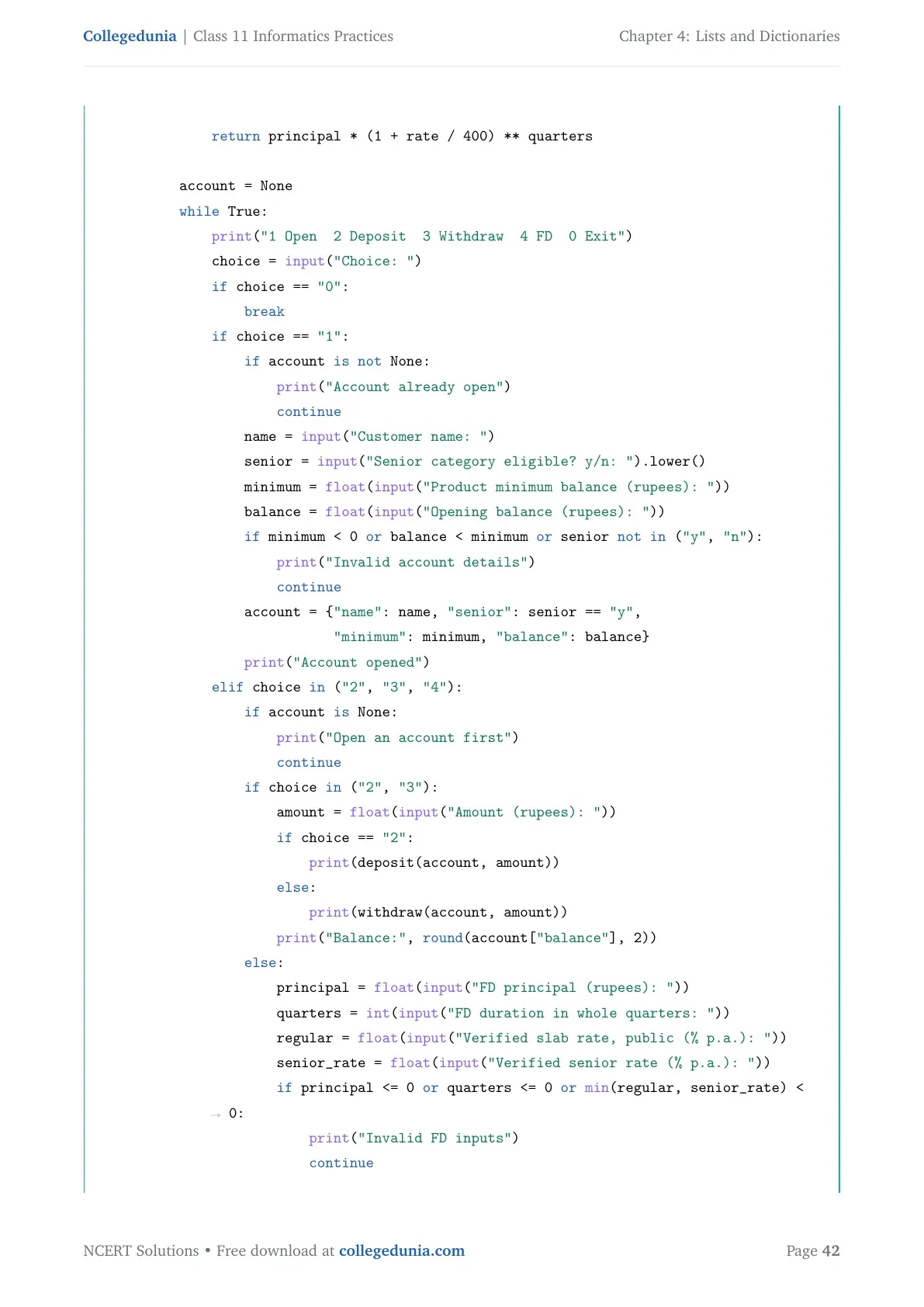
account = None
while True:
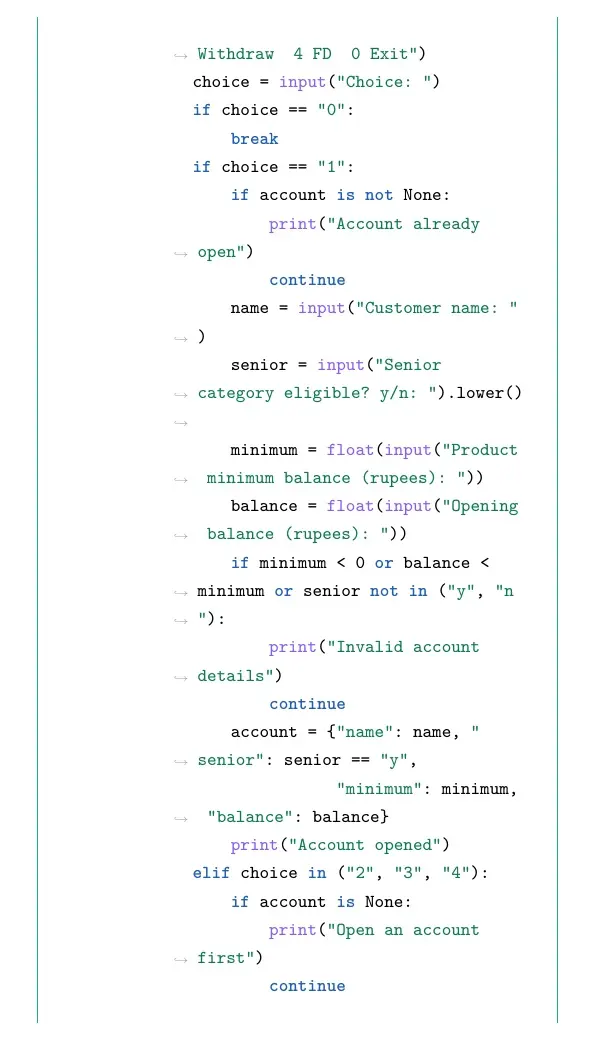
    print("1 Open  2 Deposit  3 Withdraw  4 FD  0 Exit")
    choice = input("Choice: ")
    if choice == "0":
        break
    if choice == "1":
        if account is not None:
            print("Account already open")
            continue
        name = input("Customer name: ")
        senior = input("Senior category eligible? y/n: ").lower()
        minimum = float(input("Product minimum balance (rupees): "))
        balance = float(input("Opening balance (rupees): "))
        if minimum < 0 or balance < minimum or senior not in ("y", "n"):
            print("Invalid account details")
            continue
        account = {"name": name, "senior": senior == "y",
                   "minimum": minimum, "balance": balance}
        print("Account opened")
    elif choice in ("2", "3", "4"):
        if account is None:
            print("Open an account first")
            continue
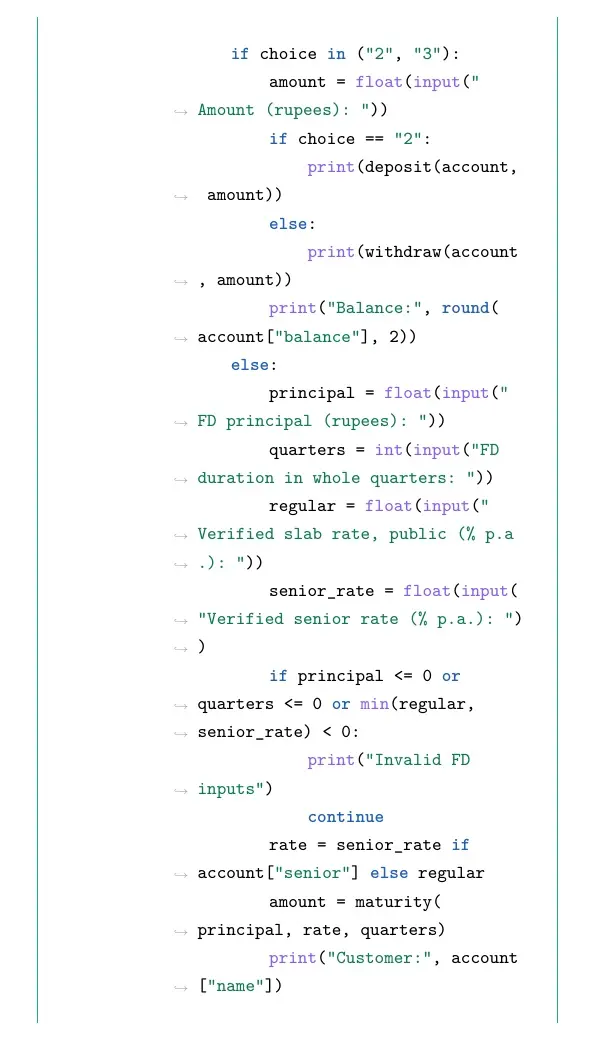
        if choice in ("2", "3"):
            amount = float(input("Amount (rupees): "))
            if choice == "2":
                print(deposit(account, amount))
            else:
                print(withdraw(account, amount))
            print("Balance:", round(account["balance"], 2))
        else:
            principal = float(input("FD principal (rupees): "))
            quarters = int(input("FD duration in whole quarters: "))
            regular = float(input("Verified slab rate, public (% p.a.): "))
            senior_rate = float(input("Verified senior rate (% p.a.): "))
            if principal <= 0 or quarters <= 0 or min(regular, senior_rate) < 0:
                print("Invalid FD inputs")
                continue
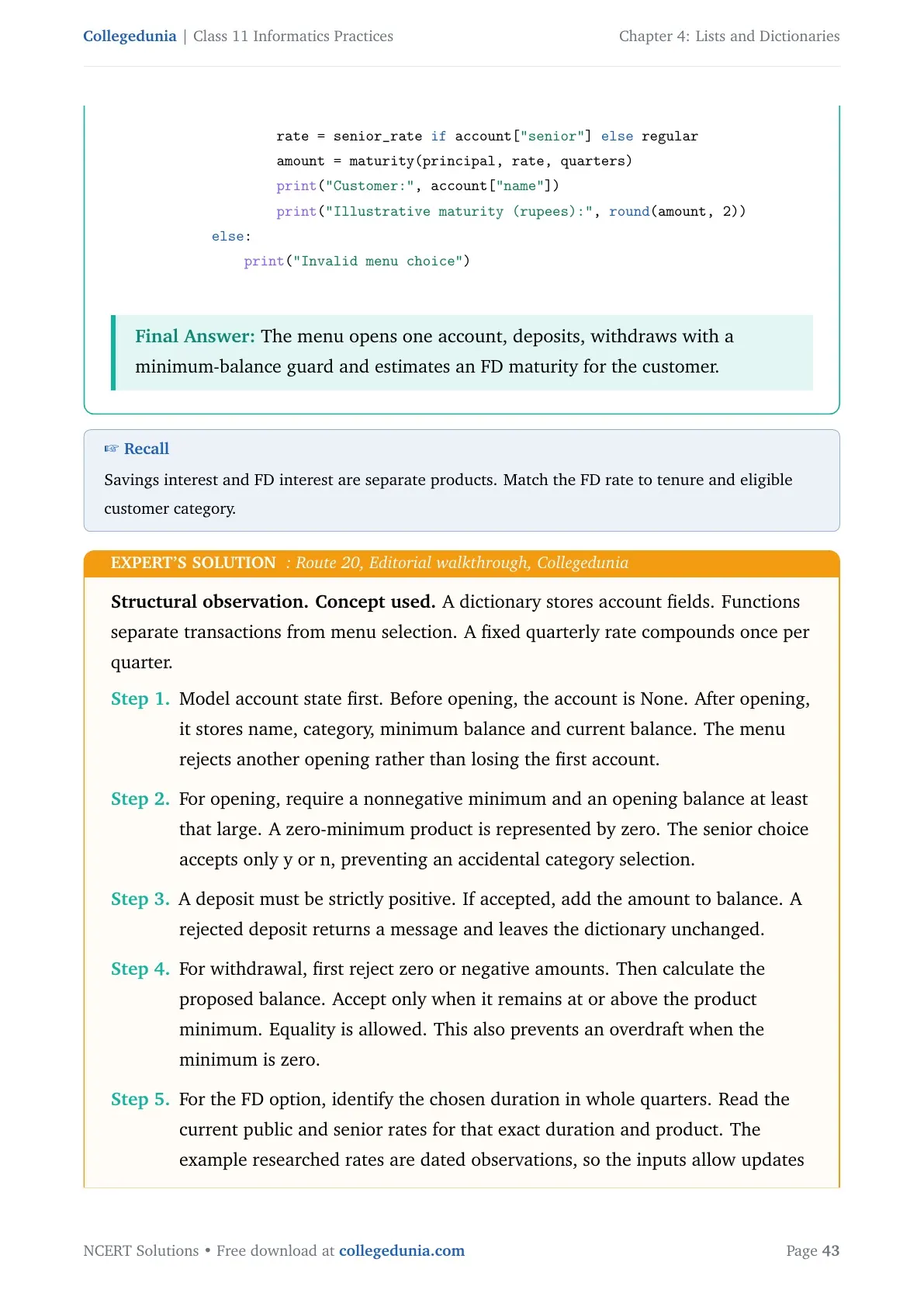
            rate = senior_rate if account["senior"] else regular
            amount = maturity(principal, rate, quarters)
            print("Customer:", account["name"])
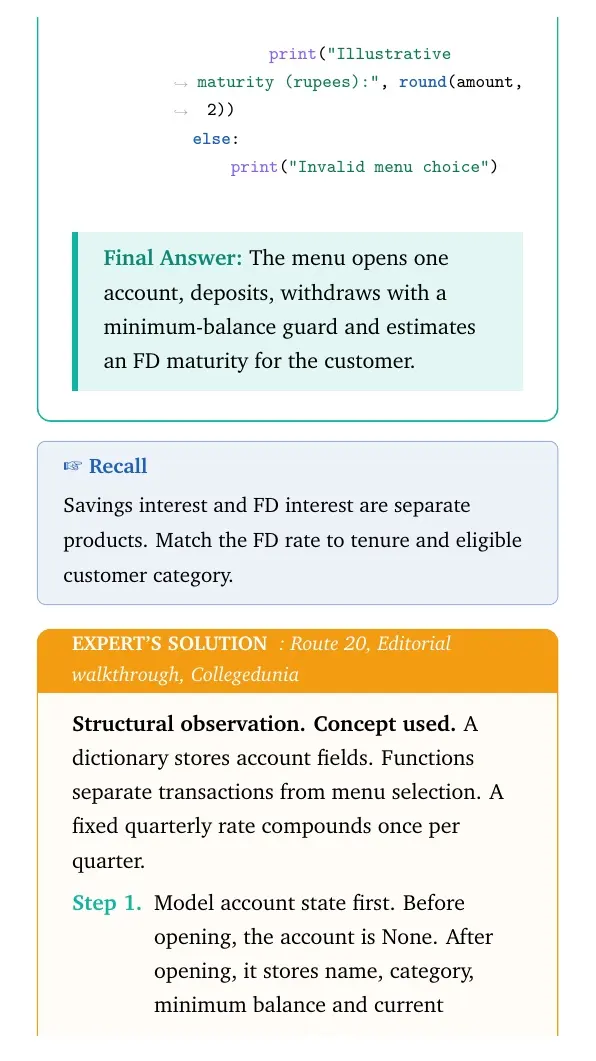
            print("Illustrative maturity (rupees):", round(amount, 2))
    else:
        print("Invalid menu choice")
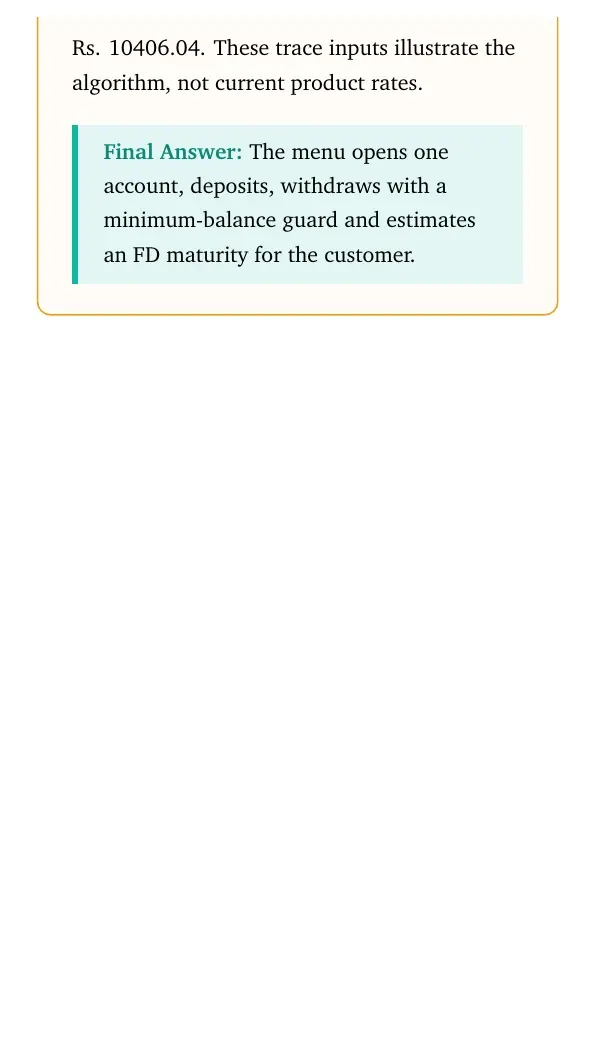
Final answer: The menu opens one account, deposits, withdraws with a minimum-balance guard and estimates an FD maturity for the customer.
Structural observation. Concept used. A dictionary stores account fields. Functions separate transactions from menu selection. A fixed quarterly rate compounds once per quarter.
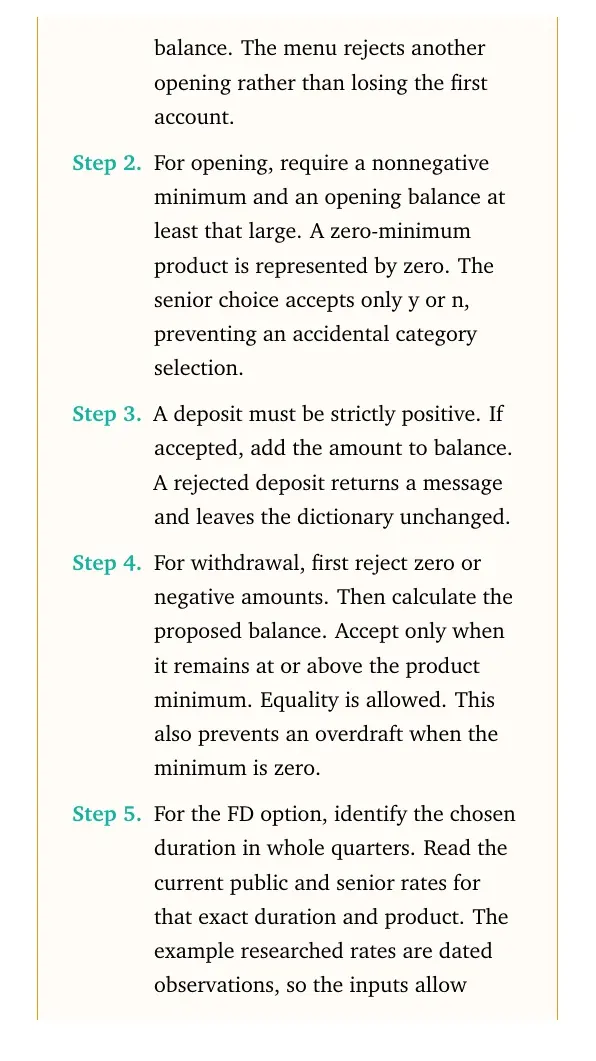
- Model account state first. Before opening, the account is None. After opening, it stores name, category, minimum balance and current balance. The menu rejects another opening rather than losing the first account.
- For opening, require a nonnegative minimum and an opening balance at least that large. A zero-minimum product is represented by zero. The senior choice accepts only y or n, preventing an accidental category selection.
- A deposit must be strictly positive. If accepted, add the amount to balance. A rejected deposit returns a message and leaves the dictionary unchanged.
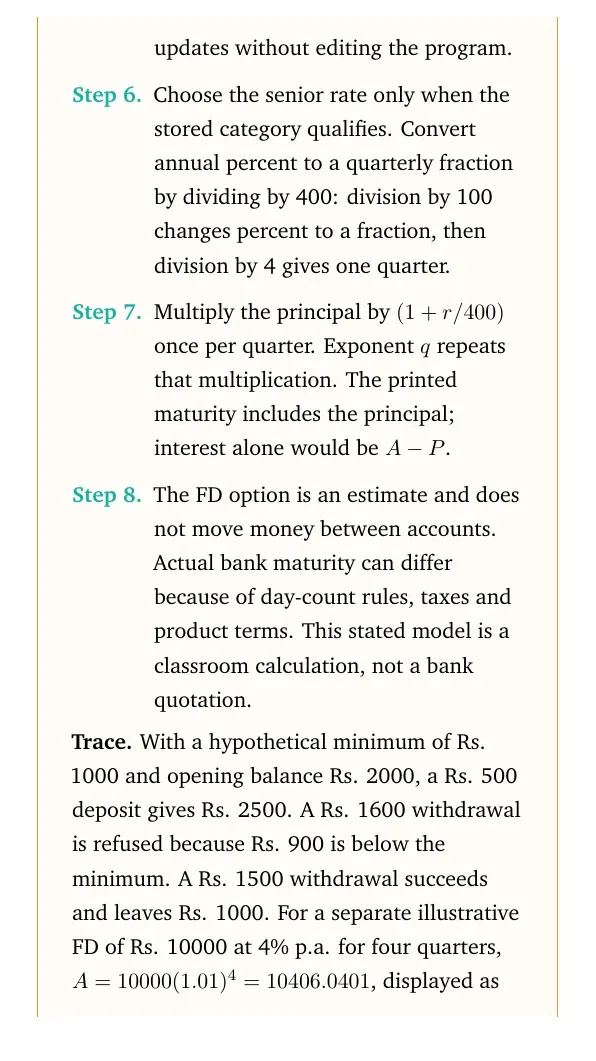
- For withdrawal, first reject zero or negative amounts. Then calculate the proposed balance. Accept only when it remains at or above the product minimum. Equality is allowed. This also prevents an overdraft when the minimum is zero.
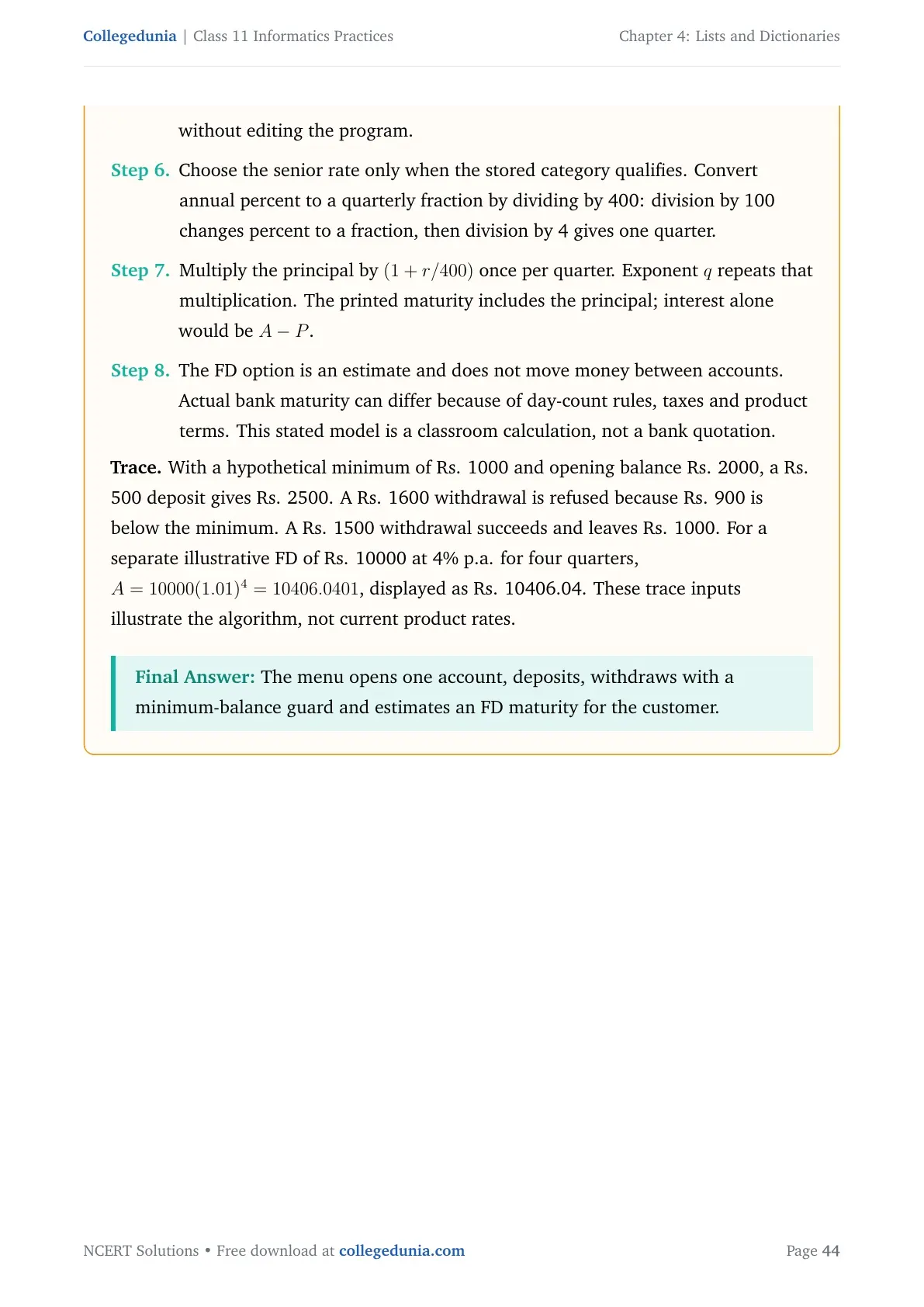
- For the FD option, identify the chosen duration in whole quarters. Read the current public and senior rates for that exact duration and product. The example researched rates are dated observations, so the inputs allow updates without editing the program.
- Choose the senior rate only when the stored category qualifies. Convert annual percent to a quarterly fraction by dividing by 400: division by 100 changes percent to a fraction, then division by 4 gives one quarter.
- Multiply the principal by (1+r/400) once per quarter. Exponent q repeats that multiplication. The printed maturity includes the principal; interest alone would be A-P.
- The FD option is an estimate and does not move money between accounts. Actual bank maturity can differ because of day-count rules, taxes and product terms. This stated model is a classroom calculation, not a bank quotation.
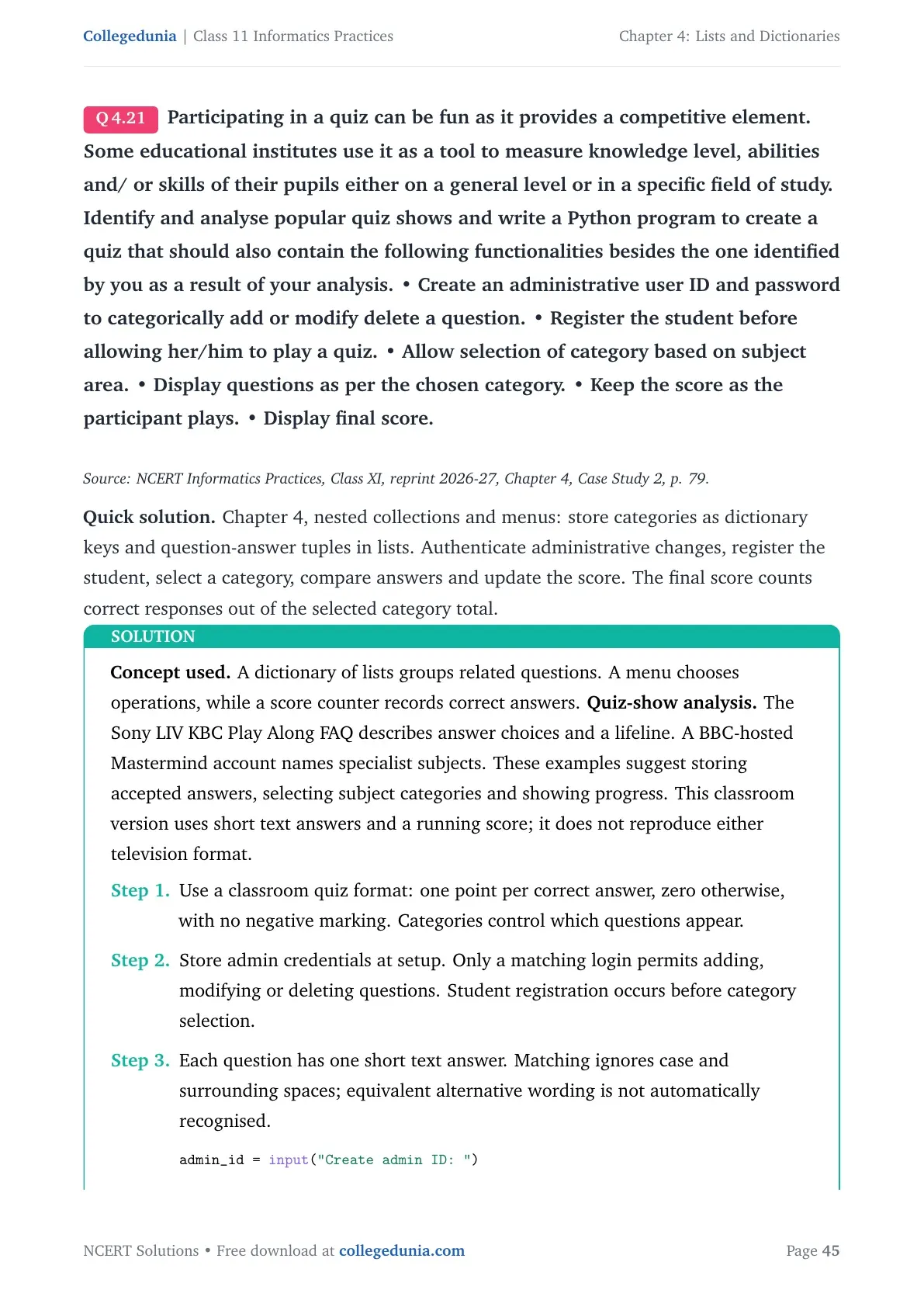
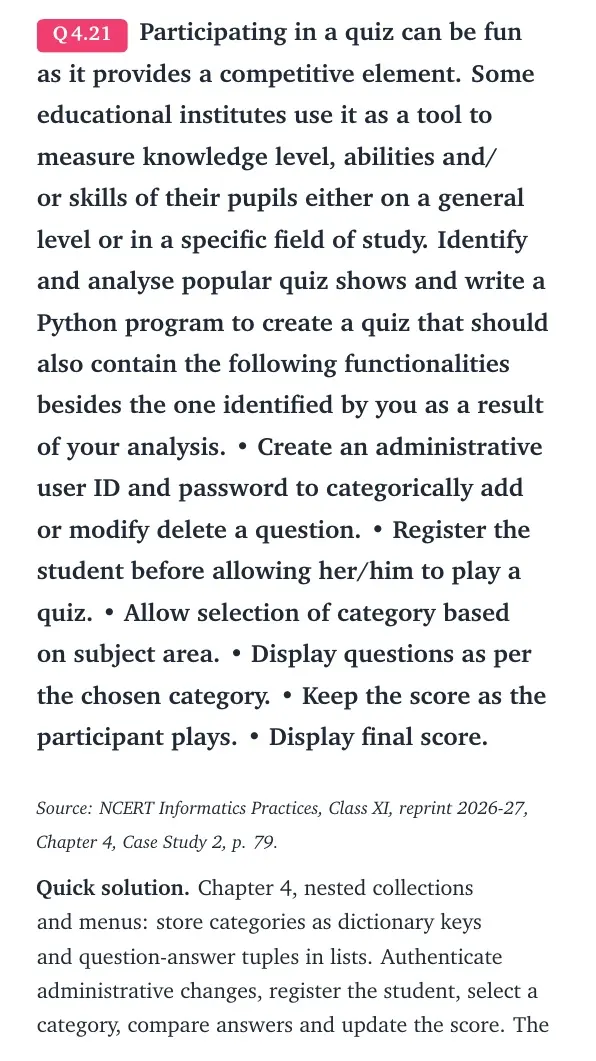
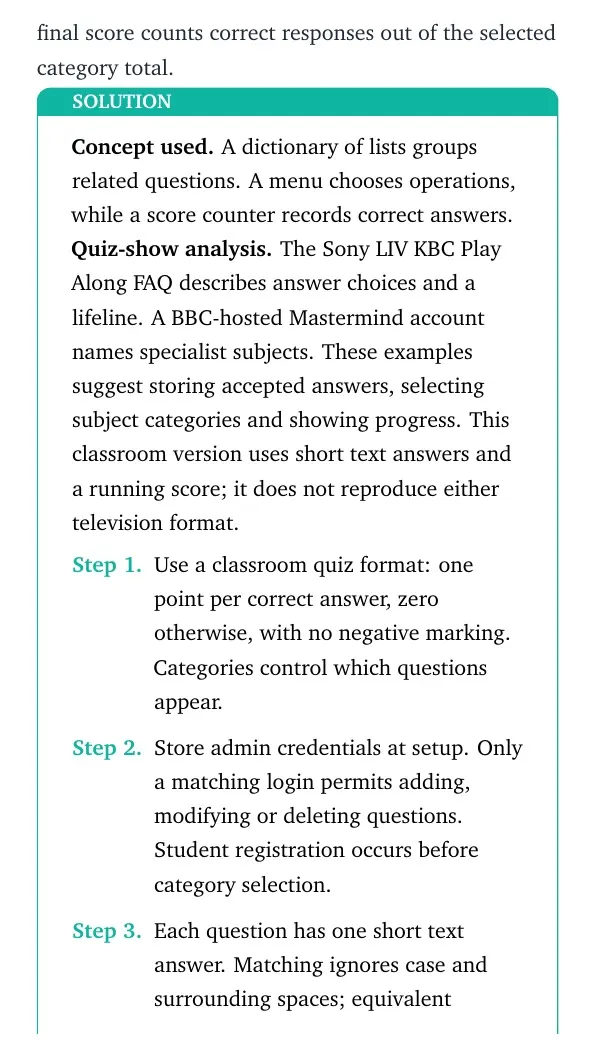
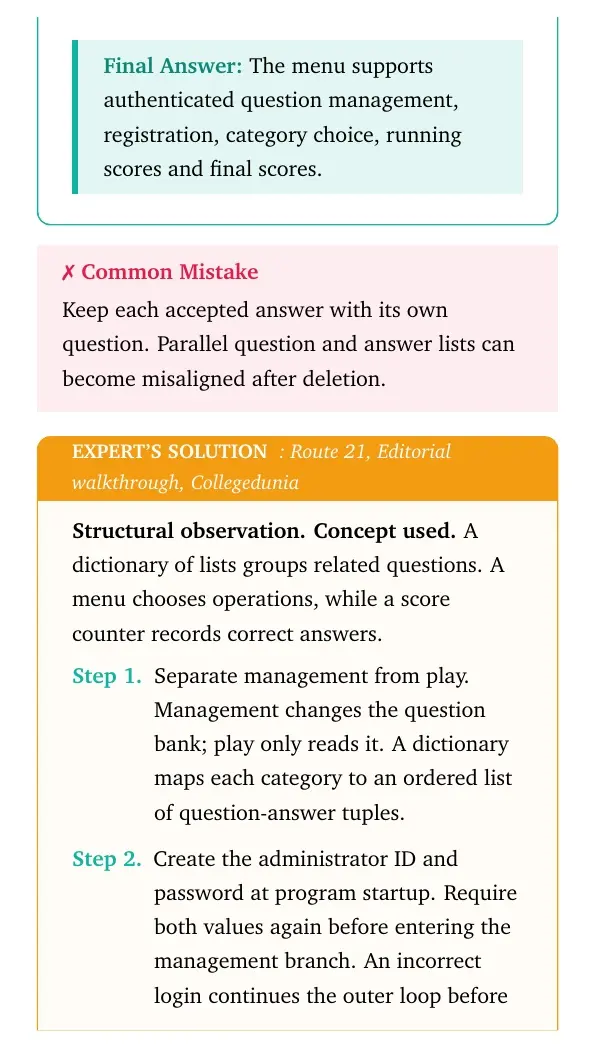
Participating in a quiz can be fun as it provides a competitive element. Some educational institutes use it as a tool to measure knowledge level, abilities and/ or skills of their pupils either on a general level or in a specific field of study. Identify and analyse popular quiz shows and write a Python program to create a quiz that should also contain the following functionalities besides the one identified by you as a result of your analysis. • Create an administrative user ID and password to categorically add or modify delete a question. • Register the student before allowing her/him to play a quiz. • Allow selection of category based on subject area. • Display questions as per the chosen category. • Keep the score as the participant plays. • Display final score.
Source: NCERT Informatics Practices, Class XI, reprint 2026-27, Chapter 4, Case Study 2, p. 79.
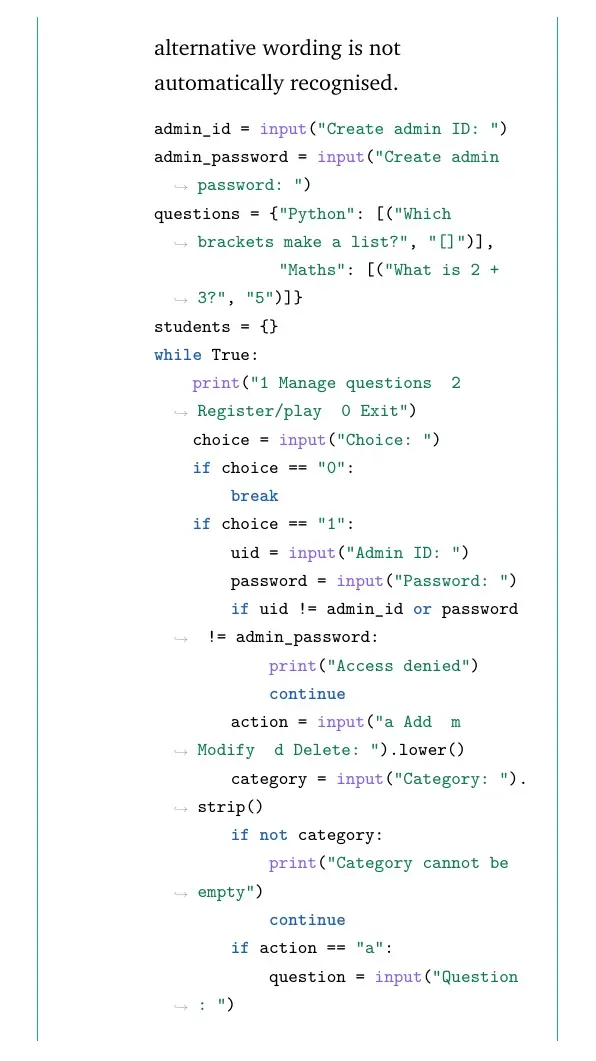
Quick solution. Chapter 4, nested collections and menus: store categories as dictionary keys and question-answer tuples in lists. Authenticate administrative changes, register the student, select a category, compare answers and update the score. The final score counts correct responses out of the selected category total.
Concept used. A dictionary of lists groups related questions. A menu chooses operations, while a score counter records correct answers. Quiz-show analysis. The Sony LIV KBC Play Along FAQ describes answer choices and a lifeline. A BBC-hosted Mastermind account names specialist subjects. These examples suggest storing accepted answers, selecting subject categories and showing progress. This classroom version uses short text answers and a running score; it does not reproduce either television format.
- Use a classroom quiz format: one point per correct answer, zero otherwise, with no negative marking. Categories control which questions appear.
- Store admin credentials at setup. Only a matching login permits adding, modifying or deleting questions. Student registration occurs before category selection.
- Each question has one short text answer. Matching ignores case and surrounding spaces; equivalent alternative wording is not automatically recognised.
admin_id = input("Create admin ID: ")
admin_password = input("Create admin password: ")
questions = {"Python": [("Which brackets make a list?", "[]")],
             "Maths": [("What is 2 + 3?", "5")]}
students = {}
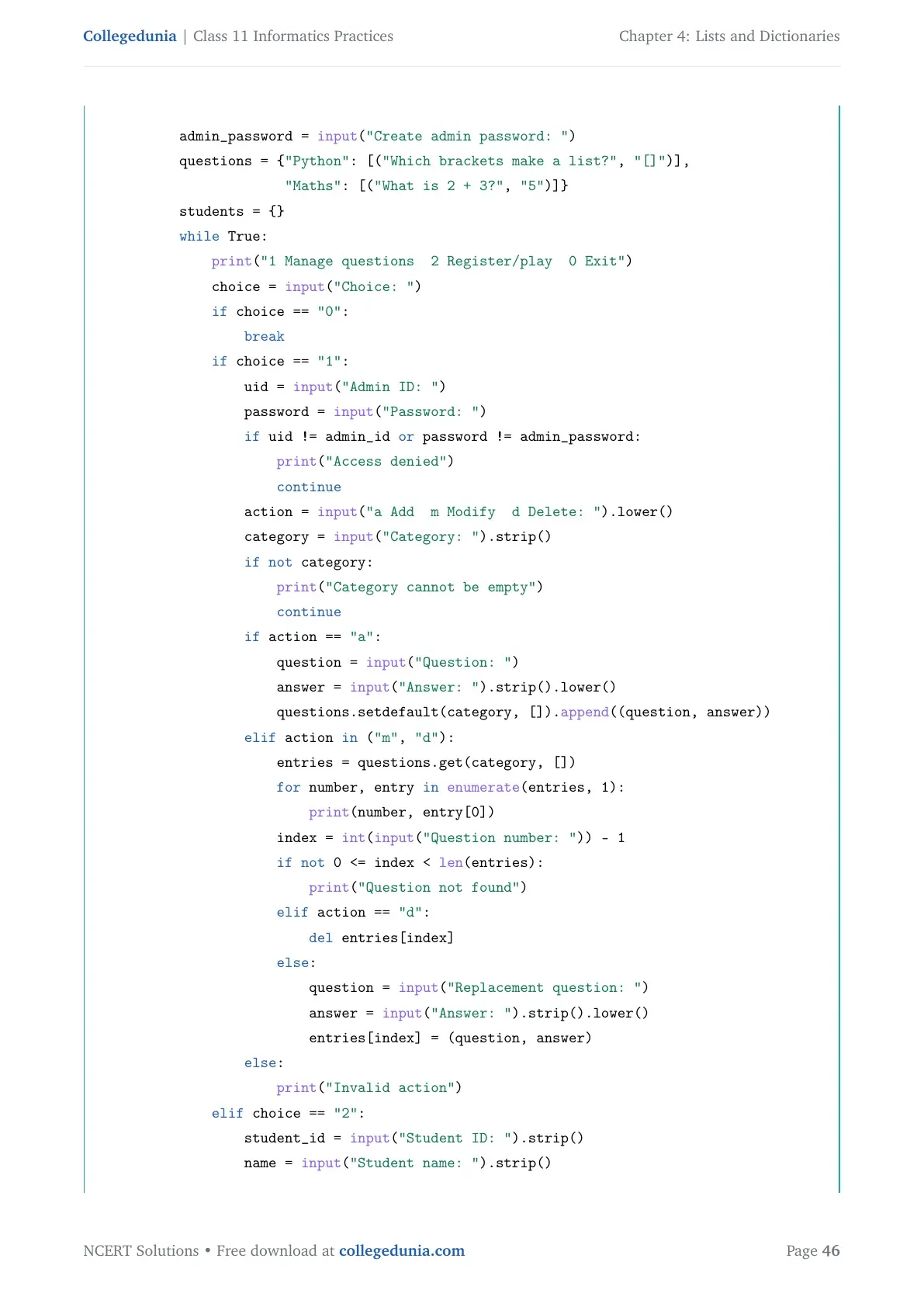
while True:
    print("1 Manage questions  2 Register/play  0 Exit")
    choice = input("Choice: ")
    if choice == "0":
        break
    if choice == "1":
        uid = input("Admin ID: ")
        password = input("Password: ")
        if uid != admin_id or password != admin_password:
            print("Access denied")
            continue
        action = input("a Add  m Modify  d Delete: ").lower()
        category = input("Category: ").strip()
        if not category:
            print("Category cannot be empty")
            continue
        if action == "a":
            question = input("Question: ")
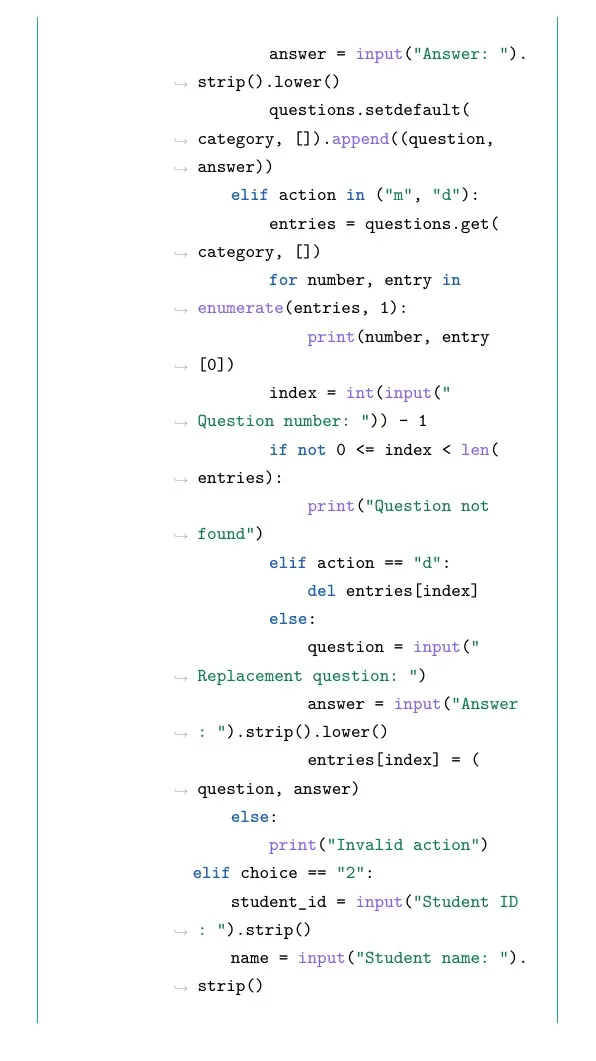
            answer = input("Answer: ").strip().lower()
            questions.setdefault(category, []).append((question, answer))
        elif action in ("m", "d"):
            entries = questions.get(category, [])
            for number, entry in enumerate(entries, 1):
                print(number, entry[0])
            index = int(input("Question number: ")) - 1
            if not 0 <= index < len(entries):
                print("Question not found")
            elif action == "d":
                del entries[index]
            else:
                question = input("Replacement question: ")
                answer = input("Answer: ").strip().lower()
                entries[index] = (question, answer)
        else:
            print("Invalid action")
    elif choice == "2":
        student_id = input("Student ID: ").strip()
        name = input("Student name: ").strip()
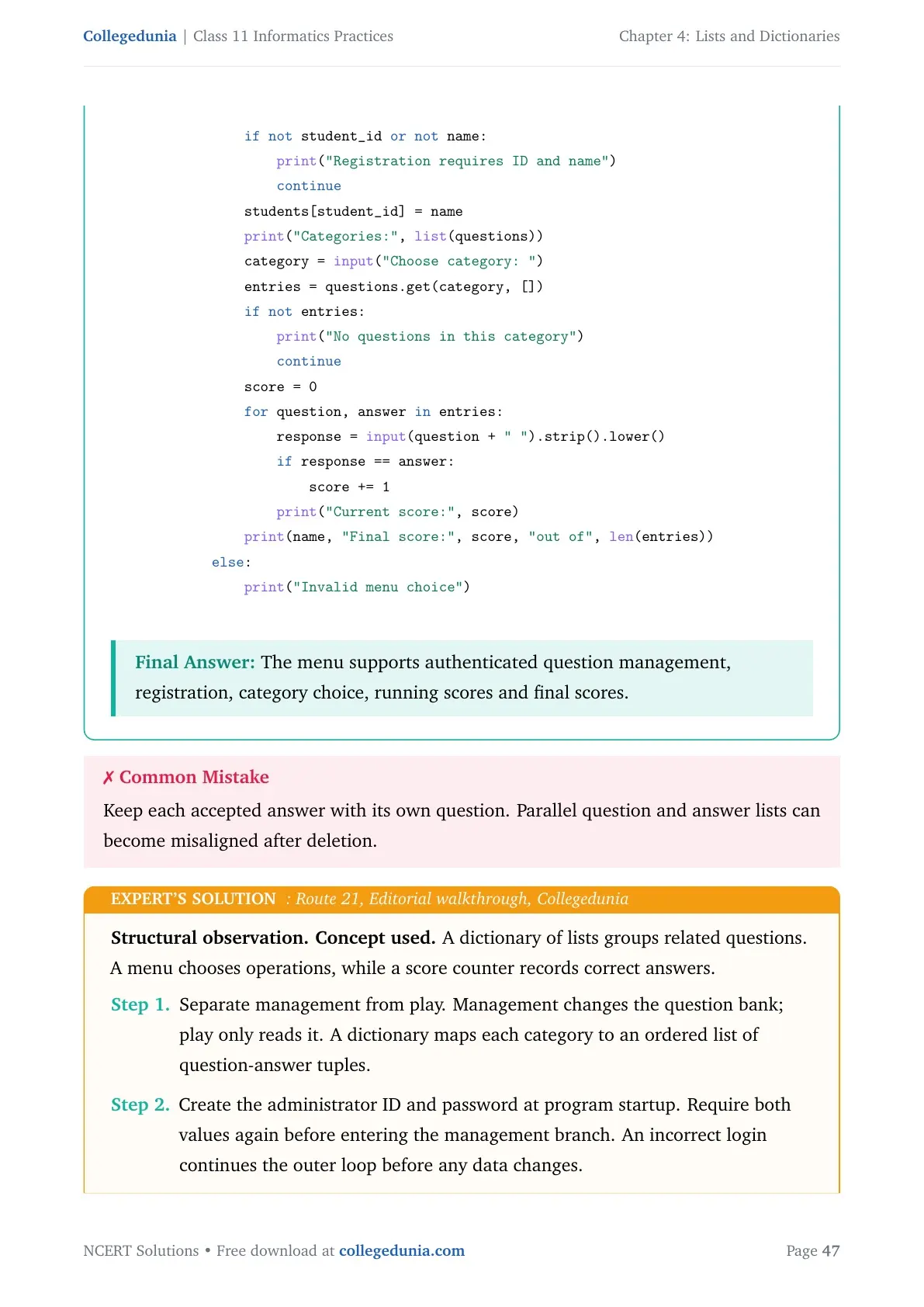
        if not student_id or not name:
            print("Registration requires ID and name")
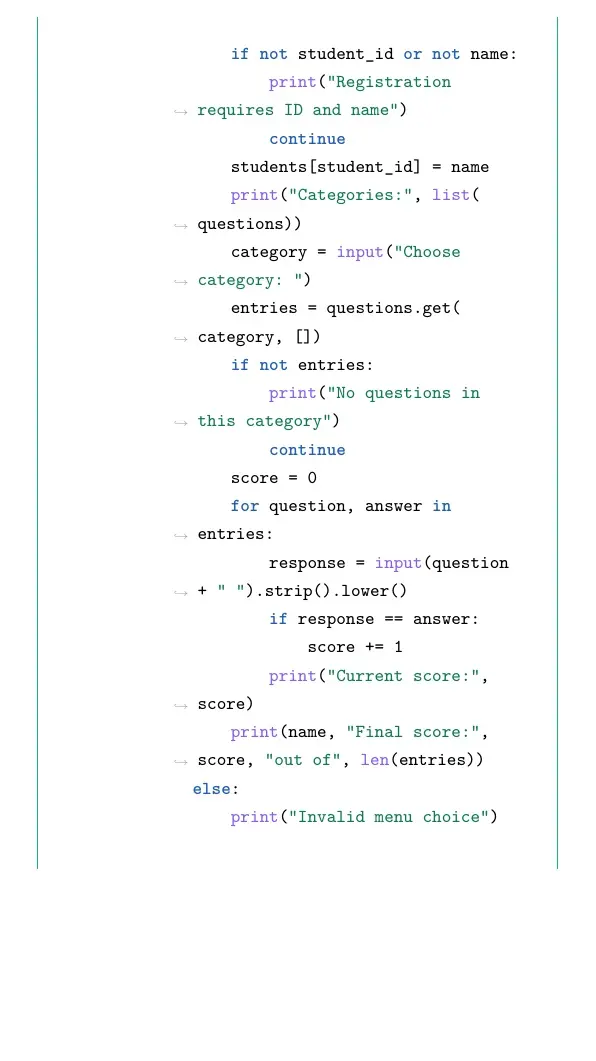
            continue
        students[student_id] = name
        print("Categories:", list(questions))
        category = input("Choose category: ")
        entries = questions.get(category, [])
        if not entries:
            print("No questions in this category")
            continue
        score = 0
        for question, answer in entries:
            response = input(question + " ").strip().lower()
            if response == answer:
                score += 1
            print("Current score:", score)
        print(name, "Final score:", score, "out of", len(entries))
    else:
        print("Invalid menu choice")
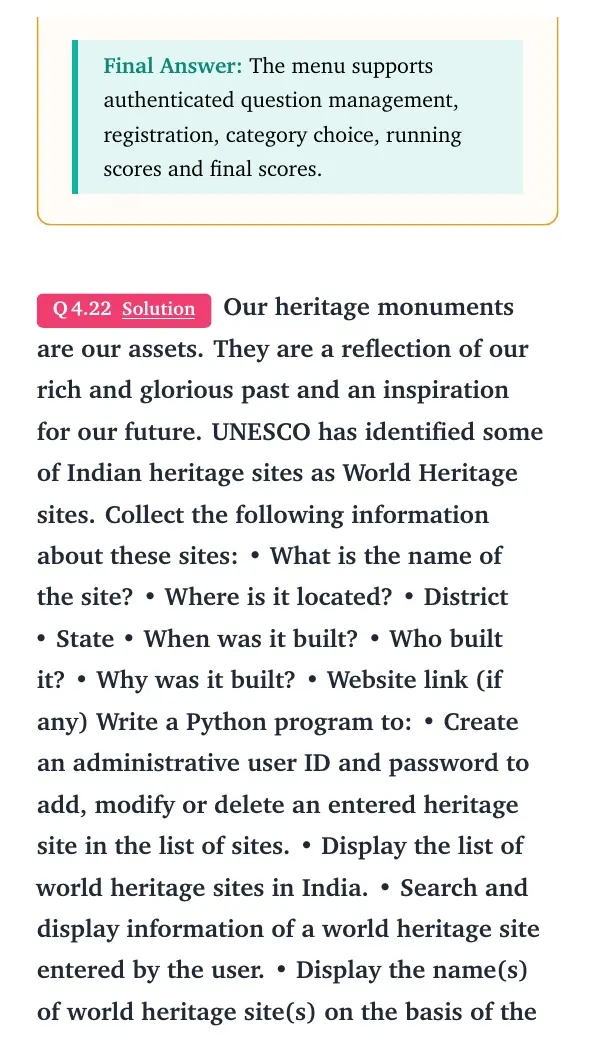
Final answer: The menu supports authenticated question management, registration, category choice, running scores and final scores.
Structural observation. Concept used. A dictionary of lists groups related questions. A menu chooses operations, while a score counter records correct answers.
- Separate management from play. Management changes the question bank; play only reads it. A dictionary maps each category to an ordered list of question-answer tuples.
- Create the administrator ID and password at program startup. Require both values again before entering the management branch. An incorrect login continues the outer loop before any data changes.
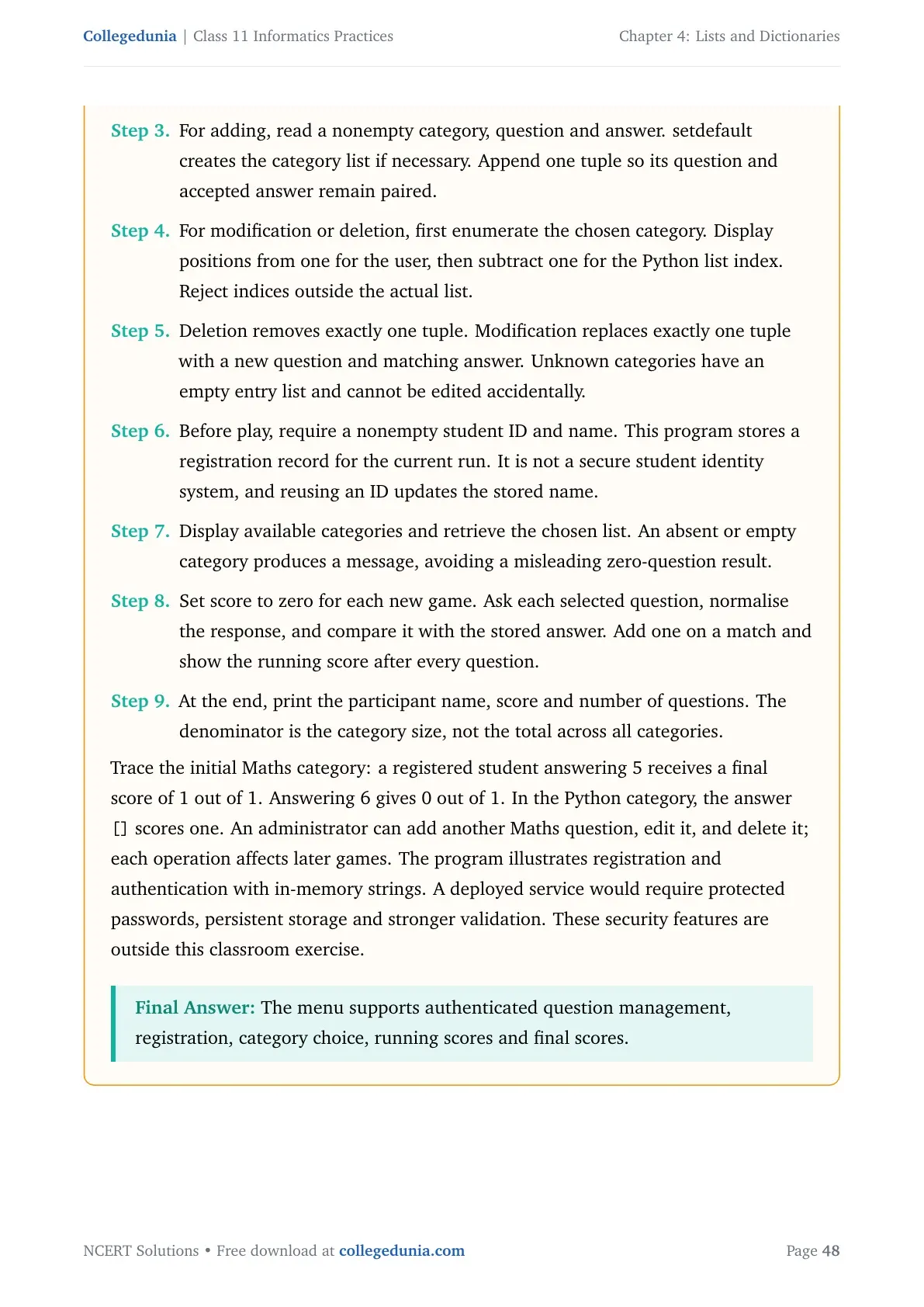
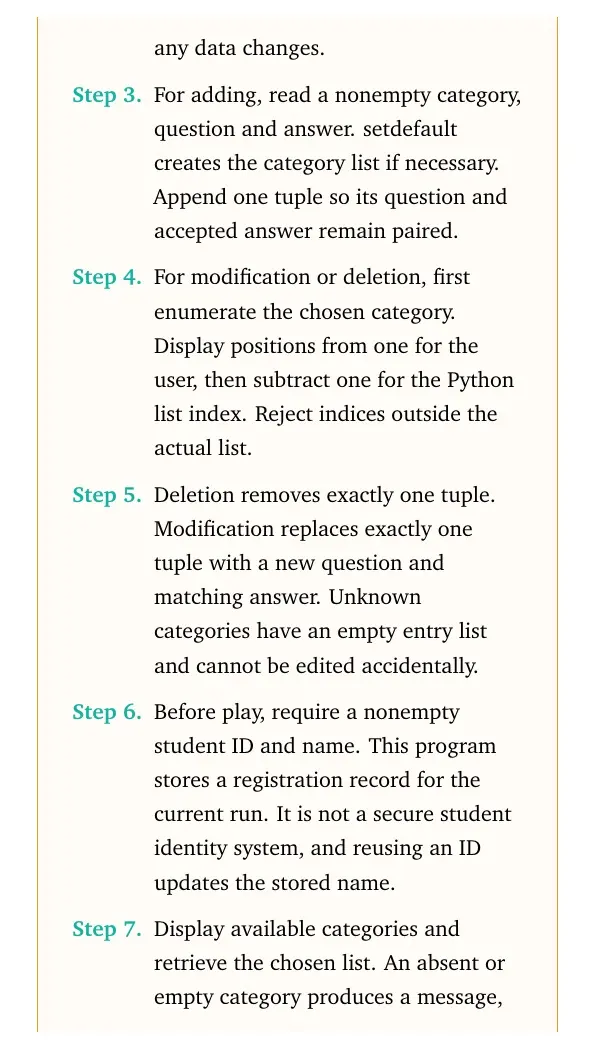
- For adding, read a nonempty category, question and answer. setdefault creates the category list if necessary. Append one tuple so its question and accepted answer remain paired.
- For modification or deletion, first enumerate the chosen category. Display positions from one for the user, then subtract one for the Python list index. Reject indices outside the actual list.
- Deletion removes exactly one tuple. Modification replaces exactly one tuple with a new question and matching answer. Unknown categories have an empty entry list and cannot be edited accidentally.
- Before play, require a nonempty student ID and name. This program stores a registration record for the current run. It is not a secure student identity system, and reusing an ID updates the stored name.
- Display available categories and retrieve the chosen list. An absent or empty category produces a message, avoiding a misleading zero-question result.
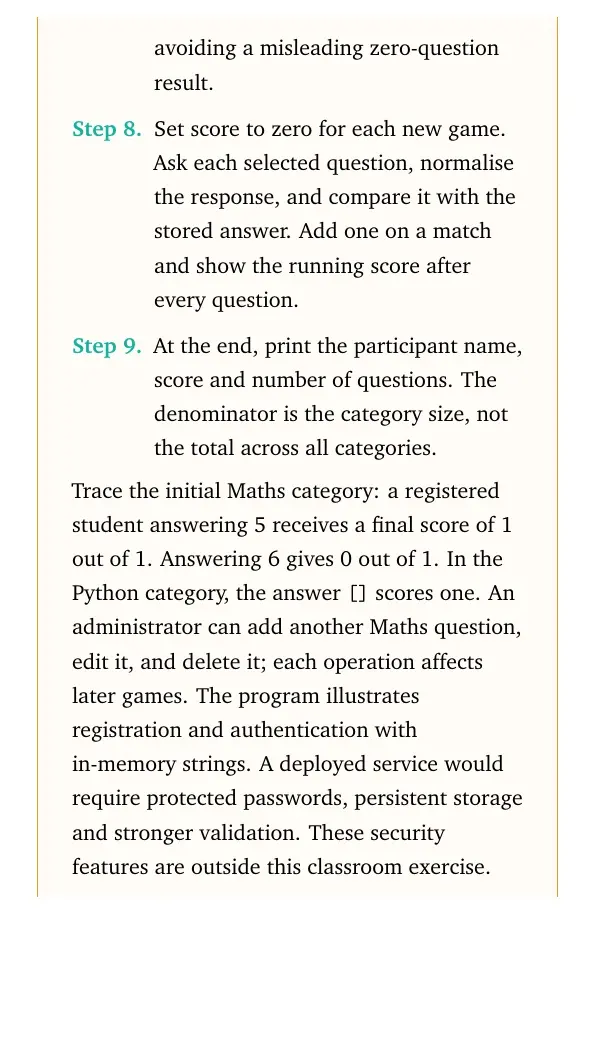
- Set score to zero for each new game. Ask each selected question, normalise the response, and compare it with the stored answer. Add one on a match and show the running score after every question.
- At the end, print the participant name, score and number of questions. The denominator is the category size, not the total across all categories.
[] scores one. An administrator can add another Maths question, edit it, and delete it; each operation affects later games. The program illustrates registration and authentication with in-memory strings. A deployed service would require protected passwords, persistent storage and stronger validation. These security features are outside this classroom exercise.
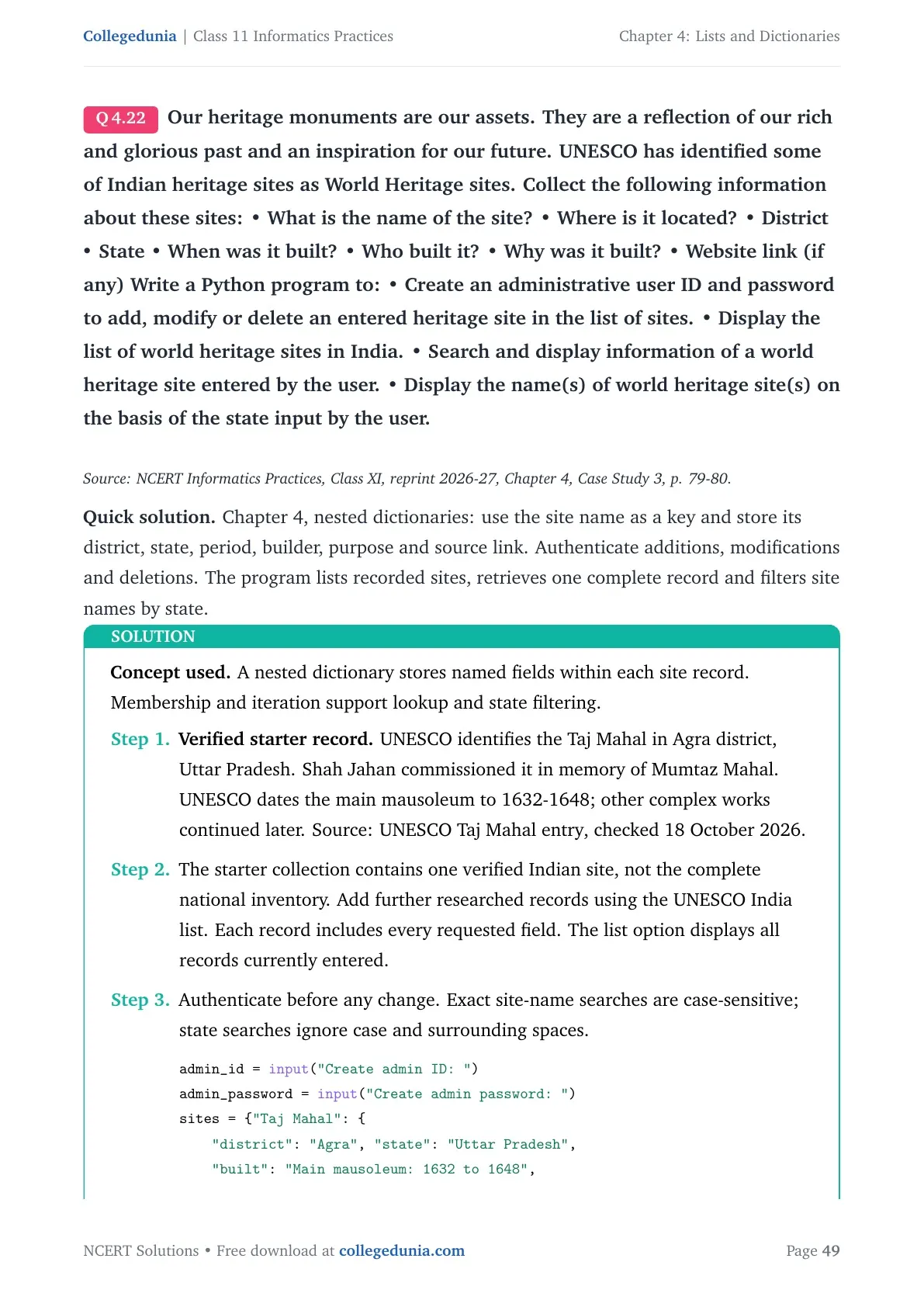
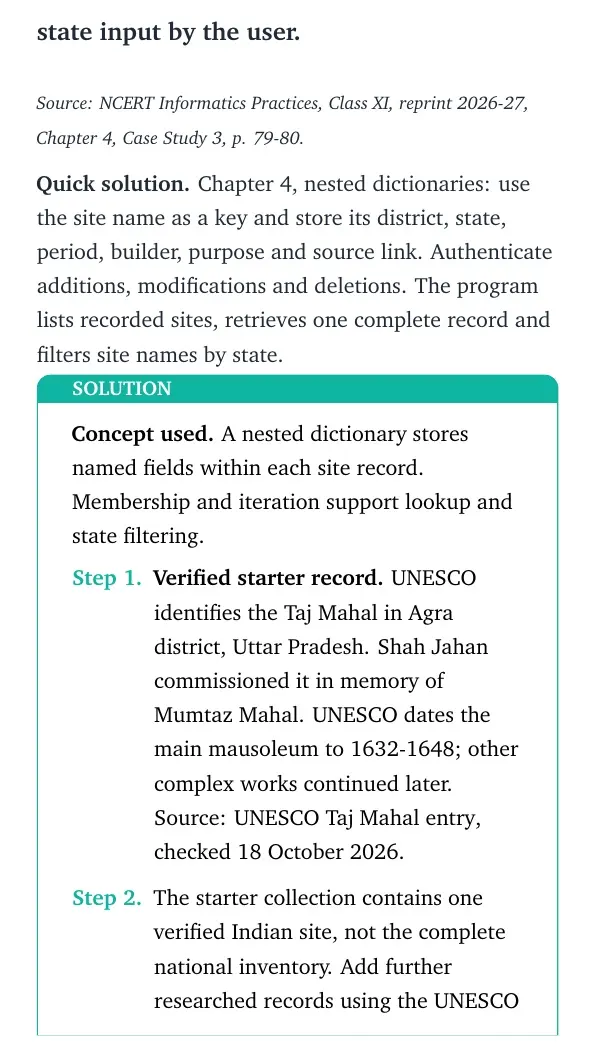
Final answer: The menu supports authenticated question management, registration, category choice, running scores and final scores.Our heritage monuments are our assets. They are a reflection of our rich and glorious past and an inspiration for our future. UNESCO has identified some of Indian heritage sites as World Heritage sites. Collect the following information about these sites: • What is the name of the site? • Where is it located? • District • State • When was it built? • Who built it? • Why was it built? • Website link (if any) Write a Python program to: • Create an administrative user ID and password to add, modify or delete an entered heritage site in the list of sites. • Display the list of world heritage sites in India. • Search and display information of a world heritage site entered by the user. • Display the name(s) of world heritage site(s) on the basis of the state input by the user.
Source: NCERT Informatics Practices, Class XI, reprint 2026-27, Chapter 4, Case Study 3, p. 79-80.
Quick solution. Chapter 4, nested dictionaries: use the site name as a key and store its district, state, period, builder, purpose and source link. Authenticate additions, modifications and deletions. The program lists recorded sites, retrieves one complete record and filters site names by state.
Concept used. A nested dictionary stores named fields within each site record. Membership and iteration support lookup and state filtering.
- Verified starter record. UNESCO identifies the Taj Mahal in Agra district, Uttar Pradesh. Shah Jahan commissioned it in memory of Mumtaz Mahal. UNESCO dates the main mausoleum to 1632-1648; other complex works continued later. Source: UNESCO Taj Mahal entry, checked 18 October 2026.
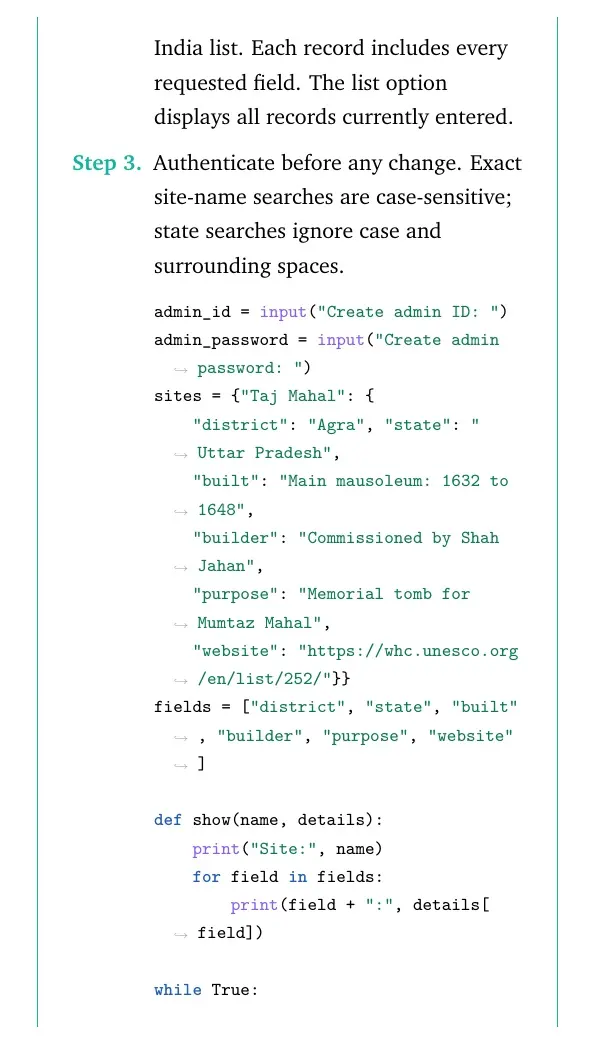
- The starter collection contains one verified Indian site, not the complete national inventory. Add further researched records using the UNESCO India list. Each record includes every requested field. The list option displays all records currently entered.
- Authenticate before any change. Exact site-name searches are case-sensitive; state searches ignore case and surrounding spaces.
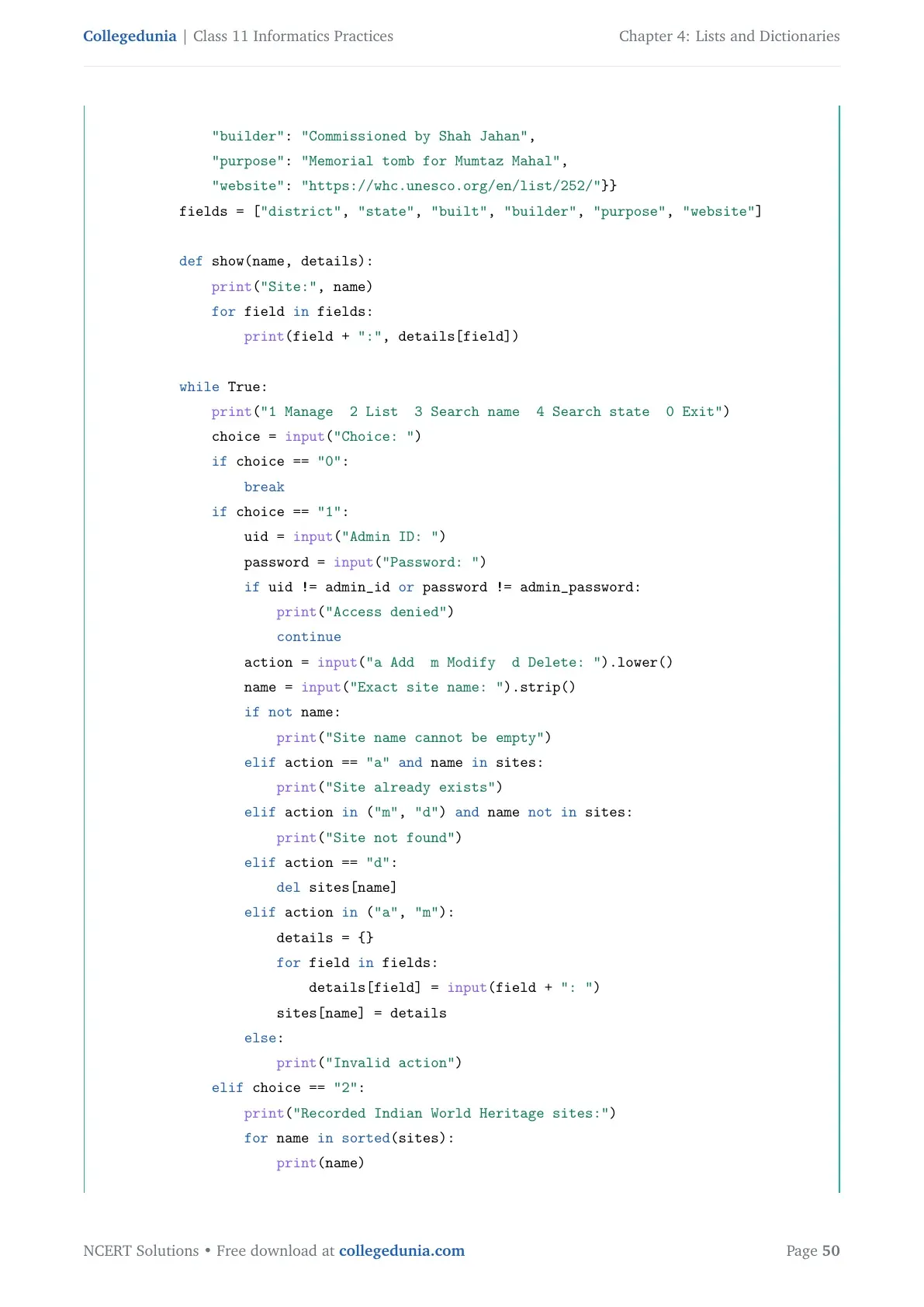
admin_id = input("Create admin ID: ")
admin_password = input("Create admin password: ")
sites = {"Taj Mahal": {
    "district": "Agra", "state": "Uttar Pradesh",
    "built": "Main mausoleum: 1632 to 1648",
    "builder": "Commissioned by Shah Jahan",
    "purpose": "Memorial tomb for Mumtaz Mahal",
    "website": "https://whc.unesco.org/en/list/252/"}}
fields = ["district", "state", "built", "builder", "purpose", "website"]

def show(name, details):
    print("Site:", name)
    for field in fields:
        print(field + ":", details[field])

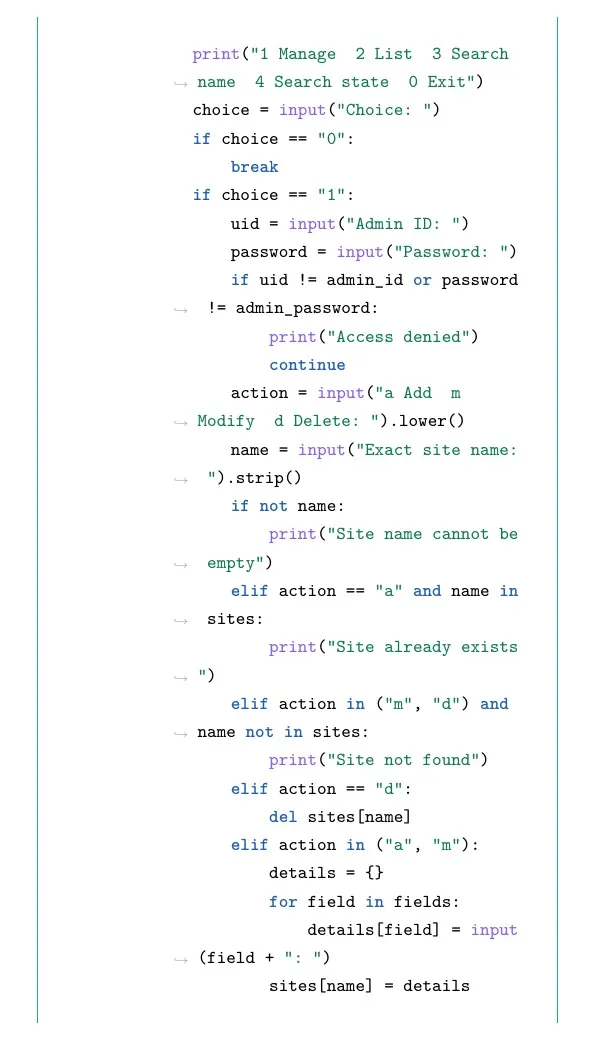
while True:
    print("1 Manage  2 List  3 Search name  4 Search state  0 Exit")
    choice = input("Choice: ")
    if choice == "0":
        break
    if choice == "1":
        uid = input("Admin ID: ")
        password = input("Password: ")
        if uid != admin_id or password != admin_password:
            print("Access denied")
            continue
        action = input("a Add  m Modify  d Delete: ").lower()
        name = input("Exact site name: ").strip()
        if not name:
            print("Site name cannot be empty")
        elif action == "a" and name in sites:
            print("Site already exists")
        elif action in ("m", "d") and name not in sites:
            print("Site not found")
        elif action == "d":
            del sites[name]
        elif action in ("a", "m"):
            details = {}
            for field in fields:
                details[field] = input(field + ": ")
            sites[name] = details
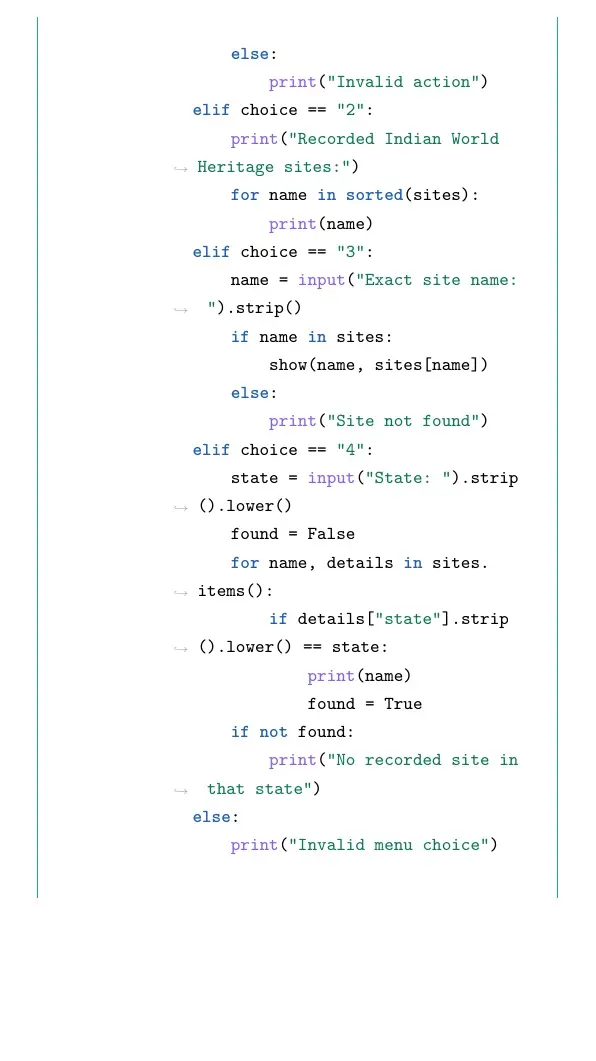
        else:
            print("Invalid action")
    elif choice == "2":
        print("Recorded Indian World Heritage sites:")
        for name in sorted(sites):
            print(name)
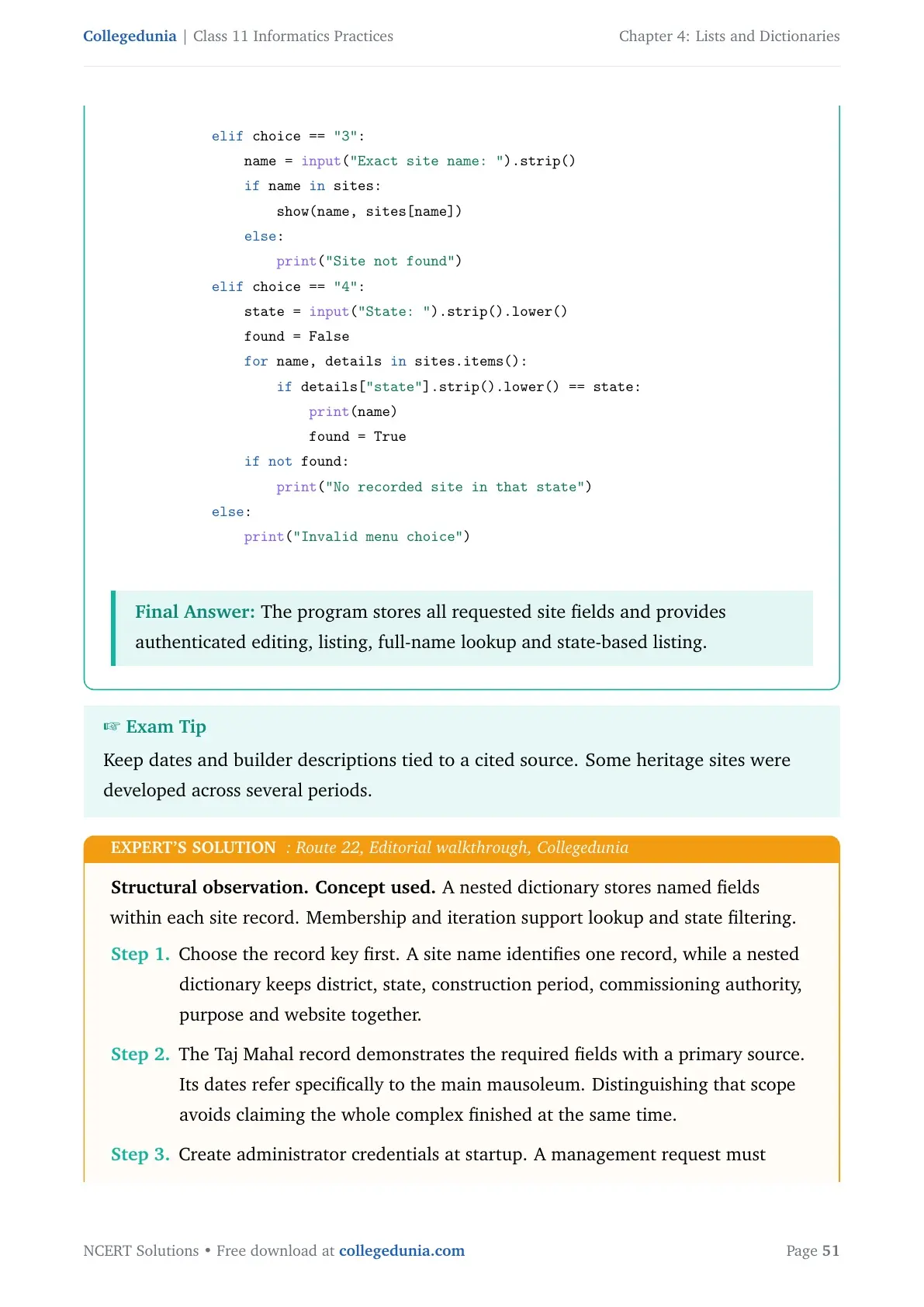
    elif choice == "3":
        name = input("Exact site name: ").strip()
        if name in sites:
            show(name, sites[name])
        else:
            print("Site not found")
    elif choice == "4":
        state = input("State: ").strip().lower()
        found = False
        for name, details in sites.items():
            if details["state"].strip().lower() == state:
                print(name)
                found = True
        if not found:
            print("No recorded site in that state")
    else:
        print("Invalid menu choice")
Final answer: The program stores all requested site fields and provides authenticated editing, listing, full-name lookup and state-based listing.
Structural observation. Concept used. A nested dictionary stores named fields within each site record. Membership and iteration support lookup and state filtering.
- Choose the record key first. A site name identifies one record, while a nested dictionary keeps district, state, construction period, commissioning authority, purpose and website together.
- The Taj Mahal record demonstrates the required fields with a primary source. Its dates refer specifically to the main mausoleum. Distinguishing that scope avoids claiming the whole complex finished at the same time.
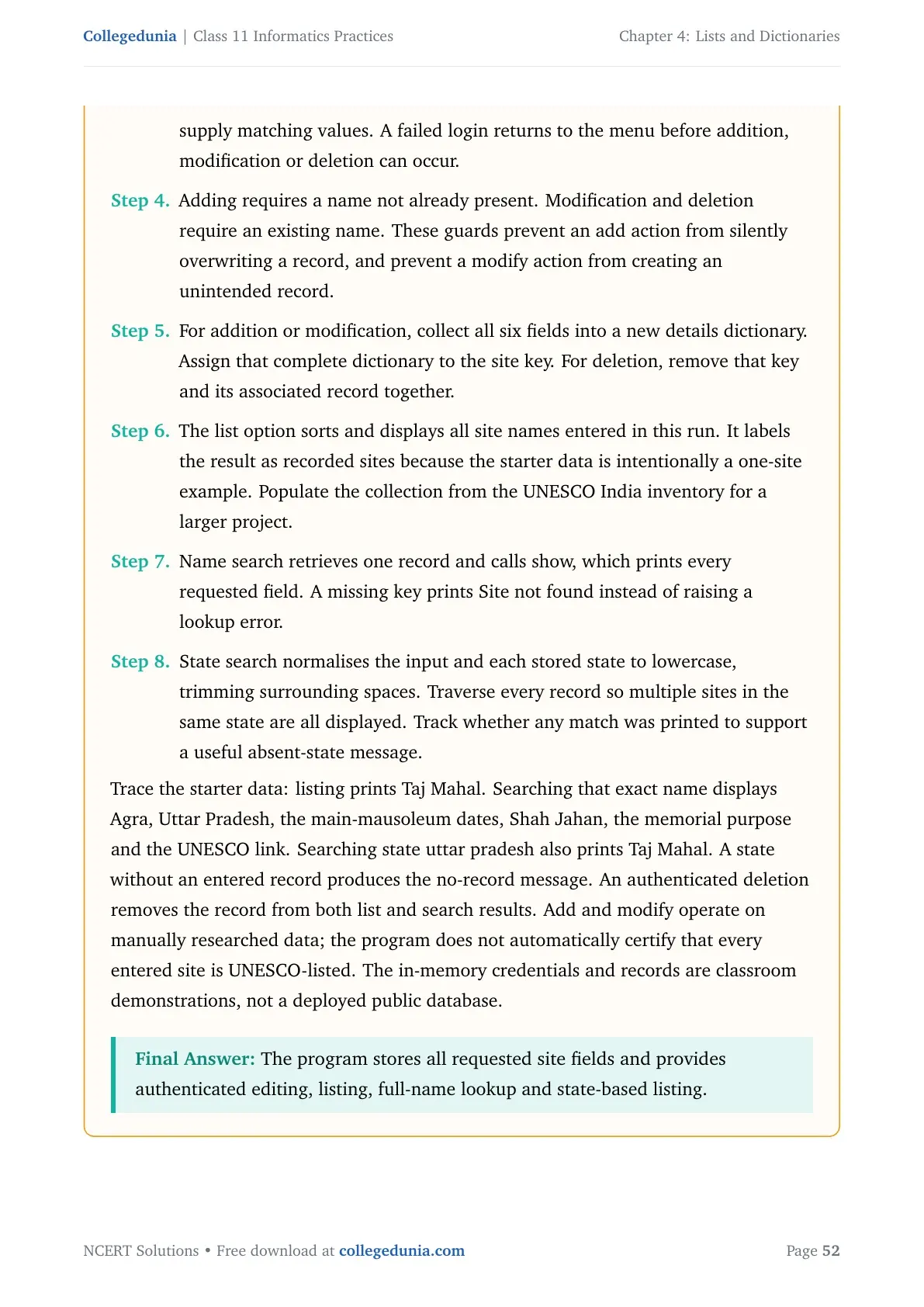
- Create administrator credentials at startup. A management request must supply matching values. A failed login returns to the menu before addition, modification or deletion can occur.
- Adding requires a name not already present. Modification and deletion require an existing name. These guards prevent an add action from silently overwriting a record, and prevent a modify action from creating an unintended record.
- For addition or modification, collect all six fields into a new details dictionary. Assign that complete dictionary to the site key. For deletion, remove that key and its associated record together.
- The list option sorts and displays all site names entered in this run. It labels the result as recorded sites because the starter data is intentionally a one-site example. Populate the collection from the UNESCO India inventory for a larger project.
- Name search retrieves one record and calls show, which prints every requested field. A missing key prints Site not found instead of raising a lookup error.
- State search normalises the input and each stored state to lowercase, trimming surrounding spaces. Traverse every record so multiple sites in the same state are all displayed. Track whether any match was printed to support a useful absent-state message.
Working with Lists and Dictionaries Class 11 NCERT Solutions FAQs
Ques. What does the Working with Lists and Dictionaries solutions PDF cover?
Ans. It covers eight exercise questions, ten programming problems, the Student Management Information System task and three case studies, including their subparts.
Ques. Which textbook edition is used for these Class 11 solutions?
Ans. The questions follow the NCERT Informatics Practices 2026-27 reprint. Lists and dictionaries are also included in the Class 11 Python unit.
Ques. How should I check a Python output answer?
Ans. Write the initial values, run each statement in order and record every changed collection. Compare the printed output separately from method return values.
Ques. Why does assigning the result of sort() produce None?
Ans. The sort() method changes the existing list and returns None. Use sorted() when you need a separate sorted list as the result.
Ques. Does a dictionary keep the order of its entries?
Ans. Current Python preserves insertion order. Values are still accessed by keys, not by numbered positions. Some older textbook descriptions predate this language guarantee.
Ques. How are append() and extend() different?
Ans. append() adds its argument as one item. extend() adds each item from an iterable. Appending a list therefore creates a nested list item.
Ques. Should I read the solutions before writing a program?
Ans. Try the question first. Then compare the method and test your code with normal, repeated and boundary inputs. Rework the first step that produced a different result.
Ques. What is a list in Python?
Ans. A list is a mutable sequence of items. Its elements can have different types, and each position can be accessed with an integer index.
Ques. What is a dictionary in Python?
Ans. A dictionary is a mutable mapping from unique, hashable keys to values. Assigning a value to an existing key replaces its previous value.
Ques. What are list slices?
Ans. Slices select a sequence of list items using start, stop and optional step values. The stop index is excluded, and omitted limits use suitable sequence boundaries.



Comments