



Inside the NCERT Class 11 Informatics Practices Chapter 2 Emerging Trends book PDF you will find the five characteristics of Big Data, the IaaS, PaaS and SaaS service split, and the cloud against grid comparison that the CBSE paper keeps asking. It is the official 16 page chapter file from the 2026-27 reprint, and it closes the theory half of the Class 11 course.
- Emerging Trends is Chapter 2 of the NCERT Informatics Practices textbook for Class 11.
- It covers six heads: Artificial Intelligence, Big Data, Internet of Things, Cloud Computing, Grid Computing and Blockchains.
- The chapter ends with a 12 point Summary and 15 exercise questions.
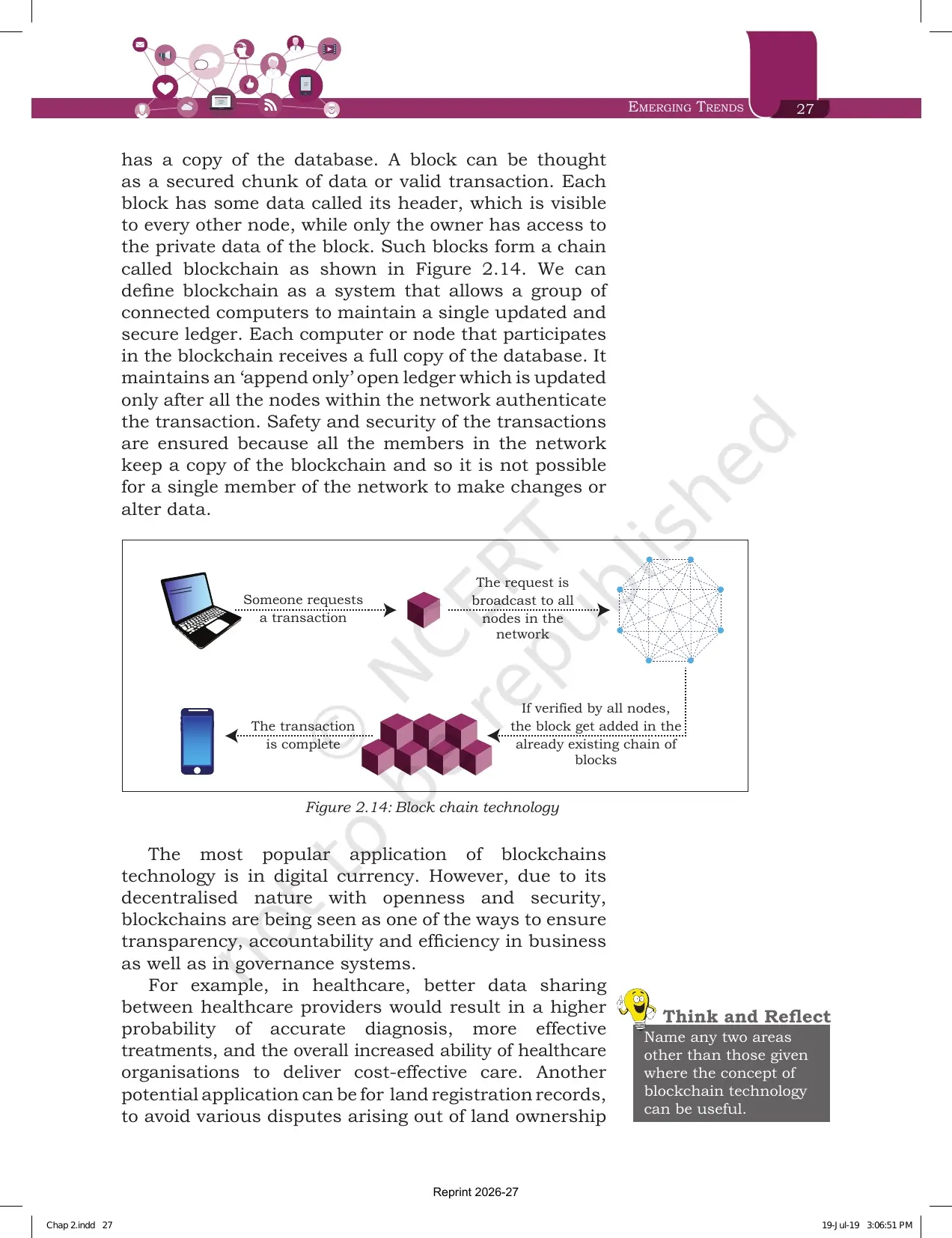
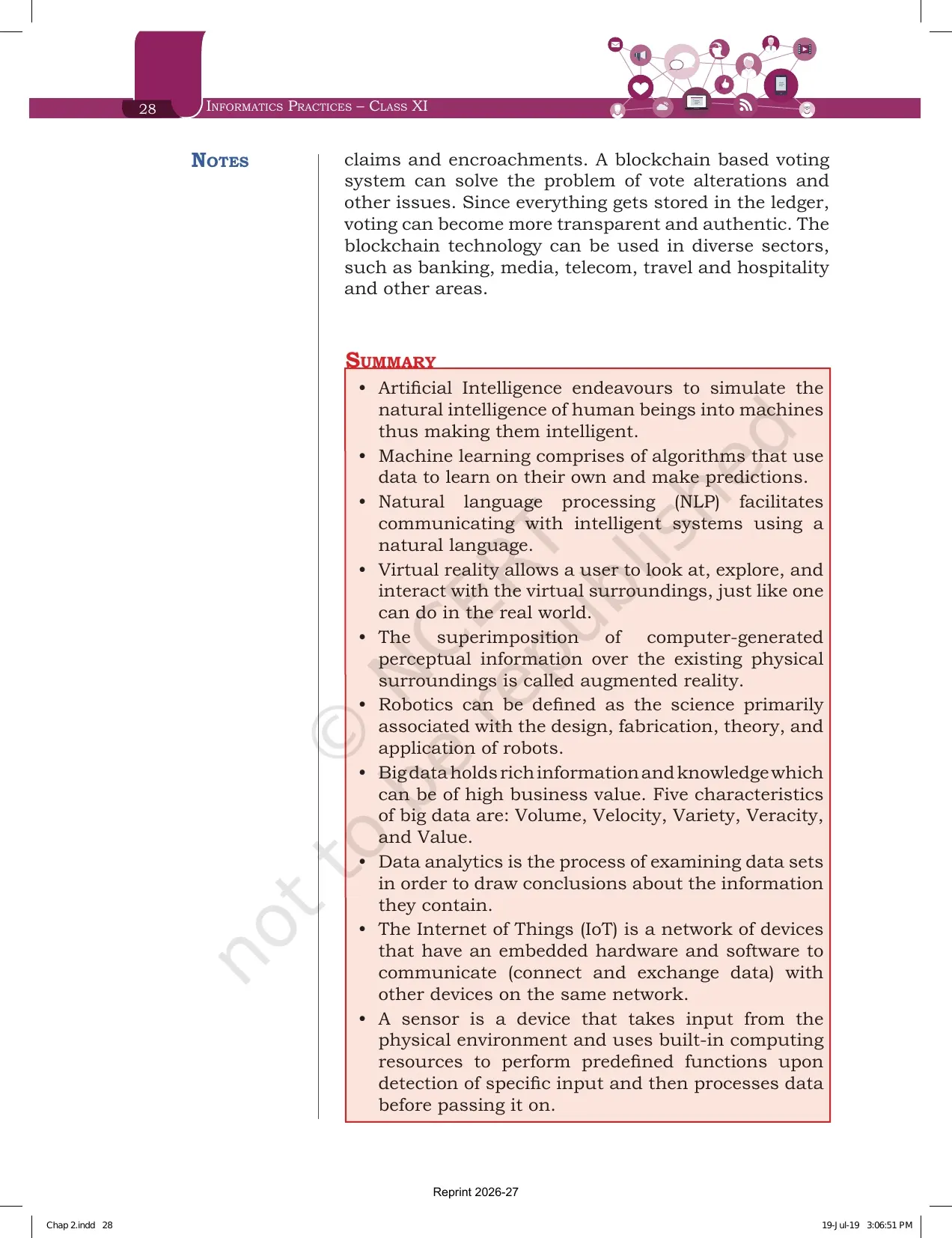
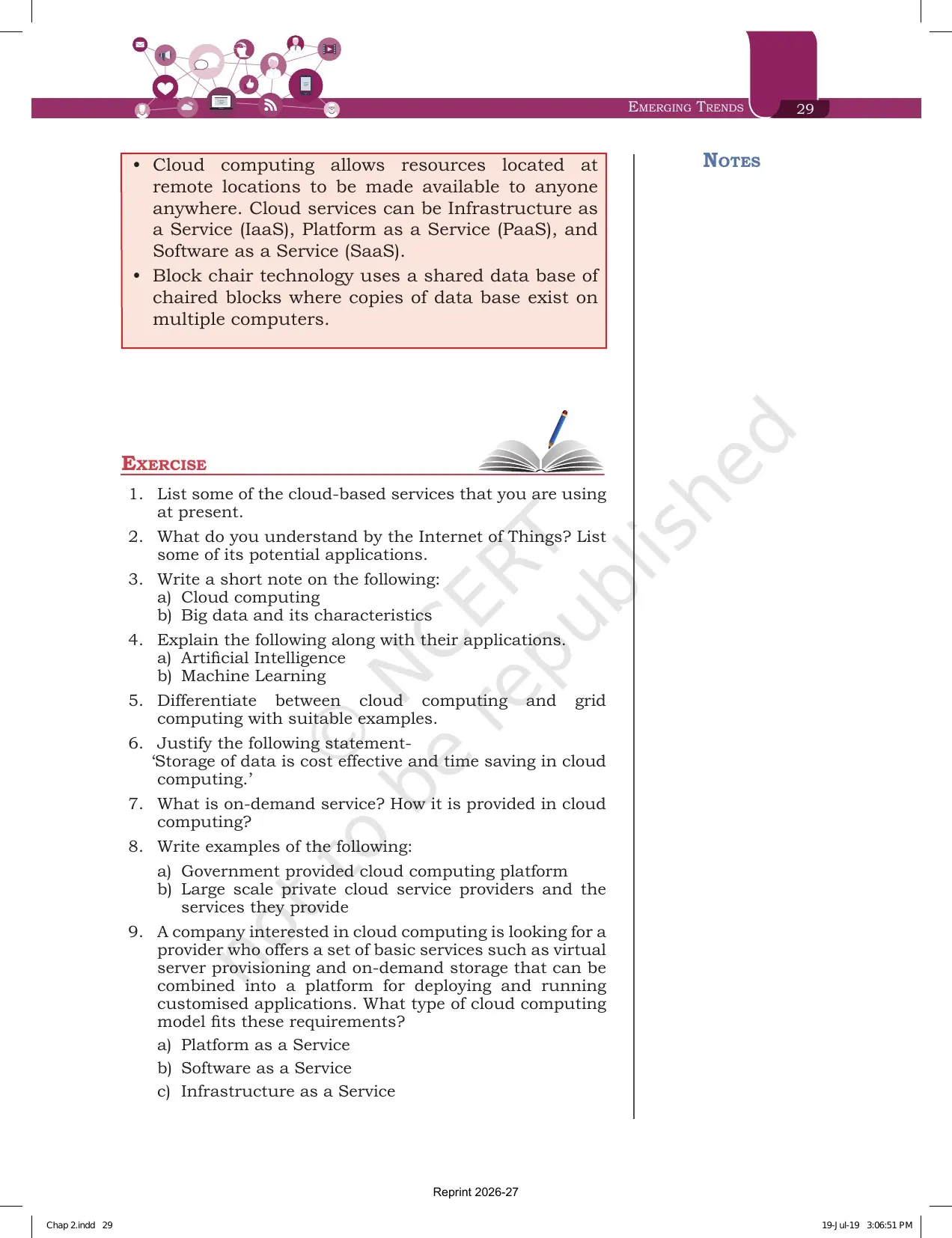
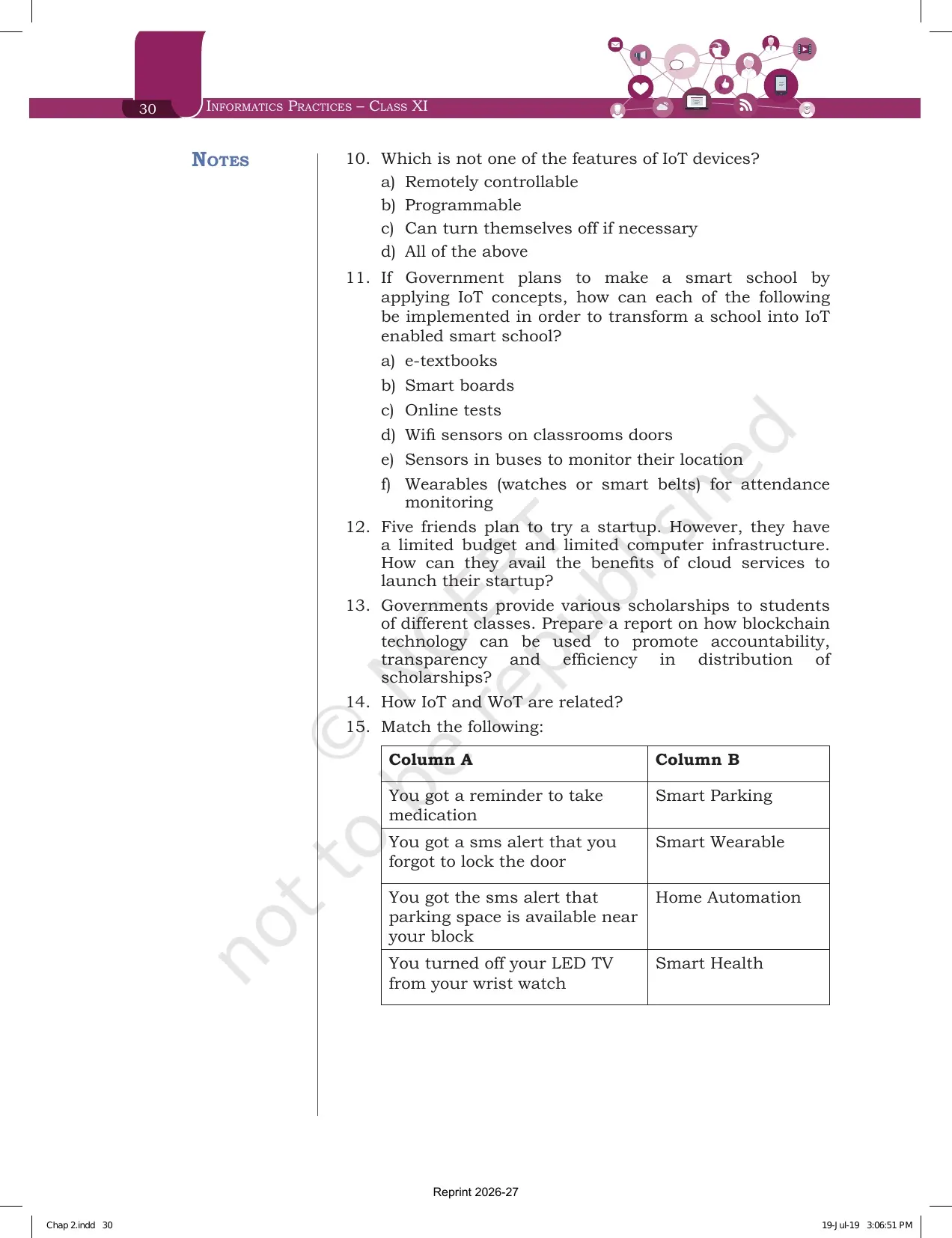
Every page of this Emerging Trends chapter file is the official NCERT 2026-27 reprint, checked against the printed Informatics Practices textbook for Class 11 and paired on Collegedunia with solved answers, notes and handwritten revision pages for the same chapter.
What the Emerging Trends Class 11 Chapter PDF Contains, Page by Page
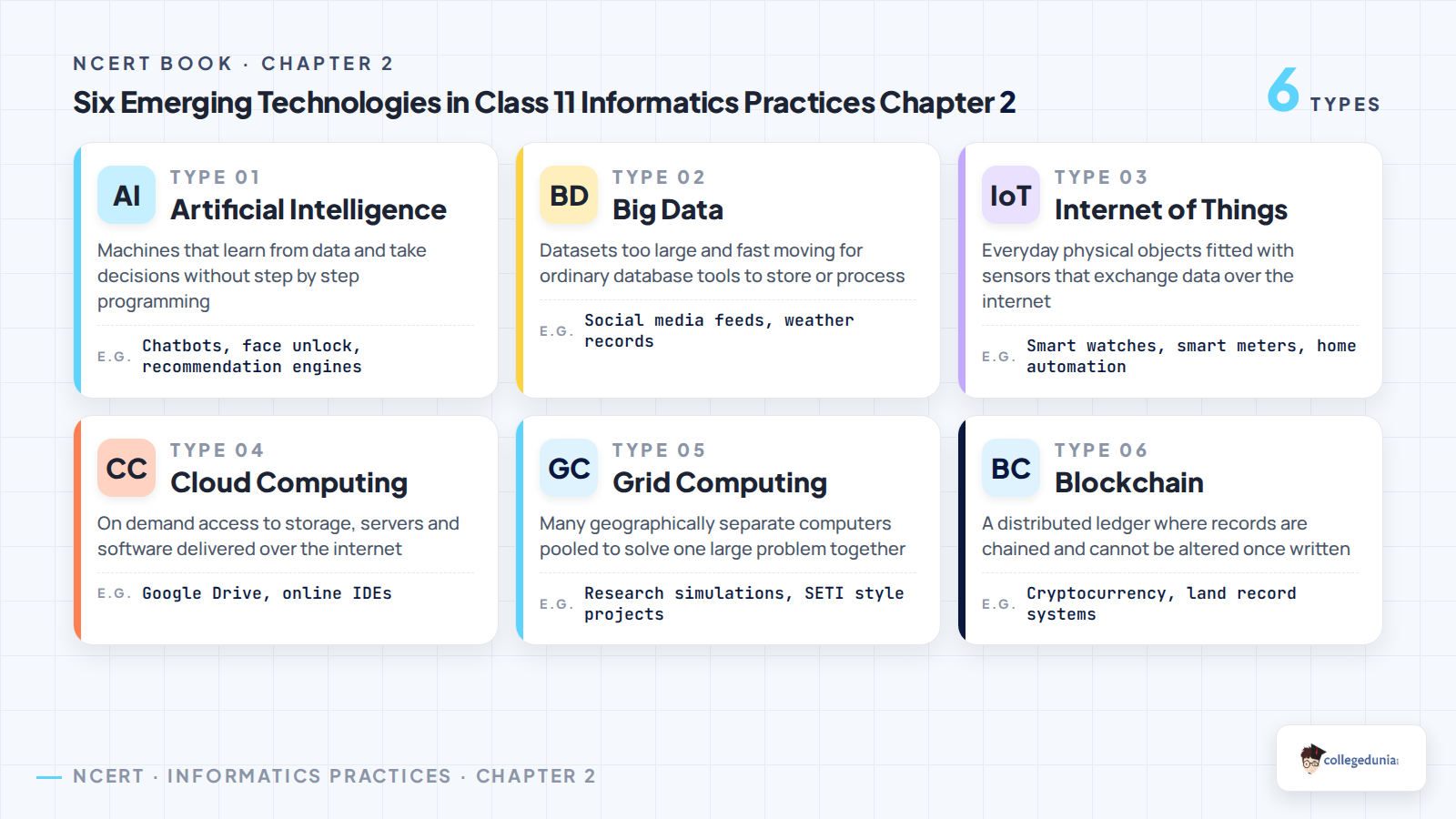
The chapter runs from page 15 to page 30 of the textbook. NCERT opens it with a Dijkstra quote and a six point contents box, then moves through the six technologies in a fixed order. Reading it in that printed order is the fastest way to keep the terms separate in your head.
| Section | What is printed there | Why it matters in the exam |
|---|---|---|
| 2.1 Introduction to Emerging Trends | What an emerging trend is and why some technologies fade while others last | One line definition that opens most long answers |
| 2.2 Artificial Intelligence | Knowledge base, Machine Learning, Natural Language Processing, immersive experiences, robotics | The longest section, and the source of the 3 mark explain questions |
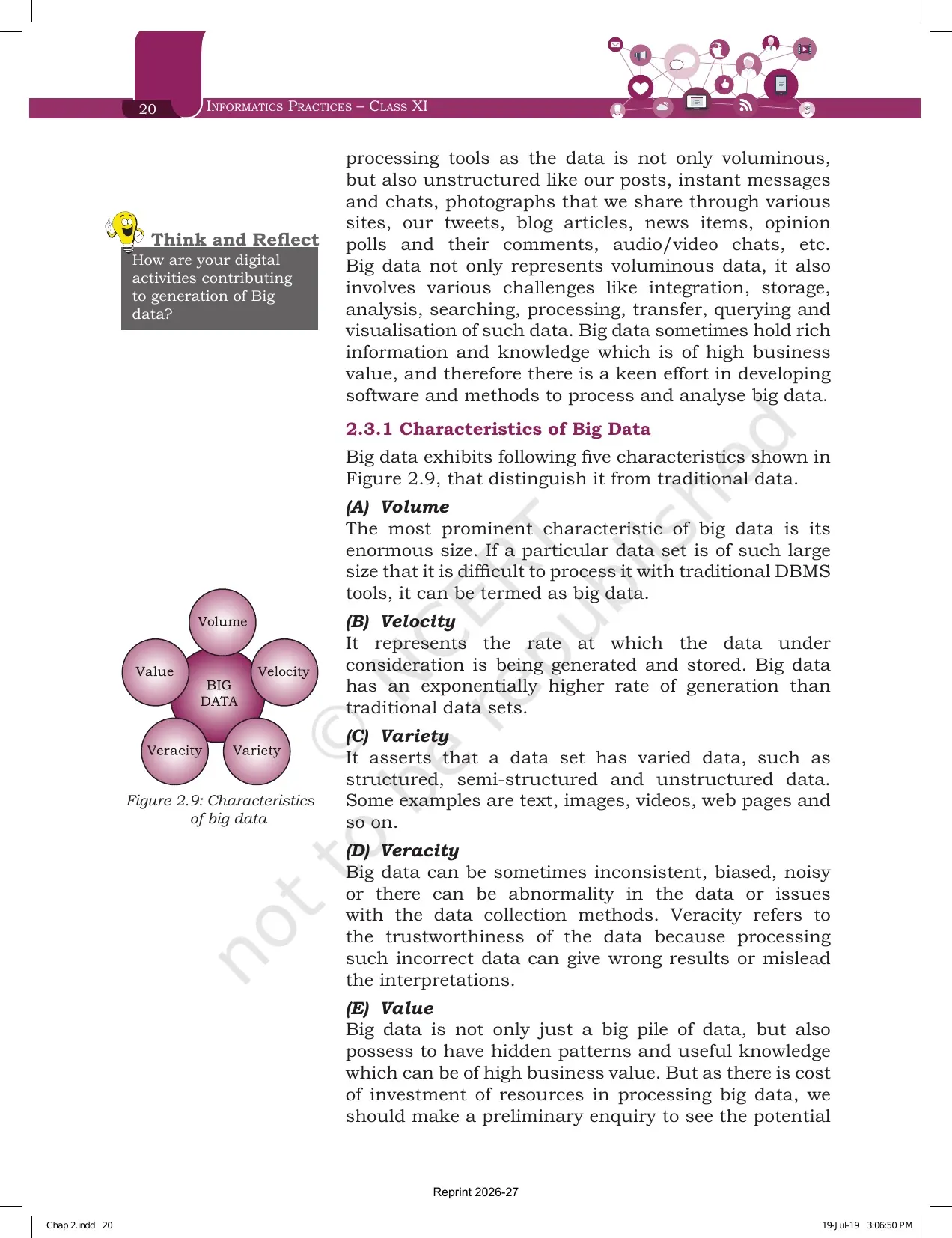
| 2.3 Big Data | Figure 2.8 on data sources, the five characteristics in Figure 2.9, data analytics | Volume, Velocity, Variety, Veracity and Value is a repeat question |
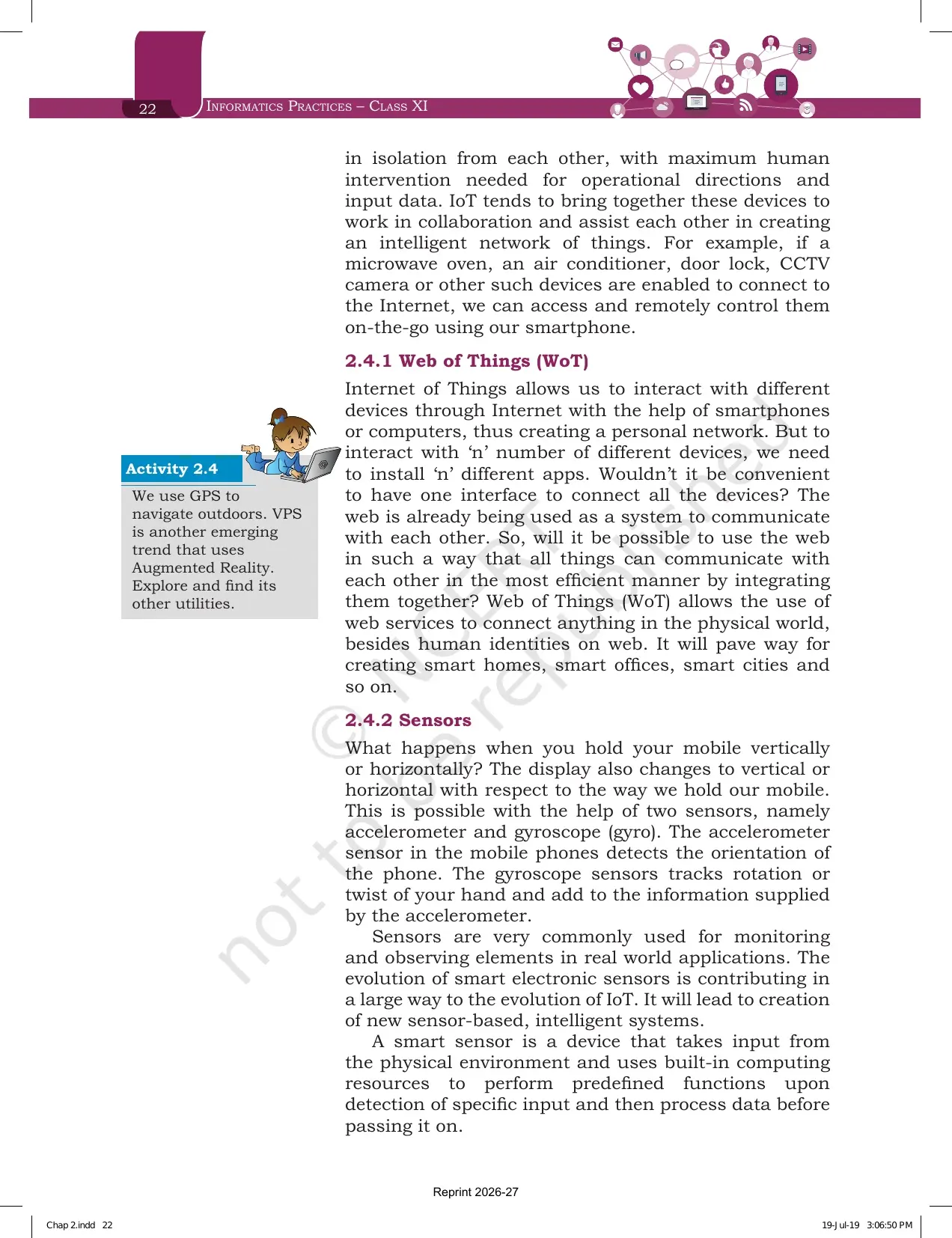
| 2.4 Internet of Things | Figure 2.10 on IoT, Web of Things, sensors, and the smart city in Figure 2.11 | Feeds the application style questions and the match the following item |
| 2.5 Cloud Computing | Cloud services in Figure 2.12, IaaS, PaaS, SaaS and the MeghRaj initiative | Six of the 15 exercise questions come from here alone |
| 2.6 Grid Computing | Nodes, data grid, processor grid, the Globus toolkit and the grid against cloud box | The standard 2 mark difference question |
| 2.7 Blockchains | Shared ledger, block header, Figure 2.14 transaction flow, healthcare and voting uses | A short section that carries a full report style question |
| Summary, pages 28 and 29 | Twelve bullet points that compress the whole chapter | The best two pages for last minute revision |
| Exercise, pages 29 and 30 | 15 questions, including two objective items and a match the following | School tests repeat these almost word for word |
Tip: the five Activity boxes and the four Think and Reflect boxes in the margins are not exam questions, but they are where most Class 11 project topics and viva questions come from.
Artificial Intelligence in the Emerging Trends Chapter and What NCERT Expects You to Write
Section 2.2 starts with two everyday examples: maps that pick the fastest route by reading live traffic, and social sites that recognise faces in an uploaded photo. NCERT then gives the definition the marker looks for.
Artificial Intelligence tries to simulate the natural intelligence of human beings into machines, so that the machines behave intelligently. An intelligent machine is supposed to imitate some of the cognitive functions of humans, such as learning, decision making and problem solving.
- The digital personal assistants named in the chapter are Siri, Google Now, Cortana and Alexa.
- To work with the least human help, machines are programmed to build a knowledge base and take decisions from it.
- A knowledge base is a store of information made of facts, assumptions and rules that an AI system uses for decision making.
- An AI system can also learn from past experiences or outcomes and use that to take new decisions.
Section 2.2 then splits into four sub topics: Machine Learning, Natural Language Processing, Immersive Experiences and Robotics. Exercise question 4 asks you to explain Artificial Intelligence and Machine Learning with their applications, so treat those two as a pair while revising.
Emerging Trends Chapter 2 Explained in One Shot
Source: Magnet Brains on YouTube
Machine Learning and Natural Language Processing Explained for Class 11 Students
These two sub sections are short but they are the ones students mix up most. Machine Learning is about learning from data. Natural Language Processing is about talking to a machine in a human language.
| Point | Machine Learning (2.2.1) | Natural Language Processing (2.2.2) |
|---|---|---|
| What it is | A subsystem of Artificial Intelligence in which computers learn from data using statistical techniques | The branch that deals with interaction between humans and computers using human spoken languages |
| Key idea | The computer is not explicitly programmed by a human being for the task | Hindi, English and other spoken languages are used to search, operate or control devices |
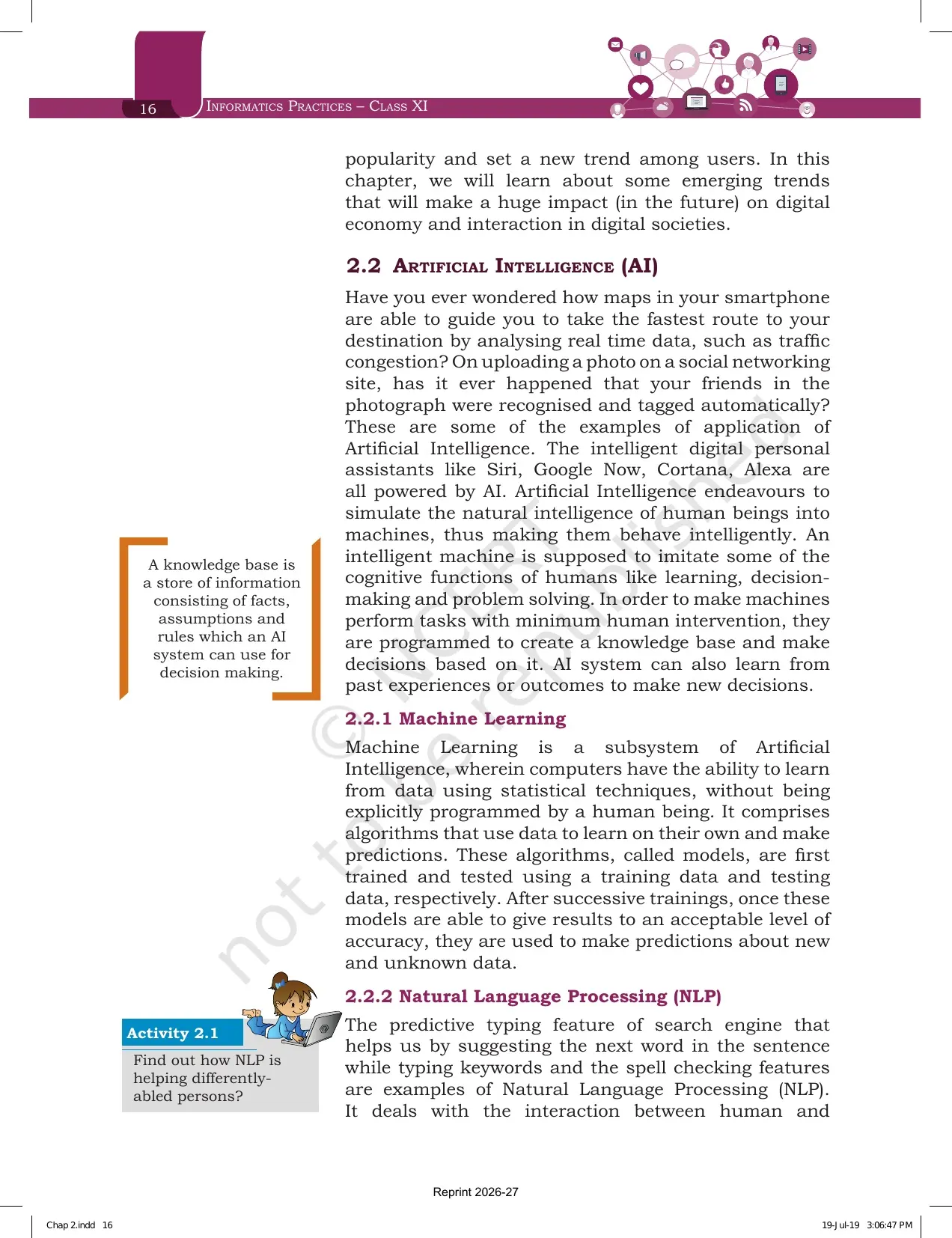
| How it works | Algorithms called models are trained on training data and checked on testing data | An NLP system performs text to speech and speech to text conversion, shown in Figure 2.1 |
| Examples in the book | Predictions about new and unknown data after repeated training rounds | Predictive typing, spell check, machine translation, automated customer service |
The line that carries the mark in Machine Learning is trained and tested. Models are first trained using training data, then tested using testing data. Only once the accuracy is acceptable are they used on new data. Write those three stages in order and the answer is complete.
For Natural Language Processing, the two conversions are the answer. Text to speech and speech to text are the two directions an NLP system handles. Machine translation, where a machine converts text from one language to another with a fair amount of correctness, is named as a rapidly emerging field.
Immersive Experiences: Virtual Reality Against Augmented Reality with Examples
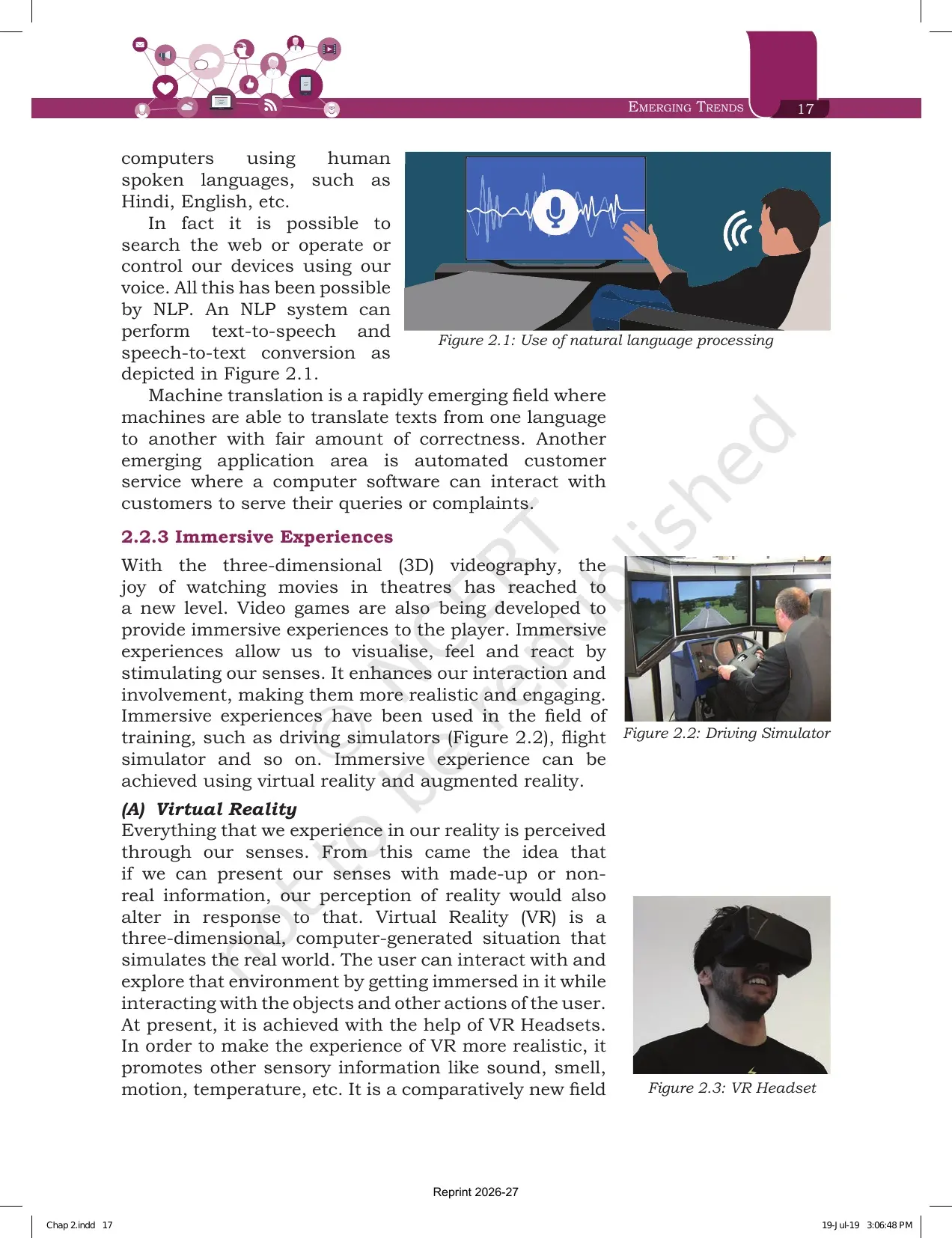
Section 2.2.3 defines immersive experiences as ones that let us visualise, feel and react by stimulating our senses. They make interaction more realistic and engaging. NCERT names driving simulators and flight simulators as training uses, and says the effect is achieved through virtual reality and augmented reality.
| Point | Virtual Reality | Augmented Reality |
|---|---|---|
| NCERT definition | A three dimensional, computer generated situation that simulates the real world | The superimposition of computer generated perceptual information over the existing physical surroundings |
| What it does to reality | Creates a fresh made up environment the user gets immersed in | Does not create something new, it alters or augments the perception of the physical world |
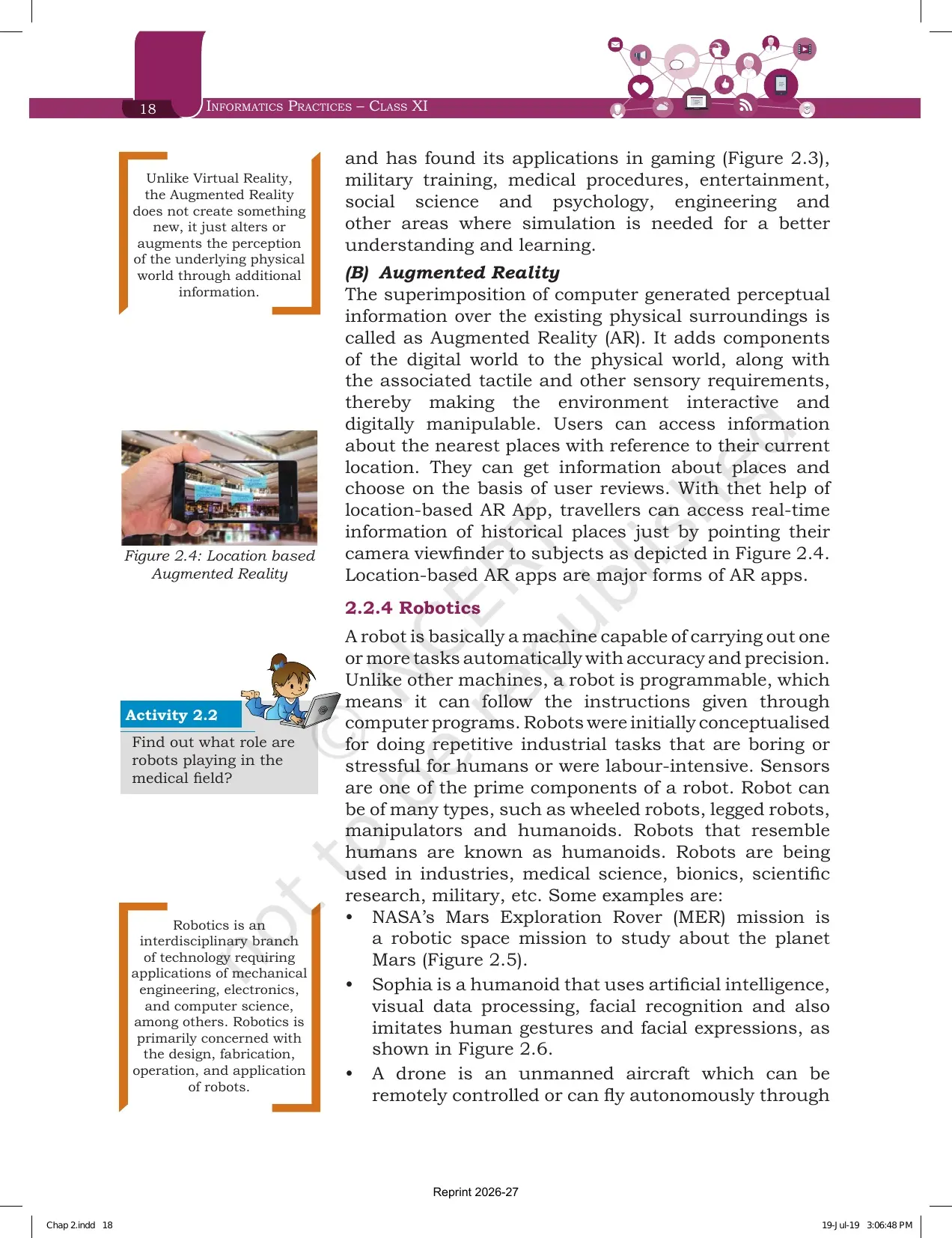
| Hardware named | VR headsets, shown in Figure 2.3 | A smartphone camera viewfinder, shown in Figure 2.4 |
| Extra senses added | Sound, smell, motion and temperature to make it more realistic | Tactile and other sensory inputs that make the environment digitally manipulable |
| Application areas | Gaming, military training, medical procedures, entertainment, social science, psychology, engineering | Location based apps, place reviews, real time information about historical sites |
The one line that separates the two is this: virtual reality replaces the world, augmented reality adds to it. Write that sentence first in a difference question, then fill the table rows below it. Markers accept the definition plus one example each for full credit.
Robotics, Humanoids and Drones in the Emerging Trends Chapter
Section 2.2.4 defines a robot as a machine that can carry out one or more tasks automatically with accuracy and precision. The word that separates a robot from any other machine is programmable. A robot follows instructions given through computer programs, and sensors are one of its prime components.
- Robots were first thought of for repetitive industrial tasks that are boring, stressful or labour intensive for humans.
- The four types named are wheeled robots, legged robots, manipulators and humanoids. Robots that resemble humans are humanoids.
- Robotics is an interdisciplinary branch of technology that uses mechanical engineering, electronics and computer science.
- Robotics is mainly concerned with the design, fabrication, operation and application of robots.
- Robots are used in industries, medical science, bionics, scientific research and the military.
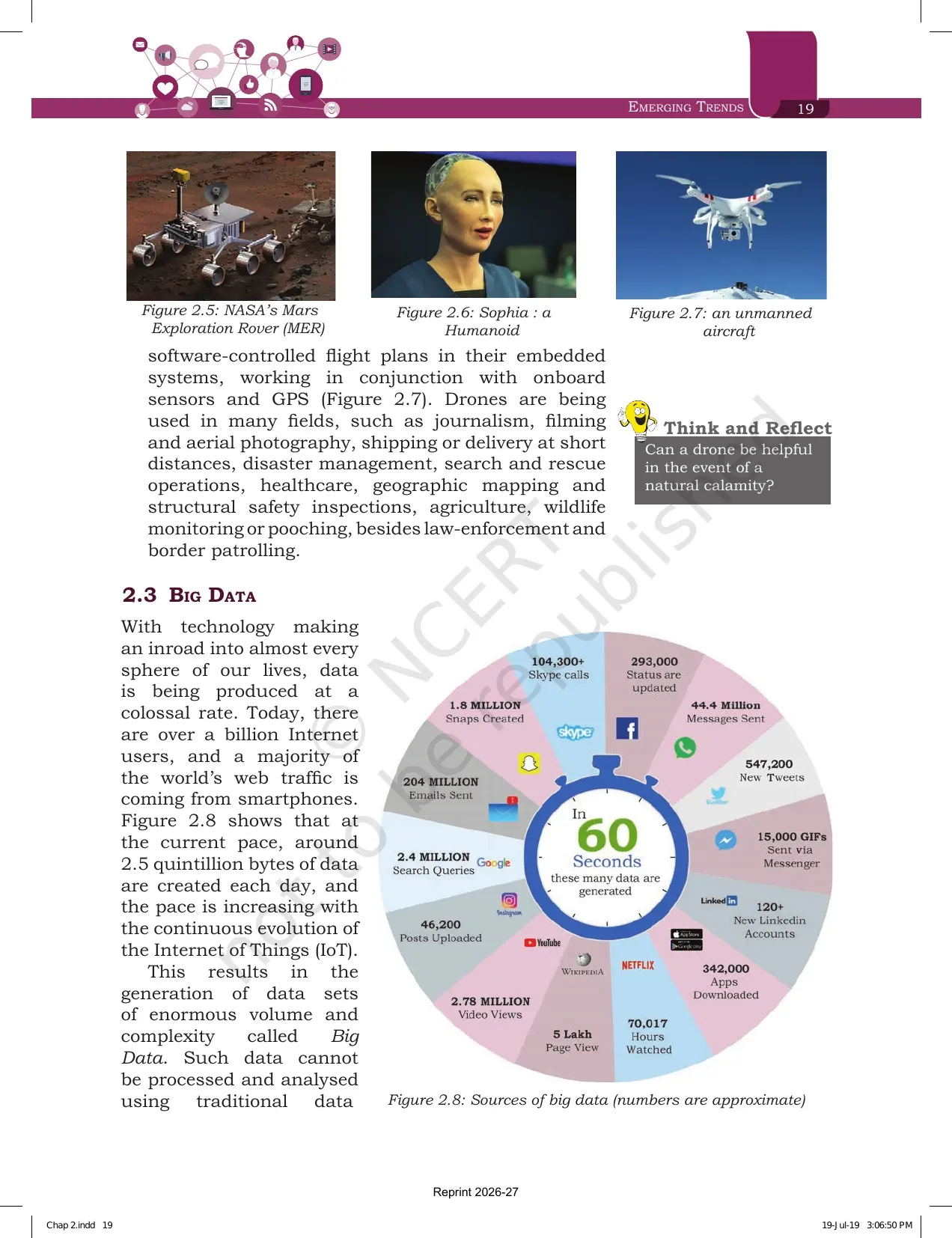
Three named examples sit in Figures 2.5, 2.6 and 2.7. NASA's Mars Exploration Rover is a robotic space mission to study Mars. Sophia is a humanoid that uses artificial intelligence, visual data processing and facial recognition, and imitates human gestures and facial expressions. A drone is an unmanned aircraft that can be controlled remotely or fly on its own using software controlled flight plans, embedded systems, onboard sensors and GPS.
Drone uses listed in the chapter include journalism, filming and aerial photography, short distance delivery, disaster management, search and rescue, healthcare, geographic mapping, structural safety inspection, agriculture, wildlife monitoring, law enforcement and border patrolling. That list alone can fill a 3 mark answer.
Big Data and the Five Characteristics Every Class 11 Student Must Memorise
Section 2.3 opens with a number worth remembering. Around 2.5 quintillion bytes of data are created every day, and the pace keeps rising with the growth of the Internet of Things. That flood produces data sets of enormous volume and complexity, and those are called Big Data.
NCERT is clear about why traditional tools fail here. The data is not only huge, it is also unstructured: posts, instant messages, chats, shared photographs, tweets, blog articles, news items, opinion polls and their comments, and audio or video chats. Big Data also brings challenges of integration, storage, analysis, searching, processing, transfer, querying and visualisation.
| Characteristic | What NCERT says | One line you can write in the exam |
|---|---|---|
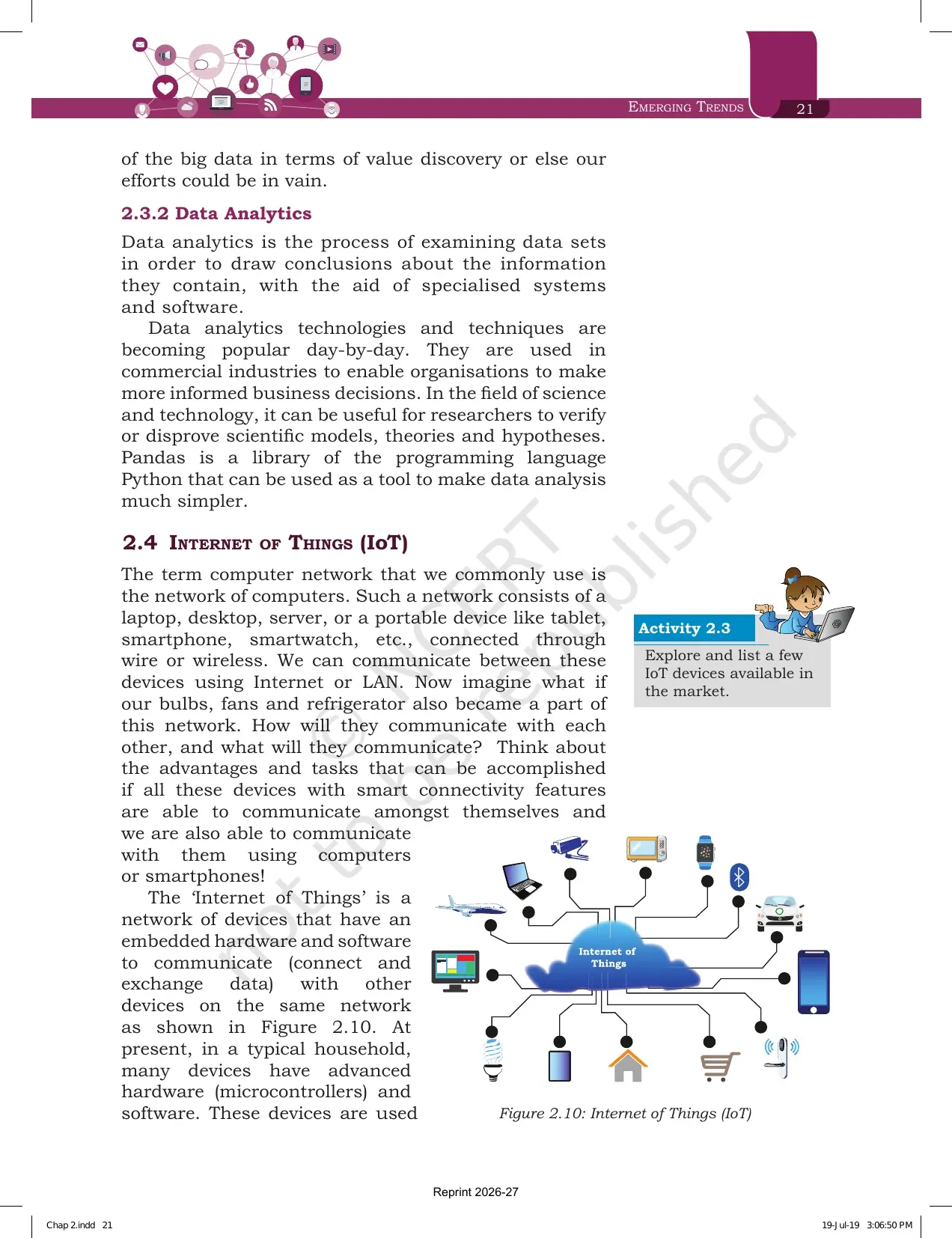
| Volume | The most prominent characteristic is the enormous size of the data set | If traditional DBMS tools cannot process it, the size makes it big data |
| Velocity | The rate at which the data is being generated and stored | Big data grows at an exponentially higher rate than traditional data |
| Variety | The data set holds structured, semi structured and unstructured data | Text, images, videos and web pages sit in the same pile |
| Veracity | The trustworthiness of the data, which can be inconsistent, biased or noisy | Wrong data gives wrong results and misleads the interpretation |
| Value | Hidden patterns and useful knowledge that can carry high business value | Check the potential value first, because processing costs resources |
Exercise question 3(b) asks for a short note on big data and its characteristics. Name all five in order, give the one line meaning, and add one example for Variety. The five characteristics are shown together in Figure 2.9, so copying that figure once by hand fixes the order in memory.
Data Analytics and Why Pandas Is Named in the Emerging Trends Chapter
Section 2.3.2 is only a few lines long, but it links this chapter to the Python work you do later in the course. Data analytics is the process of examining data sets to draw conclusions about the information they contain, with the help of specialised systems and software.
- Commercial industries use it so organisations can take more informed business decisions.
- In science and technology, researchers use it to verify or disprove models, theories and hypotheses.
- Pandas, a library of the Python programming language, is named as a tool that makes data analysis much simpler.
That last bullet is the bridge between the theory unit and the practical unit. The Pandas library named here is the same one you use for data handling later in Class 11 and Class 12, so a question on it can appear in either place.
Internet of Things and Web of Things: Definitions, Difference and Examples
Section 2.4 starts from a familiar idea. A computer network joins laptops, desktops, servers, tablets, smartphones and smartwatches through wire or wireless links. NCERT then asks you to imagine bulbs, fans and refrigerators joining the same network.
The Internet of Things is a network of devices that have embedded hardware and software to connect and exchange data with other devices on the same network. Learn that sentence word for word, because exercise question 2 asks exactly this along with potential applications.
| Point | Internet of Things | Web of Things |
|---|---|---|
| What it connects | Devices with embedded hardware and software on a shared network | Anything in the physical world, plus human identities on the web |
| The problem it answers | Household devices work in isolation and need heavy human input | Interacting with many devices needs many separate apps |
| The method used | Microcontrollers and software inside everyday appliances | Web services used as one common interface for every device |
| Where it leads | Remote access and control of a microwave oven, air conditioner, door lock or CCTV camera | Smart homes, smart offices and smart cities |
Exercise question 14 asks how IoT and WoT are related. The answer sits in one sentence: IoT builds the network of connected things, and Web of Things puts a single web based interface on top of that network so all things can communicate efficiently without a separate app for each one.
Sensors and Smart Cities as Described in the Emerging Trends Chapter
Section 2.4.2 opens with a question you can test on your own phone. Hold it vertically or horizontally and the display turns with it. Two sensors do that job: the accelerometer, which detects the orientation of the phone, and the gyroscope, which tracks rotation or twist of your hand and adds to what the accelerometer supplies.
NCERT then gives the definition. A smart sensor takes input from the physical environment, uses built in computing resources to perform predefined functions when it detects a specific input, and processes the data before passing it on. The growth of smart electronic sensors is what drives the growth of the Internet of Things.
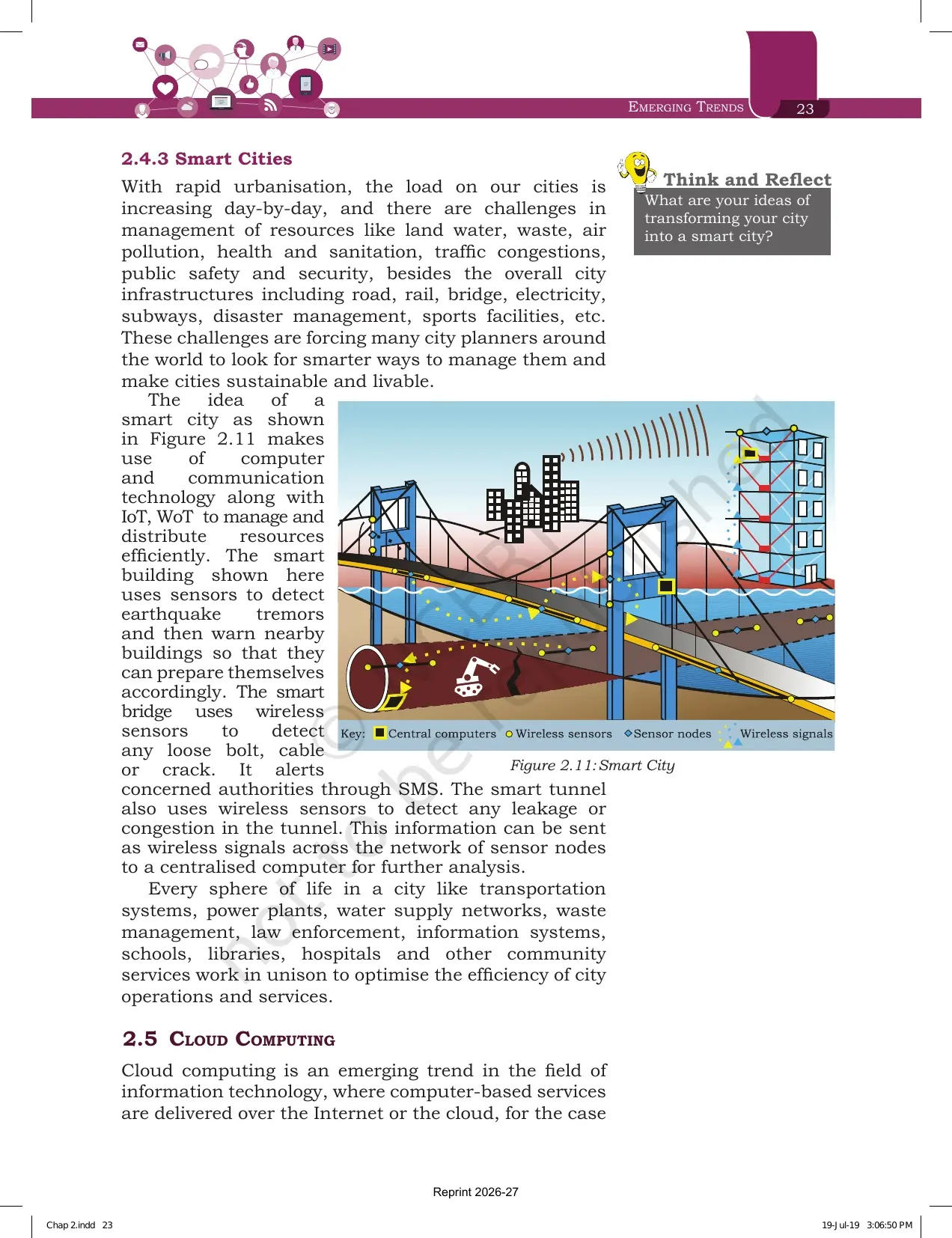
Section 2.4.3 applies all of this to a city. Rapid urbanisation strains land, water, waste, air quality, health, sanitation, traffic, public safety and the road, rail, bridge, electricity and subway infrastructure. A smart city uses computer and communication technology along with IoT and WoT to manage and share those resources efficiently.
- The smart building in Figure 2.11 uses sensors to detect earthquake tremors and warns nearby buildings.
- The smart bridge uses wireless sensors to find a loose bolt, cable or crack, then alerts the authorities through SMS.
- The smart tunnel uses wireless sensors to detect leakage or congestion inside the tunnel.
- Sensor signals travel across a network of sensor nodes to a centralised computer for further analysis.
- Transport, power plants, water supply, waste management, law enforcement, schools, libraries and hospitals work in unison to optimise city operations.
Exercise question 11 asks you to turn a school into an IoT enabled smart school using e-textbooks, smart boards, online tests, wifi sensors on classroom doors, sensors in buses and wearables for attendance. Use the smart city examples above as your template and the answer writes itself.
Cloud Computing and the Three Service Models IaaS, PaaS and SaaS
Section 2.5 is the heaviest scoring block of the chapter. Cloud computing delivers computer based services over the Internet, so they can be reached from anywhere using any smart device. The services include software, hardware such as servers, databases and storage.
Companies that supply these are called cloud service providers, and they usually charge on a pay per use basis, the way we pay for electricity. A user can run a bigger application or process a large amount of data without owning that storage or processing power, as long as there is an Internet connection.
| Service model | What the provider gives | Example from the chapter |
|---|---|---|
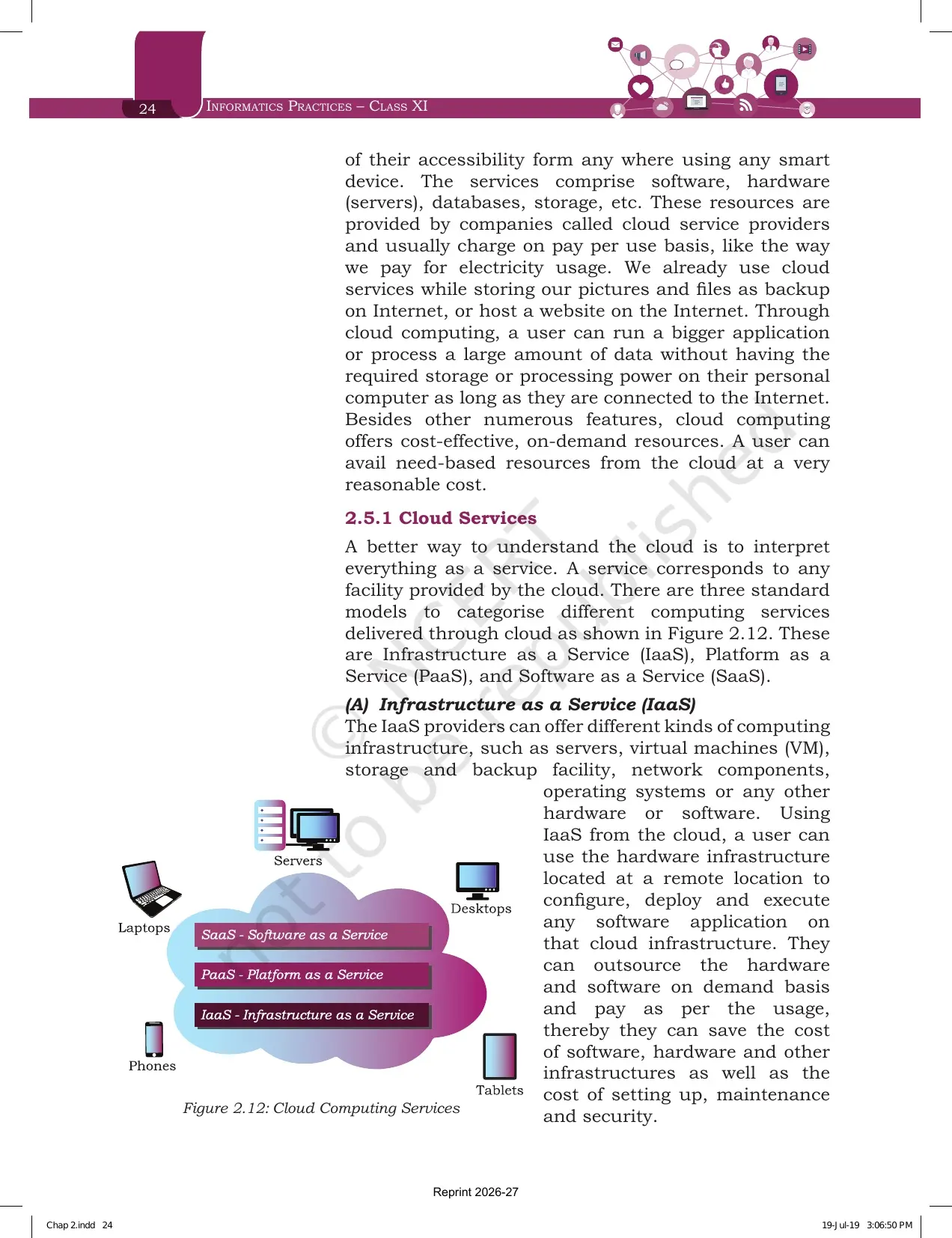
| Infrastructure as a Service | Servers, virtual machines, storage and backup, network components, operating systems and other hardware or software | Using remote hardware to configure, deploy and run an application on cloud infrastructure |
| Platform as a Service | A ready environment to develop, test and deliver applications, with full control over the deployed application | A pre-configured Apache server with MySQL and Python already installed |
| Software as a Service | On-demand access to application software, usually through a licence or subscription | Google Docs, Microsoft Office 365 and Drop Box used to edit a document online |
Two more facts from this section are asked directly. First, all three models remove the need for a huge investment upfront, which is why exercise question 12 gives five friends with a limited budget starting a company. Second, the Government of India cloud initiative named in the chapter is GI Cloud, called MeghRaj, and exercise question 8(a) asks for exactly that name.
Grid Computing and How It Differs from Cloud Computing
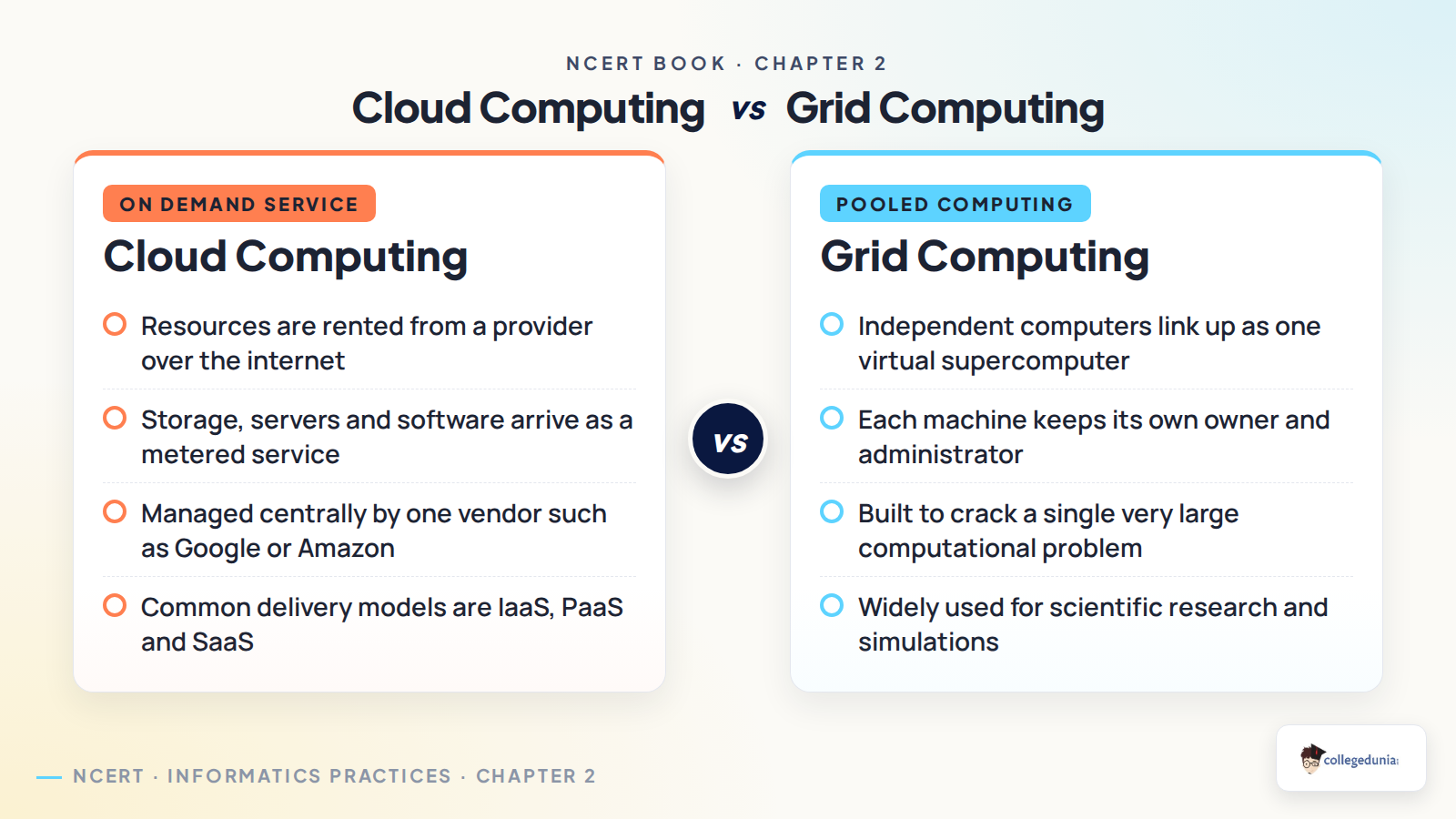
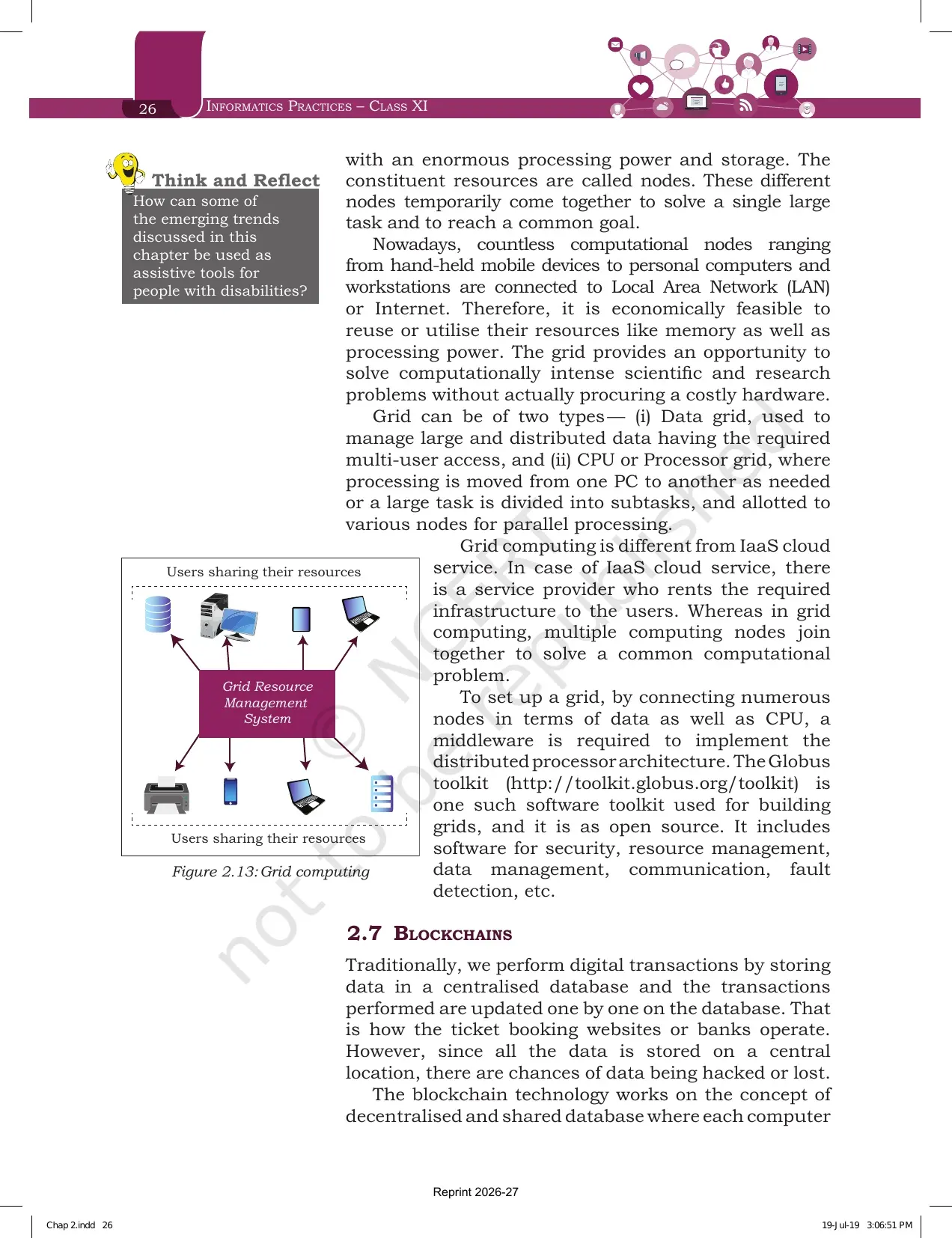
Section 2.6 defines a grid as a computer network of geographically spread and heterogeneous computational resources. The parts that make up a grid are called nodes. These nodes come together for a while to solve one large task and reach a common goal, creating the feel of a virtual supercomputer.
| Point | Cloud Computing | Grid Computing |
|---|---|---|
| Primary focus | Providing services over the Internet | Solving one application specific computational problem |
| Who supplies the resources | A service provider who rents infrastructure to users | Multiple computing nodes that join together on their own |
| Payment | Pay per use, like an electricity bill | Reuse of resources already connected to a LAN or the Internet |
| Result for the user | On-demand infrastructure, platform or software | A virtual supercomputer with large processing power and storage |
Exercise question 5 asks for this difference with suitable examples, so keep the table above ready. The chapter also names the two grid types and the software used to build a grid.
- A data grid manages large, distributed data that needs multi-user access.
- A CPU or processor grid moves processing from one machine to another, or splits a large task into subtasks for parallel processing.
- Building a grid needs a middleware that implements the distributed processor architecture.
- The Globus toolkit is the open source software named for building grids. It includes software for security, resource management, data management, communication and fault detection.
Blockchains: How the Shared Ledger Works and Where It Can Be Used
Section 2.7 starts with the problem. Ticket booking sites and banks store data in one central database and update transactions one by one. Because everything sits in a single location, the data can be hacked or lost. Blockchain answers that with a decentralised and shared database in which every computer holds a copy.
A blockchain is a system that allows a group of connected computers to maintain a single updated and secure ledger. A block is a secured chunk of data or a valid transaction. Each block carries a header that every node can see, while the private data of the block stays with the owner alone.
- Someone requests a transaction.
- The request is broadcast to all nodes in the network.
- If every node verifies it, the block is added to the existing chain of blocks.
- The transaction is complete.
Those four steps are Figure 2.14, and drawing them is the quickest way to answer a working of blockchain question. The ledger is described as append only, and it updates only after all the nodes authenticate the transaction. Since every member keeps a copy, no single member can change or alter the data.
- The most popular application is digital currency.
- In healthcare, better data sharing between providers supports accurate diagnosis and more effective treatment.
- Land registration records on a blockchain reduce disputes over ownership claims and encroachment.
- A blockchain based voting system solves the problem of vote alteration and makes voting more transparent.
- Other sectors named are banking, media, telecom, and travel and hospitality.
Exercise Questions Printed at the End of the Emerging Trends Chapter
The chapter closes with 15 questions on pages 29 and 30. Cloud computing takes the largest share, so if you are short of time before a class test, work through the cloud questions first.
| Question | What it asks | Which section answers it |
|---|---|---|
| 1 | List some cloud based services you use at present | 2.5 and 2.5.1 |
| 2 | What you understand by the Internet of Things, with potential applications | 2.4 |
| 3 | Short notes on cloud computing, and on big data with its characteristics | 2.5 and 2.3.1 |
| 4 | Explain Artificial Intelligence and Machine Learning with applications | 2.2 and 2.2.1 |
| 5 | Differentiate between cloud computing and grid computing with examples | 2.5 and 2.6 |
| 6 | Justify that storage of data is cost effective and time saving in cloud computing | 2.5 |
| 7 | What on-demand service is and how the cloud provides it | 2.5.1 |
| 8 | Examples of a government cloud platform and of large private cloud providers | 2.5.1, MeghRaj |
| 9 | Objective item on which model suits virtual server provisioning and on-demand storage | 2.5.1 (A), the answer is IaaS |
| 10 | Objective item on which option is not a feature of IoT devices | 2.4 |
| 11 | Turning a school into an IoT enabled smart school across six parts | 2.4 and 2.4.3 |
| 12 | How five friends with a limited budget can use cloud services for a startup | 2.5 and 2.5.1 |
| 13 | A report on using blockchain for scholarship distribution | 2.7 |
| 14 | How IoT and WoT are related | 2.4.1 |
| 15 | Match the following on smart health, smart wearable, smart parking and home automation | 2.4.3 |
Question 15 is the fastest mark in the set. Medication reminder goes with smart health, the door lock alert goes with home automation, the parking space alert goes with smart parking, and switching off a television from a wrist watch goes with a smart wearable.
Emerging Trends Weightage in the Class 11 Informatics Practices Paper
The Class 11 Informatics Practices theory paper carries 70 marks with 30 marks of practical work. Emerging Trends sits in the last unit, which is the smallest of the four but also the quickest to prepare because every answer is a definition, a list or a difference.
| Unit | Approximate theory marks | Where Emerging Trends appears |
|---|---|---|
| Unit 1, Introduction to Computer System | Around 10 | Not applicable |
| Unit 2, Introduction to Python | Around 25 | Not applicable |
| Unit 3, Database concepts and SQL | Around 30 | Not applicable |
| Unit 4, Introduction to Emerging Trends | Around 5 | Definitions, the five big data traits, cloud service models, cloud against grid |
- Most common shape: a one mark objective item on a cloud service model or an IoT feature.
- Second most common: a two mark difference question, usually cloud against grid or virtual against augmented reality.
- Heaviest single item: a three mark explain question on Artificial Intelligence, Big Data or blockchain.
- The same content also appears in the Computer Science and Informatics Practices domain paper of CUET (UG).
Common Mistakes Students Make in the Emerging Trends Chapter
Avoid these six in the answer sheet:
- Writing that Machine Learning and Artificial Intelligence are the same thing. Machine Learning is a subsystem of AI.
- Swapping virtual and augmented reality. Augmented reality does not create something new, it adds to the physical world.
- Naming only four characteristics of big data. The chapter lists five, and Veracity is the one most often dropped.
- Saying grid computing has a service provider who rents infrastructure. That is IaaS cloud, not a grid.
- Calling the accelerometer and gyroscope the same sensor. One reads orientation, the other reads rotation.
- Describing a blockchain as one central database. Every node keeps a full copy of the shared ledger.
A quick fix for the big data slip: write the five words in the order Volume, Velocity, Variety, Veracity, Value before you start the answer. All five begin with V, so the list checks itself.
Student Feedback on the Emerging Trends Chapter
What Class 11 Students Said About This Chapter
What 11,540 Class 11 Informatics Practices students told us in a Collegedunia poll run during the 2026-27 session:
- 72% said cloud computing was the sub topic they revised most often before the paper.
- 6 out of 10 students rated Emerging Trends as the fastest chapter in the Class 11 syllabus to finish.
- 38% lost marks by mixing up cloud computing with grid computing in the difference question.
Source: 2026-27 Class 11 Informatics Practices student poll. Sample of 11,540 students from CBSE schools across 16 states.
How to Use the Emerging Trends PDF in a Three Block Revision Plan
This chapter has no sums and no code, so it does not need long sittings. About one hour of focused reading makes it exam ready, and the printed order of the PDF gives you the sequence for free.
- Block 1, 20 minutes. Read sections 2.1 and 2.2. Write one line each for Artificial Intelligence, Machine Learning, Natural Language Processing, virtual reality, augmented reality and robotics. Then answer exercise question 4.
- Block 2, 20 minutes. Read sections 2.3 and 2.4. Copy Figure 2.9 with the five characteristics, then answer exercise questions 2, 3 and 14.
- Block 3, 20 minutes. Read sections 2.5, 2.6 and 2.7. Build the IaaS, PaaS and SaaS table from memory, then answer questions 5, 7, 9 and 13. Finish with the Summary on pages 28 and 29.
Repeat block 3 the night before the paper, since cloud computing carries the most exercise questions. Students who wrote the cloud service table from memory twice reported the strongest recall in this unit.
How the Emerging Trends Chapter PDF Works with Notes, Solutions and Handwritten Notes
The book PDF gives you the original text, the figures and the question list. It does not give you written answers or a condensed summary. Those sit on the other Collegedunia pages for the same chapter, and using them together is faster than reading any one of them alone.
| Resource | What it adds beyond the book PDF | Link |
|---|---|---|
| NCERT Solutions | Written answers to all 15 exercise questions, including the two objective items and the match the following | Emerging Trends Class 11 NCERT Solutions |
| Revision Notes | The five big data traits, the cloud service table and the cloud against grid comparison in one place | Emerging Trends Class 11 Notes |
| Handwritten Notes | A topper's handwritten revision pages with the blockchain flow drawn by hand and colour coded service models | Emerging Trends Class 11 Handwritten Notes |
Also Check: the Computer System chapter PDF, which sets up the hardware and software base that this chapter builds on.
All Chapters of Class 11 Informatics Practices in NCERT Book PDF Format
The Class 11 Informatics Practices textbook has five chapters. The first two cover computing and technology, and the last three move into Python and data handling. Every link below opens the same official NCERT file for the 2026-27 session.
| Chapter | NCERT Book PDF |
|---|---|
| Chapter 1 | Computer System Class 11 NCERT Book PDF |
| Chapter 2 | Emerging Trends Class 11 NCERT Book PDF |
| Chapter 3 | Brief Overview of Python Class 11 NCERT Book PDF |
| Chapter 4 | Working with Lists and Dictionaries Class 11 NCERT Book PDF |
| Chapter 5 | Understanding Data Class 11 NCERT Book PDF |
Emerging Trends Class 11 Informatics Practices Chapter 2 NCERT Book PDF FAQs
Questions Class 11 Students Ask Most About the Emerging Trends Chapter PDF
Ques. Where can I download the NCERT Class 11 Informatics Practices Chapter 2 Emerging Trends PDF?
Ans. You can download it free from the card at the top of this page. It is the official NCERT chapter file for the 2026-27 session and carries all 16 pages, including Figure 2.9 on big data, Figure 2.12 on cloud services, the Summary and the 15 exercise questions.
Ques. What topics are covered in Chapter 2 Emerging Trends?
Ans. Six heads are listed on the chapter opener: Introduction to Emerging Trends, Artificial Intelligence, Big Data, Internet of Things, Cloud Computing, Grid Computing and Blockchains. Inside those, the chapter covers machine learning, natural language processing, virtual and augmented reality, robotics, data analytics, the web of things, sensors and smart cities.
Ques. What are the five characteristics of big data in Class 11 Informatics Practices?
Ans. Volume, Velocity, Variety, Veracity and Value. Volume is the enormous size of the data set. Velocity is the rate of generation and storage. Variety means structured, semi structured and unstructured data sit together. Veracity is the trustworthiness of the data. Value is the hidden pattern or knowledge that carries business worth.
Ques. What is the difference between cloud computing and grid computing?
Ans. Cloud computing focuses on providing services, and a service provider rents the required infrastructure to users on a pay per use basis. Grid computing is application specific, and multiple computing nodes join together to solve one common computational problem. The grid creates the feel of a virtual supercomputer without anyone buying costly hardware.
Ques. How many exercise questions are there at the end of the Emerging Trends chapter?
Ans. There are 15 questions on pages 29 and 30. They include short notes on cloud computing and big data, a cloud against grid difference, two objective items, a smart school application question with six parts, a blockchain report question and a match the following on smart devices.
Ques. What is the difference between virtual reality and augmented reality?
Ans. Virtual reality is a three dimensional, computer generated situation that simulates the real world, and the user gets immersed in it through a VR headset. Augmented reality does not create something new. It superimposes computer generated information over the existing physical surroundings, as a location based travel app does through a camera viewfinder.
Ques. Is Emerging Trends part of the 2026-27 Class 11 Informatics Practices syllabus?
Ans. Yes. Emerging Trends is Chapter 2 of the NCERT Informatics Practices textbook for Class 11 and sits in Unit 4, Introduction to Emerging Trends. The PDF on this page is the current 2026-27 reprint that CBSE schools follow.
Ques. What are IaaS, PaaS and SaaS in cloud computing?
Ans. They are the three standard cloud service models. Infrastructure as a Service supplies servers, virtual machines, storage, network components and operating systems. Platform as a Service supplies a ready environment to develop, test and deliver applications, such as a pre-configured Apache server with MySQL and Python. Software as a Service supplies application software on demand, such as Google Docs or Microsoft Office 365.
Ques. How many marks does the Emerging Trends unit carry in the Class 11 paper?
Ans. The theory paper carries 70 marks with 30 marks of practical work. Unit 4, which holds this chapter, usually carries around 5 of those theory marks. Most of them come through one mark objective items, a two mark difference question and one three mark explain question.
Ques. How are IoT and WoT related in Chapter 2?
Ans. The Internet of Things builds a network of devices with embedded hardware and software that exchange data. Interacting with many such devices would need a separate app for each one. The Web of Things uses web services to connect anything in the physical world through one interface, which paves the way for smart homes, smart offices and smart cities.
Ques. What is Artificial Intelligence according to the NCERT Class 11 textbook?
Ans. Artificial Intelligence tries to simulate the natural intelligence of human beings into machines so that they behave intelligently. An intelligent machine imitates cognitive functions such as learning, decision making and problem solving. Machines are programmed to create a knowledge base of facts, assumptions and rules, and they take decisions from it while also learning from past outcomes.
Ques. What is machine learning in Class 11 Informatics Practices?
Ans. Machine Learning is a subsystem of Artificial Intelligence in which computers learn from data using statistical techniques, without being explicitly programmed by a human being. Its algorithms are called models. They are first trained on training data and checked on testing data, and once the accuracy is acceptable they predict outcomes for new and unknown data.
Ques. What is a blockchain and how does a transaction get added to it?
Ans. A blockchain is a system that allows a group of connected computers to maintain a single updated and secure ledger, with every node holding a full copy. Someone requests a transaction, the request is broadcast to all nodes, and once every node verifies it the block joins the existing chain. The append only ledger and the shared copies stop any single member from altering data.
Ques. What are sensors and how do they support the Internet of Things?
Ans. A smart sensor takes input from the physical environment, uses built in computing resources to perform predefined functions when it detects a specific input, and processes the data before passing it on. The accelerometer detects phone orientation and the gyroscope tracks rotation. The growth of smart electronic sensors is what drives the growth of the Internet of Things and sensor based intelligent systems.



Comments