



| Updated On - Aug 6, 2026
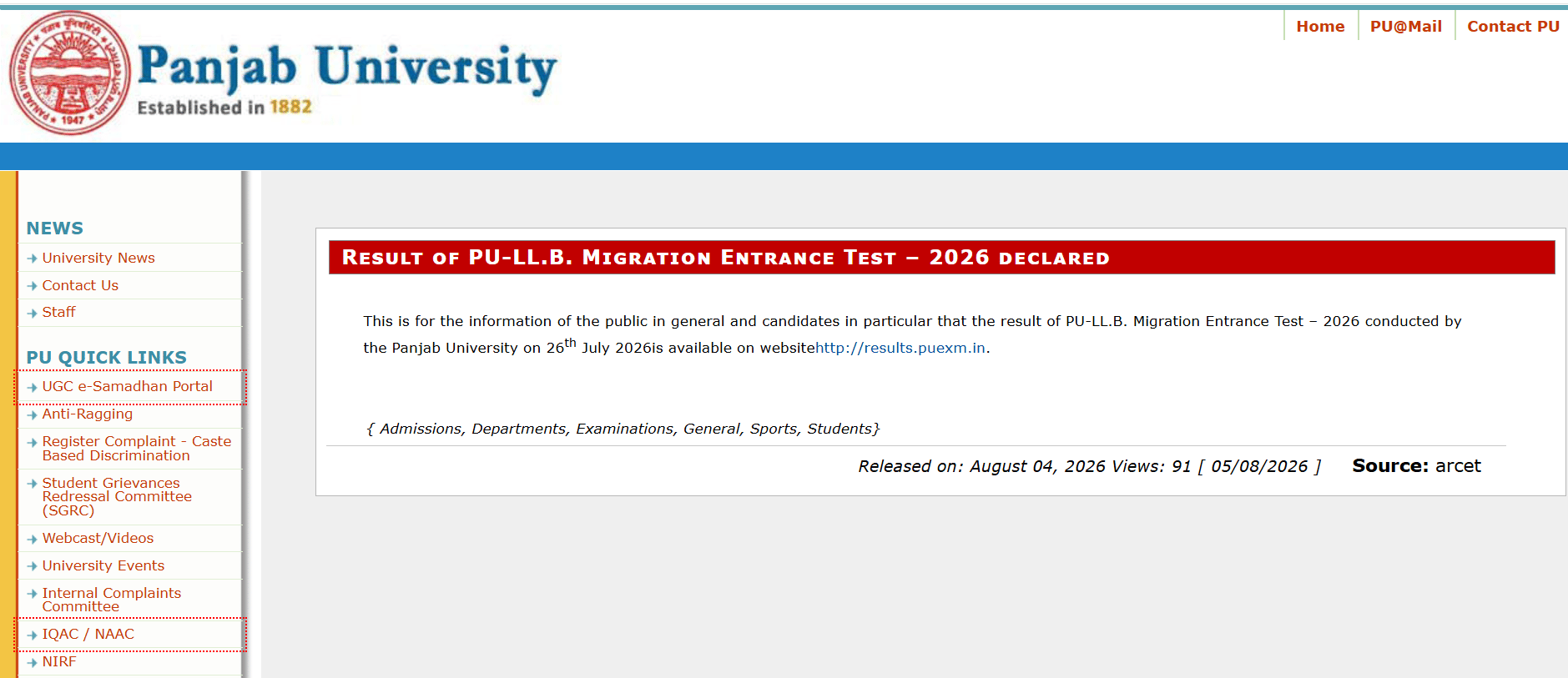
Panjab University has declared the PU LL.B. Migration Entrance Test 2026 result on August 4 2026. Qualified candidates can check their scorecard at results.puexm.in and proceed with counselling on onlineadmissions.puchd.ac.in.

The Panjab University (PU), Chandigarh has declared the PU LL.B. Migration Entrance Test 2026 result on August 4, 2026. Candidates who appeared for the test can check their result on the official results portal at results.puexm.in. The formal notice has been published on the university news page at news.puchd.ac.in.
The migration entrance test was conducted by Panjab University on July 26, 2026. This test is meant for candidates seeking migration into the three-year LL.B. programme at PU-affiliated law colleges. The result has been released nine days after the examination date.
| Direct Link: PU LLB Migration Entrance Test 2026 Result Declared |
PU LL.B. Migration Entrance Test 2026 Key Details
| Particulars | Details |
| Conducting Body | Panjab University, Chandigarh |
| Examination Name | PU LL.B. Migration Entrance Test 2026 |
| Date of Examination | July 26, 2026 |
| Date of Result Declaration | August 4, 2026 |
| Result Portal | results.puexm.in |
| Official Notice Portal | news.puchd.ac.in |
| Admission Portal | onlineadmissions.puchd.ac.in |
How to Download the PU LL.B. Migration Entrance Test 2026 Result?
Candidates must follow the steps listed below to access the PU LL.B. Migration Entrance Test 2026 scorecard. The result is hosted on the Panjab University examinations results portal.
- Visit the official result portal at results.puexm.in.
- Click on the link for the LL.B. Migration Entrance Test 2026 result.
- Enter your roll number and other required login credentials.
- Submit the details to view the scorecard on the screen.
- Download the scorecard and save a printed copy for admission use.
Read More: GGSIPU Releases Fee Structure For UG, PG, & PhD Programs; Check Details Here
What Is the PU LL.B. Migration Test?
The PU LL.B. Migration Entrance Test allows students to shift into the three-year LL.B. programme at Panjab University from other recognised law institutions.
Qualifying candidates become eligible to seek admission to PU-affiliated law departments and colleges. Migration is subject to seat availability, fulfilment of eligibility requirements and further document verification by the university.
Also Check: GGSIPU UG Admission 2026 via CUET Opens for Vacant Seats at ipu.admissions.nic.in
Who to Contact for Result-Related Queries?
Panjab University has shared helpline numbers for candidates facing issues while checking the result. The support team is available on working days only. The timings and contact numbers are listed below.
| Support Channel | Details |
| Toll-Free Number | 1800-180-2065 |
| Landline Numbers | +91 172 2534818, +91 172 2534866 |
| Morning Slot | 9:30 AM to 1:00 PM |
| Afternoon Slot | 2:30 PM to 5:00 PM |
| Working Days | Monday to Friday |
Why This Matters
Migration into a top-tier public university law programme is rare. Panjab University uses a written entrance test to filter such transfers. Clearing this test opens a direct route into PU's law departments without repeating the earlier LL.B. year.
Action Plan for Candidates
- Log in to results.puexm.in and download your scorecard.
- Verify your name, roll number, and qualifying status on the scorecard.
- Keep original mark sheets, transfer certificate, and identity proof ready.
- Visit onlineadmissions.puchd.ac.in for the counselling process.
- Report to the allotted law department for document verification when notified.
- Contact the Panjab University helpline in case of any result discrepancy.
Panjab University is expected to release the migration counselling schedule and seat allotment notice shortly on onlineadmissions.puchd.ac.in.
Also Read:




.jpeg?h=40&w=40&mode=stretch)


.jpeg?h=40&w=40&mode=stretch)
.jpeg?h=40&w=40&mode=stretch)


.jpeg?h=40&w=40&mode=stretch)



Comments