




The NCERT Notes for Class 11 Informatics Practices Chapter 3 Brief Overview of Python help students revise the first Python programming chapter for the 2026-27 CBSE session. The PDF covers programming basics, Python shell, identifiers, data types, operators, input, output, debugging, functions, conditions and loops.
- PDF included: 20 pages with examples, tables, diagrams and last-minute practice prompts.
- Best for: quick revision before school tests, practical viva and output-tracing questions.
- Chapter focus: writing simple Python statements and tracing what the interpreter does.
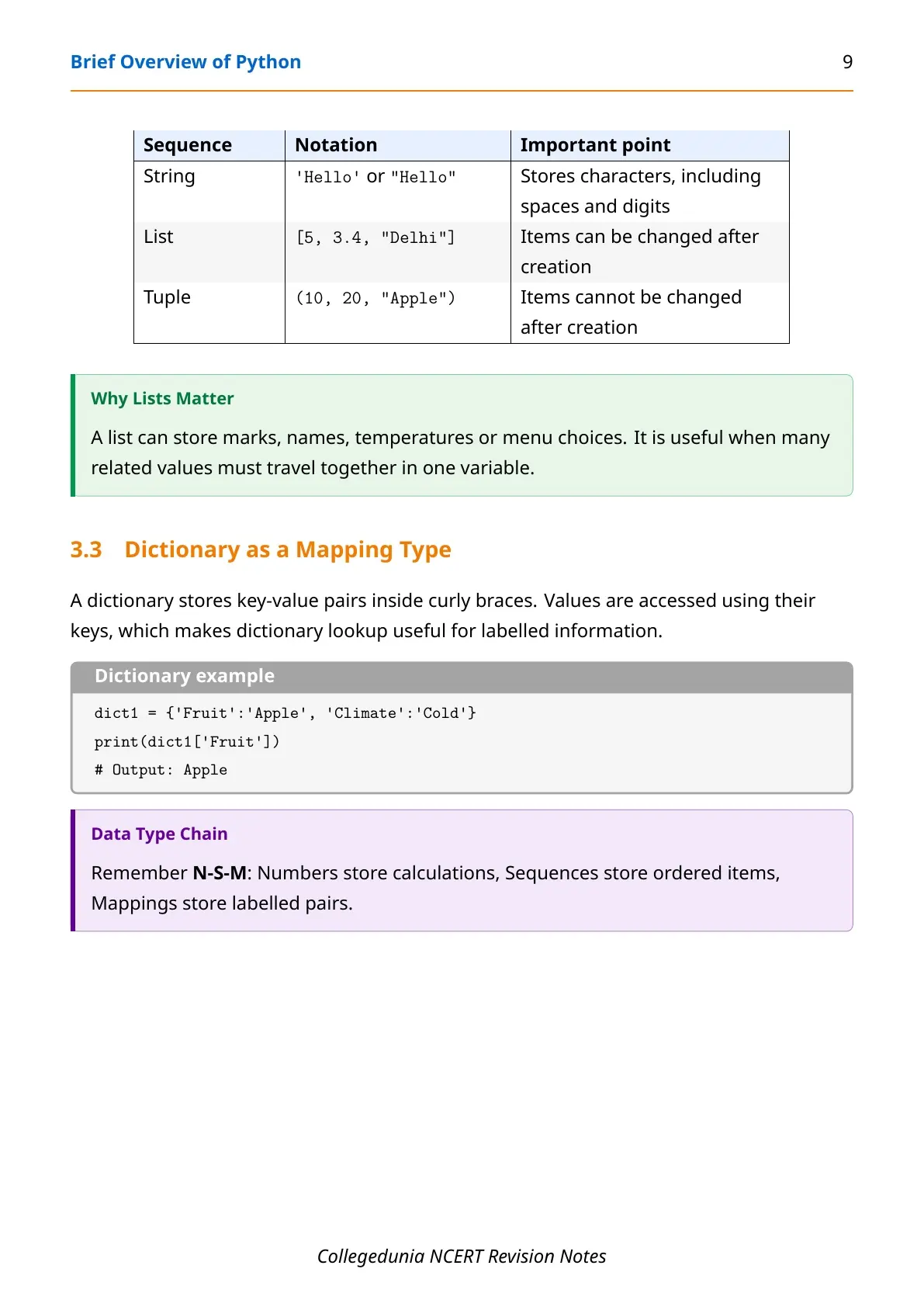
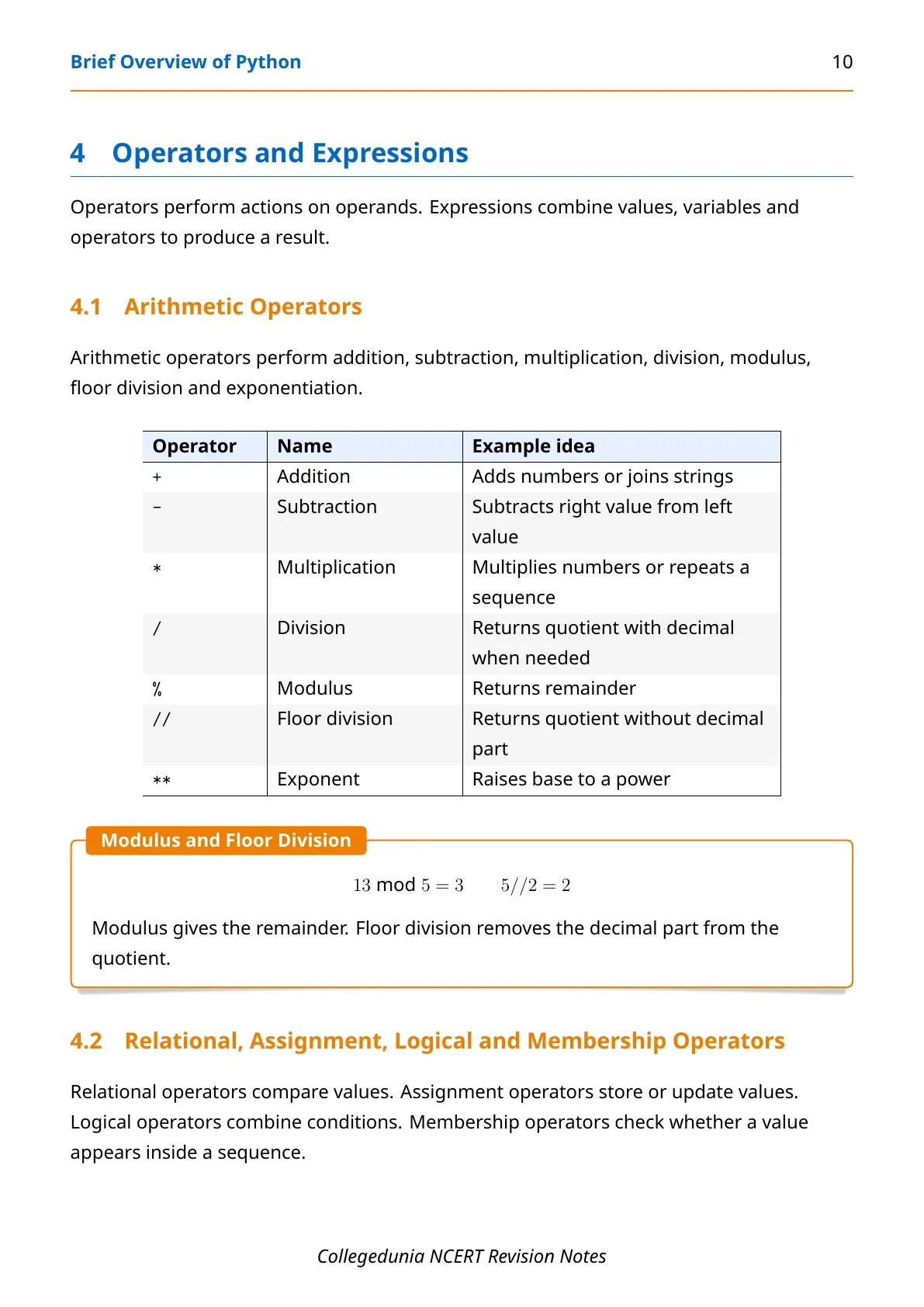
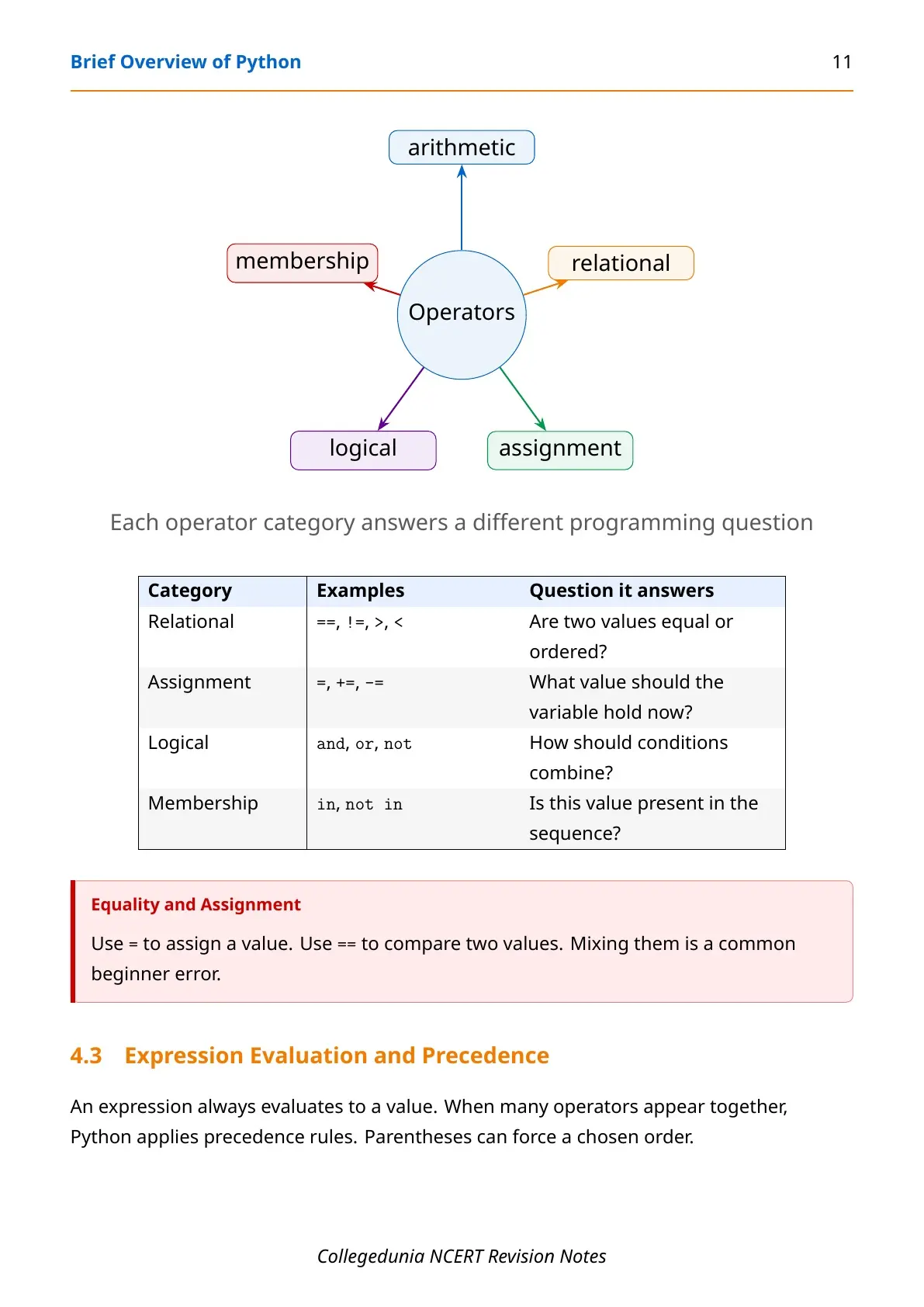
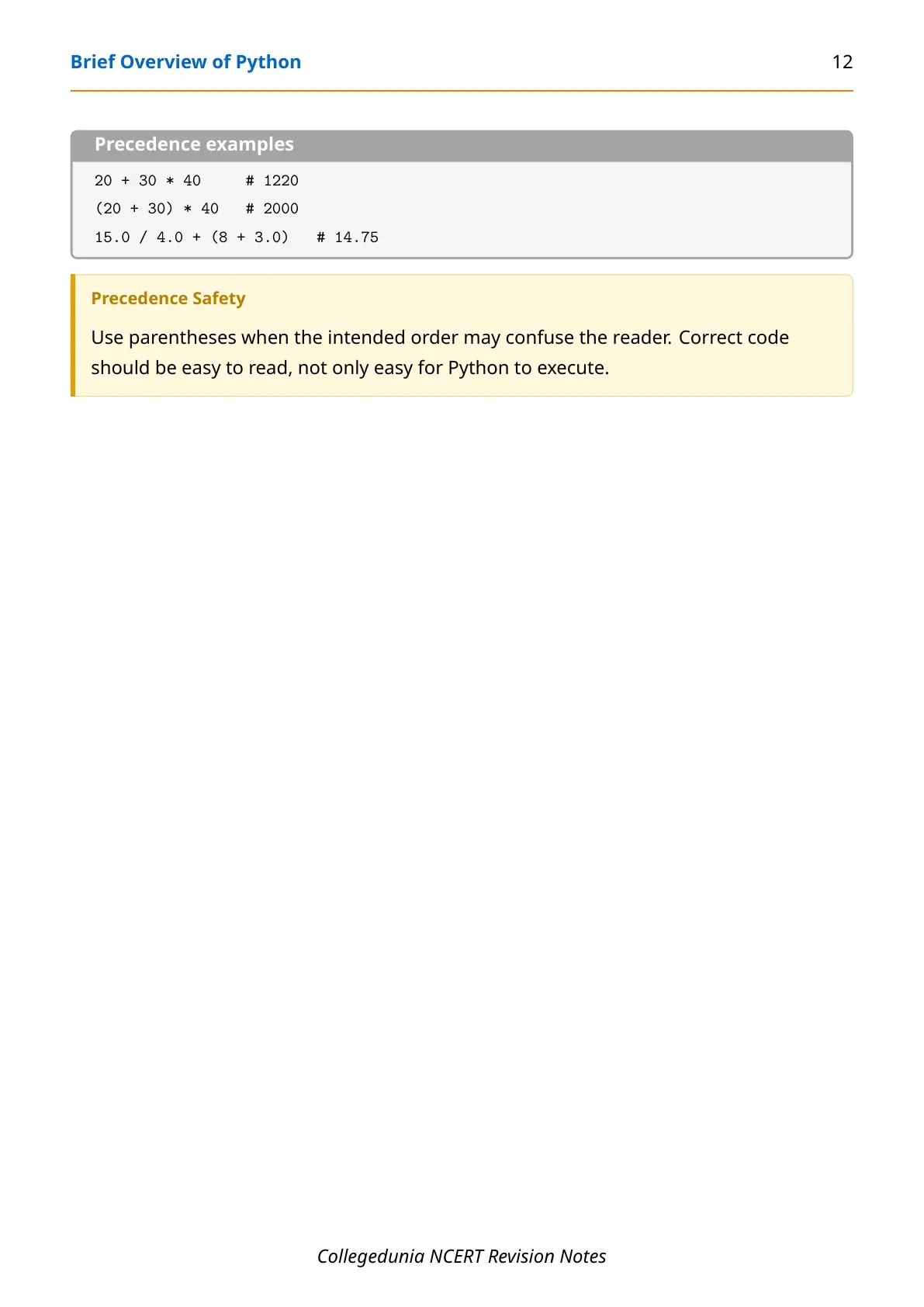
These Class 11 Informatics Practices Chapter 3 notes are built around the 2026-27 NCERT textbook and keep Python examples copy-friendly for revision.
|
Table of Contents |
Brief Overview of Python Notes PDF Highlights
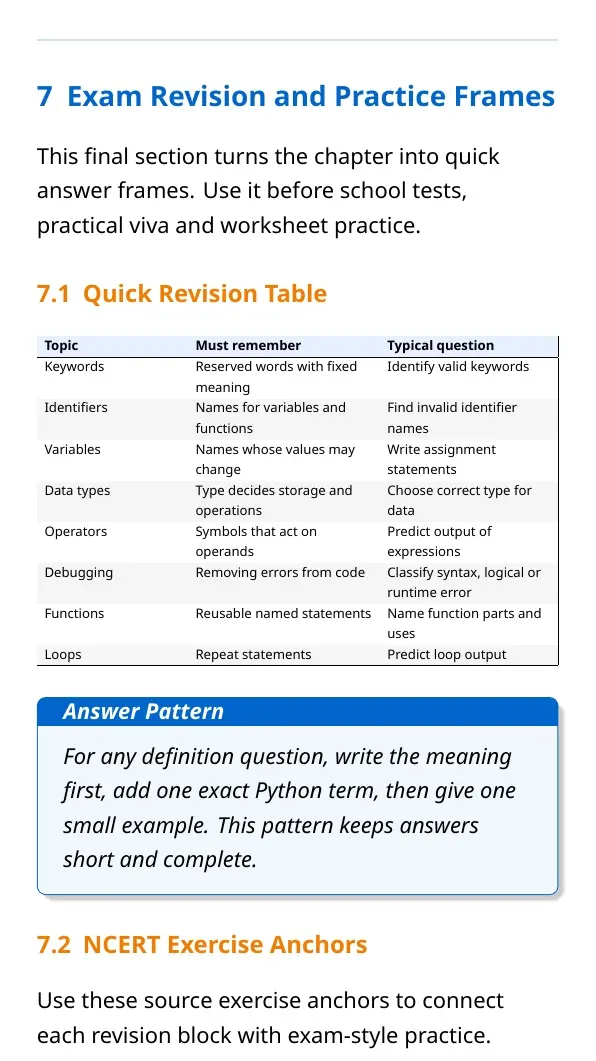
Brief Overview of Python opens the programming part of Class 11 Informatics Practices. It does not expect advanced coding. It expects students to know how Python accepts instructions, stores values, evaluates expressions and repeats work with simple loops.
| Area | What to revise | Example |
|---|---|---|
| Programming basics | Program, interpreter, shell and script mode | Type a command at the prompt or save a .py file |
| Names and values | Keywords, identifiers, variables and assignment | marksIP = 95 |
| Data handling | Data types, operators, input and output | int(input()) before calculation |
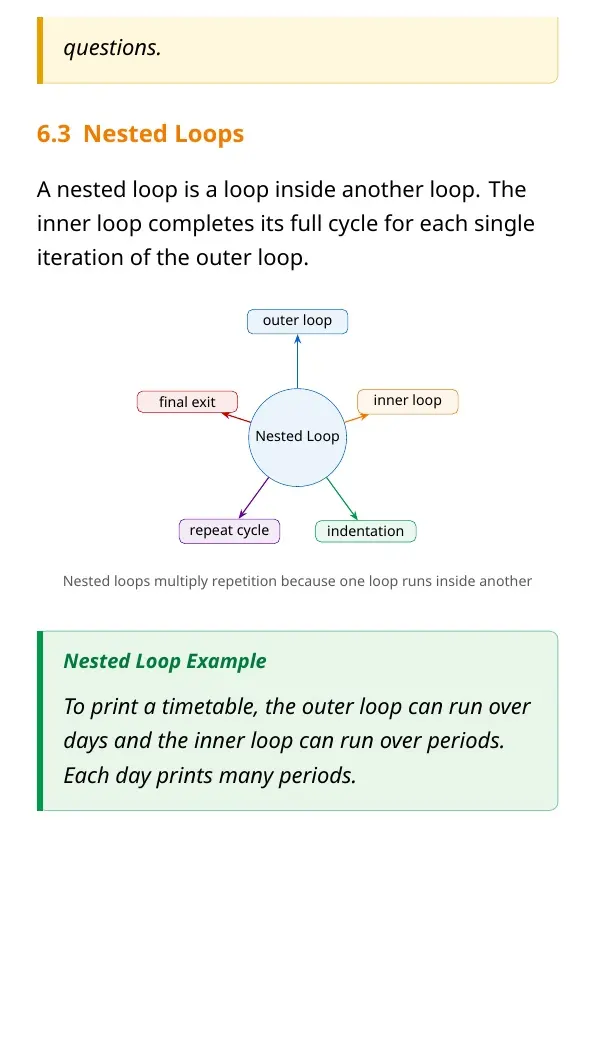
| Control flow | if, elif, else, for loop and nested loop | Trace output line by line |
Brief Overview of Python Video Revision
Source: Magnet Brains on YouTube
Use the video after one PDF reading. Pause at each code block and trace the output before checking the explanation.
What Brief Overview of Python Covers
The chapter builds the base needed for later chapters on lists, dictionaries, Pandas and Matplotlib. The safest revision method is to connect each definition with one working Python example.
- Interpreter: runs Python statements and reports output or errors.
- Script file: stores multiple statements for repeated execution.
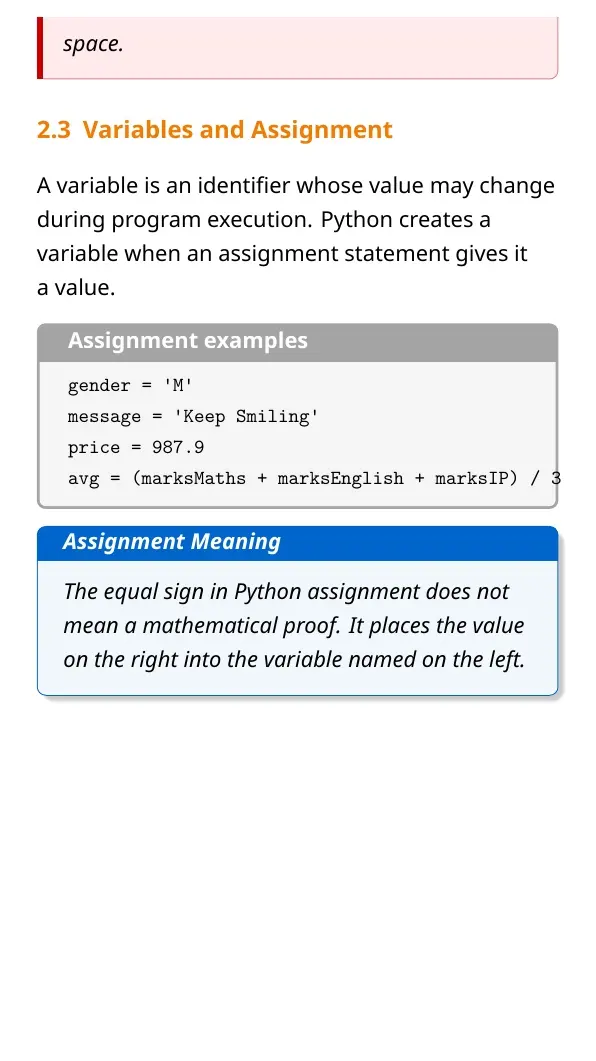
- Variable: stores a value under a valid identifier.
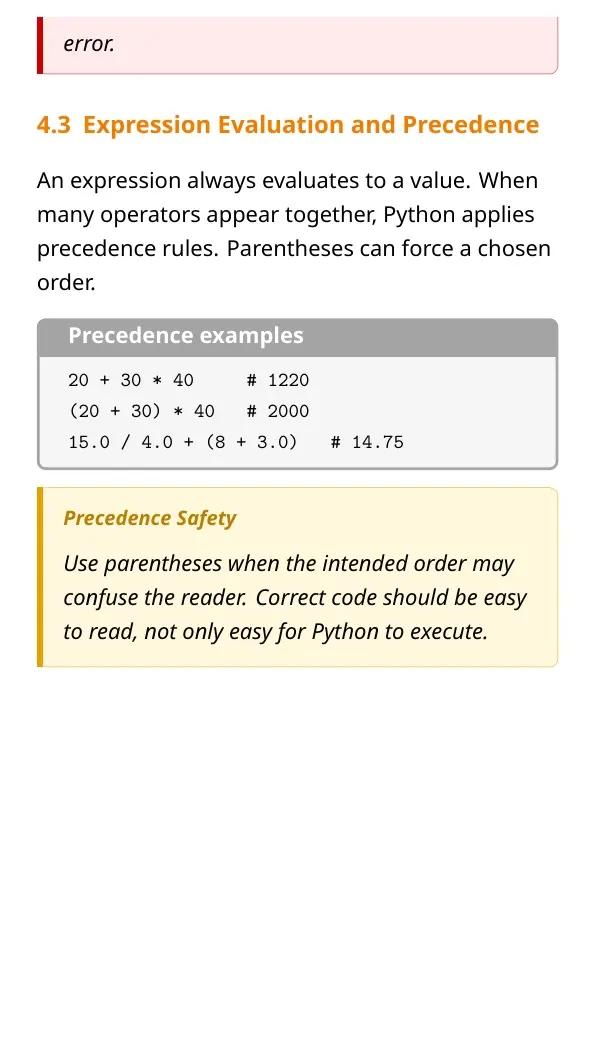
- Expression: combines values, operators and variables to produce a result.
Python Program Flow and Execution Modes
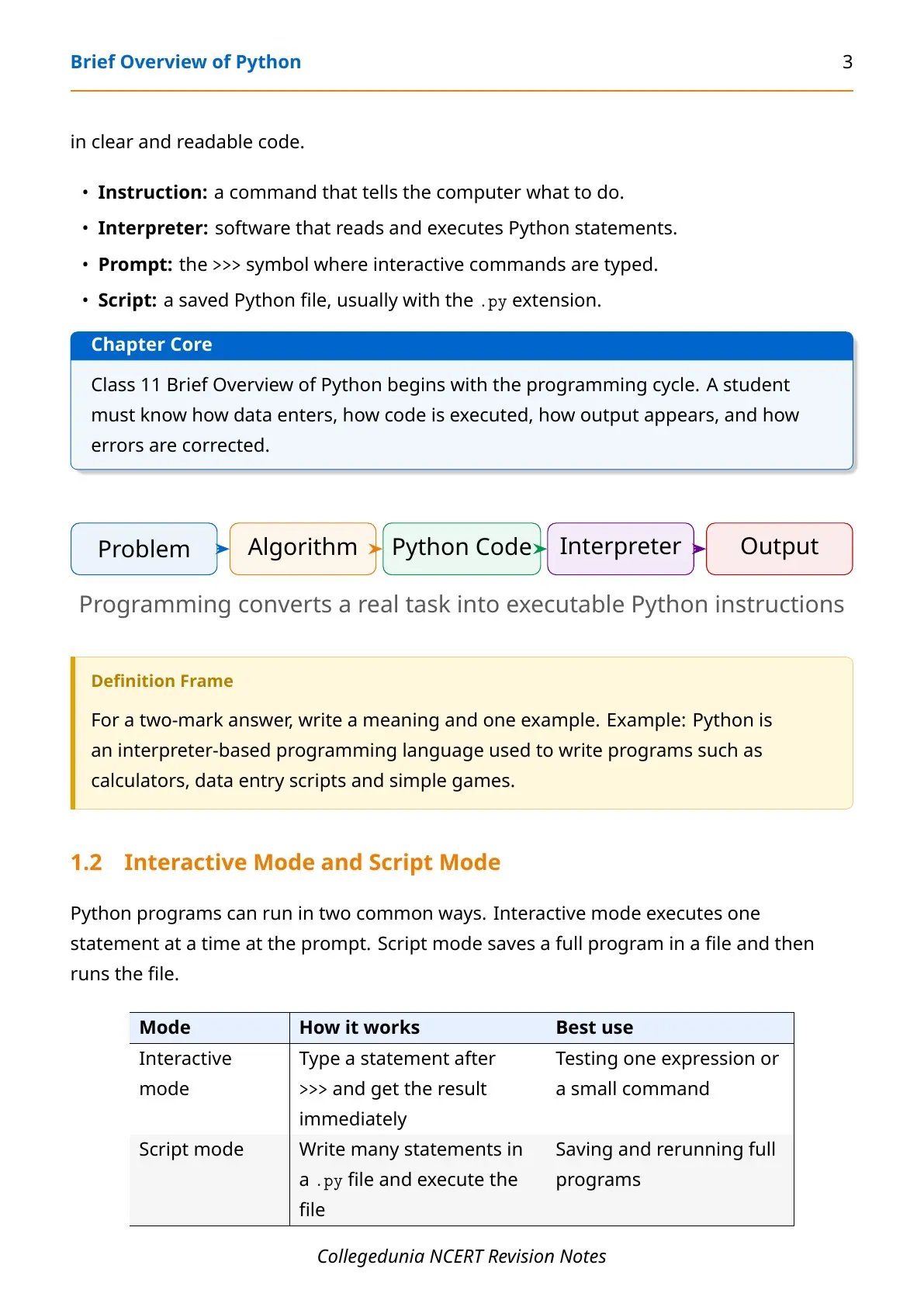
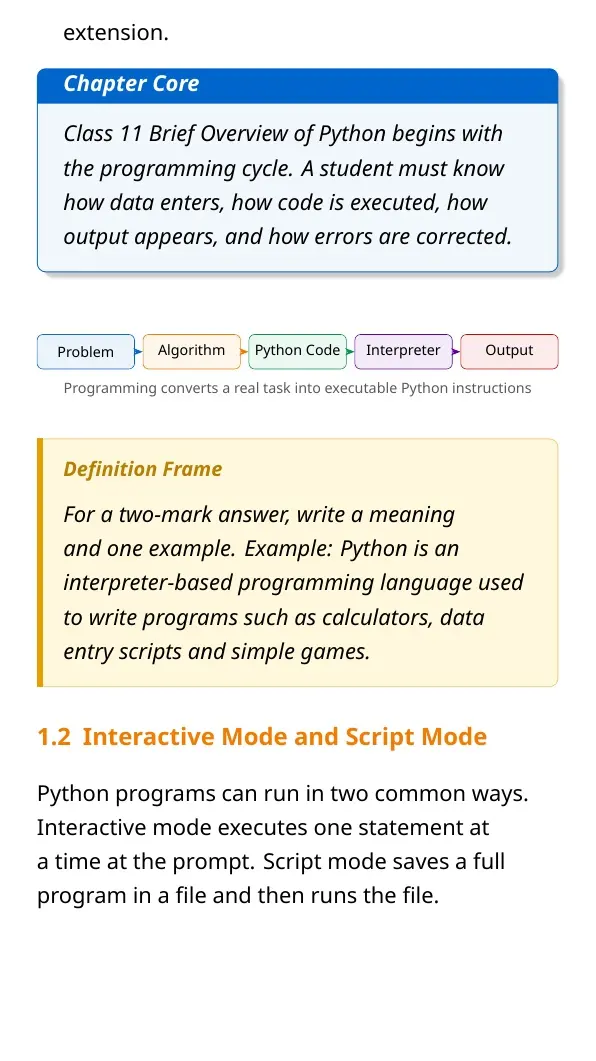
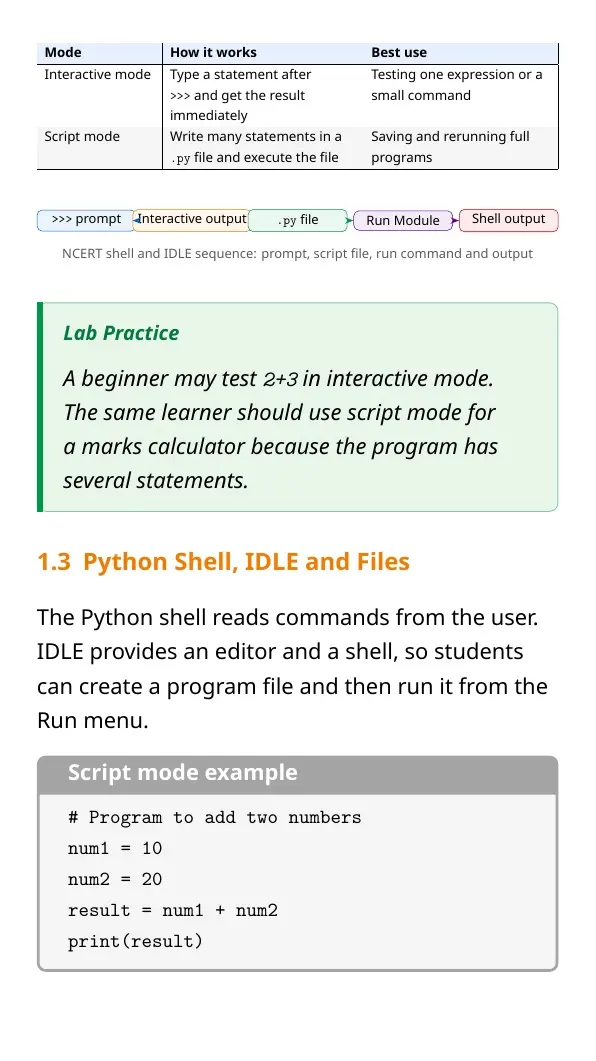
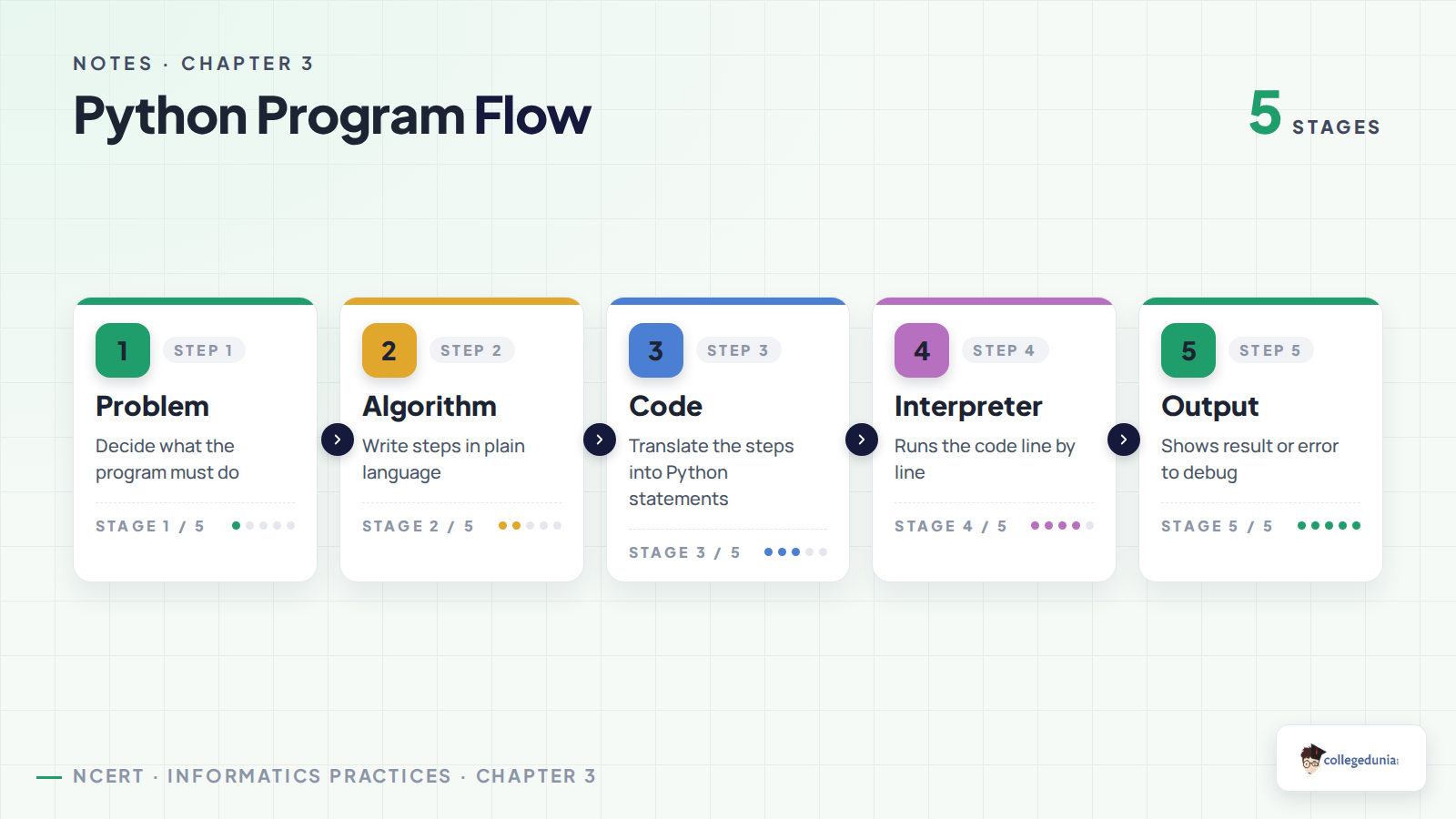
A Python program usually starts with a problem, moves into an algorithm, then becomes code. The interpreter executes the code and shows output or an error message. This is why debugging is part of programming, not a separate activity.
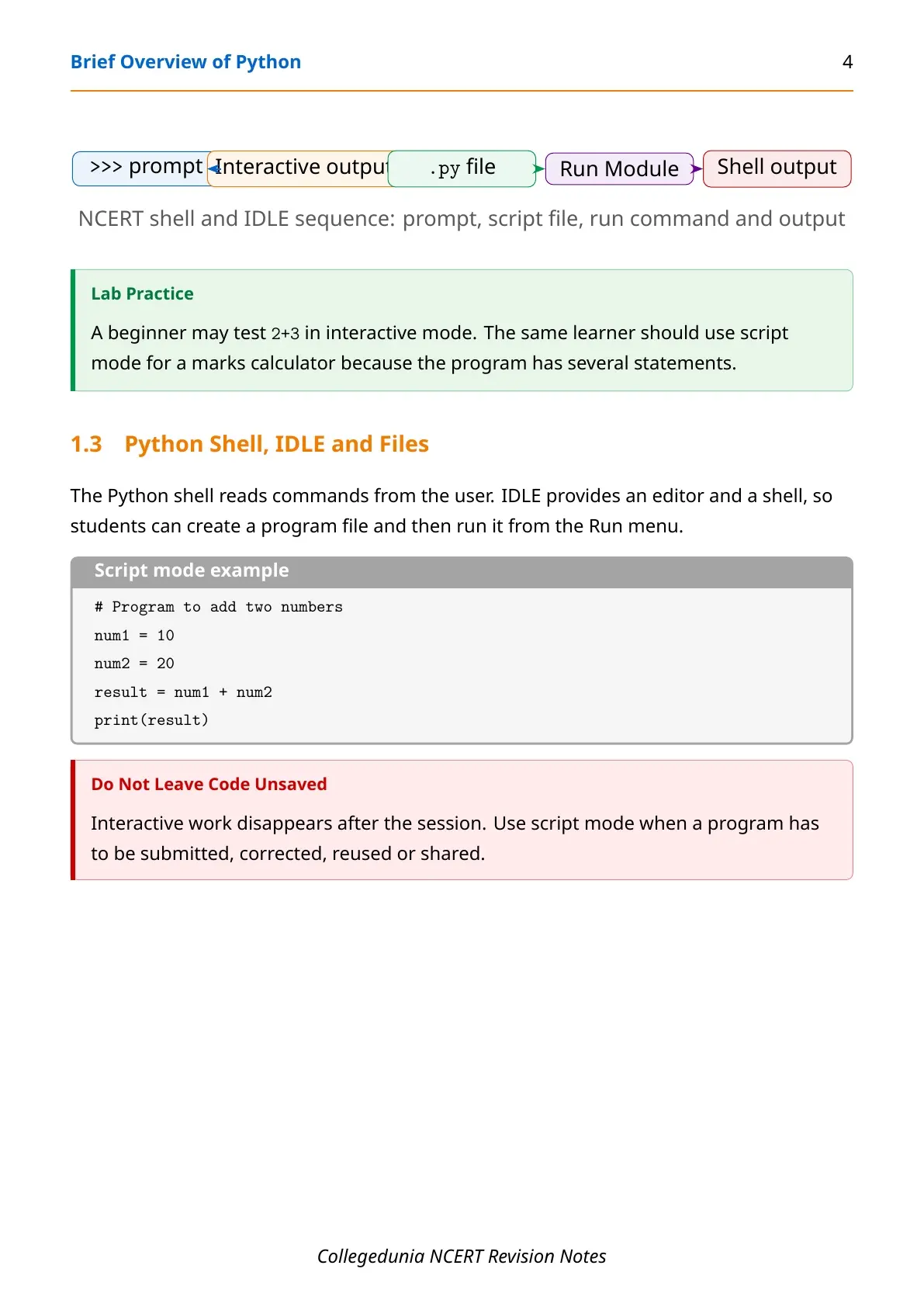
Interactive mode is useful for testing one expression. Script mode is better when the program has several statements. For school practical work, script mode is usually the safer choice because it saves the program for checking and editing.
Keywords, Identifiers and Variables
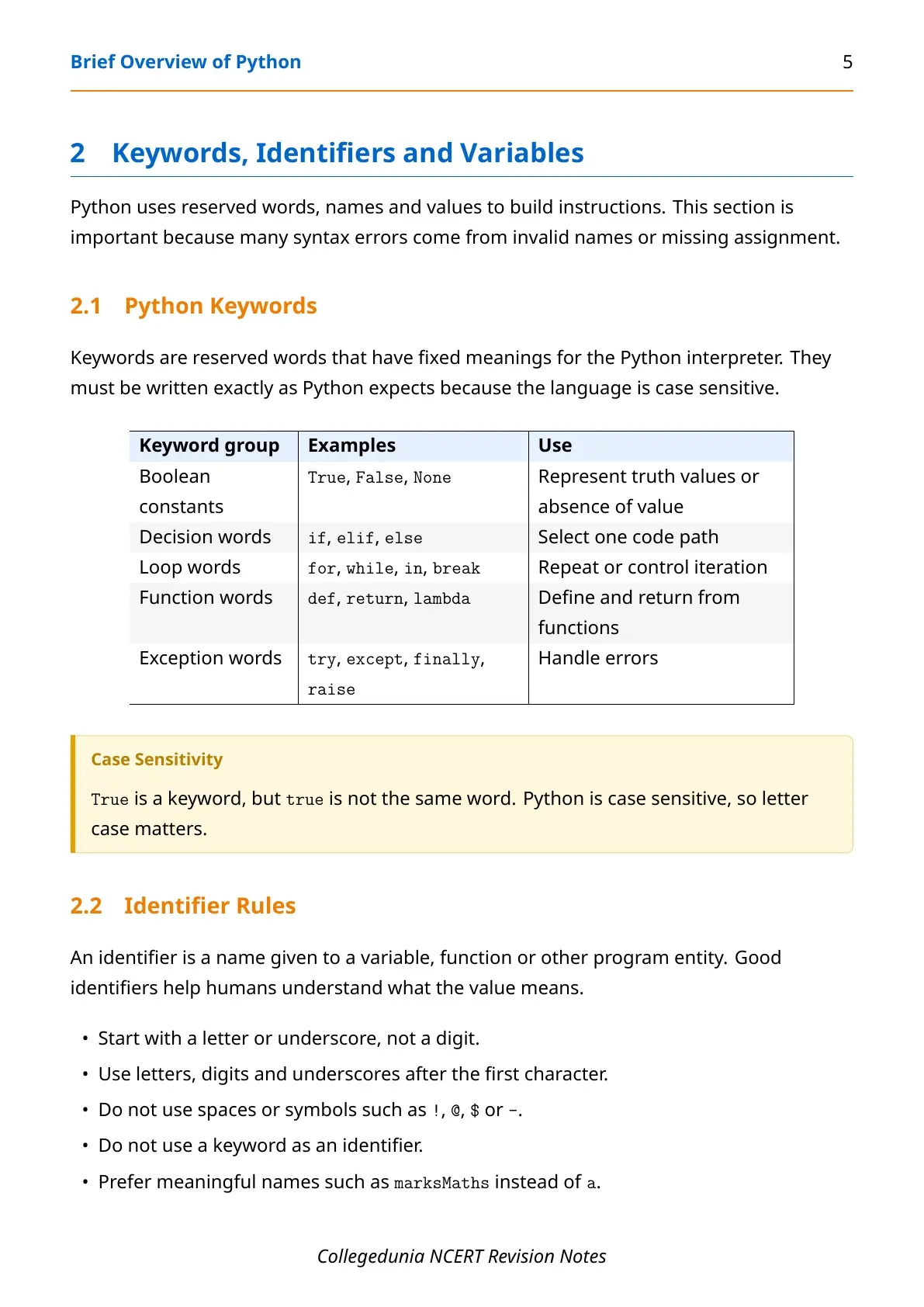
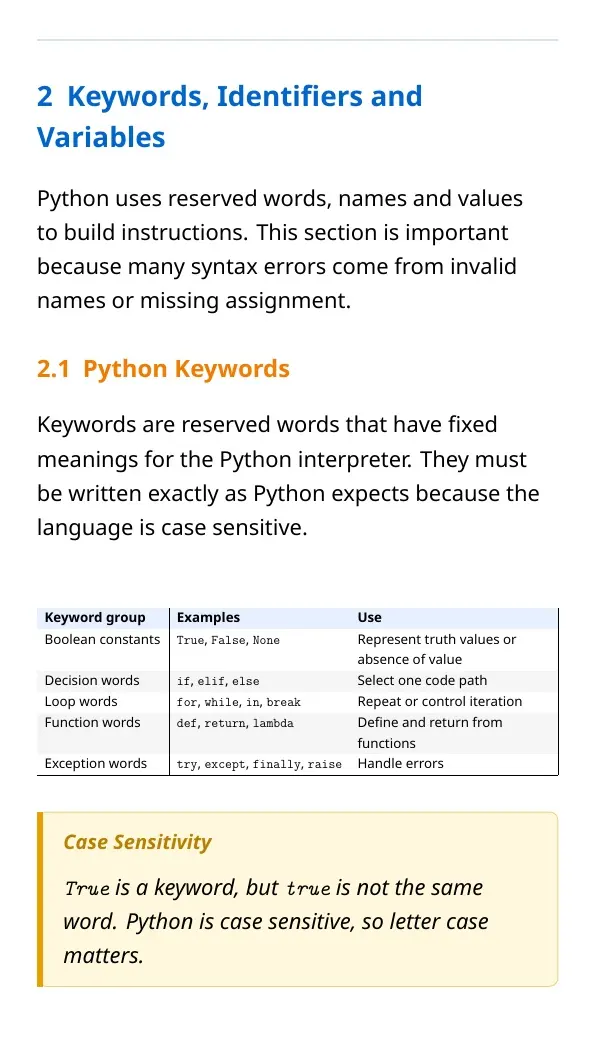
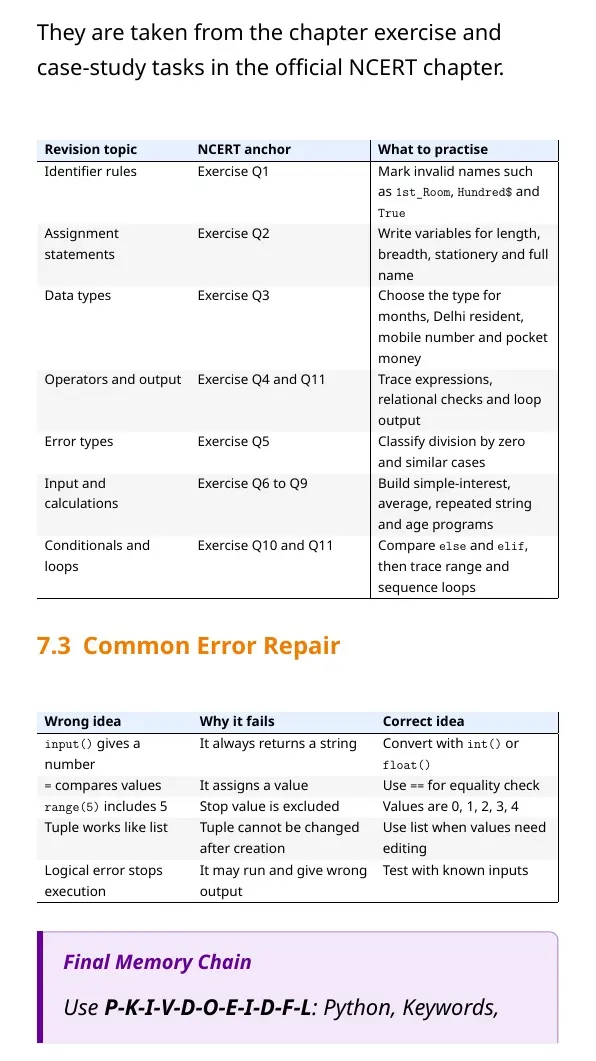
Python keywords are reserved words such as if, else, for, in, True, False and None. They cannot be used as variable names.
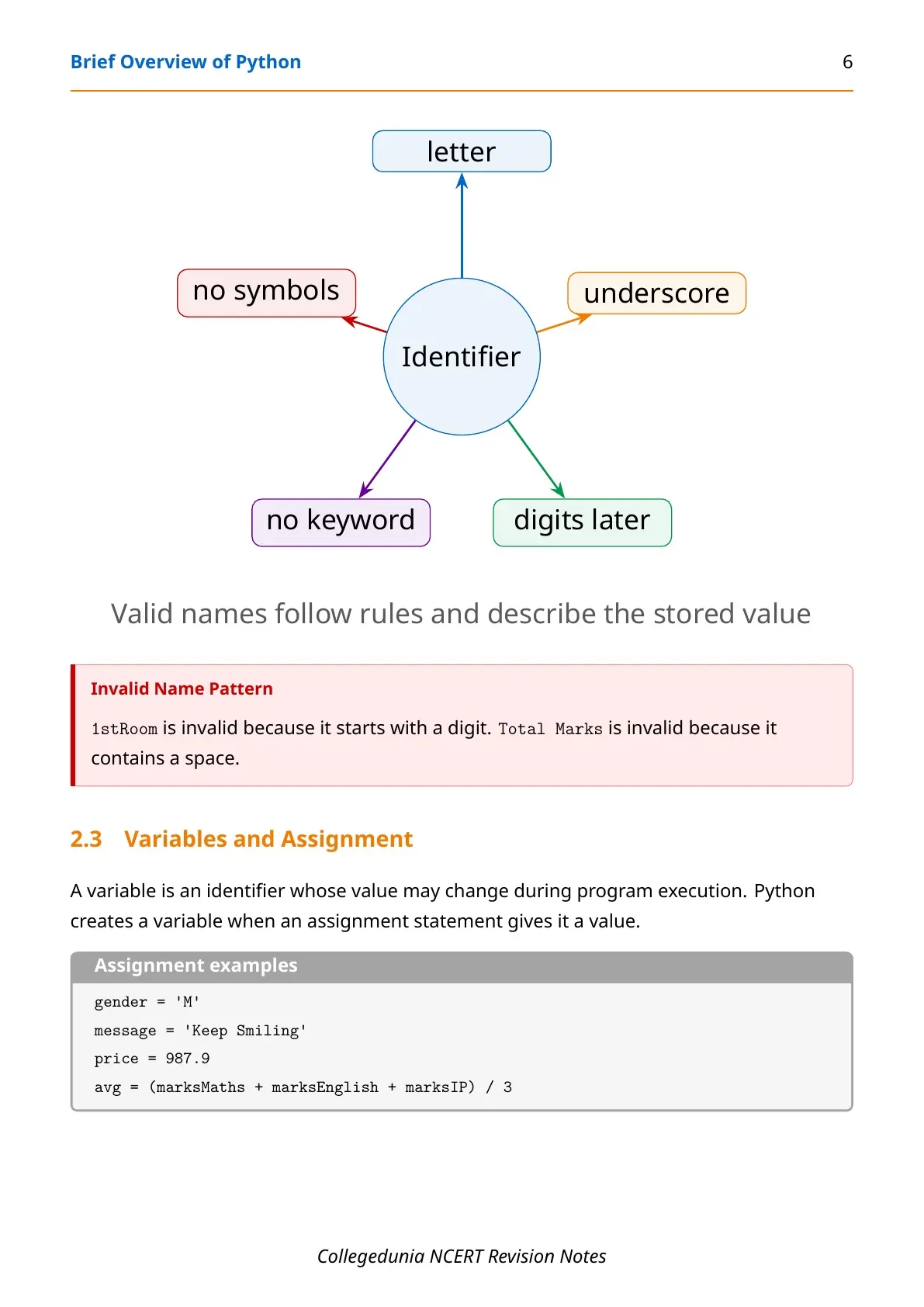
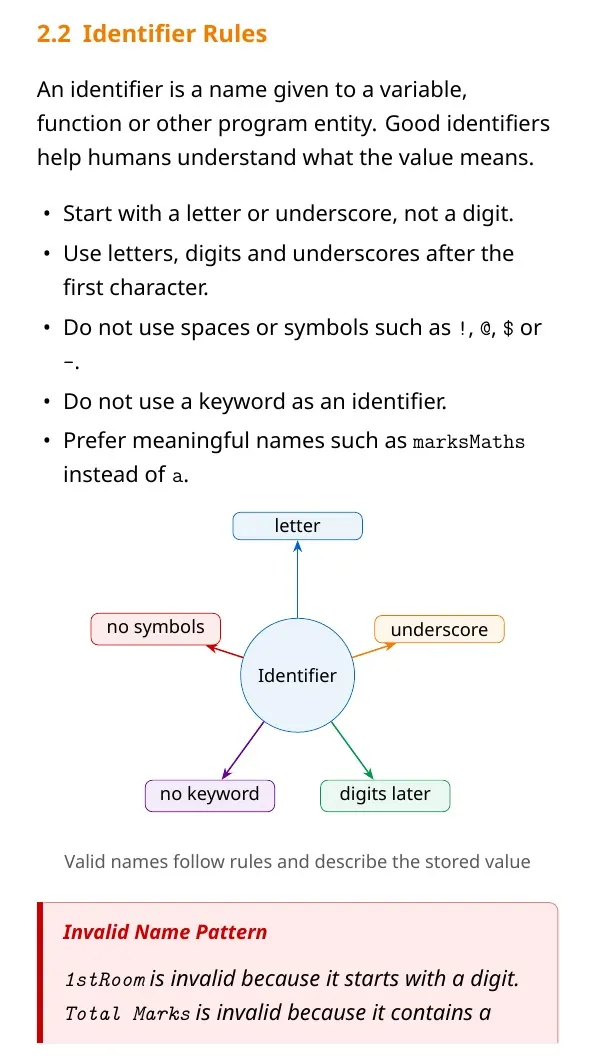
| Rule | Correct example | Wrong example |
|---|---|---|
| Start with a letter or underscore | marks, _total | 1marks |
| No spaces inside name | totalMarks | total marks |
| No reserved word | trueValue | True |
| Use meaningful names | marksIP | x for every value |
Data Types, Operators and Expressions
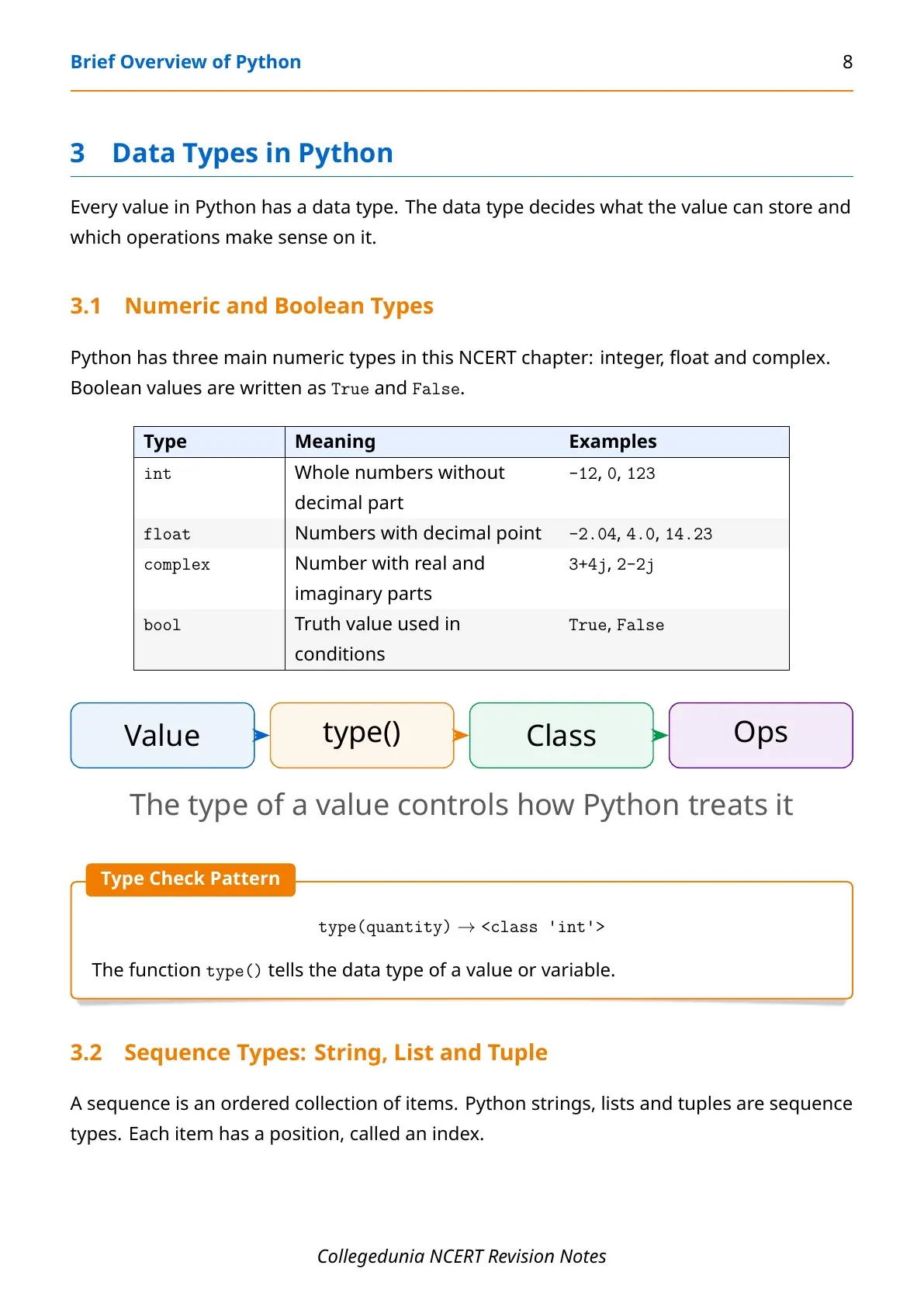
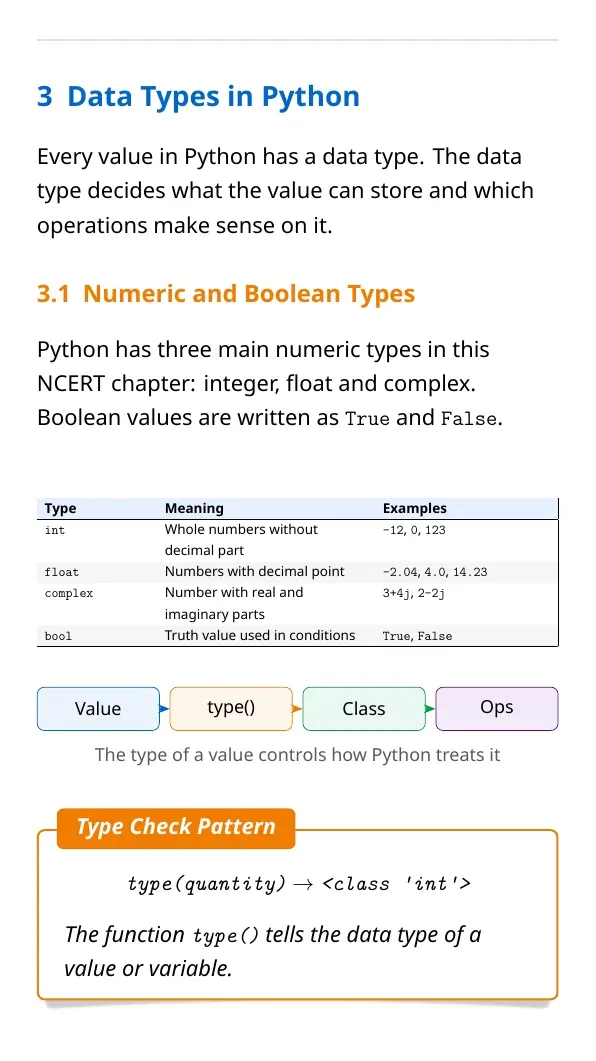
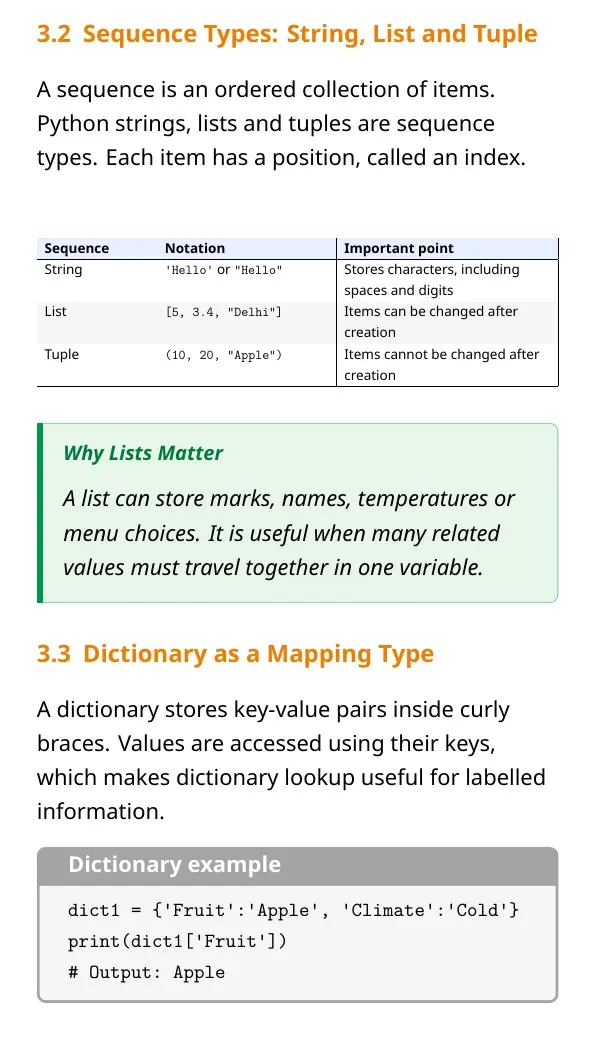
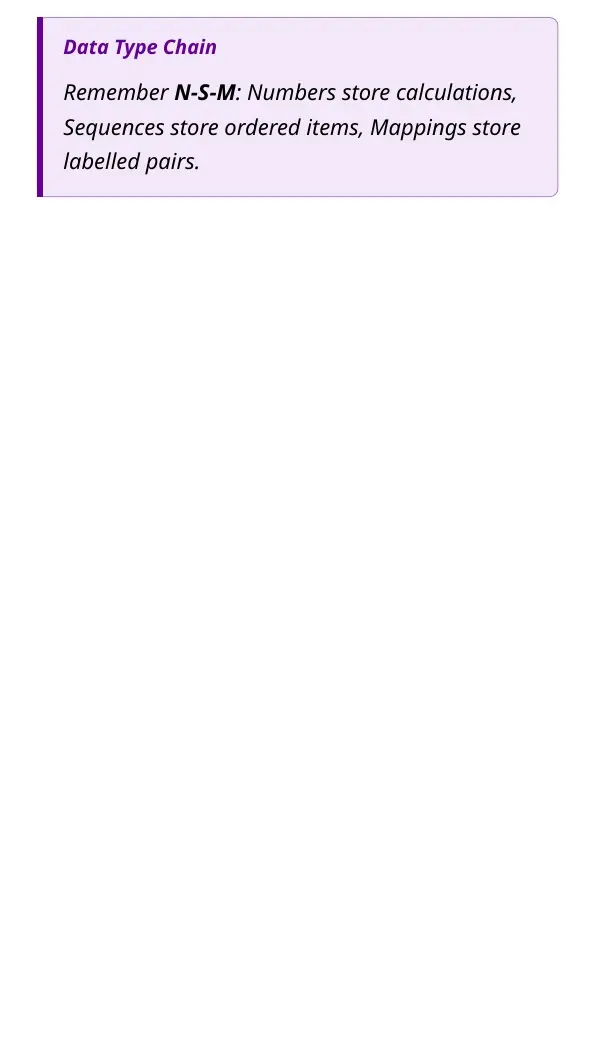
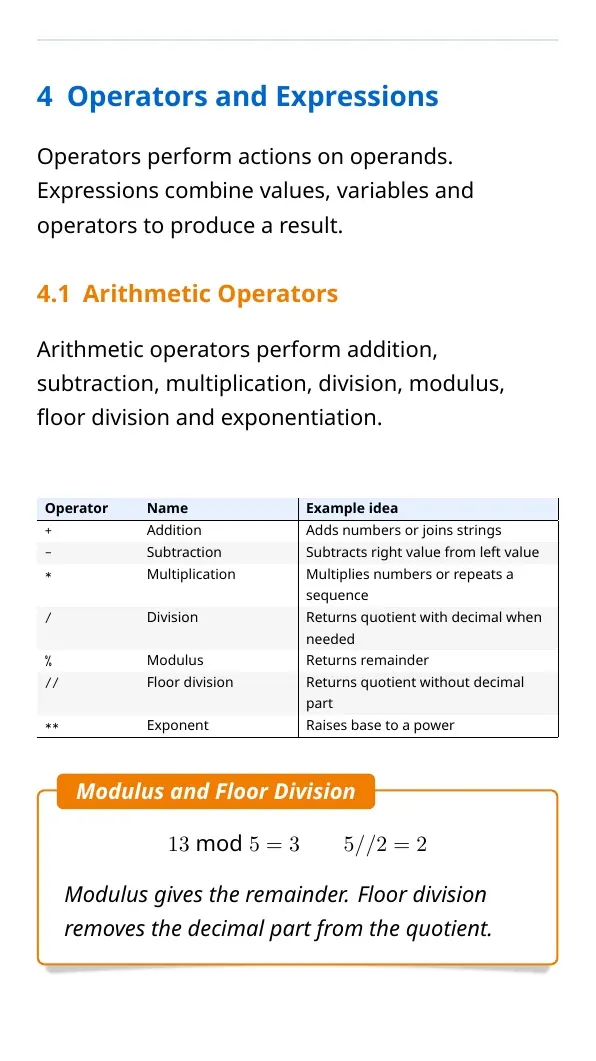
Every Python value has a data type. Numbers may be int, float or complex. Text is stored as a string. Lists, tuples and dictionaries help store many values together.
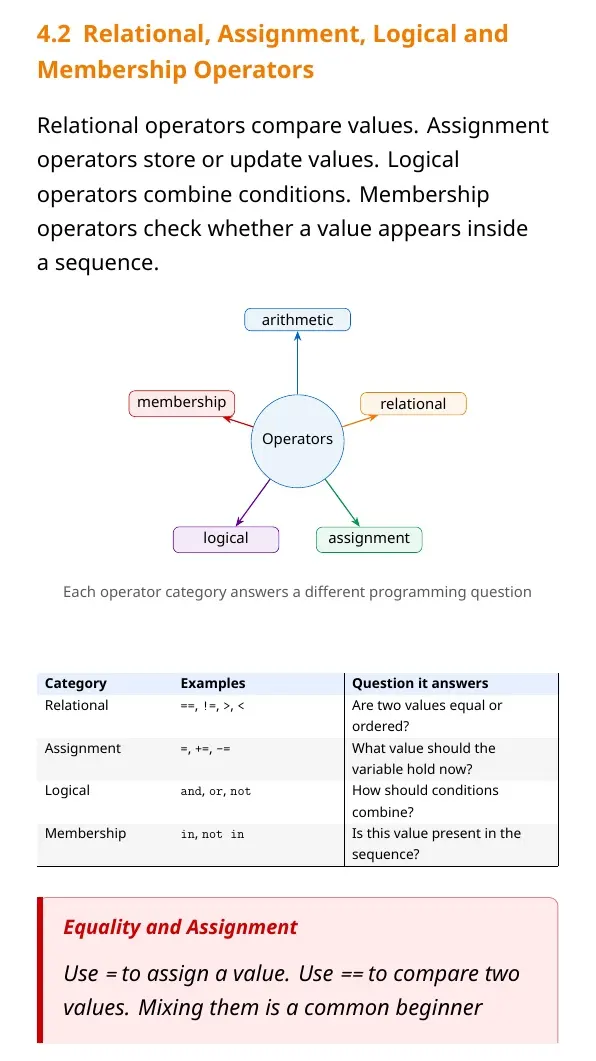
Use type() when a question asks how Python classifies a value. Operators then act on these values. Arithmetic operators calculate, relational operators compare, assignment operators store and logical operators combine conditions.
| Operator group | Examples | Use |
|---|---|---|
| Arithmetic | +, -, *, /, //, % | Calculations |
| Relational | ==, !=, >, < | Comparison |
| Assignment | =, +=, -= | Store or update values |
| Logical | and, or, not | Combine conditions |
Input, Output, Errors and Functions
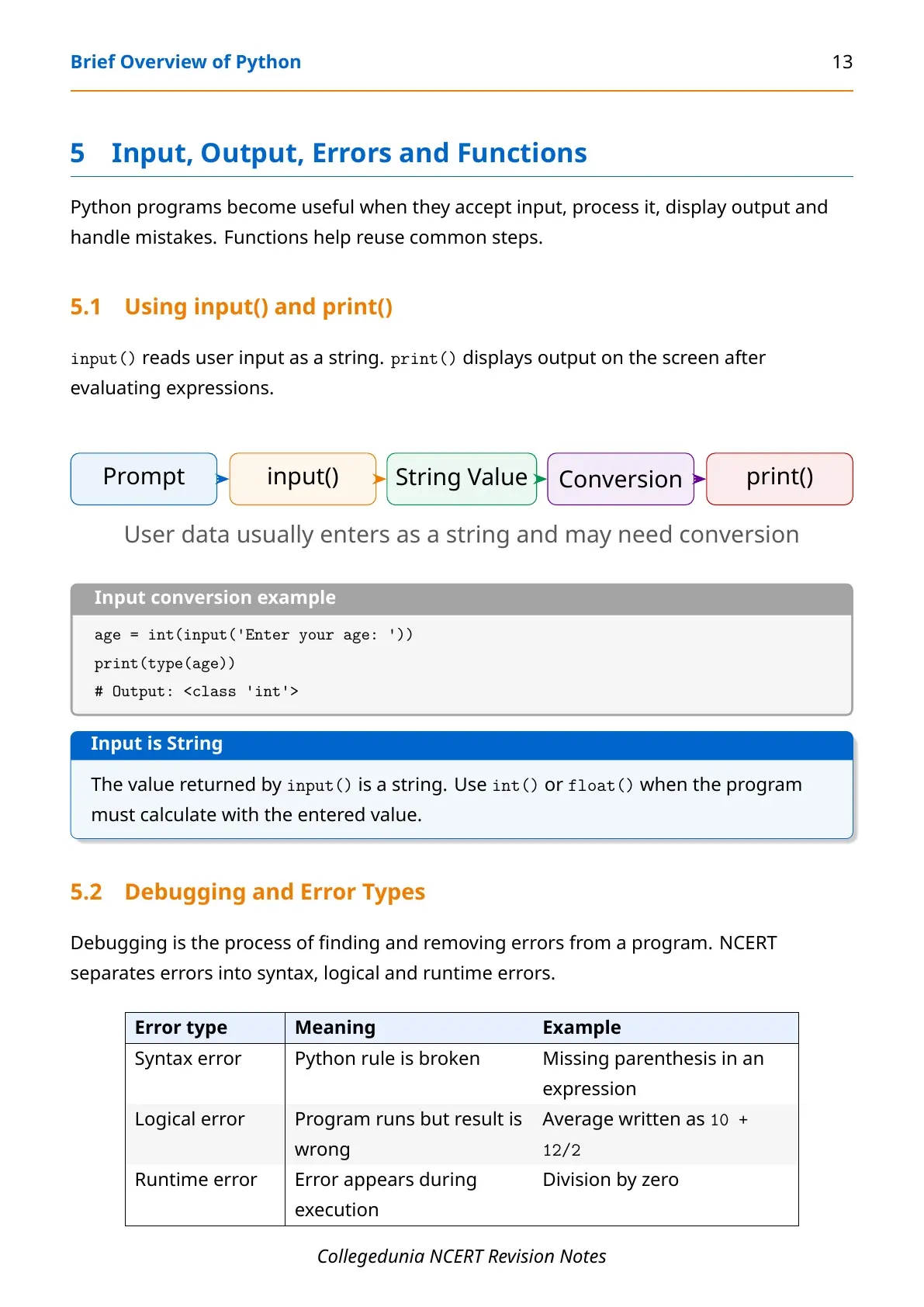
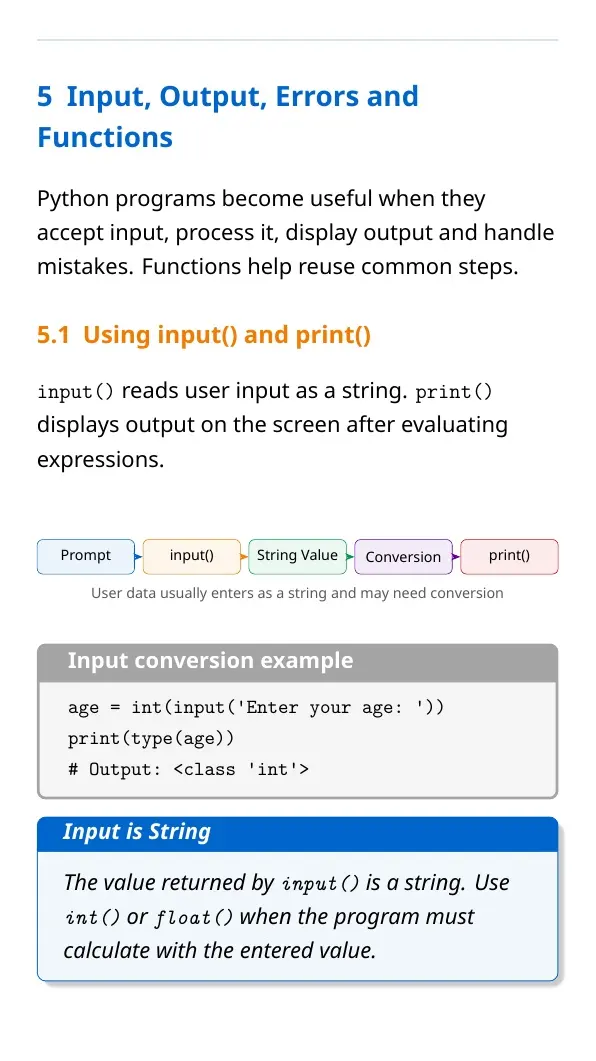
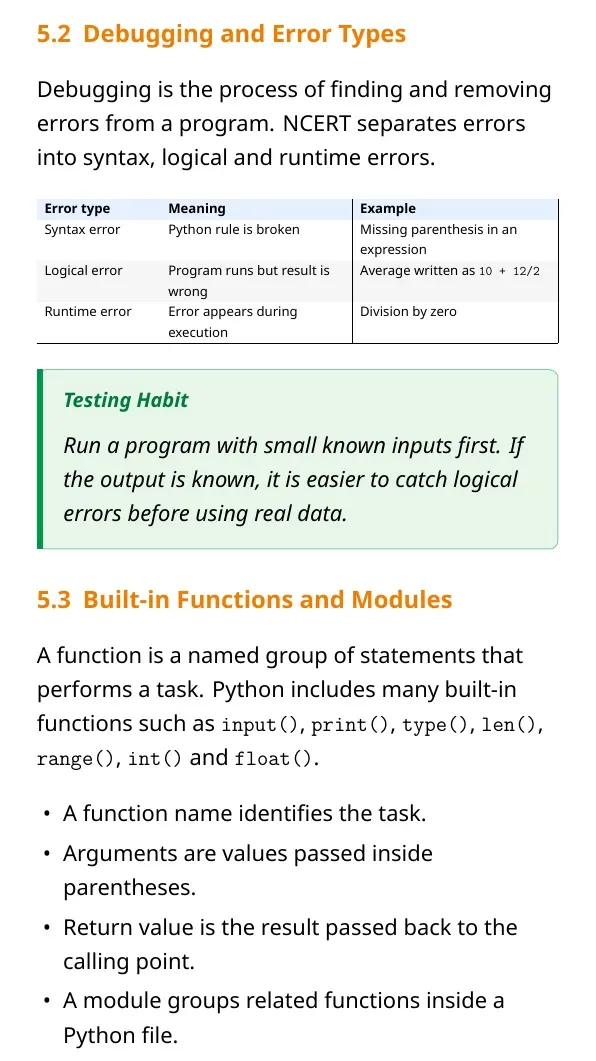
input() always reads user input as a string. If the program must calculate, convert the value with int() or float(). print() displays values after Python evaluates the expression inside it.
- Syntax error: the statement breaks Python grammar.
- Runtime error: the program starts but fails during execution.
- Logical error: the program runs but gives a wrong answer.
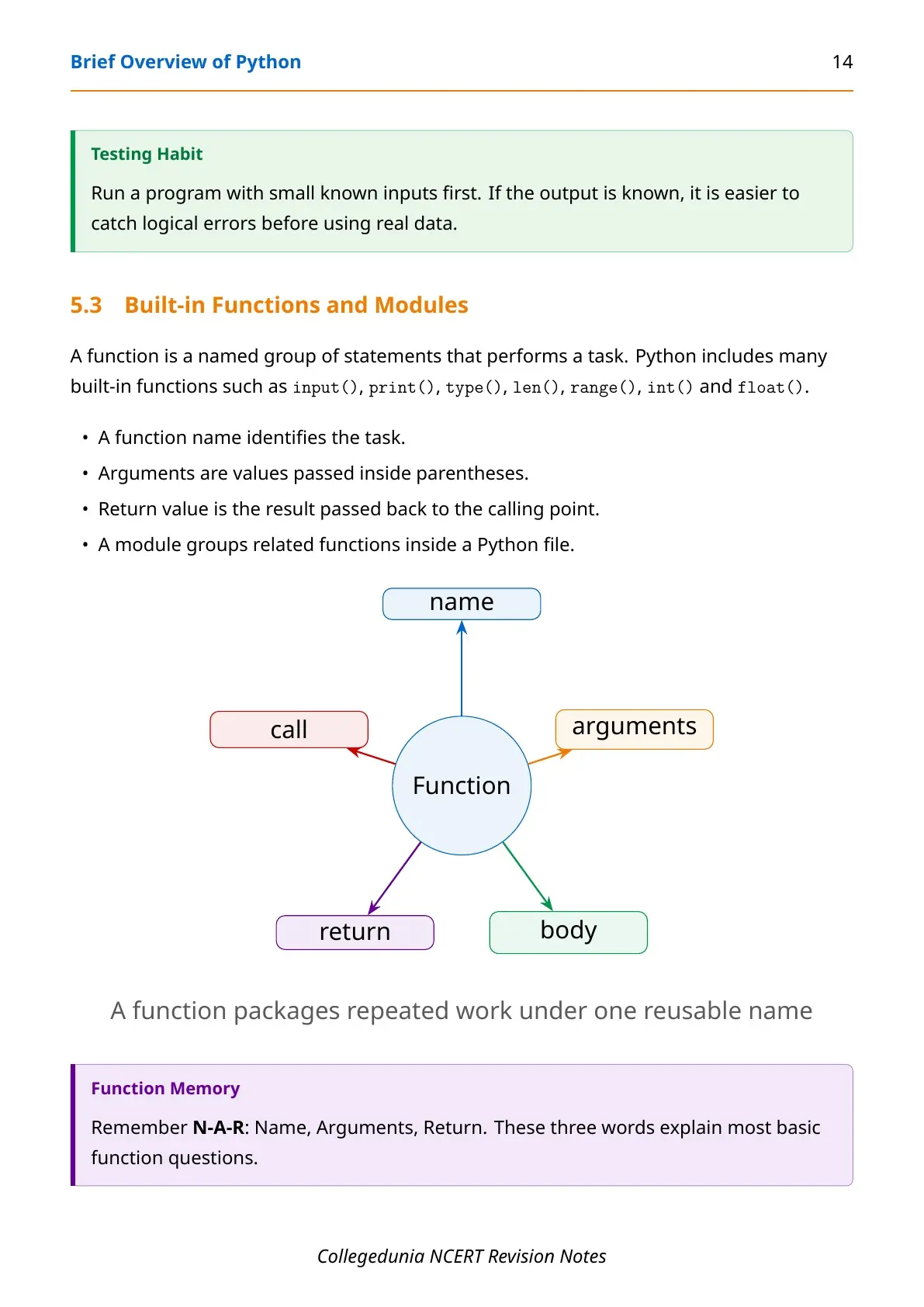
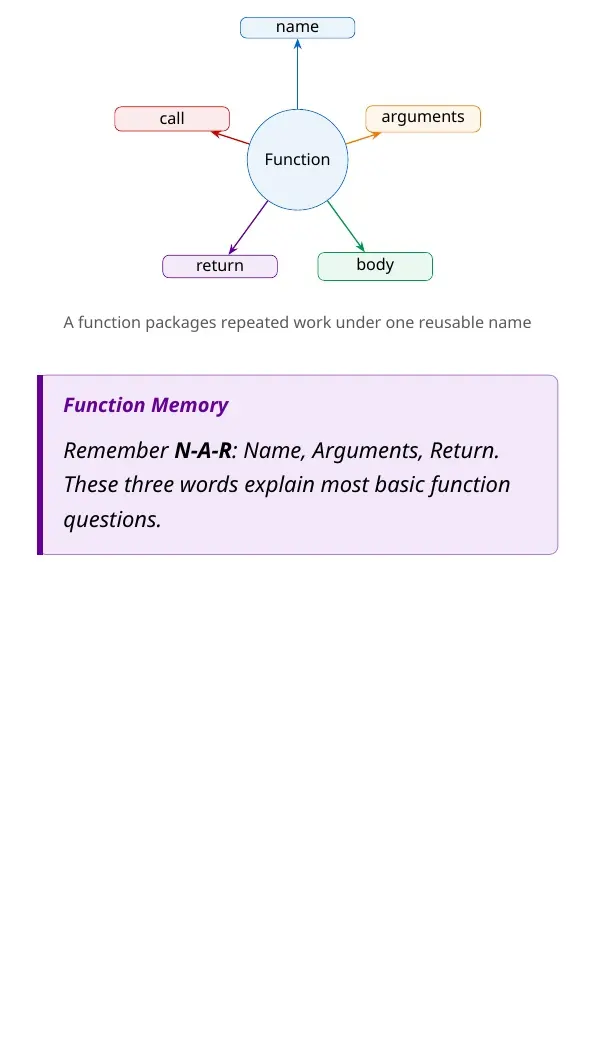
- Function: a named block of reusable instructions.
Decision Making and Loops
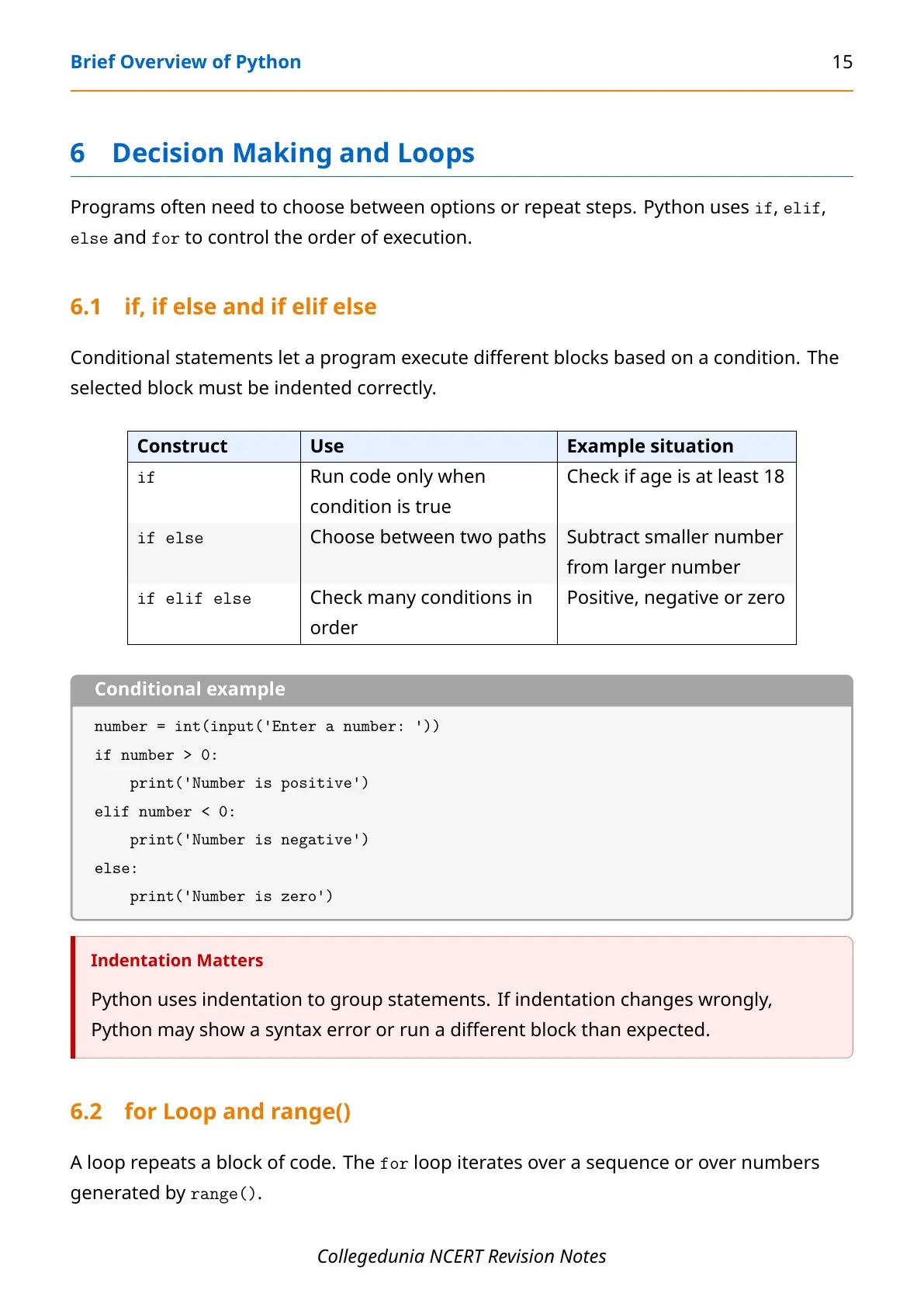
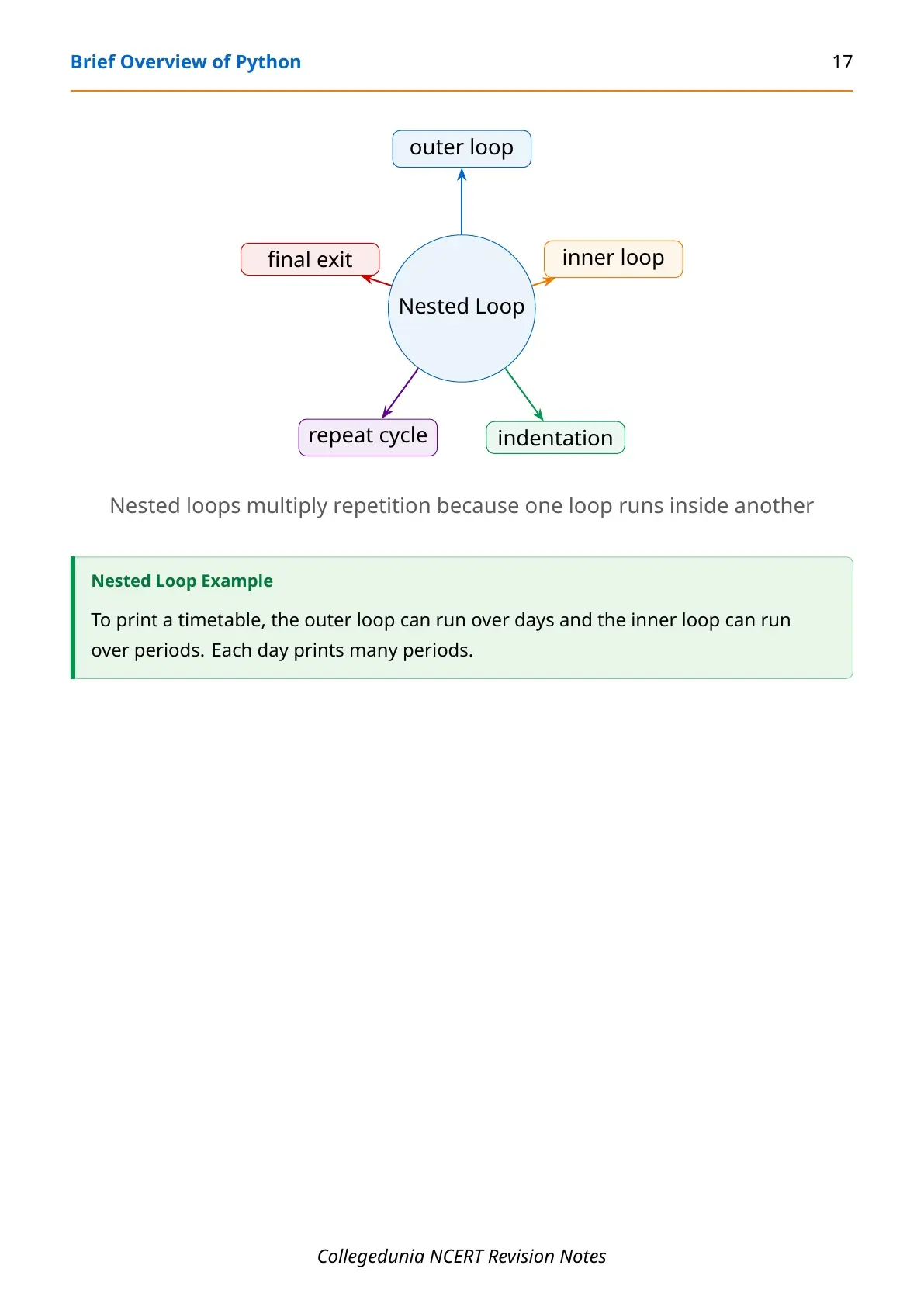
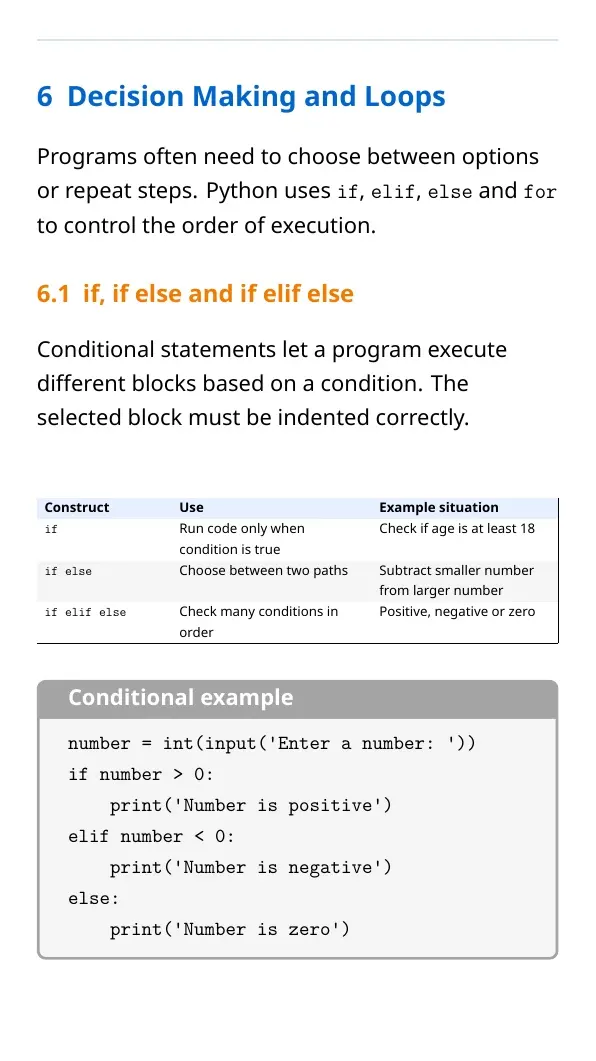
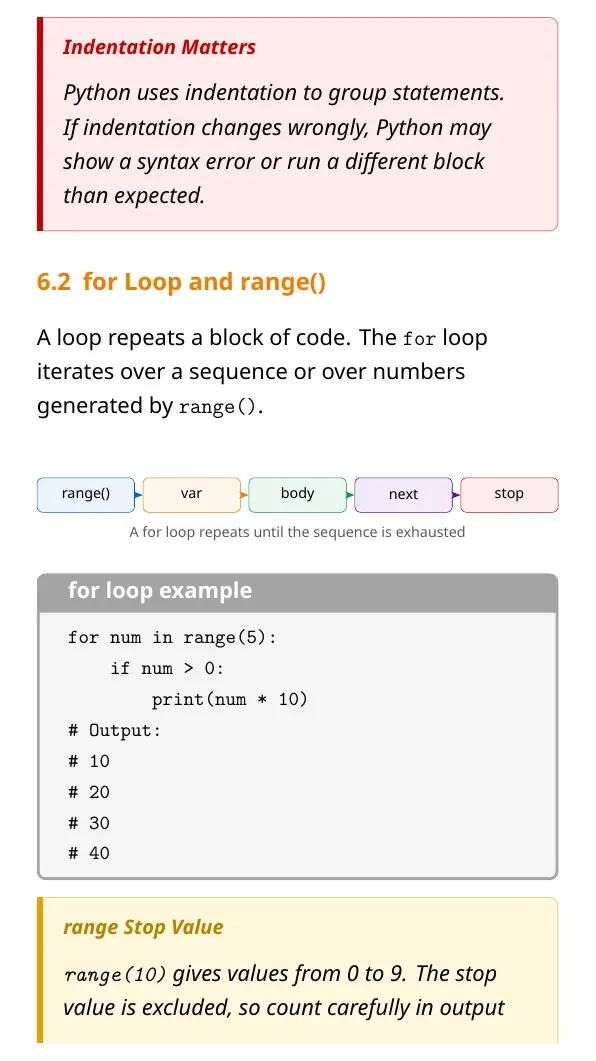
Python uses if, elif and else to choose between paths. It uses for loops to repeat statements over a sequence or over numbers produced by range().
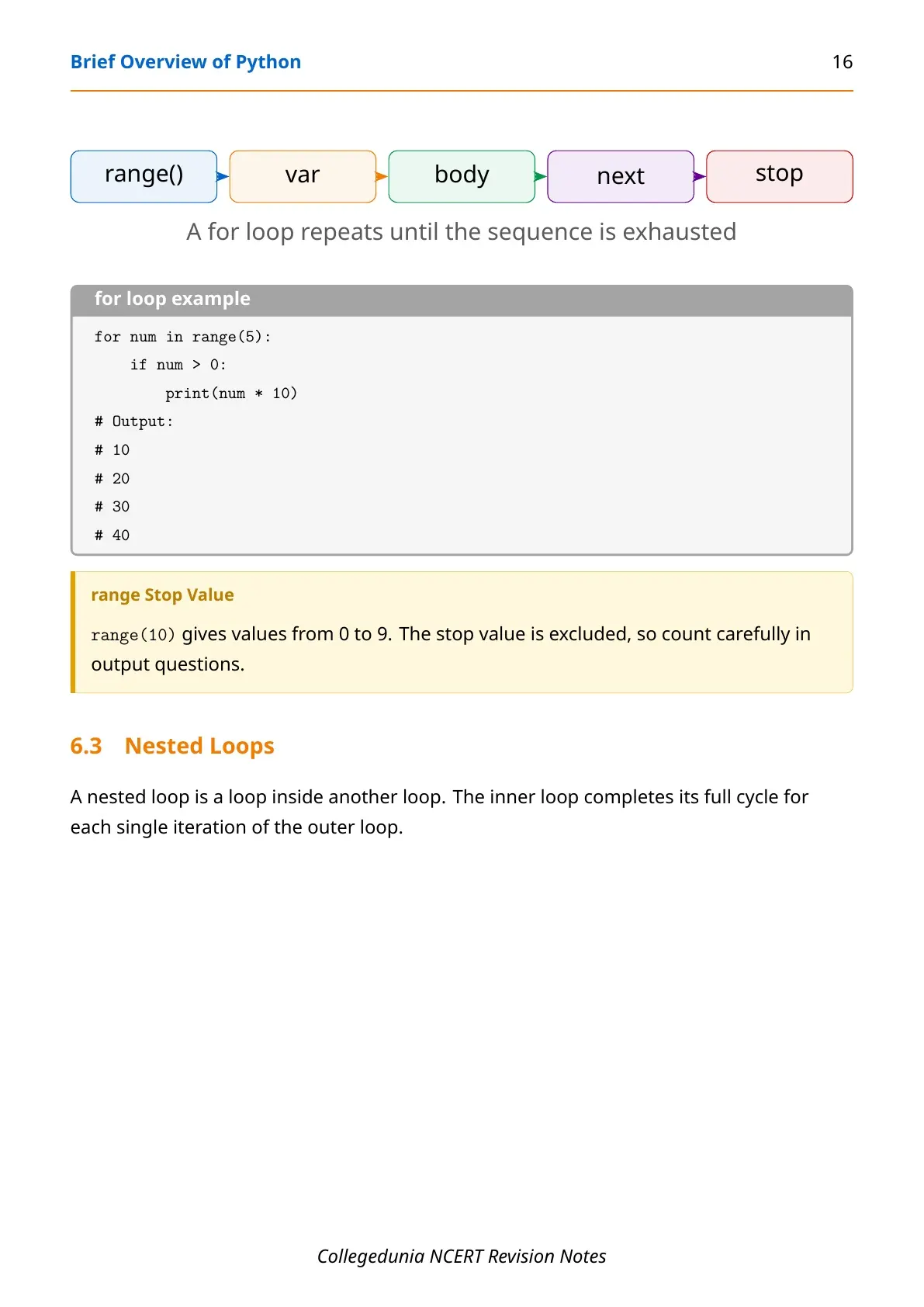
The most common trace pattern is for num in range(5). The values are 0, 1, 2, 3 and 4. If the body prints only when num > 0, the visible output starts at 10 and ends at 40 in the example PDF.
Common Mistakes in Brief Overview of Python
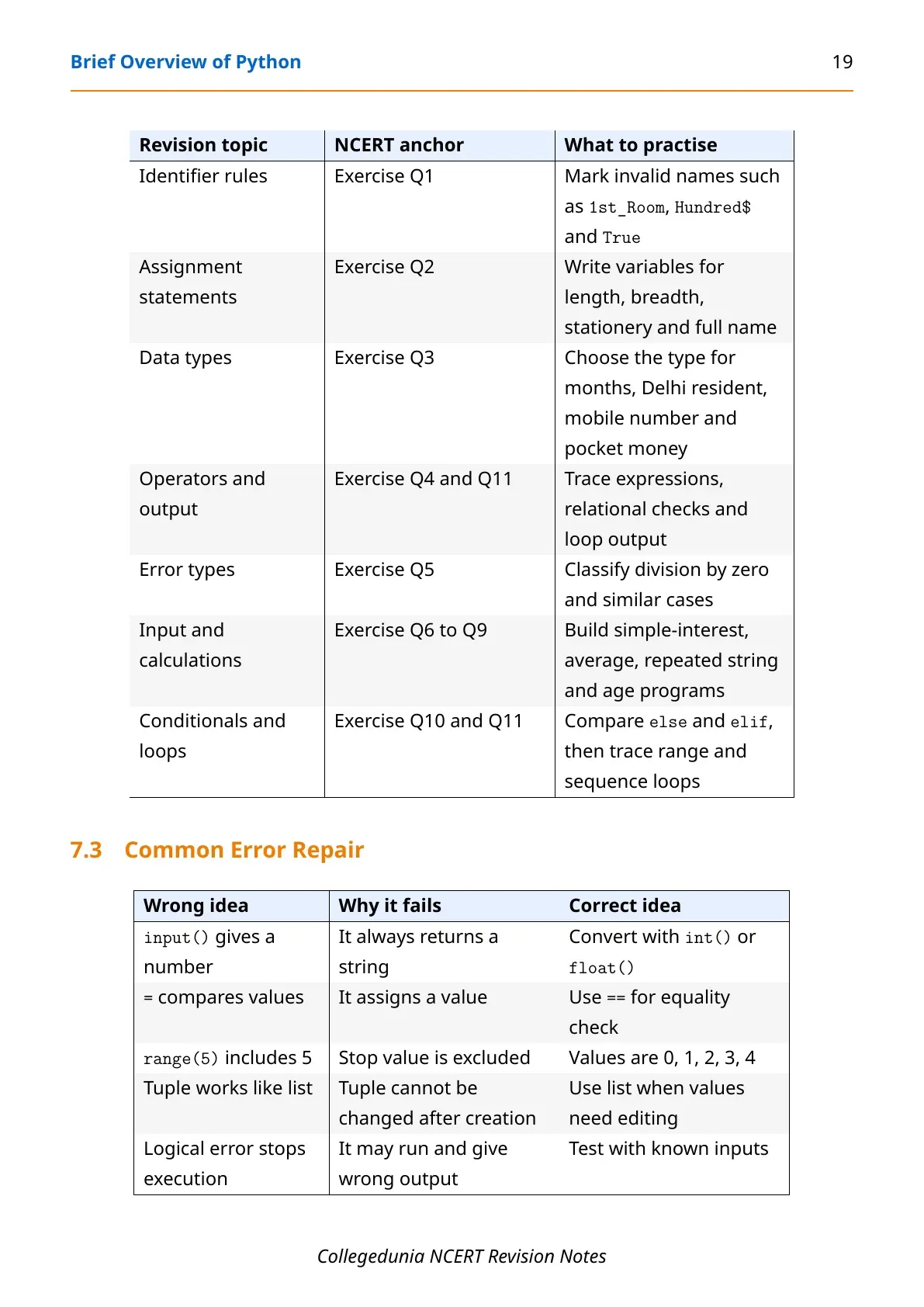
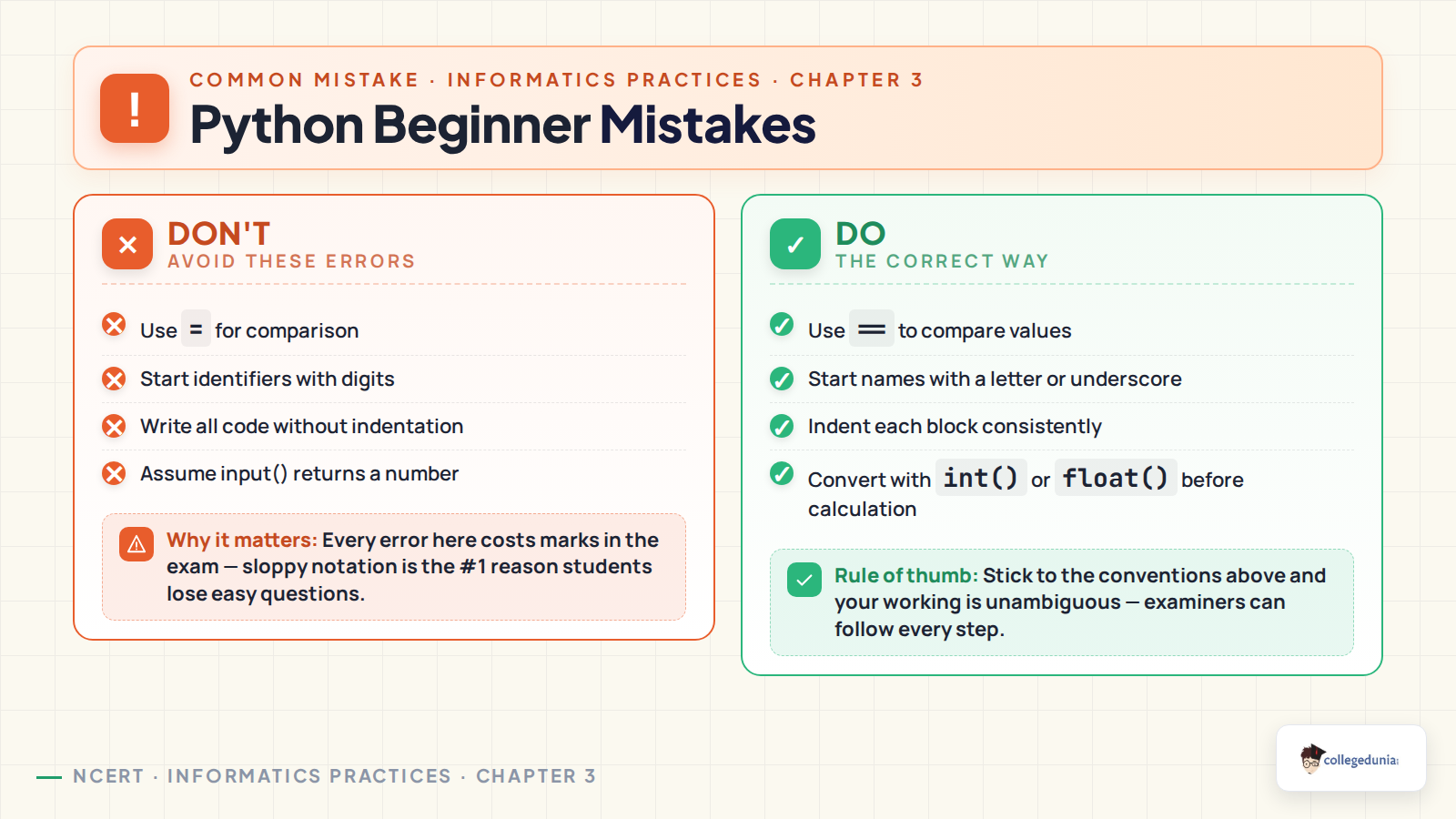
Most mistakes in this chapter are small, but they change the output. Read each line as the interpreter would read it. A single missing indent can move a statement outside the block.
| Mistake | Correct revision point |
|---|---|
Using = for comparison | Use == when checking equality. |
Forgetting conversion after input() | Use int() or float() before arithmetic. |
Counting range(5) as 1 to 5 | It gives 0, 1, 2, 3 and 4. |
| Ignoring indentation | Indent every statement that belongs inside a block. |
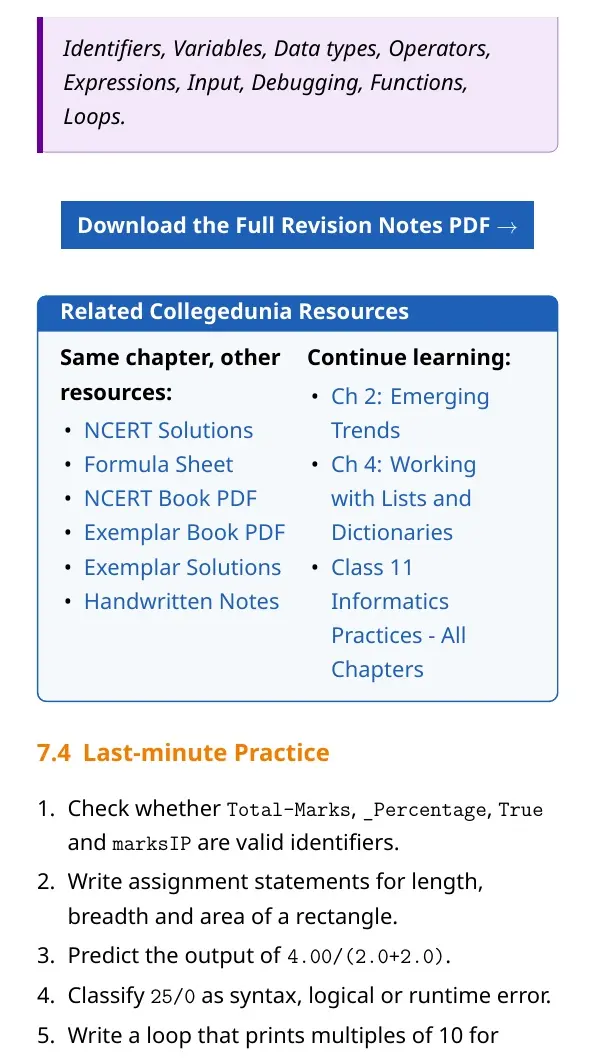
Other Class 11 Informatics Practices Brief Overview of Python Resources
| Resource | Use it for | Link |
|---|---|---|
| NCERT Book PDF | Read the official chapter before revision | Brief Overview of Python Book PDF |
| Computer System Notes | Revise the previous Informatics Practices chapter | Chapter 1 Computer System Notes |
| Emerging Trends Notes | Revise the chapter before Python in the syllabus flow | Chapter 2 Emerging Trends Notes |
Class 11 Informatics Practices Notes All Chapters
| Chapter | Notes Link |
|---|---|
| Chapter 1 Computer System | Computer System Notes |
| Chapter 2 Emerging Trends | Emerging Trends Notes |
| Chapter 3 Brief Overview of Python | Current chapter notes |
| Chapter 4 Working with Lists and Dictionaries | Coming soon |
| Chapter 5 Understanding Data | Coming soon |
| Chapter 6 Data Handling Using Pandas I | Coming soon |
| Chapter 7 Data Handling Using Pandas II | Coming soon |
| Chapter 8 Plotting Data Using Matplotlib | Coming soon |
Brief Overview of Python Class 11 Informatics Practices Notes FAQs
Ques. What is covered in Brief Overview of Python Class 11 notes?
Ans. The notes cover Python shell, script mode, keywords, identifiers, variables, data types, operators, input, output, errors, functions, conditions and loops.
Ques. Is input() a number in Python?
Ans. No. input() returns a string. Use int() or float() when the entered value must be used in arithmetic.
Ques. What does range(5) give in Python?
Ans. range(5) gives 0, 1, 2, 3 and 4. The stop value 5 is excluded.
Ques. How should students revise this Python chapter?
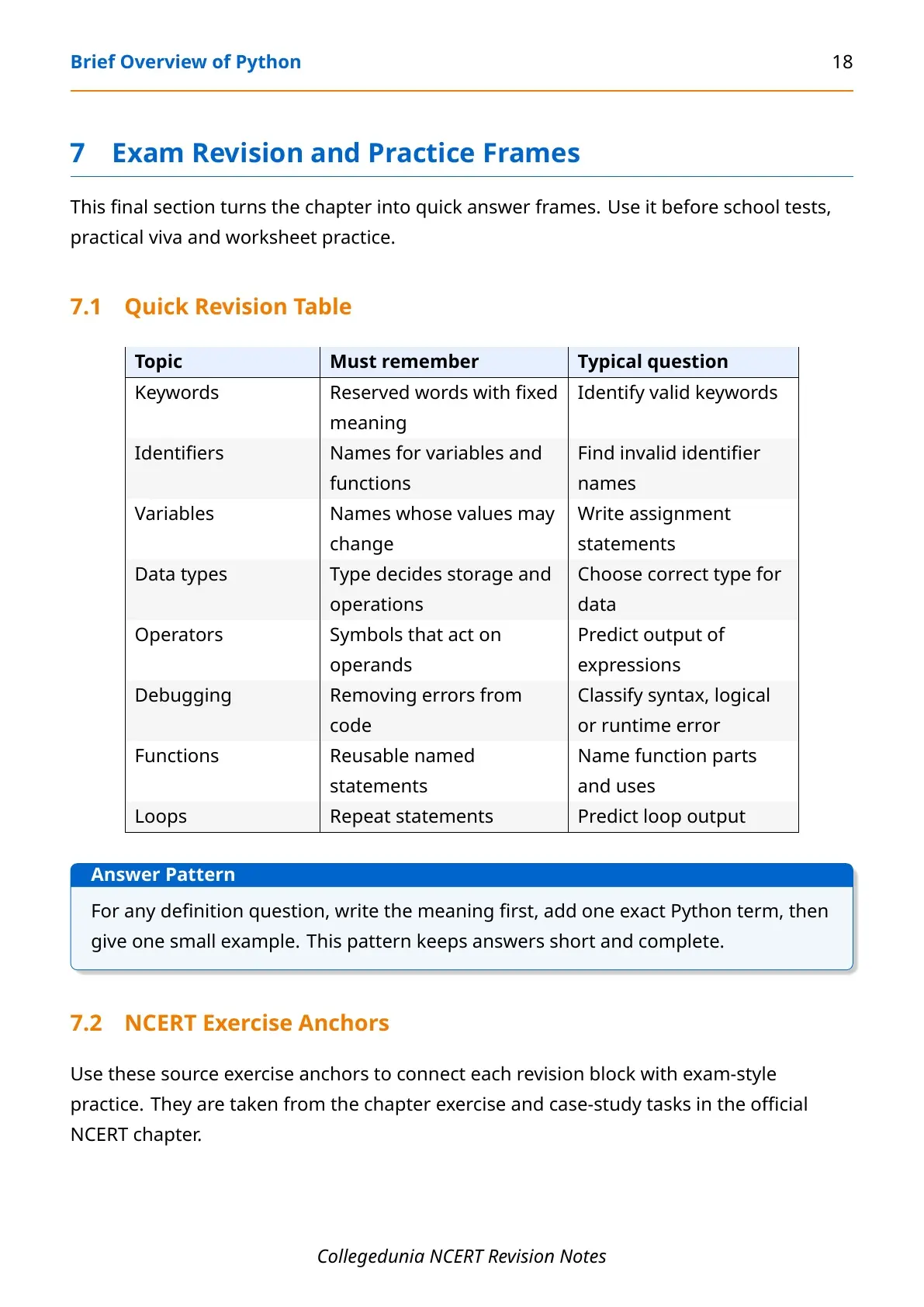
Ans. Students should revise definitions with one example each, then practise identifier rules, expression output, input conversion and for-loop traces.



Comments