



Lists is the chapter where Class 11 Computer Science meets the first Python sequence that can be edited after it is built. The ncert book class 11 computer science chapter 9 lists file on this page is the official NCERT chapter for 2026-27. Download it for Table 9.1, all five programs and the complete exercise set.
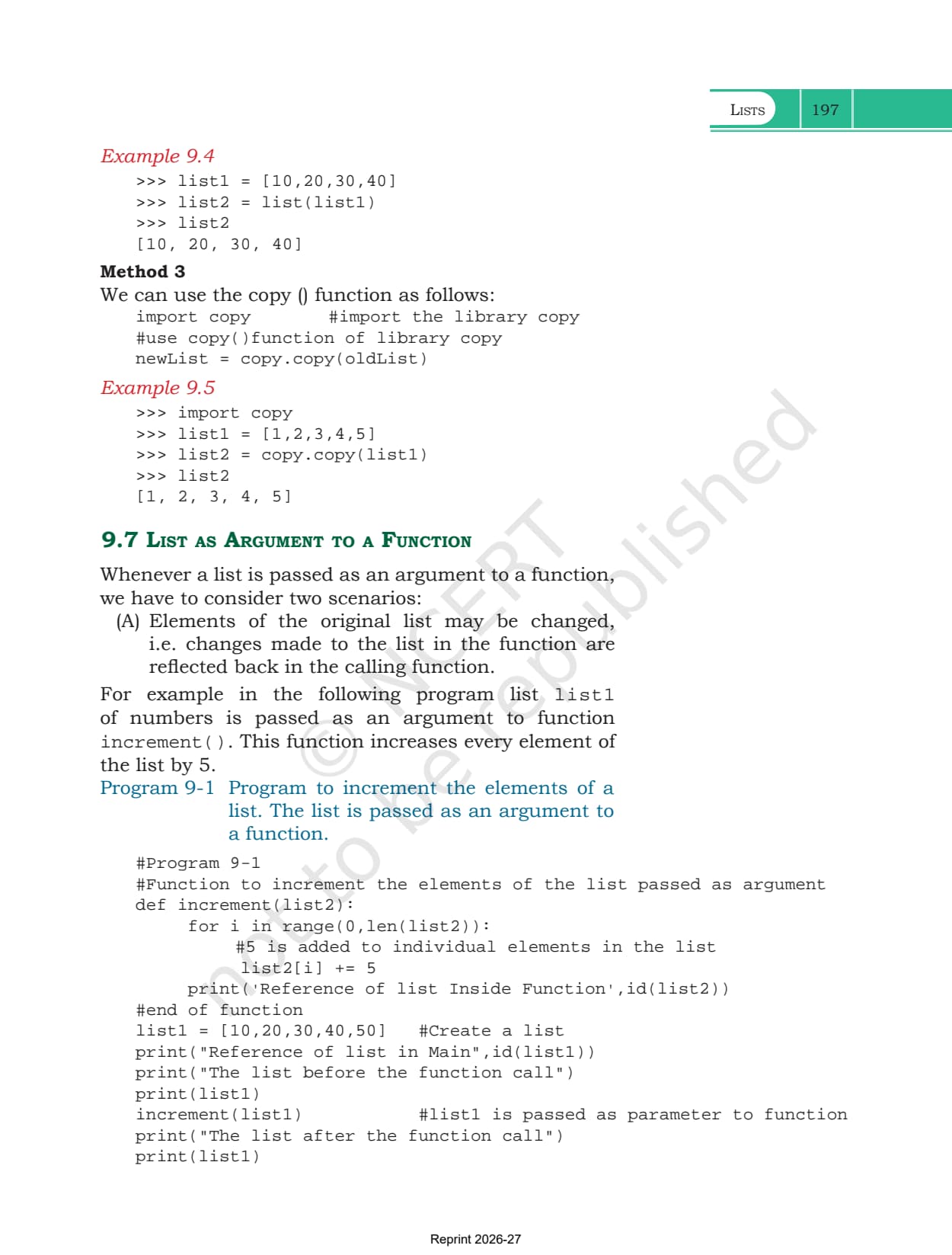
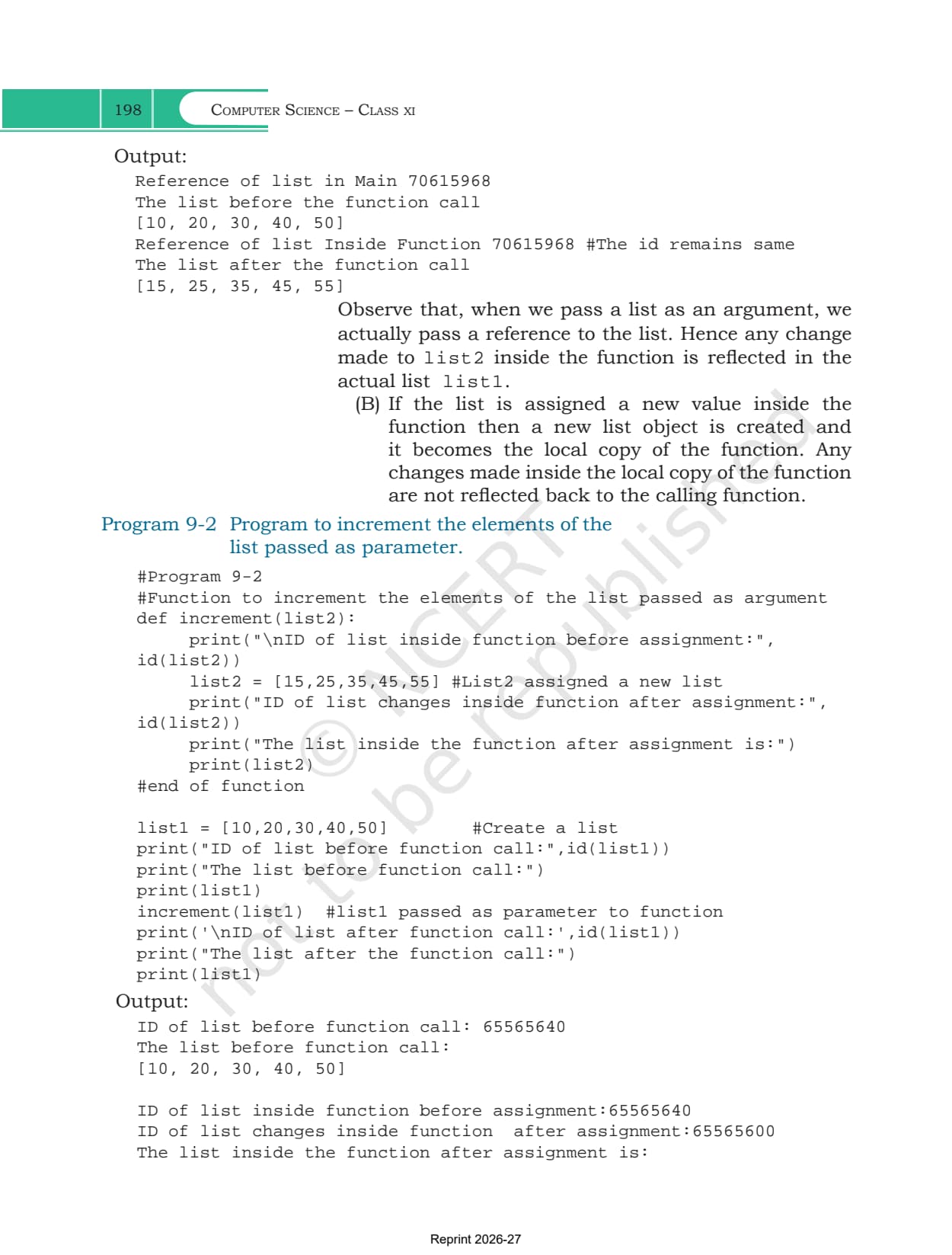
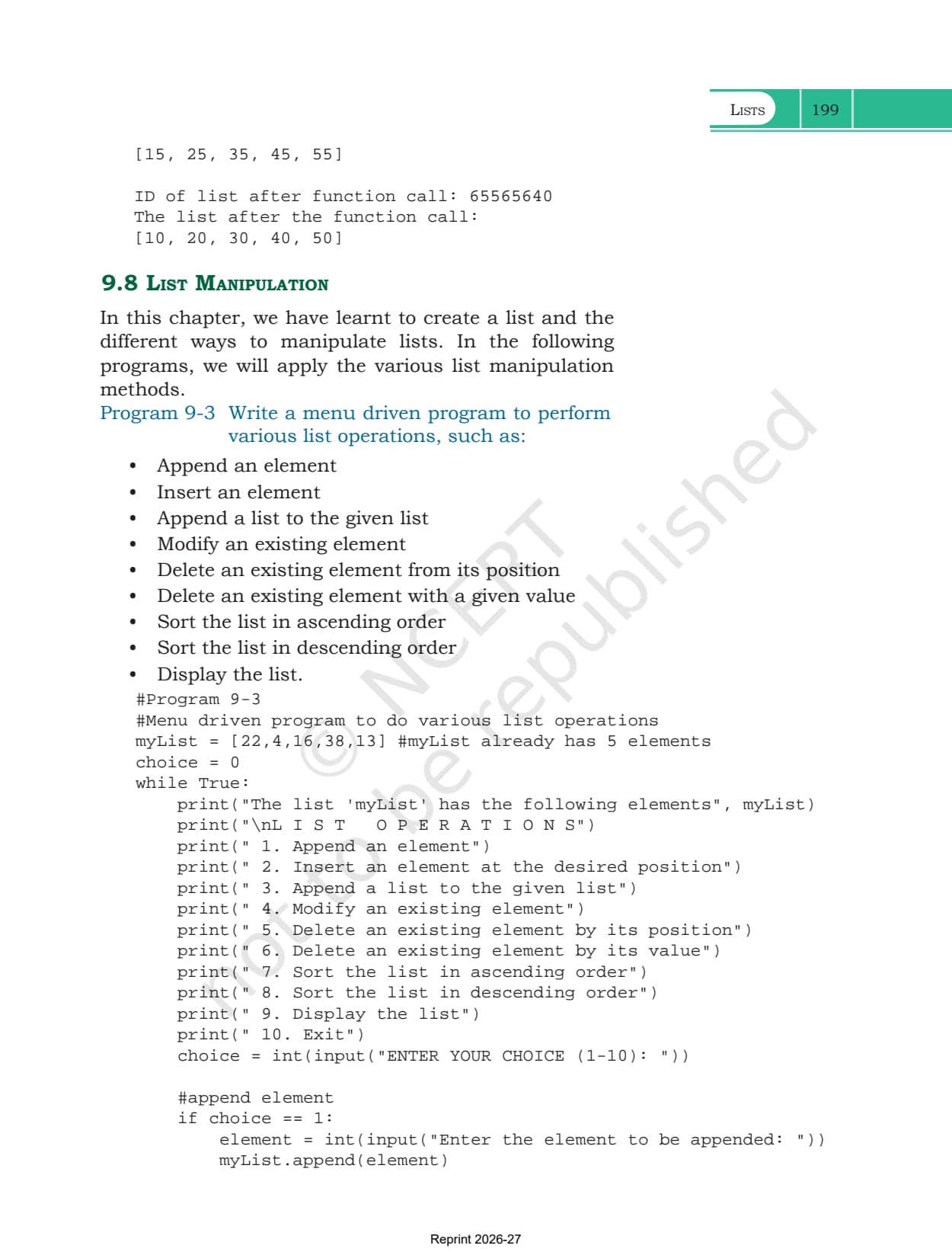
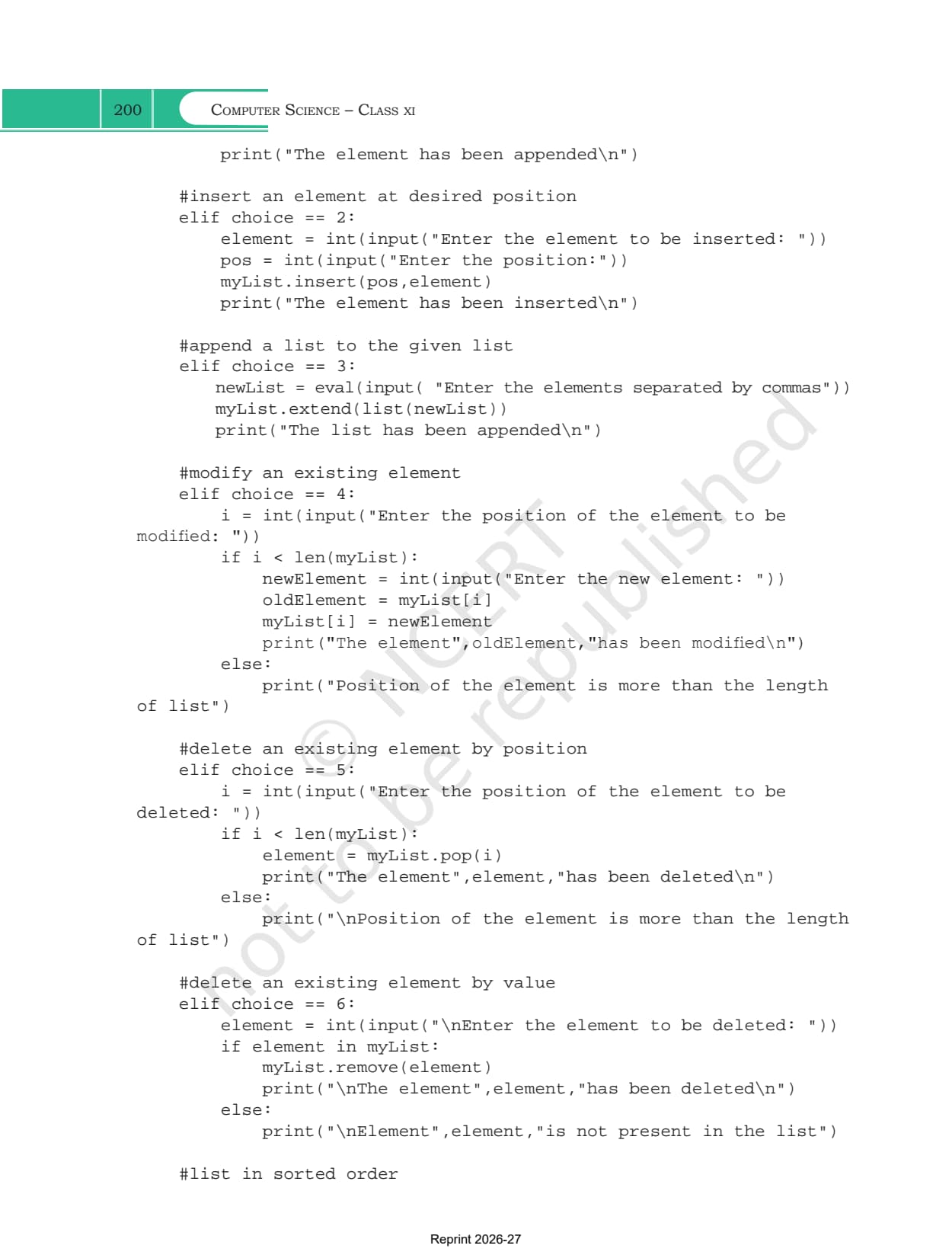
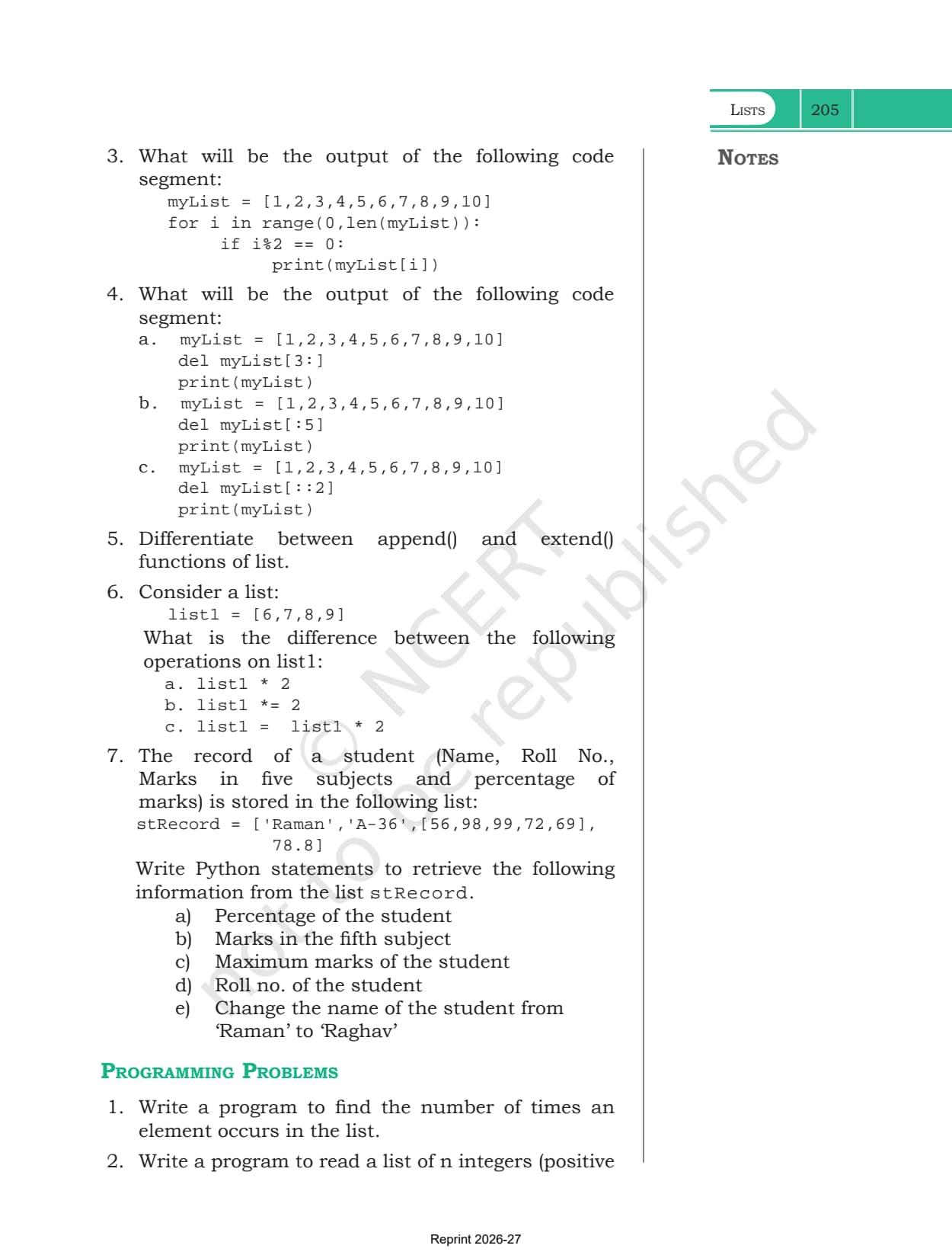
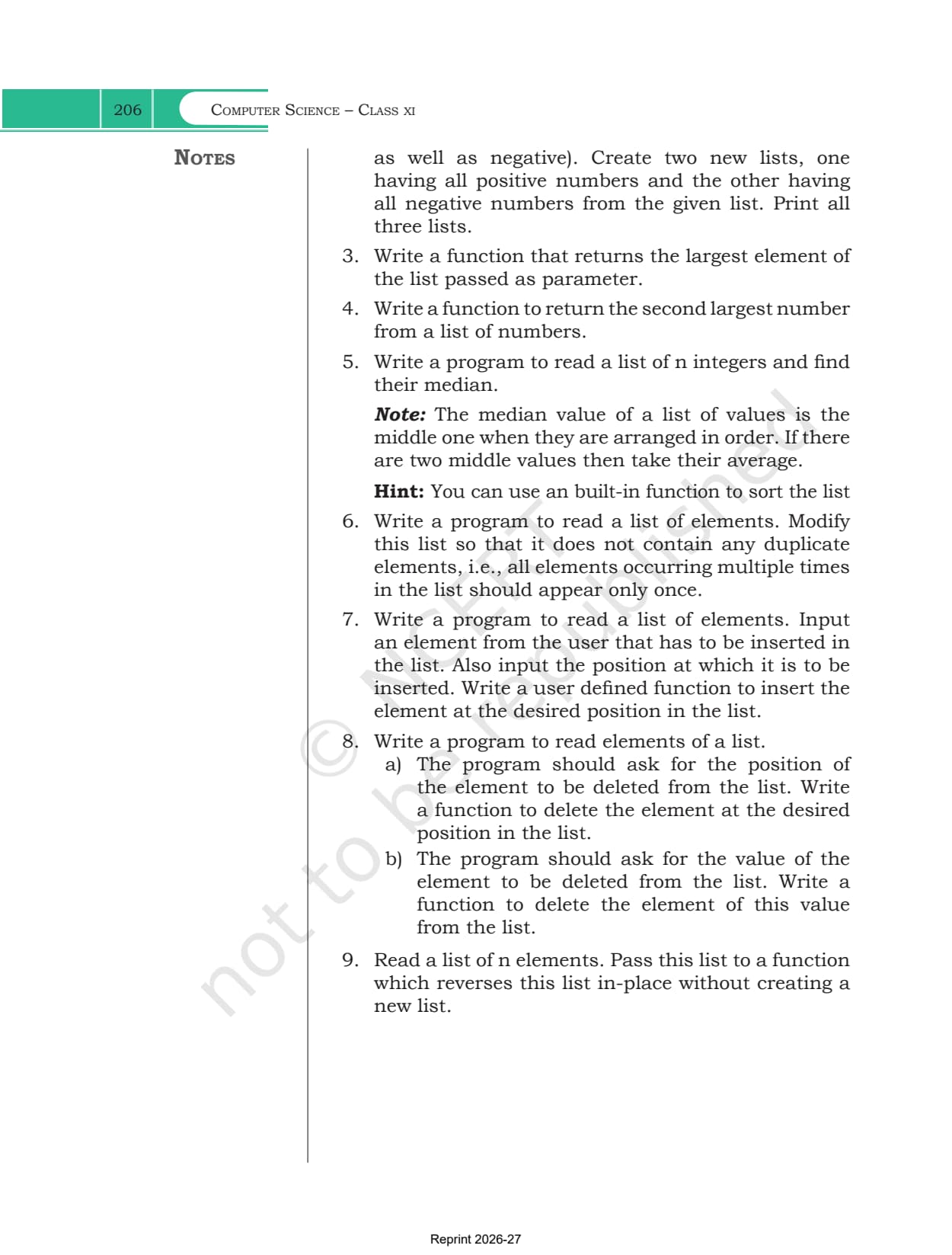
- Chapter: Chapter 9, Lists
- Book: Computer Science, the Class 11 NCERT textbook for 2026-27, 11 chapters
- File: 18 pages, printed pages 189 to 206, the complete official chapter
You can page through Table 9.1, the five worked programs and both exercise sets in the viewer above before downloading the file.
This is the official NCERT chapter file for the 2026-27 session, hosted by Collegedunia with no pages removed.
How the Lists Chapter Is Laid Out
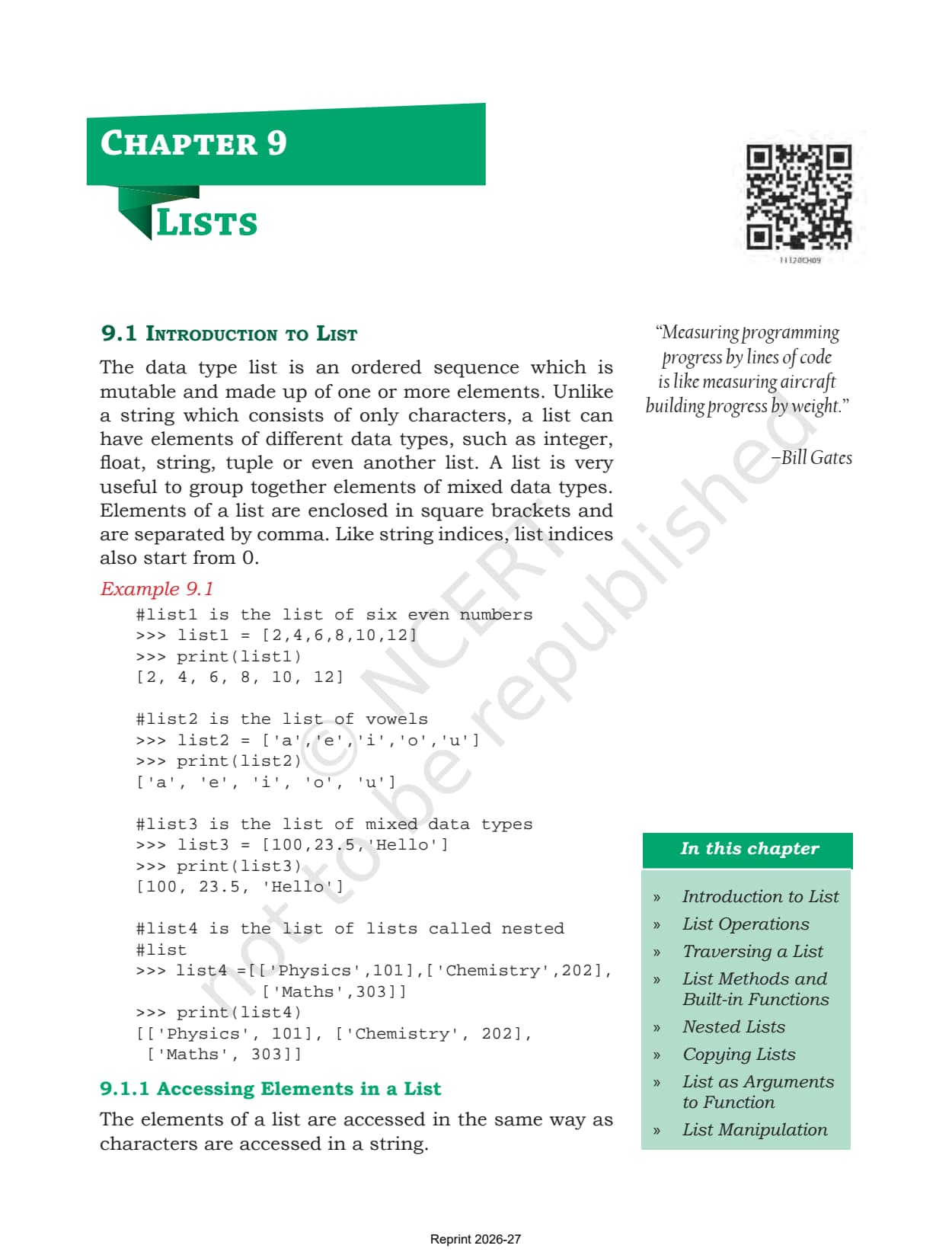
The chapter opens with a line from Bill Gates about measuring programming progress, then works through eight numbered sections. Each one adds one capability of the list type, and the last section puts all of them together in a single menu driven program.
| Section | What it covers |
|---|---|
| 9.1 Introduction to List | square brackets, mixed data types, Example 9.1 with four sample lists |
| 9.1.1 Accessing Elements in a List | index from 0, negative indices, IndexError, len() with the index |
| 9.1.2 Lists are Mutable | overwriting an element in place, the colour list example |
| 9.2 List Operations | concatenation, repetition, membership and slicing, with sub sections 9.2.1 to 9.2.4 |
| 9.3 Traversing a List | the for loop, the range() with len() form, and the while loop |
| 9.4 List Methods and Built-in Functions | Table 9.1, from len() and list() through to min(), max() and sum() |
| 9.5 Nested Lists | a list inside a list, and the two index form list1[i][j] |
| 9.6 Copying Lists | aliasing versus cloning, and the three cloning methods |
| 9.7 List as Argument to a Function | Programs 9-1 and 9-2, with the id() output that explains both |
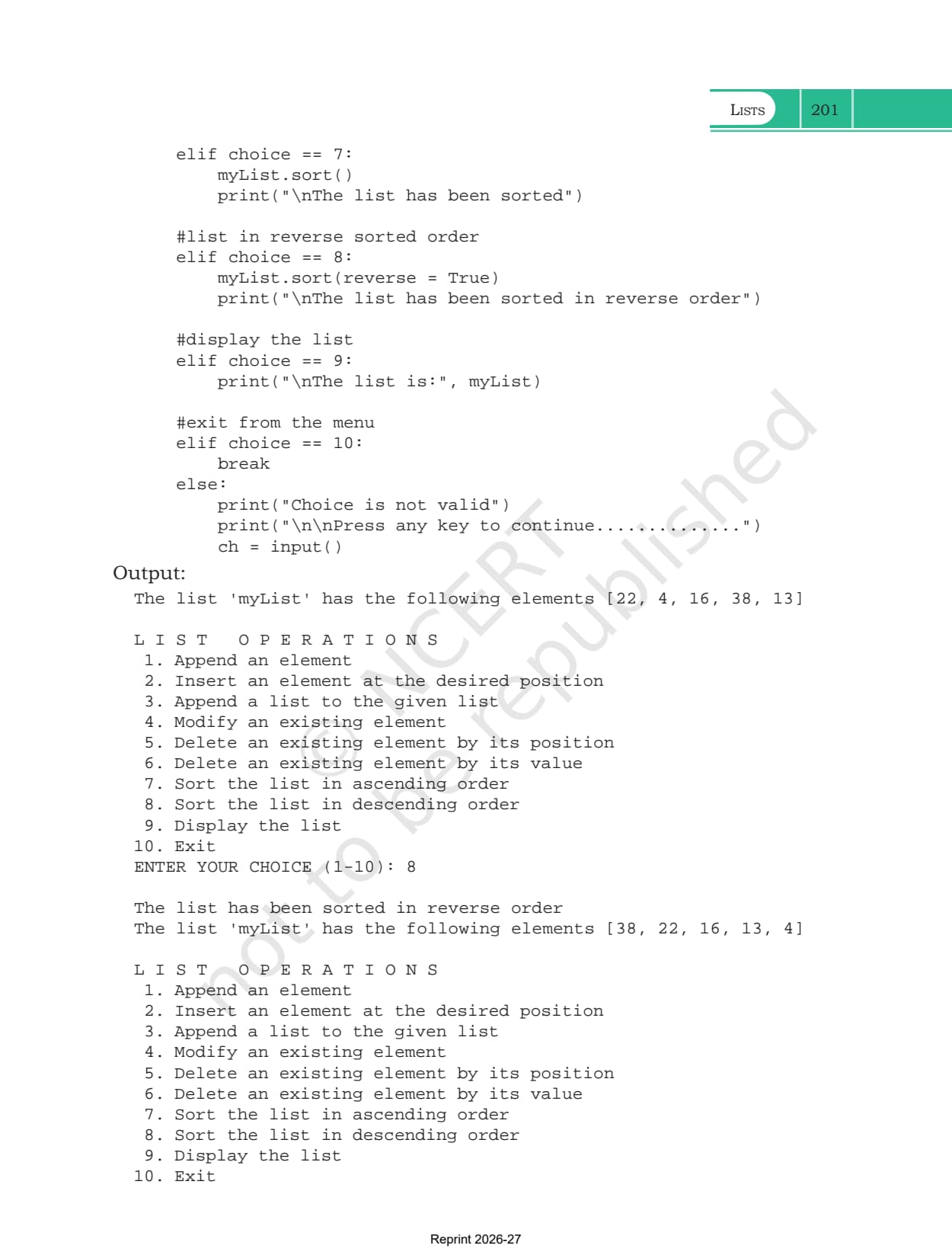
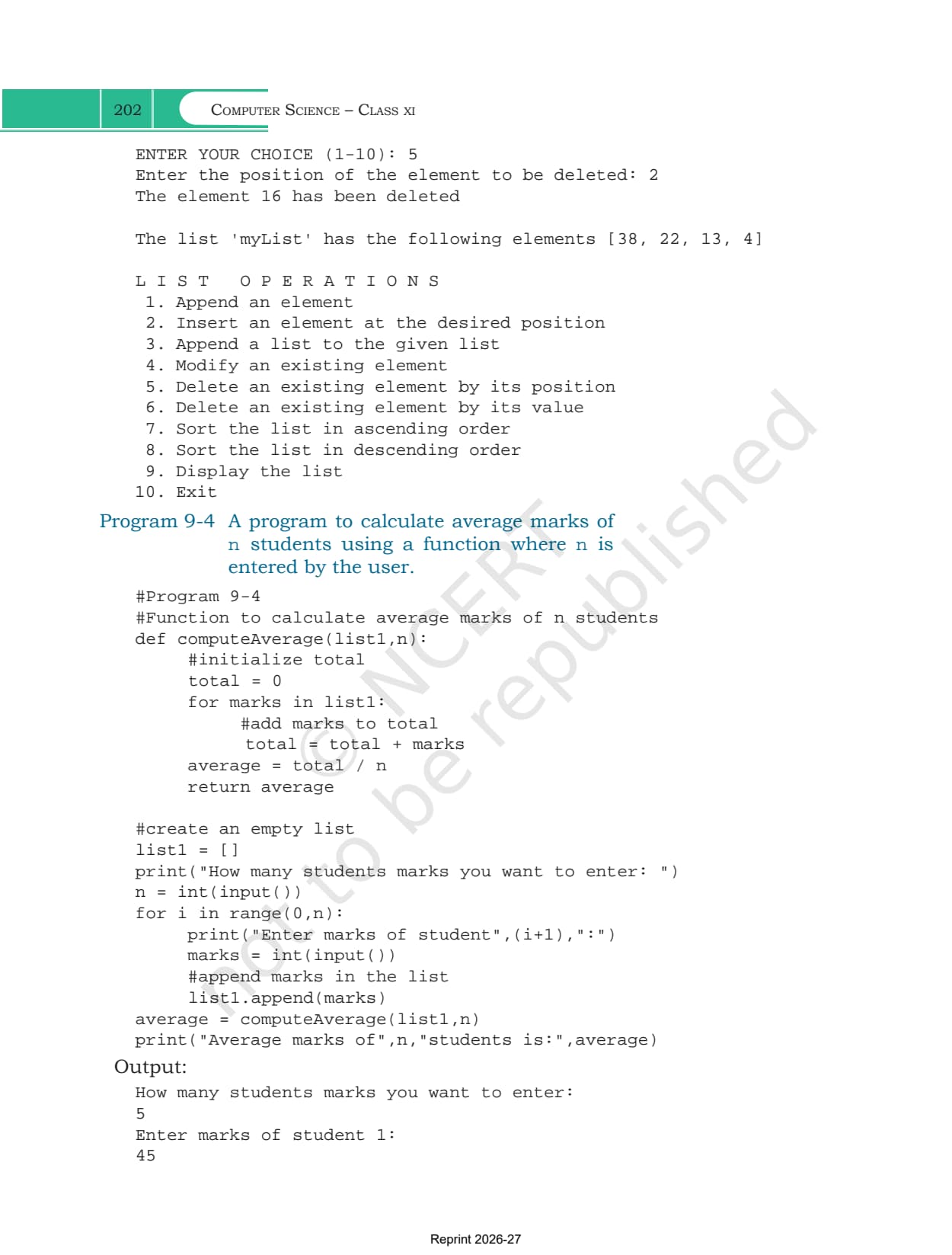
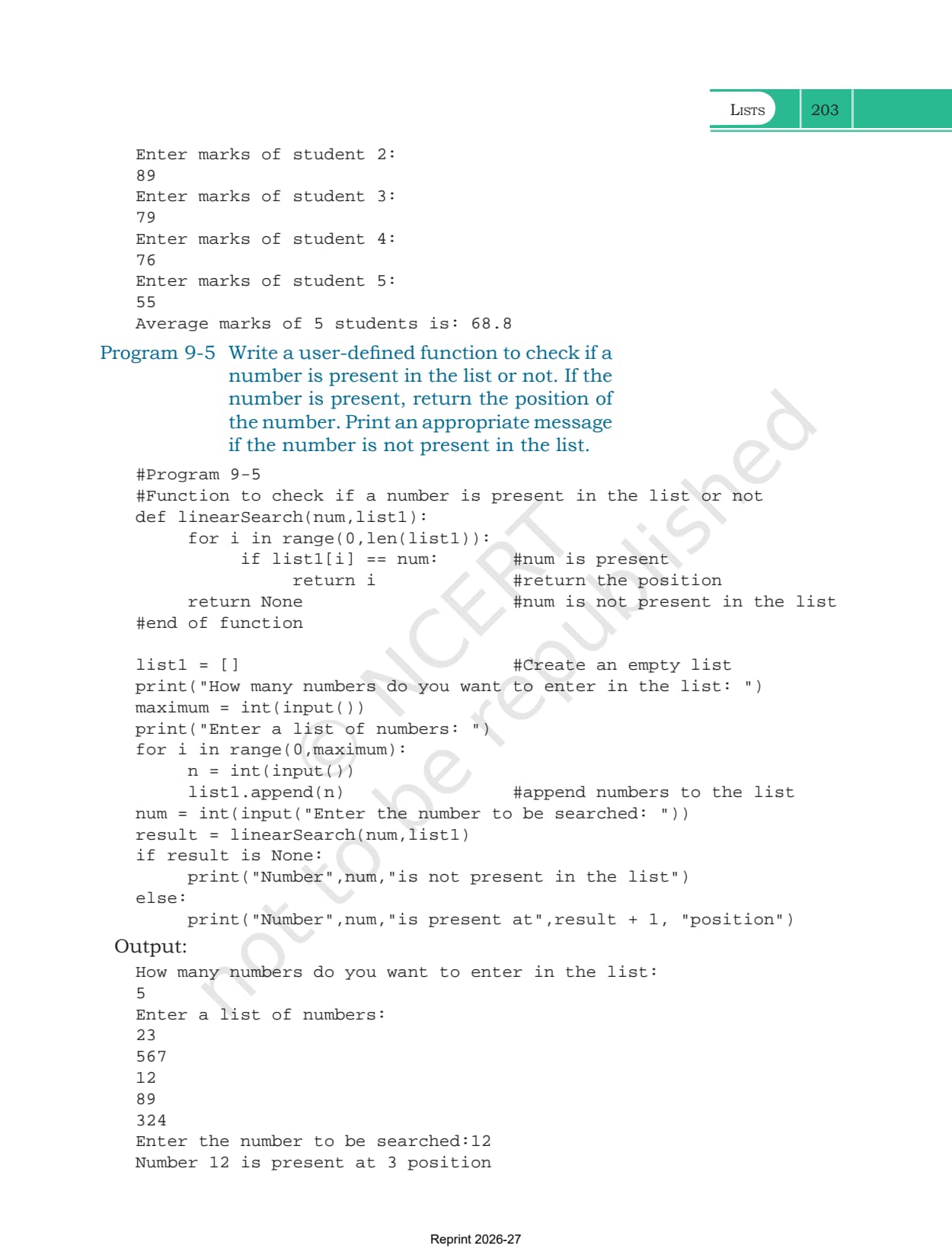
| 9.8 List Manipulation | Programs 9-3, 9-4 and 9-5, the menu driven program included |
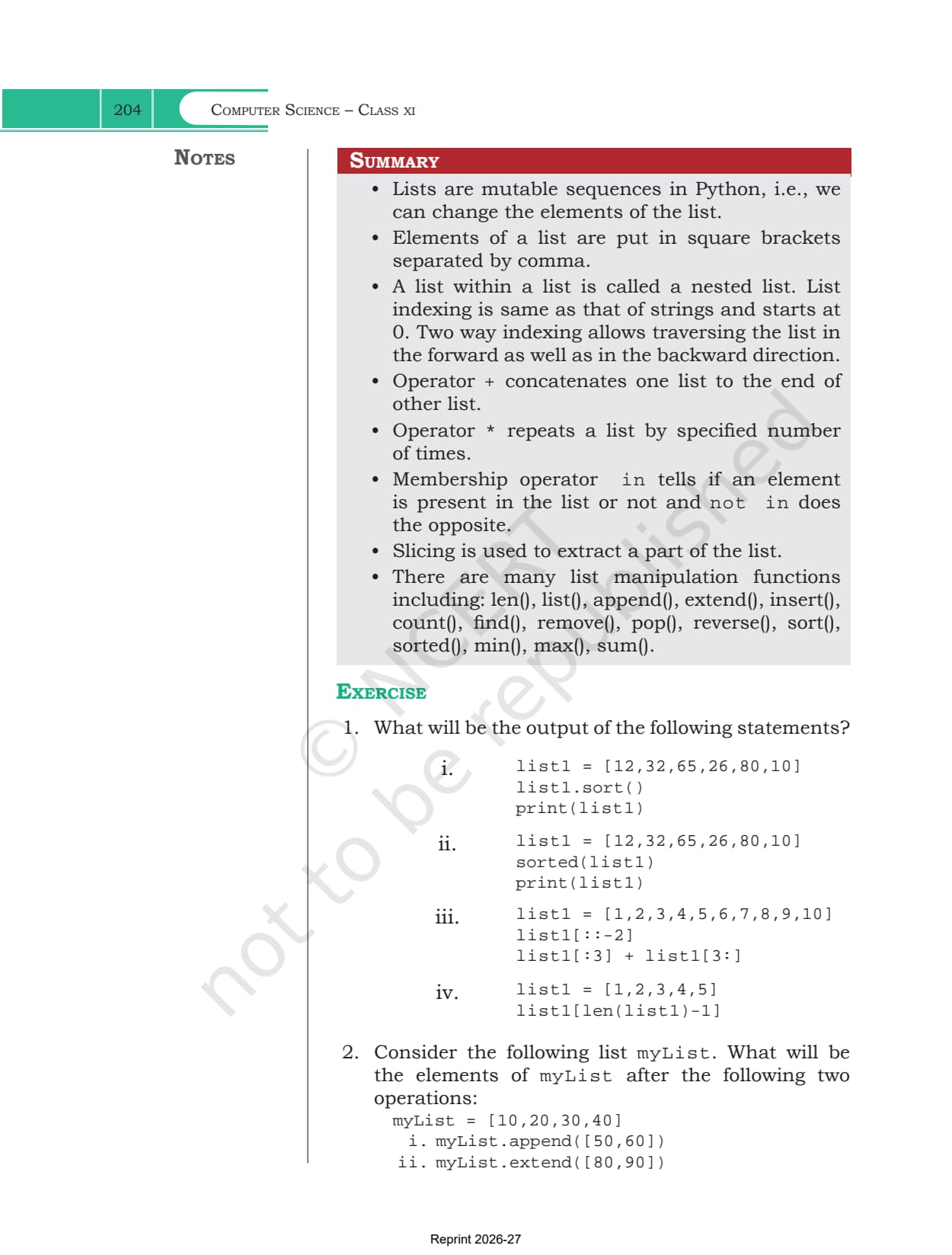
| Summary and Exercise | an eight point recap, 7 exercise questions and 9 programming problems |
What the Lists Chapter PDF Contains
The PDF holds the whole chapter exactly as NCERT printed it, with nothing trimmed from either end.
- All eight sections, from the definition of a list to the five manipulation programs
- Table 9.1, the built-in function reference, spread across three printed pages with a runnable shell example beside every method
- Examples 9.1 to 9.5, covering nested lists and all three cloning methods
- Programs 9-1 to 9-5 with their printed output, including the menu driven program with ten choices and the linear search function
- The Summary page, all 7 exercise questions and the 9 programming problems that close the chapter
Lists Class 11 Chapter Overview
Source: Magnet Brains on YouTube
Creating a List, Indexing and the Two Way Index
Section 9.1 defines a list as an ordered sequence that is mutable and made of one or more elements. The elements sit inside square brackets and are separated by commas. Unlike a string, which holds only characters, a list can mix an integer, a float, a string, a tuple or even another list in the same sequence, which is why Example 9.1 shows a list of even numbers, a list of vowels, a list of mixed types and a nested list side by side.
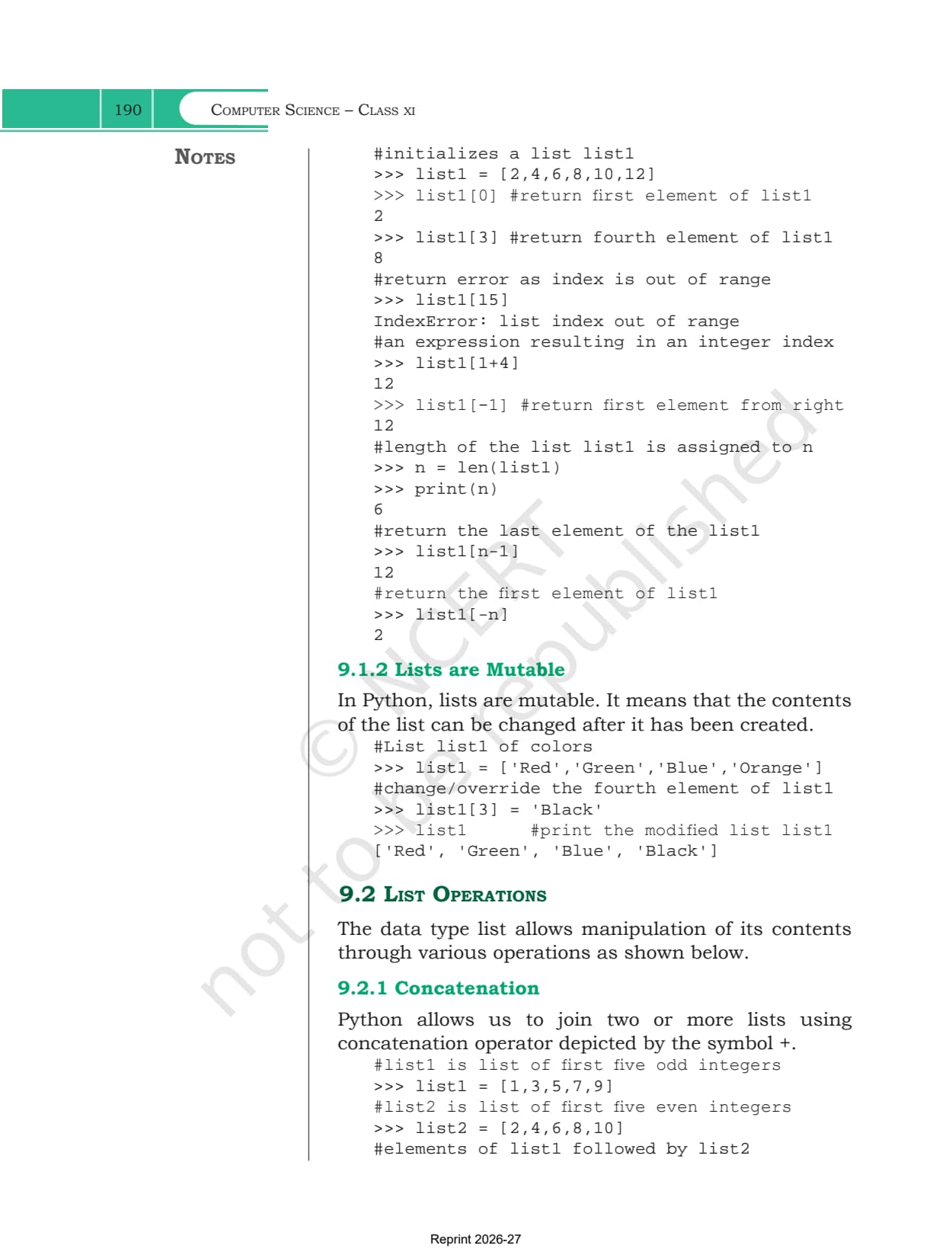
- Forward index: indices start at 0, so list1[0] returns the first element and list1[3] the fourth
- Negative index: list1[-1] returns the first element counted from the right, which is the last element of the list
- Index expressions: anything that evaluates to an integer works, so list1[1+4] is a valid index
- Using len(): if n holds len(list1), then list1[n-1] is the last element and list1[-n] is the first
- IndexError: asking for list1[15] on a six element list raises IndexError: list index out of range, the error the chapter shows first
Why a List Is Mutable When a String Is Not
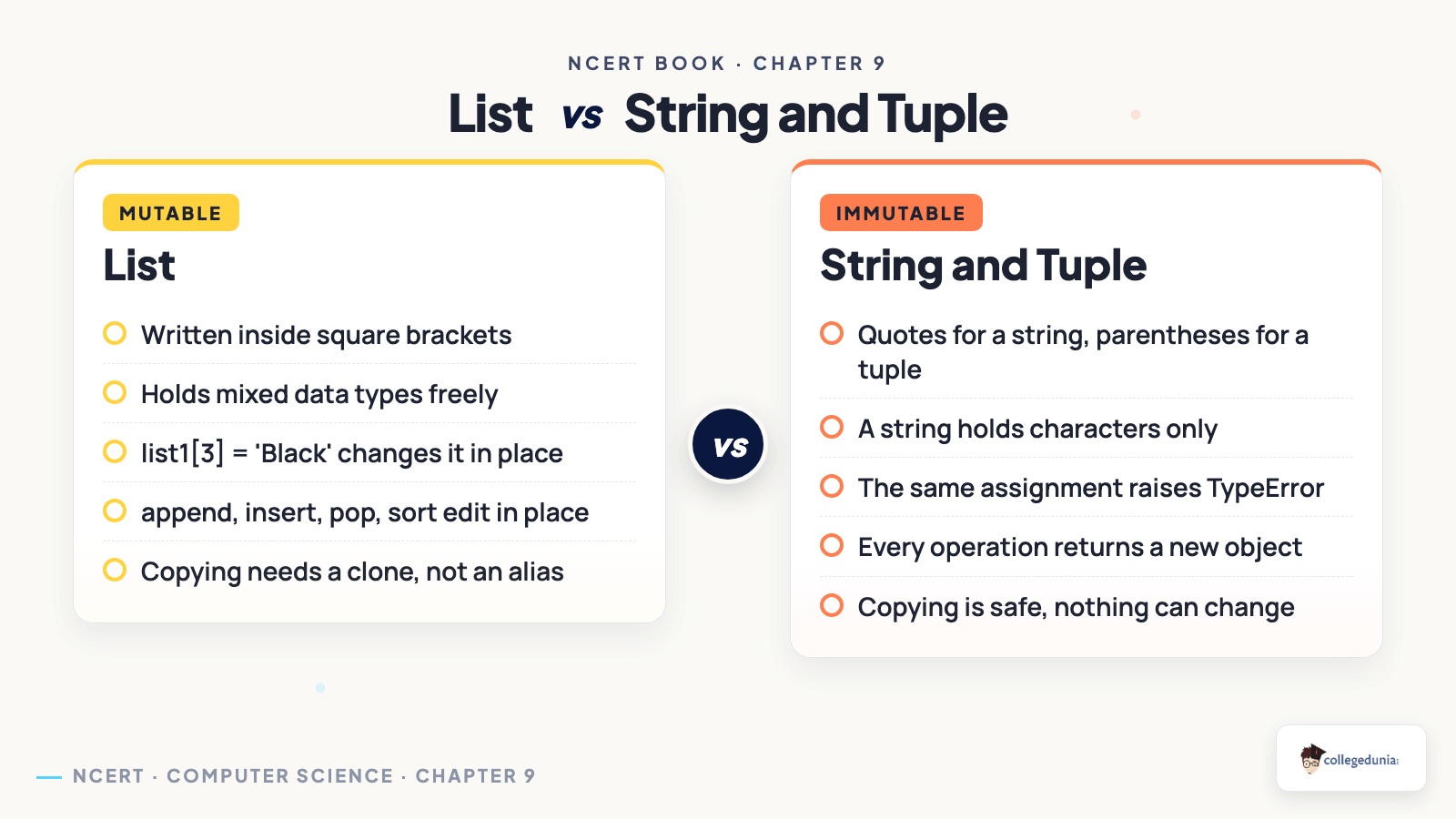
Section 9.1.2 is short but it carries the idea the rest of the chapter depends on. A list is mutable, meaning its contents can be changed after it has been created. The chapter proves it in two lines: a list of four colours is built, list1[3] is assigned the value 'Black', and printing the list shows the change in place with no new object made.
Strings and tuples behave differently. Assigning to a position inside either one raises a TypeError, so Python has to build a fresh object instead. That single difference decides which methods exist on which type, and it explains why sort() and reverse() belong to lists alone.
| Point of difference | List | String and tuple |
|---|---|---|
| Written with | square brackets | quotes for a string, parentheses for a tuple |
| Can hold mixed types | yes, integers, floats, strings, even other lists | a string holds characters only |
| Change one position | yes, list1[3] = 'Black' works | no, the assignment raises TypeError |
| Methods that edit in place | append, insert, remove, pop, sort, reverse | none, every operation returns a new object |
| Indexing and slicing | identical rules | identical rules |
List Operations from Concatenation to Slicing
Section 9.2 covers four operations, each with its own set of shell examples you can retype in the lab. All four are read only, which surprises students the first time. Concatenating or slicing a list leaves the original list untouched, so the result has to be assigned to a name if you want to keep it.
| Operation | Operator | What the chapter shows |
|---|---|---|
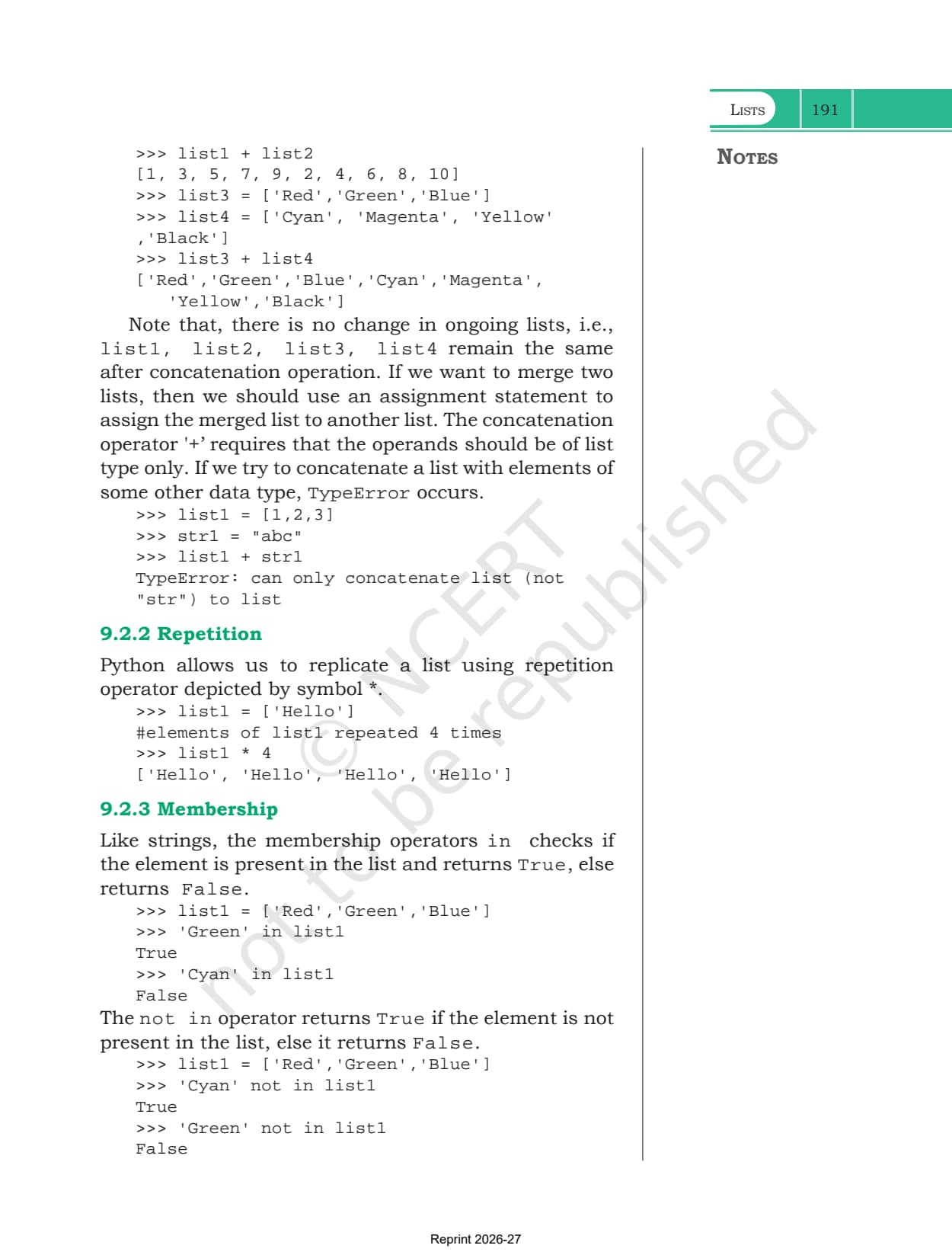
| Concatenation | + | list1 + list2 joins them end to end. Both operands must be lists, or you get TypeError: can only concatenate list |
| Repetition | * | ['Hello'] * 4 gives the same element four times over |
| Membership | in and not in | 'Green' in list1 returns True or False, exactly as it does for a string |
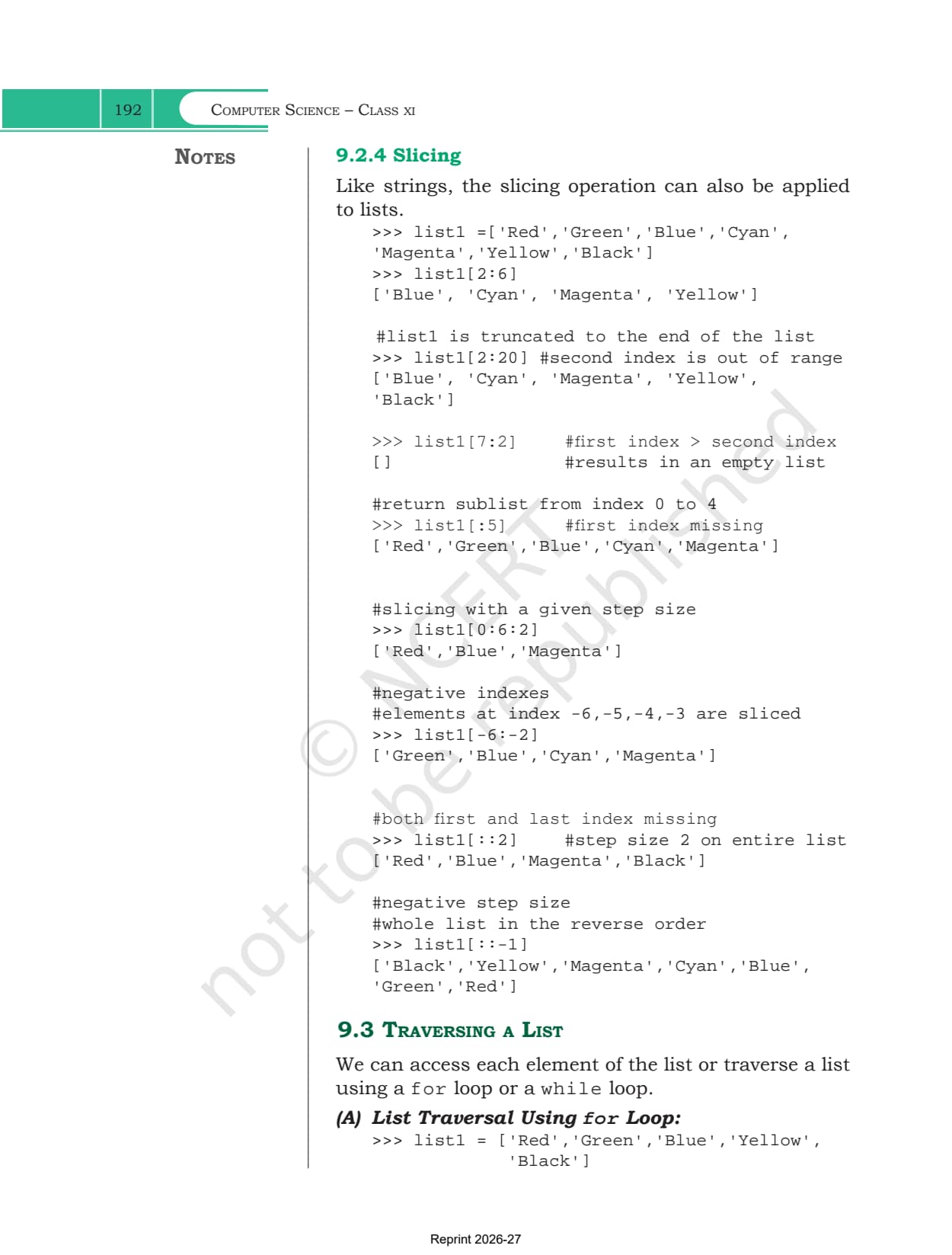
| Slicing | [start:stop:step] | list1[2:6] takes a sublist, list1[:5] starts at the beginning, list1[0:6:2] adds a step |
The slicing examples are the ones worth reading twice. A second index that runs past the end is simply truncated, so list1[2:20] stops at the last element instead of raising an error. A first index larger than the second returns an empty list. Negative indices work inside a slice, so list1[-6:-2] is legal. And list1[::-1], a step of minus one over the whole list, returns the list in reverse order without changing the original.
Traversing a List with for and while Loops
Section 9.3 gives three ways to visit every element, and exercise question 3 tests the second one directly by printing only the even indexed items.
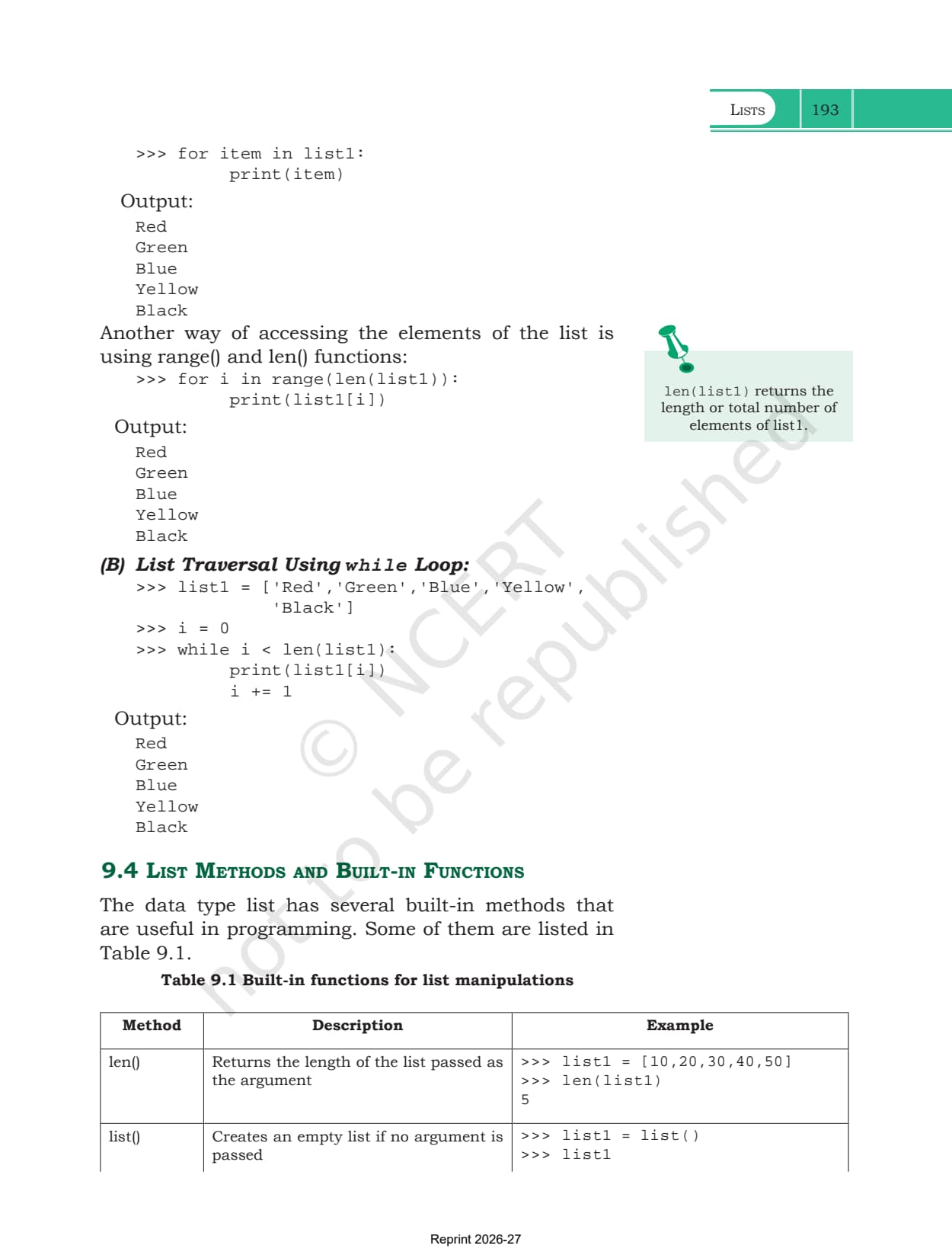
- The for item loop: writing for item in list1 hands you the element itself on each pass, which is the shortest form and the one to use when you do not need the position
- The range and len loop: for i in range(len(list1)) hands you the index instead, so list1[i] is the element. Use this when the position matters, as it does in Program 9-5
- The while loop: set i to 0, loop while i is less than len(list1), print list1[i] and add one to i. Forgetting the increment is the classic infinite loop in this chapter
List Methods and Built-in Functions in Table 9.1
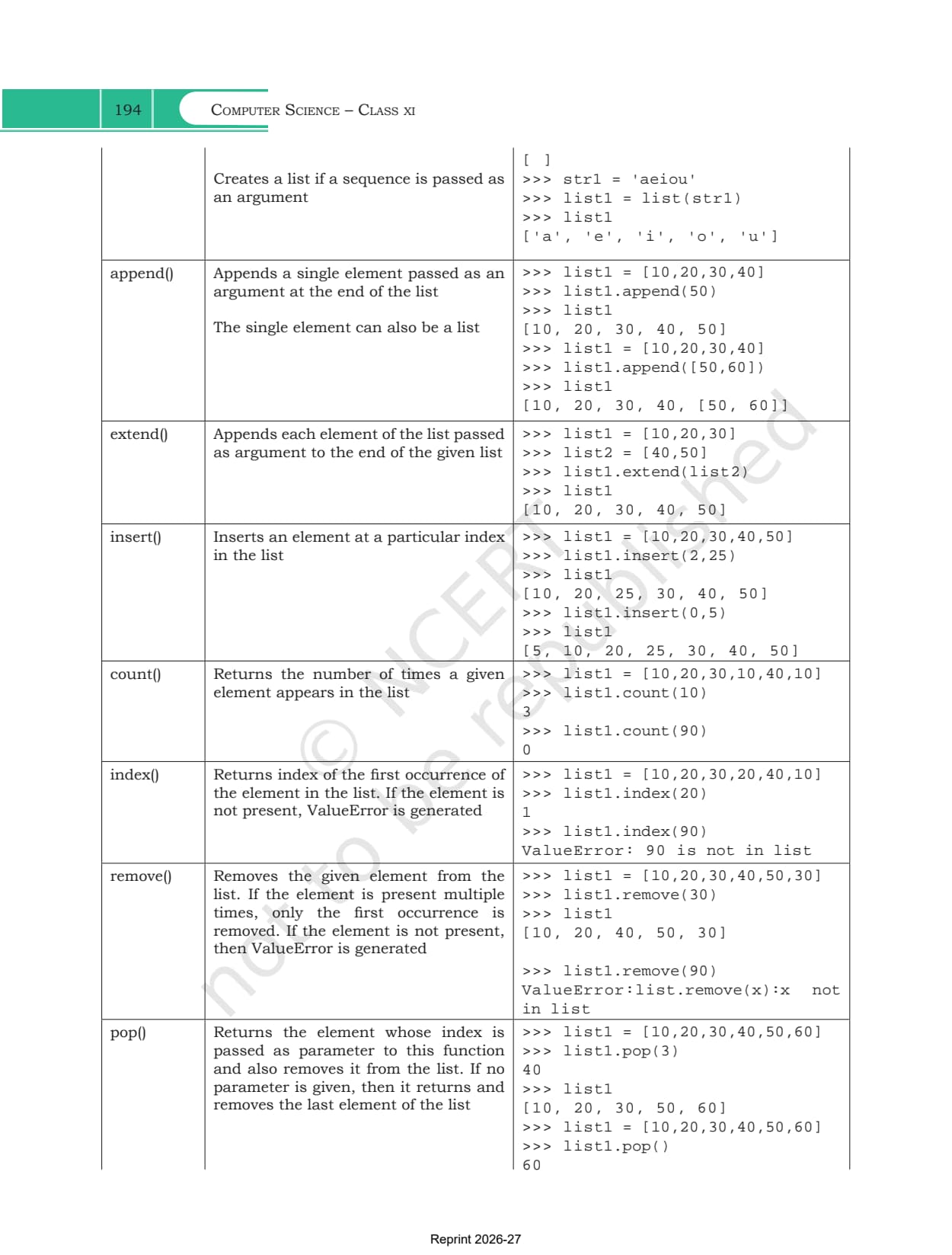
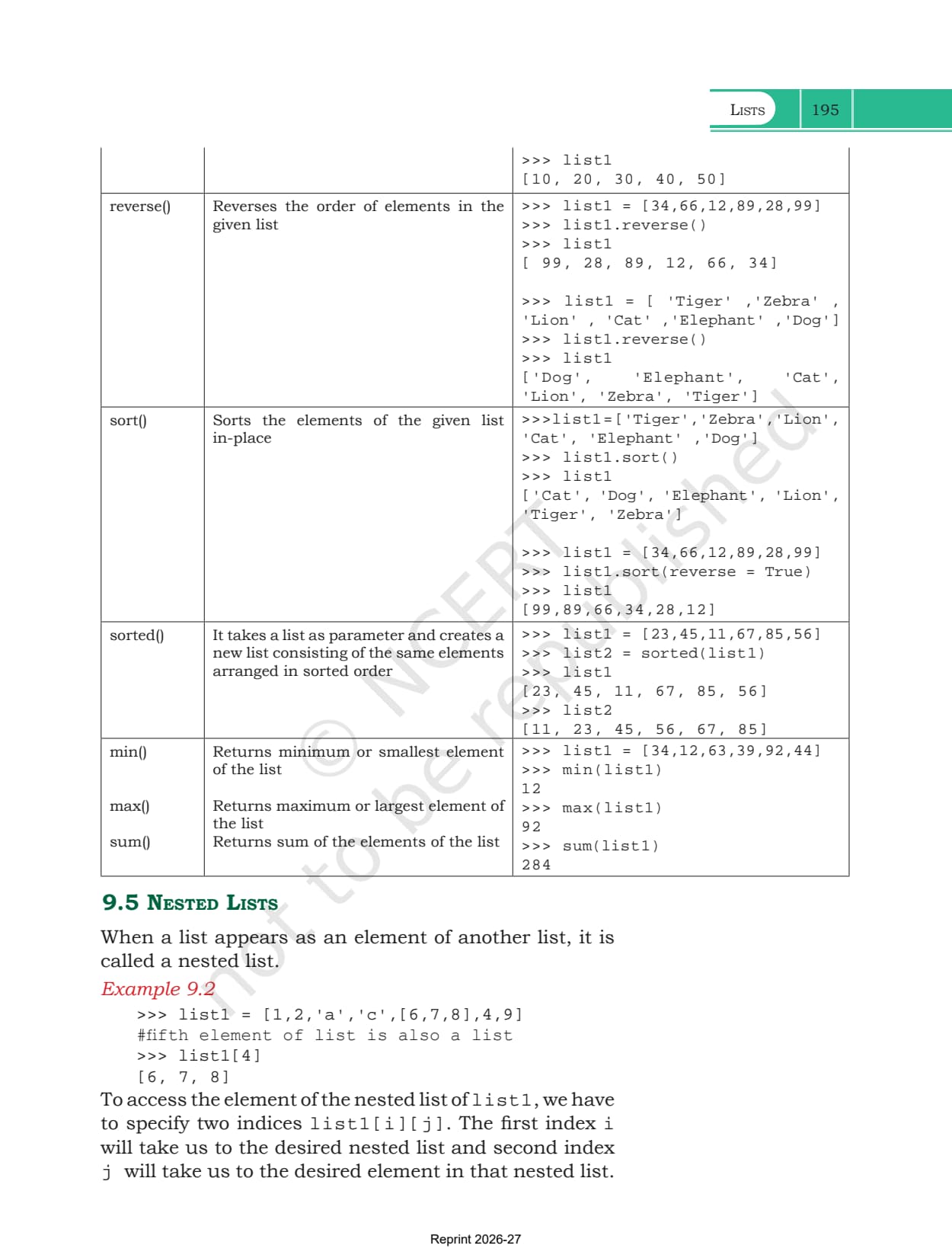
Section 9.4 is the reference part of the chapter, and Table 9.1 is the page students photograph most often. Every entry pairs a one line description with a shell transcript showing the exact output, so the table doubles as a set of dry run questions.
| Method | What it does |
|---|---|
| len() | returns the number of elements in the list |
| list() | creates an empty list, or turns a sequence such as a string into a list |
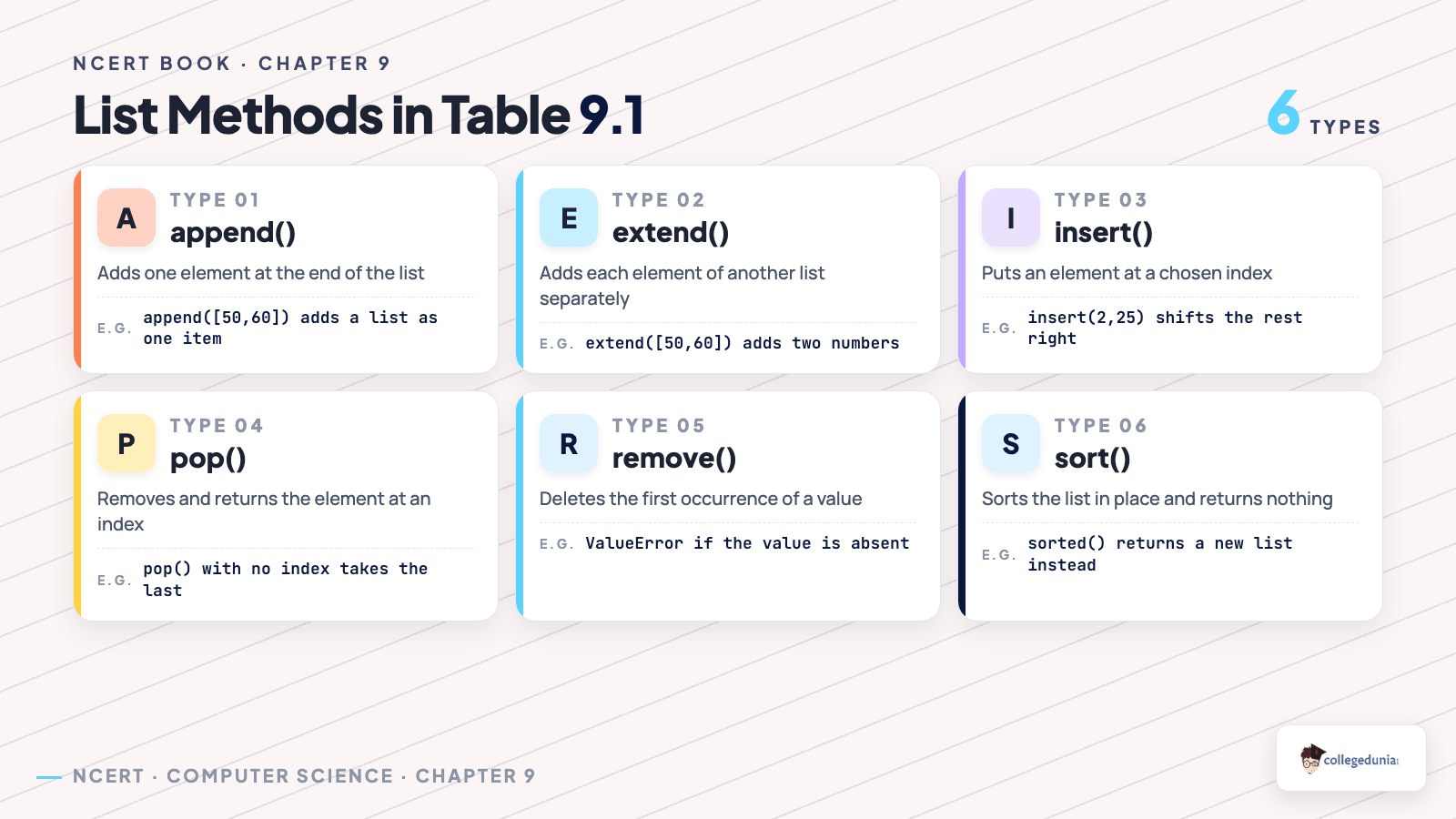
| append() | adds one element at the end. If that element is a list, the whole list goes in as a single item |
| extend() | adds each element of the argument list separately at the end |
| insert() | puts an element at a given index, shifting the rest to the right |
| count() | returns how many times a value appears, and 0 if it never does |
| index() | returns the index of the first occurrence, or raises ValueError |
| remove() | deletes the first occurrence of a value, or raises ValueError |
| pop() | removes the element at a given index and returns it. With no argument it takes the last one |
| reverse() | flips the order of the list in place |
| sort() | sorts the list in place, and sort(reverse = True) sorts it downwards |
| sorted() | returns a new sorted list and leaves the original exactly as it was |
| min(), max(), sum() | return the smallest element, the largest element and the total |
Two pairs decide most of the marks here. append() against extend() is exercise question 5: appending [50,60] to [10,20,30,40] gives a four element list whose last item is a list, while extending it gives six separate numbers. sort() against sorted() is exercise question 1: sort() changes the list and returns nothing, sorted() returns a new list and changes nothing, which is why calling sorted(list1) on its own line appears to do nothing at all.
Nested Lists, Copying a List and Passing a List to a Function
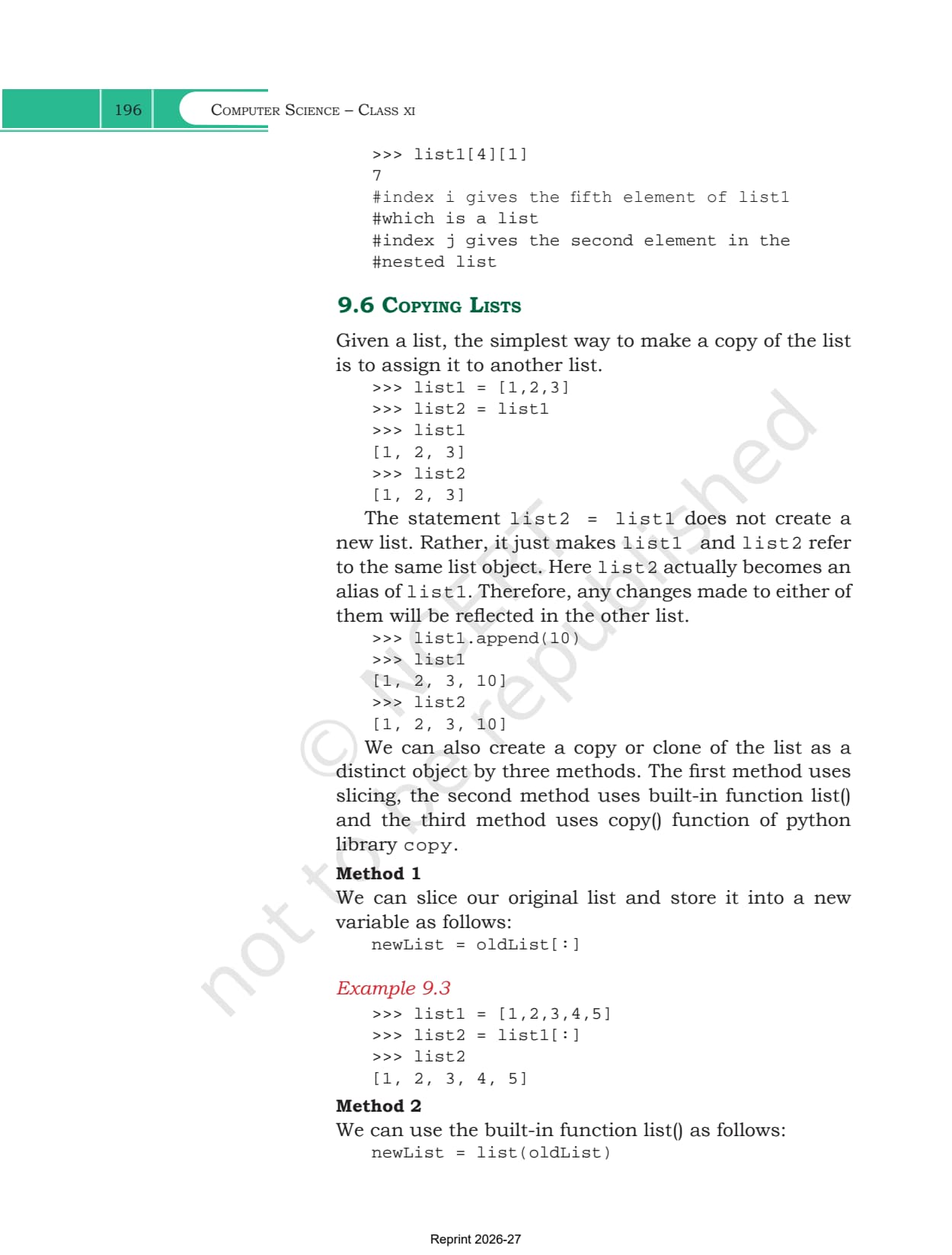
The last three sections are where mutability starts to have consequences. Section 9.5 introduces the nested list, a list that appears as an element of another list. Reaching an item inside one takes two indices, list1[i][j], where i selects the inner list and j selects the element within it. Exercise question 7 uses this on a student record that holds a name, a roll number, a list of five subject marks and a percentage.
Section 9.6 then draws the line that trips up most students. Writing list2 = list1 does not copy anything. It makes both names refer to the same list object, so list2 is an alias and appending through one name shows up through the other. To get a genuine clone the chapter gives three methods.
- Slicing: newList = oldList[:] takes a full slice, which builds a fresh list
- The list() function: newList = list(oldList) does the same in one call
- The copy library: import copy, then newList = copy.copy(oldList)
All three are shallow copies, so on a nested list the inner lists are still shared and editing one shows up in both. That is the pitfall to watch when a clone seems not to have worked.
Section 9.7 closes the loop with two programs. In Program 9-1 the function edits the elements of the list it receives, and the id() printed inside the function matches the id() printed outside, so the change is visible to the caller. In Program 9-2 the function assigns a brand new list to the parameter name, the id() changes at that moment, and the original list comes back untouched.
What Collegedunia Adds to This Chapter PDF
Collegedunia gives students the file plus a way into it. The chapter PDF itself is the official NCERT file, untouched.
- Official file: the exact NCERT chapter PDF, no pages removed
- Read in the browser: page through all 18 pages before downloading
- Chapter list: jump to any other chapter from one table
Also Check: the other Class 11 Computer Science resources for this chapter.
| Resource | Link |
|---|---|
| Handwritten notes | Lists Class 11 Handwritten Notes |
| Chapter notes | Lists Class 11 Notes (coming soon) |
| Chapter solutions | Lists Class 11 NCERT Solutions (coming soon) |
| Previous chapter handwritten notes | Strings Class 11 Handwritten Notes |
| Next chapter handwritten notes | Tuples and Dictionaries Class 11 Handwritten Notes |
Class 11 Computer Science NCERT Book PDF: All Chapters
Every chapter of the book is on its own page. The 2026-27 Class 11 Computer Science textbook has 11 chapters, and chapters 5 to 10 form the Python programming block that this chapter sits inside.
| Chapter | Download |
|---|---|
| Chapter 1 | Computer System NCERT Book PDF |
| Chapter 2 | Encoding Schemes and Number System NCERT Book PDF |
| Chapter 3 | Emerging Trends NCERT Book PDF |
| Chapter 4 | Introduction to Problem Solving NCERT Book PDF |
| Chapter 5 | Getting Started with Python NCERT Book PDF |
| Chapter 6 | Flow of Control NCERT Book PDF (coming soon) |
| Chapter 7 | Functions NCERT Book PDF (coming soon) |
| Chapter 8 | Strings NCERT Book PDF (coming soon) |
| Chapter 9 | Lists NCERT Book PDF |
| Chapter 10 | Tuples and Dictionaries NCERT Book PDF (coming soon) |
| Chapter 11 | Societal Impact NCERT Book PDF (coming soon) |
Lists Class 11 NCERT Book PDF FAQs
Common Student Questions on the Lists Chapter File
Ques. Where can I download the Class 11 Computer Science Chapter 9 NCERT Book PDF?
Ans. The official 18-page chapter file is on this page, free to download.
Ques. How many pages is the Lists chapter?
Ans. 18 pages, printed pages 189 to 206 in the 2026-27 book, and this PDF is the complete chapter.
Ques. What is the difference between append() and extend()?
Ans. append() adds its argument as one single element, so appending [50,60] to [10,20,30,40] gives [10, 20, 30, 40, [50, 60]]. extend() adds each element of the argument separately, giving [10, 20, 30, 40, 50, 60]. This is exercise question 5.
Ques. What is the difference between sort() and sorted()?
Ans. sort() rearranges the list in place and returns nothing. sorted() builds and returns a new sorted list while leaving the original list unchanged, which is why printing the old list after calling sorted() shows the original order.
Ques. Why are lists called mutable in this chapter?
Ans. Because an element can be replaced after the list is built. Assigning list1[3] = 'Black' changes that position in place. The same assignment on a string or a tuple raises a TypeError.
Ques. How do I copy a list without creating an alias?
Ans. Writing list2 = list1 only makes a second name for the same object. Use a full slice, list2 = list1[:], or list2 = list(list1), or import copy and use copy.copy(list1). All three build a separate list object.
Ques. How do I reach an element inside a nested list?
Ans. Use two indices in the form list1[i][j]. The first index picks the inner list and the second picks the element inside it, so on [1,2,'a','c',[6,7,8],4,9] the expression list1[4][1] returns 7.
Ques. Is this the official NCERT file?
Ans. Yes. It is the NCERT chapter PDF for 2026-27 hosted as published, with no pages removed or added.



Comments