




These Tuples and Dictionaries handwritten notes turn the whole chapter into clean, handwritten pages for fast last-minute revision. They follow the 2026-27 NCERT syllabus and Chapter 10 of Class 11 Computer Science. Students get tuple creation and the single-element comma rule, immutability, tuple operations and methods, packing and unpacking, then dictionaries with key-value pairs, adding and deleting items, the keys(), values(), items() and get() methods, traversal and a worked word-frequency program, all with the Python code written out by hand.

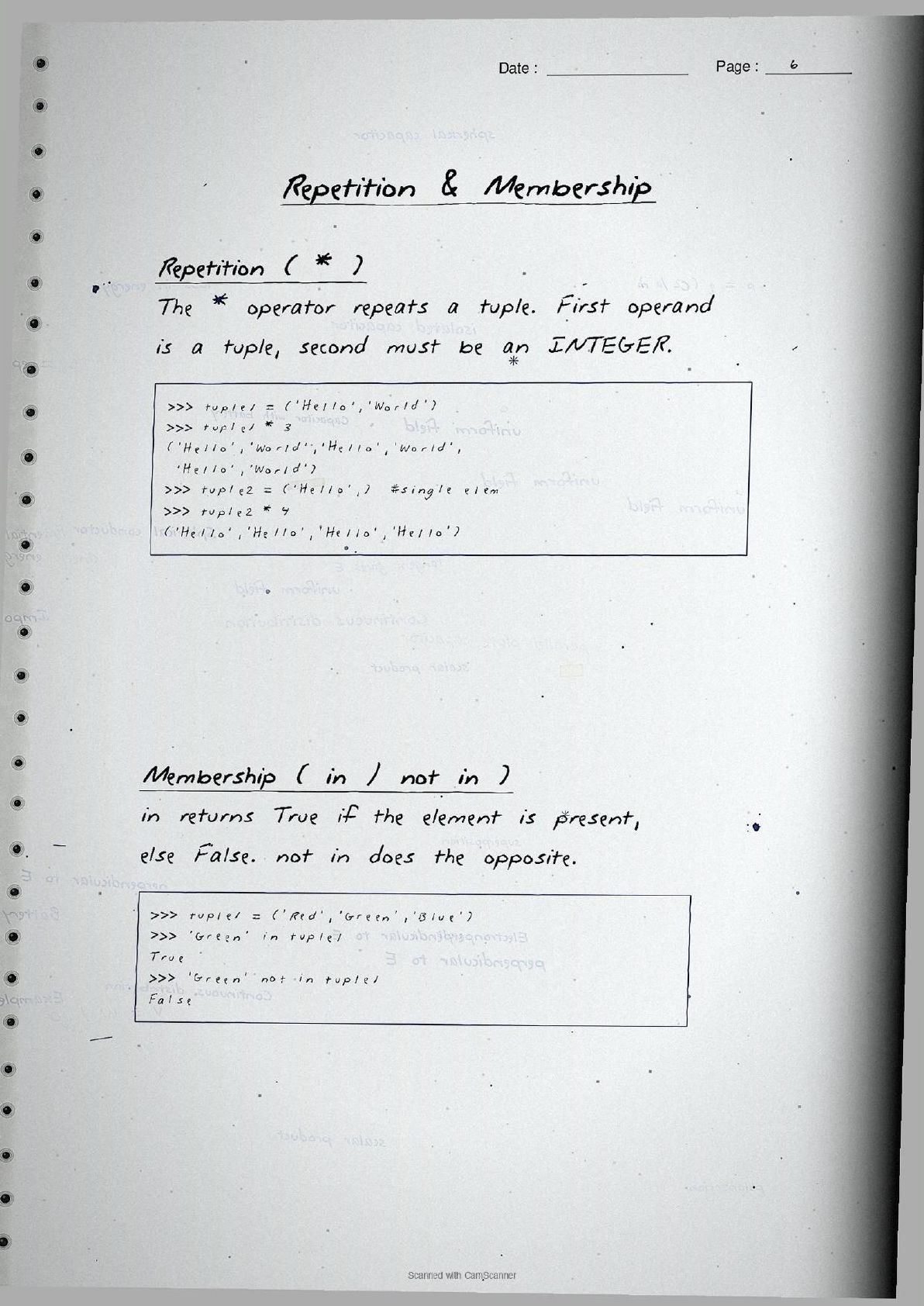


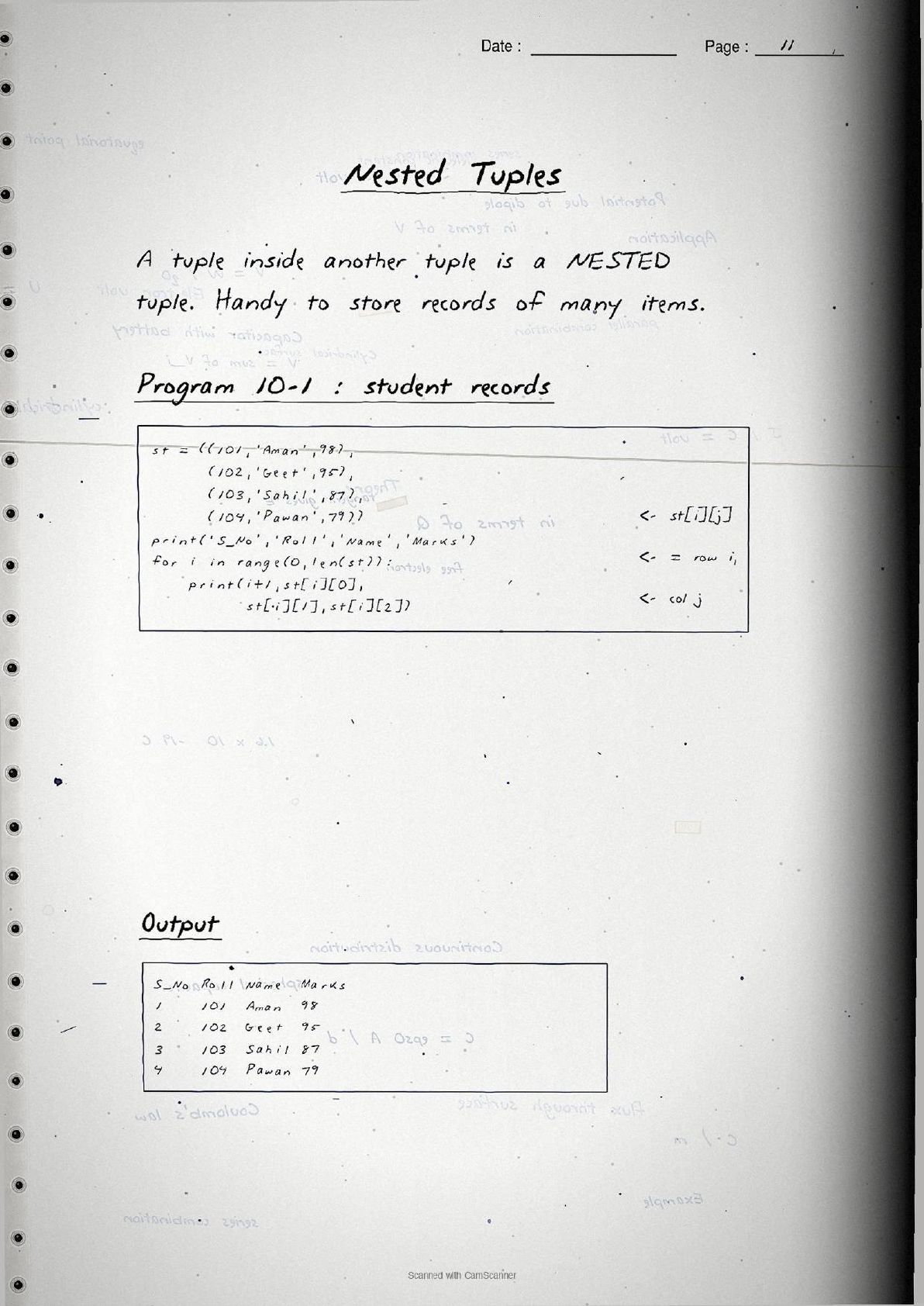
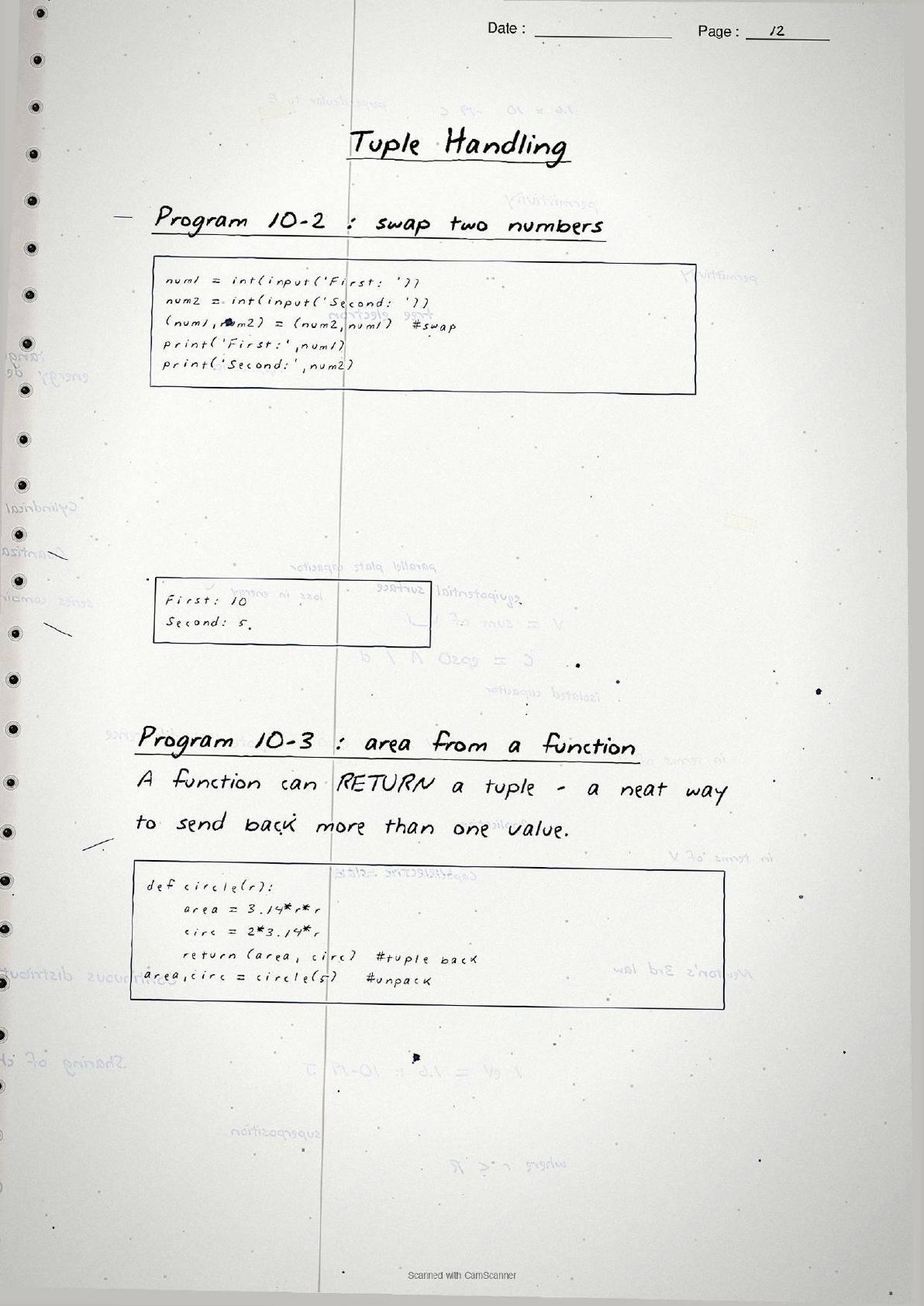
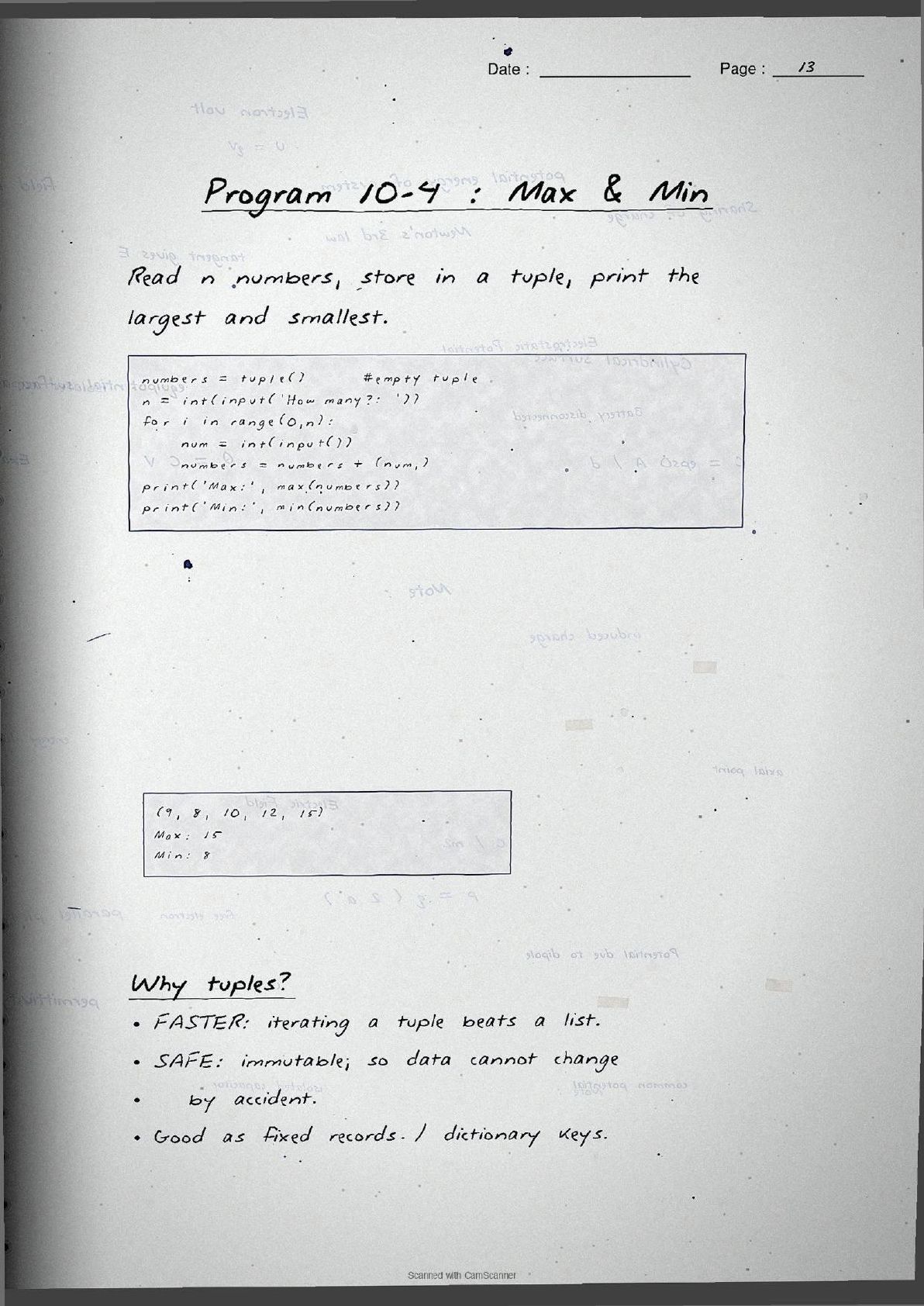

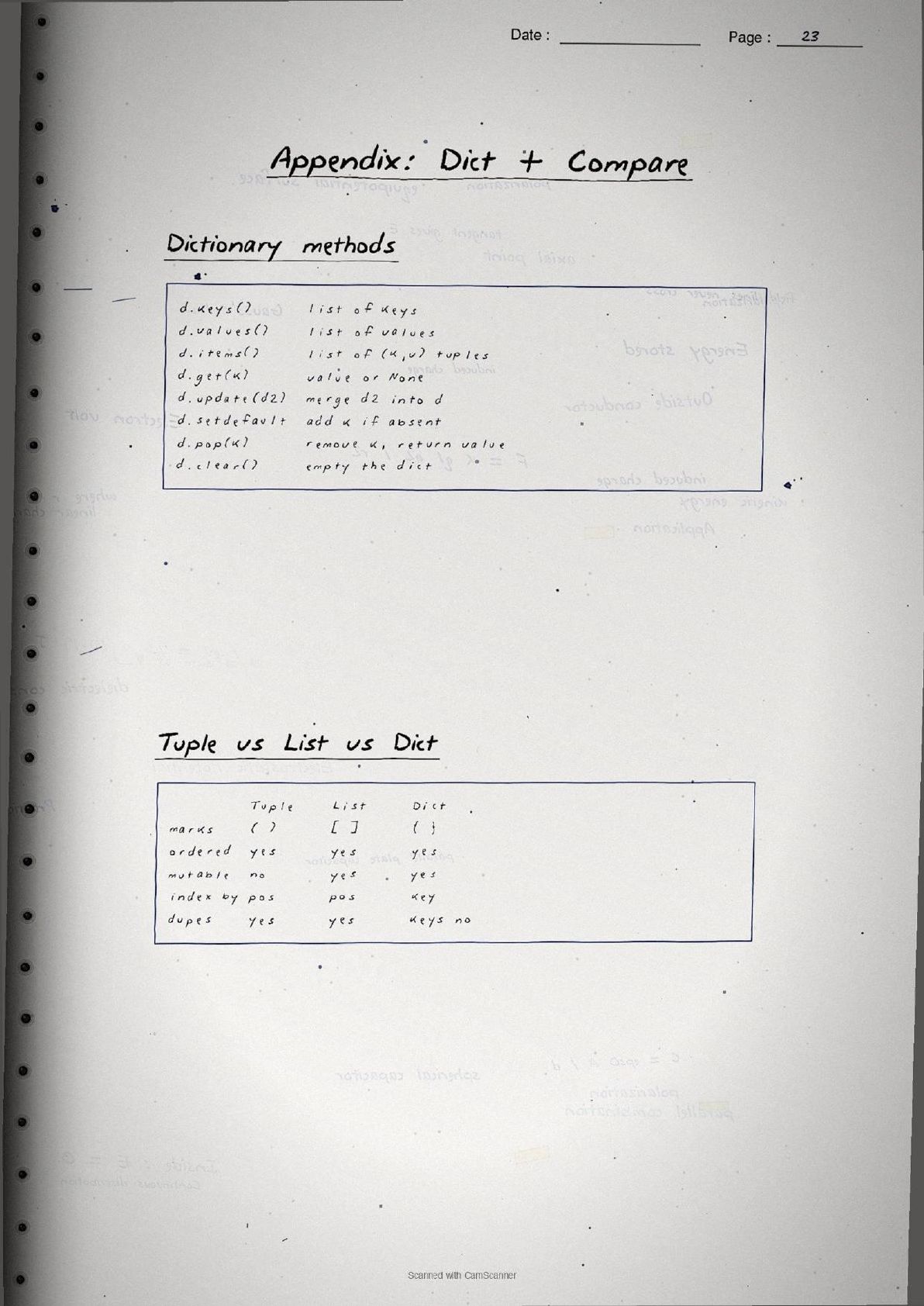
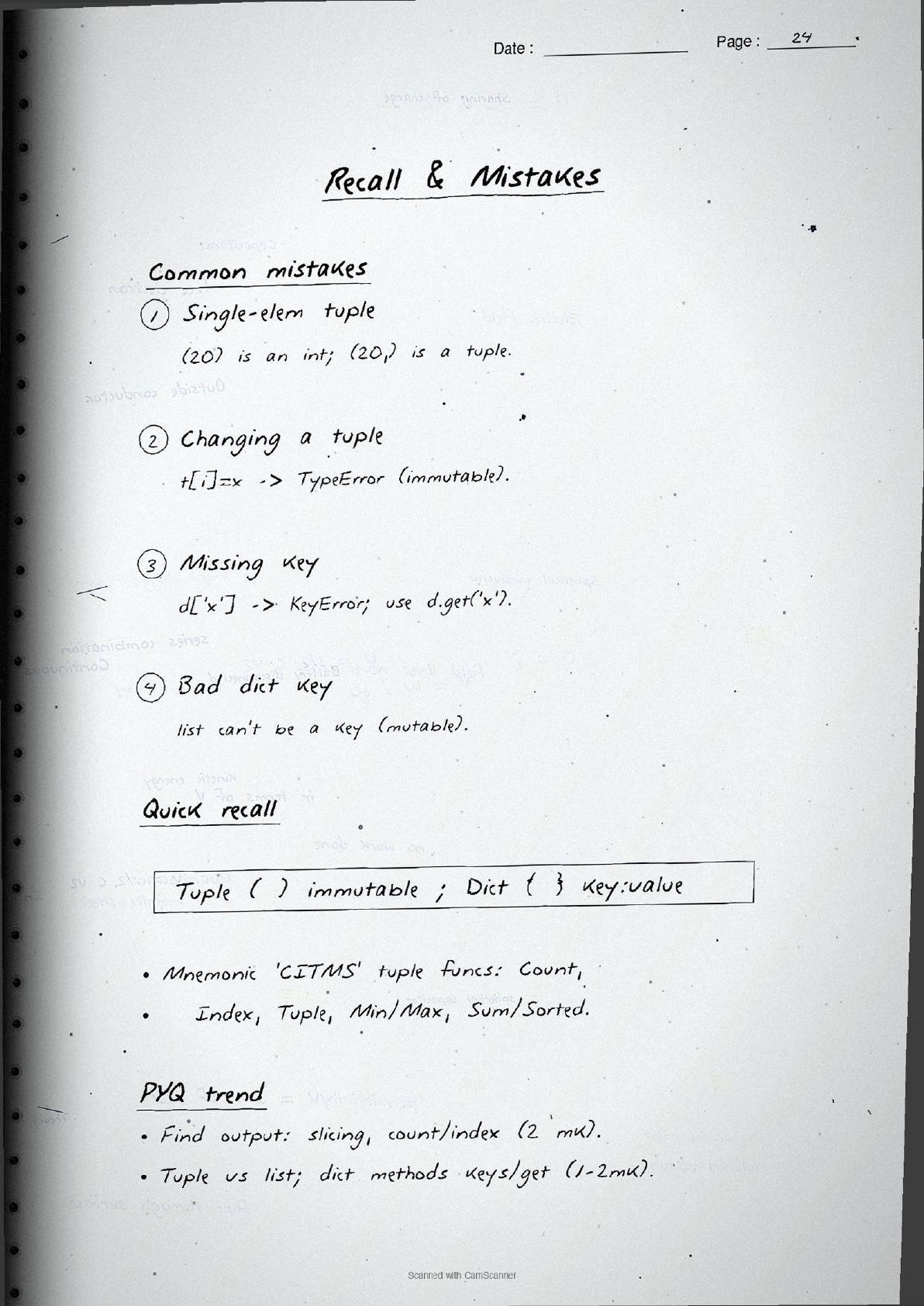
- Handwritten pages with boxed syntax, interactive Python sessions, and a tuple-versus-list-versus-dictionary comparison drawn by hand.
- This chapter of Class 11 Computer Science builds directly on Lists, so its ideas carry into the rest of the Python course.
- Pairs with the NCERT Solutions, Notes and Book PDF linked lower on this page.
These Tuples and Dictionaries handwritten notes are prepared from the official NCERT Computer Science textbook and checked against recent CBSE Class 11 question papers.
Student Feedback: In a Collegedunia poll of 4,640 Class 11 Computer Science students, 78% of students said seeing the Python code written out by hand made tuple slicing and dictionary methods click faster than a printed textbook, because the boxed syntax and the output written under each session showed exactly what runs and what it returns.
Source: 2026-27 Class 11 Computer Science student poll. Sample of 4,640 students from CBSE schools across 9 states.
What These Tuples and Dictionaries Handwritten Notes Contain
Tuples and Dictionaries is Chapter 10 of Class 11 Computer Science. It introduces two more of Python's built-in data types after strings and lists. These handwritten notes condense the chapter into pen-on-paper pages that read like a topper's own notebook, with every Python session and program traced by hand and its output written right below it.
The notes are organised under two big threads, each on its own set of handwritten pages:
- Tuples: creating them, the single-element comma rule, immutability, indexing and slicing, the operations
+,*andin, the methods and built-in functions, and tuple assignment for packing and unpacking. - Dictionaries: the key-value idea, creating and accessing items by key, adding, updating and deleting, the methods
keys(),values(),items()andget(), traversal with aforloop, and nested records.
Because the pages are handwritten, the syntax sits in boxed code blocks and margin arrows instead of long paragraphs. A student can flip through the tuples and dictionaries class 11 pages in a few minutes and still recall the comma rule, the immutability point and the four core dictionary methods before an exam.
Tuples in the Handwritten Pages
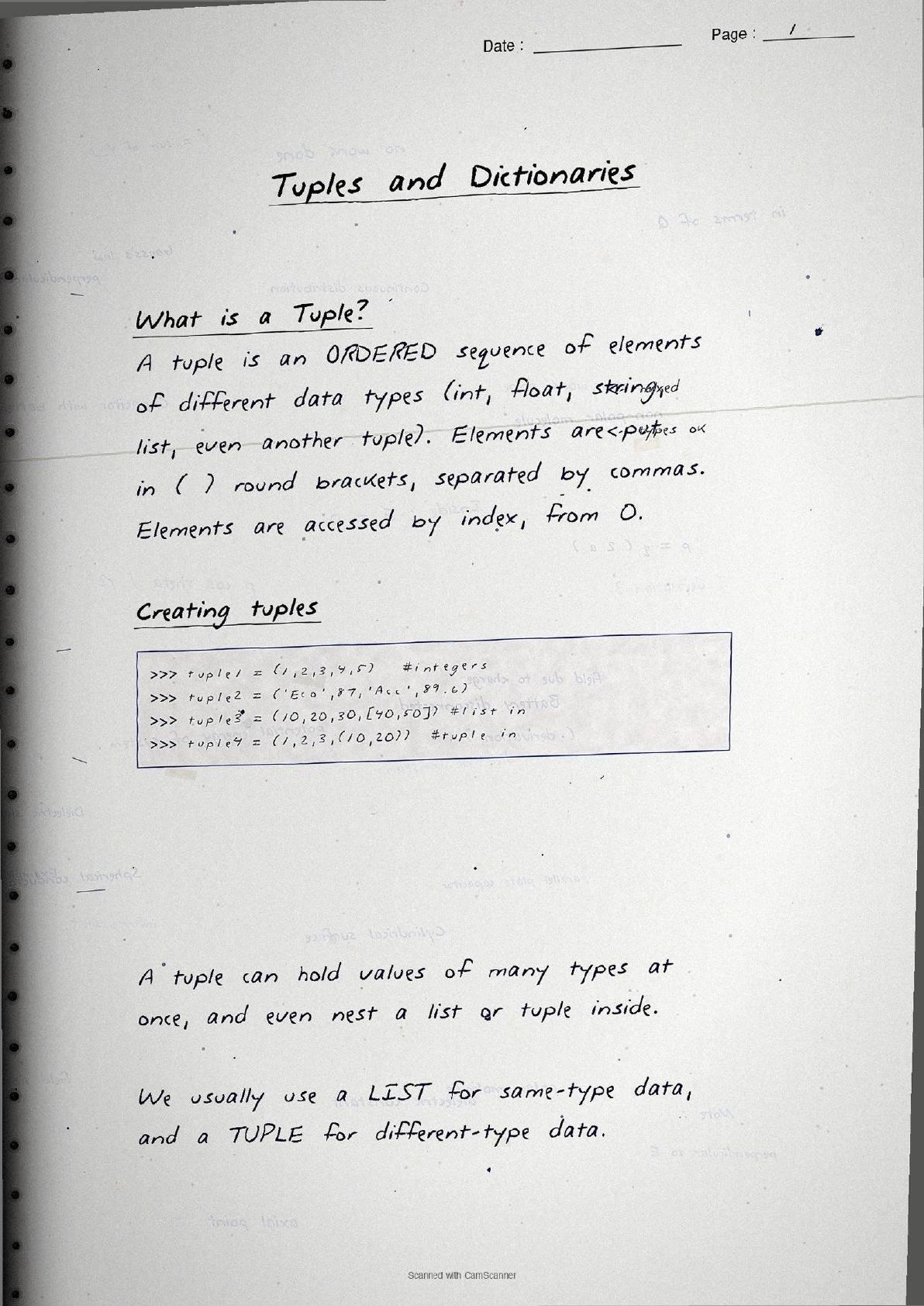
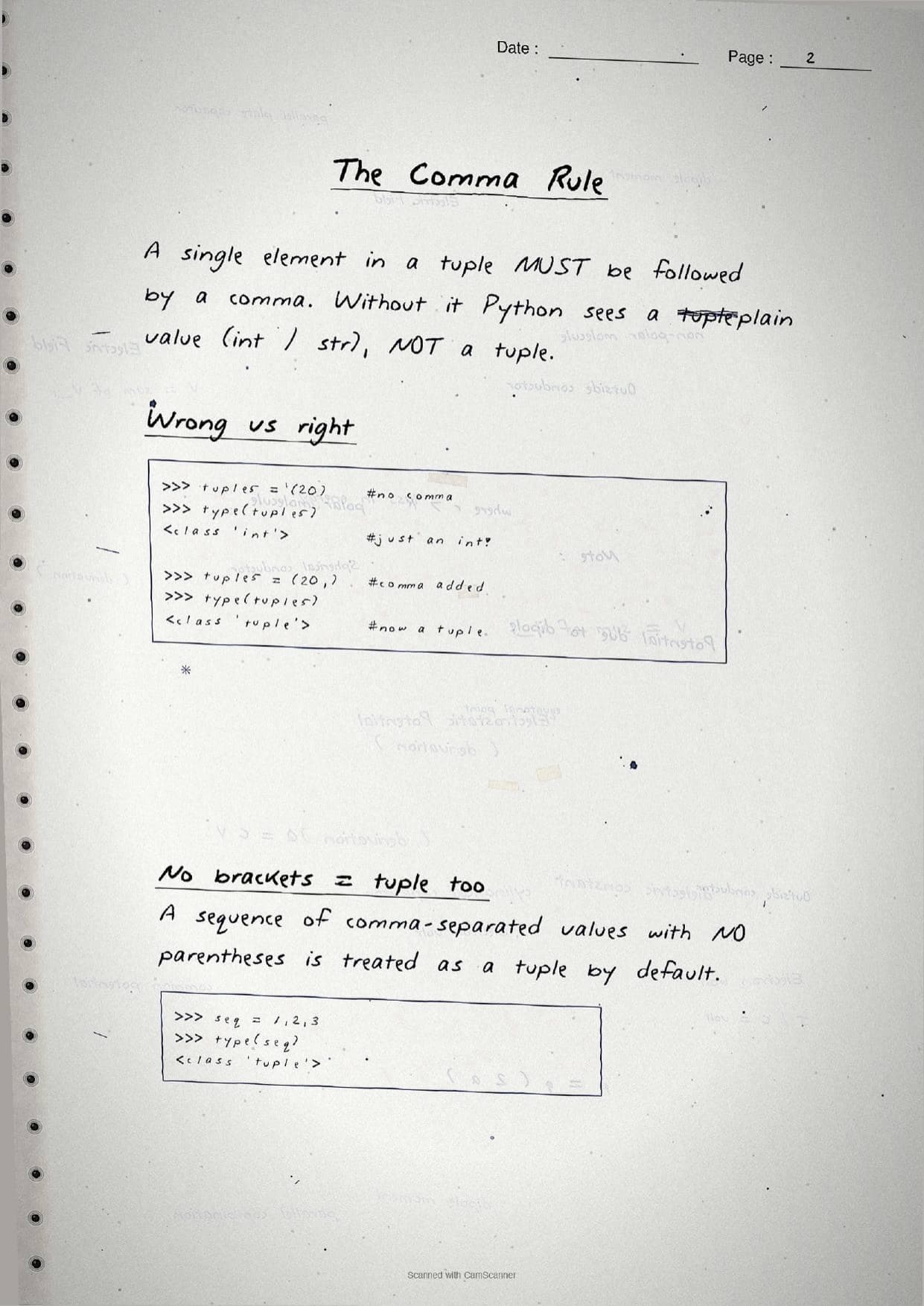
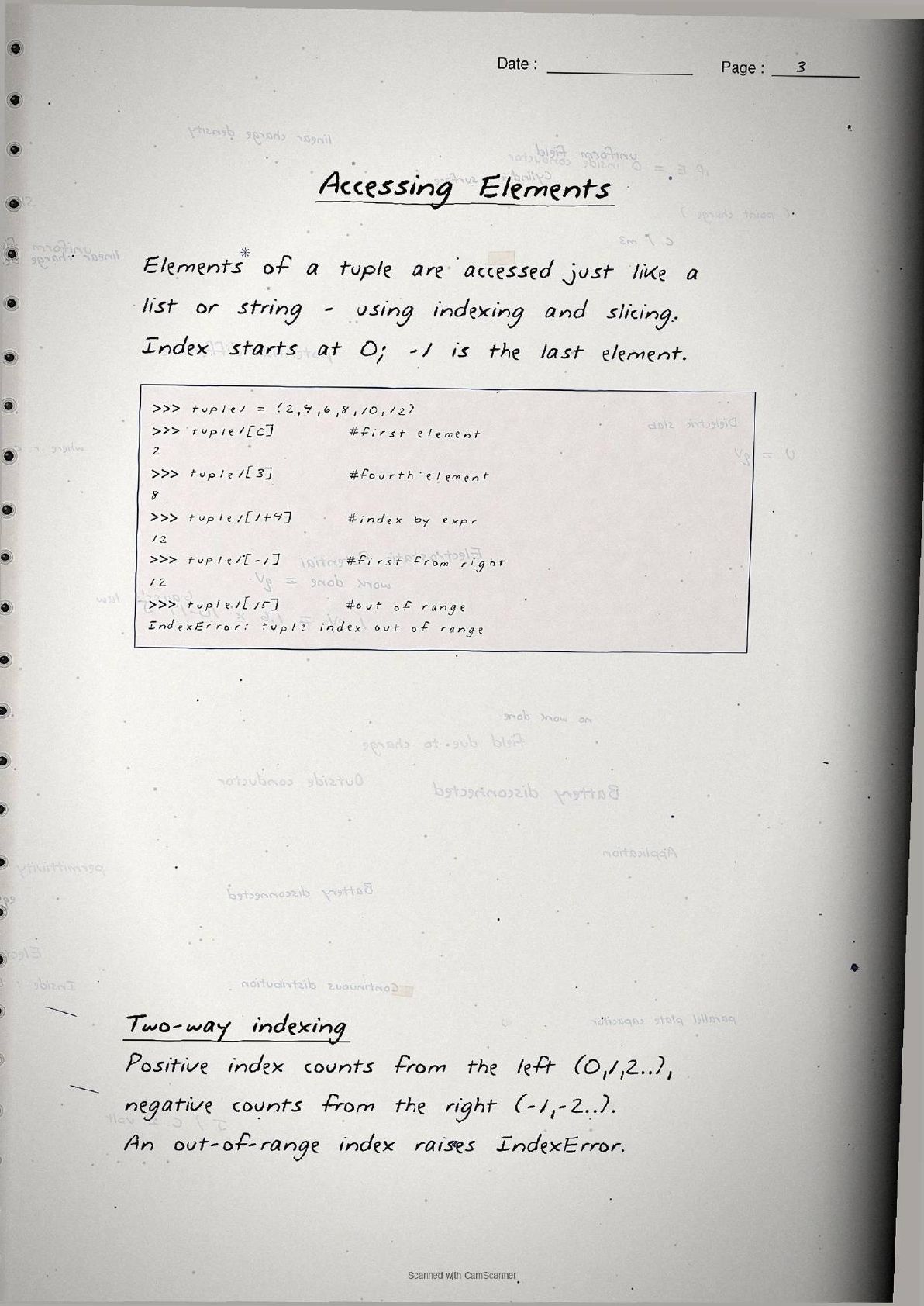
The first half of the notes is about tuples. A tuple is an ordered sequence of elements of any data type, written inside round brackets ( ) and separated by commas, for example t = (1, 2, 3). Elements are accessed by index starting at 0, and a negative index like -1 counts from the right. The pages open with the point students forget most: a single-element tuple must end in a comma, so (20) is just an int but (20,) is a real tuple.
The heart of the tuple pages is immutability. Once a tuple is made its elements cannot be changed, so t[0] = 5 raises a TypeError. The notes box this rule and add the subtle exception that a mutable element inside a tuple, such as a list, can still be changed in place. The operations and methods are laid out as a hand-drawn reference table.
| Operation or method | What the page shows |
|---|---|
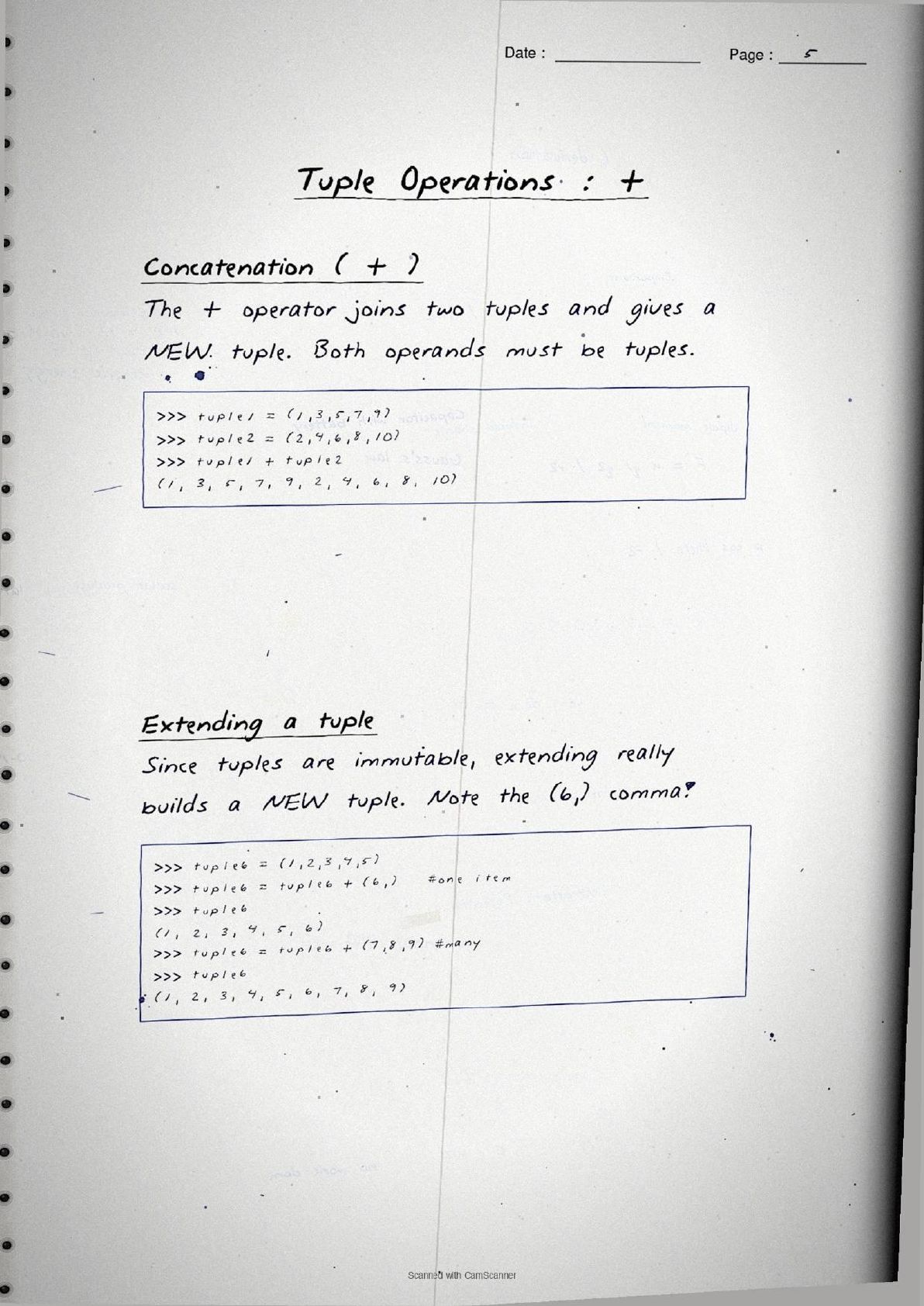
Concatenation + | Joins two tuples into a new tuple; both operands must be tuples. |
Repetition * | Repeats a tuple a whole number of times, as in ('Hi',) * 3. |
Membership in / not in | Returns True or False for whether an element is present. |
Slicing t[start:stop:step] | Pulls out a part; stop is excluded, and t[::-1] reverses the tuple. |
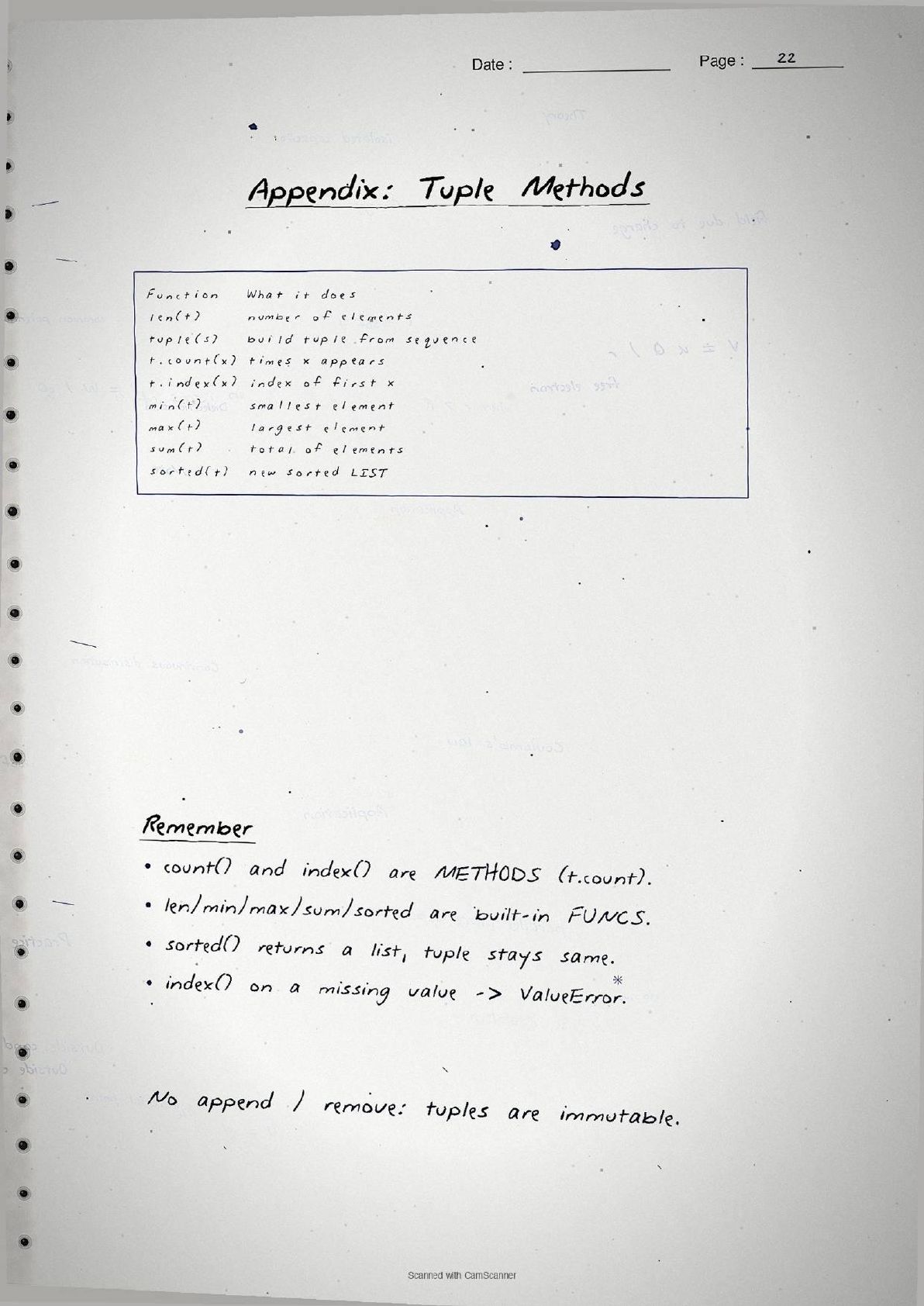
len(), min(), max(), sum() | Built-in functions for count, smallest, largest and total. |
count() and index() | Methods that count how often a value appears and find the first index of a value. |
sorted() | Returns a new sorted list and leaves the tuple unchanged. |
A whole page covers tuple assignment. Packing collects values into one tuple, as in t = 1, 2, 3, and unpacking spreads a tuple across names, as in (name, roll, subject) = record. The count of names must equal the count of values or Python raises a ValueError. This is also the neat trick for swapping two variables in one line, (a, b) = (b, a), with no temporary variable. The pages close the tuple half with a short program that reads several numbers into a tuple and prints the max and min.
Dictionaries in the Handwritten Pages
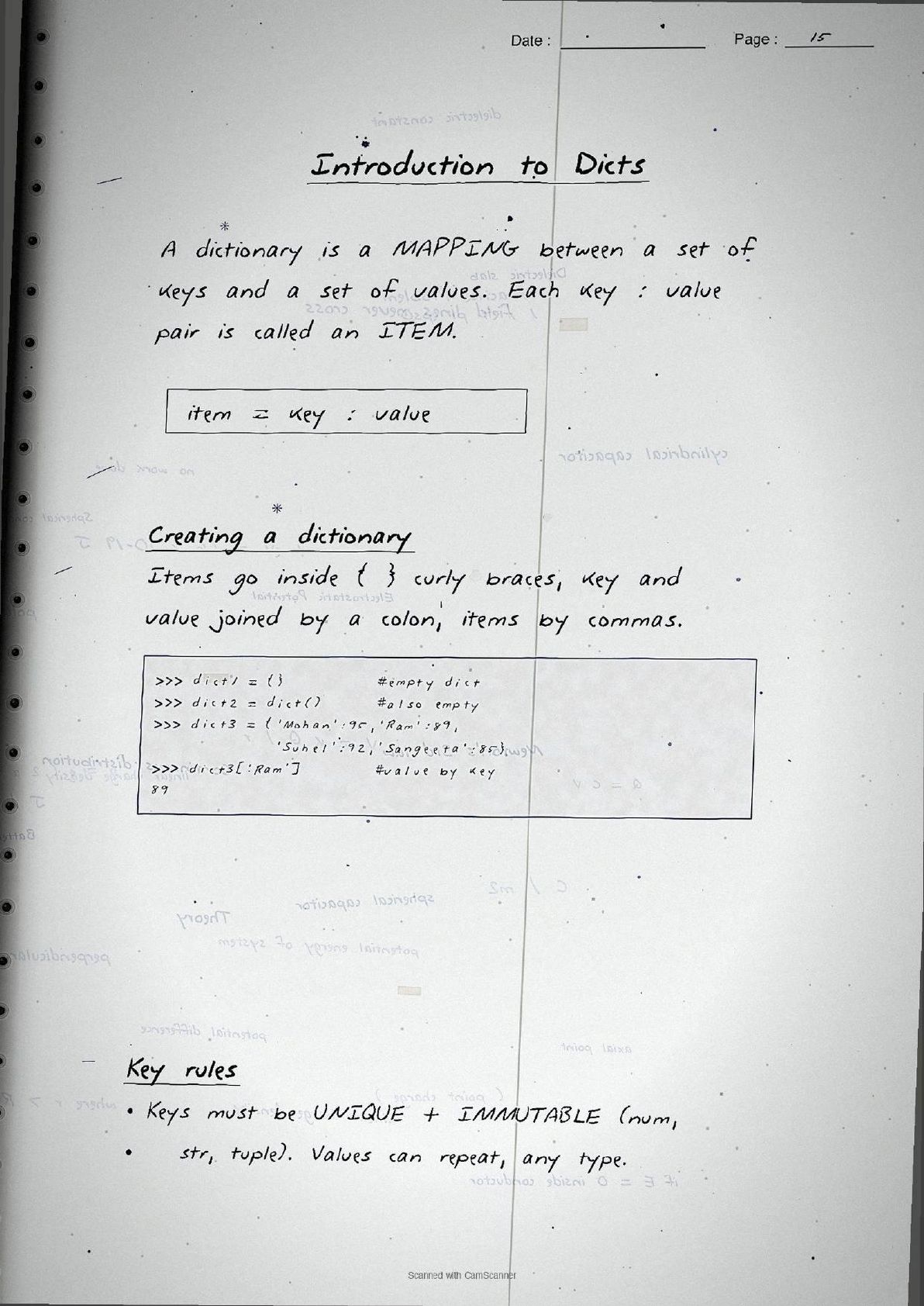
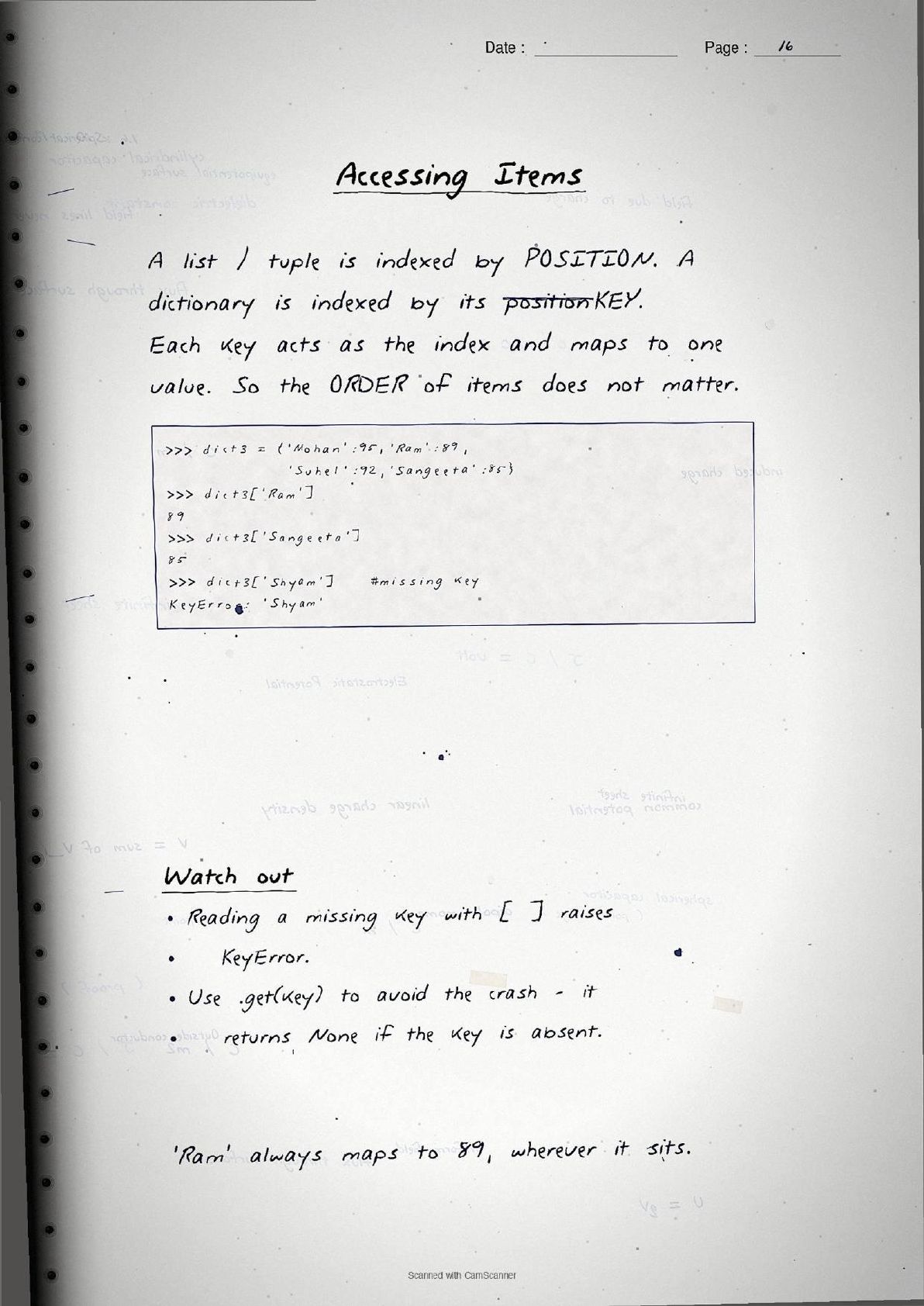
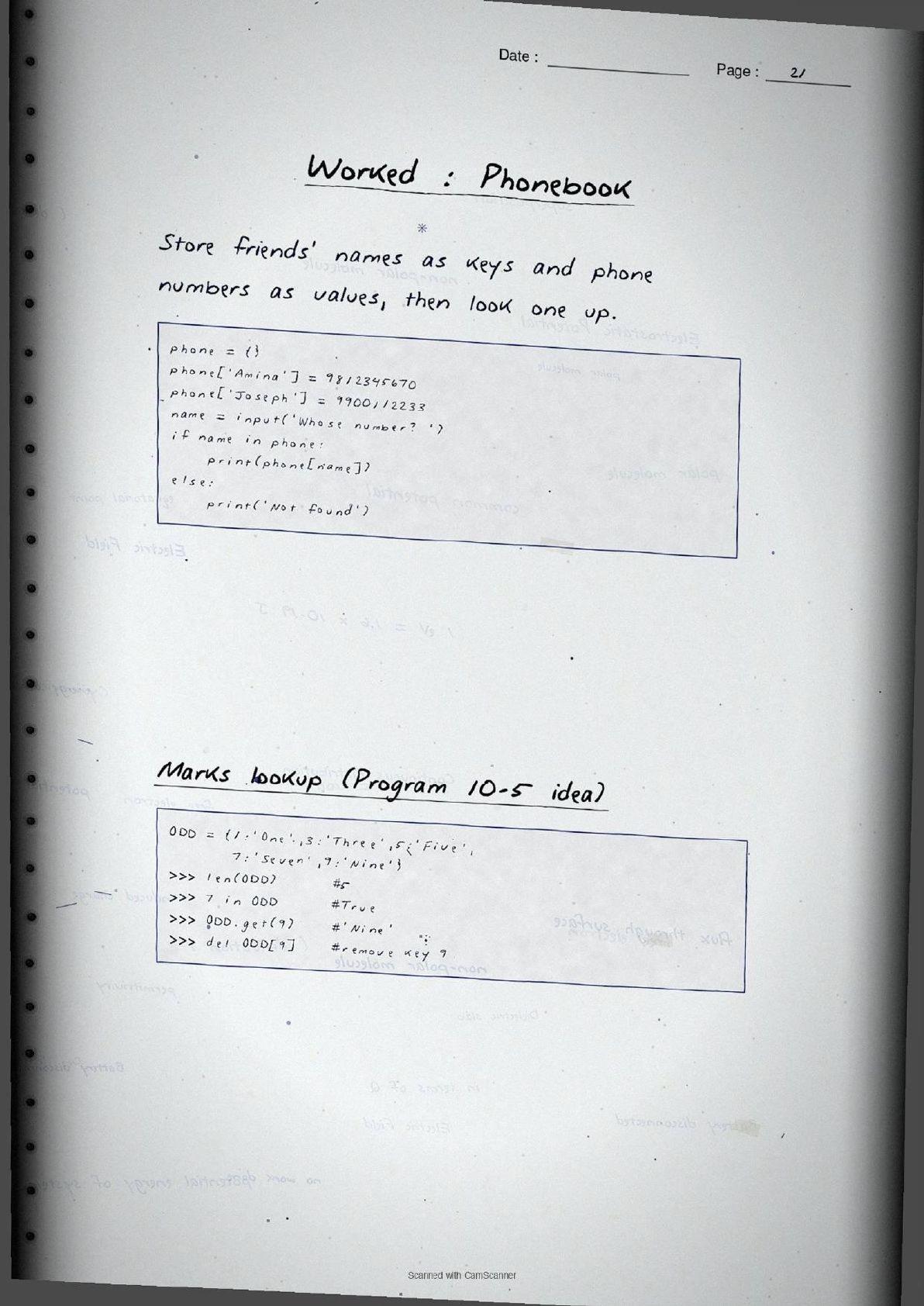
The second half of the notes moves to dictionaries. A dictionary is a mapping of keys to values, and each key : value pair is called an item. Items go inside curly braces { }, as in d = {'Ram': 89, 'Mohan': 95}. Unlike a list or tuple, a dictionary is indexed by its key, not by position, so d['Ram'] returns 89 wherever that item sits. Keys must be unique and immutable, so a number, string or tuple can be a key but a list cannot.
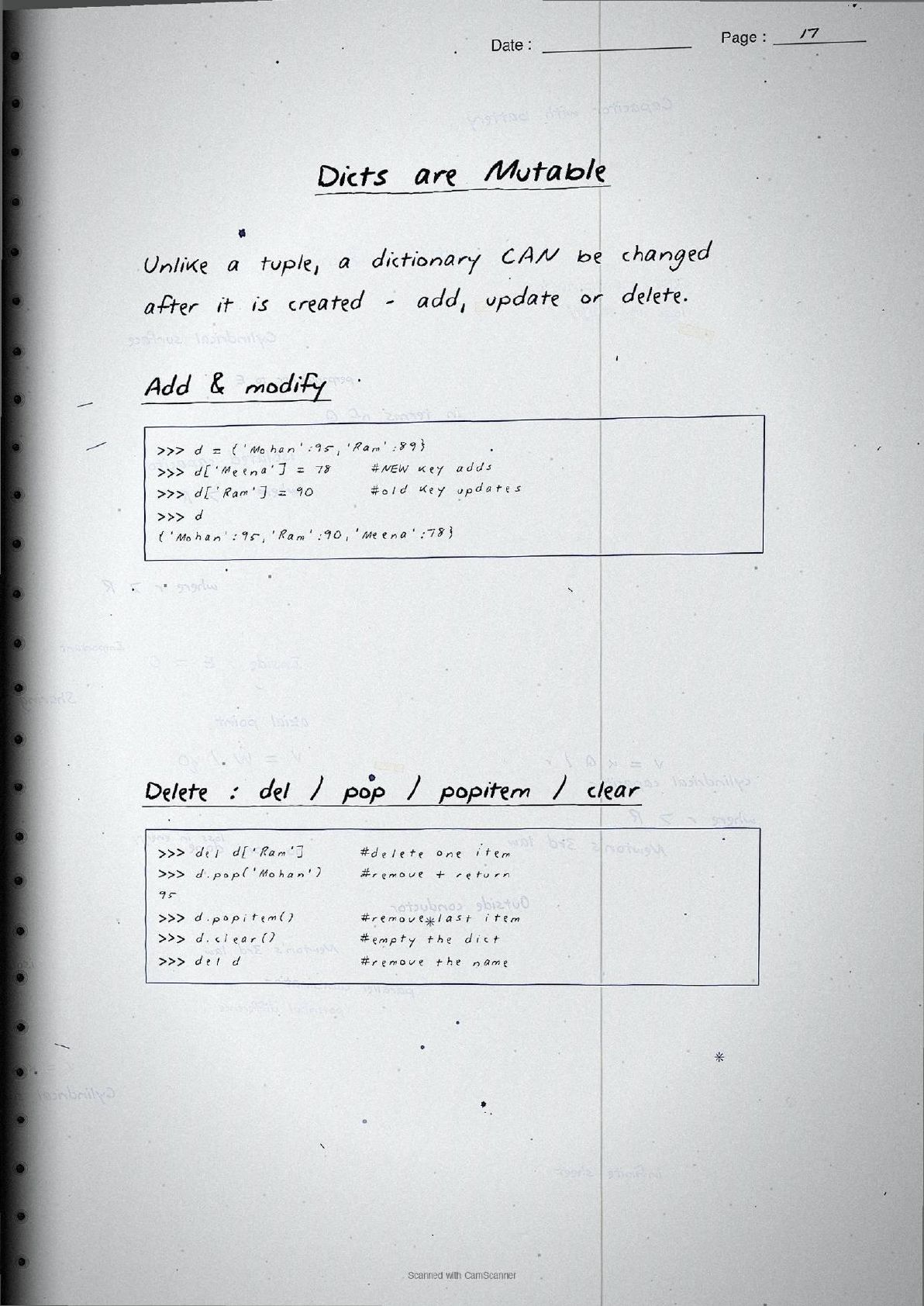
The pages stress that dictionaries are mutable. Assigning to a new key adds an item, assigning to an existing key updates it, and items can be removed with del, pop(), popitem() or clear(). Reading a missing key with square brackets raises a KeyError, which is exactly why the notes recommend get() for a safe read. The core methods are boxed together for quick recall.
| Method | What the page shows |
|---|---|
keys() | Returns a view of all the keys in the dictionary. |
values() | Returns a view of all the values. |
items() | Returns each item as a (key, value) tuple, handy for looping. |
get(key) | Safe read that returns None instead of raising a KeyError. |
update() / setdefault() | Merges another dictionary in, or adds a key only if it is absent. |
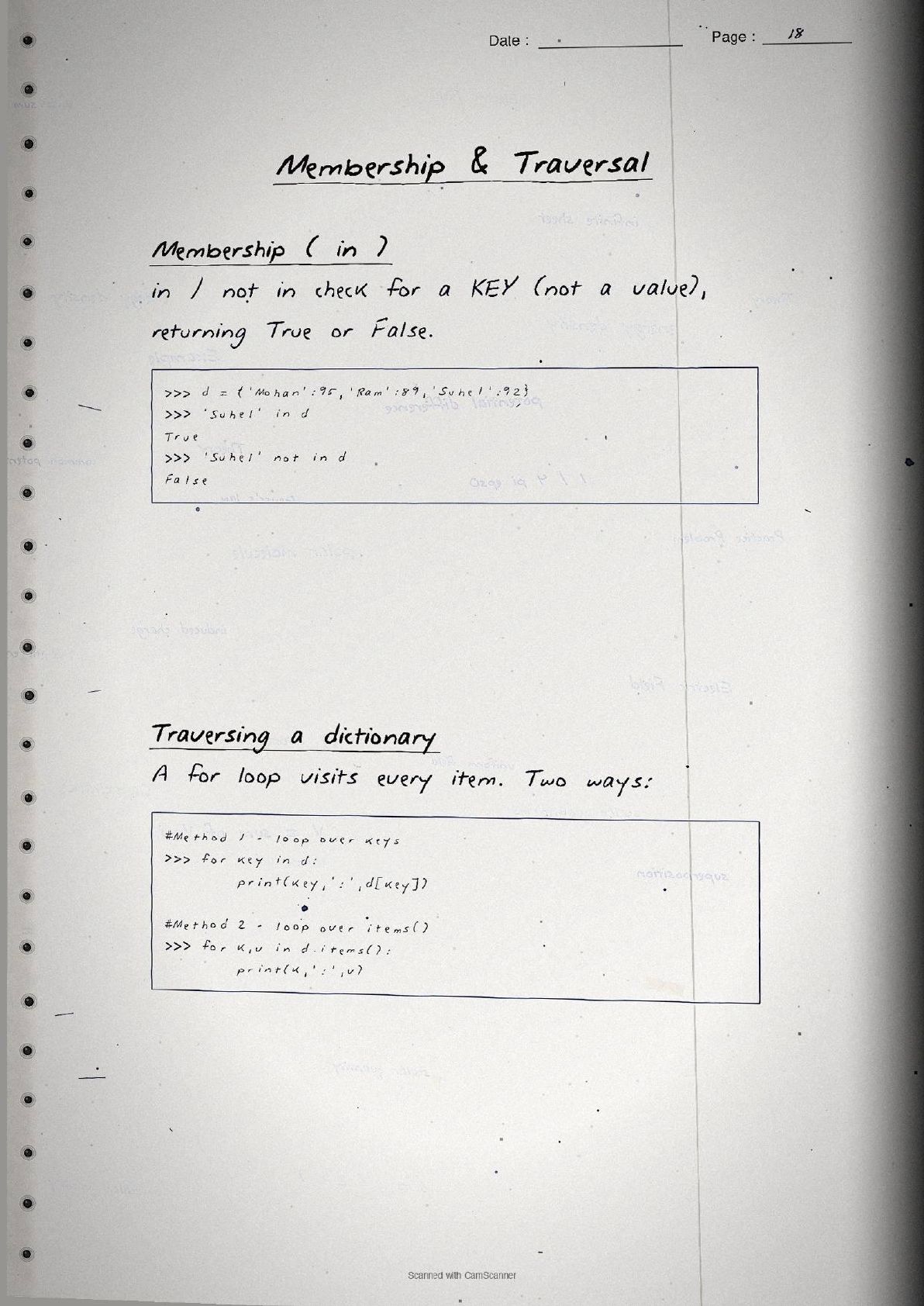
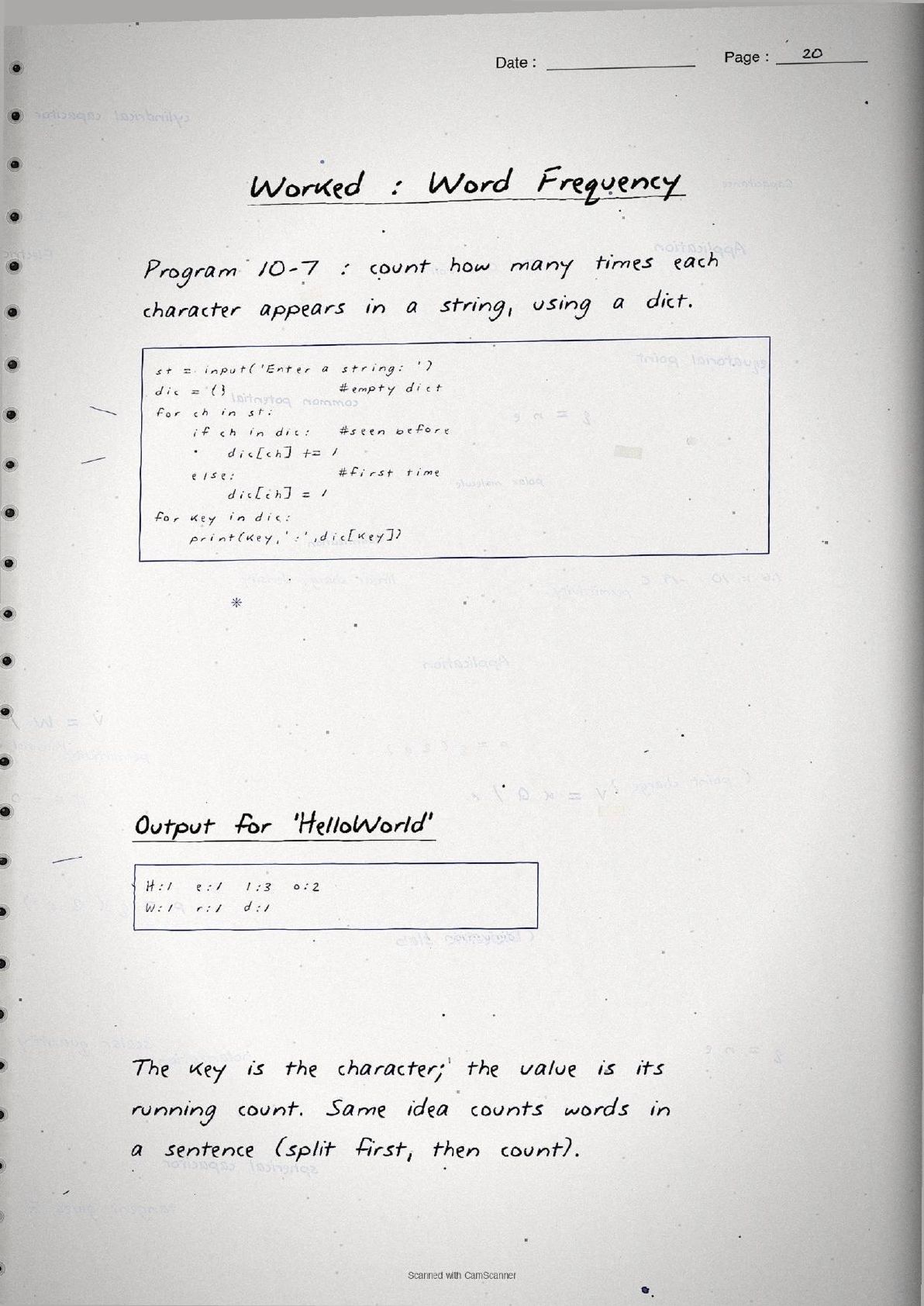
Traversal gets its own page. A for loop over the dictionary visits every key, and looping over d.items() unpacks each key and value together, as in for k, v in d.items():. The worked example that ties everything together is the word-frequency program, which counts how often each character appears in a string using a dictionary. It is short enough to trace by hand, so the notes include it in full.
st = input('Enter a string: ')
dic = {}
for ch in st:
    if ch in dic:
        dic[ch] += 1
    else:
        dic[ch] = 1
for key in dic:
    print(key, ':', dic[key])
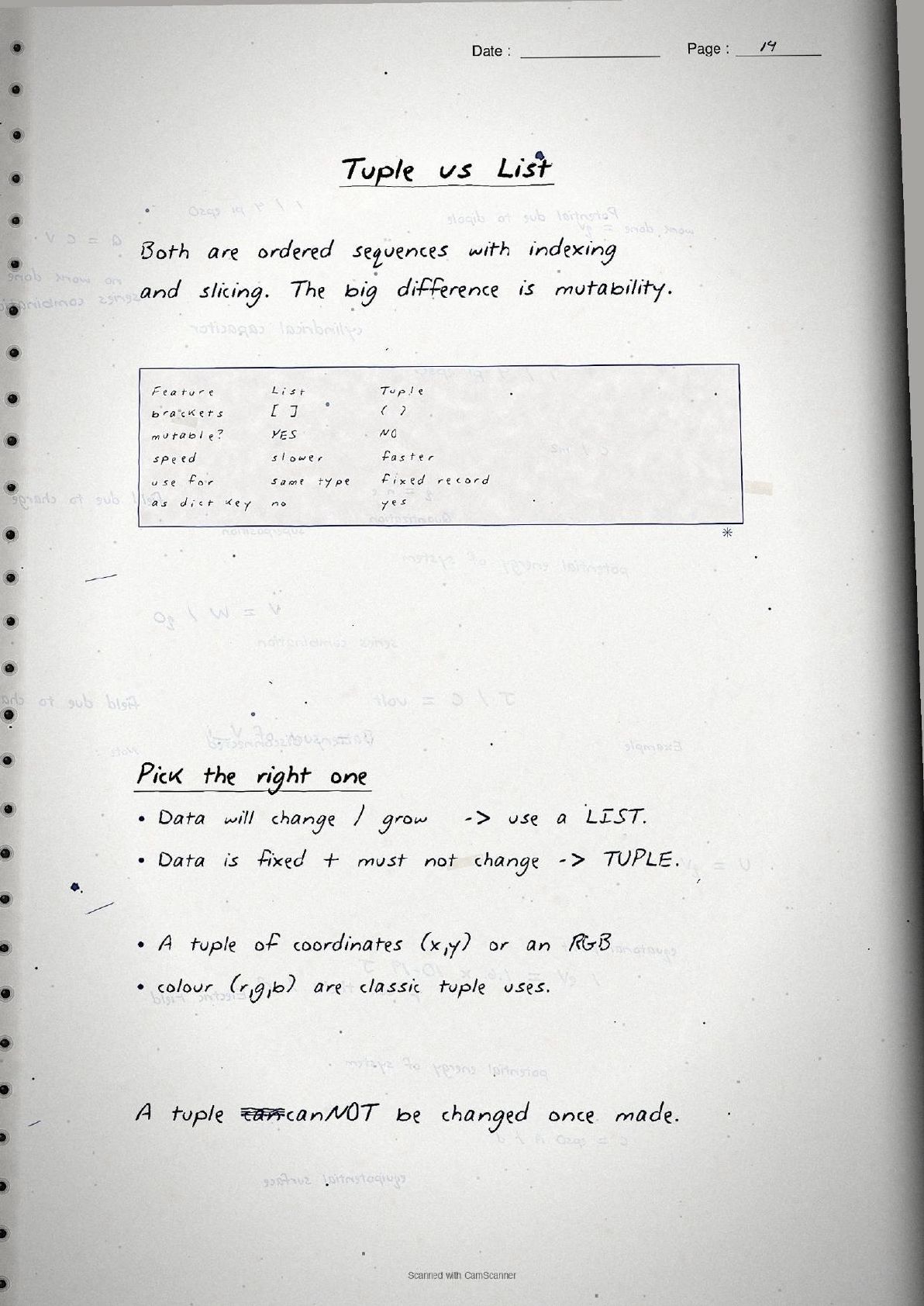
Here the character is the key and its running count is the value. The same pattern counts words in a sentence after split(). A final page draws the tuple versus list versus dictionary comparison so students can pick the right type: brackets ( ) versus [ ] versus { }, mutable or not, and indexed by position or by key.
How to Use These Handwritten Notes
Handwritten notes work best as a final-revision tool, not a first read. The steps below show how to get the most out of the Tuples and Dictionaries handwritten notes in the last days before a Class 11 Computer Science test.
- Download: tap the download card above to save the handwritten pages to your device.
- Run the code: type each boxed Python session into a shell so you see the same output the notes show under it.
- Recall drill: cover a page and write out the comma rule, the immutability point and the four core dictionary methods from memory.
- Night before: flip through the operations table and the tuple-versus-list-versus-dictionary page for a quick last-minute check.
Many students search for class 11 computer science chapter 10 notes on their phone the night before an exam, so a saved set of handwritten pages means you can revise offline. Use these notes for speed, then confirm your answer points against the solutions.
Common Mistakes These Notes Help You Avoid
A few errors cost marks every year in the output and error-spotting questions. The handwritten notes flag each one in the margin so you can fix it before the exam. These five are the most common.
- Forgetting the comma.
(20)is anint; a single-element tuple must be(20,). - Trying to change a tuple.
t[0] = 5raises aTypeErrorbecause tuples are immutable. - Reading a missing key with brackets.
d['x']raises aKeyError; used.get('x')instead. - Using a list as a dictionary key. Keys must be immutable, so a tuple works but a list does not.
- Expecting
sorted()to give a tuple. It returns a new list, and the original tuple stays unchanged.
Students who fix these five points usually move from average to high marks. The handwritten notes box the syntax and write the output under each session, so these soft points are hard to miss when you revise.
How These Handwritten Notes Pair with the Solutions and Book PDF
These handwritten notes are a fast revision tool. To prepare fully, students should use them alongside the other resources for the same chapter, all linked in the table below. Read the printed Notes, test yourself with the solutions, then use these pages for a final recall.
| Resource | Best used for |
|---|---|
| Tuples and Dictionaries NCERT Solutions | Step-by-step answers to all exercise and program questions |
| Tuples and Dictionaries Class 11 Notes | Quick chapter summary with all methods and syntax in one place |
| Tuples and Dictionaries NCERT Book PDF | Reading the original NCERT chapter text and worked programs |
Tip: read the printed Notes first, then attempt the solutions, and keep these handwritten pages for the final night-before flip. Using them for recall, not for the first read, builds memory faster.
All Class 11 Computer Science Handwritten Notes by Chapter
The table links the handwritten notes for every chapter in Class 11 Computer Science, so students can move across the course in one click. Tuples and Dictionaries is highlighted.
| Chapter | Handwritten Notes |
|---|---|
| Chapter 1 | Computer System |
| Chapter 2 | Encoding Schemes and Number System |
| Chapter 3 | Emerging Trends |
| Chapter 4 | Introduction to Problem Solving |
| Chapter 5 | Getting Started with Python |
| Chapter 6 | Flow of Control |
| Chapter 7 | Functions |
| Chapter 8 | Strings |
| Chapter 9 | Lists |
| Chapter 10 | Tuples and Dictionaries |
| Chapter 11 | Societal Impact |
FAQs on Tuples and Dictionaries Handwritten Notes
Tuples and Dictionaries Class 11 Computer Science Handwritten Notes Common Questions
Ques. Where can I download the Tuples and Dictionaries handwritten notes PDF?
Ans. You can download the Tuples and Dictionaries Class 11 Computer Science handwritten notes PDF directly from this page. It is free, follows the 2026-27 NCERT, and presents tuple creation, immutability, the operations and methods, and every dictionary method as handwritten pages with the Python code written out by hand.
Ques. What is the difference between a tuple and a dictionary in Class 11 Chapter 10?
Ans. A tuple is an ordered, immutable sequence written in round brackets ( ) and indexed by position, so t[0] gives the first element. A dictionary is a mutable mapping written in curly braces { } and indexed by key, so d['Ram'] gives the value stored for that key. The handwritten notes box both forms side by side.
Ques. Why must a single-element tuple have a comma?
Ans. Without a comma Python reads the brackets as a grouping, so (20) is just an int. Adding a comma, as in (20,), tells Python it is a tuple. This comma rule is one of the most common output questions, so the notes flag it in the margin.
Ques. What topics do these handwritten notes cover?
Ans. They cover tuple creation, the single-element comma rule, immutability, indexing and slicing, the operations +, * and in, the methods count() and index(), packing and unpacking, then dictionaries with key-value pairs, adding, updating and deleting items, the methods keys(), values(), items() and get(), traversal, and a worked word-frequency program.
Ques. How should I use these notes with the other resources?
Ans. Read the printed Notes first, test yourself with the NCERT Solutions, then keep these handwritten pages for the final night-before flip. Running each boxed Python session yourself and using the notes for recall rather than the first read builds memory faster.



Comments