




These Lists handwritten notes turn the whole ninth chapter into clean, handwritten pages for fast last-minute revision. They follow the 2026-27 NCERT syllabus and Chapter 9 of Class 11 Computer Science. Students get list creation, indexing and slicing, mutability, the operators +, * and in, every list method from append() to sort(), the append versus extend trap, nested lists, copy versus alias, list comprehension and short worked programs, all with the Python code written out by hand so it is easy to skim before a test.
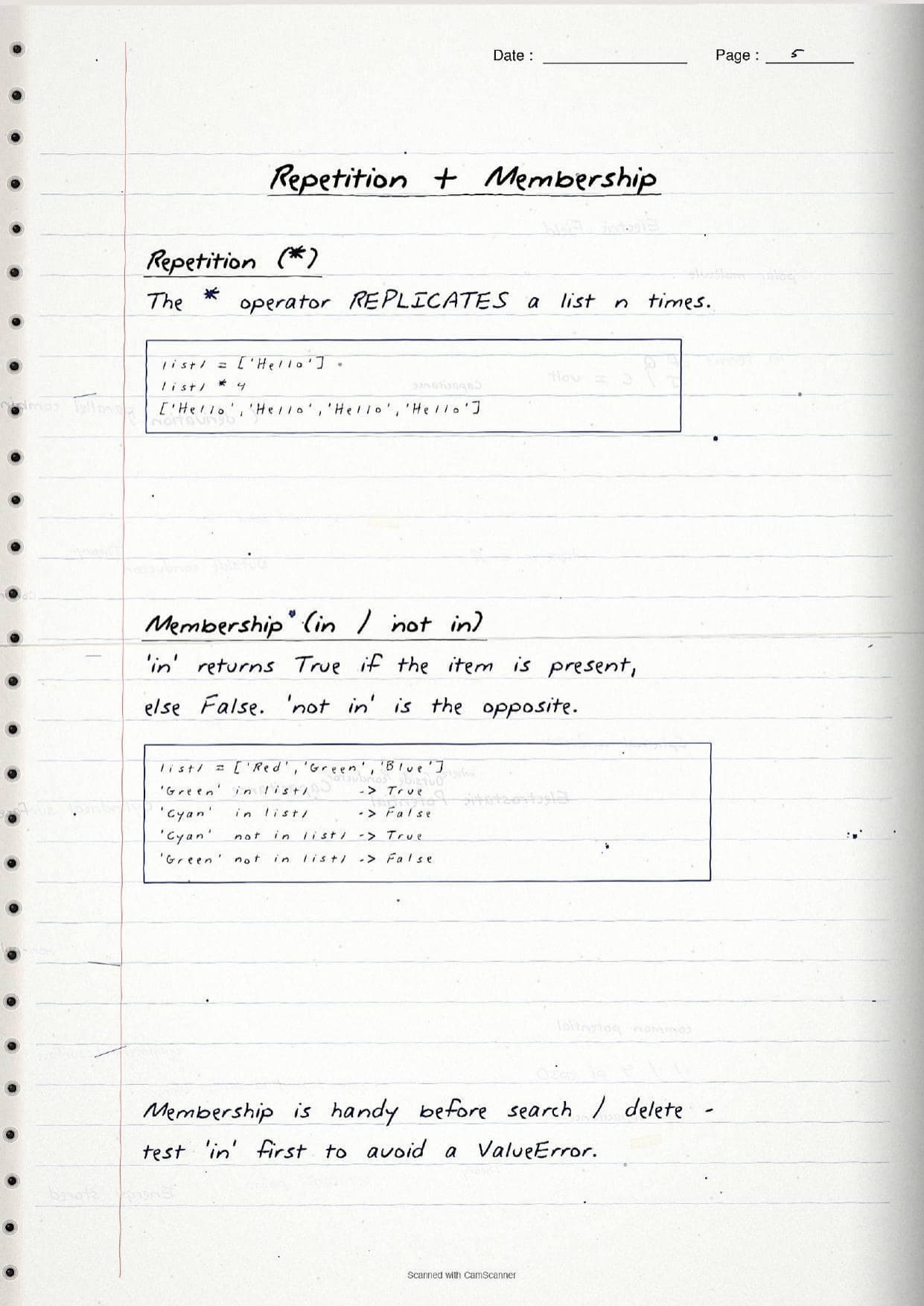
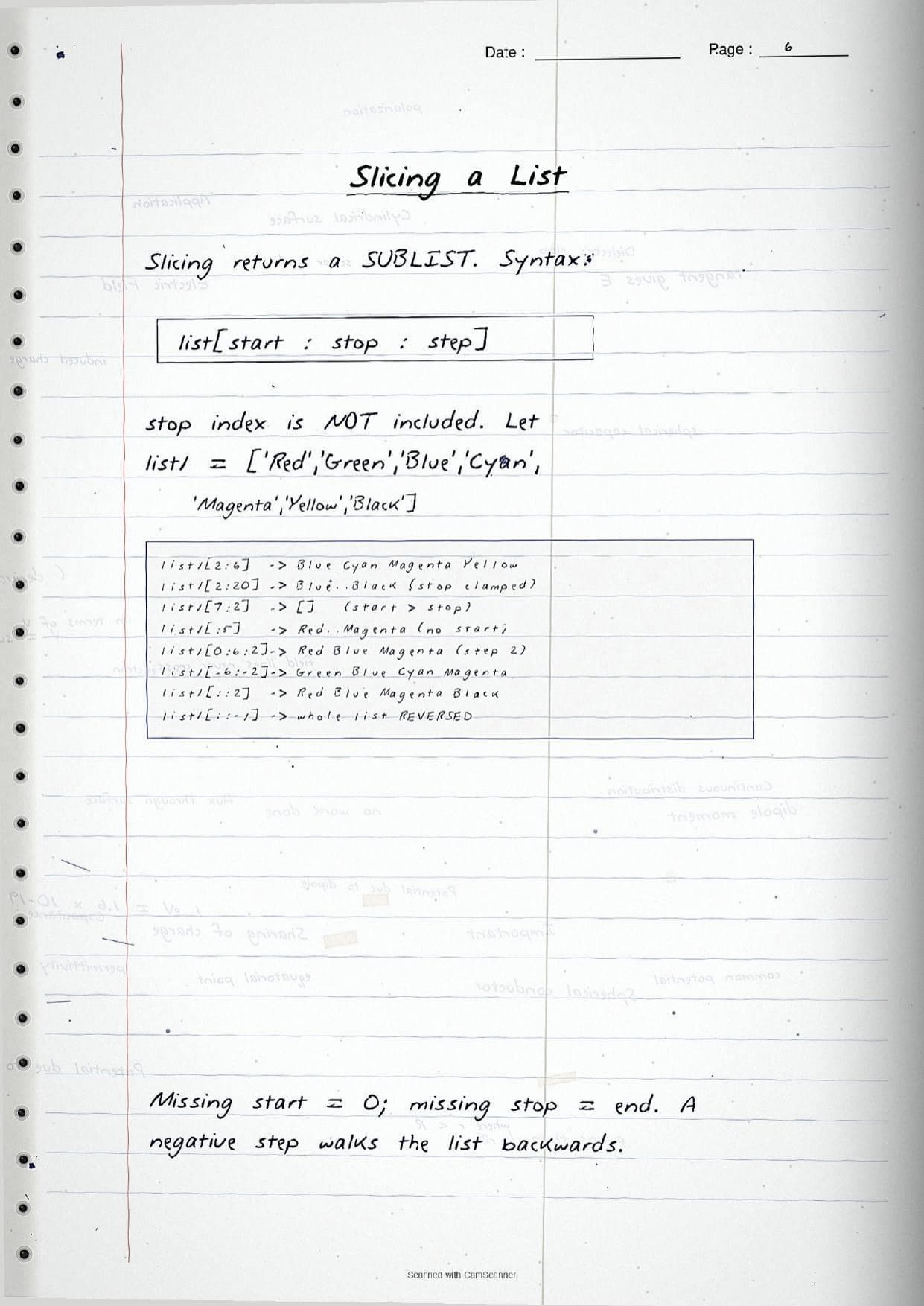
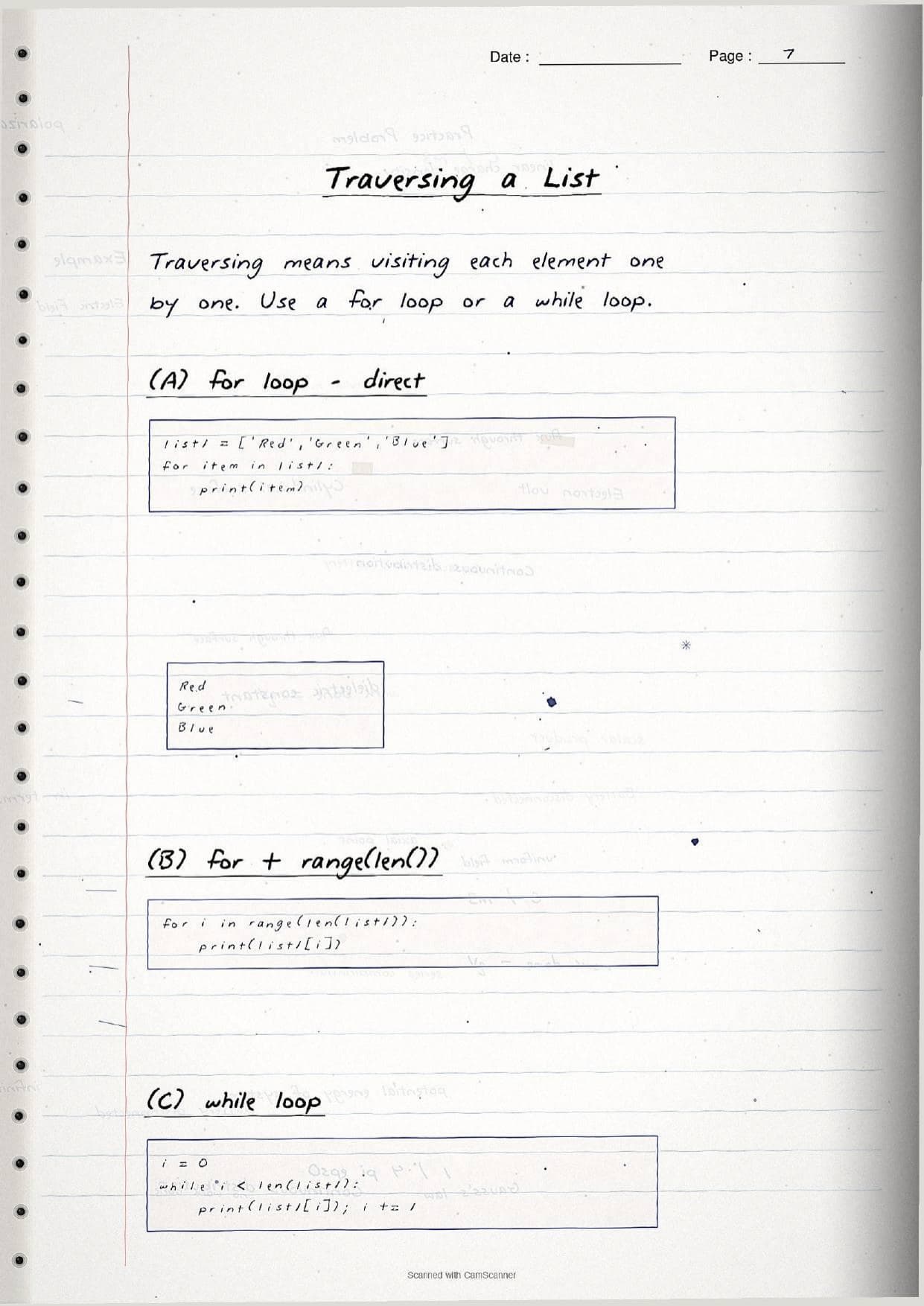
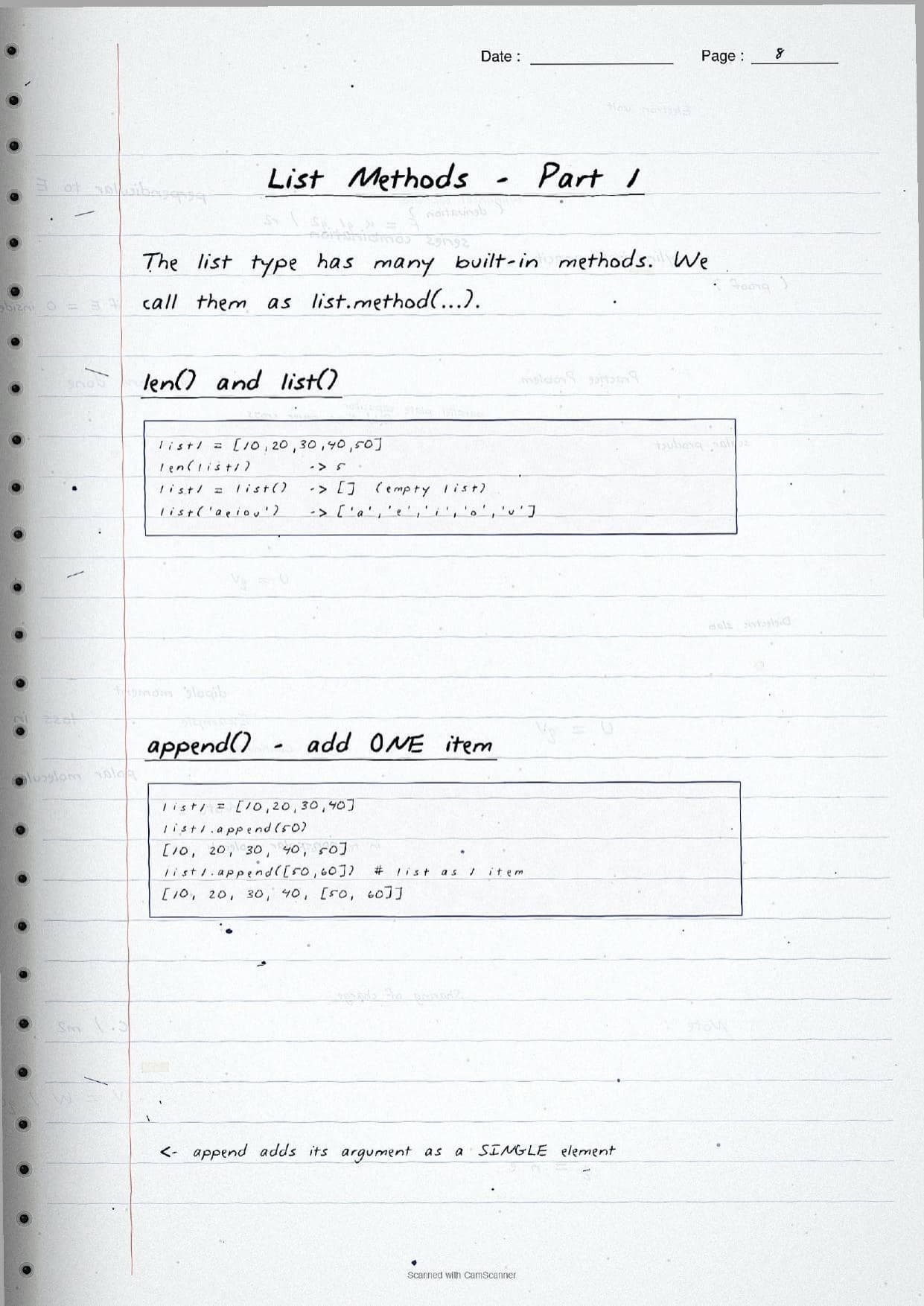
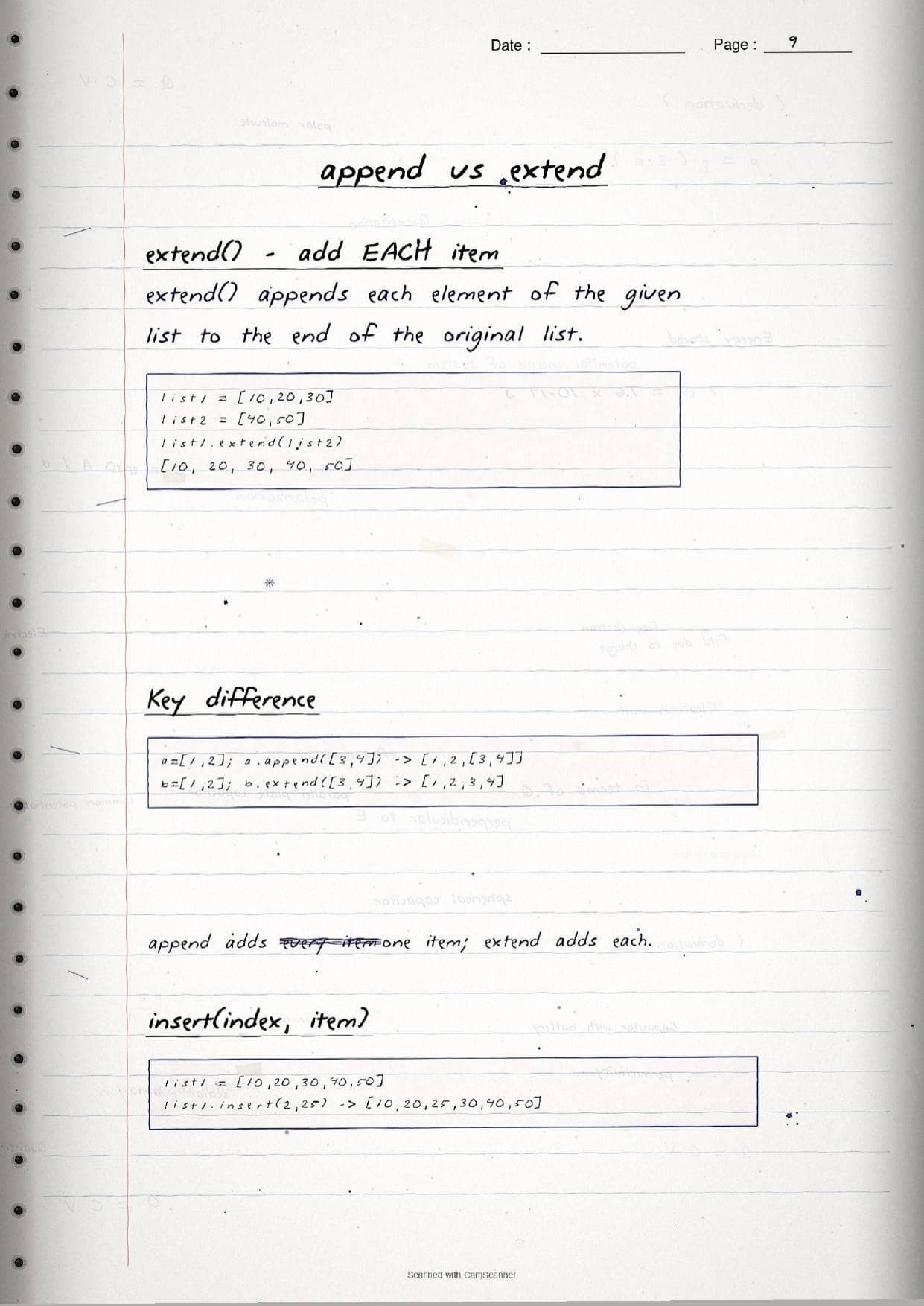
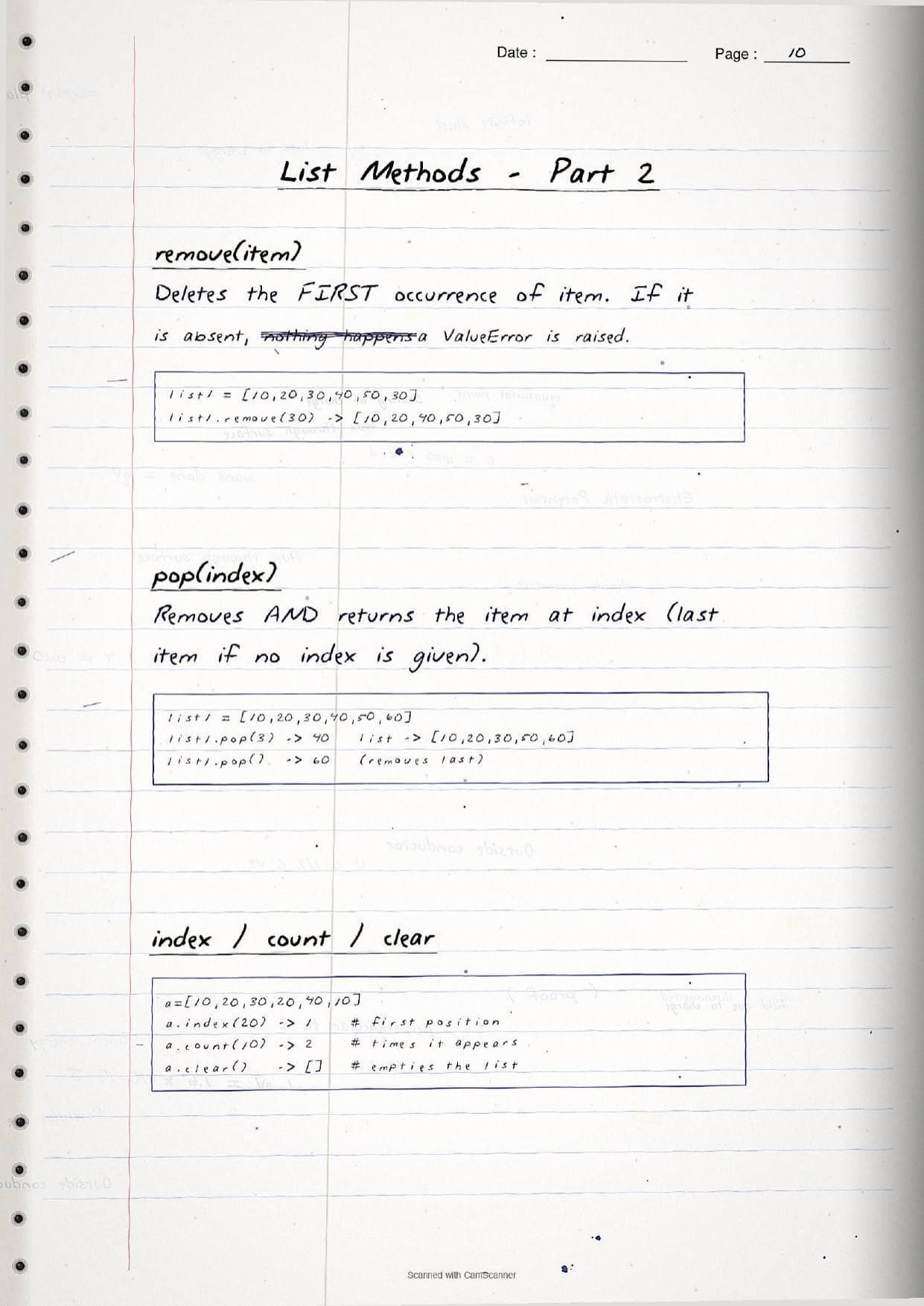
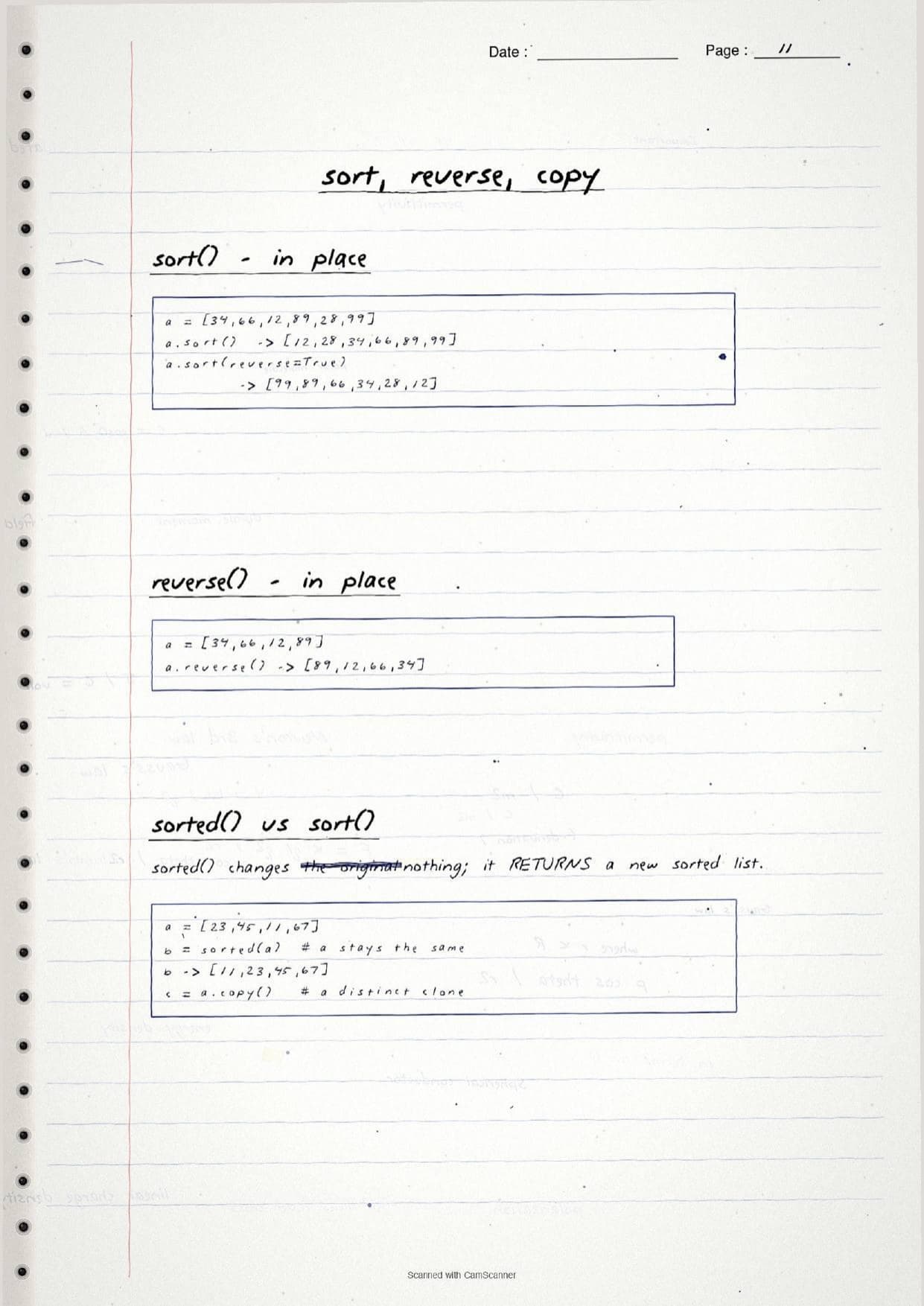
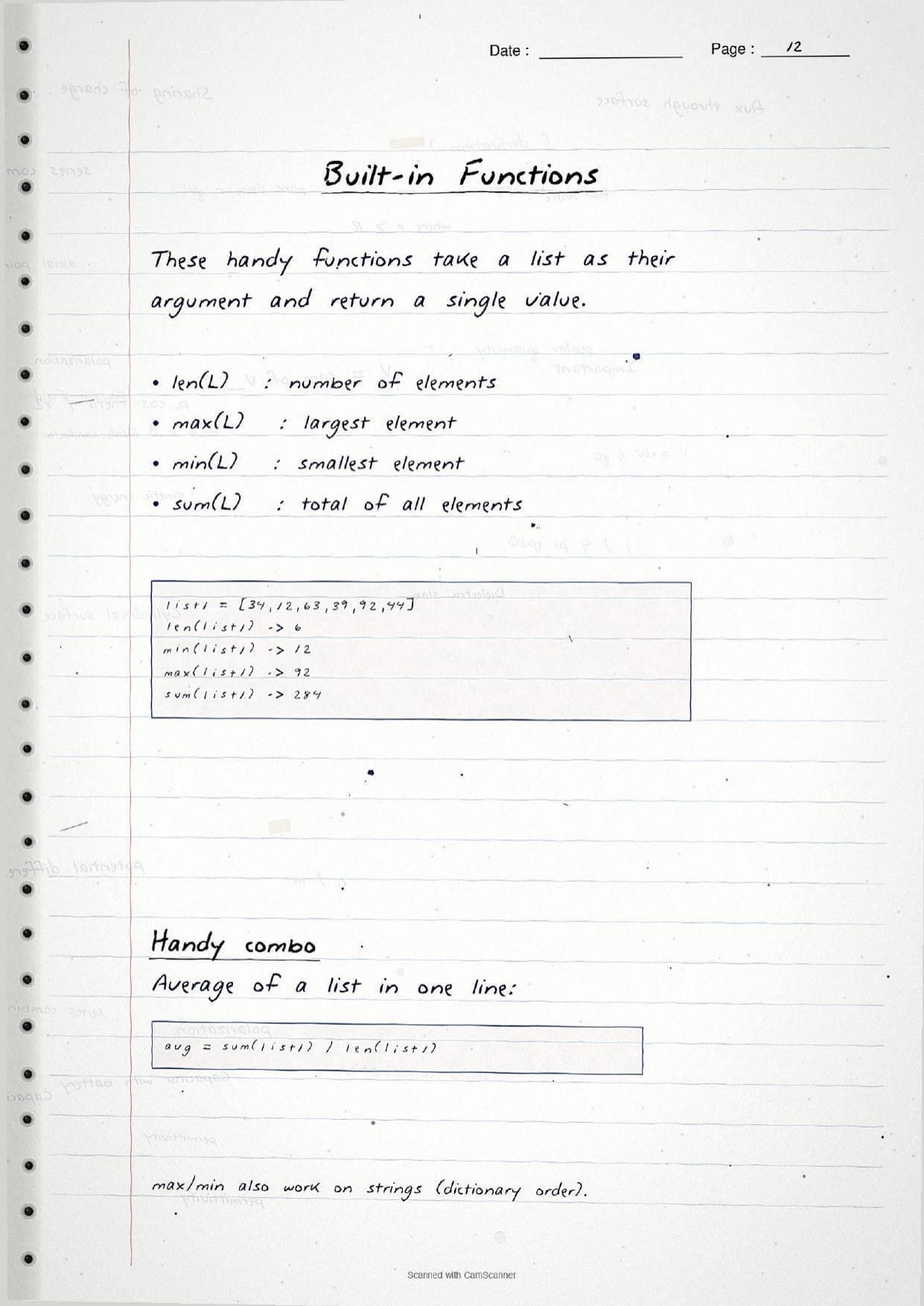
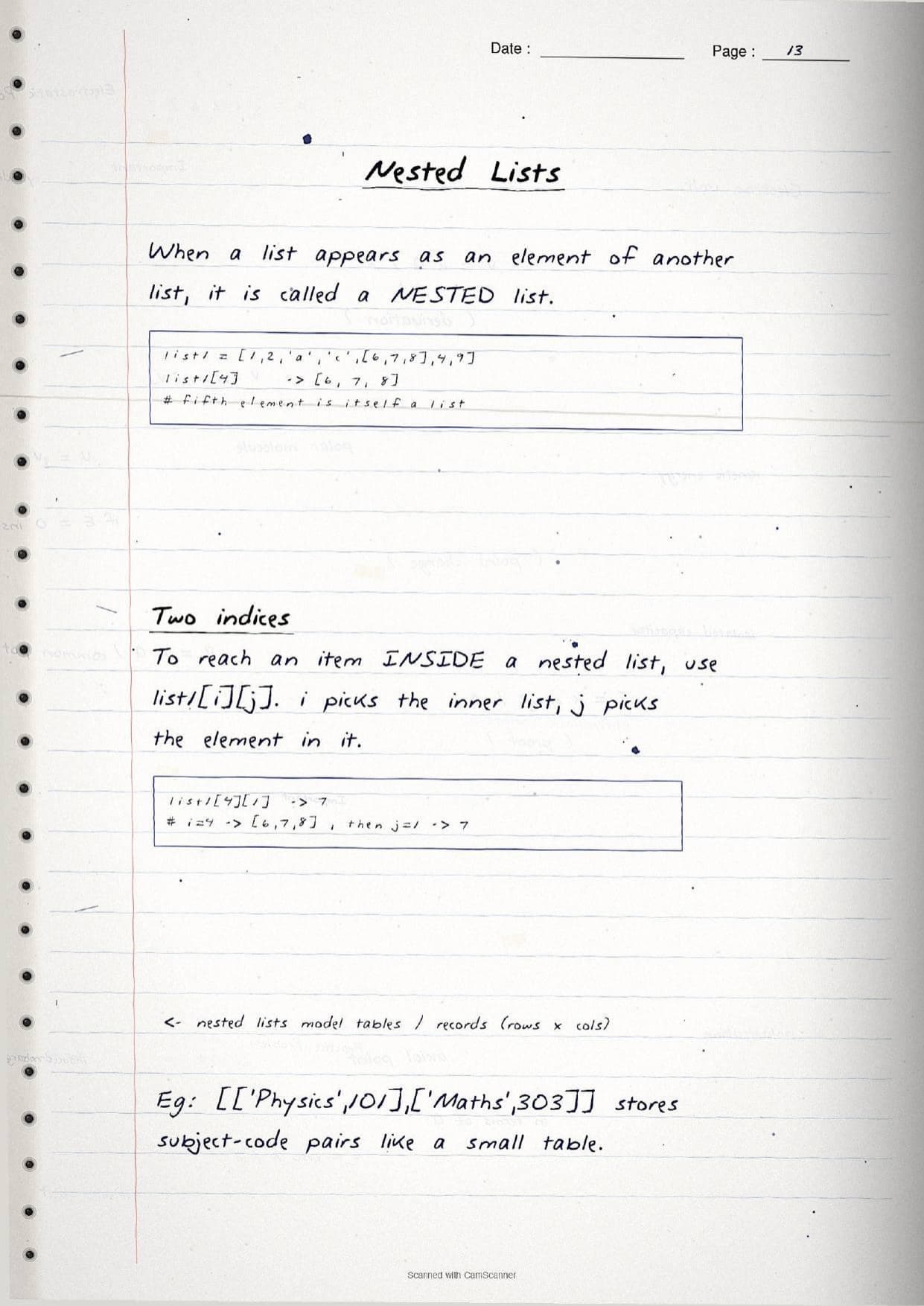
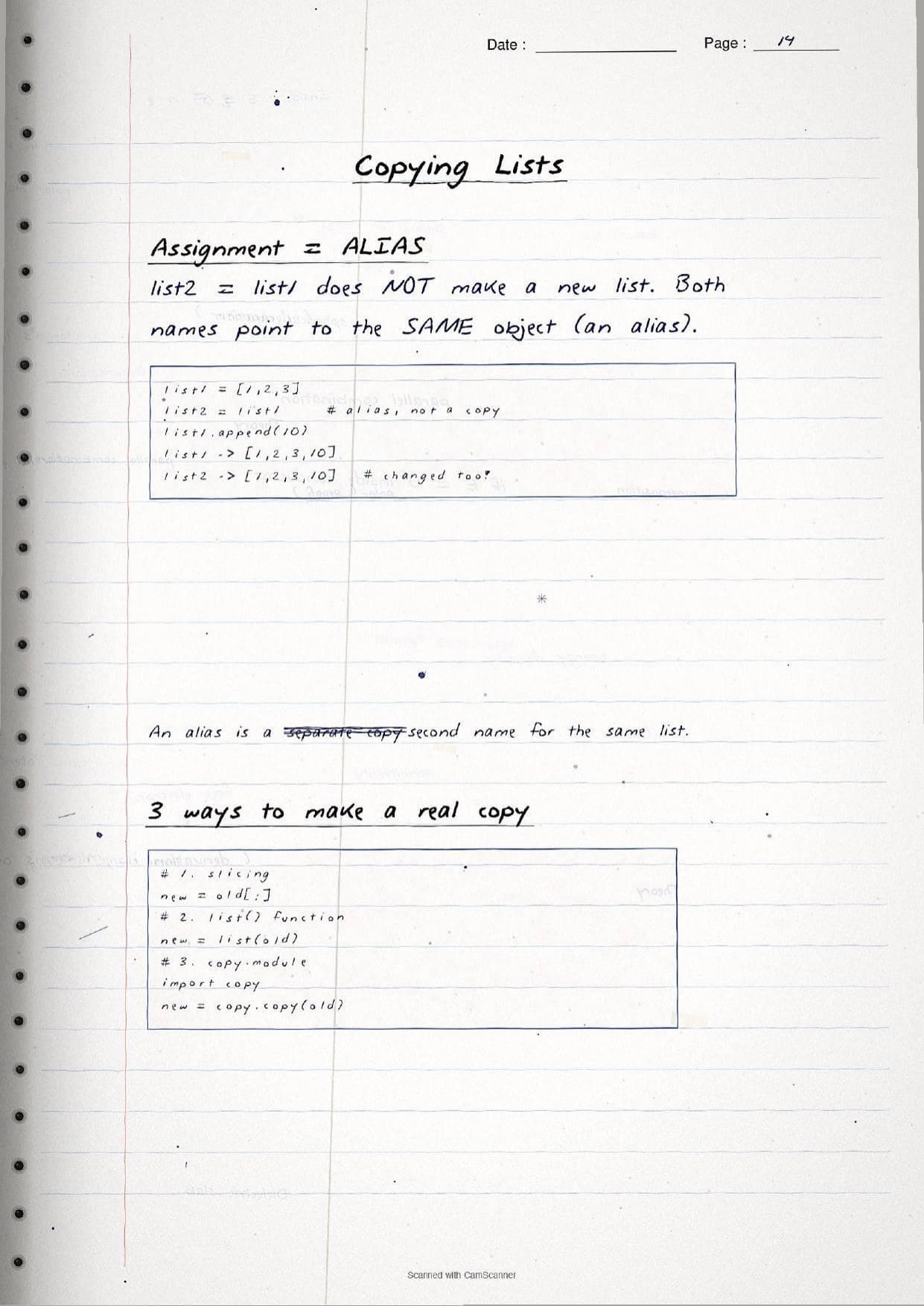
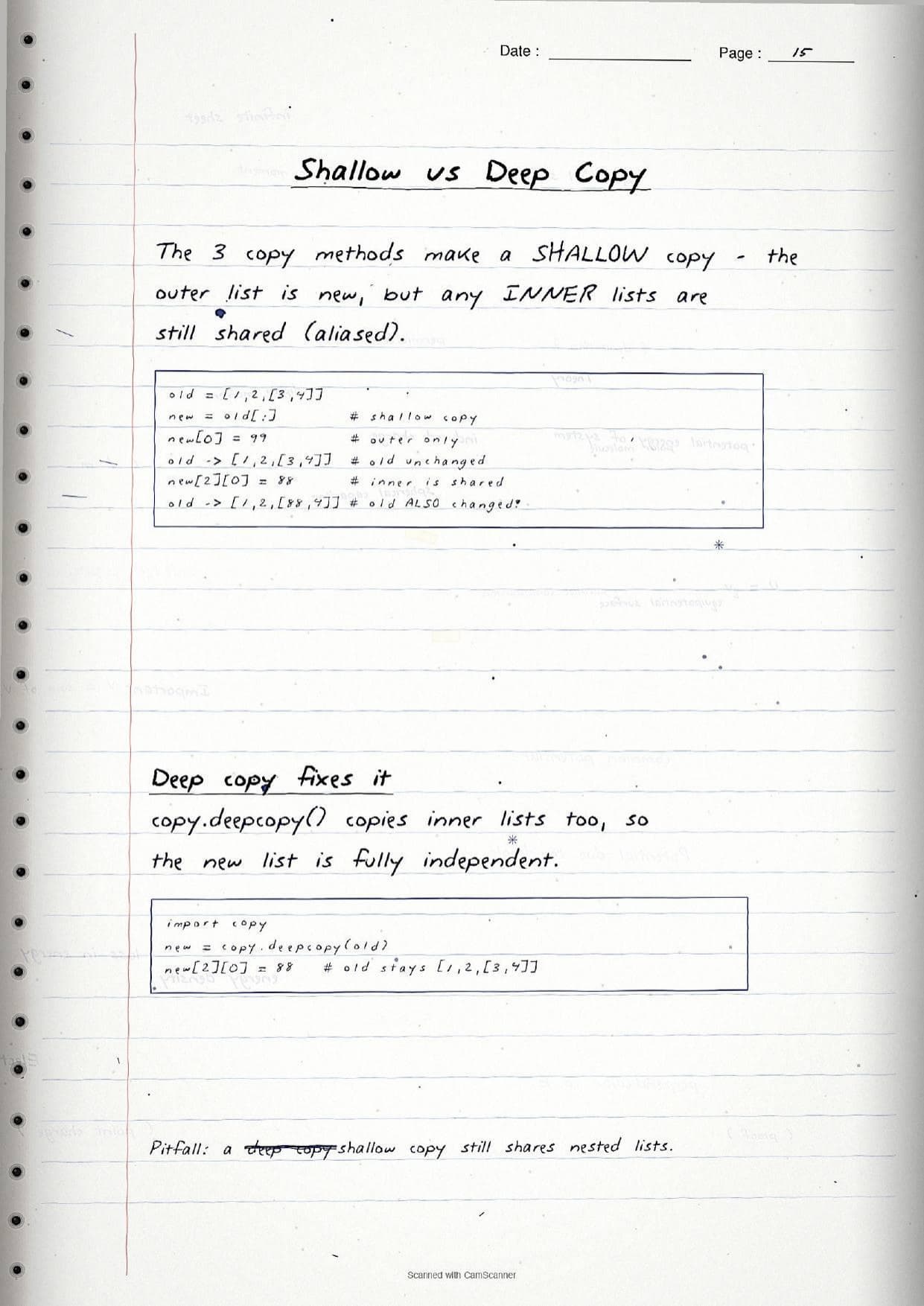
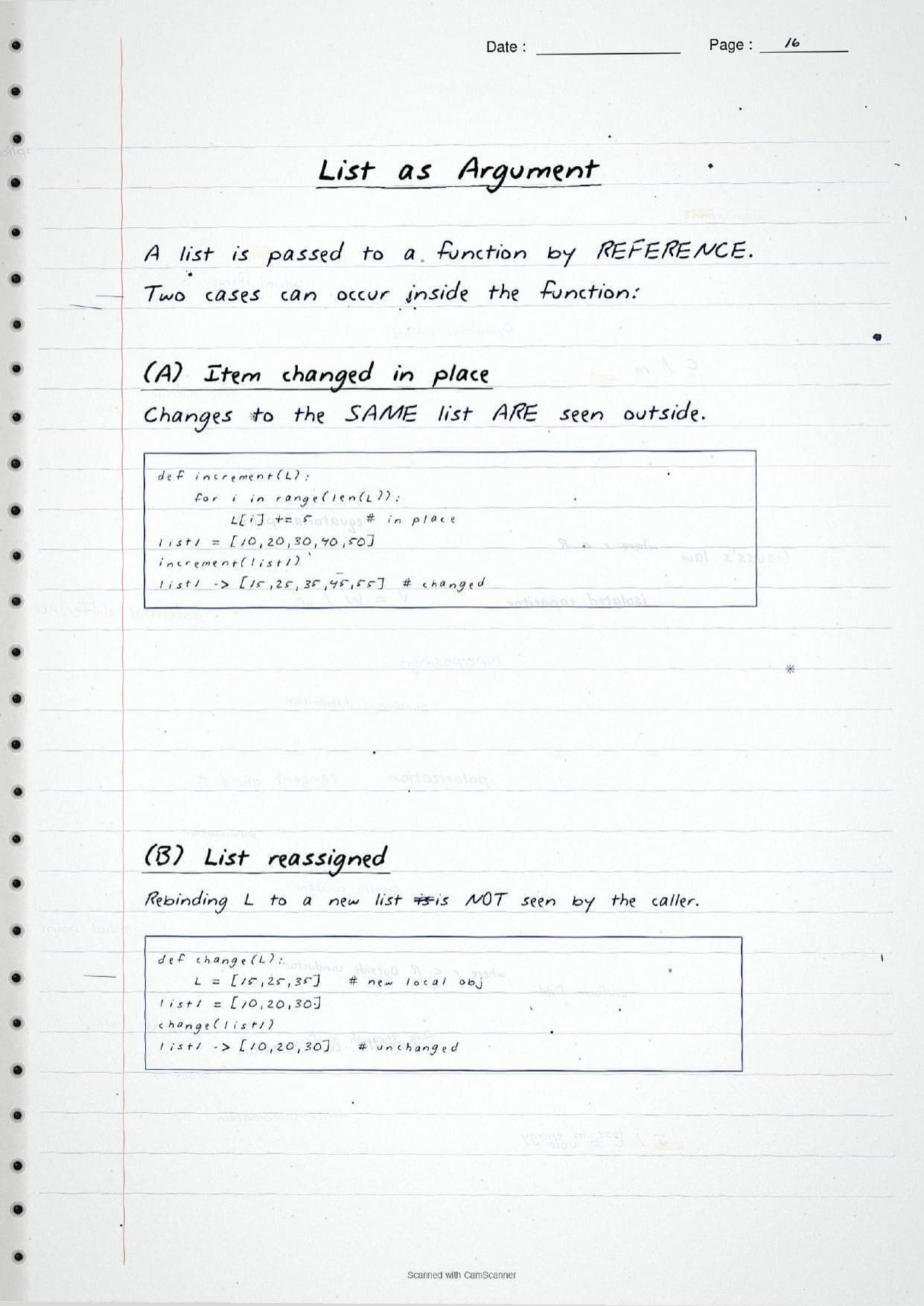
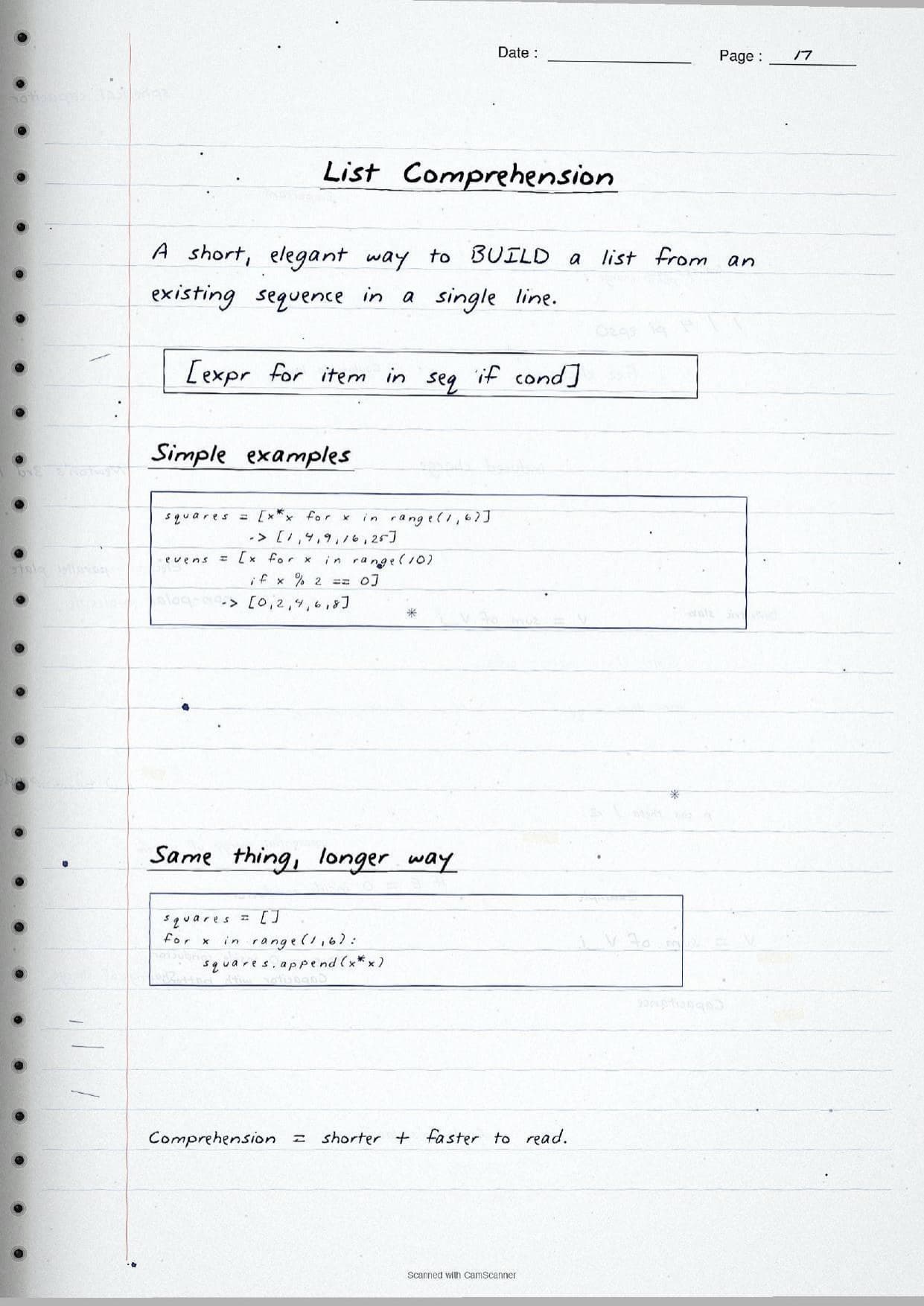
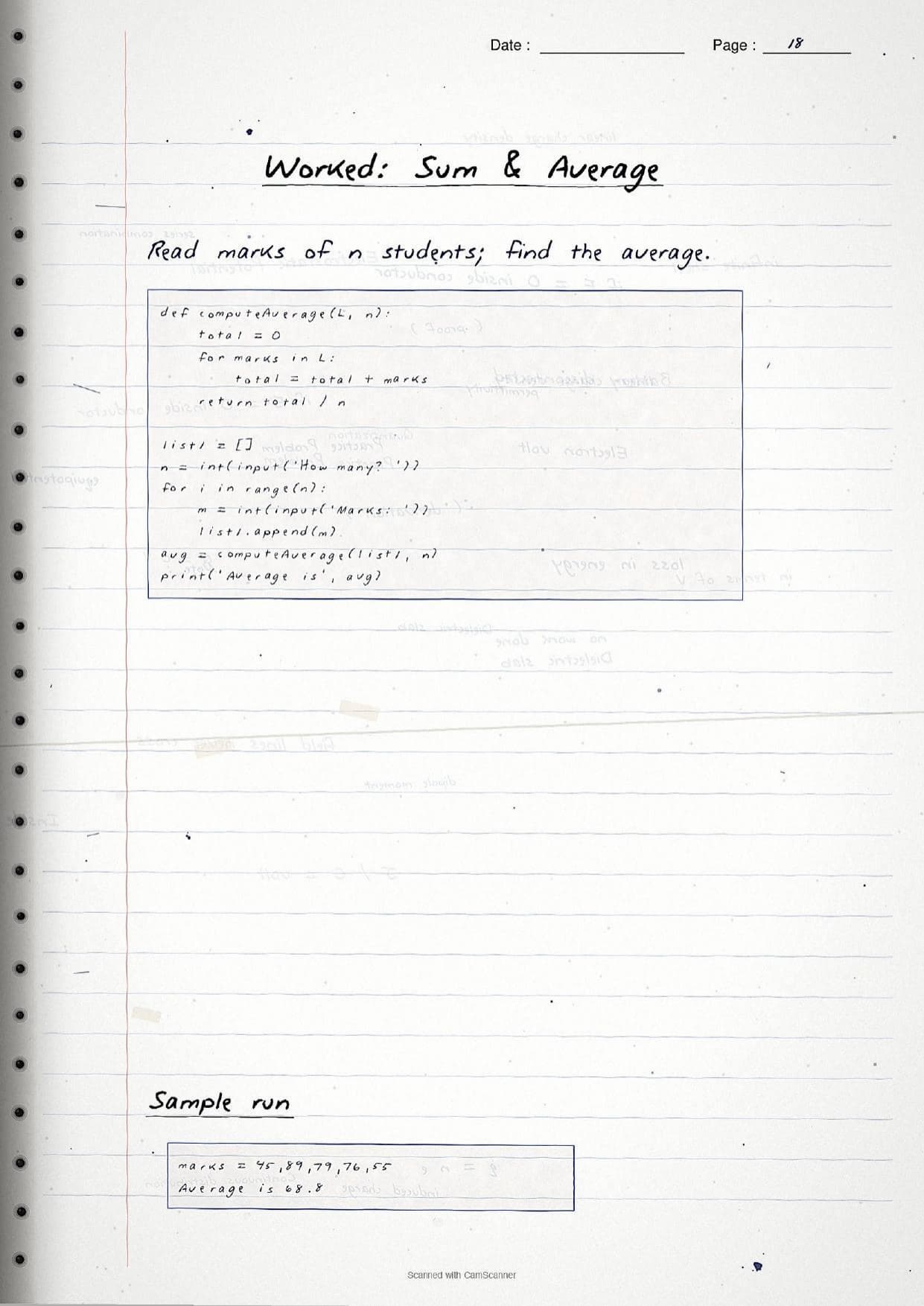
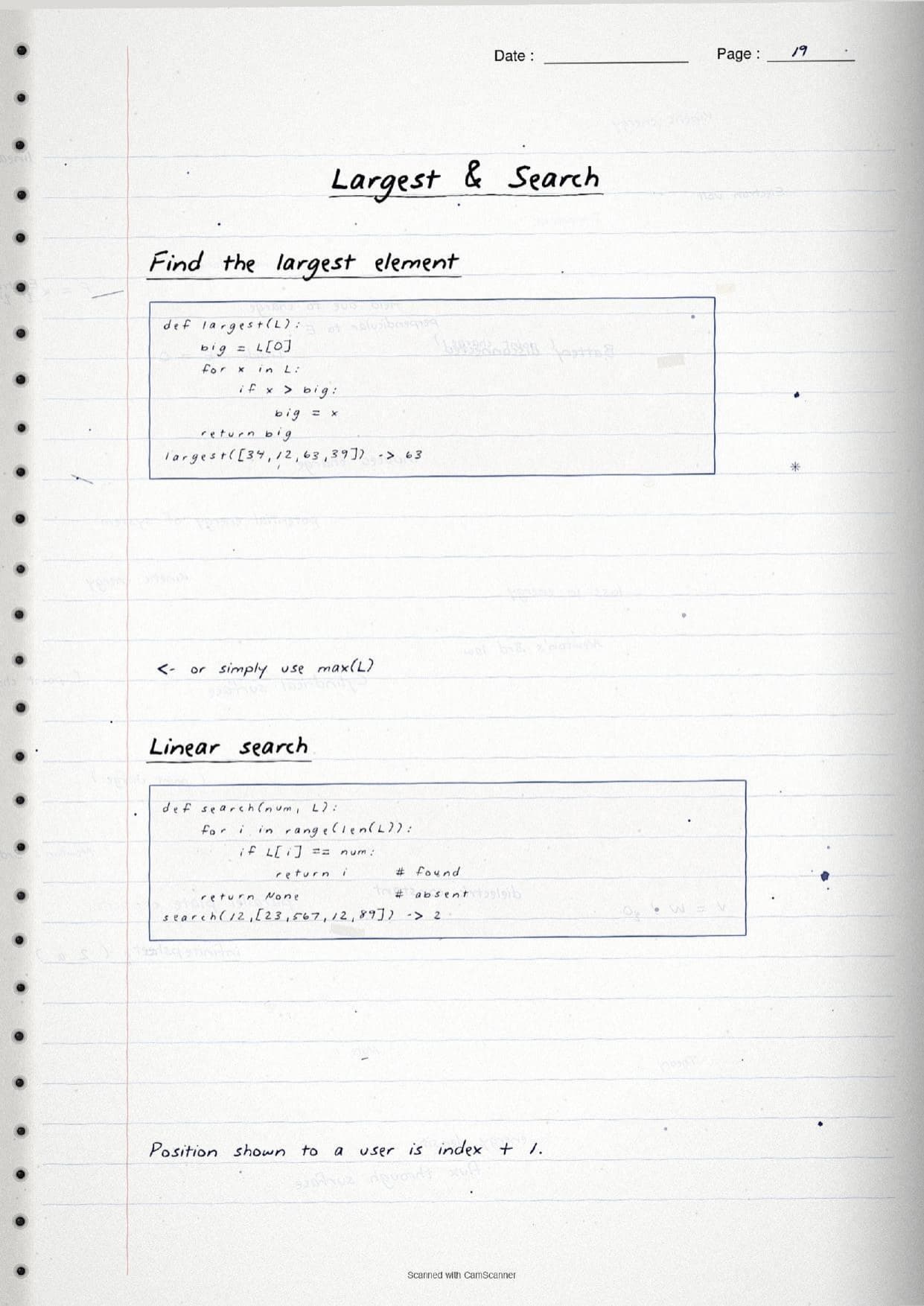
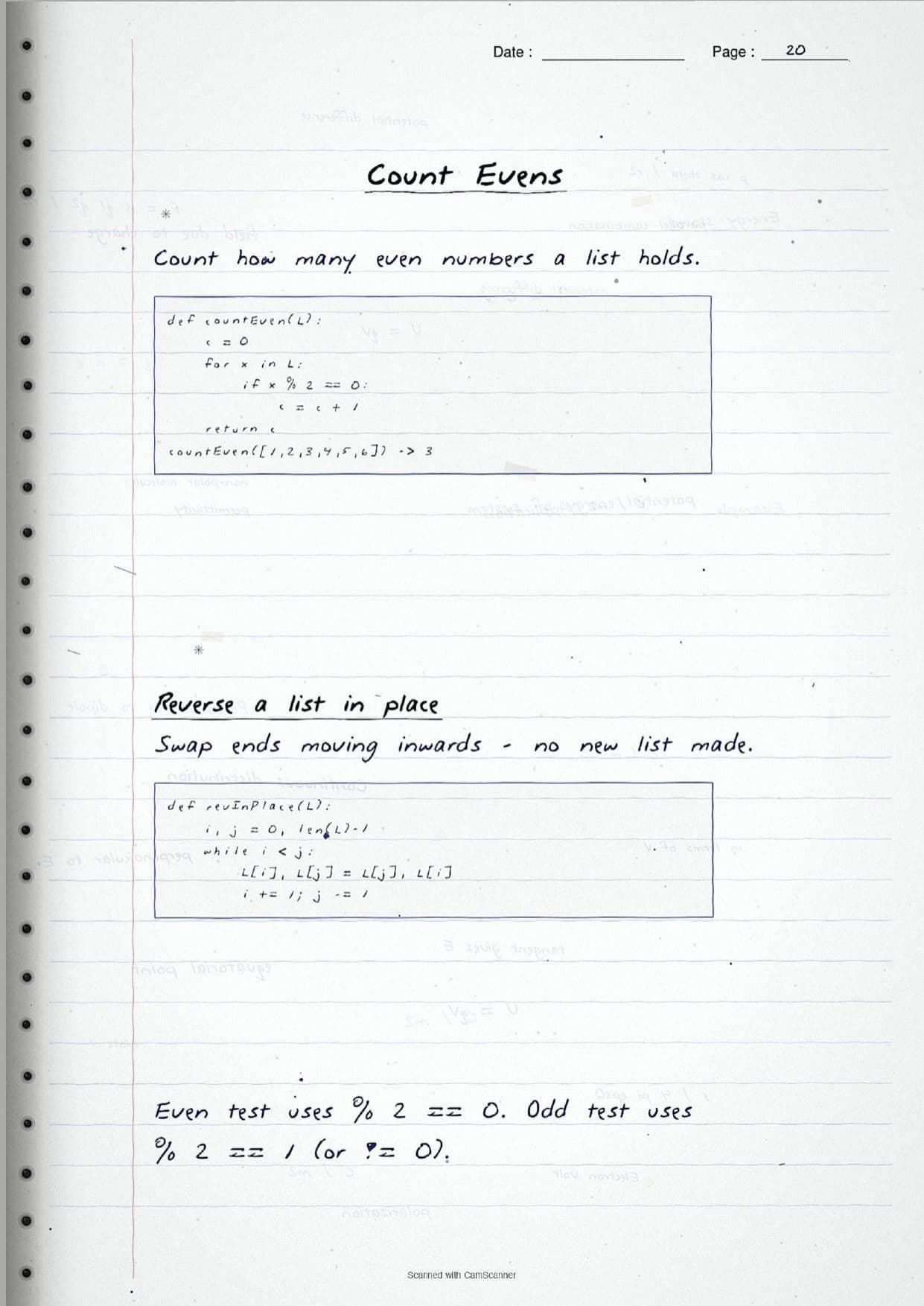
- Handwritten pages with boxed syntax, traced index diagrams and every method shown as short hand-written Python snippets with output.
- This is a core programming chapter of Class 11 Computer Science, so lists carry straight into tuples, dictionaries and the practical file.
- Pairs with the NCERT Solutions, Notes and Book PDF linked lower on this page.
These Lists handwritten notes are prepared from the official NCERT Computer Science textbook and checked against recent CBSE Class 11 question papers.
Student Feedback: In a Collegedunia poll of 4,640 Class 11 Computer Science students, 78% of students said seeing the Python code written by hand made the append() versus extend() difference and slicing output finally click, because the boxed syntax and traced index arrows were easier to follow than typeset code.
Source: 2026-27 Class 11 Computer Science student poll. Sample of 4,640 students from CBSE schools across 12 states.
What These Lists Handwritten Notes Contain
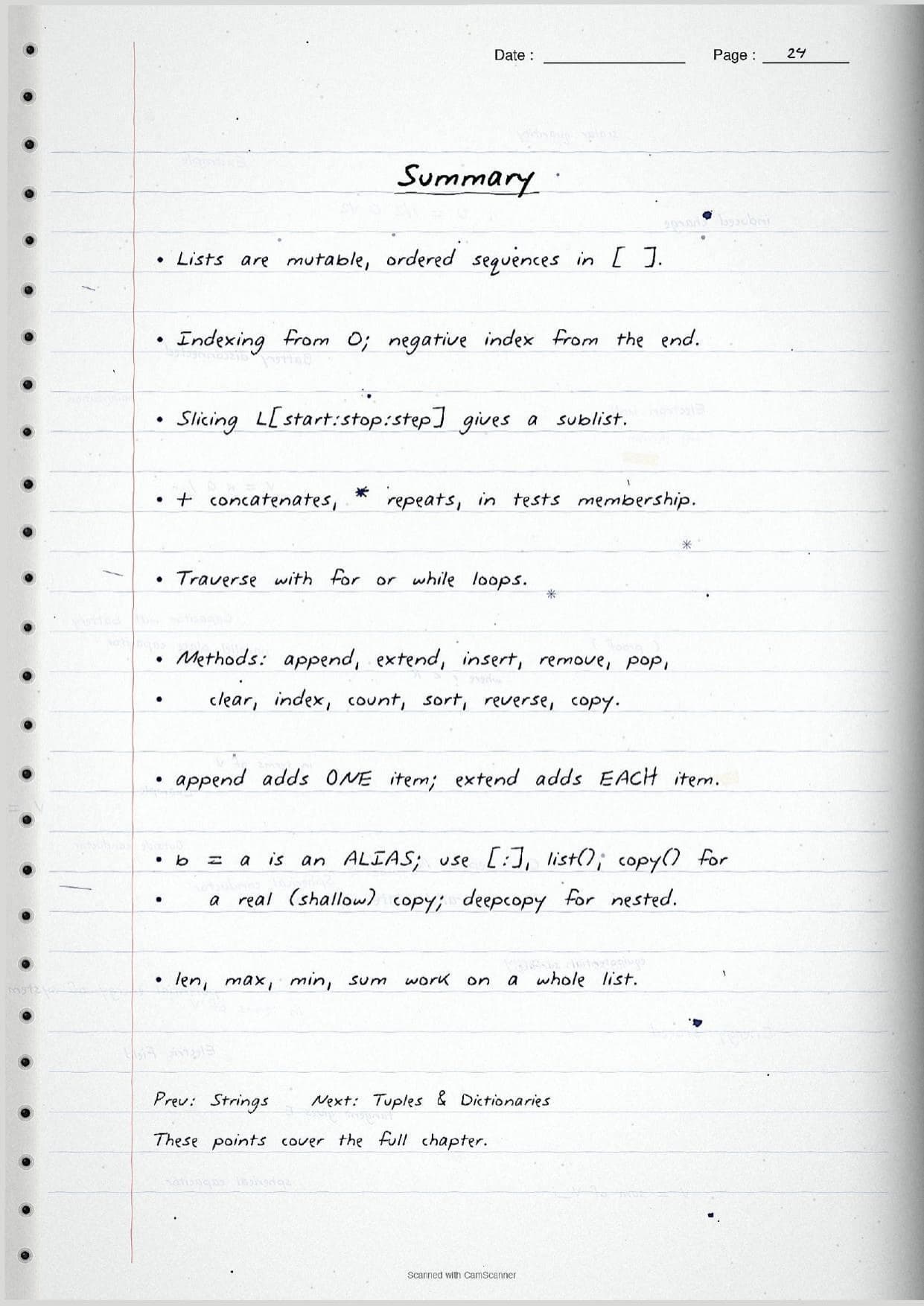
Lists is the ninth chapter of Class 11 Computer Science. It introduces the list, the most used data structure in Python, and shows how to build it, read it, change it and process it. These handwritten notes condense the chapter into pen-on-paper pages that read like a topper's own practical notebook, with each snippet of Python code written out by hand next to its output.
The notes are organised under three threads, each on its own set of pages:
- The basics: creating a list with square brackets, positive and negative indexing, slicing, and why a list is mutable when a string is not.
- The operations and methods: the operators
+,*andin, traversal with loops, and every built-in method such asappend(),extend(),insert(),remove(),pop(),sort()andreverse(). - The tricky bits and programs: nested lists, copy versus alias, shallow versus deep copy, list comprehension, and short worked programs for average, largest, search and count.
Because the pages are handwritten, the syntax sits inside boxed diagrams and traced index arrows rather than long paragraphs. A student can flip through the Lists class 11 pages in a few minutes and still recall the method names, the slicing rules and the alias trap before walking into the exam.
Creating, Indexing and Slicing Lists
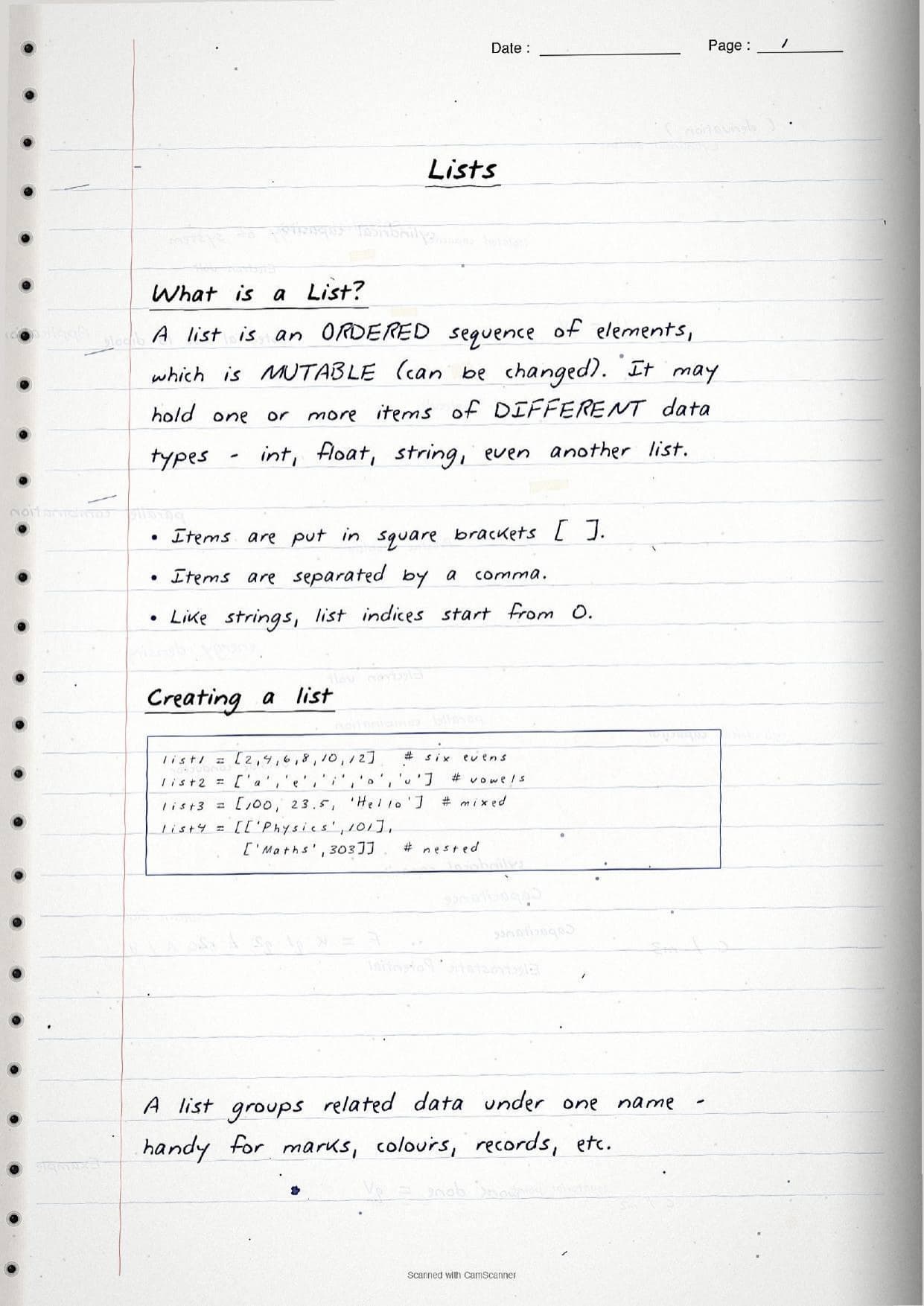
The opening pages settle what a list is. A list is an ordered sequence of elements that is mutable, written inside square brackets with items separated by commas. A single list can hold mixed data types, and it can even hold another list. The notes box the four ways of writing a list so students see the pattern at a glance.
list1 = [2, 4, 6, 8, 10]        # all integers
list2 = ['a', 'e', 'i', 'o', 'u']   # all strings
list3 = [100, 23.5, 'Hello']    # mixed types
list4 = [['Physics', 101], ['Maths', 303]]  # nested
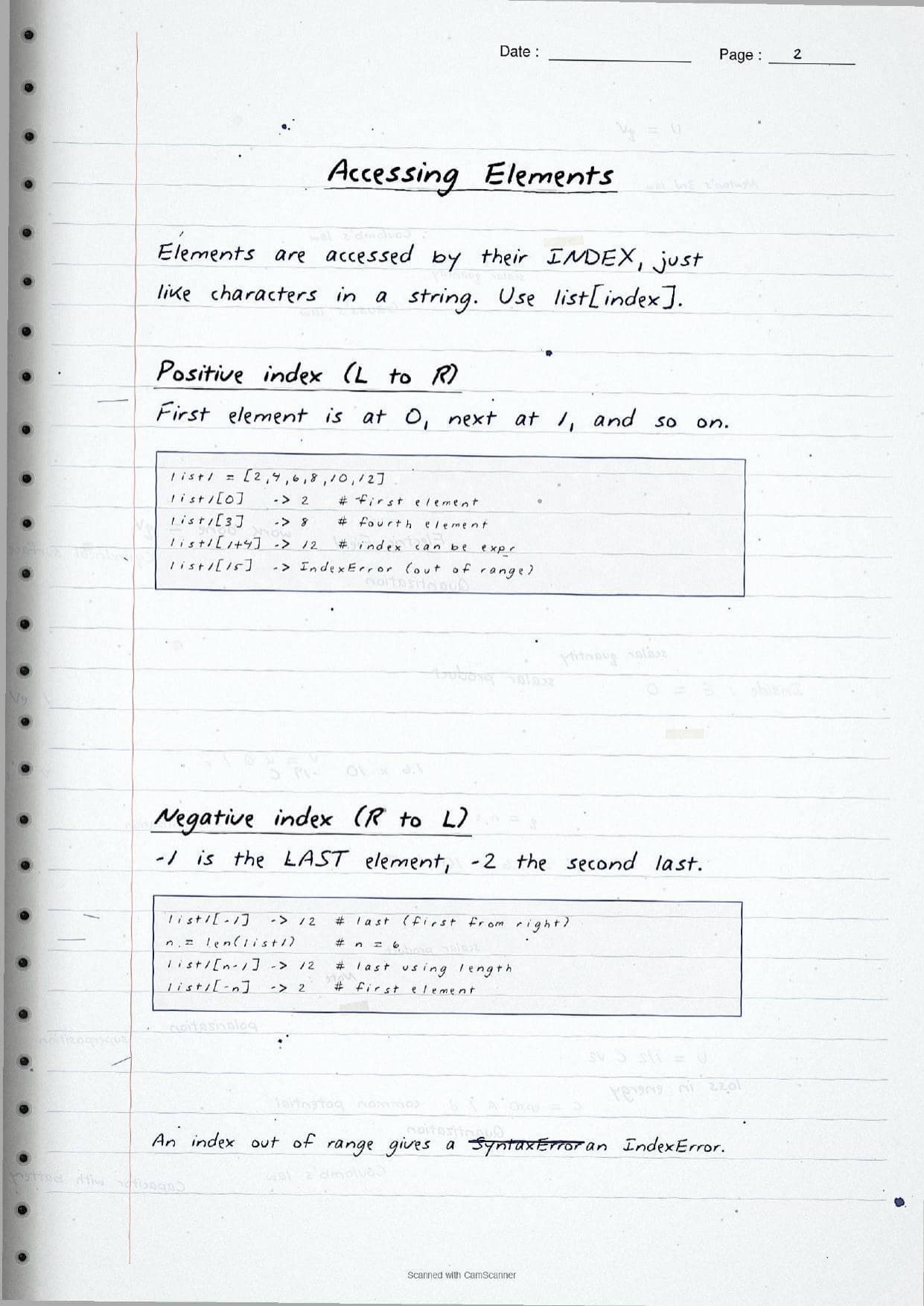
Elements are reached by their index, exactly like characters in a string. The first item sits at index 0, and a negative index counts from the right, so list1[-1] is the last item. The handwritten pages trace these positions with arrows so the counting never confuses students.
| Expression | What the page shows |
|---|---|
list1[0] | The first element; positive index runs left to right from 0. |
list1[-1] | The last element; negative index runs right to left from -1. |
list1[start:stop:step] | A slice, that is a sublist; the stop index is not included. |
list1[::-1] | The whole list reversed, using a step of -1. |
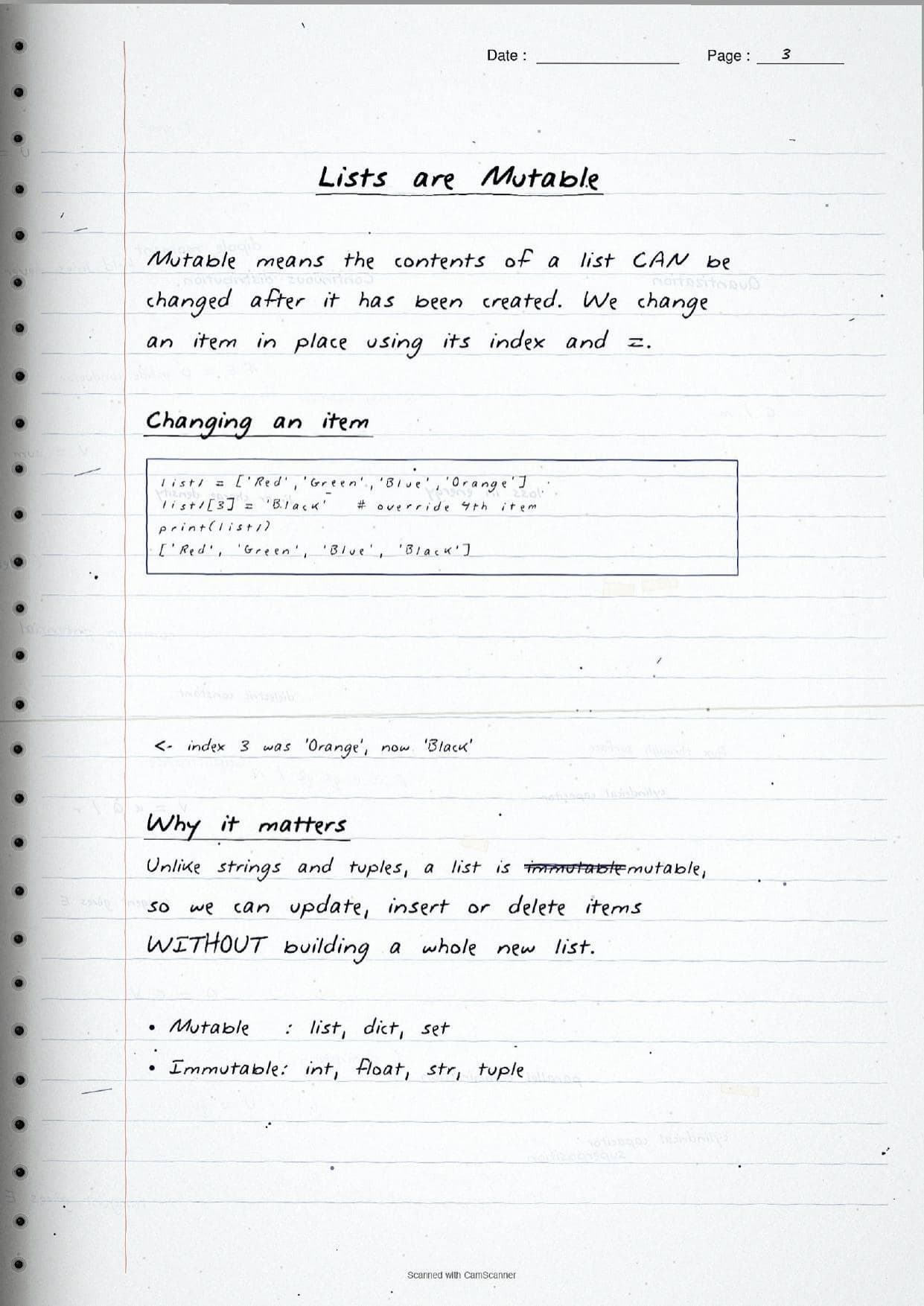
A separate page proves that a list is mutable. Using an index with =, a student can change an item in place, as in list1[3] = 'Black', without building a whole new list. This is the key point that separates a list from a string or a tuple. The notes also mark an out-of-range index as an IndexError and a bad slice, where start is greater than stop, as an empty list, since these both turn up in output questions.
List Methods and the append vs extend Trap
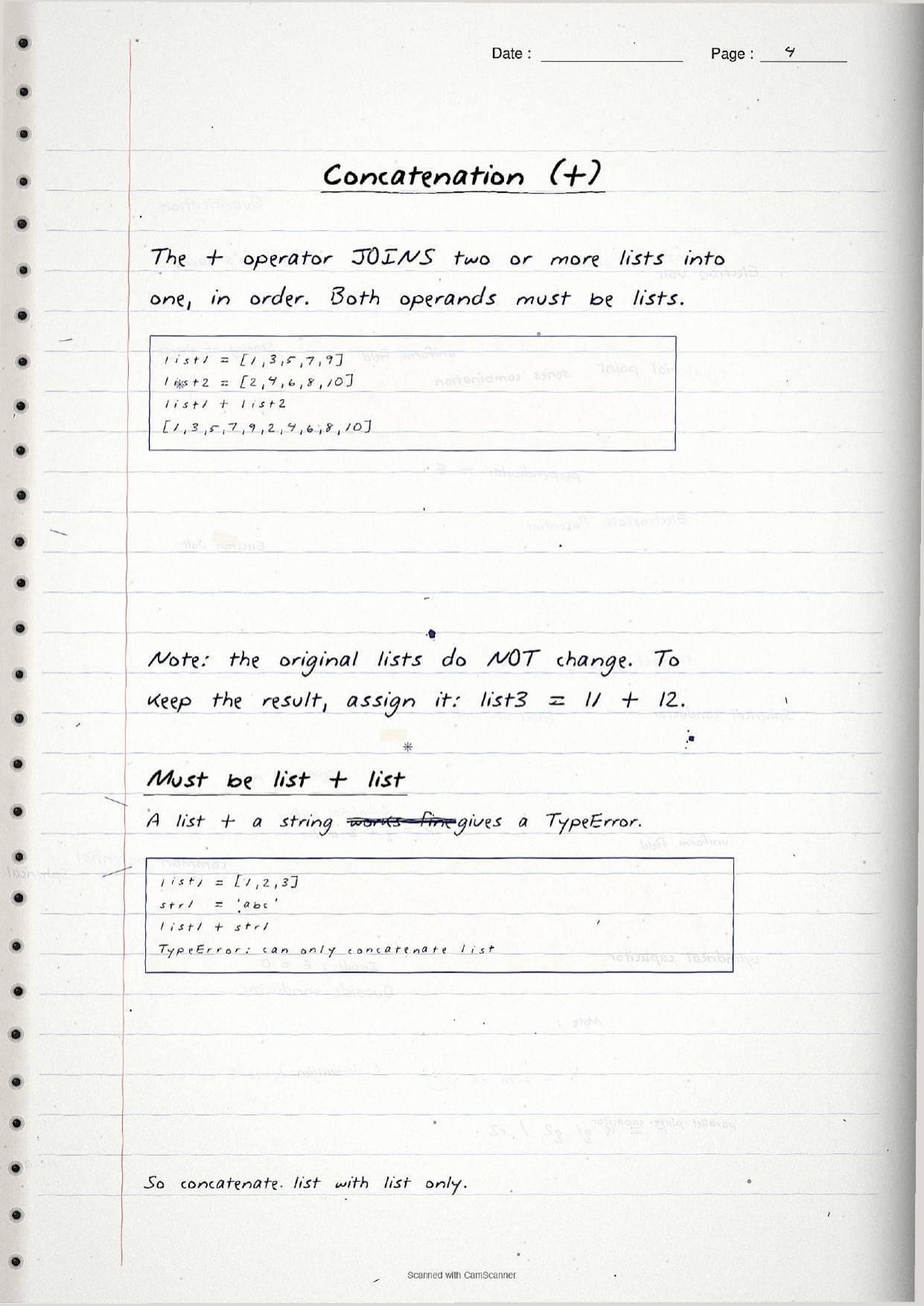
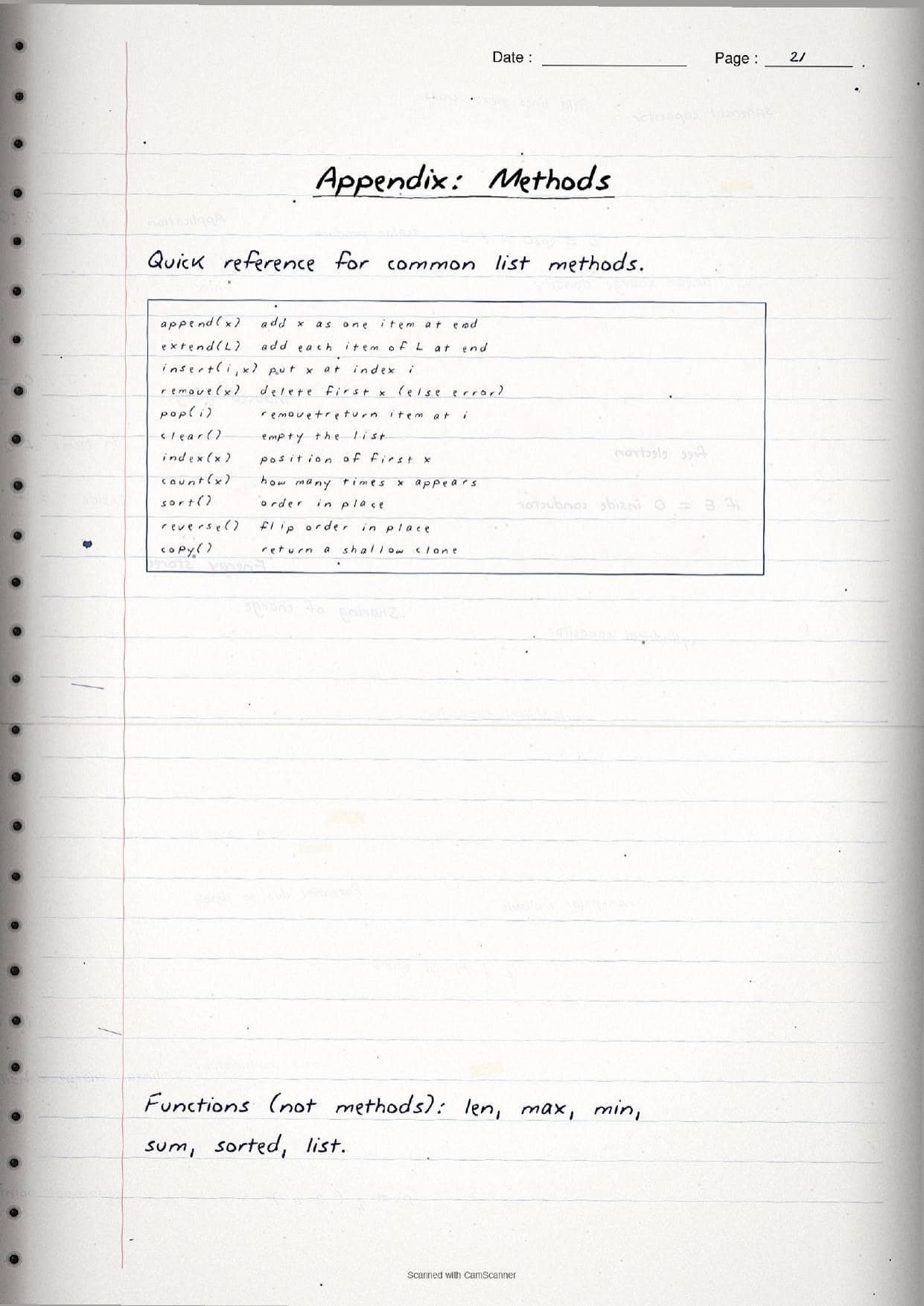
The middle pages cover list operations and the built-in methods, which are the heart of the chapter for the exam. The operator + joins two lists, * repeats a list, and in tests membership and returns True or False. The notes warn that a list can only be joined to another list, so [1,2,3] + 'abc' raises a TypeError. The methods are then listed with a one-line hand-written example each.
| Method | Key idea on the page |
|---|---|
append(x) | Adds x as a single element at the end, even if x is a list. |
extend(L) | Adds each element of list L to the end, one by one. |
insert(i, x) | Puts x at index i and shifts the rest right. |
remove(x) | Deletes the first x; a missing x raises a ValueError. |
pop(i) | Removes and returns the item at i, or the last item if i is left out. |
index(x) / count(x) | First position of x, and how many times x appears. |
sort() / reverse() | Order or flip the list in place; both return None. |
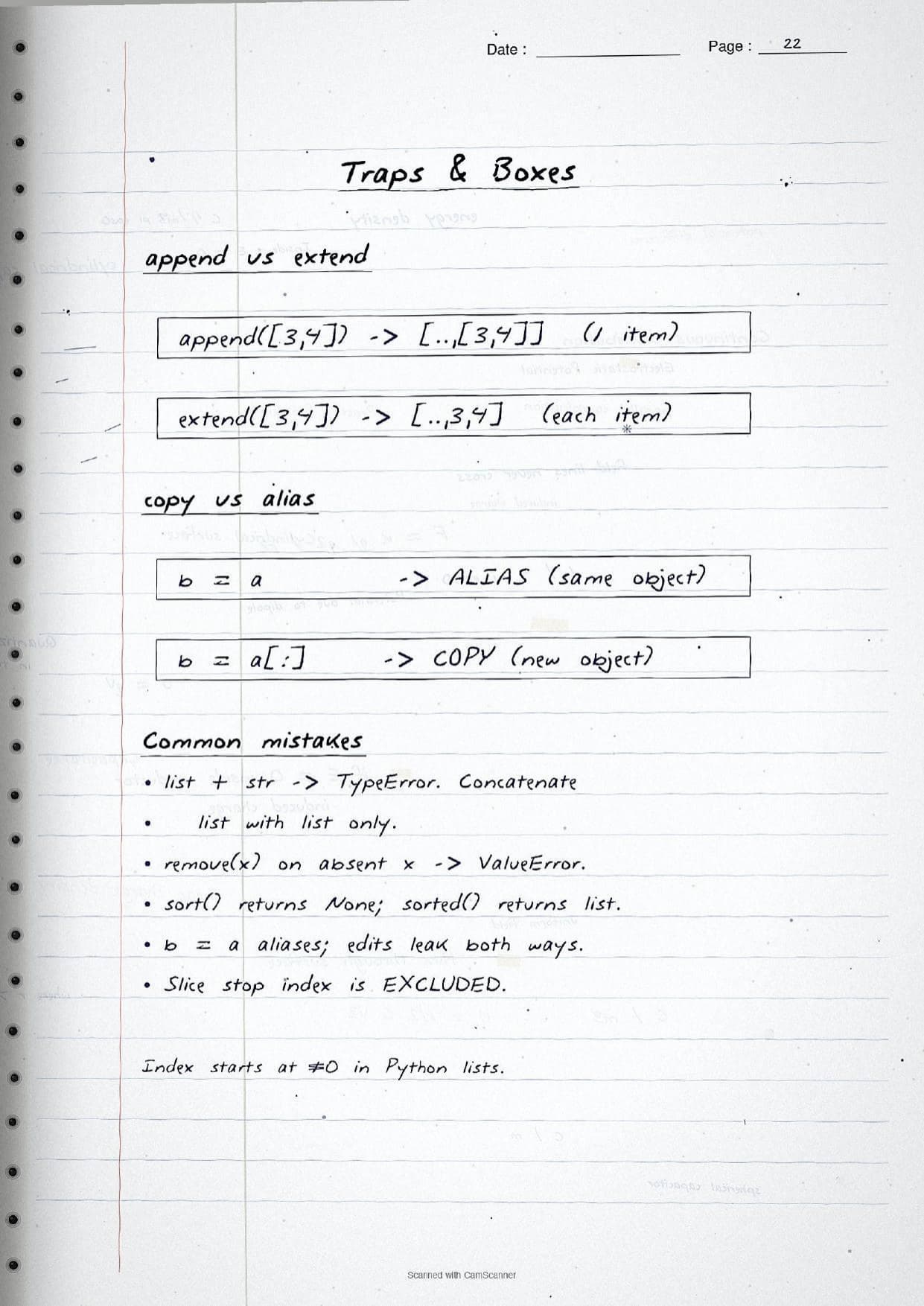
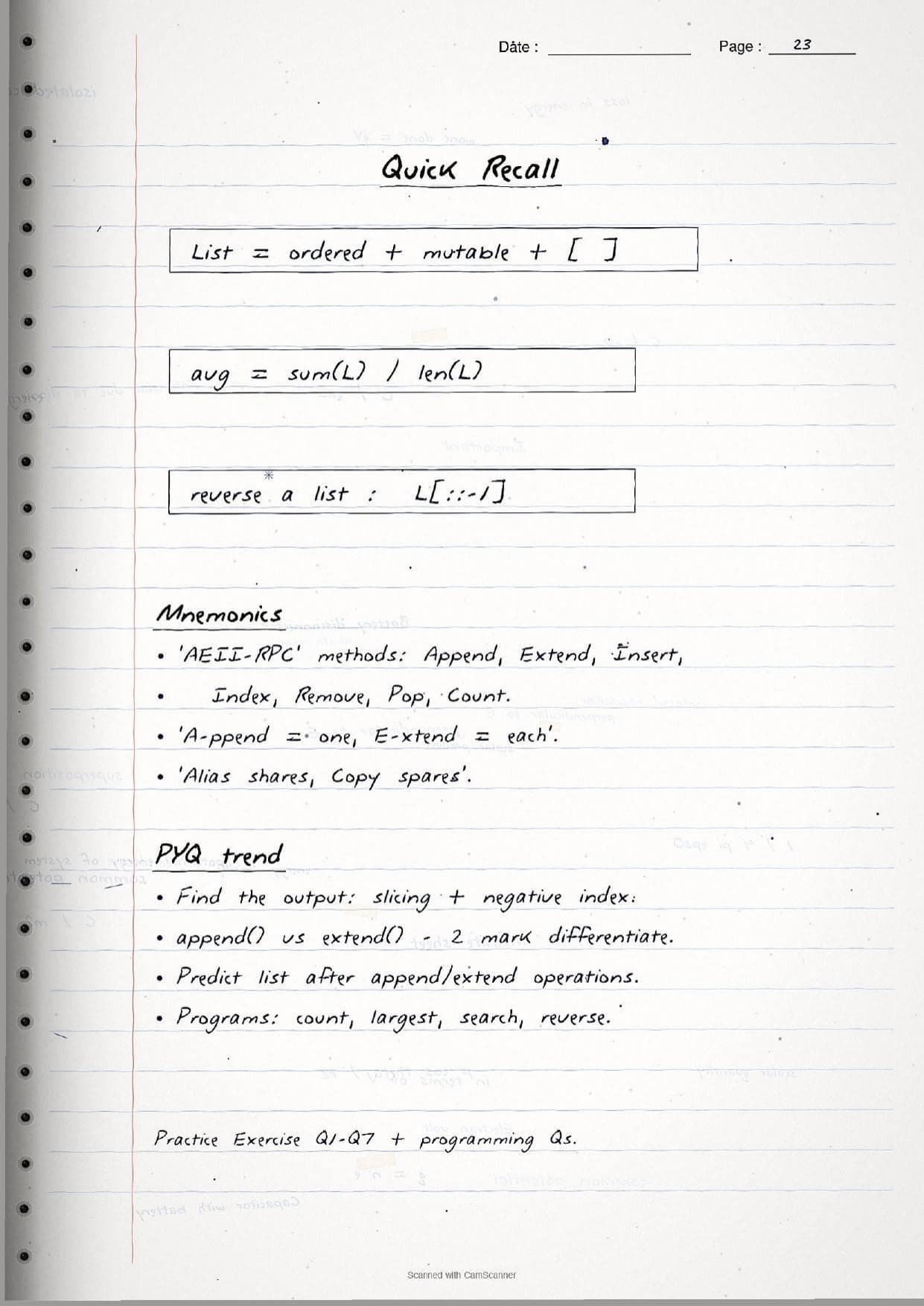
The most tested point gets its own boxed page: append versus extend. With a = [1,2]; a.append([3,4]) the list becomes [1, 2, [3, 4]], but b = [1,2]; b.extend([3,4]) gives [1, 2, 3, 4]. The notes fix this with the hand-written rule append adds one item, extend adds each item. The pages also separate sort() from sorted(), since sort() changes the list and returns nothing while sorted() leaves the list alone and returns a new list. The built-in functions len(), max(), min() and sum() round off this thread, with the one-line average sum(L) / len(L) boxed for quick recall.
A final set of pages handles the ideas students find hardest. A nested list needs two indices, so list1[4][1] first picks the inner list, then the item in it. Assignment such as list2 = list1 makes an alias, a second name for the same object, so a change through one name shows up in the other. A real copy needs list1[:], list() or copy.copy(), and a deep copy with copy.deepcopy() is the only way to also clone the inner lists. List comprehension, written as [x*x for x in range(1,6)], closes the chapter as a short one-line way to build a list.
How to Use These Handwritten Notes
Handwritten notes work best as a final-revision tool, not a first read. The steps below show how to get the most out of the Lists handwritten notes in the last days before a Class 11 Computer Science test.
- Download: tap the download card above to save the handwritten pages to your device.
- First read: read the printed Notes once so the handwritten pages act as a refresher, not a first source.
- Type it out: run each boxed snippet in Python and check the output matches the hand-written result on the page.
- Recall drill: cover the method table and write out what
append(),extend(),pop()andsort()each do from memory.
Many students search for class 11 computer science chapter 9 notes on their phone the night before a test, so a saved set of handwritten pages means you can revise offline. Use the handwritten notes for speed, then run the code and check the solutions to confirm you have the output and method behaviour right.
Common Mistakes These Notes Help You Avoid
A few errors cost marks every year in the output and programming questions. The handwritten notes flag each one in the margin so students can fix it before the exam. These five are the most common.
- Confusing append and extend. Remember append adds one item, extend adds each item of the argument.
- Including the stop index in a slice. In
list[a:b]the item at indexbis excluded. - Expecting a value from
sort(). Bothsort()andreverse()returnNone; onlysorted()returns a new list. - Treating
list2 = list1as a copy. It is an alias, so edits leak both ways; uselist1[:]for a real copy. - Joining a list to a string.
list + strraises a TypeError; concatenate a list with a list only.
Students who fix these five points usually move from average to high marks. The handwritten notes box each rule and show the exact error next to the wrong code, so the soft points are hard to miss when you revise.
How These Handwritten Notes Pair with the Solutions and Book PDF
These handwritten notes are a fast revision tool. To prepare fully, students should use them alongside the other resources for the same chapter, all linked in the table below. Read the printed Notes, test yourself with the solutions, then use these pages for a final recall.
| Resource | Best used for |
|---|---|
| Lists NCERT Solutions | Step-by-step answers to all the exercise and programming questions |
| Lists Class 11 Notes | Quick chapter summary with every method and operator in one place |
| Lists NCERT Book PDF | Reading the original NCERT chapter text and worked examples |
Tip: read the printed Notes first, run the code and attempt the solutions, then keep these handwritten pages for the final night-before flip. Using them for recall, not for the first read, builds memory faster.
All Class 11 Computer Science Handwritten Notes by Chapter
The table links the handwritten notes for every chapter in Class 11 Computer Science, so students can move across the course in one click. Lists is highlighted.
| Chapter | Handwritten Notes |
|---|---|
| Chapter 1 | Computer System |
| Chapter 2 | Encoding Schemes and Number System |
| Chapter 3 | Emerging Trends |
| Chapter 4 | Introduction to Problem Solving |
| Chapter 5 | Getting Started with Python |
| Chapter 6 | Flow of Control |
| Chapter 7 | Functions |
| Chapter 8 | Strings |
| Chapter 9 | Lists |
| Chapter 10 | Tuples and Dictionaries |
| Chapter 11 | Societal Impact |
FAQs on Lists Handwritten Notes
Lists Class 11 Computer Science Handwritten Notes Common Questions
Ques. Where can I download the Lists handwritten notes PDF?
Ans. You can download the Lists Class 11 Computer Science handwritten notes PDF directly from this page. It is free, follows the 2026-27 NCERT, and presents list creation, indexing, slicing, every list method and short worked programs as handwritten pages with the Python code written out by hand.
Ques. What is the difference between append() and extend() in a list?
Ans. append(x) adds its argument as a single element, so [1,2].append([3,4]) gives [1, 2, [3, 4]]. extend(L) adds each element of L one by one, so [1,2].extend([3,4]) gives [1, 2, 3, 4]. The handwritten notes box this exact comparison.
Ques. What topics do these handwritten notes cover?
Ans. They cover creating lists, positive and negative indexing, slicing, mutability, the operators +, * and in, traversal with loops, the methods append(), extend(), insert(), remove(), pop(), sort() and reverse(), nested lists, copy versus alias, shallow and deep copy, list comprehension and worked programs.
Ques. Why is a list called mutable in Class 11 Computer Science?
Ans. A list is mutable because its contents can be changed after it is created. Using an index with =, such as list1[3] = 'Black', a student can update, insert or delete items in place without building a new list. This is what separates a list from a string or a tuple, which are immutable.
Ques. How should I use these notes with the other resources?
Ans. Read the printed Notes first, run each boxed snippet in Python, test yourself with the NCERT Solutions, then keep these handwritten pages for the final night-before flip. Using them for recall rather than the first read builds memory faster.



Comments