

How to Sell Your Old Phone for Cash with Mazuma Mobile: The Complete Trade-In Guide

Upgrading to a new smartphone is exciting. A newer camera, faster processor, improved display, additional storage and new software features can make a phone upgrade feel worthwhile. But there is one question that often gets forgotten during the excitement of buying a new device:
What should you do with your old phone?
For many people, the answer is to put it in a drawer.
One phone becomes two. Two become three. Before long, a household can have several old smartphones sitting unused, even though some of them may still have monetary value.
Selling an old phone can be a practical alternative. Instead of allowing an unused device to collect dust, you can check its current trade-in value, prepare it properly and send it to a specialist mobile recycling and reuse company.
Mazuma Mobile is one such service. The company has been operating since 2006 and provides an online process for selling used technology. Its current service covers mobile phones as well as other devices such as tablets, smartwatches, MacBooks and games consoles.
The process is designed to be straightforward: find your device, receive a quote, send it in and receive payment after the device has been processed.
But there is more to getting the most from an old phone than simply putting it in an envelope.
The model, storage capacity, condition, network status and current market demand can all influence its value. Preparing the phone correctly is also important because your device may contain years of personal information.
This guide explains how the process works, what can affect the value of your phone, how to prepare it before selling, what happens when Mazuma receives it and what you should know about selling working, faulty or locked devices.
Why Sell Your Old Phone?
Smartphones are expensive pieces of technology, but their usefulness doesn't necessarily end when you upgrade.
An older device may still be perfectly capable of making calls, browsing the internet, taking photographs, using apps and performing everyday tasks.
If you no longer need it, selling can give the device another opportunity to be used.
There is also a financial reason to check the value of an old phone.
Mazuma's current guidance explains that phone value can depend on factors including the model, storage size, condition, network status and market demand.
That means an old phone sitting unused in a drawer could represent money that you simply haven't claimed yet.
Selling an unwanted phone can also help you:
- Recover some value after upgrading
- Fund part of a new purchase
- Clear unused electronics from your home
- Give a working device another life
- Send unsuitable devices into recycling
- Avoid leaving personal technology unused for years
The first step is simply finding out what your phone is worth.
How Much Is an Old Phone Worth?
This is probably the first question most people ask.
Unfortunately, there isn't one fixed price for every phone.
Two phones that look almost identical can have very different values.
For example, an iPhone with larger storage may be worth more than the same model with less storage. A phone in excellent condition can have a different value from one with a cracked screen. An unlocked phone can also have different resale potential from a network-locked device.
Mazuma identifies several important factors when calculating the value of a phone.
Let's look at each one.
1. The Phone Model
The model is one of the most important factors.
A recently released flagship smartphone will normally have a different market value from an older budget model.
Even within one brand, different product families can have substantially different values.
For example, Apple sells different iPhone generations and configurations, while Samsung has multiple Galaxy ranges.
This is why you should identify your exact model rather than simply searching for the brand.
Mazuma provides an online search tool where you can enter your model and receive an instant valuation when the device is listed.
2. Storage Capacity
Storage can also affect the price.
A smartphone might be available in:
- 64GB
- 128GB
- 256GB
- 512GB
- 1TB
The available configurations depend on the model.
When getting a quote, make sure you choose the correct storage version.
Selecting a higher-capacity version by mistake can lead to the device being assessed differently when it arrives.
3. Physical Condition
Condition is another major consideration.
A phone that looks almost new is obviously different from one with:
- A cracked display
- Heavy scratches
- Damaged casing
- A broken camera
- Faulty buttons
- Charging problems
- Battery issues
- Water damage
The good news is that you don't necessarily need a perfect phone to sell it.
Mazuma says it accepts both working and faulty devices that appear in its pricing guide, subject to its terms and conditions.
That means it can be worth checking the value even if your phone isn't in perfect condition.
4. Network Status
Network status can also influence value.
An unlocked phone can be used with different compatible networks, which can make it easier to reuse.
Mazuma's current guidance says network-locked phones can generally still be sold, although acceptance can depend on the particular device.
If your phone is locked, don't automatically assume that you cannot sell it.
Check the exact model and its requirements before deciding what to do.
5. Current Market Demand
The value of technology isn't permanent.
Phone prices change.
New models are introduced. Consumer demand changes. Older devices become more affordable. Certain models become more popular in the second-hand market.
Mazuma specifically identifies current market demand as one of the factors affecting phone value.
This explains why a phone can have one valuation today and a different valuation later.
If you're already planning to sell your old phone, checking its value sooner can therefore be useful.
How to Check Your Phone's Value
The easiest way to start is through Mazuma's online valuation process.
The current selling page provides a search function for finding the relevant phone model and obtaining an instant quote.
The basic process is:
Step 1
Find your exact phone model.
Step 2
Select the relevant version and storage capacity.
Step 3
Choose the appropriate condition.
Step 4
Review the quoted value.
Step 5
Decide whether you want to proceed.
The process is designed to take only a few minutes, according to Mazuma's guidance.
What Is an Instant Quote?
An instant quote gives you an indication of what Mazuma will pay for the device based on the information you provide.
This is useful because you can check the value before committing to the sale.
You don't have to guess how much an old phone might be worth.
Instead, you can search for the model and see whether it has a current trade-in value.
Mazuma says its quotes are fixed rather than "up to" prices, subject to the phone meeting the relevant terms and conditions.
Understanding Mazuma's Price Promise
One of the main features highlighted by Mazuma is its price promise.
The company says it will pay 100% of the quoted value provided the device meets its terms and conditions. If the device doesn't meet those requirements and the order needs to be amended, Mazuma says it will send a revised offer for approval.
This is important because the condition you select when obtaining a quote needs to accurately reflect the phone you are actually sending.
Don't select "excellent" if the phone has a heavily damaged screen.
Don't describe a fully functional camera if the camera doesn't work.
Accurate information helps avoid surprises later.
What Happens If the Phone Is Worth Less After Inspection?
Suppose you receive a quote for your phone and send it to Mazuma.
When the device arrives, it is checked.
If the condition does not match the information provided, the quoted amount may need to be amended under the company's terms.
Mazuma says that when an order needs to be changed, it can email a revised offer for approval. If the customer isn't satisfied with the revised offer, the company says the device can be requested back free of charge under its price-promise terms.
There is an important exception: the price promise does not apply to blocked devices registered as lost or stolen.
Can You Sell a Locked Phone?
Yes, in many cases.
But it is important to understand the difference between locked and blocked.
A network-locked phone is generally restricted to a particular mobile network.
A blocked phone is different.
Blocked devices may have been barred from use because they were reported lost or stolen.
Mazuma's current guidance explains that network-locked devices can usually still be sold, while blocked phones typically cannot.
Therefore, if your old phone is locked to a network, don't automatically assume it is worthless.
Check its eligibility first.
What Is an IMEI Number?
If you've never sold a phone before, you may come across the term IMEI.
IMEI stands for International Mobile Equipment Identity.
It is a unique identifier associated with a mobile phone.
Mazuma explains that an IMEI is a 15-digit number used to identify a handset.
Depending on your device, you may be able to find it:
- In the phone's settings
- On the original packaging
- On a label
- On the SIM tray
- By entering *#06# on supported phones
Mazuma's guidance also recommends keeping a record of your IMEI before sending a phone away.
Why Record Your IMEI?
Keeping a record of your phone's IMEI gives you an additional reference for the device you have sent.
You can also take photographs of the phone before packaging it.
Photograph:
- The front
- The back
- The sides
- Any visible damage
- The device screen if it powers on
This isn't necessarily required for the sale, but it gives you a personal record of the phone's condition before shipping.
Preparing Your Phone for Sale
Getting a quote is only the beginning.
Before you send the phone, you need to prepare it properly.
The preparation process has two main goals:
Protect your personal information.
Make the device ready for assessment and reuse.
Let's go through the process.
Back Up Your Data First
This should always be your first step.
Your phone may contain years of information.
Think about:
- Family photographs
- Videos
- Contacts
- Text messages
- WhatsApp conversations
- Emails
- Notes
- Documents
- Calendar entries
- App information
- Passwords
- Authentication information
Once you erase the phone, recovering information that wasn't backed up can be extremely difficult.
Mazuma recommends backing up important data before selling a device.
For an iPhone, this may involve iCloud or another backup method.
For Android, Google backup and manufacturer-specific services may be available.
Check your backup before deleting anything.
Remove Your Accounts
Once your data is safely backed up, remove the accounts associated with the phone.
Depending on the device, this might include:
- Apple Account
- Google Account
- Samsung Account
- Email accounts
- Cloud storage accounts
- Payment accounts
This is particularly important because account locks can prevent the device from being properly processed.
Mazuma's preparation guidance recommends removing relevant cloud accounts before passing the device to a buyer.
Turn Off Device Locks
Screen locks are useful while you own your phone.
They protect your information from someone who picks up your device.
But when you sell the phone, the device needs to be prepared for its next stage.
Remove your PIN, password or other security locks as part of the appropriate factory-reset process.
This should be done only after your data has been safely backed up.
Factory Reset Your Phone
The factory reset is one of the most important steps before selling.
It removes your personal information and restores the device to its initial setup state.
The exact procedure differs between manufacturers.
For an iPhone, Apple provides an erase option within the settings.
Android menus vary by manufacturer and software version.
Mazuma also provides a data-delete tool with step-by-step instructions for customers preparing their devices for sale.
Remove Your SIM Card
Don't forget your SIM card.
The SIM is associated with your mobile service and should normally remain with you.
Remove it before sending the device.
If your phone uses a physical microSD card, remove that too.
Memory cards can contain photographs, documents and other personal information.
Clean the Phone
Before packing the device, give it a gentle clean.
Use a soft microfibre cloth to remove:
- Fingerprints
- Dust
- Dirt
- Smudges
- Residue
Don't use excessive moisture.
Also be careful around the charging port, speakers and other openings.
Mazuma recommends cleaning a phone before sending it and removing accessories such as cases and screen protectors.
Should You Repair a Damaged Phone?
This is an interesting question.
Imagine that your phone has a cracked display.
You have two choices:
Repair it first and then sell it.
or
Sell it in its current condition.
Before paying for a repair, calculate whether the repair is financially worthwhile.
For example:
If the repair costs £120 but increases the selling value by only £70, repairing the phone would not make financial sense based solely on the resale value.
On the other hand, if the repair is inexpensive and significantly improves the device's value, it may be worth considering.
The important thing is to check the numbers first.
You Don't Always Need a Perfect Phone
A common misconception is that only pristine phones can be sold.
That isn't necessarily the case.
Mazuma states that it accepts working and faulty devices listed in its pricing guide, subject to its terms and conditions.
So a phone with a fault may still have value.
Instead of throwing it away, check whether the device is listed.
Selling an Old iPhone
Apple devices are commonly traded in when owners upgrade to newer generations.
If you're selling an iPhone, make sure you identify the exact generation and storage capacity.
Then:
- Network status
- Screen functionality
- Camera functionality
- Charging functionality
Remove your Google and Samsung accounts before completing the factory reset.
Selling Other Technology
Your old smartphone isn't necessarily the only device you can sell.
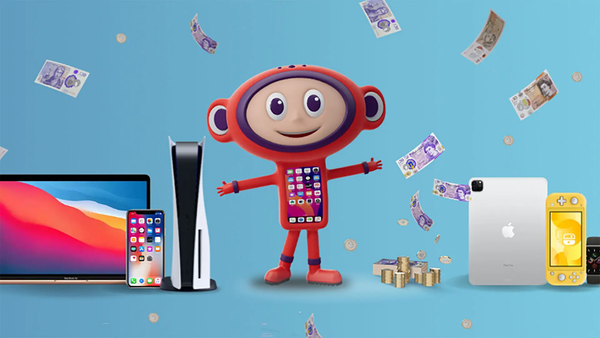
Mazuma's current service also covers other categories of technology, including tablets, smartwatches, MacBooks and games consoles.
This can be useful if you are clearing out a larger collection of old technology.
Instead of having an unused phone in one drawer and an old tablet in another, you can check whether multiple devices are eligible for trade-in.
Selling Multiple Phones
Some households have several old phones.
Perhaps everyone in the family has upgraded over the years.
Instead of selling them individually through private listings, you can check the available trade-in values and determine whether they can be included in a single selling process.
Mazuma's selling information supports adding multiple handsets to an order.
Before sending multiple devices, make sure every phone has been separately backed up, reset and prepared.
How the Posting Process Works
Once your sale is registered, Mazuma provides instructions for sending the device.
Its current website highlights free postage and a free sales pack as part of the service.
The pack can include items such as:
- Order confirmation
- Delivery note
- Freepost packaging
- Posting instructions
Follow the instructions supplied with your order.
- Back up your iPhone.
- Sign out of the relevant Apple services.
- Disable activation-related locks.
- Erase the device.
- Remove the SIM.
- Check the physical condition.
- Obtain your quote.
- Package the device.
- Send it according to the instructions.
Mazuma currently provides dedicated options for selling iPhones through its mobile selling service.
Selling a Samsung Galaxy
Samsung Galaxy phones also come in a large range of models.
Before obtaining a quote, check the exact model.
You should also confirm:
- Storage capacity
- Condition
Package the Phone Carefully
Although phones are compact, they can still be damaged during transportation.
Don't simply put a loose phone inside a large box.
Use suitable packaging and follow the instructions provided.
If you're sending multiple devices, ensure they are adequately protected from movement and impact.
Keep Proof of Postage
Once you send the phone, keep your proof of postage.
If tracking is available, save the tracking details too.
Keep this information until the transaction is finished and payment has been received.
It is a simple precaution that can make it easier to track the delivery if you ever need to contact the courier or seller.
What Happens After Mazuma Receives the Phone?
Once the device arrives, it needs to be processed.
The phone can be checked against the details provided during the sale.
This may include assessing:
- Model
- Condition
- Functionality
- Device status
- Relevant locks
- Other applicable requirements
If the phone matches the quote and terms, the sale proceeds.
If not, a revised offer may be issued according to the applicable conditions.
How Quickly Do You Get Paid?
Mazuma highlights same-day payment as one of its promises.
The company states that it aims to make payment on the same day it receives the phone or device, Monday to Friday excluding public holidays, subject to conditions. It also states that same-day payment does not apply to orders received after 2pm or circumstances outside its control.
Its current selling page similarly says that phones arriving before 2pm on a working day can be paid the same day.
This means the timing of delivery can matter.
Why the 2pm Cut-Off Matters
Suppose your phone arrives on a working day at 1pm.
That falls before the stated 2pm cut-off.
If the relevant conditions are met, the device may qualify for same-day payment.
If it arrives after 2pm, the same-day promise doesn't apply.
Therefore, don't assume that posting the phone in the morning automatically means payment will arrive that afternoon.
The device needs to reach Mazuma, be processed and meet the applicable conditions.
What Payment Methods Are Available?
Mazuma's payment information lists payment options that can include:
- Bank transfer
- Cheque
- Gift e-card
The available options and terms should be checked when completing your sale.
Choose the option that suits your circumstances.
What Happens to the Phone After the Sale?
Selling the phone isn't necessarily the end of its story.
Mazuma's recycling operation focuses on keeping suitable devices in use through reuse, repair and reconditioning where possible. Devices that cannot be reused can instead be processed through recycling.
This is one of the biggest differences between selling a phone through a specialist reuse service and simply throwing it away.
The device can potentially continue to have a useful life.
Reuse Before Recycling
Recycling is important, but reuse can sometimes be even more valuable because it allows an existing product to remain a working product.
A suitable smartphone might be:
- Received
- Tested
- Screened
- Cleaned
- Repaired if appropriate
- Reconditioned
- Prepared for another user
This helps extend the useful life of the hardware.
Mazuma says it aims to reuse more than 95% of mobile phones received and recycle non-reusable phones through appropriate processes.
What Happens to Irreparable Phones?
Not every device can be reused.
Some phones may have severe damage or may no longer be suitable for resale.
In these situations, recycling provides another route.
Instead of treating the device as ordinary rubbish, suitable recycling processes can recover materials and components.
Mazuma describes its environmental approach as including recycling of non-reusable phones.
Why Recycling Electronics Matters
Smartphones contain a combination of materials and components.
Manufacturing them requires resources, energy and complex supply chains.
Extending the life of an existing device can therefore be part of a more circular approach to technology.
The basic idea is simple:
Use products for longer.
Reuse them when possible.
Recycle them when they can no longer be reused.
This helps move electronics away from a purely disposable model.
When Should You Sell Your Phone?
There isn't one universal date that is right for everyone.
However, there are some useful moments to check your phone's value.
When You Upgrade
If you've just bought a new phone, check the value of your old one before putting it away.
When Your Contract Ends
The end of a mobile contract can be a natural point to reassess whether you still need your current device.
Before a Major New Phone Launch
New releases can affect the market value of previous generations.
When You're Clearing Your Home
If you're sorting through drawers and cupboards, old electronics should be part of the clear-out.
When You Realise You're Not Using It
If a phone hasn't been used for months, checking its value could be worthwhile.
Why Phone Prices Change
Imagine you bought a phone two years ago.
At the time, it was a current model.
Today, several newer generations may exist.
Its value can change because:
- New phones have been released
- Demand has changed
- Second-hand supply has increased
- The model is no longer current
- Technology trends have shifted
- Seasonal demand has changed
Mazuma explicitly notes that new releases, seasonal demand and technology trends can influence phone prices.
This is why checking your phone's current value is more useful than relying on what you paid for it originally.
A Simple Strategy for Getting More From Your Old Phone
If you want to make the selling process as straightforward as possible, use this approach.
Step 1: Identify It
Find the exact model and storage capacity.
Step 2: Check the Value
Use the online valuation tool.
Step 3: Assess the Condition Honestly
Look carefully at the screen, body and functionality.
Step 4: Compare Repair Costs
If the phone is damaged, see whether repair makes financial sense.
Step 5: Back Up Everything
Protect your photographs, contacts and important information.
Step 6: Remove Accounts
Sign out of relevant cloud and device accounts.
Step 7: Factory Reset
Erase your personal data.
Step 8: Remove SIM and Memory Cards
Keep them with you.
Step 9: Clean the Phone
Give it a careful wipe.
Step 10: Photograph the Device
Keep a record of its condition.
Step 11: Package It
Follow the supplied instructions.
Step 12: Keep Your Receipt
Save postage and tracking details.
This approach can reduce unnecessary problems.
Common Questions About Selling Phones
Can I sell a phone with a cracked screen?
It depends on the model and pricing guide, but Mazuma says it accepts certain faulty devices subject to its terms.
Can I sell a network-locked phone?
Mazuma says network-locked phones can usually be sold, although exact acceptance can vary by device.
Can I sell a blocked phone?
Blocked devices, including phones registered as lost or stolen, are generally excluded from Mazuma's price promise and may not be eligible for resale.
Do I need to remove my SIM?
Yes. Remove your SIM before sending the device.
Should I back up my photos?
Absolutely. Back up everything you want to keep before performing a factory reset.
Do I need the original box?
Not necessarily. Follow the instructions provided for your specific sale.
How long does getting a quote take?
Mazuma describes the quote process as taking only a few minutes.
Final Checklist
Before sending your old phone to Mazuma Mobile, check everything one last time.
Device Information
- Correct make selected
- Correct model selected
- Storage capacity confirmed
- Condition selected accurately
- Network status checked
- IMEI recorded
Personal Data
- Photos backed up
- Contacts backed up
- Messages backed up
- Important documents transferred
- Apple/Google accounts removed
- Other accounts removed
- Device locks removed
- Factory reset completed
- SIM card removed
- Memory card removed
Physical Preparation
- Phone cleaned
- Accessories removed unless required
- Condition photographed
- Phone packaged securely
Shipping
- Correct sales pack used
- Delivery instructions followed
- Proof of postage saved
- Tracking information saved
Payment
- Payment method checked
- Quote recorded
- Confirmation information saved
Final Thoughts
Selling an old phone doesn't have to be complicated.
The first step is simply to find out what your device is worth.
Mazuma Mobile provides an online valuation process where you can search for your phone, select its relevant details and receive a quote. The company says its quoted prices are fixed, subject to the device meeting its terms and conditions.
From there, the process is straightforward: prepare your device, send it using the supplied instructions and wait for it to be processed.
The most important part is preparation.
Back up your data before doing anything else. Remove your accounts, erase the device, take out your SIM and memory card, and make sure you have described the condition accurately.
If your phone is faulty, don't automatically assume it has no value. Mazuma accepts certain working and faulty devices, depending on its pricing guide and terms.
If your phone is network locked, don't automatically assume that it cannot be sold either. Mazuma says many locked phones can still be traded, while blocked phones are treated differently.
Once the device has been received, it can enter a process involving checking, reuse, refurbishment or recycling depending on its condition and suitability.
That makes selling an old phone about more than simply getting rid of something you no longer need.
It can be a way to recover some value from an upgrade, reduce clutter and help keep technology in circulation for longer.
So before putting your previous smartphone back into a drawer, take a few minutes to check its current value.
Your old phone may still have another chapter left.

.png)





.png)
SUBSCRIBE TO OUR NEWS LETTER


