




These Class 12 Computer Science Chapter 2 File Handling in Python handwritten notes run for 24 handwritten notebook pages in blue-ink ruled-paper style. They cover text vs binary files, all the open() file modes, the read and write methods, the buffer and close(), the with statement, and pickling with dump() and load() for the 2026-27 CBSE syllabus.
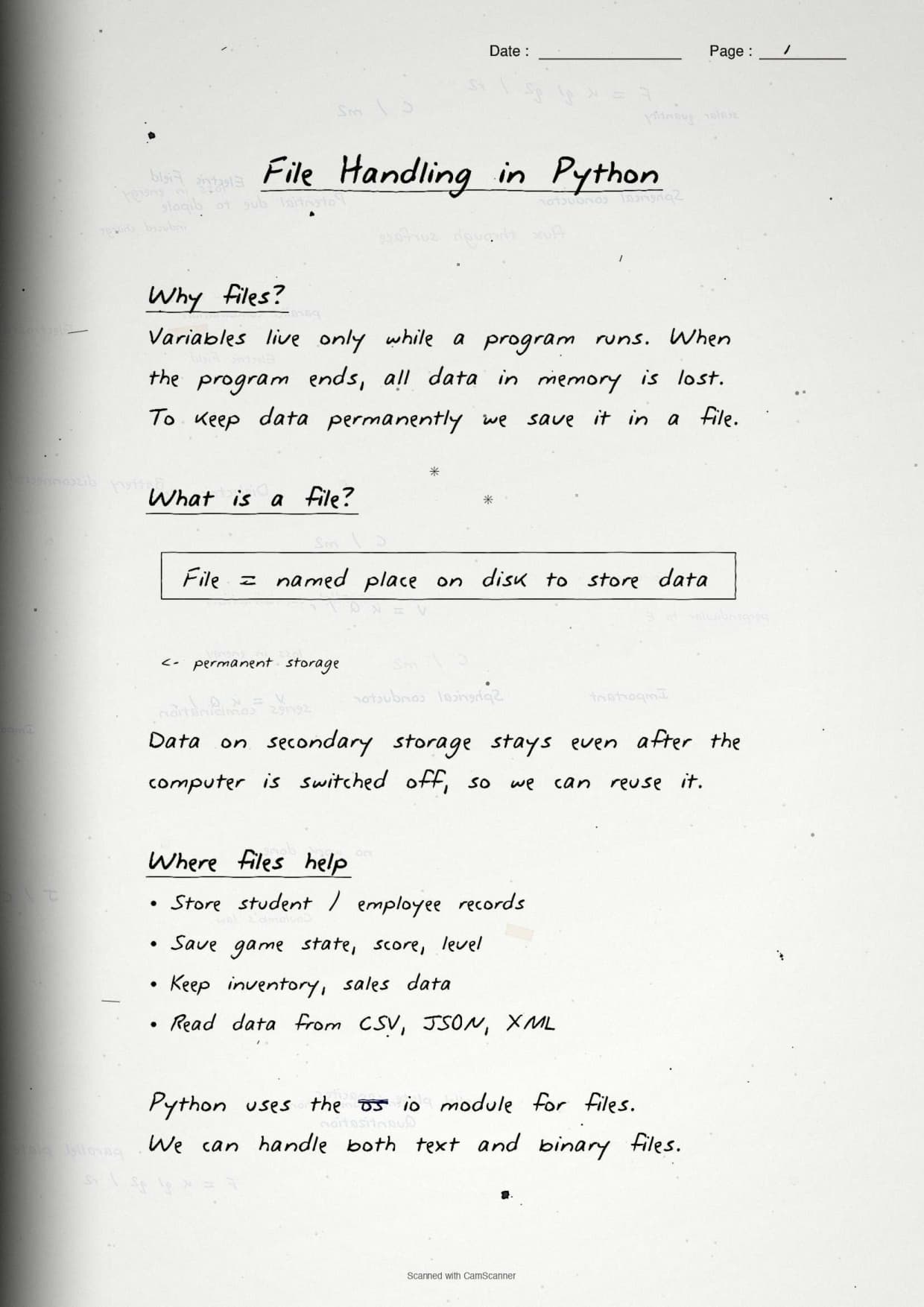
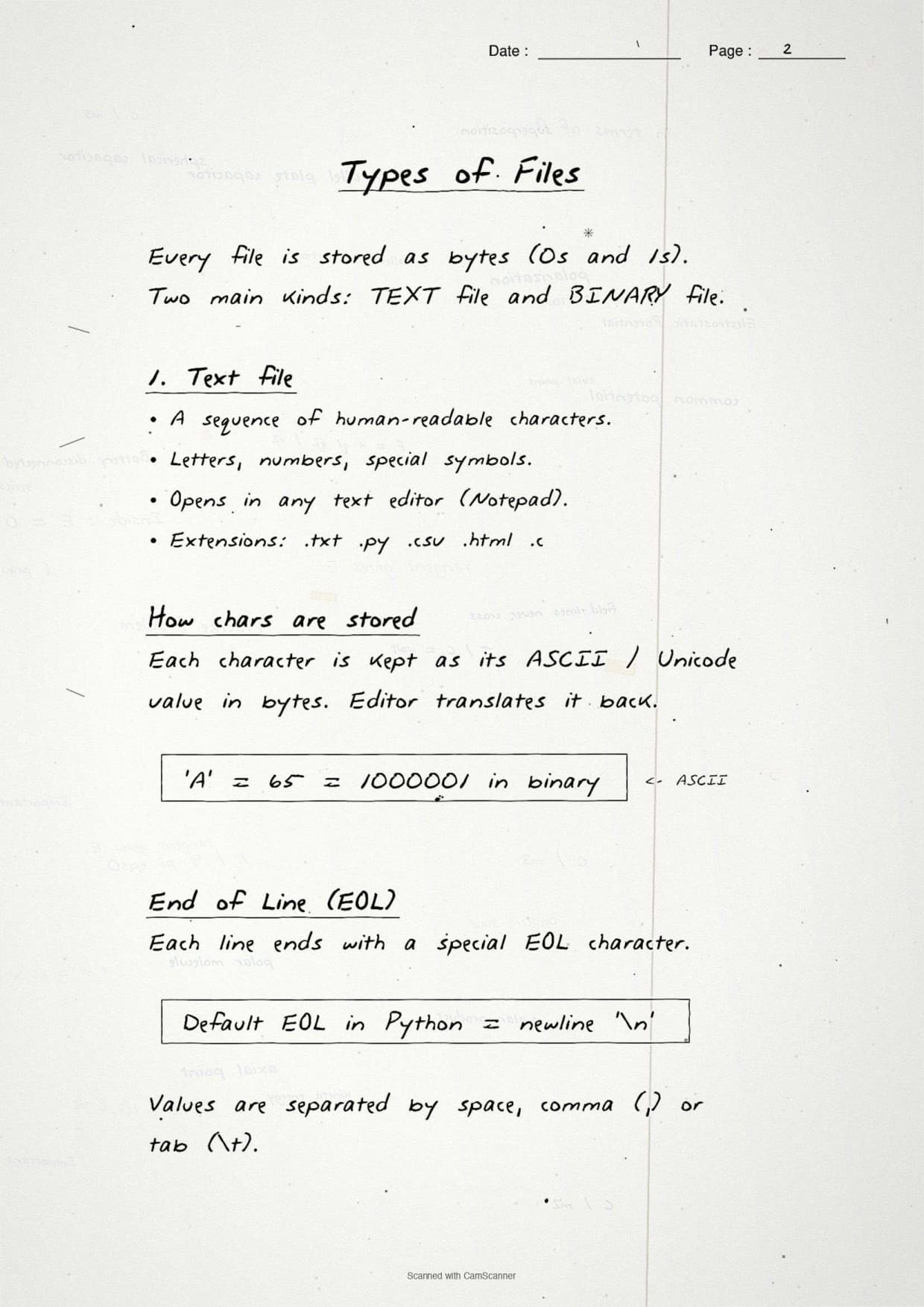
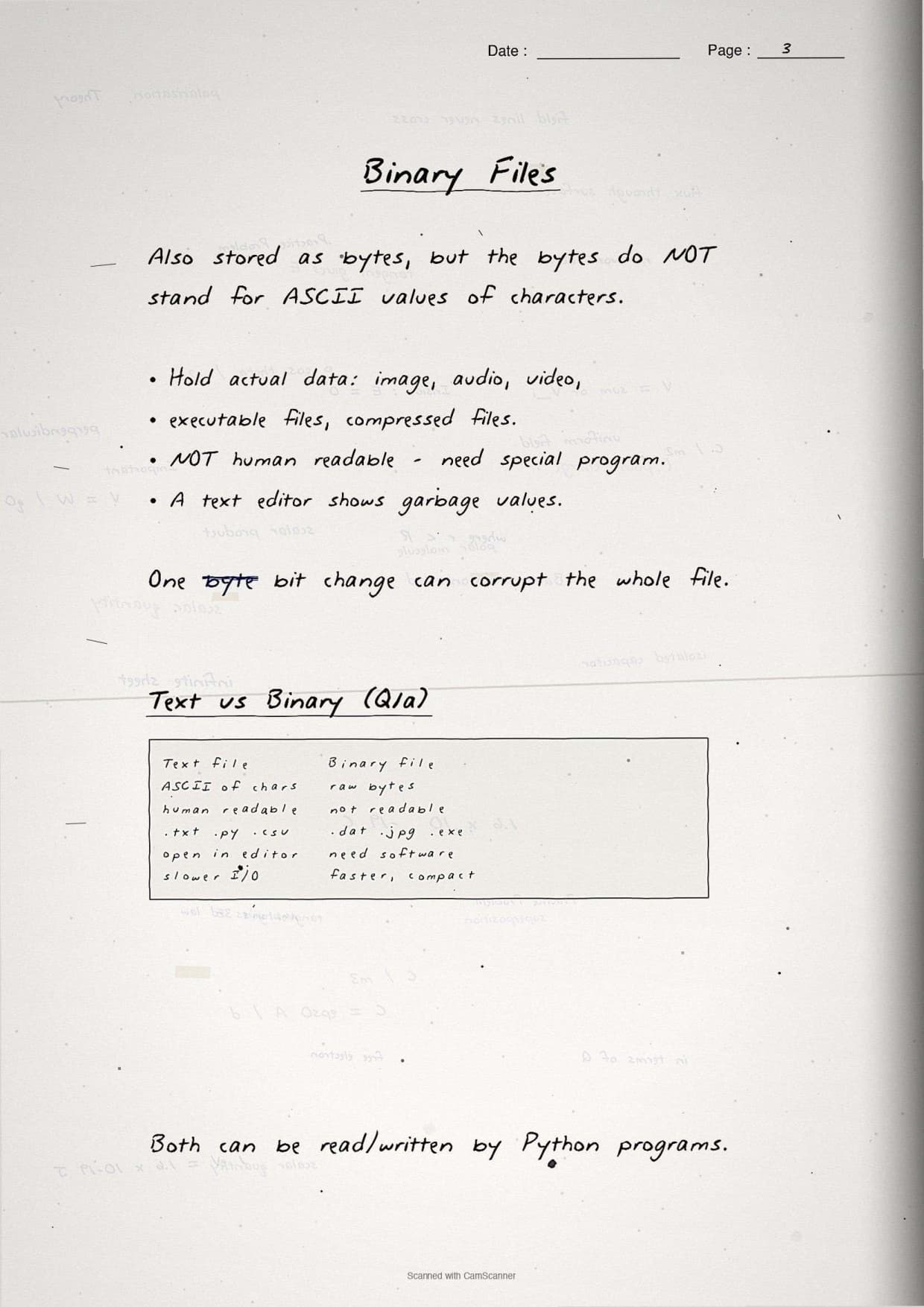
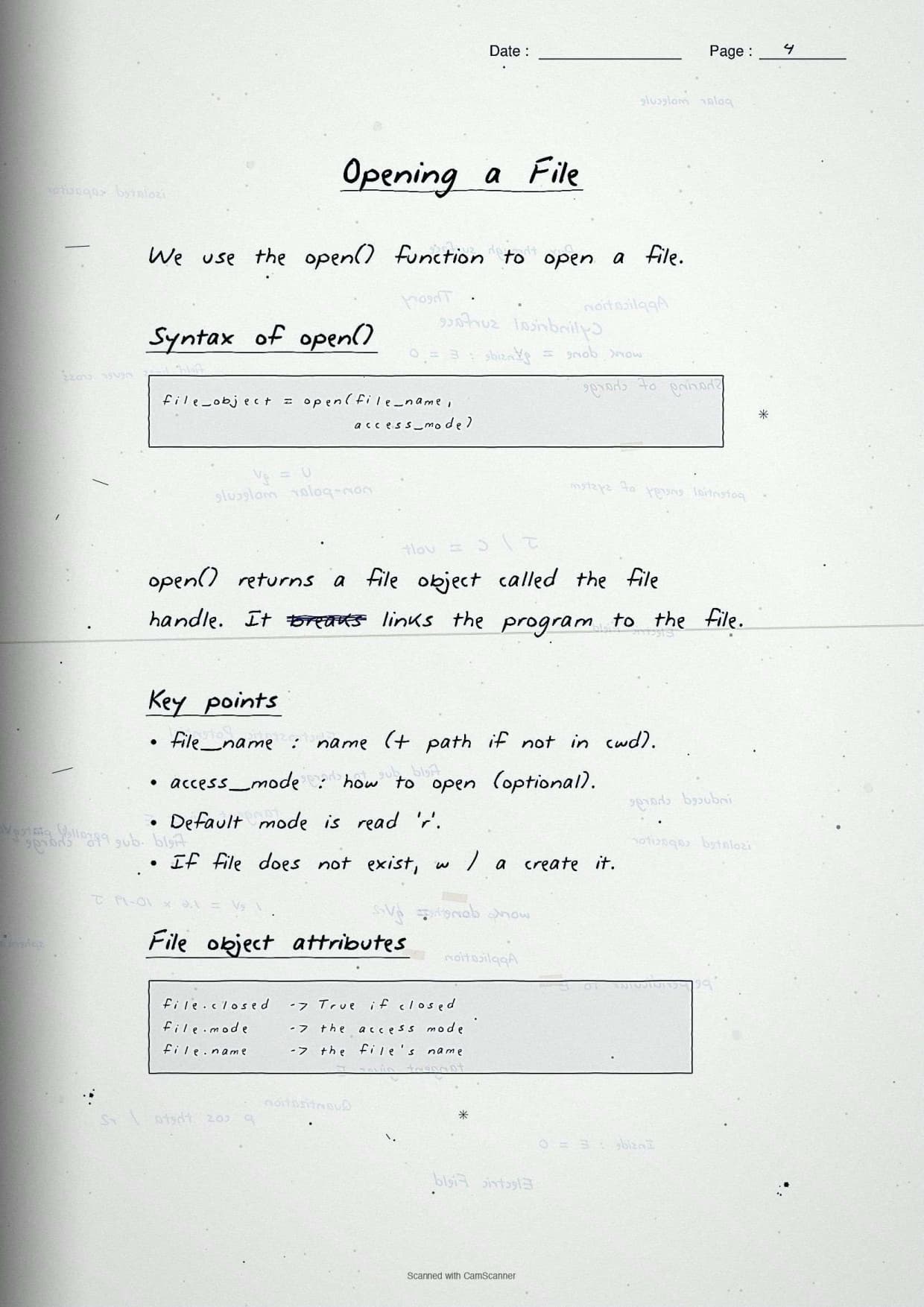
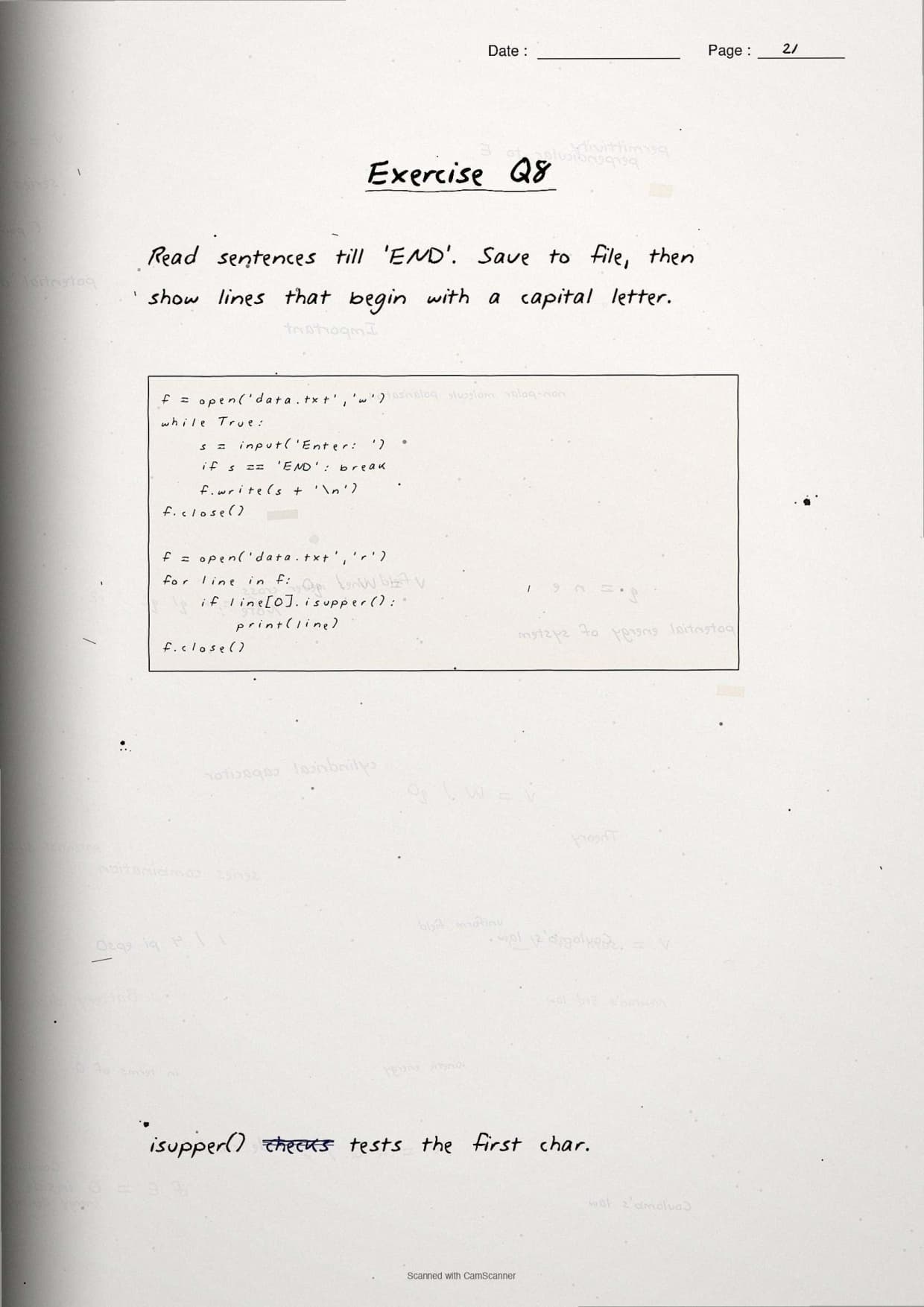
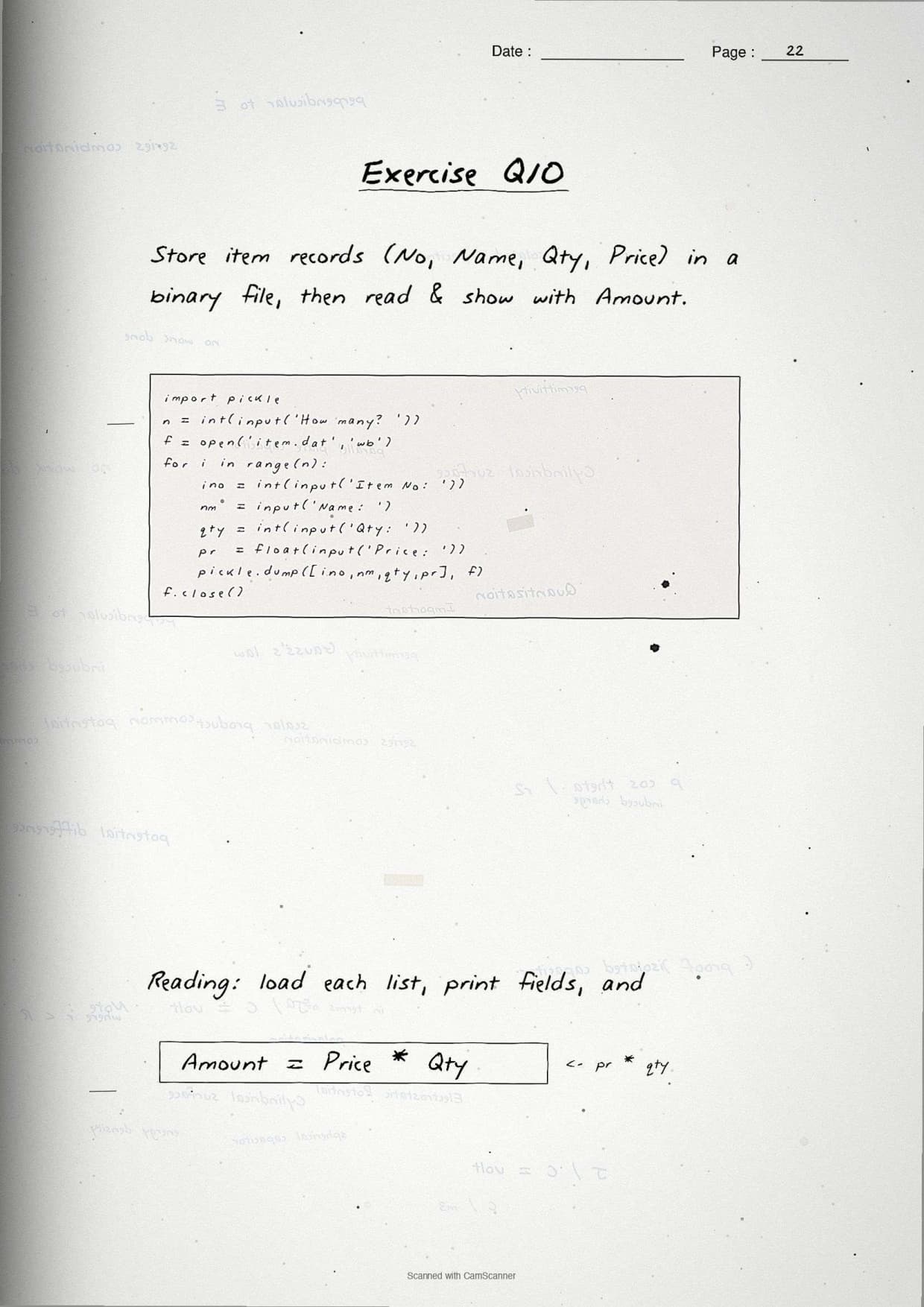
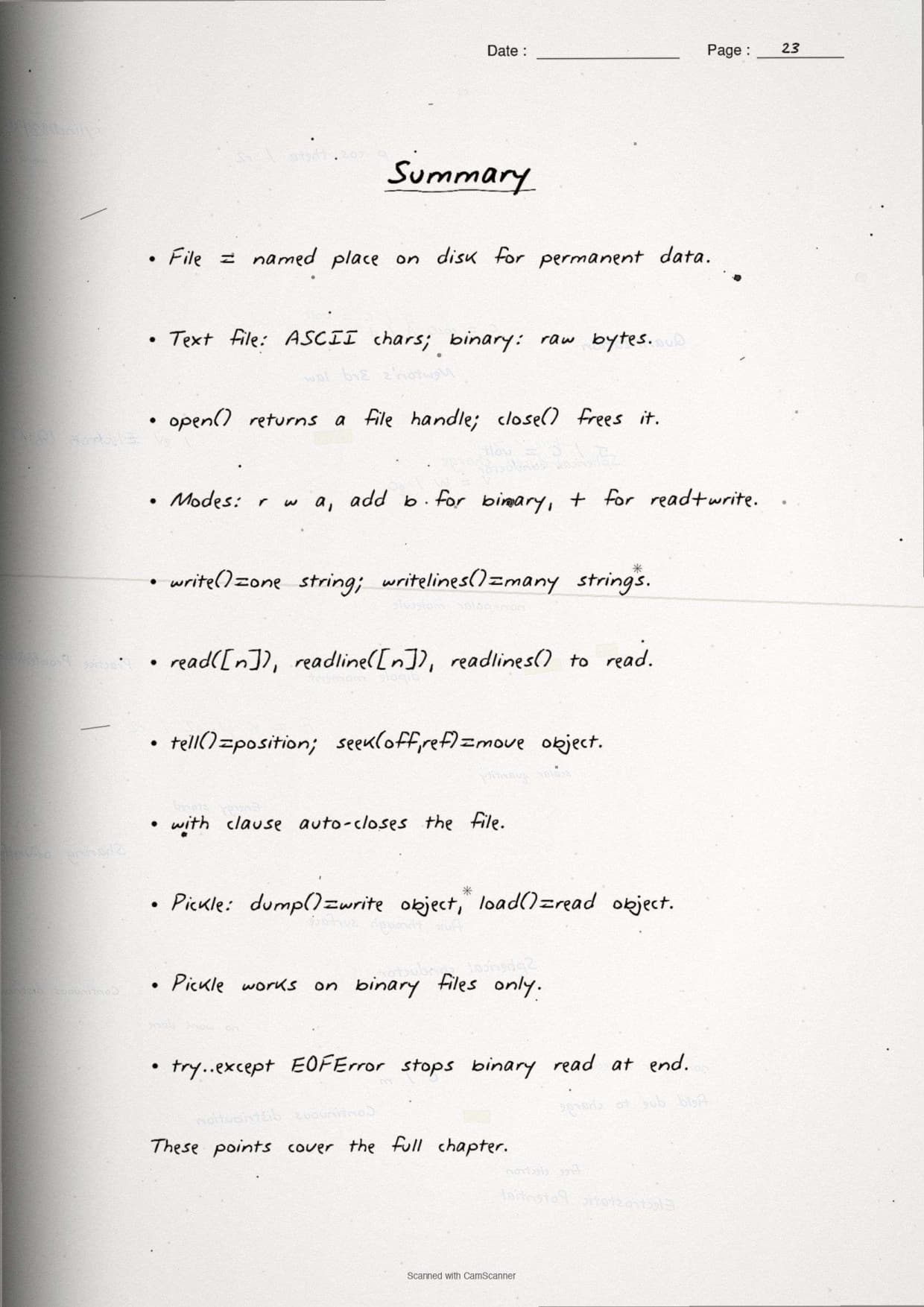
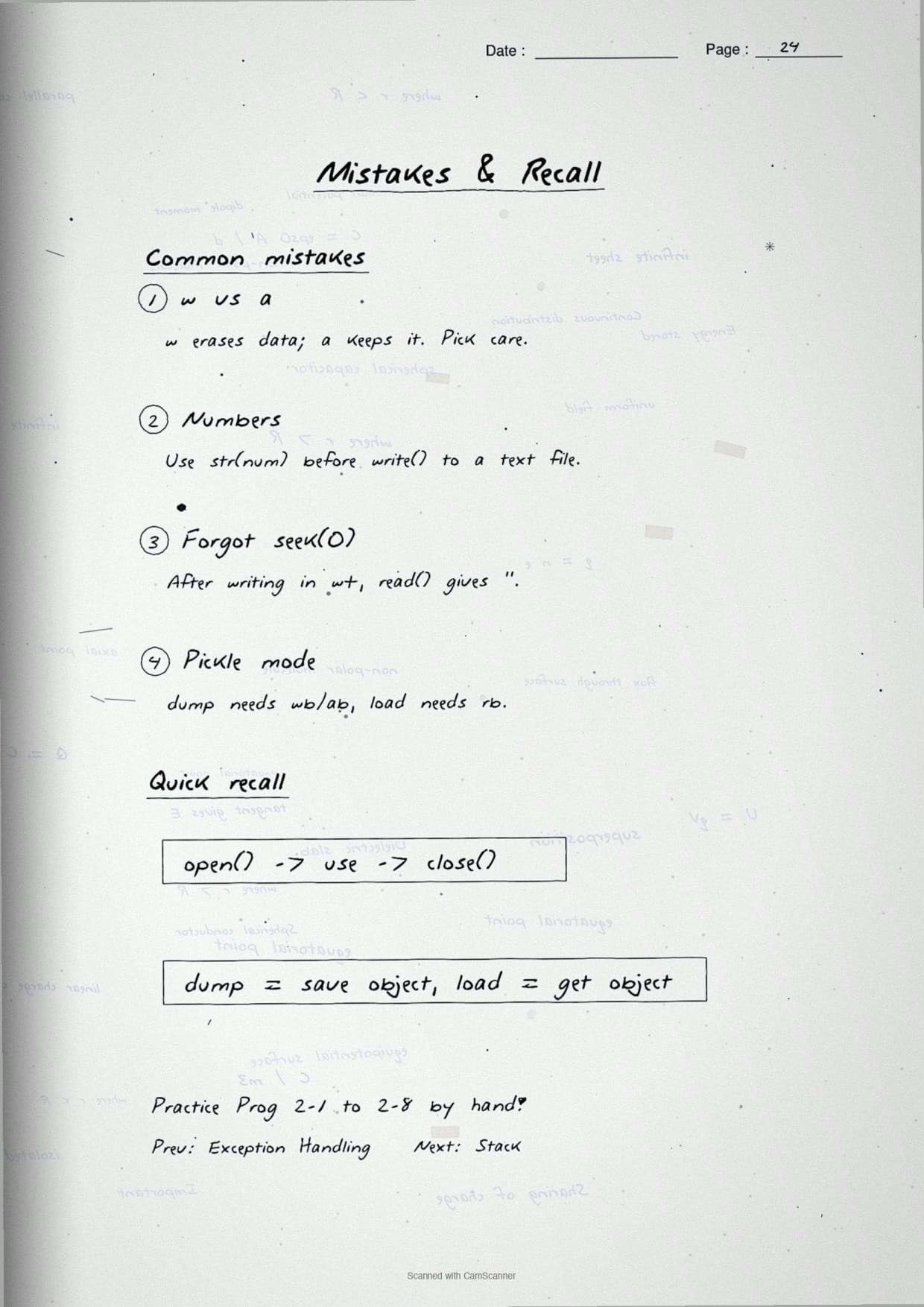
- 24 ruled pages of pen-style notes covering every File Handling topic CBSE tests, from file modes to pickling.
- Hand-drawn boxes for the file-mode table, the read or write or append flow, and the serialize or deserialize cycle.
- 2026-27 syllabus aligned, useful for CBSE boards, JEE programming rounds, and CUET Computer Science.
These handwritten notes are prepared by Computer Science subject experts, mapped to the 2026-27 NCERT textbook, and refined against the last five years of CBSE Class 12 Computer Science board papers.
Student Feedback: What 9,800 students told us about this chapter
71% of Class 12 students said they keep mixing up read(), readline() and readlines() in the exam. 3 out of 5 students told us they lost a mark by forgetting that "w" mode erases the old file content.
Toppers reported that one quick look at a handwritten file-mode table before the exam fixed the modes in memory, and the average student spent 2 to 3 hours revising this chapter from these notes.
Source: 2026-27 Class 12 Computer Science student poll. Sample of 9,800 students from CBSE schools across 12 states, conducted before the 2026 boards.
How These Class 12 Computer Science Chapter 2 File Handling Handwritten Notes Help You
Typed notes read like a textbook. Handwritten notes read like a friend's revision book, so the brain finds the page faster on exam day. These File Handling in Python handwritten notes keep every file mode, method syntax, and pickling step on ruled paper so you can flip through the whole chapter in under 30 minutes the night before the exam.
- Pen-style headings make each sub-topic stand out, so finding a method during last-week revision takes seconds.
- A boxed file-mode table sits next to a short note on which mode erases data and which keeps it, removing the most common board-exam slip.
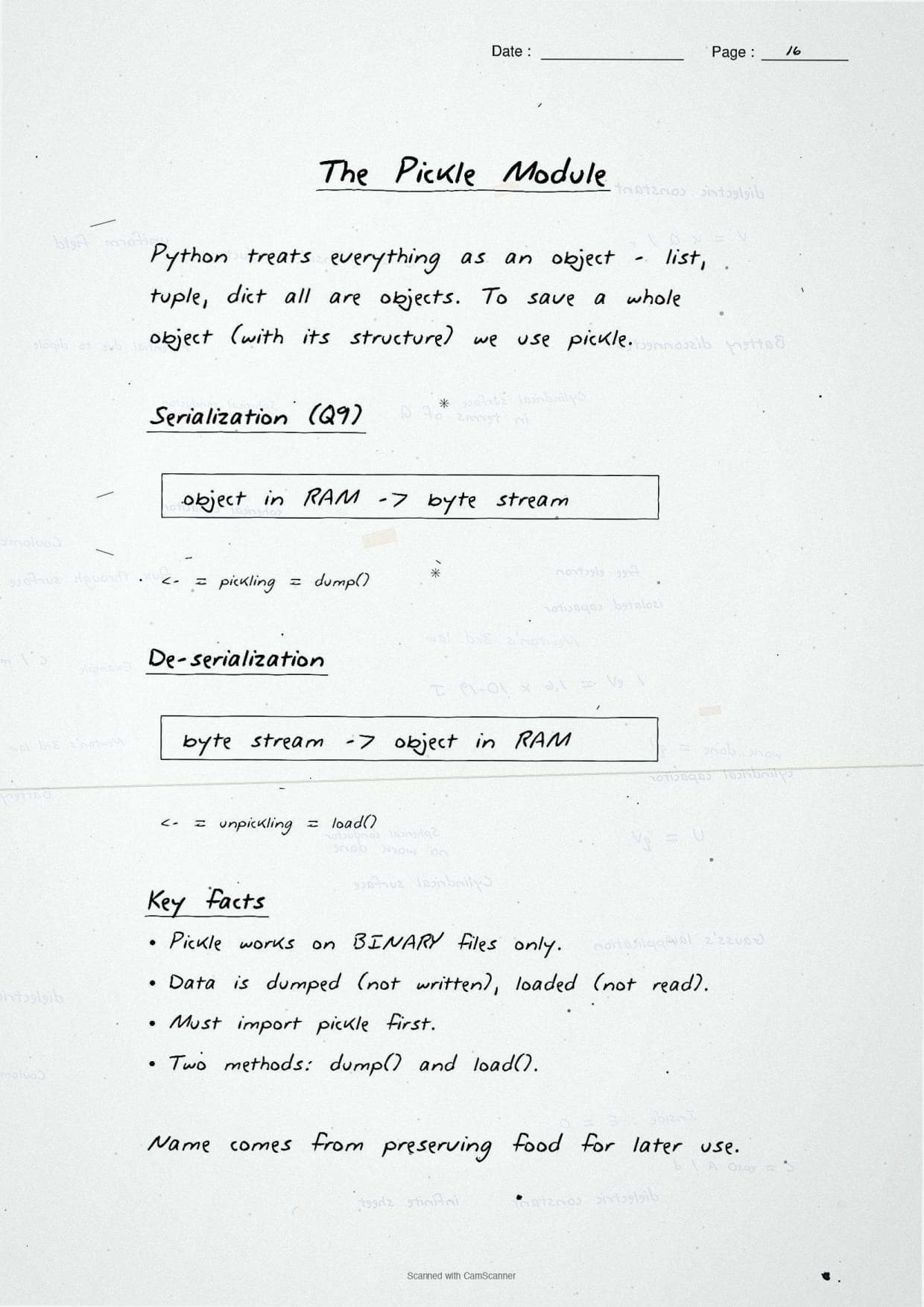
- The pickling page draws the serialize and deserialize cycle as arrows, so
dump()andload()are easy to picture. - Small margin tips match how toppers compress this chapter for revision.
Source: Magnet Brains on YouTube
Topics Covered in the File Handling in Python Handwritten Notes
The 24-page handwritten PDF walks through the chapter in the same order as the NCERT book, so it sits next to your textbook without confusion. The table below maps each topic to the page idea you will see in the notes and the typical mark weight in the CBSE board paper.
| Topic | What the handwritten page shows | Typical marks |
|---|---|---|
| Text vs binary file | Two-column compare box: human-readable text vs raw bytes | 1 to 2 marks |
| File modes | Hand-drawn table of r, w, a, r+, w+, a+ and their binary forms | 2 to 3 marks |
| open() and close() | Syntax line plus a note on the buffer and why close() matters | 1 to 2 marks |
| read(), readline(), readlines() | Side-by-side outputs from the same file | 2 to 3 marks |
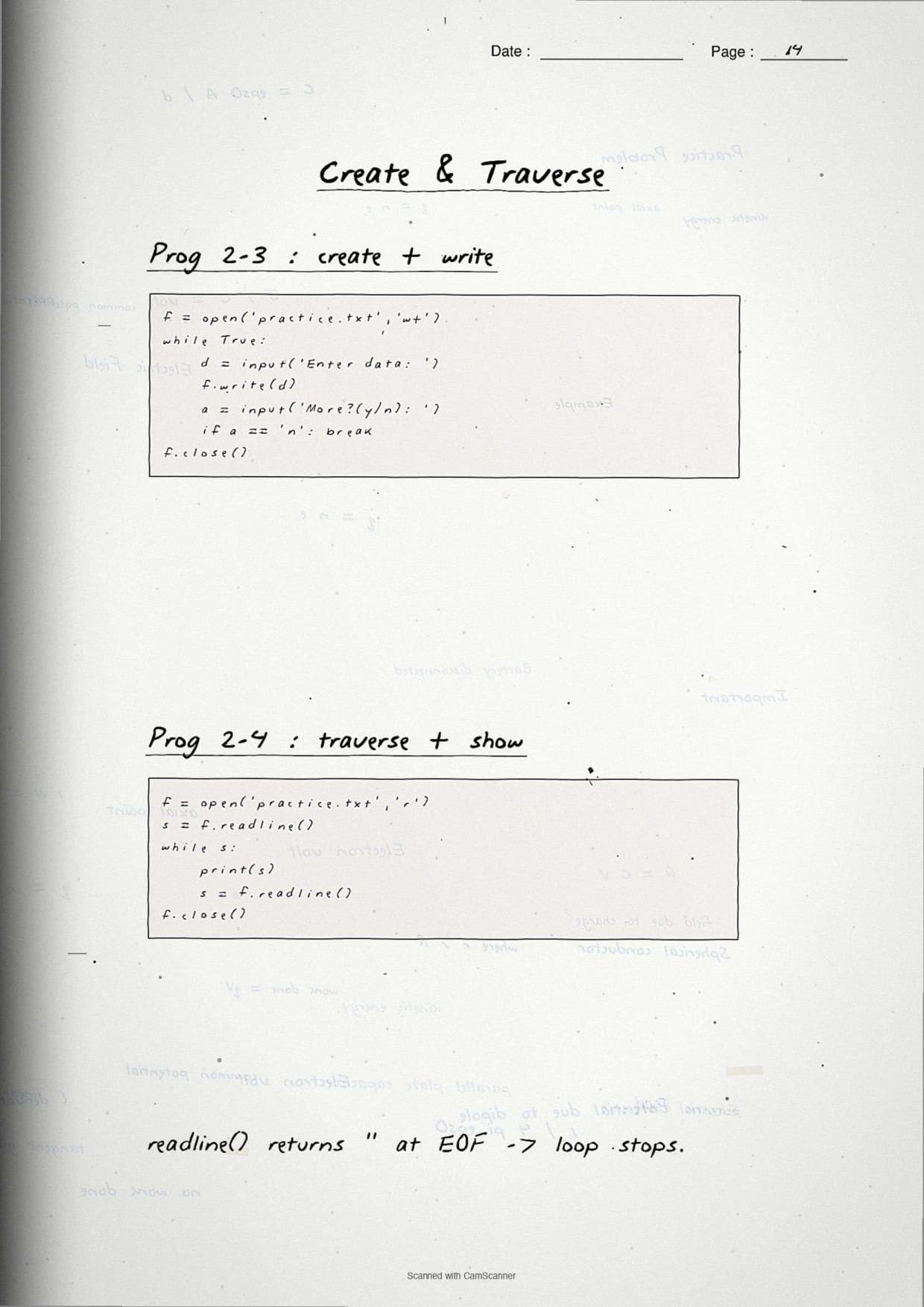
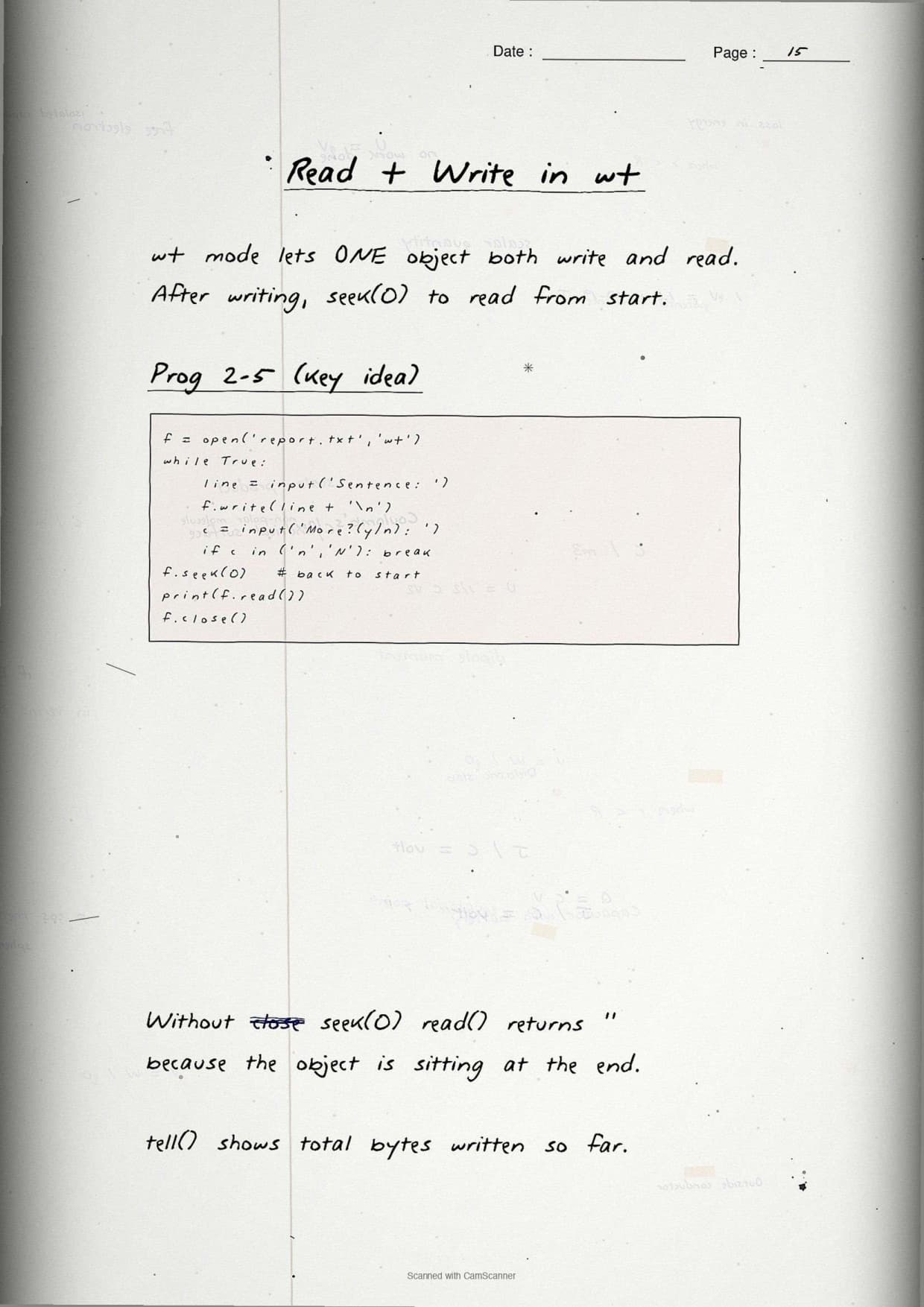
| write() and writelines() | One string vs a list of strings, with a sample run | 2 to 3 marks |
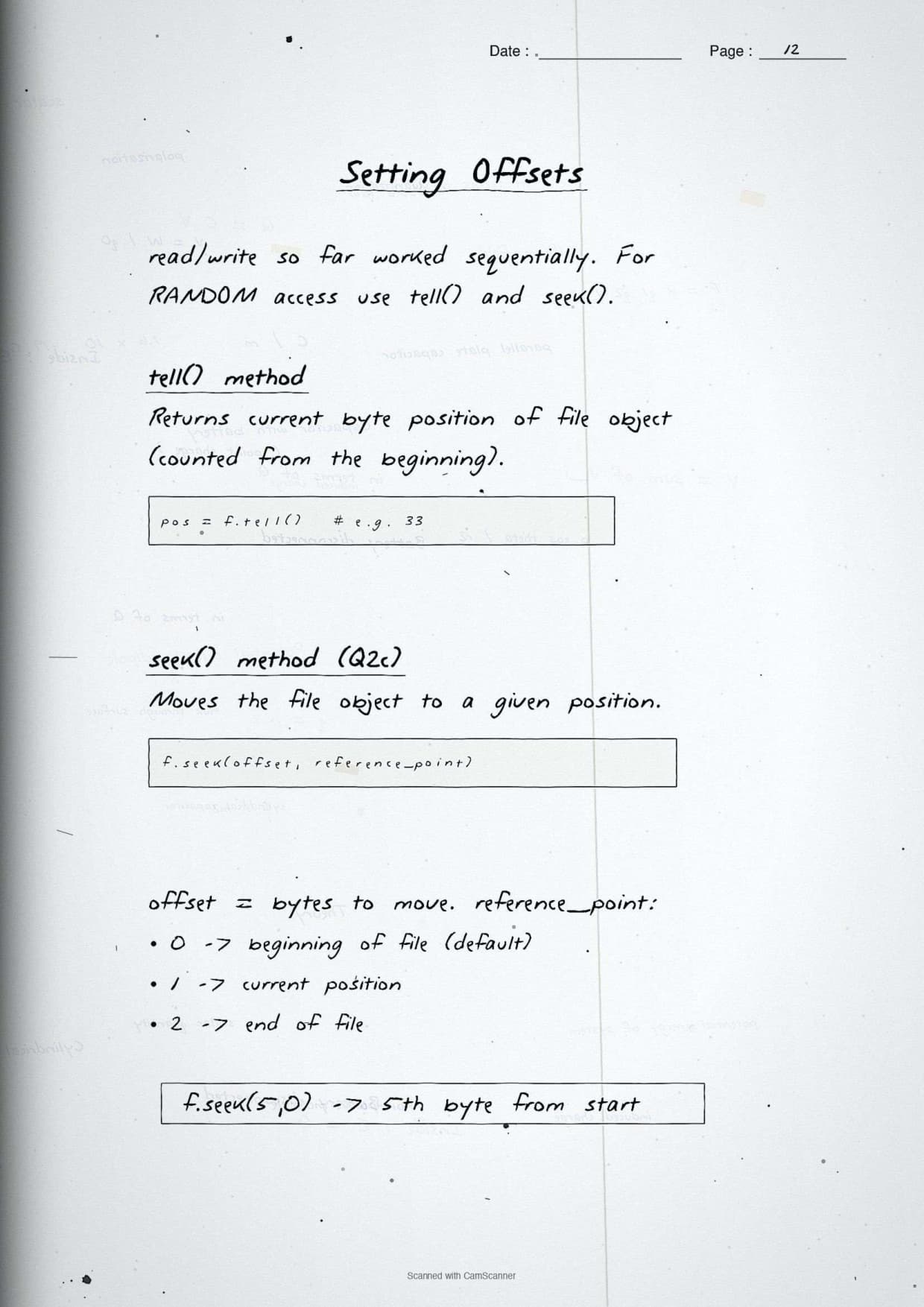
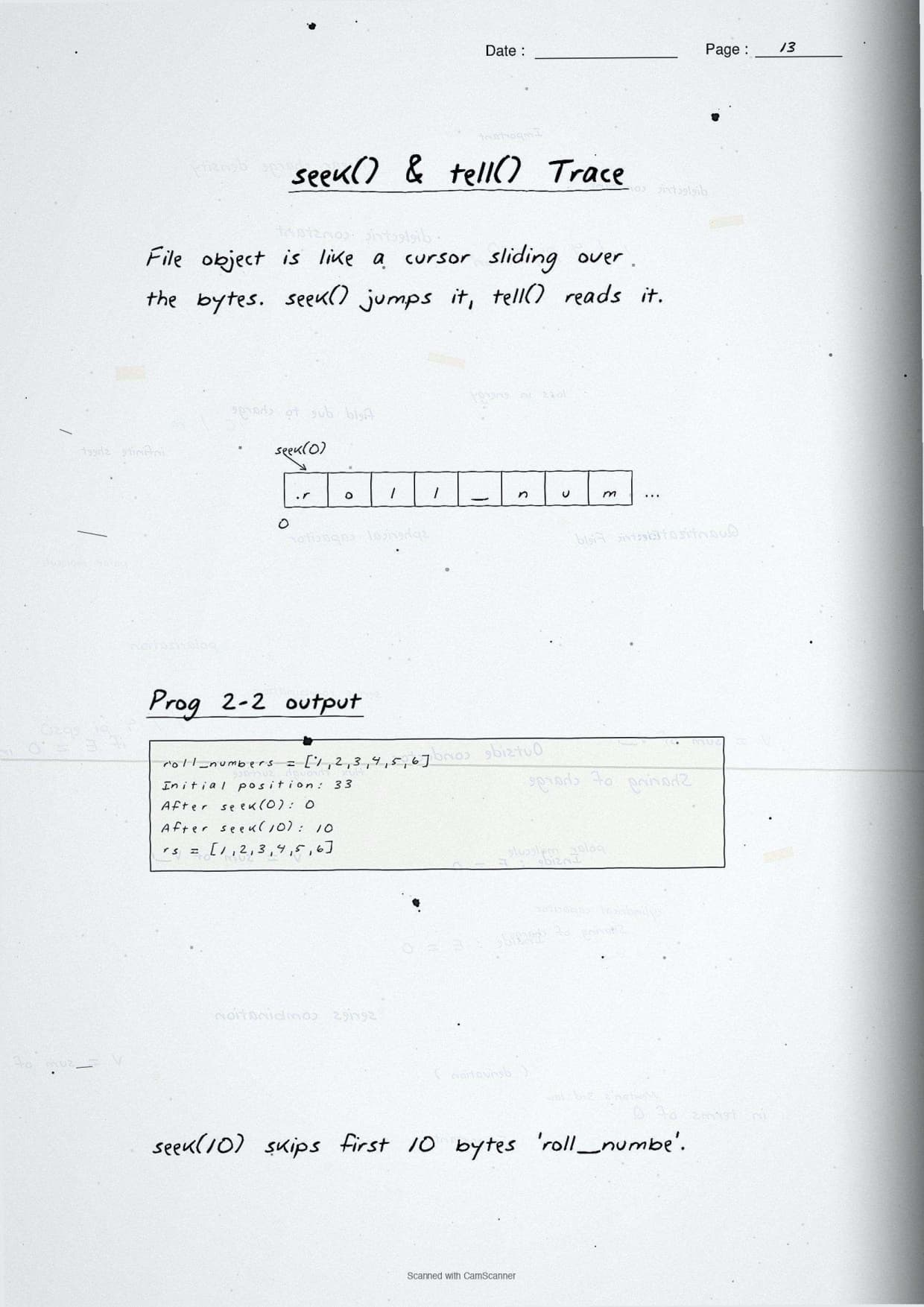
| seek() and tell() | File-pointer arrow moving along the bytes | 1 to 2 marks |
| Pickling: dump() and load() | Serialize or deserialize cycle drawn as arrows | 3 to 5 marks |
Each page is written by hand in blue ballpoint ink on horizontally ruled paper with a faded red margin, just like a topper's own revision notebook.
Text Files vs Binary Files in the Handwritten Notes
The first content page draws a clean two-column box that compares the text file and the binary file, because the difference is a near-certain 1-mark or 2-mark question. A text file stores data as readable characters with an encoding such as UTF-8, while a binary file stores raw bytes exactly as the object holds them.
- Text file: stores characters; each line ends with a newline that may be translated; you can open it in Notepad and read it.
- Binary file: stores raw bytes; no newline translation; opening it in a text editor shows unreadable symbols.
- Default mode: if you do not add
bto the mode, Python opens the file in text mode. - Use case: text files suit reports and logs; binary files suit images, records, and pickled objects.
b, as in "rb" or "wb". If the question talks about an image or a pickled record, the answer almost always needs a binary mode.
File Modes and the open() Function
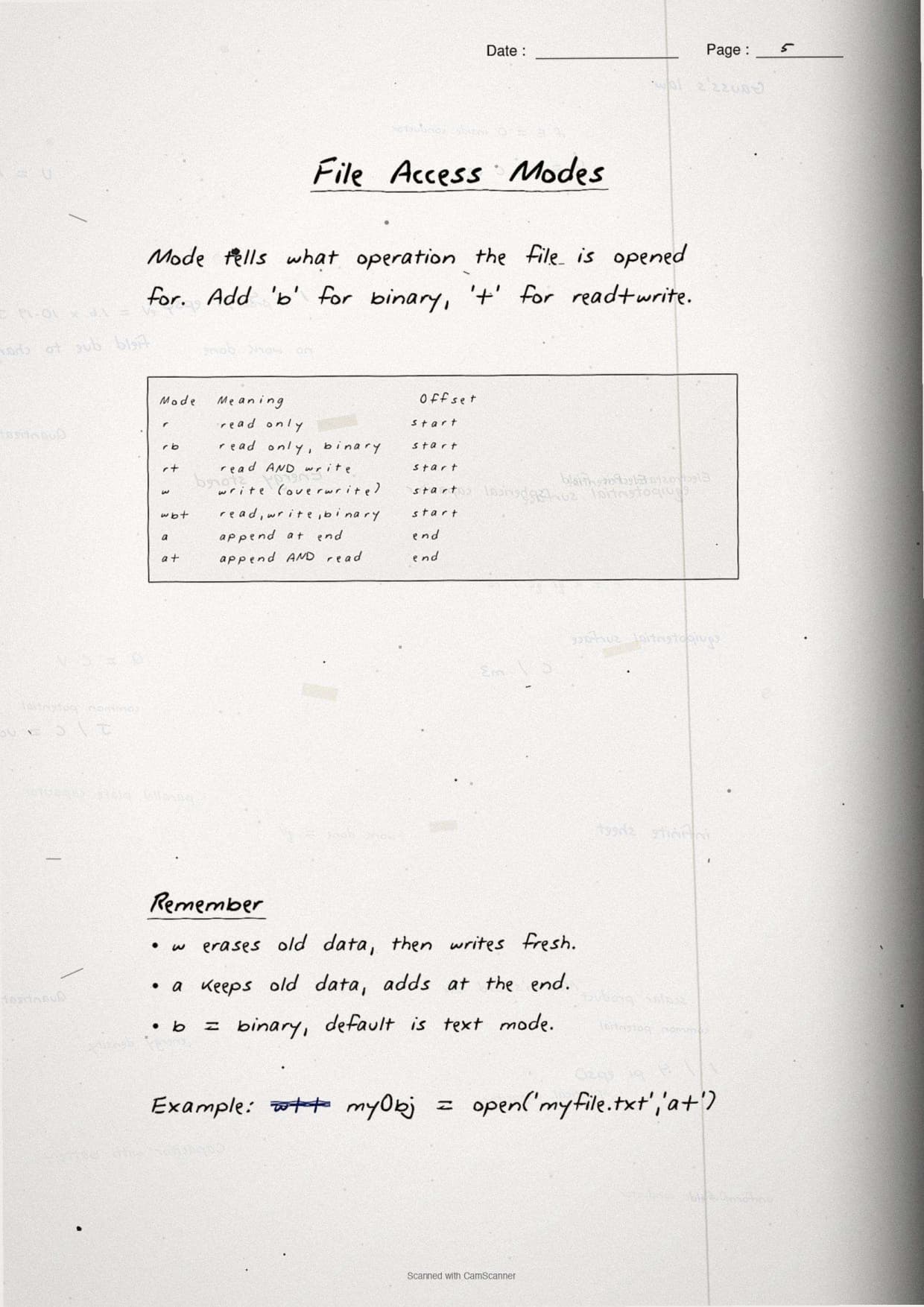
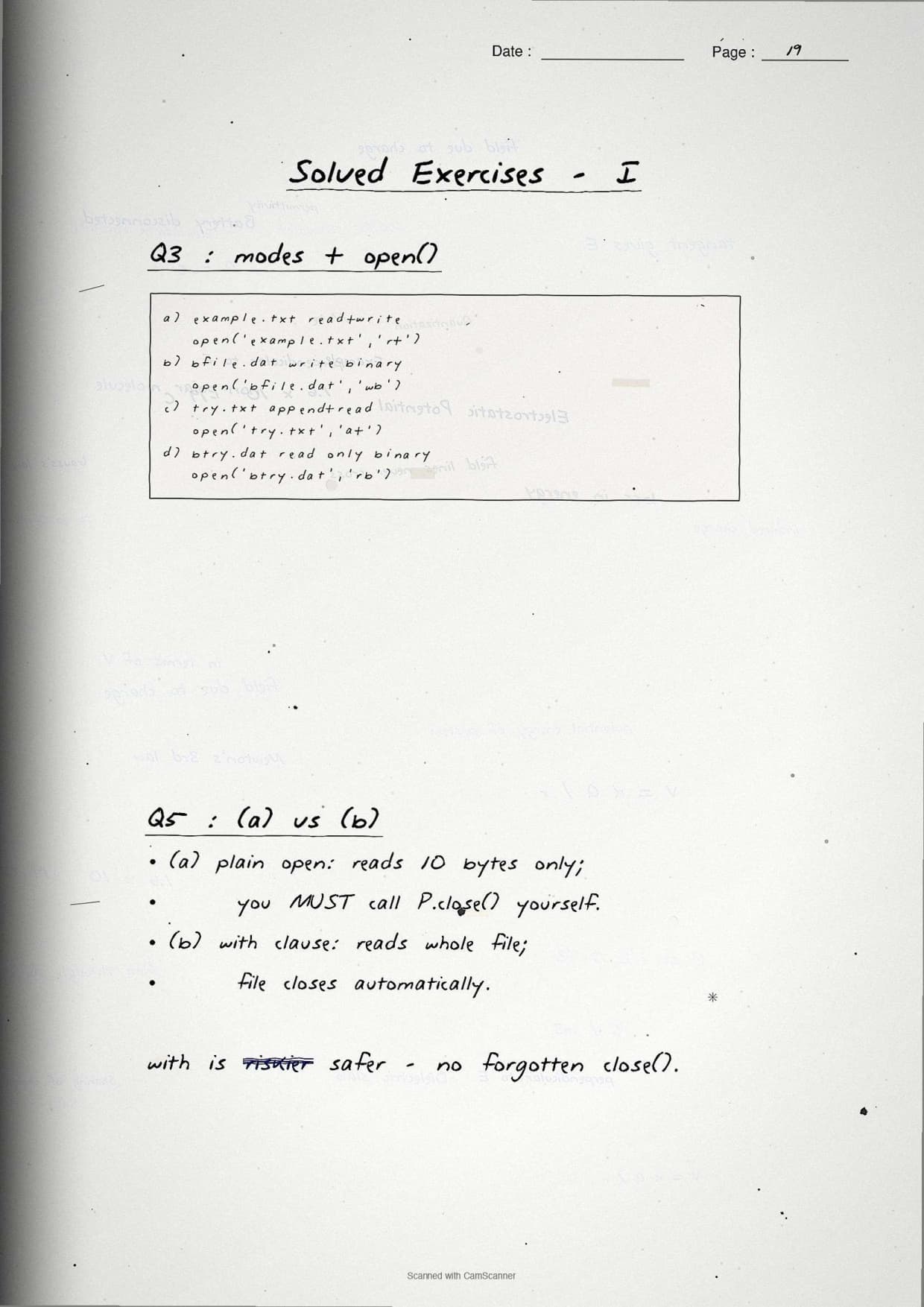
The mode page is the one students photograph and keep on their phone before the exam. The open() function takes a file name and a mode, and the mode decides whether you can read, write, or append, and whether old content survives. Getting this wrong is the single biggest source of lost marks in this chapter.
f = open("data.txt", "r")    # open for reading (default)
f = open("data.txt", "w")    # open for writing, ERASES old content
f = open("data.txt", "a")    # open for appending, keeps old content
f = open("data.txt", "r+")   # read and write, file must exist
f = open("pic.dat", "rb")    # read a binary file
f = open("pic.dat", "wb") # write a binary file| Mode | Meaning | If file is missing | Old content |
|---|---|---|---|
r | Read only | Error | Kept |
w | Write only | Created | Erased |
a | Append only | Created | Kept, writes at end |
r+ | Read and write | Error | Kept |
w+ | Write and read | Created | Erased |
a+ | Append and read | Created | Kept |
Add b to any mode for a binary file, giving rb, wb, ab, and so on. The notes underline the one rule examiners test most: only w and w+ erase the existing file, while a always writes at the end.
Reading and Writing Methods: read(), readline(), readlines(), write(), writelines()
This page lines up the read methods and the write methods so the difference between them is impossible to forget. The trap is that readline() and readlines() look almost the same but return very different things, and the same holds for write() versus writelines().
The three read methods
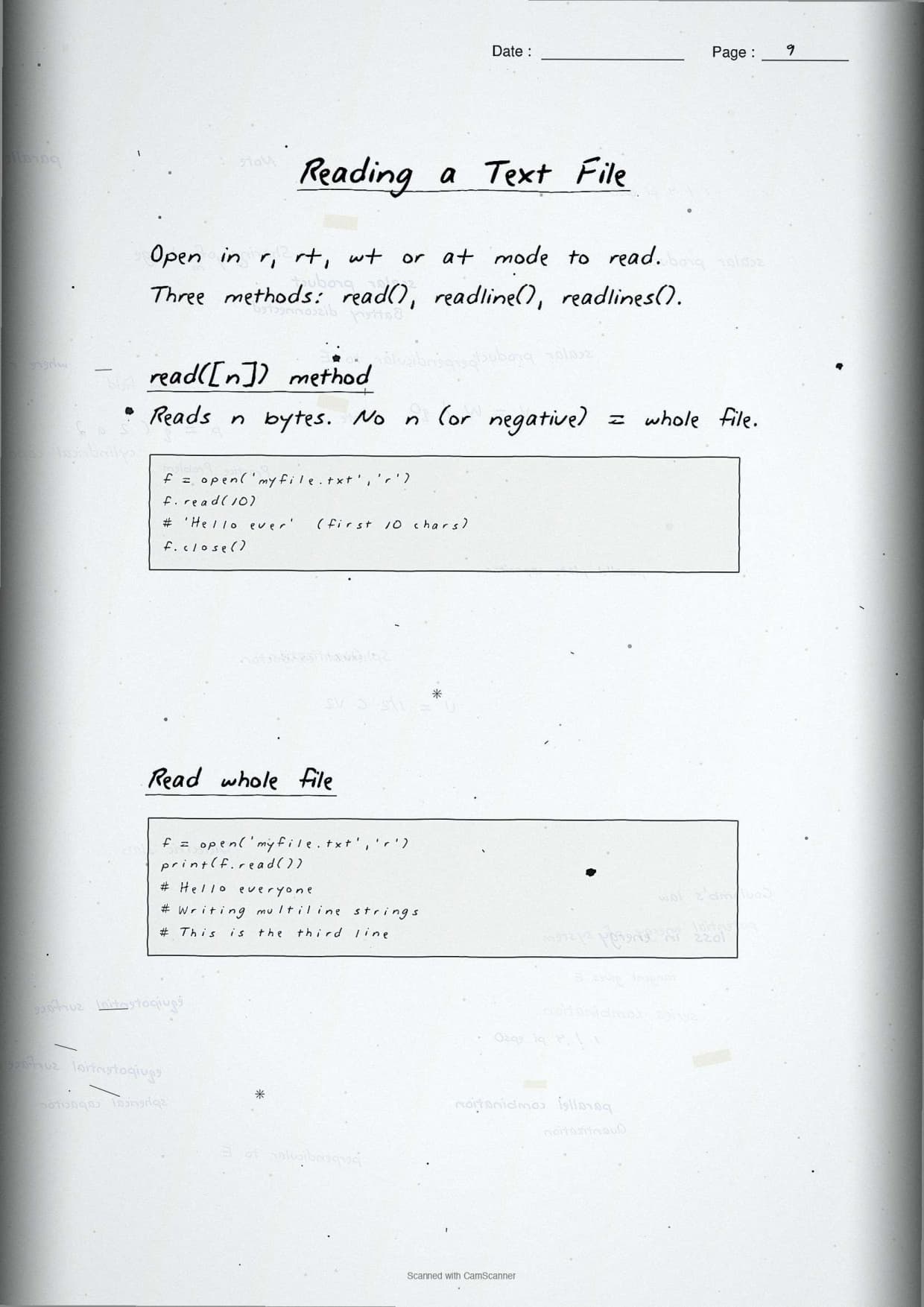
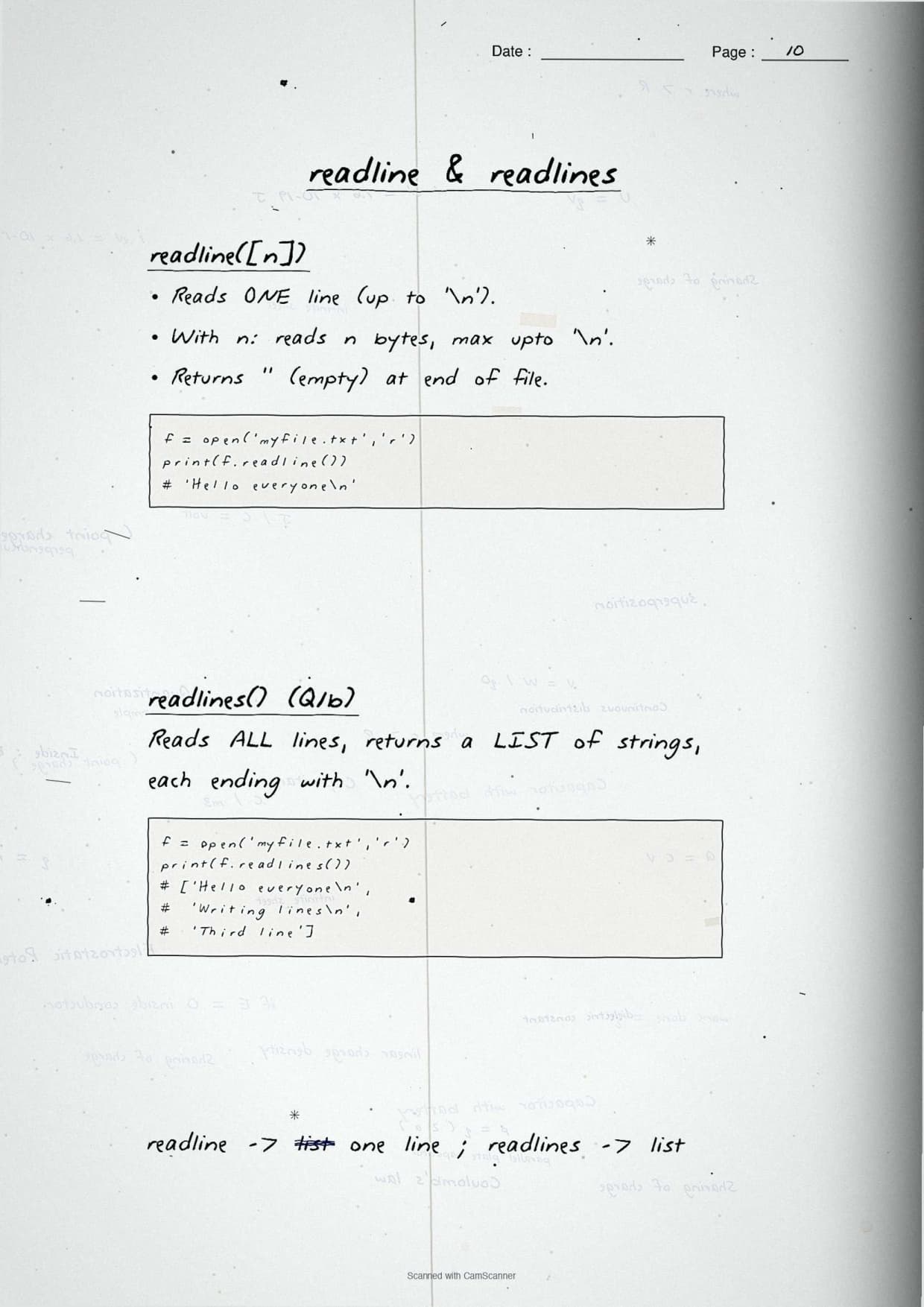
read()orread(n): returns the whole file as one string, or the firstncharacters.readline(): returns the next single line as a string, including its newline.readlines(): returns a list of all lines, each one a string in the list.
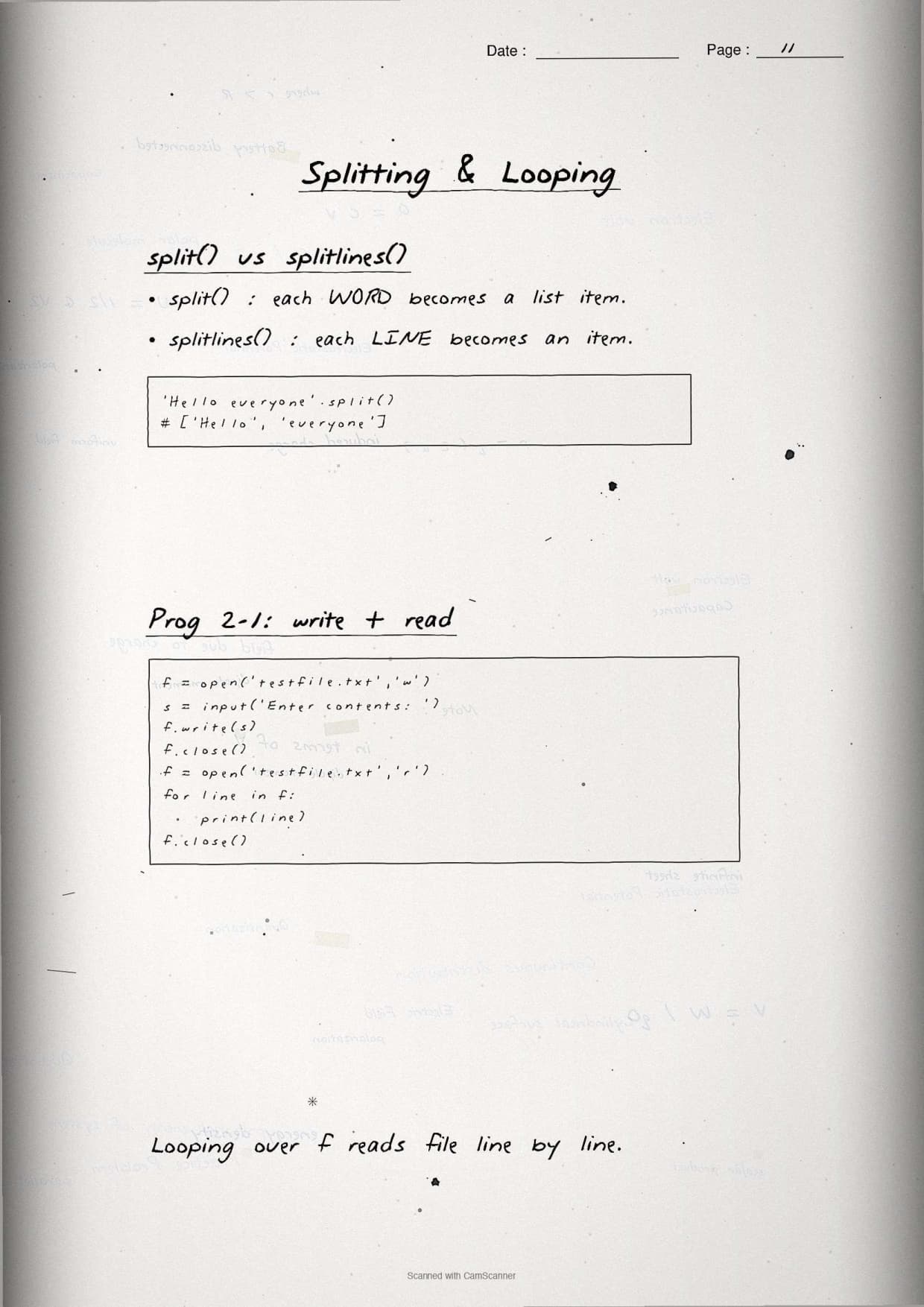
f = open("hello.txt", "r")
print(f.read(5))        # first 5 characters
print(f.readline())     # one line as a string
print(f.readlines())    # list of all remaining lines
f.close()
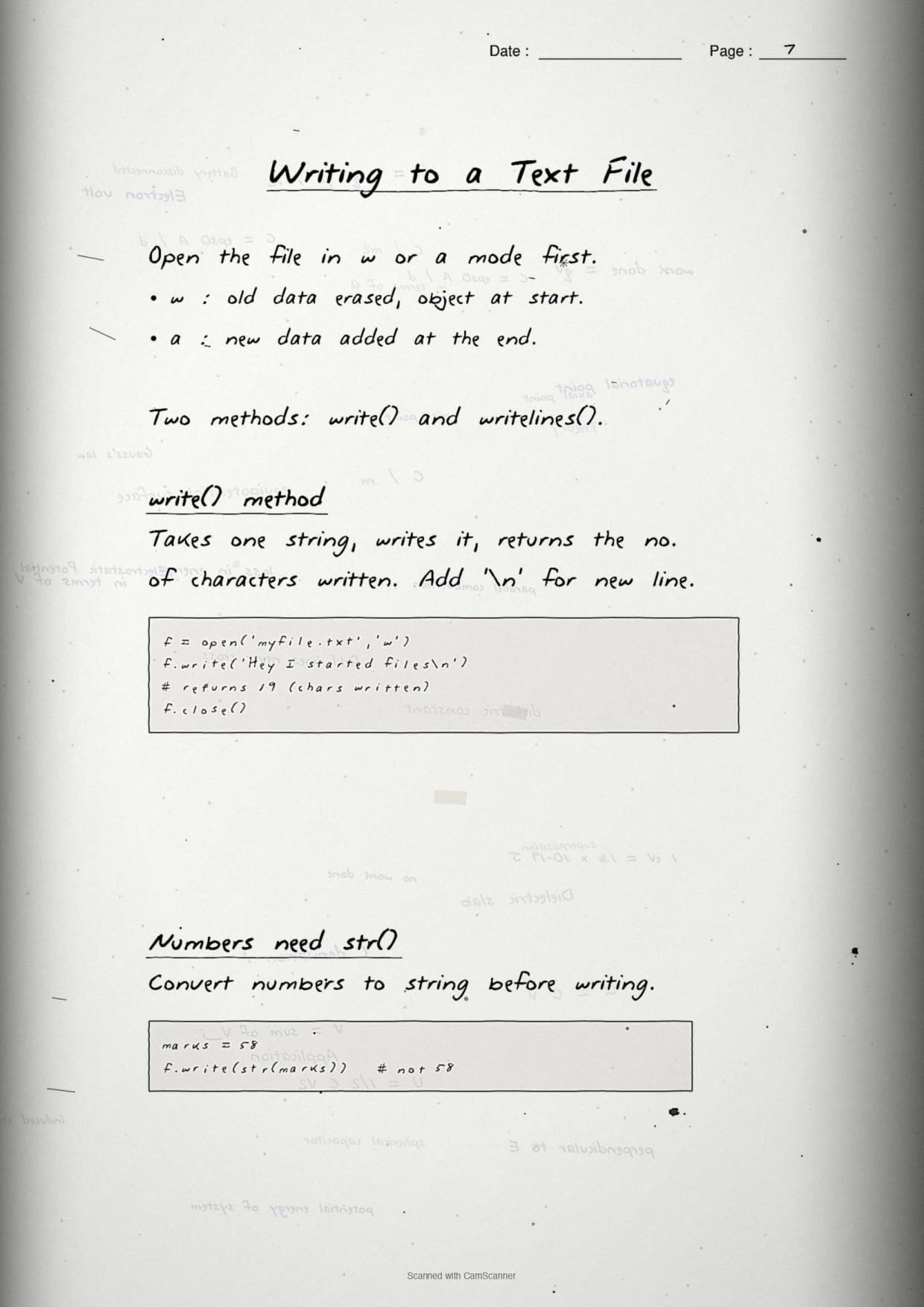
The two write methods
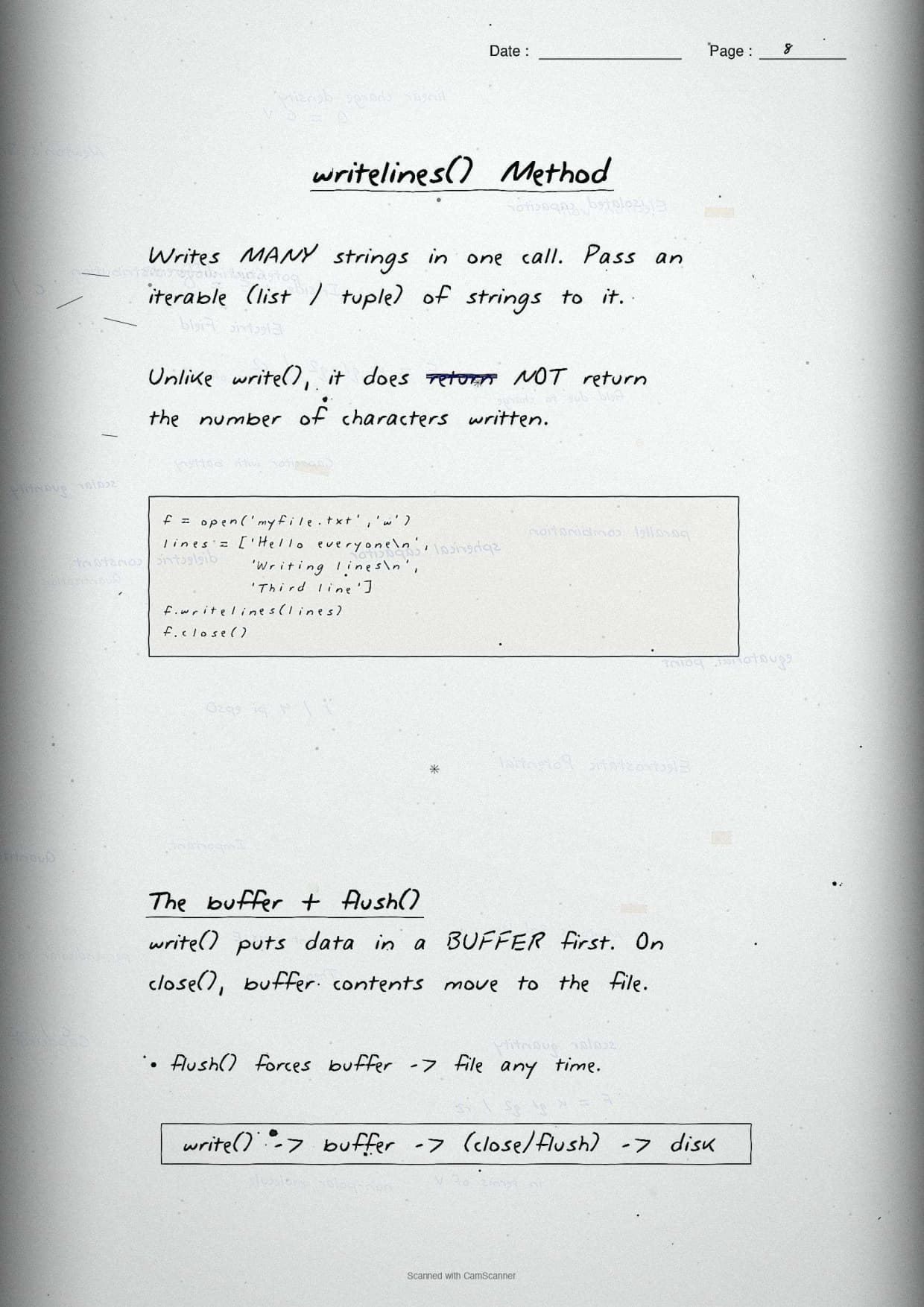
write(s): writes a single strings; it does not add a newline for you.writelines(list): writes every string in a list, again with no automatic newline.
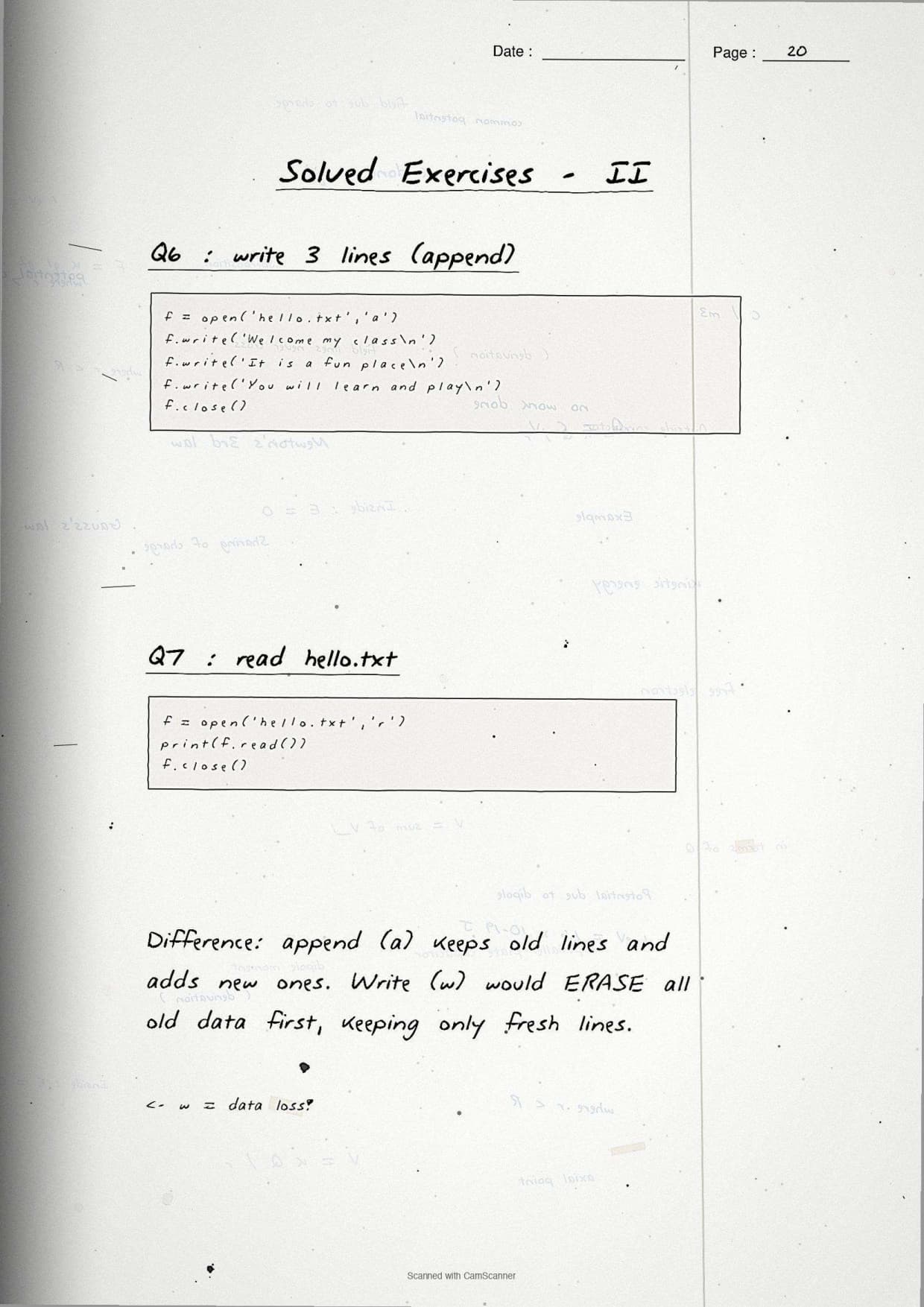
f = open("hello.txt", "a")
f.write("Welcome my class\n")
f.writelines(["It is a fun place\n", "You will learn and play\n"])
f.close()write() nor writelines() adds a newline. If your output runs all on one line in the exam answer, you forgot the \n at the end of each string.
The with Statement, the Buffer, and close()
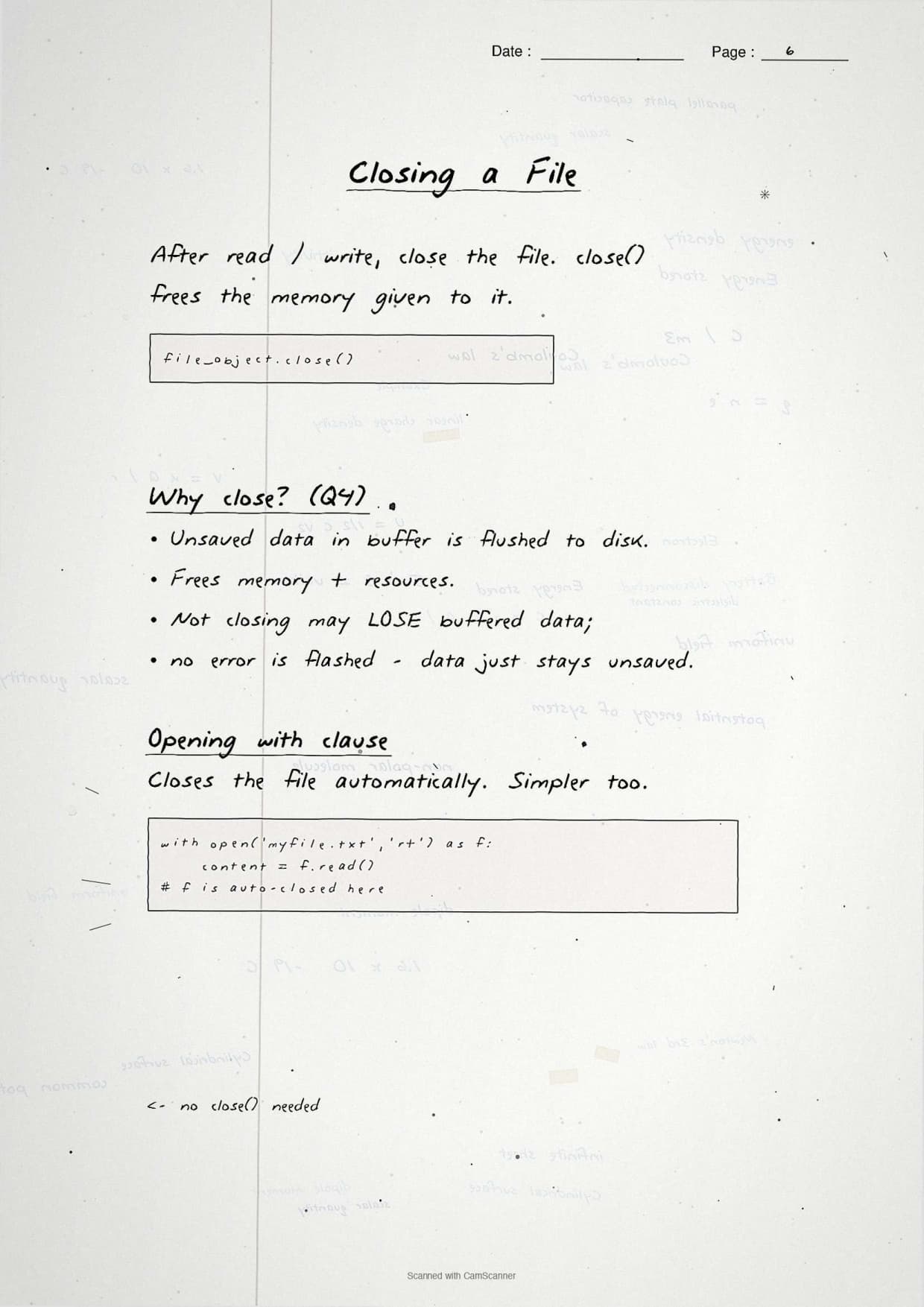
The next page explains why a file must be closed and how the with statement does it for you. When you write to a file, Python first holds the data in a buffer in memory and flushes it to disk later. If the program ends before the buffer flushes, the data can be lost, which is why close() matters.
- close() flushes the buffer to disk and frees the file so other programs can use it.
- If you skip
close(), no error message is flashed, but you risk losing the last written data and locking the file. - The
withstatement opens the file and closes it automatically, even if an error happens inside the block.
with open("practice.txt", "r") as P:
    x = P.read()
# the file is closed automatically here, no close() needed
The notes contrast this with the plain P = open(...) form, where you must remember to call P.close() yourself. The with form is safer and is the style CBSE prefers in model answers, so the notes mark it as the recommended pattern.
P.read(10) and x = P.read() is also a common 2-mark question: read(10) reads only 10 characters, while read() with no number reads the entire file.
Pickling in Python: dump() and load()
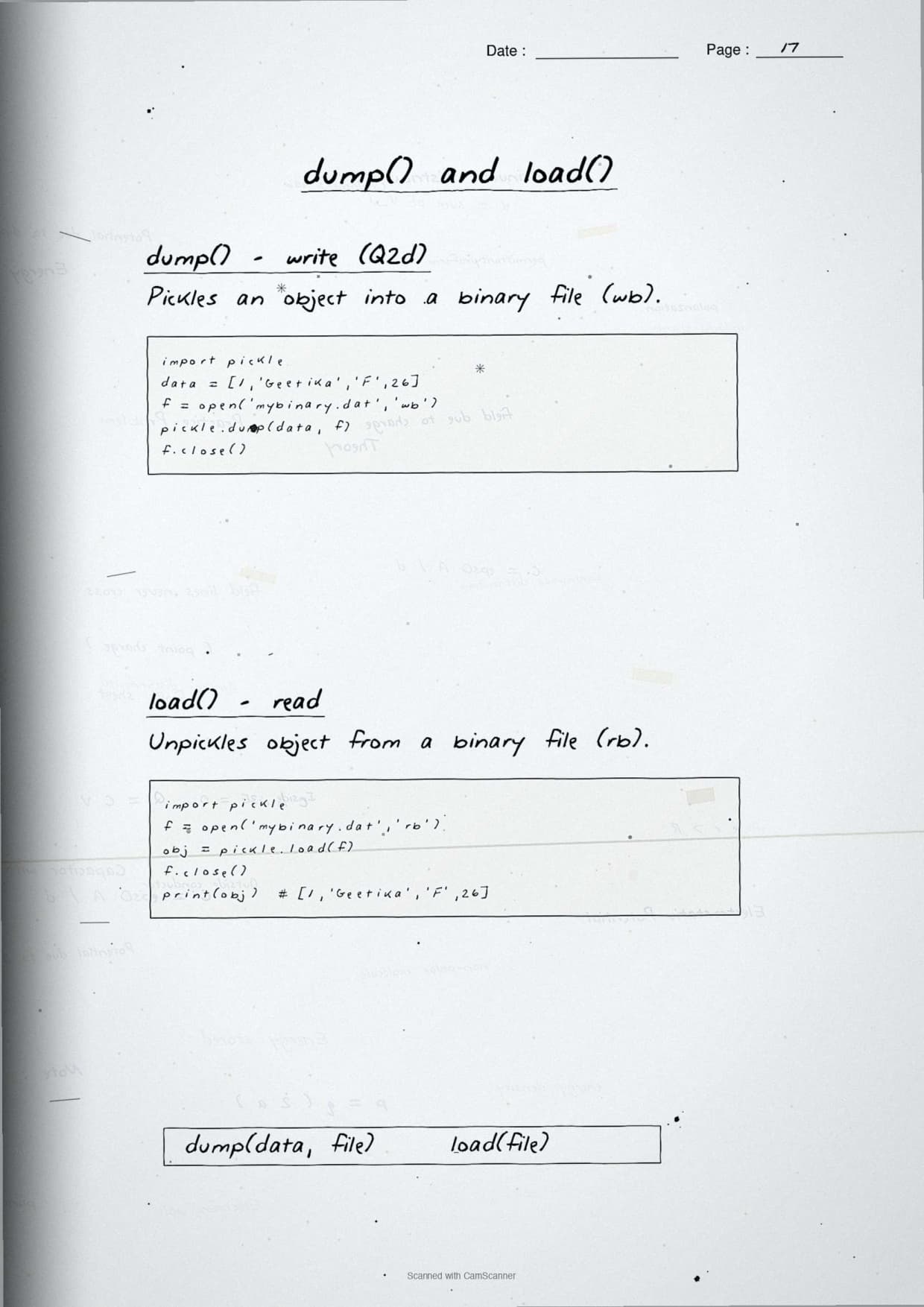
The pickling page is where the heavier marks live, so the notes draw it as a clear cycle. Pickling is converting a Python object into a byte stream so it can be stored in a binary file. Serialization is this conversion done by pickle.dump(); deserialization is the reverse, done by pickle.load(), which rebuilds the object from the bytes.
- Import first:
import pickleat the top of the program. - dump(object, file): serialize the object and write it to a binary file opened in
wbmode. - load(file): deserialize and return the object from a binary file opened in
rbmode.
import pickle

record = {"ItemNo": 1, "Name": "Pen", "Qty": 10, "Price": 5.5}

with open("items.dat", "wb") as f:
    pickle.dump(record, f)        # serialize and store

with open("items.dat", "rb") as f:
    data = pickle.load(f)         # deserialize and read back

print(data)                       # {'ItemNo': 1, 'Name': 'Pen', ...}
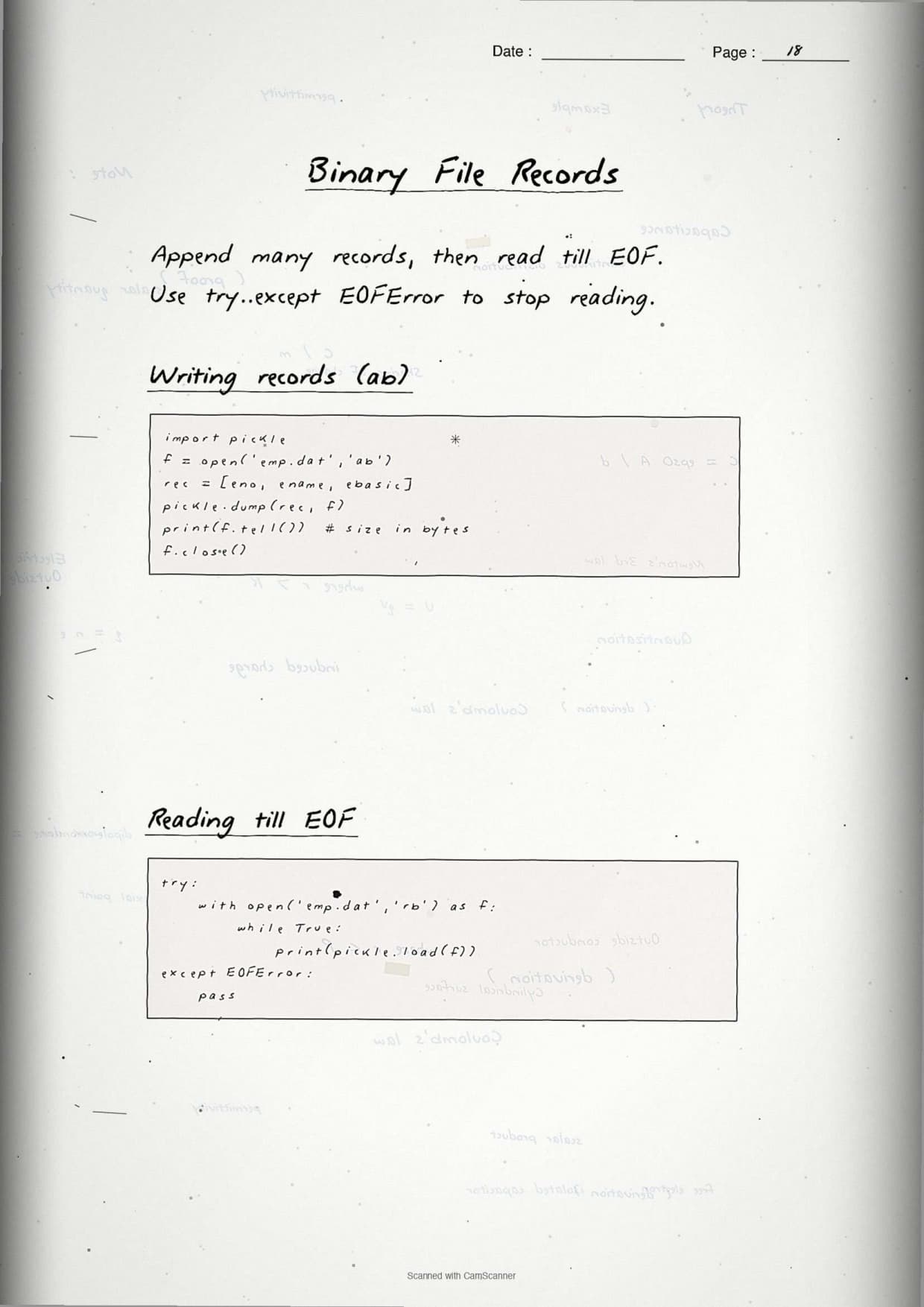
The notes stress two facts examiners check: the file must be opened in a binary mode for both dump() and load(), and load() raises an EOFError when the end of the file is reached, which is how you stop a read loop over many records.
Common Mistakes Students Make in File Handling
The repeat-offender mistakes in File Handling board answers:
- Using
wwhen you meanta:werases the file, so appended lines vanish. Useato keep old content. - Swapping
readline()andreadlines(): one returns a single line string, the other returns a list of all lines. - Forgetting the newline in
write(): neither write method adds\n, so lines merge unless you add it yourself. - Opening a pickle file in text mode:
dump()andload()needwbandrb, neverworr. - Skipping
close()withoutwith: no error is flashed, but the last buffered data can be lost.
Other Resources for Class 12 Computer Science Chapter 2 File Handling in Python
Pair these handwritten notes with the matching typed revision notes, the NCERT Solutions, and the official NCERT book chapter. All resources for Class 12 Computer Science Chapter 2 File Handling in Python are linked in the table below.
| Resource | What it covers | Open |
|---|---|---|
| Handwritten Notes | Handwritten 24-page revision notebook for last-minute board prep. | You are here |
| Notes | Concept-first typed revision notes on file modes, read or write methods, and pickling. | Class 12 Computer Science Chapter 2 Notes |
| NCERT Solutions | Step-by-step answers to all 10 exercise questions with Python code and sample runs. | Class 12 Computer Science Chapter 2 NCERT Solutions |
| NCERT Book PDF | Official NCERT Computer Science Chapter 2 File Handling in Python textbook in PDF form. | Class 12 Computer Science Chapter 2 NCERT Book PDF |
NCERT Handwritten Notes for Class 12 Computer Science: All Chapters
Related Links: Use the table below to open the handwritten notes for the other chapters of Class 12 Computer Science. Every chapter comes as genuine handwritten notes with a free PDF download.
| Chapter | Handwritten Notes link |
|---|---|
| Chapter 1 | Exception Handling in Python Handwritten Notes |
| Chapter 2 | File Handling in Python Handwritten Notes (You are here) |
| Chapter 3 | Stack Handwritten Notes |
| Chapter 4 | Queue Handwritten Notes |
| Chapter 5 | Sorting Handwritten Notes |
| Chapter 6 | Searching Handwritten Notes |
| Chapter 7 | Understanding Data Handwritten Notes |
| Chapter 8 | Database Concepts Handwritten Notes |
| Chapter 9 | Structured Query Language (SQL) Handwritten Notes |
| Chapter 10 | Computer Networks Handwritten Notes |
| Chapter 11 | Data Communication Handwritten Notes |
| Chapter 12 | Security Aspects Handwritten Notes |
File Handling in Python Class 12 Handwritten Notes FAQs
Ques. Are the Class 12 Computer Science Chapter 2 File Handling handwritten notes free to download?
Ans. Yes. The entire 24-page handwritten PDF on File Handling in Python is free to download from this Collegedunia page, with no sign-up needed.
Ques. Do the handwritten notes cover the full File Handling chapter?
Ans. Yes. The notes cover text vs binary files, all file modes, open() and close(), read(), readline() and readlines(), write() and writelines(), seek() and tell(), the with statement, and pickling with dump() and load().
Ques. Are these notes aligned to the 2026-27 CBSE syllabus?
Ans. Yes. Every method, mode, and pickling step matches the current 2026-27 NCERT print and the latest CBSE Class 12 Computer Science marking scheme.
Ques. What is the difference between text and binary files in these notes?
Ans. A text file stores readable characters with an encoding, while a binary file stores raw bytes. The notes draw a two-column compare box and remind students that a binary mode always carries the letter b, as in rb or wb.
Ques. Can I rely only on the handwritten notes for the board exam?
Ans. For last-week revision, the handwritten PDF is enough. For first-time learning, pair it with the typed Notes PDF and the NCERT Solutions PDF linked above so you have the worked programs and chapter-end exercises alongside.



Comments