




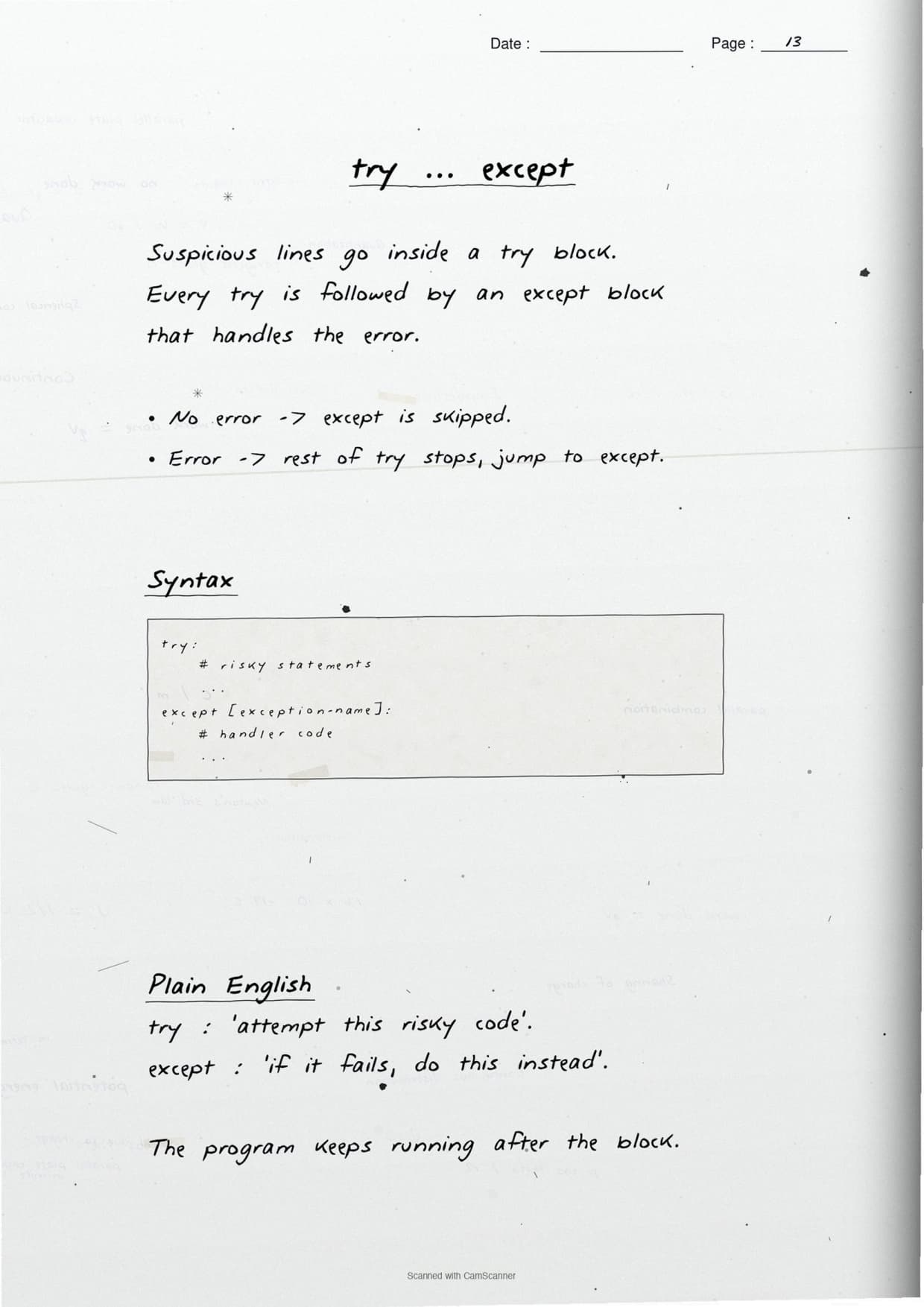
The Exception Handling in Python Class 12 Computer Science handwritten notes have been carefully prepared by hand for quick one-shot revision, according to the latest 2026-27 CBSE syllabus. They cover the difference between a syntax error and an exception, the common built-in exceptions, and how try, except, raise, assert, else and finally stop a Python program from crashing.
- CBSE Weightage: 6 to 8 marks from Unit 1 (Computational Thinking and Programming), shared with File Handling.
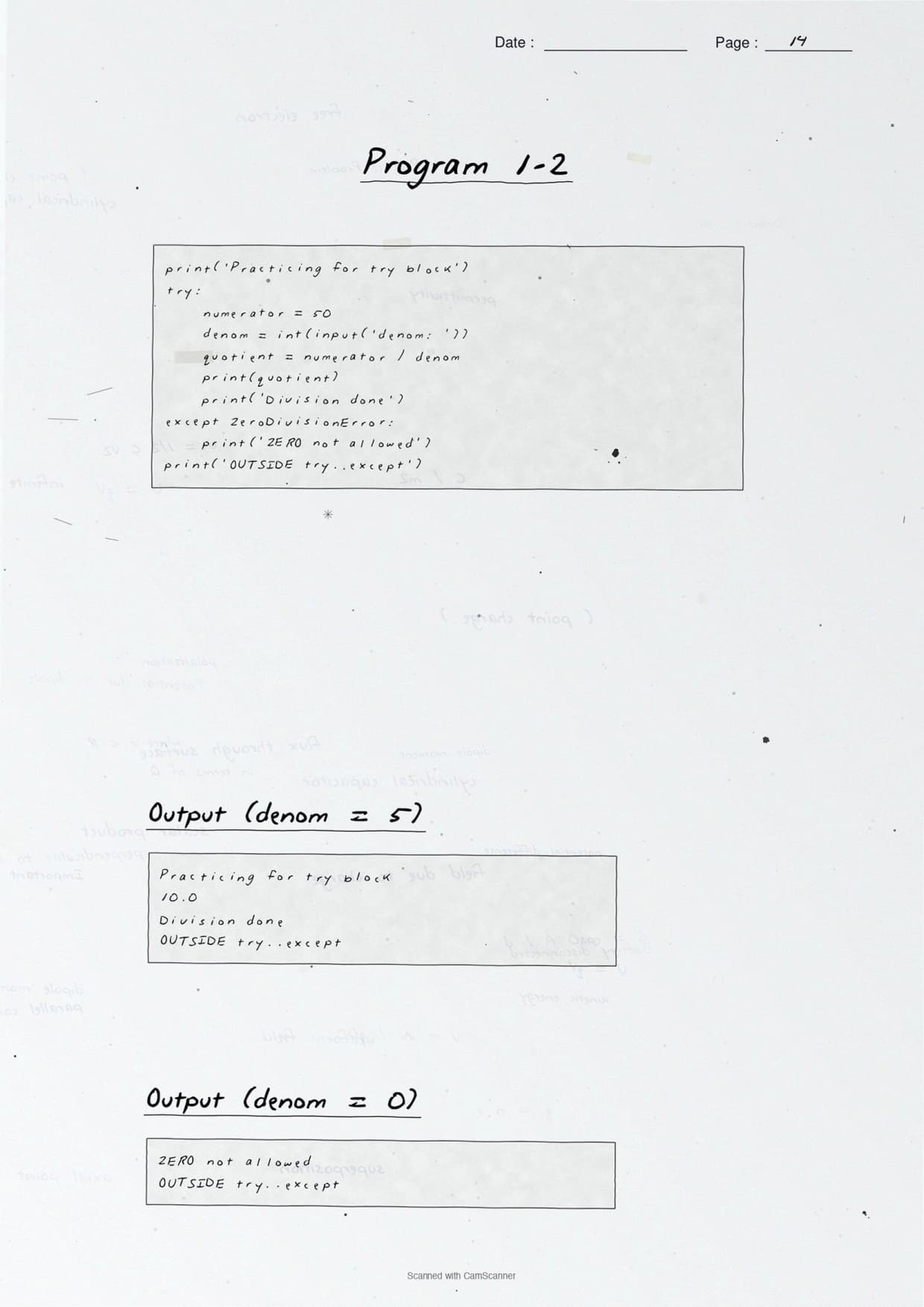
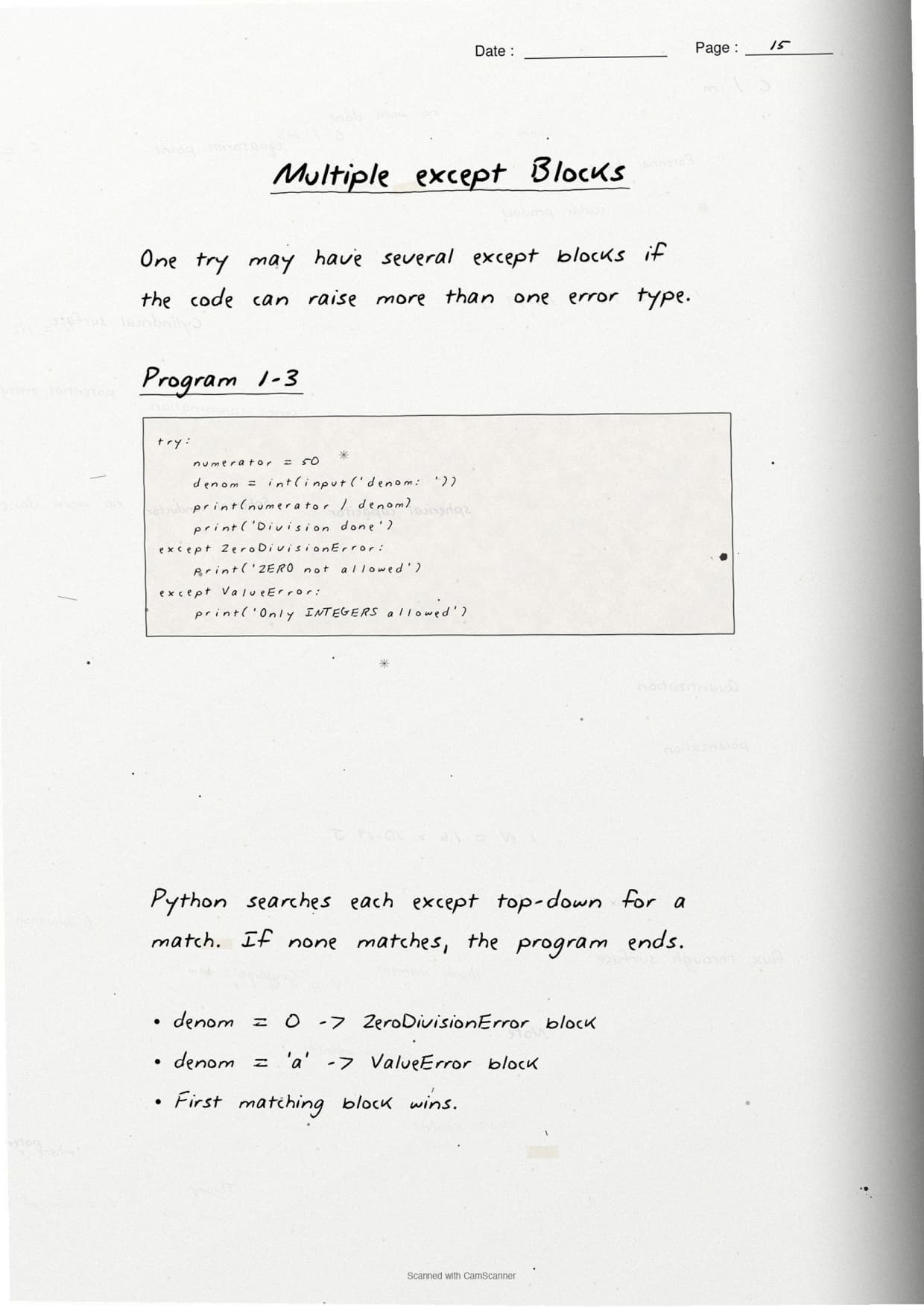
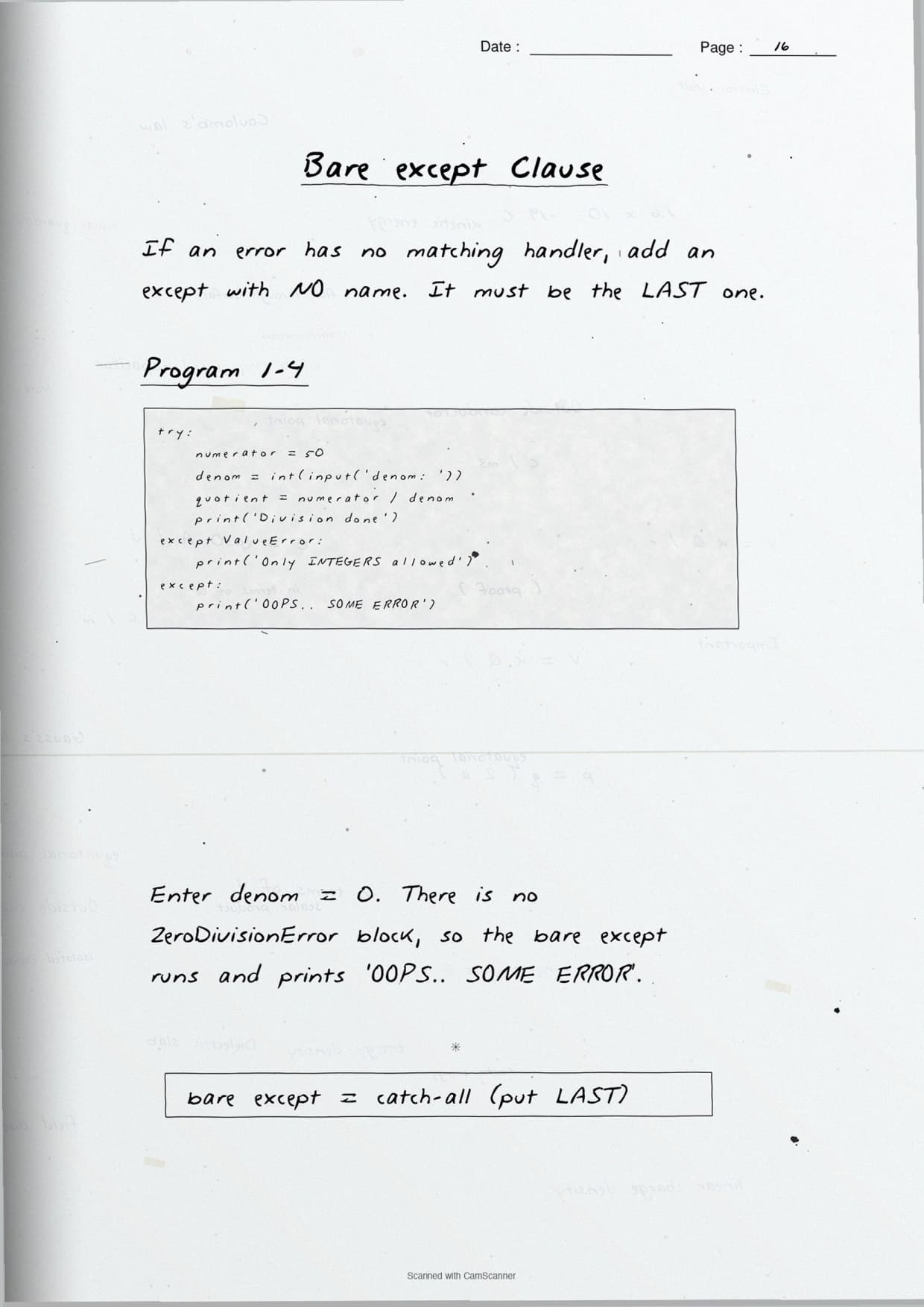
- Boxed keywords and hand-written code blocks for the full try-except-else-finally flow.
- Pairs with the NCERT Solutions, Notes and Book PDF linked lower on this page.
These Exception Handling in Python handwritten notes are prepared from the official NCERT Computer Science textbook and matched to the 2026-27 CBSE syllabus.
Student Feedback: In a Collegedunia poll of 11,300 Class 12 Computer Science students before the 2026 boards, 74% of students said the hand-drawn try-except-finally flow box was the single fastest way to revise this chapter. Most students copied the boxed code blocks straight onto practice answer sheets.
Source: 2026-27 Class 12 Computer Science student poll. Sample of 11,300 students from CBSE schools across 14 states.
What These Exception Handling in Python Handwritten Notes Include
Typed notes read like a textbook. Handwritten notes read like a friend's revision book, so the eye finds the keyword fast on exam day. These Exception Handling in Python handwritten notes condense the whole chapter into 24 handwritten pages of ruled paper, with every Python keyword in a box and every error type underlined.
The pages are built around the three threads that the CBSE board paper tests:
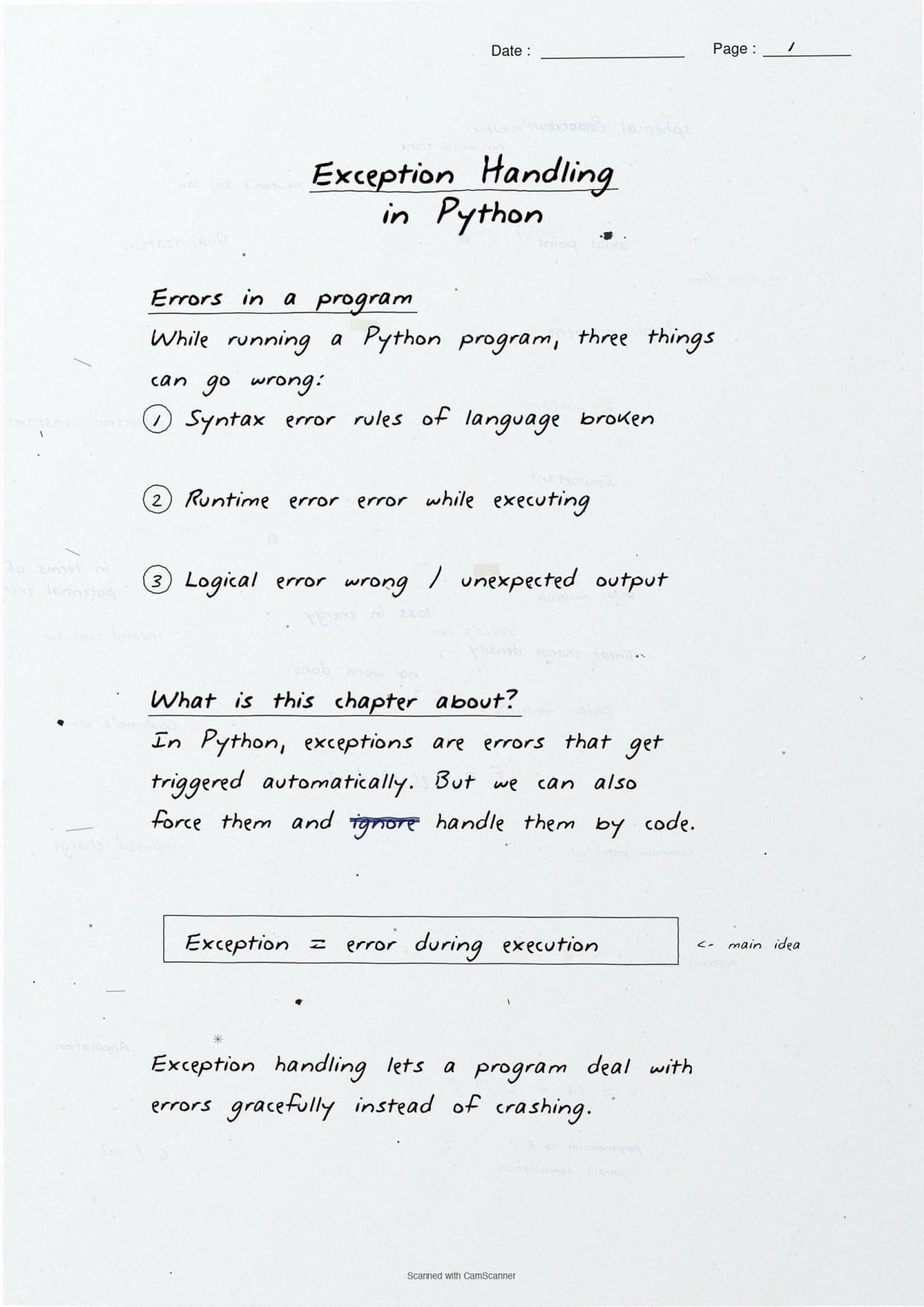
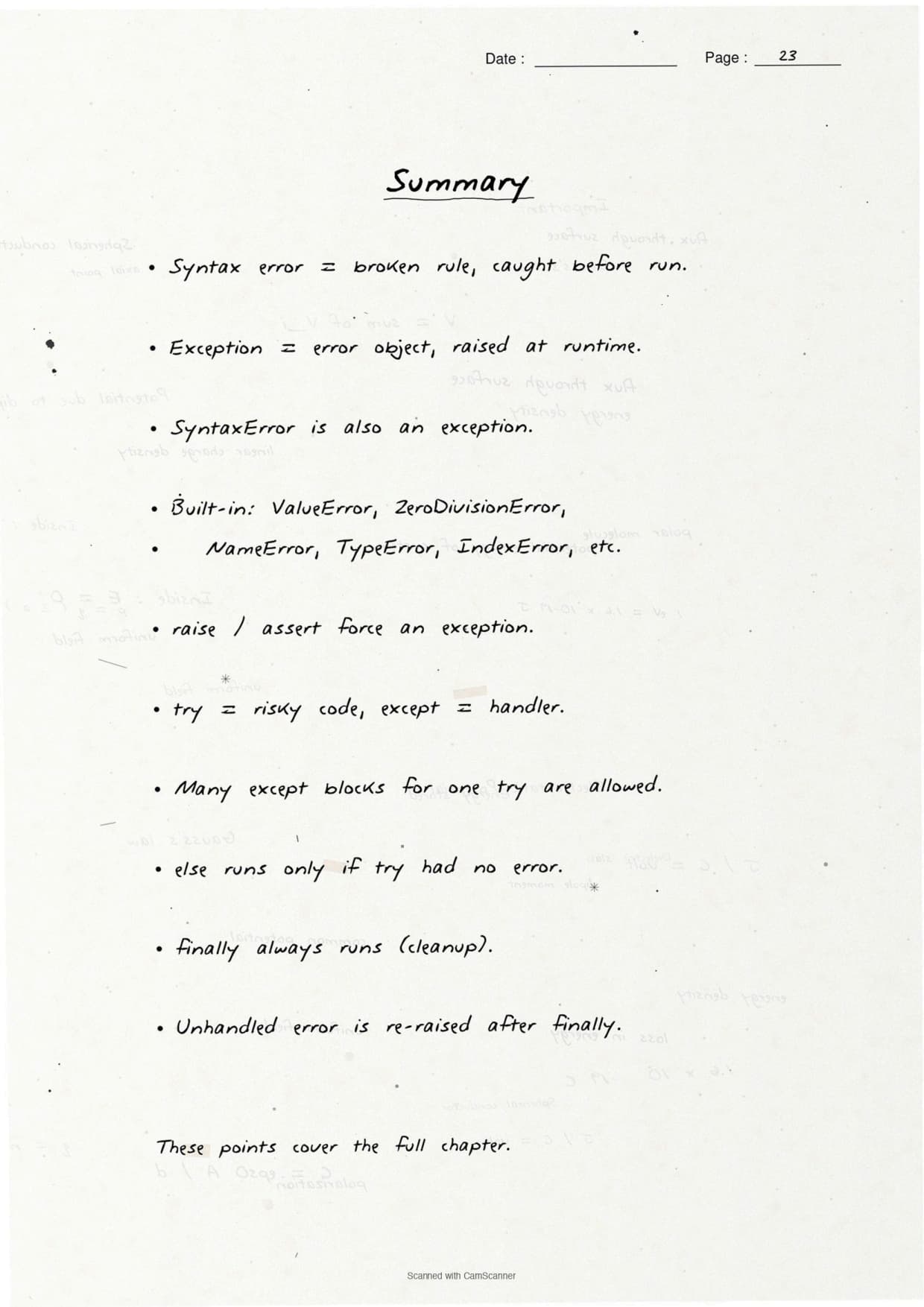
- Errors: what an exception is and how it differs from a syntax error.
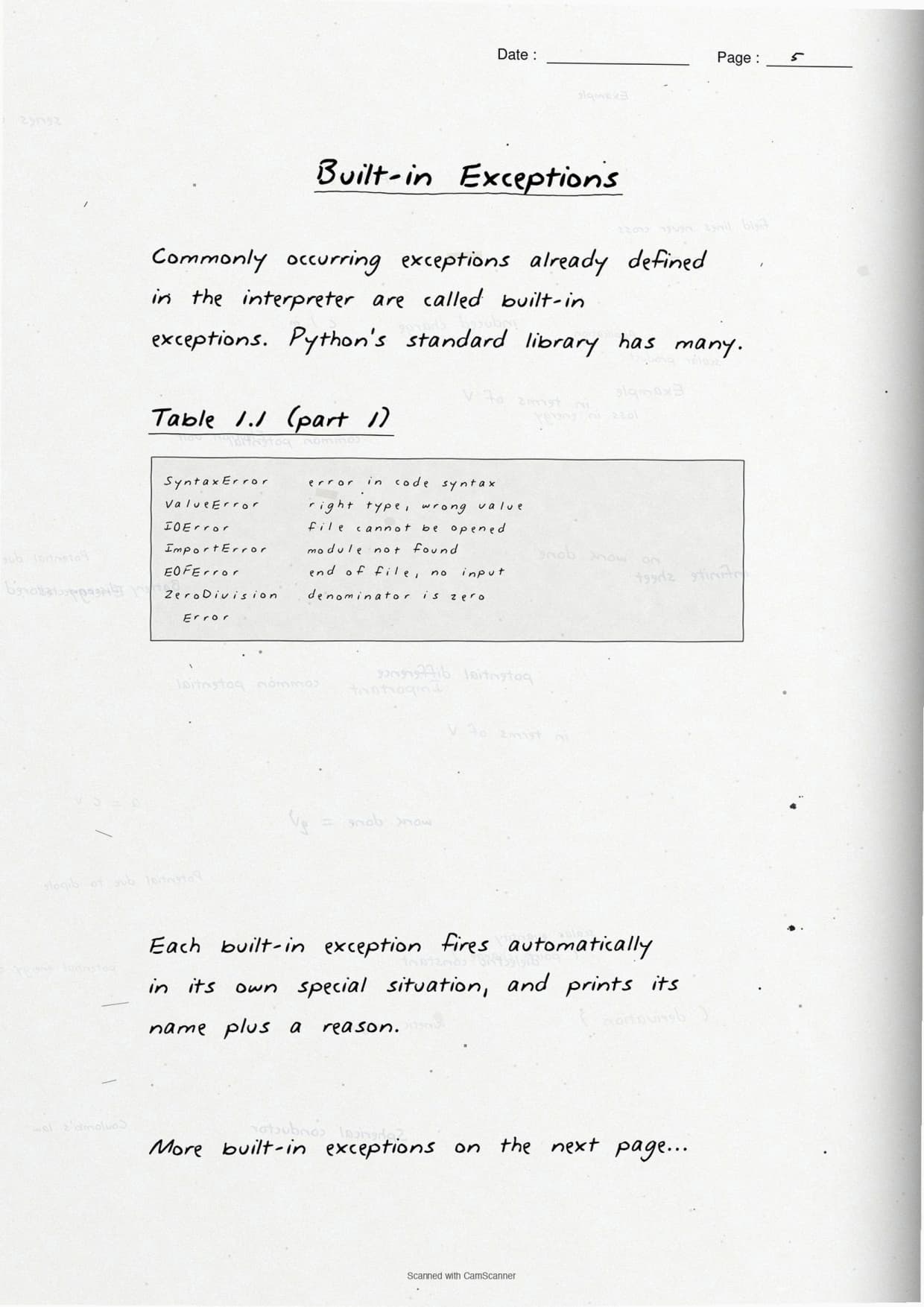
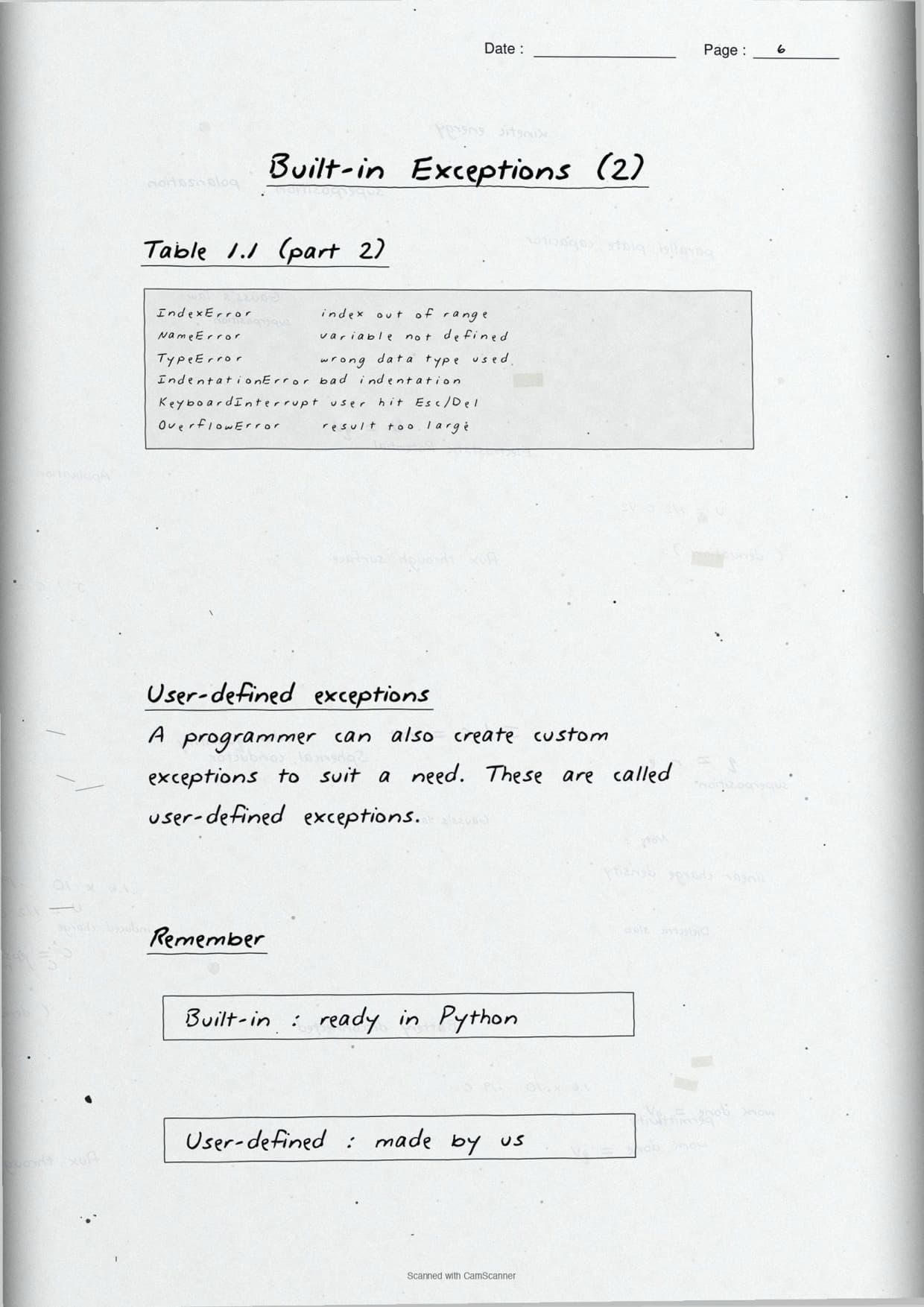
- Built-in exceptions: ValueError, ZeroDivisionError, NameError, IOError and ImportError, each with a one-line trigger.
- Handling keywords: the full
try,except,else,finally,raiseandassertflow.
Because the notes are handwritten, the code blocks sit in pen-drawn boxes and the keywords are circled, so locating a single line during last-week revision takes seconds. This makes the set ideal for a fast recap the night before the exam.
Syntax Error vs Exception: The First Page of the Notes
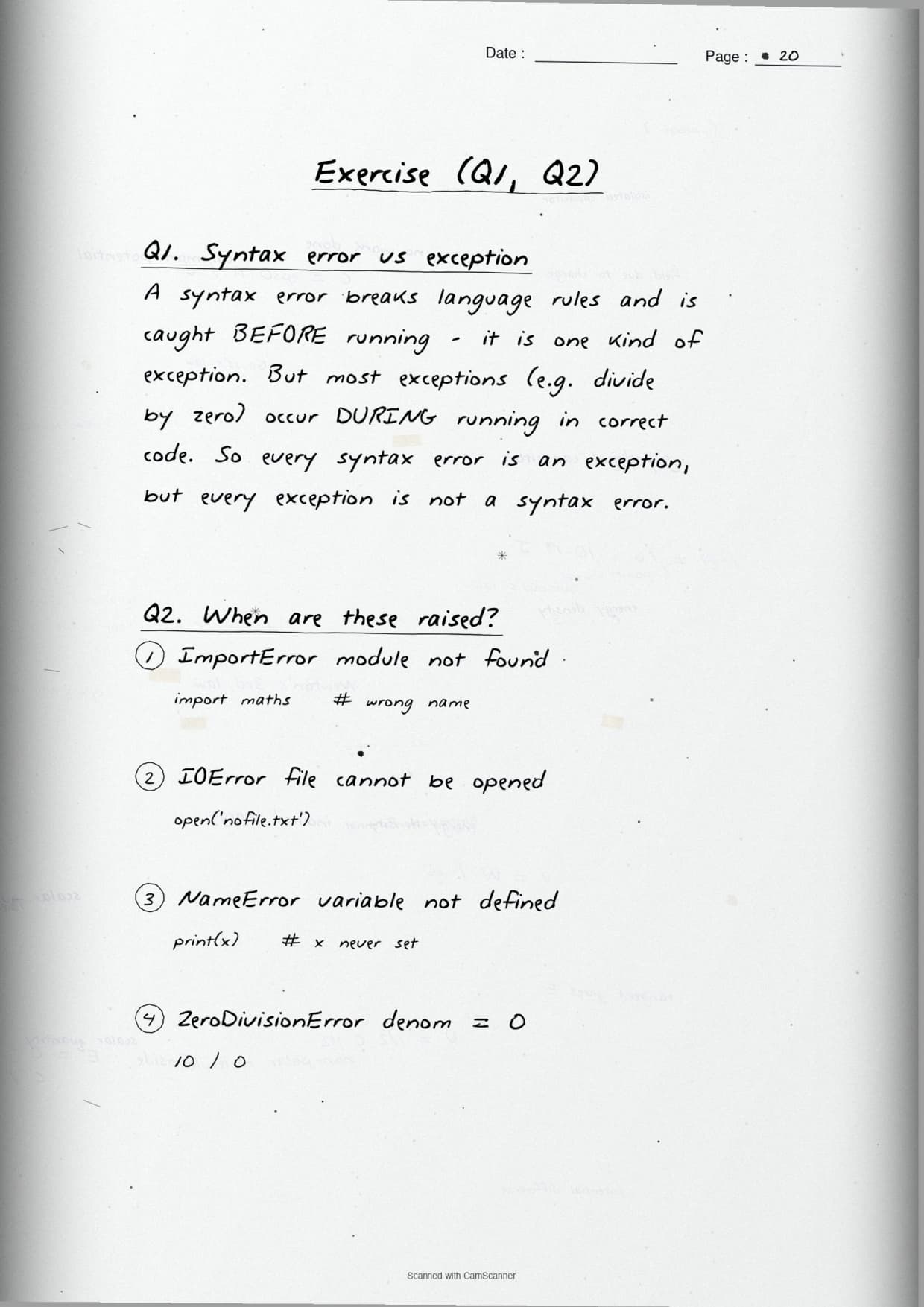
The opening page settles the most common board question: how a syntax error differs from an exception. The notes box the one-line rule and back it with a short code snippet, so students can reproduce the answer from memory.
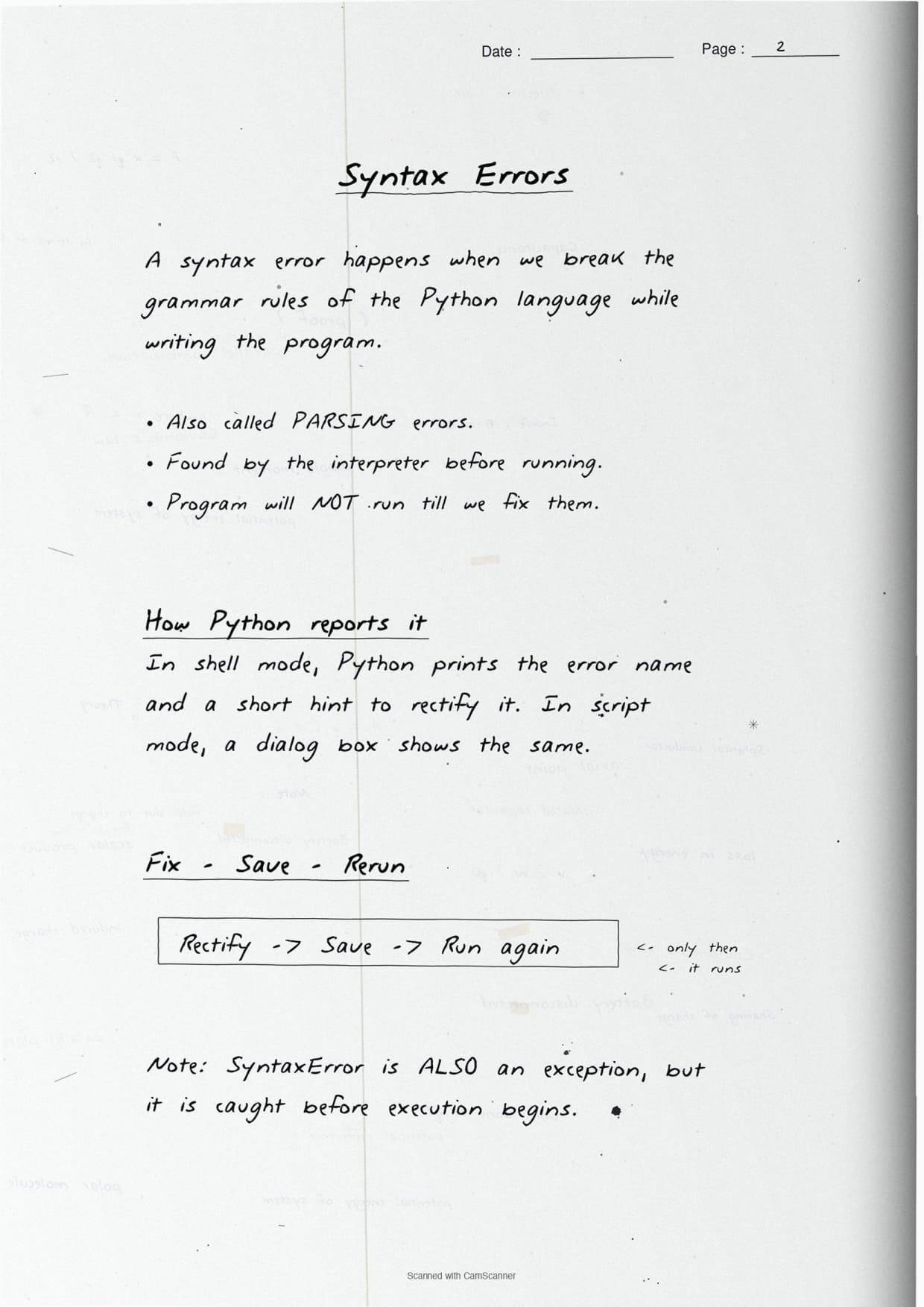
- Syntax error: a mistake in the grammar of the code. Python catches it before the program runs, so no line executes.
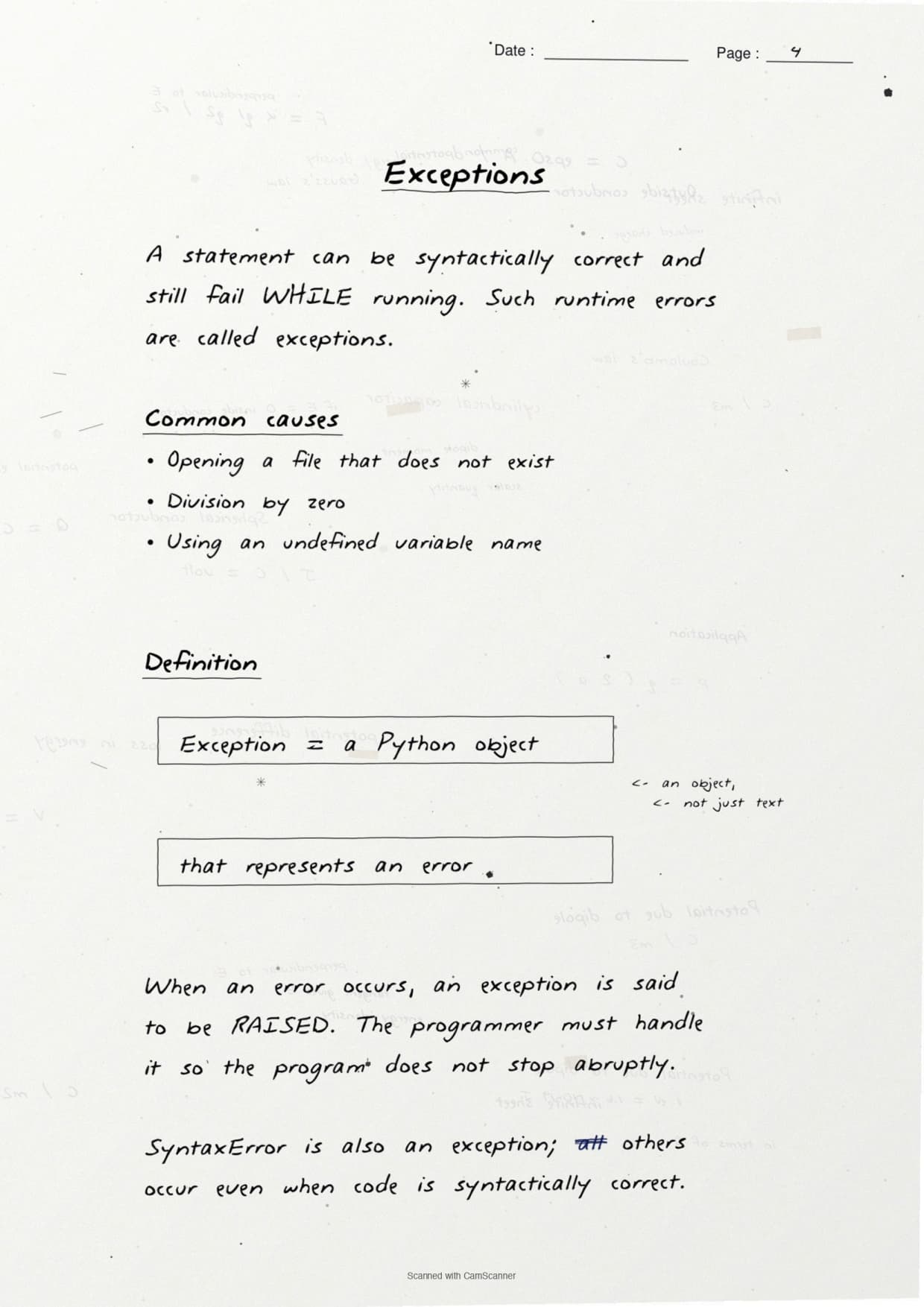
- Exception: a run-time error. The grammar is correct, so the program starts, then stops when it hits a bad operation.
- The exam line: every syntax error is an error, but only a run-time error is an exception.
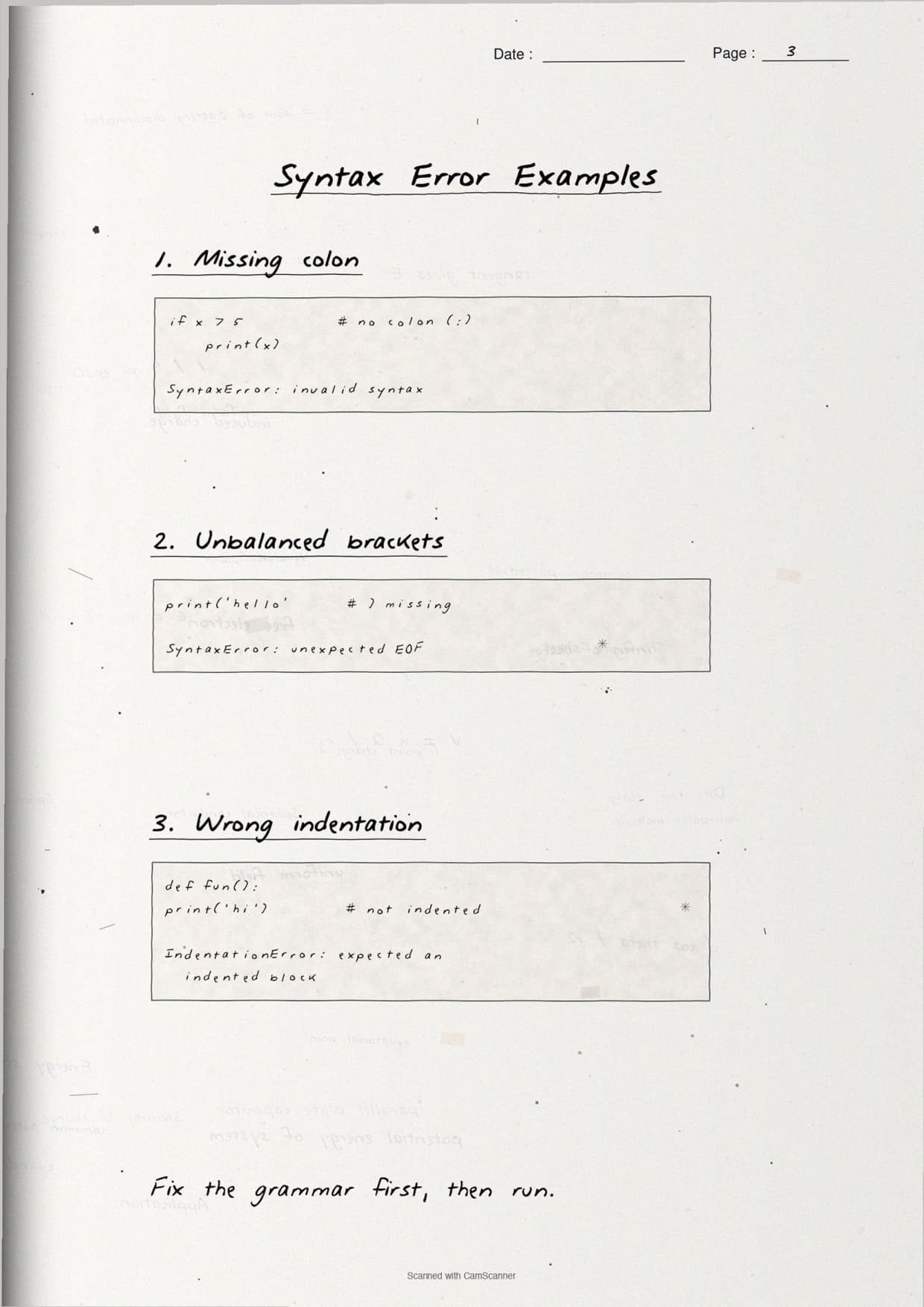
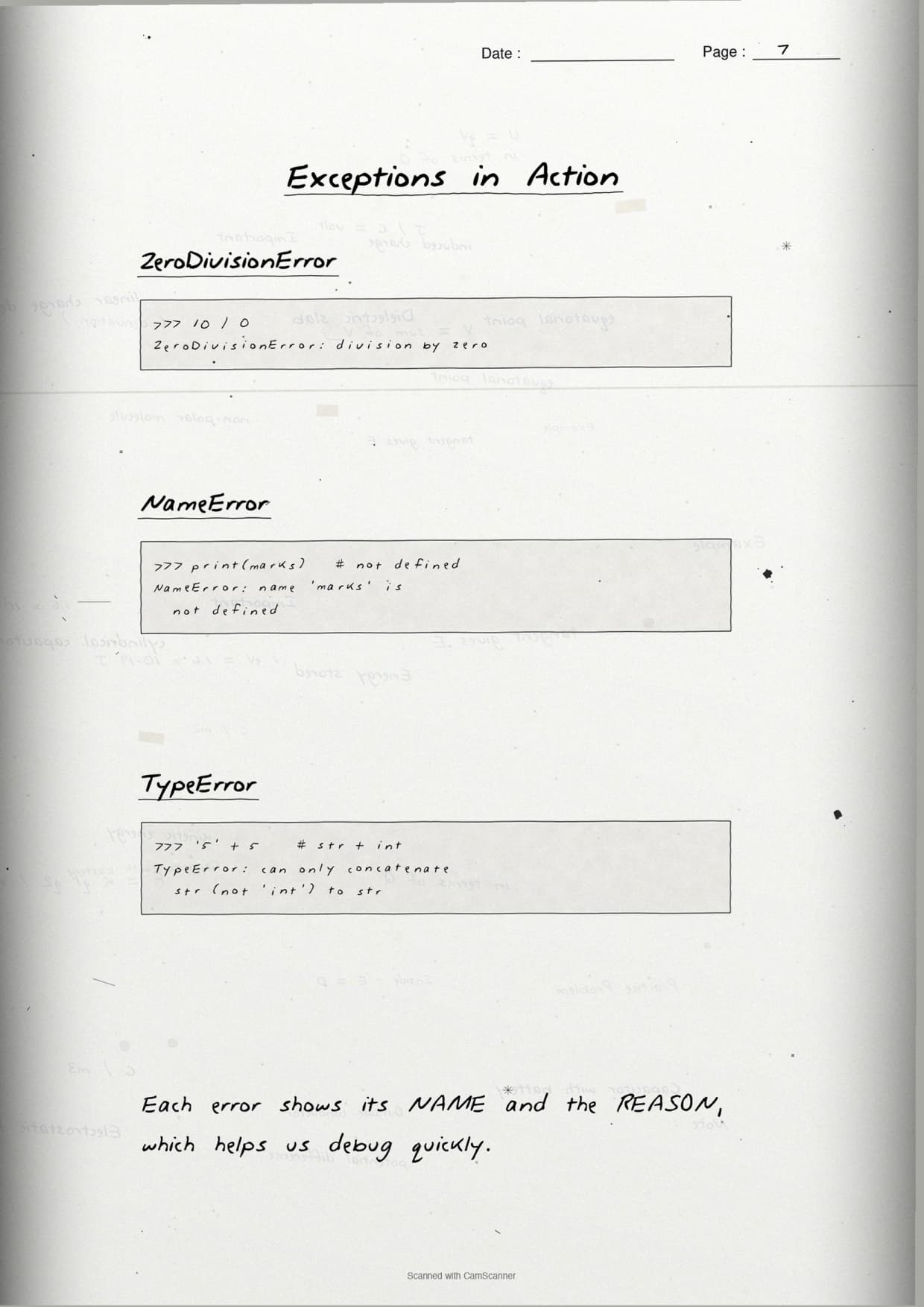
The notes box this snippet to show a syntax error, where the missing colon is caught before any line runs:
if x > 5      # SyntaxError: missing colon
    print(x)
And this snippet to show an exception, where the code is well-formed but fails at run time when it divides by zero:
a = 10
b = 0
print(a / b)   # ZeroDivisionError raised at run time
The margin note underlines the takeaway: a syntax error never lets the program start, while an exception appears only while the program is running.
Built-in Exceptions Every Class 12 Student Must Know
One full page lists the built-in exceptions the CBSE paper asks about by name. The notes give each one a one-line trigger and a tiny example, so students can write the "when is it raised" answer in a single sentence.
| Exception | When it is raised | Example trigger |
|---|---|---|
ZeroDivisionError | A number is divided by zero | 5 / 0 |
ValueError | Right type, wrong value | int("hello") |
NameError | A variable is used before it is defined | print(marks) with no marks |
IOError | A file operation fails | opening a missing file |
ImportError | A module or name cannot be imported | import maths (wrong name) |
The page boxes the sharpest distinction students miss: ValueError is about a wrong value, not a wrong type. Passing int("hello") gives a ValueError because the value cannot become a number, even though a string is a valid argument. Keeping that one line in mind turns a vague answer into a full-marks one.
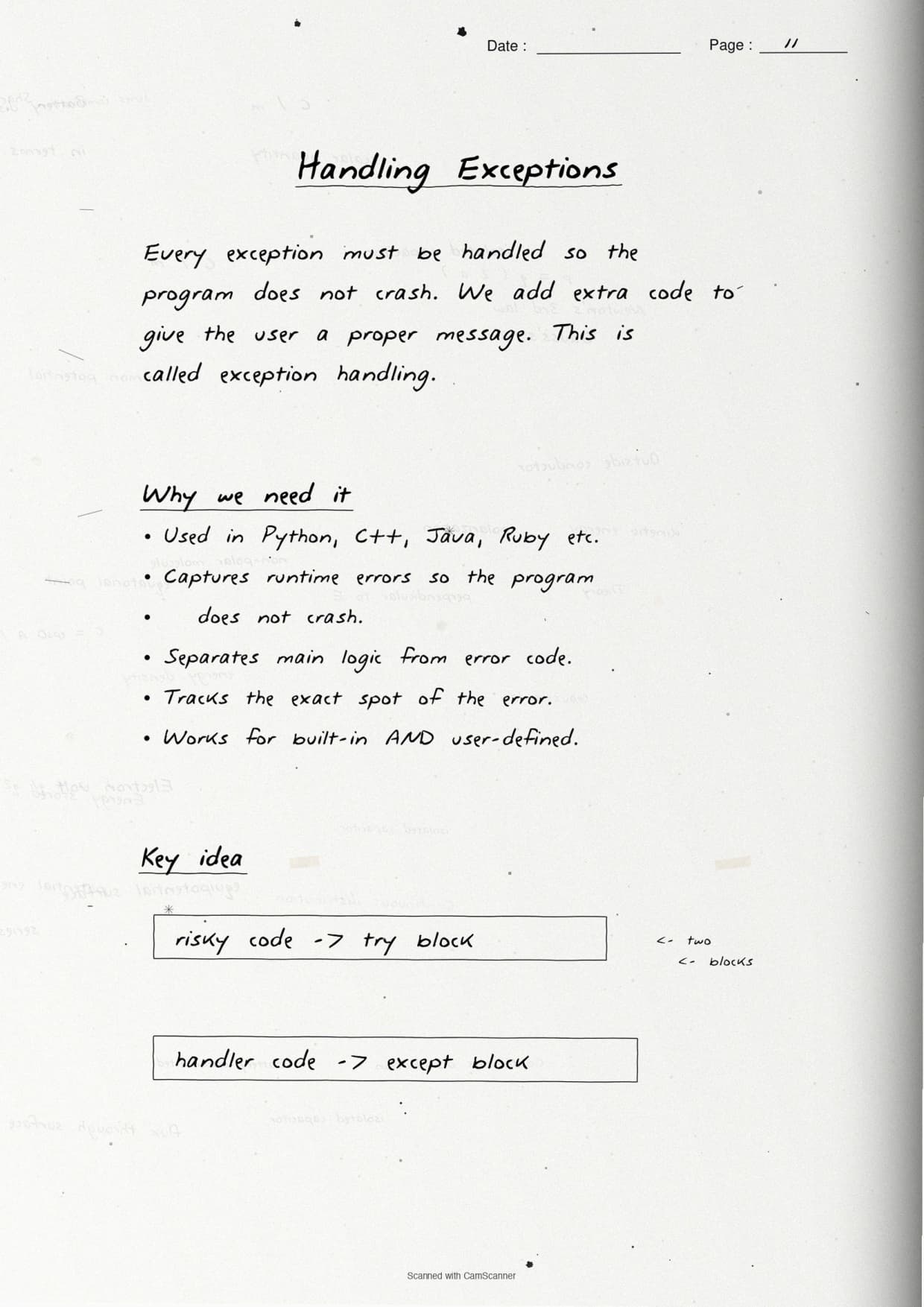
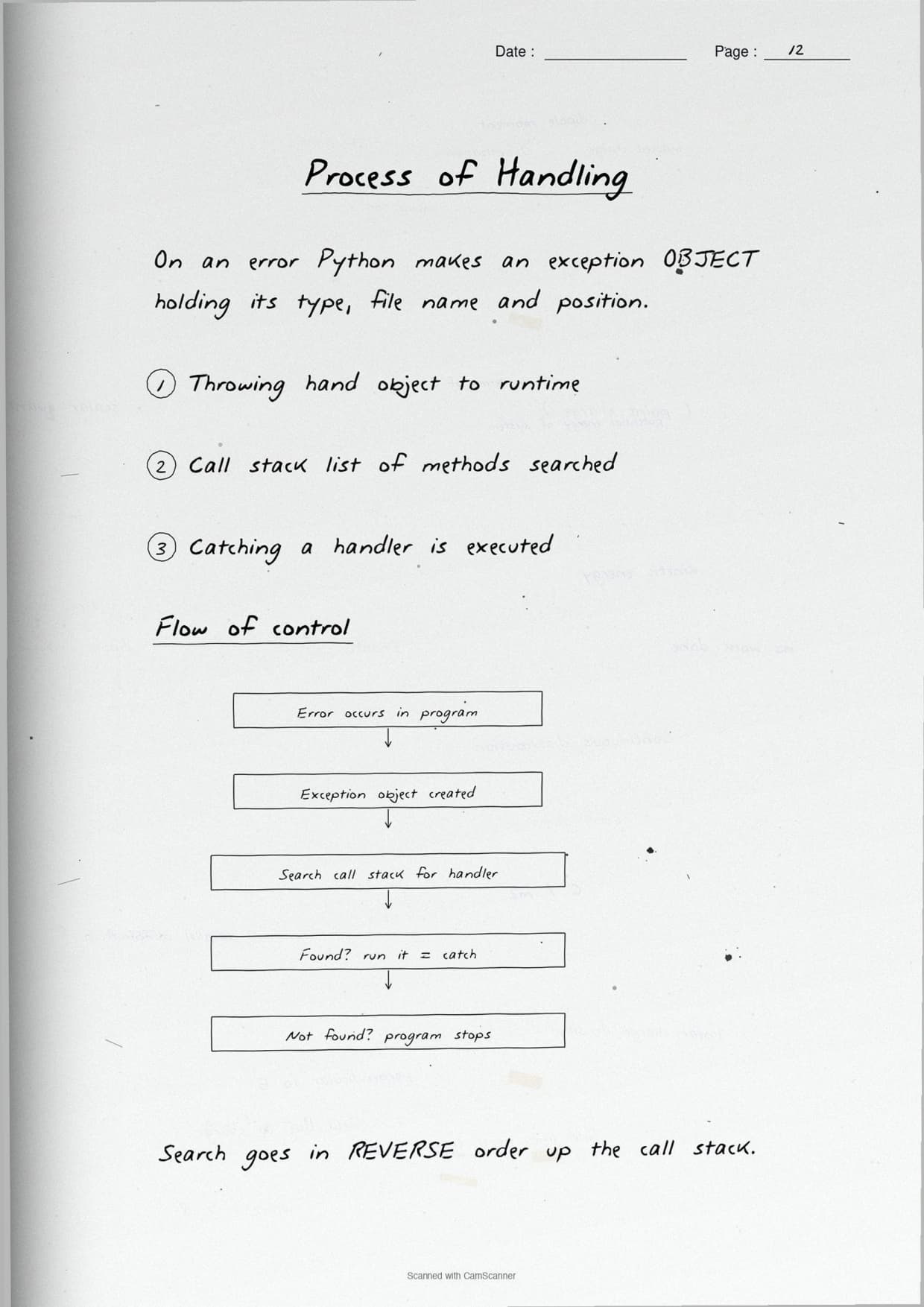
The try-except-else-finally Flow in the Notes
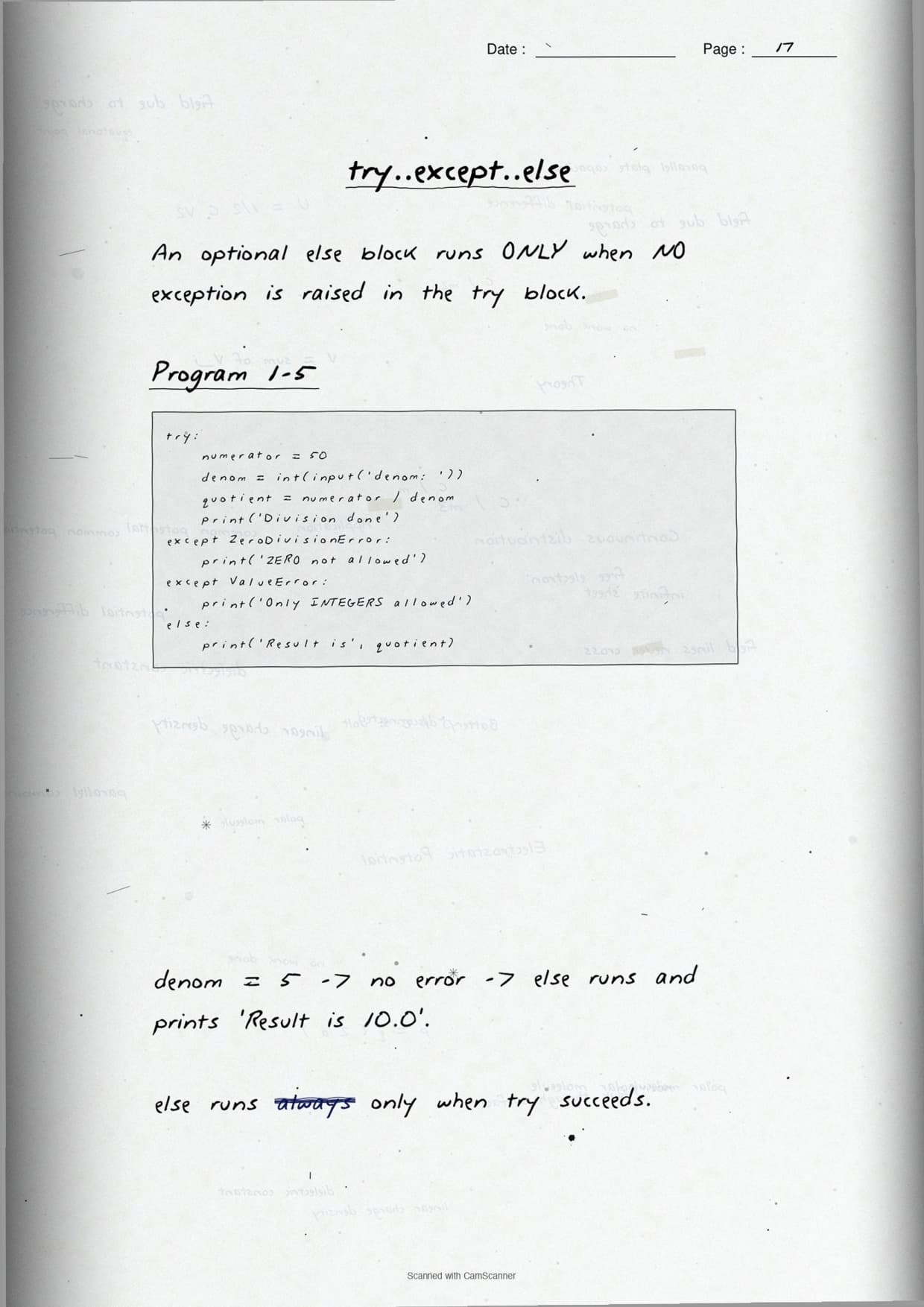
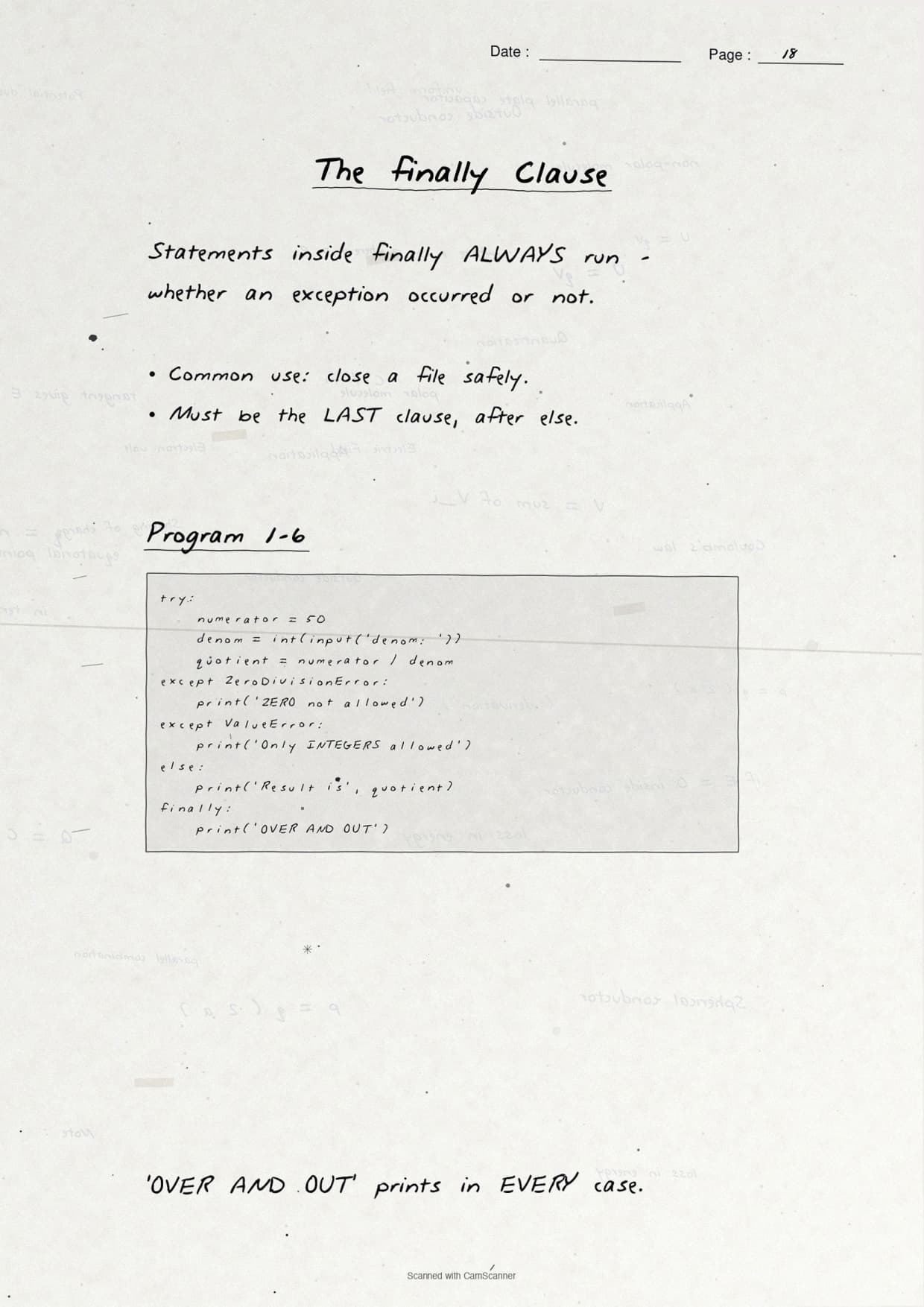
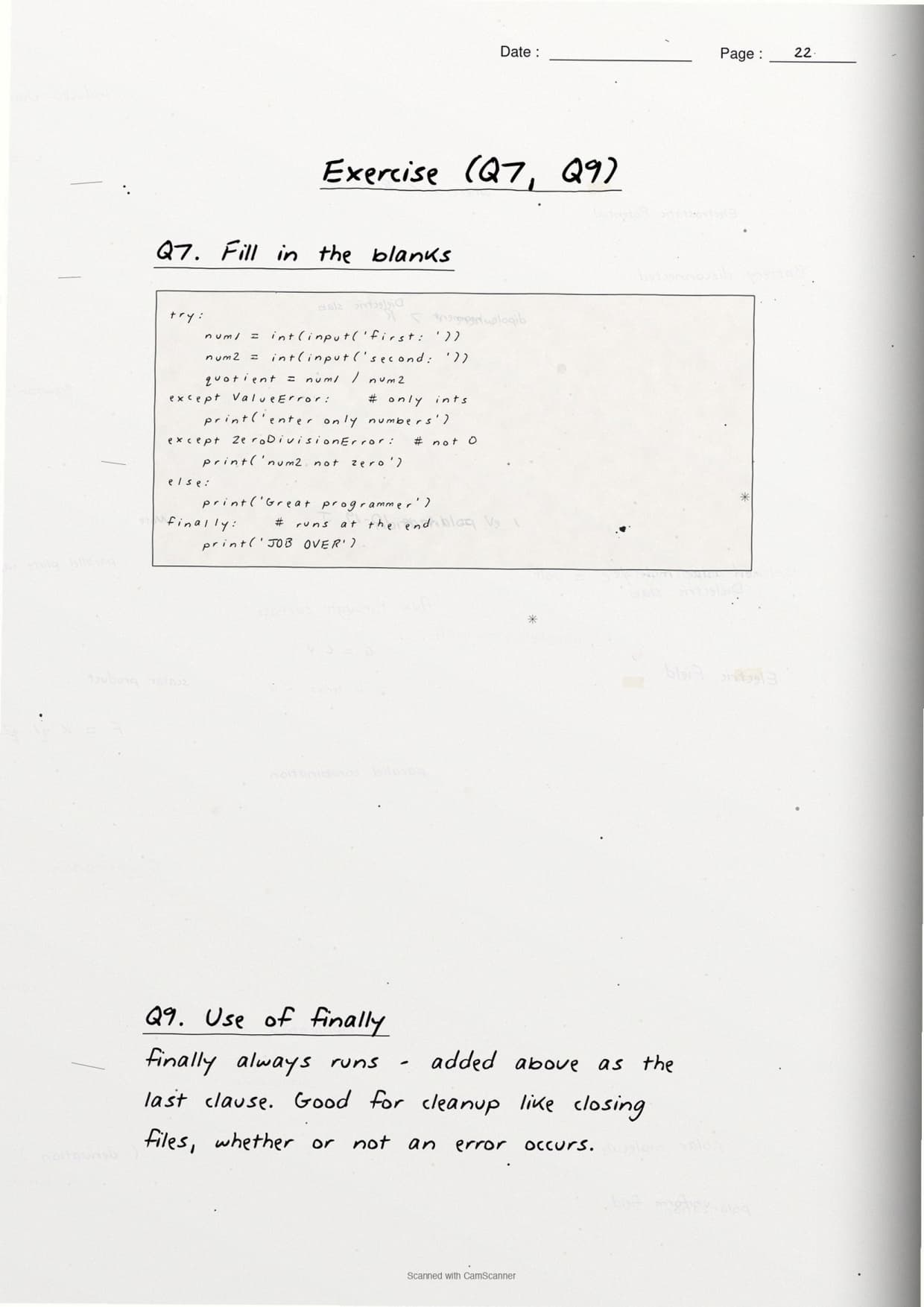
This is the page students revise most. The notes draw the four blocks as a top-to-bottom flow, so it is clear which block runs when. The boxed code below mirrors the page so students can copy the structure straight onto the answer sheet.
try:
    num1 = int(input("Enter first number: "))
    num2 = int(input("Enter second number: "))
    quotient = num1 / num2
except ValueError:
    print("Please enter only numbers")
except ZeroDivisionError:
    print("Number 2 should not be zero")
else:
    print("Great, the division worked")
finally:
    print("Job over, go get some rest")
The flow runs in a fixed order that the notes underline:
- try: holds the risky code that might raise an exception.
- except: runs only when a matching exception is raised; you can have one per error type.
- else: runs only when the try block finishes with no exception.
- finally: runs every single time, exception or not, so it is the place for clean-up like closing a file.
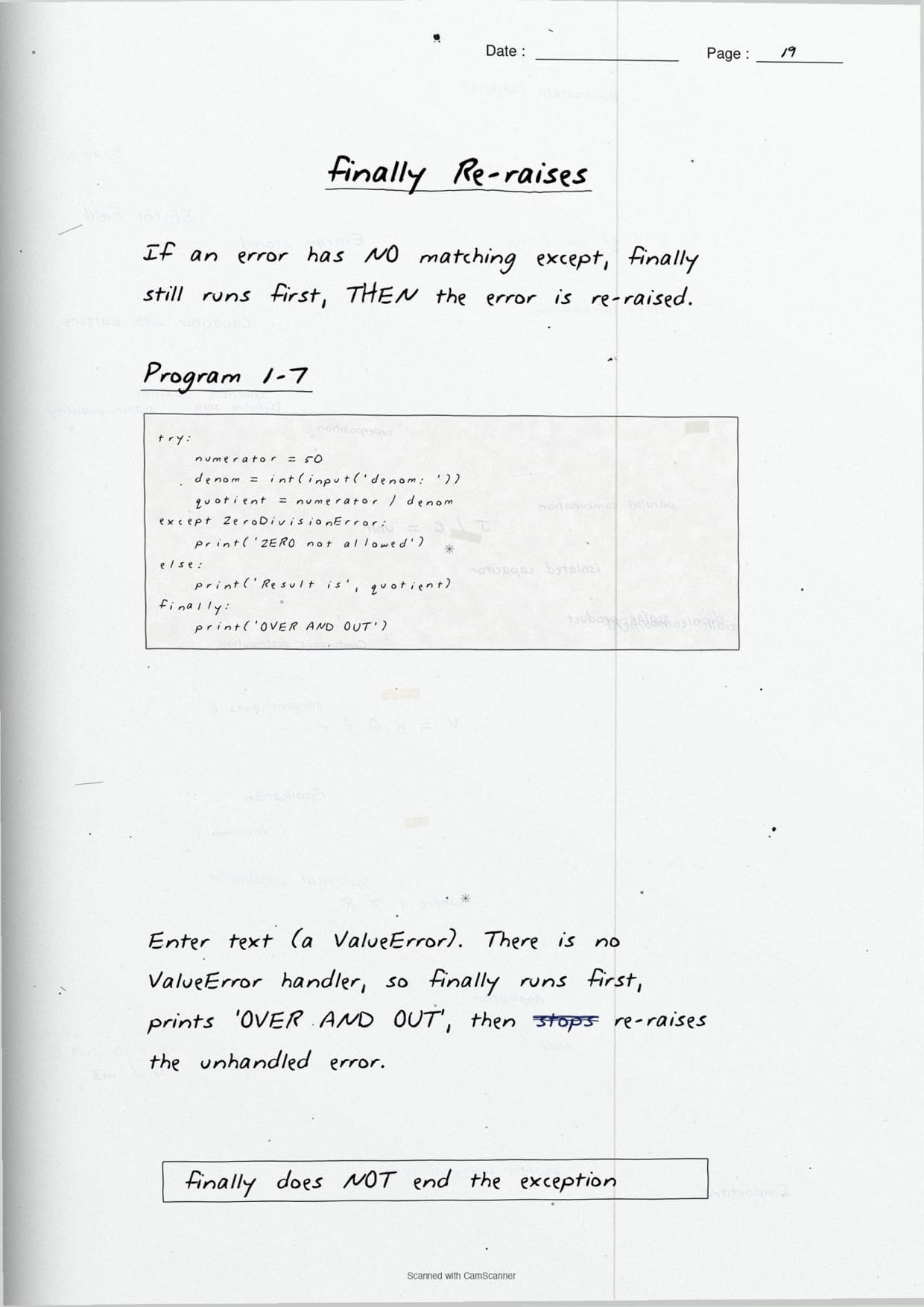
The margin note boxes the exam rule examiners check first: finally always executes. Whether the try block succeeds, fails, or hits an unhandled error, the finally block still runs. This is the one-line answer to "what is the use of the finally clause".
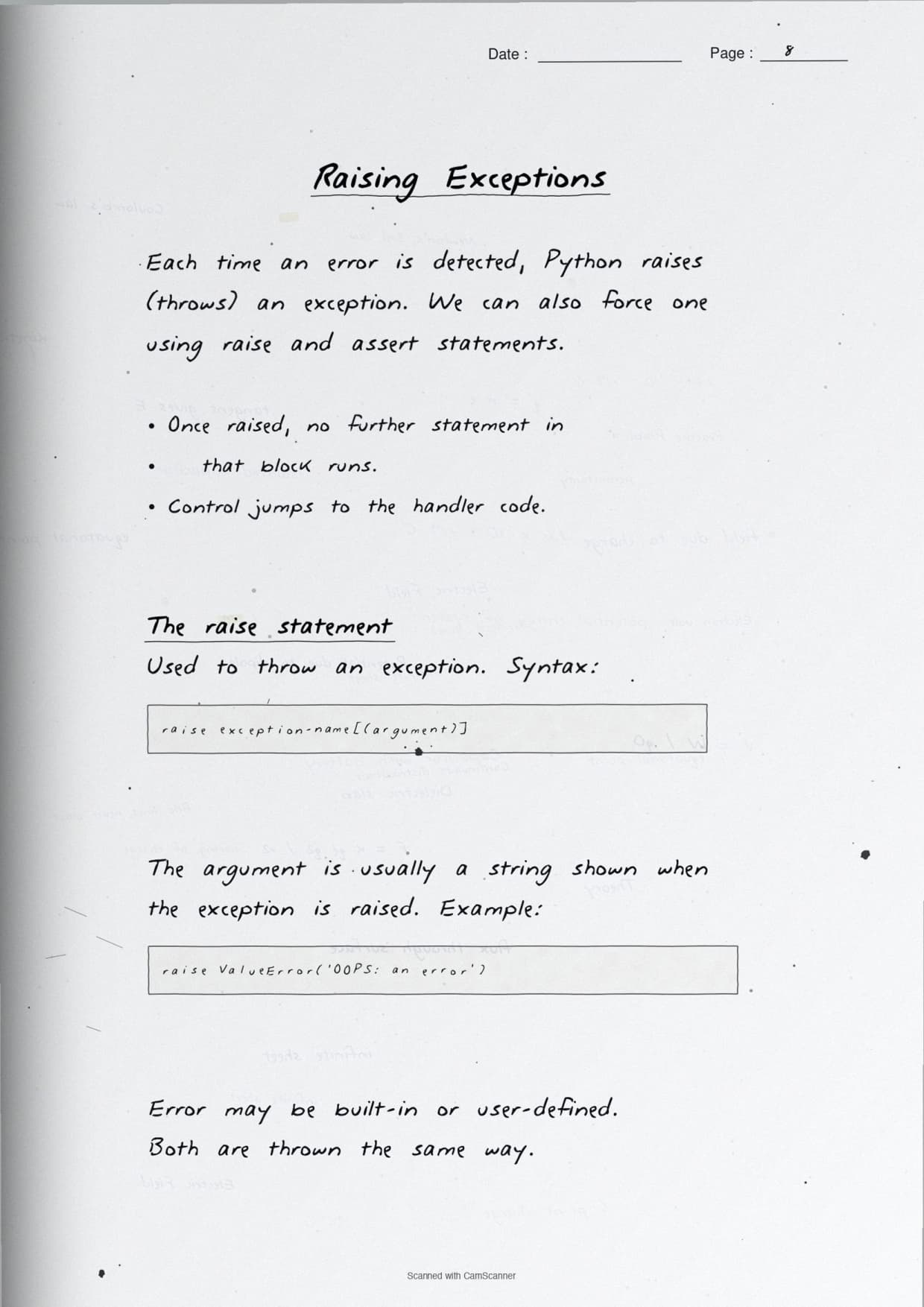
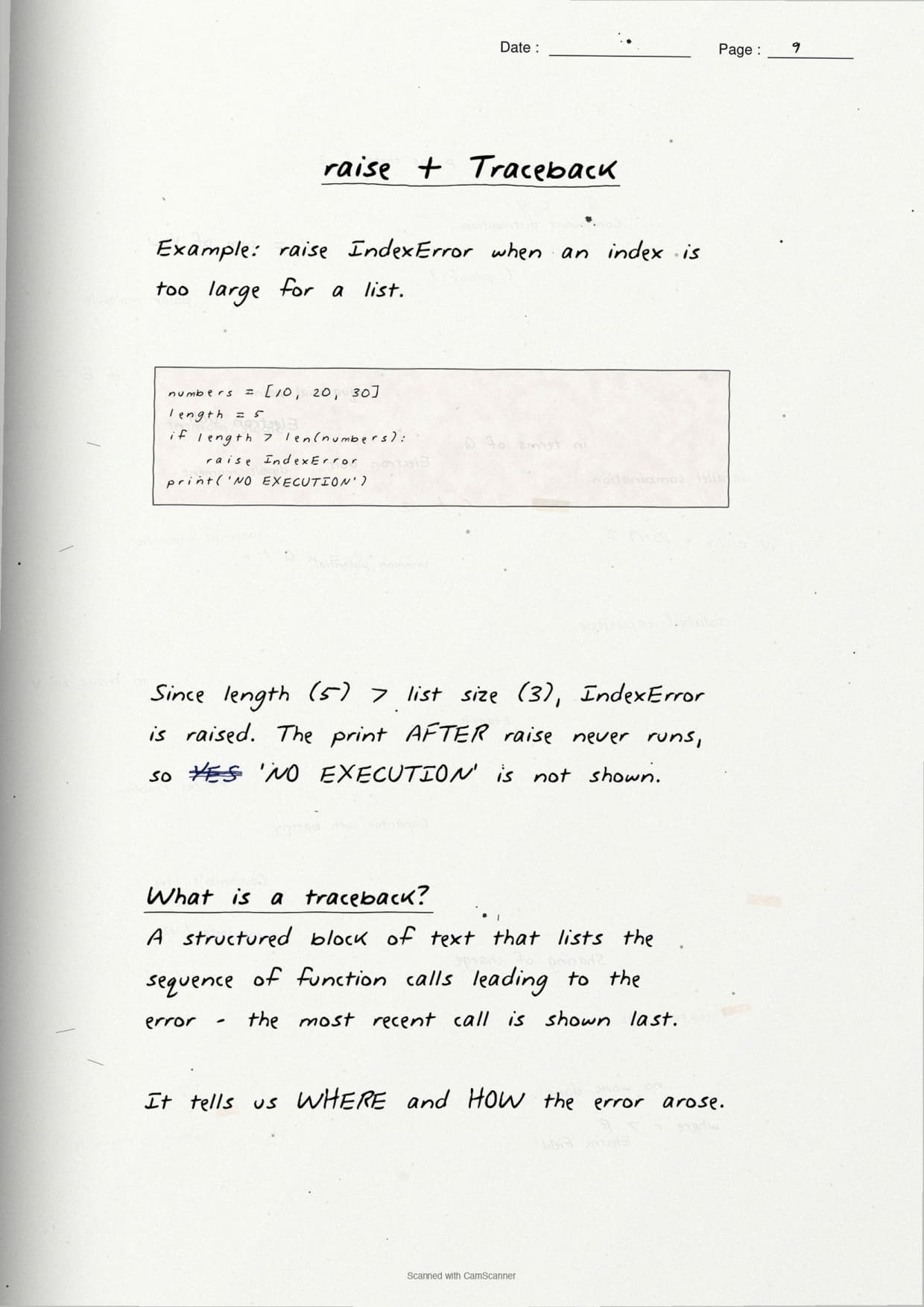
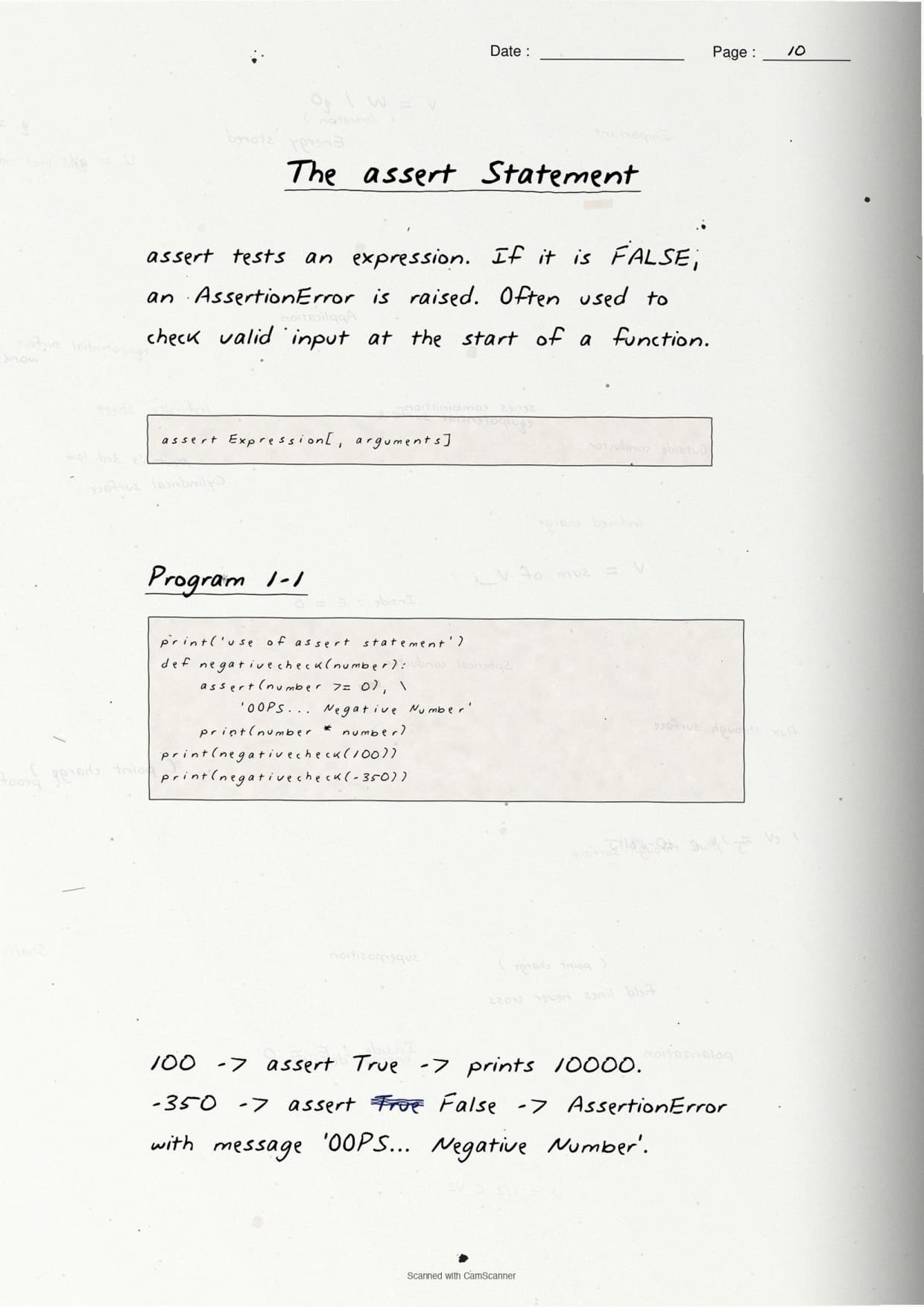
raise and assert: Forcing Your Own Exceptions
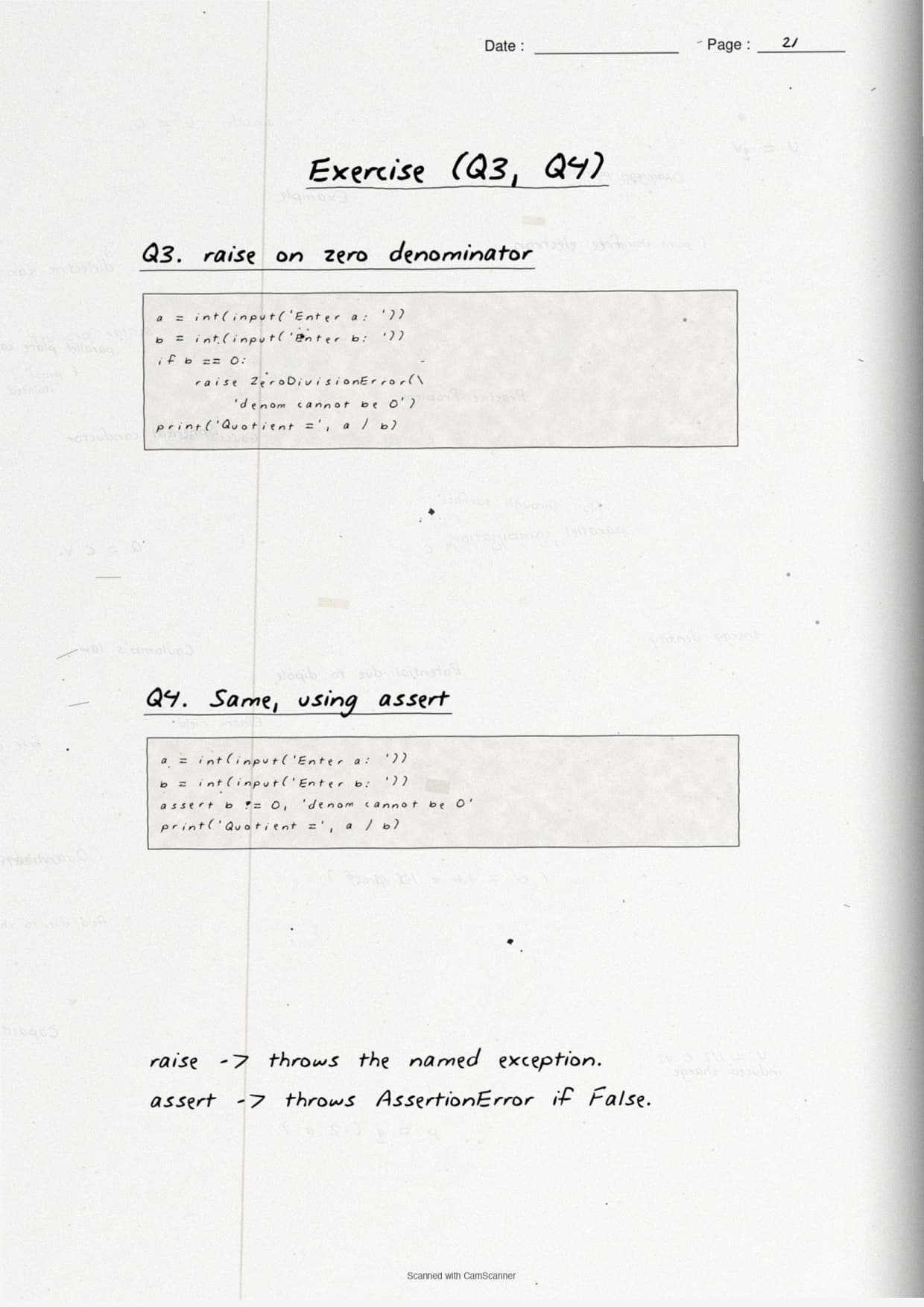
The last keyword page covers the two statements students forget: raise and assert. The notes box one short program for each, because both turn up as 2-mark or 3-mark direct questions in the board paper.
The raise statement lets you throw an exception yourself when a value is not allowed. The boxed example refuses a zero denominator:
num1 = int(input("Enter numerator: "))
num2 = int(input("Enter denominator: "))
if num2 == 0:
    raise ZeroDivisionError("Denominator cannot be zero")
print(num1 / num2)
The assert statement checks a condition and raises an AssertionError if it is False, which is handy while testing:
num2 = int(input("Enter denominator: "))
assert num2 != 0, "Denominator should not be zero"
print(num1 / num2)
The notes keep the difference in one boxed line:
- raise: you choose the exception and throw it on purpose, in any code.
- assert: you state a condition that must be True; if it fails, Python raises an AssertionError for you.
- Use case: raise for real input checks, assert for quick testing of an expression.
How to Use These Handwritten Notes Effectively
Handwritten notes work best as a final layer of revision, not as your first read. The plan below helps students get the most out of the Exception Handling in Python handwritten notes before the board and practical exams. Follow it once a week in the run-up to the test.
- First pass: read the pages in order, errors, then built-in exceptions, then the handling keywords.
- Active recall: cover the boxed code and try to write each
try-exceptblock from memory. - Type it out: run the boxed snippets in Python to see the real error message each one prints.
- Self-test: attempt a short class 12 computer science chapter 1 exception handling drill to check the small facts.
Because the notes come as a downloadable PDF, students can save them on a phone and revise offline on the way to the exam centre. Many students open exception handling in python class 12 notes on their phone the night before a test, so a saved PDF means revision is always at hand. Pair these pages with the full solutions to check your written code against model answers.
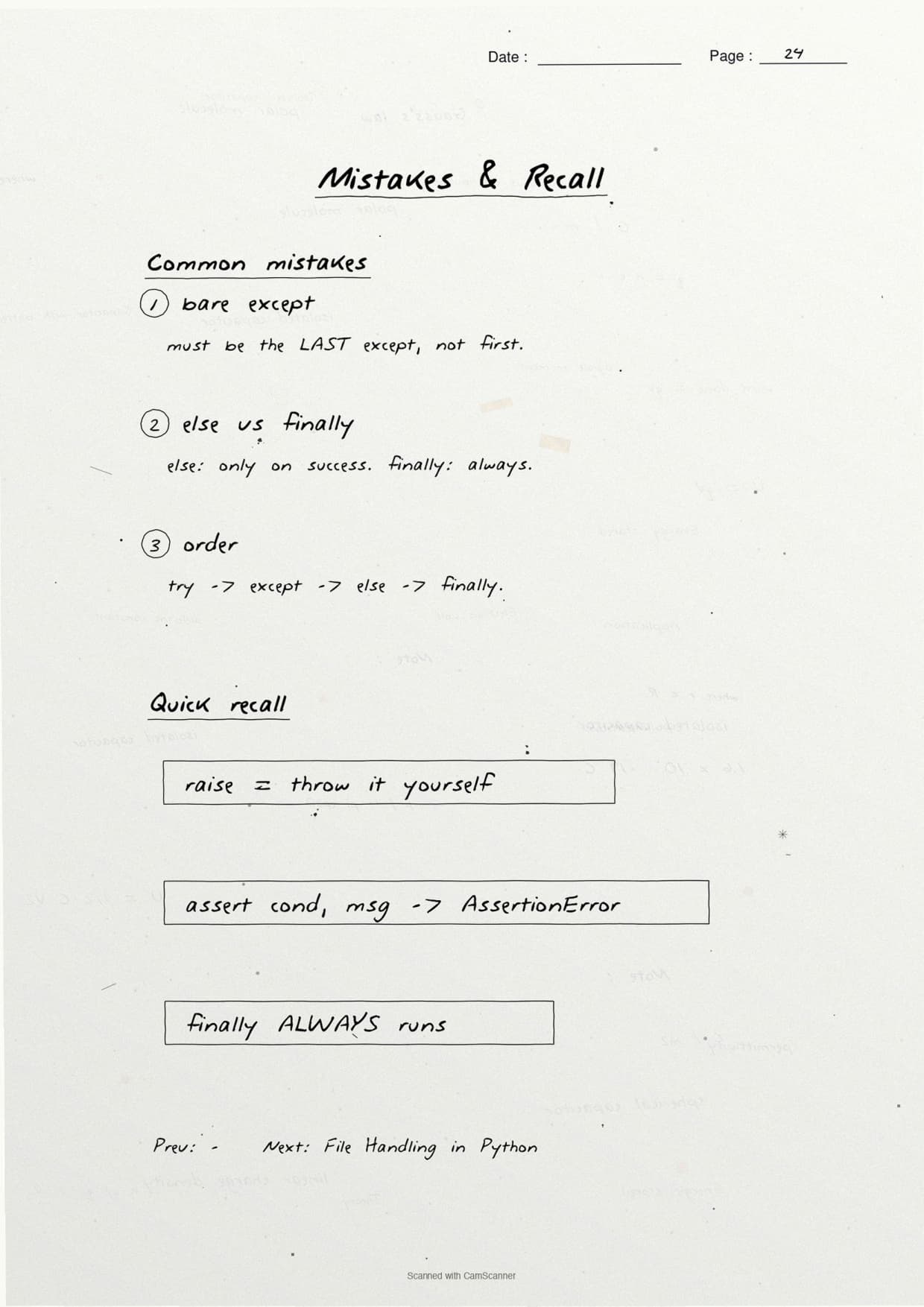
Common Mistakes These Notes Help You Avoid
A few errors cost marks in this chapter every year. Most come from mixing up the keywords or forgetting that finally always runs. The notes flag each soft point in the margin so students phrase it safely on the answer sheet.
- Calling a syntax error an exception. A syntax error stops the program before it runs.
- Putting the
elseblock beforeexcept. The order is try, except, else, finally. - Saying
ValueErroris about the wrong type; it is about a wrong value. - Forgetting that the
finallyblock runs even when an exception is unhandled. - Confusing
raise(you throw it) withassert(Python throws it when the test fails).
Students who fix these five points usually move from average to high marks. The exam rewards exact keyword use, so always write the four blocks in the correct order and name each error type. The handwritten margin notes nudge you to keep that precision in the right places.
How These Notes Pair with the Solutions and Book PDF
These handwritten notes are a revision layer. To prepare fully, students should use them with the other resources for the same chapter, all linked in the table below. Read the notes, then test yourself with the solutions, and open the book PDF for the original text.
| Resource | Best used for |
|---|---|
| Exception Handling in Python NCERT Solutions | Step-by-step code and output for all 9 back-exercise questions |
| Exception Handling in Python Class 12 Notes | Quick typed summary with every keyword and built-in exception in one place |
| Exception Handling in Python NCERT Book PDF | Reading the original NCERT chapter text from the textbook |
Tip: redraw the try-except-finally flow once from memory, then write the full code in your own words. Drawing that flow once fixes the execution order for good.
All Class 12 Computer Science Handwritten Notes by Chapter
The table links the handwritten notes for every chapter in Class 12 Computer Science, so students can move across the course in one click. Exception Handling in Python is highlighted.
| Chapter | Handwritten Notes |
|---|---|
| Chapter 1 | Exception Handling in Python |
| Chapter 2 | File Handling in Python |
| Chapter 3 | Stack |
| Chapter 4 | Queue |
| Chapter 5 | Sorting |
| Chapter 6 | Searching |
| Chapter 7 | Understanding Data |
| Chapter 8 | Database Concepts |
| Chapter 9 | Structured Query Language (SQL) |
| Chapter 10 | Computer Networks |
| Chapter 11 | Data Communication |
| Chapter 12 | Security Aspects |
FAQs on Exception Handling in Python Handwritten Notes
Exception Handling in Python Class 12 Computer Science Handwritten Notes Common Questions
Ques. Are these class 12 computer science chapter 1 Exception Handling handwritten notes free to download?
Ans. Yes. The Exception Handling in Python handwritten notes are free to download as a PDF from this page. They follow the 2026-27 NCERT syllabus and cover the full chapter across 24 handwritten, boxed-keyword pages for quick revision.
Ques. What does exception handling cover in Class 12 Computer Science?
Ans. The notes cover the difference between a syntax error and an exception, the built-in exceptions (ValueError, ZeroDivisionError, NameError, IOError, ImportError), and the full try, except, else, finally, raise and assert flow that the CBSE board paper tests directly.
Ques. What is the difference between a syntax error and an exception?
Ans. A syntax error is a grammar mistake that Python catches before the program runs, so no line executes. An exception is a run-time error in well-formed code, so the program starts and then stops when it hits a bad operation, like dividing by zero.
Ques. What is the use of the finally clause in Python?
Ans. The finally block always runs, whether or not an exception was raised. The notes use it for clean-up code such as closing a file, because it executes even when the try block fails or hits an unhandled error.
Ques. Are these notes enough for the class 12 computer science chapter 1 board exam?
Ans. They are a strong final revision layer. For full preparation, pair them with the NCERT Solutions linked on this page so you can write out complete code answers to all 9 back-exercise questions and check them against model output.



Comments