




Inside the NCERT book for Class 11 Computer Science Chapter 7 Functions you will find the tent costing program that starts the chapter, every rule for arguments and parameters, the local and global scope pages, and the three module tables. The ncert book class 11 computer science chapter 7 functions file on this page is the official chapter for 2026-27, complete at 32 pages.
- Chapter: Chapter 7, Functions
- Book: Computer Science, the Class 11 NCERT textbook for 2026-27, 11 chapters
- File: 32 pages, printed pages 143 to 174, the complete official chapter
You can page through all 16 sample programs, the four function tables and the exercise set in the viewer above before downloading.
This is the official NCERT chapter file for the 2026-27 session, hosted by Collegedunia with no pages removed.
How the Functions Chapter Is Laid Out
The chapter opens with a line from R. Tarjan about programs running fast once the hard algorithm is written, then works through five numbered sections. Each one adds a piece that the Strings, Lists and Dictionaries chapters later assume you already know.
| Section | What it covers |
|---|---|
| 7.1 Introduction | the tent costing problem, and why long programs get hard to manage |
| 7.2 Functions | what a function is, and the four advantages of using one |
| 7.3 User Defined Functions | writing your own function with def, and calling it |
| 7.3.2 Arguments and Parameters | strings as parameters, and default parameter values |
| 7.3.3 Functions Returning Value | the return statement, void functions, returning a tuple |
| 7.3.4 Flow of Execution | the order statements run in, and why definition comes before call |
| 7.4 Scope of a Variable | global scope, local scope and the global keyword |
| 7.5 Python Standard Library | built-in functions, modules, the import and from statements |
| Summary and Exercise | a 16 point recap, 7 exercise questions and the case study |
What the Functions Chapter PDF Contains
The PDF holds the whole chapter exactly as NCERT printed it. Nothing is trimmed and nothing is added.
- All five sections, from the tent problem in 7.1 to the from statement in 7.5
- Four reference tables, Table 7.1 to Table 7.4, covering built-in functions and the math, random and statistics modules
- Eight figures, including the argument to parameter diagram and the two flow of execution traces
- Programs 7-1 to 7-16, each with the printed shell output below it
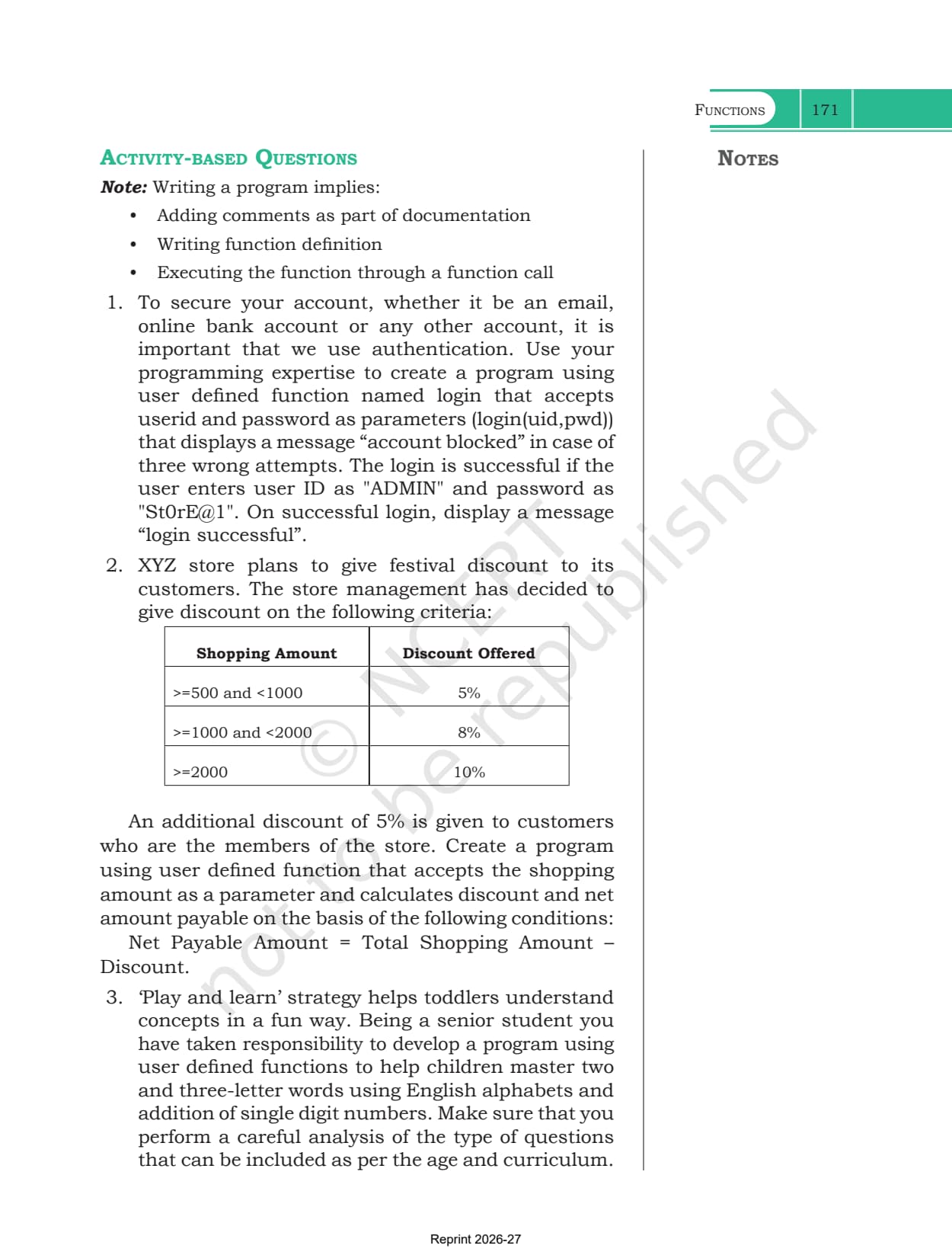
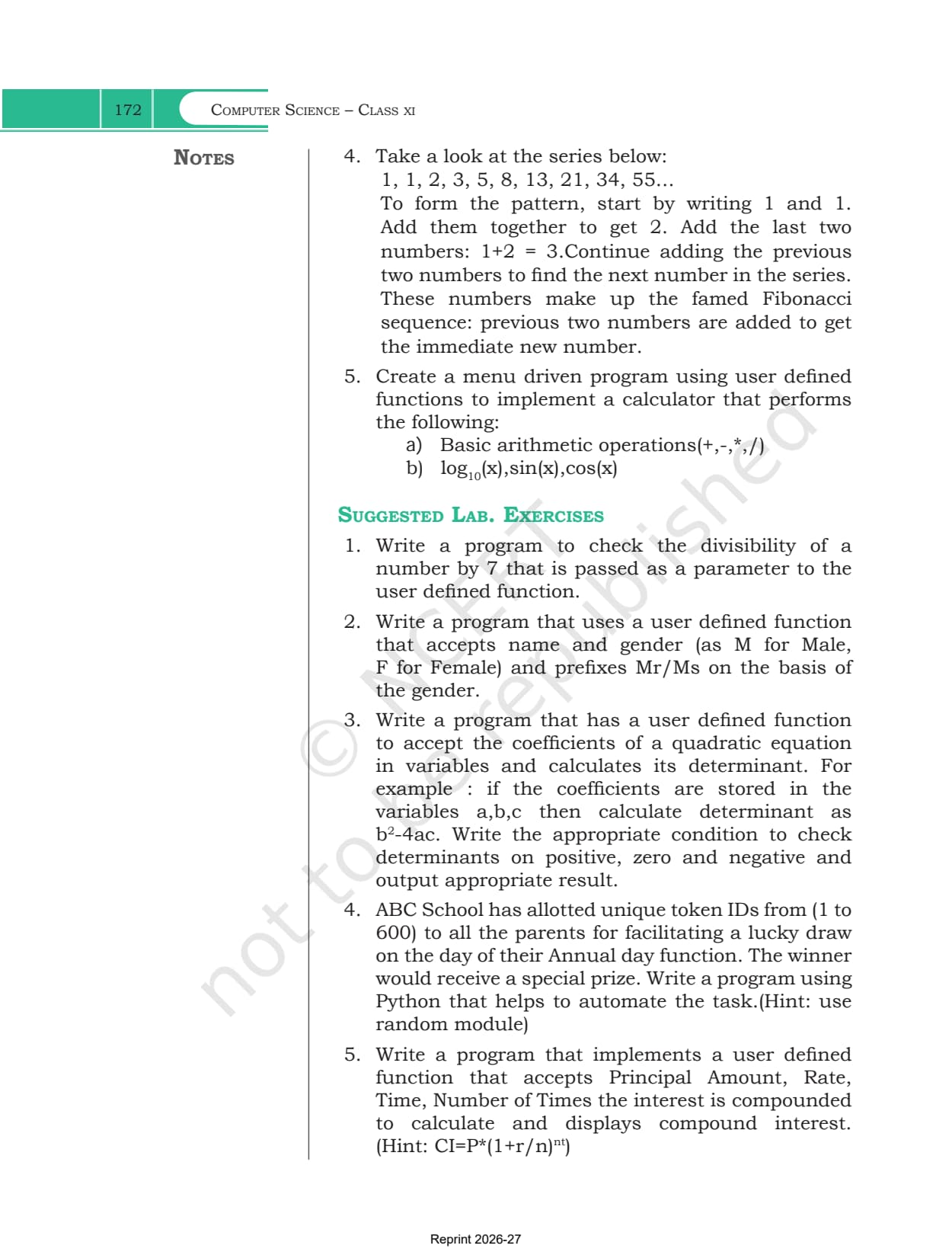
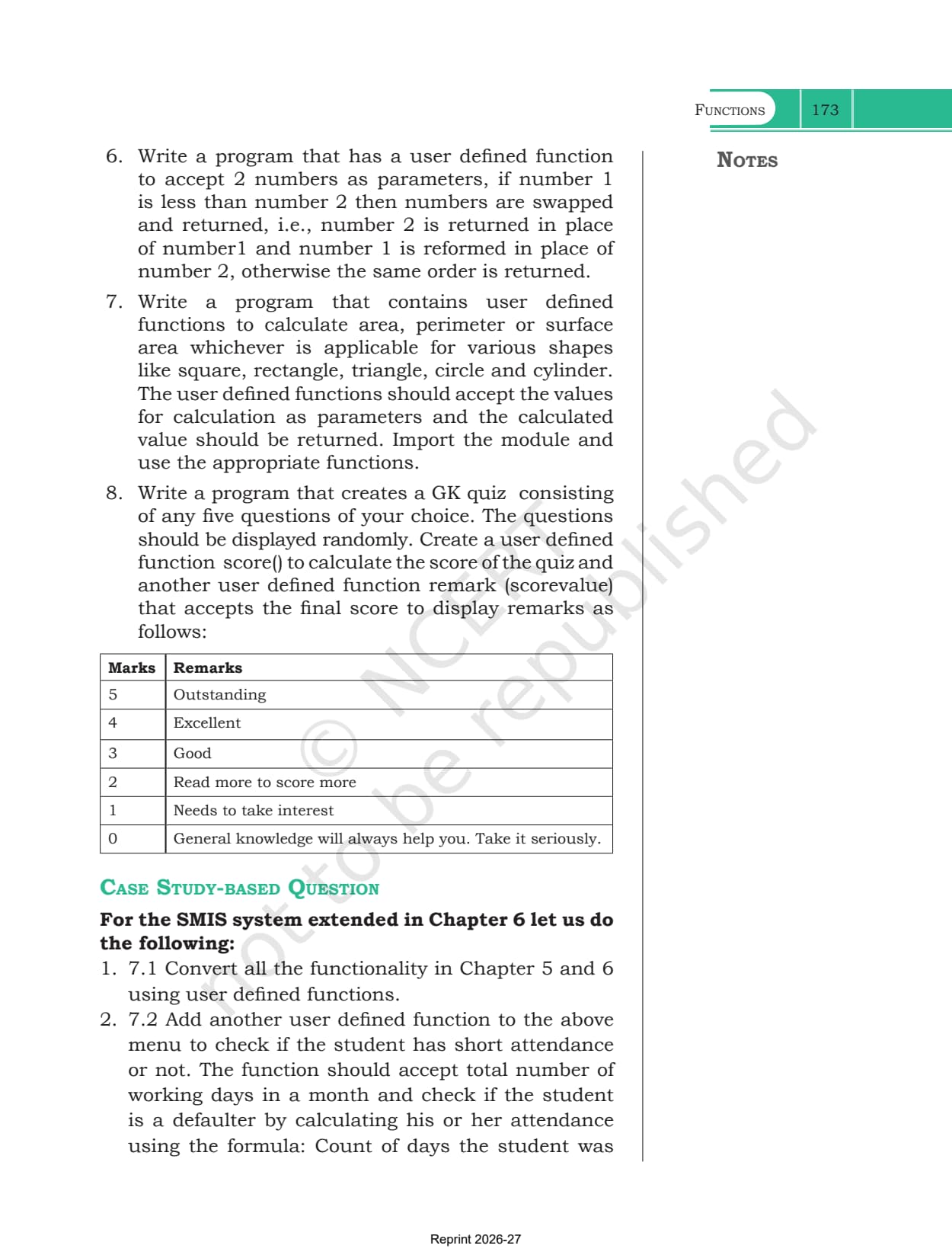
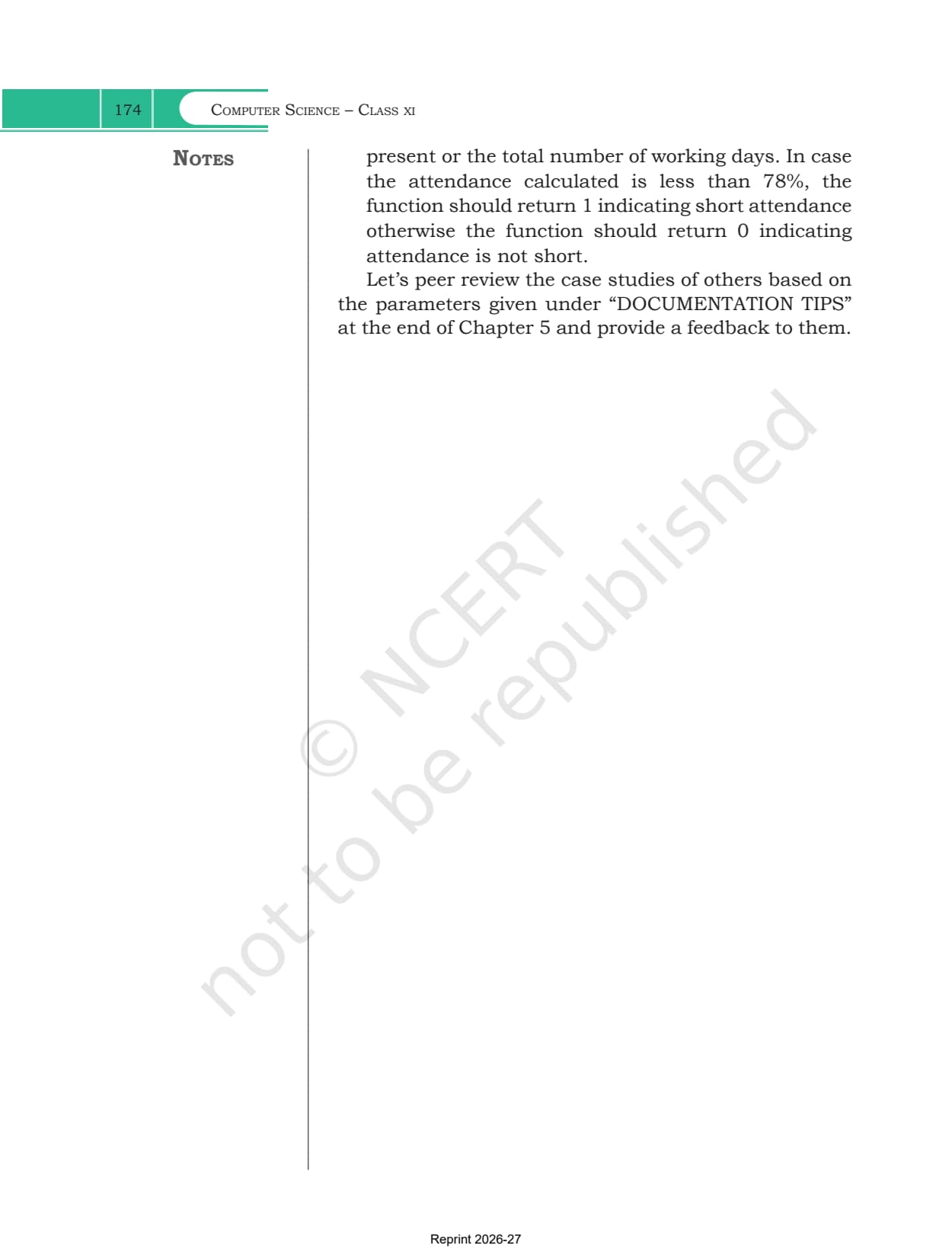
- The Summary page, all 7 exercise questions, 5 activity-based questions, 8 suggested lab exercises and the attendance case study
Functions in Python Explained for Class 11
Source: Magnet Brains on YouTube
Why Functions Matter and What Modular Programming Solves
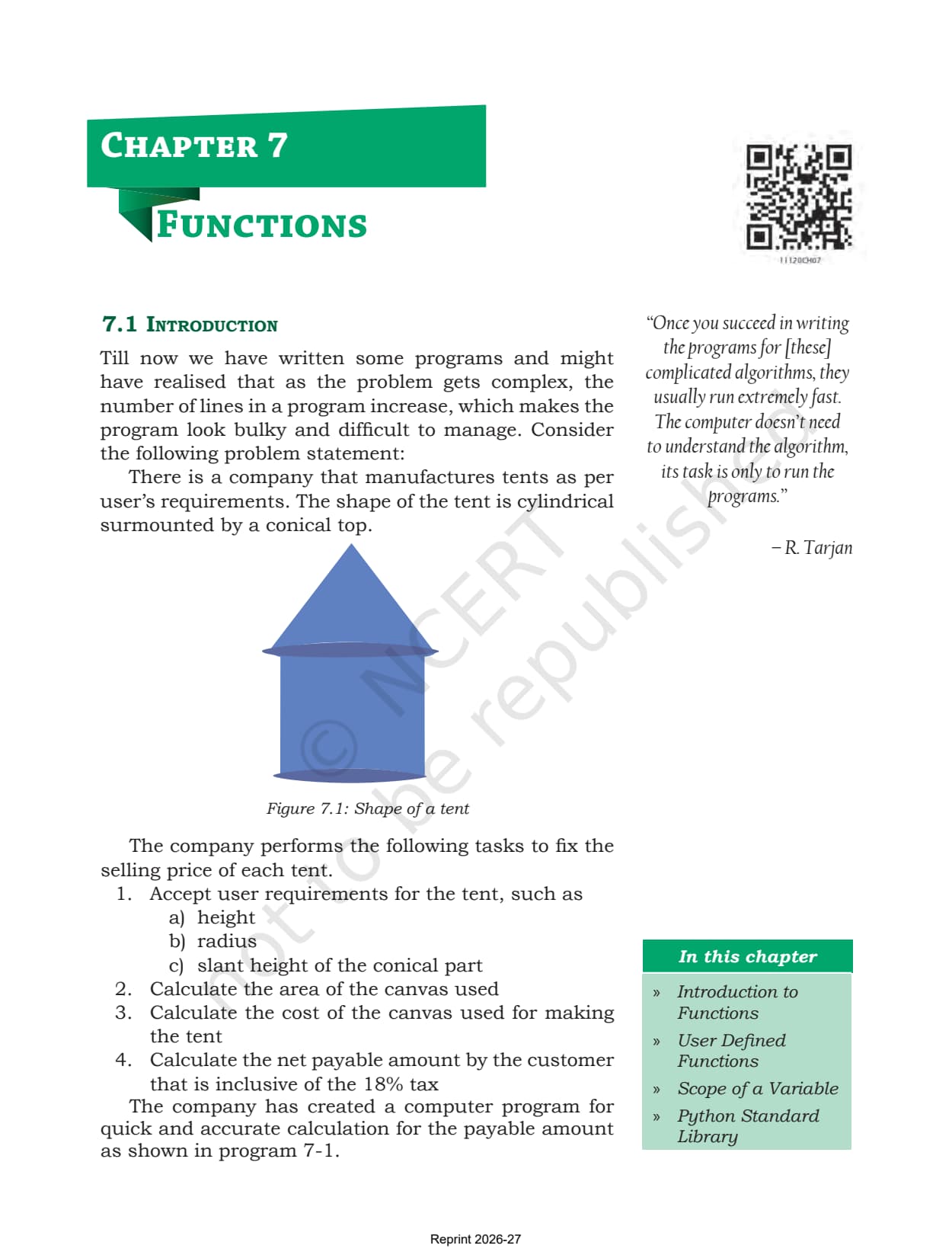
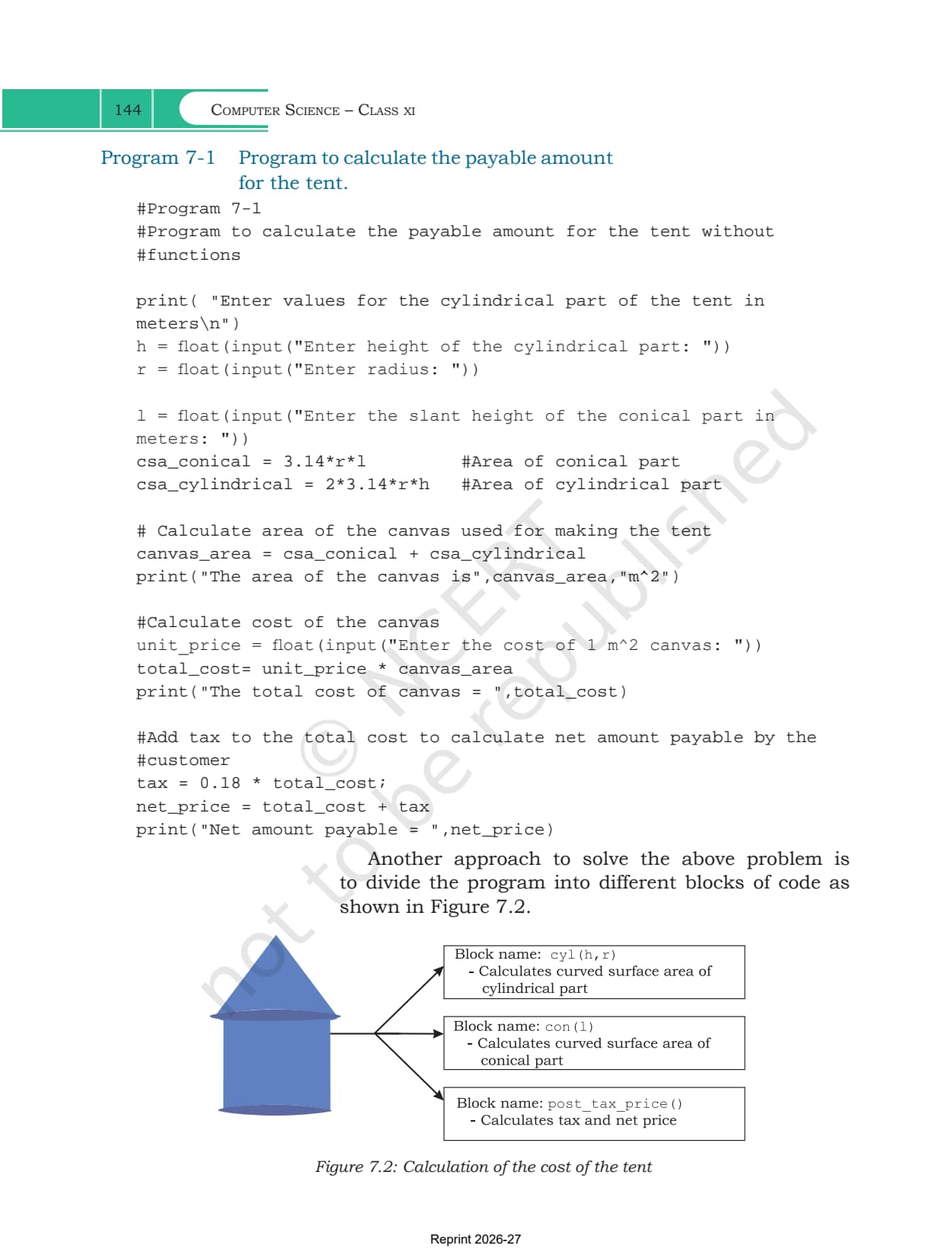
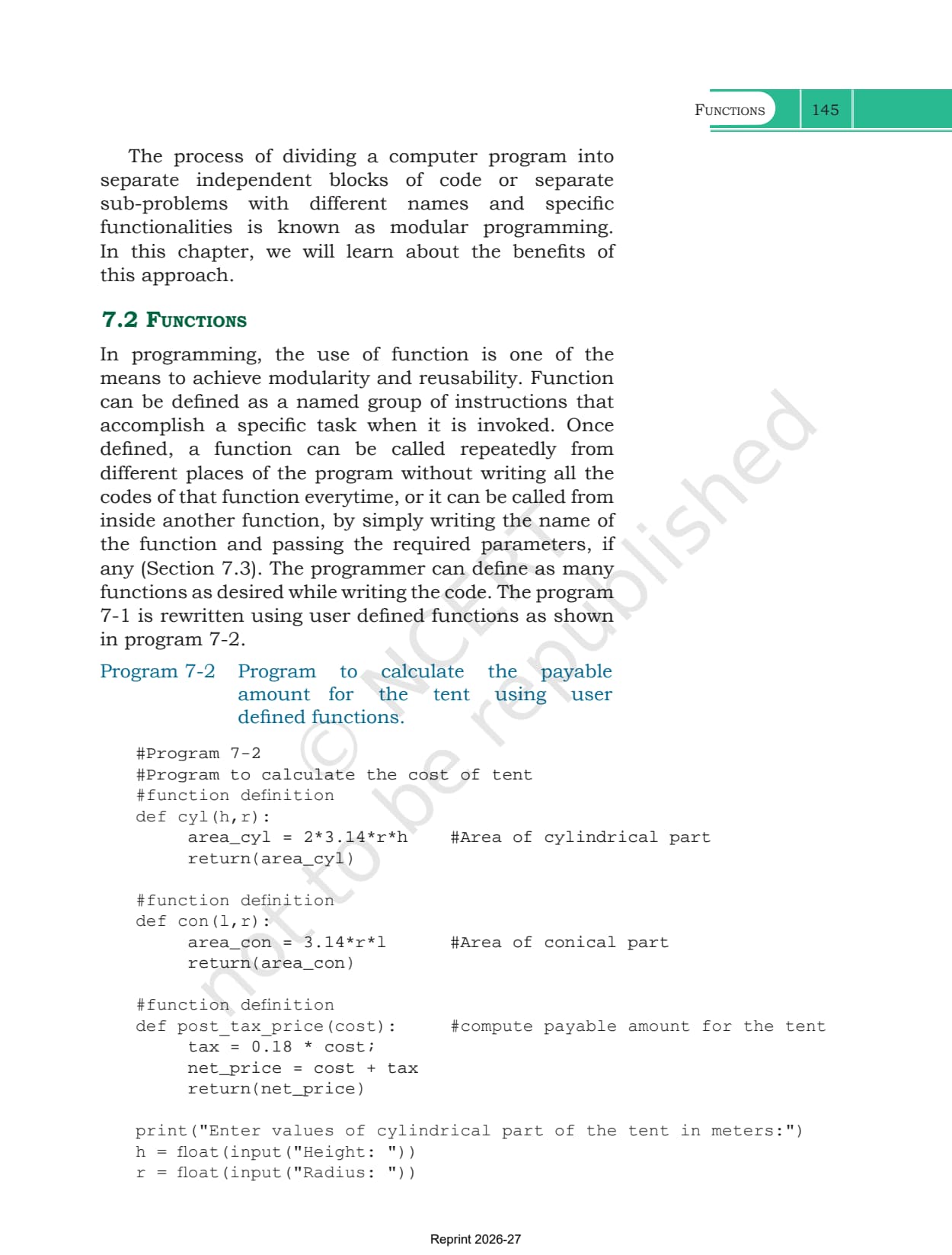
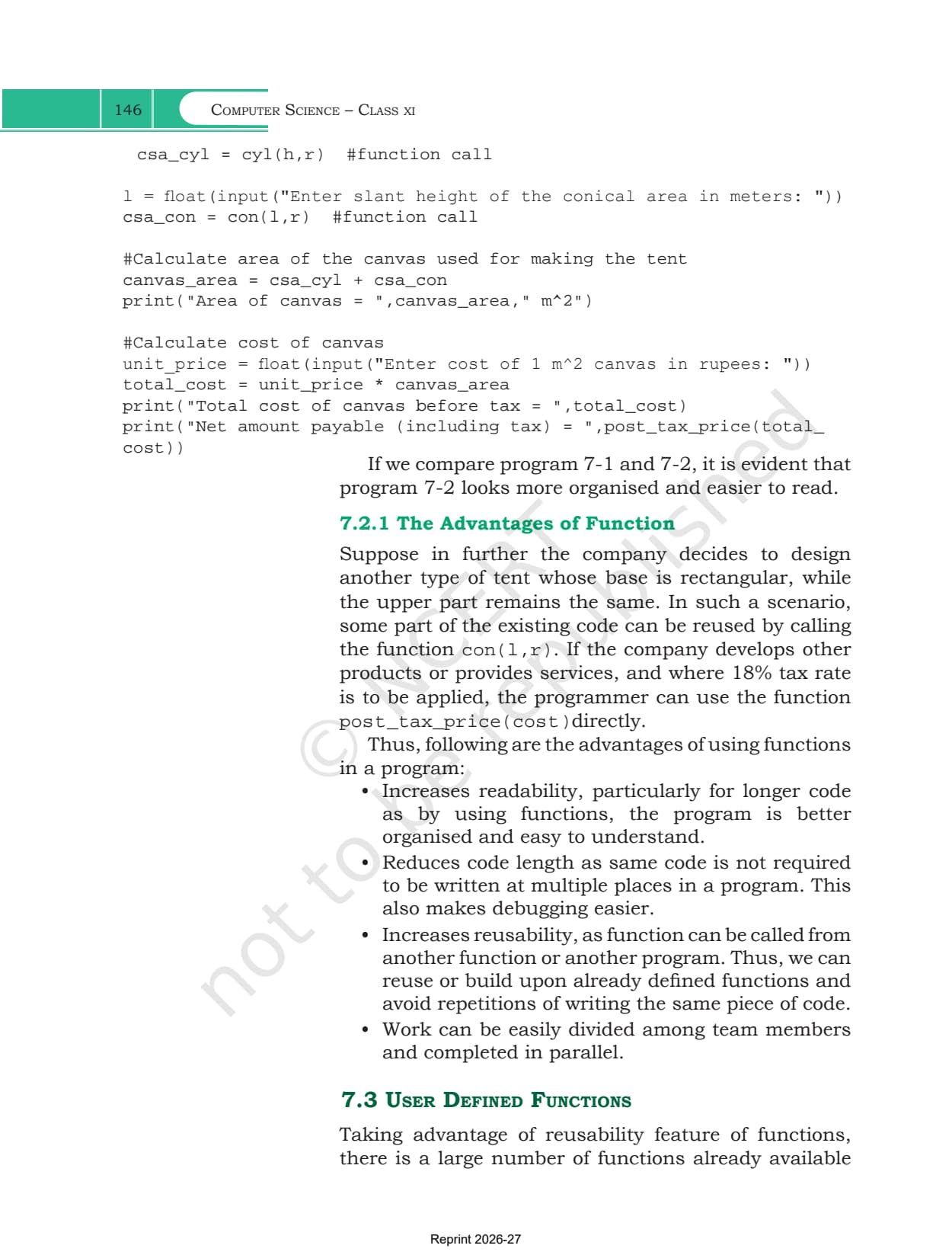
Section 7.1 does not start with a definition. It starts with a company that makes tents shaped like a cone sitting on a cylinder, and Program 7-1 works out the payable price in one long block of code. Program 7-2 then rewrites the same job as three small functions named cyl, con and post_tax_price.
Splitting a program into named blocks with their own jobs is called modular programming. The book lists four gains from it.
- Readability: a long program becomes a set of short named blocks you can read one at a time
- Shorter code: the same lines are not repeated in three places, which also makes bugs easier to find
- Reuse: if the company later builds a tent with a rectangular base, con(l,r) and post_tax_price(cost) still work
- Teamwork: different members can write different functions at the same time
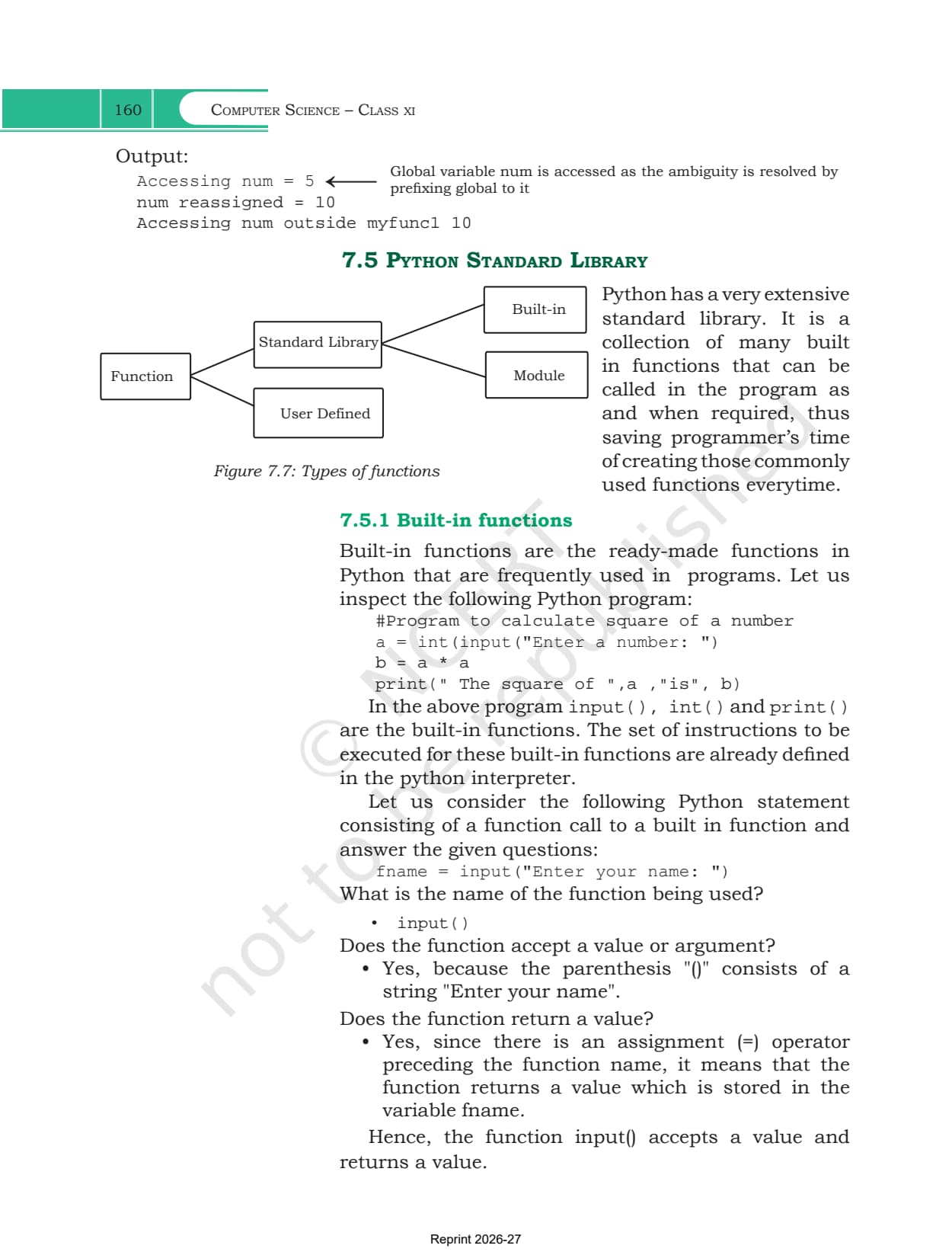
NCERT defines a function as a named group of instructions that does a specific job when it is called. Figure 7.7 splits every function you will ever use into two kinds, the ones you write and the ones the standard library gives you.
User Defined Functions, def and the Function Call
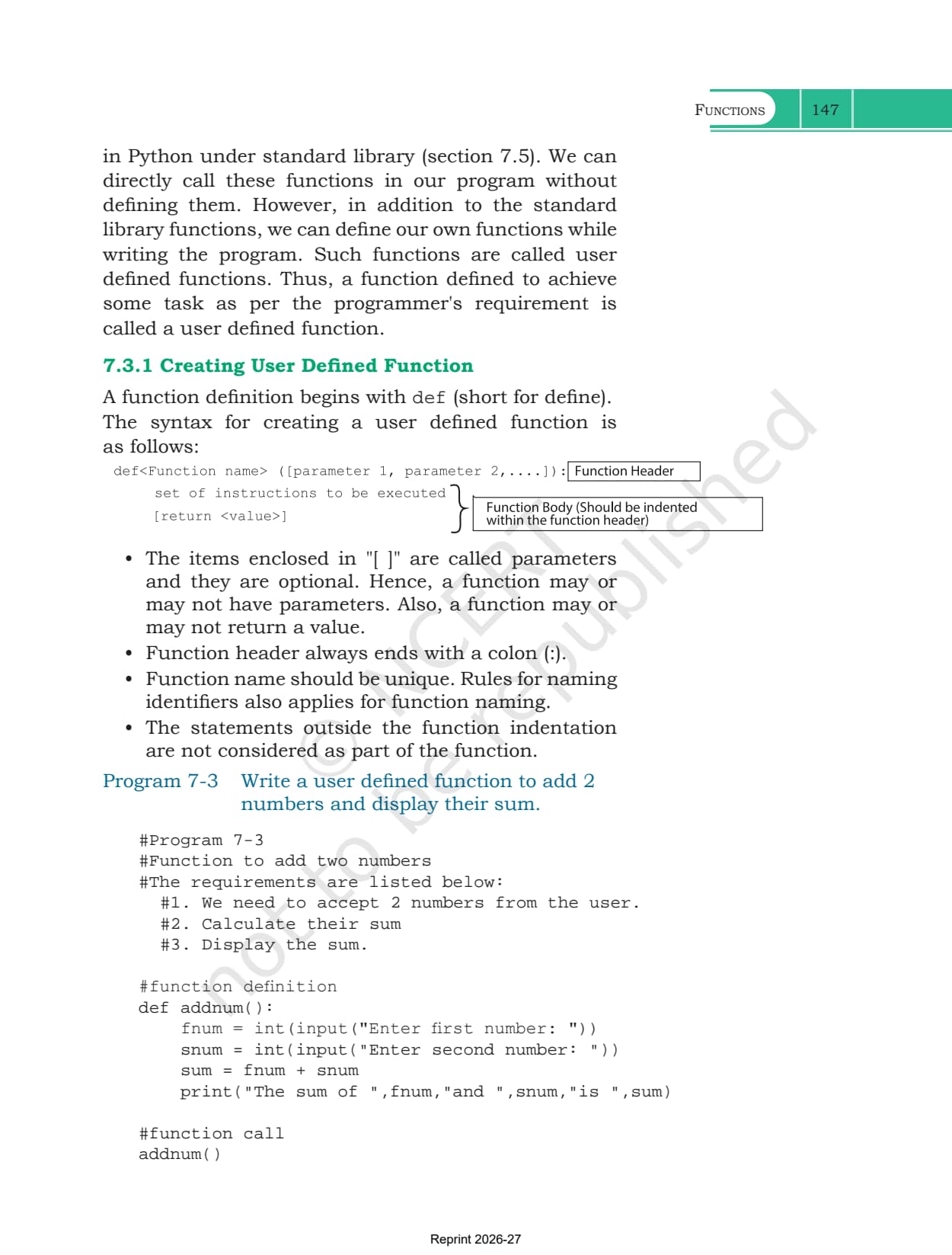
A function you write yourself is a user defined function. Section 7.3.1 gives the four rules for writing one, and Program 7-3 shows the smallest possible example, a function called addnum() that adds two numbers.
- The definition starts with def, short for define, followed by the function name
- Anything inside square brackets in the syntax is a parameter and is optional, so a function may have none
- The function header always ends with a colon
- The name must be unique, and follows the same naming rules as any Python identifier
- Statements written outside the function indentation are not part of the function
Writing the definition runs nothing. The function only executes when you call it by writing its name followed by brackets, as the last line of Program 7-3 does.
Arguments and Parameters, Including Default Values
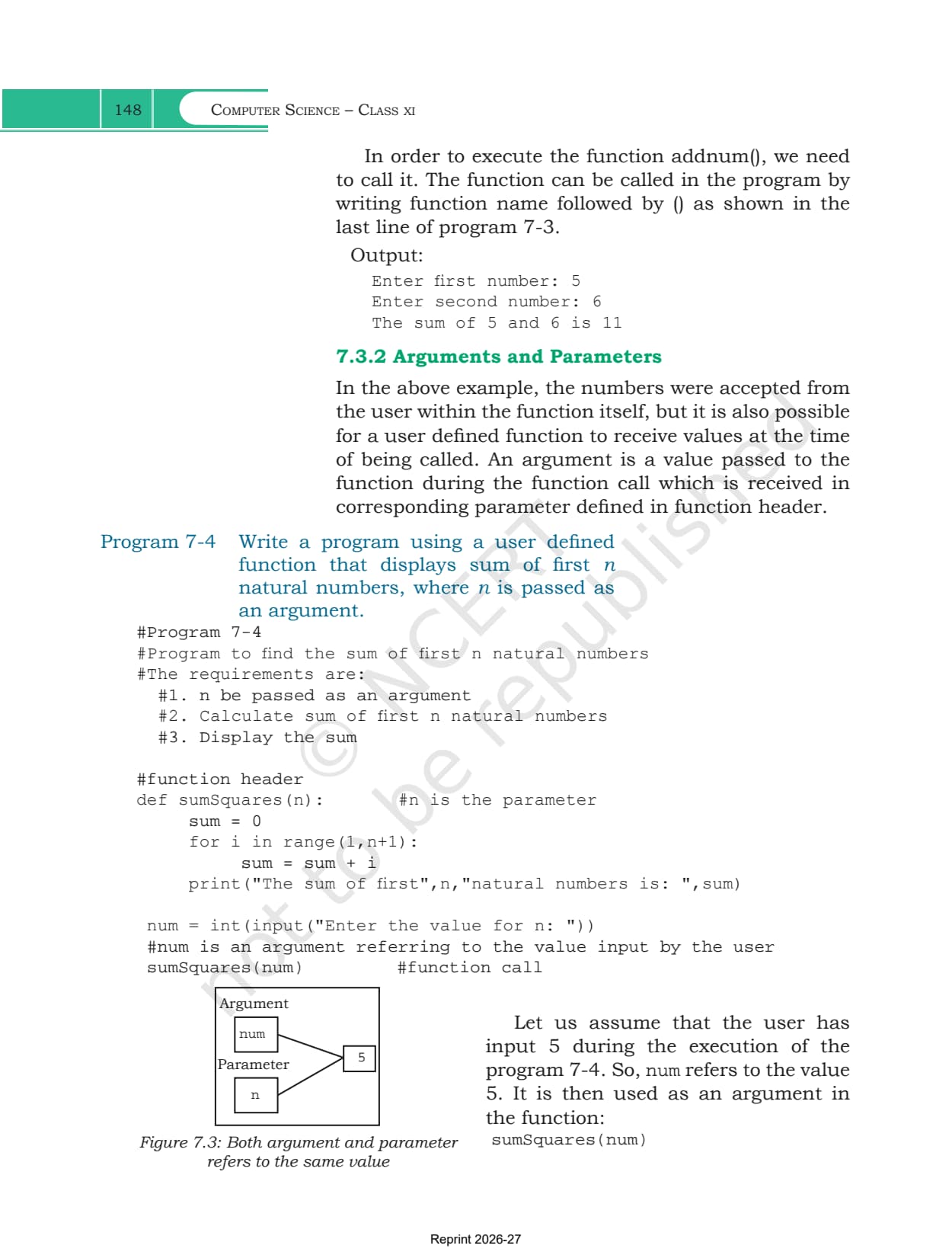
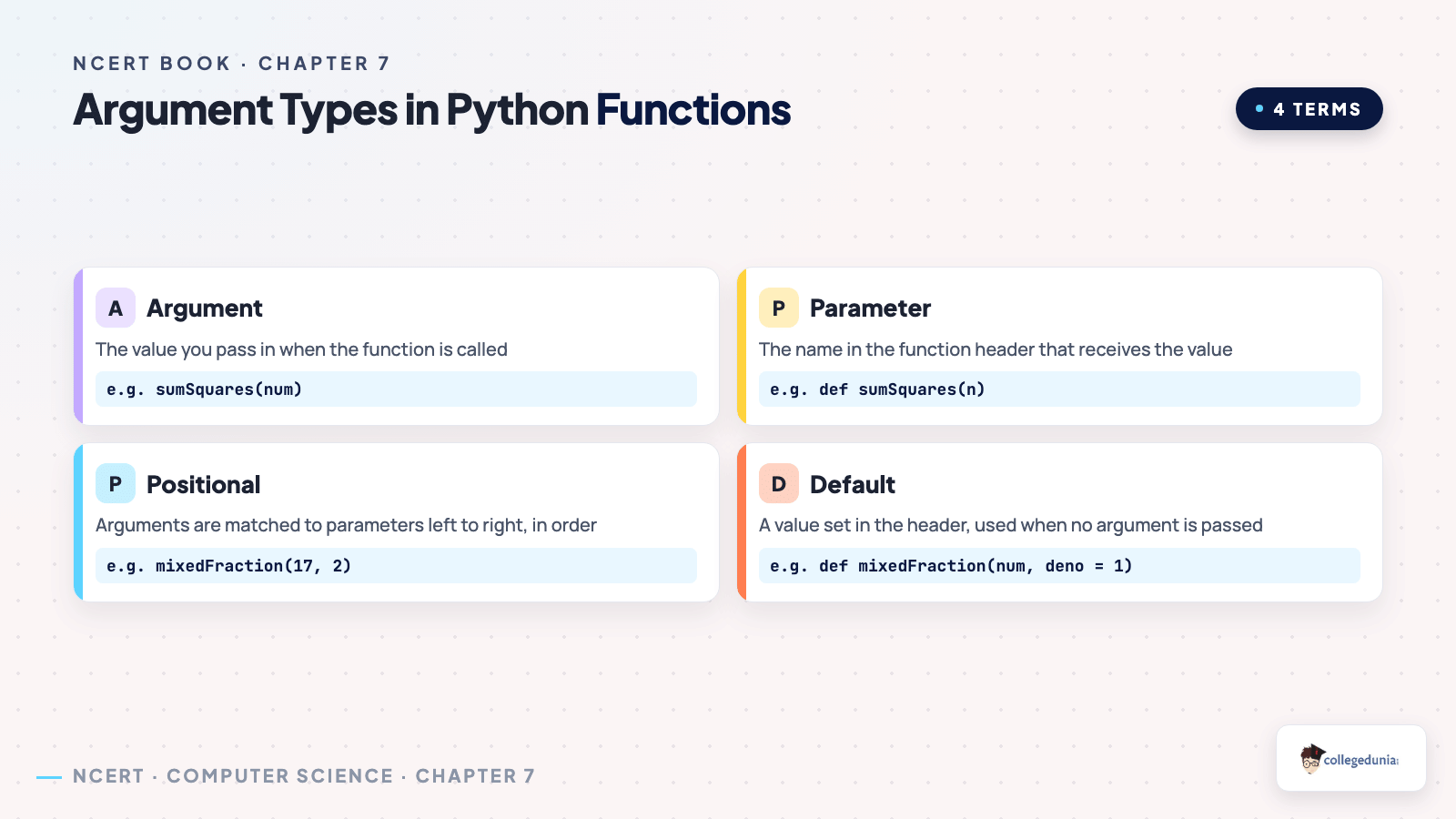
Section 7.3.2 draws the line that exercise question 6a asks about directly. An argument is the value you pass in at the moment of the call. A parameter is the name in the function header that catches it. Figure 7.3 shows num and n both pointing at the same value 5.
| Term | Where it appears | Example from the chapter |
|---|---|---|
| Argument | in the function call | num in sumSquares(num) |
| Parameter | in the function header | n in def sumSquares(n) |
| Positional matching | call and header, read left to right | parameters must be in the same order as the arguments |
| Default parameter | function header only | deno = 1 in def mixedFraction(num,deno = 1) |
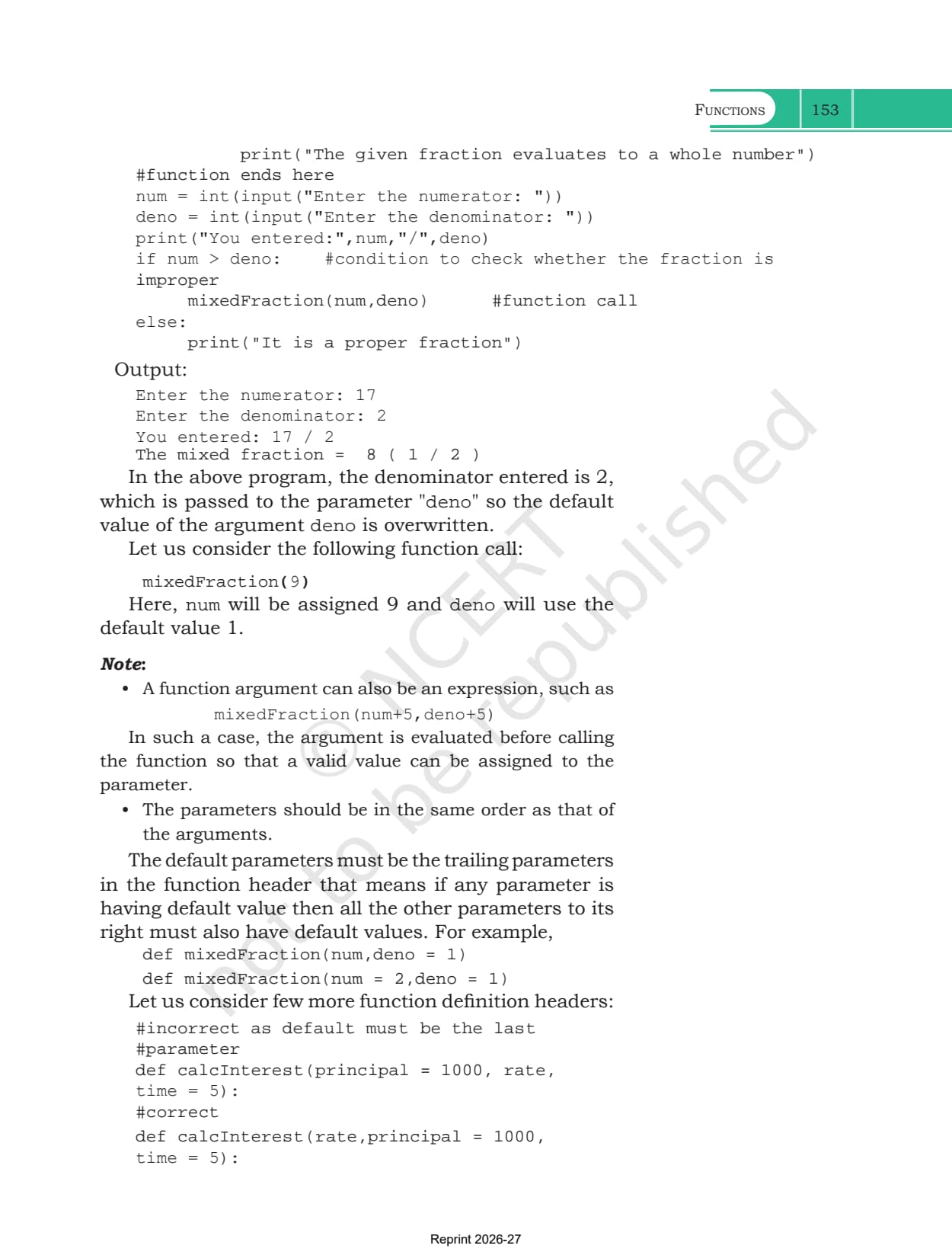
| Expression as argument | in the function call | mixedFraction(num+5,deno+5), worked out before the call |
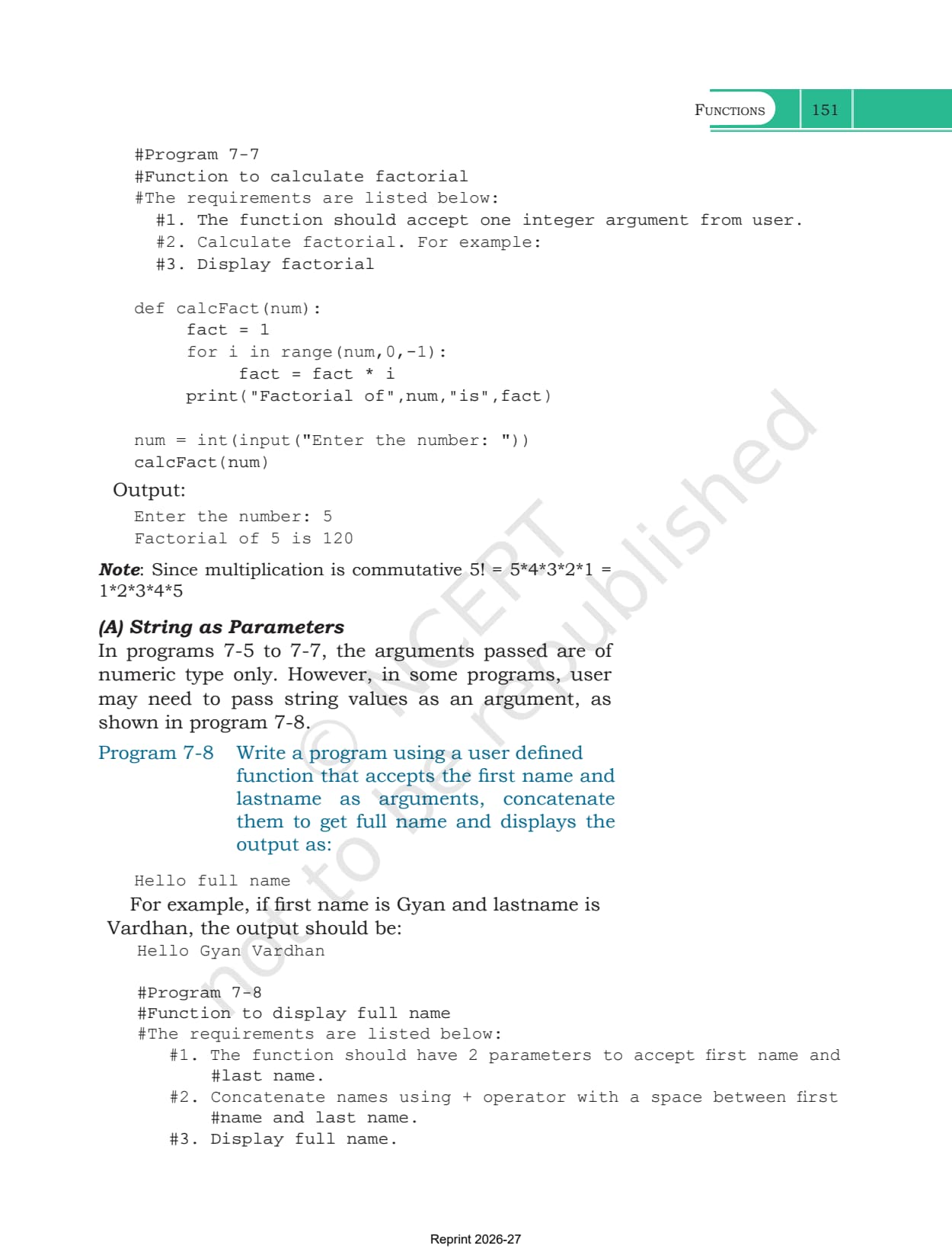
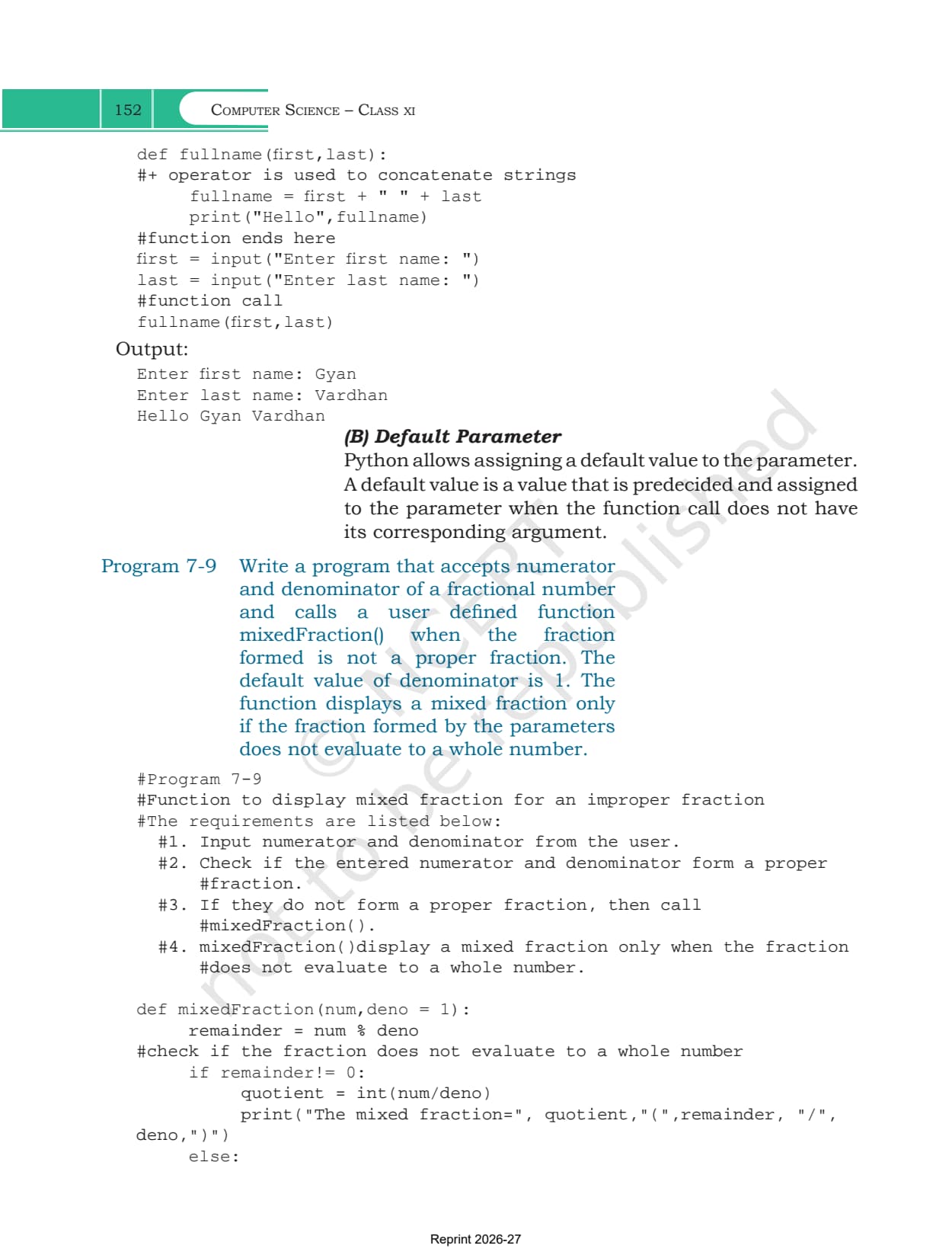
Program 7-9 is the default parameter example. Calling mixedFraction(9) leaves deno at its default 1, while mixedFraction(17,2) overwrites it with 2. One rule decides whether a header is legal. Every parameter to the right of a default parameter must also have a default, so def calcInterest(principal = 1000, rate, time = 5) is rejected while def calcInterest(rate, principal = 1000, time = 5) is fine.
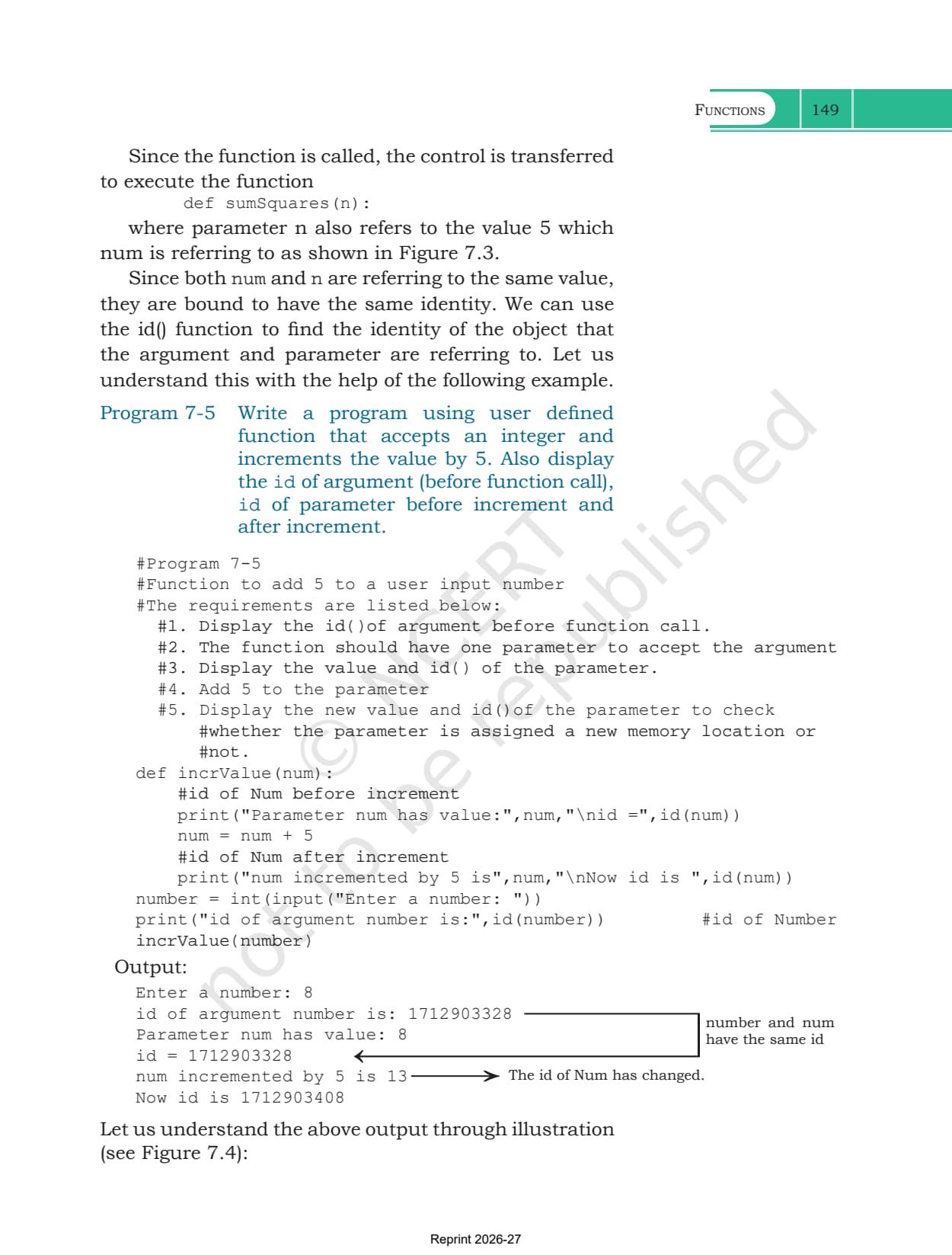
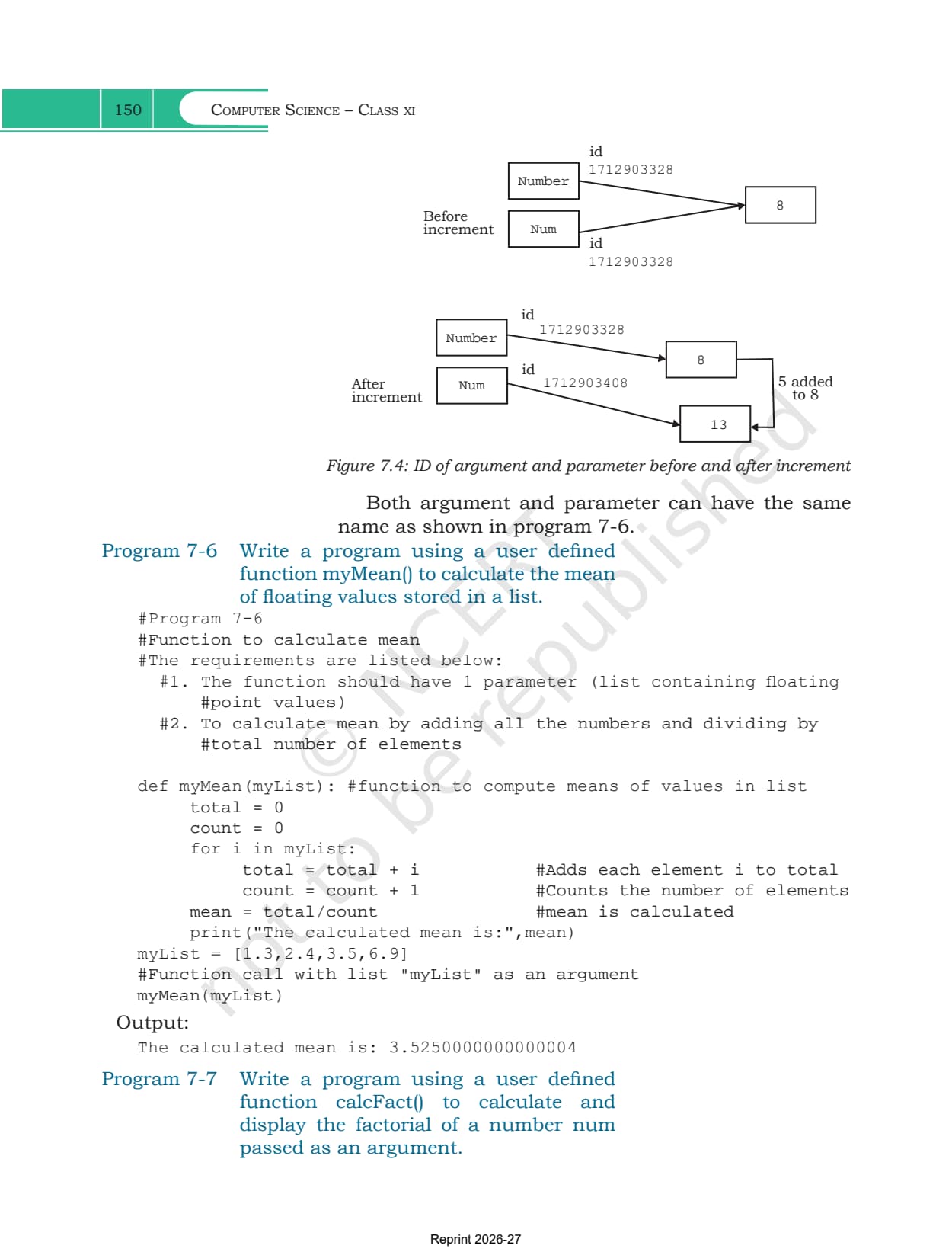
Program 7-5 uses id() to show what happens to the value itself. An integer is immutable, so adding 5 to the parameter builds a new object with a new id and the argument outside is untouched. Program 7-6 passes a list to myMean(), and a list is mutable, so the function works on the same object the caller holds.
Return Values, void Functions and the Flow of Execution
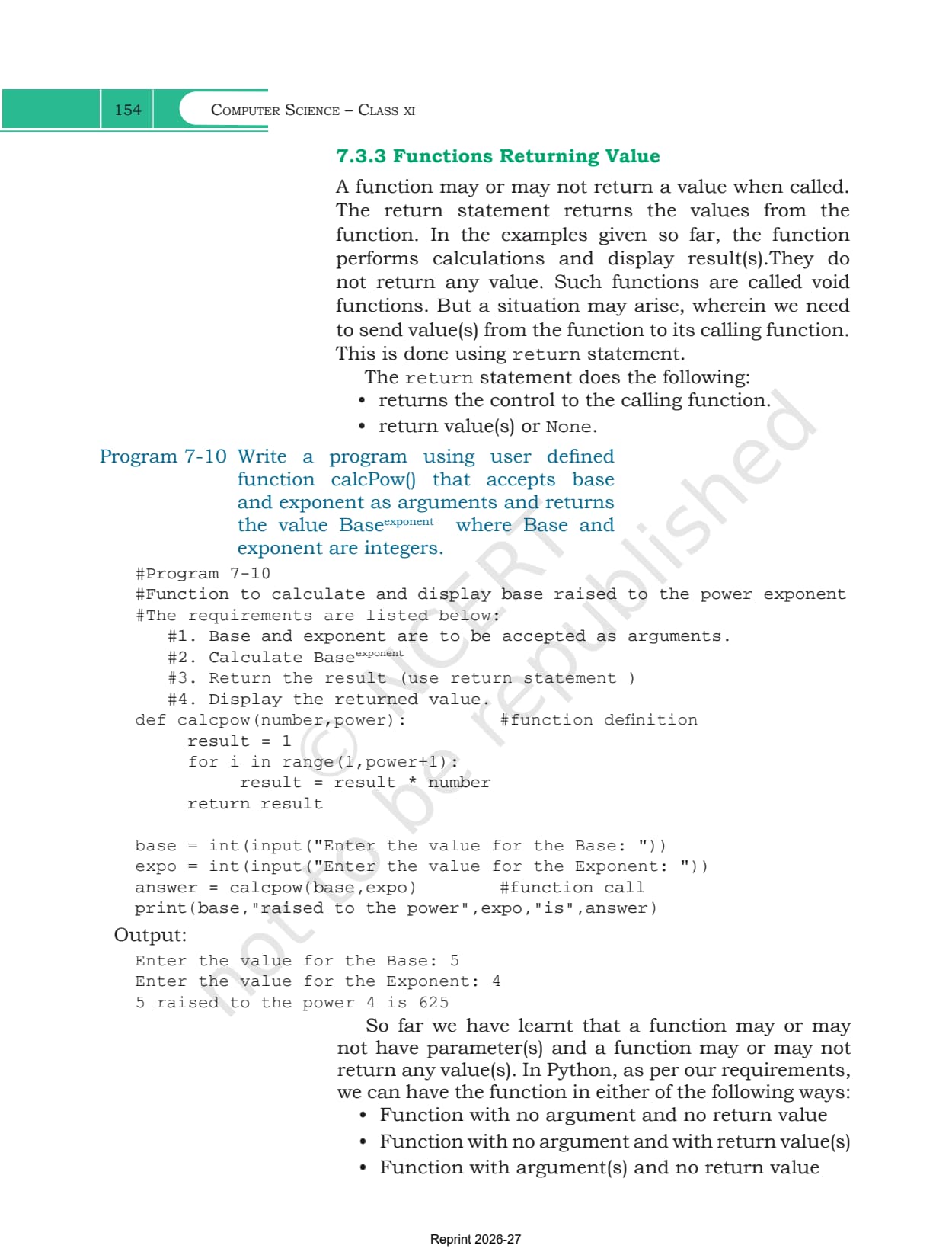
A function may send a value back, or it may just print something. Section 7.3.3 calls the second kind a void function. The return statement does two jobs at once, it hands the control back to whoever called the function, and it hands back a value or None.
That gives four shapes a function can take, and the chapter lists all four.
- No argument and no return value, as in addnum() in Program 7-3
- No argument but a return value
- Arguments but no return value, as in calcFact(num) in Program 7-7
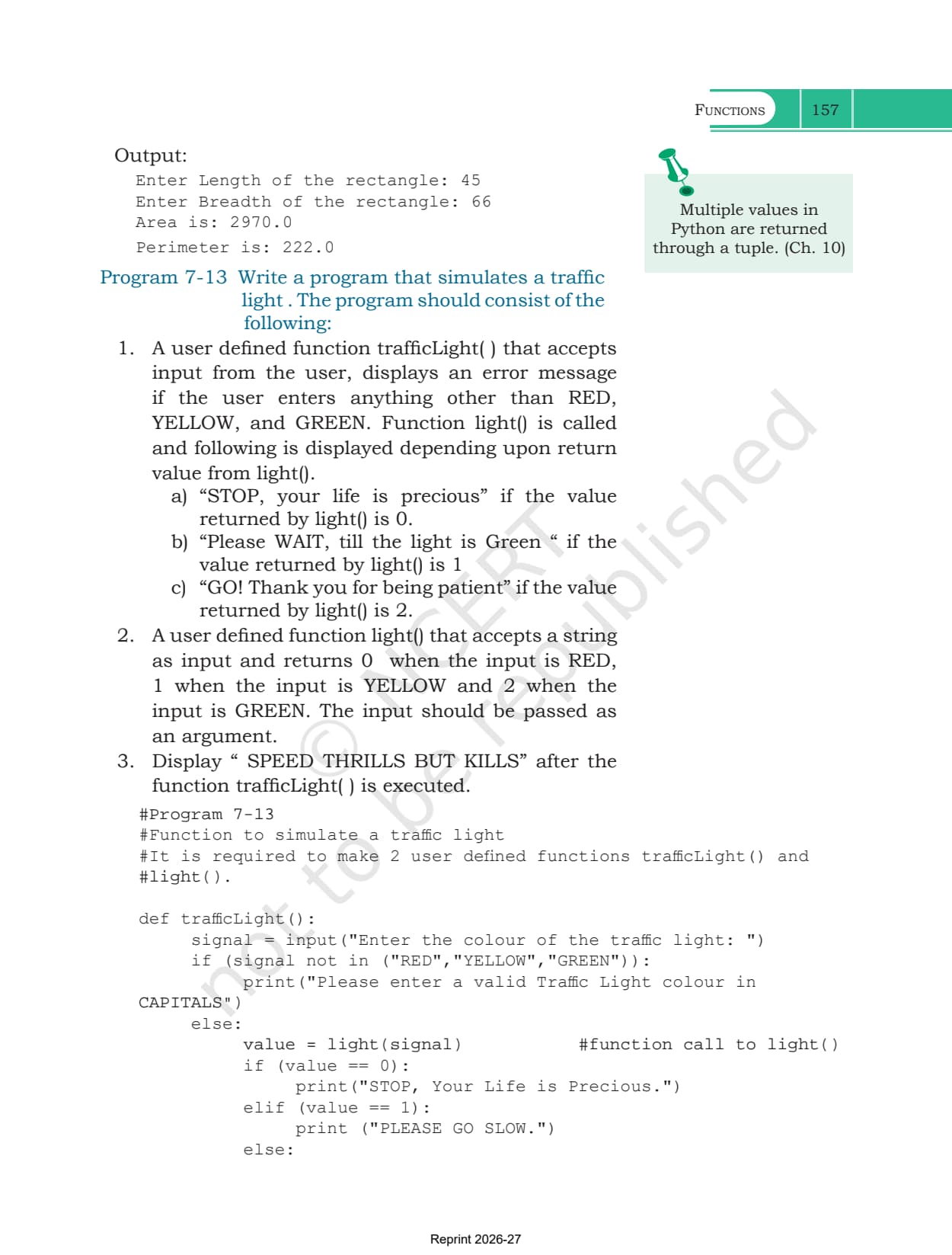
- Arguments and a return value, as in calcpow(number,power) in Program 7-10
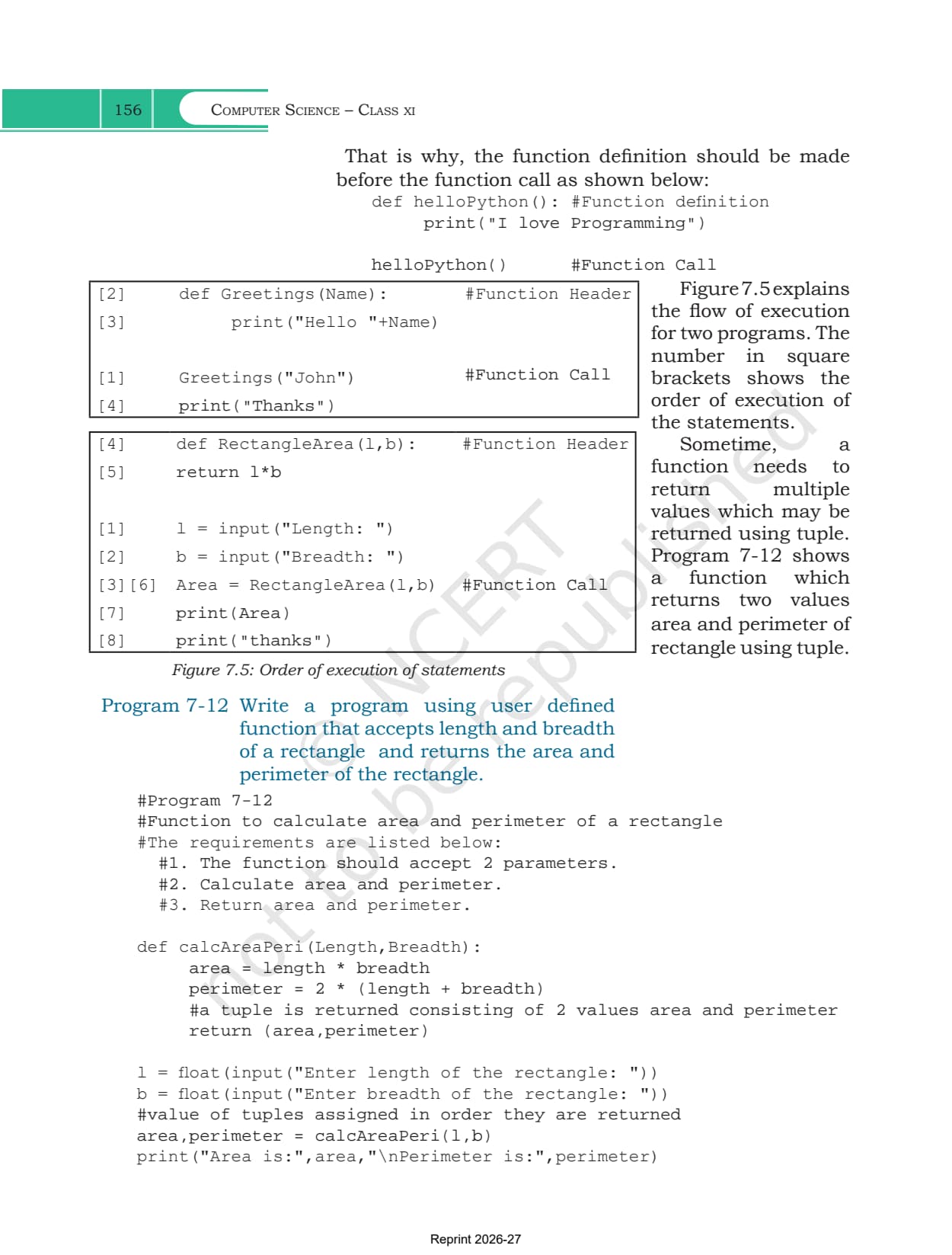
Program 7-12 returns two things at once. Python packs area and perimeter into a tuple, and the caller unpacks them in the same order with area,perimeter = calcAreaPeri(l,b).
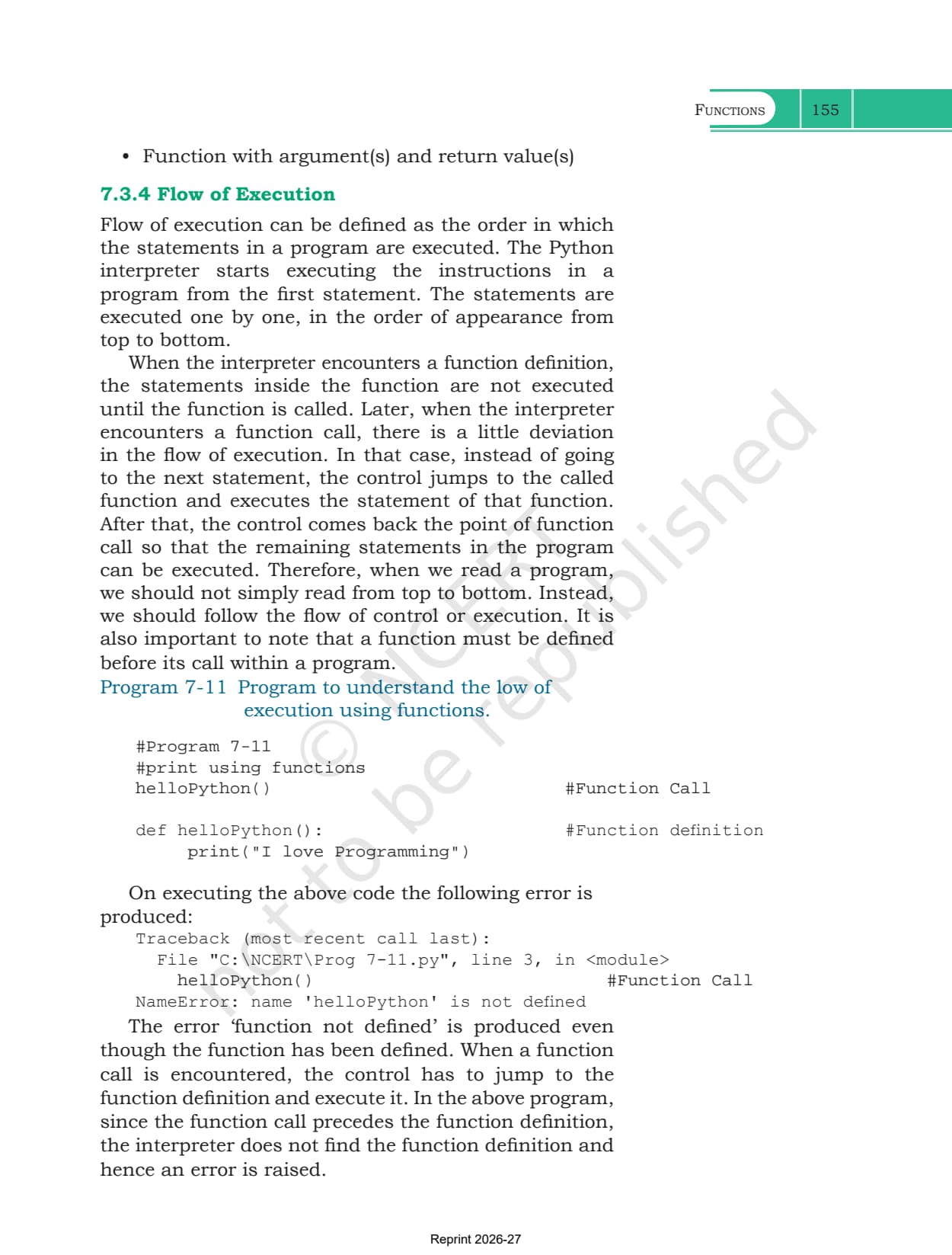
Section 7.3.4 explains why order matters. The interpreter reads top to bottom, skips over a function definition without running it, and jumps into the function only when it meets a call. Program 7-11 puts the call above the definition and gets NameError: name 'helloPython' is not defined, which is the single most common error in this chapter.
Scope of a Variable: Local, Global and the global Statement
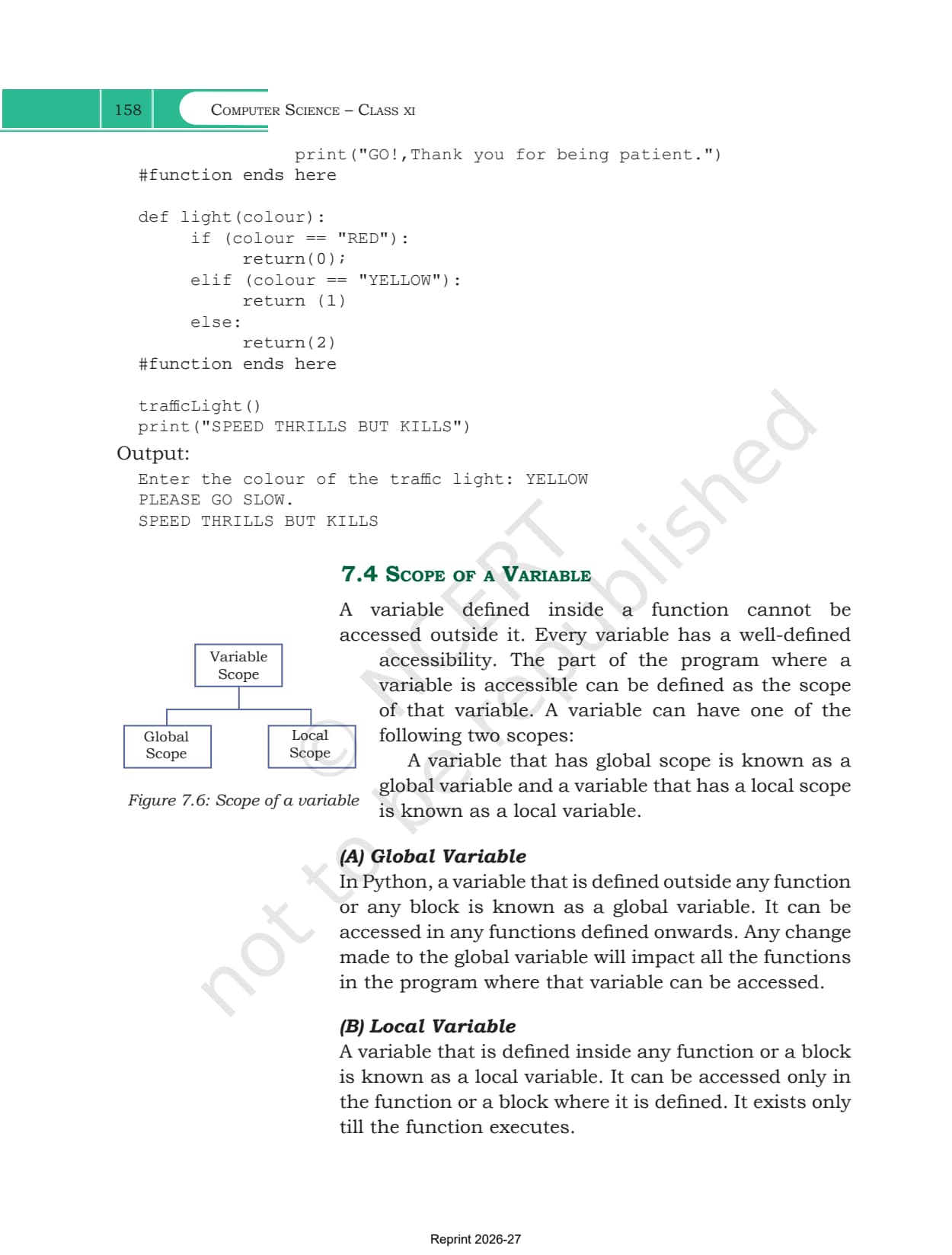
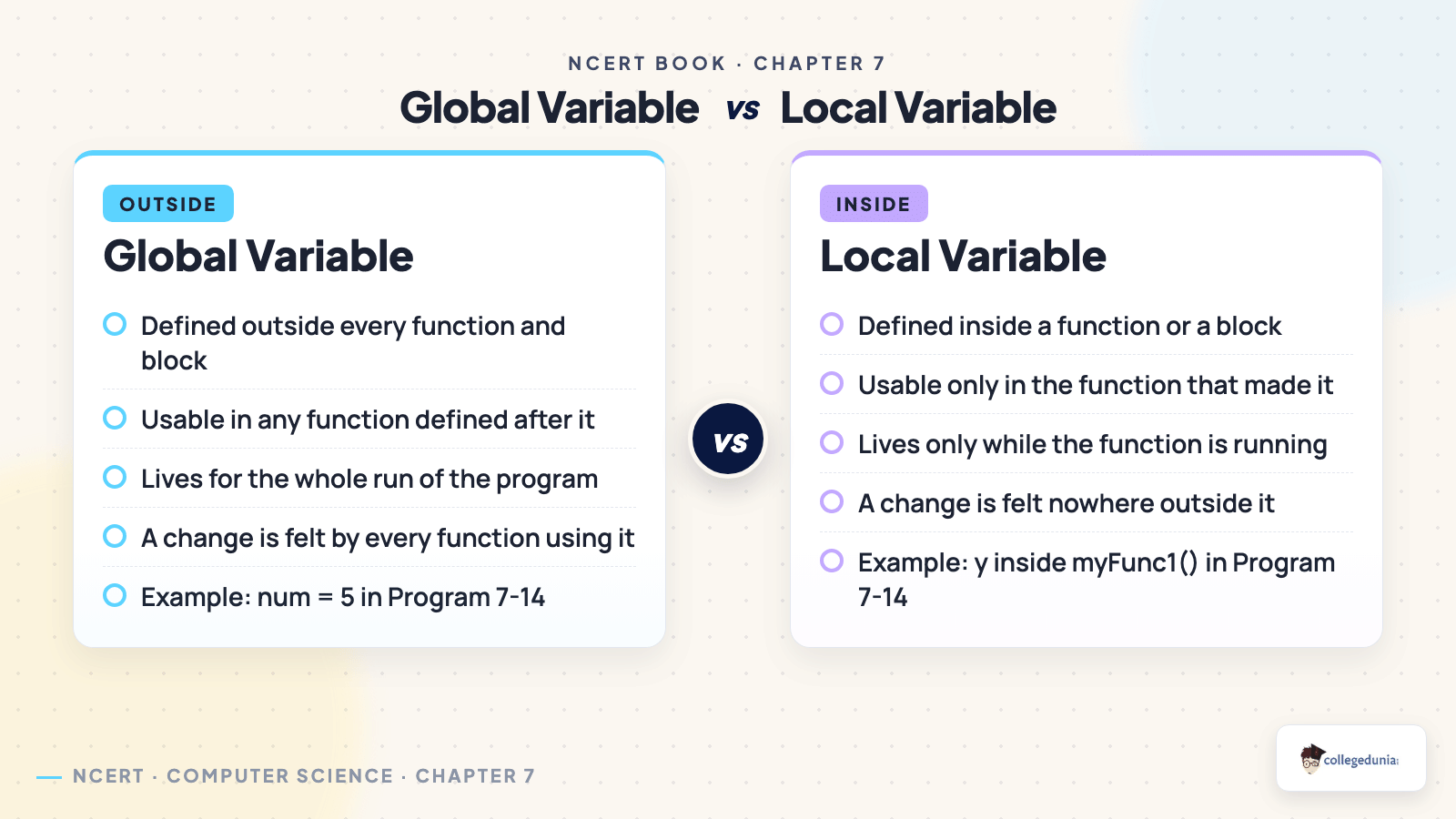
Section 7.4 defines scope as the part of the program where a variable can be reached. Figure 7.6 splits it in two, and exercise question 6b asks you to tell them apart with an example.
| Point of difference | Global variable | Local variable |
|---|---|---|
| Where it is defined | outside every function and block | inside a function or a block |
| Where it can be used | in any function defined after it | only in the function that made it |
| How long it lives | for the whole run of the program | only while the function is running |
| Effect of a change | felt by every function that uses it | felt nowhere outside the function |
| Chapter example | num = 5 in Program 7-14 | y inside myFunc1() in Program 7-14 |
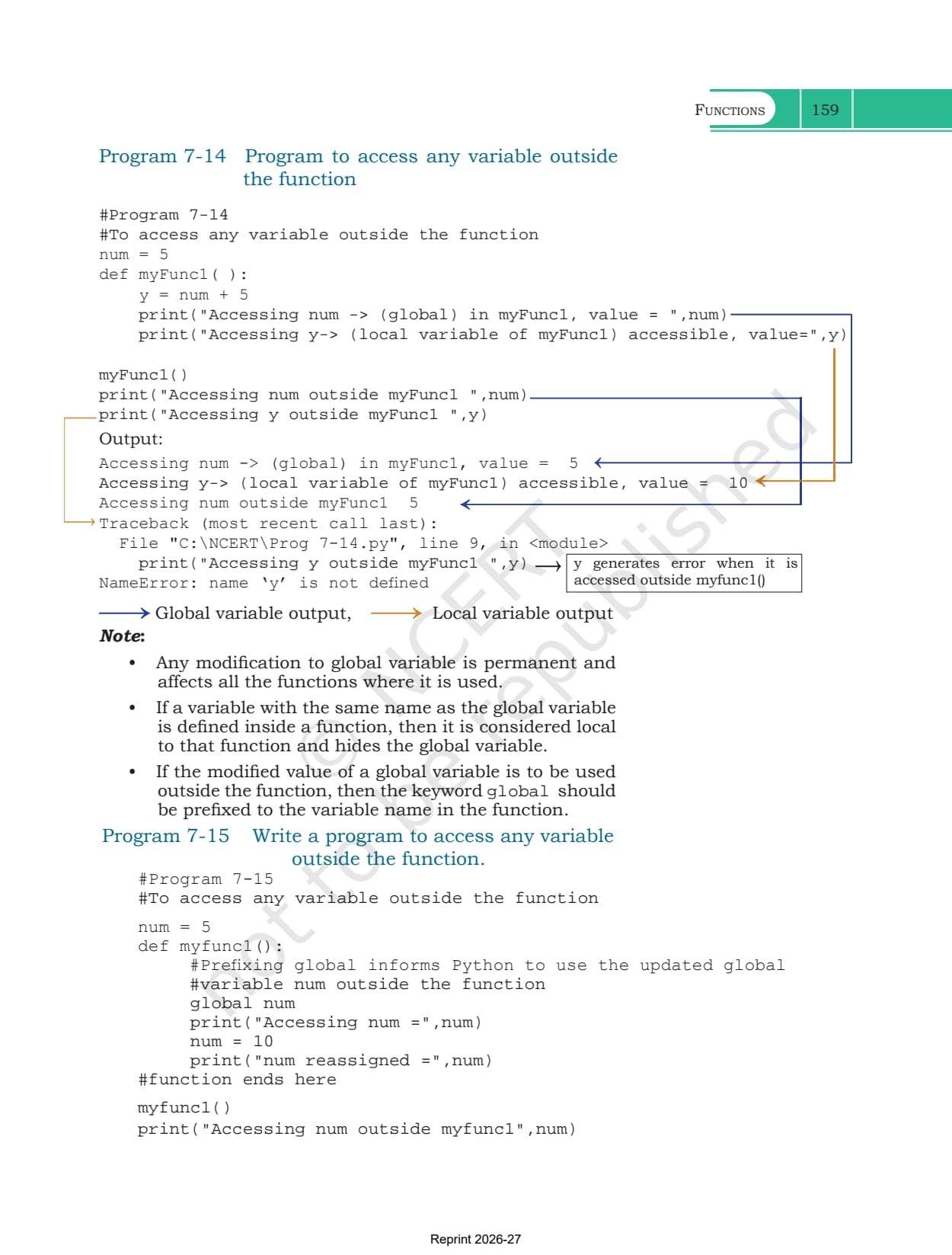
Program 7-14 prints num happily from both inside and outside the function, then fails on y with NameError as soon as the function has finished. Two more rules sit in the note box. A local variable with the same name as a global one hides the global inside that function. And if you want a change made inside a function to survive outside it, you must write global before the variable name, which is exactly what Program 7-15 does to push num from 5 to 10.
Built-in Functions, Modules and the import Statement
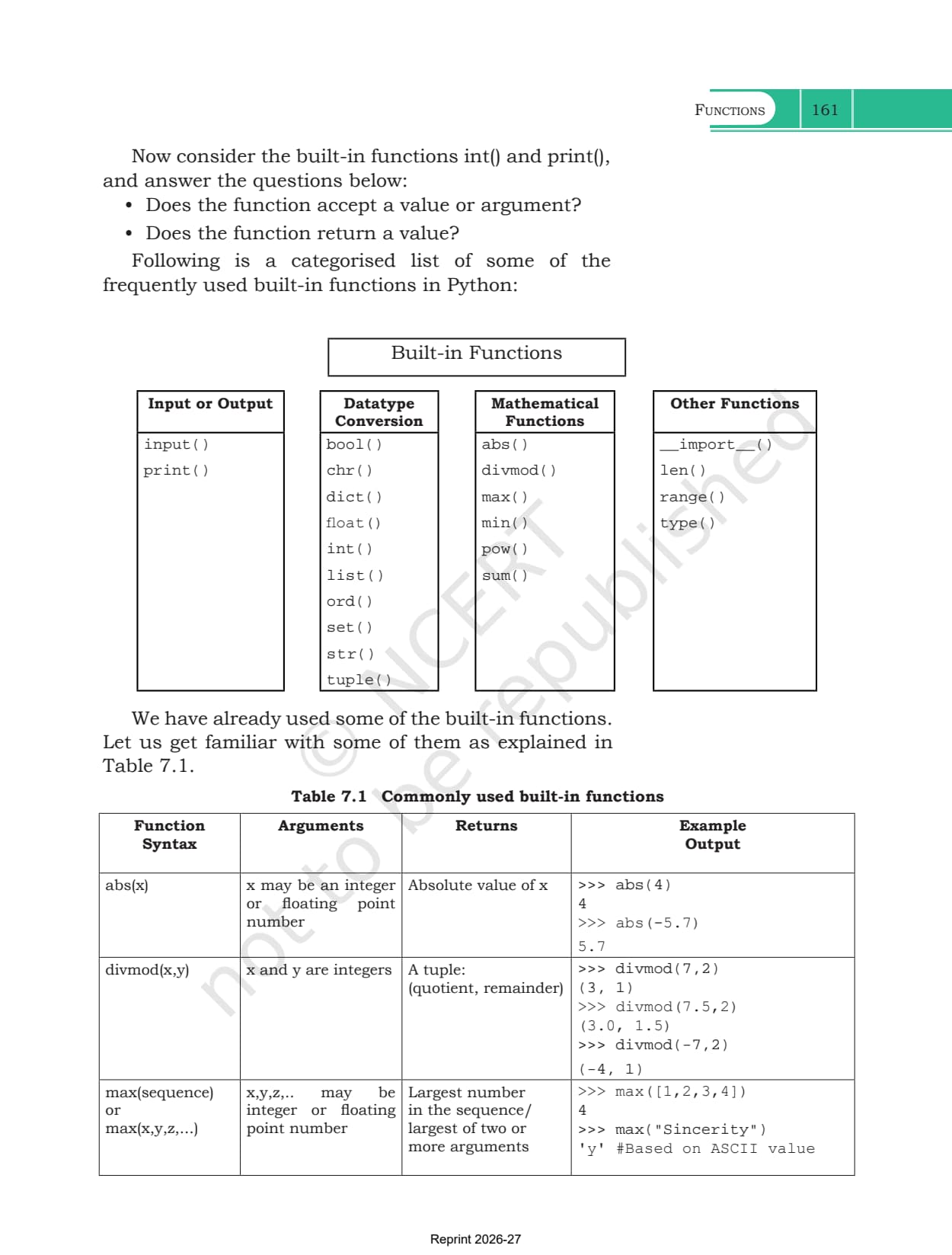
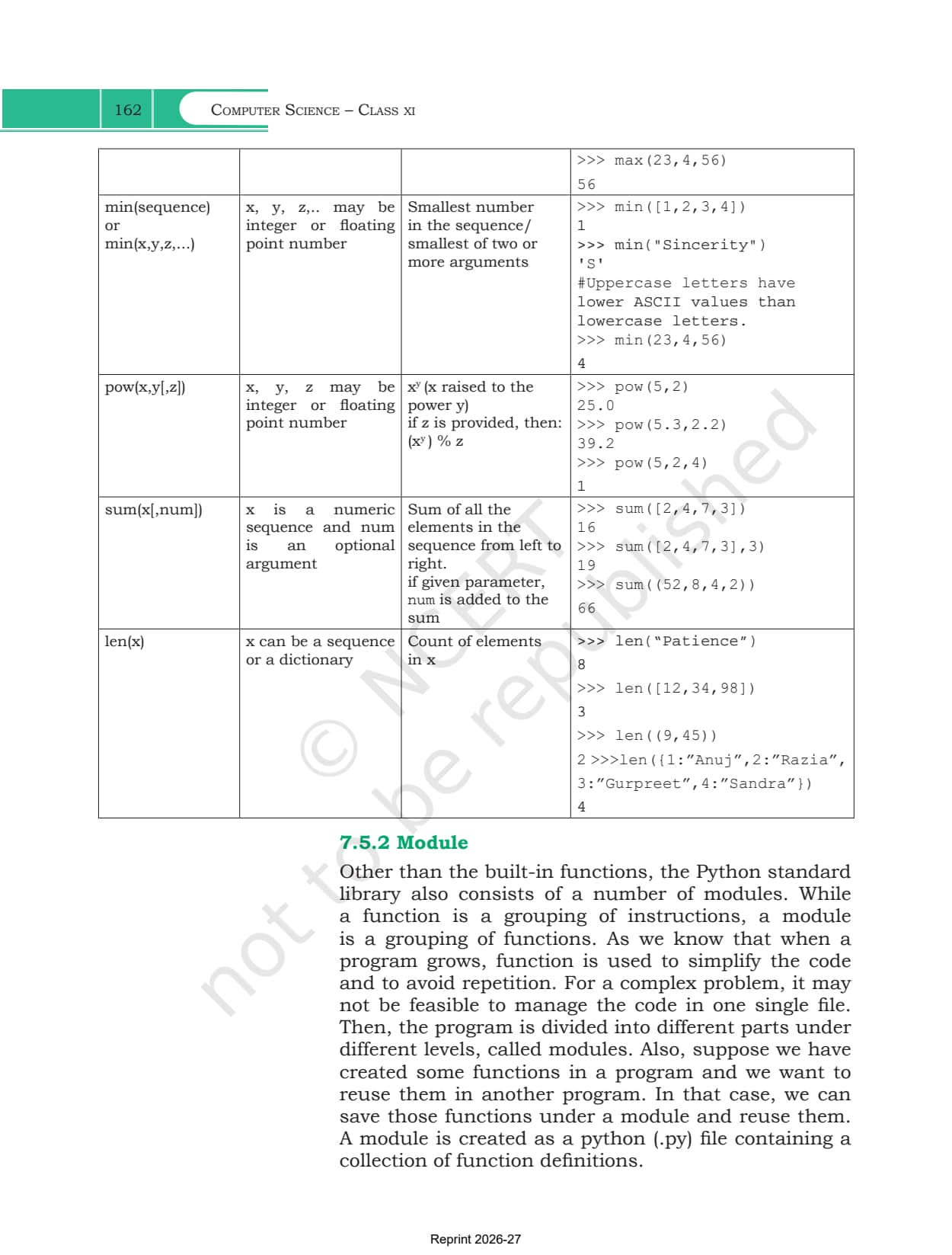
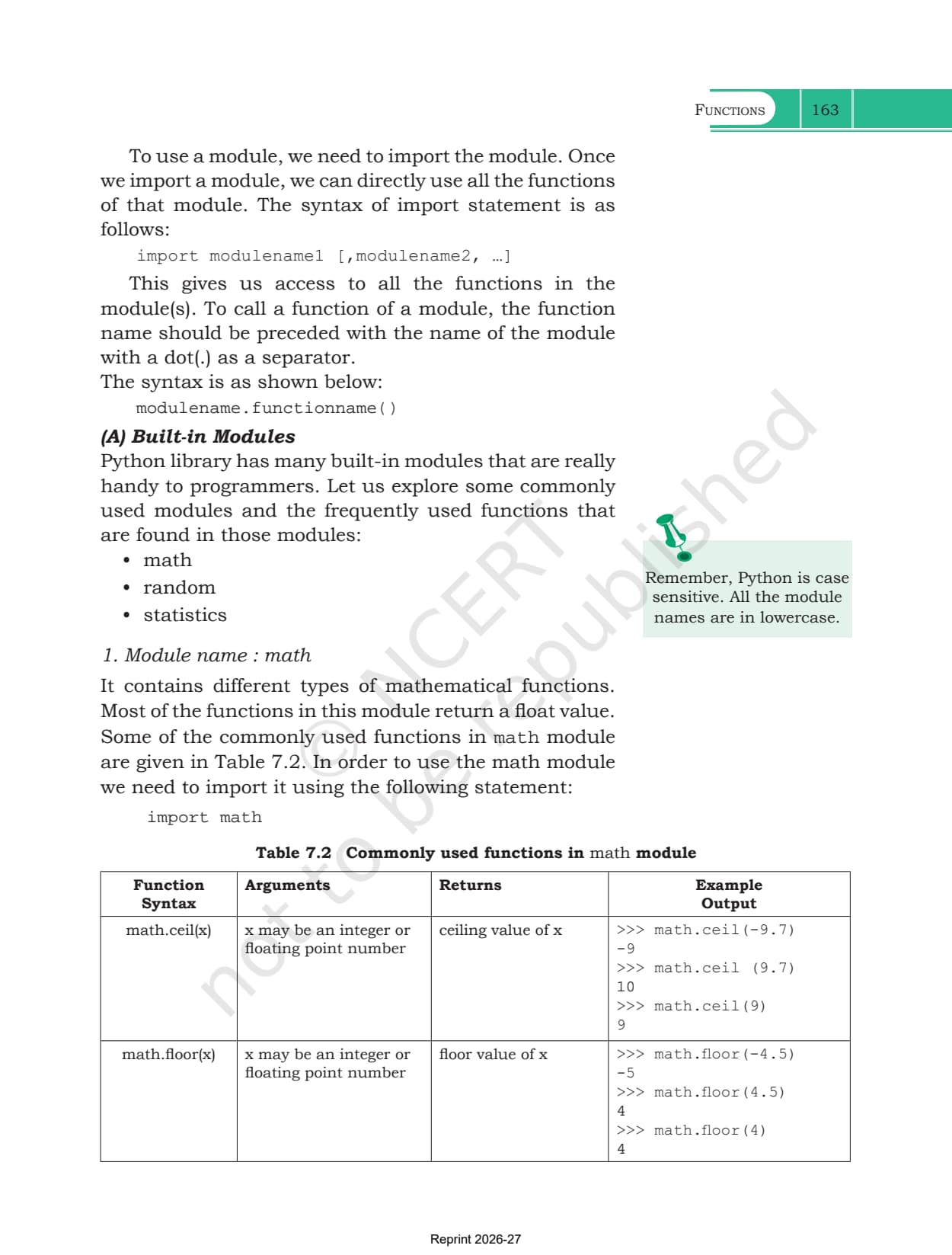
Section 7.5 turns to the code Python already ships with. Built-in functions such as input(), int(), print(), abs(), divmod(), max(), min(), pow(), sum(), len(), range() and type() are always available, and Table 7.1 gives the syntax, arguments, return value and shell output for the main ones.
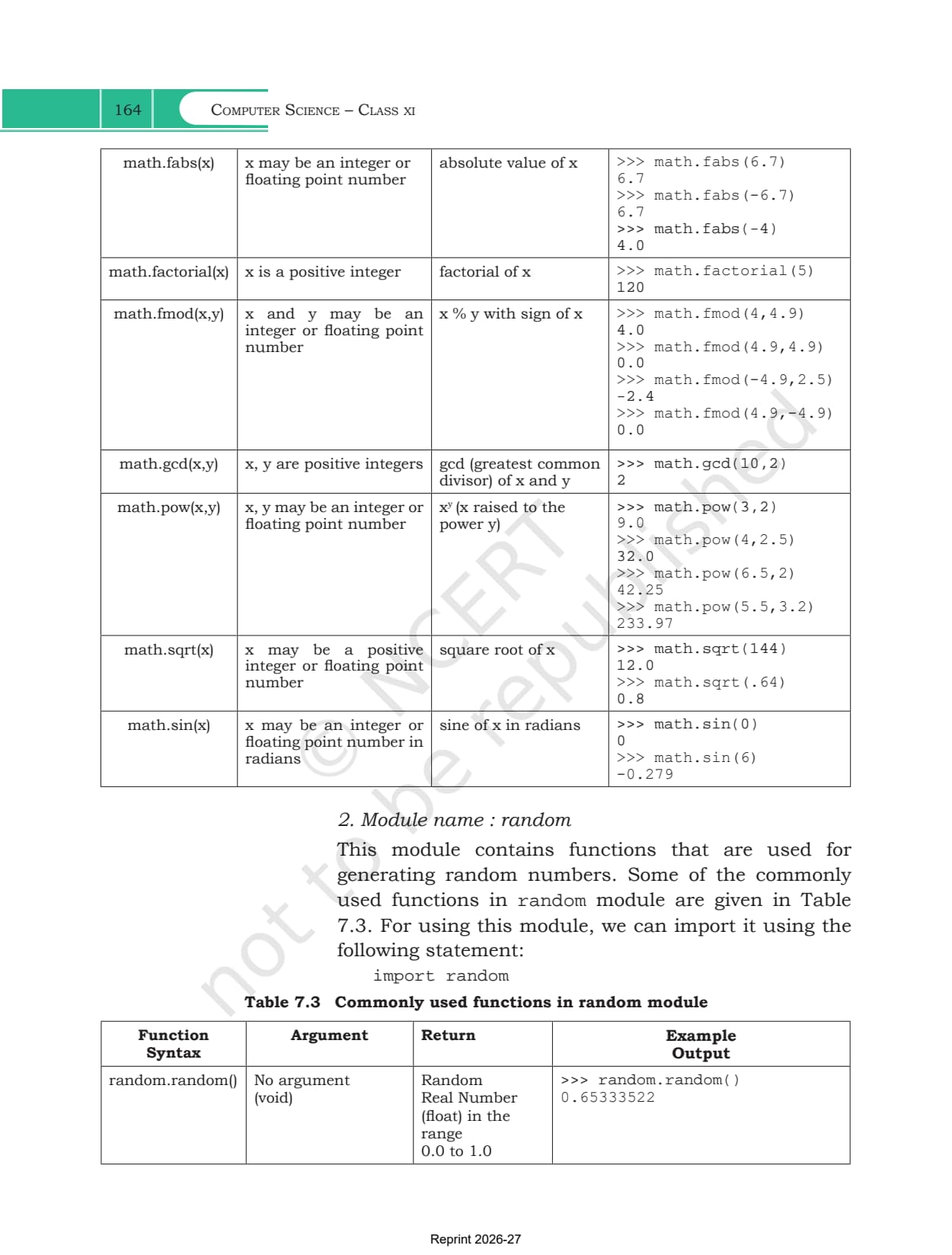
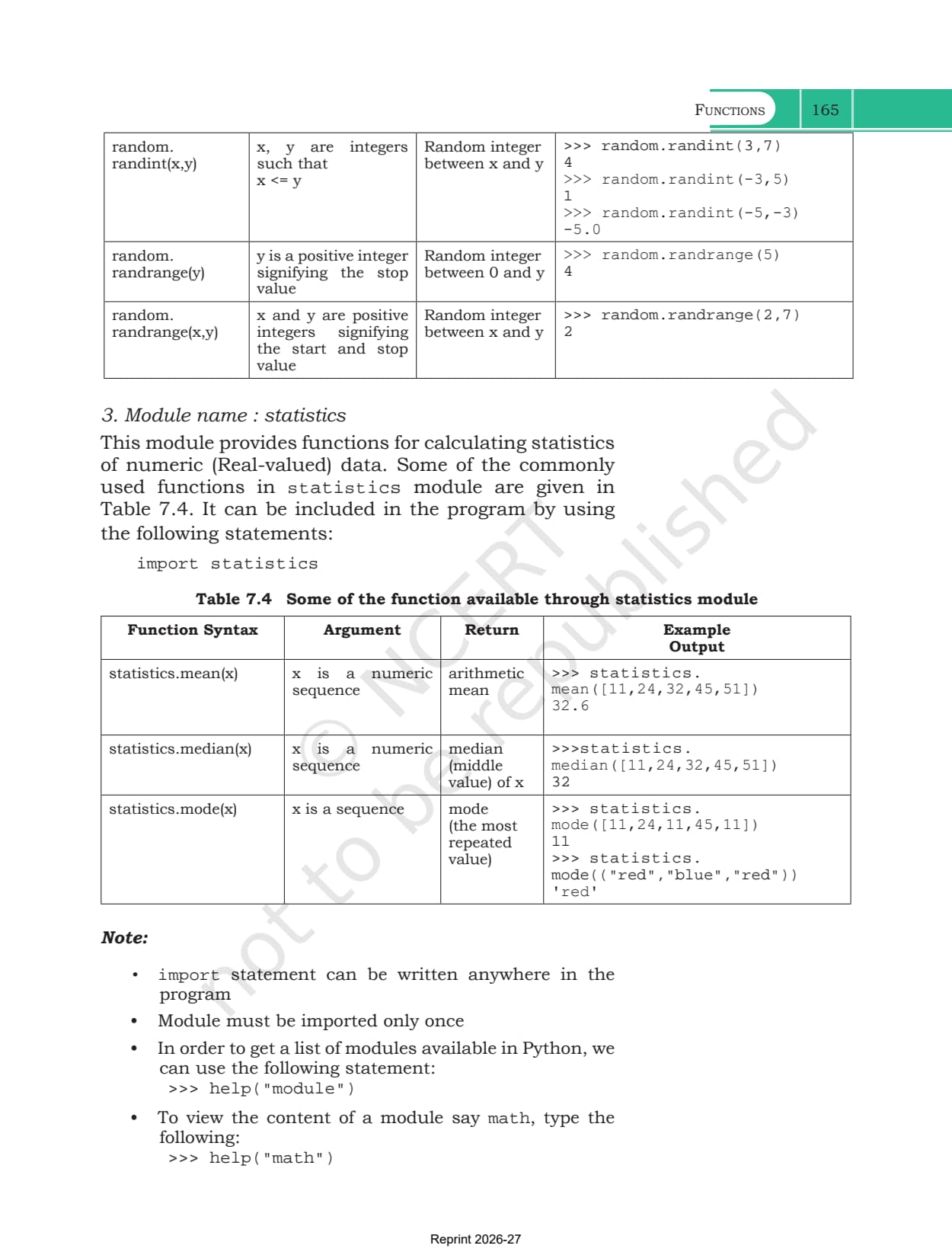
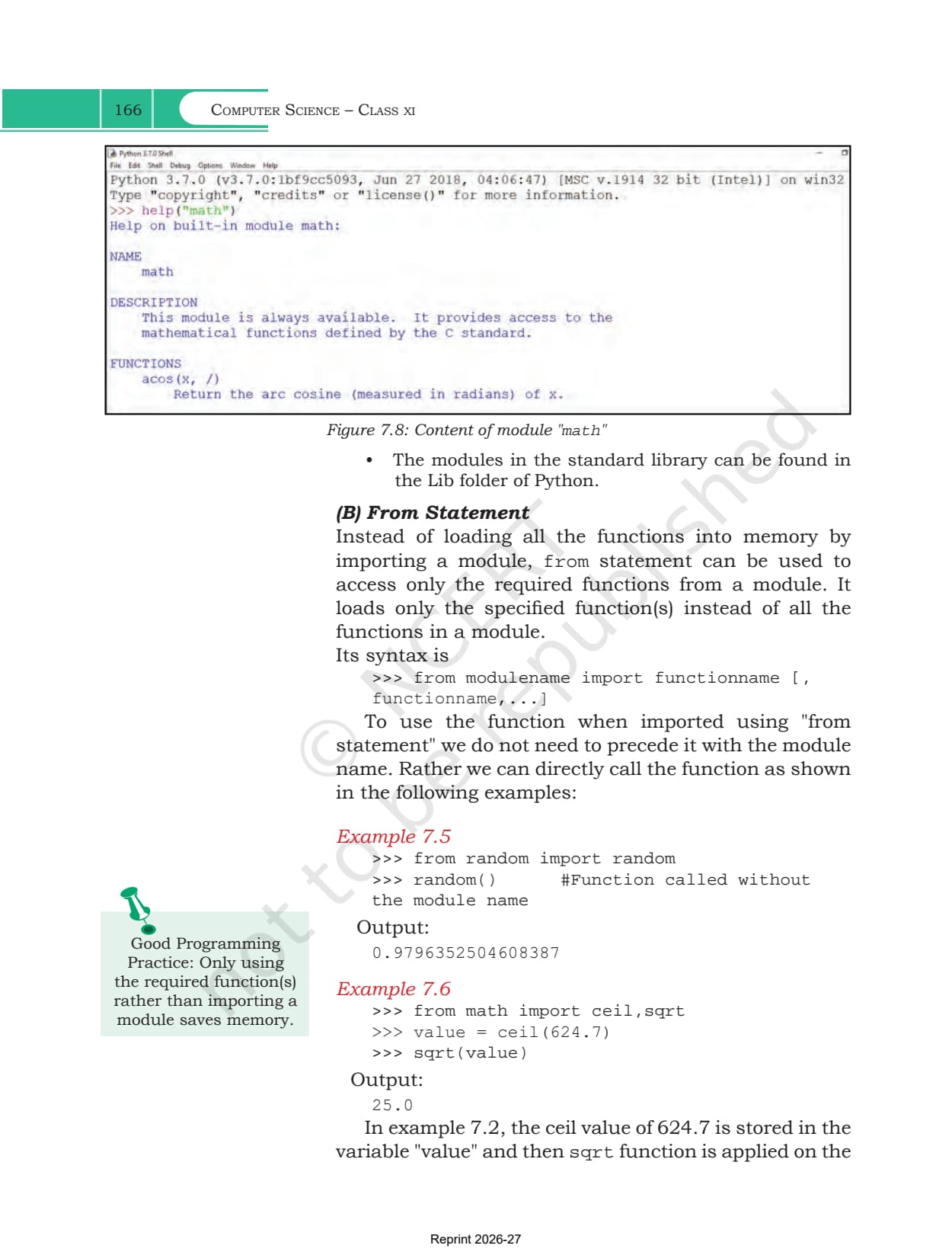
A function groups instructions. A module groups functions, and is just a .py file holding a set of definitions. To reach one you write import modulename, then call its functions as modulename.functionname(). Three built-in modules get a full table each.
| Module | What it holds | Functions in the table |
|---|---|---|
| math | mathematical functions, most returning a float | ceil, floor, fabs, factorial, fmod, gcd, pow, sqrt, sin |
| random | functions that produce random numbers | random, randint, randrange |
| statistics | calculations on a sequence of numbers | mean, median, mode |
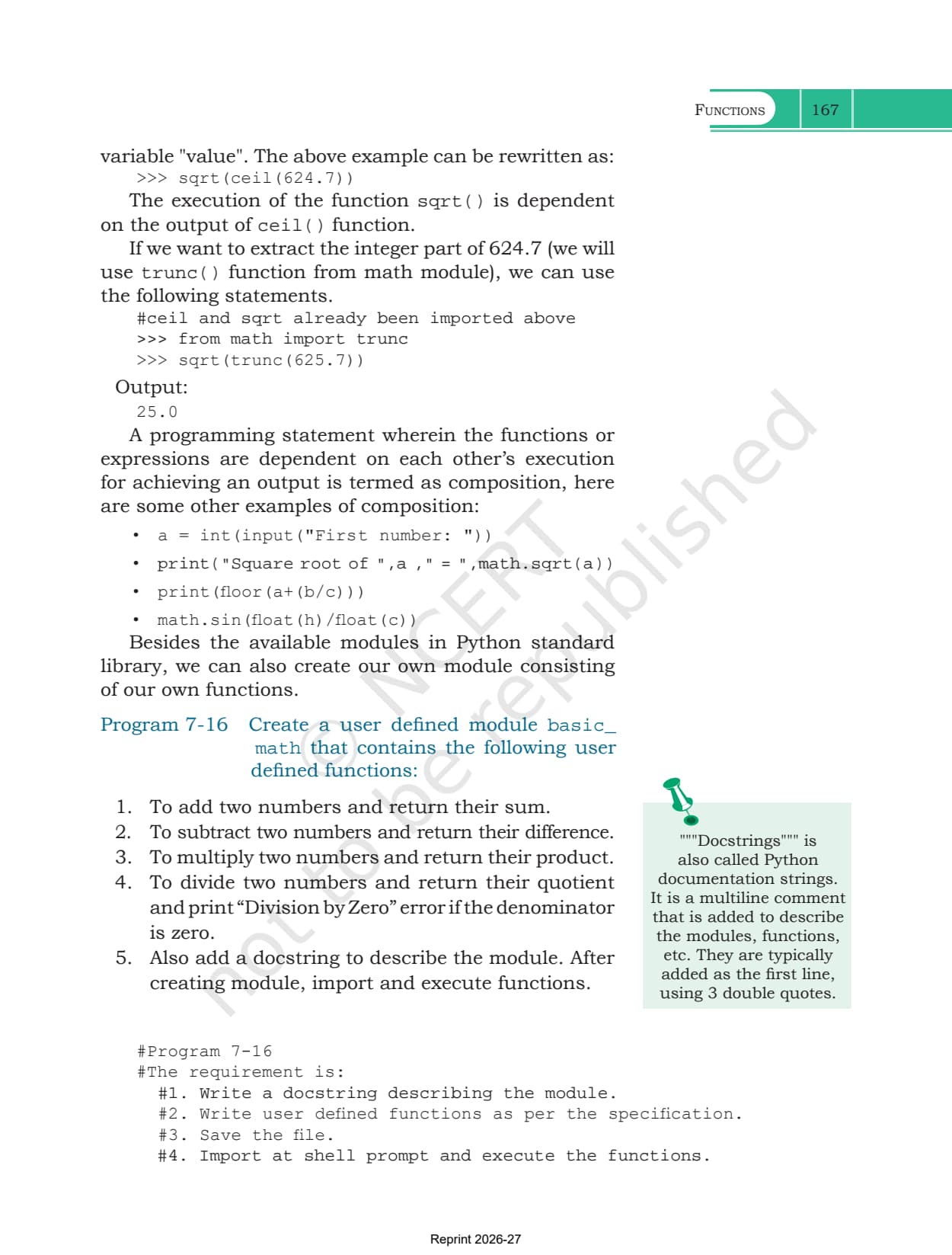
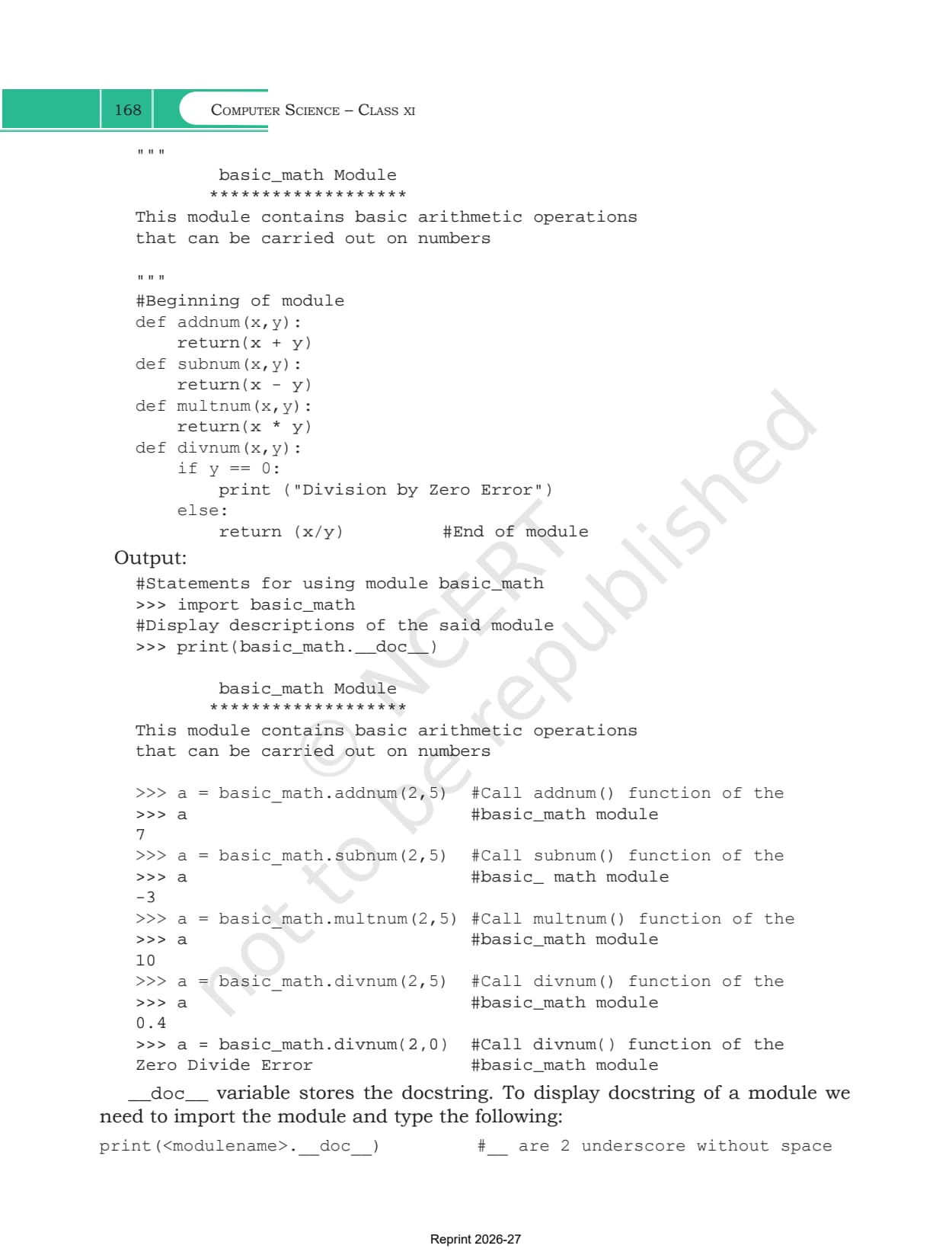
The from statement is the lighter option. Writing from math import ceil,sqrt loads only those two and lets you call them without the module name in front. Exercise question 4 leans on the difference this creates, because the built-in pow(5,2) and math.pow(3,2) are not the same function. Section 7.5.2 closes with Program 7-16, where you save four arithmetic functions as a module called basic_math, add a docstring in triple quotes, and import your own file.
What Collegedunia Adds to This Chapter PDF
Collegedunia gives students the file plus a way into it. The chapter PDF is the official NCERT file, untouched.
- Official file: the exact NCERT chapter PDF, no pages removed
- Read in the browser: page through all 32 pages first
- Chapter list: jump to any other chapter from one table
Also Check: the other Class 11 Computer Science resources for this chapter.
| Resource | Link |
|---|---|
| Handwritten notes | Functions Class 11 Handwritten Notes |
| Chapter notes | Functions Class 11 Notes (coming soon) |
| Chapter solutions | Functions Class 11 NCERT Solutions (coming soon) |
| Previous chapter handwritten notes | Flow of Control Class 11 Handwritten Notes |
| Next chapter handwritten notes | Strings Class 11 Handwritten Notes |
Class 11 Computer Science NCERT Book PDF: All Chapters
Every chapter of the book is on its own page. The 2026-27 Class 11 Computer Science textbook has 11 chapters, and chapters 5 to 10 form the Python programming block.
| Chapter | Download |
|---|---|
| Chapter 1 | Computer System NCERT Book PDF |
| Chapter 2 | Encoding Schemes and Number System NCERT Book PDF |
| Chapter 3 | Emerging Trends NCERT Book PDF |
| Chapter 4 | Introduction to Problem Solving NCERT Book PDF |
| Chapter 5 | Getting Started with Python NCERT Book PDF |
| Chapter 6 | Flow of Control NCERT Book PDF (coming soon) |
| Chapter 7 | Functions NCERT Book PDF |
| Chapter 8 | Strings NCERT Book PDF (coming soon) |
| Chapter 9 | Lists NCERT Book PDF (coming soon) |
| Chapter 10 | Tuples and Dictionaries NCERT Book PDF (coming soon) |
| Chapter 11 | Societal Impact NCERT Book PDF (coming soon) |
Functions Class 11 NCERT Book PDF FAQs
Common Student Questions on the Functions Chapter File
Ques. Where can I download the Class 11 Computer Science Chapter 7 NCERT Book PDF?
Ans. The official 32-page chapter file is on this page, free to download.
Ques. How many pages is the Functions chapter?
Ans. 32 pages, printed pages 143 to 174 in the 2026-27 book, and this PDF is the complete chapter.
Ques. What is the difference between an argument and a parameter?
Ans. An argument is the value you pass in when you call the function. A parameter is the name in the function header that receives it. Figure 7.3 in the chapter shows both pointing at the same value.
Ques. What is a default parameter in Python?
Ans. A value written into the function header that is used when the call does not supply the matching argument. Every parameter to the right of a default one must also have a default, so def mixedFraction(num,deno = 1) is legal.
Ques. What is the difference between a local and a global variable?
Ans. A global variable is defined outside every function and can be used anywhere after that. A local variable is defined inside a function, works only there, and stops existing once the function ends.
Ques. When do I need the global keyword?
Ans. Only when you change a global variable inside a function and want that new value to survive outside it. Program 7-15 uses it to move num from 5 to 10.
Ques. Why does my program say the function is not defined?
Ans. The call is written above the definition. Python reads top to bottom, so the definition must appear first. This is the NameError shown in Program 7-11.
Ques. Which modules does this chapter use?
Ans. Three, each with its own table. math for ceil, floor, sqrt, gcd and factorial, random for random, randint and randrange, and statistics for mean, median and mode.
Ques. Can a function return more than one value?
Ans. Yes. Python packs them into a tuple, as Program 7-12 does when it returns the area and the perimeter of a rectangle together.
Ques. Is this the official NCERT file?
Ans. Yes. It is the NCERT chapter PDF for 2026-27 hosted as published, with no pages removed or added.



Comments