




These Functions handwritten notes turn the whole of Chapter 7 into clean, handwritten pages for fast last-minute revision. They follow the 2026-27 NCERT syllabus and Chapter 7 of Class 11 Computer Science. Students get why functions matter, the three function types of built-in, module and user defined, the math, random and statistics modules, defining with def and calling, parameters versus arguments, positional, default and keyword arguments, return values, and variable scope, all written out by hand so the syntax is easy to skim before a test.
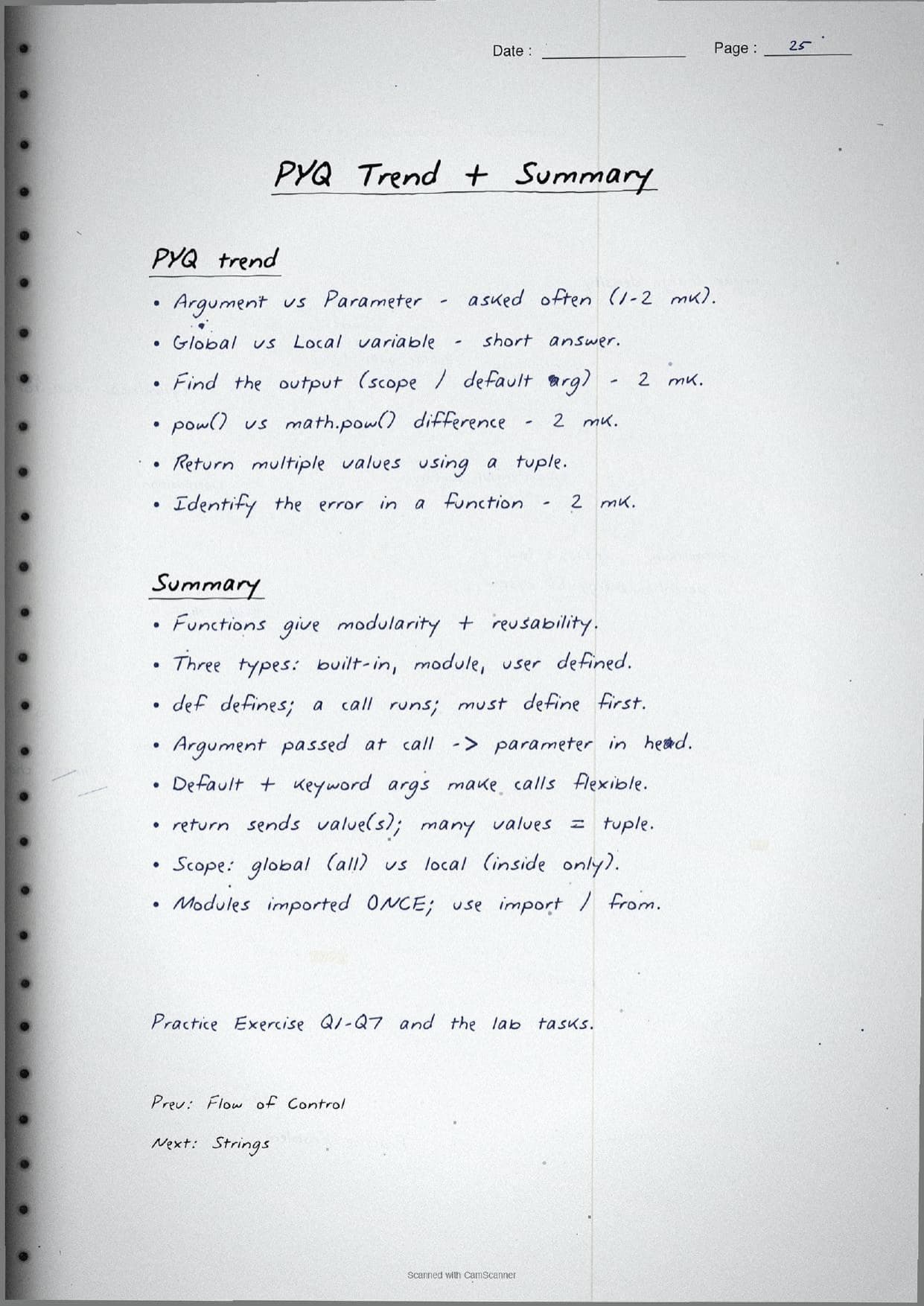
- Handwritten pages with boxed syntax, code written out by hand, and a labelled LEGB scope diagram.
- Functions is a core coding chapter of Class 11 Computer Science, so its ideas carry into strings, lists and every later program.
- Pairs with the NCERT Solutions, Notes and Book PDF linked lower on this page.
These Functions handwritten notes are prepared from the official NCERT Computer Science textbook and checked against recent CBSE Class 11 question papers.
Student Feedback: In a Collegedunia poll of 4,360 Class 11 Computer Science students, 78% of students said the handwritten pages helped them recall function syntax and the difference between an argument and a parameter faster than typed text, because the boxed def syntax and the hand-drawn LEGB diagram made the rules stick.
Source: 2026-27 Class 11 Computer Science student poll. Sample of 4,360 students from CBSE schools across 9 states.
What These Functions Handwritten Notes Contain
Functions is Chapter 7 of Class 11 Computer Science. It teaches students how to break a long program into small, named blocks of code that each do one job, so the program is easier to read, reuse and debug. These handwritten notes condense the chapter into pen-on-paper pages that read like a topper's own notebook, with every Python snippet written out by hand inside a boxed grid so the indentation stays clean.
The notes are organised under three threads, each on its own set of pages:
- The why: modular programming, the meaning of a function, and the two big gains of modularity and reusability.
- The three types: built-in functions like
print()andlen(), module functions frommath,randomandstatistics, and user defined functions written withdef. - The mechanics: defining and calling, parameters versus arguments, the three argument styles,
returnvalues, flow of execution, and variable scope.
Because the pages are handwritten, the syntax sits in boxed blocks and arrows rather than long paragraphs. A student can flip through the functions class 11 pages in a few minutes and still pick up the def header, the argument rules and the scope idea before walking into the exam.
Function Types and the math, random and statistics Modules
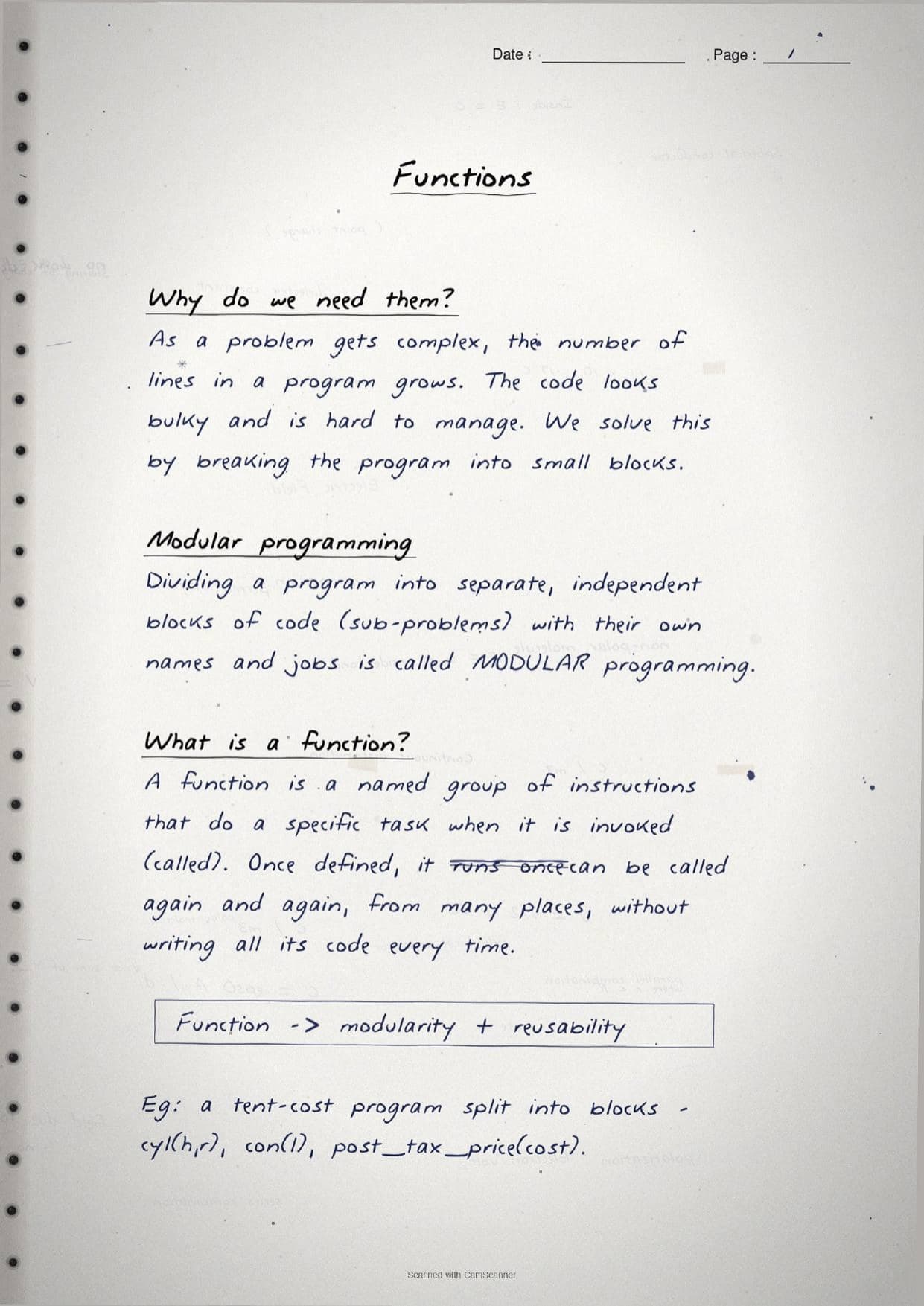
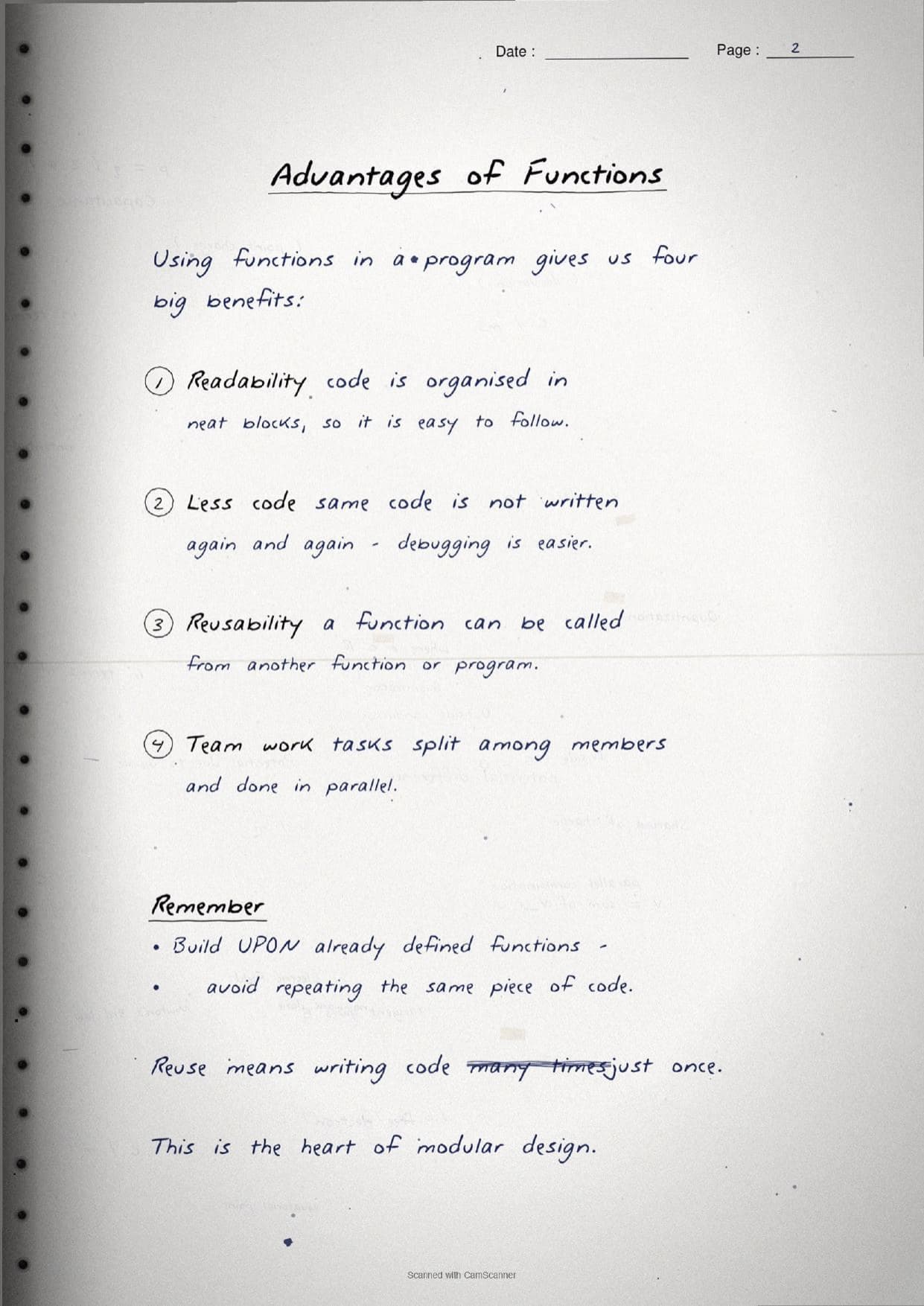
The opening pages settle what a function is and why we use one. A function is a named group of instructions that runs a specific task when it is invoked, or called. Once defined, it can be called again and again from many places without writing all its code every time. Splitting a program into separate, independent blocks like this is called modular programming, and it gives functions their two headline benefits, modularity and reusability. The pages also list four practical gains: better readability, less repeated code, easy reuse, and simpler team work when tasks are split.
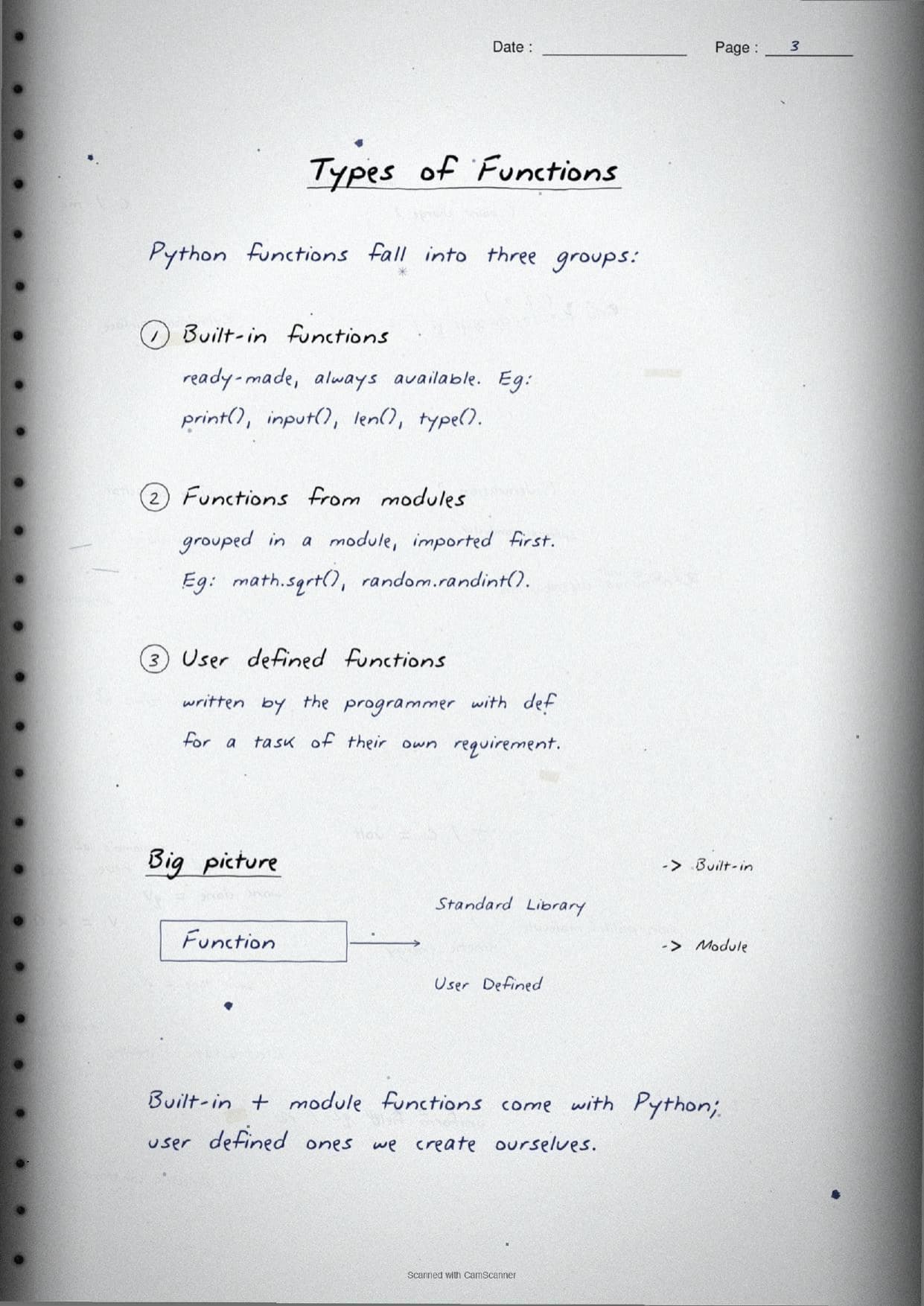
The notes then box the three types of functions Python offers. This table mirrors the boxed tree drawn by hand in the pages.
| Type | What the page shows |
|---|---|
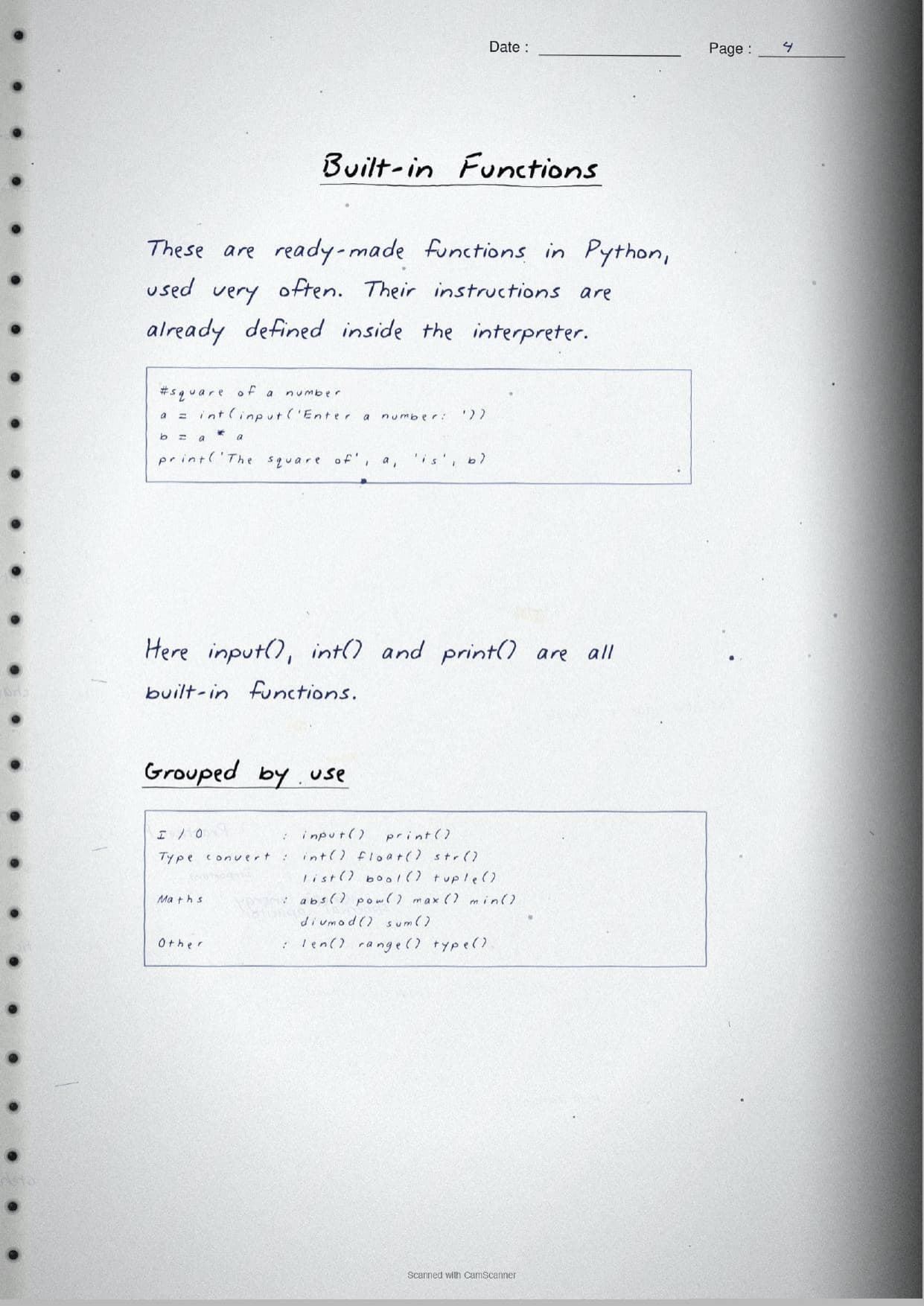
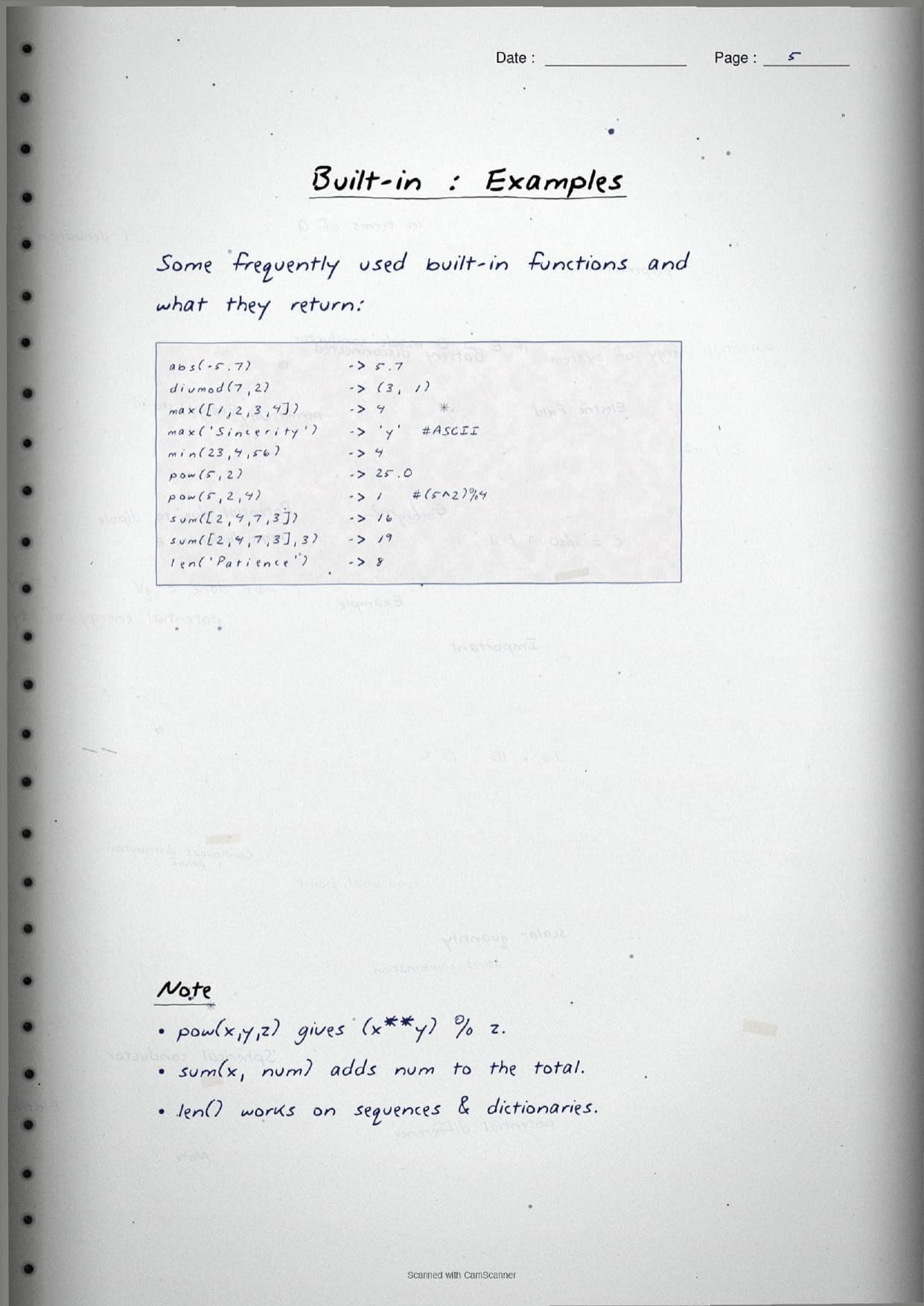
| Built-in | Ready-made and always available, such as print(), input(), len(), type(), abs(), max() and divmod(). |
| Module functions | Grouped inside a module that must be imported first, such as math.sqrt() or random.randint(). |
| User defined | Written by the programmer with def for a task of their own requirement. |
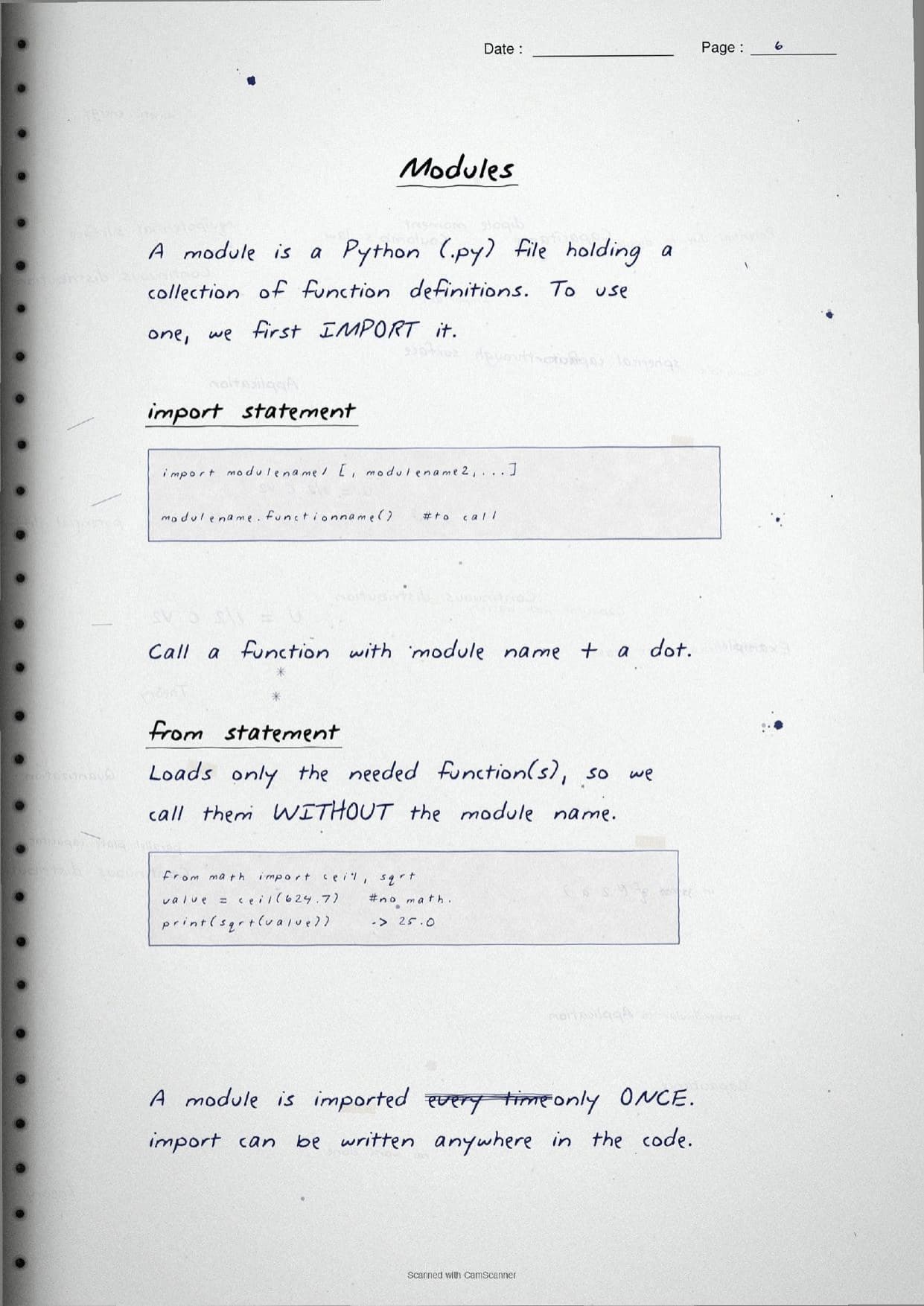
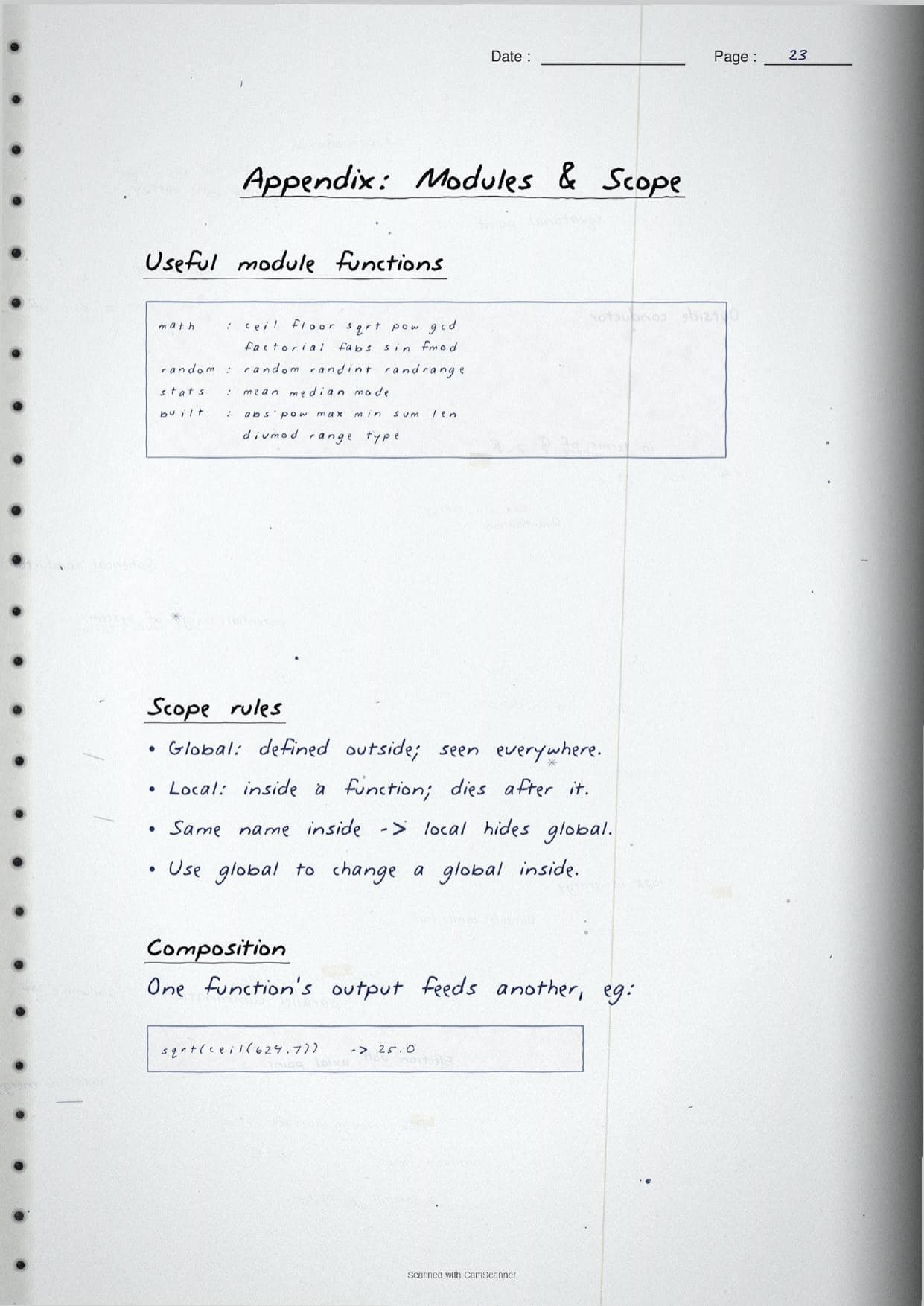
A module is simply a Python file that holds a collection of function definitions. The pages show both ways to load one: import math then call with a dot as math.sqrt(), or from math import sqrt to call sqrt() without the module name. A neat margin note reminds students that a module is imported only once, even if the import line appears more than once. The notes then work through three modules students must know for the Class 11 exam:
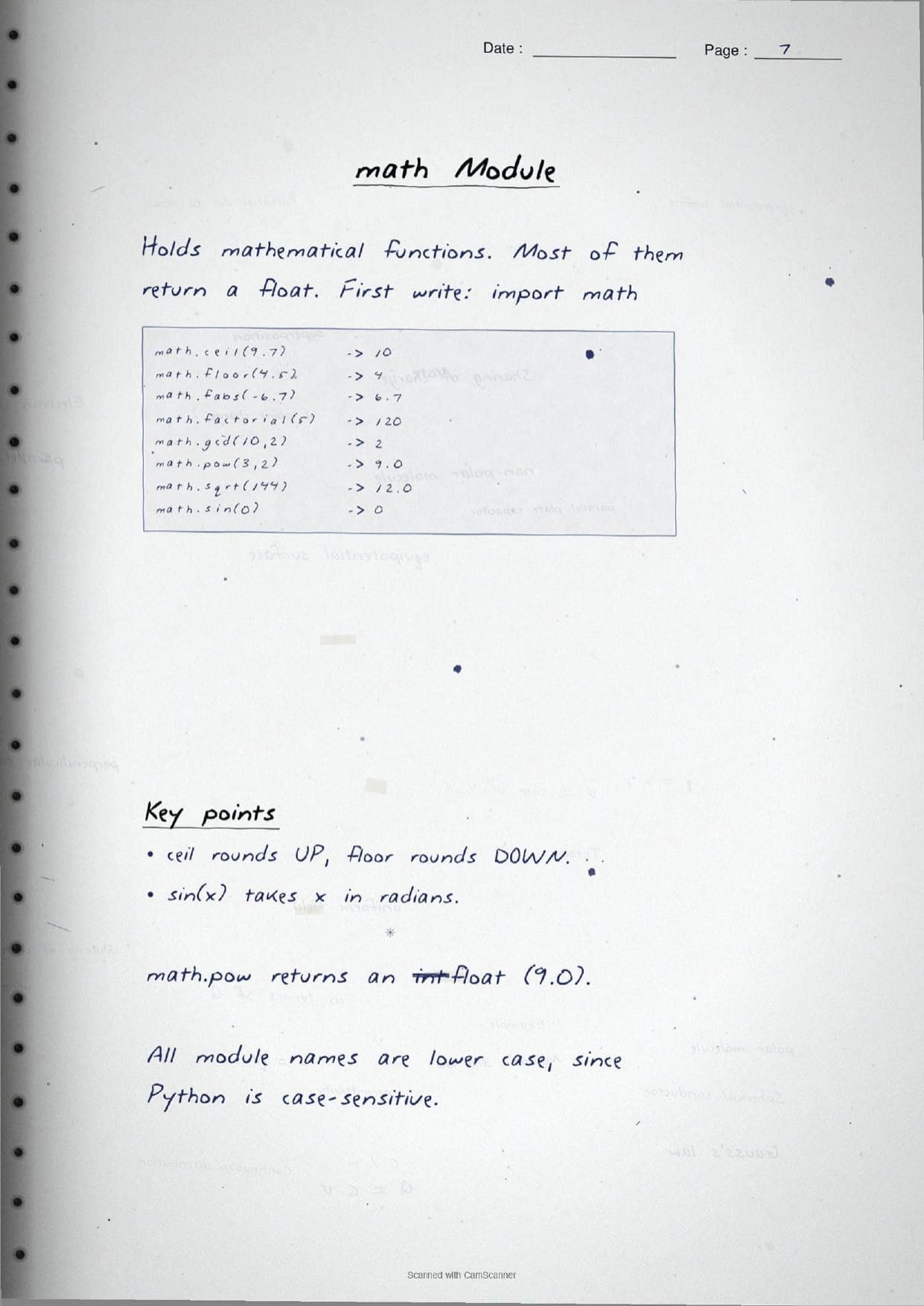
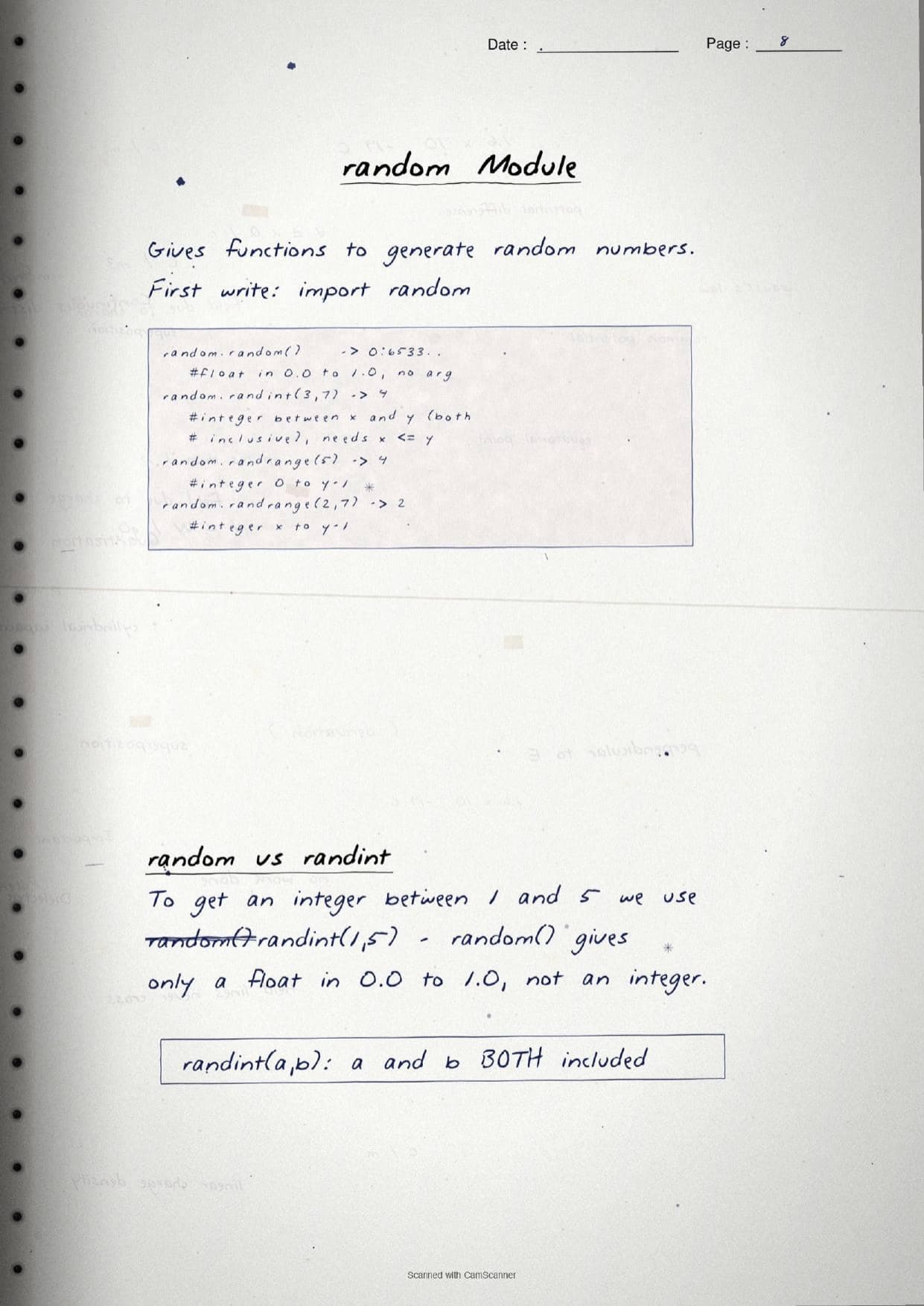
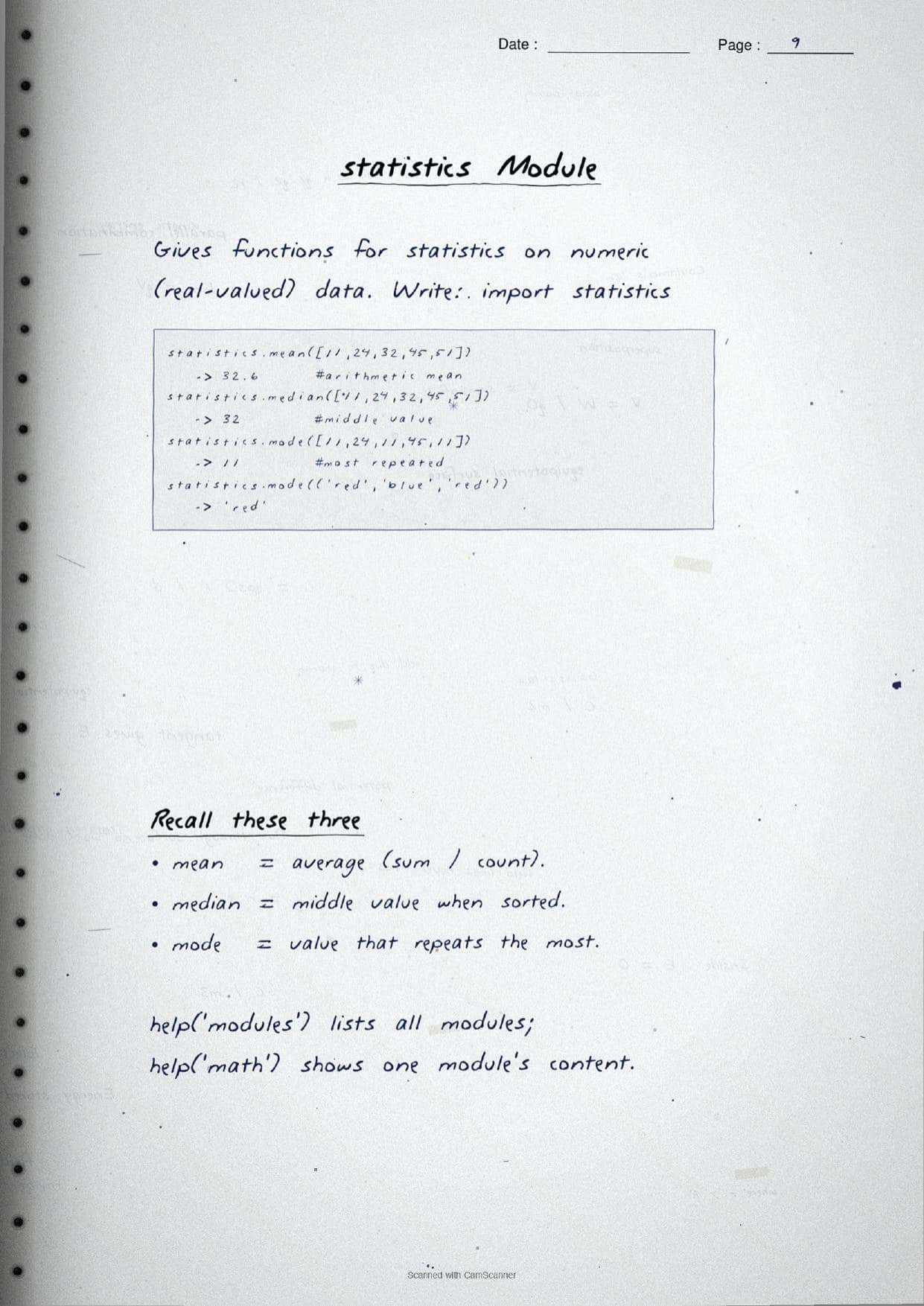
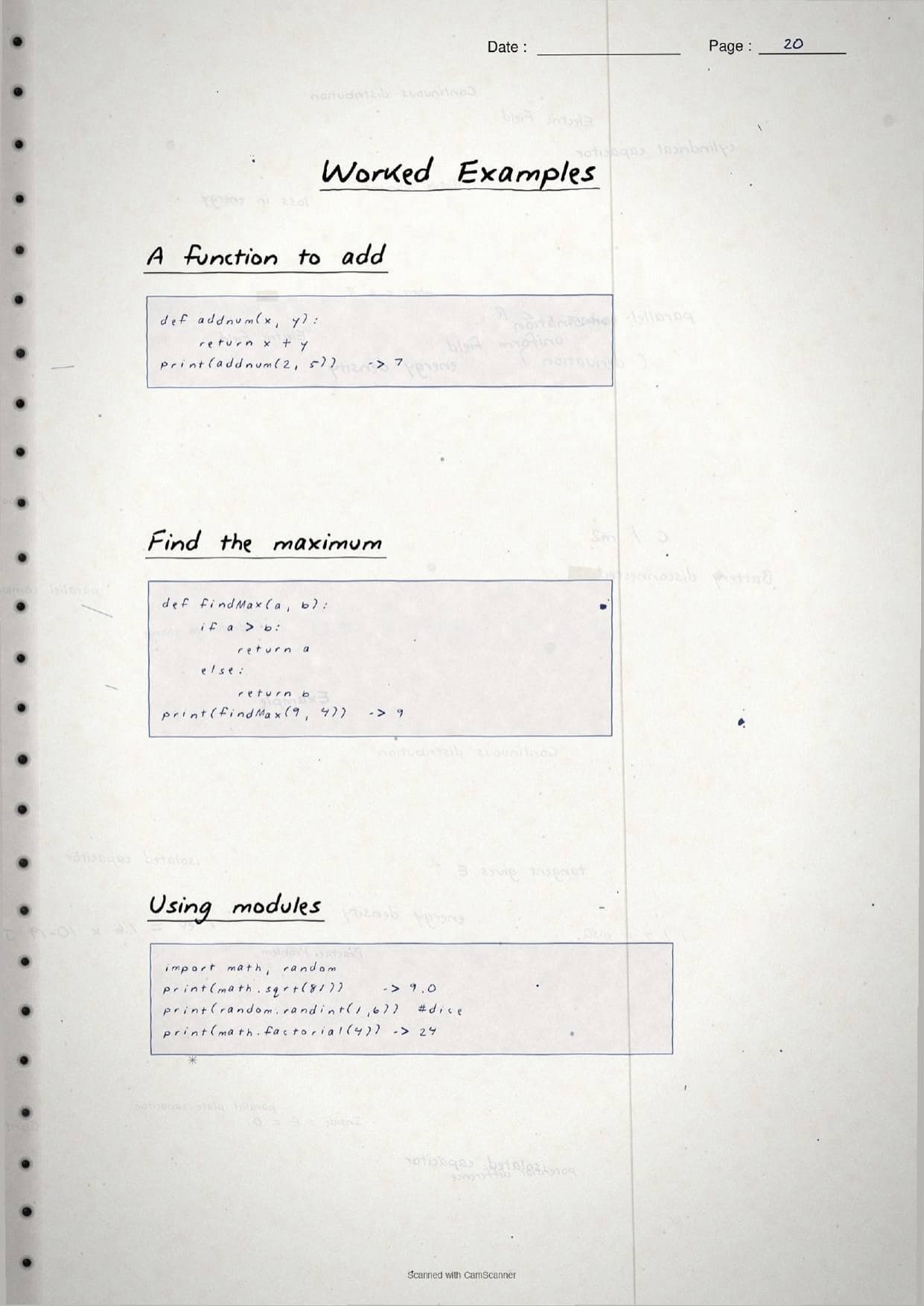
mathmodule: mathematical functions that usually return a float, such asmath.ceil(),math.floor(),math.sqrt(),math.pow(),math.gcd()andmath.factorial(). A boxed correction flags thatmath.pow(3,2)gives9.0, a float, not an int.randommodule: functions for random numbers.random.random()returns a float from 0.0 to 1.0,random.randint(3,7)returns an integer with both ends included, andrandom.randrange(2,7)stops one short of the end value.statisticsmodule:mean()for the average,median()for the middle value when sorted, andmode()for the value that repeats most.
The pages also box the built-in maths helpers like pow(5,2,4), which returns 1 because it computes (5**2) % 4, so students do not mix it up with math.pow().
Defining, Arguments, Return and Scope in the Handwritten Pages
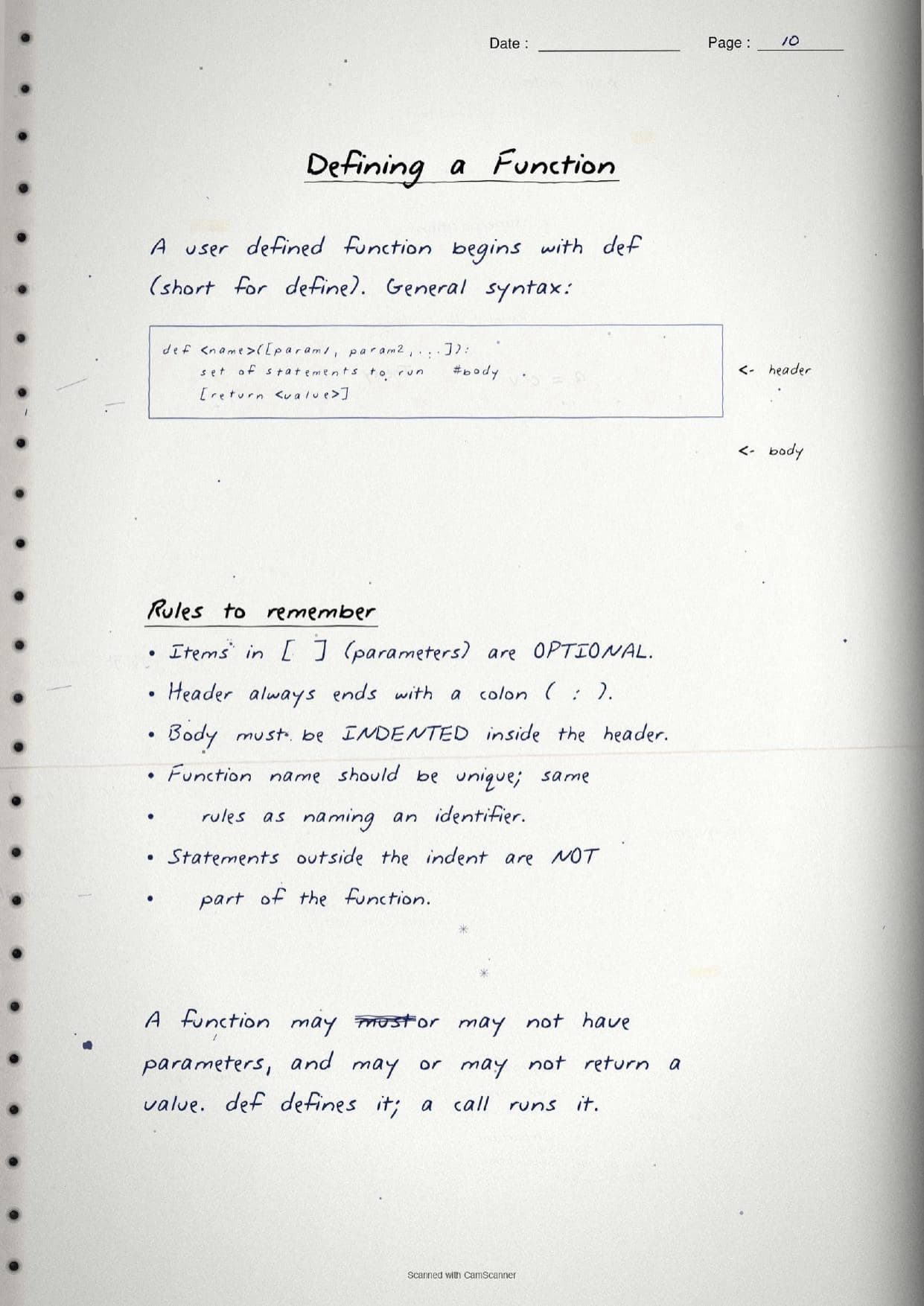
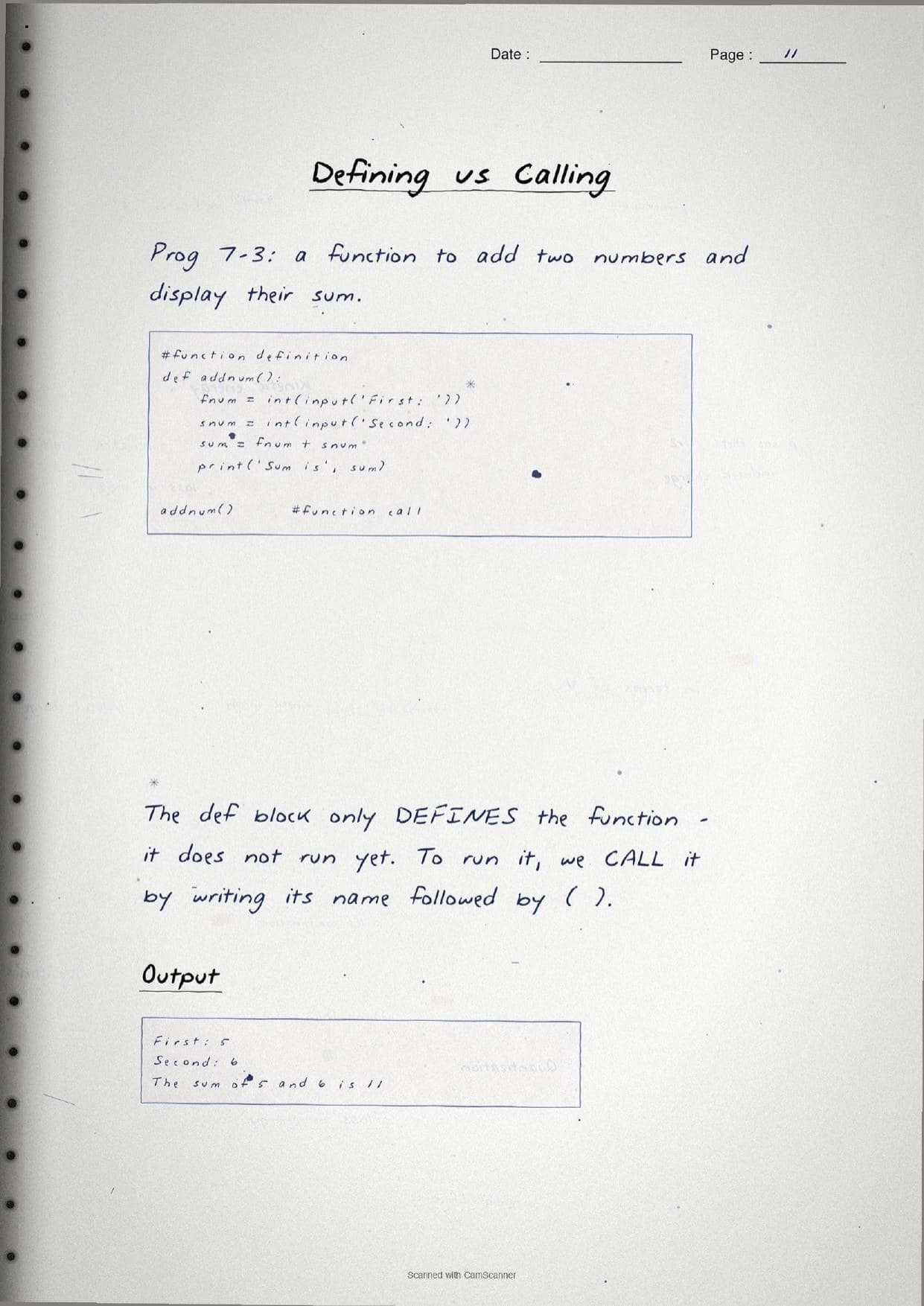
The middle pages move to writing your own functions. A user defined function begins with def, followed by a name, brackets holding any parameters, and a colon. The body is indented below the header. The notes draw a hand-labelled diagram pointing to the header and the body, and list the rules: the header always ends with a colon, the body must be indented, the name must follow identifier rules, and anything outside the indent is not part of the function. The boxed syntax below is the one traced by hand on the page.
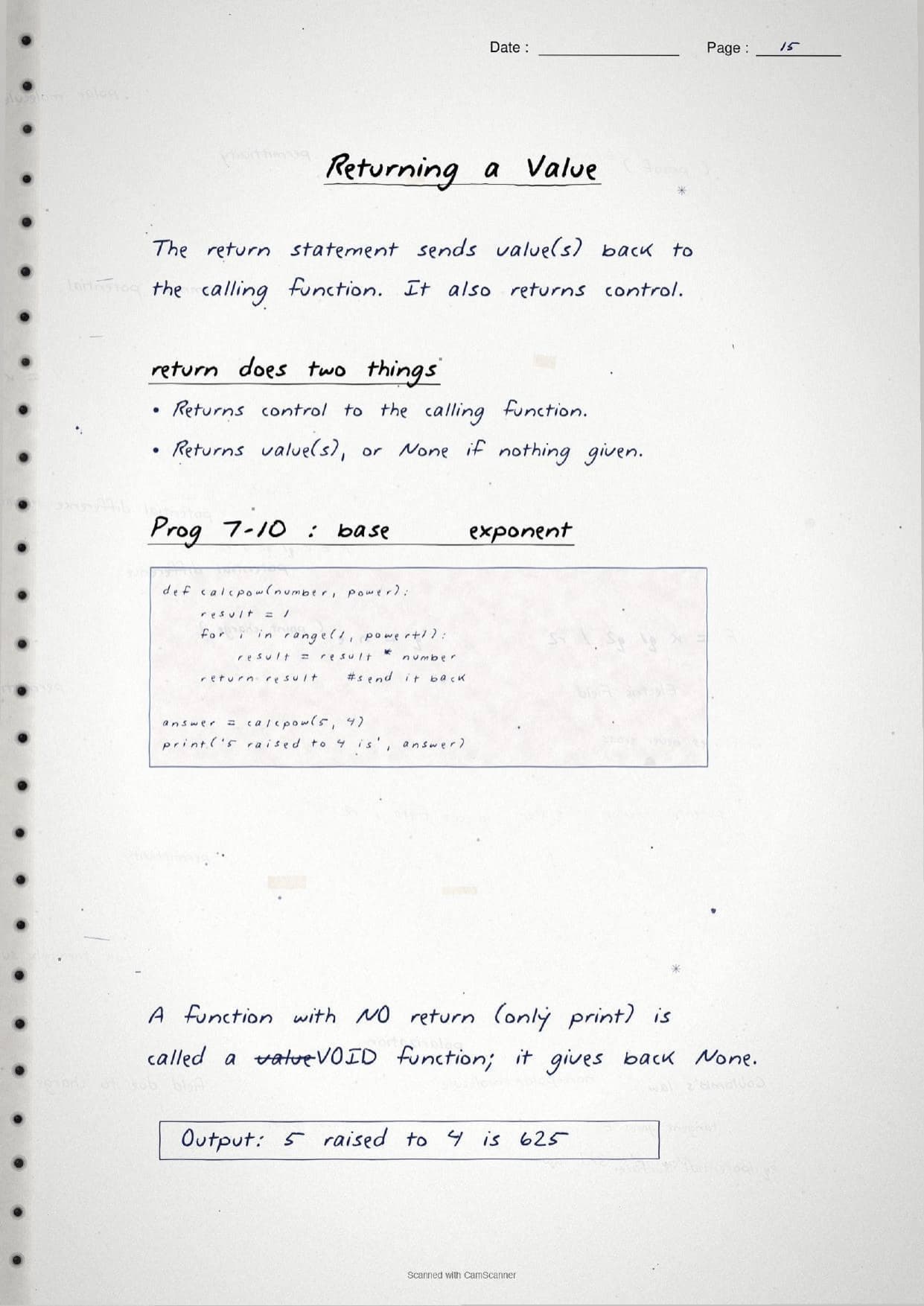
def calcpow(number, power):
    result = 1
    for i in range(1, power + 1):
        result = result * number
    return result

answer = calcpow(5, 4)     # 625
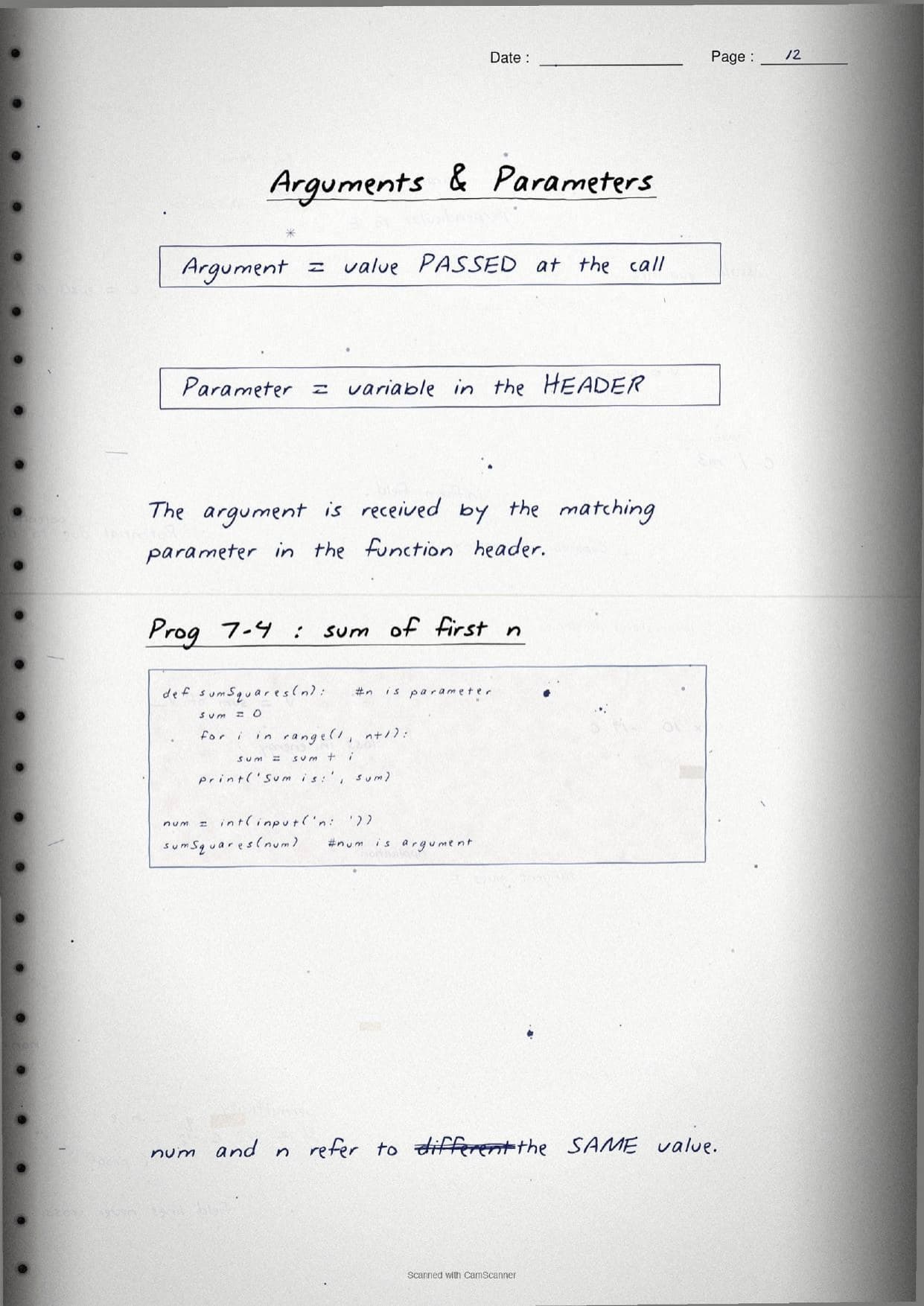
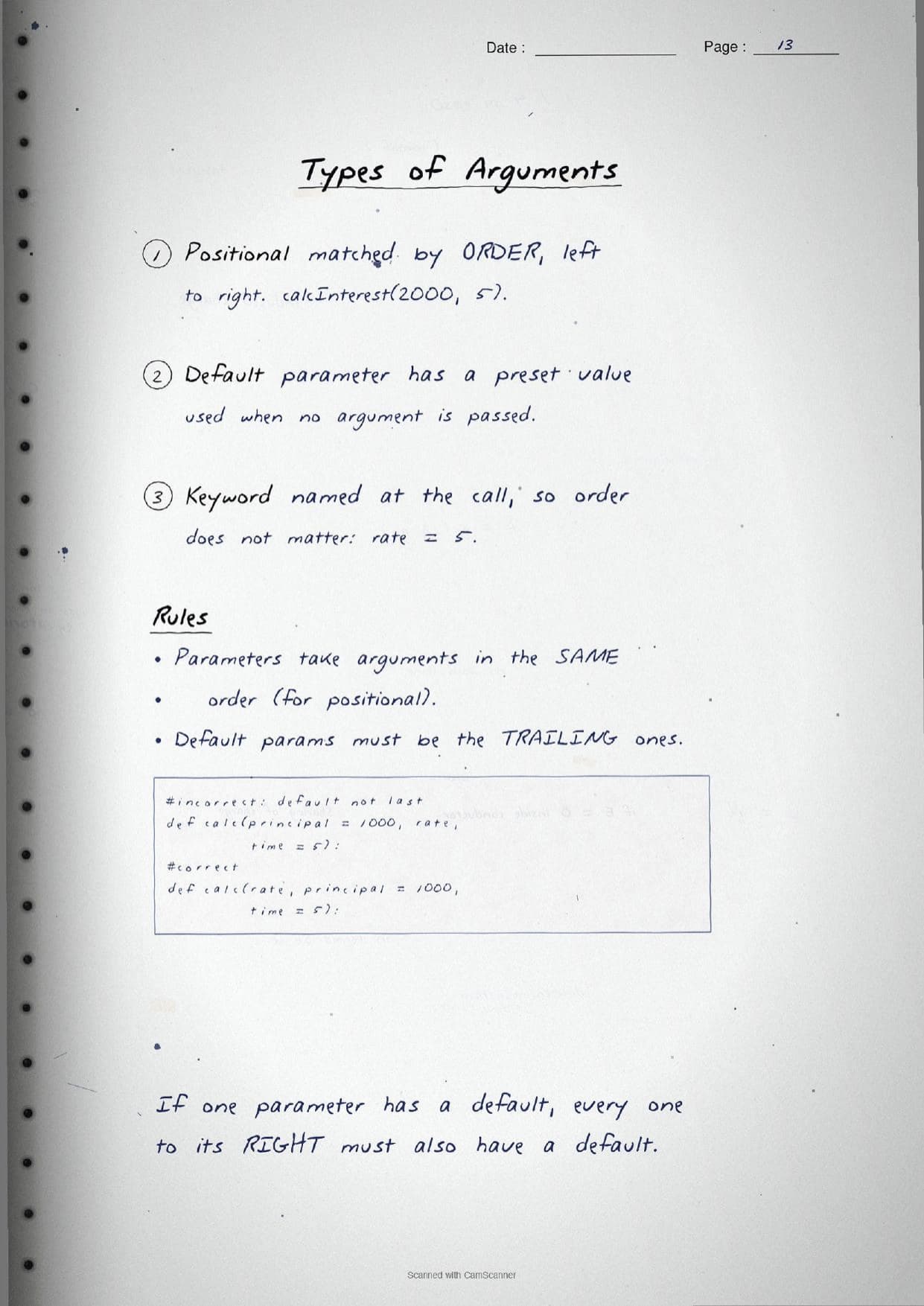
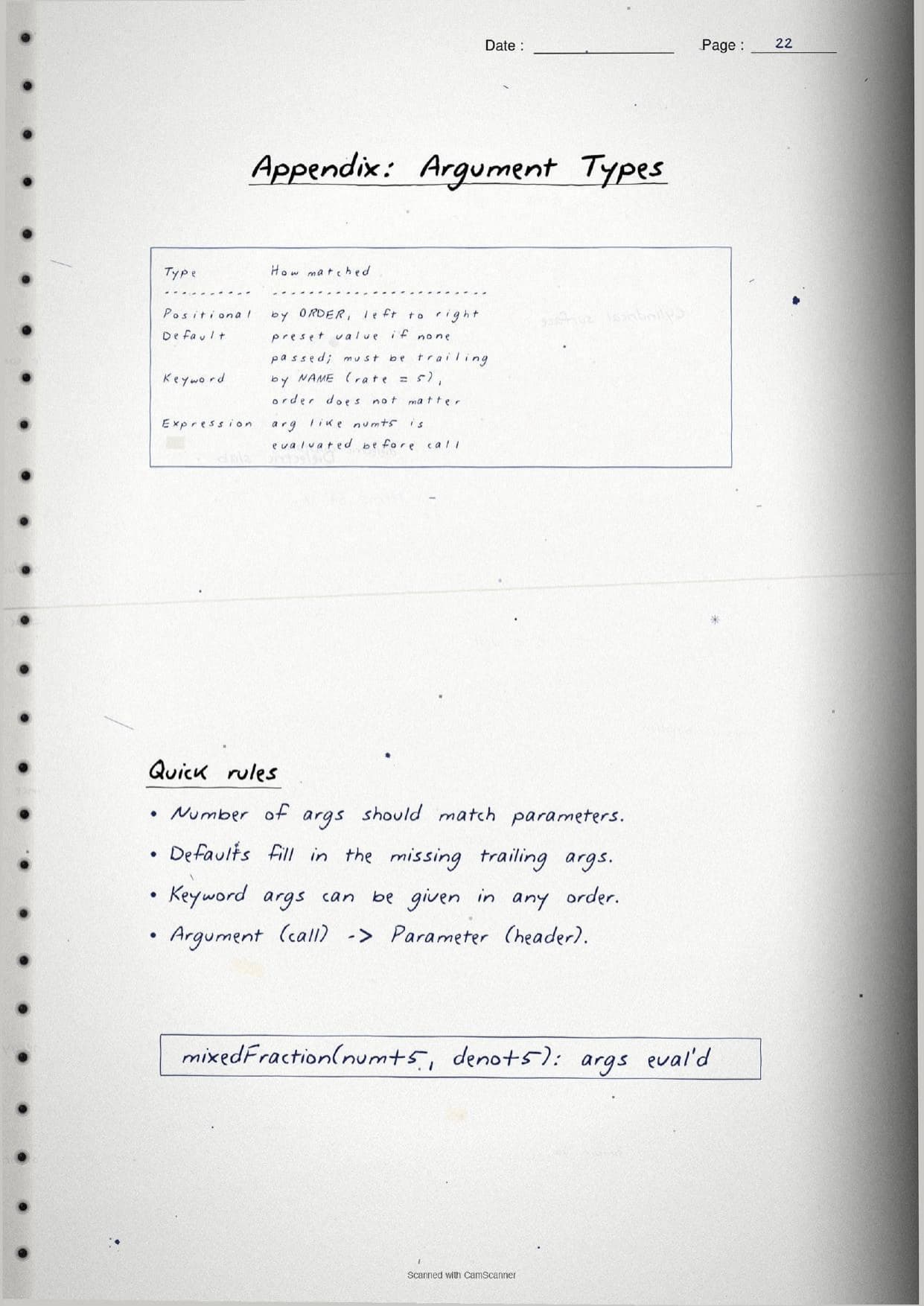
A key margin box separates two words students often swap. An argument is the value passed at the call, while a parameter is the variable named in the header that receives it. In the snippet above, 5 and 4 are arguments and number and power are parameters. The pages then cover the three argument styles, which are a favourite exam topic.
- Positional: matched by order, left to right, as in
calcInterest(2000, 5). - Default: a parameter with a preset value used when no argument is passed, as in
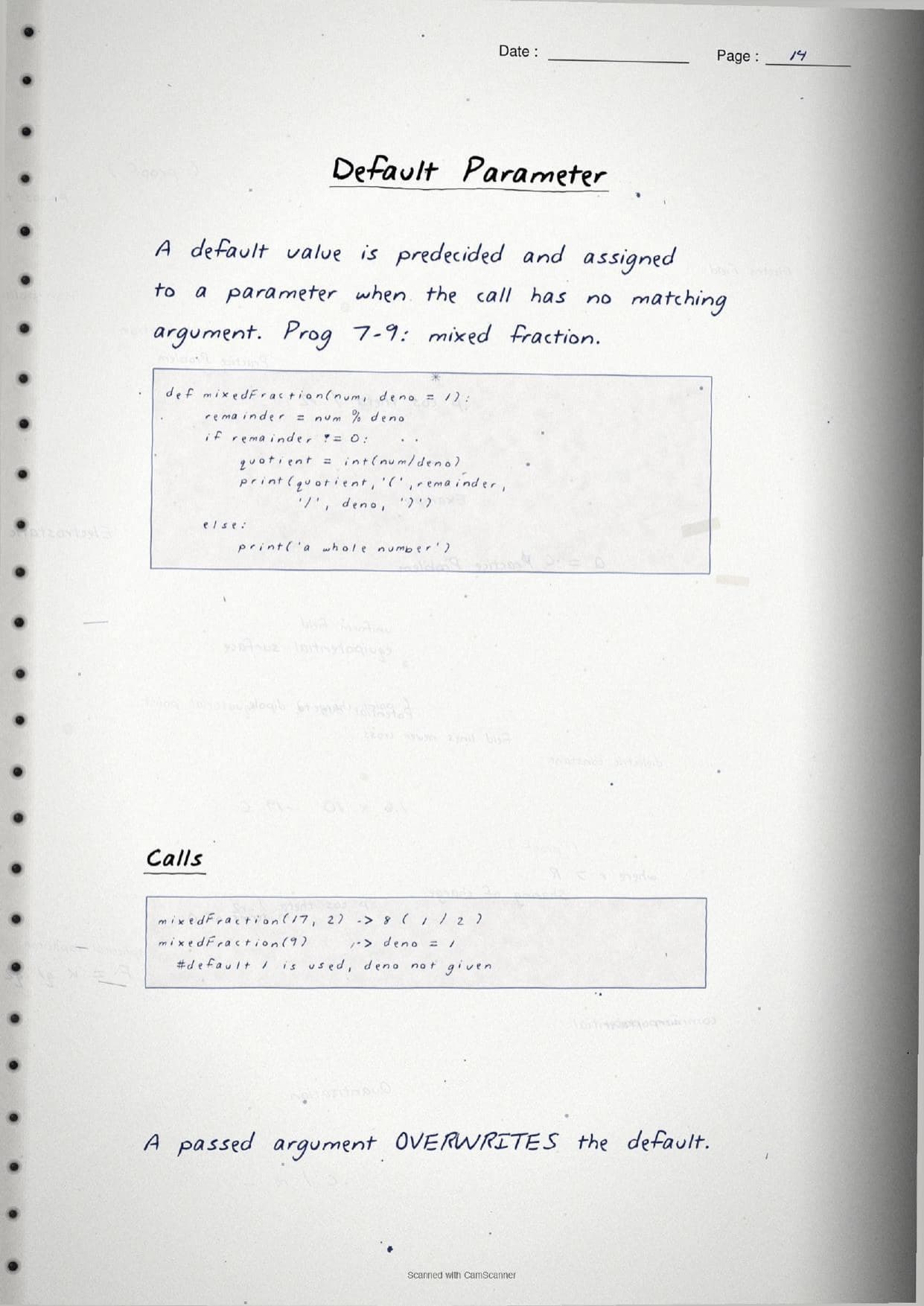
def mixedFraction(num, deno = 1). Any parameter with a default must be a trailing one, so every parameter to its right also needs a default. - Keyword: named at the call, such as
rate = 5, so the order does not matter.
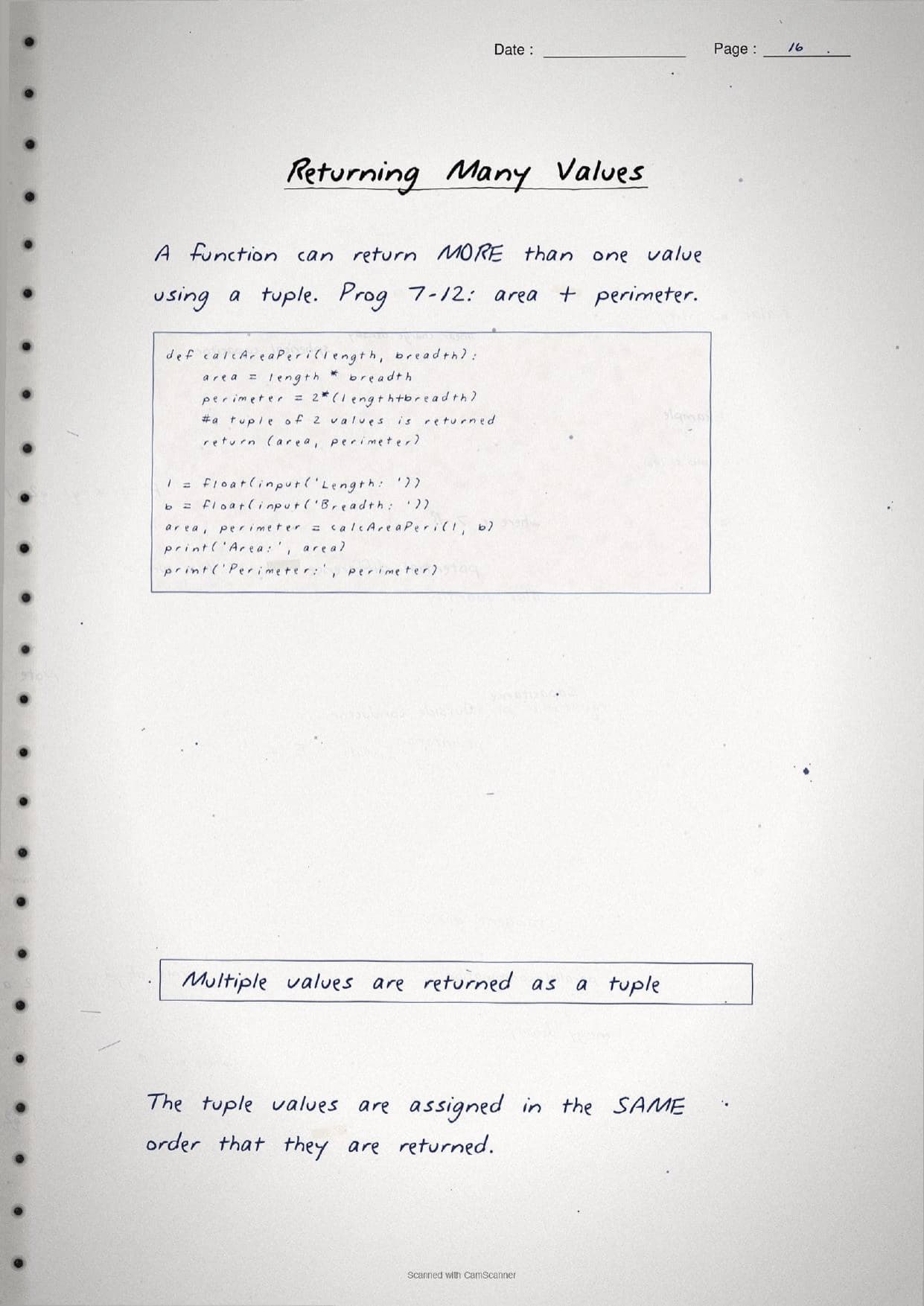
The notes then explain the return statement, which does two jobs: it sends value or values back to the caller and returns control to the calling function. A function with no return, one that only prints, is a void function and gives back None. To send back more than one result, a function returns a tuple, as in return (area, perimeter), which is then unpacked in the same order at the call.
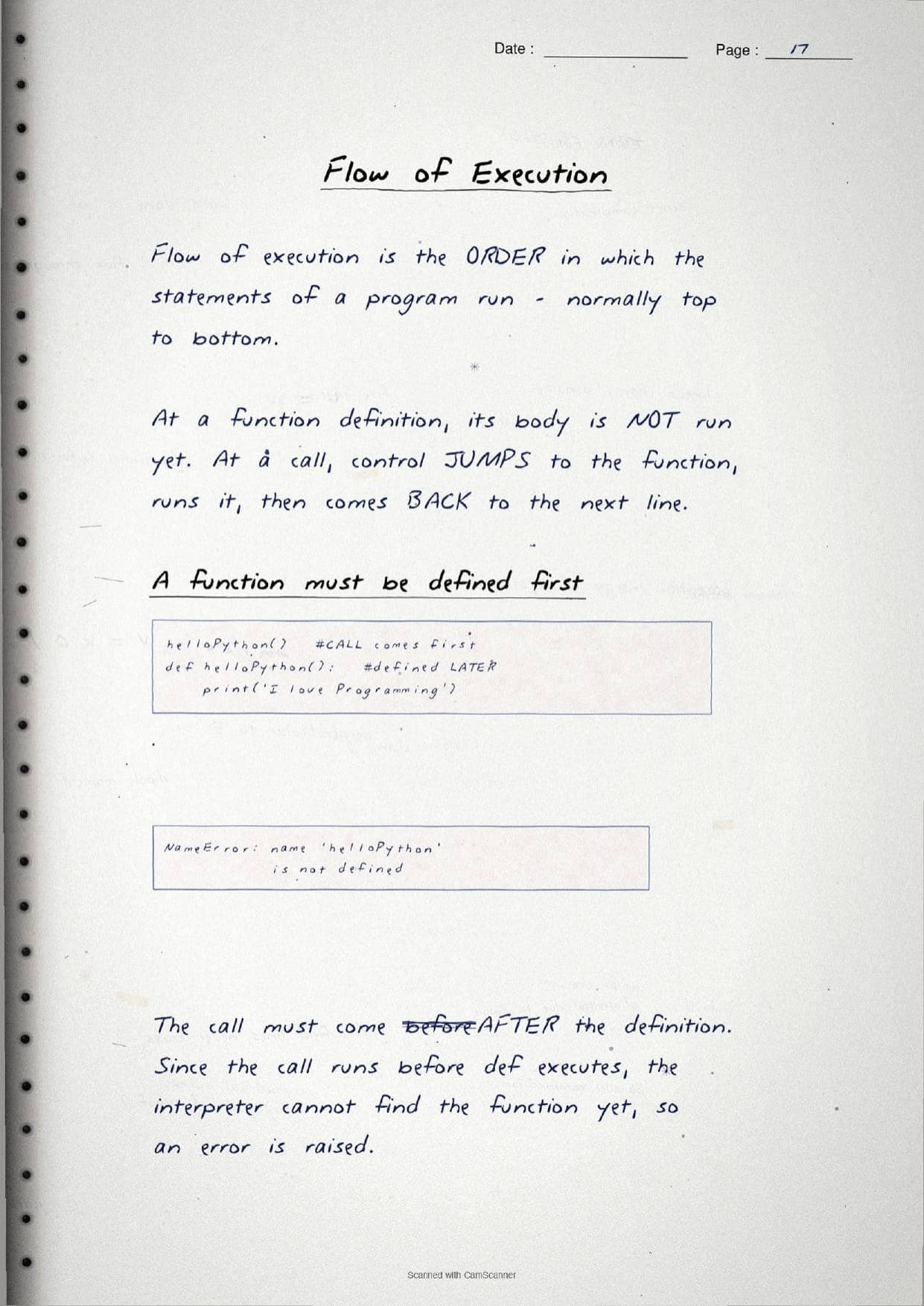
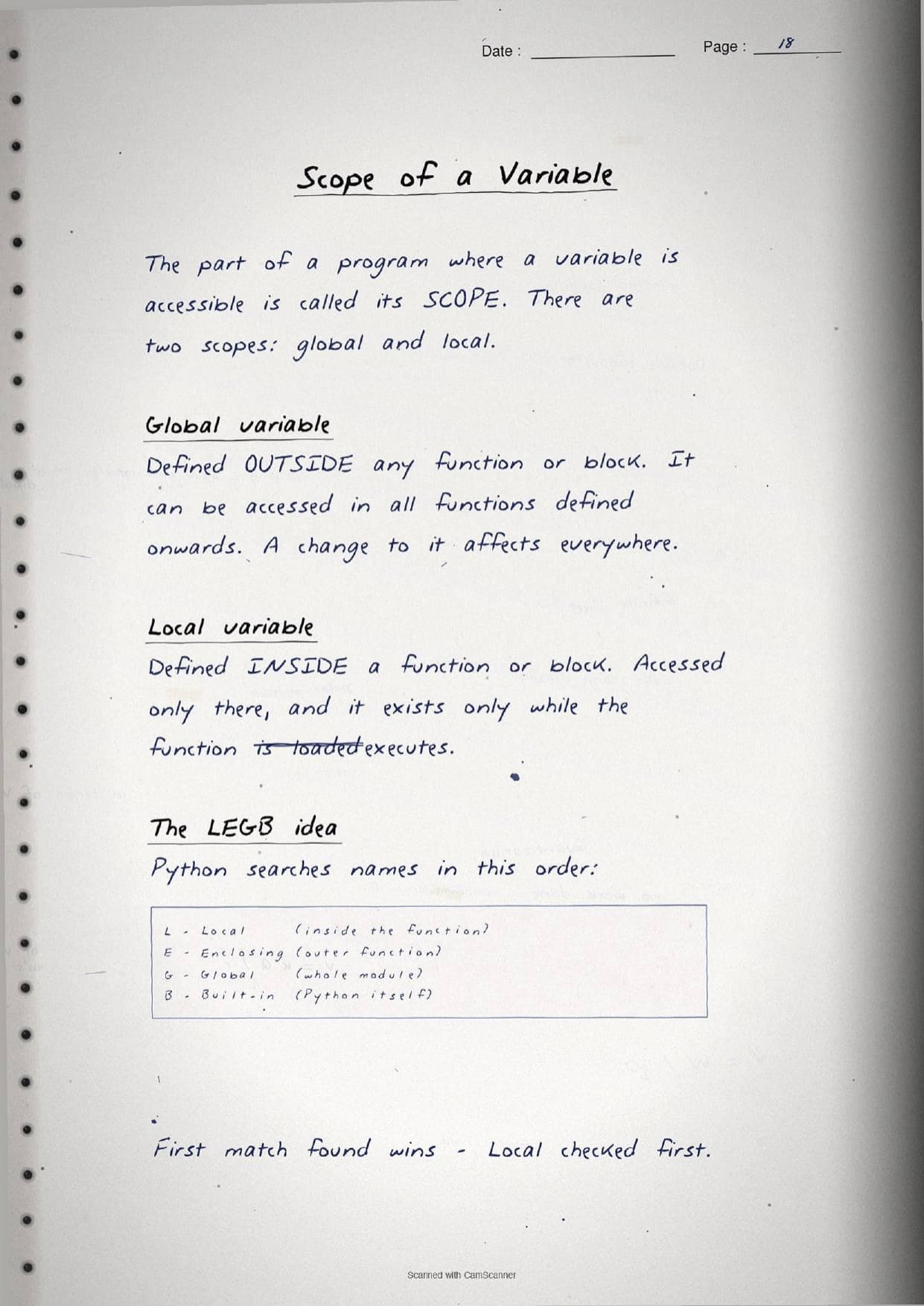
The final pages cover flow of execution and scope. Flow of execution is the order in which statements run, normally top to bottom, but a call makes control jump into the function and then come back to the next line. This is why a function must be defined before it is called, or Python raises a NameError. Scope is the region where a variable is visible. A global variable is defined outside any function and can be read everywhere, while a local variable lives inside a function and dies when the function ends. The notes box the LEGB rule for how Python searches a name.
| Letter | Scope searched |
|---|---|
| L Local | Names inside the current function, checked first. |
| E Enclosing | Names in an outer, enclosing function. |
| G Global | Names at the top level of the module. |
| B Built-in | Names Python itself provides, checked last. |
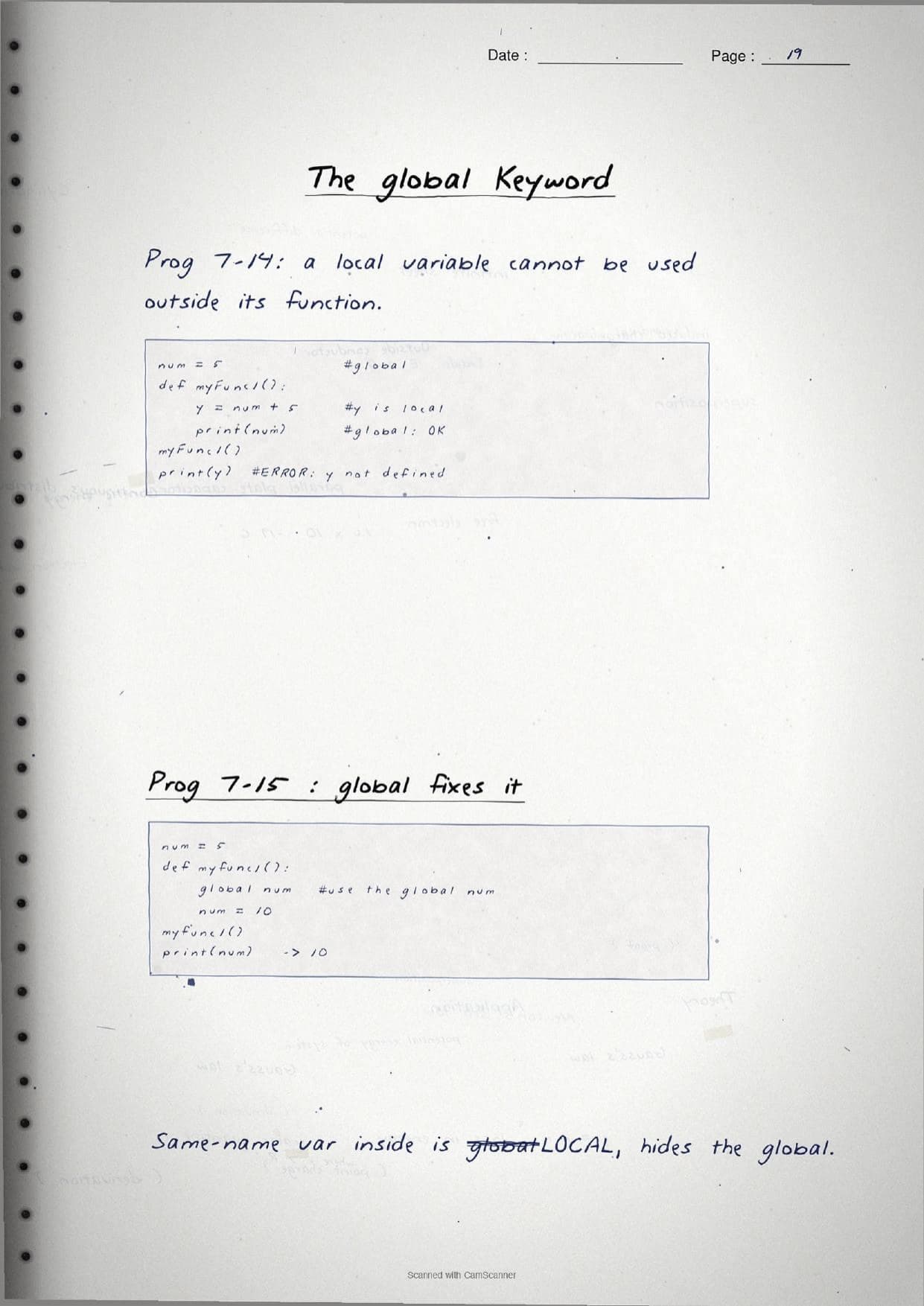
The pages close with the global keyword, which lets a function change a global variable from inside. A quick worked box shows that without global, an assignment inside a function creates a new local name that hides the global one.
How to Use These Handwritten Notes
Handwritten notes work best as a final-revision tool, not a first read. The steps below show how to get the most out of the Functions handwritten notes in the last days before a Class 11 Computer Science test.
- Download: tap the download card above to save the handwritten pages to your device.
- First read: read the printed Notes and try each program once, so the handwritten pages act as a refresher, not a first source.
- Recall drill: cover the page and try to write the
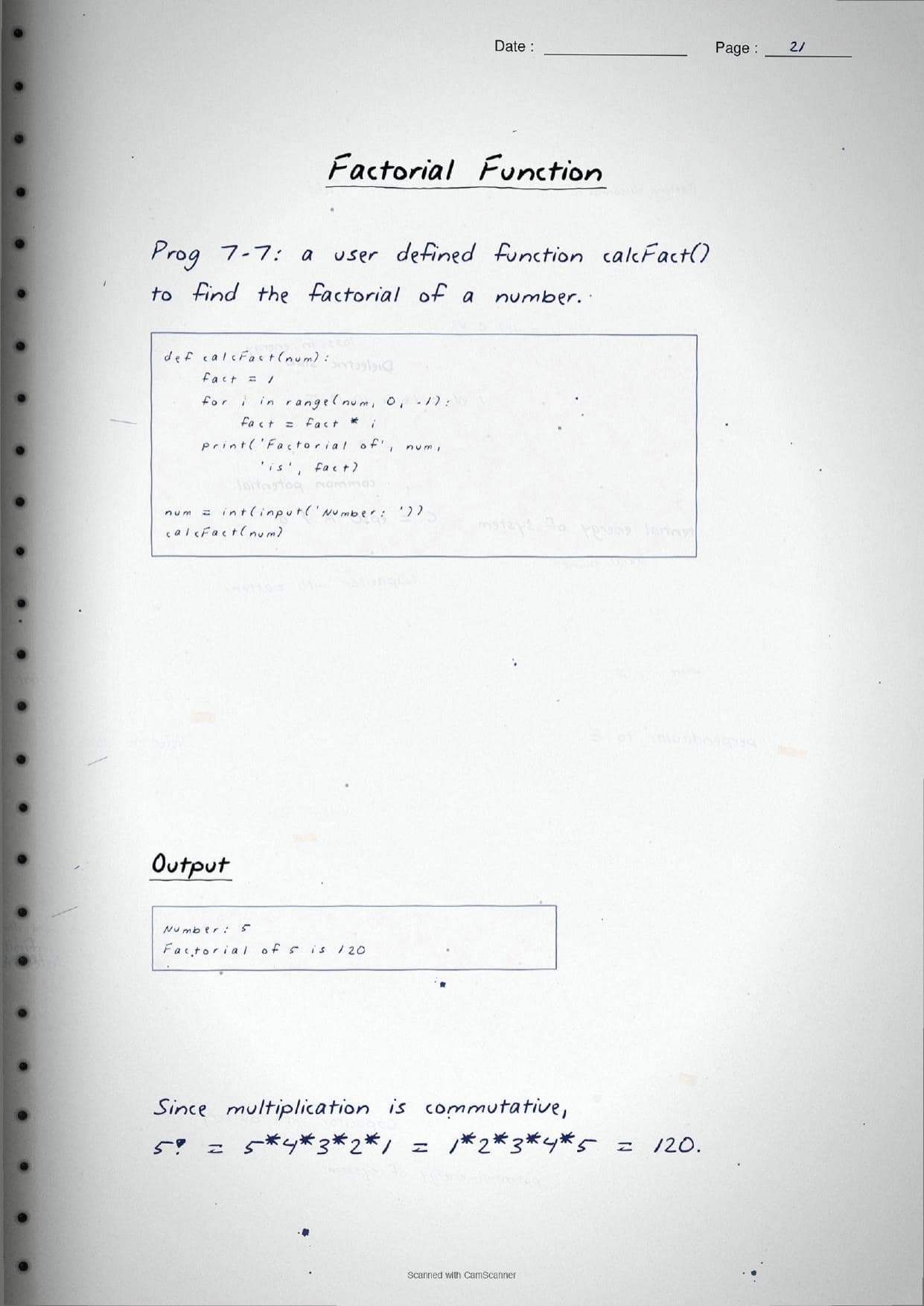
defsyntax, the three argument types and the LEGB order from memory. - Trace by hand: pick one boxed program, such as the factorial or the area-and-perimeter function, and dry-run it line by line to confirm the output.
Many students search for class 11 computer science chapter 7 notes on their phone the night before a test, so a saved set of handwritten pages means you can revise offline. Use the handwritten notes for speed, then check the solutions to confirm you have the output and the answer points right.
Common Mistakes These Notes Help You Avoid
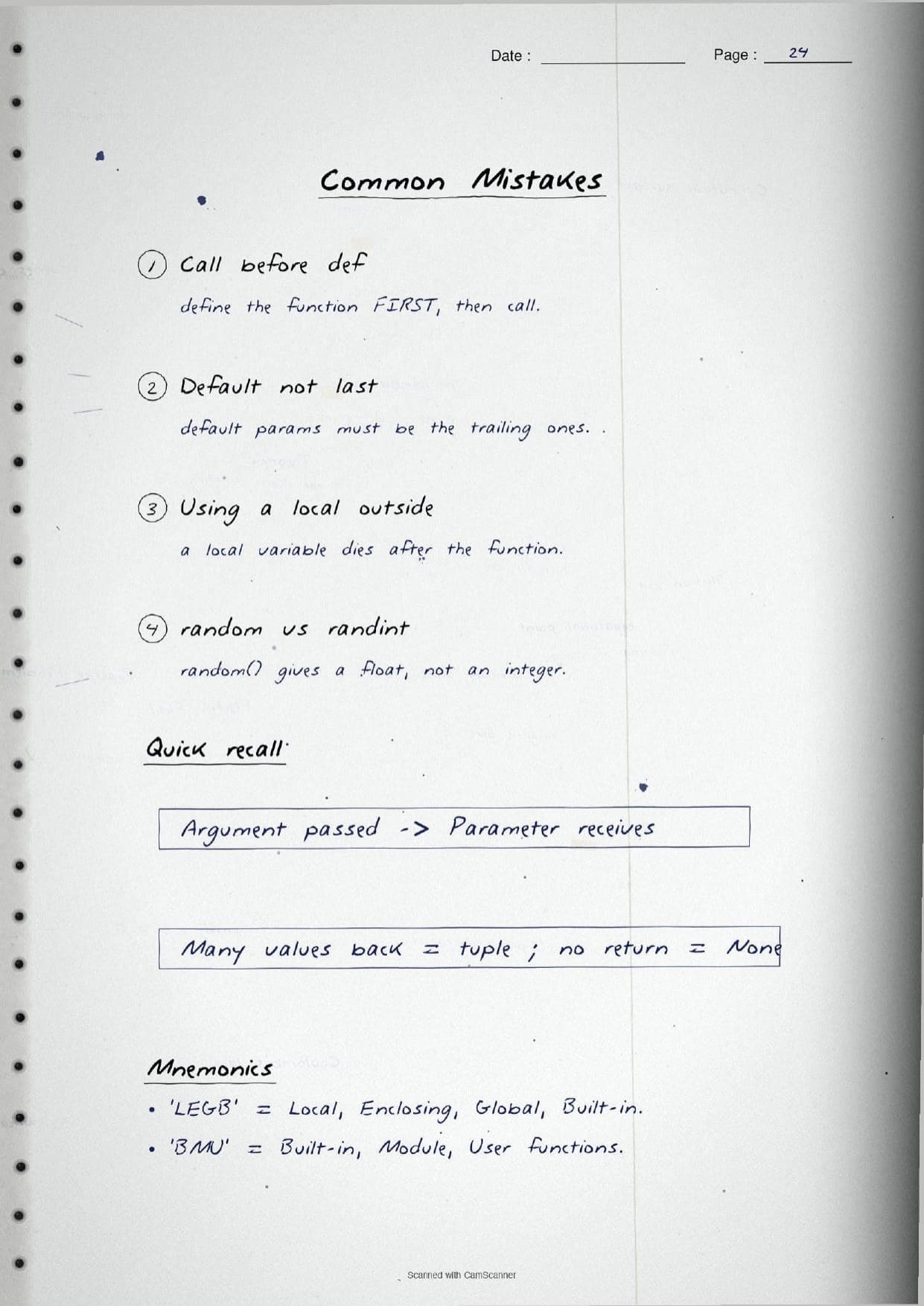
A few errors cost marks every year. The handwritten notes flag each one in the margin so you can fix it before the exam. These five are the most common in the Functions chapter.
- Calling a function before it is defined. Always write the
defblock first, then call it, or Python raises aNameError. - Putting a default parameter before a normal one. Default parameters must be the trailing ones in the header.
- Swapping the two words. The argument is passed at the call; the parameter receives it in the header.
- Using a local variable outside its function. A local name dies when the function ends and cannot be read outside.
- Mixing up the random functions.
random.random()gives a float from 0.0 to 1.0, whilerandom.randint(1,5)gives an integer.
Students who fix these five points usually move from average to high marks. The handwritten notes box the def syntax and label every argument type in full, so the soft points are hard to miss when you revise.
How These Handwritten Notes Pair with the Solutions and Book PDF
These handwritten notes are a fast revision tool. To prepare fully, students should use them alongside the other resources for the same chapter, all linked in the table below. Read the printed Notes, test yourself with the solutions, then use these pages for a final recall.
| Resource | Best used for |
|---|---|
| Functions NCERT Solutions | Step-by-step answers to all exercise and program questions |
| Functions Class 11 Notes | Quick chapter summary with all function types and syntax in one place |
| Functions NCERT Book PDF | Reading the original NCERT chapter text and worked programs |
Tip: read the printed Notes first, run the programs once, then keep these handwritten pages for the final night-before flip. Using them for recall, not for the first read, builds memory faster.
All Class 11 Computer Science Handwritten Notes by Chapter
The table links the handwritten notes for every chapter in Class 11 Computer Science, so students can move across the course in one click. Functions is highlighted.
| Chapter | Handwritten Notes |
|---|---|
| Chapter 1 | Computer System |
| Chapter 2 | Encoding Schemes and Number System |
| Chapter 3 | Emerging Trends |
| Chapter 4 | Introduction to Problem Solving |
| Chapter 5 | Getting Started with Python |
| Chapter 6 | Flow of Control |
| Chapter 7 | Functions |
| Chapter 8 | Strings |
| Chapter 9 | Lists |
| Chapter 10 | Tuples and Dictionaries |
| Chapter 11 | Societal Impact |
FAQs on Functions Handwritten Notes
Functions Class 11 Computer Science Handwritten Notes Common Questions
Ques. Where can I download the Functions handwritten notes PDF?
Ans. You can download the Functions Class 11 Computer Science handwritten notes PDF directly from this page. It is free, follows the 2026-27 NCERT syllabus, and presents the function types, the math, random and statistics modules, the def syntax, argument types and variable scope as handwritten pages.
Ques. What is the difference between an argument and a parameter?
Ans. An argument is the value passed to a function at the point of the call, while a parameter is the variable named in the function header that receives that value. For example, in calcpow(5, 4) the numbers 5 and 4 are arguments, and number and power in the header are parameters. The handwritten notes box both terms side by side.
Ques. What topics do these handwritten notes cover?
Ans. They cover why functions are used, modular programming, the three function types of built-in, module and user defined, the math, random and statistics modules, defining with def and calling, parameters versus arguments, positional, default and keyword arguments, the return statement, returning many values as a tuple, flow of execution, and local versus global scope with the LEGB rule.
Ques. Are handwritten notes good for revising Class 11 Computer Science Chapter 7?
Ans. Yes. Handwritten notes are best for fast, last-minute revision because the boxed syntax and the hand-drawn LEGB diagram make the rules easy to skim. Use them after a first read of the printed Notes and after running the programs once, not as your only source.
Ques. What are the three types of functions in Python?
Ans. Python has built-in functions that are always available such as print() and len(), module functions grouped inside a module that must be imported first such as math.sqrt(), and user defined functions written by the programmer with def. The handwritten notes use the memory aid BMU, for Built-in, Module and User defined.



Comments