




CUET PG Computer Basics Handwritten Notes, free to download as a 20-page PDF. The topic is worth about 6 to 10 marks and takes roughly one day to learn, so treat it as a single focused sitting.
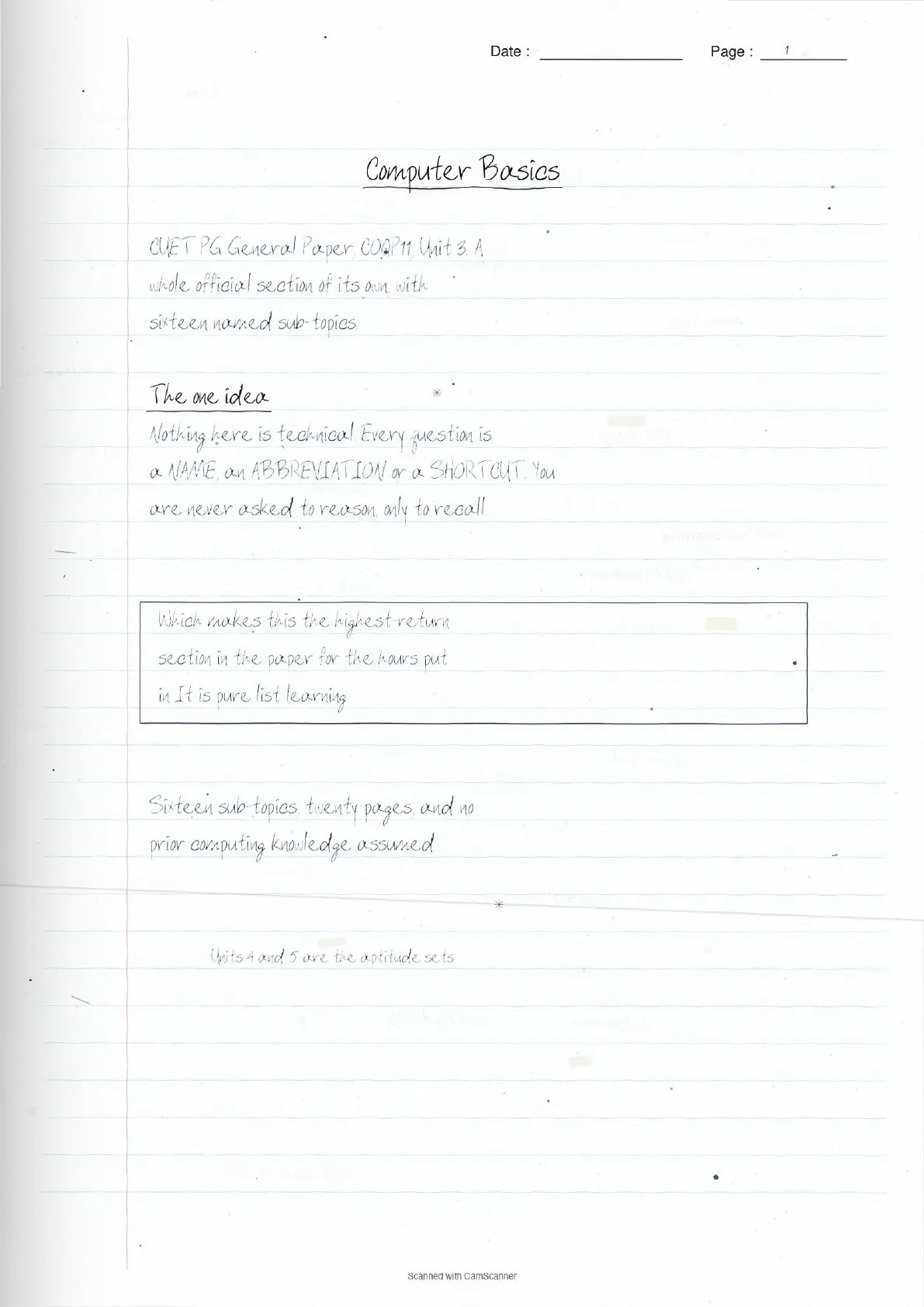
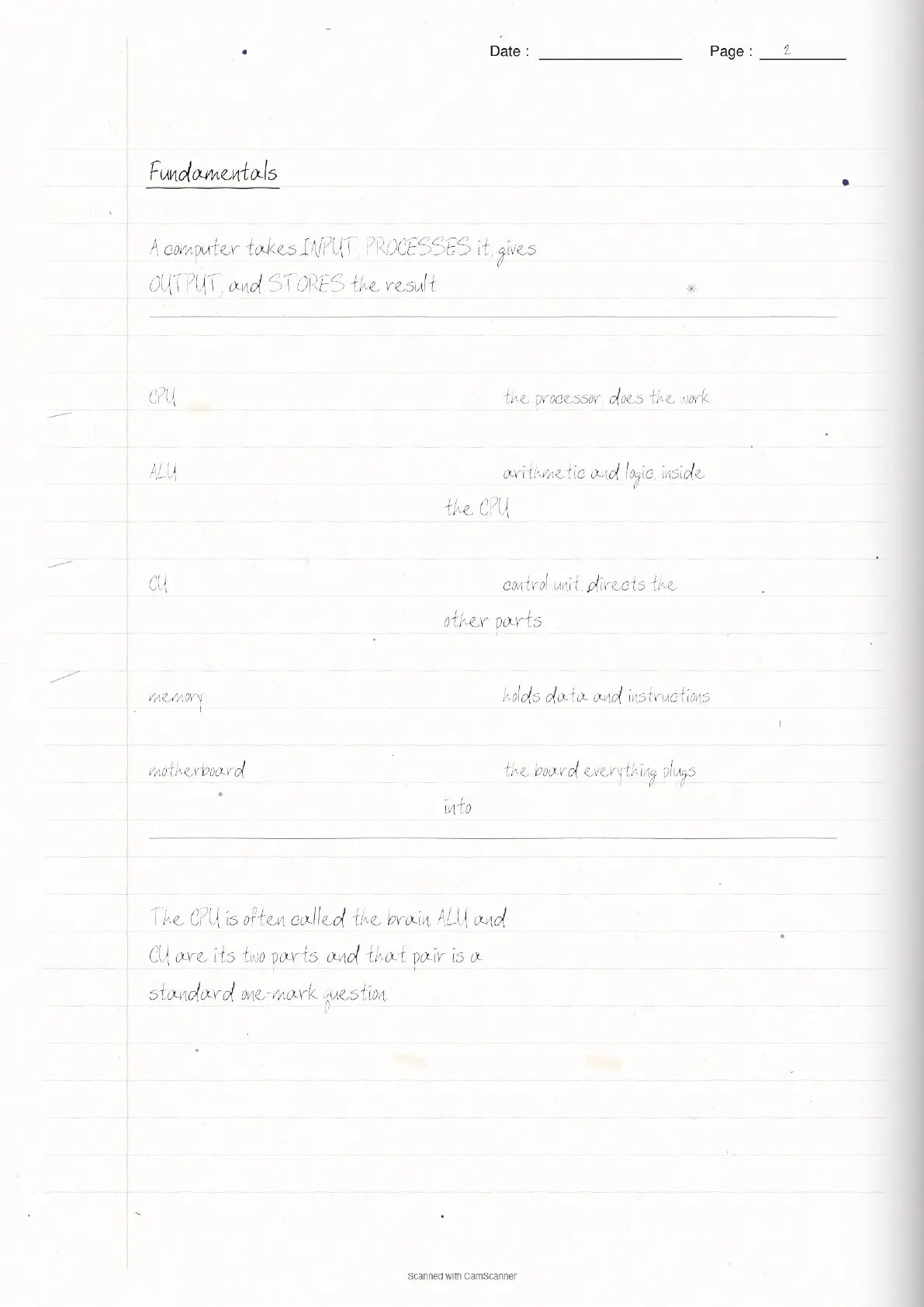
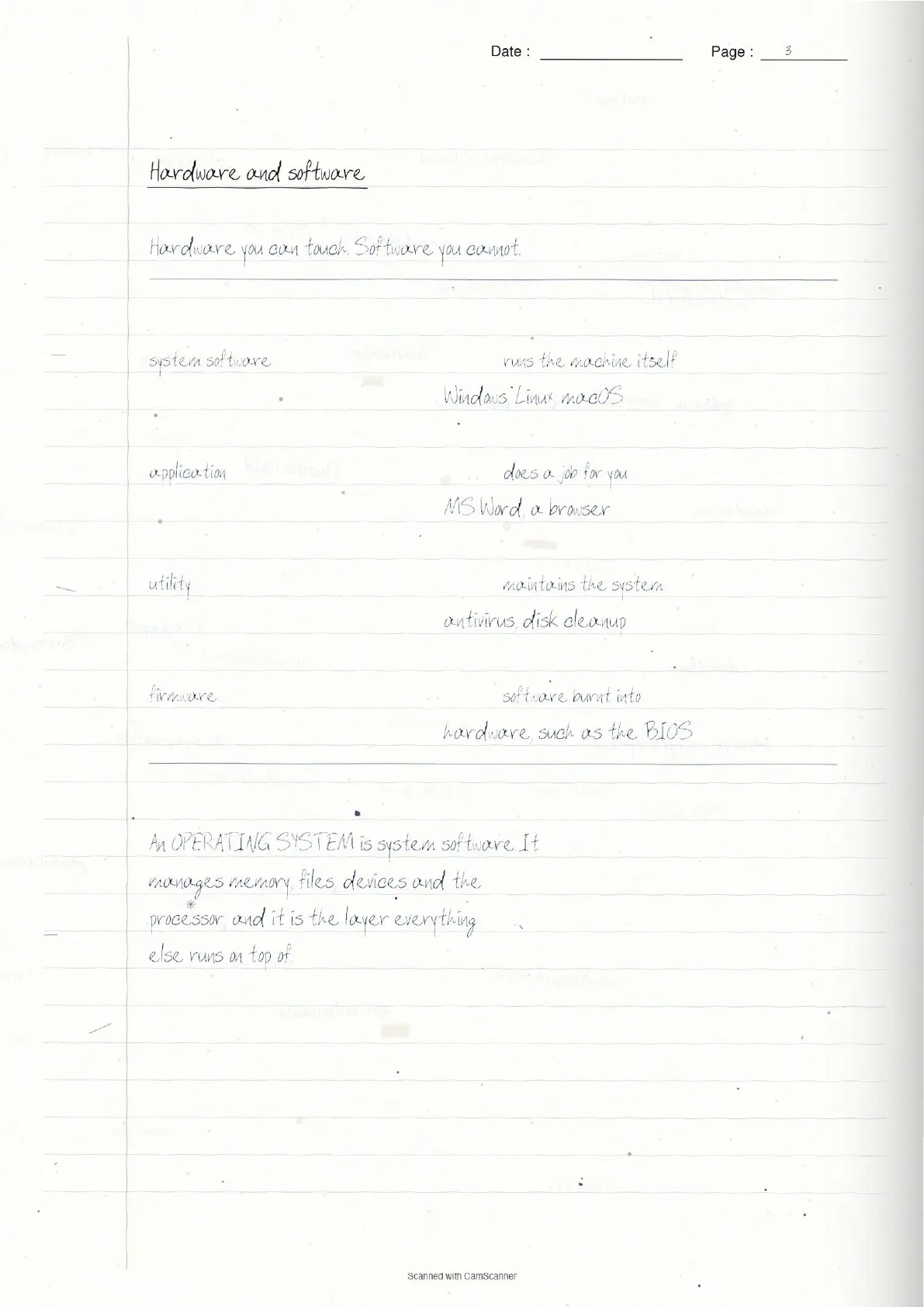
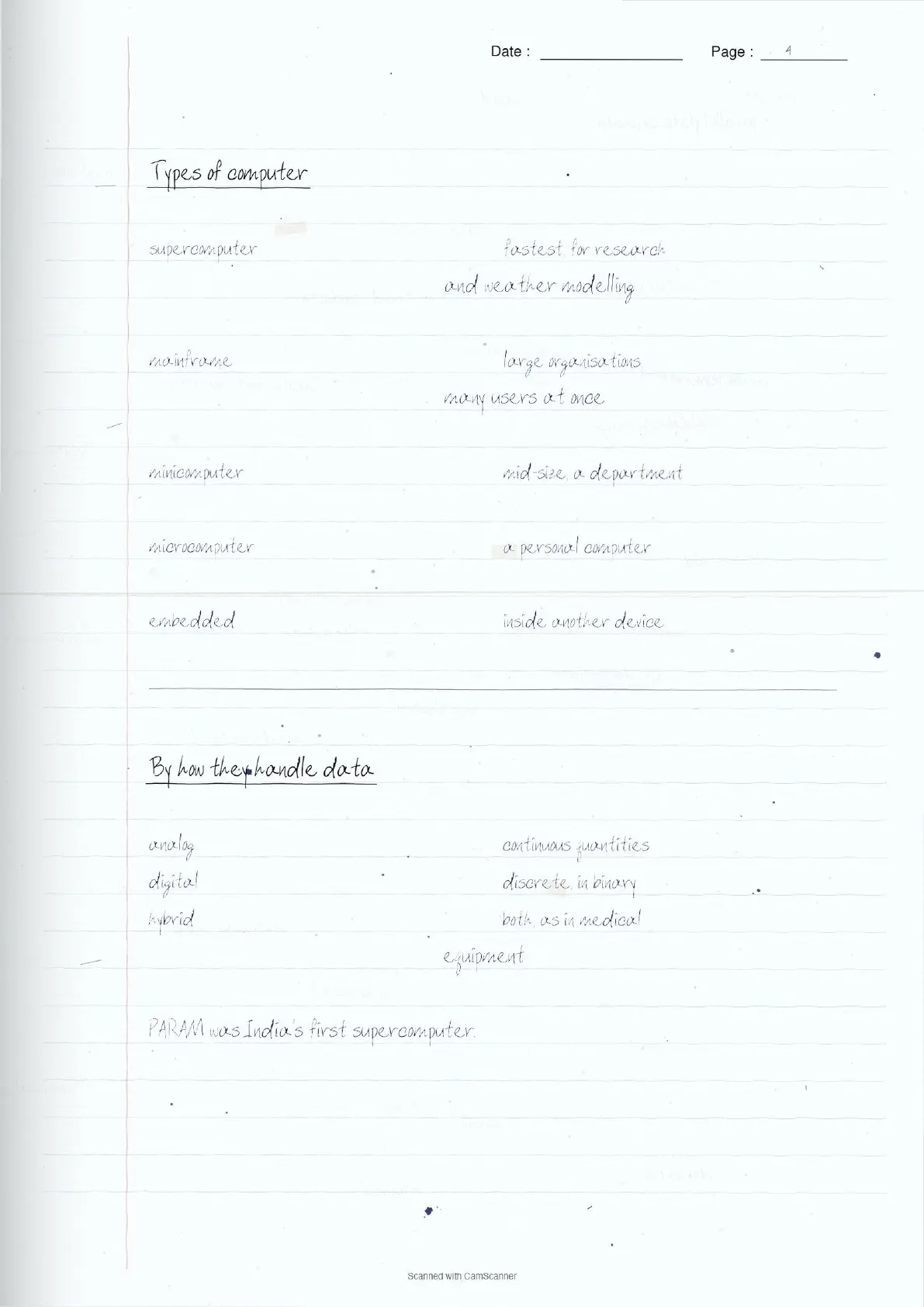
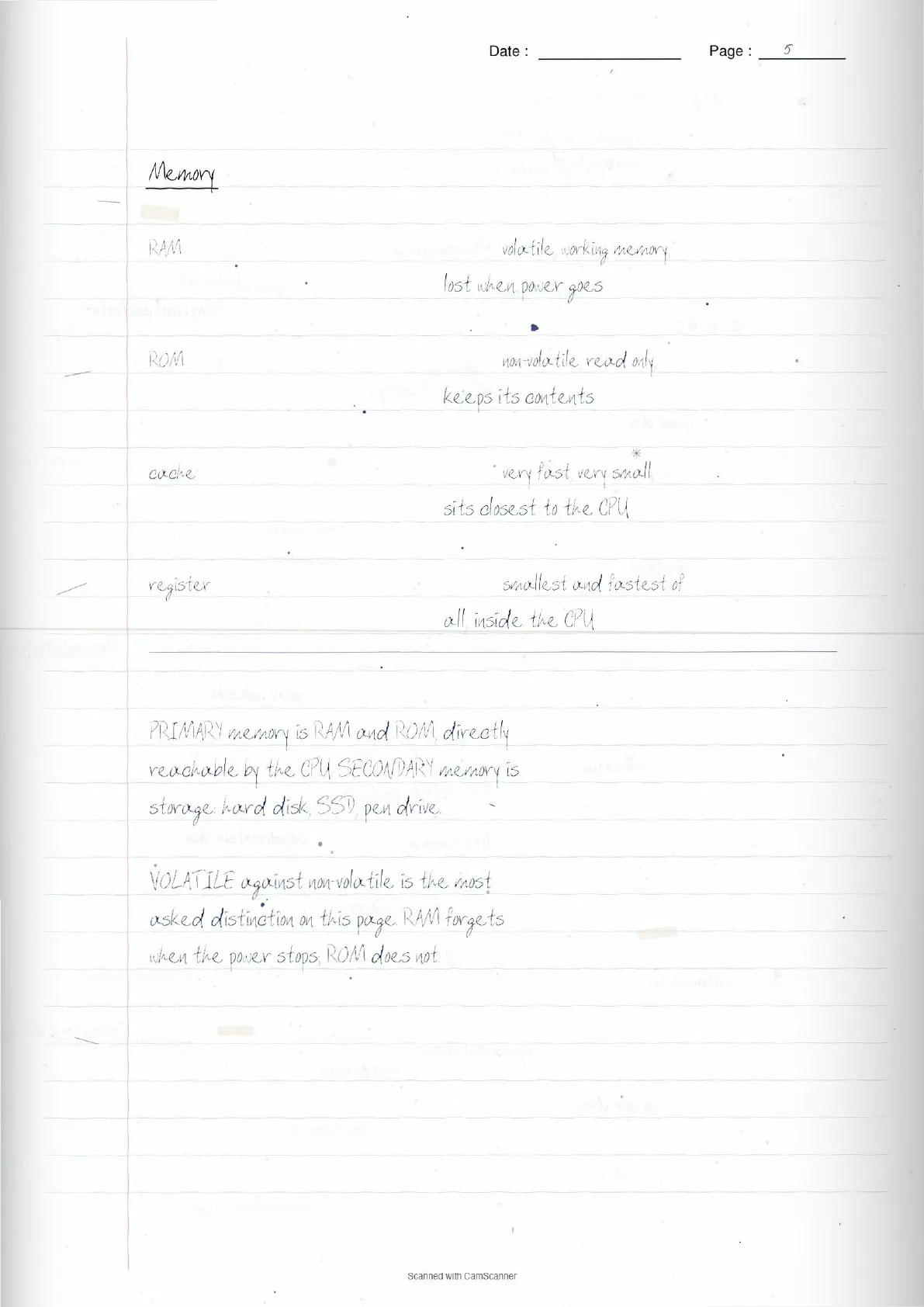
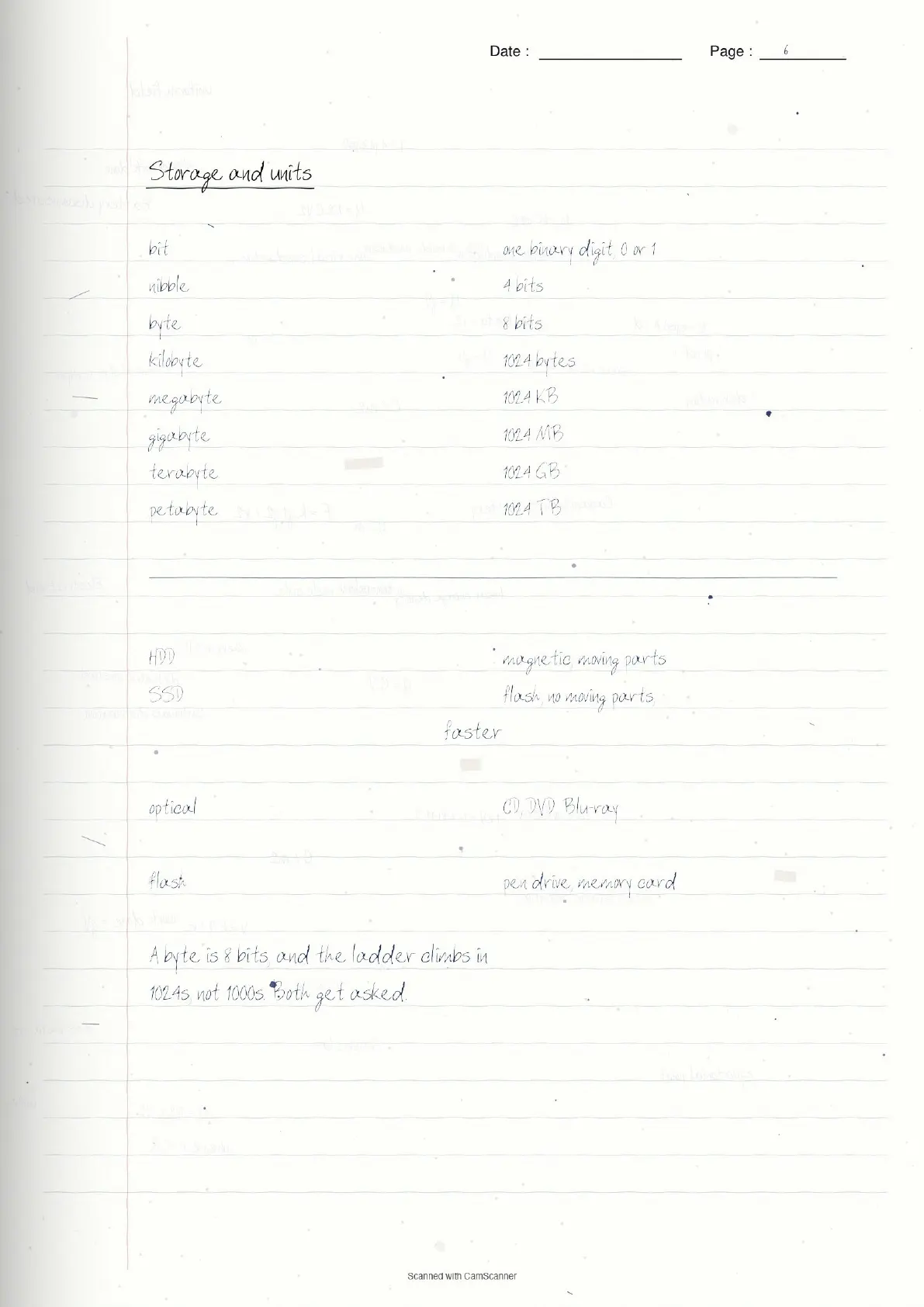
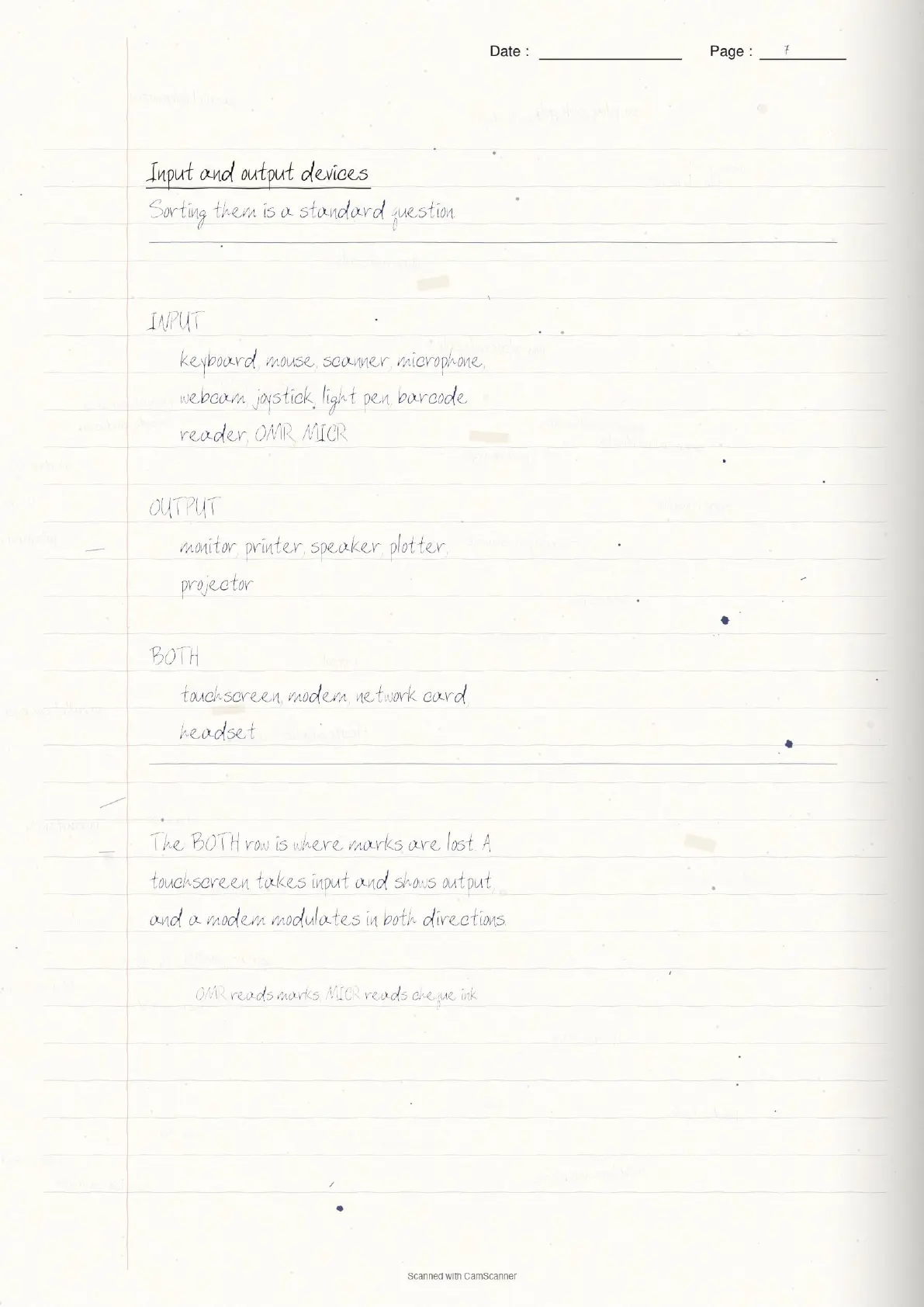
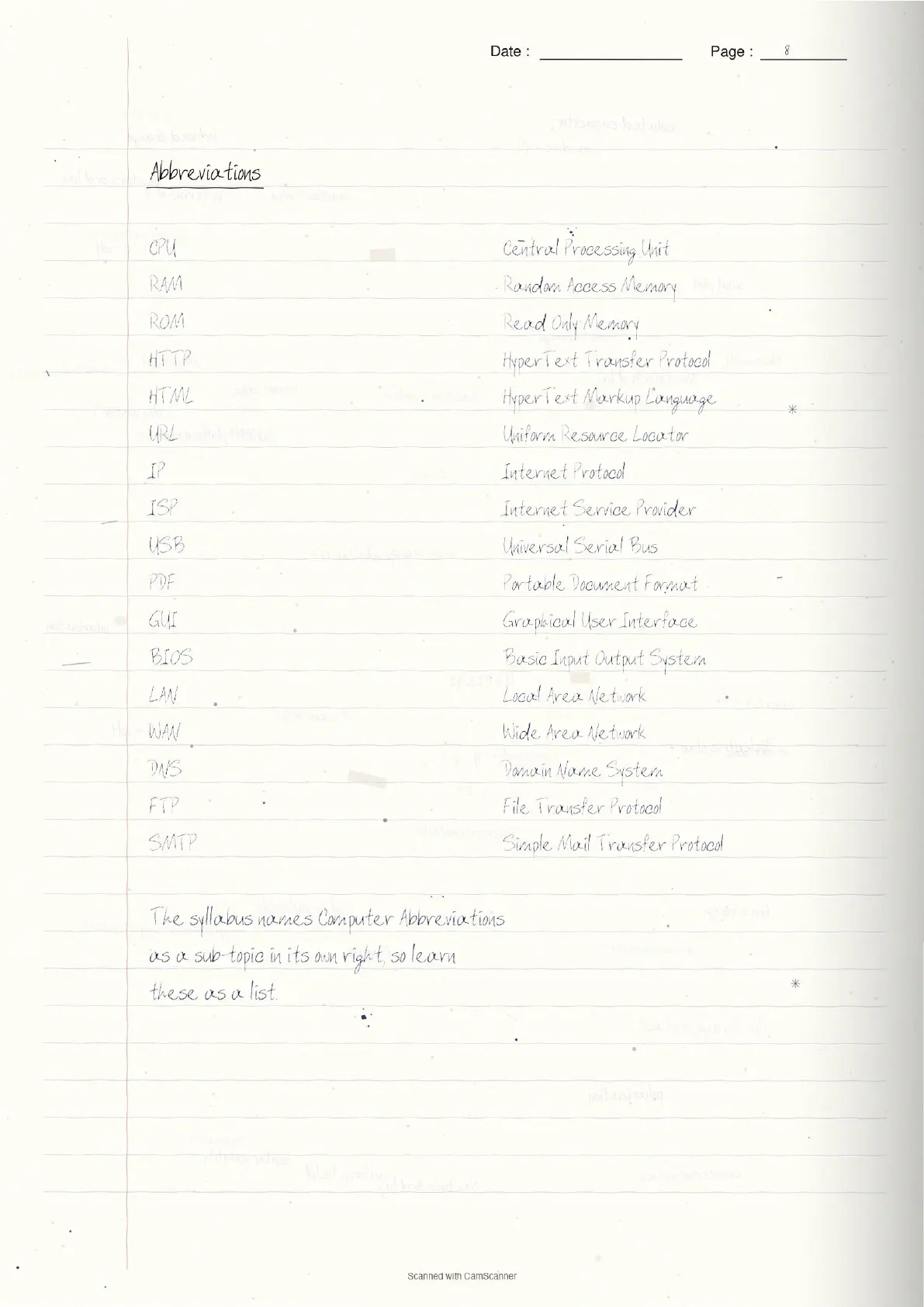
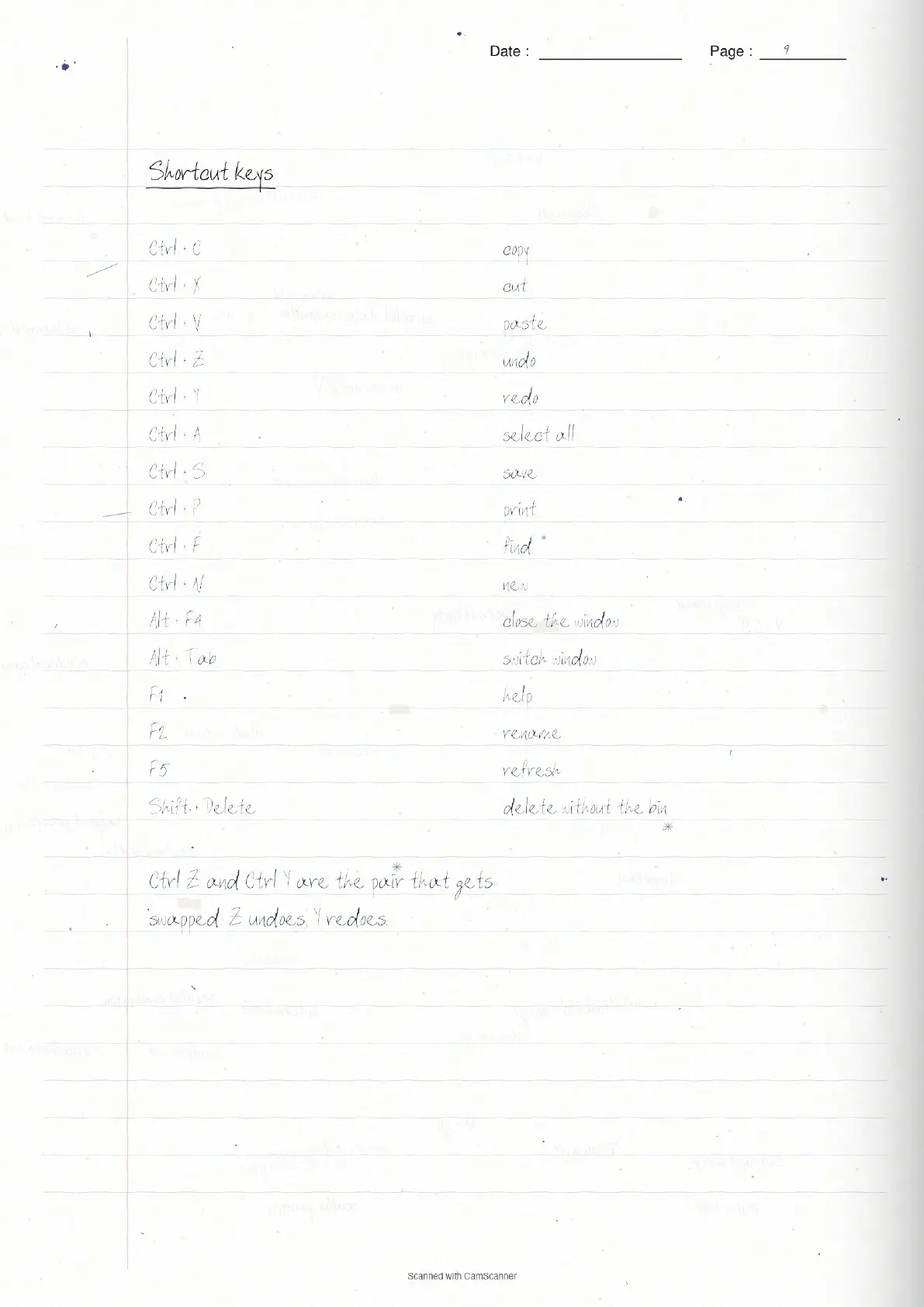
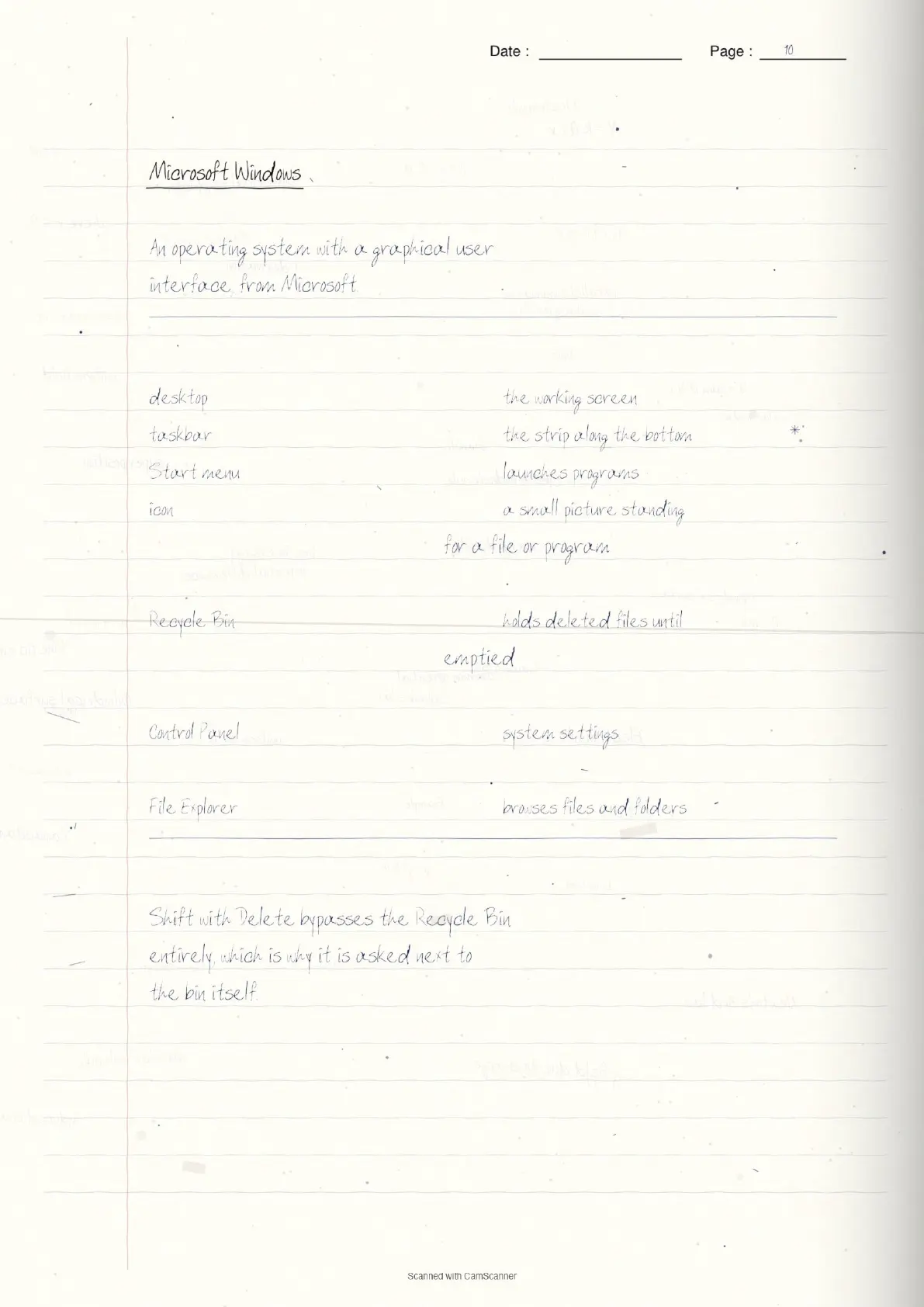
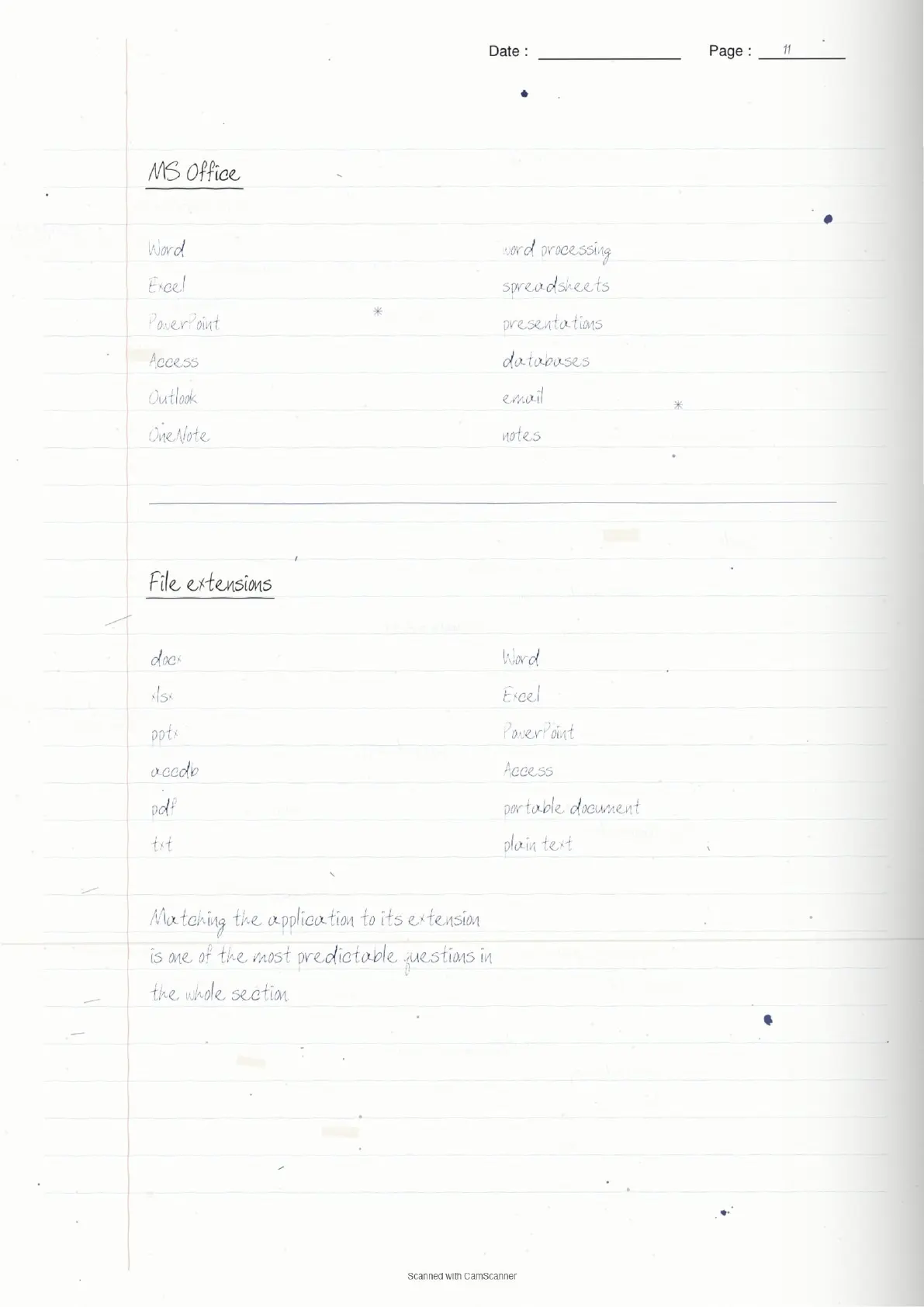
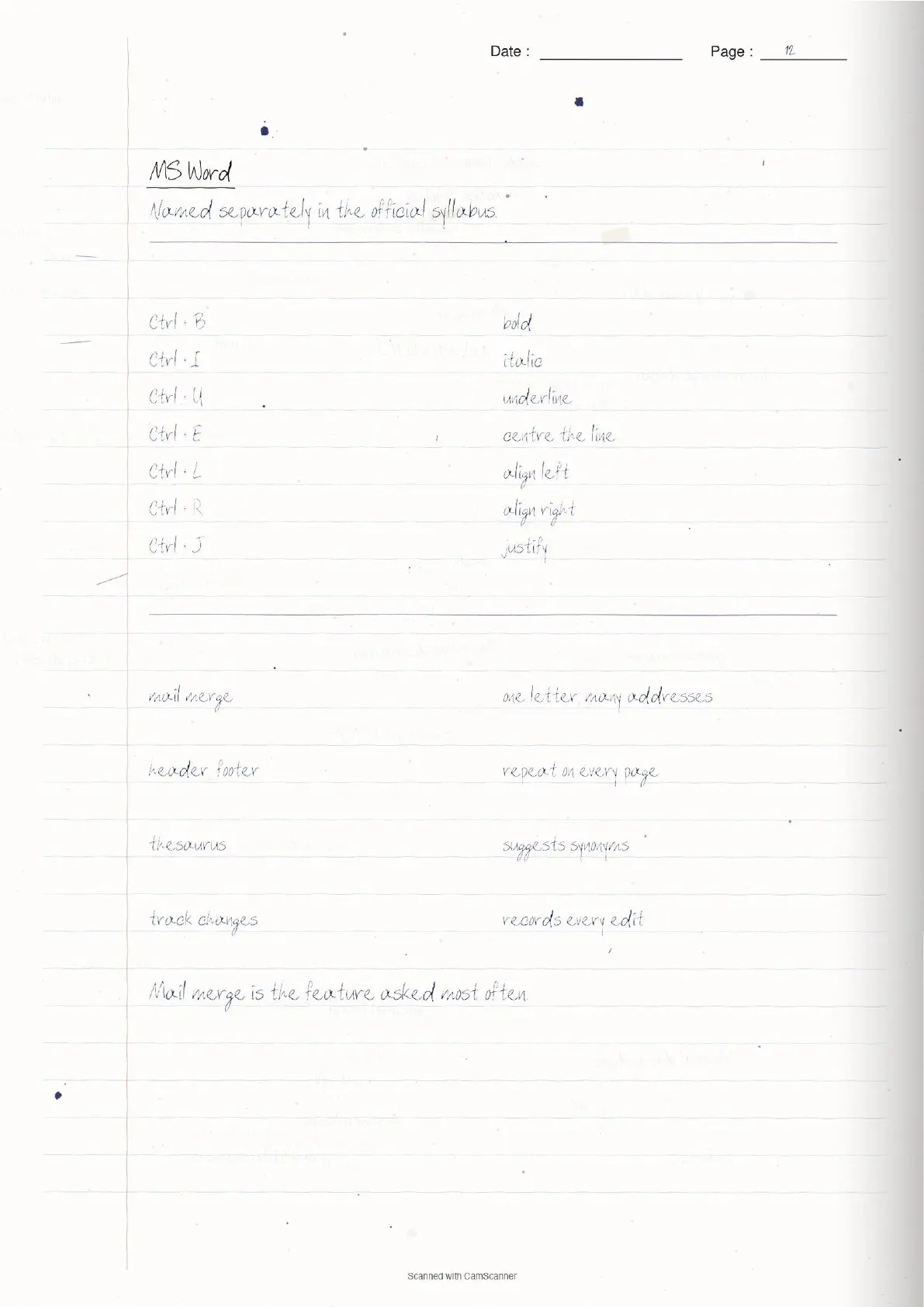
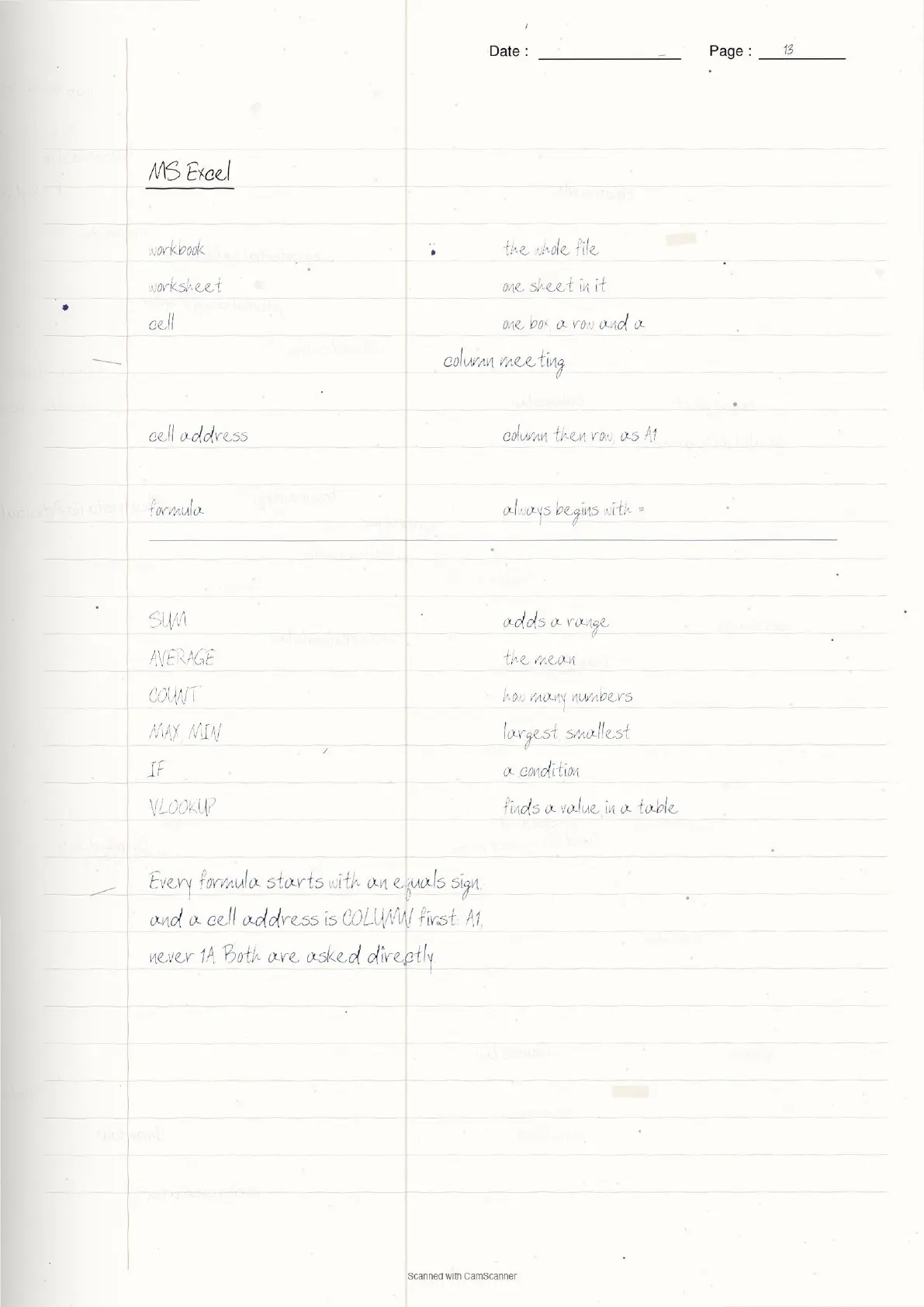
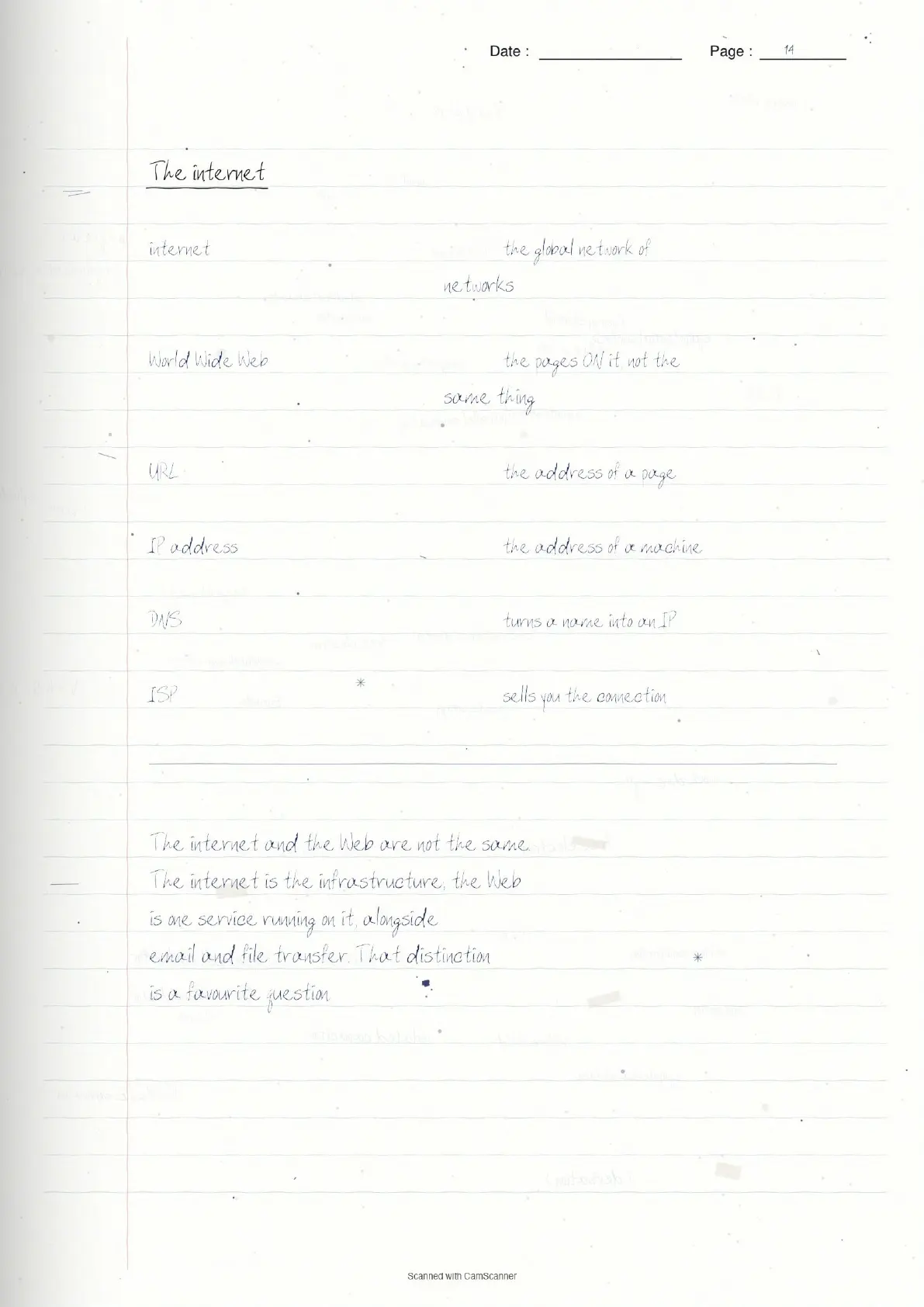
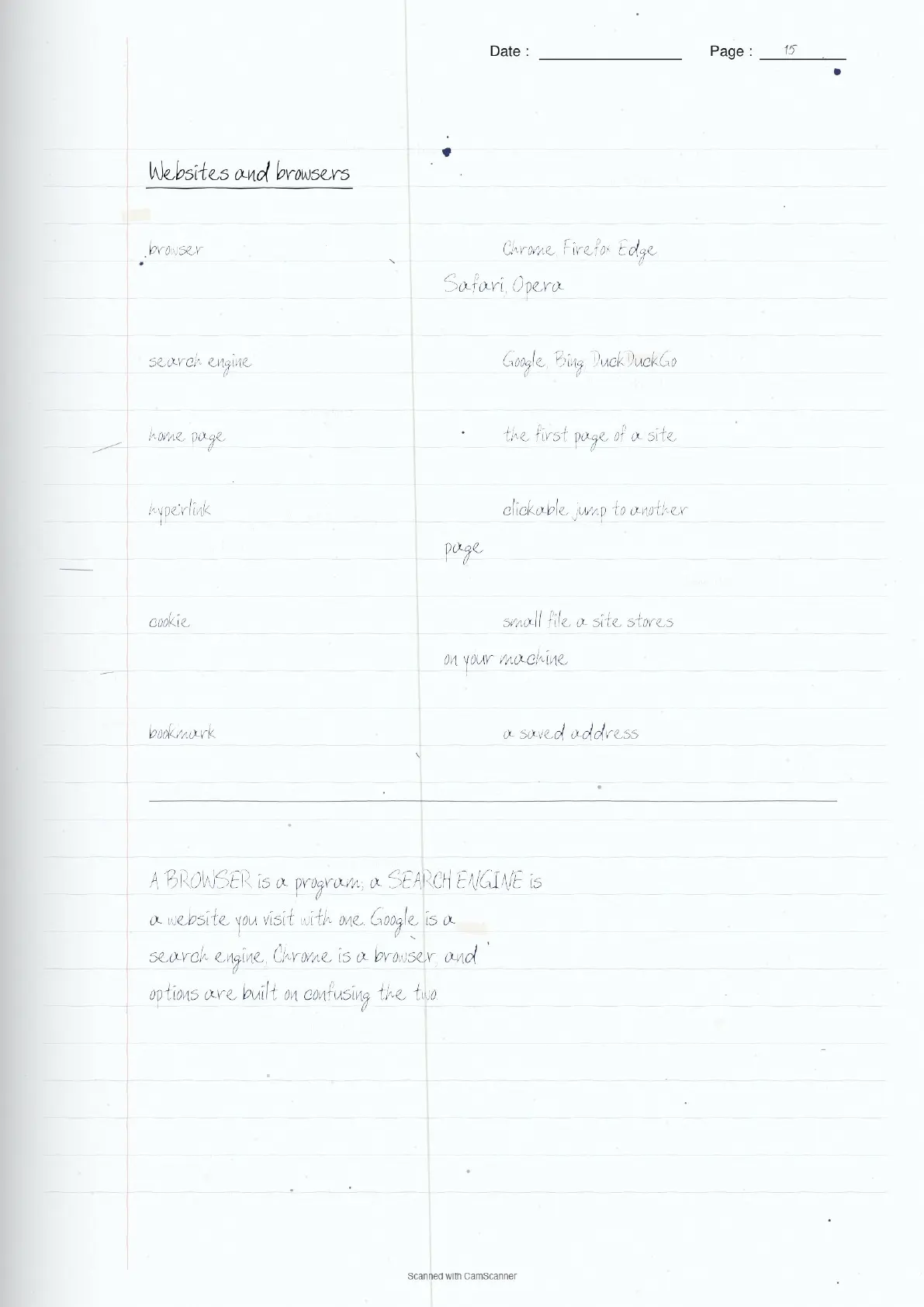
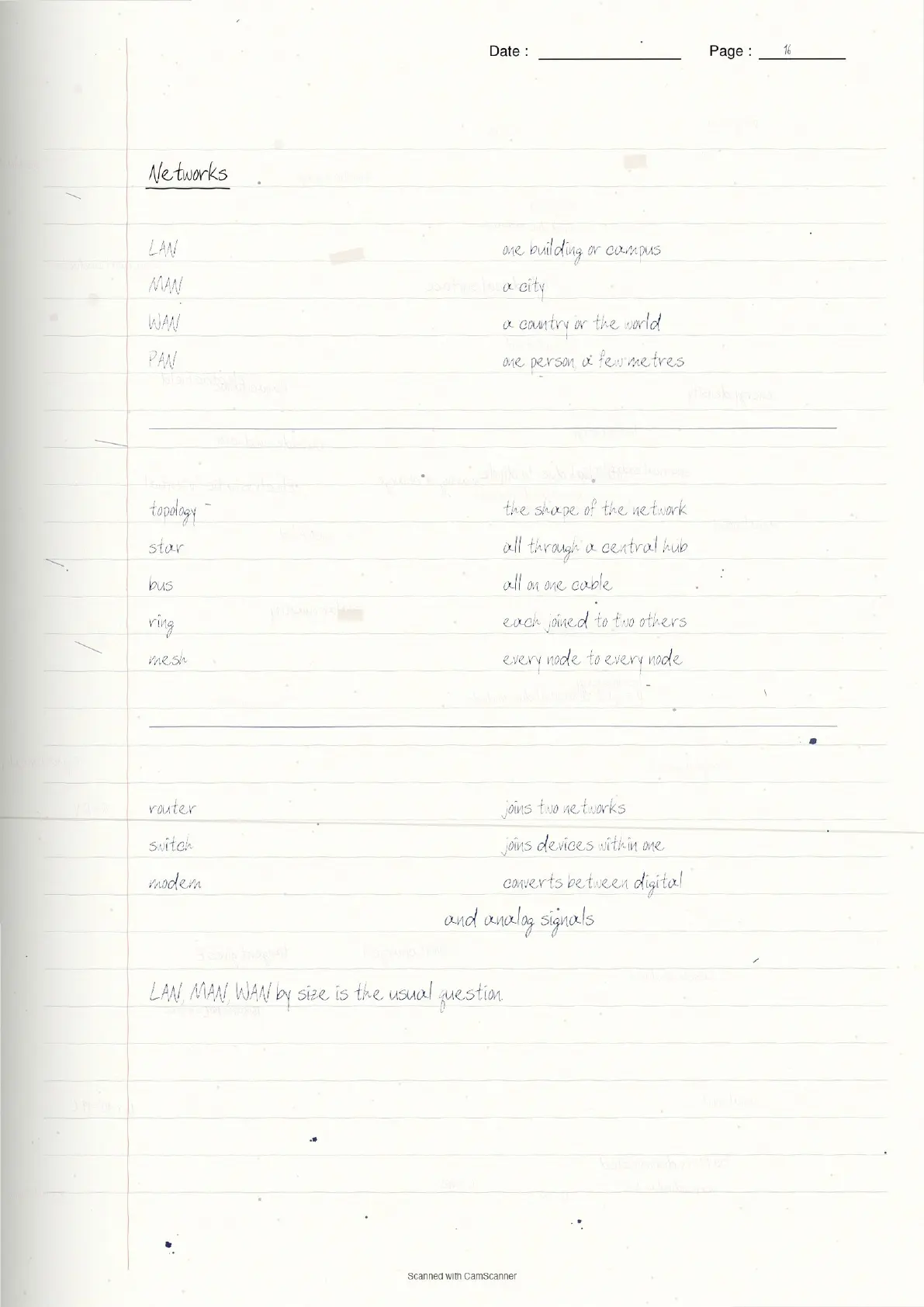
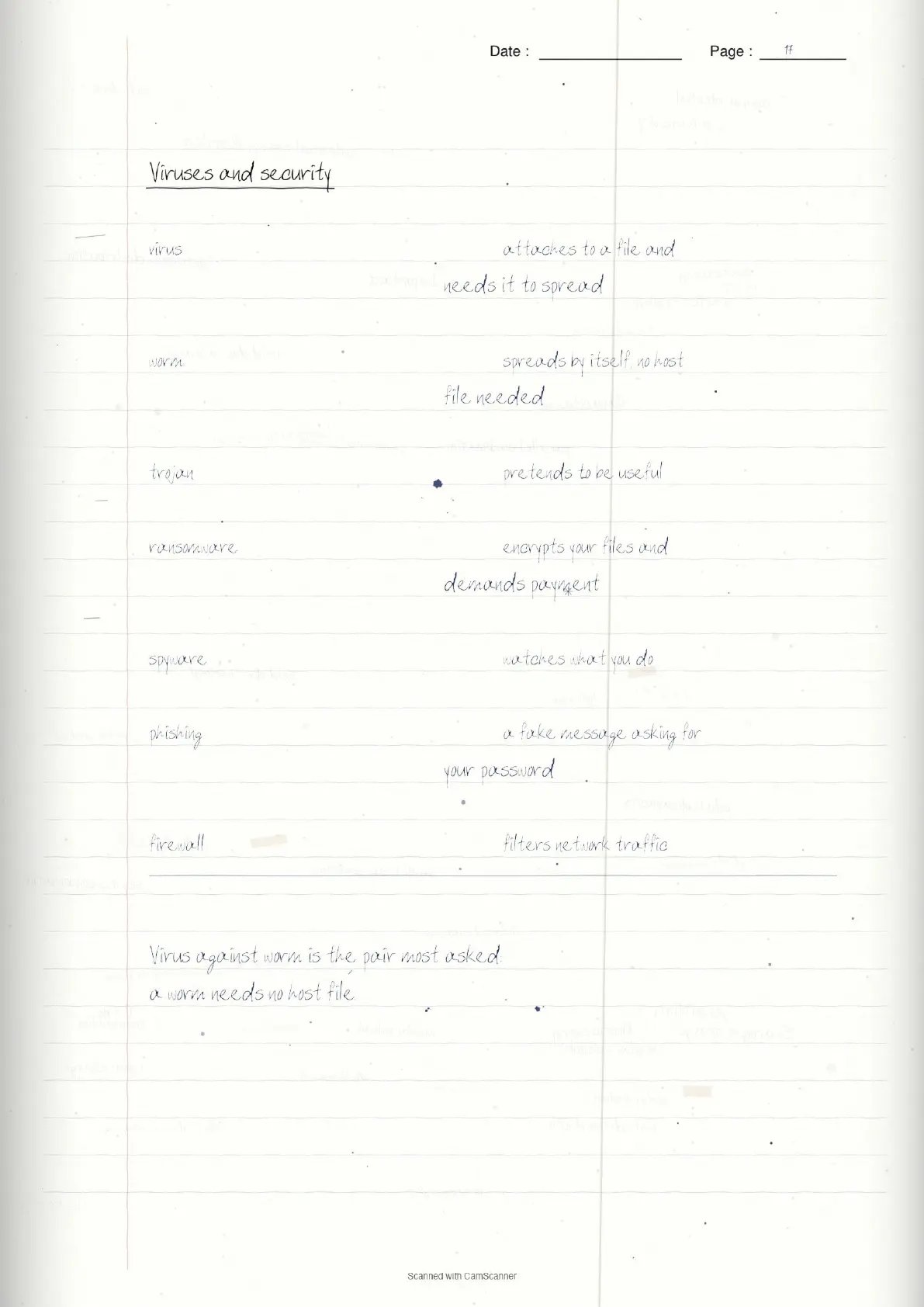
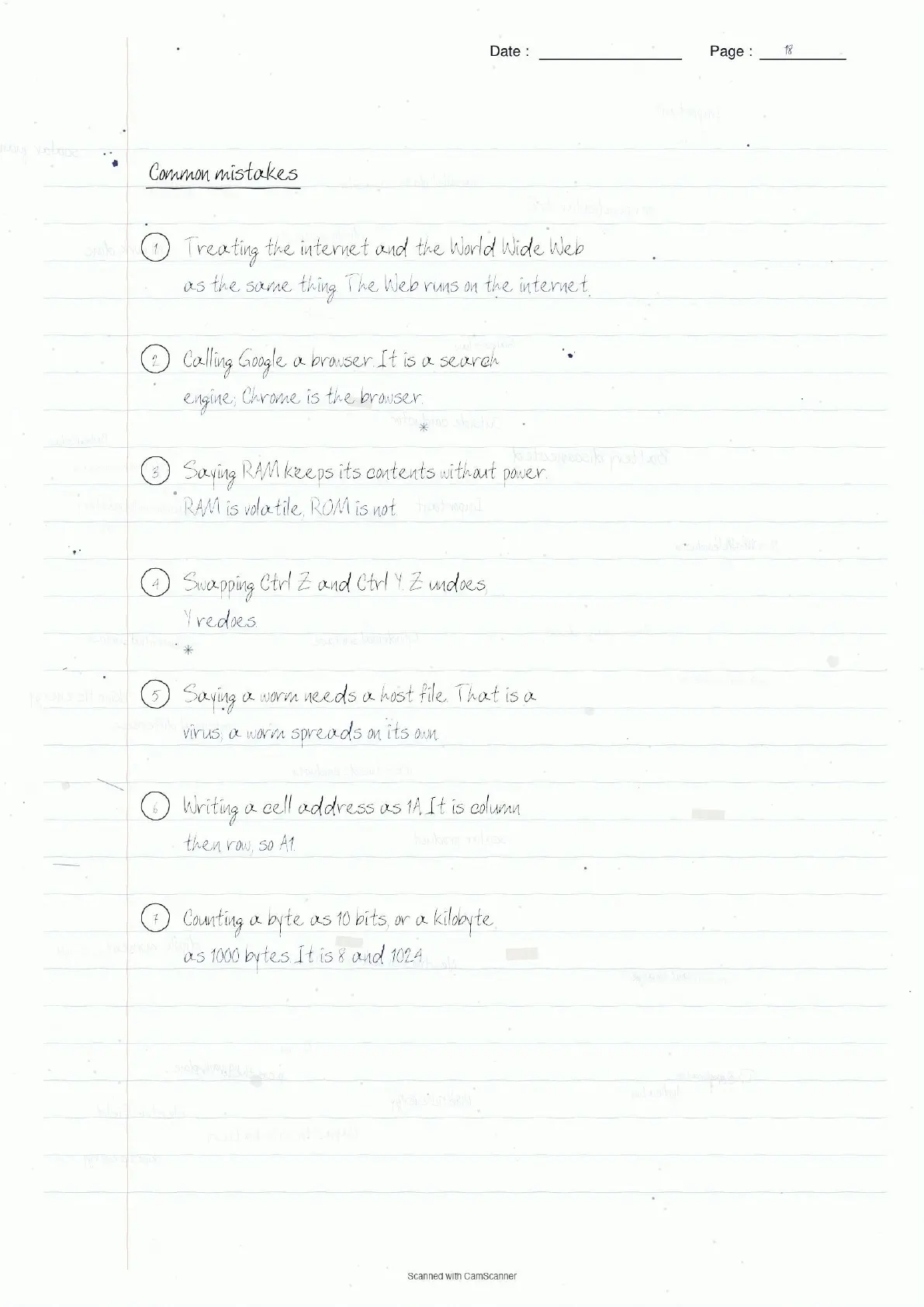
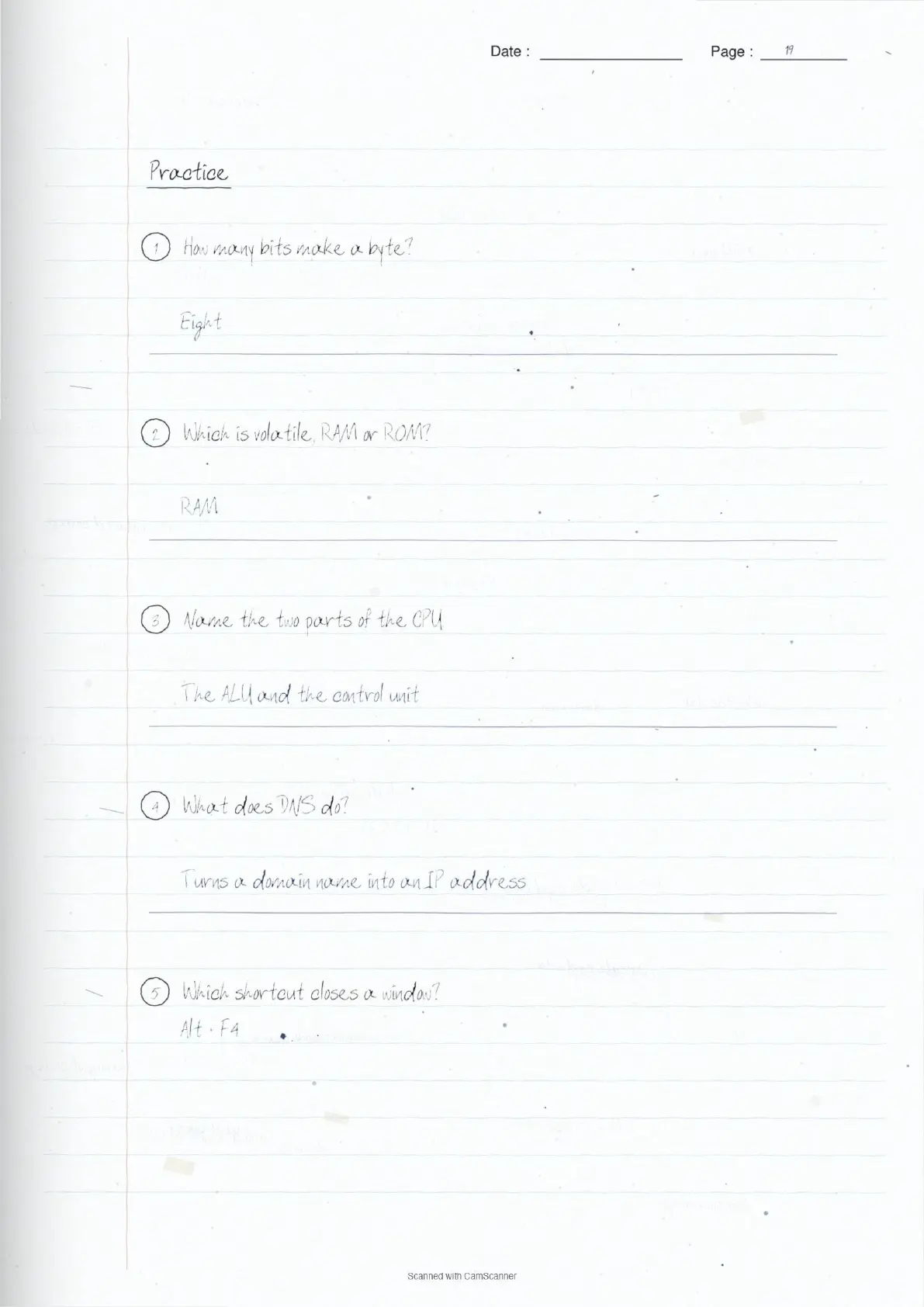
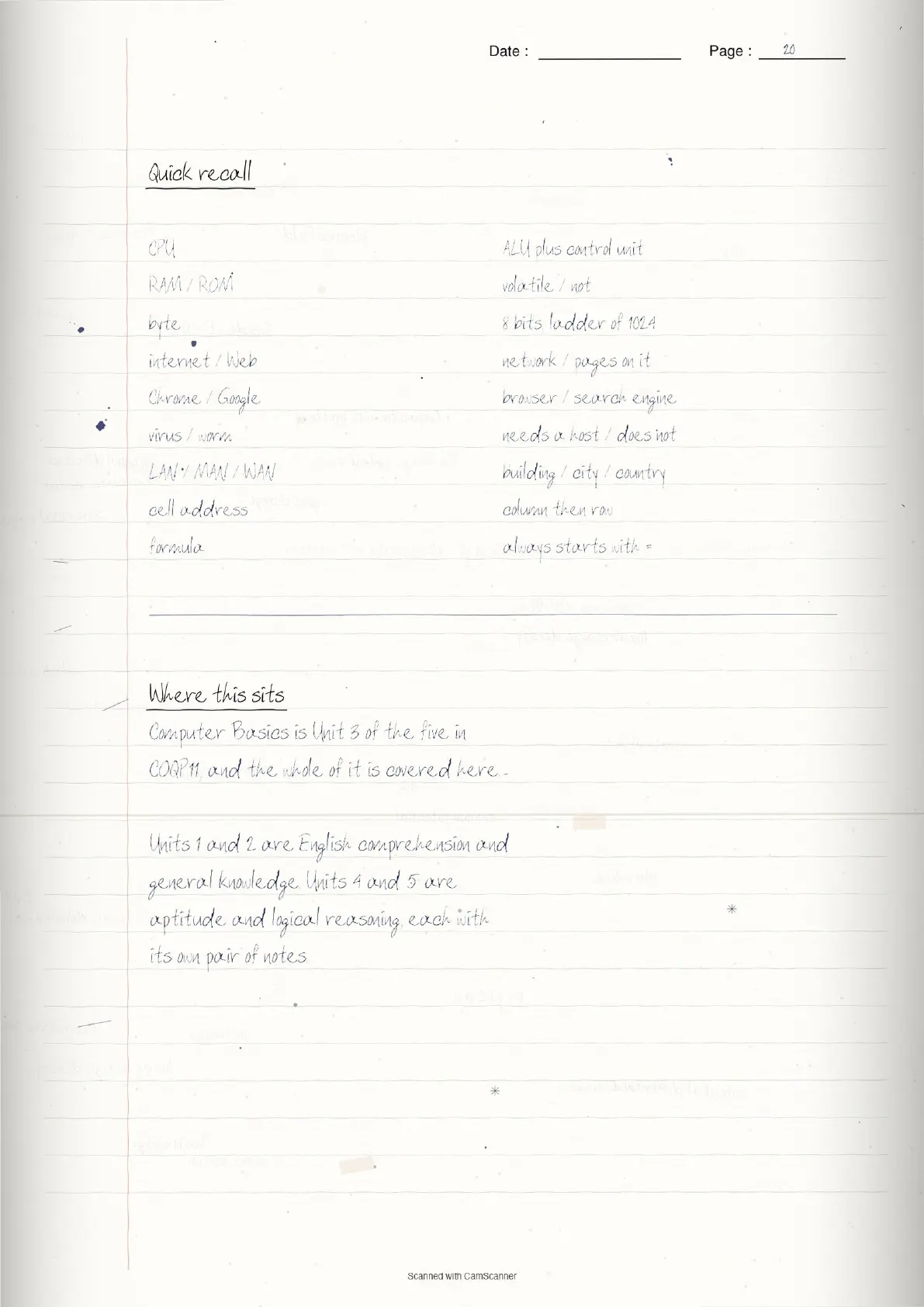
The notes are scans of a real notebook: short lines, boxed rules, and a margin note wherever something is easy to get wrong.
CUET PG General Paper Structure
The common General Paper, COQP11, carries 75 bilingual questions across five official sections. Computer Basics is a whole section of its own, with sixteen named sub-topics.
| Unit | Official section |
|---|---|
| 1 | English Comprehension |
| 2 | General Knowledge/Awareness |
| 3 | Computer Basics |
| 4 | General Aptitude & Logical Reasoning |
| 5 | Logical Reasoning |
What the Notes Cover
- Fundamentals: the CPU, its two parts, and how input becomes output
- Hardware against software, and the four kinds of software
- Types of computer, from supercomputer down to embedded
- Memory: RAM, ROM, cache and registers, and what volatile means
- Storage devices and the ladder from bit to petabyte
- Input, output, and the devices that are both
- Abbreviations and shortcut keys, both named sub-topics in their own right
- Windows, MS Office, Word and Excel
- The internet, websites, browsers, networks and computer viruses
How to Approach the Section
Nothing here is technical. Every question is a name, an abbreviation or a shortcut, and you are never asked to reason, only to recall. That makes it the highest-return section in the paper for the hours put in.
Learn the pairs that get swapped rather than the entries alone. RAM against ROM, virus against worm, browser against search engine, LAN against WAN. Options are built on exactly those confusions.
The abbreviations and shortcut keys are worth writing out and testing yourself on, because they are pure list learning with no understanding required.
Common Mistakes
- Treating the internet and the World Wide Web as the same thing
- Calling Google a browser. It is a search engine; Chrome is the browser
- Saying RAM keeps its contents without power. RAM is volatile, ROM is not
- Swapping Ctrl Z and Ctrl Y. Z undoes, Y redoes
- Saying a worm needs a host file. That is a virus
- Writing a spreadsheet cell address as 1A. It is column then row, so A1
- Counting a kilobyte as 1000 bytes. The ladder climbs in 1024s
Video Revision
Source: CUET PG The Historika
How to Use These Notes
Pages 8 and 9 carry the abbreviations and the shortcut keys. Those two pages alone answer a large share of what this section asks.
Page 20 is a recall grid built around the nine pairs that get confused, which makes a workable last-hour revision.
The English Comprehension notes and the general knowledge sets cover Units 1 and 2.
CUET PG Computer Basics Notes FAQs
Ques. Is Computer Basics really in the CUET PG syllabus?
Ans. Yes. NTA lists it as Unit 3 of the COQP11 General Paper, with sixteen named sub-topics from computer fundamentals through to computer viruses. It is a full section, not an afterthought.
Ques. Do I need a computing background?
Ans. No. Every question is a name, an abbreviation or a shortcut key. Nothing in the section requires programming or technical understanding, which is why it repays preparation so well.
Ques. What exactly does the section include?
Ans. Fundamentals of computer, abbreviations, shortcut keys, Microsoft Windows, Microsoft Office, MS Word, types of computer, storage devices, hardware and software, input and output devices, internet, computer networks, websites, web browsers, computer virus and important computer-related terms.
Ques. Which topics repeat most?
Ans. Abbreviations and shortcut keys, then the RAM against ROM distinction and the input-output sorting. The internet and Web confusion is asked most years in one form or another.
Ques. Can the notes be downloaded free?
Ans. Yes. All 20 pages can be read on this page and downloaded at no cost.



Comments