




These Societal Impact handwritten notes turn the last chapter of Class 11 Computer Science into clean, handwritten pages for fast revision. They follow the 2026-27 NCERT syllabus and Chapter 11 of Class 11 Computer Science. Students get the digital footprint, net and communication etiquettes, data protection, intellectual property rights like copyright, patent and trademark, plagiarism, open source licences, cyber crime, cyber safety, the IT Act, e-waste and the effect of technology on health, all in a pen-on-paper format that is easy to skim before the Class 11 final exam.
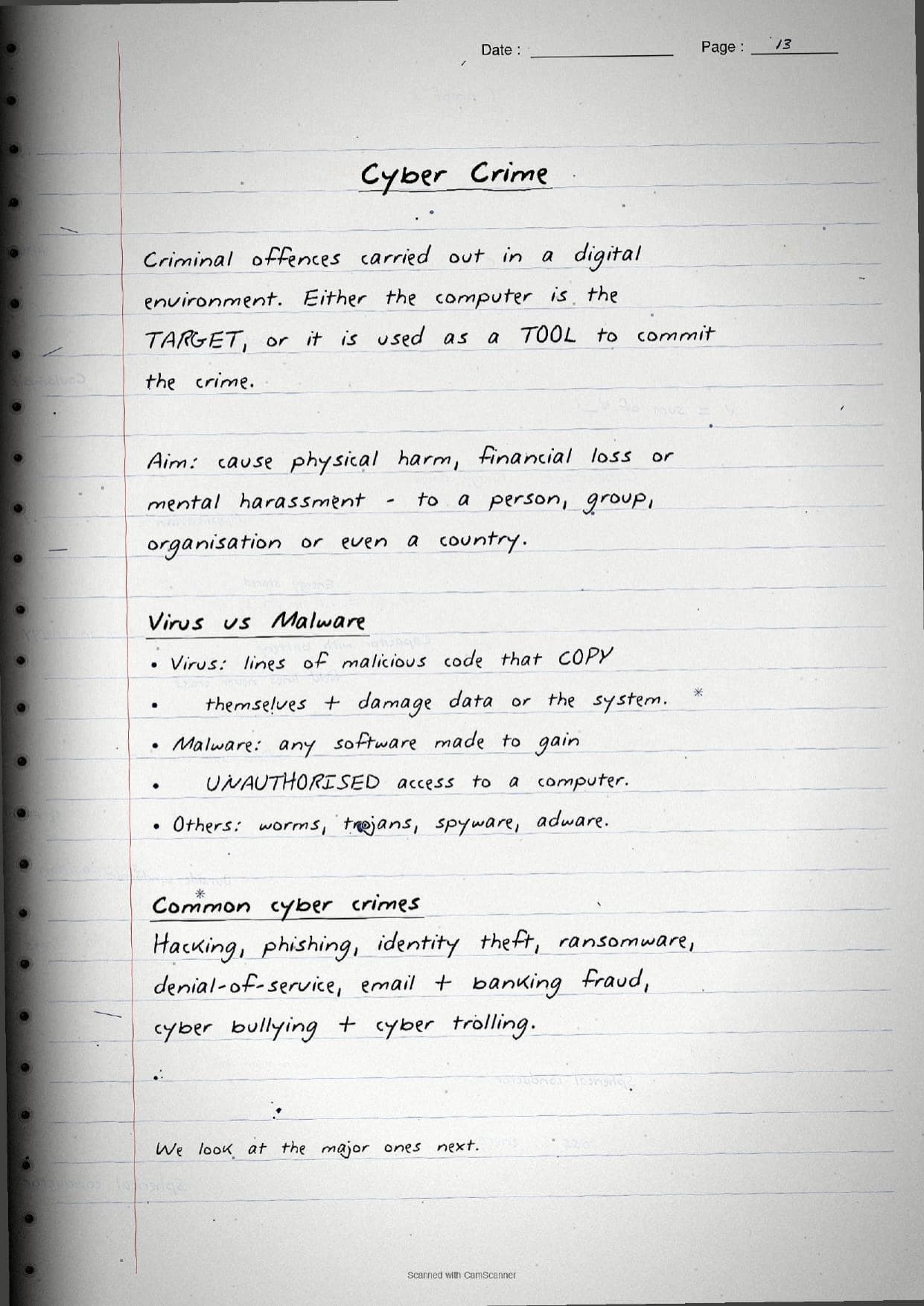
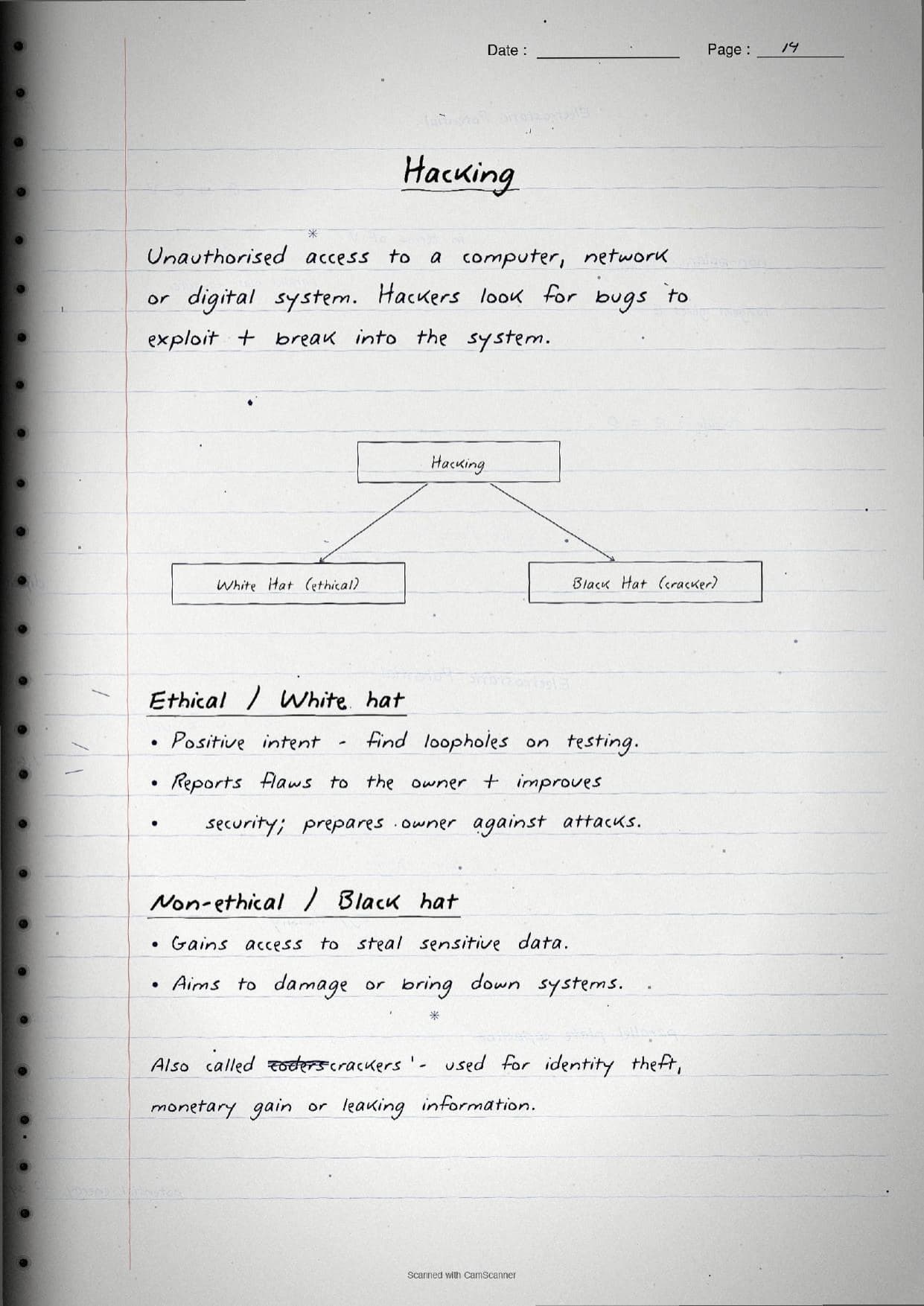
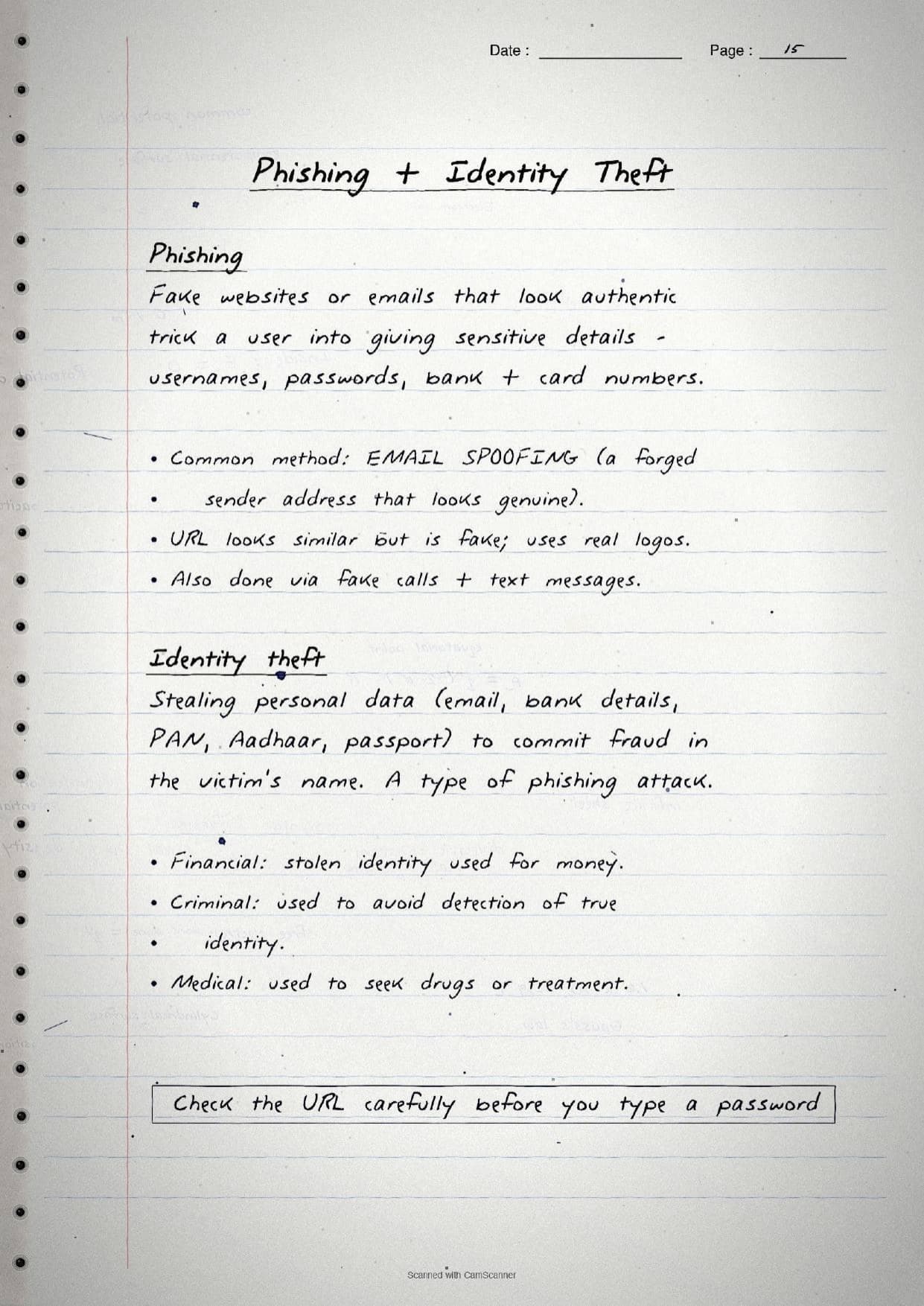

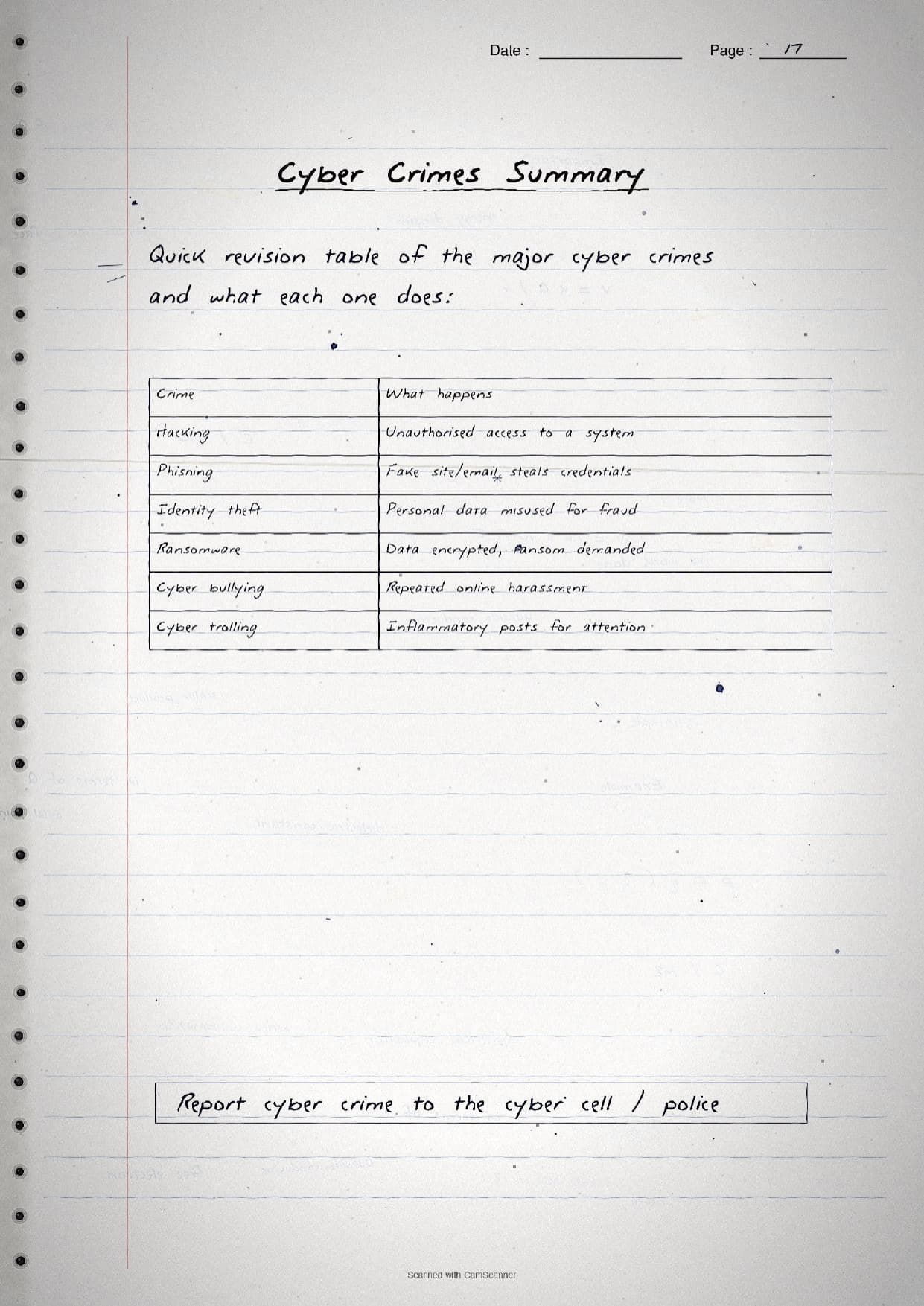
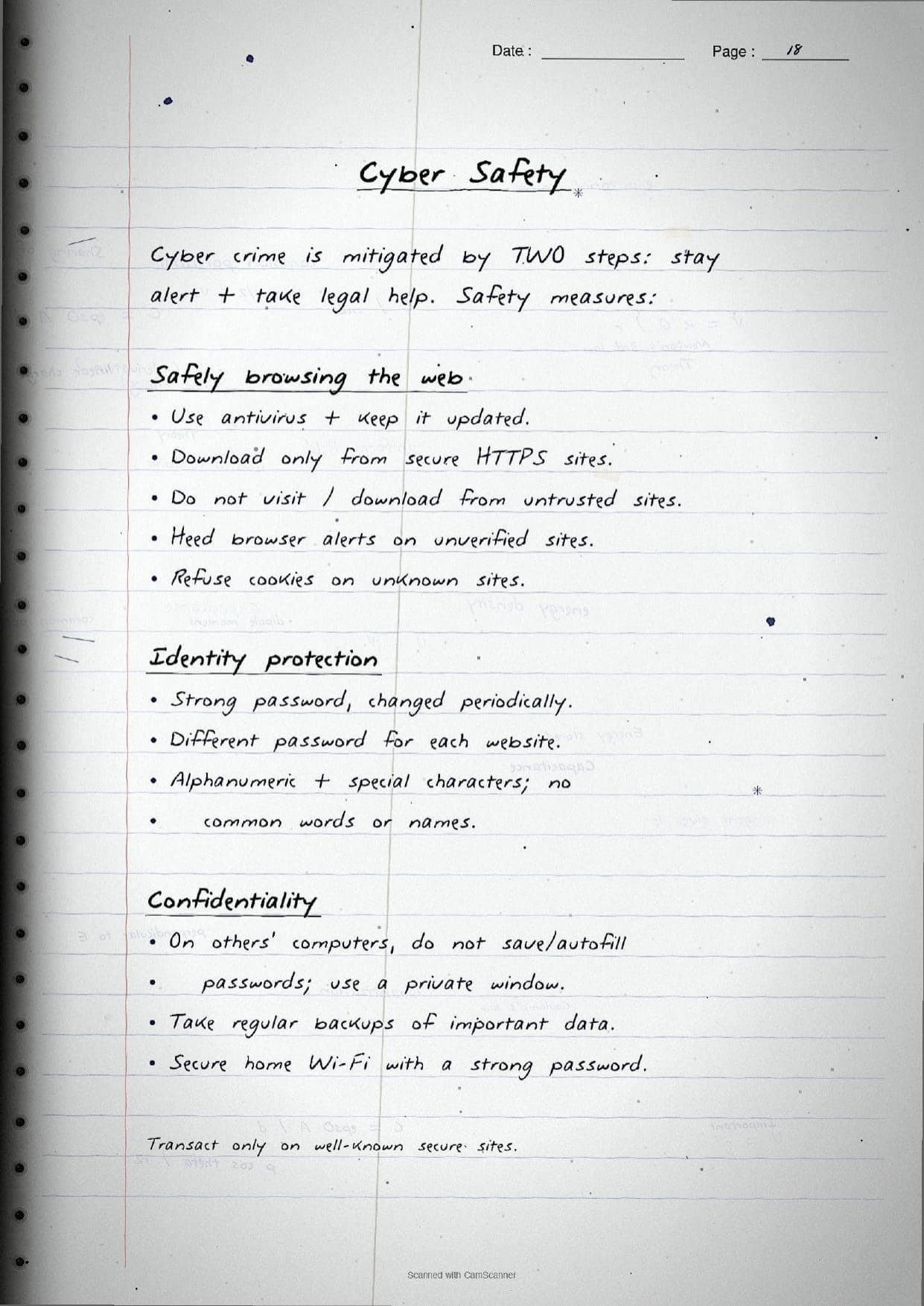
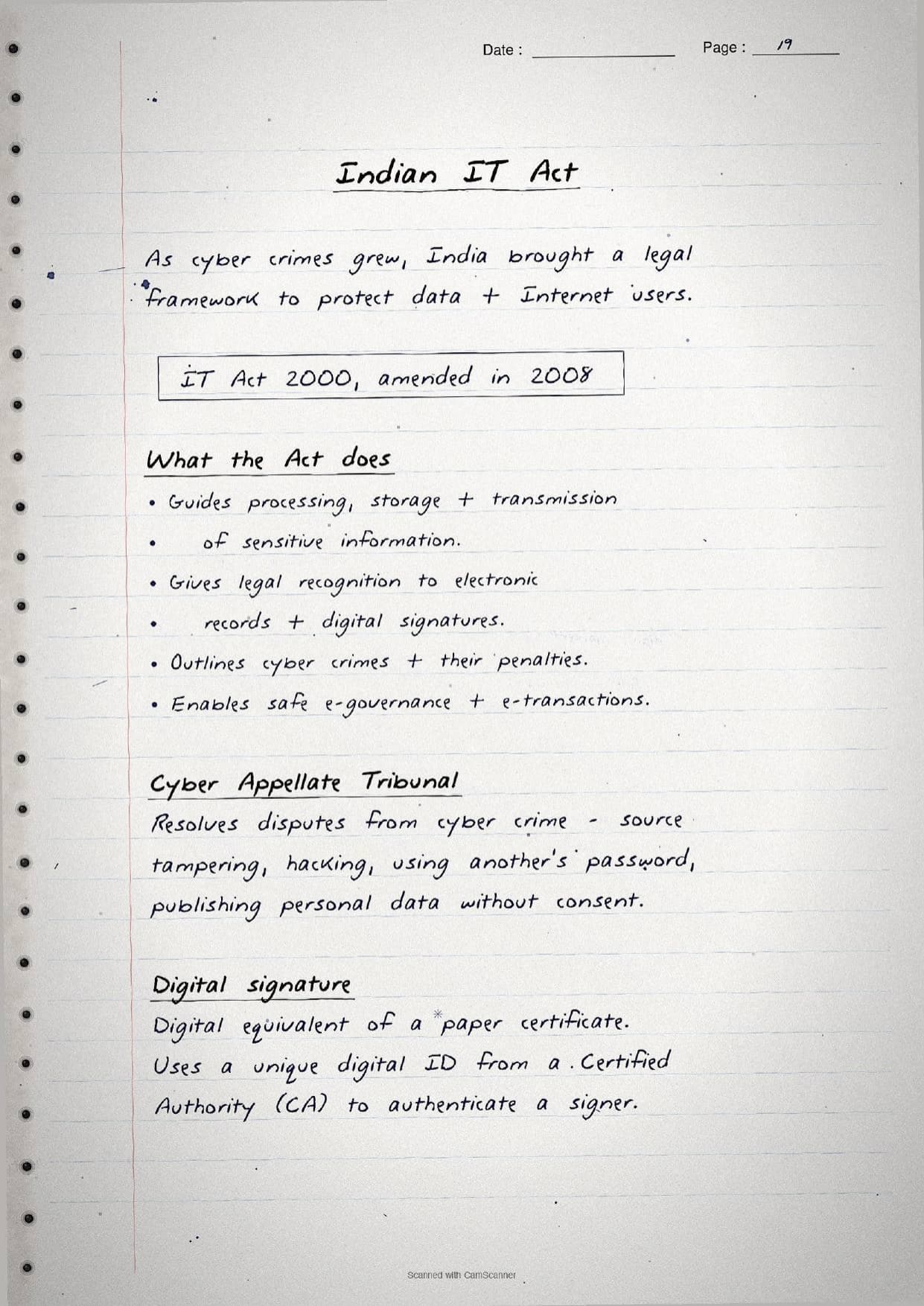
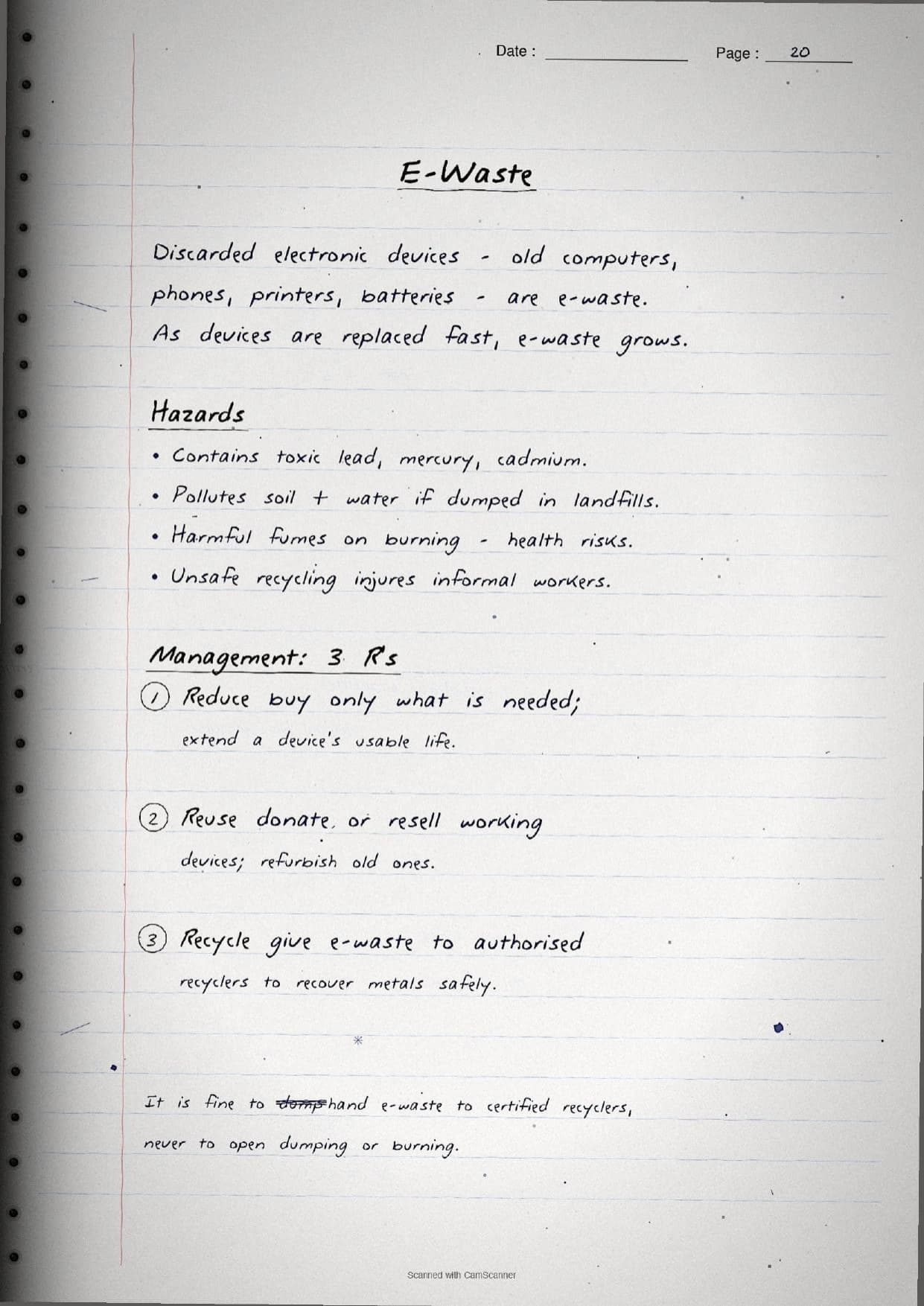
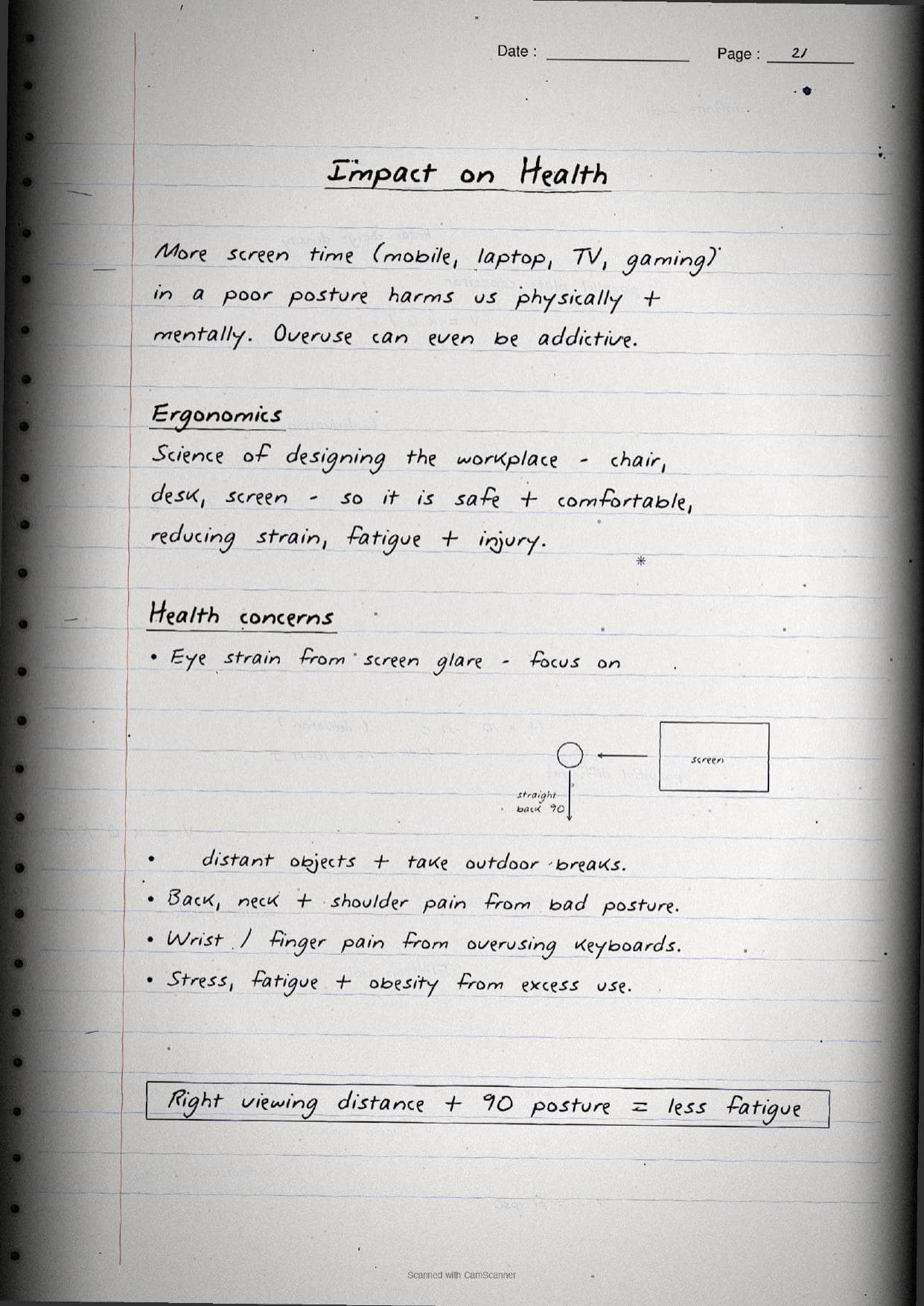
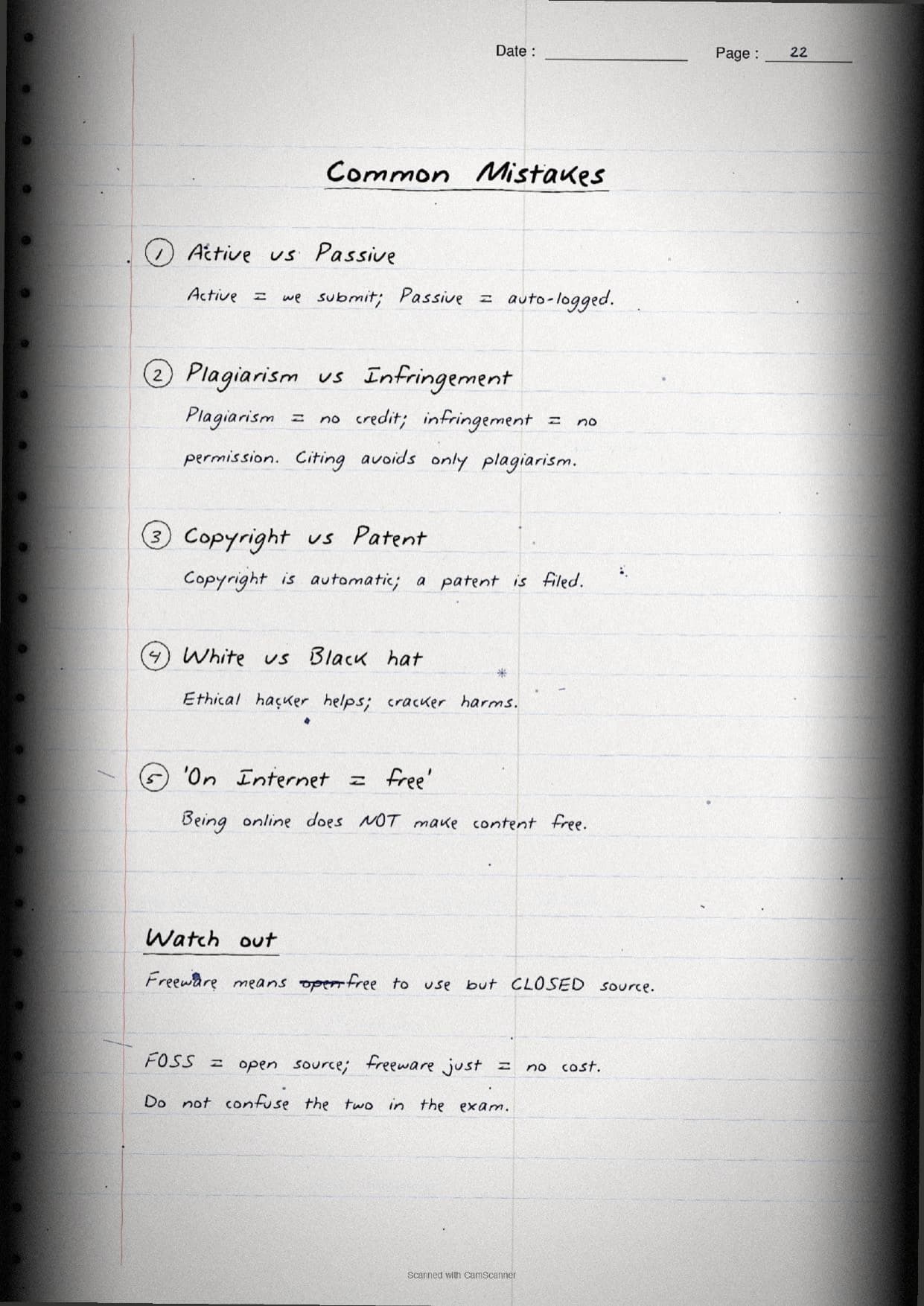
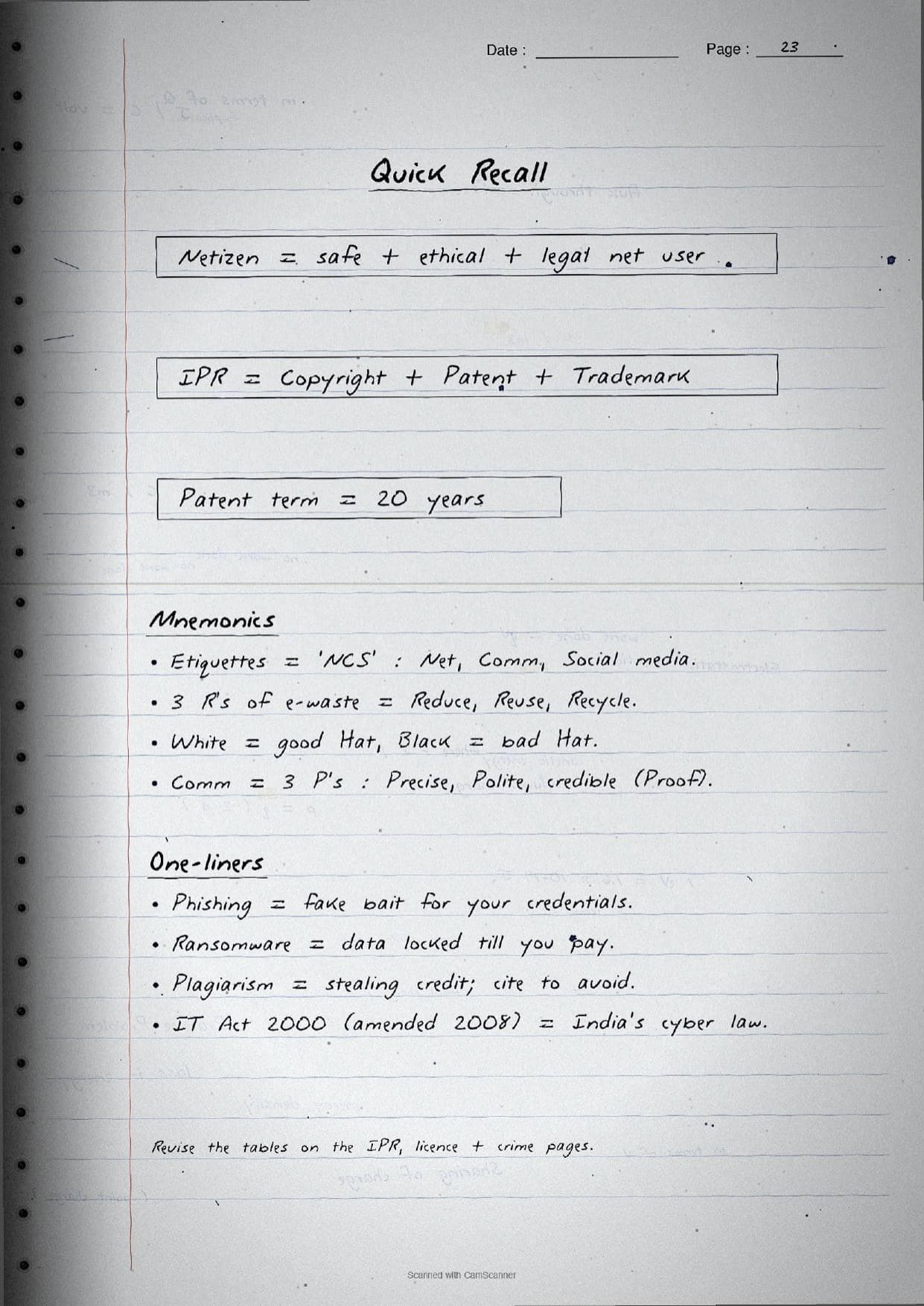
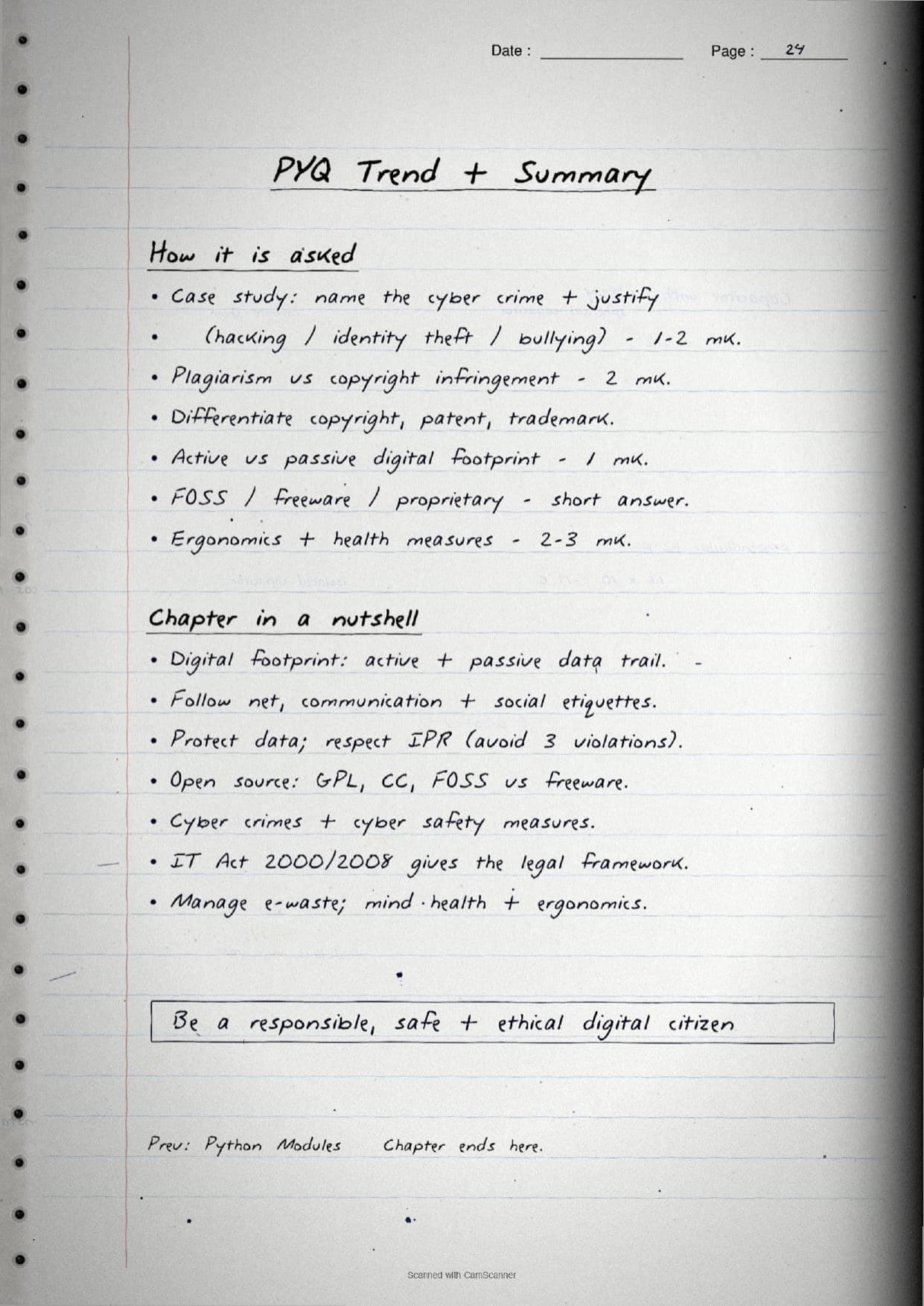
- Handwritten pages with boxed key terms, mind maps for the etiquettes and hacking, and comparison tables for IPR, licences and cyber crimes.
- This is the theory-heavy closing chapter of Class 11 Computer Science, so it carries easy scoring marks in the CBSE Class 11 paper.
- Pairs with the NCERT Solutions, Notes and Book PDF linked lower on this page.
These Societal Impact handwritten notes are prepared from the official NCERT Computer Science textbook and checked against recent CBSE Class 11 question papers.
Student Feedback: In a Collegedunia poll of 4,360 Class 11 Computer Science students, 76% of students said the handwritten comparison tables for copyright, patent and trademark, and for the different licences, helped them answer the "differentiate" questions faster than reading printed paragraphs.
Source: 2026-27 Class 11 Computer Science student poll. Sample of 4,360 students from CBSE schools across 9 states.
What These Societal Impact Handwritten Notes Contain
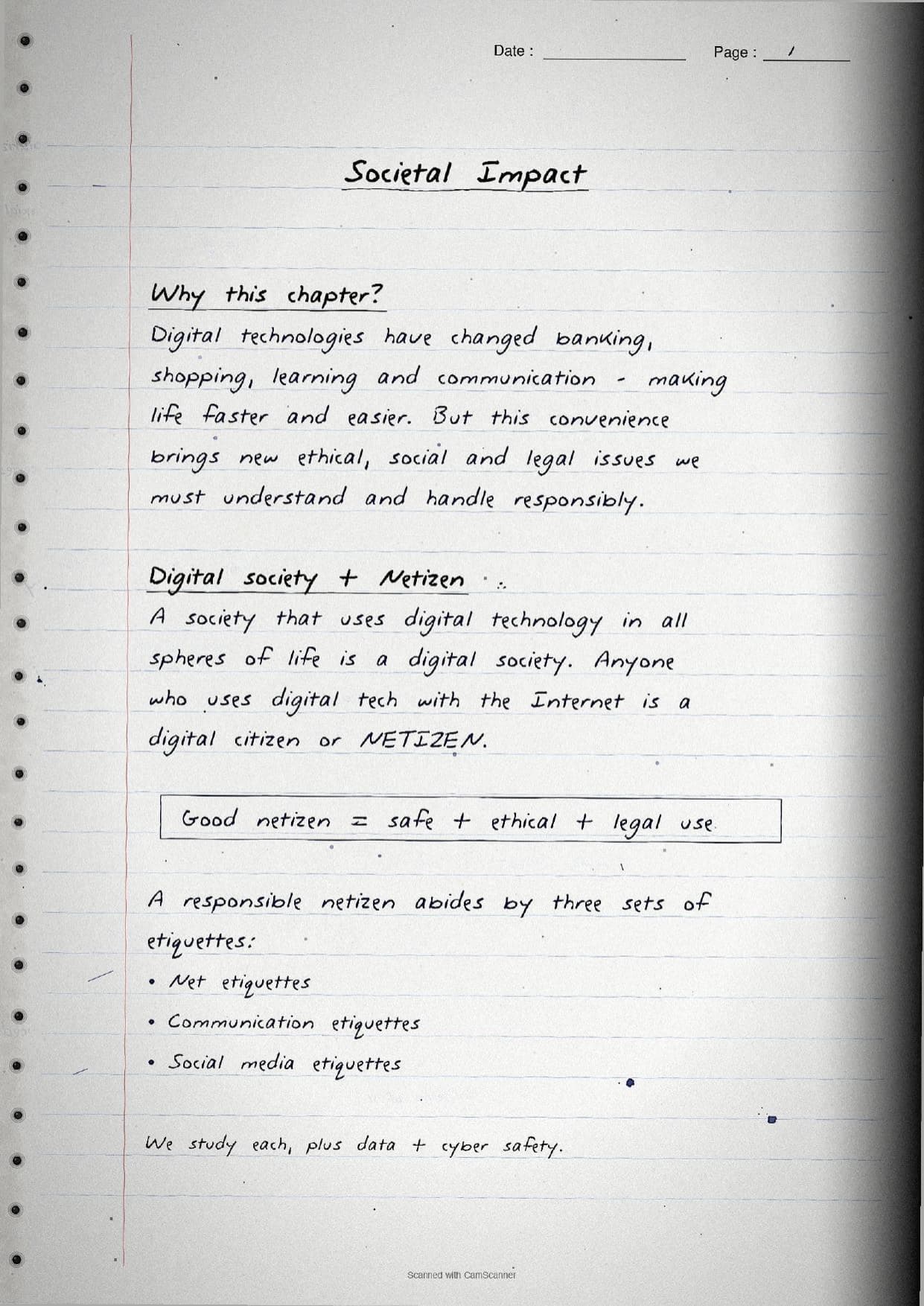
Societal Impact is the closing chapter of Class 11 Computer Science. It is a theory chapter with almost no code, so it rewards clear definitions, neat comparisons and good recall. These handwritten notes condense the full chapter into handwritten pages that read like a topper's own notebook, with the heavy comparison points already drawn out as tables.
The pages are organised under a few clear threads, each written out by hand on its own set of pages:
- Digital citizenship: the digital footprint, being a good
netizen, and the net, communication and social media etiquettes. - Data and rights: data protection, sensitive data, intellectual property rights, plagiarism and the open source licences.
- Safety and society: cyber crime, cyber safety, the Indian IT Act, e-waste management and the effect of technology on health.
Because the pages are handwritten, the key terms sit in boxes, mind maps and arrows rather than long paragraphs. A student can flip through the Societal Impact class 11 pages in a few minutes and still recall the digital footprint types, the three IPR tools and the major cyber crimes before walking into the exam.
Digital Footprint, Etiquettes and Data Protection
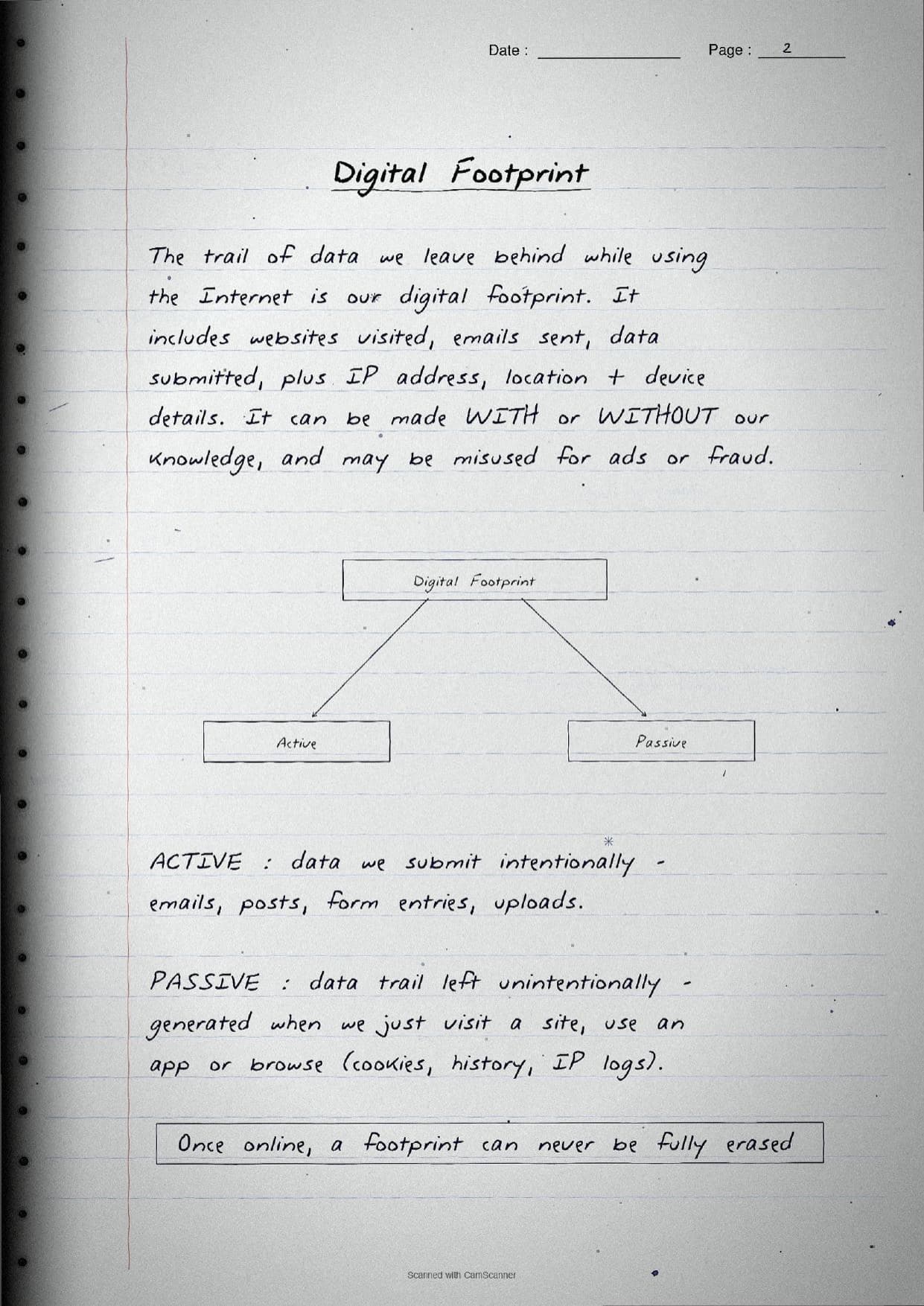
The opening pages settle what a digital society is and who a netizen is. Anyone who uses digital technology with the Internet is a digital citizen, and a good netizen uses it in a way that is safe, ethical and legal. The notes then explain the digital footprint, the trail of data we leave behind online, and split it into two clean types.
| Footprint type | What the page shows |
|---|---|
| Active | Data we submit on purpose, like emails, posts, form entries and uploads. |
| Passive | Data left unintentionally as we browse, such as cookies, history and IP logs. |
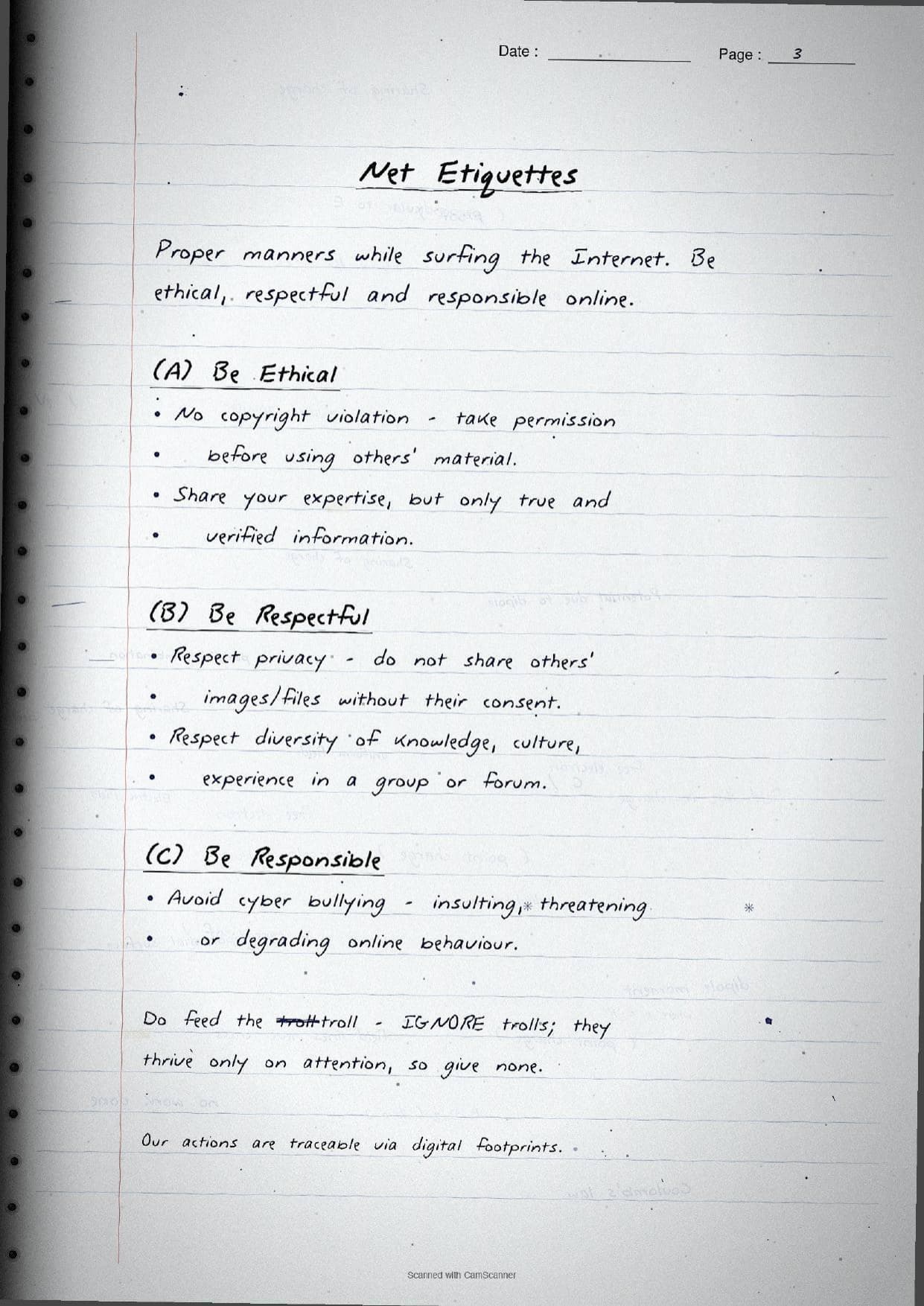
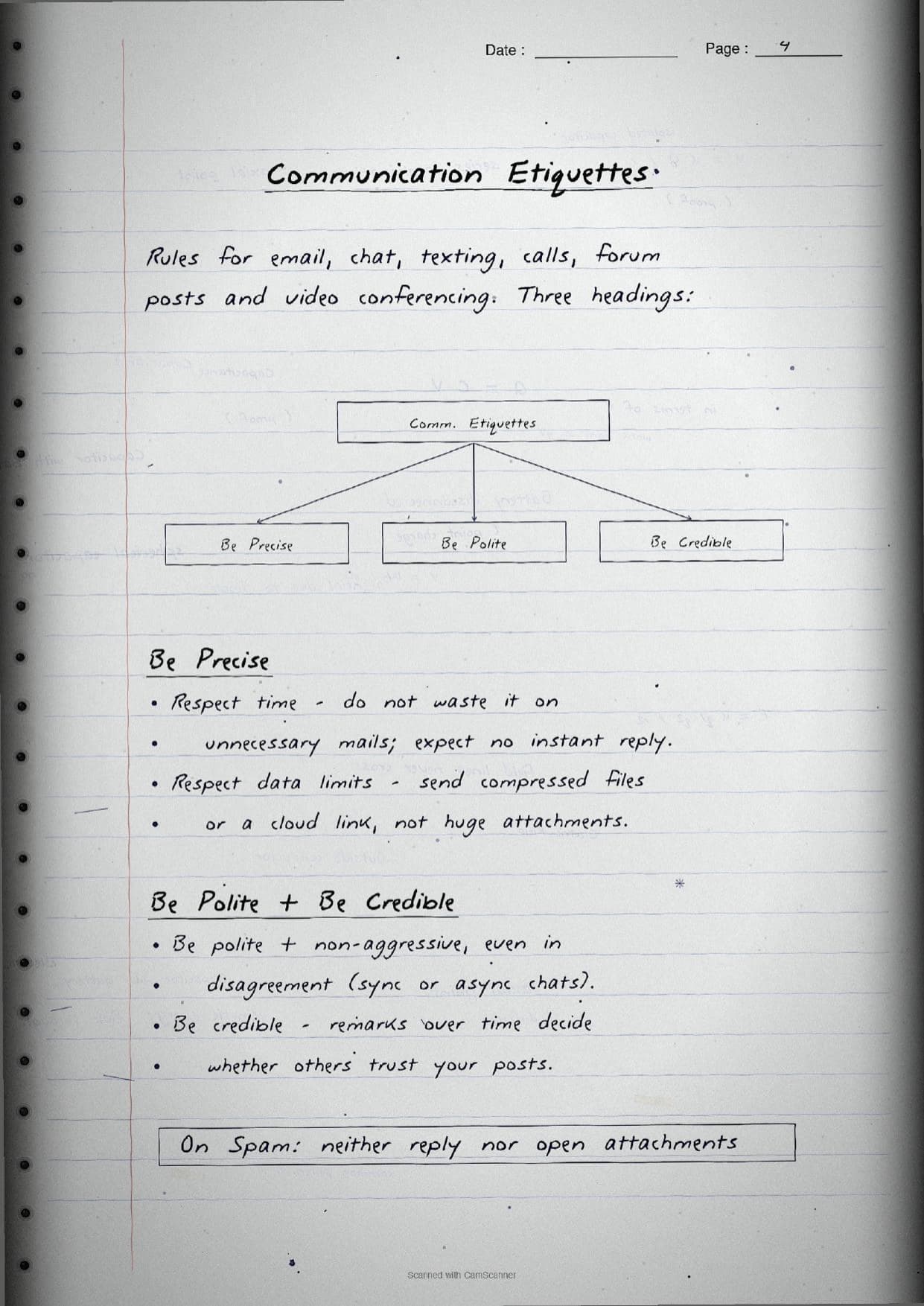
A boxed line reminds students that once online, a footprint can never be fully erased. The next pages cover the three sets of etiquettes a responsible netizen follows, drawn as small mind maps so they are easy to recall:
- Net etiquettes: be ethical (no copyright violation), be respectful (respect privacy and diversity) and be responsible (avoid cyber bullying and do not feed trolls).
- Communication etiquettes: be precise (respect time and data limits), be polite and be credible in email, chat and video calls.
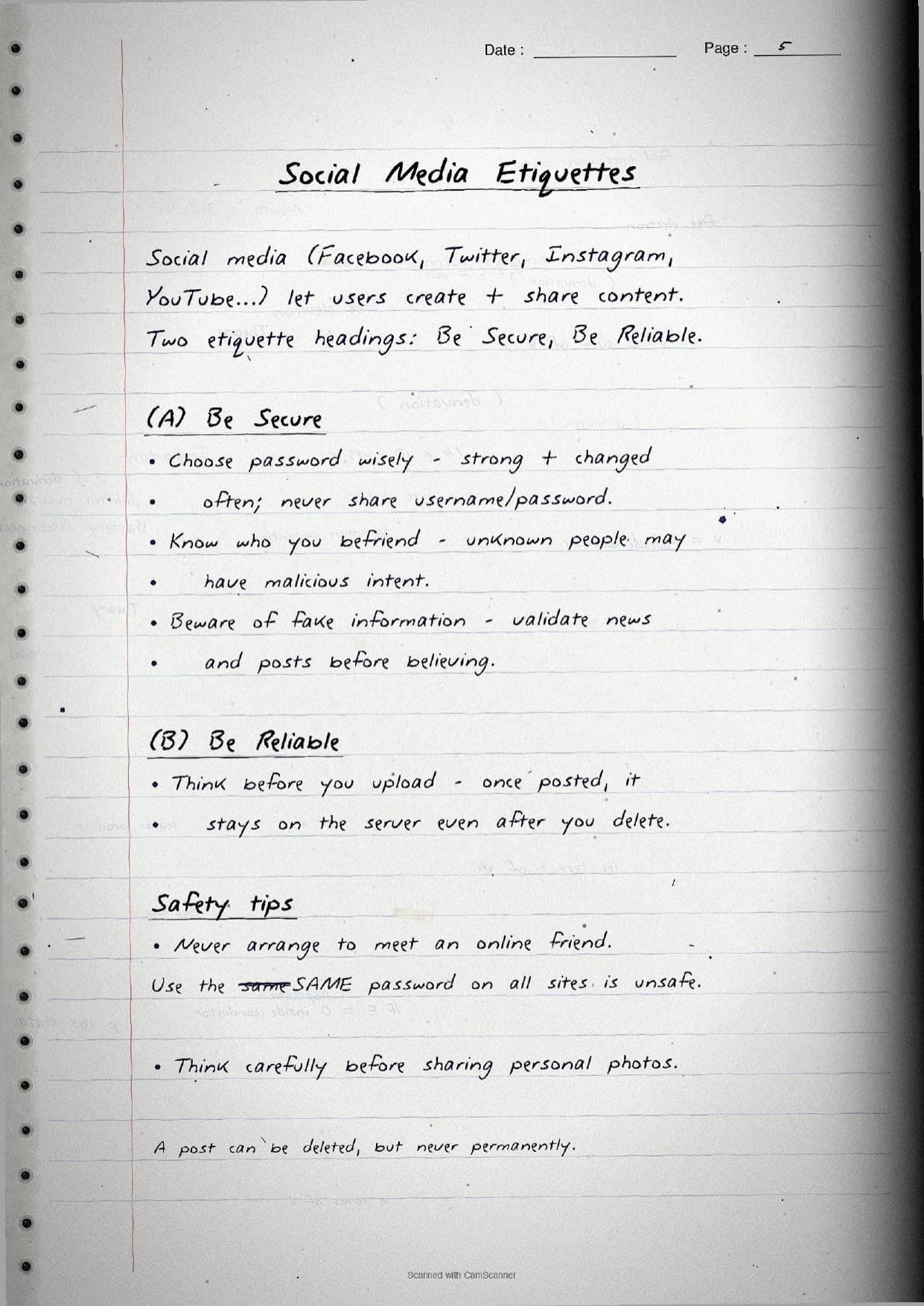
- Social media etiquettes: be secure (choose a strong password, know who you befriend, beware of fake news) and be reliable (think before you upload).
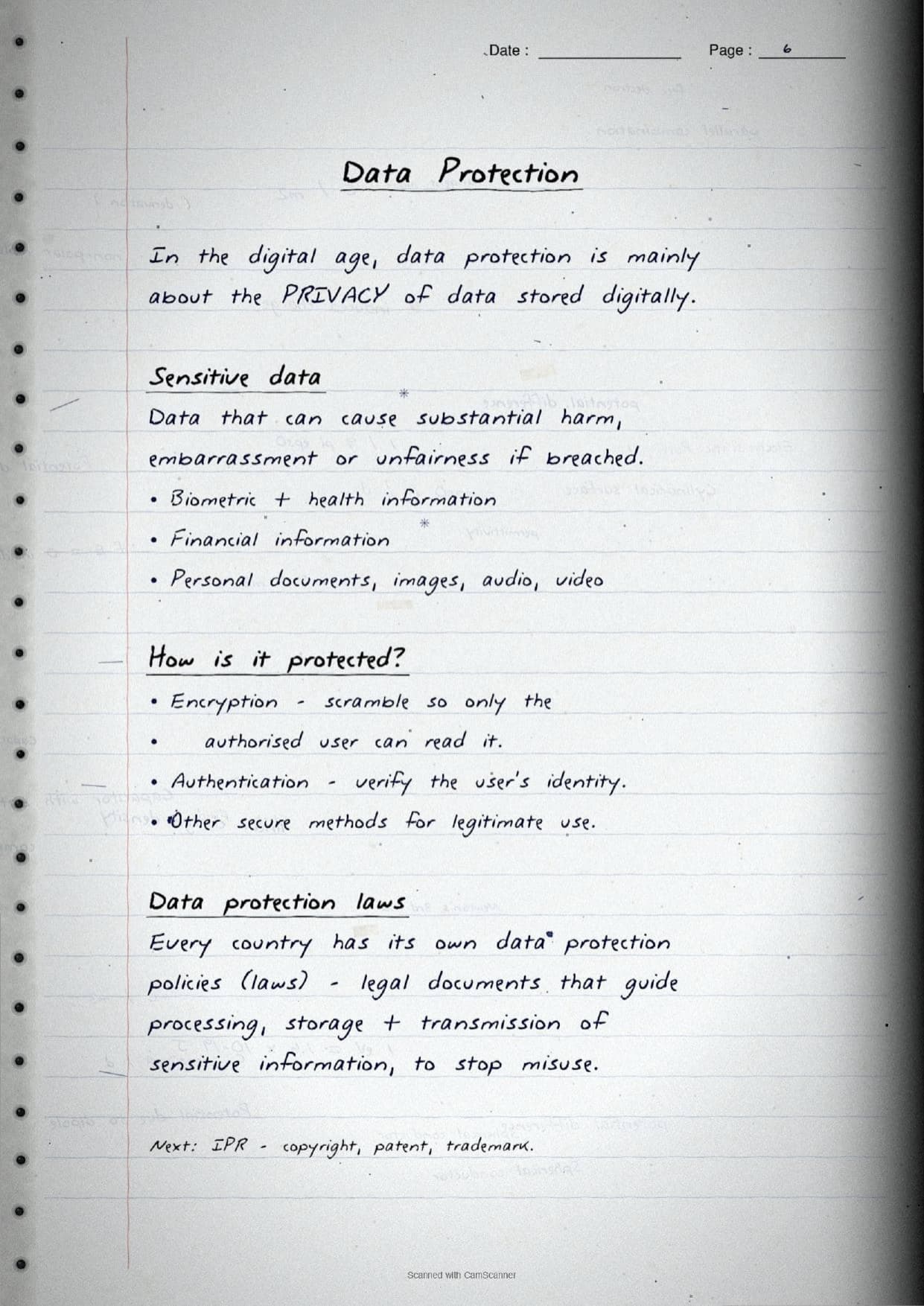
The data protection page defines sensitive data as data that can cause real harm if breached, like biometric, health and financial information. The notes list how it is protected through encryption and authentication, and note that every country has its own data protection laws to stop misuse.
IPR, Licences, Cyber Crime and Health in the Pages
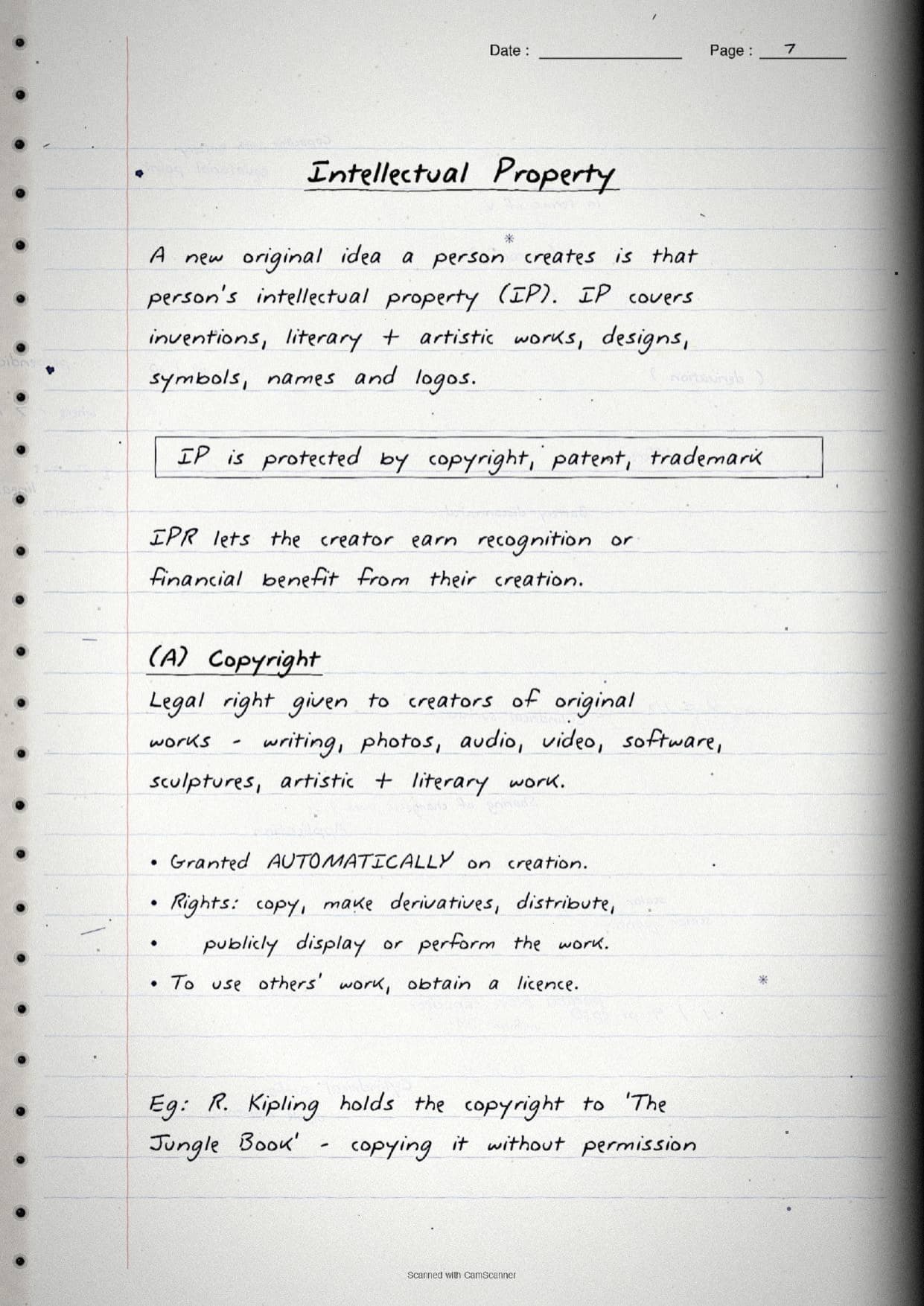
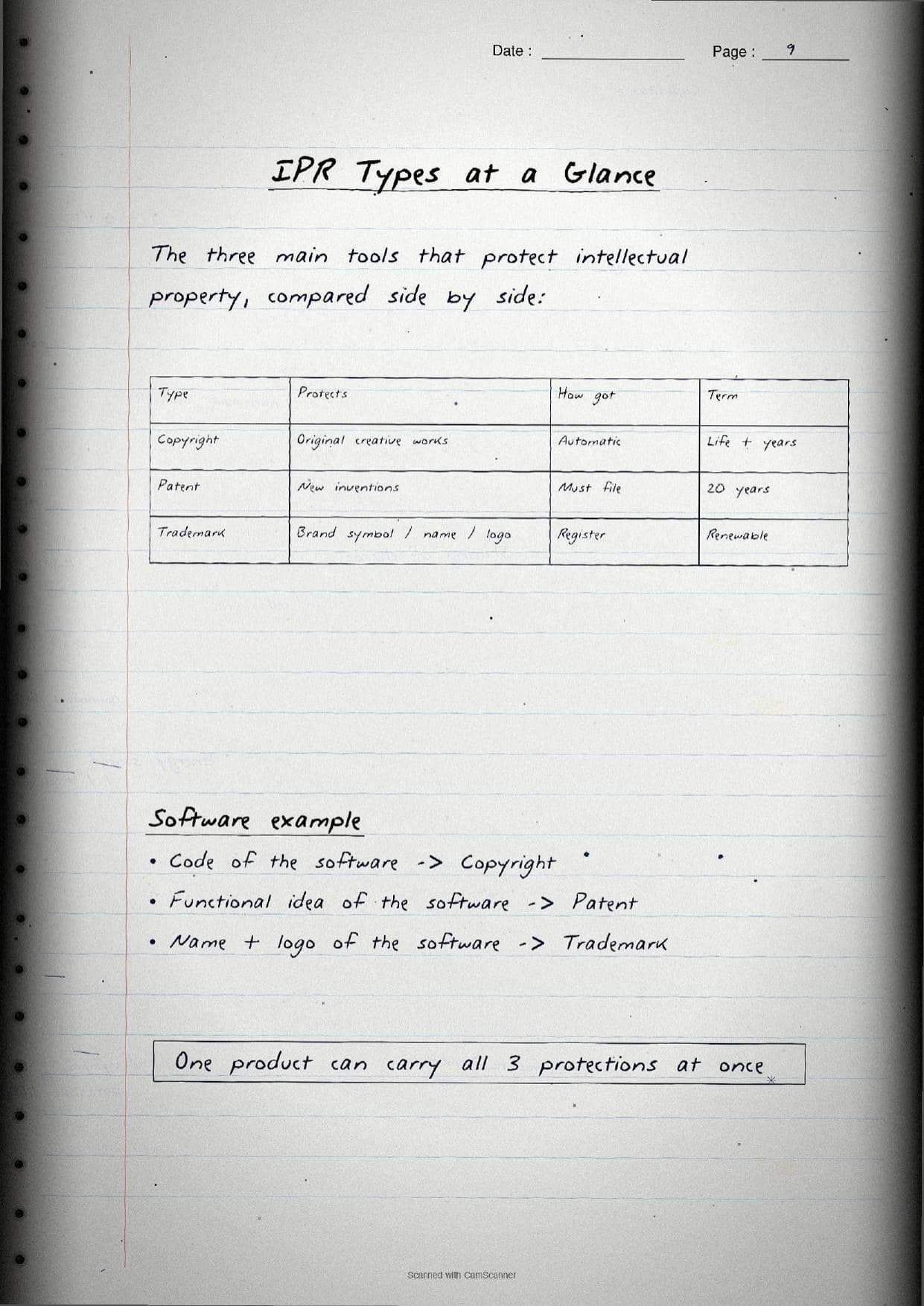
The middle pages carry the heaviest marks. A new original idea a person creates is their intellectual property, and it is protected by three tools. The handwritten notes box these and draw the whole comparison as a table so the "differentiate" question is easy to answer.
| IPR tool | Protects | How it is obtained |
|---|---|---|
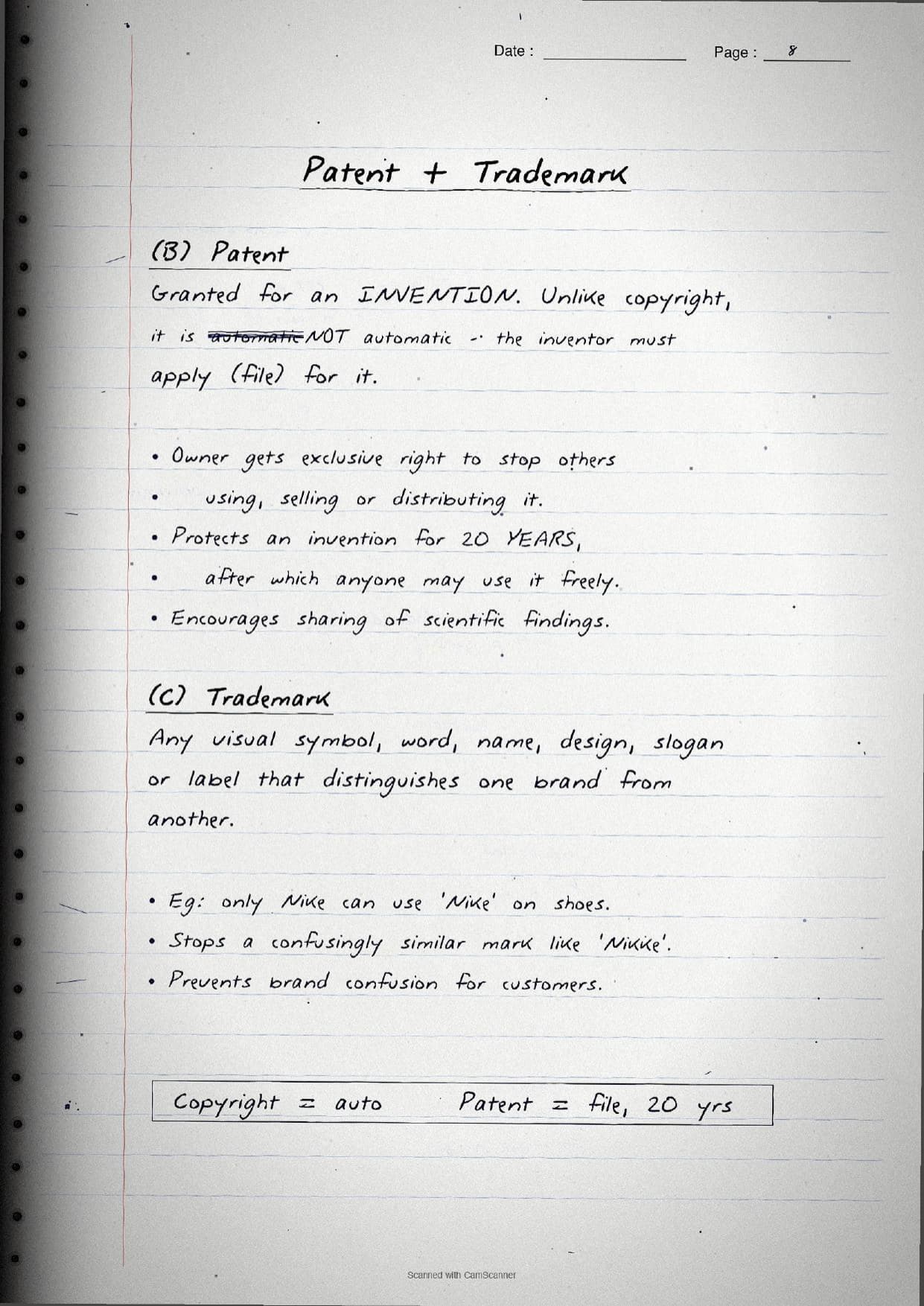
| Copyright | Original creative works like writing, photos, audio, video and software | Granted automatically on creation |
| Patent | A new invention | Must be filed; lasts 20 years |
| Trademark | A brand symbol, name, logo or slogan | Registered; renewable |
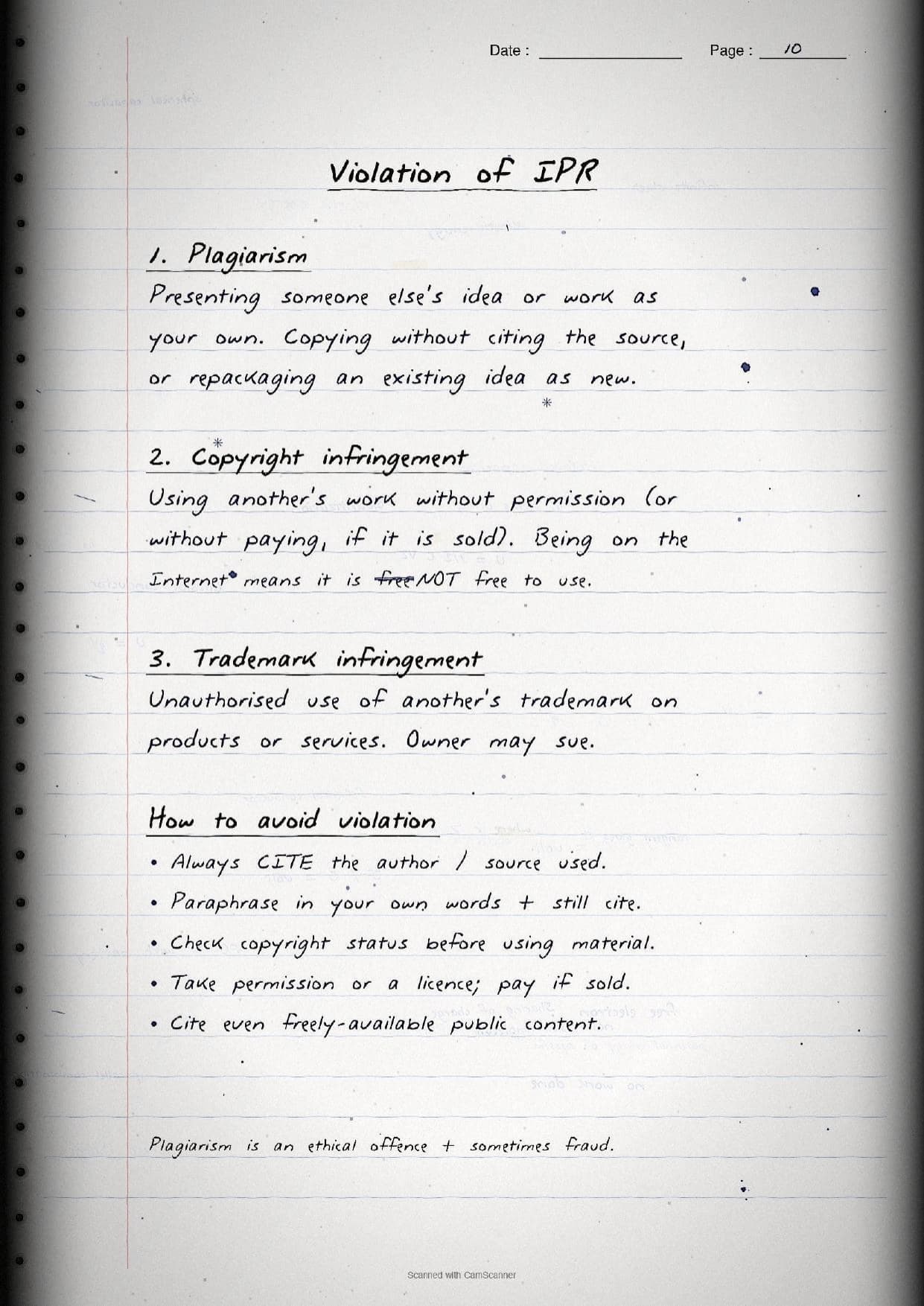
A short page explains the three violations of IPR: plagiarism (presenting someone's work as your own), copyright infringement (using a work without permission) and trademark infringement. The notes flag a common trap in the margin, that content on the Internet is not free to use. To avoid plagiarism, the pages list simple steps: always cite the source, paraphrase in your own words and still cite, check the copyright status, and take a licence or permission where needed.
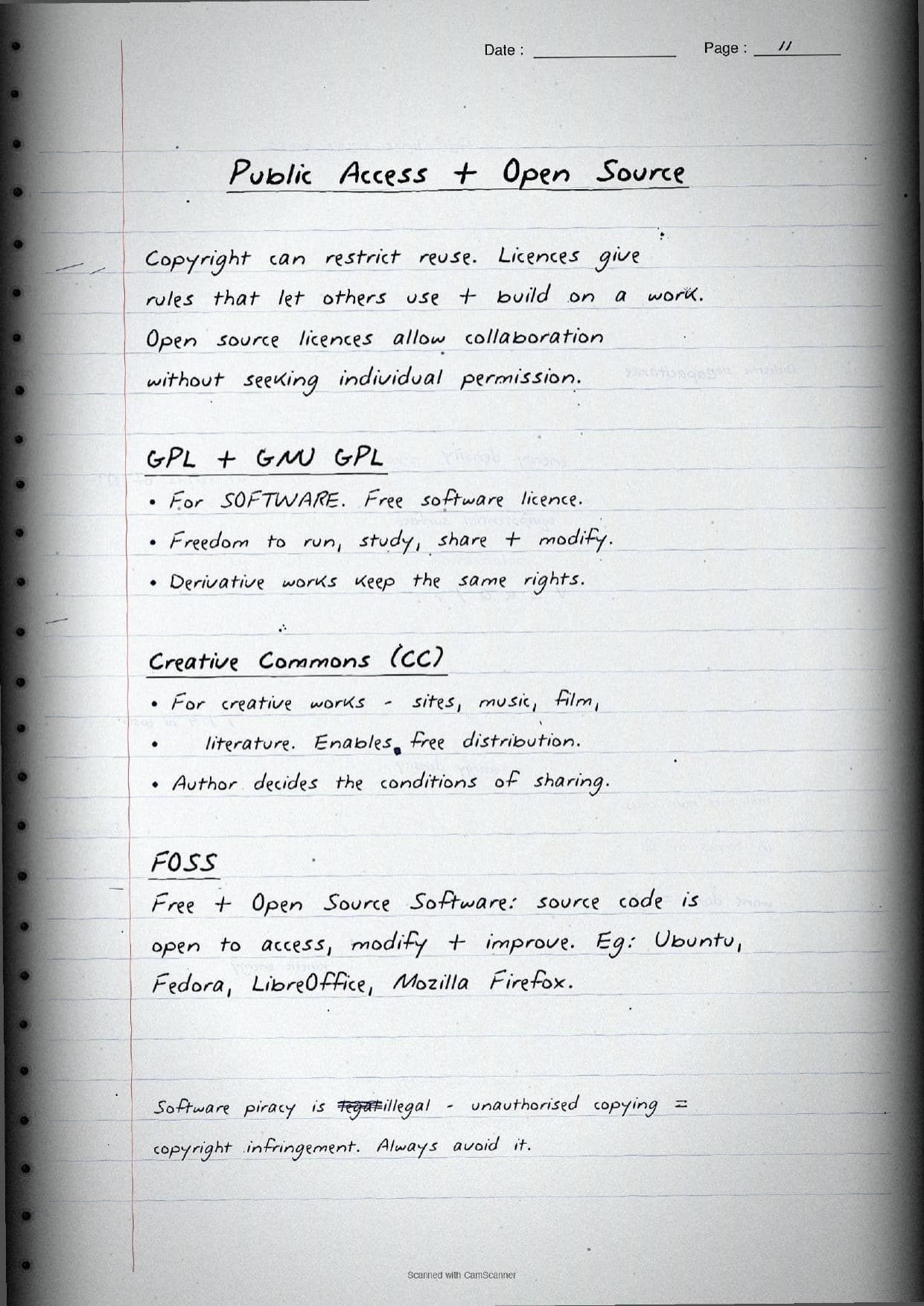
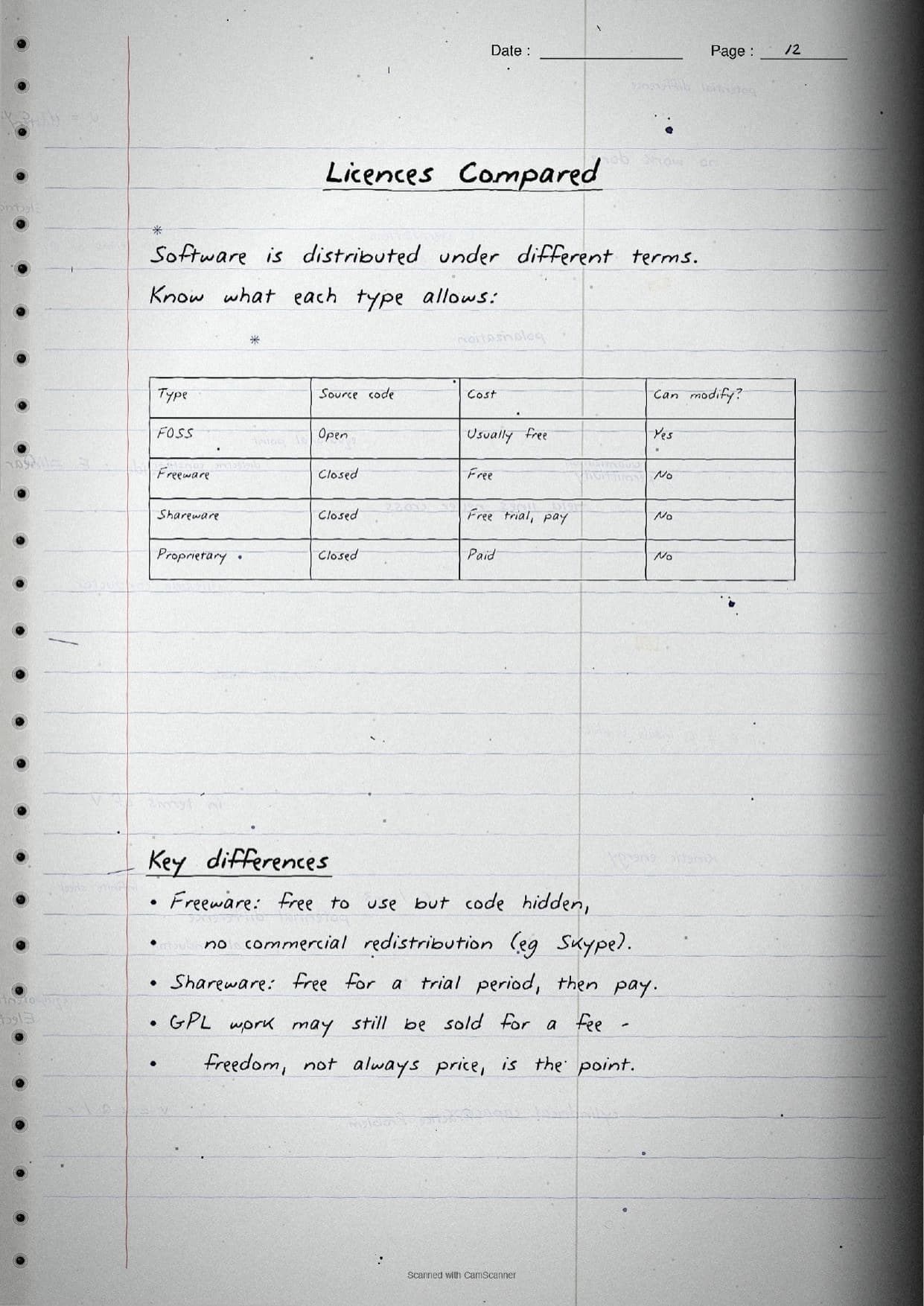
The licensing pages then explain how open source works. GPL (the GNU General Public Licence) is for software and gives the freedom to run, study, share and modify it, with derivative works keeping the same rights. Creative Commons is for creative works and lets the author set the sharing conditions. FOSS means Free and Open Source Software, where the source code is open to access and improve, as in Ubuntu, LibreOffice and Mozilla Firefox. A quick table keeps the licence types apart:
| Type | Source code | Cost |
|---|---|---|
| FOSS | Open | Usually free |
| Freeware | Closed | Free, but no code access |
| Shareware | Closed | Free trial, then pay |
| Proprietary | Closed | Paid |
The cyber crime pages then cover the offences students must name and justify in case studies: hacking (with a white hat versus black hat map), phishing, identity theft, ransomware, and cyber bullying and trolling. The cyber safety page lists real measures, like using an updated antivirus, downloading only from secure HTTPS sites, and keeping a strong, different password for each website. The final pages cover the Indian IT Act 2000 (amended in 2008) that gives the legal framework and recognises digital signatures, plus e-waste management through the 3 R's, Reduce, Reuse and Recycle, and the health side, where ergonomics and correct posture reduce eye strain and back pain.
How to Use These Handwritten Notes
Handwritten notes work best as a final-revision tool, not a first read. The steps below show how to get the most out of the Societal Impact handwritten notes in the last days before the Class 11 final exam.
- Download: tap the download card above to save the handwritten pages to your device.
- First read: read the printed Notes once so the handwritten pages act as a refresher, not a first source.
- Table drill: cover the IPR, licence and cyber crime tables and try to rebuild each one from memory.
- Night before: flip through the boxed one-liners and mind maps for a quick last-minute recall of the etiquettes and crimes.
Many students search for class 11 computer science chapter 11 notes on their phone the night before a test, so a saved set of handwritten pages means you can revise offline. Use the handwritten notes for speed, then check the solutions to confirm your answer points are right.
Common Mistakes These Notes Help You Avoid
A few errors cost marks every year in this chapter. The handwritten notes flag each one in the margin so you can fix it before the exam. These five are the most common.
- Mixing up active and passive footprints. Active is data we submit; passive is auto-logged as we browse.
- Confusing plagiarism and infringement. Plagiarism means no credit; infringement means no permission. Citing avoids only plagiarism.
- Saying copyright must be filed. Copyright is automatic, but a
patentmust be applied for and lasts 20 years. - Thinking freeware is open source. Freeware is free to use but closed source; only FOSS gives the code.
- Believing that content on the Internet is free to use. Being online does not make a work free of copyright.
Students who fix these five points usually move from average to high marks. The handwritten notes box every definition and lay out the comparisons as tables, so the soft points are hard to miss when you revise.
How These Handwritten Notes Pair with the Solutions and Book PDF
These handwritten notes are a fast revision tool. To prepare fully, students should use them alongside the other resources for the same chapter, all linked in the table below. Read the printed Notes, test yourself with the solutions, then use these pages for a final recall.
| Resource | Best used for |
|---|---|
| Societal Impact NCERT Solutions | Step-by-step answers to all the chapter exercise questions |
| Societal Impact Class 11 Notes | Quick chapter summary with all definitions and tables in one place |
| Societal Impact NCERT Book PDF | Reading the original NCERT chapter text and examples |
Tip: read the printed Notes first, then attempt the solutions, and keep these handwritten pages for the final night-before flip. Using them for recall, not for the first read, builds memory faster.
All Class 11 Computer Science Handwritten Notes by Chapter
The table links the handwritten notes for every chapter in Class 11 Computer Science, so students can move across the course in one click. Societal Impact is highlighted.
| Chapter | Handwritten Notes |
|---|---|
| Chapter 1 | Computer System |
| Chapter 2 | Encoding Schemes and Number System |
| Chapter 3 | Emerging Trends |
| Chapter 4 | Introduction to Problem Solving |
| Chapter 5 | Getting Started with Python |
| Chapter 6 | Flow of Control |
| Chapter 7 | Functions |
| Chapter 8 | Strings |
| Chapter 9 | Lists |
| Chapter 10 | Tuples and Dictionaries |
| Chapter 11 | Societal Impact |
FAQs on Societal Impact Handwritten Notes
Societal Impact Class 11 Computer Science Handwritten Notes Common Questions
Ques. Where can I download the Societal Impact handwritten notes PDF?
Ans. You can download the Societal Impact Class 11 Computer Science handwritten notes PDF directly from this page. It is free, follows the 2026-27 NCERT, and presents the digital footprint, etiquettes, IPR, cyber crime, IT Act and e-waste as handwritten pages.
Ques. What is the difference between active and passive digital footprint?
Ans. An active digital footprint is data you share on purpose, such as emails, posts, uploads and form entries. A passive digital footprint is data left behind without your intent while you just browse, such as cookies, history and IP logs. The handwritten notes draw both as a small mind map.
Ques. What topics do these Chapter 11 handwritten notes cover?
Ans. They cover digital society and netizens, the digital footprint, net, communication and social media etiquettes, data protection, intellectual property rights (copyright, patent and trademark), plagiarism and how to avoid it, open source licences like GPL, Creative Commons and FOSS, cyber crime, cyber safety, the IT Act 2000, e-waste management and the impact of technology on health.
Ques. How is copyright different from a patent and a trademark?
Ans. Copyright protects original creative works and is granted automatically on creation. A patent protects a new invention, must be filed, and lasts 20 years. A trademark protects a brand symbol, name or logo and is registered. The handwritten notes compare all three in one table so the difference is easy to write in the exam.
Ques. Are handwritten notes good for revising Class 11 Computer Science Chapter 11?
Ans. Yes. Societal Impact is a theory chapter, so the boxed definitions, mind maps and comparison tables make it quick to skim and recall. Use the handwritten notes after a first read of the printed Notes, then test yourself with the NCERT Solutions.



Comments