




These Encoding Schemes and Number System handwritten notes turn the whole of Chapter 2 into clean, handwritten pages for fast last-minute revision. They follow the 2026-27 NCERT syllabus and Chapter 2 of Class 11 Computer Science. Students get every encoding scheme (ASCII, ISCII and Unicode), all four number systems (binary, octal, decimal and hexadecimal), base conversions in both directions, the grouping trick for binary to octal and hex, and binary addition, all in a pen-on-paper format that is easy to skim before a test.
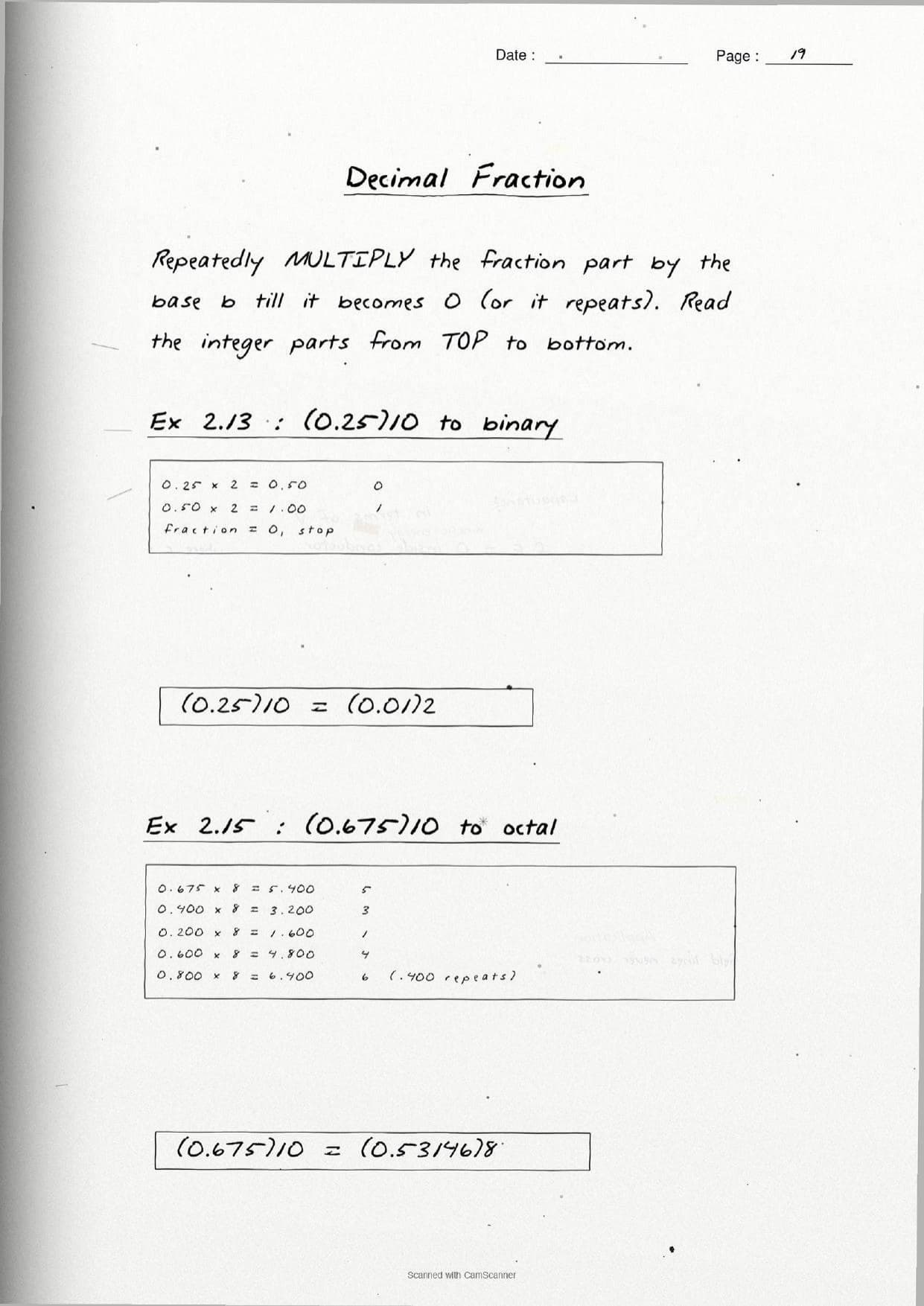
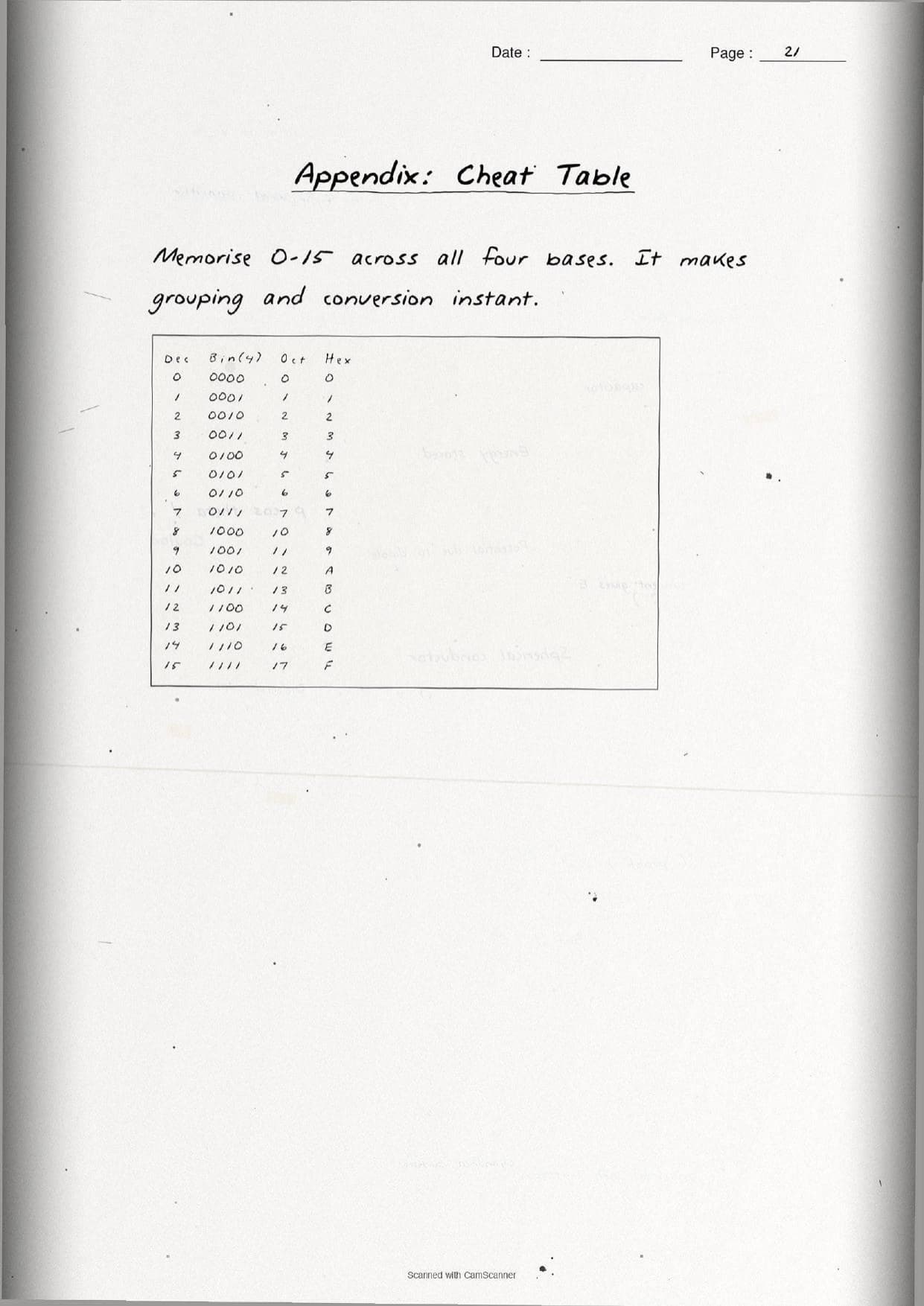
- Handwritten pages with boxed formulas, aligned conversion worksheets, and a full base table from decimal
0to15. - This is an early chapter of Class 11 Computer Science, so its bits, bytes and codes set up the whole course.
- Pairs with the NCERT Solutions, Notes and Book PDF linked lower on this page.
These Encoding Schemes and Number System handwritten notes are prepared from the official NCERT Computer Science textbook and checked against recent CBSE Class 11 question papers.
Student Feedback: In a Collegedunia poll of 4,360 Class 11 Computer Science students, 78% of students said the handwritten conversion worksheets helped them get base conversions right faster than a printed textbook, because the division steps and remainder columns were lined up by hand and easy to follow.
Source: 2026-27 Class 11 Computer Science student poll. Sample of 4,360 students from CBSE schools across 9 states.
What These Encoding Schemes and Number System Handwritten Notes Contain
Encoding Schemes and Number System is Chapter 2 of Class 11 Computer Science. It explains how a computer stores letters and numbers as 0s and 1s, and how the same value can be written in four different number systems. These handwritten notes condense the chapter into handwritten pages that read like a topper's own notebook, with every worked example traced by hand.
The notes are organised under two main threads, each on its own set of pages:
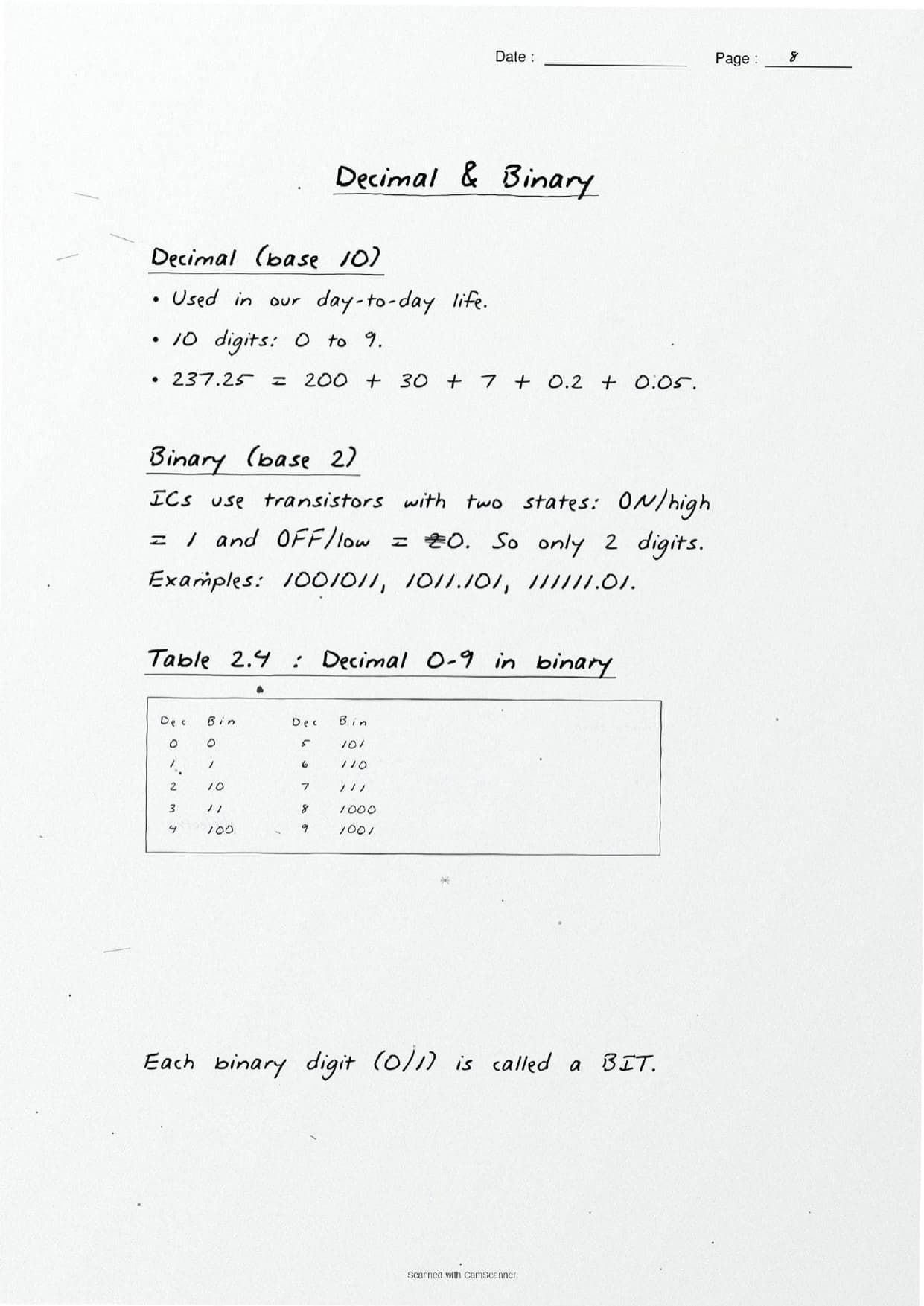
- Number systems: binary, octal, decimal and hexadecimal, their base or radix, positional value, and conversions in both directions.
- Encoding schemes: how
ASCII,ISCIIandUnicodemap a keypress to a unique code, and how many characters each scheme can represent.
Because the pages are handwritten, the division steps, remainder columns and grouping boxes sit in aligned worksheets rather than long paragraphs. A student can flip through the number system class 11 pages in a few minutes and still recall the base of each system, the conversion methods and the code sizes before walking into the exam.
Number Systems and Base Conversions in the Handwritten Pages
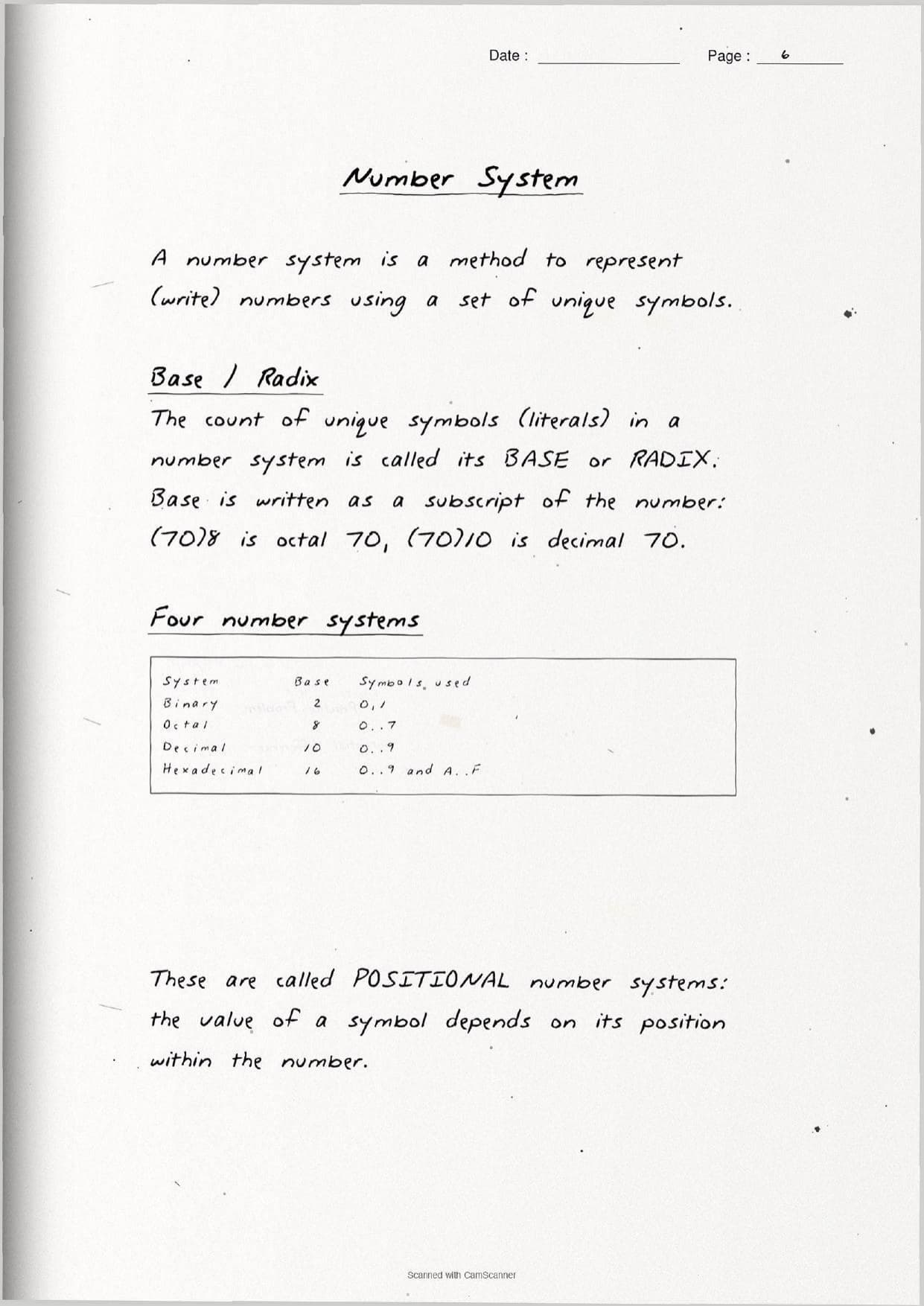
The first block of pages fixes what a number system is. A number system is a method to write numbers using a set of unique symbols, and the count of those symbols is its base or radix. The base is written as a subscript, so (70)8 is octal seventy while (70)10 is decimal seventy. All four systems are positional, which means the value of a digit depends on its place in the number.
| System | Base | Symbols on the page |
|---|---|---|
| Binary | 2 | 0, 1 |
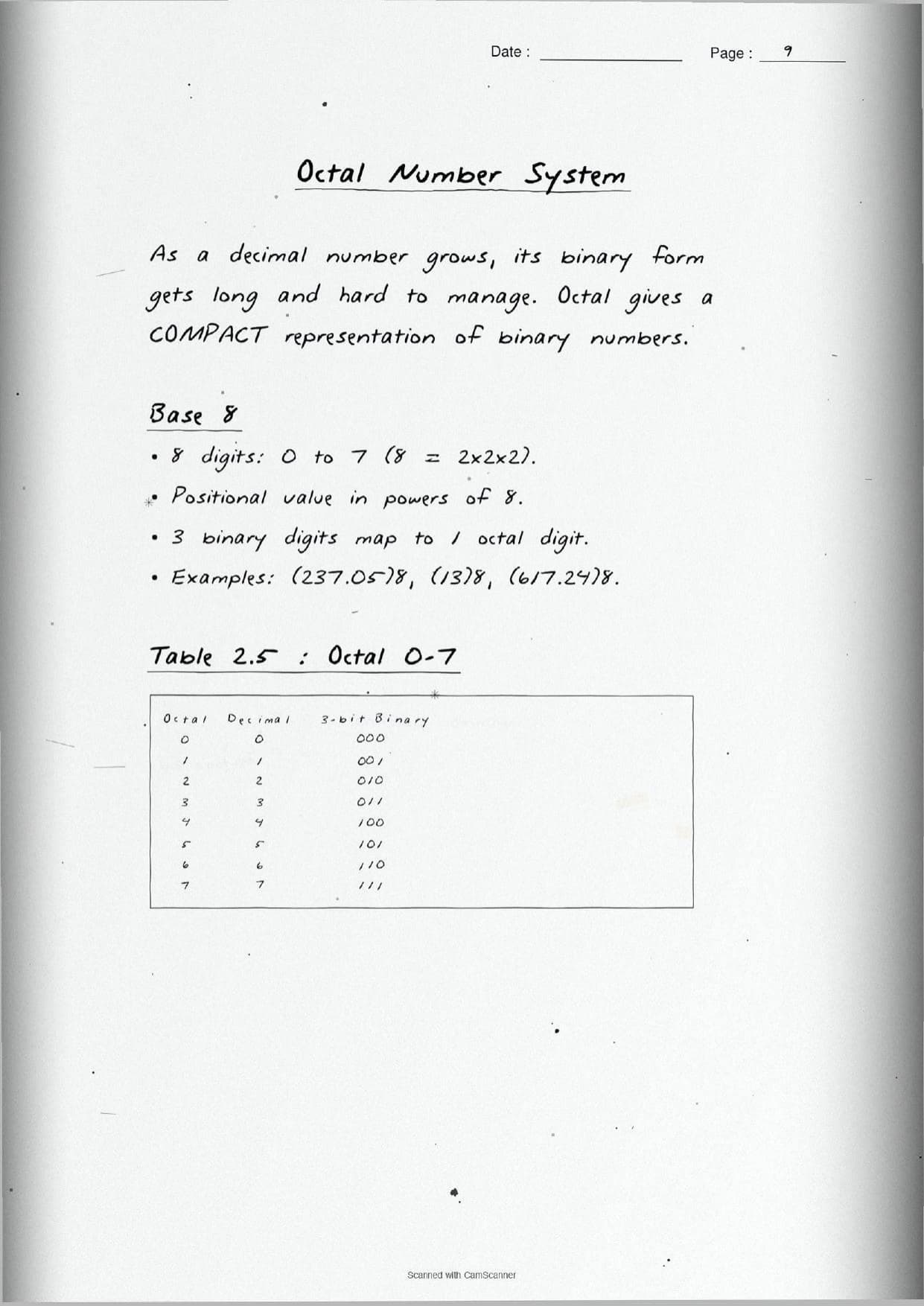
| Octal | 8 | 0 to 7 |
| Decimal | 10 | 0 to 9 |
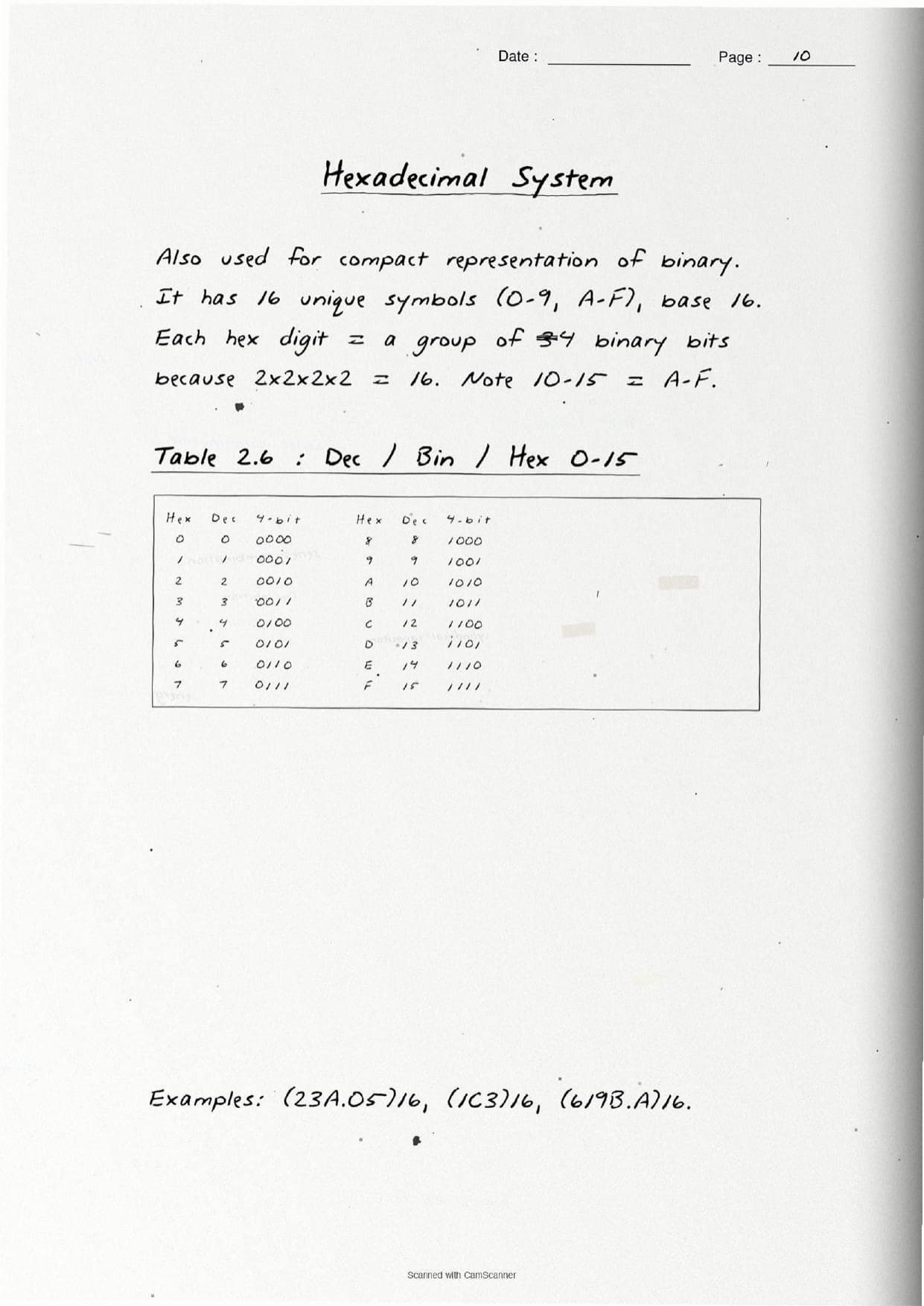
| Hexadecimal | 16 | 0 to 9 and A to F |
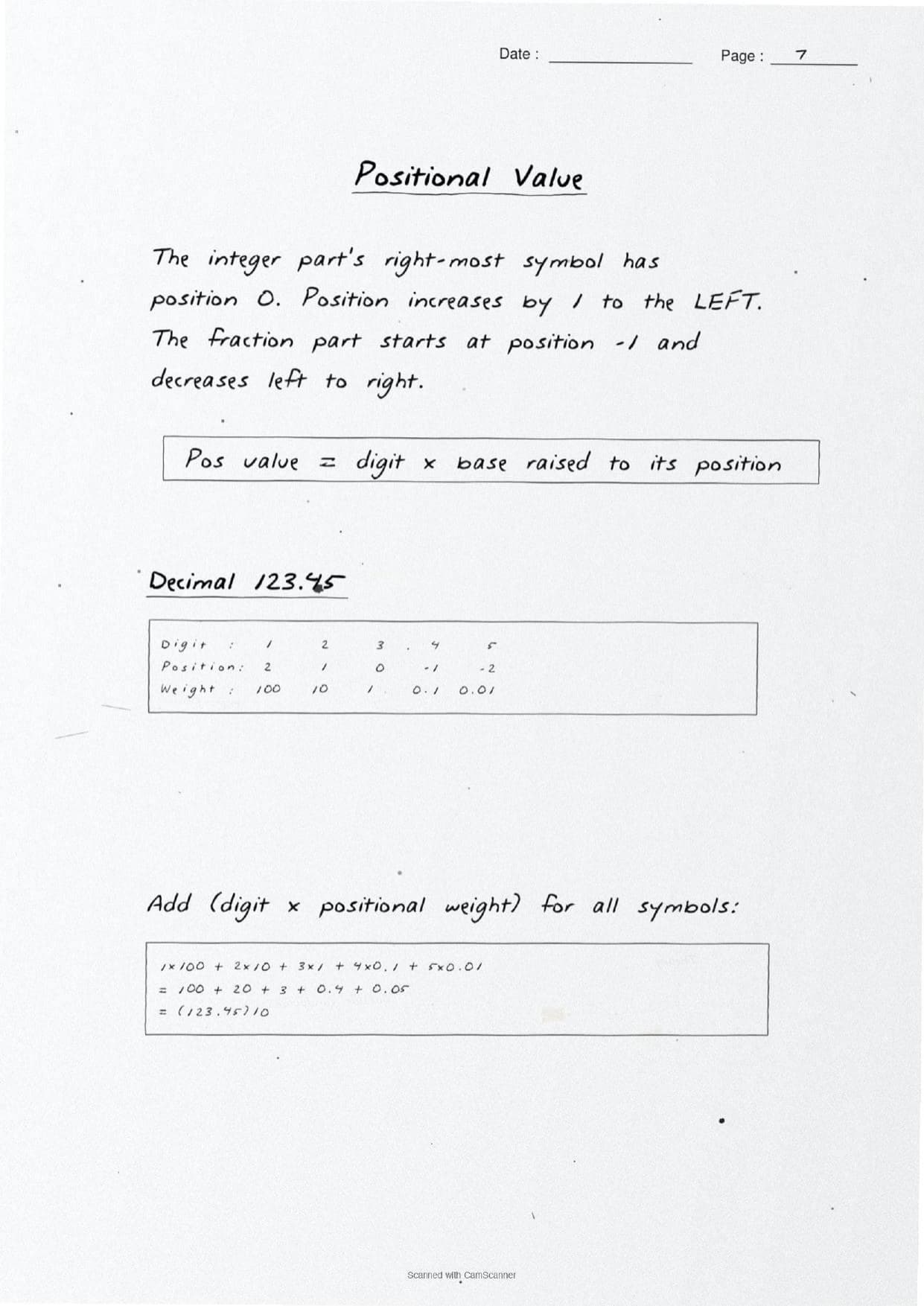
The notes box the positional-value rule: value = digit multiplied by base raised to its position. The right-most digit of the whole part sits at position 0, and the fraction part starts at position -1. That single idea drives every conversion, so it is highlighted early with the worked case of 123.45 expanded place by place.
The conversion pages then show both directions with real worksheets:
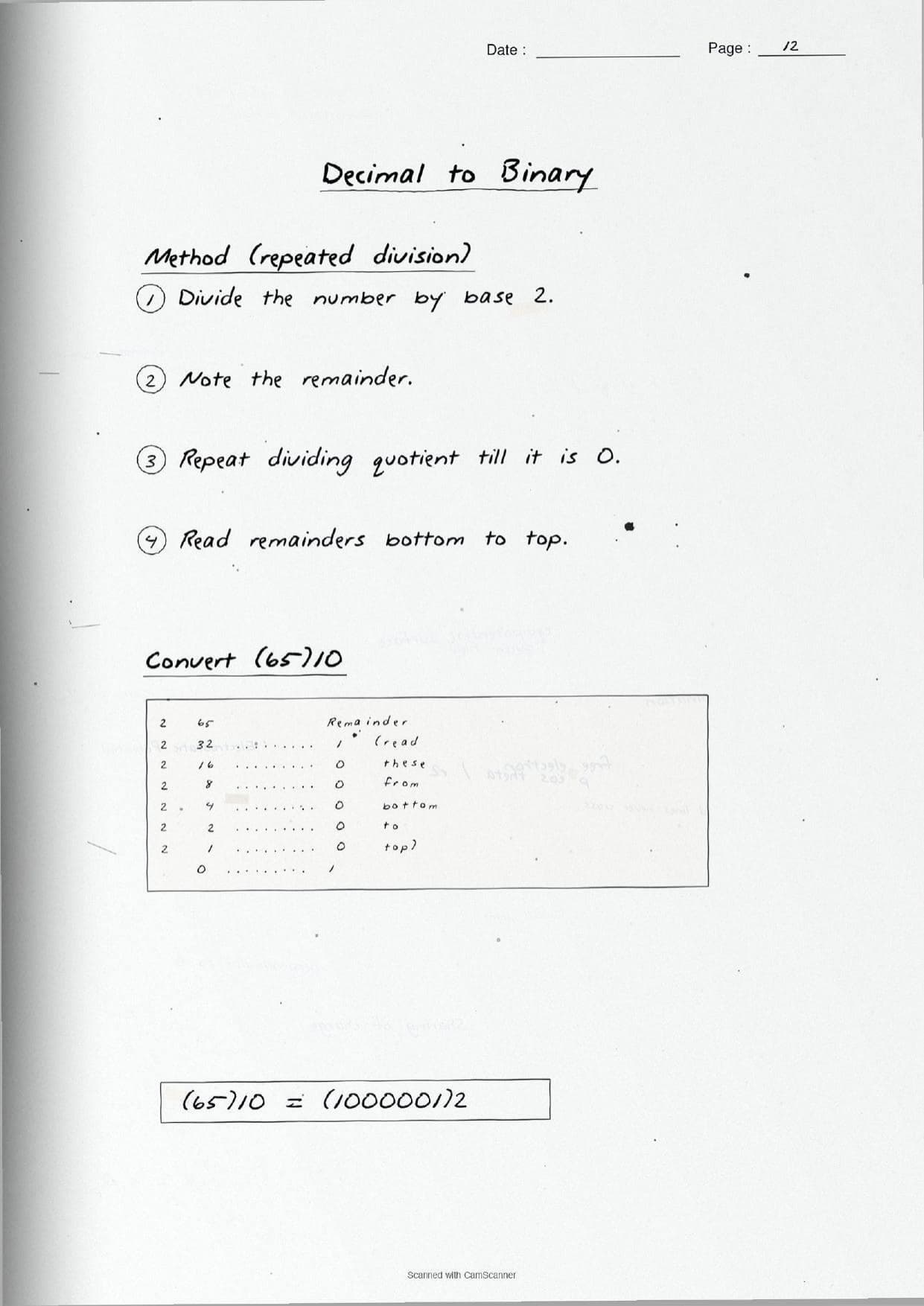
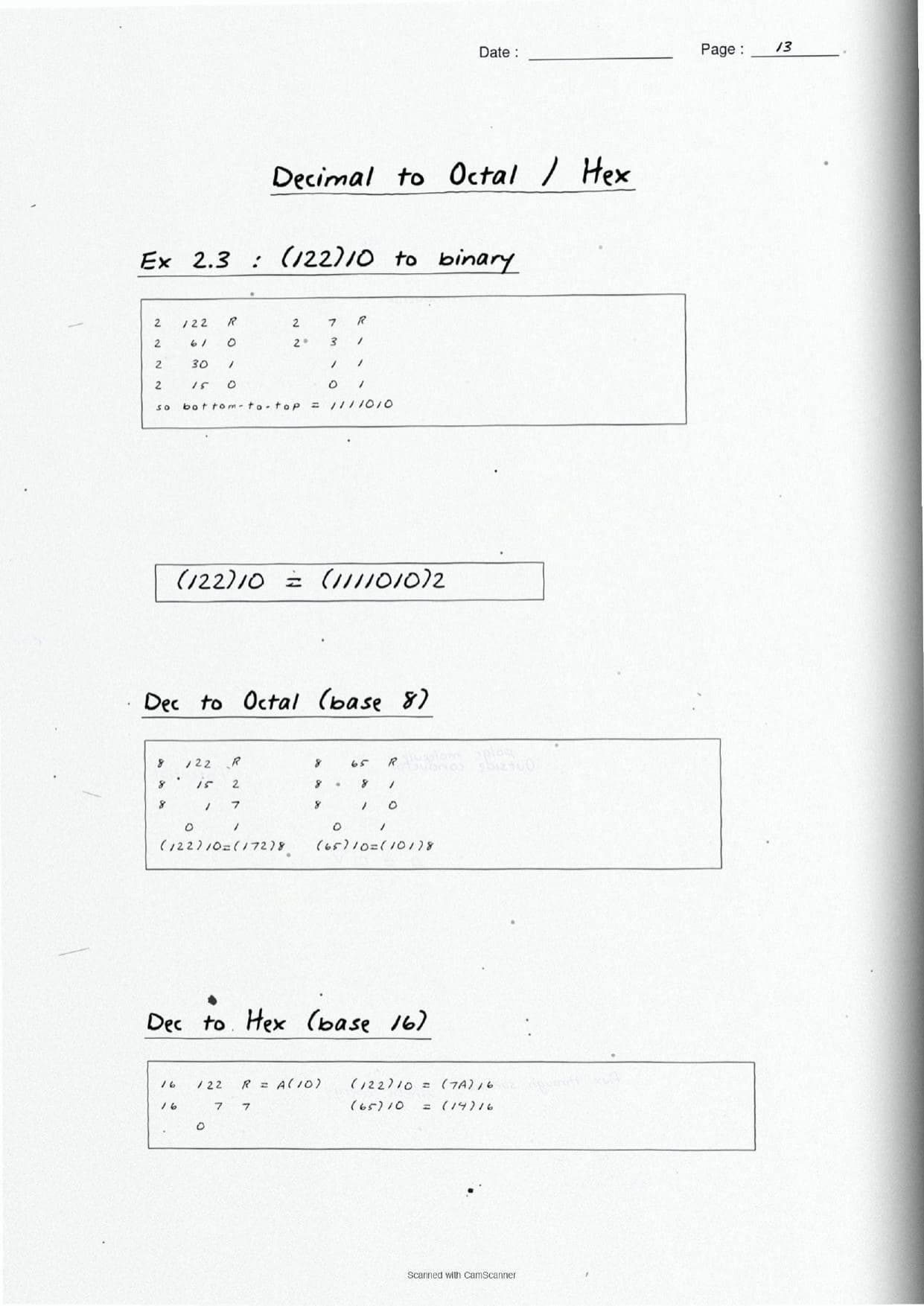
- Decimal to another base: use repeated division by the base, note each remainder, and read the remainders from bottom to top. The page works
(65)10 = (1000001)2and(122)10 = (172)8 = (7A)16. - Any base to decimal: use positional expansion, multiply each digit by its weight, and add. For example
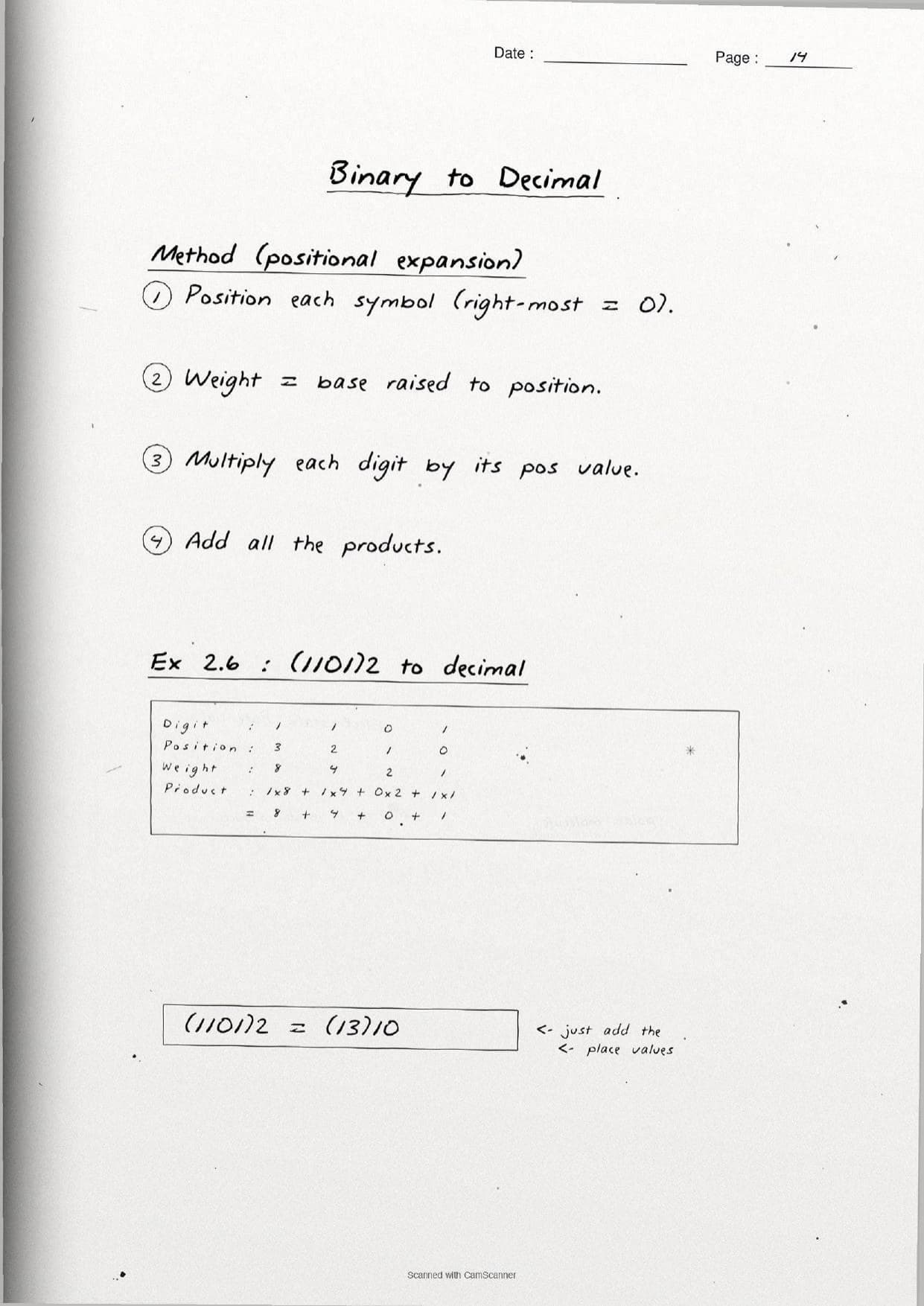
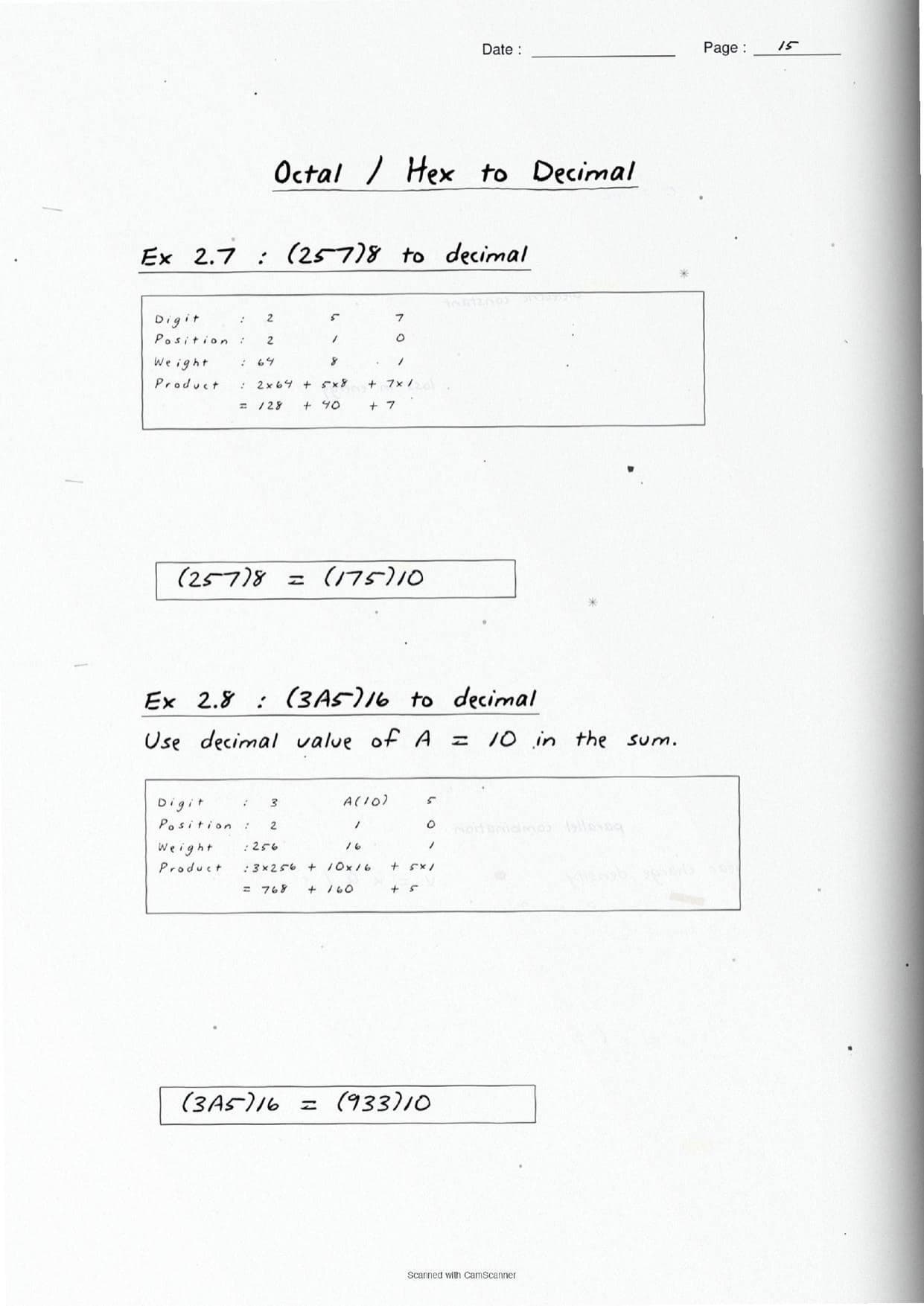
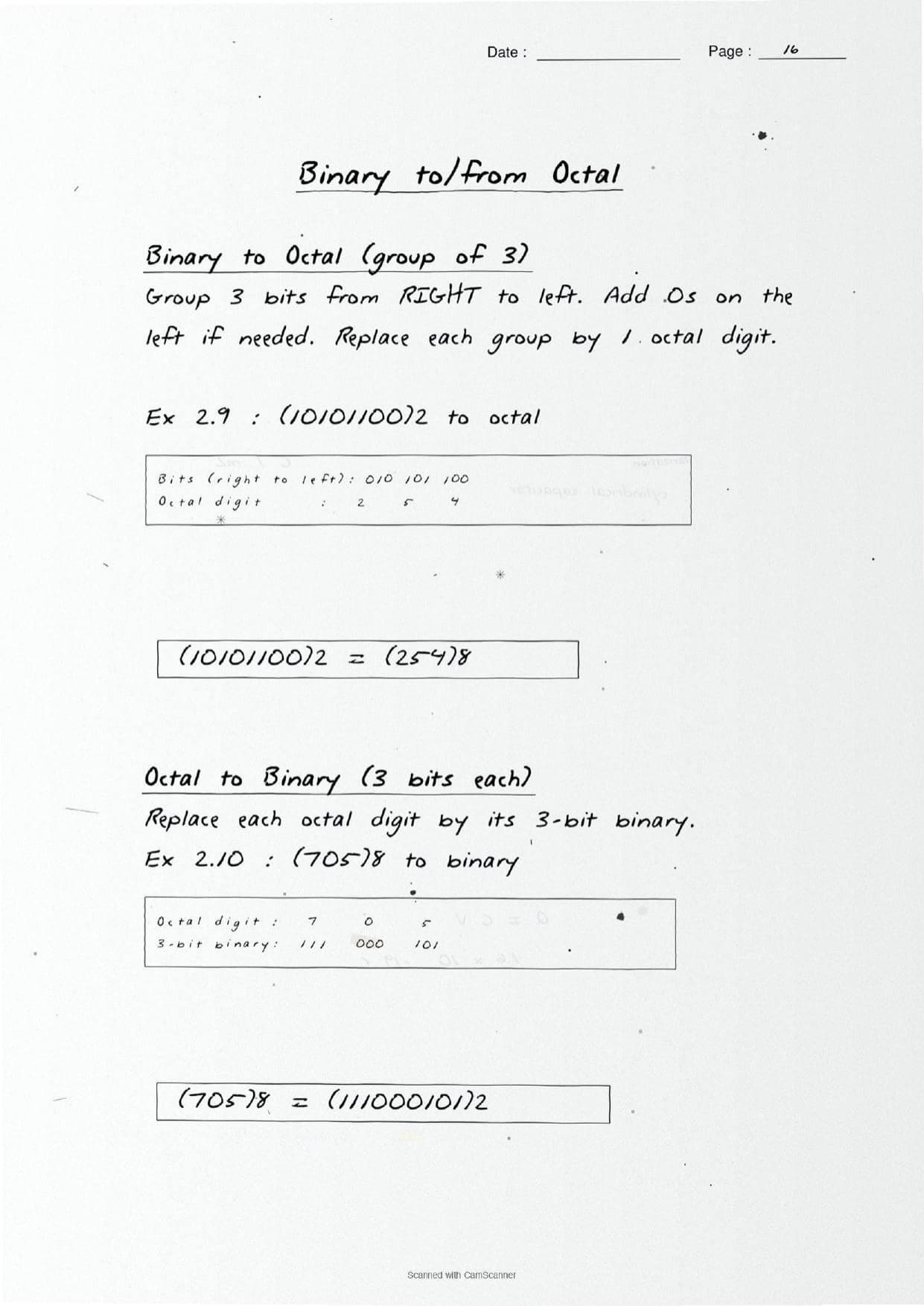
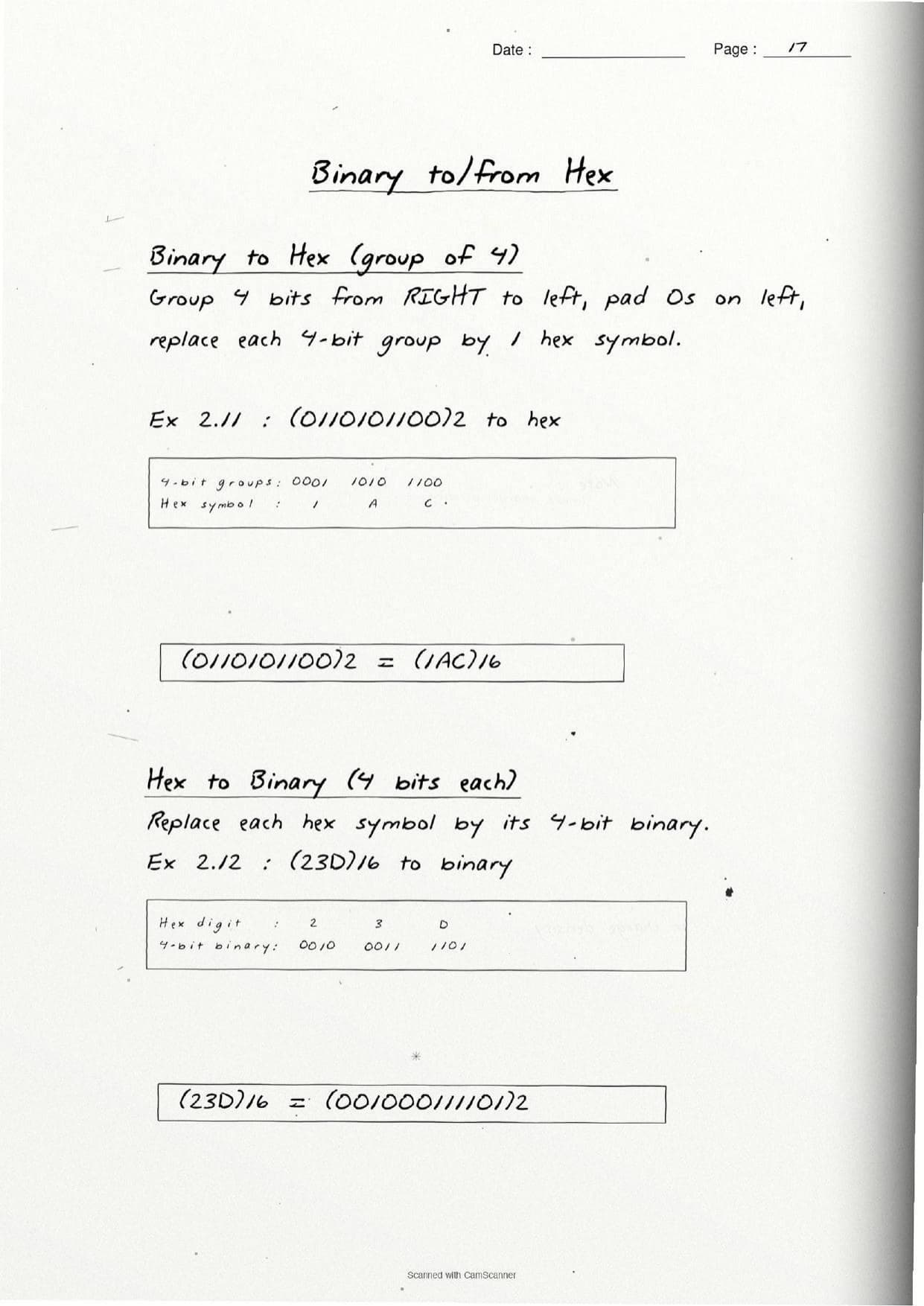
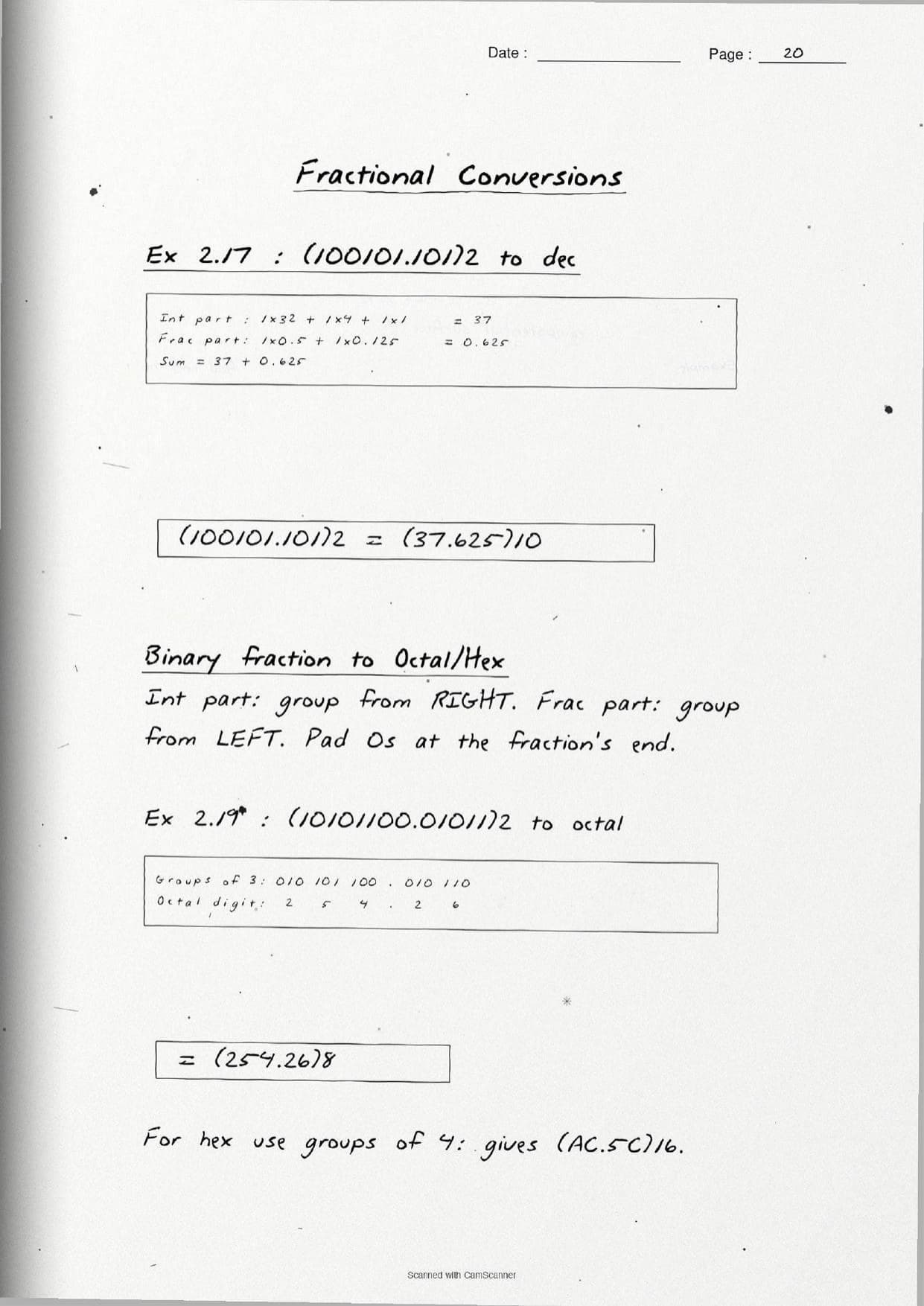
(1101)2 = (13)10and(3A5)16 = (933)10, where hexAis used as decimal10. - Binary to octal or hex: group the bits from the right, 3 bits per octal digit and 4 bits per hex digit, padding zeros on the left if needed. So
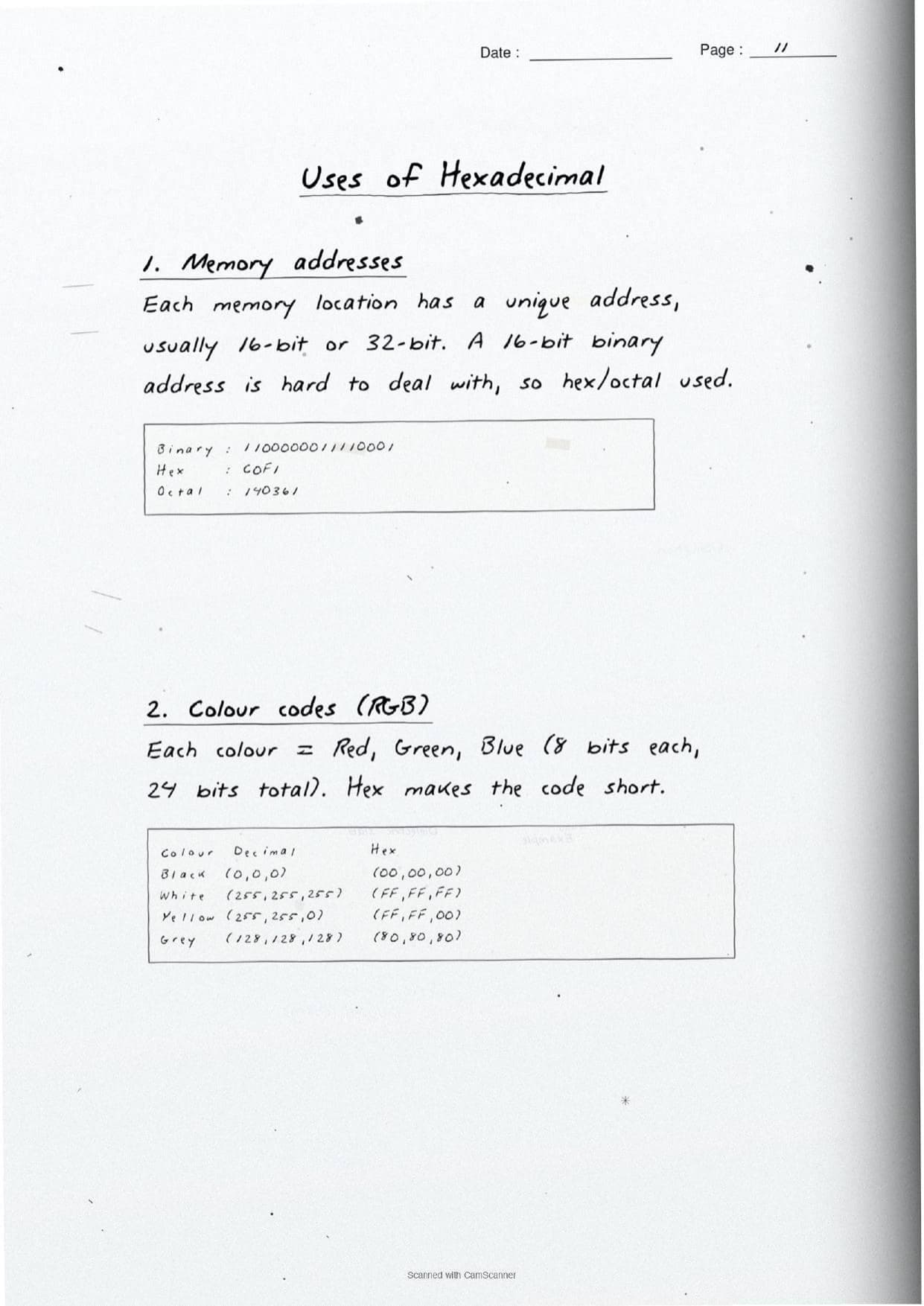
(10101100)2 = (254)8and the reverse simply expands each digit back to its bit group.
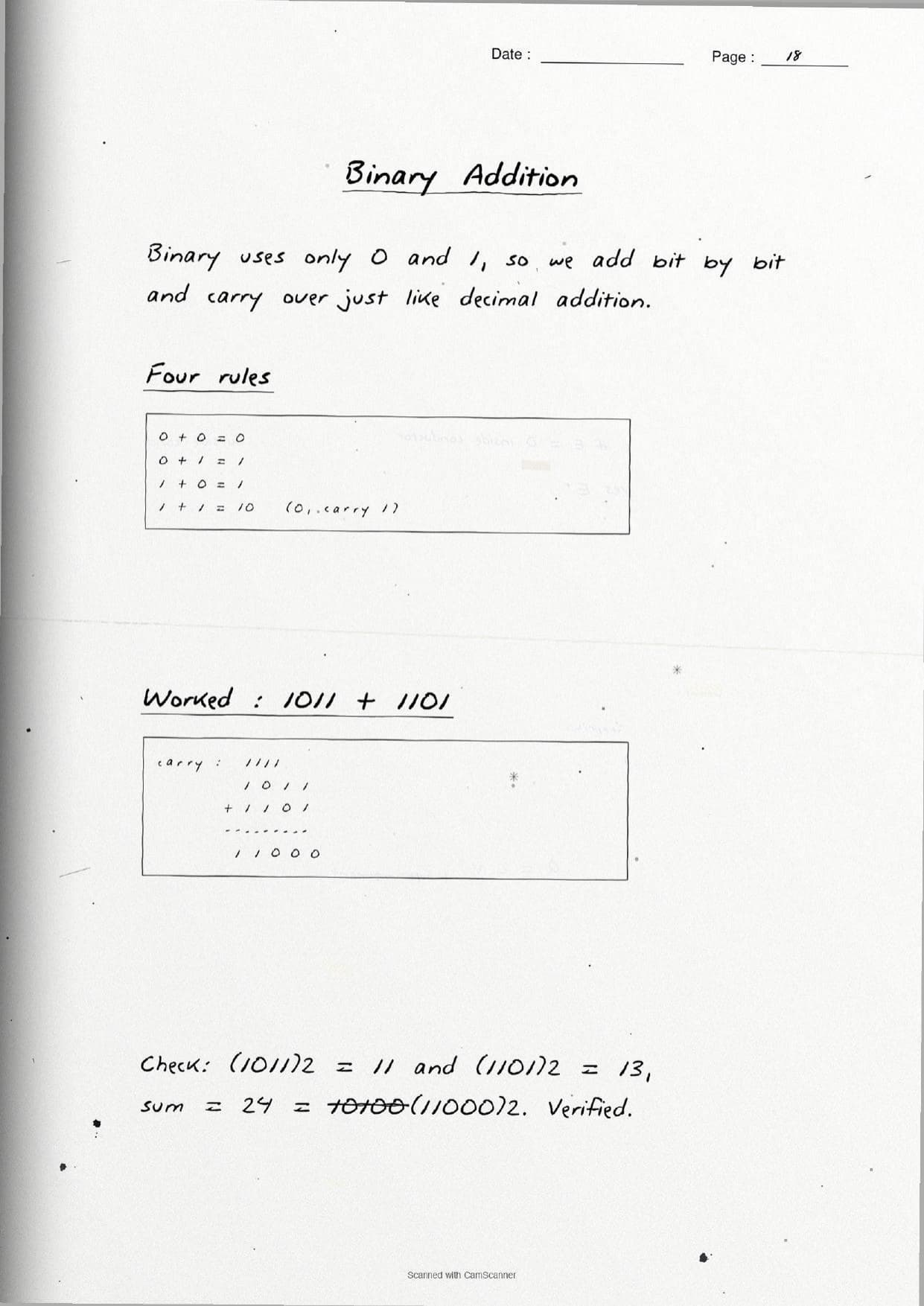
A short page also covers binary addition, the arithmetic a computer actually does. The four rules are written out by hand: 0+0=0, 0+1=1, 1+0=1, and 1+1=10 where the 1 is carried to the next column. The page notes that 1+1+1=11 when a carry meets two ones, so students track carries the same way they do in decimal addition.
Encoding Schemes: ASCII, ISCII and Unicode
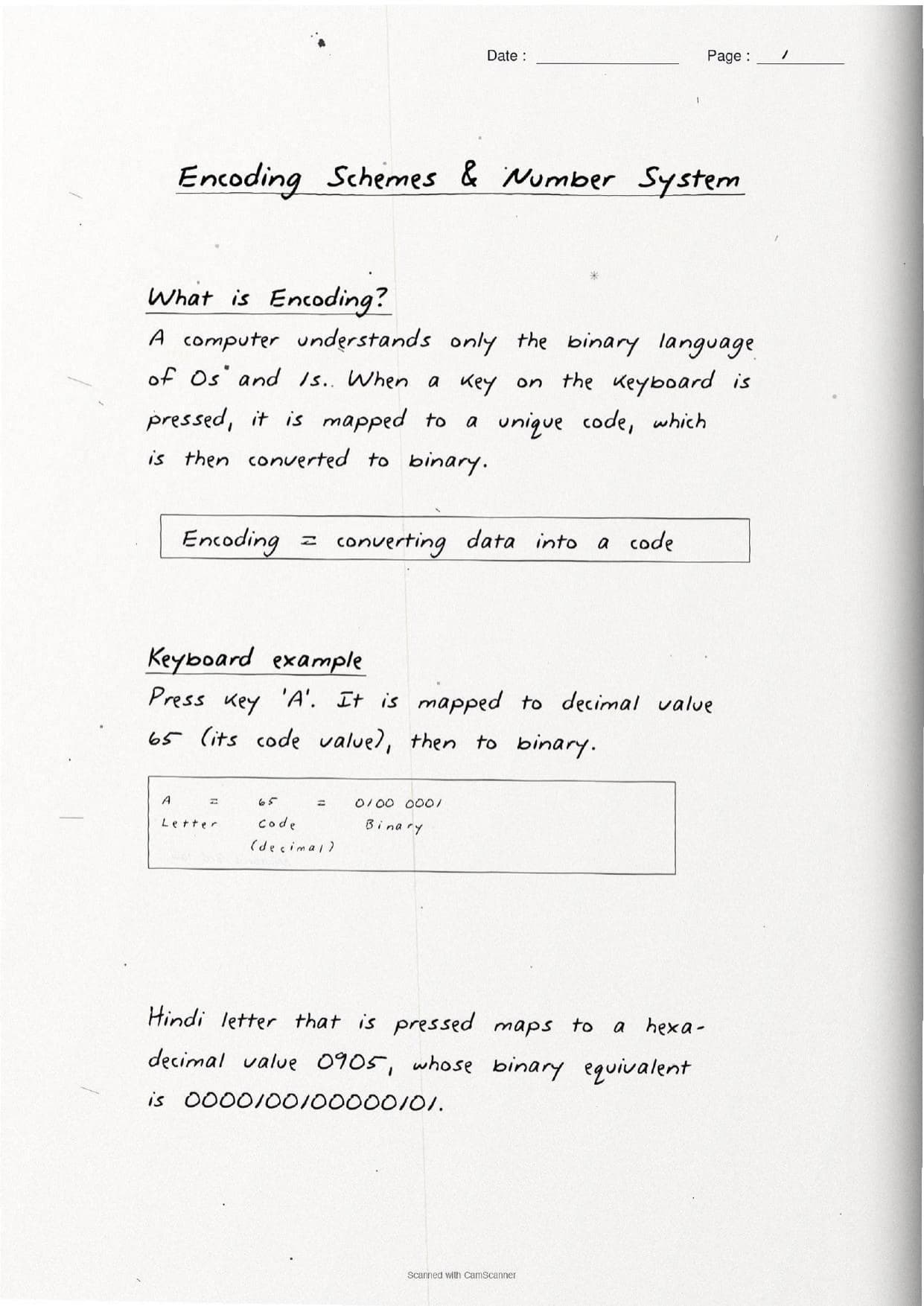
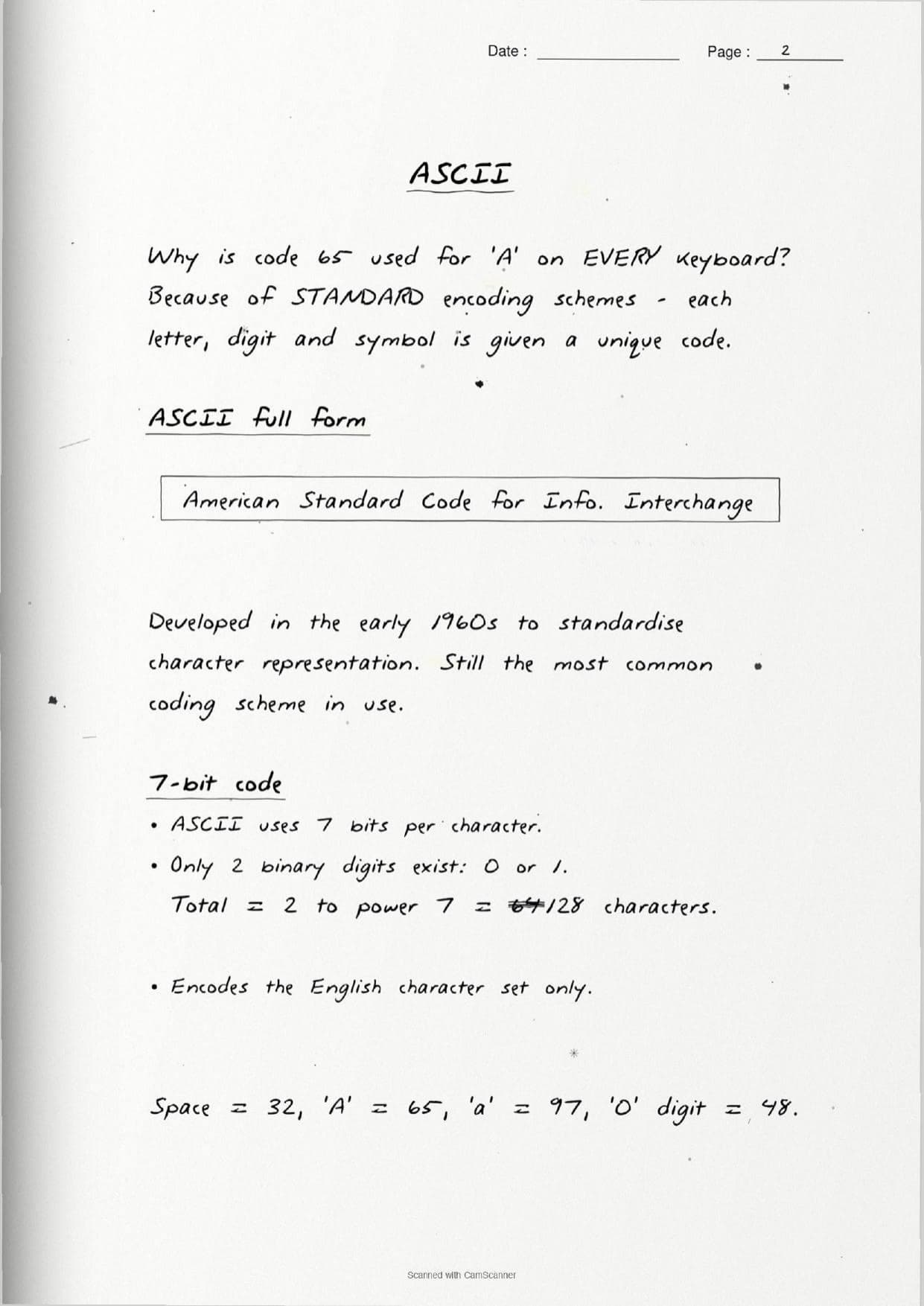
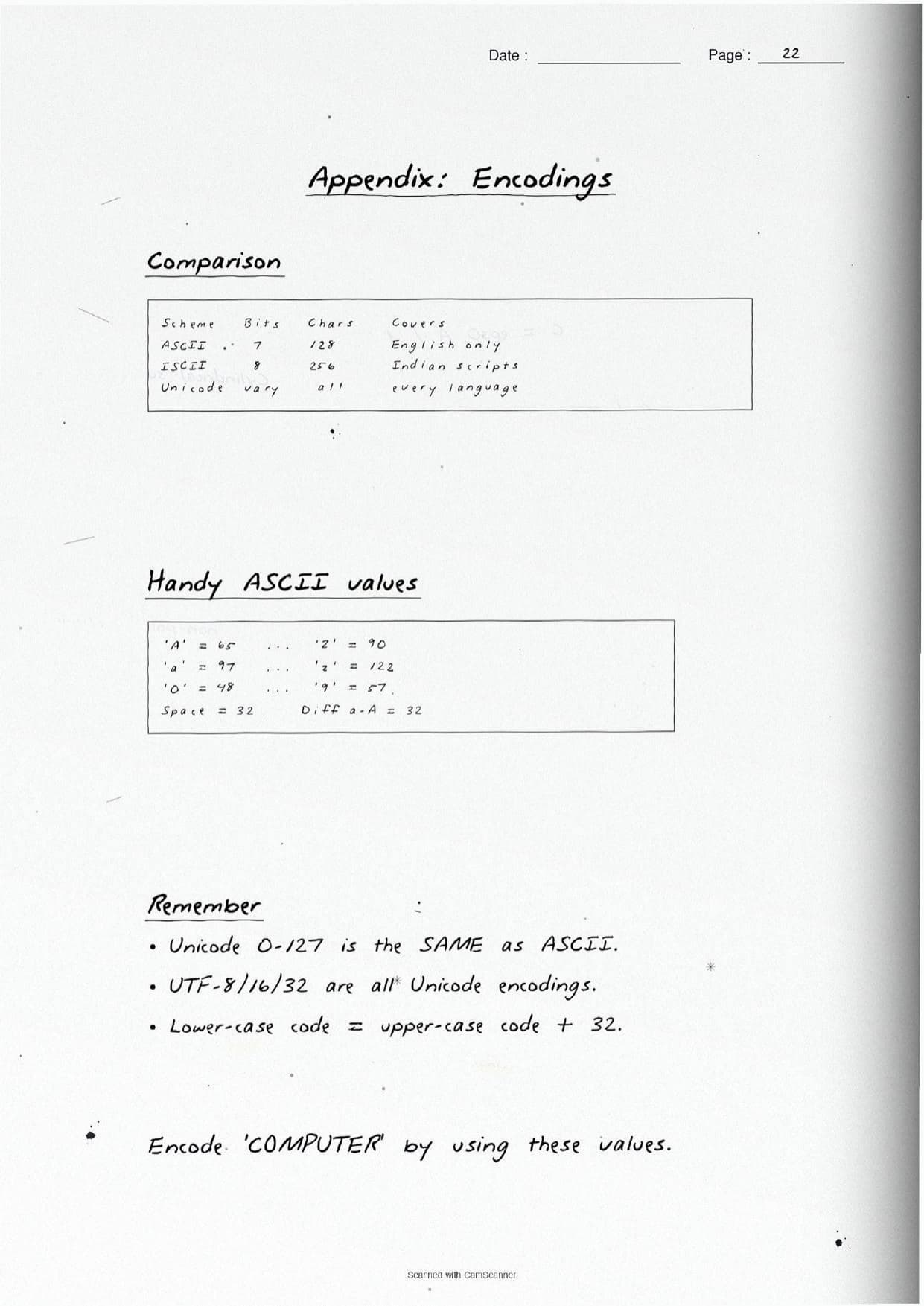
The second block of pages explains why a computer needs codes at all. A computer understands only binary, so when a key is pressed it is first mapped to a unique number and then to binary. The reason code 65 means capital A on every keyboard is that all machines share standard encoding schemes. The notes cover the three schemes in the syllabus and box the full form and code size of each.
| Scheme | Bits | What the page shows |
|---|---|---|
| ASCII | 7 | American Standard Code for Information Interchange. Encodes 27 = 128 English characters. Space = 32, A = 65, a = 97, digit 0 = 48. |
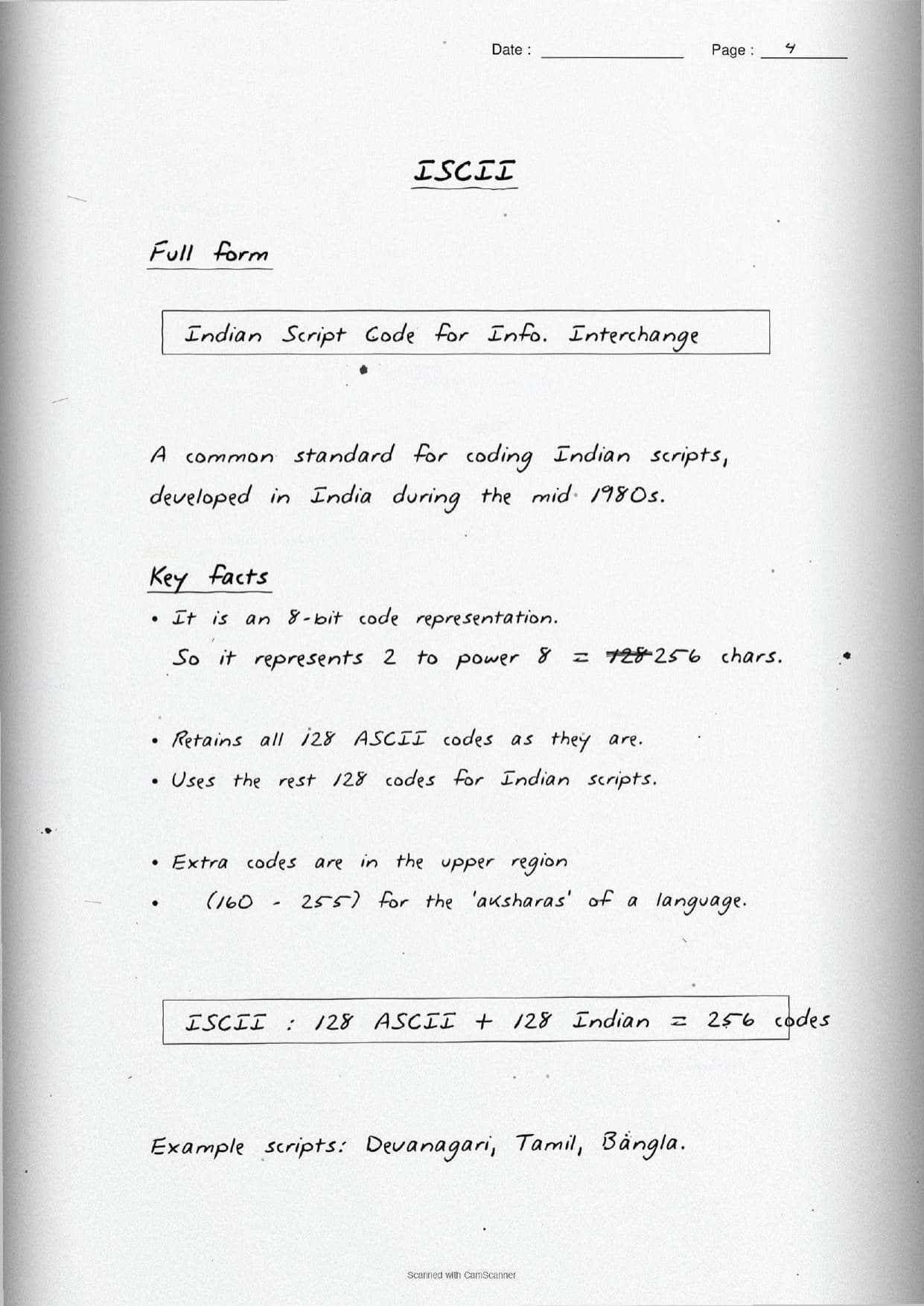
| ISCII | 8 | Indian Script Code for Information Interchange. An 8-bit code for 28 = 256 characters: it keeps the 128 ASCII codes and uses the upper 128 for Indian scripts like Devanagari and Tamil. |
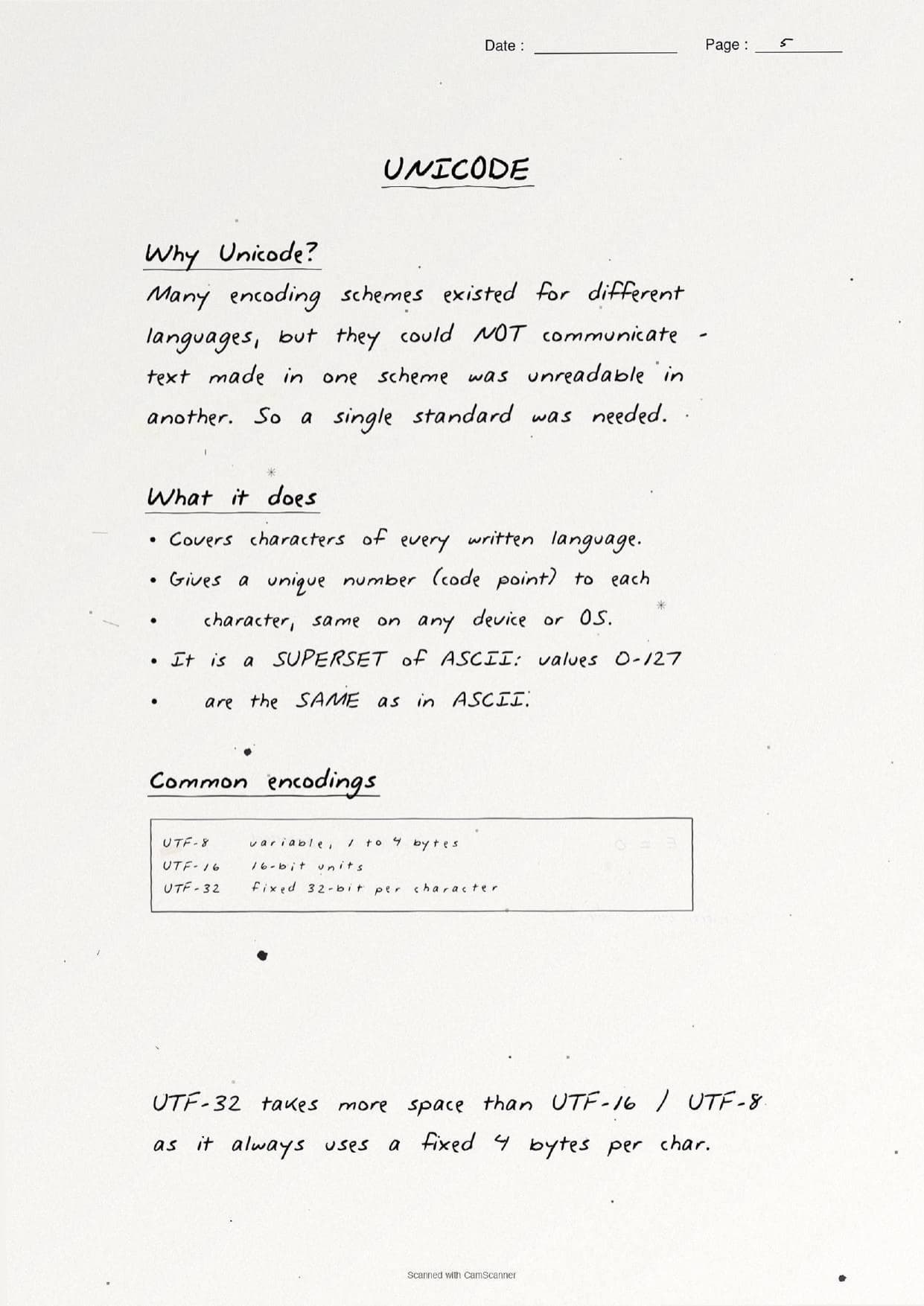
| Unicode | variable | A single standard that gives a unique code point to the characters of every written language, the same on any device. It is a superset of ASCII, so codes 0 to 127 match ASCII exactly. |
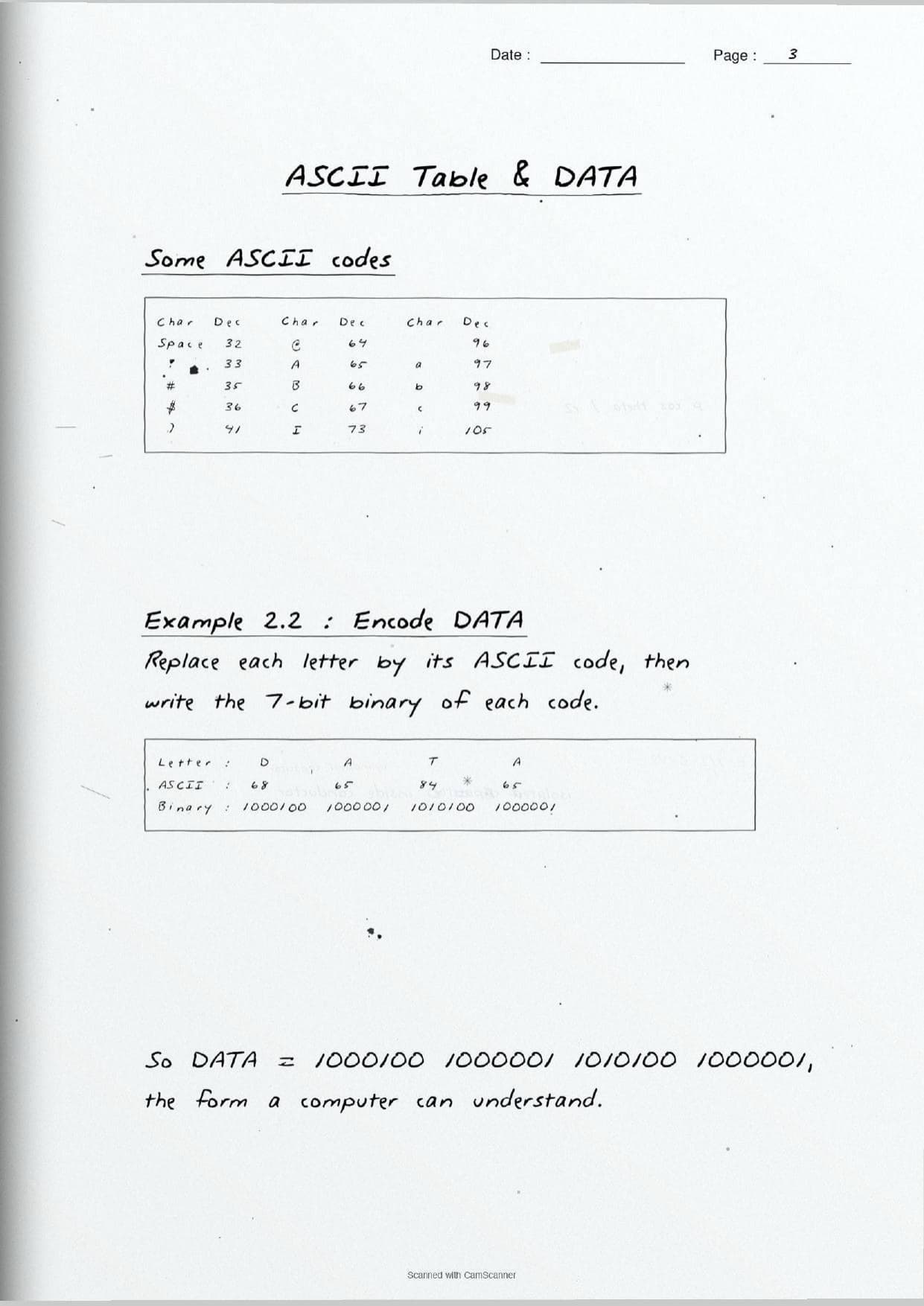
The ASCII page carries a worked example that students are often asked to repeat: encode the word DATA. Each letter is replaced by its code, then by its 7-bit binary, so D=68, A=65, T=84, and the word becomes 1000100 1000001 1010100 1000001. This is the exact form a computer stores.
The Unicode page then explains the common UTF encodings, since many older schemes could not talk to each other and text made in one was unreadable in another. The handwritten box lists all three:
UTF-8: variable width, 1 to 4 bytes per character, and the most widely used on the web.UTF-16: uses 16-bit units.UTF-32: a fixed 4 bytes per character, so it is simple but takes more space thanUTF-8orUTF-16.
How to Use These Handwritten Notes
Handwritten notes work best as a final-revision tool, not a first read. The steps below show how to get the most out of the Encoding Schemes and Number System handwritten notes in the last days before a test.
- Download: tap the download card above to save the handwritten pages to your device.
- First read: read the printed Notes once so the handwritten pages act as a refresher, not a first source.
- Practice drill: cover the worked answer and redo each conversion, then check your remainders and bit groups against the page.
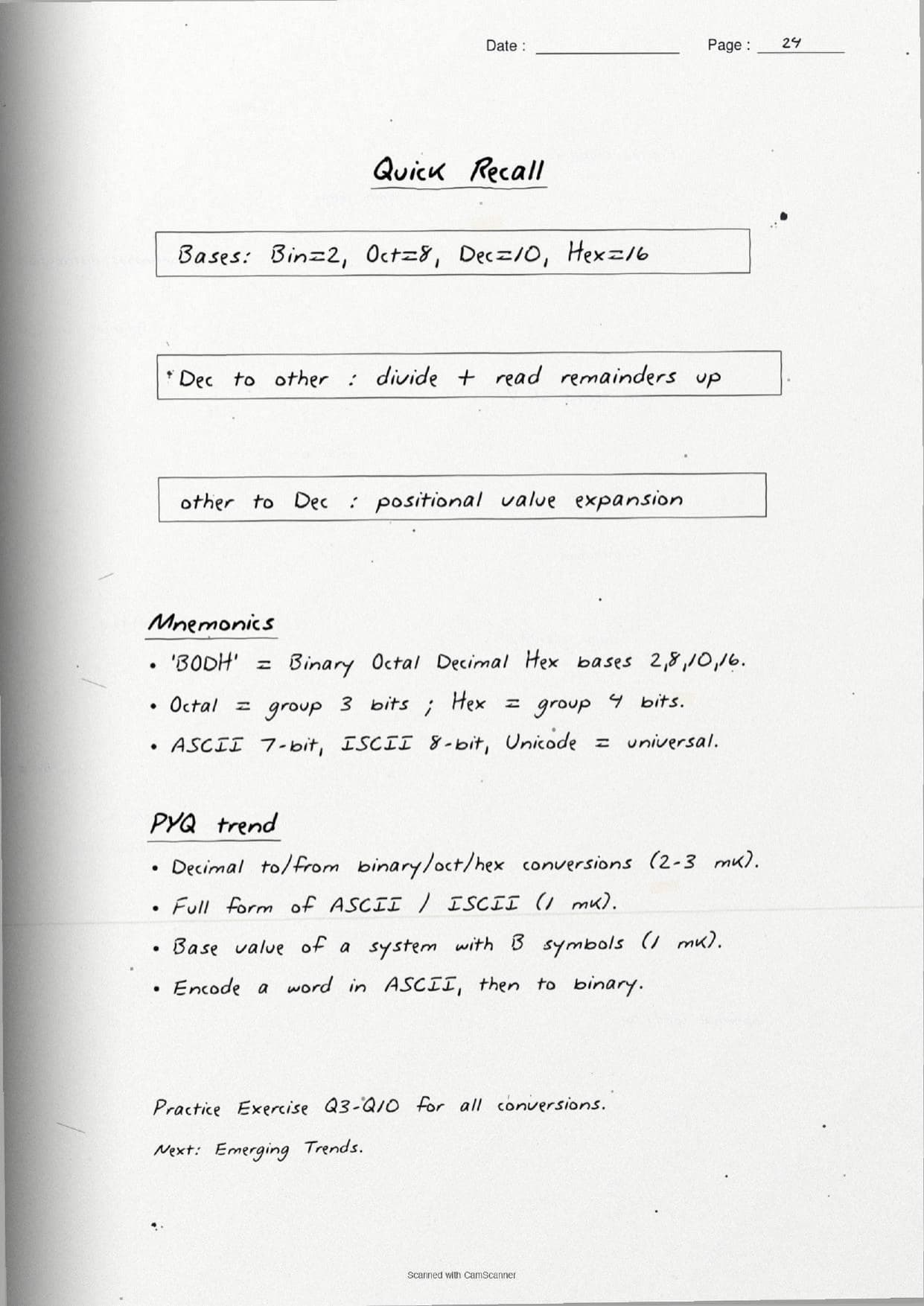
- Night before: flip through the base table and the ASCII, ISCII and Unicode boxes for a quick last-minute recall of code sizes.
Many students search for class 11 computer science chapter 2 notes on their phone the night before a test, so a saved set of handwritten pages means you can revise offline. Use the handwritten notes for speed, then work a few conversions yourself to confirm your method is right.
Common Mistakes These Notes Help You Avoid
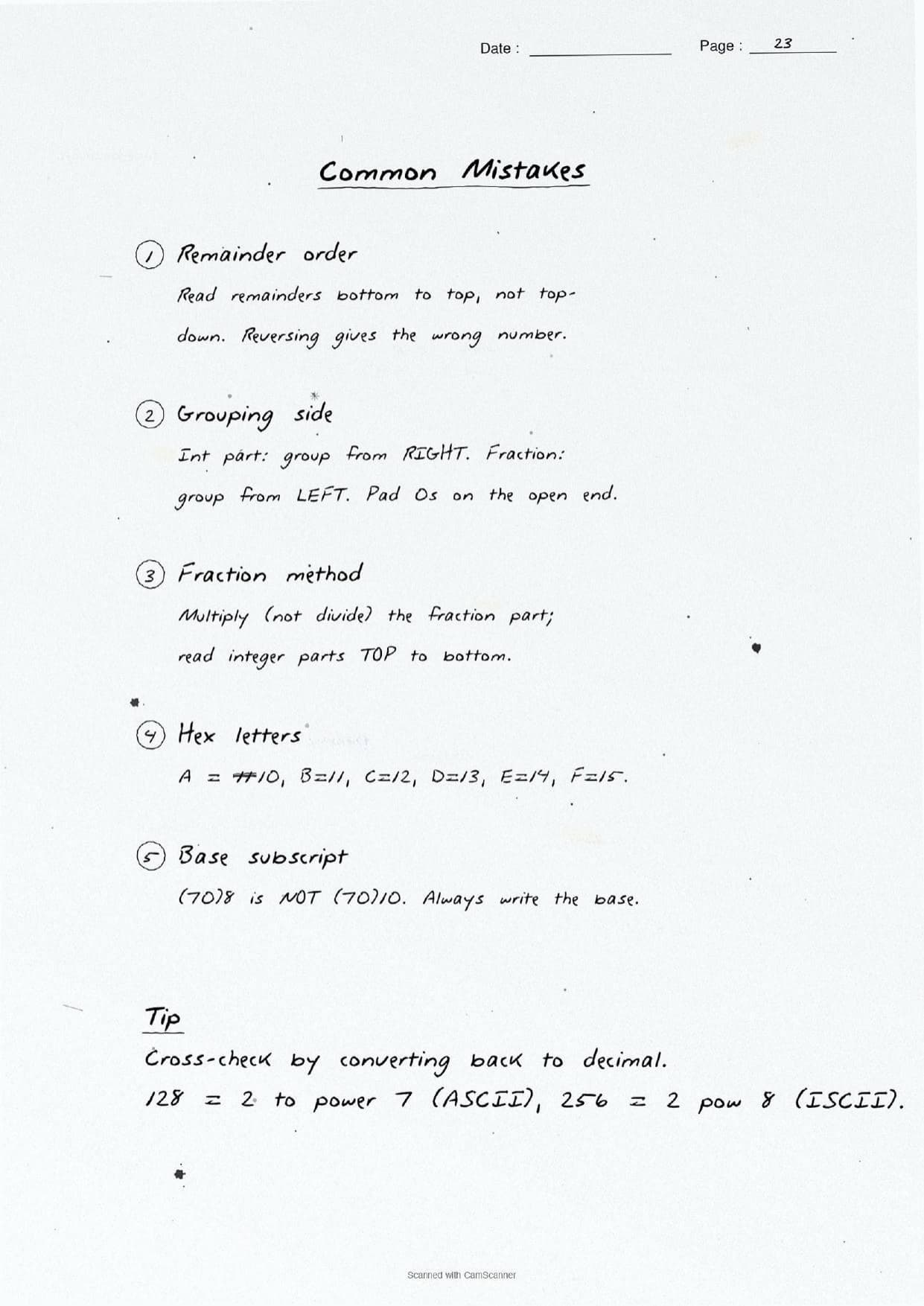
A few errors cost marks every year. The handwritten notes flag each one in the margin so you can fix it before the exam. These five are the most common.
- Reading remainders the wrong way. In decimal-to-binary you read the remainders bottom to top, not top to bottom.
- Wrong group size. Use 3 bits for octal and 4 bits for hexadecimal, grouped from the right, not the left.
- Forgetting hex letters. In hexadecimal,
AtoFstand for decimal10to15, so use10forAin any sum. - Confusing the code sizes.
ASCIIis 7-bit (128) andISCIIis 8-bit (256); swapping them loses easy marks. - Dropping the base subscript. Always write the base, as in
(1010)2, so the value is not read as decimal.
Students who fix these five points usually move from average to high marks. The handwritten notes align every division step and label each group, so the soft points are hard to miss when you revise.
How These Handwritten Notes Pair with the Solutions and Book PDF
These handwritten notes are a fast revision tool. To prepare fully, students should use them alongside the other resources for the same chapter, all linked in the table below. Read the printed Notes, test yourself with the solutions, then use these pages for a final recall.
| Resource | Best used for |
|---|---|
| Encoding Schemes and Number System NCERT Solutions | Step-by-step answers to all the chapter exercise questions |
| Encoding Schemes and Number System Class 11 Notes | Quick chapter summary with all conversions and code sizes in one place |
| Encoding Schemes and Number System NCERT Book PDF | Reading the original NCERT chapter text, tables and examples |
Tip: read the printed Notes first, then attempt the solutions, and keep these handwritten pages for the final night-before flip. Using them for recall, not for the first read, builds memory faster.
All Class 11 Computer Science Handwritten Notes by Chapter
The table links the handwritten notes for every chapter in Class 11 Computer Science, so students can move across the course in one click. Encoding Schemes and Number System is highlighted.
| Chapter | Handwritten Notes |
|---|---|
| Chapter 1 | Computer System |
| Chapter 2 | Encoding Schemes and Number System |
| Chapter 3 | Emerging Trends |
| Chapter 4 | Introduction to Problem Solving |
| Chapter 5 | Getting Started with Python |
| Chapter 6 | Flow of Control |
| Chapter 7 | Functions |
| Chapter 8 | Strings |
| Chapter 9 | Lists |
| Chapter 10 | Tuples and Dictionaries |
| Chapter 11 | Societal Impact |
FAQs on Encoding Schemes and Number System Handwritten Notes
Encoding Schemes and Number System Class 11 Computer Science Handwritten Notes Common Questions
Ques. Where can I download the Encoding Schemes and Number System handwritten notes PDF?
Ans. You can download the Encoding Schemes and Number System Class 11 Computer Science handwritten notes PDF directly from this page. It is free, follows the 2026-27 NCERT, and presents the four number systems, the base conversions and the encoding schemes as handwritten pages.
Ques. Which number systems are covered in Class 11 Computer Science Chapter 2?
Ans. The chapter covers four positional number systems: binary (base 2), octal (base 8), decimal (base 10) and hexadecimal (base 16). The handwritten notes box each base, list its symbols, and work conversions in both directions with aligned division and expansion steps.
Ques. What is the difference between ASCII, ISCII and Unicode?
Ans. ASCII is a 7-bit code for 128 English characters, ISCII is an 8-bit code for 256 characters that adds Indian scripts, and Unicode is a universal standard that gives a unique code point to every language. Unicode is a superset of ASCII and is stored using UTF-8, UTF-16 or UTF-32.
Ques. How do I convert a binary number to octal or hexadecimal?
Ans. Group the bits from the right, using 3 bits for each octal digit and 4 bits for each hexadecimal digit, and pad zeros on the left if a group is short. Then replace each group with its single octal or hex symbol. The handwritten notes work full examples of both.
Ques. Are handwritten notes good for revising Class 11 Computer Science Chapter 2?
Ans. Yes. Handwritten notes are best for fast, last-minute revision because the aligned conversion worksheets and boxed code sizes make the methods easy to skim. Use them after a first read of the printed Notes, then redo a few conversions yourself to lock in the steps.



Comments