




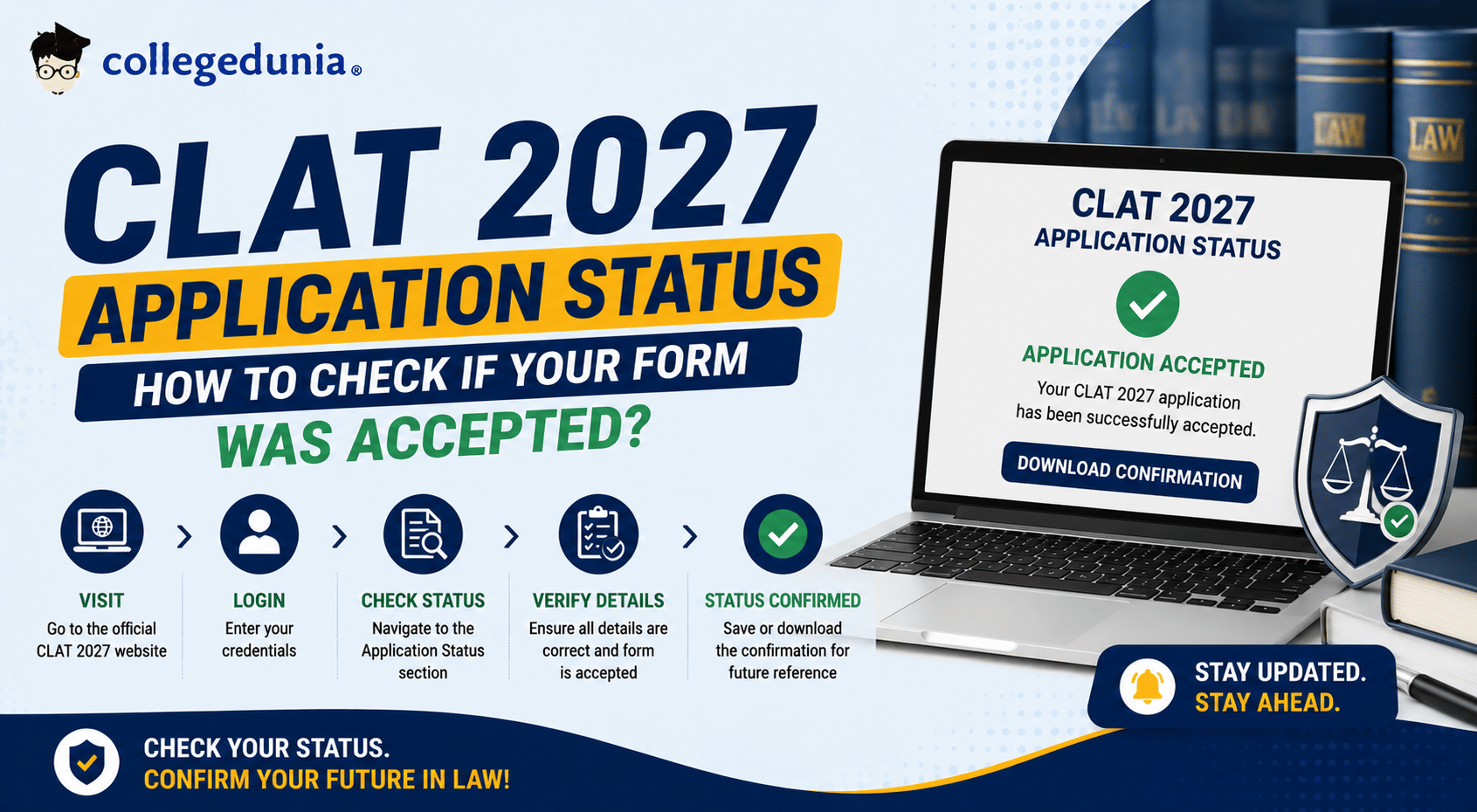
You can check your CLAT 2027 application status at consortiumofnlus.ac.in by logging in with your registered email ID and password. After submitting the CLAT 2027 application form, students must check their application status because an incomplete payment, incorrect photograph, or missing document can result in an application rejection.
- Students must log in using their registered email ID and password to access dashboard at consortiumofnlus.ac.in to check the status.
- A Submitted or Complete status means your CLAT 2027 application form has been accepted without issues.
- A Payment Pending status for CLAT 2027 application form means the form was filled out, but payment was not completed.
- Candidates are advised to download and save their confirmation page once the application status shows successful.
- If it shows that your application form is under review, no action is required, but you must check the status regularly to know the update.
This article explains how to check your CLAT 2027 application status, what each status means, and what to do if your form shows an issue.
Related Articles:
- CLAT 2027: Notification, Exam Date, Registration, Pattern, Syllabus, & Cutoff
- CLAT 2027 Registration: Dates, Application Form, Fee, Eligibility and How to Apply
Key Summary
- The Consortium of National Law Universities (NLUs) conducts CLAT for admission to undergraduate and postgraduate law programmes at 24 NLUs across India.
- The CLAT 2027 application fee is expected to be INR 4000 for General and OBC candidates and INR 3500 for SC, ST, PwD and BPL students.
- Students must contact the Consortium helpdesk with your transaction ID and bank statement immediately if the payment was deducted from your bank account and the status shows payment failed or pending after 48 hours.
CLAT 2027 Application Status: Key Details
The table below gives students a quick overview of the CLAT 2027 application status process, including the conducting body, official portal, and how to check.
| Parameter | Details |
|---|---|
| Exam Name | Common Law Admission Test (CLAT) 2027 |
| Conducting Body | Consortium of National Law Universities (NLUs) |
| Official Portal | consortiumofnlus.ac.in |
| Mode of Checking Status | Online |
| Login Credentials Required | Registered email ID and password |
| How to Check | Login to portal → Dashboard → View Application Status |
| Status Available From | After form submission at consortiumofnlus.ac.in |
Related Articles:
- How to Apply for CLAT 2027: Step-by-Step Registration Guide
- CLAT 2027 Registration Documents Required: Full Checklist
According to a Reddit post, users claim that CLAT 2027 is expected to be hard. Many are expecting the paper to be tough, calculative and lengthy.
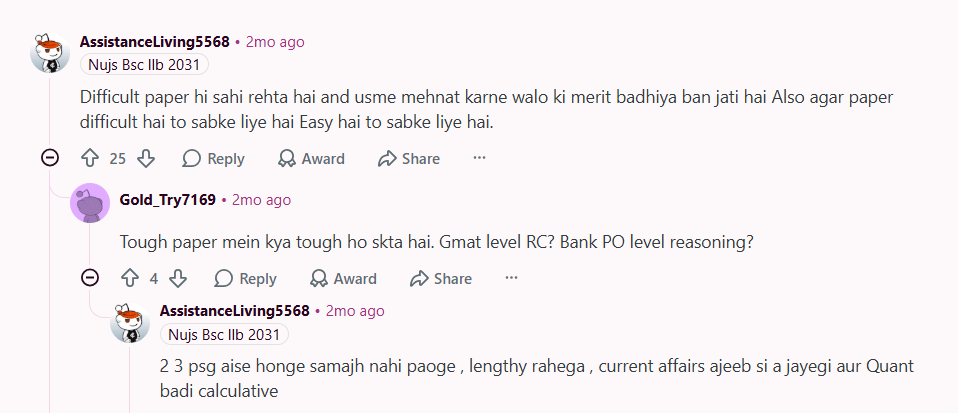
Source: Reddit
Ques. How can I check my CLAT 2027 application status?
Ans. Visit consortiumofnlus.ac.in and log in with your registered email ID and password. Go to the applicant dashboard to view your current application status and payment confirmation.
How to Check CLAT 2027 Application Status Online
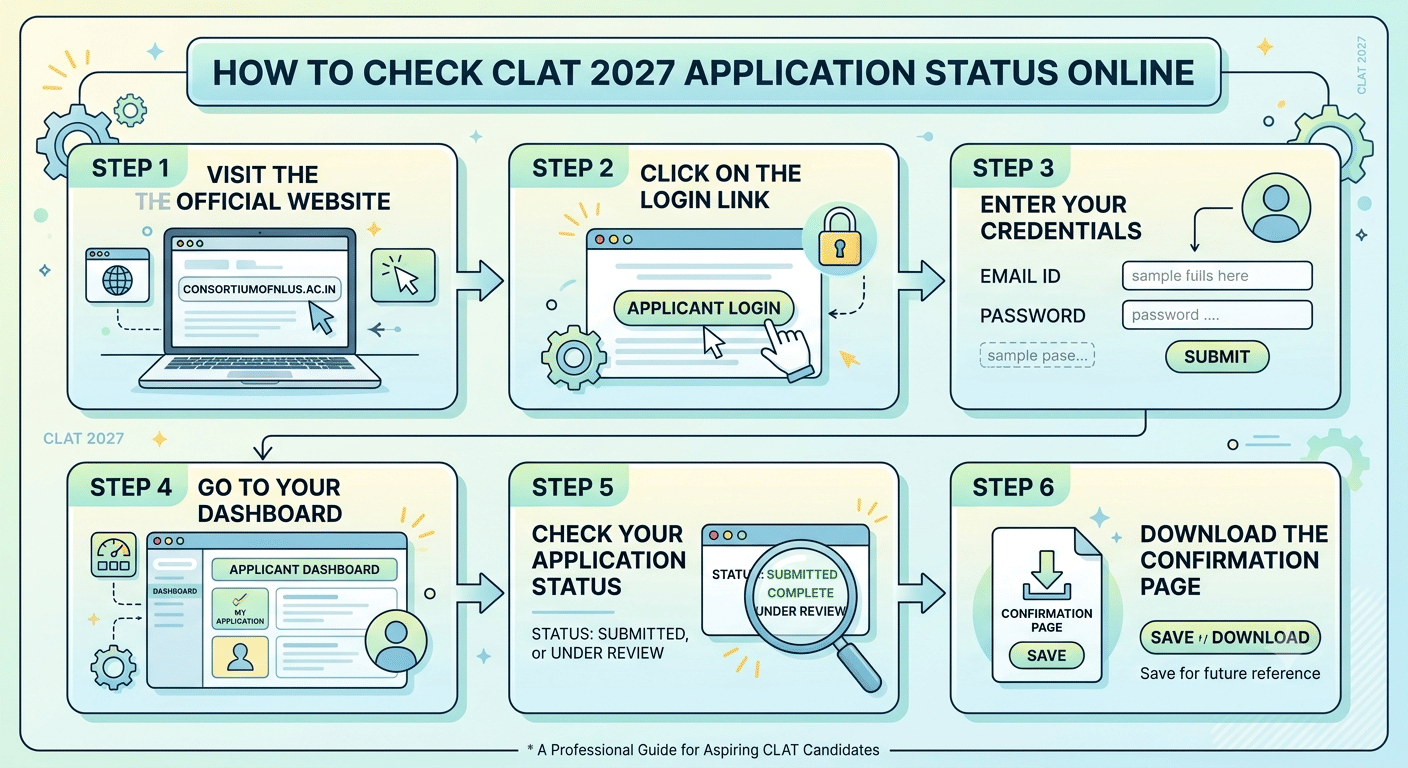
Students can follow these steps to check the CLAT 2027 application status on the official Consortium of NLUs website. The process takes only a few minutes.
- Step 1 Visit the official website: Open a browser and go to consortiumofnlus.ac.in.
- Step 2 Click on the Login link: Find the applicant login section on the homepage and click on it.
- Step 3 Enter your credentials: Type your registered email ID and password, then click Submit.
- Step 4 Go to your Dashboard: After logging in, navigate to the applicant dashboard or My Application section.
- Step 5 Check your application status: Your current status is displayed on the dashboard. Note the status shown carefully.
- Step 6 Download the confirmation page: If the status shows Submitted or Complete, download and save the confirmation page for future reference.
Note: If you have forgotten your password, use the Forgot Password option on the login page to reset it using your registered email ID. Do not create a new account as this may cause duplicate entry issues.
Related Article: CLAT 2027 Information Bulletin: Direct Download and Key Highlights
Ques. What does a Deficient status mean for my CLAT 2027 application?
Ans. A Deficient status means your application has errors or missing documents. Log in to the portal, read the deficiency notice, and upload the correct files within the official correction window announced by the Consortium.
What Each CLAT 2027 Application Status Means
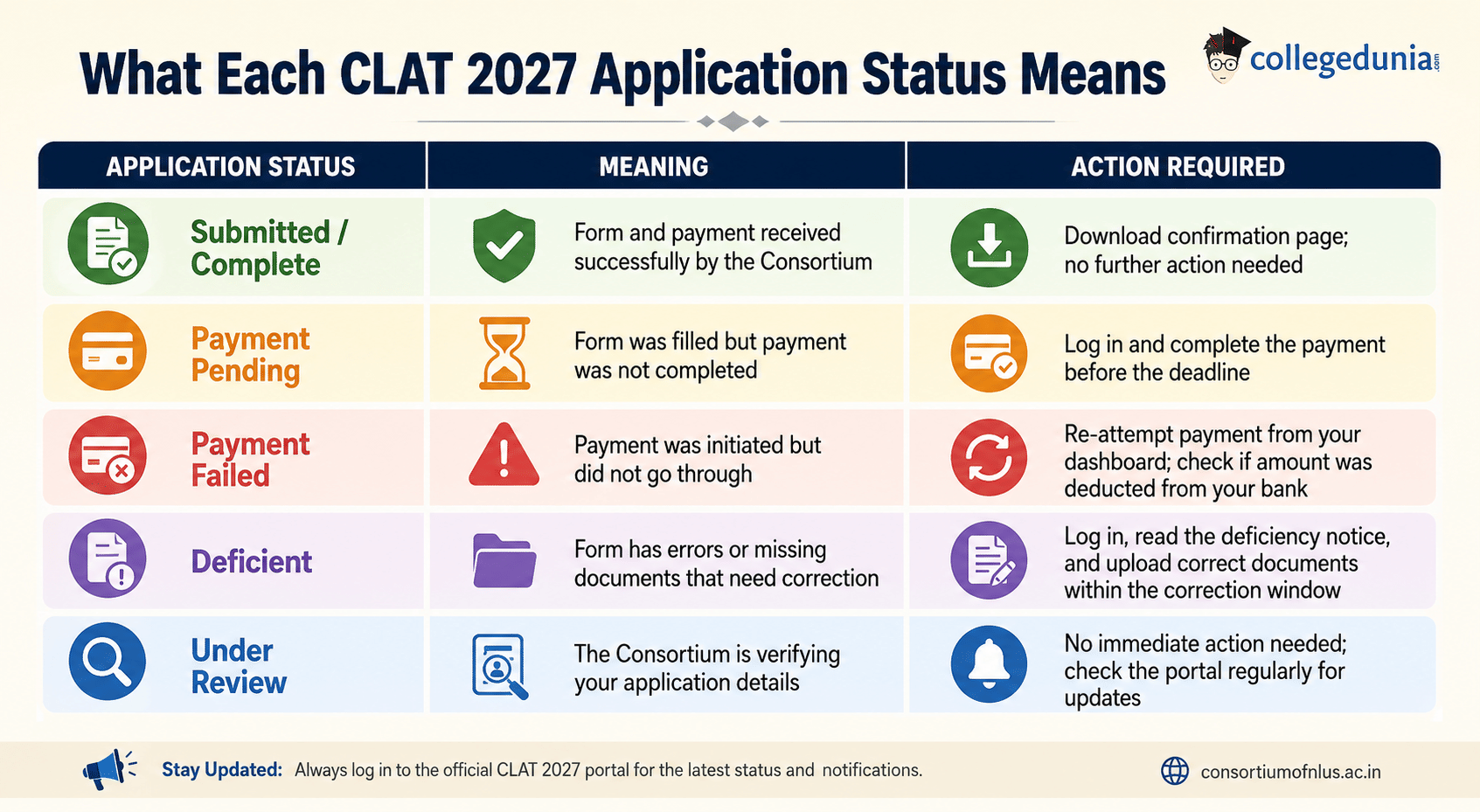
The CLAT 2027 portal displays different status messages depending on the completeness and payment of your application. The table below explains each status and the action to take.
| Application Status | Meaning | Action Required |
|---|---|---|
| Submitted / Complete | Form and payment received successfully by the Consortium | Download confirmation page; no further action needed |
| Payment Pending | Form was filled but payment was not completed | Log in and complete the payment before the deadline |
| Payment Failed | Payment was initiated but did not go through | Re-attempt payment from your dashboard; check if amount was deducted from your bank |
| Deficient | Form has errors or missing documents that need correction | Log in, read the deficiency notice, and upload correct documents within the correction window |
| Under Review | The Consortium is verifying your application details | No immediate action needed; check the portal regularly for updates |
Related Article: CLAT 2027 Application Fee: Category-Wise Fee and Payment Modes
Ques. My CLAT 2027 payment was deducted but the status shows Payment Pending. What should I do?
Ans. Wait up to 48 hours for automatic reconciliation. If the status does not update, contact the Consortium of NLUs helpdesk with your transaction ID and bank statement as proof of payment.
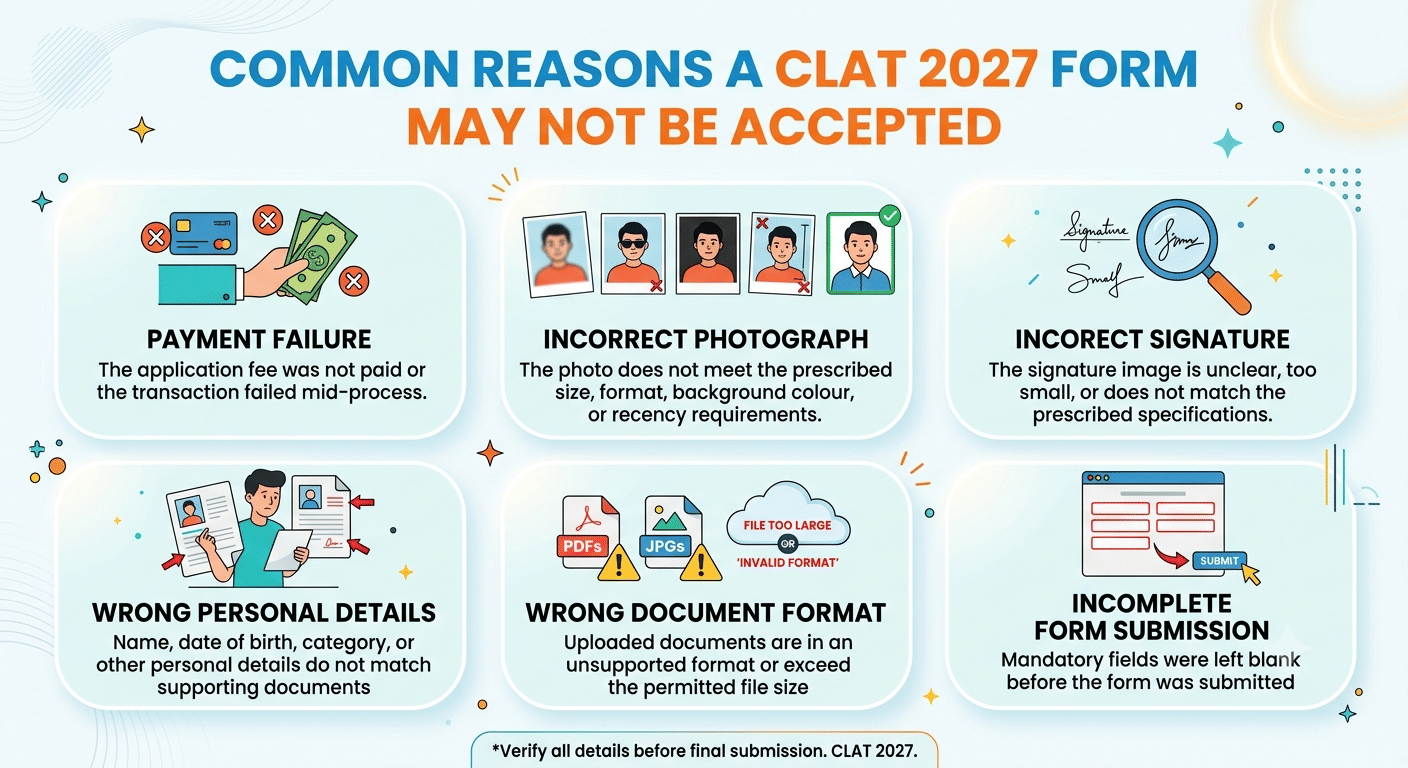
CLAT 2027 Application Status Common Reasons a Form May Not Be Accepted
A CLAT 2027 application may be marked deficient or rejected due to several avoidable errors. Students should review this list carefully before and after submission.
- Payment failure: The application fee was not paid or the transaction failed mid-process.
- Incorrect photograph: The photo does not meet the prescribed size, format, background colour, or recency requirements.
- Incorrect signature: The signature image is unclear, too small, or does not match the prescribed specifications.
- Wrong personal details: Name, date of birth, category, or other personal details do not match supporting documents.
- Wrong document format: Uploaded documents are in an unsupported format or exceed the permitted file size.
- Incomplete form submission: Mandatory fields were left blank before the form was submitted.
Students are advised to re-read the official CLAT 2027 information brochure before submitting to avoid these common mistakes.
Related Article: CLAT Exam Eligibility: Check Age Limit for CLAT, Academic Qualification, Minimum Percentage
Ques. My payment was deducted but I did not receive a CLAT 2027 confirmation. What should I do?
Ans. Do not make a second payment immediately. Check your registered email for a confirmation message. If none arrives within 48 hours, note your bank transaction ID and contact the Consortium helpdesk at consortiumofnlus.ac.in with your transaction details and bank statement as proof of payment.
What to Do If Your CLAT 2027 Application Shows an Issue
If the CLAT 2027 portal shows a status other than Submitted or Complete, students must act quickly within the official correction or payment window.
- Payment Pending or Payment Failed: Log in to the portal and retry the payment. If the amount was deducted from your bank but the status still shows pending, wait 48 hours for automatic reconciliation. If the issue persists, contact the Consortium helpdesk with your transaction ID and bank statement.
- Deficient form: Log in and read the deficiency notice carefully. Upload the correct photograph, signature, or document as instructed. Ensure the corrected file meets all prescribed specifications before re-uploading. Submit the correction within the official window.
- Under Review: No action is needed immediately. Monitor the portal daily and respond promptly if the Consortium sends an email or updates your status.
- Unresolved issues: Email the official Consortium of NLUs helpdesk with your application number, registered email ID, and a clear description of the issue. Attach relevant screenshots as proof.
Do not submit a new application to resolve an existing issue. Multiple applications can lead to duplicate entries and disqualification. All corrections must be made within the existing application on the official portal.
Related Article: CLAT 2027 Exam Date, Check Application Form, Admit Card, Result, Counselling Schedule
CLAT 2027 Application Status FAQs
Ques. Can I submit a new CLAT 2027 application if my current one has an issue?
Ans. No. Students must not submit a new application. Duplicate applications can lead to disqualification. All corrections must be made within the existing application on the official portal at consortiumofnlus.ac.in.
Ques. Is the CLAT 2027 application confirmation page important to save?
Ans. Yes. The confirmation page proves your CLAT 2027 application was submitted and payment was received. Download and save it as it will be needed for the admit card download and all future stages of the CLAT 2027 process.
Ques. What is the official website to check CLAT 2027 application status?
Ans. The official website to check CLAT 2027 application status is consortiumofnlus.ac.in. This is the only authorised portal maintained by the Consortium of National Law Universities.



Comments