




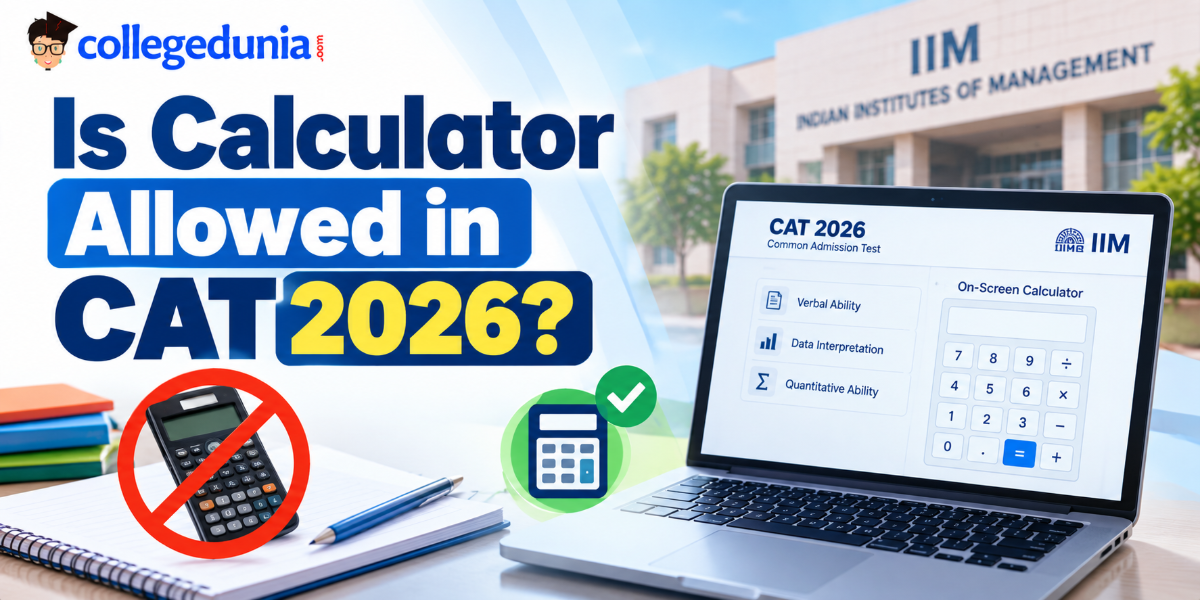
Candidates appearing for CAT 2026 often ask, is calculator allowed in CAT 2026? Yes, candidates can use a basic on-screen calculator in CAT 2026.
Physical calculators, including scientific calculators and calculator watches, are not permitted inside the examination centre. The computer-based test interface provides a virtual calculator.
| Particulars | CAT Calculator Rules |
|---|---|
| On-screen calculator | Allowed |
| Physical calculator | Not allowed |
| Scientific calculator | Not allowed |
| Personal calculator | Not allowed |
| Mobile phone calculator | Not allowed |
| Calculator access | Through the examination interface |
| Calculator type | Basic virtual calculator |
| Separate software installation | Not required |
The on-screen calculator has been part of the CAT examination interface since 2015. From CAT 2016 onwards, the calculator has offered basic mathematical functions instead of the scientific calculator provided in the first year
Related Links:
- Check CAT 2026: From Correction Oct 5-6, Exam Date, Syllabus, Mock Test & Cutoff
- CAT Preparation Tips & Strategy 2026: Study Plan, Books, Mock Tests, Self-Preparation & Online Coachings
What Functions Are Available in the CAT On-Screen Calculator?
- The CAT on-screen calculator provides basic arithmetic functions. It does not offer the full range of functions available in scientific calculators.
- According to a previous CAT exam, the interface includes addition, subtraction, multiplication, division, square root and reciprocal functions.
- The exact calculator interface should be checked through the official CAT mock test when available.
CAT On-Screen Calculator Functions
| Function | Purpose | Example |
|---|---|---|
| Addition (+) | Adds numbers | 125 + 275 = 400 |
| Subtraction (−) | Finds the difference | 850 − 350 = 500 |
| Multiplication (×) | Multiplies numbers | 25 × 16 = 400 |
| Division (÷) | Divides numbers | 450 ÷ 15 = 30 |
| Square Root (√) | Calculates square roots | √144 = 12 |
| Reciprocal (1/x) | Calculates the reciprocal | 1/4 = 0.25 |
| Memory functions | Stores and recalls values | Used for repeated calculations |
| Clear (C/CE) | Clears entered values | Resets the calculation |
Ques. Can we use a calculator in the CAT exam 2026?
Ans. Yes, candidates can use the basic on-screen calculator provided in the CAT examination interface. Physical calculators and personal electronic devices are not permitted inside the examination centre.
Ques. Is a scientific calculator allowed in CAT?
Ans. No, scientific calculators are not allowed in the CAT examination hall. Candidates can use only the basic virtual calculator available on the computer screen.
Where to Find the On-Screen Calculator in CAT 2026?
- Candidates can access the calculator directly from the CAT examination interface.
- They do not need to download a separate application or bring an external device.
- In previous CAT interfaces, the calculator icon was positioned near the timer. Candidates could click the icon to open the virtual calculator.
- Candidates should practise opening, using and closing the calculator during mock tests.
- This is particularly relevant for DILR sets where the question, table or graph may need to remain visible while performing calculations.
Steps to Access the CAT Calculator
| Step | Action |
|---|---|
| Step 1 | Log in to the CAT examination interface. |
| Step 2 | Locate the calculator icon on the computer screen. |
| Step 3 | Click the icon to open the calculator. |
| Step 4 | Enter numbers using the displayed buttons. |
| Step 5 | Select the required mathematical operation. |
| Step 6 | Check the result before using it in the question. |
| Step 7 | Close or reposition the calculator if it blocks important information. |
Check:
- CAT 2026 Preparation Online: Coaching, Free Courses, Study Material, Online YouTube and Reddit
- CAT Topic-Wise Weightage for QA, VARC and DILR, Check Previous Years’ Questions
Ques. Is a physical calculator allowed in the CAT exam?
Ans. No, candidates cannot carry physical calculators to the CAT examination centre. The examination interface provides an on-screen calculator for basic calculations.
Ques. Does CAT provide an on-screen calculator?
Ans. Yes, CAT provides an on-screen calculator through its computer-based examination interface. Candidates do not need to download or install separate calculator software.
CAT Subject-wise Sample Papers 2026 - Download PDF
CAT Quantitative Aptitude Sample Paper

CAT Verbal Ability and Reading Comprehension Sample Paper
CAT Data Interpretation and Logical Reasoning Sample Paper
When Should You Use the On-Screen Calculator During CAT 2026?
- The calculator is more relevant to numerical questions in DILR and QA than to VARC.
- In DILR, candidates may need to calculate differences, ratios or averages across several data points.
- In QA, the need depends on the calculation involved. A calculator cannot replace the mathematical reasoning required to solve these questions.
- 80% of your calculations should rely on mental math or pen and paper.
- 20% of your calculations might need the on-screen calculator.
| CAT Section | Question Type | Calculator Usage |
|---|---|---|
| VARC | Reading Comprehension | Generally not required |
| VARC | Verbal Ability | Generally not required |
| DILR | Tables and charts | Useful for lengthy calculations |
| DILR | Data comparison | Useful for checking numerical differences |
| QA | Percentage and ratio | Depends on calculation complexity |
| QA | Arithmetic involving large numbers | Useful for verification |
| QA | Algebra and equations | Usually requires conceptual solving rather than calculator use |
Check: CAT Study Material 2026: Download Free CAT Study Material PDF for VARC, DILR, and Quant
Ques. Can I use the calculator during the CAT DILR section?
Ans. Yes, the on-screen calculator is available during the examination. It can help candidates perform lengthy numerical calculations in Data Interpretation and Logical Reasoning questions.
Examples of Calculations Where a Calculator May Help
The deciding factor should be the time required to calculate, not the difficulty of the question alone.
For example, calculating 25% of 800 mentally is straightforward because 25% equals one-fourth. Using the calculator for this operation may add unnecessary steps.
| Calculation | Example | Suggested Method |
|---|---|---|
| Simple percentage | 10% of 450 | Mental calculation |
| Fraction conversion | 25% of 800 | Mental calculation |
| Large multiplication | 347 × 286 | Calculator or written calculation |
| Lengthy division | 1,245 ÷ 35 | Calculator or approximation |
| Numerical verification | Comparing two calculated values | Calculator |
| Repeated calculations | Multiple values from a DI table | Calculator where necessary |
CAT Previous Year Question Paper PDF:
| Year | CAT DILR Slot | Question Paper | Solution PDF |
|---|---|---|---|
| CAT 2025 | DILR Question Paper | Download Pdf | Click Here |
| VARC Question Paper | Download Pdf | Click Here | |
| Quant Question Paper | Download Pdf | Click Here | |
| CAT 2024 | VARC Question Paper | Download PDF | Click Here |
| DILR Question Paper | Download PDF | Click Here | |
| QA Question Paper | Download PDF | Click Here | |
| CAT 2023 | DILR Question Paper | Download PDF | Click Here |
| VARC Question Paper | Download PDF | Click Here | |
| Quant Question Paper | Download PDF | Click Here | |
| CAT 2022 | DILR Question Paper | Download PDF | Check Solutions |
| VARC Question Paper | Download PDF | Check Solutions | |
| Quant Question Paper | Download PDF | Check Solutions | |
| CAT 2021 | DILR Question Paper | Download PDF | Check Solutions |
| VARC Question Paper | Download PDF | Check Solutions | |
| Quant Question Paper | Download PDF | Check Solutions |
How to Use the CAT On-Screen Calculator Without Losing Time?
The calculator can help with arithmetic, but repeatedly opening it for simple calculations may interrupt the solving process. Candidates should practise using it only when the calculation justifies the additional steps.
Smart Strategies for CAT Calculator Use
| Strategy | How to Apply It | Example |
|---|---|---|
| Estimate before calculating | Identify the approximate answer range | Estimate 19% of 500 before calculating |
| Use mental maths for simple values | Calculate familiar percentages mentally | 50% of 640 = 320 |
| Use the calculator for lengthy operations | Enter multi-digit calculations | 458 × 276 |
| Check the input before pressing equals | Verify numbers and operators | Confirm 458 × 276, not 458 + 276 |
| Avoid repeated calculations | Store or note intermediate values where possible | Use memory functions if available |
| Keep the question visible | Reposition the calculator if it covers data | Useful for table-based DILR questions |
Ques. Does using a calculator save time in CAT?
Ans. It depends on the calculation. A calculator may help with lengthy multiplication or division, while mental calculation may be faster for simple percentages and fractions.
How to Improve Calculation Speed for CAT 2026?
- Calculation speed can be improved through regular practice of arithmetic concepts used in CAT Quantitative Aptitude and Data Interpretation.
- Candidates should focus on percentages, fractions, multiplication, division and approximation.
| Calculation Skill | What to Practise | Example |
|---|---|---|
| Percentage conversion | Common percentage-fraction equivalents | 20% = 1/5 |
| Fraction calculation | Addition, subtraction and multiplication | 3/4 of 240 |
| Multiplication | Two-digit and three-digit multiplication | 125 × 48 |
| Division | Division involving larger numbers | 1,440 ÷ 36 |
| Approximation | Estimating numerical values | 198 × 51 ≈ 200 × 50 |
| Ratio calculation | Comparing quantities | 120:180 = 2:3 |
| Average calculation | Sum divided by number of values | Average of 24, 36 and 48 |
Ques. Can I practise using the CAT on-screen calculator before the exam?
Ans. Yes, candidates can practise using calculator replicas and the official CAT mock test when available. The official mock test can help candidates understand the examination interface.
Ques. Is there a CAT calculator download available?
Ans. The official CAT calculator is integrated into the examination interface and is not provided as a separate downloadable examination application. Candidates can use online replicas for preparation, but these are not the official examination calculator.
Common Mistakes to Avoid While Using the CAT Calculator
- Using the calculator incorrectly can create additional steps during a timed examination.
- Candidates should practise the interface and check their calculations to reduce avoidable errors.
| Mistake | Possible Impact | How to Avoid It |
|---|---|---|
| Using the calculator for every operation | Additional time spent entering values | Use mental maths for simple calculations |
| Entering incorrect digits | Incorrect final result | Verify the numbers before calculating |
| Selecting the wrong operator | Calculation error | Check the operation symbol |
| Not clearing previous entries | Confusion between calculations | Use the clear function |
| Depending entirely on the calculator | Reduced calculation flexibility | Practise mental maths regularly |
| Opening it without a clear purpose | Interrupts the solving process | Decide the calculation method first |
| Not practising the interface | Slower navigation during the test | Us |



Comments